Automating Clinical Workflows with
the VarSeq Suite
March 16, 2022
Presented by Nate Fortier, Ph.D, Director of Research
2
Any Questions?
Automating Clinical Workflows with
the VarSeq Suite
March 16, 2022
Presented by Nate Fortier, Ph.D, Director of Research
NIH Grant Funding Acknowledgments
4
• Research reported in this publication was supported by the National Institute Of General Medical Sciences of
the National Institutes of Health under:
o Award Number R43GM128485-01
o Award Number R43GM128485-02
o Award Number 2R44 GM125432-01
o Award Number 2R44 GM125432-02
o Montana SMIR/STTR Matching Funds Program Grant Agreement Number 19-51-RCSBIR-005
• PI is Dr. Andreas Scherer, CEO of Golden Helix.
• The content is solely the responsibility of the authors and does not necessarily represent the official views of the
National Institutes of Health.
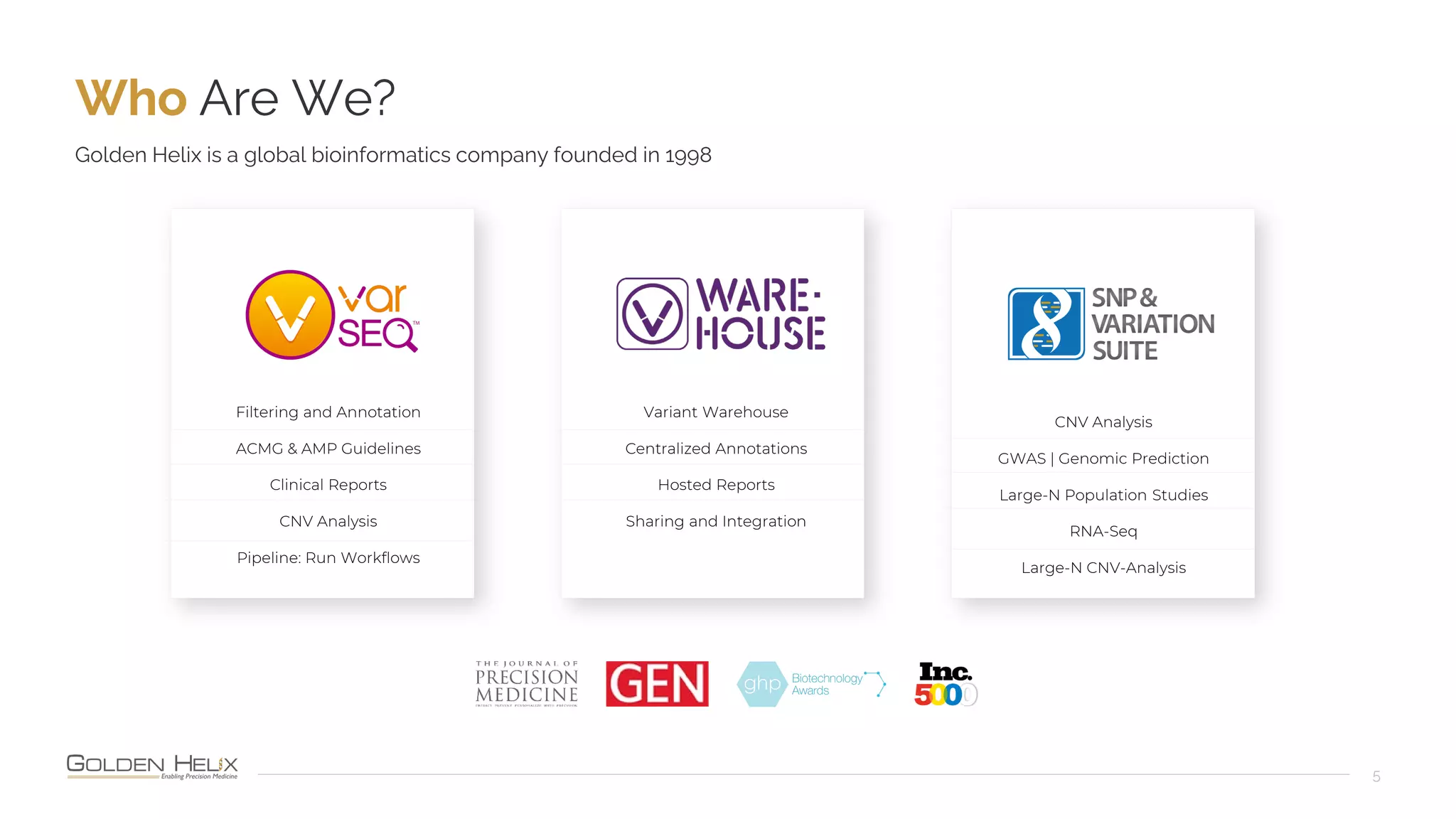
Who Are We?
5
Golden Helix is a global bioinformatics company founded in 1998
Filtering and Annotation
ACMG & AMP Guidelines
Clinical Reports
CNV Analysis
Pipeline: Run Workflows
CNV Analysis
GWAS | Genomic Prediction
Large-N Population Studies
RNA-Seq
Large-N CNV-Analysis
Variant Warehouse
Centralized Annotations
Hosted Reports
Sharing and Integration
Cited in 1,000s of Peer-Reviewed Publications
6
Over 400 Customers Globally
7
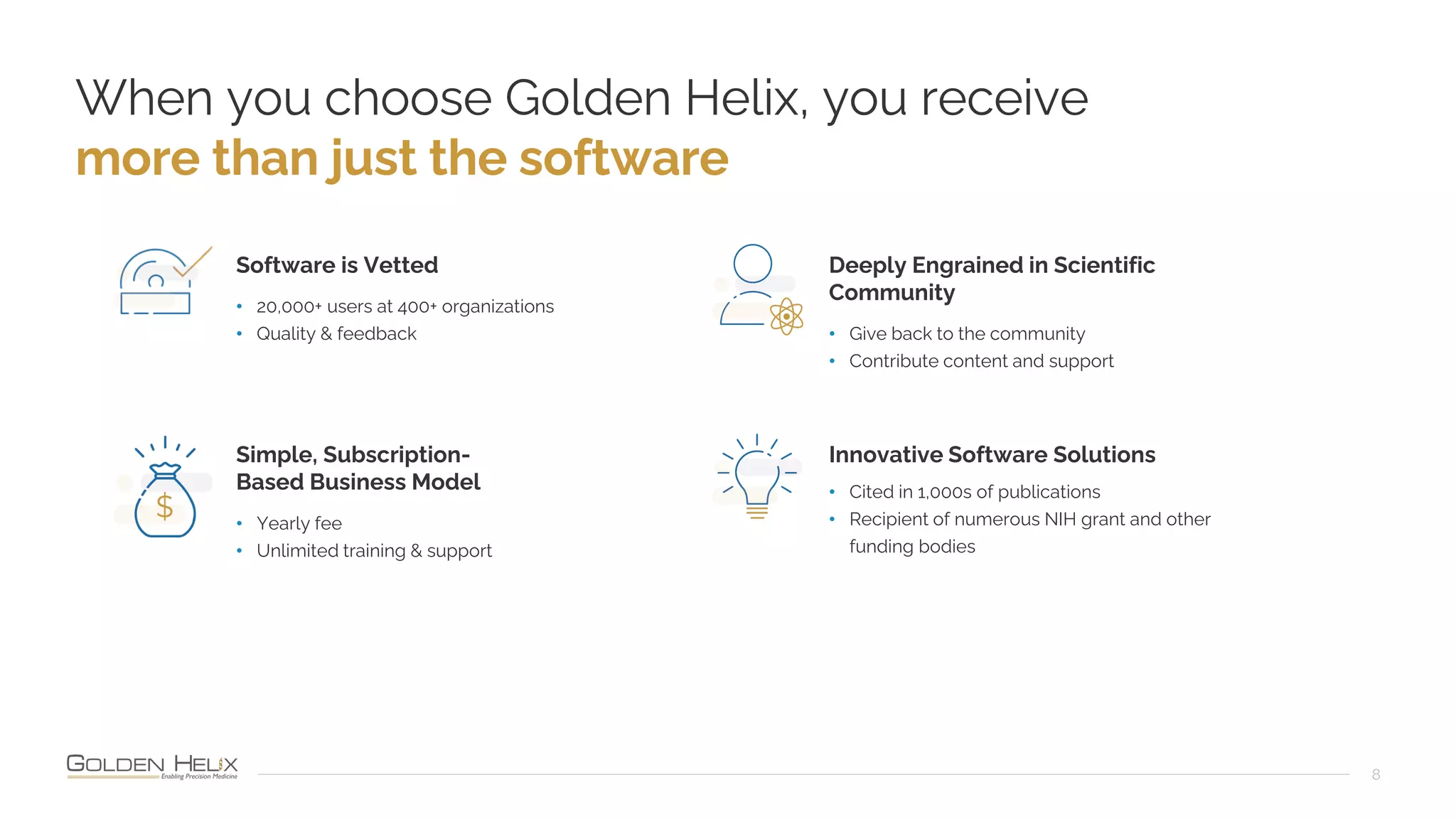
When you choose Golden Helix, you receive
more than just the software
8
Software is Vetted
• 20,000+ users at 400+ organizations
• Quality & feedback
Simple, Subscription-
Based Business Model
• Yearly fee
• Unlimited training & support
Deeply Engrained in Scientific
Community
• Give back to the community
• Contribute content and support
Innovative Software Solutions
• Cited in 1,000s of publications
• Recipient of numerous NIH grant and other
funding bodies
Motivation for
Automation
• Increase throughput of the lab
• Increase quality by reducing chance of
human error
• Simplifying oversight and compliance
audits
Outline
• Review NGS analysis process
• Discuss strategies & guidelines to automate
analytics steps
• Example automated pipeline demonstration
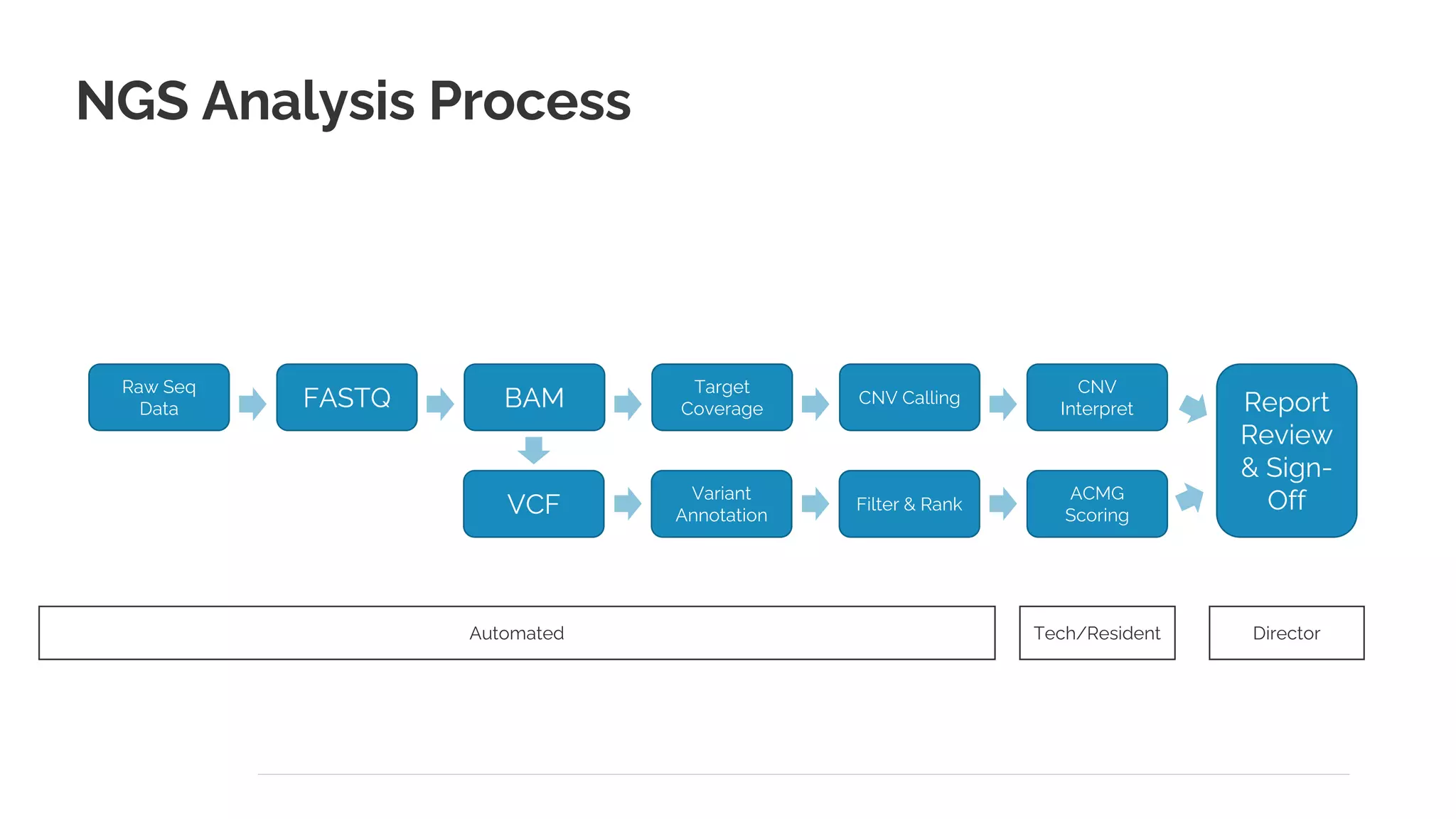
Tech/Resident
Automated
NGS Analysis Process
Raw Seq
Data FASTQ BAM
VCF
Target
Coverage
Variant
Annotation
CNV Calling
Filter & Rank
CNV
Interpret
ACMG
Scoring
Report
Review
& Sign-
Off
Director
12
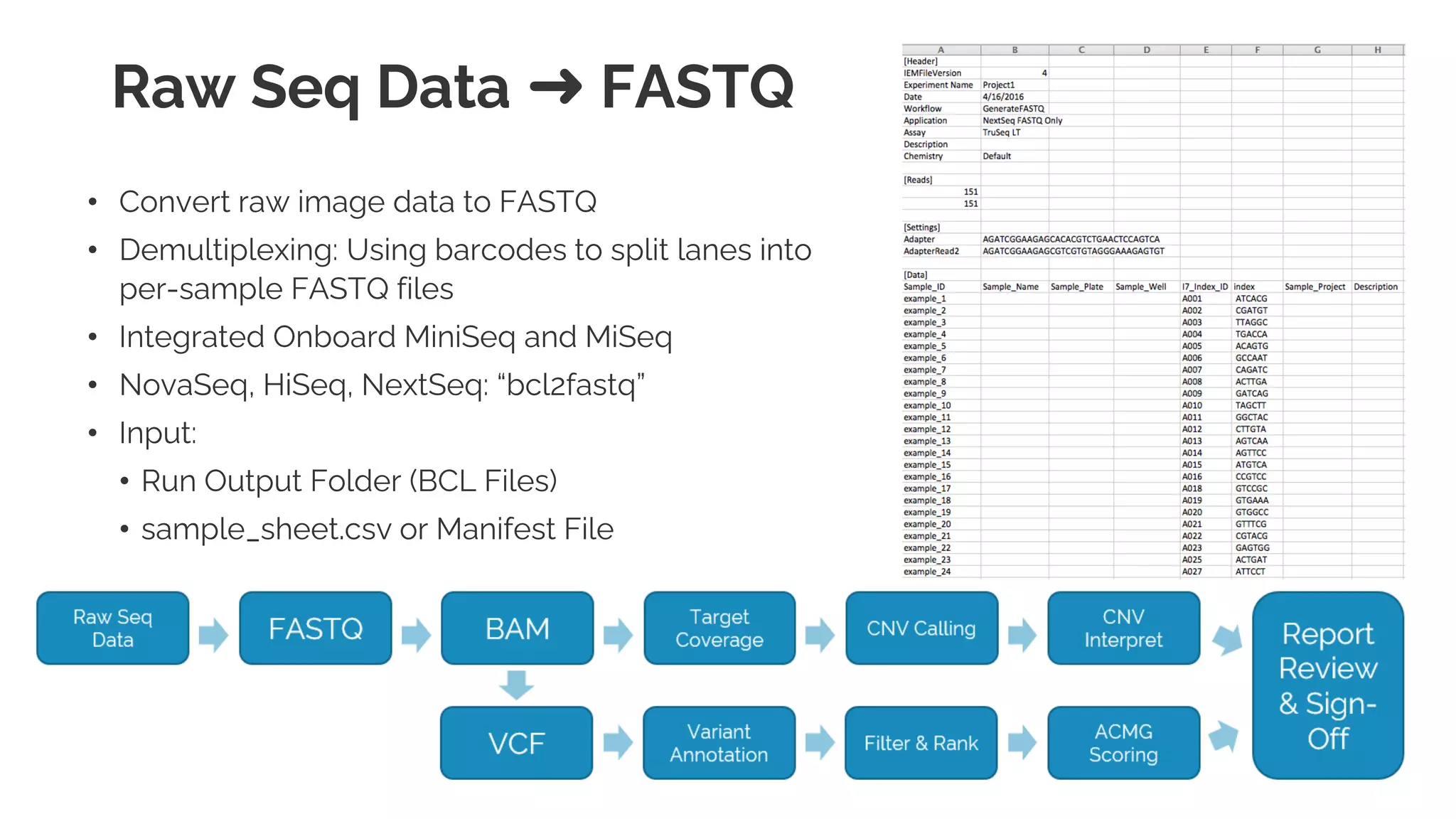
Raw Seq Data ➜ FASTQ
• Convert raw image data to FASTQ
• Demultiplexing: Using barcodes to split lanes into
per-sample FASTQ files
• Integrated Onboard MiniSeq and MiSeq
• NovaSeq, HiSeq, NextSeq: “bcl2fastq”
• Input:
• Run Output Folder (BCL Files)
• sample_sheet.csv or Manifest File
• Output:
• One directory per sample, or one pair of FASTQ
files per sample
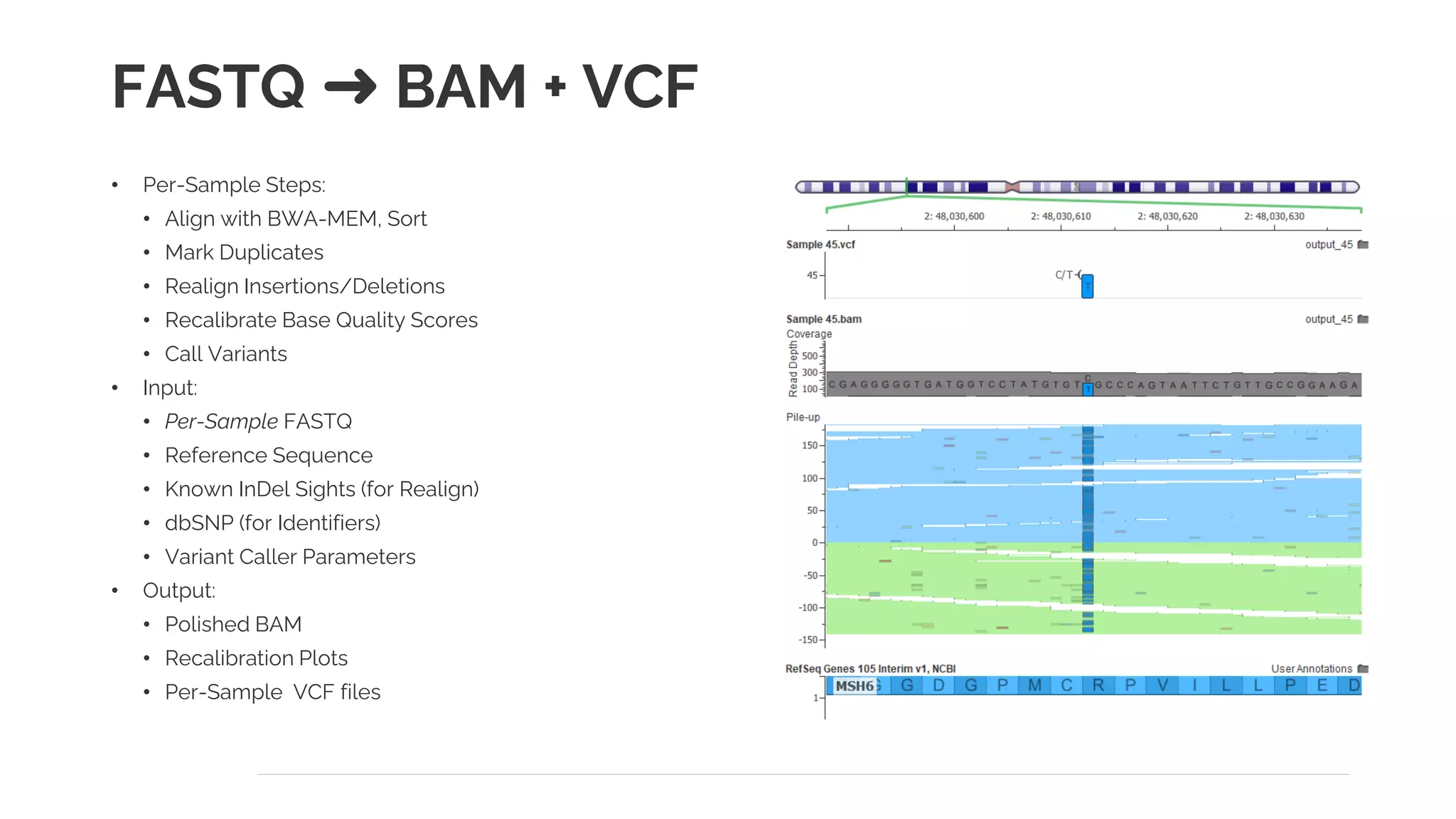
FASTQ ➜ BAM + VCF
• Per-Sample Steps:
• Align with BWA-MEM, Sort
• Mark Duplicates
• Realign Insertions/Deletions
• Recalibrate Base Quality Scores
• Call Variants
• Input:
• Per-Sample FASTQ
• Reference Sequence
• Known InDel Sights (for Realign)
• dbSNP (for Identifiers)
• Variant Caller Parameters
• Output:
• Polished BAM
• Recalibration Plots
• Per-Sample VCF files
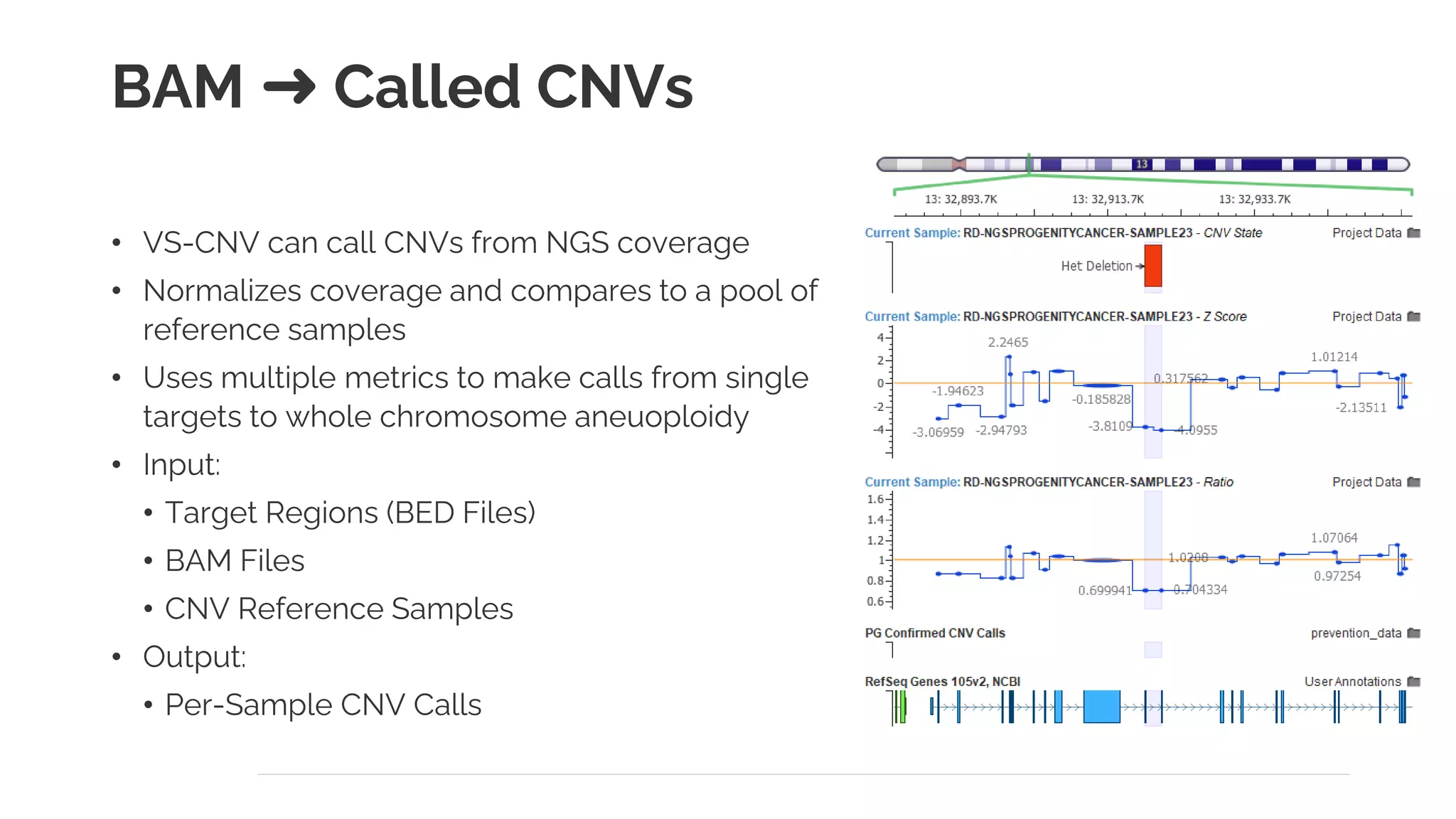
BAM ➜ Called CNVs
• VS-CNV can call CNVs from NGS coverage
• Normalizes coverage and compares to a pool of
reference samples
• Uses multiple metrics to make calls from single
targets to whole chromosome aneuoploidy
• Input:
• Target Regions (BED Files)
• BAM Files
• CNV Reference Samples
• Output:
• Per-Sample CNV Calls
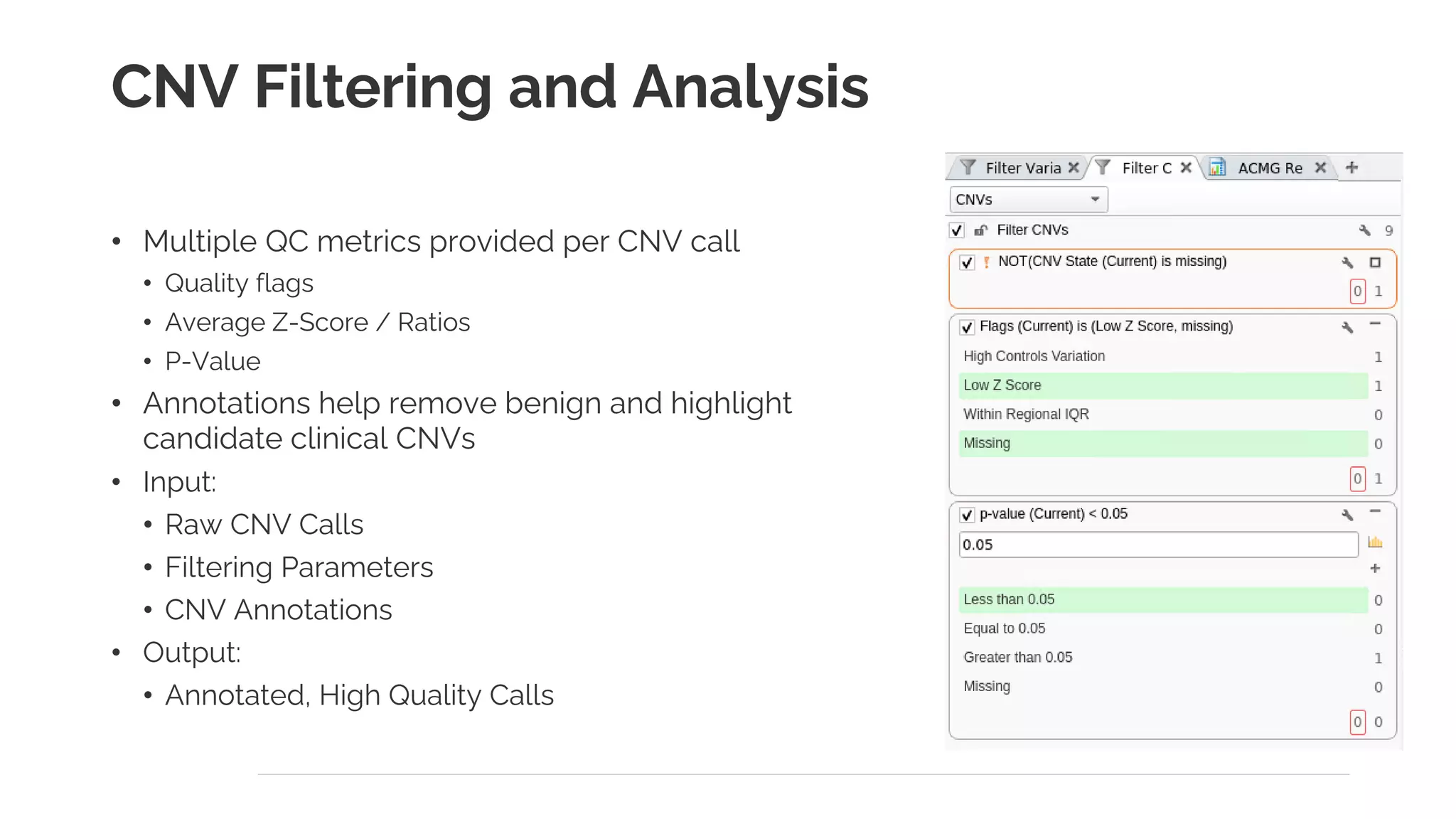
CNV Filtering and Analysis
• Multiple QC metrics provided per CNV call
• Quality flags
• Average Z-Score / Ratios
• P-Value
• Annotations help remove benign and highlight
candidate clinical CNVs
• Input:
• Raw CNV Calls
• Filtering Parameters
• CNV Annotations
• Output:
• Annotated, High Quality Calls
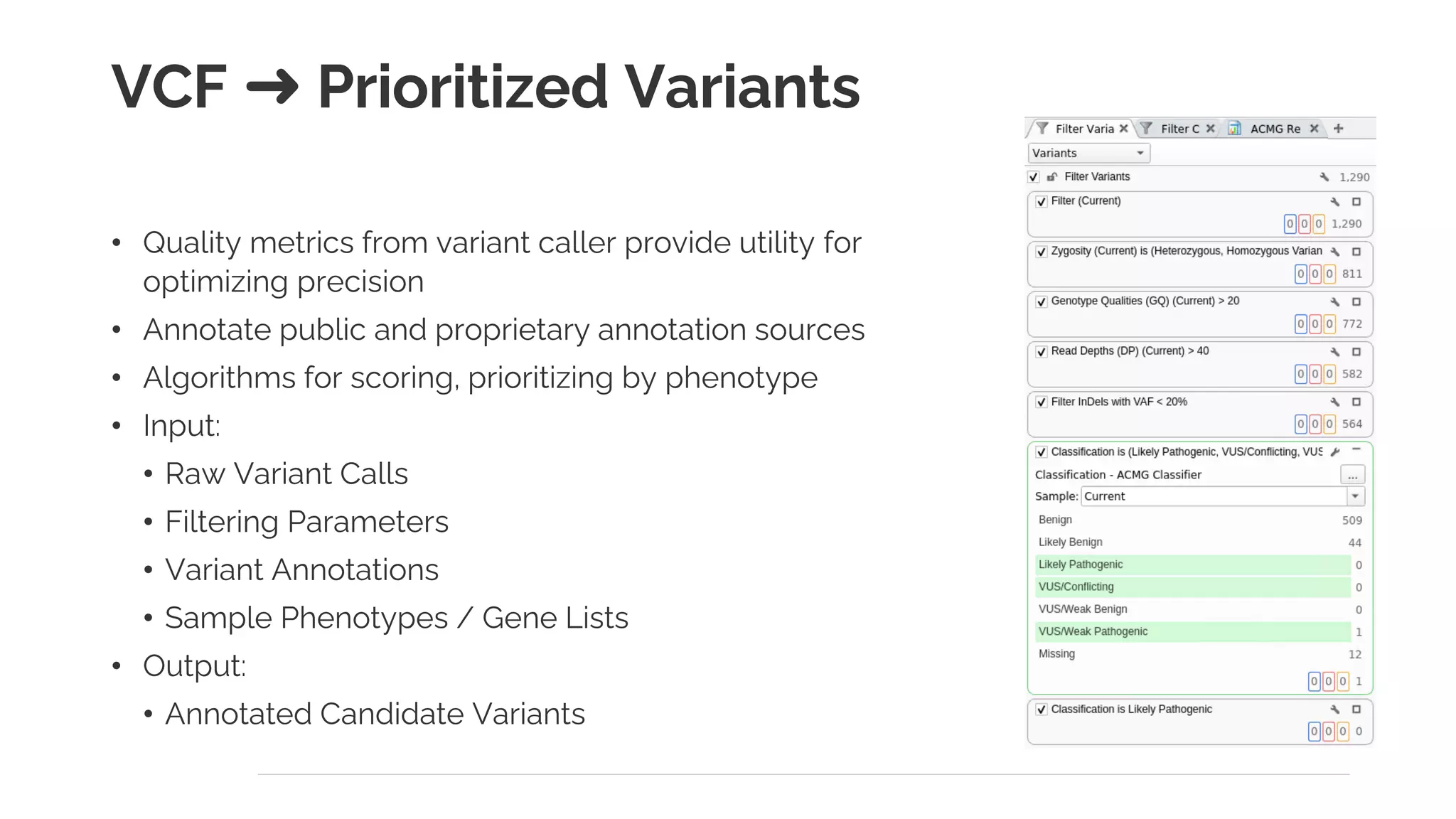
VCF ➜ Prioritized Variants
• Quality metrics from variant caller provide utility for
optimizing precision
• Annotate public and proprietary annotation sources
• Algorithms for scoring, prioritizing by phenotype
• Input:
• Raw Variant Calls
• Filtering Parameters
• Variant Annotations
• Sample Phenotypes / Gene Lists
• Output:
• Annotated Candidate Variants
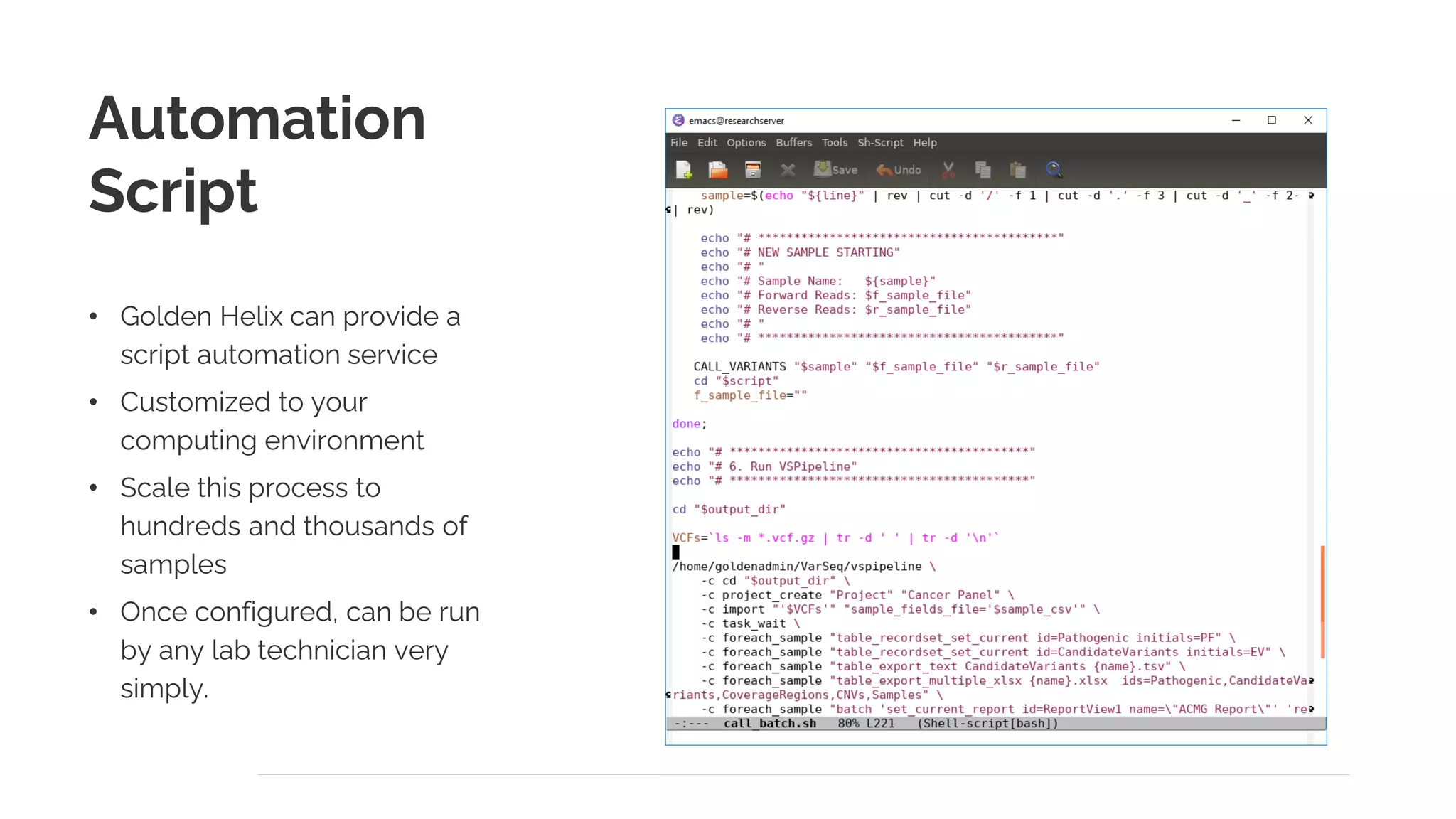
Automation
Script
• Golden Helix can provide a
script automation service
• Customized to your
computing environment
• Scale this process to
hundreds and thousands of
samples
• Once configured, can be run
by any lab technician very
simply.
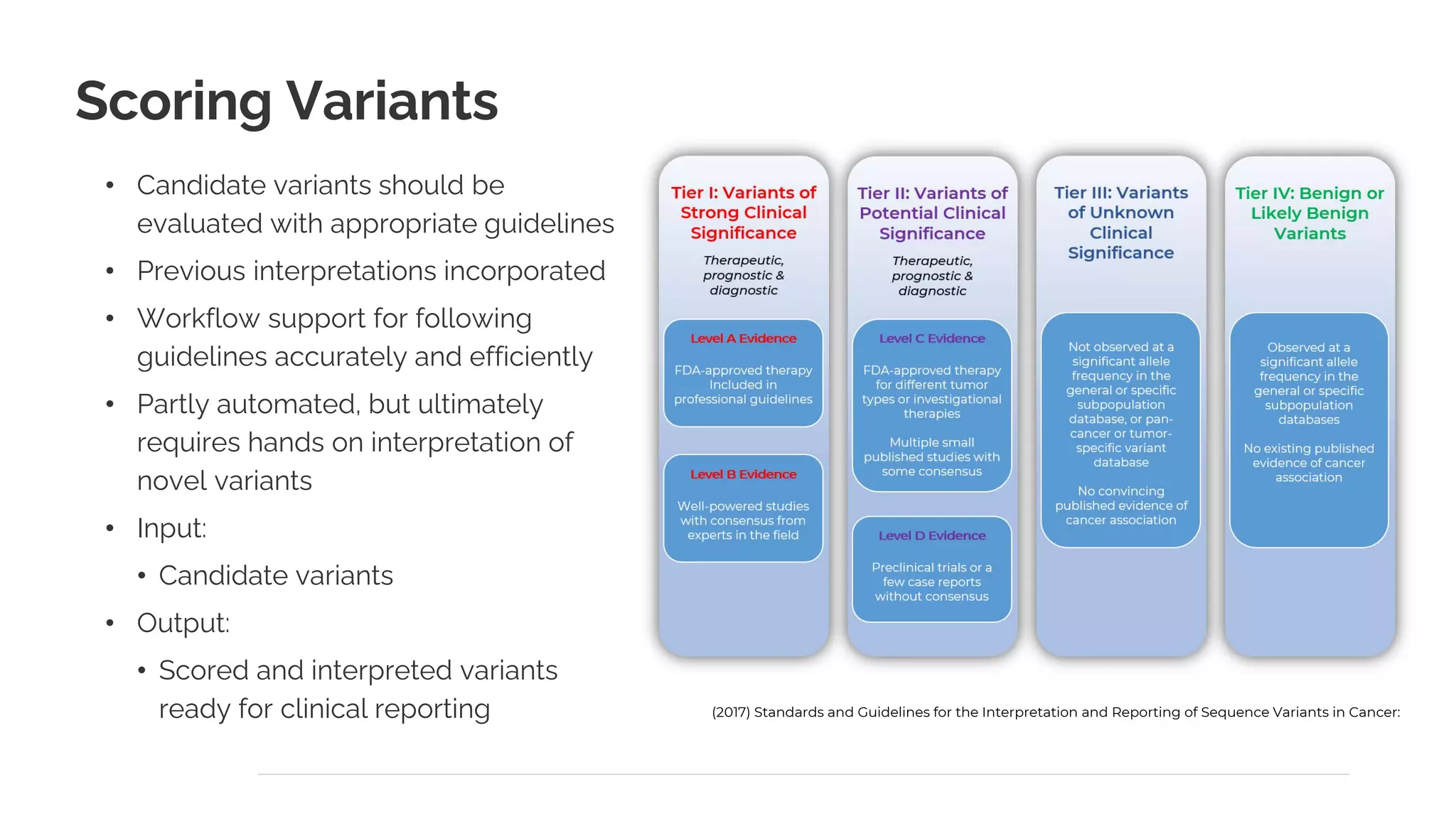
Scoring Variants
• Candidate variants should be
evaluated with appropriate guidelines
• Previous interpretations incorporated
• Workflow support for following
guidelines accurately and efficiently
• Partly automated, but ultimately
requires hands on interpretation of
novel variants
• Input:
• Candidate variants
• Output:
• Scored and interpreted variants
ready for clinical reporting (2017) Standards and Guidelines for the Interpretation and Reporting of Sequence Variants in Cancer:
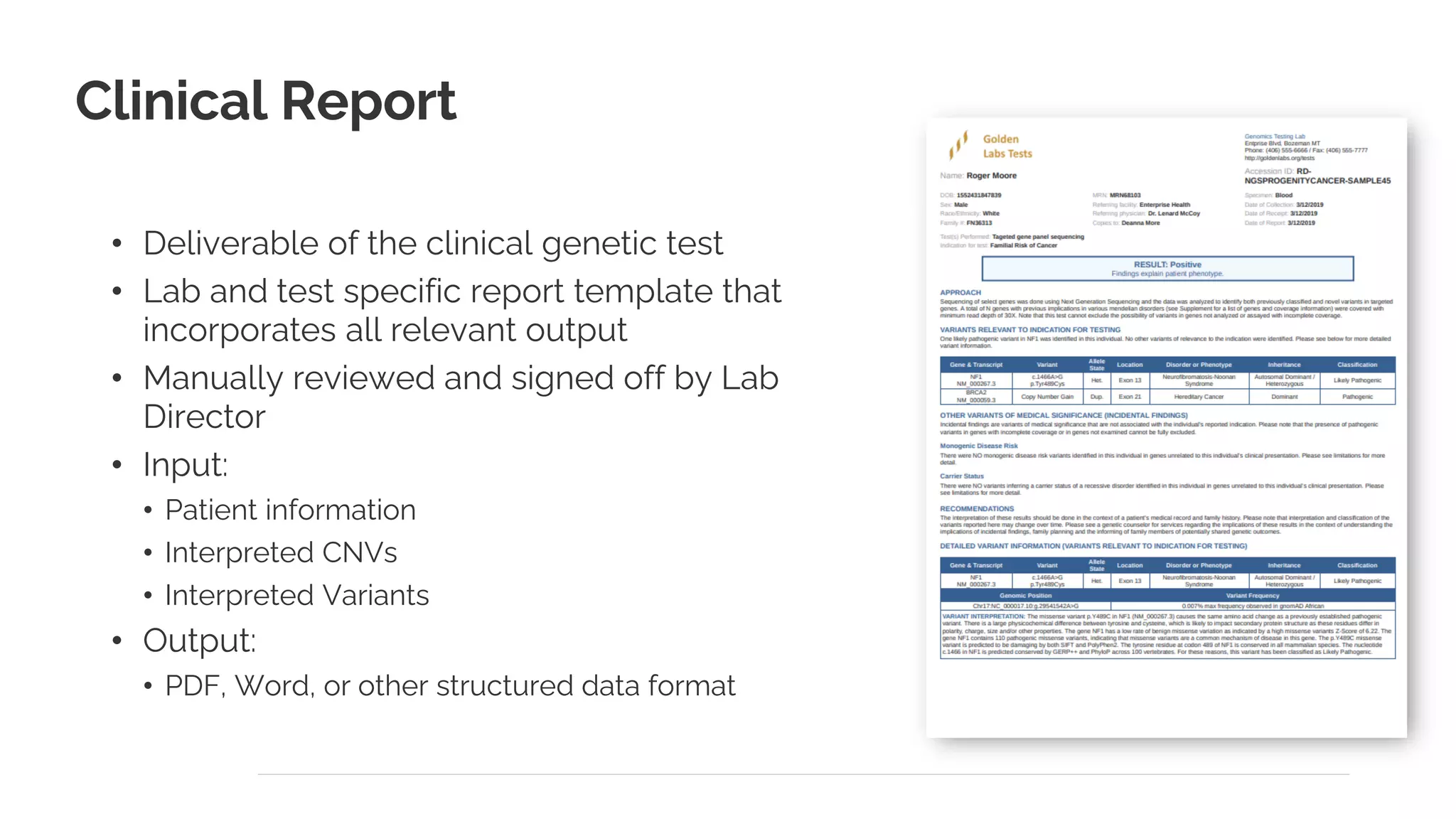
Clinical Report
• Deliverable of the clinical genetic test
• Lab and test specific report template that
incorporates all relevant output
• Manually reviewed and signed off by Lab
Director
• Input:
• Patient information
• Interpreted CNVs
• Interpreted Variants
• Output:
• PDF, Word, or other structured data format
Automation Demo
• Starting Point:
• Per-sample FASTQ Files
• Samples_mainifest.tsv with patient information
• File system watcher for
sample_manifest.tsv alongside a batch of
FASTQ files
• Kick off automation pipeline
• Let’s start it and watch!
Automation
Guidelines and
Strategies
• Use a script to chain together command
line tools
• Allow the script to take input parameters
that may change
• Have consistent naming and output
structure
• Logs as part of output structure
• Precompute as much as possible, making
the “jump in” point for a user quick to open
Automated Pipeline
Components
• Sentieon Secondary:
• Alignment with BWA-Mem
• Sort, Dedup, Realign, Recalibrate
• Call Variants
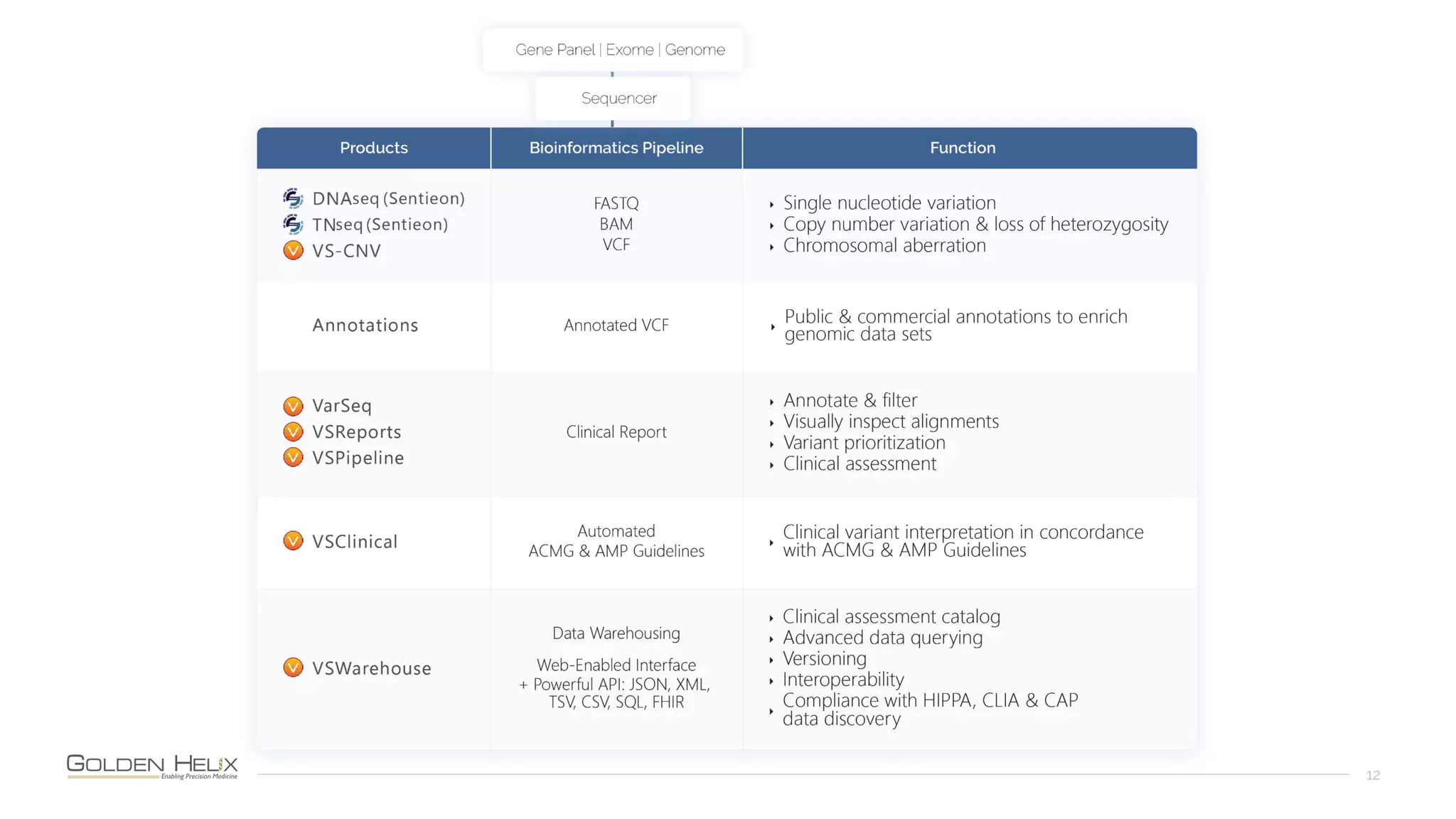
• VarSeq (via VSPipeline)
• Create Project for Batch
• Steps defined by Project Template:
• CNV Calling/Import (VS-CNV)
• Annotate & Filter CNVs and Variants
• VSClinical ACMG Auto-Classifier
• VSReports Auto-Fill
Hand-On Steps
• Outputs of Automation:
• BAM, Recalibration PDF, VCF files
• Excel Spreadsheet with variants + CNVs
• Draft HTML report
• Prepared project
• Lab Tech/Resident Level:
• Review Sample Quality, Coverage Statistics
• CNVs: Review Quality / Interpret Candidates
• Variants: Review Quality / Run Guidelines on Candidates
• Lab Director / Sign-Off:
• Review Candidates and Draft Interpretations
• Write Final Report Summary
• Finalize Report
• Export as PDF
25
Product Demo
26
NIH Grant Funding Acknowledgments
27
• Research reported in this publication was supported by the National Institute Of General Medical Sciences of
the National Institutes of Health under:
o Award Number R43GM128485-01
o Award Number R43GM128485-02
o Award Number 2R44 GM125432-01
o Award Number 2R44 GM125432-02
o Montana SMIR/STTR Matching Funds Program Grant Agreement Number 19-51-RCSBIR-005
• PI is Dr. Andreas Scherer, CEO of Golden Helix.
• The content is solely the responsibility of the authors and does not necessarily represent the official views of the
National Institutes of Health.
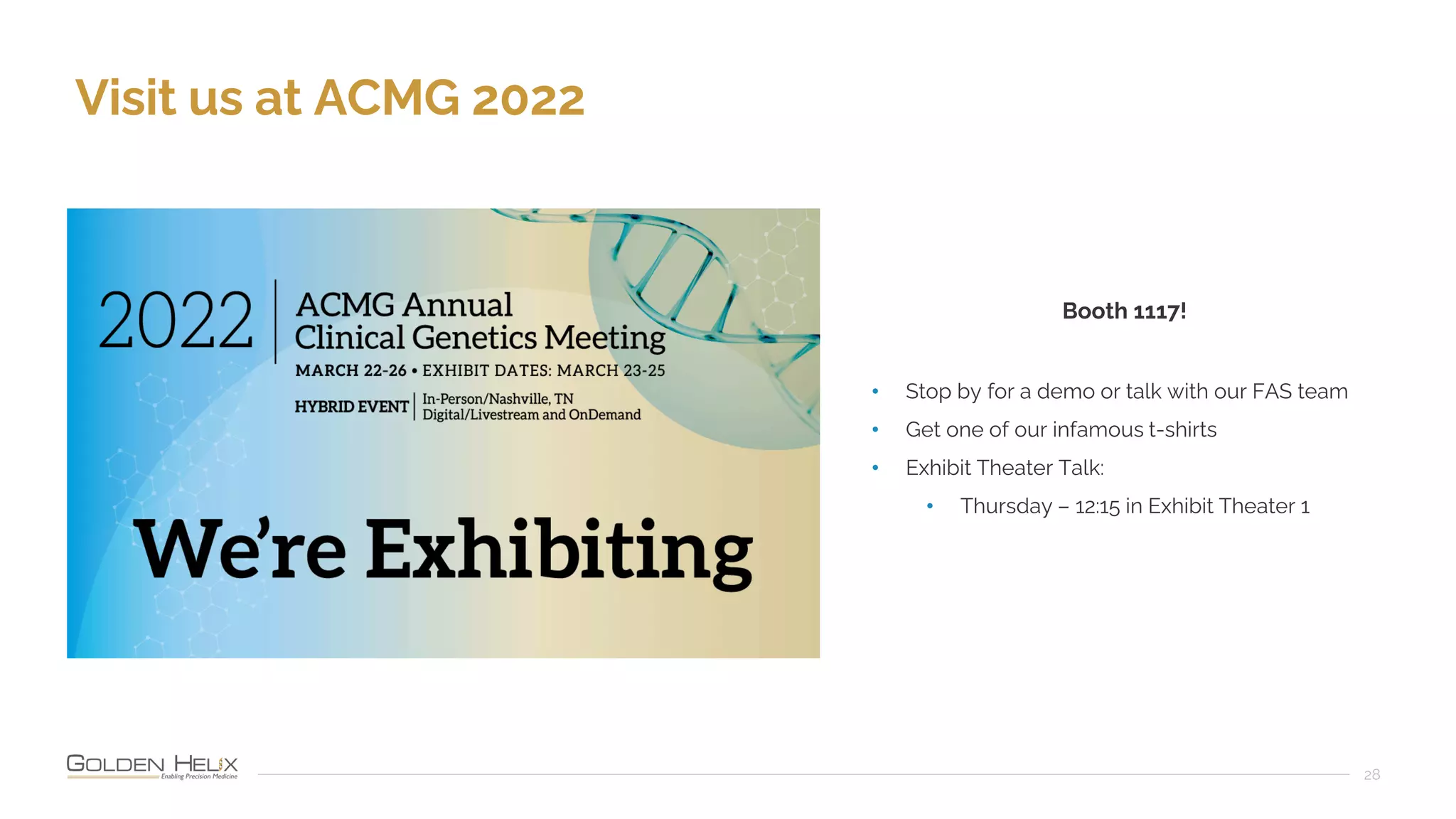
Visit us at ACMG 2022
28
Booth 1117!
• Stop by for a demo or talk with our FAS team
• Get one of our infamous t-shirts
• Exhibit Theater Talk:
• Thursday – 12:15 in Exhibit Theater 1
29

Automating Clinical Workflows with the VarSeq Suite

  • 1.
    Automating Clinical Workflowswith the VarSeq Suite March 16, 2022 Presented by Nate Fortier, Ph.D, Director of Research
  • 2.
  • 3.
    Automating Clinical Workflowswith the VarSeq Suite March 16, 2022 Presented by Nate Fortier, Ph.D, Director of Research
  • 4.
    NIH Grant FundingAcknowledgments 4 • Research reported in this publication was supported by the National Institute Of General Medical Sciences of the National Institutes of Health under: o Award Number R43GM128485-01 o Award Number R43GM128485-02 o Award Number 2R44 GM125432-01 o Award Number 2R44 GM125432-02 o Montana SMIR/STTR Matching Funds Program Grant Agreement Number 19-51-RCSBIR-005 • PI is Dr. Andreas Scherer, CEO of Golden Helix. • The content is solely the responsibility of the authors and does not necessarily represent the official views of the National Institutes of Health.
  • 5.
    Who Are We? 5 GoldenHelix is a global bioinformatics company founded in 1998 Filtering and Annotation ACMG & AMP Guidelines Clinical Reports CNV Analysis Pipeline: Run Workflows CNV Analysis GWAS | Genomic Prediction Large-N Population Studies RNA-Seq Large-N CNV-Analysis Variant Warehouse Centralized Annotations Hosted Reports Sharing and Integration
  • 6.
    Cited in 1,000sof Peer-Reviewed Publications 6
  • 7.
  • 8.
    When you chooseGolden Helix, you receive more than just the software 8 Software is Vetted • 20,000+ users at 400+ organizations • Quality & feedback Simple, Subscription- Based Business Model • Yearly fee • Unlimited training & support Deeply Engrained in Scientific Community • Give back to the community • Contribute content and support Innovative Software Solutions • Cited in 1,000s of publications • Recipient of numerous NIH grant and other funding bodies
  • 9.
    Motivation for Automation • Increasethroughput of the lab • Increase quality by reducing chance of human error • Simplifying oversight and compliance audits
  • 10.
    Outline • Review NGSanalysis process • Discuss strategies & guidelines to automate analytics steps • Example automated pipeline demonstration
  • 11.
    Tech/Resident Automated NGS Analysis Process RawSeq Data FASTQ BAM VCF Target Coverage Variant Annotation CNV Calling Filter & Rank CNV Interpret ACMG Scoring Report Review & Sign- Off Director
  • 12.
  • 13.
    Raw Seq Data➜ FASTQ • Convert raw image data to FASTQ • Demultiplexing: Using barcodes to split lanes into per-sample FASTQ files • Integrated Onboard MiniSeq and MiSeq • NovaSeq, HiSeq, NextSeq: “bcl2fastq” • Input: • Run Output Folder (BCL Files) • sample_sheet.csv or Manifest File • Output: • One directory per sample, or one pair of FASTQ files per sample
  • 14.
    FASTQ ➜ BAM+ VCF • Per-Sample Steps: • Align with BWA-MEM, Sort • Mark Duplicates • Realign Insertions/Deletions • Recalibrate Base Quality Scores • Call Variants • Input: • Per-Sample FASTQ • Reference Sequence • Known InDel Sights (for Realign) • dbSNP (for Identifiers) • Variant Caller Parameters • Output: • Polished BAM • Recalibration Plots • Per-Sample VCF files
  • 15.
    BAM ➜ CalledCNVs • VS-CNV can call CNVs from NGS coverage • Normalizes coverage and compares to a pool of reference samples • Uses multiple metrics to make calls from single targets to whole chromosome aneuoploidy • Input: • Target Regions (BED Files) • BAM Files • CNV Reference Samples • Output: • Per-Sample CNV Calls
  • 16.
    CNV Filtering andAnalysis • Multiple QC metrics provided per CNV call • Quality flags • Average Z-Score / Ratios • P-Value • Annotations help remove benign and highlight candidate clinical CNVs • Input: • Raw CNV Calls • Filtering Parameters • CNV Annotations • Output: • Annotated, High Quality Calls
  • 17.
    VCF ➜ PrioritizedVariants • Quality metrics from variant caller provide utility for optimizing precision • Annotate public and proprietary annotation sources • Algorithms for scoring, prioritizing by phenotype • Input: • Raw Variant Calls • Filtering Parameters • Variant Annotations • Sample Phenotypes / Gene Lists • Output: • Annotated Candidate Variants
  • 18.
    Automation Script • Golden Helixcan provide a script automation service • Customized to your computing environment • Scale this process to hundreds and thousands of samples • Once configured, can be run by any lab technician very simply.
  • 19.
    Scoring Variants • Candidatevariants should be evaluated with appropriate guidelines • Previous interpretations incorporated • Workflow support for following guidelines accurately and efficiently • Partly automated, but ultimately requires hands on interpretation of novel variants • Input: • Candidate variants • Output: • Scored and interpreted variants ready for clinical reporting (2017) Standards and Guidelines for the Interpretation and Reporting of Sequence Variants in Cancer:
  • 20.
    Clinical Report • Deliverableof the clinical genetic test • Lab and test specific report template that incorporates all relevant output • Manually reviewed and signed off by Lab Director • Input: • Patient information • Interpreted CNVs • Interpreted Variants • Output: • PDF, Word, or other structured data format
  • 21.
    Automation Demo • StartingPoint: • Per-sample FASTQ Files • Samples_mainifest.tsv with patient information • File system watcher for sample_manifest.tsv alongside a batch of FASTQ files • Kick off automation pipeline • Let’s start it and watch!
  • 22.
    Automation Guidelines and Strategies • Usea script to chain together command line tools • Allow the script to take input parameters that may change • Have consistent naming and output structure • Logs as part of output structure • Precompute as much as possible, making the “jump in” point for a user quick to open
  • 23.
    Automated Pipeline Components • SentieonSecondary: • Alignment with BWA-Mem • Sort, Dedup, Realign, Recalibrate • Call Variants • VarSeq (via VSPipeline) • Create Project for Batch • Steps defined by Project Template: • CNV Calling/Import (VS-CNV) • Annotate & Filter CNVs and Variants • VSClinical ACMG Auto-Classifier • VSReports Auto-Fill
  • 24.
    Hand-On Steps • Outputsof Automation: • BAM, Recalibration PDF, VCF files • Excel Spreadsheet with variants + CNVs • Draft HTML report • Prepared project • Lab Tech/Resident Level: • Review Sample Quality, Coverage Statistics • CNVs: Review Quality / Interpret Candidates • Variants: Review Quality / Run Guidelines on Candidates • Lab Director / Sign-Off: • Review Candidates and Draft Interpretations • Write Final Report Summary • Finalize Report • Export as PDF
  • 25.
  • 26.
  • 27.
    NIH Grant FundingAcknowledgments 27 • Research reported in this publication was supported by the National Institute Of General Medical Sciences of the National Institutes of Health under: o Award Number R43GM128485-01 o Award Number R43GM128485-02 o Award Number 2R44 GM125432-01 o Award Number 2R44 GM125432-02 o Montana SMIR/STTR Matching Funds Program Grant Agreement Number 19-51-RCSBIR-005 • PI is Dr. Andreas Scherer, CEO of Golden Helix. • The content is solely the responsibility of the authors and does not necessarily represent the official views of the National Institutes of Health.
  • 28.
    Visit us atACMG 2022 28 Booth 1117! • Stop by for a demo or talk with our FAS team • Get one of our infamous t-shirts • Exhibit Theater Talk: • Thursday – 12:15 in Exhibit Theater 1
  • 29.