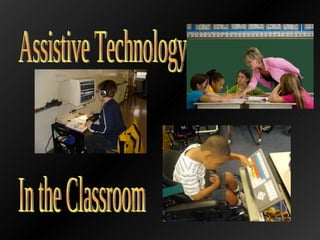
Assistive Technology  In the Classroom
Individual Education Programs (IEP) Determined by a team of educators after a student has been evaluated Establishes goals in education, needs, how the student’s education will be executed, and the length of time the student requires help IEP Facts to Remember Programs are designed for an individual, not for all students with a certain need Good communication is essential Colleagues  Each team member performs an important step Can help point out weaknesses and successes in an IEP  Parents Have the right to be involved in every step of an IEP Can choose an  advocate  (representative) for their child if they are unfamiliar with special needs Students  Have the right to  self-determination  (participating in forming an IEP) Working with Special Needs Students
Individuals with Disabilities Education Act (IDEA) Ensures that students get the appropriate education they deserve “ The goal of IDEA is to ensure that each child is educated in the  least restrictive environment  possible, effort is made to help kids stay in a regular classroom”  ( http:// kidshealth.org/parent/positive/learning/iep.html #  ) Least Restrictive Environment for a Special Needs Student Should be similar to how a classroom for a student without disabilities would look Like a general education classroom, but has all appropriate assistive technology No Child Left Behind Act Teachers Must be qualified to teach students with Special Needs Need to research teaching strategies Goal:  Adequate Yearly Progress  (AYP) Special Needs students must make adequate progress on the same material as general education students Working with Special Needs Students
General Education Classroom Most argue Special Needs students need time in a general education classroom to develop both academic and social skills ( Inclusion ) Time spent in general education classes is determined by the IEP Resource Rooms Where students with special needs are taught with a variety of resources Separate from a general education class Students do not spend all day in a resource room Separate Classes incorporate  community time  when special needs students interact with others for a certain amount of time Environment
Low Technology (No Technology) Requires no technology use Examples: rubber pencil grip, study carrel Mid-Technology Requires some technology Examples: tape recorder, calculator High Technology “ Utilizes complex, multifunction technology and usually include a computer and associated software”  ( http://www.ericdigests.org/2003-1/assistive.htm ) Examples: touch screen computer, voice recognition software  Used in  drill-and-practice programs  (mostly with special needs students) Assistive Technology is important in an inclusive classroom  Areas of instruction in which AT can assist students (Lahm and Morissette)   –  Organization  –  Note taking  –  Writing   –  Academic productivity  –  Cognitive assistance  –  Access to reference and general educational materials     ( http://www.ericdigests.org/2003-1/assistive.htm ) Types of Assistive Technology High Technology
Common Symptoms Impulsivity   Focus and listening problems Disruptive behavior   Impatience Related Issues Conduct Disorders   Mood Disorders Anxiety   Learning Disabilities Classroom Needs Routine Goals and rewards   Minimal distractions    Supervision and rules   http://kidshealth.org/parent/medical/learning/adhd.html?tracking=P_RelatedArticle#   Students with ADHD
Desk Carrel Three-sided cardboard divider Sits on the student’s desk to block distraction of peers Computers Can do a variety of activities Have visual components that will keep students entertained Touch Screen Computers  ( http://www.synapseadaptive.com/edmark/prod/tw/default.htm )  Allow students to be even more involved in activities  Can be expensive Smart Boards (Interactive Whiteboards) Teachers can record lessons for students to review later Students can actively participate by writing on the board or telling the teacher and watching him or her write the response Students will be enthusiastic to learn with gadgets like the Smart Board Reading Activity with Starfall   ( http://www.youtube.com/watch?v=_t0oZP7tJjA&feature=related ) Resources for Students with ADHD
Creating Character Blogs By Elizabeth Potash http://www.readwritethink.org/classroom-resources/lesson-plans/creating-character-blogs-1169.html?tab=4#tabs   Involves a variety of activities Direct instruction by the teacher Computer use Research Creating blogs Student involvement Peer evaluation Viewing Party Assessments and Reflections Students improve their literacy and writing abilities Another way to understand a variety of texts (novels, plays, poems, short stories) Example Lesson for Students with ADHD
Students struggle academically because of their problems understanding language Some hearing impaired students are  immature socially Can’t understand when multiple  conversation occur around them Lack of behavioral skills, which children  learn from watching and listening to others Learning Styles Speech reading  - watching teacher’s and peers lips as they speak Visual learners Students with Hearing Impairments
Personal Frequency Modulation (FM) systems  The teacher wears a microphone and the student wears a receiver Can amplify all sounds in a classroom, which can be distracting Note Takers Because students need to watch the lesson, they  are allowed to have a note taker, if needed Computerized Speech Recognition A computer makes a Word document out of speech Benefits both the hearing impaired student and the rest of the class Hearing Aids Cochlear Implants Hearing Aids (hook on the outside of the ear and are not permanent) Resources for Hearing Impaired Students
Face the class when speaking Use an overhead and other visual tools When having a hard time understanding the student Ask them to repeat themselves Use a pencil and paper if necessary Learn sign language, if desired Be patient in dealing with all students Teaching the Hearing Impaired
A Poem of Possibilities: Thinking about the Future By Susanne Rubenstein http://www.readwritethink.org/classroom-resources/lesson-plans/poem-possibilities-thinking-about-943.html?tab=4#tabs   Students can visually understand the poem and see the teacher discuss it in front of the class Develop writing skills Writing their own poem Practicing revising and reference skills Understand writing for different audiences Student involvement Can create bulletin boards, possibly with others Learn to assess their efforts and could interact with other through assessment Example Lesson for Hearing Impaired Students
Alternative Book Formats for Struggling Readers Large print books  Brail Books Symbolized Text Audio Books Free Electronic Books MobiPocket Computer Books Portable Word Processor to Aid in Writing and Spelling AlphaSmart Technology (AlphaSmart 3000, Neo, Dana) Personal Digital Assistant (PDA) Laser PC6 (Perfect Solutions) CalcuScribe Other Resources for Special Needs Students AlphaSmart 3000
A High-Interest Novel Helps Struggling Readers Confront Bullying in Schools  By Cathleen Benson Quinn http://www.readwritethink.org/classroom-resources/lesson-plans/high-interest-novel-helps-390.html?tab=4#tabs   Can incorporate a variety of texts (large print books, brail books, electronic books, etc) Worksheets aid in understanding texts Involves group activities Reading the text Creating a poem, song, poster, artwork, or cheer on the subject By reading a text applicable to their lives, students will learn more and show enthusiasm for the subject and for reading Example Lesson for Struggling Readers
Become a Character: Adjectives, Character Traits, and Perspective  By Traci Gardner http://www.readwritethink.org/classroom-resources/lesson-plans/become-character-adjectives-character-168.html?tab=4#tabs   Students write in a variety of ways Use the computer to create a Character Traits Interactive Chart Write a Character Diary entry Assess themselves and reflect on the project Students can use almost any assistive writing technology in this project, including: AlphaSmart devices Word Processor Spell Checker Example Lesson for Improving Writing and Spelling
Two Major Types of Written Expression Problems: Product and Process Problems Common Problems Need help focusing on their tasks Memory problems Trouble  organizing  and  interpreting  oral and visual information May lack  reasoning  skills needed for reading and writing Many are  passive learners , which can prevent  independent learning Do not believe in their abilities Lack problem solving skills Cannot tell when strategies are used Academic Survival Skills   “ Skills needed to succeed in school, including regular and punctual  attendance, organization, task completion, independence, motivation,  and appropriate social skills”  (Friend and Bursuck,521) Tips for Teaching Student with Learning Disabilities
When working with special needs students, lessons can be altered and assistive technology is necessary Students are entitled to receive whatever assistive technology they need to learn and develop skills A well thought out IEP is essential to a special needs student’s education Teacher should research different types of assistive technology and incorporate a variety of resources in the classroom Every student is different and deserves respect and the teacher’s best efforts in learning More Tips on Teaching Special Needs Children  http://www.youtube.com/watch?v=VDmUdZwwq2I http://www.youtube.com/watch?v=7sF6An0465g Summary
Bursuck, William ; Friend, Marilyn.  Including Students with Special Needs: A Practical Guide for Classroom Teachers . 5 th  ed. New Jersey, Pearson: 2009. http://www.rjcooper.com/cole/mon2.jpg http://sped.peabody.k12.ma.us/zoomtext.JPG http://farm4.static.flickr.com/3056/2717696876_9a25c45616.jpg?v=0 http://images.sodahead.com/polls/000228635/polls_no_child_left_behind_2327_198419_poll_xlarge.jpeg http://svconline.com/mag/609SVC_feat_DSC03543_1.jpg http://en.wikipedia.org/wiki/Assistive_technology http://www.pharmacytimes.com/issue/pharmacy/2009/2009-06/RxfocusADHD-0609 http://www.youtube.com/watch?v=_t0oZP7tJjA&feature=related http://caineassociates.com/products/images/carrel.jpg Bibliography
http://www.zenchannels.com/eportfolio/uploaded_images/google-blog-example-729119.gif http://www.ntid.rit.edu/current/audiology/images/services.jpg http://www.asha.org/public/hearing/treatment/assist_tech.htm http://seattlecentral.edu/users/aslarticulation/images/StudentsASL.jpg http://4.bp.blogspot.com/_q-UM-CmvIiw/SArX5ySwQRI/AAAAAAAAAPc/sD4EIotNYDY/s320/deb+modeling+writing.JPG http://images01.tzimg.com/cache/h3w4/500_1188336991_732913_69070282.jpg http://www.indiana.edu/~iuadapts/img/alphasmart-large.jpg http://www.gpat.org/resources.aspx?PageReq=GPATImp http://www.youtube.com/watch?v=VDmUdZwwq2I http://www.youtube.com/watch?v=7sF6An0465g Bibliography

Assistive Technology WebQuest

  • 1.
    Assistive Technology In the Classroom
  • 2.
    Individual Education Programs(IEP) Determined by a team of educators after a student has been evaluated Establishes goals in education, needs, how the student’s education will be executed, and the length of time the student requires help IEP Facts to Remember Programs are designed for an individual, not for all students with a certain need Good communication is essential Colleagues Each team member performs an important step Can help point out weaknesses and successes in an IEP Parents Have the right to be involved in every step of an IEP Can choose an advocate (representative) for their child if they are unfamiliar with special needs Students Have the right to self-determination (participating in forming an IEP) Working with Special Needs Students
  • 3.
    Individuals with DisabilitiesEducation Act (IDEA) Ensures that students get the appropriate education they deserve “ The goal of IDEA is to ensure that each child is educated in the least restrictive environment possible, effort is made to help kids stay in a regular classroom” ( http:// kidshealth.org/parent/positive/learning/iep.html # ) Least Restrictive Environment for a Special Needs Student Should be similar to how a classroom for a student without disabilities would look Like a general education classroom, but has all appropriate assistive technology No Child Left Behind Act Teachers Must be qualified to teach students with Special Needs Need to research teaching strategies Goal: Adequate Yearly Progress (AYP) Special Needs students must make adequate progress on the same material as general education students Working with Special Needs Students
  • 4.
    General Education ClassroomMost argue Special Needs students need time in a general education classroom to develop both academic and social skills ( Inclusion ) Time spent in general education classes is determined by the IEP Resource Rooms Where students with special needs are taught with a variety of resources Separate from a general education class Students do not spend all day in a resource room Separate Classes incorporate community time when special needs students interact with others for a certain amount of time Environment
  • 5.
    Low Technology (NoTechnology) Requires no technology use Examples: rubber pencil grip, study carrel Mid-Technology Requires some technology Examples: tape recorder, calculator High Technology “ Utilizes complex, multifunction technology and usually include a computer and associated software” ( http://www.ericdigests.org/2003-1/assistive.htm ) Examples: touch screen computer, voice recognition software Used in drill-and-practice programs (mostly with special needs students) Assistive Technology is important in an inclusive classroom Areas of instruction in which AT can assist students (Lahm and Morissette) – Organization – Note taking – Writing – Academic productivity – Cognitive assistance – Access to reference and general educational materials ( http://www.ericdigests.org/2003-1/assistive.htm ) Types of Assistive Technology High Technology
  • 6.
    Common Symptoms Impulsivity Focus and listening problems Disruptive behavior Impatience Related Issues Conduct Disorders Mood Disorders Anxiety Learning Disabilities Classroom Needs Routine Goals and rewards Minimal distractions Supervision and rules http://kidshealth.org/parent/medical/learning/adhd.html?tracking=P_RelatedArticle# Students with ADHD
  • 7.
    Desk Carrel Three-sidedcardboard divider Sits on the student’s desk to block distraction of peers Computers Can do a variety of activities Have visual components that will keep students entertained Touch Screen Computers ( http://www.synapseadaptive.com/edmark/prod/tw/default.htm ) Allow students to be even more involved in activities Can be expensive Smart Boards (Interactive Whiteboards) Teachers can record lessons for students to review later Students can actively participate by writing on the board or telling the teacher and watching him or her write the response Students will be enthusiastic to learn with gadgets like the Smart Board Reading Activity with Starfall ( http://www.youtube.com/watch?v=_t0oZP7tJjA&feature=related ) Resources for Students with ADHD
  • 8.
    Creating Character BlogsBy Elizabeth Potash http://www.readwritethink.org/classroom-resources/lesson-plans/creating-character-blogs-1169.html?tab=4#tabs Involves a variety of activities Direct instruction by the teacher Computer use Research Creating blogs Student involvement Peer evaluation Viewing Party Assessments and Reflections Students improve their literacy and writing abilities Another way to understand a variety of texts (novels, plays, poems, short stories) Example Lesson for Students with ADHD
  • 9.
    Students struggle academicallybecause of their problems understanding language Some hearing impaired students are immature socially Can’t understand when multiple conversation occur around them Lack of behavioral skills, which children learn from watching and listening to others Learning Styles Speech reading - watching teacher’s and peers lips as they speak Visual learners Students with Hearing Impairments
  • 10.
    Personal Frequency Modulation(FM) systems The teacher wears a microphone and the student wears a receiver Can amplify all sounds in a classroom, which can be distracting Note Takers Because students need to watch the lesson, they are allowed to have a note taker, if needed Computerized Speech Recognition A computer makes a Word document out of speech Benefits both the hearing impaired student and the rest of the class Hearing Aids Cochlear Implants Hearing Aids (hook on the outside of the ear and are not permanent) Resources for Hearing Impaired Students
  • 11.
    Face the classwhen speaking Use an overhead and other visual tools When having a hard time understanding the student Ask them to repeat themselves Use a pencil and paper if necessary Learn sign language, if desired Be patient in dealing with all students Teaching the Hearing Impaired
  • 12.
    A Poem ofPossibilities: Thinking about the Future By Susanne Rubenstein http://www.readwritethink.org/classroom-resources/lesson-plans/poem-possibilities-thinking-about-943.html?tab=4#tabs Students can visually understand the poem and see the teacher discuss it in front of the class Develop writing skills Writing their own poem Practicing revising and reference skills Understand writing for different audiences Student involvement Can create bulletin boards, possibly with others Learn to assess their efforts and could interact with other through assessment Example Lesson for Hearing Impaired Students
  • 13.
    Alternative Book Formatsfor Struggling Readers Large print books Brail Books Symbolized Text Audio Books Free Electronic Books MobiPocket Computer Books Portable Word Processor to Aid in Writing and Spelling AlphaSmart Technology (AlphaSmart 3000, Neo, Dana) Personal Digital Assistant (PDA) Laser PC6 (Perfect Solutions) CalcuScribe Other Resources for Special Needs Students AlphaSmart 3000
  • 14.
    A High-Interest NovelHelps Struggling Readers Confront Bullying in Schools By Cathleen Benson Quinn http://www.readwritethink.org/classroom-resources/lesson-plans/high-interest-novel-helps-390.html?tab=4#tabs Can incorporate a variety of texts (large print books, brail books, electronic books, etc) Worksheets aid in understanding texts Involves group activities Reading the text Creating a poem, song, poster, artwork, or cheer on the subject By reading a text applicable to their lives, students will learn more and show enthusiasm for the subject and for reading Example Lesson for Struggling Readers
  • 15.
    Become a Character:Adjectives, Character Traits, and Perspective By Traci Gardner http://www.readwritethink.org/classroom-resources/lesson-plans/become-character-adjectives-character-168.html?tab=4#tabs Students write in a variety of ways Use the computer to create a Character Traits Interactive Chart Write a Character Diary entry Assess themselves and reflect on the project Students can use almost any assistive writing technology in this project, including: AlphaSmart devices Word Processor Spell Checker Example Lesson for Improving Writing and Spelling
  • 16.
    Two Major Typesof Written Expression Problems: Product and Process Problems Common Problems Need help focusing on their tasks Memory problems Trouble organizing and interpreting oral and visual information May lack reasoning skills needed for reading and writing Many are passive learners , which can prevent independent learning Do not believe in their abilities Lack problem solving skills Cannot tell when strategies are used Academic Survival Skills “ Skills needed to succeed in school, including regular and punctual attendance, organization, task completion, independence, motivation, and appropriate social skills” (Friend and Bursuck,521) Tips for Teaching Student with Learning Disabilities
  • 17.
    When working withspecial needs students, lessons can be altered and assistive technology is necessary Students are entitled to receive whatever assistive technology they need to learn and develop skills A well thought out IEP is essential to a special needs student’s education Teacher should research different types of assistive technology and incorporate a variety of resources in the classroom Every student is different and deserves respect and the teacher’s best efforts in learning More Tips on Teaching Special Needs Children http://www.youtube.com/watch?v=VDmUdZwwq2I http://www.youtube.com/watch?v=7sF6An0465g Summary
  • 18.
    Bursuck, William ;Friend, Marilyn. Including Students with Special Needs: A Practical Guide for Classroom Teachers . 5 th ed. New Jersey, Pearson: 2009. http://www.rjcooper.com/cole/mon2.jpg http://sped.peabody.k12.ma.us/zoomtext.JPG http://farm4.static.flickr.com/3056/2717696876_9a25c45616.jpg?v=0 http://images.sodahead.com/polls/000228635/polls_no_child_left_behind_2327_198419_poll_xlarge.jpeg http://svconline.com/mag/609SVC_feat_DSC03543_1.jpg http://en.wikipedia.org/wiki/Assistive_technology http://www.pharmacytimes.com/issue/pharmacy/2009/2009-06/RxfocusADHD-0609 http://www.youtube.com/watch?v=_t0oZP7tJjA&feature=related http://caineassociates.com/products/images/carrel.jpg Bibliography
  • 19.
    http://www.zenchannels.com/eportfolio/uploaded_images/google-blog-example-729119.gif http://www.ntid.rit.edu/current/audiology/images/services.jpg http://www.asha.org/public/hearing/treatment/assist_tech.htmhttp://seattlecentral.edu/users/aslarticulation/images/StudentsASL.jpg http://4.bp.blogspot.com/_q-UM-CmvIiw/SArX5ySwQRI/AAAAAAAAAPc/sD4EIotNYDY/s320/deb+modeling+writing.JPG http://images01.tzimg.com/cache/h3w4/500_1188336991_732913_69070282.jpg http://www.indiana.edu/~iuadapts/img/alphasmart-large.jpg http://www.gpat.org/resources.aspx?PageReq=GPATImp http://www.youtube.com/watch?v=VDmUdZwwq2I http://www.youtube.com/watch?v=7sF6An0465g Bibliography