Database System Sunita M. Dol
Page 1
HANDOUT#10
Aim:
Write a java program for database connectivity using JDBC.
Theory:
Java JDBC
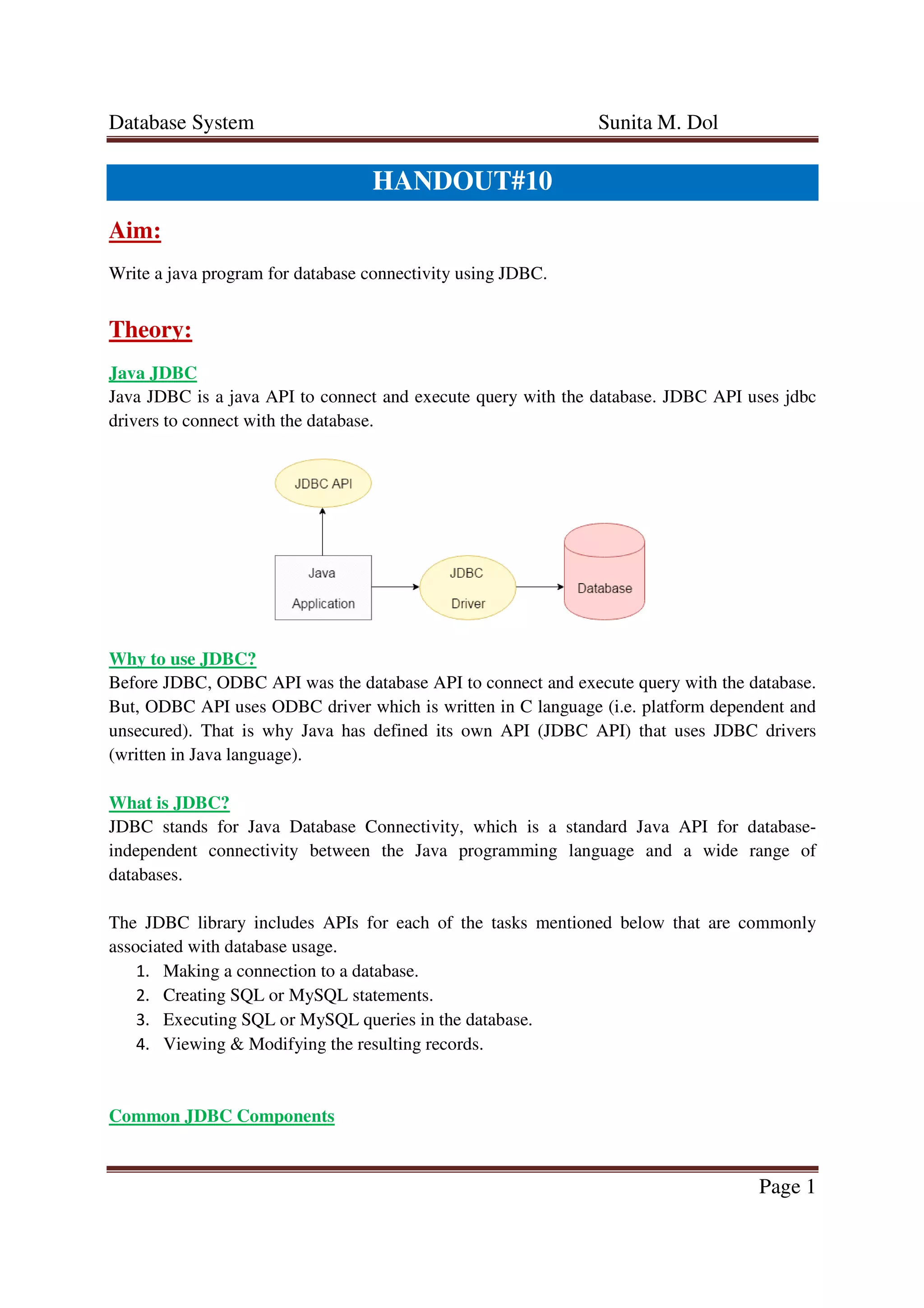
Java JDBC is a java API to connect and execute query with the database. JDBC API uses jdbc
drivers to connect with the database.
Why to use JDBC?
Before JDBC, ODBC API was the database API to connect and execute query with the database.
But, ODBC API uses ODBC driver which is written in C language (i.e. platform dependent and
unsecured). That is why Java has defined its own API (JDBC API) that uses JDBC drivers
(written in Java language).
What is JDBC?
JDBC stands for Java Database Connectivity, which is a standard Java API for database-
independent connectivity between the Java programming language and a wide range of
databases.
The JDBC library includes APIs for each of the tasks mentioned below that are commonly
associated with database usage.
1. Making a connection to a database.
2. Creating SQL or MySQL statements.
3. Executing SQL or MySQL queries in the database.
4. Viewing & Modifying the resulting records.
Common JDBC Components
Database System Sunita M. Dol
Page 2
The JDBC API provides the following interfaces and classes −
• DriverManager: This class manages a list of database drivers. Matches connection
request from the java application with the proper database driver using communication
sub protocol. The first driver that recognizes a certain subprotocol under JDBC will be
used to establish a database Connection.
• Driver: This interface handles the communications with the database server. You will
interact directly with Driver objects very rarely. Instead, you use DriverManager objects,
which manage objects of this type. It also abstracts the details associated with working
with Driver objects.
• Connection: This interface with all methods for contacting a database. The connection
object represents communication context, i.e., all communication with database is
through connection object only.
• Statement: You use objects created from this interface to submit the SQL statements to
the database. Some derived interfaces accept parameters in addition to executing stored
procedures.
• ResultSet: These objects hold data retrieved from a database after you execute an SQL
query using Statement objects. It acts as an integrator to allow you to move through its
data.
• SQLException: This class handles any errors that occur in a database application.
CreatingJDBCApplication
There are following six steps involved in building a JDBC application −
• Import the packages: Requires that you include the packages containing the JDBC
classes needed for database programming. Most often, using import java.sql.* will
suffice.
• Register the JDBC driver: Requires that you initialize a driver so you can open a
communication channel with the database.
• Open a connection: Requires using the DriverManager.getConnection() method to
create a Connection object, which represents a physical connection with the database.
• Execute a query: Requires using an object of type Statement for building and
submitting an SQL statement to the database.
• Extract data from result set: Requires that you use the
appropriate ResultSet.getXXX() method to retrieve the data from the result set.
• Clean up the environment: Requires explicitly closing all database resources versus
relying on the JVM's garbage collection.
Program:
Input and Output:
Database System Sunita M. Dol
Page 3
Conclusion:
Java JDBC is a java API to connect and execute query with the database. We have written a java
program for database connectivity using JDBC which performed the following action:
• Insert
• Search
• Delete
• Modify
References:
• Database system concepts by Abraham Silberschatz, Henry F. Korth, S. Sudarshan
(McGraw Hill International Edition) sixth edition.
• Database system concepts by Abraham Silberschatz, Henry F. Korth, S. Sudarshan
(McGraw Hill International Edition) fifth edition.
• http://codex.cs.yale.edu/avi/db-book/db4/slide-dir/
• http://codex.cs.yale.edu/avi/db-book/db5/slide-dir/
• http://codex.cs.yale.edu/avi/db-book/db6/slide-dir/
• https://www.tutorialspoint.com/jdbc/jdbc-introduction.htm

Assignment#10

  • 1.
    Database System SunitaM. Dol Page 1 HANDOUT#10 Aim: Write a java program for database connectivity using JDBC. Theory: Java JDBC Java JDBC is a java API to connect and execute query with the database. JDBC API uses jdbc drivers to connect with the database. Why to use JDBC? Before JDBC, ODBC API was the database API to connect and execute query with the database. But, ODBC API uses ODBC driver which is written in C language (i.e. platform dependent and unsecured). That is why Java has defined its own API (JDBC API) that uses JDBC drivers (written in Java language). What is JDBC? JDBC stands for Java Database Connectivity, which is a standard Java API for database- independent connectivity between the Java programming language and a wide range of databases. The JDBC library includes APIs for each of the tasks mentioned below that are commonly associated with database usage. 1. Making a connection to a database. 2. Creating SQL or MySQL statements. 3. Executing SQL or MySQL queries in the database. 4. Viewing & Modifying the resulting records. Common JDBC Components
  • 2.
    Database System SunitaM. Dol Page 2 The JDBC API provides the following interfaces and classes − • DriverManager: This class manages a list of database drivers. Matches connection request from the java application with the proper database driver using communication sub protocol. The first driver that recognizes a certain subprotocol under JDBC will be used to establish a database Connection. • Driver: This interface handles the communications with the database server. You will interact directly with Driver objects very rarely. Instead, you use DriverManager objects, which manage objects of this type. It also abstracts the details associated with working with Driver objects. • Connection: This interface with all methods for contacting a database. The connection object represents communication context, i.e., all communication with database is through connection object only. • Statement: You use objects created from this interface to submit the SQL statements to the database. Some derived interfaces accept parameters in addition to executing stored procedures. • ResultSet: These objects hold data retrieved from a database after you execute an SQL query using Statement objects. It acts as an integrator to allow you to move through its data. • SQLException: This class handles any errors that occur in a database application. CreatingJDBCApplication There are following six steps involved in building a JDBC application − • Import the packages: Requires that you include the packages containing the JDBC classes needed for database programming. Most often, using import java.sql.* will suffice. • Register the JDBC driver: Requires that you initialize a driver so you can open a communication channel with the database. • Open a connection: Requires using the DriverManager.getConnection() method to create a Connection object, which represents a physical connection with the database. • Execute a query: Requires using an object of type Statement for building and submitting an SQL statement to the database. • Extract data from result set: Requires that you use the appropriate ResultSet.getXXX() method to retrieve the data from the result set. • Clean up the environment: Requires explicitly closing all database resources versus relying on the JVM's garbage collection. Program: Input and Output:
  • 3.
    Database System SunitaM. Dol Page 3 Conclusion: Java JDBC is a java API to connect and execute query with the database. We have written a java program for database connectivity using JDBC which performed the following action: • Insert • Search • Delete • Modify References: • Database system concepts by Abraham Silberschatz, Henry F. Korth, S. Sudarshan (McGraw Hill International Edition) sixth edition. • Database system concepts by Abraham Silberschatz, Henry F. Korth, S. Sudarshan (McGraw Hill International Edition) fifth edition. • http://codex.cs.yale.edu/avi/db-book/db4/slide-dir/ • http://codex.cs.yale.edu/avi/db-book/db5/slide-dir/ • http://codex.cs.yale.edu/avi/db-book/db6/slide-dir/ • https://www.tutorialspoint.com/jdbc/jdbc-introduction.htm