

Google
Classroom
How to Assign Work
to Individuals &
Groups
in
Google Classroom?
K.THIYAGU, Assistant Professor, Department of Education, Central University of Kerala, Kasaragod
You can give an assignment just to one
particular student, or a group of students instead
of the entire class. By default, an assignment
is posted to all students in the class.
How to Assign Work to Individuals and Groups?
Select just the student or group of students you
wish to receive the assignment post.
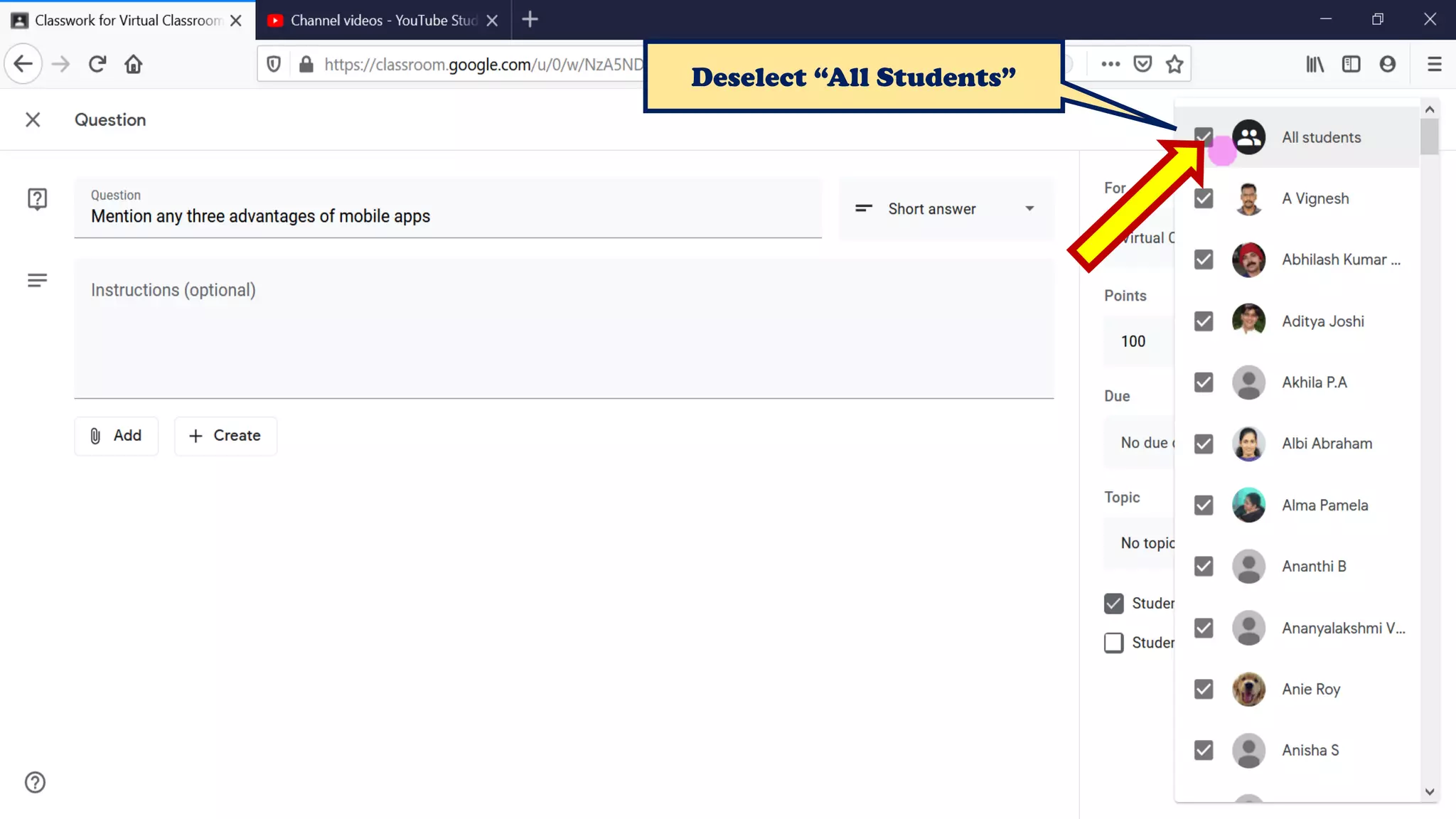
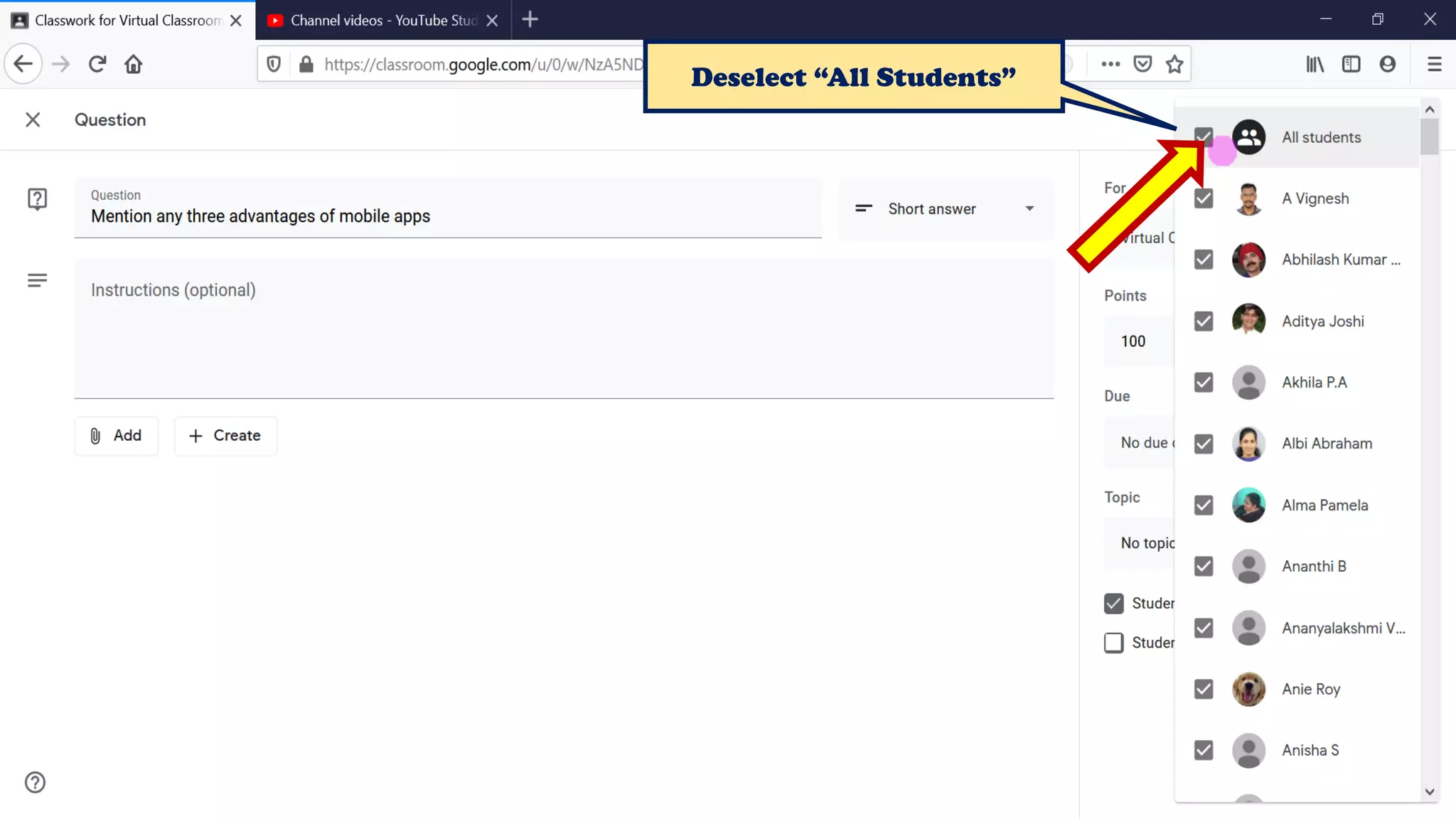
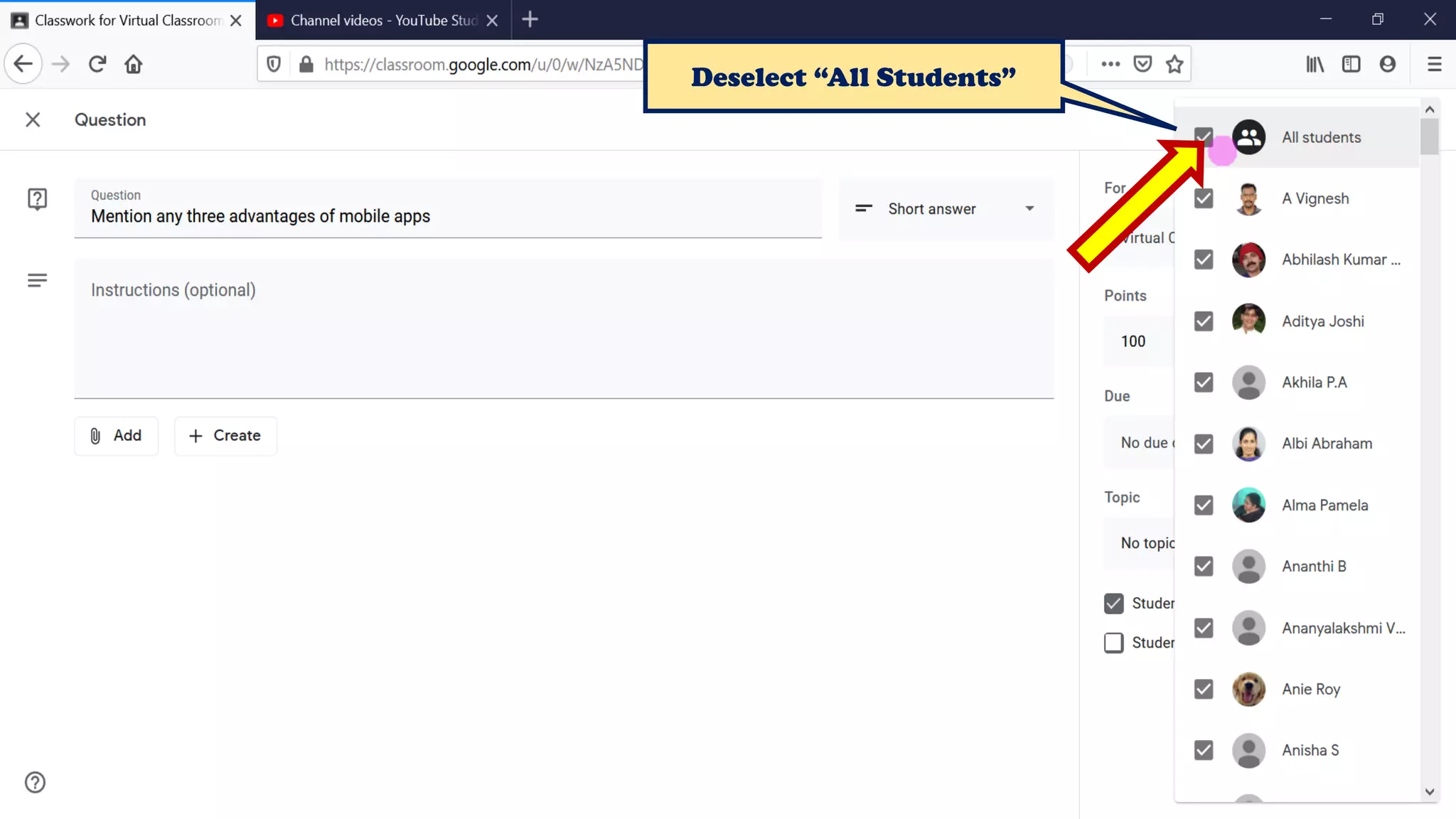
Deselect “All Students”
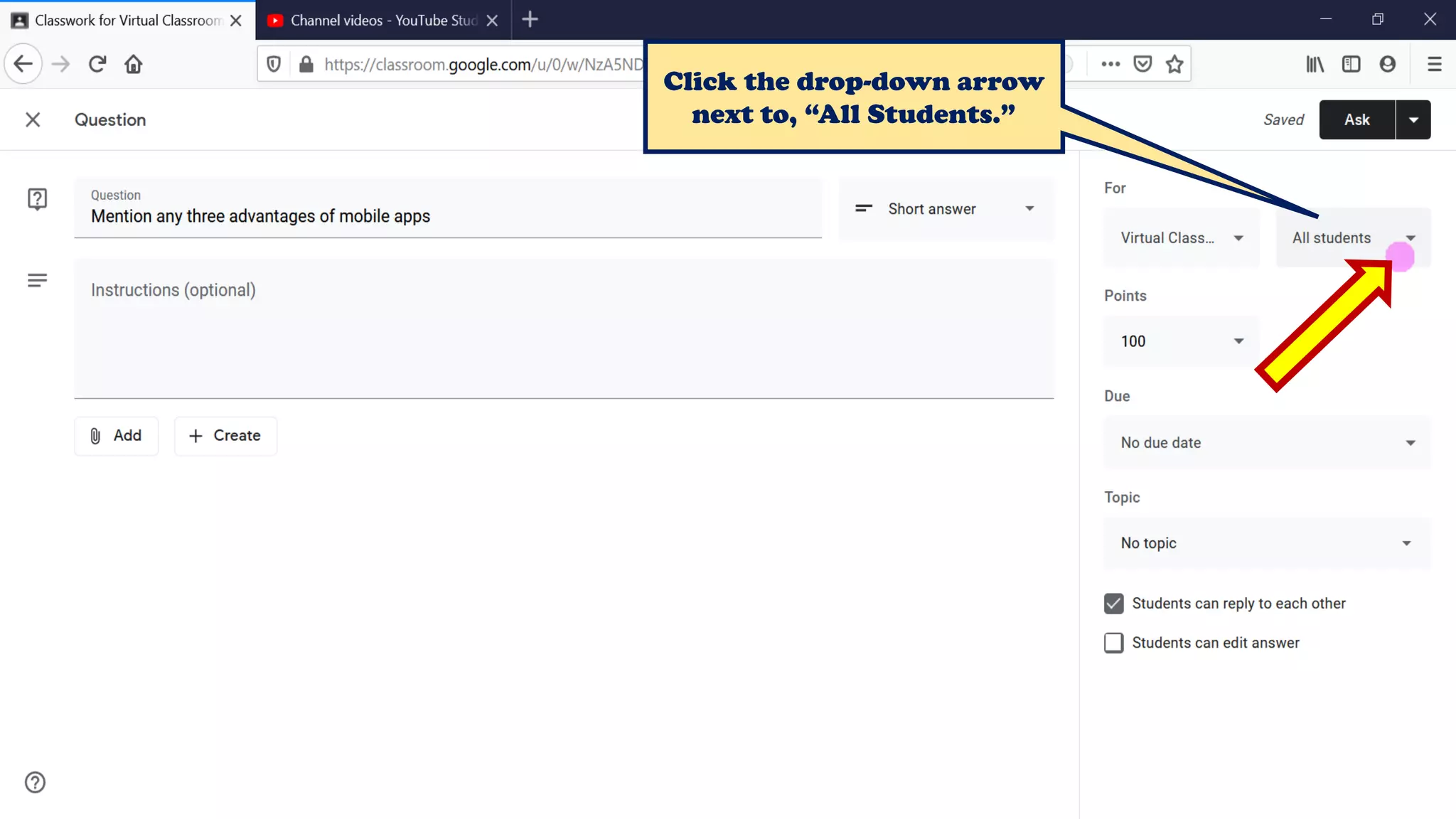
Click the drop-down arrow next to, “All
Students.”
Procedure
You’ll see the number of students
you posted to on the assignment
in the class stream. To view the
students’ names,
click number students on the
assignment.
You can’t post to individual
students if more than one class is
included. And, you can’t post to
more than 100 individual
students at a time.
Note
How to Assign Work to Individuals & Groups ?
Procedure
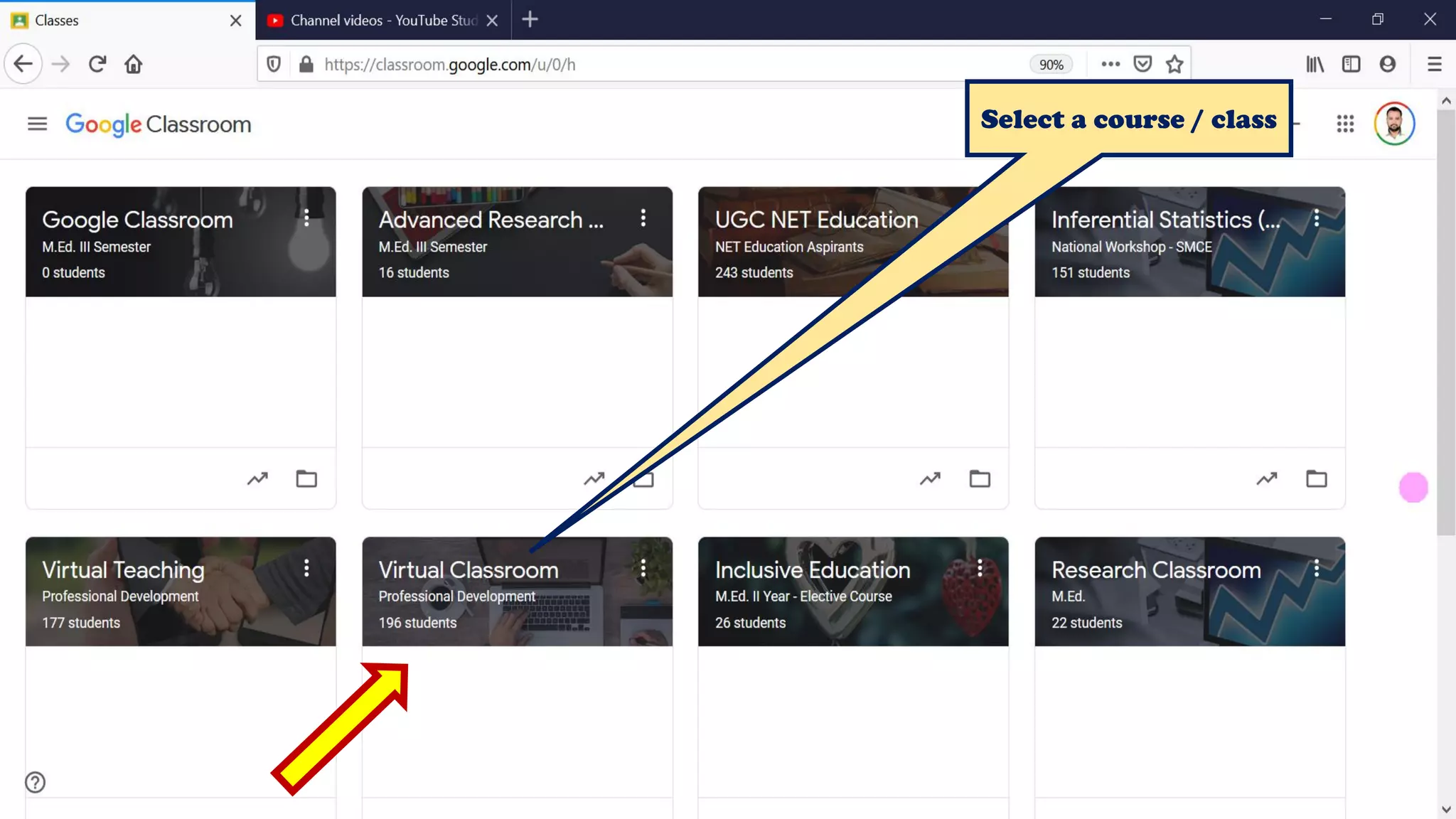
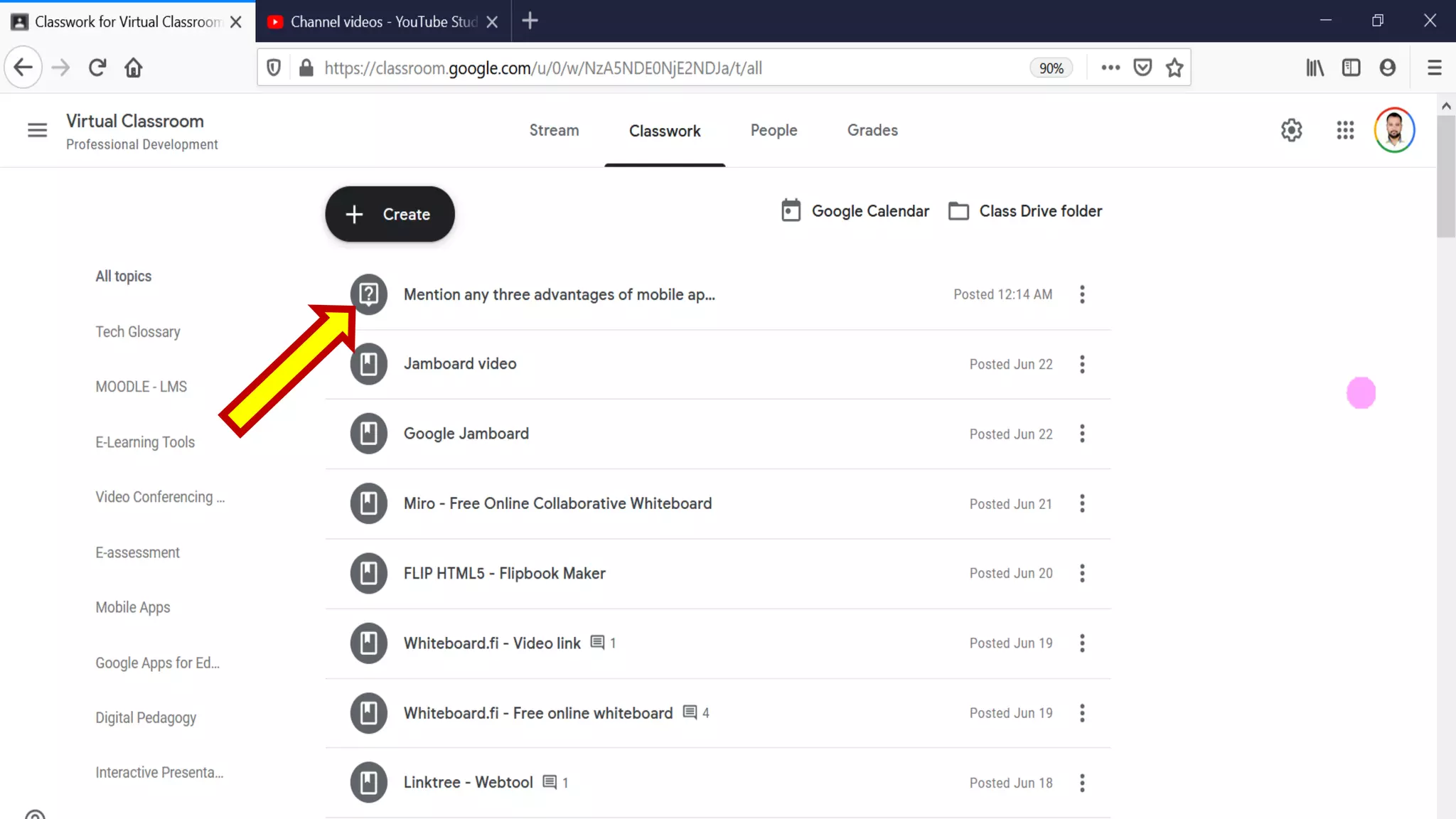
Select a course / class
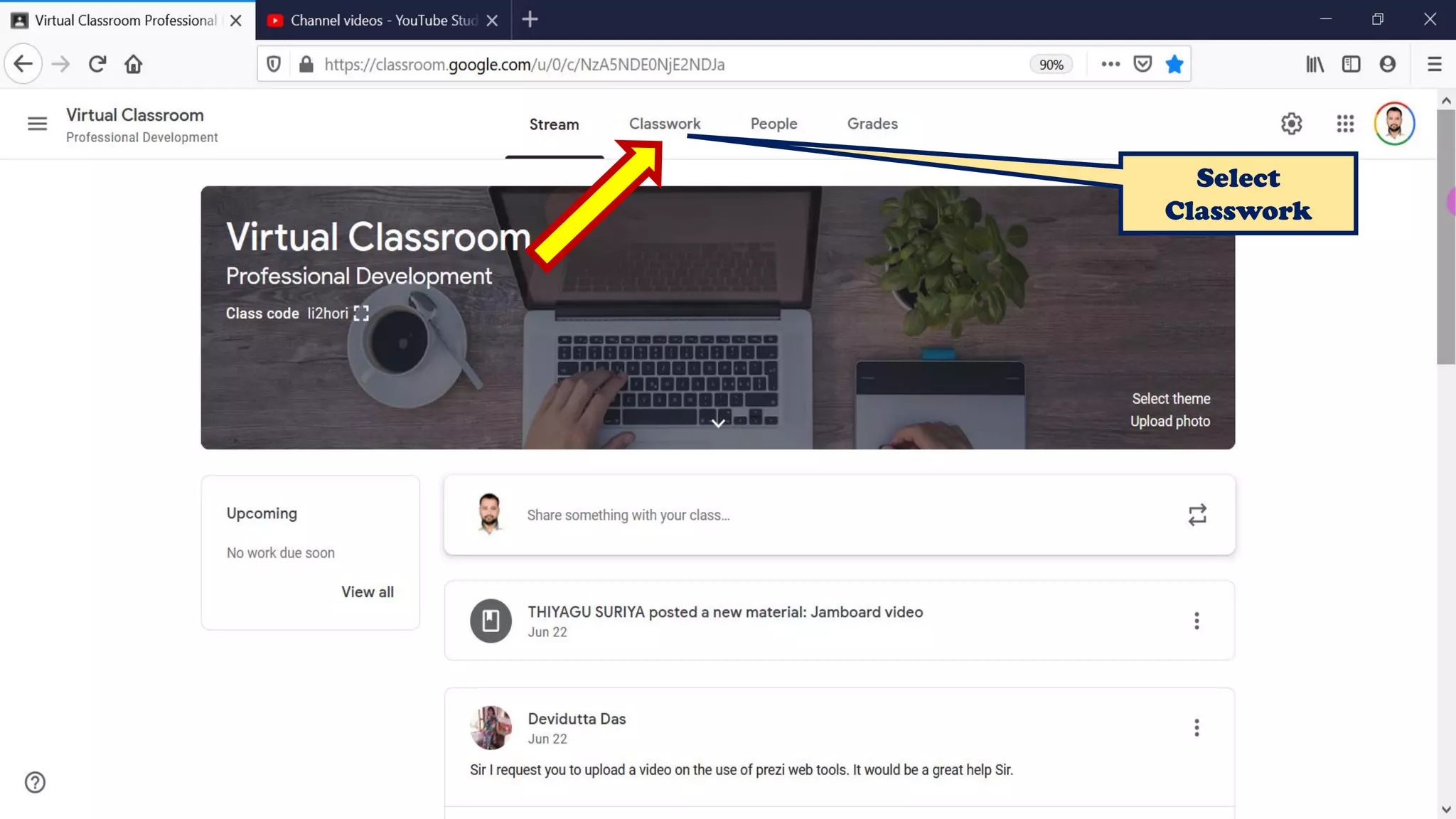
Select
Classwork
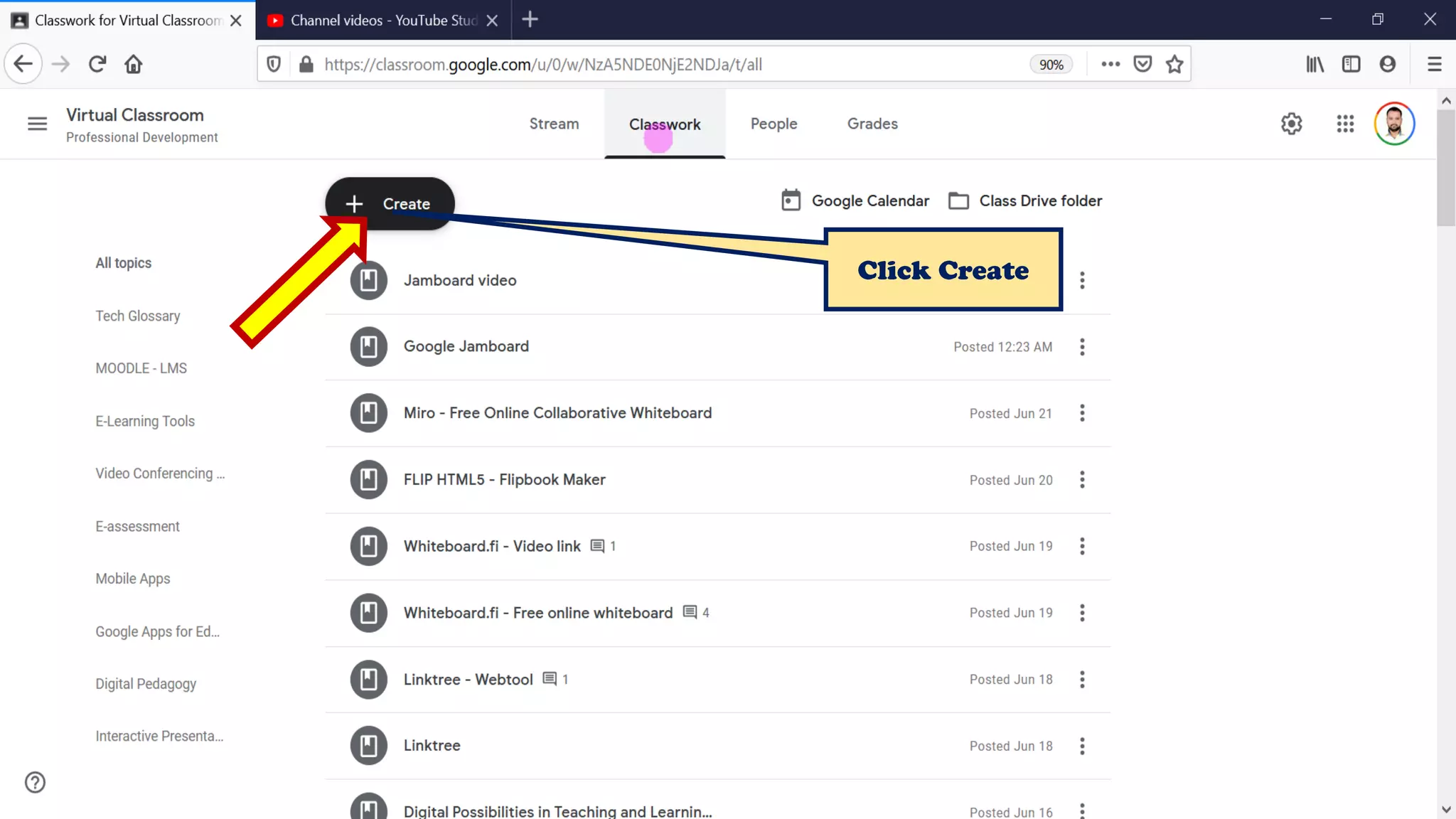
Click Create
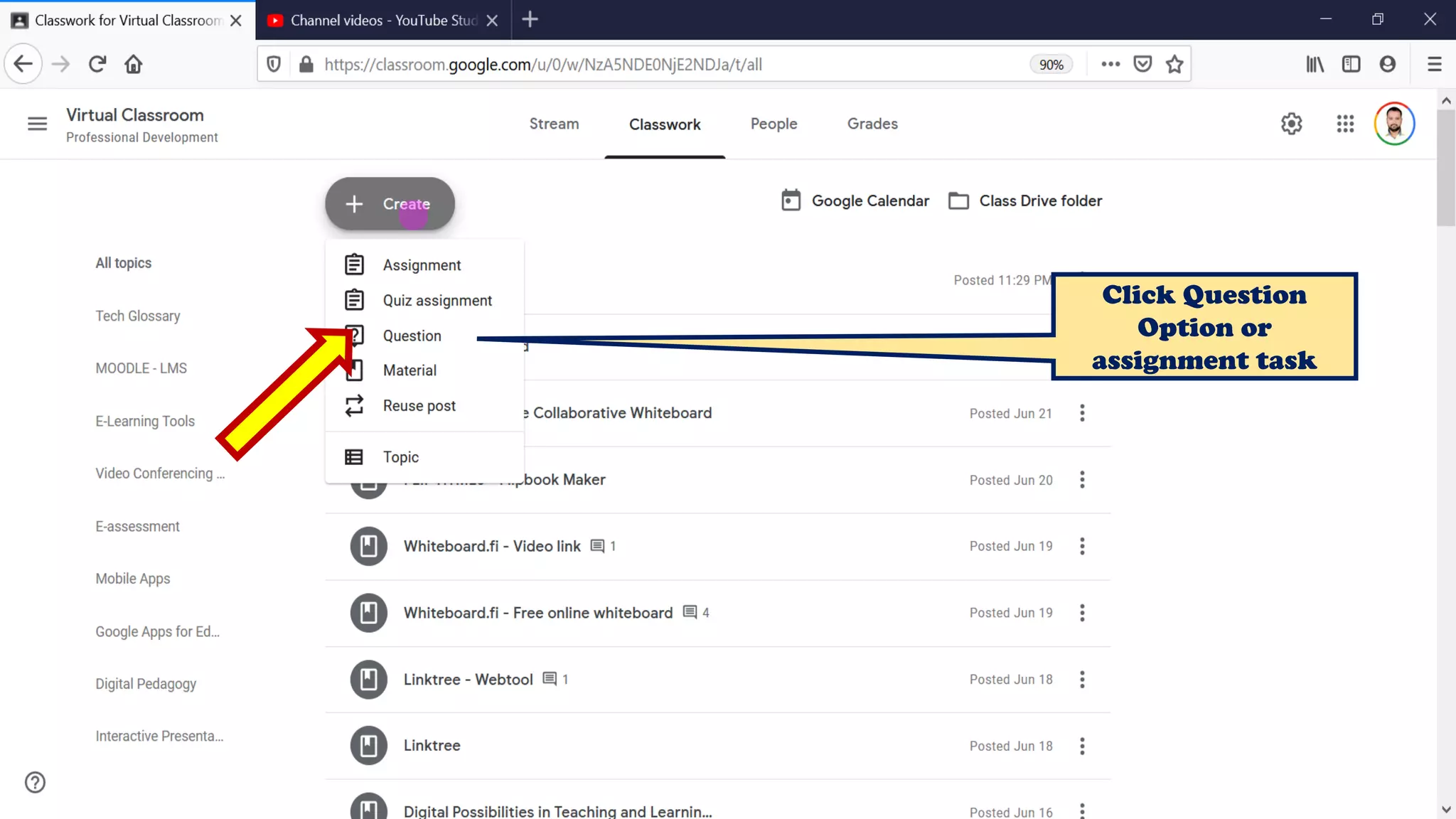
Click Question
Option or
assignment task
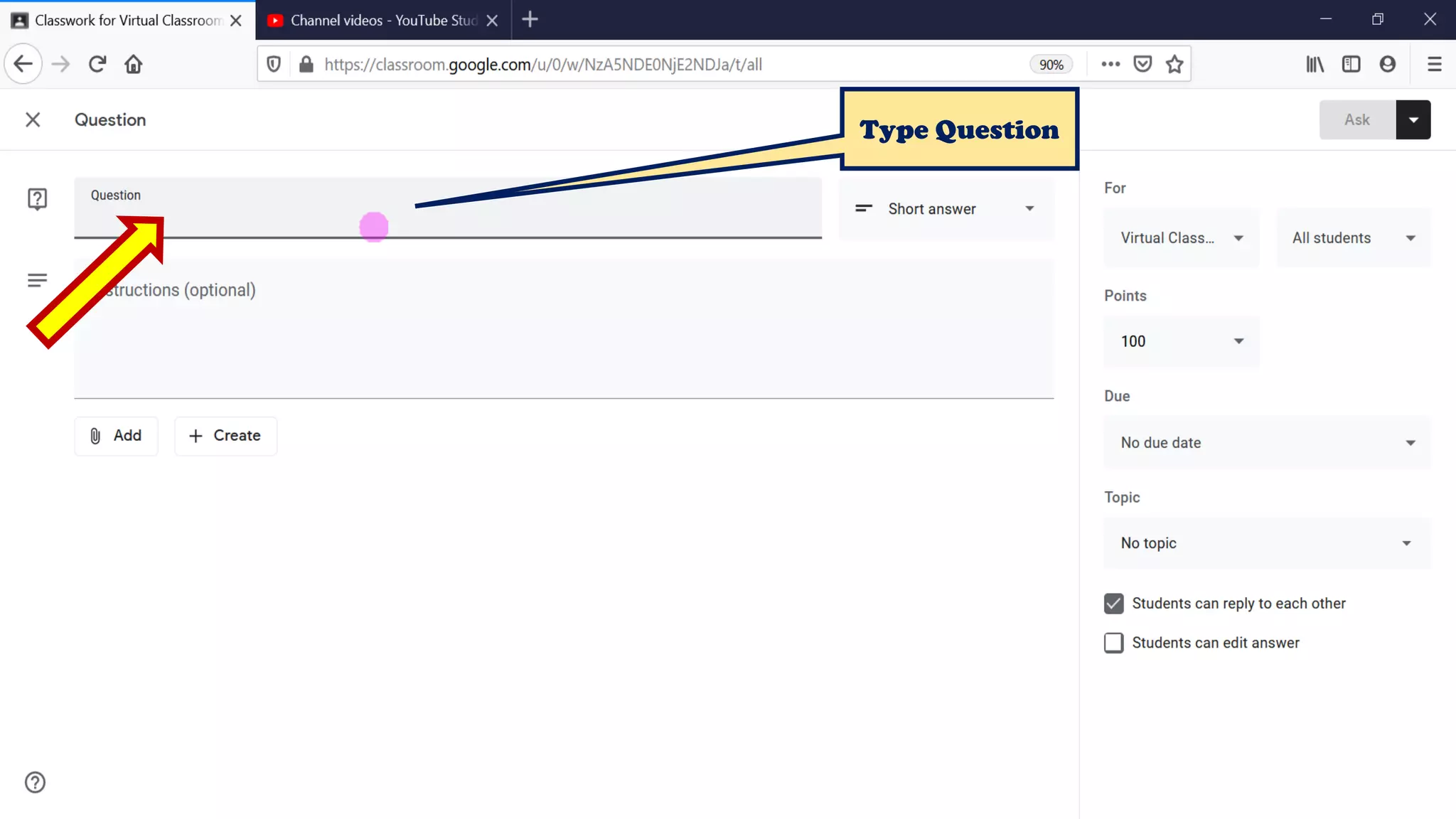
Type Question
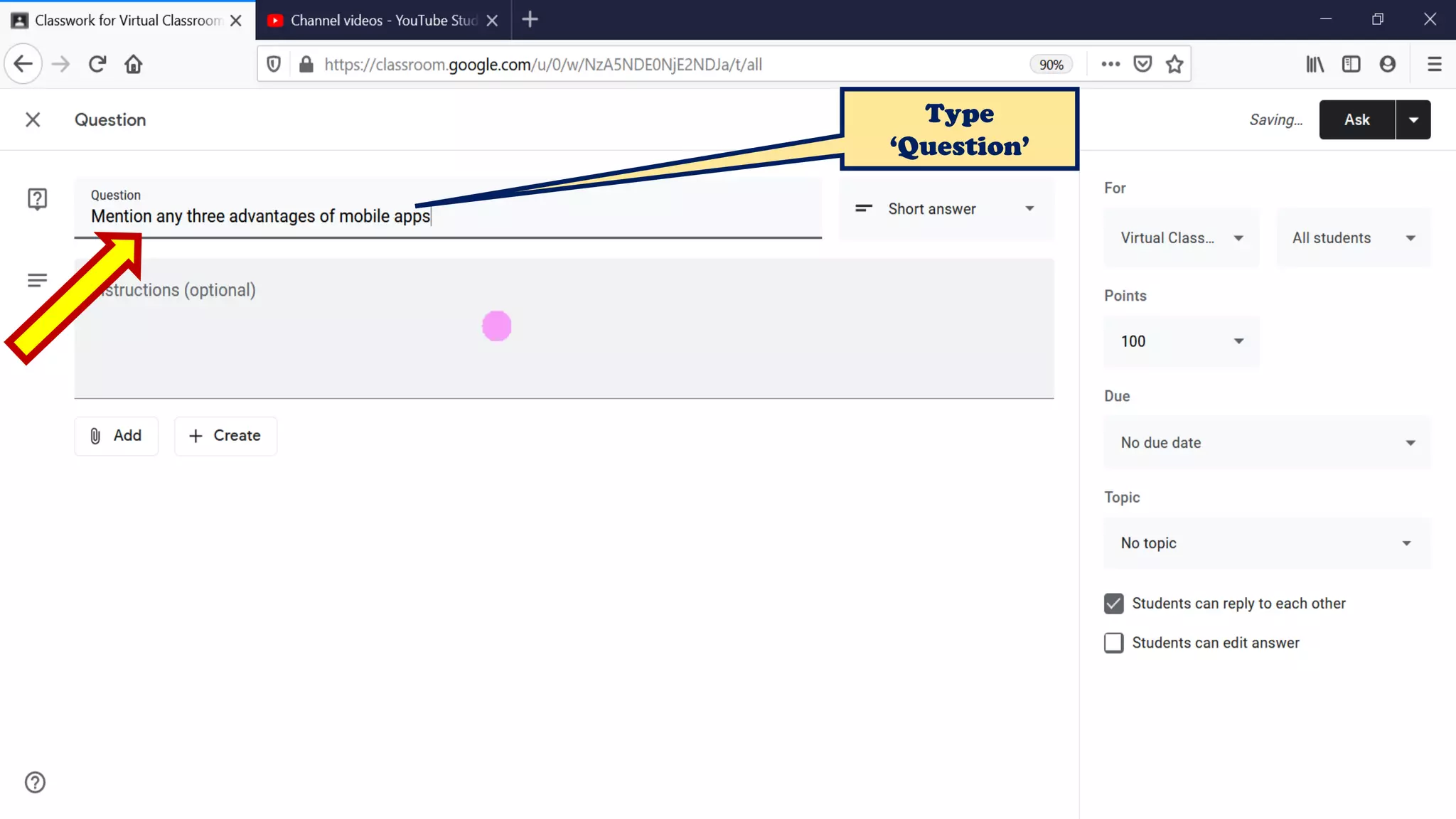
Type
‘Question’
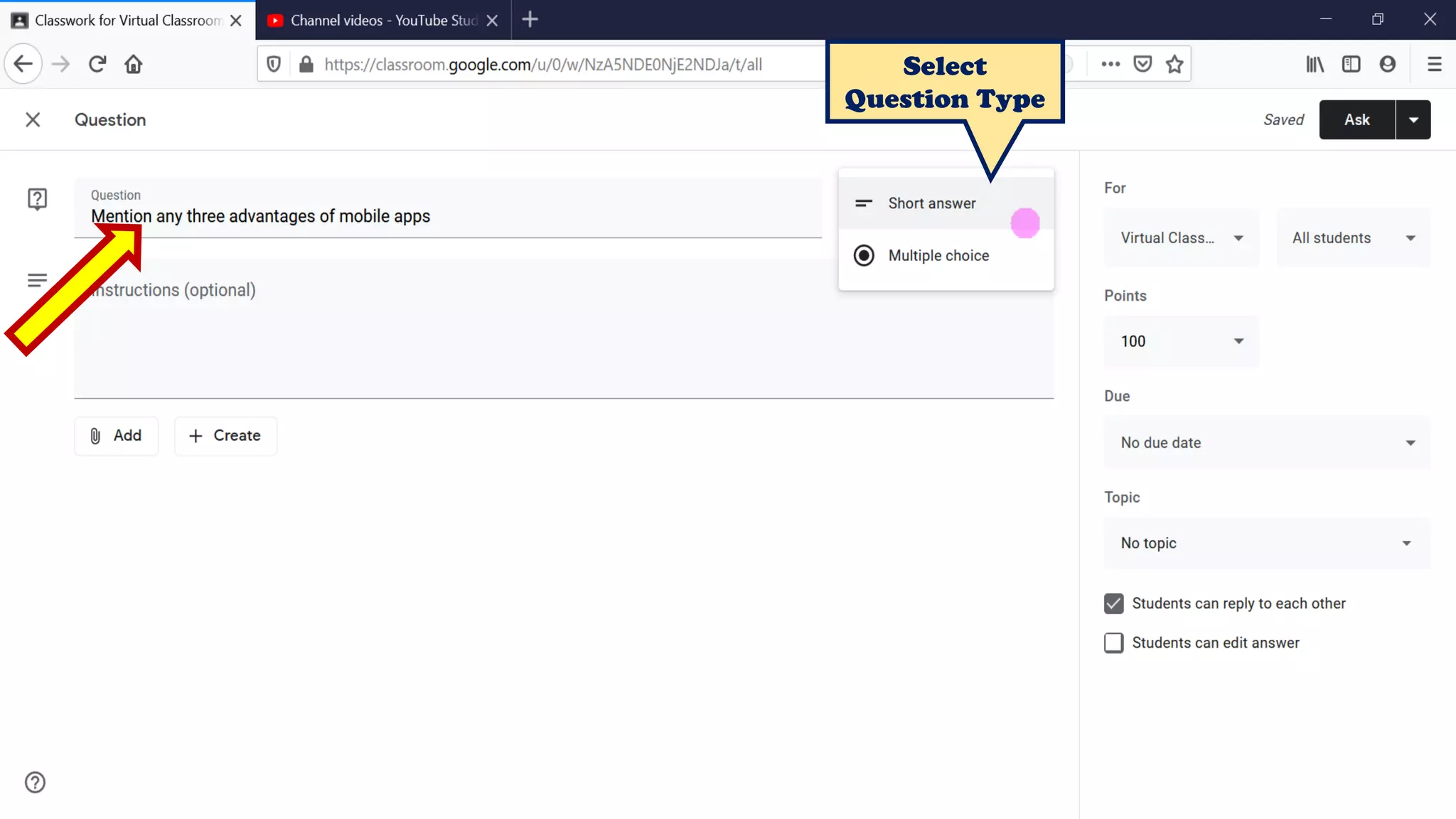
Select
Question Type
Click the drop-down arrow
next to, “All Students.”
Deselect “All Students”
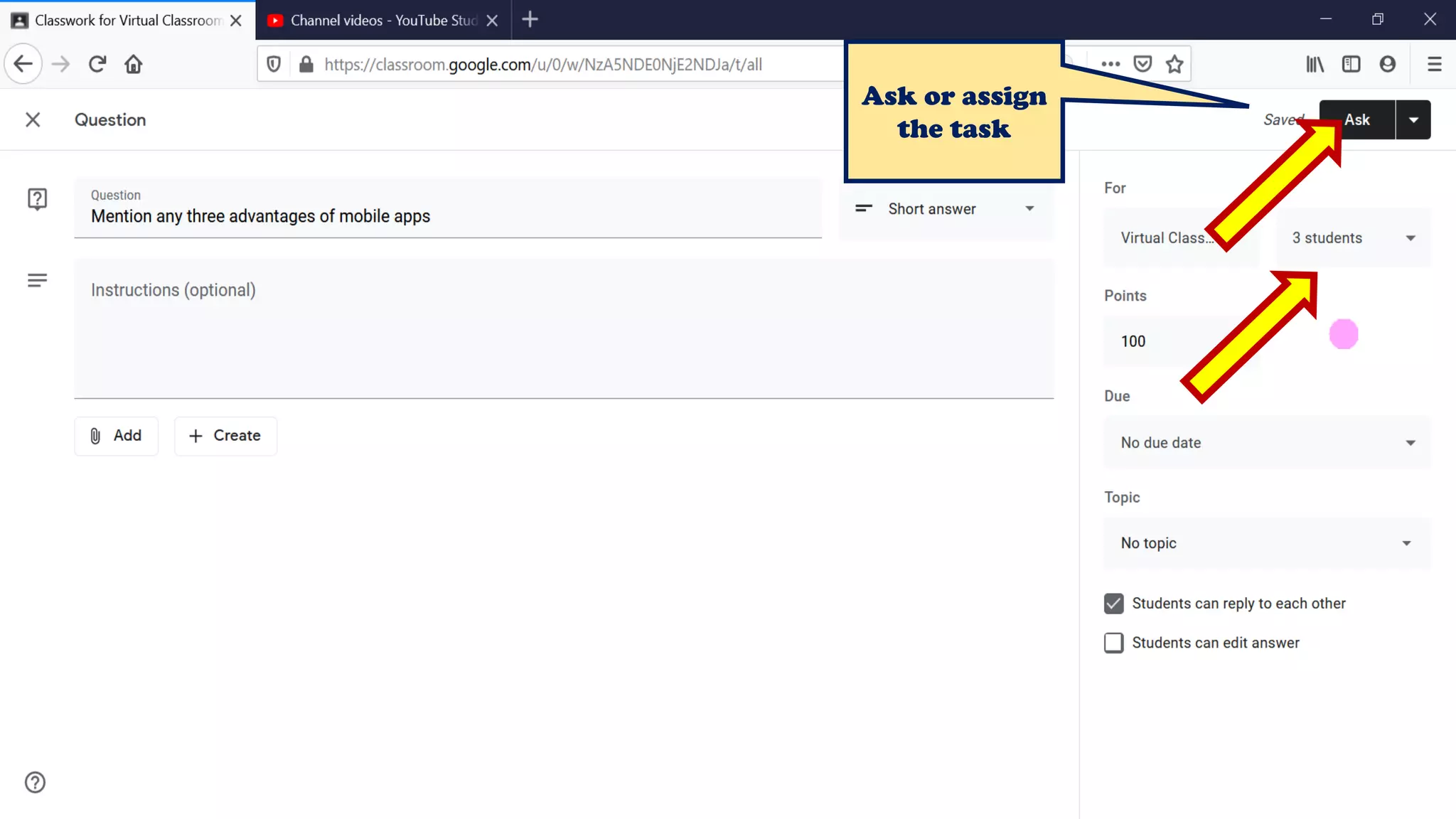
Ask or assign
the task
Thank You
Jai Bharat!

Assign work to individuals and groups in Google Classroom - Thiyagu