ARM® Cortex™ M Bootup & CMSIS -
Part 3 / 3
Raahul Anand Raghavan, Lead Systems Architect,
Glyton Solutions
!1
Agenda
• Before We Proceed!
• ARM® Cortex M debug architecture
• Introduction to Debugging
• Capabilities & Debug Components (Resources / Memory Map / ROM
Table)
• ARM® Debug Interface Architecture
• CMSIS DAP
• EFM®32 On board Segger J-Link debugger
• Concludes!
• Upcoming..
!2
Before We Proceed!
• This is part 3 of a 3 part presentation which would practically introduce
ARM® Cortex M boot up / system initialization & CMSIS interface
• Presentation is introductory and in depth coverage of topics is out of the
scope
• Involves Cortex M0 based EVM and a suitable IDE
• Code snapshots illustrated here are adopted from sample projects
packaged along with Simplicity Studio IDE by Silicon Labs
• Official Documentation from ARM®, Silicon Labs will override information
provided here. Treat official TRM’s as complete guides on Subject Matter
• ARM® Cortex™ M trademark - ARM Ltd
• EFM®32, Silicon Labs SDK etc are registered trademarks
!3
!4
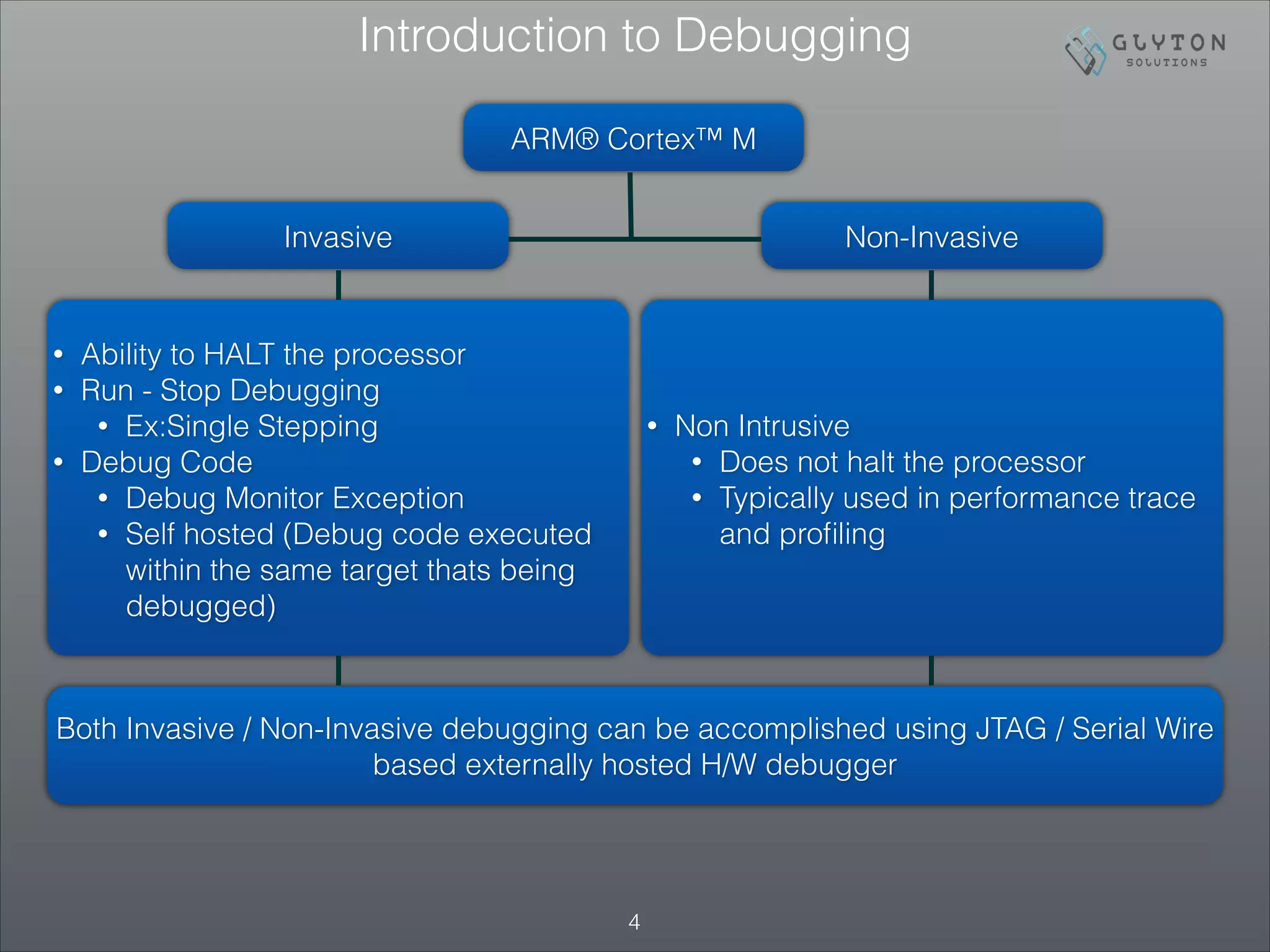
Introduction to Debugging
ARM® Cortex™ M
Invasive Non-Invasive
• Ability to HALT the processor
• Run - Stop Debugging
• Ex:Single Stepping
• Debug Code
• Debug Monitor Exception
• Self hosted (Debug code executed
within the same target thats being
debugged)
• Non Intrusive
• Does not halt the processor
• Typically used in performance trace
and profiling
Both Invasive / Non-Invasive debugging can be accomplished using JTAG / Serial Wire
based externally hosted H/W debugger
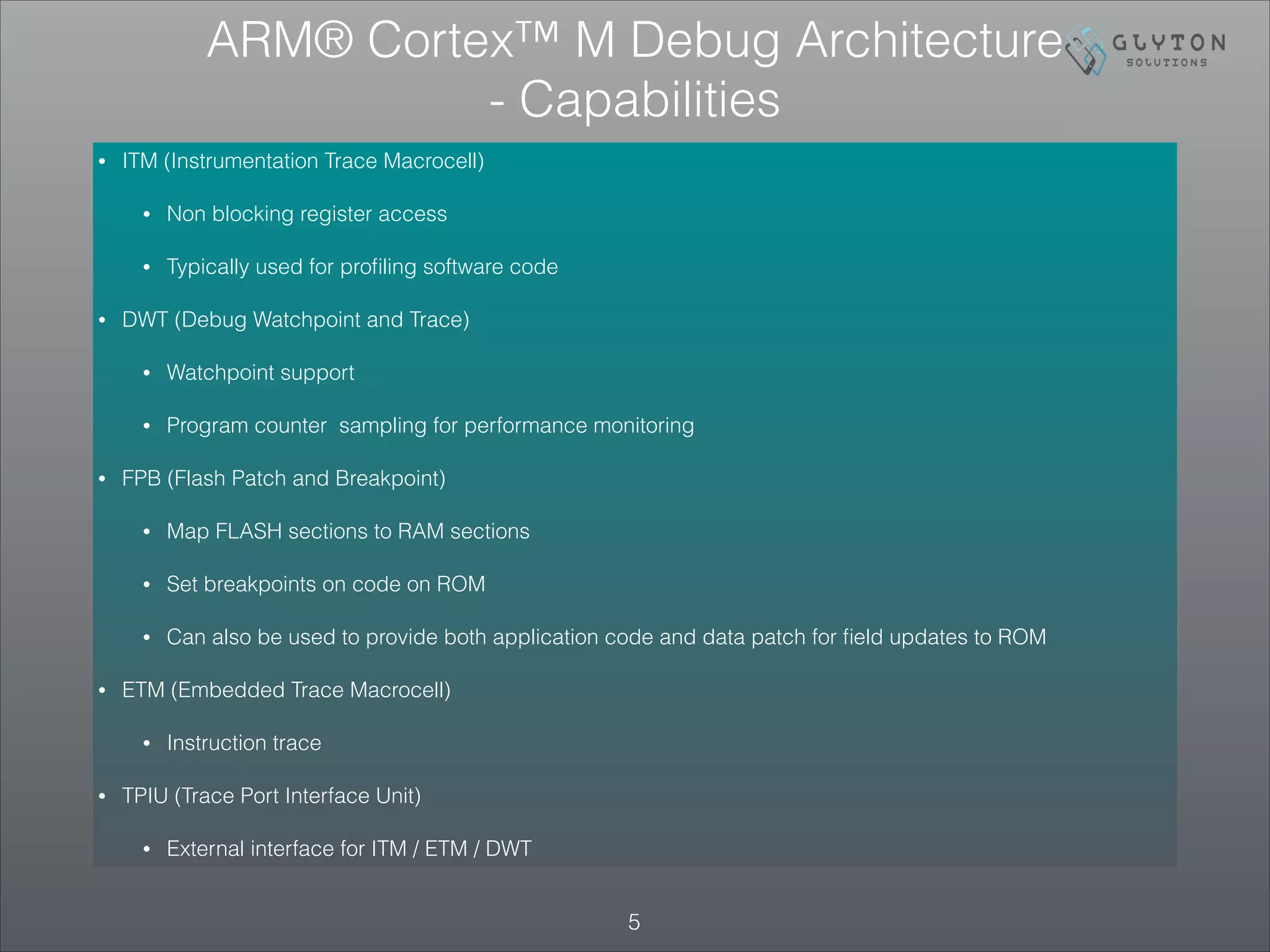
• ITM (Instrumentation Trace Macrocell)
• Non blocking register access
• Typically used for profiling software code
• DWT (Debug Watchpoint and Trace)
• Watchpoint support
• Program counter sampling for performance monitoring
• FPB (Flash Patch and Breakpoint)
• Map FLASH sections to RAM sections
• Set breakpoints on code on ROM
• Can also be used to provide both application code and data patch for field updates to ROM
• ETM (Embedded Trace Macrocell)
• Instruction trace
• TPIU (Trace Port Interface Unit)
• External interface for ITM / ETM / DWT
!5
ARM® Cortex™ M Debug Architecture
- Capabilities
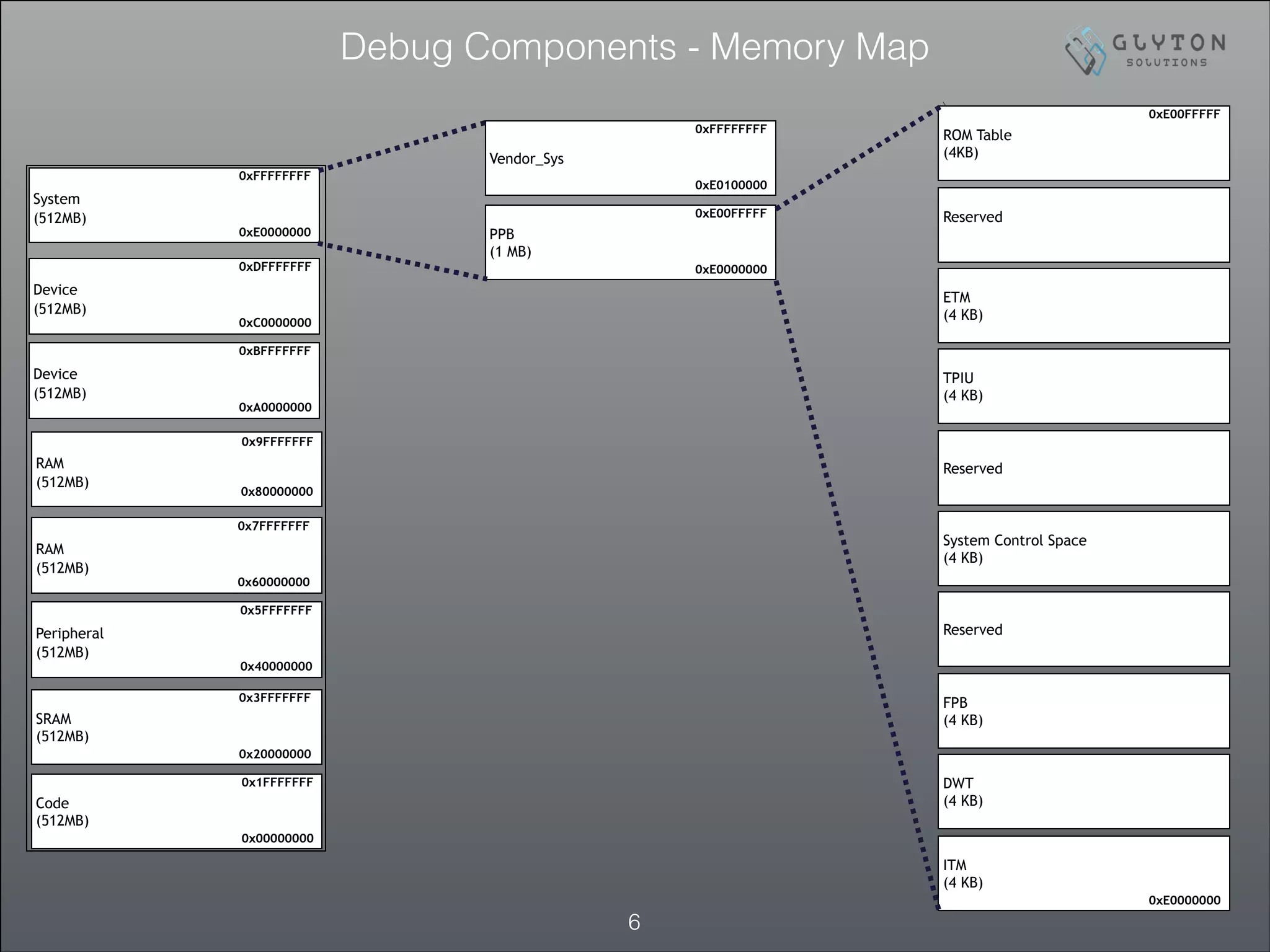
Debug Components - Memory Map
!6
Code
(512MB)
0x00000000
0x1FFFFFFF
SRAM
(512MB)
0x20000000
0x3FFFFFFF
Peripheral
(512MB)
0x40000000
0x5FFFFFFF
RAM
(512MB)
0x60000000
0x7FFFFFFF
RAM
(512MB)
0x80000000
0x9FFFFFFF
Device
(512MB)
0xA0000000
0xBFFFFFFF
Device
(512MB)
0xC0000000
0xDFFFFFFF
System
(512MB)
0xE0000000
0xFFFFFFFF
Vendor_Sys
0xE0100000
0xFFFFFFFF
PPB
(1 MB)
0xE0000000
0xE00FFFFF
ROM Table
(4KB)
0xE00FFFFF
Reserved
ETM
(4 KB)
TPIU
(4 KB)
Reserved
System Control Space
(4 KB)
Reserved
FPB
(4 KB)
DWT
(4 KB)
ITM
(4 KB)
0xE0000000
• Implementation specific DEBUG support can be identified by inspecting ROM Table
• Refer to previous slide (memory map) to get ROM table placement
How to probe level of Debug Support ? ROM Table
Offset Value Name Description
0x000 0xFFF0F003 ROMSCS Points to the SCS at 0xE000E000.
0x004
0xFFF02002 or	

0xFFF02003
ROMDWT
Points to the Data Watchpoint and Trace block at 0xE0001000.	

Bit [0] is set to 1 if a DWT is fitted.
0x008
0xFFF03002 or	

0xFFF03003
ROMFPB
Points to the Flash Patch and Breakpoint block at 0xE0002000.	

Bit [0] is set to 1 if an FPB is fitted.
0x00C
0xFFF01002 or	

0xFFF01003
ROMITM
Points to the Instrumentation Trace block at 0xE0000000.	

Bit [0] is set to 1 if an ITM is fitted.
0x010
0xFFF41002 or	

0xFFF41003
ROMTPIU
Points to the Trace Port Interface Unit. Bit [0] is set to 1 if a TPIU is	

fitted and accessible to the processor on its PPB
0x014
0xFFF42002 or	

0xFFF42003
ROMETM
Points to the Embedded Trace Macrocell block. Bit [0] is set to 1 if an	

ETM is fitted and accessible to the processor on its PPB
0x018 0x00000000 END
End-of-table marker. It is IMPLEMENTATION DEFINED whether the table
is extended with pointers to other system debug resources. The table
entries always terminate with a null entry
• Above table mentions partial ROM table (Major Components) only
• An Implementation does not have to add support for all the above. For implementation specific
features, please refer to TRM from the respective silicon vendor
• BIT[0], of any entry in the ROM table, indicates whether
the implementation includes the respective block
• In case if BIT[0] confirms the inclusion of a specific
block , then DEBUG registers might provide additional
information regarding
!8
ROM Table — Key Take aways
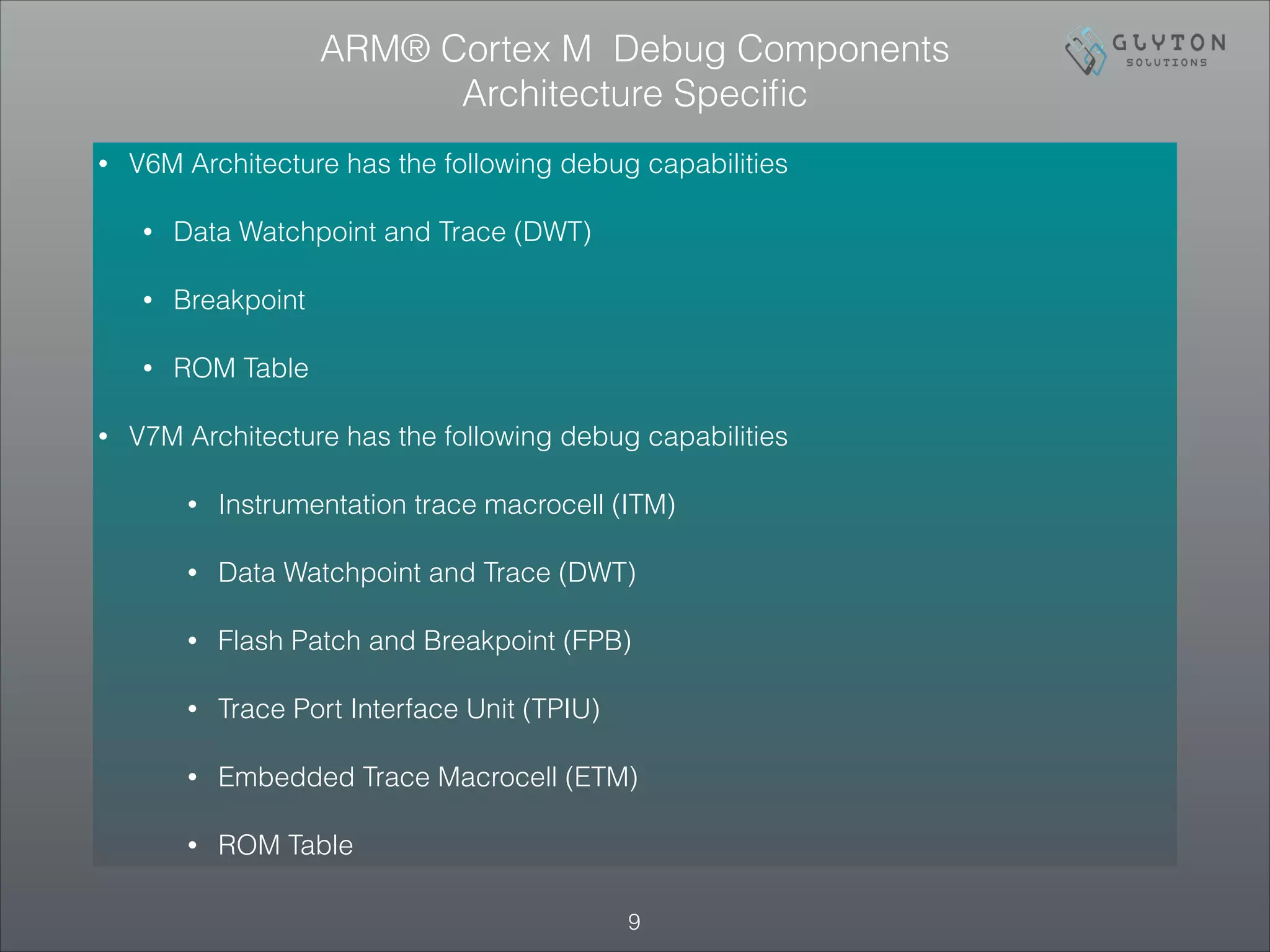
• V6M Architecture has the following debug capabilities
• Data Watchpoint and Trace (DWT)
• Breakpoint
• ROM Table
• V7M Architecture has the following debug capabilities
• Instrumentation trace macrocell (ITM)
• Data Watchpoint and Trace (DWT)
• Flash Patch and Breakpoint (FPB)
• Trace Port Interface Unit (TPIU)
• Embedded Trace Macrocell (ETM)
• ROM Table
!9
ARM® Cortex M Debug Components
Architecture Specific
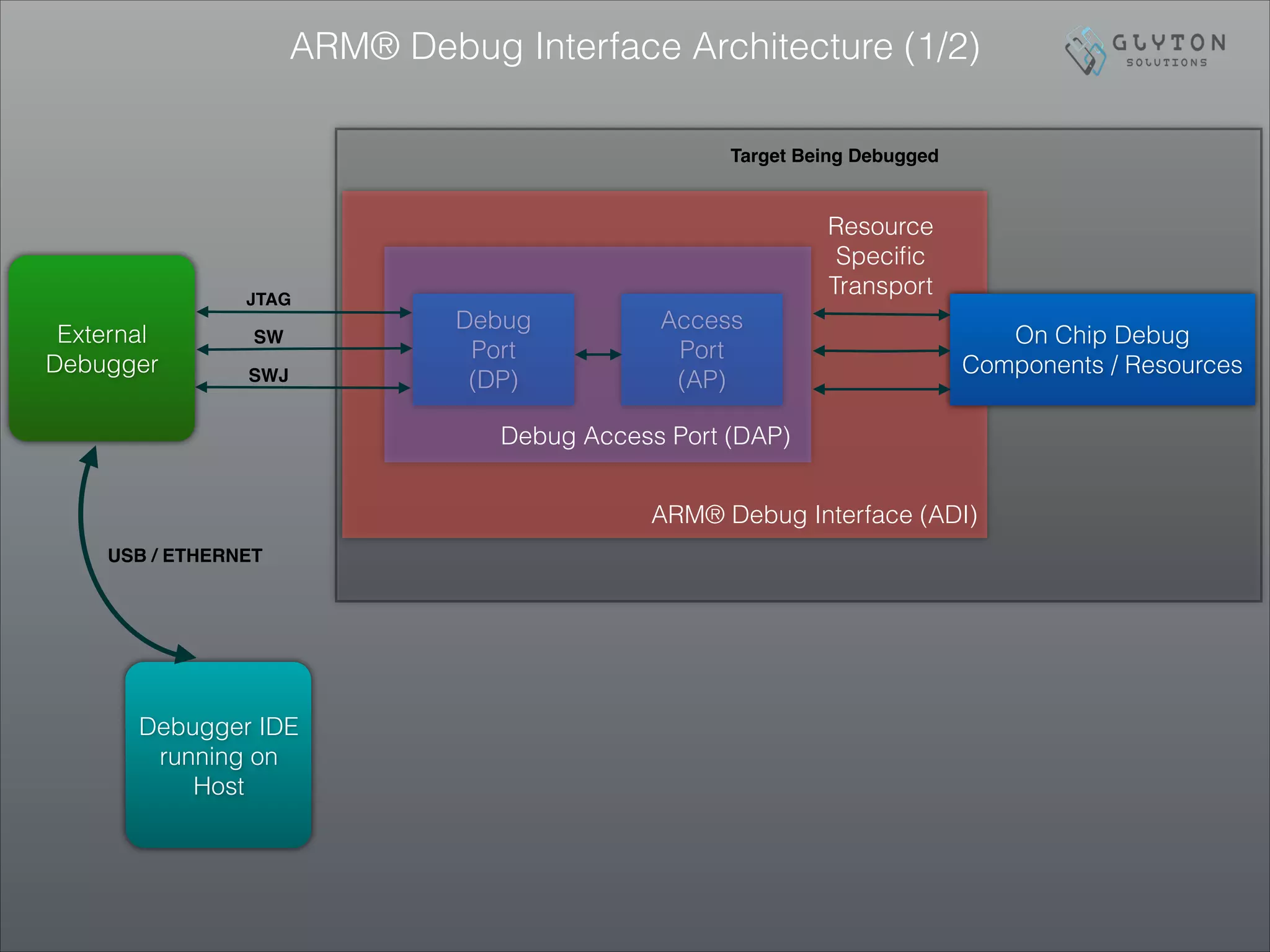
ARM® Debug Interface Architecture (1/2)
Debug
Port
(DP)
Access
Port
(AP)
On Chip Debug
Components / Resources
Debug Access Port (DAP)
ARM® Debug Interface (ADI)
Resource
Specific
Transport
SWJ
SW
JTAG
External
Debugger
Debugger IDE
running on
Host
USB / ETHERNET
Target Being Debugged
ARM® Debug Interface Architecture (2/2)
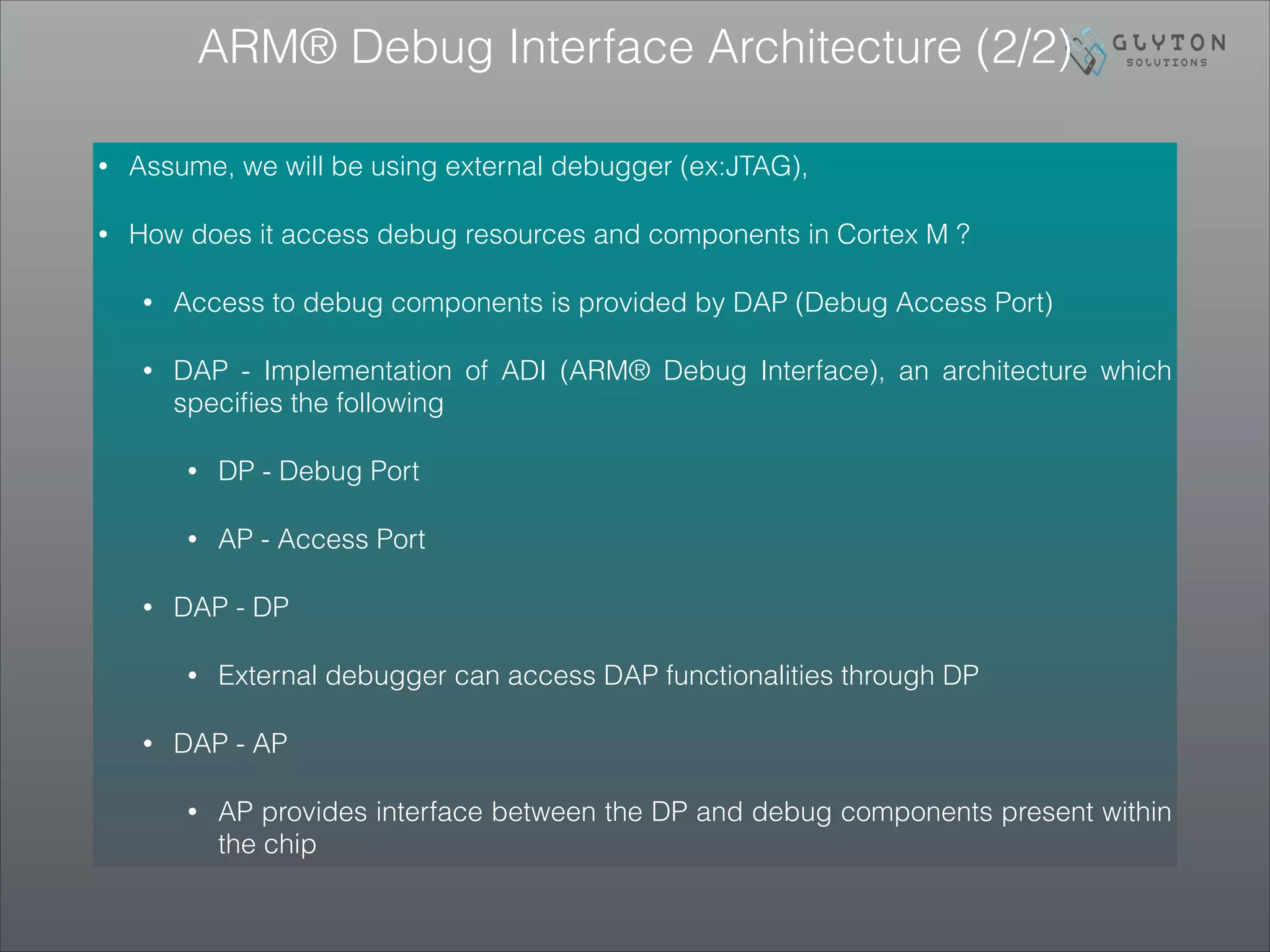
• Assume, we will be using external debugger (ex:JTAG),
• How does it access debug resources and components in Cortex M ?
• Access to debug components is provided by DAP (Debug Access Port)
• DAP - Implementation of ADI (ARM® Debug Interface), an architecture which
specifies the following
• DP - Debug Port
• AP - Access Port
• DAP - DP
• External debugger can access DAP functionalities through DP
• DAP - AP
• AP provides interface between the DP and debug components present within
the chip
Debug Access Port - DP
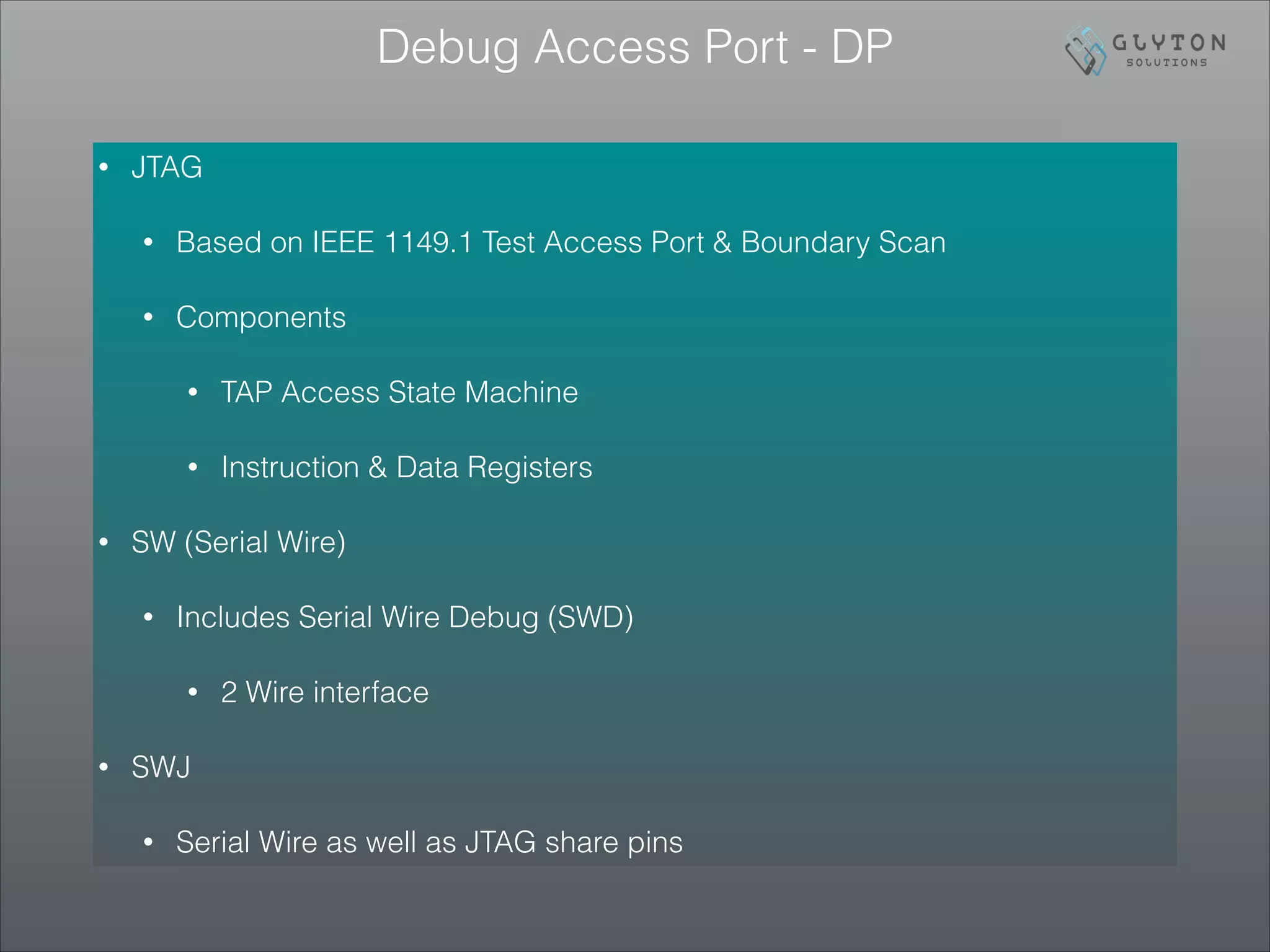
• JTAG
• Based on IEEE 1149.1 Test Access Port & Boundary Scan
• Components
• TAP Access State Machine
• Instruction & Data Registers
• SW (Serial Wire)
• Includes Serial Wire Debug (SWD)
• 2 Wire interface
• SWJ
• Serial Wire as well as JTAG share pins
Debug Access Port - AP
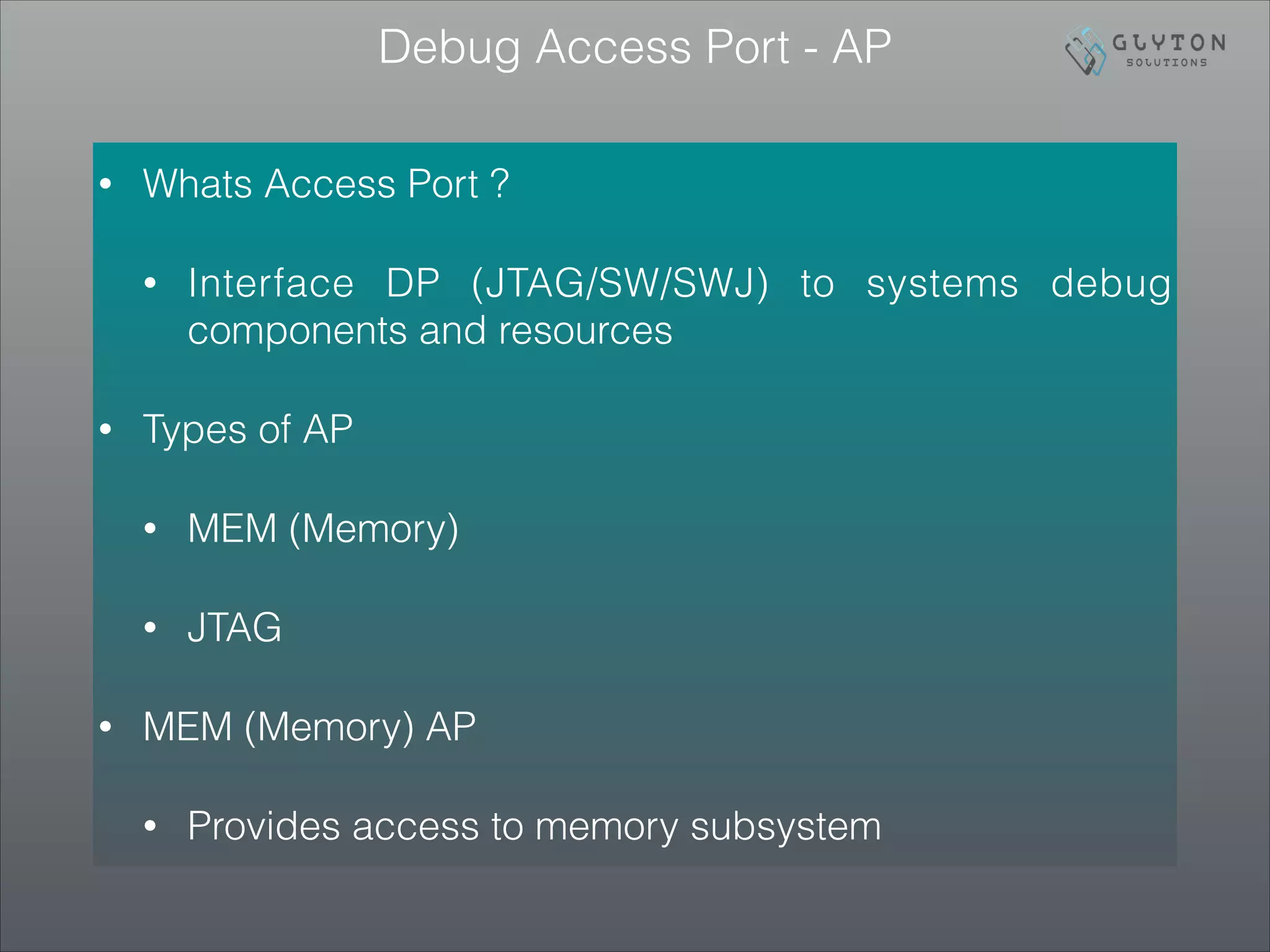
• Whats Access Port ?
• Interface DP (JTAG/SW/SWJ) to systems debug
components and resources
• Types of AP
• MEM (Memory)
• JTAG
• MEM (Memory) AP
• Provides access to memory subsystem
CMSIS DAP
!14
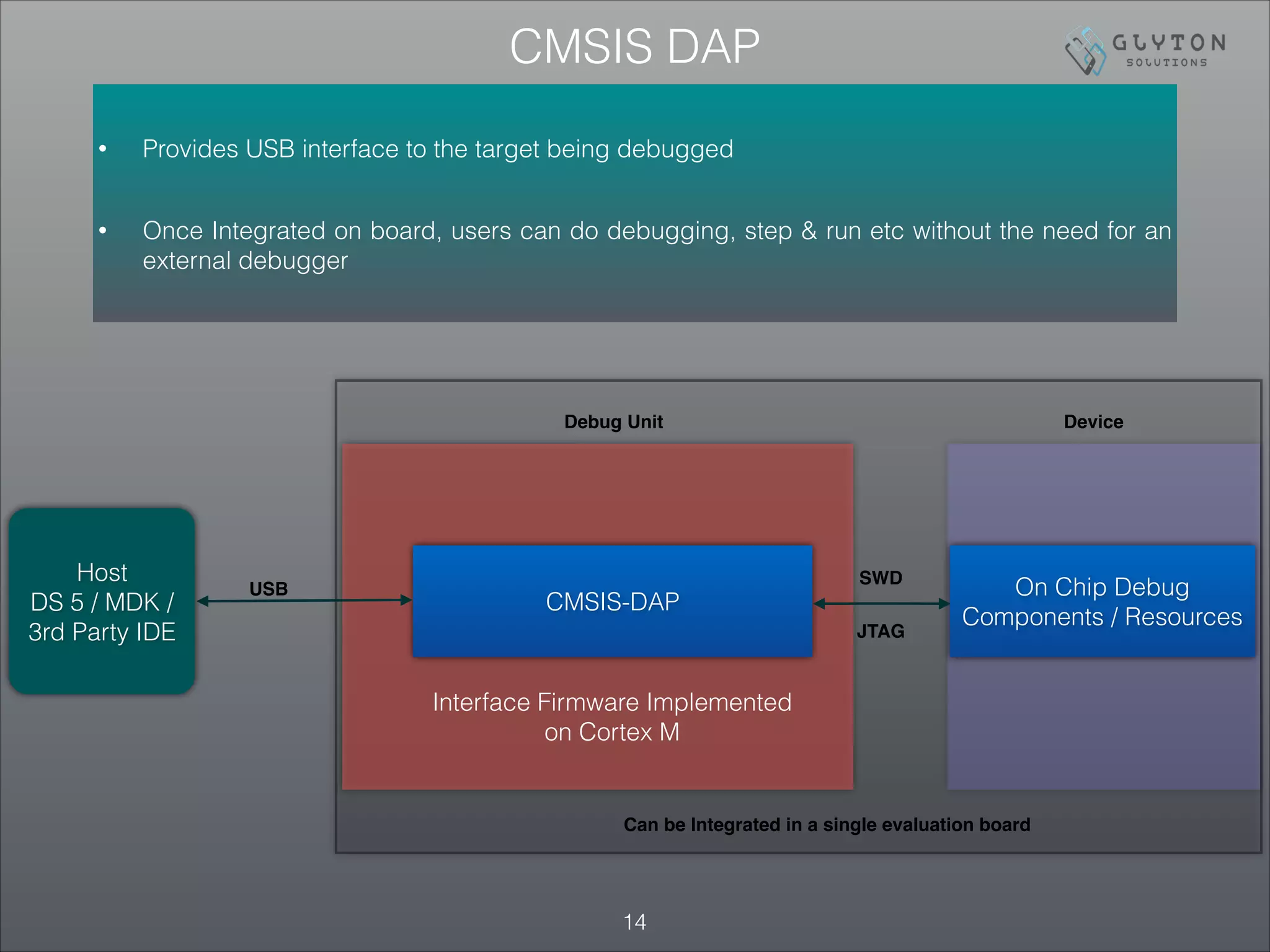
• Provides USB interface to the target being debugged
• Once Integrated on board, users can do debugging, step & run etc without the need for an
external debugger
CMSIS-DAP
On Chip Debug
Components / Resources
Interface Firmware Implemented
on Cortex M
USB
Host
DS 5 / MDK /
3rd Party IDE
SWD
JTAG
Debug Unit Device
Can be Integrated in a single evaluation board
EFM®32 On board Segger J-Link debugger
• J-LINK is a debugger from Segger
• EFM®32 can be debugged using the on board J-LINK
implementation
• Debugging and activities like energy monitoring etc can
be accomplished using USB without the need for any
external debugger
• This is similar to CMSIS - DAP implementation that was
discussed in the previous slide
Concludes!!
• All 3 parts give introductory coverage to Cortex M boot
up, CMSIS interfaces as well as debugging

ARM® Cortex™ M Bootup_CMSIS_Part_3_3_Debug_Architecture

  • 1.
    ARM® Cortex™ MBootup & CMSIS - Part 3 / 3 Raahul Anand Raghavan, Lead Systems Architect, Glyton Solutions !1
  • 2.
    Agenda • Before WeProceed! • ARM® Cortex M debug architecture • Introduction to Debugging • Capabilities & Debug Components (Resources / Memory Map / ROM Table) • ARM® Debug Interface Architecture • CMSIS DAP • EFM®32 On board Segger J-Link debugger • Concludes! • Upcoming.. !2
  • 3.
    Before We Proceed! •This is part 3 of a 3 part presentation which would practically introduce ARM® Cortex M boot up / system initialization & CMSIS interface • Presentation is introductory and in depth coverage of topics is out of the scope • Involves Cortex M0 based EVM and a suitable IDE • Code snapshots illustrated here are adopted from sample projects packaged along with Simplicity Studio IDE by Silicon Labs • Official Documentation from ARM®, Silicon Labs will override information provided here. Treat official TRM’s as complete guides on Subject Matter • ARM® Cortex™ M trademark - ARM Ltd • EFM®32, Silicon Labs SDK etc are registered trademarks !3
  • 4.
    !4 Introduction to Debugging ARM®Cortex™ M Invasive Non-Invasive • Ability to HALT the processor • Run - Stop Debugging • Ex:Single Stepping • Debug Code • Debug Monitor Exception • Self hosted (Debug code executed within the same target thats being debugged) • Non Intrusive • Does not halt the processor • Typically used in performance trace and profiling Both Invasive / Non-Invasive debugging can be accomplished using JTAG / Serial Wire based externally hosted H/W debugger
  • 5.
    • ITM (InstrumentationTrace Macrocell) • Non blocking register access • Typically used for profiling software code • DWT (Debug Watchpoint and Trace) • Watchpoint support • Program counter sampling for performance monitoring • FPB (Flash Patch and Breakpoint) • Map FLASH sections to RAM sections • Set breakpoints on code on ROM • Can also be used to provide both application code and data patch for field updates to ROM • ETM (Embedded Trace Macrocell) • Instruction trace • TPIU (Trace Port Interface Unit) • External interface for ITM / ETM / DWT !5 ARM® Cortex™ M Debug Architecture - Capabilities
  • 6.
    Debug Components -Memory Map !6 Code (512MB) 0x00000000 0x1FFFFFFF SRAM (512MB) 0x20000000 0x3FFFFFFF Peripheral (512MB) 0x40000000 0x5FFFFFFF RAM (512MB) 0x60000000 0x7FFFFFFF RAM (512MB) 0x80000000 0x9FFFFFFF Device (512MB) 0xA0000000 0xBFFFFFFF Device (512MB) 0xC0000000 0xDFFFFFFF System (512MB) 0xE0000000 0xFFFFFFFF Vendor_Sys 0xE0100000 0xFFFFFFFF PPB (1 MB) 0xE0000000 0xE00FFFFF ROM Table (4KB) 0xE00FFFFF Reserved ETM (4 KB) TPIU (4 KB) Reserved System Control Space (4 KB) Reserved FPB (4 KB) DWT (4 KB) ITM (4 KB) 0xE0000000
  • 7.
    • Implementation specificDEBUG support can be identified by inspecting ROM Table • Refer to previous slide (memory map) to get ROM table placement How to probe level of Debug Support ? ROM Table Offset Value Name Description 0x000 0xFFF0F003 ROMSCS Points to the SCS at 0xE000E000. 0x004 0xFFF02002 or 0xFFF02003 ROMDWT Points to the Data Watchpoint and Trace block at 0xE0001000. Bit [0] is set to 1 if a DWT is fitted. 0x008 0xFFF03002 or 0xFFF03003 ROMFPB Points to the Flash Patch and Breakpoint block at 0xE0002000. Bit [0] is set to 1 if an FPB is fitted. 0x00C 0xFFF01002 or 0xFFF01003 ROMITM Points to the Instrumentation Trace block at 0xE0000000. Bit [0] is set to 1 if an ITM is fitted. 0x010 0xFFF41002 or 0xFFF41003 ROMTPIU Points to the Trace Port Interface Unit. Bit [0] is set to 1 if a TPIU is fitted and accessible to the processor on its PPB 0x014 0xFFF42002 or 0xFFF42003 ROMETM Points to the Embedded Trace Macrocell block. Bit [0] is set to 1 if an ETM is fitted and accessible to the processor on its PPB 0x018 0x00000000 END End-of-table marker. It is IMPLEMENTATION DEFINED whether the table is extended with pointers to other system debug resources. The table entries always terminate with a null entry • Above table mentions partial ROM table (Major Components) only • An Implementation does not have to add support for all the above. For implementation specific features, please refer to TRM from the respective silicon vendor
  • 8.
    • BIT[0], ofany entry in the ROM table, indicates whether the implementation includes the respective block • In case if BIT[0] confirms the inclusion of a specific block , then DEBUG registers might provide additional information regarding !8 ROM Table — Key Take aways
  • 9.
    • V6M Architecturehas the following debug capabilities • Data Watchpoint and Trace (DWT) • Breakpoint • ROM Table • V7M Architecture has the following debug capabilities • Instrumentation trace macrocell (ITM) • Data Watchpoint and Trace (DWT) • Flash Patch and Breakpoint (FPB) • Trace Port Interface Unit (TPIU) • Embedded Trace Macrocell (ETM) • ROM Table !9 ARM® Cortex M Debug Components Architecture Specific
  • 10.
    ARM® Debug InterfaceArchitecture (1/2) Debug Port (DP) Access Port (AP) On Chip Debug Components / Resources Debug Access Port (DAP) ARM® Debug Interface (ADI) Resource Specific Transport SWJ SW JTAG External Debugger Debugger IDE running on Host USB / ETHERNET Target Being Debugged
  • 11.
    ARM® Debug InterfaceArchitecture (2/2) • Assume, we will be using external debugger (ex:JTAG), • How does it access debug resources and components in Cortex M ? • Access to debug components is provided by DAP (Debug Access Port) • DAP - Implementation of ADI (ARM® Debug Interface), an architecture which specifies the following • DP - Debug Port • AP - Access Port • DAP - DP • External debugger can access DAP functionalities through DP • DAP - AP • AP provides interface between the DP and debug components present within the chip
  • 12.
    Debug Access Port- DP • JTAG • Based on IEEE 1149.1 Test Access Port & Boundary Scan • Components • TAP Access State Machine • Instruction & Data Registers • SW (Serial Wire) • Includes Serial Wire Debug (SWD) • 2 Wire interface • SWJ • Serial Wire as well as JTAG share pins
  • 13.
    Debug Access Port- AP • Whats Access Port ? • Interface DP (JTAG/SW/SWJ) to systems debug components and resources • Types of AP • MEM (Memory) • JTAG • MEM (Memory) AP • Provides access to memory subsystem
  • 14.
    CMSIS DAP !14 • ProvidesUSB interface to the target being debugged • Once Integrated on board, users can do debugging, step & run etc without the need for an external debugger CMSIS-DAP On Chip Debug Components / Resources Interface Firmware Implemented on Cortex M USB Host DS 5 / MDK / 3rd Party IDE SWD JTAG Debug Unit Device Can be Integrated in a single evaluation board
  • 15.
    EFM®32 On boardSegger J-Link debugger • J-LINK is a debugger from Segger • EFM®32 can be debugged using the on board J-LINK implementation • Debugging and activities like energy monitoring etc can be accomplished using USB without the need for any external debugger • This is similar to CMSIS - DAP implementation that was discussed in the previous slide
  • 16.
    Concludes!! • All 3parts give introductory coverage to Cortex M boot up, CMSIS interfaces as well as debugging