Our Sponsors
Learn
waukesha.org
Case study: How data drives the
Alliance’s decisions
Amy Benz
PR & Marketing Manager
Waukesha County Business Alliance
• Mission: To drive economic growth in Waukesha County
• Vision: To make Waukesha County the best place to do business
Agenda
• How we gather data
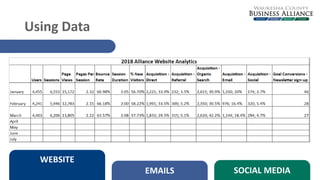
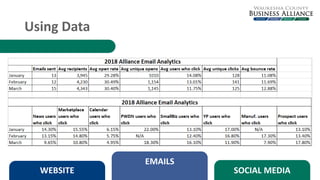
• How we use data
• Success stories
WEBSITE EMAILS SOCIAL MEDIA
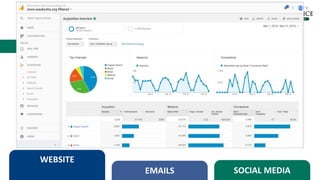
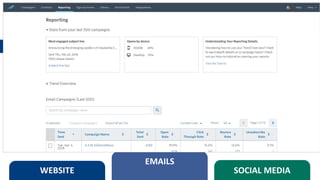
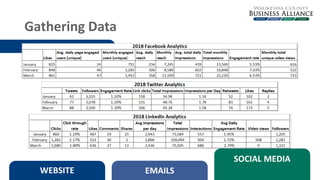
Gathering Data
• Didn’t have much to go on
WEBSITE
EMAILS SOCIAL MEDIA
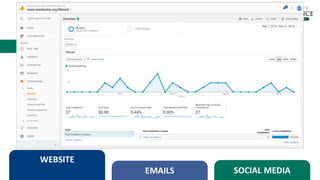
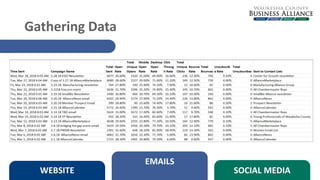
Gathering Data
• Didn’t have much to go on
WEBSITE
EMAILS SOCIAL MEDIA
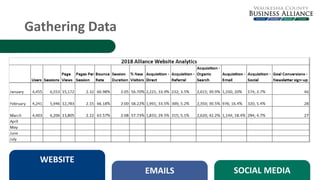
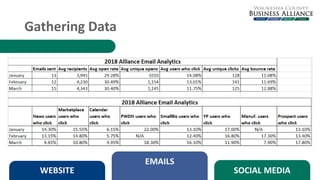
Gathering Data
• Didn’t have much to go on
WEBSITE
EMAILS SOCIAL MEDIA
Gathering Data
• Didn’t have much to go on
WEBSITE
EMAILS SOCIAL MEDIA
Gathering Data
WEBSITE
EMAILS SOCIAL MEDIA
Gathering Data
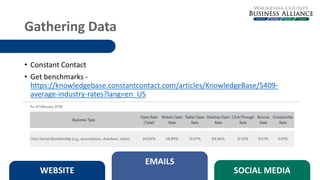
• Constant Contact
• Get benchmarks -
https://knowledgebase.constantcontact.com/articles/KnowledgeBase/5409-
average-industry-rates?lang=en_US
WEBSITE
EMAILS
SOCIAL MEDIA
Gathering Data
• Constant Contact
• Get benchmarks -
https://knowledgebase.constantcontact.com/articles/KnowledgeBase/5409-
average-industry-rates?lang=en_US
WEBSITE
EMAILS
SOCIAL MEDIA
Gathering Data
WEBSITE
EMAILS
SOCIAL MEDIA
Gathering Data
WEBSITE
EMAILS
SOCIAL MEDIA
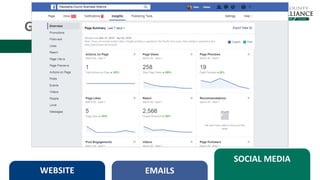
Gathering Data
WEBSITE EMAILS
SOCIAL MEDIA
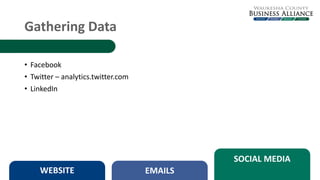
• Facebook
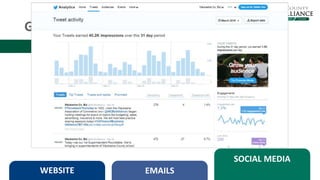
• Twitter – analytics.twitter.com
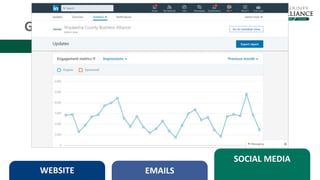
• LinkedIn
Gathering Data
WEBSITE EMAILS
SOCIAL MEDIA
Gathering Data
WEBSITE EMAILS
SOCIAL MEDIA
Gathering Data
WEBSITE EMAILS
SOCIAL MEDIA
Gathering Data
WEBSITE EMAILS
SOCIAL MEDIA
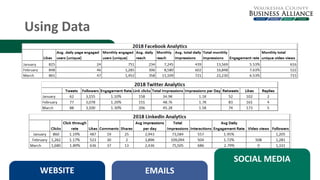
Using Data
WEBSITE
EMAILS SOCIAL MEDIA
Using Data
WEBSITE
EMAILS
SOCIAL MEDIA
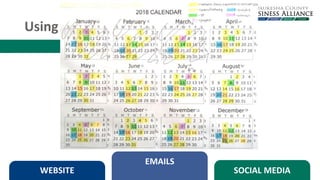
Using Data
WEBSITE
EMAILS
SOCIAL MEDIA
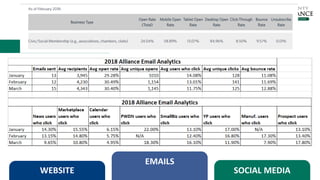
Using Data
WEBSITE
EMAILS
SOCIAL MEDIA
Using Data
WEBSITE EMAILS
SOCIAL MEDIA
Success Stories
WEBSITE EMAILS SOCIAL MEDIA
• Sales
• Event attendance
• Reach
Questions?
Amy Benz
PR & Marketing Manager
abenz@waukesha.org
262-409-2626
Waukesha County Business Alliance
Break
Our Sponsors
Our Sponsors
A Different Use Of Data
It’s All In Your Head
• For decades it was suspected that stress was related to poor health,
but the how and why was not thoroughly understood.

• In 1998 a study was published based on data collected by a health
system in California, Kaiser-Permanente.
• Science has been exploring this connection to determine the actual
causes.
• A new and emerging discipline called “Trauma-Informed Care” applies
the findings of brain science to behavior management.
Don’t Ask What’s Wrong
Ask What Happened
What’s In A Word?
Initial Findings
• First Responders
• Fitness And Stress
Share
Discussion
Trivia!
Grow
How Marketers
Use Data To Win
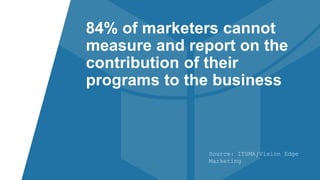
Source: ITSMA/Vision Edge
Marketing
84% of marketers cannot
measure and report on the
contribution of their
programs to the business
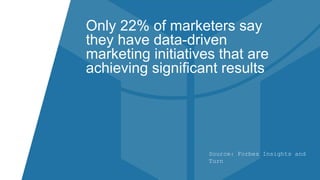
Source: Forbes Insights and
Turn
Only 22% of marketers say
they have data-driven
marketing initiatives that are
achieving significant results
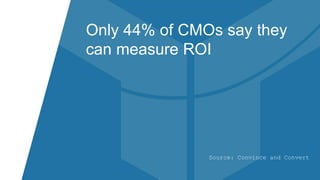
Source: Convince and Convert
Only 44% of CMOs say they
can measure ROI
Google Analytics
Free Tool to track website and app
usage
Integrates data with the Google Suite of
products (AdWords and Search
Console)
Integral to measuring marketing efforts
and ROI
However, it’s a “garbage in, garbage
out” tool
Back To Basics
Installing The Code
• Code needs to be installed on on all
pages of your website
• Many Content Management
Systems (CMS) have plugins to
implement the code
• Should be located in the <head> of
the page, to ensure it’s loaded first
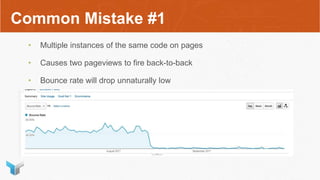
Common Mistake #1
• Multiple instances of the same code on pages
• Causes two pageviews to fire back-to-back
• Bounce rate will drop unnaturally low
Common Mistake #2
• Code not installed on all pages
• Exit rates seem unusually high
• Pages are absent from reports
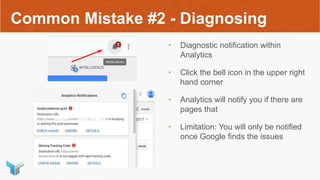
Common Mistake #2 - Diagnosing
• Diagnostic notification within
Analytics
• Click the bell icon in the upper right
hand corner
• Analytics will notify you if there are
pages that
• Limitation: You will only be notified
once Google finds the issues
Common Mistake #2 - Diagnosing
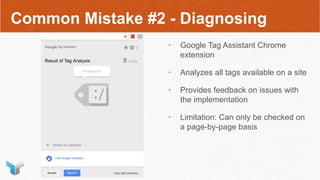
• Google Tag Assistant Chrome
extension
• Analyzes all tags available on a site
• Provides feedback on issues with
the implementation
• Limitation: Can only be checked on
a page-by-page basis
Common Mistake #2 - Diagnosing
• Crawling software, like Screaming
Frog, can crawl all available links of
your site
• Can be set to find specific strings of
text (like an Analytics code)
• Limitation: Paid software, free
version is limited to 500 unique
URLs
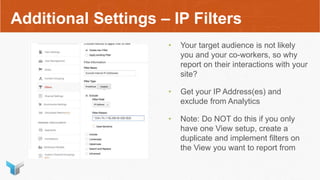
Additional Settings – IP Filters
• Your target audience is not likely
you and your co-workers, so why
report on their interactions with your
site?
• Get your IP Address(es) and
exclude from Analytics
• Note: Do NOT do this if you only
have one View setup, create a
duplicate and implement filters on
the View you want to report from
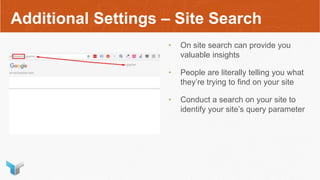
Additional Settings – Site Search
• On site search can provide you
valuable insights
• People are literally telling you what
they’re trying to find on your site
• Conduct a search on your site to
identify your site’s query parameter
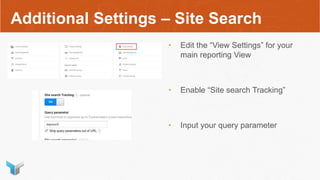
Additional Settings – Site Search
• Edit the “View Settings” for your
main reporting View
• Enable “Site search Tracking”
• Input your query parameter
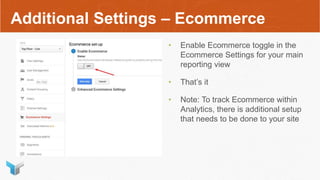
Additional Settings – Ecommerce
• Enable Ecommerce toggle in the
Ecommerce Settings for your main
reporting view
• That’s it
• Note: To track Ecommerce within
Analytics, there is additional setup
that needs to be done to your site
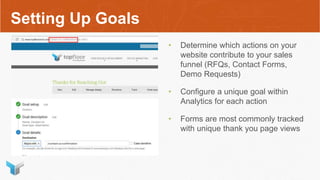
Setting Up Goals
• Determine which actions on your
website contribute to your sales
funnel (RFQs, Contact Forms,
Demo Requests)
• Configure a unique goal within
Analytics for each action
• Forms are most commonly tracked
with unique thank you page views
Integrations
AdWords
• Pulls all data into one convenient
location
• Without this integration, AdWords
traffic gets incorrectly categorized
AdWords
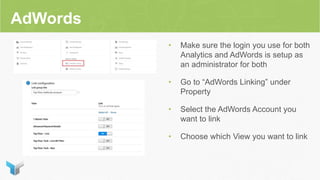
• Make sure the login you use for both
Analytics and AdWords is setup as
an administrator for both
• Go to “AdWords Linking” under
Property
• Select the AdWords Account you
want to link
• Choose which View you want to link
Common Mistake #3
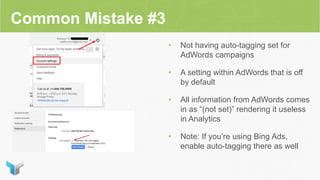
• Not having auto-tagging set for
AdWords campaigns
• A setting within AdWords that is off
by default
• All information from AdWords comes
in as “(not set)” rendering it useless
in Analytics
• Note: If you’re using Bing Ads,
enable auto-tagging there as well
Search Console
• Google Search Console is a tool
that can provide additional insights
into organic searches that are
featuring your site
• Linking the two tools will pull
relevant data into Analytics to give
you a single source reporting tool
• Note: Data from Search Console will
not match your Analytics data
Search Console
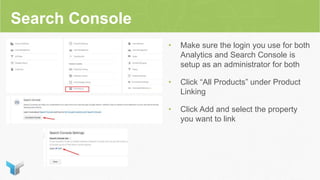
• Make sure the login you use for both
Analytics and Search Console is
setup as an administrator for both
• Click “All Products” under Product
Linking
• Click Add and select the property
you want to link
Email
• Email platforms are great at
reporting on their stats (open rate,
click through rate)
• But without the context of what
happens after they get to your site,
how do you know if it’s working?
• Without tagging your emails, the
data gets lost as “Direct”
Email
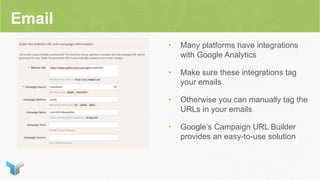
• Many platforms have integrations
with Google Analytics
• Make sure these integrations tag
your emails
• Otherwise you can manually tag the
URLs in your emails
• Google’s Campaign URL Builder
provides an easy-to-use solution
Social Media (Ads specifically)
• Analytics has made great strides in
segmenting out social media traffic
by default
• However, it does not differentiate
between organic and paid social
• Additional tracking parameters need
to be added to ad URLs
• Google’s Campaign URL Builder
Social Media Ad Tracking
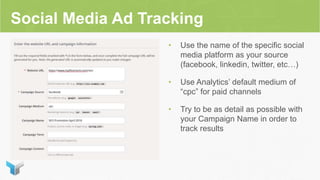
• Use the name of the specific social
media platform as your source
(facebook, linkedin, twitter, etc…)
• Use Analytics’ default medium of
“cpc” for paid channels
• Try to be as detail as possible with
your Campaign Name in order to
track results
Useful Reports
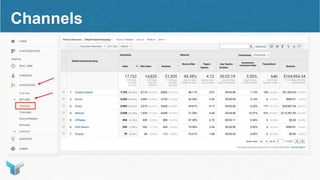
Channels
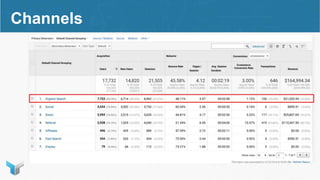
Channels
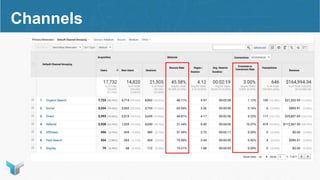
Channels
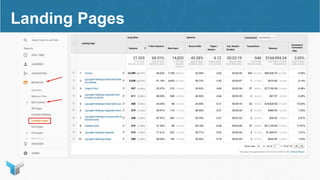
Landing Pages
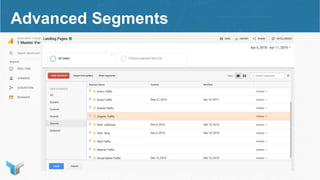
Advanced Segments
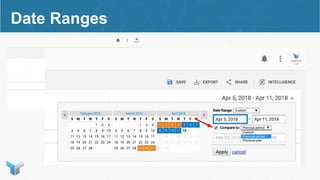
Date Ranges
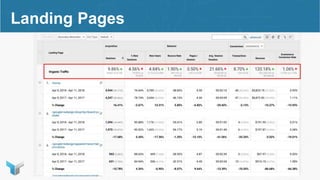
Landing Pages
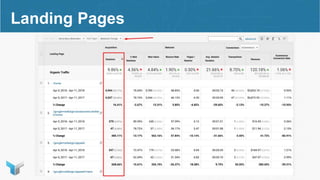
Landing Pages
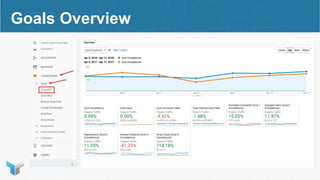
Goals Overview
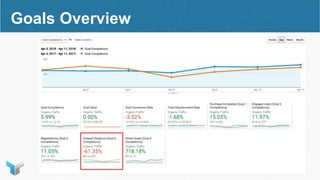
Goals Overview
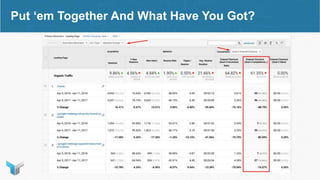
Put ‘em Together And What Have You Got?
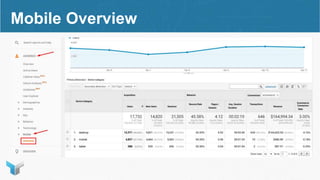
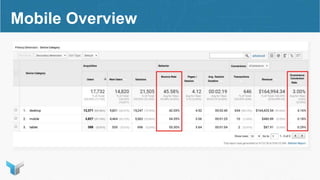
Mobile Overview
Mobile Overview
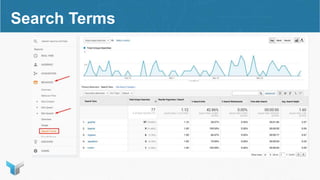
Search Terms
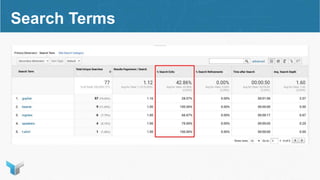
Search Terms
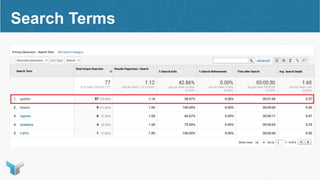
Search Terms
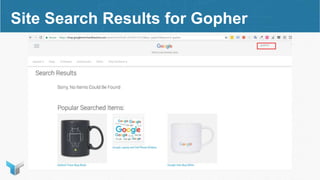
Google Gopher
Site Search Results for Gopher
Leveling Up Your
Tracking
Source: Invoca
Only 29% of marketers are
getting credit for the inbound
calls they drive
Call Tracking
• Many leads generated by marketing,
especially B2B, are by phone (6-10
calls per form)
• Google Analytics can’t track these
events
• Sales people aren’t going to be able
to track back where that lead came
from
• Note: These require the visible
phone number to change
Lead Source Integration
• While Analytics can track aggregate
data, it cannot tell you which
channel a specific lead used
• Many Automation platforms capture
lead source from form submissions
• Can be added as additional
functionality to many Content
Management Systems
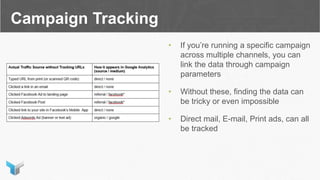
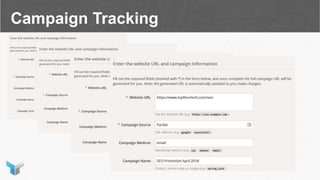
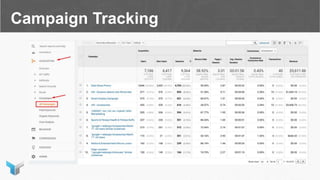
Campaign Tracking
• If you’re running a specific campaign
across multiple channels, you can
link the data through campaign
parameters
• Without these, finding the data can
be tricky or even impossible
• Direct mail, E-mail, Print ads, can all
be tracked
Campaign Tracking
Campaign Tracking
Questions?
Thank You

April 2018 Digital Marketing Roundtable