



Loving the New Version of GA
Rachael Gerson (@rachaelgerson)
        -  Head of Analytics at SEER Interactive
         - Google Analytics Top Contributor
                   - GA Certified
                    - Data Junkie
    -   Lover/owner of cute puppy named Cooper
Every link mentioned today is on


http://bit.ly/loving-ga
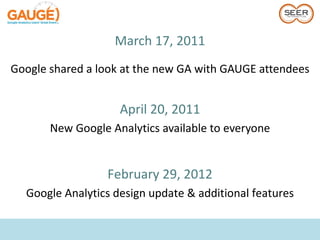
March 17, 2011
Google shared a look at the new GA with GAUGE attendees


                    April 20, 2011
       New Google Analytics available to everyone


                 February 29, 2012
  Google Analytics design update & additional features
Poll
Show of hands – Who here:
    1. Only uses New GA
   2. Rarely uses New GA
   3. Never uses New GA
       4. Hates New GA
Let’s Get This Out of the Way
             Missing Features

    PDF Export & Email Report – Temporary
            All Account Overview
                Percent Change


Old version won’t turn off until new
      version is fully functional
Plan
•   Updates from old version
•   New features & reports
•   GA Hacks
•   Q&A
Plan
• Running through the most common questions I get about
  the new GA
• For each section:
   – How to access
   – Brief overview
New GA is easy
to use and learn
It's not all new.

Improvements
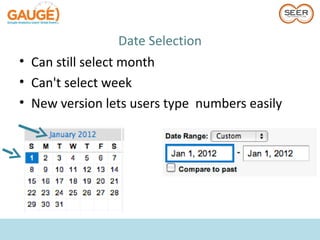
Date Selection
• Can still select month
• Can't select week
• New version lets users type numbers easily
Navigation
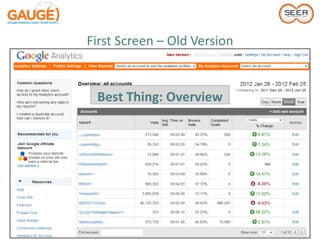
First Screen – Old Version


 Best Thing: Overview
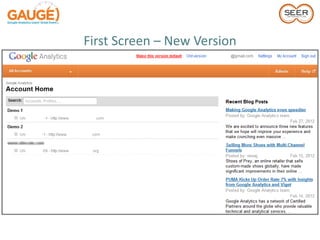
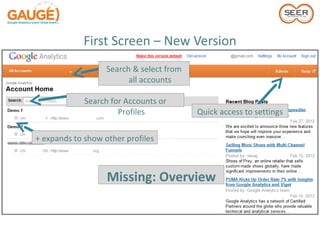
First Screen – New Version
                   Search & select from
                         all accounts

             Search for Accounts or
                      Profiles            Quick access to settings


+ expands to show other profiles


                   Missing: Overview
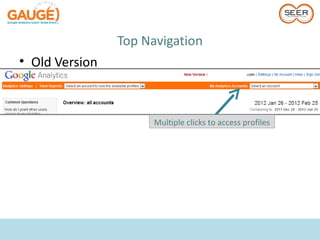
Top Navigation
• Old Version


                      Multiple clicks to access profiles
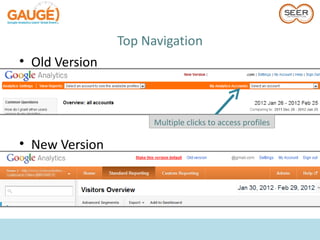
Top Navigation
• Old Version


                      Multiple clicks to access profiles

• New Version
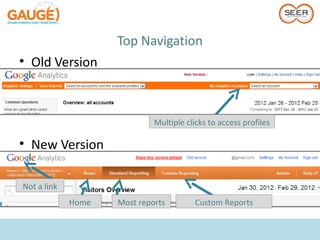
Top Navigation
• Old Version


                             Multiple clicks to access profiles

• New Version

Not a link
             Home   Most reports         Custom Reports
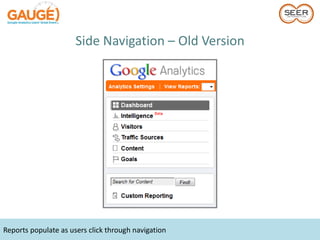
Side Navigation – Old Version


Reports populate as users click through navigation
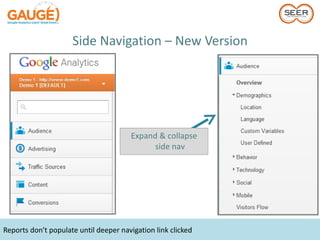
Side Navigation – New Version


                                       Expand & collapse
                                             side nav


Reports don't populate until deeper navigation link clicked
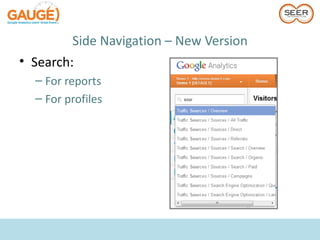
Side Navigation – New Version
• Search:
  – For reports
  – For profiles
How Do I Look Quickly at
 the Data That Matters
     Most to Me?
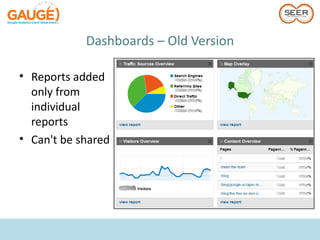
Dashboards – Old Version

• Reports added
  only from
  individual
  reports
• Can't be shared
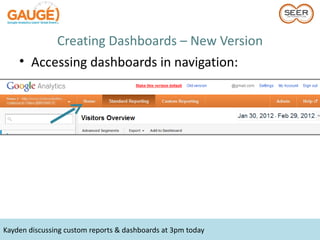
Creating Dashboards – New Version
    • Accessing dashboards in navigation:


Kayden discussing custom reports & dashboards at 3pm today
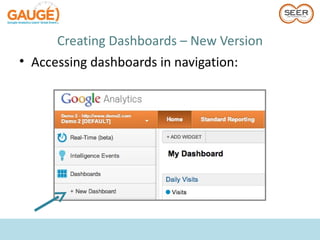
Creating Dashboards – New Version
• Accessing dashboards in navigation:
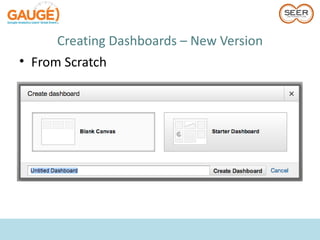
Creating Dashboards – New Version
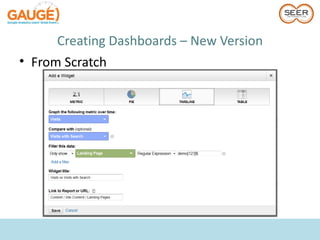
• From Scratch
Creating Dashboards – New Version
• From Scratch
Creating Dashboards – New Version
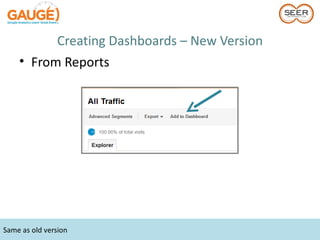
    • From Reports


Same as old version
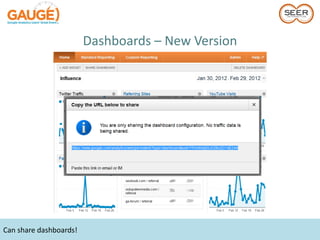
Dashboards – New Version


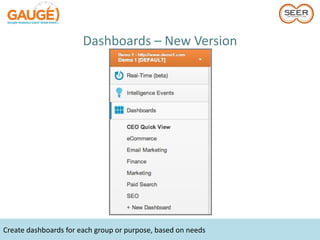
Create dashboards for each group or purpose, based on needs
Dashboards – New Version


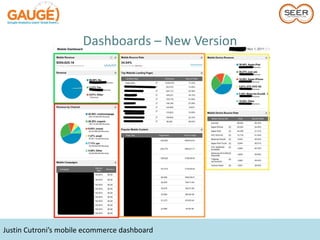
Justin Cutroni’s mobile ecommerce dashboard
Dashboards – New Version


Can share dashboards!
How Do I Filter Data
   in Reports?
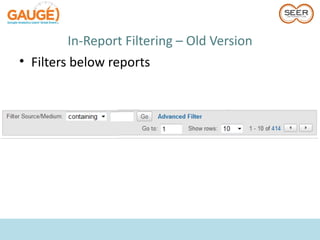
In-Report Filtering – Old Version
    • Accept RegEx by default
         – ^se+r ?interactive$|^think ?se+r$|wil+ reynol[dt]s
    • Filters either include or exclude


RegEx knowledge hugely helpful in old version
In-Report Filtering – Old Version
• Filters below reports
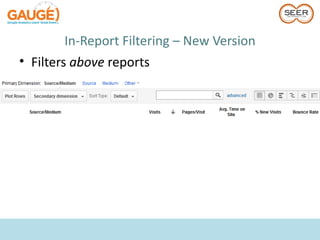
In-Report Filtering – New Version
• Filters above reports
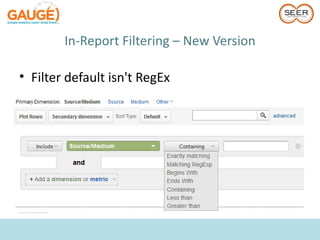
In-Report Filtering – New Version

• Filter default isn't RegEx
Where Do People
Click on My Site?
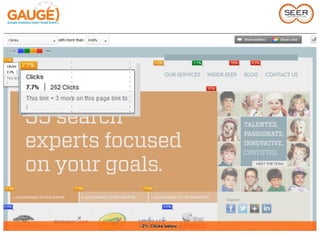
What was the biggest problem with In-Page Analytics?
In-Page Analytics Updates
    • Number of times link appears on page
    • Color coding for bubbles
    • Fading site to focus on metrics


Don't forget Advanced Segments can be applied to In-Page Analytics
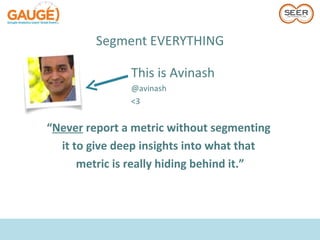
Segment EVERYTHING

               This is Avinash
               @avinash
               <3


“Never report a metric without segmenting
  it to give deep insights into what that
      metric is really hiding behind it.”
So… How Do I
  Segment?
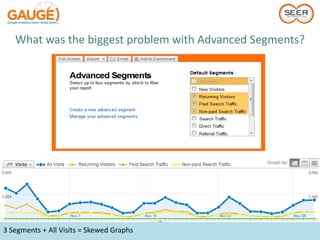
What was the biggest problem with Advanced Segments?


3 Segments + All Visits = Skewed Graphs
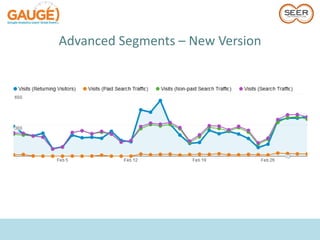
Advanced Segments – New Version
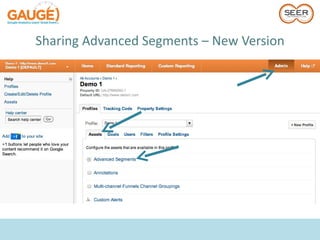
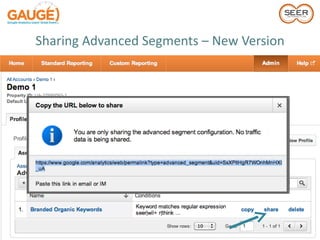
Sharing Advanced Segments – New Version
If Traffic Drops on My Site,
     How Can I Find Out?
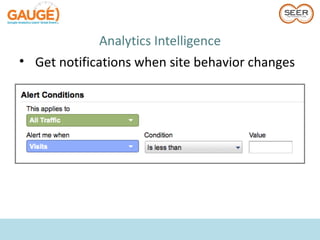
Analytics Intelligence
• Get notifications when site behavior changes
Analytics Intelligence
                         Sample Alert Ideas:
         – Bounce Rate – is greater than x%
         – Visits – is less than 1
         – Goal Conversions – Increase or Decrease [x% or x]
           from previous day / week
         – Visits from [Medium, Source, Keyword, etc.] –
           Increase or Decrease [x% or x] from previous day /
           week


See seoMoz post linked
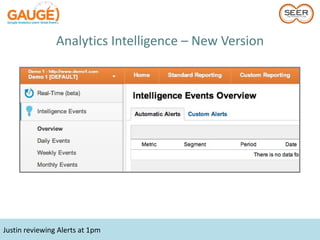
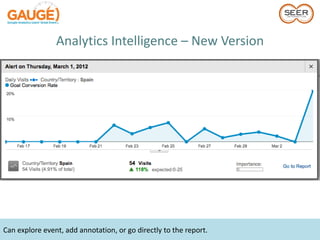
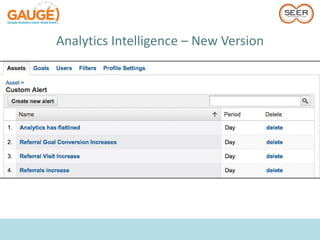
Analytics Intelligence – New Version


Justin reviewing Alerts at 1pm
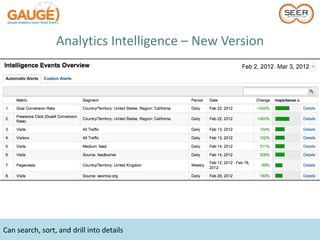
Analytics Intelligence – New Version


Can search, sort, and drill into details
Analytics Intelligence – New Version


Can explore event, add annotation, or go directly to the report.
Analytics Intelligence – New Version
What other
improvements are
     there?
Custom Report
   Updates
Custom Report Updates
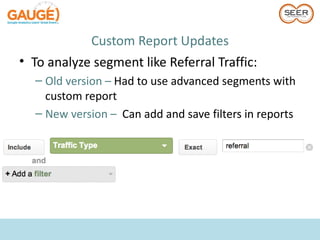
• To analyze segment like Referral Traffic:
  – Old version – Had to use advanced segments with
    custom report
  – New version – Can add and save filters in reports
Custom Report Updates

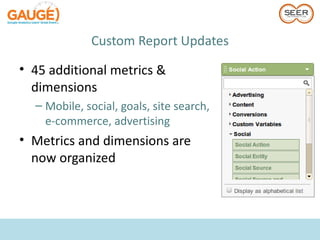
• 45 additional metrics &
  dimensions
  – Mobile, social, goals, site search,
    e-commerce, advertising
• Metrics and dimensions are
  now organized
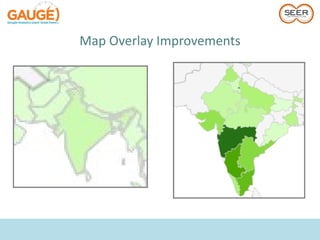
Map Overlay
Improvements
Map Overlay Improvements

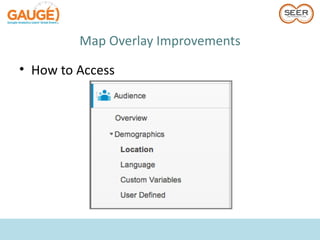
• How to Access
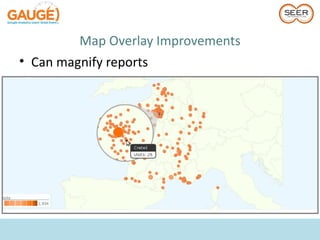
Map Overlay Improvements
• Can magnify reports
Mobile Reporting
 Improvements
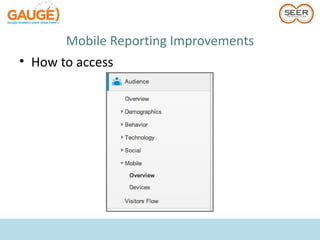
Mobile Reporting Improvements
• How to access
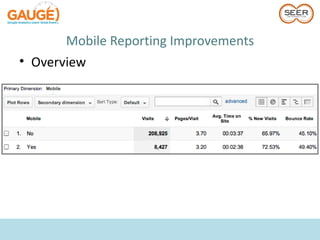
Mobile Reporting Improvements
• Overview
Mobile Reporting Improvements
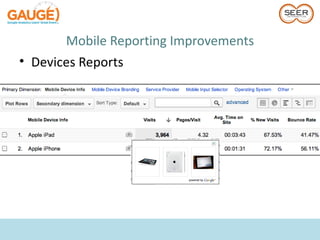
• Devices Reports
Mobile Reporting Improvements
• Use reports to figure out:
  – How site performs on different mobile products or
    brands
  – Mobile platforms to develop
Mobile Ad Performance
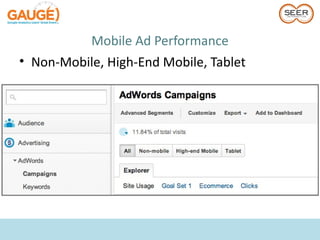
• Non-Mobile, High-End Mobile, Tablet
Filter Updates
    (Mobile)
Filter Format
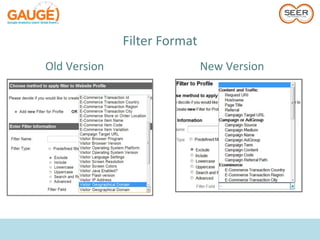
Old Version                   New Version
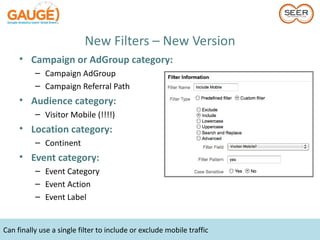
New Filters – New Version
     • Campaign or AdGroup category:
          – Campaign AdGroup
          – Campaign Referral Path
     • Audience category:
          – Visitor Mobile (!!!!)
     • Location category:
          – Continent
     • Event category:
          – Event Category
          – Event Action
          – Event Label


Can finally use a single filter to include or exclude mobile traffic
Revamped Admin
    Section
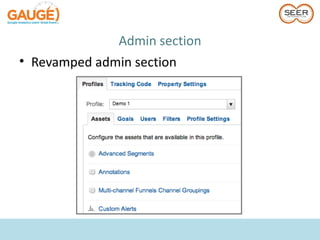
Admin section
• Revamped admin section
Annotations
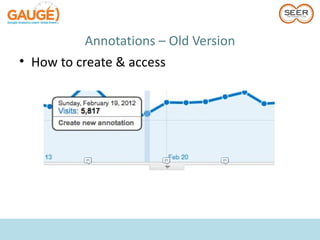
Annotations – Old Version
• How to create & access
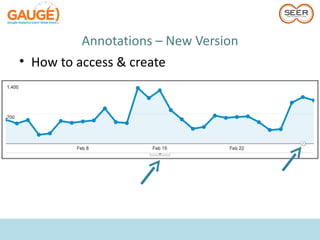
Annotations – New Version
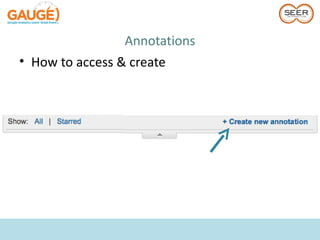
• How to access & create
Annotations
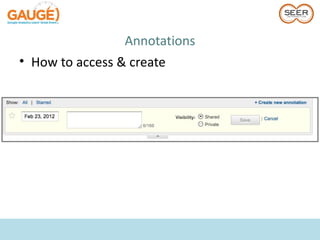
• How to access & create
Annotations
• How to access & create
Annotations
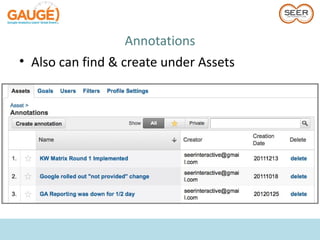
• Also can find & create under Assets
New Features
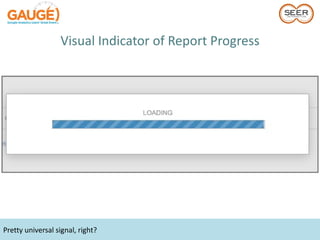
Visual Indicator of Report Progress


Pretty universal signal, right?
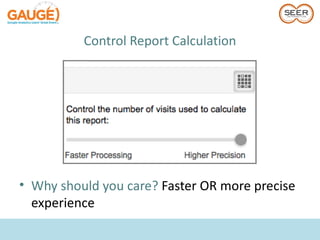
Control Report Calculation


• Why should you care? Faster OR more precise
  experience
Report Loading
• Sampling now starts at 250K, rather than 500K
• Why should you care? Faster experience
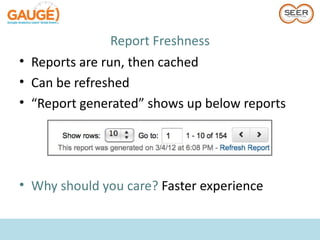
Report Freshness
• Reports are run, then cached
• Can be refreshed
• “Report generated” shows up below reports


• Why should you care? Faster experience
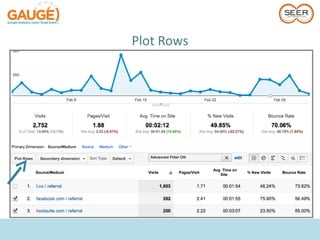
Plot Rows
• How does x compare to y?
• Previously, needed to create advanced
  segments to answer
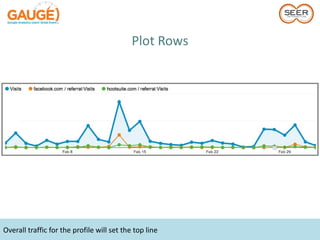
Plot Rows
• How does x compare to y?
Plot Rows


Overall traffic for the profile will set the top line
How Can I Track
      File Downloads,
Interaction with Videos or
      Dynamic Sites?
Event Tracking
<a href="#" onClick="_gaq.push(['_trackEvent', ’PDF', ’Download',
               ’Corporate Brief']);">Download</a>
Event Tracking
• To get goals for these actions previously,
  needed to use virtual pageviews
_gaq.push(['_trackPageview', '/downloads/pdfs/corporateBrief.pdf']);


• Now…
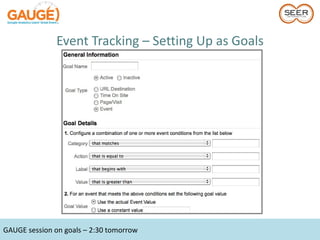
Event Goals!
Event Tracking – Setting Up as Goals


GAUGE session on goals – 2:30 tomorrow
Event Tracking
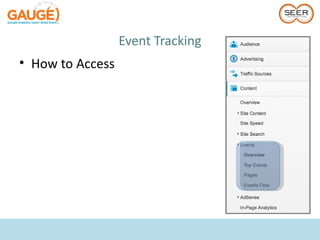
• How to Access
Event Tracking
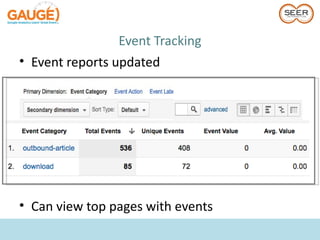
• Event reports updated


• Can view top pages with events
Let’s Talk Site Speed
Stats on Site Speed:


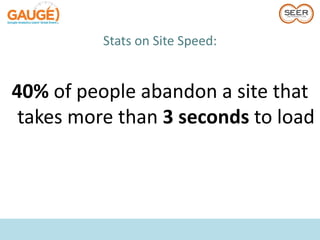
40% of people abandon a site that
 takes more than 3 seconds to load
Stats on Site Speed:


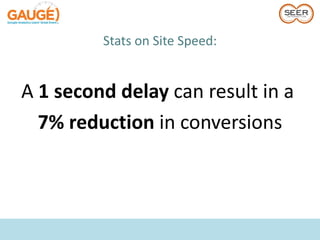
A 1 second delay can result in a
  7% reduction in conversions
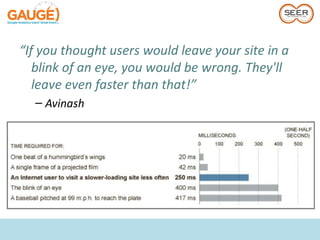
“If you thought users would leave your site in a
   blink of an eye, you would be wrong. They'll
   leave even faster than that!”
  – Avinash
How Quickly Does
  My Site Load?
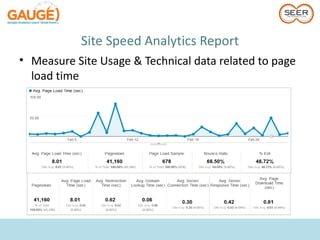
Site Speed Analytics Report
• Measure Site Usage & Technical data related to page
  load time
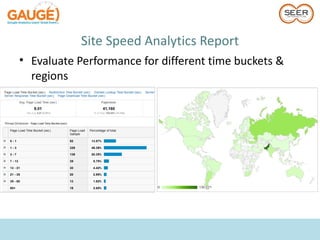
Site Speed Analytics Report
• Evaluate Performance for different time buckets &
  regions
Site Speed Analytics Report
• How to set up – At launch, needed:
         _gaq.push(['_trackPageLoadTime']);

• Now automatic
Site Speed Analytics Report
• Uses for Site Speed Reports
   –   Which landing pages are slowest?
   –   Which campaigns correspond to faster page loads overall?
   –   How does page load time vary across geographies?
   –   Does your site load faster/slow for different browsers?
Who Here Uses
Webmaster Tools?
Webmaster Tools Integration
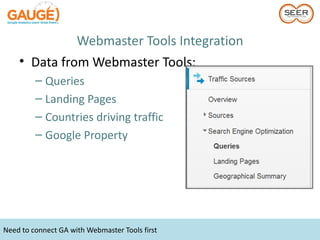
    • Data from Webmaster Tools:
         – Queries
         – Landing Pages
         – Countries driving traffic
         – Google Property


Need to connect GA with Webmaster Tools first
Webmaster Tools Integration
    • Data from Webmaster Tools:
         – Impressions
         – Clicks
         – Average Position
         – CTR
              • Sound familiar??


Not 100% accurate. Use for trends.
Webmaster Tools Integration


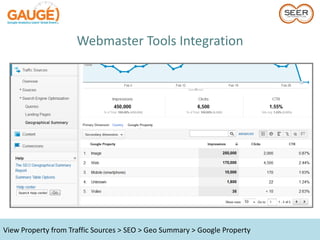
View Property from Traffic Sources > SEO > Geo Summary > Google Property
Webmaster Tools Integration
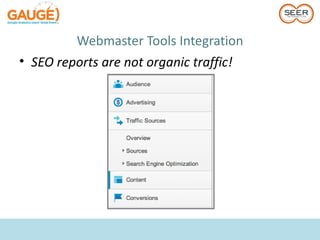
• SEO reports are not organic traffic!
How can I know how visitors
 engage with social media
        on my site?
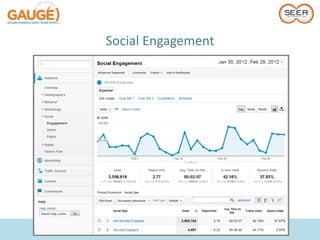
Social Engagement
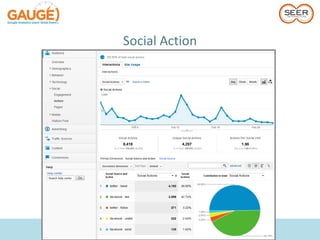
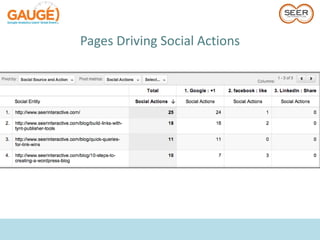
Social Action
Pages Driving Social Actions
Social Engagement
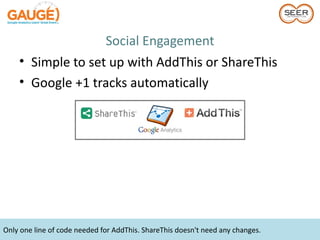
    • Simple to set up with AddThis or ShareThis
    • Google +1 tracks automatically


Only one line of code needed for AddThis. ShareThis doesn't need any changes.
Multi-Channel
   Funnels
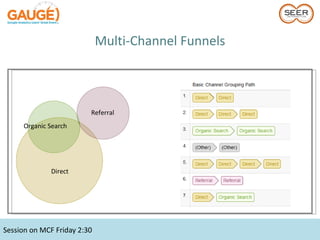
Multi-Channel Funnels


                         Referral
      Organic Search


              Direct


Session on MCF Friday 2:30
How can I know what's
              happening on my site
                  right now?


Up until September 2011, not with Google Analytics
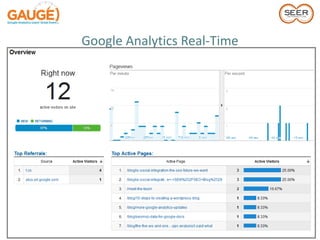
Google Analytics Real-Time
• Use Real-Time to View:
  – Top referrals
  – Traffic sources
  – Active pages – current and last 30 minutes
  – Keywords
  – Locations driving traffic
Google Analytics Real-Time
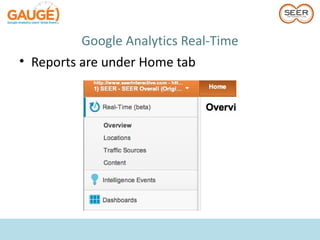
• Reports are under Home tab
Google Analytics Real-Time
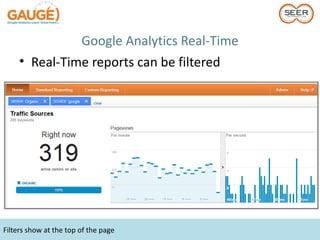
     • Real-Time reports can be filtered


Filters show at the top of the page
Google Analytics Real-Time
• Keep in mind:
  – Real-Time reports ignore filters on profiles
  – The rest of GA still isn't real time
  – Top Pages show campaign tracking as separate
    pages
Google Analytics Real-Time
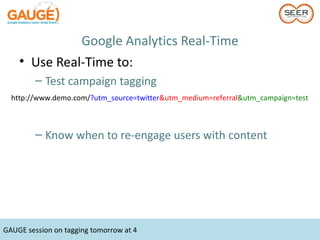
    • Use Real-Time to:
         – Test campaign tagging
  http://www.demo.com/?utm_source=twitter&utm_medium=referral&utm_campaign=test


         – Know when to re-engage users with content


GAUGE session on tagging tomorrow at 4
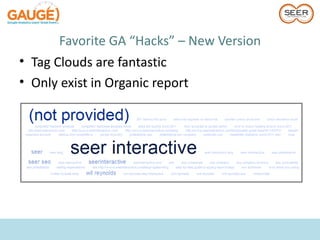
Keyword Clouds
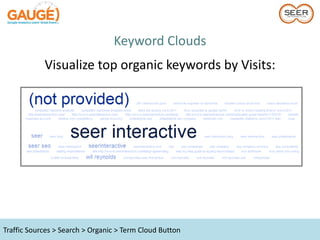
Keyword Clouds
            Visualize top organic keywords by Visits:


Traffic Sources > Search > Organic > Term Cloud Button
Keyword Clouds


Can also visualize by Conversion Rate, Bounce
    Rate, Individual Goal Completions, etc.
Flow Visualization
Flow Visualization
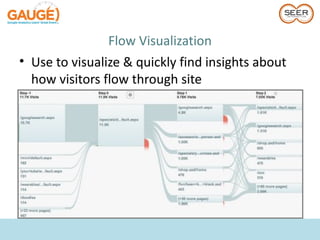
• Use to visualize & quickly find insights about
  how visitors flow through site
Flow Visualization
• See where are visitors dropping out of funnel
• Drill deeper with segments
Flow Visualization
• Main difference between Visitors Flow & Goal
  Flow
  – Goal Flow report only uses steps configured in
    conversion funnel
• Flow Reports: Visitors Flow & Goal Flow…
  currently
Customize Standard
     Reports
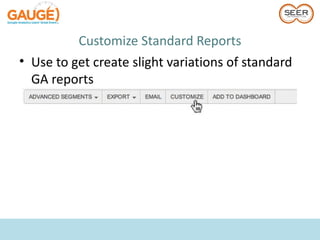
Customize Standard Reports
• Use to get create slight variations of standard
  GA reports
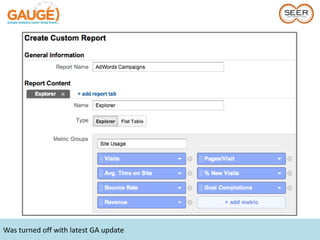
Customize Standard Reports


Was turned off with latest GA update
Favorite GA Hacks
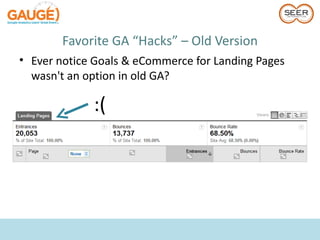
Favorite GA “Hacks” – Old Version
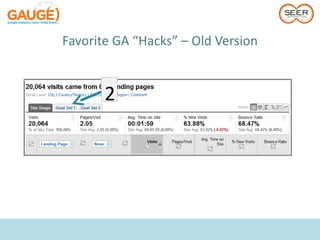
• Ever notice Goals & eCommerce for Landing Pages
  wasn't an option in old GA?

             :(
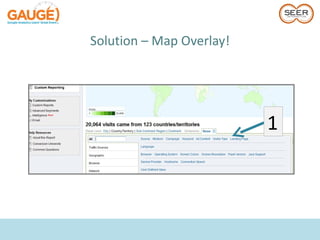
Solution – Map Overlay!


                          1
Favorite GA “Hacks” – Old Version


       2
Favorite GA “Hacks” – Old Version
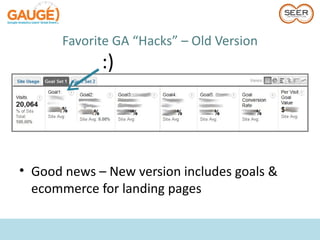
             :)


• Good news – New version includes goals &
  ecommerce for landing pages
Favorite GA “Hacks” – Old Version
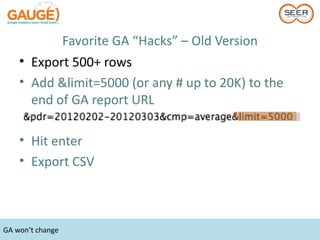
    • Export 500+ rows
    • Add &limit=5000 (or any # up to 20K) to the
      end of GA report URL

    • Hit enter
    • Export CSV


GA won’t change
Favorite GA “Hacks” – New Version
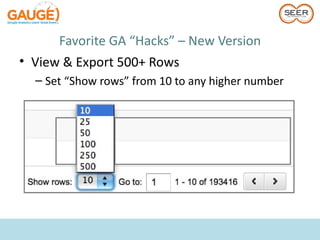
• View & Export 500+ Rows
  – Set “Show rows” from 10 to any higher number
Favorite GA “Hacks” – New Version
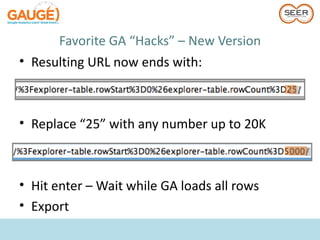
• Resulting URL now ends with:


• Replace “25” with any number up to 20K


• Hit enter – Wait while GA loads all rows
• Export
Favorite GA “Hacks” – New Version
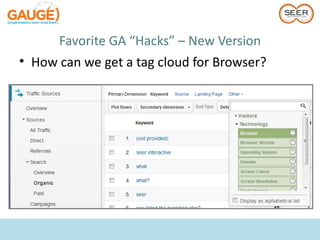
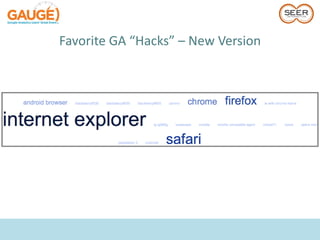
• Tag Clouds are fantastic
• Only exist in Organic report
Favorite GA “Hacks” – New Version
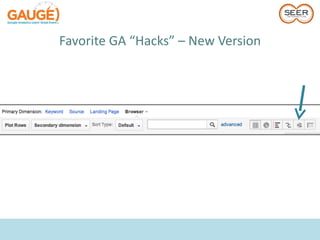
• How can we get a tag cloud for Browser?
Favorite GA “Hacks” – New Version
Time to take all
these new tools
 and go analyze
   your site!
@rachaelgerson
     OR
  GA Forum

Gauge March 2012

Editor's Notes

  • #15 Familiar. Note: “Profile Settings” is through a plugin. Overview page with metrics across accounts – Missing in new version
  • #16 Faster search access, but no overview of all accounts
  • #17 Faster search access, but no overview of all accounts