Getting Started as an ISV Partner (App Vendor)
John Richter, Director, Partner Community - Salesforce
Rajiv Patel, Senior Partner Community Program Specialist – Salesforce
App Academy: Plan
Safe Harbor
Safe harbor statement under the Private Securities Litigation Reform Act of 1995:
This presentation may contain forward-looking statements that involve risks, uncertainties, and assumptions. If any such uncertainties
materialize or if any of the assumptions proves incorrect, the results of salesforce.com, inc. could differ materially from the results
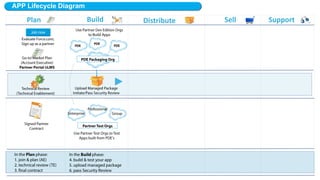
expressed or implied by the forward-looking statements we make. All statements other than statements of historical fact could be
deemed forward-looking, including any projections of product or service availability, subscriber growth, earnings, revenues, or other
financial items and any statements regarding strategies or plans of management for future operations, statements of belief, any
statements concerning new, planned, or upgraded services or technology developments and customer contracts or use of our services.
 
The risks and uncertainties referred to above include – but are not limited to – risks associated with developing and delivering new
functionality for our service, new products and services, our new business model, our past operating losses, possible fluctuations in our
operating results and rate of growth, interruptions or delays in our Web hosting, breach of our security measures, the outcome of any
litigation, risks associated with completed and any possible mergers and acquisitions, the immature market in which we operate, our
relatively limited operating history, our ability to expand, retain, and motivate our employees and manage our growth, new releases of
our service and successful customer deployment, our limited history reselling non-salesforce.com products, and utilization and selling to
larger enterprise customers. Further information on potential factors that could affect the financial results of salesforce.com, inc. is
included in our annual report on Form 10-K for the most recent fiscal year and in our quarterly report on Form 10-Q for the most recent
fiscal quarter. These documents and others containing important disclosures are available on the SEC Filings section of the Investor
Information section of our Web site.
 
Any unreleased services or features referenced in this or other presentations, press releases or public statements are not currently
available and may not be delivered on time or at all. Customers who purchase our services should make the purchase decisions
based upon features that are currently available. Salesforce.com, inc. assumes no obligation and does not intend to update these
forward-looking statements.
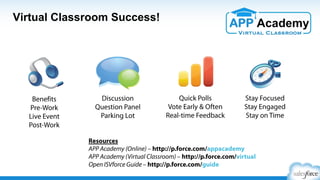
Benefits
Pre-Work
Live Event
Post-Work
Discussion
Question Panel
Parking Lot
Quick Polls
Vote Early & Often
Real-time Feedback
Stay Focused
Stay Engaged
Stay on Time
Virtual Classroom Success!
Resources
APP Academy (Online) – http://p.force.com/appacademy
ISV Guide – http://p.force.com/guide
Question? – http://p.force.com/question
Session Goals
​  Understand key components of the full partner lifecycle
​  Identify your place within the lifecycle, along with next steps
​  Navigate the Partner Community & utilize other resources
​  Consider key decision points in the lifecycle
​  Review key concepts like Salesforce1, Security Review,
Trialforce, LMA, COA, Partner Business Org, AppExchange, &
Subscriber Support Console
​  Be empowered to Market, Sell, & Support like Salesforce
​  Get inspired about your business
http://p.force.com/appsurvey
•  Plan
•  Build
•  Distribute
•  Market
•  Sell
•  Support
•  Summary & Survey
Agenda
Plan Phase
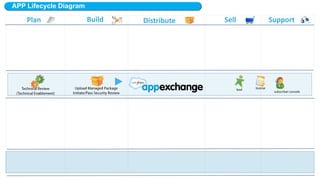
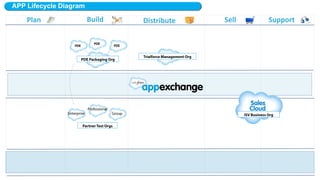
ISV Partner Lifecycle
Build Distribute Sell SupportMarket
($) – denotes an additional fee may apply, speak with your Partner Account Manager (ISV) for details
Plan
ISV Partner Lifecycle
Sign up
Partner Community
:: App Academy
:: Resources & Tools
:: Online Training
:: Publishing
:: Support (Cases)
Build Distribute Sell SupportMarket
($) – denotes an additional fee may apply, speak with your Partner Account Manager (ISV) for details
Technical
Review (TE)
Business
Review (PAM)
ISVforce Guide
Developer Site
Plan
ISV Partner Lifecycle
Sign up
Partner Community
:: App Academy
:: Resources & Tools
:: Online Training
:: Publishing
:: Support (Cases)
Environment Hub
Developer Orgs
Test Orgs
Packaging Org
Managed Package
Plan Distribute Sell SupportMarket
($) – denotes an additional fee may apply, speak with your Partner Account Manager (ISV) for details
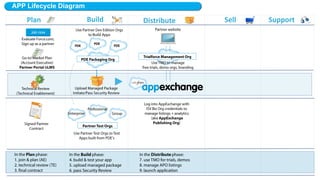
Security
Review ($)Technical
Review (TE)
Business
Review (PAM)
ISVforce Guide
Developer Site
Build
ISV Partner Lifecycle
Trialforce Management Org
Partner website
Sign up
Partner Community
:: App Academy
:: Resources & Tools
:: Online Training
:: Publishing
:: Support (Cases)
Environment Hub
Developer Orgs
Test Orgs
Packaging Org
Managed Package
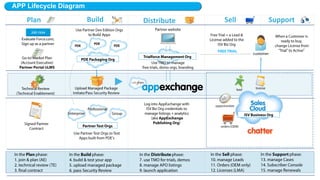
Plan Build Sell SupportMarket
($) – denotes an additional fee may apply, speak with your Partner Account Manager (ISV) for details
Security
Review ($)
Operations Review
Final Contract Review
Technical
Review (TE)
Business
Review (PAM)
ISVforce Guide
Developer Site
Distribute
ISV Partner Lifecycle
Trialforce Management Org
Partner website
Sign up
Partner Community
:: App Academy
:: Resources & Tools
:: Online Training
:: Publishing
:: Support (Cases)
Environment Hub
Developer Orgs
Test Orgs
Packaging Org
Managed Package
Partner Business Org
• Campaigns
• Leads
• Analytics
• Cases
• Support Console
• Other Apps
• License Mgmt App
• Opportunities
• Channel Order App
FREE
TRIALS
Plan Build Distribute Sell Support
($) – denotes an additional fee may apply, speak with your Partner Account Manager (ISV) for details
Security
Review ($)
Operations Review
Final Contract Review
AppExchange
Marketing
Program (AMP) ($)
Technical
Review (TE)
Business
Review (PAM)
ISVforce Guide
Developer Site
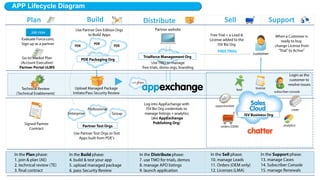
Market
ISV Partner Lifecycle
Trialforce Management Org
Partner website
Sign up
Partner Community
:: App Academy
:: Resources & Tools
:: Online Training
:: Publishing
:: Support (Cases)
Environment Hub
Developer Orgs
Test Orgs
Packaging Org
Managed Package
Partner Business Org
• Campaigns
• Leads
• Analytics
• Cases
• Support Console
• Other Apps
• License Mgmt App
• Opportunities
• Channel Order App
FREE
TRIALS
Plan Build Distribute SupportMarket
($) – denotes an additional fee may apply, speak with your Partner Account Manager (ISV) for details
Security
Review ($)
Operations Review
Final Contract Review
AppExchange
Marketing
Program (AMP) ($)
Sales
ReviewTechnical
Review (TE)
Business
Review (PAM)
ISVforce Guide
Developer Site
Sell
ISV Partner Lifecycle
Trialforce Management Org
Partner website
Sign up
Partner Community
:: App Academy
:: Resources & Tools
:: Online Training
:: Publishing
:: Support (Cases)
Environment Hub
Developer Orgs
Test Orgs
Packaging Org
Managed Package
Partner Business Org
• Campaigns
• Leads
• Analytics
• Cases
• Support Console
• Other Apps
• License Mgmt App
• Opportunities
• Channel Order App
FREE
TRIALS
Plan Build Distribute SellMarket
($) – denotes an additional fee may apply, speak with your Partner Account Manager (ISV) for details
Security
Review ($)
Operations Review
Final Contract Review
Premier
Support ($)
AppExchange
Marketing
Program (AMP) ($)
Sales
ReviewTechnical
Review (TE)
Business
Review (PAM)
ISVforce Guide
Developer Site
Support
ISV Partner Lifecycle
Plan Build Distribute Sell SupportMarket
($) – denotes an additional fee may apply, speak with your Partner Account Manager (ISV) for details
Security
Review ($)
Operations Review
Final Contract Review
Premier
Support ($)
AppExchange
Marketing
Program (AMP) ($)
Sales
ReviewTechnical
Review (TE)
Business
Review (PAM)
ISV Partner Lifecycle
Trialforce Management Org
Environment Hub
Developer Orgs
Test Orgs
Packaging Org
Partner Business Org
• Campaigns
• Leads
• Analytics
• Cases
• Support Console
• Other Apps
• License Mgmt App
• Opportunities
• Channel Order App
Plan Build Distribute SellMarket
($) – denotes an additional fee may apply, speak with your Partner Account Manager (ISV) for details
Support
ISV Partner Lifecycle
Plan Build Distribute SellMarket
($) – denotes an additional fee may apply, speak with your Partner Account Manager (ISV) for details
Support
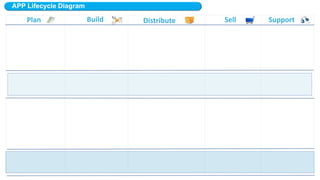
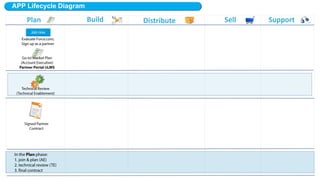
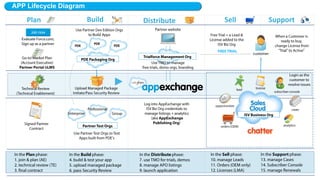
APP Lifecycle
Plan Build Distribute Sell SupportMarket
Plan Build Distribute Market Sell Support
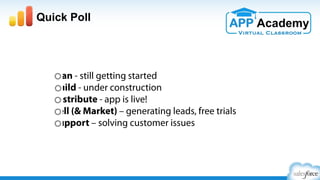
Which lifecycle phase are you in?
Plan - still getting started
Build - under construction
Distribute - app is live!
Market – generating leads, free trials, events
Sell – managing leads, closed-won opportunities
Support – solving customer issues
Quick Poll
Partner Community Tour
Where do you log into the Partner Community?
https://login.salesforce.com
https://www.partnerportal.com
https://partners.salesforce.com
https://developer.force.com/partners
None of the above
Quick Poll
Where do you log into the Partner Community?
https://login.salesforce.com
https://www.partnerportal.com
https://partners.salesforce.com
https://developer.force.com/partners
None of the above
Quick Poll
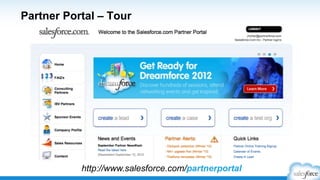
Let’s Take a Tour
https://partners.salesforce.com
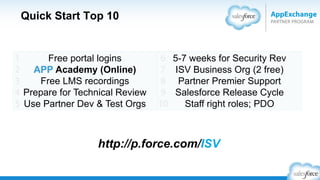
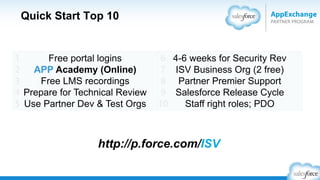
Quick Start Top 10
Log Into the Partner Community Plan
#1
http://p.force.com/signup
Follow ‘Official: Partner Community”
Select ‘Daily Digest’ emails
http://partners.salesforce.com/
Plan
Partner Community
​ New ISV Program Changes
http://p.force.com/isvprogram
•  Terms & Conditions
•  Program Requirements
•  Tiering
•  Benefits
•  FAQ
Online Resources
http://help.salesforce.com http://success.salesforce.com
Learning Mgmt System +
Partner Sales Aid
Online Help Customer Community
http://p.force.com/LMS
http://appexchange.salesforce.com http://developer.salesforce.com
Plan
Office Hours
Partner Community Office Hours
Partner Marketing Power Hour
Security Review Office Hours
http://p.force.com/officehours
Dreamforce Office Hours
Plan
http://p.force.com/df14sessions
See the DF14 Partner Session Guide
•  Go to http://p.force.com/df14sessions
•  Both ISV and SI recommendations
•  Grouped by roles and topics
•  100+ sessions for partners & entrepreneurs
http://p.force.com/tipsheet
Partner Community Tip Sheet
•  Training
•  ISVforce Guide
•  App Academy
•  Releases
•  Roadmap
•  Sales & Marketing
•  Office Hours
Work With A Partner Account Manager (ISV)
​  First call to determine status*
​  How to find a PAM
​  How/when to engage
​  Set yourself up for success
​  Share your pipeline early and often
​  Share status of deals
​  Set up a cadence call to review business and technology initiatives
​  Understand the new ISV program – p.force.com/isvprogram
*Early stage partners should visit salesforce.com/startups
Plan
#2
salesforce.com/startups
@salesforcestart
Sign up for Partner Online Training
Now Includes the Partner Sales Aid
#3
http://p.force.com/LMS
Plan
Login must contain @partnertraining.com
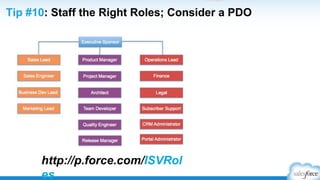
Staff the Right Roles
Consider a Product Development Organization (PDO)
#4
Tip: Talk with your PAM (ISV)
about using a Product
Development Organization
(PDO) to augment your staffing
Plan
•  Manage all of your orgs in one place
•  Partner Business Org can be your “hub”
•  Initial Trial Org can become your Business Org
•  Create new orgs (demos, testing, development, etc.)
•  Custom Views help you organize and manage
•  Related orgs can be automatically discovered
•  Seamlessly switch between orgs without adding login credentials
Environment Hub
Org Management for ISV & SI Partners
http://p.force.com/hub
Build
#5
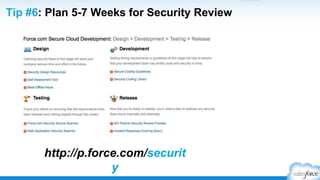
Plan 6-8 Weeks for Security Review
Starting When Your Full Solution is Submitted
#6
http://p.force.com/security
Build
Are you building mobile first?*
*add the /one/one.app extension to your salesforce.com URL
Build
#7
http://p.force.com/salesforce1
App Academy: Distribute & ISVforce Guide
http://p.force.com/
guide
Distribute
#8
http://p.force.com/distribute
Leverage Marketing Resources
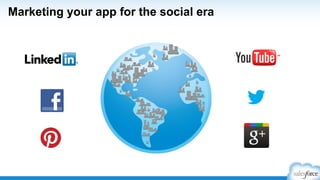
social media
http://p.force.com/marketing
Market
logos & branding
co-marketing
sponsorships
office hours
training
#9
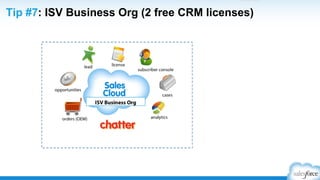
Partner Business Org (2 free EE CRM licenses)
#10Best Practice:
Have a Certified
Administrator on your
staff to maintain and
configure your org
Sell
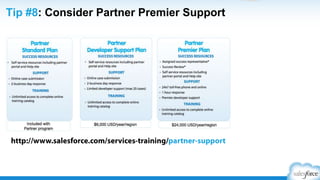
Consider Partner Premier Support
Bonus
http://www.salesforce.com/services-training/partner-support
Support
Partner Community – Search & Support Support
Answers To Your Technical Questions*
http://developer.salesforce.com/forums
Support
*Standard Support will not respond to technical questions
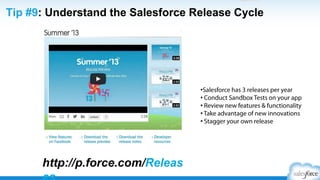
Understand the Salesforce Release Cycle
http://p.force.com/releases
• Salesforce has 3 releases per year
• Conduct Sandbox Tests on your app
• Review new features & functionality
• Take advantage of new innovations
• Stagger your own release
Support
ASK Yourself. . .
Introduction
1. Have you logged into the Partner Community?
2. Are you staffing the right roles (covering all the bases)?
3. Are you using Environment Hub?
4. Have you been through the App Academy: Distribute?
5. Do you have a Partner Business Org?
Are you following the Official: Partner Community Group on ?
Build Phase
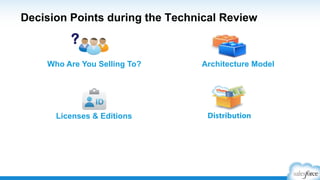
Decision Points during the Technical Review
Who Are You Selling To?
DistributionLicenses & Editions
Architecture Model
?
http://p.force.com/techreview
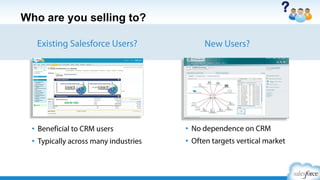
Who are you selling to?
New Users?Existing Salesforce Users?
?
•  Beneficial to CRM users
•  Typically across many industries
•  No dependence on CRM
•  Often targets vertical
market
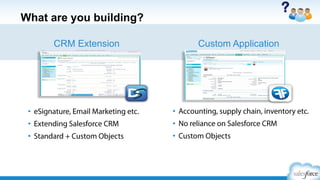
What are you building?
Custom ApplicationCRM Extension
Need Screenshot
+ Logo
?
•  eSignature, Email Marketing etc.
•  Extending Salesforce CRM
•  Standard + Custom Objects
•  Accounting, supply chain, inventory
•  No reliance on Salesforce CRM
•  Custom Objects
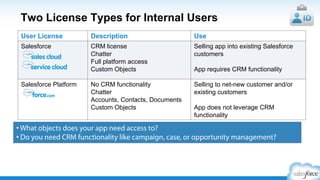
Two License Types for Internal Users
User License Description Use
Salesforce CRM license
Chatter
Full platform access
Custom Objects
Selling app into existing Salesforce
customers
App requires CRM functionality
Salesforce Platform No CRM functionality
Chatter
Accounts, Contacts, Documents
Custom Objects
Selling to net-new customer and/or
existing customers
App does not leverage CRM
functionality
• What objects does your app need access to?
• Do you need CRM functionality like campaign, case, or opportunity
management?
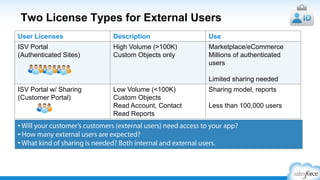
Two License Types for External Users
User Licenses Description Use
Customer Communities
(ISV Portal)
- User Volume 5M
- Millions of authenticated users
- Limited sharing needed
Marketplace/eCommerce
Millions of authenticated users
Limited sharing needed
Partner Communities
(ISV Portal w/ Sharing)
- User Volume 200K
- Need granular sharing model
- Read only Reports/
Dashboards
Sharing model, reports
Less than 100,000 users
• Will your customer’s customers (external users) need access to your app?
• How many external users are expected?
• What kind of sharing is needed? Both internal and external users.
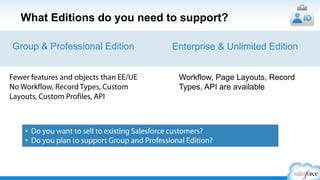
What Editions do you need to support?
Fewer features and objects than EE/UE
No Workflow, Record Types, Custom
Layouts, Custom Profiles, API
Enterprise & Unlimited EditionGroup & Professional Edition
Workflow, Page Layouts, Record
Types, API are available
•  Do you want to sell to existing Salesforce customers?
•  Do you plan to support Group and Professional Edition?
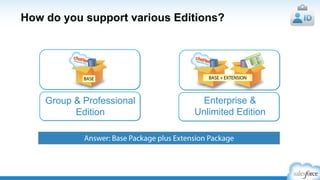
How do you support various Editions?
Answer: Base Package plus Extension Package
Group & Professional
Edition
Enterprise &
Unlimited Edition
BASE BASE +
EXTENSION
Salesforce1 Mobile App for ISVs
http://p.force.com/salesforce1
Ø  Create apps faster
Ø  Custom actions
Ø  ISV Apps in the Salesforce1 Mobile App
Ø  Notifications in the Salesforce1 Mobile App
Ø  Developer Resources
Is Your App Already a Salesforce1 Mobile App? Test It Now!
add the /one/one.app extension to your salesforce.com URL
Resources to get you started
​ App Academy: Build (p.force.com/appacademy)
​ Developer Force (https://developer.salesforce.com/)
​ Help & Training (help.salesforce.com)
​ Free Online Recordings – LMS (http://p.force.com/LMS)
​ Developer Discussion Forum (Dev Boards) –
https://developer.salesforce.com/forums
You Have Technical Questions? They Have Answers!
http://developer.salesforce.com/forums
ASK Yourself. . .
Build
1. Have you had a Technical Review?
2. Who is your target audience?
3. Have you signed up for Partner Online Training (LMS)?
4. Have you tried Trailhead for developer training?
5. Are you using developer.salesforce.com? Dev boards?
Are you following the Technical Enablement Group on ?
Distribute Phase
Distribute and license like Salesforce
• AppExchange
• Free trials
• Branding
• License management
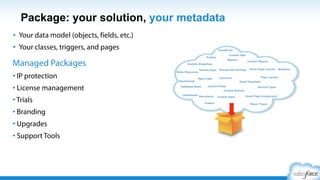
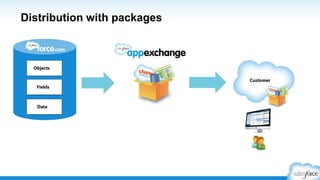
AppExchange: Managed Package
•  Your data model (objects, fields, etc.)
•  Your classes, triggers, and pages
Managed Packages
• IP protection
• License management
• Trials
• Branding
• Upgrades
• Support Tools
Packaging & AppExchange best practices
• Invest in your AppExchange listing
•  This is your brand!
• Understand what can be packaged and
upgraded
• Most components are automatically added
•  Don’t forget to include those that are not!
• Use package install scripts
•  Completely automates the process
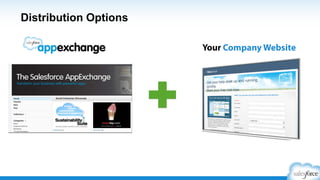
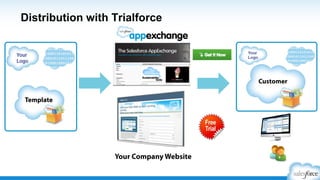
Free Trials: Distribution Options with Trialforce
Your Company Website
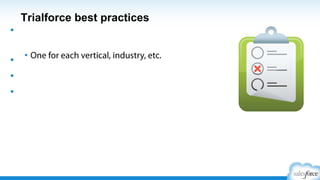
Trialforce best practices
• Create multiple trial experiences
•  One for each vertical, industry, etc.
• Load sample data into your trials
• Brand your trial experience
• Use trials for testing and demos
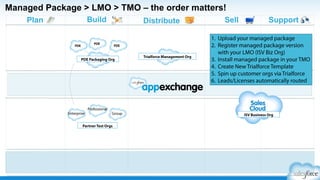
The TMO helps you manage:
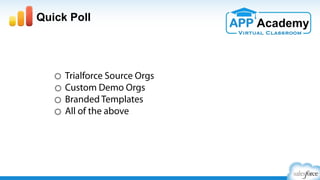
Trialforce Source Orgs
Custom Demo Orgs
Branded Templates
All of the above
Quick Poll
The TMO helps you manage:
Trialforce Source Orgs
Custom Demo Orgs
Branded Templates
All of the above
Quick Poll
License Management
• Extend and customize the LMA to fit your business
processes
• Verify the LMA is installed in your Partner Business Org
• Licenses cannot be moved to a different org
Summary: distribute and license like Salesforce
• AppExchange
•  World’s leading enterprise app marketplace
• Free trials
•  From AppExchange or your own website
• Branding
•  Give trials and apps your own look & feel
• License Management
•  Add, upgrade, or disable users (customize the app)
ASK Yourself. . .
Distribute
1. Have you watched the App Academy: Distribute?
2. Have you set up your Partner Business Org?
3. Has your Trialforce Management Org been provisioned?
4. Have you customized the LMA and Channel Order App?
5. How are you handling billing of your customers?
Are you following the Operations Review Group on ?
Market Phase
You want to build a four wheel drive strategy
Pull Strategy
Build Your Brand
Outbound
Marketing Inbound
Marketing
Push Strategy
Generate Demand
Let’s Zoom In
Outbound
Marketing Inbound
Marketing
Pull Strategy
Build Your Brand
Push Strategy
Generate Demand
It All Starts with a Simple Message
Salesforce Aloha voice:
§  Be conversational
§  Be direct
§  Be concise
Business-speakAloha
Aloha #1: Be Conversational
Our standards-based software and tools provide a comprehensive, service-oriented
architecture for the delivery of software applications. It enables enterprises to create
and run agile, intelligent business applications while maximizing IT efficiency.
Traditional Techno-speak
Aloha
Get up and running in no time.
Aloha #1: Be Conversational
Challenge reps with friendly
competitions and contests,
and broadcast results live on
any TV or mobile screen.
Aloha #2: Be Direct
We innovate at every layer of the stack to design engineered systems that reduce the
cost and complexity of IT infrastructures while increasing productivity and
performance.
Traditional Techno-speak
Aloha
Increase performance; keep costs low.
Aloha #2: Be Direct
Aloha #3: Be Concise
We provide on-demand infrastructure that scales and adapts to your changing
business needs. Whether you are creating new applications or running existing
applications we provide best-in-class price-performance and end-to-end support.
Traditional Techno-speak
Aloha
Build on anything. Run on everything.
Aloha #3: Be Concise
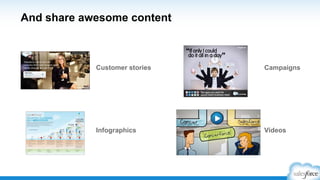
Now Create Your Shareable Content
​ Videos
​ Customer stories
​ Infographics
​ White Papers
​ E-Books
​ Blogs
Best practices for PR success
1.  Reporters are writers
2.  Customer success
3.  Metaphors
4.  Get social
5.  Press Release approval
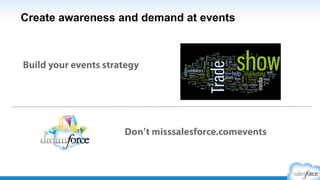
Create awareness and demand at events
Build your events strategy
Don t miss Salesforce events
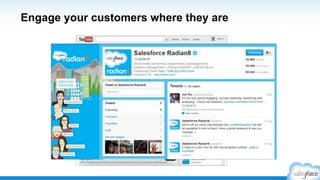
Engage your customers where they are
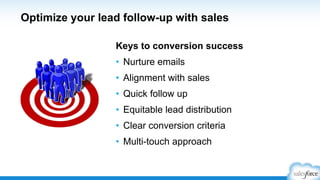
Optimize your lead follow-up with sales
Keys to conversion success
•  Nurture emails
•  Alignment with sales
•  Quick follow up
•  Equitable lead distribution
•  Clear conversion criteria
•  Multi-touch approach
AppExchange Best Practices
Your AppExchange listing includes:
Free Trial
Video
Support Details
Product Description
All of the above
Quick Poll
Your AppExchange listing includes:
Free Trial
Video
Support Details
Product Description
All of the above
Quick Poll
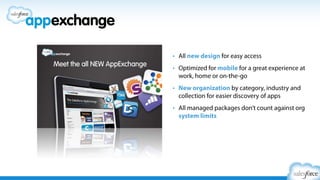
•  All new design for easy access
•  Optimized for mobile
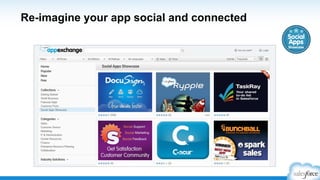
•  New organization by category,
industry and collection for
easier discovery of apps
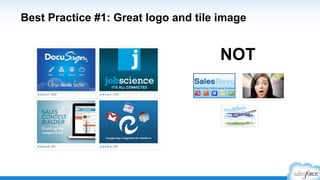
# 1: Create your billboard w/ Banners, Tiles, & Logos
NOT
# 1: Create your billboard w/ Banners, Tiles, & Logos
BANNER
TILE
LOGO
• Real benefits
• What makes you different?
• Does it look cool?
Aloha voice:
• Conversational
• Direct
• Concise
# 2: Know Your Audience - Messaging
•  Include call-outs on
screenshots
•  Videos less than 2 minutes
•  Clear workflow
•  Screenshots should tell a story
# 3: Educate with Screenshots &Video
# 3: Educate with Screenshots &Video (tell a story)
IN OUT
# 3: Educate with Screenshots &Video (tell a story)
IN OUT
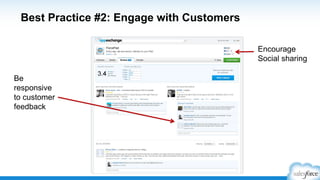
•  Proactively request reviews
•  Engage & respond to feedback
•  Turn negatives to positives
•  Read & respond every day
# 4: Engage the Community with Reviews
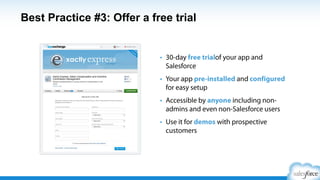
•  30-day free trial
•  Provide pricing details
•  Provide support details
•  Custom branding (Trialforce)
•  Checkout
# 5: Make it Easy to Try and Buy
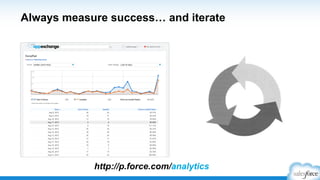
Bonus: Measure Success & Iterate
Inbound
Marketing
Pull Strategy
Build Your Brand
Leverage Marketing Resources
social media
http://p.force.com/marketing
logos & branding
co-marketing
sponsorships
office hours
training
AppExchange Marketing Program (AMP)
Co-Sponsoring Packages with Salesforce
http://p.force.com/AMP
The AppExchange Marketing Program (AMP) is a game-changing co-marketing engine
designed to accelerate growth for AppExchange partners.
Partners invest in AMP to:
​ Amplify their AppExchange sourced opportunities
​ Create meaningful connections with customers, prospects, and sales
​ Leverage Salesforce’s brand power
​ Increase awareness and adoption
Inbound Marketing
(Build Your Brand)
Overview
Resources
AMP
High Impact Message
AppExchange
Content Cycle
Break
Outbound Marketing
(Generate Demand)
Planning
Social Media
Campaigns
PR
Word of Mouth
Events
Digital Marketing
Email
App Academy: Marketing (Virtual Classroom)
AppExchange Publishing in Partner Community
​ New publishing experience in the Partner Community
ASK Yourself. . .
Market
1.  Is your messaging simple?
2. Have you looked at other AppExchange listings?
3. Have you watched App Academy: Market?
4. What events are you participating in?
5. Have you signed up to learn more about AMP?
Are you following the Partner Marketing Group on ?
Sell Phase
What is your biggest concern with Sales?
Generating leads
Qualifying leads
Managing pipeline
Closing deals
Other (please specify in the side panel)
Quick Poll
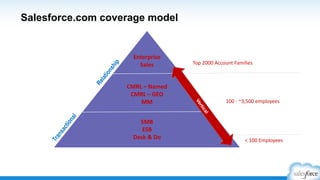
Salesforce coverage model
< 100 Employees
100 - ~3,500 employees
Top 2000 Account Families
SMB
ESB
Desk & Do
Enterprise
Sales
CMRL – Named
CMRL – GEO
MM
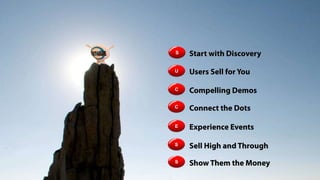
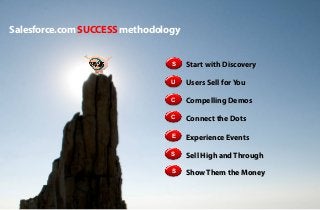
Salesforce SUCCESS methodology
S
Users Sell for YouU
Start with Discovery
C Compelling Demos
C Connect the Dots
E Experience Events
S
Show Them the MoneyS
Sell High and Through
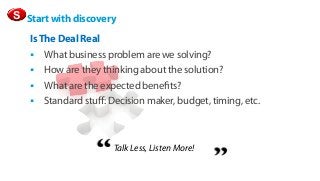
S Start with discovery
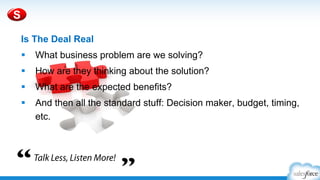
Is The Deal Real
§  What business problem are we solving?
§  How are they thinking about the solution?
§  What are the expected benefits?
§  Standard stuff: Decision maker, budget,
timing, etc.
Talk Less, Listen More!
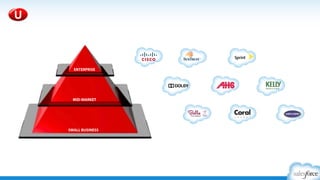
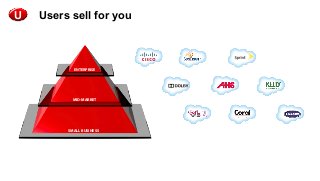
U
ENTERPRISE
MID-MARKET
SMALL BUSINESS
Users sell for you
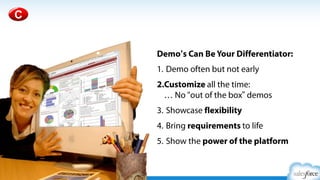
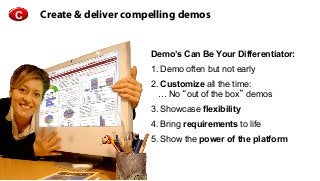
Create & deliver compelling demosC
Demo’s Can Be Your Differentiator:
1. Demo often but not early
2. Customize all the time:
… No “out of the box” demos
3. Showcase flexibility
4. Bring requirements to life
5. Show the power of the platform
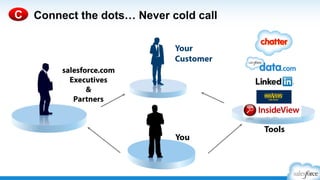
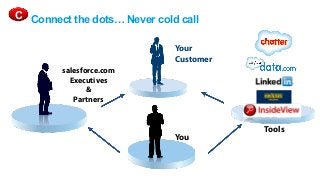
Connect the dots… Never cold call
You
salesforce.com
Executives
&
Partners
Your
Customer
Tools
C
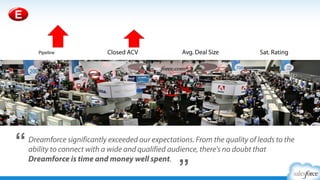
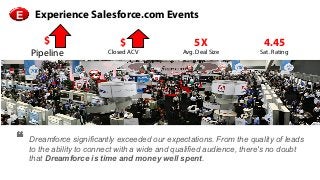
$
Pipeline
$
Closed ACV
5X
Avg. Deal Size
4.45
Sat. Rating
Experience Salesforce.com Events
Dreamforce significantly exceeded our expectations. From the quality of
leads to the ability to connect with a wide and qualified audience, there's
no doubt that Dreamforce is time and money well spent.
E
Sell high and through
Walk the Halls
If You re Not Talking to C-Level Execs…
S
•  Your Competitors Are
•  C-level’s Know Where Your Deal Sits
•  They Are Not Buying From You
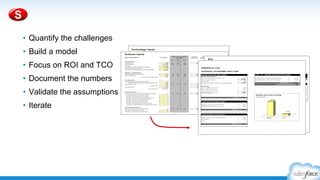
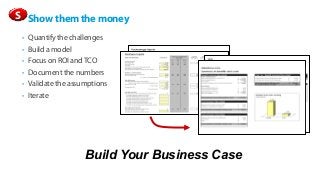
Show them the money
​  Quantify the challenges
​  Build a model
​  Focus on ROI and TCO
​  Document the numbers
​  Validate the assumptions
​  Iterate
S
Build Your Business Case
ASK Yourself. . .
Distribute
1. Are your sales & marketing teams aligned?
2. Do your reps know all of your competitors, really?
3. Are you selling at the C-level?
4. Do you focus on ROI and TCO?
5. Have you watched App Academy: Sell?
Support Phase
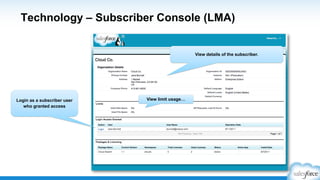
Technology – Subscriber Console (LMA)
View details of the subscriber.
Login as a subscriber user
who granted access
View limit usage…
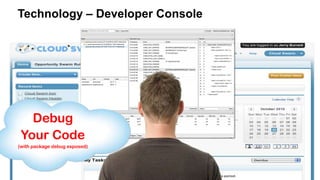
Debug
Your Code
(with package debug
exposed)
Technology – Developer Console
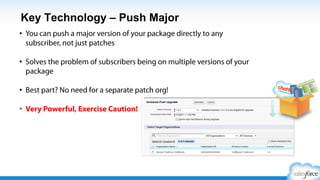
Key Technology – Push Major
•  You can push a major version of your package directly to
any subscriber, not just patches
•  Solves the problem of subscribers being on multiple
versions of your package
•  Best part? No need for a separate patch org!
•  Very Powerful, Exercise Caution!
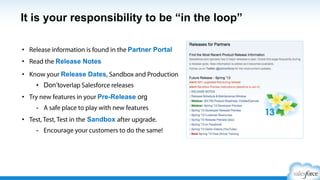
It is your responsibility to be “in the loop”
•  Release information is found in the Partner
Comunity
•  Read the Release Notes
•  Know your Release Dates and Production
•  Don’t overlap Salesforce releases
•  Try new features in your Pre-Release org
-  A safe place to play with new features
•  Test, Test, Test in the Pre-Release after upgrade.
-  Encourage your customers to do the
same!
http://p.force.com/releases
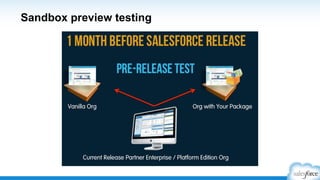
Pre-Release Regression Testing
Customer Support Checklist
§  Communicate Support Policies on your
AppExchange listing
§  Stay “in the loop” on our releases
§  Conduct regression testing in pre-release
§  Take advantage of our support tools
Consider Partner Premier Support
http://www.salesforce.com/services-training/partner-support
ASK Yourself. . .
Support
1. Support details on your AppExchange listing?
2. How can someone get support from you right now?
3. Are you using the Subscriber Support Console (LMA)?
4. Have you considered Premier Support?
5. Have you watched App Academy: Support?
Are you following the Releases for Partners Group on ?
Summary & Survey
Session Goals
​  Understand key components of the full partner lifecycle
​  Identify your place within the lifecycle, along with next steps
​  Navigate the Partner Community & utilize other resources
​  Consider key decision points in the lifecycle
​  Review key concepts like Salesforce1, Security Review,
Trialforce, LMA, COA, Partner Business Org, AppExchange, &
Subscriber Support Console
​  Be empowered to Market, Sell, & Support like Salesforce
​  Get inspired about your business
http://p.force.com/appsurvey
Was this program helpful?
Extremely
Mostly
Partially
Barely
Quick Poll
http://p.force.com/appsurvey
Please complete by the end of this week (Friday)
Thank you

App Academy: Getting Started (Virtual Classroom) slides

  • 1.
    Getting Started asan ISV Partner (App Vendor) John Richter, Director, Partner Community - Salesforce Rajiv Patel, Senior Partner Community Program Specialist – Salesforce App Academy: Plan
  • 2.
    Safe Harbor Safe harborstatement under the Private Securities Litigation Reform Act of 1995: This presentation may contain forward-looking statements that involve risks, uncertainties, and assumptions. If any such uncertainties materialize or if any of the assumptions proves incorrect, the results of salesforce.com, inc. could differ materially from the results expressed or implied by the forward-looking statements we make. All statements other than statements of historical fact could be deemed forward-looking, including any projections of product or service availability, subscriber growth, earnings, revenues, or other financial items and any statements regarding strategies or plans of management for future operations, statements of belief, any statements concerning new, planned, or upgraded services or technology developments and customer contracts or use of our services.   The risks and uncertainties referred to above include – but are not limited to – risks associated with developing and delivering new functionality for our service, new products and services, our new business model, our past operating losses, possible fluctuations in our operating results and rate of growth, interruptions or delays in our Web hosting, breach of our security measures, the outcome of any litigation, risks associated with completed and any possible mergers and acquisitions, the immature market in which we operate, our relatively limited operating history, our ability to expand, retain, and motivate our employees and manage our growth, new releases of our service and successful customer deployment, our limited history reselling non-salesforce.com products, and utilization and selling to larger enterprise customers. Further information on potential factors that could affect the financial results of salesforce.com, inc. is included in our annual report on Form 10-K for the most recent fiscal year and in our quarterly report on Form 10-Q for the most recent fiscal quarter. These documents and others containing important disclosures are available on the SEC Filings section of the Investor Information section of our Web site.   Any unreleased services or features referenced in this or other presentations, press releases or public statements are not currently available and may not be delivered on time or at all. Customers who purchase our services should make the purchase decisions based upon features that are currently available. Salesforce.com, inc. assumes no obligation and does not intend to update these forward-looking statements.
  • 3.
    Benefits Pre-Work Live Event Post-Work Discussion Question Panel ParkingLot Quick Polls Vote Early & Often Real-time Feedback Stay Focused Stay Engaged Stay on Time Virtual Classroom Success! Resources APP Academy (Online) – http://p.force.com/appacademy ISV Guide – http://p.force.com/guide Question? – http://p.force.com/question
  • 4.
    Session Goals ​  Understandkey components of the full partner lifecycle ​  Identify your place within the lifecycle, along with next steps ​  Navigate the Partner Community & utilize other resources ​  Consider key decision points in the lifecycle ​  Review key concepts like Salesforce1, Security Review, Trialforce, LMA, COA, Partner Business Org, AppExchange, & Subscriber Support Console ​  Be empowered to Market, Sell, & Support like Salesforce ​  Get inspired about your business http://p.force.com/appsurvey
  • 5.
    •  Plan •  Build • Distribute •  Market •  Sell •  Support •  Summary & Survey Agenda
  • 6.
  • 7.
    ISV Partner Lifecycle BuildDistribute Sell SupportMarket ($) – denotes an additional fee may apply, speak with your Partner Account Manager (ISV) for details Plan
  • 8.
    ISV Partner Lifecycle Signup Partner Community :: App Academy :: Resources & Tools :: Online Training :: Publishing :: Support (Cases) Build Distribute Sell SupportMarket ($) – denotes an additional fee may apply, speak with your Partner Account Manager (ISV) for details Technical Review (TE) Business Review (PAM) ISVforce Guide Developer Site Plan
  • 9.
    ISV Partner Lifecycle Signup Partner Community :: App Academy :: Resources & Tools :: Online Training :: Publishing :: Support (Cases) Environment Hub Developer Orgs Test Orgs Packaging Org Managed Package Plan Distribute Sell SupportMarket ($) – denotes an additional fee may apply, speak with your Partner Account Manager (ISV) for details Security Review ($)Technical Review (TE) Business Review (PAM) ISVforce Guide Developer Site Build
  • 10.
    ISV Partner Lifecycle TrialforceManagement Org Partner website Sign up Partner Community :: App Academy :: Resources & Tools :: Online Training :: Publishing :: Support (Cases) Environment Hub Developer Orgs Test Orgs Packaging Org Managed Package Plan Build Sell SupportMarket ($) – denotes an additional fee may apply, speak with your Partner Account Manager (ISV) for details Security Review ($) Operations Review Final Contract Review Technical Review (TE) Business Review (PAM) ISVforce Guide Developer Site Distribute
  • 11.
    ISV Partner Lifecycle TrialforceManagement Org Partner website Sign up Partner Community :: App Academy :: Resources & Tools :: Online Training :: Publishing :: Support (Cases) Environment Hub Developer Orgs Test Orgs Packaging Org Managed Package Partner Business Org • Campaigns • Leads • Analytics • Cases • Support Console • Other Apps • License Mgmt App • Opportunities • Channel Order App FREE TRIALS Plan Build Distribute Sell Support ($) – denotes an additional fee may apply, speak with your Partner Account Manager (ISV) for details Security Review ($) Operations Review Final Contract Review AppExchange Marketing Program (AMP) ($) Technical Review (TE) Business Review (PAM) ISVforce Guide Developer Site Market
  • 12.
    ISV Partner Lifecycle TrialforceManagement Org Partner website Sign up Partner Community :: App Academy :: Resources & Tools :: Online Training :: Publishing :: Support (Cases) Environment Hub Developer Orgs Test Orgs Packaging Org Managed Package Partner Business Org • Campaigns • Leads • Analytics • Cases • Support Console • Other Apps • License Mgmt App • Opportunities • Channel Order App FREE TRIALS Plan Build Distribute SupportMarket ($) – denotes an additional fee may apply, speak with your Partner Account Manager (ISV) for details Security Review ($) Operations Review Final Contract Review AppExchange Marketing Program (AMP) ($) Sales ReviewTechnical Review (TE) Business Review (PAM) ISVforce Guide Developer Site Sell
  • 13.
    ISV Partner Lifecycle TrialforceManagement Org Partner website Sign up Partner Community :: App Academy :: Resources & Tools :: Online Training :: Publishing :: Support (Cases) Environment Hub Developer Orgs Test Orgs Packaging Org Managed Package Partner Business Org • Campaigns • Leads • Analytics • Cases • Support Console • Other Apps • License Mgmt App • Opportunities • Channel Order App FREE TRIALS Plan Build Distribute SellMarket ($) – denotes an additional fee may apply, speak with your Partner Account Manager (ISV) for details Security Review ($) Operations Review Final Contract Review Premier Support ($) AppExchange Marketing Program (AMP) ($) Sales ReviewTechnical Review (TE) Business Review (PAM) ISVforce Guide Developer Site Support
  • 14.
    ISV Partner Lifecycle PlanBuild Distribute Sell SupportMarket ($) – denotes an additional fee may apply, speak with your Partner Account Manager (ISV) for details Security Review ($) Operations Review Final Contract Review Premier Support ($) AppExchange Marketing Program (AMP) ($) Sales ReviewTechnical Review (TE) Business Review (PAM)
  • 15.
    ISV Partner Lifecycle TrialforceManagement Org Environment Hub Developer Orgs Test Orgs Packaging Org Partner Business Org • Campaigns • Leads • Analytics • Cases • Support Console • Other Apps • License Mgmt App • Opportunities • Channel Order App Plan Build Distribute SellMarket ($) – denotes an additional fee may apply, speak with your Partner Account Manager (ISV) for details Support
  • 16.
    ISV Partner Lifecycle PlanBuild Distribute SellMarket ($) – denotes an additional fee may apply, speak with your Partner Account Manager (ISV) for details Support
  • 17.
    APP Lifecycle Plan BuildDistribute Sell SupportMarket Plan Build Distribute Market Sell Support
  • 18.
    Which lifecycle phaseare you in? Plan - still getting started Build - under construction Distribute - app is live! Market – generating leads, free trials, events Sell – managing leads, closed-won opportunities Support – solving customer issues Quick Poll
  • 19.
  • 20.
    Where do youlog into the Partner Community? https://login.salesforce.com https://www.partnerportal.com https://partners.salesforce.com https://developer.force.com/partners None of the above Quick Poll
  • 21.
    Where do youlog into the Partner Community? https://login.salesforce.com https://www.partnerportal.com https://partners.salesforce.com https://developer.force.com/partners None of the above Quick Poll
  • 22.
    Let’s Take aTour https://partners.salesforce.com
  • 23.
  • 24.
    Log Into thePartner Community Plan #1 http://p.force.com/signup
  • 25.
    Follow ‘Official: PartnerCommunity” Select ‘Daily Digest’ emails http://partners.salesforce.com/ Plan
  • 26.
    Partner Community ​ New ISVProgram Changes http://p.force.com/isvprogram •  Terms & Conditions •  Program Requirements •  Tiering •  Benefits •  FAQ
  • 27.
    Online Resources http://help.salesforce.com http://success.salesforce.com LearningMgmt System + Partner Sales Aid Online Help Customer Community http://p.force.com/LMS http://appexchange.salesforce.com http://developer.salesforce.com Plan
  • 29.
    Office Hours Partner CommunityOffice Hours Partner Marketing Power Hour Security Review Office Hours http://p.force.com/officehours Dreamforce Office Hours Plan
  • 30.
    http://p.force.com/df14sessions See the DF14Partner Session Guide •  Go to http://p.force.com/df14sessions •  Both ISV and SI recommendations •  Grouped by roles and topics •  100+ sessions for partners & entrepreneurs
  • 31.
    http://p.force.com/tipsheet Partner Community TipSheet •  Training •  ISVforce Guide •  App Academy •  Releases •  Roadmap •  Sales & Marketing •  Office Hours
  • 32.
    Work With APartner Account Manager (ISV) ​  First call to determine status* ​  How to find a PAM ​  How/when to engage ​  Set yourself up for success ​  Share your pipeline early and often ​  Share status of deals ​  Set up a cadence call to review business and technology initiatives ​  Understand the new ISV program – p.force.com/isvprogram *Early stage partners should visit salesforce.com/startups Plan #2
  • 33.
  • 34.
    Sign up forPartner Online Training Now Includes the Partner Sales Aid #3 http://p.force.com/LMS Plan Login must contain @partnertraining.com
  • 35.
    Staff the RightRoles Consider a Product Development Organization (PDO) #4 Tip: Talk with your PAM (ISV) about using a Product Development Organization (PDO) to augment your staffing Plan
  • 36.
    •  Manage allof your orgs in one place •  Partner Business Org can be your “hub” •  Initial Trial Org can become your Business Org •  Create new orgs (demos, testing, development, etc.) •  Custom Views help you organize and manage •  Related orgs can be automatically discovered •  Seamlessly switch between orgs without adding login credentials Environment Hub Org Management for ISV & SI Partners http://p.force.com/hub Build #5
  • 37.
    Plan 6-8 Weeksfor Security Review Starting When Your Full Solution is Submitted #6 http://p.force.com/security Build
  • 38.
    Are you buildingmobile first?* *add the /one/one.app extension to your salesforce.com URL Build #7 http://p.force.com/salesforce1
  • 39.
    App Academy: Distribute& ISVforce Guide http://p.force.com/ guide Distribute #8 http://p.force.com/distribute
  • 40.
    Leverage Marketing Resources socialmedia http://p.force.com/marketing Market logos & branding co-marketing sponsorships office hours training #9
  • 41.
    Partner Business Org(2 free EE CRM licenses) #10Best Practice: Have a Certified Administrator on your staff to maintain and configure your org Sell
  • 42.
    Consider Partner PremierSupport Bonus http://www.salesforce.com/services-training/partner-support Support
  • 43.
    Partner Community –Search & Support Support
  • 44.
    Answers To YourTechnical Questions* http://developer.salesforce.com/forums Support *Standard Support will not respond to technical questions
  • 45.
    Understand the SalesforceRelease Cycle http://p.force.com/releases • Salesforce has 3 releases per year • Conduct Sandbox Tests on your app • Review new features & functionality • Take advantage of new innovations • Stagger your own release Support
  • 46.
    ASK Yourself. .. Introduction 1. Have you logged into the Partner Community? 2. Are you staffing the right roles (covering all the bases)? 3. Are you using Environment Hub? 4. Have you been through the App Academy: Distribute? 5. Do you have a Partner Business Org? Are you following the Official: Partner Community Group on ?
  • 47.
  • 48.
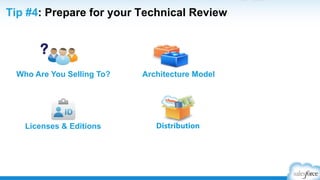
    Decision Points duringthe Technical Review Who Are You Selling To? DistributionLicenses & Editions Architecture Model ? http://p.force.com/techreview
  • 49.
    Who are youselling to? New Users?Existing Salesforce Users? ? •  Beneficial to CRM users •  Typically across many industries •  No dependence on CRM •  Often targets vertical market
  • 50.
    What are youbuilding? Custom ApplicationCRM Extension Need Screenshot + Logo ? •  eSignature, Email Marketing etc. •  Extending Salesforce CRM •  Standard + Custom Objects •  Accounting, supply chain, inventory •  No reliance on Salesforce CRM •  Custom Objects
  • 51.
    Two License Typesfor Internal Users User License Description Use Salesforce CRM license Chatter Full platform access Custom Objects Selling app into existing Salesforce customers App requires CRM functionality Salesforce Platform No CRM functionality Chatter Accounts, Contacts, Documents Custom Objects Selling to net-new customer and/or existing customers App does not leverage CRM functionality • What objects does your app need access to? • Do you need CRM functionality like campaign, case, or opportunity management?
  • 52.
    Two License Typesfor External Users User Licenses Description Use Customer Communities (ISV Portal) - User Volume 5M - Millions of authenticated users - Limited sharing needed Marketplace/eCommerce Millions of authenticated users Limited sharing needed Partner Communities (ISV Portal w/ Sharing) - User Volume 200K - Need granular sharing model - Read only Reports/ Dashboards Sharing model, reports Less than 100,000 users • Will your customer’s customers (external users) need access to your app? • How many external users are expected? • What kind of sharing is needed? Both internal and external users.
  • 53.
    What Editions doyou need to support? Fewer features and objects than EE/UE No Workflow, Record Types, Custom Layouts, Custom Profiles, API Enterprise & Unlimited EditionGroup & Professional Edition Workflow, Page Layouts, Record Types, API are available •  Do you want to sell to existing Salesforce customers? •  Do you plan to support Group and Professional Edition?
  • 54.
    How do yousupport various Editions? Answer: Base Package plus Extension Package Group & Professional Edition Enterprise & Unlimited Edition BASE BASE + EXTENSION
  • 55.
    Salesforce1 Mobile Appfor ISVs http://p.force.com/salesforce1 Ø  Create apps faster Ø  Custom actions Ø  ISV Apps in the Salesforce1 Mobile App Ø  Notifications in the Salesforce1 Mobile App Ø  Developer Resources
  • 56.
    Is Your AppAlready a Salesforce1 Mobile App? Test It Now! add the /one/one.app extension to your salesforce.com URL
  • 57.
    Resources to getyou started ​ App Academy: Build (p.force.com/appacademy) ​ Developer Force (https://developer.salesforce.com/) ​ Help & Training (help.salesforce.com) ​ Free Online Recordings – LMS (http://p.force.com/LMS) ​ Developer Discussion Forum (Dev Boards) – https://developer.salesforce.com/forums
  • 59.
    You Have TechnicalQuestions? They Have Answers! http://developer.salesforce.com/forums
  • 60.
    ASK Yourself. .. Build 1. Have you had a Technical Review? 2. Who is your target audience? 3. Have you signed up for Partner Online Training (LMS)? 4. Have you tried Trailhead for developer training? 5. Are you using developer.salesforce.com? Dev boards? Are you following the Technical Enablement Group on ?
  • 61.
  • 62.
    Distribute and licenselike Salesforce • AppExchange • Free trials • Branding • License management
  • 63.
    AppExchange: Managed Package • Your data model (objects, fields, etc.) •  Your classes, triggers, and pages Managed Packages • IP protection • License management • Trials • Branding • Upgrades • Support Tools
  • 64.
    Packaging & AppExchangebest practices • Invest in your AppExchange listing •  This is your brand! • Understand what can be packaged and upgraded • Most components are automatically added •  Don’t forget to include those that are not! • Use package install scripts •  Completely automates the process
  • 65.
    Free Trials: DistributionOptions with Trialforce Your Company Website
  • 66.
    Trialforce best practices • Createmultiple trial experiences •  One for each vertical, industry, etc. • Load sample data into your trials • Brand your trial experience • Use trials for testing and demos
  • 67.
    The TMO helpsyou manage: Trialforce Source Orgs Custom Demo Orgs Branded Templates All of the above Quick Poll
  • 68.
    The TMO helpsyou manage: Trialforce Source Orgs Custom Demo Orgs Branded Templates All of the above Quick Poll
  • 69.
    License Management • Extend andcustomize the LMA to fit your business processes • Verify the LMA is installed in your Partner Business Org • Licenses cannot be moved to a different org
  • 70.
    Summary: distribute andlicense like Salesforce • AppExchange •  World’s leading enterprise app marketplace • Free trials •  From AppExchange or your own website • Branding •  Give trials and apps your own look & feel • License Management •  Add, upgrade, or disable users (customize the app)
  • 71.
    ASK Yourself. .. Distribute 1. Have you watched the App Academy: Distribute? 2. Have you set up your Partner Business Org? 3. Has your Trialforce Management Org been provisioned? 4. Have you customized the LMA and Channel Order App? 5. How are you handling billing of your customers? Are you following the Operations Review Group on ?
  • 72.
  • 73.
    You want tobuild a four wheel drive strategy Pull Strategy Build Your Brand Outbound Marketing Inbound Marketing Push Strategy Generate Demand
  • 74.
    Let’s Zoom In Outbound MarketingInbound Marketing Pull Strategy Build Your Brand Push Strategy Generate Demand
  • 75.
    It All Startswith a Simple Message Salesforce Aloha voice: §  Be conversational §  Be direct §  Be concise Business-speakAloha
  • 76.
    Aloha #1: BeConversational Our standards-based software and tools provide a comprehensive, service-oriented architecture for the delivery of software applications. It enables enterprises to create and run agile, intelligent business applications while maximizing IT efficiency. Traditional Techno-speak Aloha Get up and running in no time.
  • 77.
    Aloha #1: BeConversational Challenge reps with friendly competitions and contests, and broadcast results live on any TV or mobile screen.
  • 78.
    Aloha #2: BeDirect We innovate at every layer of the stack to design engineered systems that reduce the cost and complexity of IT infrastructures while increasing productivity and performance. Traditional Techno-speak Aloha Increase performance; keep costs low.
  • 79.
  • 80.
    Aloha #3: BeConcise We provide on-demand infrastructure that scales and adapts to your changing business needs. Whether you are creating new applications or running existing applications we provide best-in-class price-performance and end-to-end support. Traditional Techno-speak Aloha Build on anything. Run on everything.
  • 81.
    Aloha #3: BeConcise
  • 82.
    Now Create YourShareable Content ​ Videos ​ Customer stories ​ Infographics ​ White Papers ​ E-Books ​ Blogs
  • 83.
    Best practices forPR success 1.  Reporters are writers 2.  Customer success 3.  Metaphors 4.  Get social 5.  Press Release approval
  • 84.
    Create awareness anddemand at events Build your events strategy Don t miss Salesforce events
  • 85.
    Engage your customerswhere they are
  • 86.
    Optimize your leadfollow-up with sales Keys to conversion success •  Nurture emails •  Alignment with sales •  Quick follow up •  Equitable lead distribution •  Clear conversion criteria •  Multi-touch approach
  • 87.
  • 88.
    Your AppExchange listingincludes: Free Trial Video Support Details Product Description All of the above Quick Poll
  • 89.
    Your AppExchange listingincludes: Free Trial Video Support Details Product Description All of the above Quick Poll
  • 90.
    •  All newdesign for easy access •  Optimized for mobile •  New organization by category, industry and collection for easier discovery of apps
  • 91.
    # 1: Createyour billboard w/ Banners, Tiles, & Logos NOT
  • 92.
    # 1: Createyour billboard w/ Banners, Tiles, & Logos BANNER TILE LOGO
  • 93.
    • Real benefits • What makesyou different? • Does it look cool? Aloha voice: • Conversational • Direct • Concise # 2: Know Your Audience - Messaging
  • 94.
    •  Include call-outson screenshots •  Videos less than 2 minutes •  Clear workflow •  Screenshots should tell a story # 3: Educate with Screenshots &Video
  • 95.
    # 3: Educatewith Screenshots &Video (tell a story) IN OUT
  • 96.
    # 3: Educatewith Screenshots &Video (tell a story) IN OUT
  • 97.
    •  Proactively requestreviews •  Engage & respond to feedback •  Turn negatives to positives •  Read & respond every day # 4: Engage the Community with Reviews
  • 98.
    •  30-day freetrial •  Provide pricing details •  Provide support details •  Custom branding (Trialforce) •  Checkout # 5: Make it Easy to Try and Buy
  • 99.
    # 5: Makeit Easy to Try and Buy
  • 100.
    Bonus: Measure Success& Iterate Inbound Marketing Pull Strategy Build Your Brand
  • 101.
    Leverage Marketing Resources socialmedia http://p.force.com/marketing logos & branding co-marketing sponsorships office hours training
  • 102.
    AppExchange Marketing Program(AMP) Co-Sponsoring Packages with Salesforce http://p.force.com/AMP The AppExchange Marketing Program (AMP) is a game-changing co-marketing engine designed to accelerate growth for AppExchange partners. Partners invest in AMP to: ​ Amplify their AppExchange sourced opportunities ​ Create meaningful connections with customers, prospects, and sales ​ Leverage Salesforce’s brand power ​ Increase awareness and adoption
  • 103.
    Inbound Marketing (Build YourBrand) Overview Resources AMP High Impact Message AppExchange Content Cycle Break Outbound Marketing (Generate Demand) Planning Social Media Campaigns PR Word of Mouth Events Digital Marketing Email App Academy: Marketing (Virtual Classroom)
  • 104.
    AppExchange Publishing inPartner Community ​ New publishing experience in the Partner Community
  • 105.
    ASK Yourself. .. Market 1.  Is your messaging simple? 2. Have you looked at other AppExchange listings? 3. Have you watched App Academy: Market? 4. What events are you participating in? 5. Have you signed up to learn more about AMP? Are you following the Partner Marketing Group on ?
  • 106.
  • 107.
    What is yourbiggest concern with Sales? Generating leads Qualifying leads Managing pipeline Closing deals Other (please specify in the side panel) Quick Poll
  • 108.
    Salesforce coverage model <100 Employees 100 - ~3,500 employees Top 2000 Account Families SMB ESB Desk & Do Enterprise Sales CMRL – Named CMRL – GEO MM
  • 109.
    Salesforce SUCCESS methodology S UsersSell for YouU Start with Discovery C Compelling Demos C Connect the Dots E Experience Events S Show Them the MoneyS Sell High and Through
  • 110.
    S Start withdiscovery Is The Deal Real §  What business problem are we solving? §  How are they thinking about the solution? §  What are the expected benefits? §  Standard stuff: Decision maker, budget, timing, etc. Talk Less, Listen More!
  • 111.
  • 112.
    Create & delivercompelling demosC Demo’s Can Be Your Differentiator: 1. Demo often but not early 2. Customize all the time: … No “out of the box” demos 3. Showcase flexibility 4. Bring requirements to life 5. Show the power of the platform
  • 113.
    Connect the dots…Never cold call You salesforce.com Executives & Partners Your Customer Tools C
  • 114.
    $ Pipeline $ Closed ACV 5X Avg. DealSize 4.45 Sat. Rating Experience Salesforce.com Events Dreamforce significantly exceeded our expectations. From the quality of leads to the ability to connect with a wide and qualified audience, there's no doubt that Dreamforce is time and money well spent. E
  • 115.
    Sell high andthrough Walk the Halls If You re Not Talking to C-Level Execs… S •  Your Competitors Are •  C-level’s Know Where Your Deal Sits •  They Are Not Buying From You
  • 116.
    Show them themoney ​  Quantify the challenges ​  Build a model ​  Focus on ROI and TCO ​  Document the numbers ​  Validate the assumptions ​  Iterate S Build Your Business Case
  • 117.
    ASK Yourself. .. Distribute 1. Are your sales & marketing teams aligned? 2. Do your reps know all of your competitors, really? 3. Are you selling at the C-level? 4. Do you focus on ROI and TCO? 5. Have you watched App Academy: Sell?
  • 118.
  • 119.
    Technology – SubscriberConsole (LMA) View details of the subscriber. Login as a subscriber user who granted access View limit usage…
  • 120.
    Debug Your Code (with packagedebug exposed) Technology – Developer Console
  • 121.
    Key Technology –Push Major •  You can push a major version of your package directly to any subscriber, not just patches •  Solves the problem of subscribers being on multiple versions of your package •  Best part? No need for a separate patch org! •  Very Powerful, Exercise Caution!
  • 122.
    It is yourresponsibility to be “in the loop” •  Release information is found in the Partner Comunity •  Read the Release Notes •  Know your Release Dates and Production •  Don’t overlap Salesforce releases •  Try new features in your Pre-Release org -  A safe place to play with new features •  Test, Test, Test in the Pre-Release after upgrade. -  Encourage your customers to do the same! http://p.force.com/releases
  • 123.
  • 124.
    Customer Support Checklist § Communicate Support Policies on your AppExchange listing §  Stay “in the loop” on our releases §  Conduct regression testing in pre-release §  Take advantage of our support tools
  • 125.
    Consider Partner PremierSupport http://www.salesforce.com/services-training/partner-support
  • 126.
    ASK Yourself. .. Support 1. Support details on your AppExchange listing? 2. How can someone get support from you right now? 3. Are you using the Subscriber Support Console (LMA)? 4. Have you considered Premier Support? 5. Have you watched App Academy: Support? Are you following the Releases for Partners Group on ?
  • 127.
  • 128.
    Session Goals ​  Understandkey components of the full partner lifecycle ​  Identify your place within the lifecycle, along with next steps ​  Navigate the Partner Community & utilize other resources ​  Consider key decision points in the lifecycle ​  Review key concepts like Salesforce1, Security Review, Trialforce, LMA, COA, Partner Business Org, AppExchange, & Subscriber Support Console ​  Be empowered to Market, Sell, & Support like Salesforce ​  Get inspired about your business http://p.force.com/appsurvey
  • 129.
    Was this programhelpful? Extremely Mostly Partially Barely Quick Poll http://p.force.com/appsurvey Please complete by the end of this week (Friday)
  • 130.

Editor's Notes

  • #3 Salesforce.com is a publicly traded company on the New York Stock Exchange (ticker symbol: CRM). Please make any purchasing decisions based upon existing functionality and not on any future functionality that might be discussed during this program.
  • #7 Our overall goal for the session is for you to understand the key milestones in the ISV partner lifecycle, learn how to succeed at each milestone, and become an advocate for best practices within your own company.
  • #9 But first, let’s start with understanding the application lifecycle.
  • #15 But first, let’s start with understanding the application lifecycle.
  • #16 Let’s look at the lifecycle in another way, by key action steps and orgs you will need to be successful.
  • #17 So that’s it – this is how the process actually works. What questions do you have?
  • #18 So that’s it – this is how the process actually works. What questions do you have?
  • #19 So that’s it – this is how the process actually works. What questions do you have?
  • #20 So that’s it – this is how the process actually works. What questions do you have?
  • #21 So that’s it – this is how the process actually works. What questions do you have?
  • #22 So that’s it – this is how the process actually works. What questions do you have?
  • #23 So that’s it – this is how the process actually works. What questions do you have?
  • #24 So that’s it – this is how the process actually works. What questions do you have?
  • #26 Now let’s move on to the key resources you will need.
  • #27 By far your best resource is your ISV Account Executive. Your AE helps you to navigate the process, create a solid go-to-market plan, and works with you through each phase of the partner lifecycle.
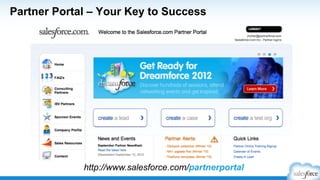
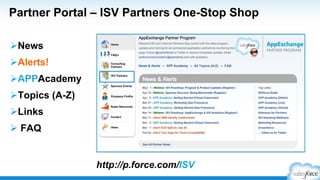
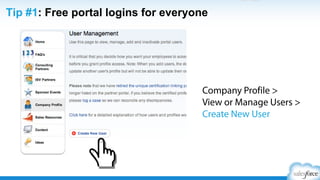
  • #28 Your next best resource is the Partner Portal. The portal serves many functions for you – it is where you request your orgs, where you get news and information, where you sign up for webinars, where you get access to free training, etc. Every member of your team should have their own login to the portal. Someone within your company was designated as a portal administrator (probably the person who initially signed up to join the program). This person can create new portal users, you don’t need to go through us. Simply go to Company Profile (left margin) &gt; View or Manage Users &gt; Create New User.
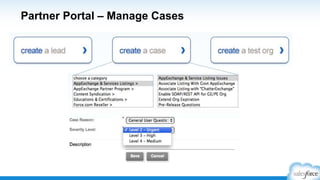
  • #29 Use Cases in the partner portal to get help with your most common issues, like extending org expirations, requesting your TMO and ISV Business Org (also called CRM for Partners), and program questions.
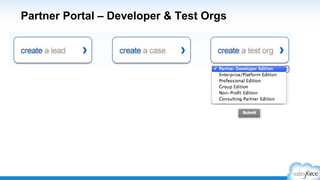
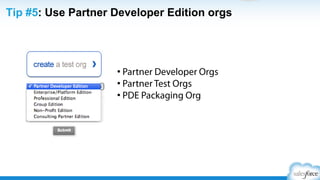
  • #30 Use the Create a Test Org button (home page of the portal) to request Partner Developer Editions orgs (for building) or specific Edition orgs (for testing). In this way, you can spin up your own orgs. Be sure to use Partner Developer Edition orgs, rather than the free orgs found on developer.force.com. PDE’s are more robust and are designed specifically for partner development and testing.
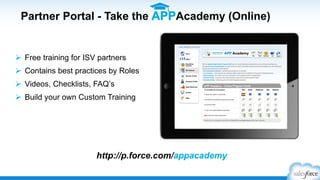
  • #31 Another great resource is the APP Academy (Online). This free training has videos, checklists, Frequently Asked Questions, and slide decks by each phase that walk you through the process. Every member of your team should go through the APP Academy (Online). Send them this link to http://p.force.com/appacademy.
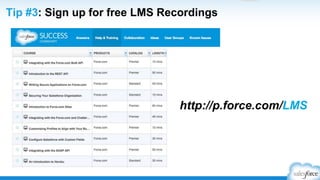
  • #33 There are other online resources you will need.AppExchange – this is where you will manage your listing and upload your managed package. But this is also a valuable coaching tool. Just look at some of the more successful partners to see how they position their product, the quality of their demo video, their screen shots, the keywords they use, etc.Developer Force – a key resource for your entire development staffLearning Management System – sign up for free access to recorded training from our Training &amp; Certification team at http://p.force.com/LMSOnline Help – very robust knowledge base, now available publicly (no login needed)Customer Community – if you have a question or build relationships with other Salesforce users, this is a great site
  • #34 ISVforce Guide – the full compendium of knowledge for the AppExchange Partner Program, this guide contains much of the detail you will need in important areas like Trialforce, the License Management Application, and Security Review.Behind the Cloud – this book, written by Marc Benioff, is an excellent guide for building a cloud computing business, including many best practices used by Salesforce.com
  • #35 Partners should take advantage of special office hours held by various departments: Dreamforce (Sponsorships), Marketing, PR, and Security.
  • #36 Follow our @partnerforce Twitter profile as well as other social media channels for webinar announcements, replays, release updates, Dreamforce alerts, program changes, partner news, and other news.
  • #37 Follow our @partnerforce Twitter profile as well as other social media channels for webinar announcements, replays, release updates, Dreamforce alerts, program changes, partner news, and other news.
  • #38 But first, let’s start with understanding the application lifecycle.
  • #40 Your next best resource is the Partner Portal. The portal serves many functions for you – it is where you request your orgs, where you get news and information, where you sign up for webinars, where you get access to free training, etc. Every member of your team should have their own login to the portal. Someone within your company was designated as a portal administrator (probably the person who initially signed up to join the program). This person can create new portal users, you don’t need to go through us. Simply go to Company Profile (left margin) &gt; View or Manage Users &gt; Create New User.
  • #41 But first, let’s start with understanding the application lifecycle.
  • #67 But first, let’s start with understanding the application lifecycle.
  • #71 So that’s it – this is how the process actually works. What questions do you have?
  • #113 But first, let’s start with understanding the application lifecycle.
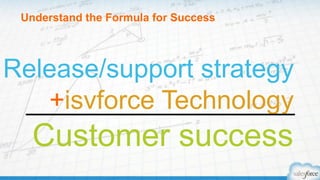
  • #114 Question: How many of you have released version more than 1 version of your app?So let’s start at a high level, what is the formula to success. Its all too often you get too focused on the product and forget what it takes to ensure customer success. What you need is a release and support strategy leveraged with technology to truly make your customer successful. You can’t have just a support strategy isolated from your release strategy. From beginning to end, you must look polish to your customers. You start with the best way to deliver your product and then you nurture your customers as they use it. So that means you have to plan for everything including things that is outside your control, such as a Salesforce release. If you’re prepared, you’ll deliver the world class experience your customer expects.
  • #122 Our overall goal for the session is for you to understand the key milestones in the ISV partner lifecycle, learn how to succeed at each milestone, and become an advocate for best practices within your own company.