
www.apagen.com | gaurav.kumar@apagen.com | Contact - +91 9971 800 665
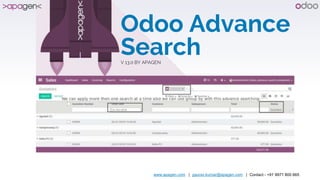
Odoo Advance
SearchV 13.0 BY APAGEN
www.apagen.com | gaurav.kumar@apagen.com | Contact - +91 9971 800 665
About Apagen
Appearance
▸ Apagen Solutions, head office is based out of Noida
▸ Apagen is a sister concern of Enventa Group
▸ Track record of world class product & service delivery since inception in 2009
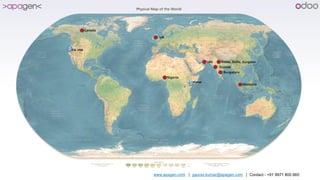
▸ International presence in Malaysia, UK, Nigeria, Kenya, USA and UAE
▸ Rich portfolio of alliances with major industry players
Experience
▸ Expert in manufacturing, Construction, Media, Healthcare, Education, Trading domain
▸ World class ERP consulting services for Auto component manufacturers, oil and gas drilling companies,
Logistic companies, Plastic processing units, Cement Units, Retail, Export Companies
▸ Having huge pool of products for Help Desk, Smart Card, Biometrics Payroll system, Accounting,
mobility, Production automation & Private Enterprise ATM etc.
▸ Rich experience in offshore delivery through ODCs (Offshore Delivery Model) at Noida and Next focus is
on USA, Africa and Australia.
www.apagen.com | gaurav.kumar@apagen.com | Contact - +91 9971 800 665
CA, USA
Kenya
www.apagen.com | gaurav.kumar@apagen.com | Contact - +91 9971 800 665 4
Description
This module will add search fields at the top of all list views.
User can define more then one filter on many2one field.
Here, Below display list view of Quotation as we can see in picture there is all of list
view are display for search at the top of list view.
Also use can configure for search date and date time type of field with date range
search.
www.apagen.com | gaurav.kumar@apagen.com | Contact - +91 9971 800 665 5
www.apagen.com | gaurav.kumar@apagen.com | Contact - +91 9971 800 665 6
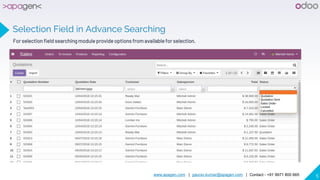
Selection Field in Advance Searching
For selection field searching moduleprovide options from availablefor selection.
www.apagen.com | gaurav.kumar@apagen.com | Contact - +91 9971 800 665 7
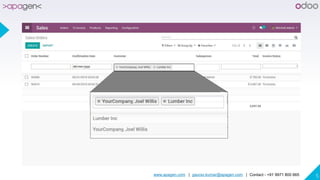
Many2one field in search suggestion
Filter on Many2one fields this app will give you suggestion based on search query.
www.apagen.com | gaurav.kumar@apagen.com | Contact - +91 9971 800 665 8
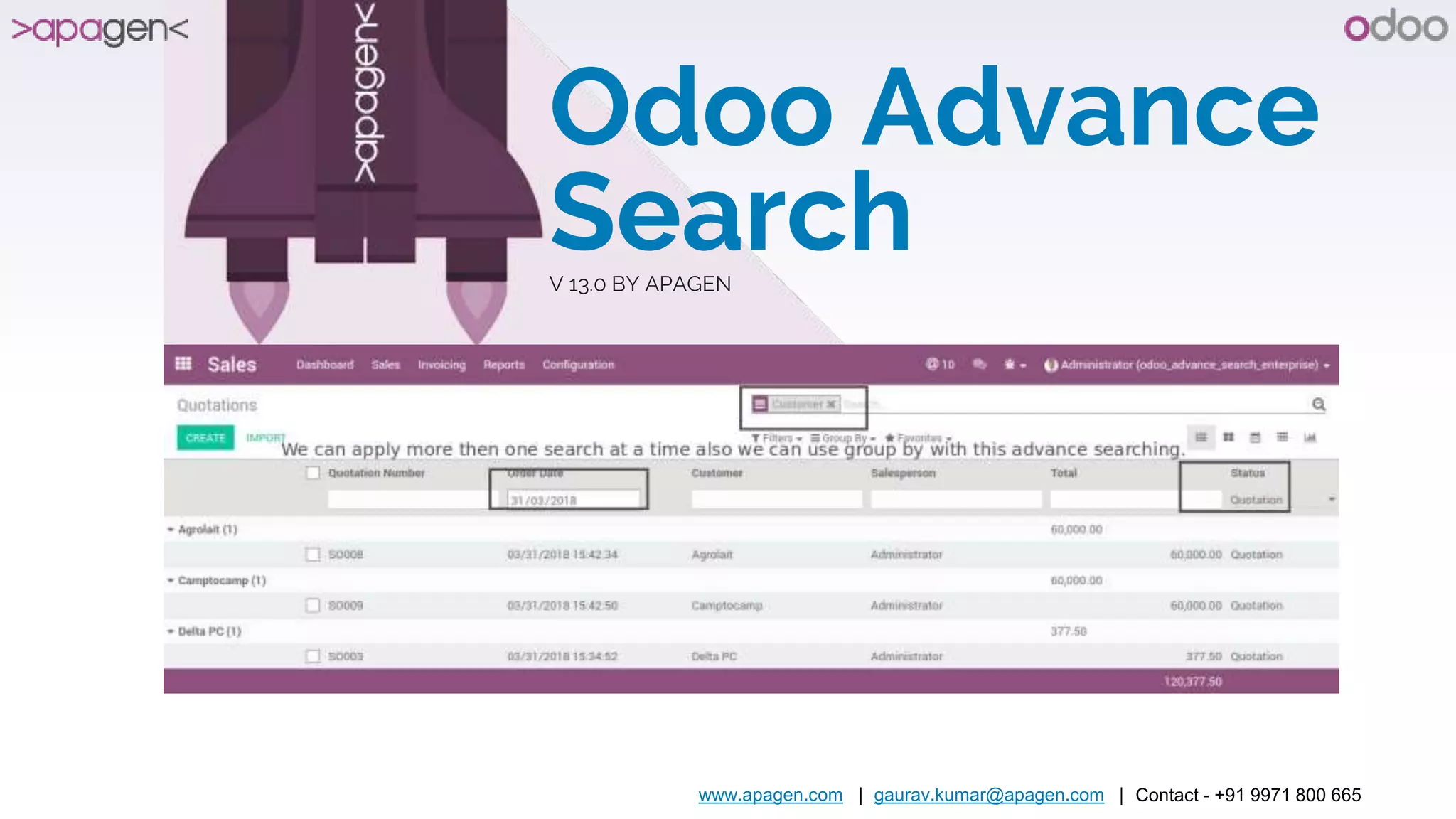
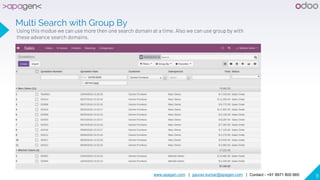
Multi Search with Group By
Using this modue we can use more then one search domain at a time. Also we can use group by with
these advance search domains.
www.apagen.com | gaurav.kumar@apagen.com | Contact - +91 9971 800 665 9
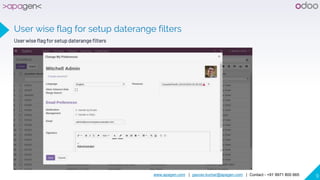
User wise flag for setup daterange filters
www.apagen.com | gaurav.kumar@apagen.com | Contact - +91 9971 800 665 10
THANK YOU
Any questions?
You can find me at:
▸ Gaurav.kumar@apagen.com
▸ +91 9971 800 665

Apagen - Odoo advance search

  • 1.
    www.apagen.com | gaurav.kumar@apagen.com| Contact - +91 9971 800 665 Odoo Advance SearchV 13.0 BY APAGEN
  • 2.
    www.apagen.com | gaurav.kumar@apagen.com| Contact - +91 9971 800 665 About Apagen Appearance ▸ Apagen Solutions, head office is based out of Noida ▸ Apagen is a sister concern of Enventa Group ▸ Track record of world class product & service delivery since inception in 2009 ▸ International presence in Malaysia, UK, Nigeria, Kenya, USA and UAE ▸ Rich portfolio of alliances with major industry players Experience ▸ Expert in manufacturing, Construction, Media, Healthcare, Education, Trading domain ▸ World class ERP consulting services for Auto component manufacturers, oil and gas drilling companies, Logistic companies, Plastic processing units, Cement Units, Retail, Export Companies ▸ Having huge pool of products for Help Desk, Smart Card, Biometrics Payroll system, Accounting, mobility, Production automation & Private Enterprise ATM etc. ▸ Rich experience in offshore delivery through ODCs (Offshore Delivery Model) at Noida and Next focus is on USA, Africa and Australia.
  • 3.
    www.apagen.com | gaurav.kumar@apagen.com| Contact - +91 9971 800 665 CA, USA Kenya
  • 4.
    www.apagen.com | gaurav.kumar@apagen.com| Contact - +91 9971 800 665 4 Description This module will add search fields at the top of all list views. User can define more then one filter on many2one field. Here, Below display list view of Quotation as we can see in picture there is all of list view are display for search at the top of list view. Also use can configure for search date and date time type of field with date range search.
  • 5.
    www.apagen.com | gaurav.kumar@apagen.com| Contact - +91 9971 800 665 5
  • 6.
    www.apagen.com | gaurav.kumar@apagen.com| Contact - +91 9971 800 665 6 Selection Field in Advance Searching For selection field searching moduleprovide options from availablefor selection.
  • 7.
    www.apagen.com | gaurav.kumar@apagen.com| Contact - +91 9971 800 665 7 Many2one field in search suggestion Filter on Many2one fields this app will give you suggestion based on search query.
  • 8.
    www.apagen.com | gaurav.kumar@apagen.com| Contact - +91 9971 800 665 8 Multi Search with Group By Using this modue we can use more then one search domain at a time. Also we can use group by with these advance search domains.
  • 9.
    www.apagen.com | gaurav.kumar@apagen.com| Contact - +91 9971 800 665 9 User wise flag for setup daterange filters User wise flag for setup daterange filters
  • 10.
    www.apagen.com | gaurav.kumar@apagen.com| Contact - +91 9971 800 665 10 THANK YOU Any questions? You can find me at: ▸ Gaurav.kumar@apagen.com ▸ +91 9971 800 665