Welcome to Hive
Hive
Hive - Introduction
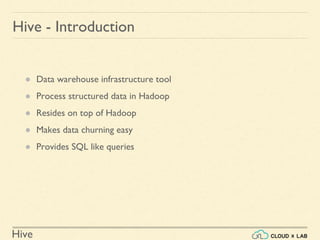
● Data warehouse infrastructure tool
● Process structured data in Hadoop
● Resides on top of Hadoop
● Makes data churning easy
● Provides SQL like queries
Hive
Why Do We Need Hive?
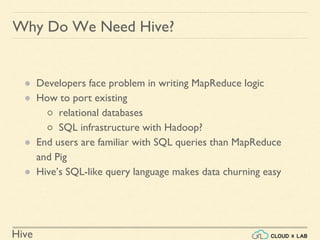
● Developers face problem in writing MapReduce logic
● How to port existing
○ relational databases
○ SQL infrastructure with Hadoop?
● End users are familiar with SQL queries than MapReduce
and Pig
● Hive’s SQL-like query language makes data churning easy
Hive
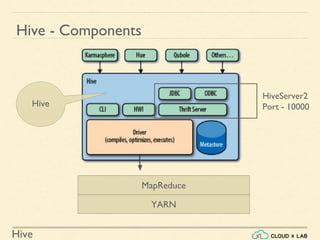
Hive - Components
Hive
MapReduce
YARN
HiveServer2
Port - 10000
Hive
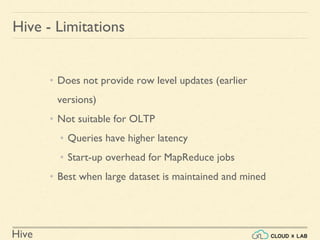
Hive - Limitations
• Does not provide row level updates (earlier
versions)
• Not suitable for OLTP
• Queries have higher latency
• Start-up overhead for MapReduce jobs
• Best when large dataset is maintained and mined
Hive
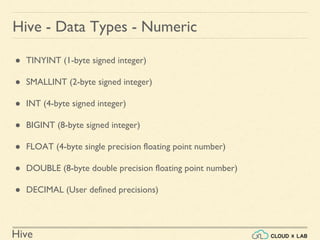
Hive - Data Types - Numeric
● TINYINT (1-byte signed integer)
● SMALLINT (2-byte signed integer)
● INT (4-byte signed integer)
● BIGINT (8-byte signed integer)
● FLOAT (4-byte single precision floating point number)
● DOUBLE (8-byte double precision floating point number)
● DECIMAL (User defined precisions)
Hive
Hive - Data Types - Date/Time
● TIMESTAMP ( Hive version > 0.8.0 )
● DATE ( Hive version > 0.12.0 ) - YYYY-MM-DD
Hive
Hive - Data Types - String
● STRING
● VARCHAR ( Hive version > 0.12.0 )
● CHAR ( Hive version > 0.13.0 )
Hive
Hive - Data Types - Misc
● BOOLEAN
● BINARY ( Hive version > 0.8.0 )
Hive
Hive - Data Types - Complex
arrays: ARRAY<data_type>
maps: MAP<primitive_type, data_type>
structs: STRUCT<col_name : data_type [COMMENT col_comment], ...>
union: UNIONTYPE<data_type, data_type, ...> ( Hive version > 0.7.0 )
Hive
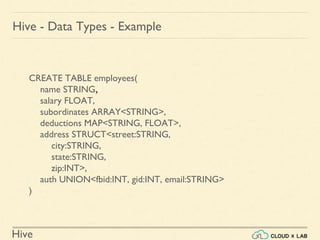
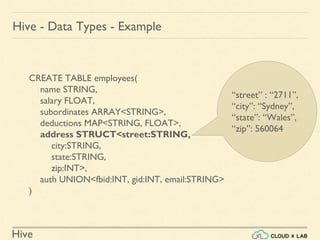
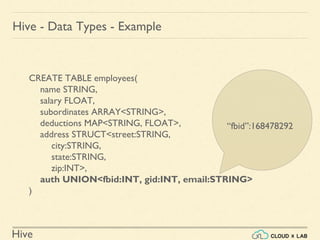
Hive - Data Types - Example
CREATE TABLE employees(
name STRING,
salary FLOAT,
subordinates ARRAY<STRING>,
deductions MAP<STRING, FLOAT>,
address STRUCT<street:STRING,
city:STRING,
state:STRING,
zip:INT>,
auth UNION<fbid:INT, gid:INT, email:STRING>
)
Hive
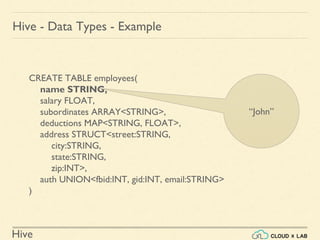
Hive - Data Types - Example
CREATE TABLE employees(
name STRING,
salary FLOAT,
subordinates ARRAY<STRING>,
deductions MAP<STRING, FLOAT>,
address STRUCT<street:STRING,
city:STRING,
state:STRING,
zip:INT>,
auth UNION<fbid:INT, gid:INT, email:STRING>
)
“John”
Hive
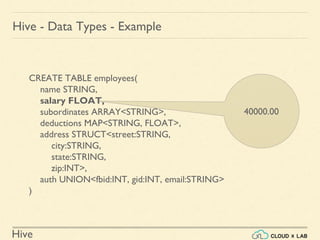
Hive - Data Types - Example
CREATE TABLE employees(
name STRING,
salary FLOAT,
subordinates ARRAY<STRING>,
deductions MAP<STRING, FLOAT>,
address STRUCT<street:STRING,
city:STRING,
state:STRING,
zip:INT>,
auth UNION<fbid:INT, gid:INT, email:STRING>
)
40000.00
Hive
Hive - Data Types - Example
CREATE TABLE employees(
name STRING,
salary FLOAT,
subordinates ARRAY<STRING>,
deductions MAP<STRING, FLOAT>,
address STRUCT<street:STRING,
city:STRING,
state:STRING,
zip:INT>,
auth UNION<fbid:INT, gid:INT, email:STRING>
)
[“Michael”, “Rumi”]
Hive
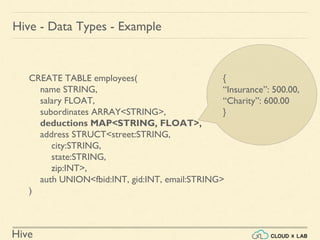
Hive - Data Types - Example
CREATE TABLE employees(
name STRING,
salary FLOAT,
subordinates ARRAY<STRING>,
deductions MAP<STRING, FLOAT>,
address STRUCT<street:STRING,
city:STRING,
state:STRING,
zip:INT>,
auth UNION<fbid:INT, gid:INT, email:STRING>
)
{
“Insurance”: 500.00,
“Charity”: 600.00
}
Hive
Hive - Data Types - Example
CREATE TABLE employees(
name STRING,
salary FLOAT,
subordinates ARRAY<STRING>,
deductions MAP<STRING, FLOAT>,
address STRUCT<street:STRING,
city:STRING,
state:STRING,
zip:INT>,
auth UNION<fbid:INT, gid:INT, email:STRING>
)
“street” : “2711”,
“city”: “Sydney”,
“state”: “Wales”,
“zip”: 560064
Hive
Hive - Data Types - Example
CREATE TABLE employees(
name STRING,
salary FLOAT,
subordinates ARRAY<STRING>,
deductions MAP<STRING, FLOAT>,
address STRUCT<street:STRING,
city:STRING,
state:STRING,
zip:INT>,
auth UNION<fbid:INT, gid:INT, email:STRING>
)
“fbid”:168478292
Hive
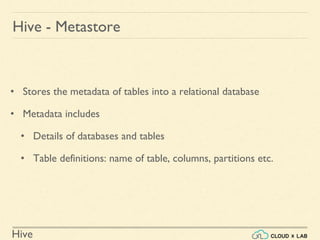
• Stores the metadata of tables into a relational database
• Metadata includes
• Details of databases and tables
• Table definitions: name of table, columns, partitions etc.
Hive - Metastore
Hive
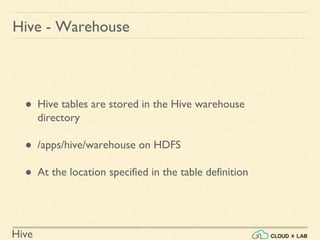
Hive - Warehouse
● Hive tables are stored in the Hive warehouse
directory
● /apps/hive/warehouse on HDFS
● At the location specified in the table definition
Hive
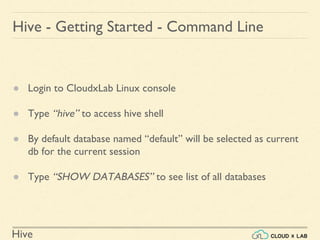
Hive - Getting Started - Command Line
● Login to CloudxLab Linux console
● Type “hive” to access hive shell
● By default database named “default” will be selected as current
db for the current session
● Type “SHOW DATABASES” to see list of all databases
Hive
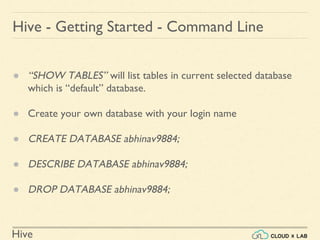
Hive - Getting Started - Command Line
● “SHOW TABLES” will list tables in current selected database
which is “default” database.
● Create your own database with your login name
● CREATE DATABASE abhinav9884;
● DESCRIBE DATABASE abhinav9884;
● DROP DATABASE abhinav9884;
Hive
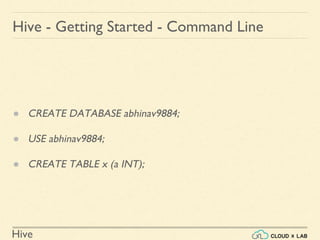
Hive - Getting Started - Command Line
● CREATE DATABASE abhinav9884;
● USE abhinav9884;
● CREATE TABLE x (a INT);
Hive
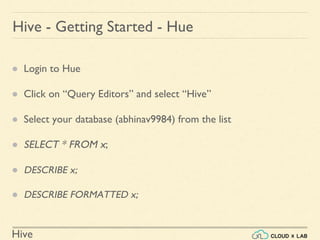
Hive - Getting Started - Hue
● Login to Hue
● Click on “Query Editors” and select “Hive”
● Select your database (abhinav9984) from the list
● SELECT * FROM x;
● DESCRIBE x;
● DESCRIBE FORMATTED x;
Hive
Hive - Tables
● Managed tables
● External tables
Hive
Hive - Managed Tables
● Aka Internal
● Lifecycle managed by Hive
● Data is stored in the warehouse directory
● Dropping the table deletes data from warehouse
Hive
● The lifecycle is not managed by Hive
● Hive assumes that it does not own the data
● Dropping the table does not delete the underlying data
● Metadata will be deleted
Hive - External Tables
Hive
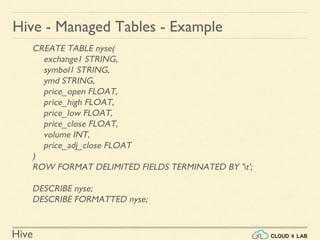
Hive - Managed Tables - Example
CREATE TABLE nyse(
exchange1 STRING,
symbol1 STRING,
ymd STRING,
price_open FLOAT,
price_high FLOAT,
price_low FLOAT,
price_close FLOAT,
volume INT,
price_adj_close FLOAT
)
ROW FORMAT DELIMITED FIELDS TERMINATED BY 't';
DESCRIBE nyse;
DESCRIBE FORMATTED nyse;
Hive
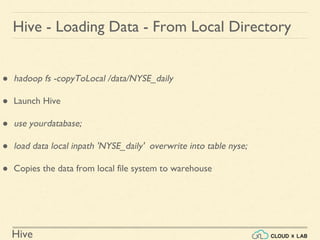
Hive - Loading Data - From Local Directory
● hadoop fs -copyToLocal /data/NYSE_daily
● Launch Hive
● use yourdatabase;
● load data local inpath 'NYSE_daily' overwrite into table nyse;
● Copies the data from local file system to warehouse
Hive
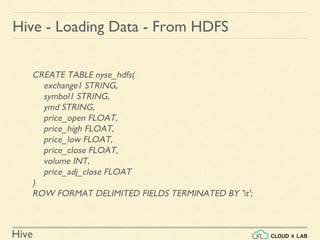
CREATE TABLE nyse_hdfs(
exchange1 STRING,
symbol1 STRING,
ymd STRING,
price_open FLOAT,
price_high FLOAT,
price_low FLOAT,
price_close FLOAT,
volume INT,
price_adj_close FLOAT
)
ROW FORMAT DELIMITED FIELDS TERMINATED BY 't';
Hive - Loading Data - From HDFS
Hive
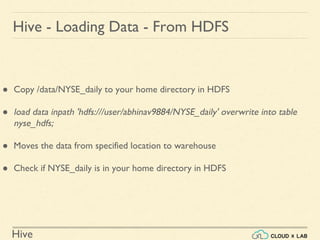
Hive - Loading Data - From HDFS
● Copy /data/NYSE_daily to your home directory in HDFS
● load data inpath 'hdfs:///user/abhinav9884/NYSE_daily' overwrite into table
nyse_hdfs;
● Moves the data from specified location to warehouse
● Check if NYSE_daily is in your home directory in HDFS
Hive
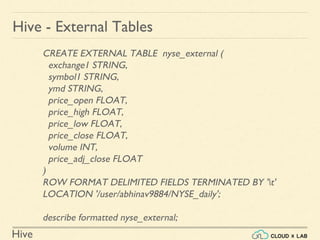
Hive - External Tables
CREATE EXTERNAL TABLE nyse_external (
exchange1 STRING,
symbol1 STRING,
ymd STRING,
price_open FLOAT,
price_high FLOAT,
price_low FLOAT,
price_close FLOAT,
volume INT,
price_adj_close FLOAT
)
ROW FORMAT DELIMITED FIELDS TERMINATED BY 't'
LOCATION '/user/abhinav9884/NYSE_daily';
describe formatted nyse_external;
Hive
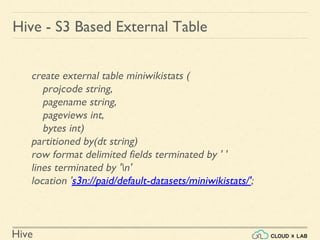
Hive - S3 Based External Table
create external table miniwikistats (
projcode string,
pagename string,
pageviews int,
bytes int)
partitioned by(dt string)
row format delimited fields terminated by ' '
lines terminated by 'n'
location 's3n://paid/default-datasets/miniwikistats/';
Hive
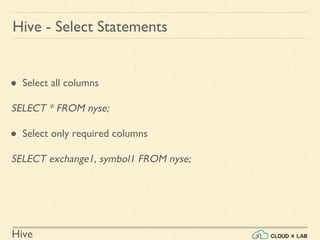
Hive - Select Statements
● Select all columns
SELECT * FROM nyse;
● Select only required columns
SELECT exchange1, symbol1 FROM nyse;
Hive
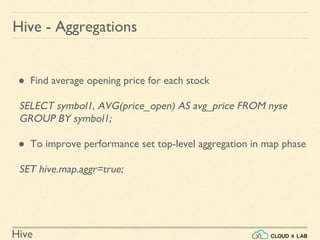
● Find average opening price for each stock
SELECT symbol1, AVG(price_open) AS avg_price FROM nyse
GROUP BY symbol1;
● To improve performance set top-level aggregation in map phase
SET hive.map.aggr=true;
Hive - Aggregations
Hive
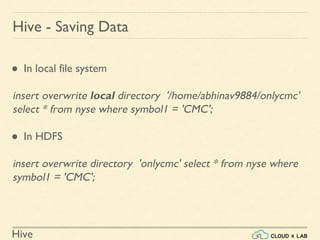
Hive - Saving Data
● In local file system
insert overwrite local directory '/home/abhinav9884/onlycmc'
select * from nyse where symbol1 = 'CMC';
● In HDFS
insert overwrite directory 'onlycmc' select * from nyse where
symbol1 = 'CMC';
Hive
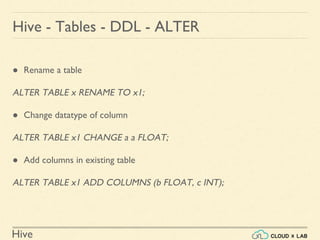
Hive - Tables - DDL - ALTER
● Rename a table
ALTER TABLE x RENAME TO x1;
● Change datatype of column
ALTER TABLE x1 CHANGE a a FLOAT;
● Add columns in existing table
ALTER TABLE x1 ADD COLUMNS (b FLOAT, c INT);
Hive
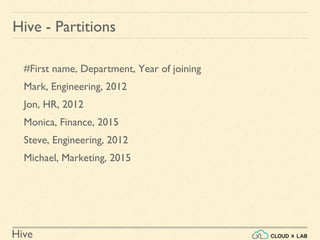
#First name, Department, Year of joining
Mark, Engineering, 2012
Jon, HR, 2012
Monica, Finance, 2015
Steve, Engineering, 2012
Michael, Marketing, 2015
Hive - Partitions
Hive
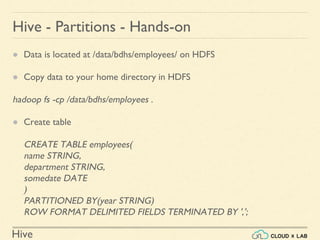
● Data is located at /data/bdhs/employees/ on HDFS
● Copy data to your home directory in HDFS
hadoop fs -cp /data/bdhs/employees .
● Create table
CREATE TABLE employees(
name STRING,
department STRING,
somedate DATE
)
PARTITIONED BY(year STRING)
ROW FORMAT DELIMITED FIELDS TERMINATED BY ',';
Hive - Partitions - Hands-on
Hive
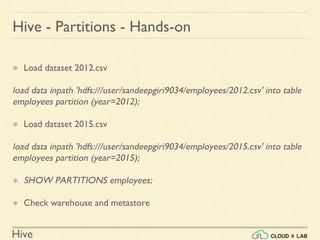
● Load dataset 2012.csv
load data inpath 'hdfs:///user/sandeepgiri9034/employees/2012.csv' into table
employees partition (year=2012);
● Load dataset 2015.csv
load data inpath 'hdfs:///user/sandeepgiri9034/employees/2015.csv' into table
employees partition (year=2015);
● SHOW PARTITIONS employees;
● Check warehouse and metastore
Hive - Partitions - Hands-on
Hive
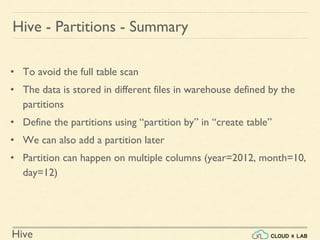
• To avoid the full table scan
• The data is stored in different files in warehouse defined by the
partitions
• Define the partitions using “partition by” in “create table”
• We can also add a partition later
• Partition can happen on multiple columns (year=2012, month=10,
day=12)
Hive - Partitions - Summary
Hive
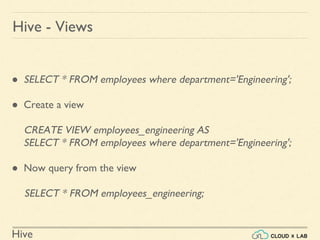
● SELECT * FROM employees where department='Engineering';
● Create a view
CREATE VIEW employees_engineering AS
SELECT * FROM employees where department='Engineering';
● Now query from the view
SELECT * FROM employees_engineering;
Hive - Views
Hive
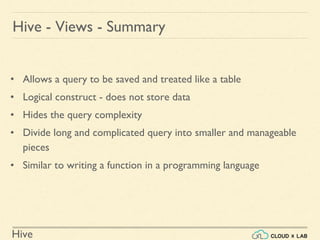
• Allows a query to be saved and treated like a table
• Logical construct - does not store data
• Hides the query complexity
• Divide long and complicated query into smaller and manageable
pieces
• Similar to writing a function in a programming language
Hive - Views - Summary
Hive
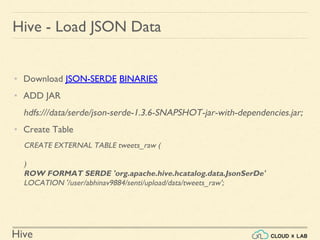
Hive - Load JSON Data
• Download JSON-SERDE BINARIES
• ADD JAR
hdfs:///data/serde/json-serde-1.3.6-SNAPSHOT-jar-with-dependencies.jar;
• Create Table
CREATE EXTERNAL TABLE tweets_raw (
)
ROW FORMAT SERDE 'org.apache.hive.hcatalog.data.JsonSerDe'
LOCATION '/user/abhinav9884/senti/upload/data/tweets_raw';
Hive
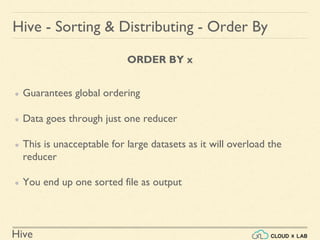
ORDER BY x
● Guarantees global ordering
● Data goes through just one reducer
● This is unacceptable for large datasets as it will overload the
reducer
● You end up one sorted file as output
Hive - Sorting & Distributing - Order By
Hive
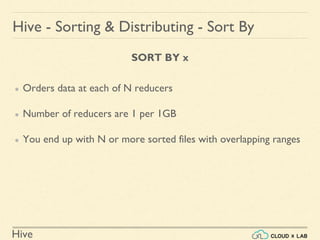
SORT BY x
● Orders data at each of N reducers
● Number of reducers are 1 per 1GB
● You end up with N or more sorted files with overlapping ranges
Hive - Sorting & Distributing - Sort By
Hive
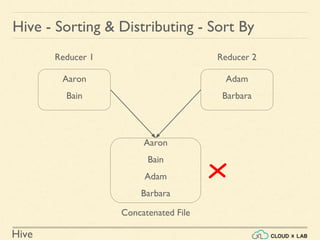
Hive - Sorting & Distributing - Sort By
Aaron
Bain
Adam
Barbara
Reducer 1 Reducer 2
Aaron
Bain
Adam
Barbara
Concatenated File
Hive
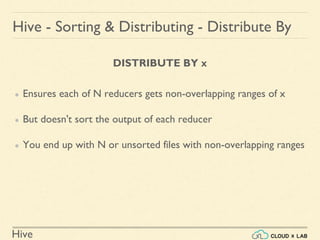
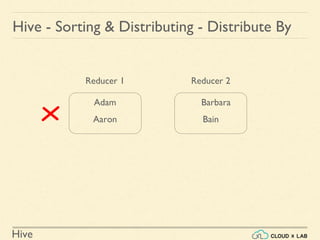
DISTRIBUTE BY x
● Ensures each of N reducers gets non-overlapping ranges of x
● But doesn't sort the output of each reducer
● You end up with N or unsorted files with non-overlapping ranges
Hive - Sorting & Distributing - Distribute By
Hive
Hive - Sorting & Distributing - Distribute By
Adam
Aaron
Barbara
Bain
Reducer 1 Reducer 2
Hive
CLUSTER BY x
● Gives global ordering
● Is the same as (DISTRIBUTE BY x and SORT BY x)
● CLUSTER BY is basically the more scalable version of ORDER BY
Hive - Sorting & Distributing - Cluster By
Hive
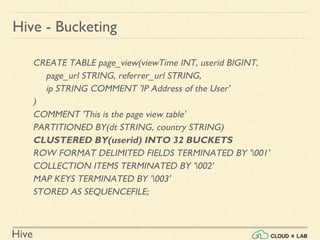
Hive - Bucketing
CREATE TABLE page_view(viewTime INT, userid BIGINT,
page_url STRING, referrer_url STRING,
ip STRING COMMENT 'IP Address of the User'
)
COMMENT 'This is the page view table'
PARTITIONED BY(dt STRING, country STRING)
CLUSTERED BY(userid) INTO 32 BUCKETS
ROW FORMAT DELIMITED FIELDS TERMINATED BY '001'
COLLECTION ITEMS TERMINATED BY '002'
MAP KEYS TERMINATED BY '003'
STORED AS SEQUENCEFILE;
Hive
● Optimized Row Columnar file format
● Provides a highly efficient way to store Hive data
● Improves performance when
○ Reading
○ Writing
○ Processing
● Has a built-in index, min/max values, and other aggregations
● Proven in large-scale deployments
○ Facebook uses the ORC file format for a 300+ PB deployment
Hive - ORC Files
Hive
Hive - ORC Files - Example
CREATE TABLE orc_table (
first_name STRING,
last_name STRING
) STORED AS ORC;
INSERT INTO orc_table VALUES('John', 'Gill');
SELECT * from orc_table;
To Know more, please visit https://orc.apache.org
Hive
Hive - Quick Recap
• Each table has got a location
• By default the table is in a directory under the location
/apps/hive/warehouse
• We can override that location by mentioning 'location' in create table
clause
• Load data copies the data if it is local
• Load moves the data if it is on hdfs for both external and managed
tables
• Dropping managed table deletes the data at the 'location'
• Dropping external table does not delete the data at the 'location'
• The metadata is stored in the relational database - hive metastore
Hive
Hive - Connecting to Tableau
• Tableau is a visualization tool
• Tableau allows for instantaneous insight by transforming data into
visually appealing, interactive visualizations called dashboards
Hive
Hive - Connecting to Tableau - Steps
• Download and install Tableau desktop from
https://www.tableau.com/products/desktop
• Download and install Hortonworks ODBC driver for Apache Hive for
your OS
https://hortonworks.com/downloads/
Hive
Hive - Connecting to Tableau - Hands-on
Visualize top 10 stocks with highest opening price on Dec 31, 2009
Hive
1. Copy data from /data/ml100k/u.data into our hdfs home
2. Open Hive in Hue and run following:
CREATE TABLE u_data( userid INT, movieid INT, rating INT, unixtime STRING)
ROW FORMAT DELIMITED
FIELDS TERMINATED BY 't'
STORED AS TEXTFILE;
LOAD DATA INPATH '/user/sandeepgiri9034/u.data' overwrite into table u_data;
select * from u_data limit 5;
select movieid, avg(rating) ar from u_data group by movieid order by ar desc
Hive - Quick Demo
Hive
Hive - Quick Demo
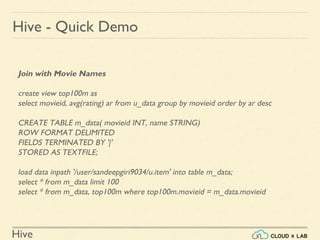
Join with Movie Names
create view top100m as
select movieid, avg(rating) ar from u_data group by movieid order by ar desc
CREATE TABLE m_data( movieid INT, name STRING)
ROW FORMAT DELIMITED
FIELDS TERMINATED BY '|'
STORED AS TEXTFILE;
load data inpath '/user/sandeepgiri9034/u.item' into table m_data;
select * from m_data limit 100
select * from m_data, top100m where top100m.movieid = m_data.movieid
Hive
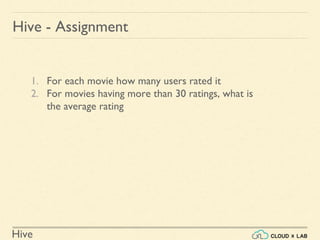
1. For each movie how many users rated it
2. For movies having more than 30 ratings, what is
the average rating
Hive - Assignment

Introduction to Apache Hive | Big Data Hadoop Spark Tutorial | CloudxLab

  • 1.
  • 2.
    Hive Hive - Introduction ●Data warehouse infrastructure tool ● Process structured data in Hadoop ● Resides on top of Hadoop ● Makes data churning easy ● Provides SQL like queries
  • 3.
    Hive Why Do WeNeed Hive? ● Developers face problem in writing MapReduce logic ● How to port existing ○ relational databases ○ SQL infrastructure with Hadoop? ● End users are familiar with SQL queries than MapReduce and Pig ● Hive’s SQL-like query language makes data churning easy
  • 4.
  • 5.
    Hive Hive - Limitations •Does not provide row level updates (earlier versions) • Not suitable for OLTP • Queries have higher latency • Start-up overhead for MapReduce jobs • Best when large dataset is maintained and mined
  • 6.
    Hive Hive - DataTypes - Numeric ● TINYINT (1-byte signed integer) ● SMALLINT (2-byte signed integer) ● INT (4-byte signed integer) ● BIGINT (8-byte signed integer) ● FLOAT (4-byte single precision floating point number) ● DOUBLE (8-byte double precision floating point number) ● DECIMAL (User defined precisions)
  • 7.
    Hive Hive - DataTypes - Date/Time ● TIMESTAMP ( Hive version > 0.8.0 ) ● DATE ( Hive version > 0.12.0 ) - YYYY-MM-DD
  • 8.
    Hive Hive - DataTypes - String ● STRING ● VARCHAR ( Hive version > 0.12.0 ) ● CHAR ( Hive version > 0.13.0 )
  • 9.
    Hive Hive - DataTypes - Misc ● BOOLEAN ● BINARY ( Hive version > 0.8.0 )
  • 10.
    Hive Hive - DataTypes - Complex arrays: ARRAY<data_type> maps: MAP<primitive_type, data_type> structs: STRUCT<col_name : data_type [COMMENT col_comment], ...> union: UNIONTYPE<data_type, data_type, ...> ( Hive version > 0.7.0 )
  • 11.
    Hive Hive - DataTypes - Example CREATE TABLE employees( name STRING, salary FLOAT, subordinates ARRAY<STRING>, deductions MAP<STRING, FLOAT>, address STRUCT<street:STRING, city:STRING, state:STRING, zip:INT>, auth UNION<fbid:INT, gid:INT, email:STRING> )
  • 12.
    Hive Hive - DataTypes - Example CREATE TABLE employees( name STRING, salary FLOAT, subordinates ARRAY<STRING>, deductions MAP<STRING, FLOAT>, address STRUCT<street:STRING, city:STRING, state:STRING, zip:INT>, auth UNION<fbid:INT, gid:INT, email:STRING> ) “John”
  • 13.
    Hive Hive - DataTypes - Example CREATE TABLE employees( name STRING, salary FLOAT, subordinates ARRAY<STRING>, deductions MAP<STRING, FLOAT>, address STRUCT<street:STRING, city:STRING, state:STRING, zip:INT>, auth UNION<fbid:INT, gid:INT, email:STRING> ) 40000.00
  • 14.
    Hive Hive - DataTypes - Example CREATE TABLE employees( name STRING, salary FLOAT, subordinates ARRAY<STRING>, deductions MAP<STRING, FLOAT>, address STRUCT<street:STRING, city:STRING, state:STRING, zip:INT>, auth UNION<fbid:INT, gid:INT, email:STRING> ) [“Michael”, “Rumi”]
  • 15.
    Hive Hive - DataTypes - Example CREATE TABLE employees( name STRING, salary FLOAT, subordinates ARRAY<STRING>, deductions MAP<STRING, FLOAT>, address STRUCT<street:STRING, city:STRING, state:STRING, zip:INT>, auth UNION<fbid:INT, gid:INT, email:STRING> ) { “Insurance”: 500.00, “Charity”: 600.00 }
  • 16.
    Hive Hive - DataTypes - Example CREATE TABLE employees( name STRING, salary FLOAT, subordinates ARRAY<STRING>, deductions MAP<STRING, FLOAT>, address STRUCT<street:STRING, city:STRING, state:STRING, zip:INT>, auth UNION<fbid:INT, gid:INT, email:STRING> ) “street” : “2711”, “city”: “Sydney”, “state”: “Wales”, “zip”: 560064
  • 17.
    Hive Hive - DataTypes - Example CREATE TABLE employees( name STRING, salary FLOAT, subordinates ARRAY<STRING>, deductions MAP<STRING, FLOAT>, address STRUCT<street:STRING, city:STRING, state:STRING, zip:INT>, auth UNION<fbid:INT, gid:INT, email:STRING> ) “fbid”:168478292
  • 18.
    Hive • Stores themetadata of tables into a relational database • Metadata includes • Details of databases and tables • Table definitions: name of table, columns, partitions etc. Hive - Metastore
  • 19.
    Hive Hive - Warehouse ●Hive tables are stored in the Hive warehouse directory ● /apps/hive/warehouse on HDFS ● At the location specified in the table definition
  • 20.
    Hive Hive - GettingStarted - Command Line ● Login to CloudxLab Linux console ● Type “hive” to access hive shell ● By default database named “default” will be selected as current db for the current session ● Type “SHOW DATABASES” to see list of all databases
  • 21.
    Hive Hive - GettingStarted - Command Line ● “SHOW TABLES” will list tables in current selected database which is “default” database. ● Create your own database with your login name ● CREATE DATABASE abhinav9884; ● DESCRIBE DATABASE abhinav9884; ● DROP DATABASE abhinav9884;
  • 22.
    Hive Hive - GettingStarted - Command Line ● CREATE DATABASE abhinav9884; ● USE abhinav9884; ● CREATE TABLE x (a INT);
  • 23.
    Hive Hive - GettingStarted - Hue ● Login to Hue ● Click on “Query Editors” and select “Hive” ● Select your database (abhinav9984) from the list ● SELECT * FROM x; ● DESCRIBE x; ● DESCRIBE FORMATTED x;
  • 24.
    Hive Hive - Tables ●Managed tables ● External tables
  • 25.
    Hive Hive - ManagedTables ● Aka Internal ● Lifecycle managed by Hive ● Data is stored in the warehouse directory ● Dropping the table deletes data from warehouse
  • 26.
    Hive ● The lifecycleis not managed by Hive ● Hive assumes that it does not own the data ● Dropping the table does not delete the underlying data ● Metadata will be deleted Hive - External Tables
  • 27.
    Hive Hive - ManagedTables - Example CREATE TABLE nyse( exchange1 STRING, symbol1 STRING, ymd STRING, price_open FLOAT, price_high FLOAT, price_low FLOAT, price_close FLOAT, volume INT, price_adj_close FLOAT ) ROW FORMAT DELIMITED FIELDS TERMINATED BY 't'; DESCRIBE nyse; DESCRIBE FORMATTED nyse;
  • 28.
    Hive Hive - LoadingData - From Local Directory ● hadoop fs -copyToLocal /data/NYSE_daily ● Launch Hive ● use yourdatabase; ● load data local inpath 'NYSE_daily' overwrite into table nyse; ● Copies the data from local file system to warehouse
  • 29.
    Hive CREATE TABLE nyse_hdfs( exchange1STRING, symbol1 STRING, ymd STRING, price_open FLOAT, price_high FLOAT, price_low FLOAT, price_close FLOAT, volume INT, price_adj_close FLOAT ) ROW FORMAT DELIMITED FIELDS TERMINATED BY 't'; Hive - Loading Data - From HDFS
  • 30.
    Hive Hive - LoadingData - From HDFS ● Copy /data/NYSE_daily to your home directory in HDFS ● load data inpath 'hdfs:///user/abhinav9884/NYSE_daily' overwrite into table nyse_hdfs; ● Moves the data from specified location to warehouse ● Check if NYSE_daily is in your home directory in HDFS
  • 31.
    Hive Hive - ExternalTables CREATE EXTERNAL TABLE nyse_external ( exchange1 STRING, symbol1 STRING, ymd STRING, price_open FLOAT, price_high FLOAT, price_low FLOAT, price_close FLOAT, volume INT, price_adj_close FLOAT ) ROW FORMAT DELIMITED FIELDS TERMINATED BY 't' LOCATION '/user/abhinav9884/NYSE_daily'; describe formatted nyse_external;
  • 32.
    Hive Hive - S3Based External Table create external table miniwikistats ( projcode string, pagename string, pageviews int, bytes int) partitioned by(dt string) row format delimited fields terminated by ' ' lines terminated by 'n' location 's3n://paid/default-datasets/miniwikistats/';
  • 33.
    Hive Hive - SelectStatements ● Select all columns SELECT * FROM nyse; ● Select only required columns SELECT exchange1, symbol1 FROM nyse;
  • 34.
    Hive ● Find averageopening price for each stock SELECT symbol1, AVG(price_open) AS avg_price FROM nyse GROUP BY symbol1; ● To improve performance set top-level aggregation in map phase SET hive.map.aggr=true; Hive - Aggregations
  • 35.
    Hive Hive - SavingData ● In local file system insert overwrite local directory '/home/abhinav9884/onlycmc' select * from nyse where symbol1 = 'CMC'; ● In HDFS insert overwrite directory 'onlycmc' select * from nyse where symbol1 = 'CMC';
  • 36.
    Hive Hive - Tables- DDL - ALTER ● Rename a table ALTER TABLE x RENAME TO x1; ● Change datatype of column ALTER TABLE x1 CHANGE a a FLOAT; ● Add columns in existing table ALTER TABLE x1 ADD COLUMNS (b FLOAT, c INT);
  • 37.
    Hive #First name, Department,Year of joining Mark, Engineering, 2012 Jon, HR, 2012 Monica, Finance, 2015 Steve, Engineering, 2012 Michael, Marketing, 2015 Hive - Partitions
  • 38.
    Hive ● Data islocated at /data/bdhs/employees/ on HDFS ● Copy data to your home directory in HDFS hadoop fs -cp /data/bdhs/employees . ● Create table CREATE TABLE employees( name STRING, department STRING, somedate DATE ) PARTITIONED BY(year STRING) ROW FORMAT DELIMITED FIELDS TERMINATED BY ','; Hive - Partitions - Hands-on
  • 39.
    Hive ● Load dataset2012.csv load data inpath 'hdfs:///user/sandeepgiri9034/employees/2012.csv' into table employees partition (year=2012); ● Load dataset 2015.csv load data inpath 'hdfs:///user/sandeepgiri9034/employees/2015.csv' into table employees partition (year=2015); ● SHOW PARTITIONS employees; ● Check warehouse and metastore Hive - Partitions - Hands-on
  • 40.
    Hive • To avoidthe full table scan • The data is stored in different files in warehouse defined by the partitions • Define the partitions using “partition by” in “create table” • We can also add a partition later • Partition can happen on multiple columns (year=2012, month=10, day=12) Hive - Partitions - Summary
  • 41.
    Hive ● SELECT *FROM employees where department='Engineering'; ● Create a view CREATE VIEW employees_engineering AS SELECT * FROM employees where department='Engineering'; ● Now query from the view SELECT * FROM employees_engineering; Hive - Views
  • 42.
    Hive • Allows aquery to be saved and treated like a table • Logical construct - does not store data • Hides the query complexity • Divide long and complicated query into smaller and manageable pieces • Similar to writing a function in a programming language Hive - Views - Summary
  • 43.
    Hive Hive - LoadJSON Data • Download JSON-SERDE BINARIES • ADD JAR hdfs:///data/serde/json-serde-1.3.6-SNAPSHOT-jar-with-dependencies.jar; • Create Table CREATE EXTERNAL TABLE tweets_raw ( ) ROW FORMAT SERDE 'org.apache.hive.hcatalog.data.JsonSerDe' LOCATION '/user/abhinav9884/senti/upload/data/tweets_raw';
  • 44.
    Hive ORDER BY x ●Guarantees global ordering ● Data goes through just one reducer ● This is unacceptable for large datasets as it will overload the reducer ● You end up one sorted file as output Hive - Sorting & Distributing - Order By
  • 45.
    Hive SORT BY x ●Orders data at each of N reducers ● Number of reducers are 1 per 1GB ● You end up with N or more sorted files with overlapping ranges Hive - Sorting & Distributing - Sort By
  • 46.
    Hive Hive - Sorting& Distributing - Sort By Aaron Bain Adam Barbara Reducer 1 Reducer 2 Aaron Bain Adam Barbara Concatenated File
  • 47.
    Hive DISTRIBUTE BY x ●Ensures each of N reducers gets non-overlapping ranges of x ● But doesn't sort the output of each reducer ● You end up with N or unsorted files with non-overlapping ranges Hive - Sorting & Distributing - Distribute By
  • 48.
    Hive Hive - Sorting& Distributing - Distribute By Adam Aaron Barbara Bain Reducer 1 Reducer 2
  • 49.
    Hive CLUSTER BY x ●Gives global ordering ● Is the same as (DISTRIBUTE BY x and SORT BY x) ● CLUSTER BY is basically the more scalable version of ORDER BY Hive - Sorting & Distributing - Cluster By
  • 50.
    Hive Hive - Bucketing CREATETABLE page_view(viewTime INT, userid BIGINT, page_url STRING, referrer_url STRING, ip STRING COMMENT 'IP Address of the User' ) COMMENT 'This is the page view table' PARTITIONED BY(dt STRING, country STRING) CLUSTERED BY(userid) INTO 32 BUCKETS ROW FORMAT DELIMITED FIELDS TERMINATED BY '001' COLLECTION ITEMS TERMINATED BY '002' MAP KEYS TERMINATED BY '003' STORED AS SEQUENCEFILE;
  • 51.
    Hive ● Optimized RowColumnar file format ● Provides a highly efficient way to store Hive data ● Improves performance when ○ Reading ○ Writing ○ Processing ● Has a built-in index, min/max values, and other aggregations ● Proven in large-scale deployments ○ Facebook uses the ORC file format for a 300+ PB deployment Hive - ORC Files
  • 52.
    Hive Hive - ORCFiles - Example CREATE TABLE orc_table ( first_name STRING, last_name STRING ) STORED AS ORC; INSERT INTO orc_table VALUES('John', 'Gill'); SELECT * from orc_table; To Know more, please visit https://orc.apache.org
  • 53.
    Hive Hive - QuickRecap • Each table has got a location • By default the table is in a directory under the location /apps/hive/warehouse • We can override that location by mentioning 'location' in create table clause • Load data copies the data if it is local • Load moves the data if it is on hdfs for both external and managed tables • Dropping managed table deletes the data at the 'location' • Dropping external table does not delete the data at the 'location' • The metadata is stored in the relational database - hive metastore
  • 54.
    Hive Hive - Connectingto Tableau • Tableau is a visualization tool • Tableau allows for instantaneous insight by transforming data into visually appealing, interactive visualizations called dashboards
  • 55.
    Hive Hive - Connectingto Tableau - Steps • Download and install Tableau desktop from https://www.tableau.com/products/desktop • Download and install Hortonworks ODBC driver for Apache Hive for your OS https://hortonworks.com/downloads/
  • 56.
    Hive Hive - Connectingto Tableau - Hands-on Visualize top 10 stocks with highest opening price on Dec 31, 2009
  • 57.
    Hive 1. Copy datafrom /data/ml100k/u.data into our hdfs home 2. Open Hive in Hue and run following: CREATE TABLE u_data( userid INT, movieid INT, rating INT, unixtime STRING) ROW FORMAT DELIMITED FIELDS TERMINATED BY 't' STORED AS TEXTFILE; LOAD DATA INPATH '/user/sandeepgiri9034/u.data' overwrite into table u_data; select * from u_data limit 5; select movieid, avg(rating) ar from u_data group by movieid order by ar desc Hive - Quick Demo
  • 58.
    Hive Hive - QuickDemo Join with Movie Names create view top100m as select movieid, avg(rating) ar from u_data group by movieid order by ar desc CREATE TABLE m_data( movieid INT, name STRING) ROW FORMAT DELIMITED FIELDS TERMINATED BY '|' STORED AS TEXTFILE; load data inpath '/user/sandeepgiri9034/u.item' into table m_data; select * from m_data limit 100 select * from m_data, top100m where top100m.movieid = m_data.movieid
  • 59.
    Hive 1. For eachmovie how many users rated it 2. For movies having more than 30 ratings, what is the average rating Hive - Assignment