Art A02 ideas 
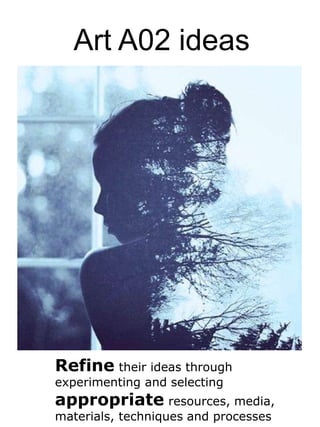
Refine their ideas through 
experimenting and selecting 
appropriate resources, media, 
materials, techniques and processes
Photoshop 
Photoshop is an easy way to begin to explore 
your chosen idea. The next few pages go 
through a few techniques you could try. Don’t 
forget to screen shot and evidence when you 
are creating work on photoshop 
The link below has some fantastic video 
tutorials on photoshop techniques you could 
use 
http://www.iheartteachingart.com/search/label/photoshop
Photo Filters 
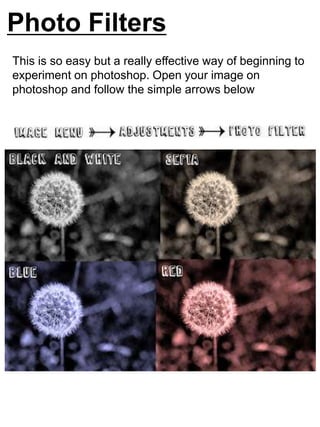
This is so easy but a really effective way of beginning to 
experiment on photoshop. Open your image on 
photoshop and follow the simple arrows below
Art Filters 
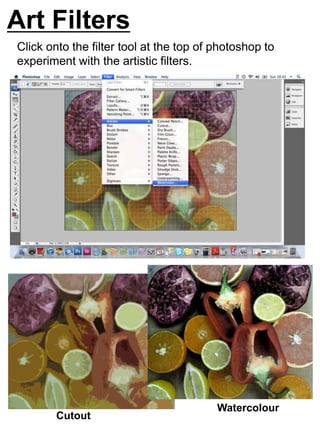
Click onto the filter tool at the top of photoshop to 
experiment with the artistic filters. 
Cutout 
Watercolour
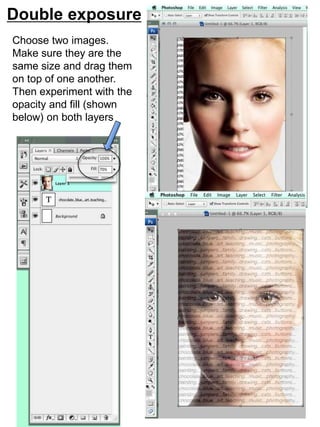
Double exposure 
Choose two images. 
Make sure they are the 
same size and drag them 
on top of one another. 
Then experiment with the 
opacity and fill (shown 
below) on both layers
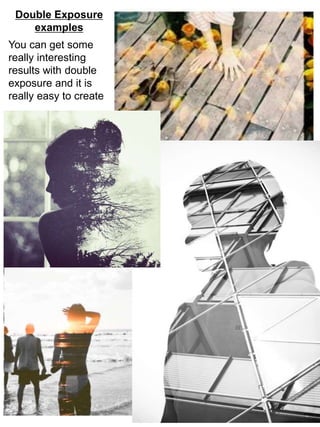
Double Exposure 
examples 
You can get some 
really interesting 
results with double 
exposure and it is 
really easy to create
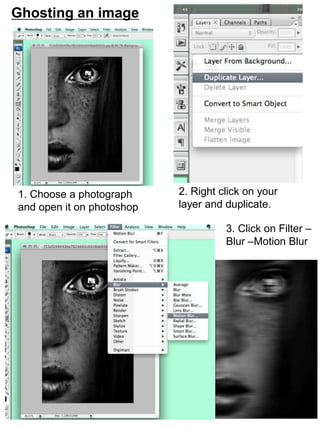
Ghosting an image 
1. Choose a photograph 
and open it on photoshop 
2. Right click on your 
layer and duplicate. 
3. Click on Filter – 
Blur –Motion Blur
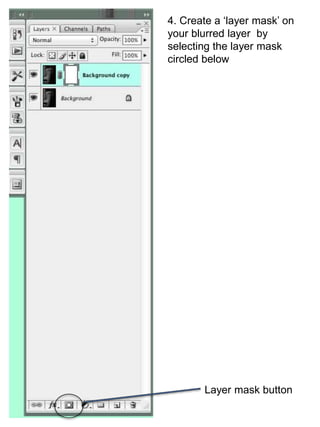
4. Create a ‘layer mask’ on 
your blurred layer by 
selecting the layer mask 
circled below 
Layer mask button
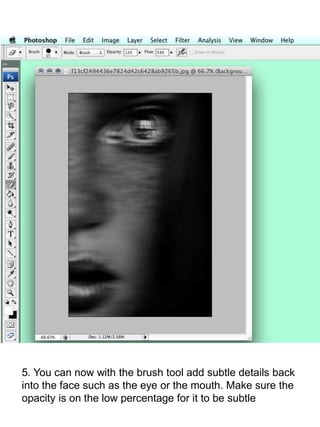
5. You can now with the brush tool add subtle details back 
into the face such as the eye or the mouth. Make sure the 
opacity is on the low percentage for it to be subtle
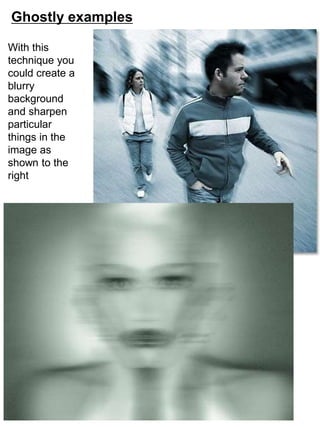
Ghostly examples 
With this 
technique you 
could create a 
blurry 
background 
and sharpen 
particular 
things in the 
image as 
shown to the 
right
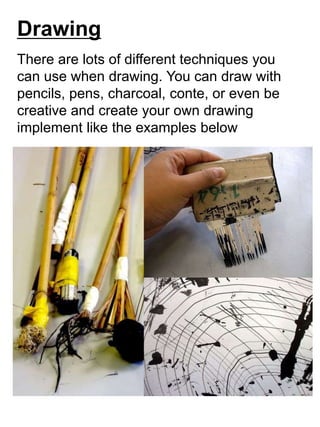
Drawing 
There are lots of different techniques you 
can use when drawing. You can draw with 
pencils, pens, charcoal, conte, or even be 
creative and create your own drawing 
implement like the examples below
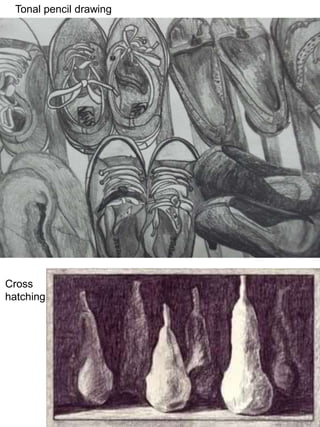
Tonal pencil drawing 
Cross 
hatching
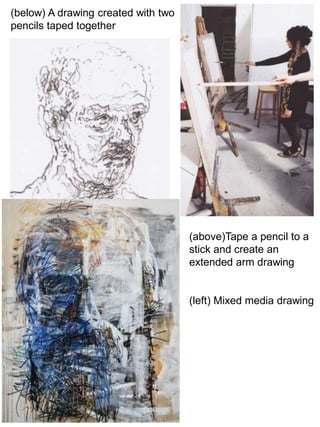
(below) A drawing created with two 
pencils taped together 
(above)Tape a pencil to a 
stick and create an 
extended arm drawing 
(left) Mixed media drawing
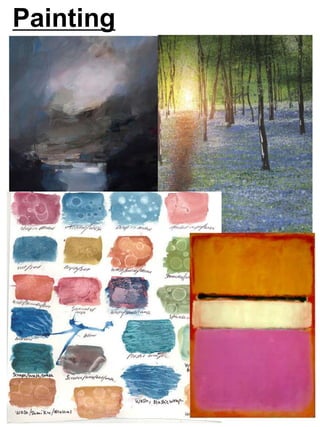
Painting
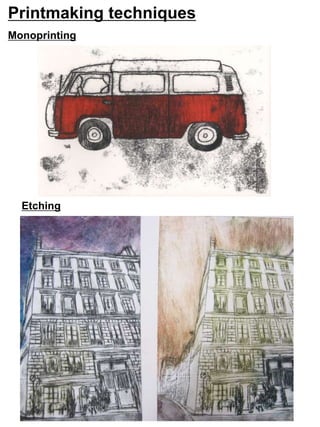
Printmaking techniques 
Monoprinting 
Etching
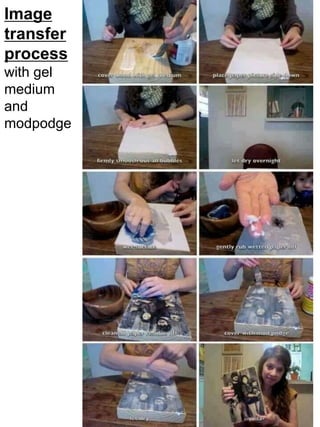
Image 
transfer 
process 
with gel 
medium 
and 
modpodge
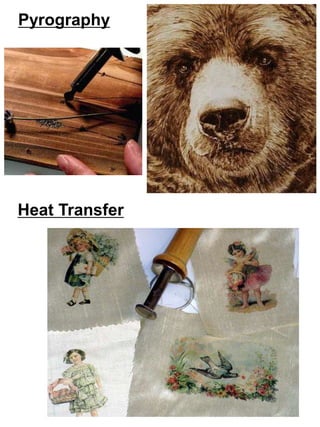
Pyrography 
Heat Transfer
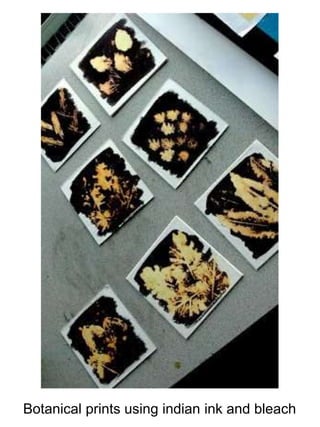
Botanical prints using indian ink and bleach
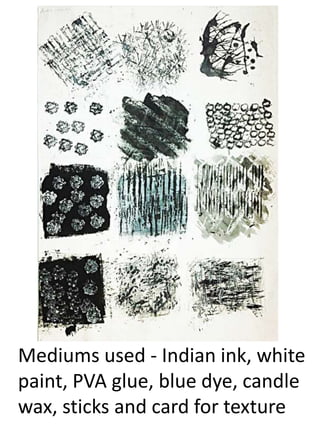
Mediums used - Indian ink, white 
paint, PVA glue, blue dye, candle 
wax, sticks and card for texture
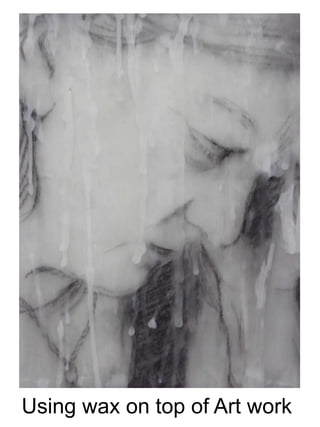
Using wax on top of Art work
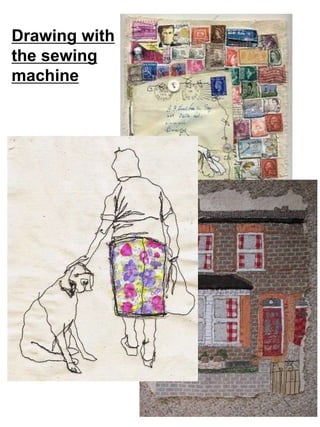
Drawing with 
the sewing 
machine
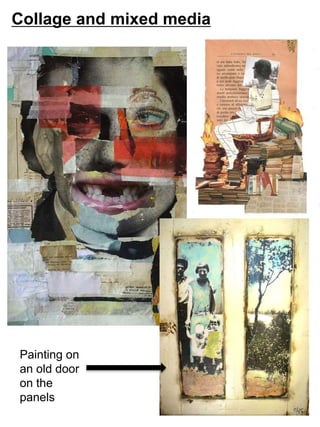
Collage and mixed media 
Painting on 
an old door 
on the 
panels
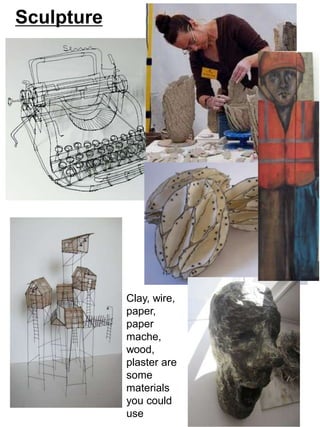
Sculpture 
Clay, wire, 
paper, 
paper 
mache, 
wood, 
plaster are 
some 
materials 
you could 
use

Ao2 experimenting support book

  • 1.
    Art A02 ideas Refine their ideas through experimenting and selecting appropriate resources, media, materials, techniques and processes
  • 2.
    Photoshop Photoshop isan easy way to begin to explore your chosen idea. The next few pages go through a few techniques you could try. Don’t forget to screen shot and evidence when you are creating work on photoshop The link below has some fantastic video tutorials on photoshop techniques you could use http://www.iheartteachingart.com/search/label/photoshop
  • 3.
    Photo Filters Thisis so easy but a really effective way of beginning to experiment on photoshop. Open your image on photoshop and follow the simple arrows below
  • 4.
    Art Filters Clickonto the filter tool at the top of photoshop to experiment with the artistic filters. Cutout Watercolour
  • 5.
    Double exposure Choosetwo images. Make sure they are the same size and drag them on top of one another. Then experiment with the opacity and fill (shown below) on both layers
  • 6.
    Double Exposure examples You can get some really interesting results with double exposure and it is really easy to create
  • 7.
    Ghosting an image 1. Choose a photograph and open it on photoshop 2. Right click on your layer and duplicate. 3. Click on Filter – Blur –Motion Blur
  • 8.
    4. Create a‘layer mask’ on your blurred layer by selecting the layer mask circled below Layer mask button
  • 9.
    5. You cannow with the brush tool add subtle details back into the face such as the eye or the mouth. Make sure the opacity is on the low percentage for it to be subtle
  • 10.
    Ghostly examples Withthis technique you could create a blurry background and sharpen particular things in the image as shown to the right
  • 11.
    Drawing There arelots of different techniques you can use when drawing. You can draw with pencils, pens, charcoal, conte, or even be creative and create your own drawing implement like the examples below
  • 12.
    Tonal pencil drawing Cross hatching
  • 13.
    (below) A drawingcreated with two pencils taped together (above)Tape a pencil to a stick and create an extended arm drawing (left) Mixed media drawing
  • 14.
  • 15.
  • 16.
    Image transfer process with gel medium and modpodge
  • 17.
  • 18.
    Botanical prints usingindian ink and bleach
  • 19.
    Mediums used -Indian ink, white paint, PVA glue, blue dye, candle wax, sticks and card for texture
  • 20.
    Using wax ontop of Art work
  • 21.
    Drawing with thesewing machine
  • 22.
    Collage and mixedmedia Painting on an old door on the panels
  • 23.
    Sculpture Clay, wire, paper, paper mache, wood, plaster are some materials you could use