Director – Systems Engineering, US Public Sector
Faisal.Iqbal@citrix.com
@virtfaisal
Future of Fed Mobility
Enabling productivity through
Mobility, Telework, BYOD and DCC
Faisal Iqbal
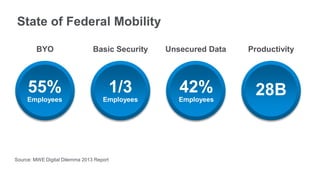
State of Federal Mobility
BYO
55%
Employees
Basic Security
1/3
Employees
Unsecured Data
42%
Employees
Productivity
28B
Source: MWE Digital Dilemma 2013 Report
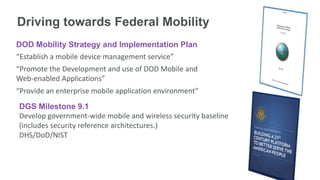
Driving towards Federal Mobility
DOD Mobility Strategy and Implementation Plan
“Establish a mobile device management service”
“Promote the Development and use of DOD Mobile and
Web-enabled Applications”
“Provide an enterprise mobile application environment”
DGS Milestone 9.1
Develop government-wide mobile and wireless security baseline
(includes security reference architectures.)
DHS/DoD/NIST
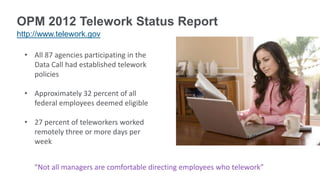
OPM 2012 Telework Status Report
http://www.telework.gov
• All 87 agencies participating in the
Data Call had established telework
policies
• Approximately 32 percent of all
federal employees deemed eligible
• 27 percent of teleworkers worked
remotely three or more days per
week
“Not all managers are comfortable directing employees who telework”
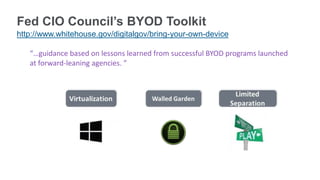
Fed CIO Council’s BYOD Toolkit
http://www.whitehouse.gov/digitalgov/bring-your-own-device
“…guidance based on lessons learned from successful BYOD programs launched
at forward-leaning agencies. ”
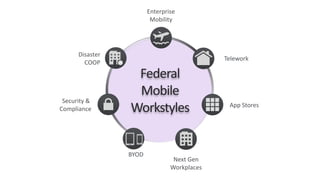
Enterprise
Mobility
Telework
Next Gen
Workplaces
BYOD
App Stores
Federal
Mobile
Workstyles
Disaster
COOP
Office
Security &
Compliance
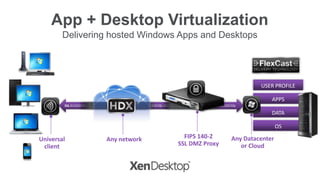
App + Desktop Virtualization
Delivering hosted Windows Apps and Desktops
SSL 011010 SSL 1011011010 SSL 1011011010 SSL 1011011010 SSL 1011011010 SSL 101101 SSL SSL 1011011010 SSL
APPS
DATA
USER PROFILE
OS
Any networkUniversal
client
Any Datacenter
or Cloud
FIPS 140-2
SSL DMZ Proxy
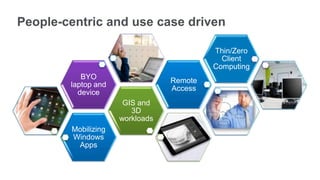
People-centric and use case driven
Mobilizing
Windows
Apps
GIS and
3D
workloads
BYO
laptop and
device
Remote
Access
Thin/Zero
Client
Computing
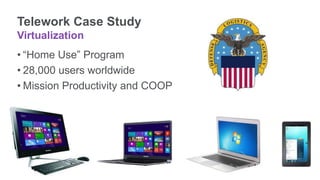
Telework Case Study
Virtualization
• “Home Use” Program
• 28,000 users worldwide
• Mission Productivity and COOP
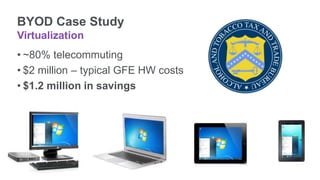
BYOD Case Study
Virtualization
• ~80% telecommuting
• $2 million – typical GFE HW costs
• $1.2 million in savings
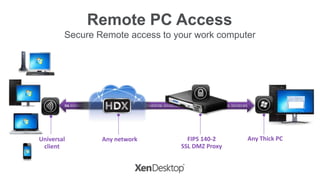
Remote PC Access
Secure Remote access to your work computer
SSL 011010 SSL 1011011010 SSL 1011011010 SSL 1011011010 SSL 1011011010 SSL 101101 SSL 1011011010 SSL 101101101
Any networkUniversal
client
Any Thick PCFIPS 140-2
SSL DMZ Proxy
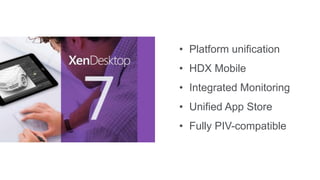
• Platform unification
• HDX Mobile
• Integrated Monitoring
• Unified App Store
• Fully PIV-compatible
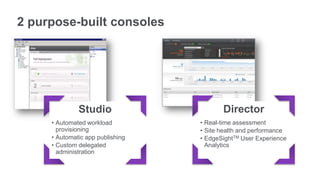
2 purpose-built consoles
Studio
• Automated workload
provisioning
• Automatic app publishing
• Custom delegated
administration
Director
• Real-time assessment
• Site health and performance
• EdgeSightTM User Experience
Analytics
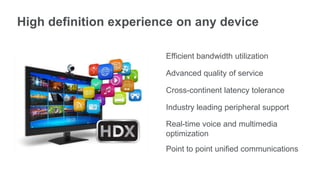
High definition experience on any device
Efficient bandwidth utilization
Advanced quality of service
Cross-continent latency tolerance
Industry leading peripheral support
Real-time voice and multimedia
optimization
Point to point unified communications
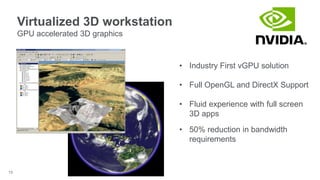
Virtualized 3D workstation
GPU accelerated 3D graphics
15
• Industry First vGPU solution
• Full OpenGL and DirectX Support
• Fluid experience with full screen
3D apps
• 50% reduction in bandwidth
requirements
Demo
XenDesktop 7
Delivering Windows apps & desktops
as a cloud service
Citrix
Project Avalon
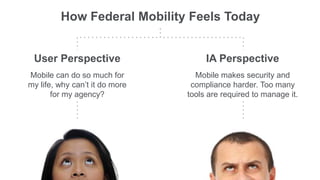
How Federal Mobility Feels Today
IA Perspective
Mobile makes security and
compliance harder. Too many
tools are required to manage it.
User Perspective
Mobile can do so much for
my life, why can’t it do more
for my agency?
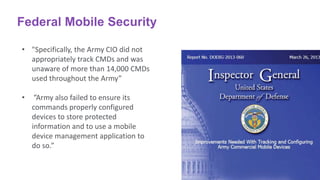
Federal Mobile Security
• "Specifically, the Army CIO did not
appropriately track CMDs and was
unaware of more than 14,000 CMDs
used throughout the Army”
• ”Army also failed to ensure its
commands properly configured
devices to store protected
information and to use a mobile
device management application to
do so.”
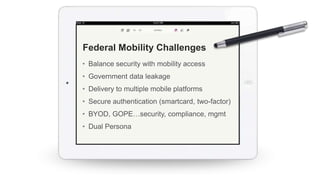
• Balance security with mobility access
• Government data leakage
• Delivery to multiple mobile platforms
• Secure authentication (smartcard, two-factor)
• BYOD, GOPE…security, compliance, mgmt
• Dual Persona
Federal Mobility Challenges
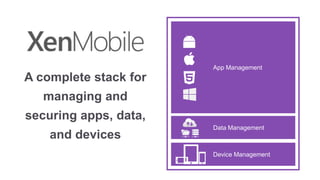
A complete stack for
managing and
securing apps, data,
and devices
App Management
Device Management
Data Management
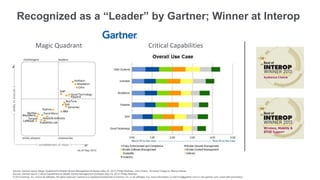
Recognized as a “Leader” by Gartner; Winner at Interop
Magic Quadrant Critical Capabilities
Source: Gartner report, Magic Quadrant for Mobile Device Management Software, May 23, 2013, Phillip Redman, John Girard, Terrence Cosgrove, Monica Basso
Source: Gartner report, Critical Capabilities for Mobile Device Management Software, May 23, 2013, Phillip Redman
© 2013 Gartner, Inc. and/or its affiliates. All rights reserved. Gartner is a registered trademark of Gartner, Inc. or its affiliates. For more information, e-mail info@gartner.com or visit gartner.com. Used with permission.
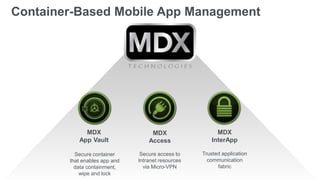
MDX
App Vault
Secure container
that enables app and
data containment,
wipe and lock
MDX
Access
Secure access to
Intranet resources
via Micro-VPN
MDX
InterApp
Trusted application
communication
fabric
Container-Based Mobile App Management
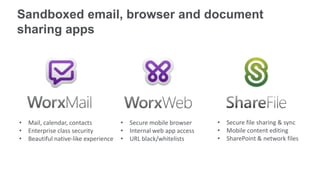
• Secure mobile browser
• Internal web app access
• URL black/whitelists
• Mail, calendar, contacts
• Enterprise class security
• Beautiful native-like experience
• Secure file sharing & sync
• Mobile content editing
• SharePoint & network files
Sandboxed email, browser and document
sharing apps
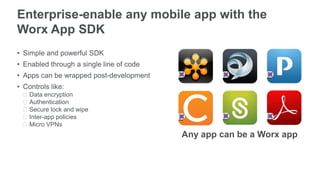
Enterprise-enable any mobile app with the
Worx App SDK
• Simple and powerful SDK
• Enabled through a single line of code
• Apps can be wrapped post-development
• Controls like:
ᵒData encryption
ᵒAuthentication
ᵒSecure lock and wipe
ᵒInter-app policies
ᵒMicro VPNs
Any app can be a Worx app
Demo
XenMobile
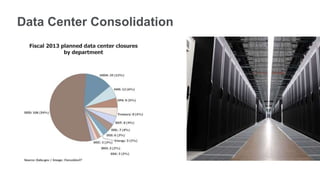
Data Center Consolidation
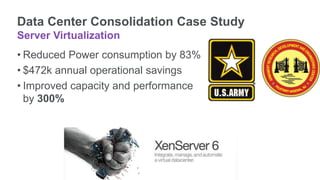
Data Center Consolidation Case Study
Server Virtualization
• Reduced Power consumption by 83%
• $472k annual operational savings
• Improved capacity and performance
by 300%
Building an “Open” Data Center
Server Virtualization and Cloud
Network Appliance Consolidation
SDX
SDN Platform
1010SL1010101SSL01
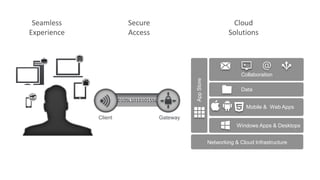
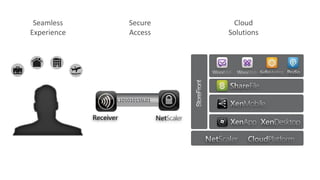
Seamless
Experience
Cloud
Solutions
Secure
Access
Client Gateway
Data
Mobile & Web Apps
Collaboration
Windows Apps & Desktops
AppStore
Networking & Cloud Infrastructure
1010SL1010101SSL01
Seamless
Experience
Cloud
Solutions
Secure
Access
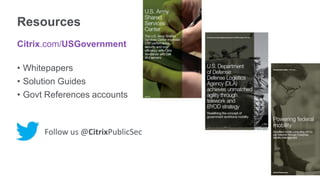
Resources
Citrix.com/USGovernment
• Whitepapers
• Solution Guides
• Govt References accounts
Follow us @CitrixPublicSec
Work better. Live better.

Future of Fed Mobility | Citrix Technical Exchange hosted by AMARC | Faisal Iqbal

  • 1.
    Director – SystemsEngineering, US Public Sector Faisal.Iqbal@citrix.com @virtfaisal Future of Fed Mobility Enabling productivity through Mobility, Telework, BYOD and DCC Faisal Iqbal
  • 2.
    State of FederalMobility BYO 55% Employees Basic Security 1/3 Employees Unsecured Data 42% Employees Productivity 28B Source: MWE Digital Dilemma 2013 Report
  • 3.
    Driving towards FederalMobility DOD Mobility Strategy and Implementation Plan “Establish a mobile device management service” “Promote the Development and use of DOD Mobile and Web-enabled Applications” “Provide an enterprise mobile application environment” DGS Milestone 9.1 Develop government-wide mobile and wireless security baseline (includes security reference architectures.) DHS/DoD/NIST
  • 4.
    OPM 2012 TeleworkStatus Report http://www.telework.gov • All 87 agencies participating in the Data Call had established telework policies • Approximately 32 percent of all federal employees deemed eligible • 27 percent of teleworkers worked remotely three or more days per week “Not all managers are comfortable directing employees who telework”
  • 5.
    Fed CIO Council’sBYOD Toolkit http://www.whitehouse.gov/digitalgov/bring-your-own-device “…guidance based on lessons learned from successful BYOD programs launched at forward-leaning agencies. ”
  • 6.
  • 7.
    App + DesktopVirtualization Delivering hosted Windows Apps and Desktops SSL 011010 SSL 1011011010 SSL 1011011010 SSL 1011011010 SSL 1011011010 SSL 101101 SSL SSL 1011011010 SSL APPS DATA USER PROFILE OS Any networkUniversal client Any Datacenter or Cloud FIPS 140-2 SSL DMZ Proxy
  • 8.
    People-centric and usecase driven Mobilizing Windows Apps GIS and 3D workloads BYO laptop and device Remote Access Thin/Zero Client Computing
  • 9.
    Telework Case Study Virtualization •“Home Use” Program • 28,000 users worldwide • Mission Productivity and COOP
  • 10.
    BYOD Case Study Virtualization •~80% telecommuting • $2 million – typical GFE HW costs • $1.2 million in savings
  • 11.
    Remote PC Access SecureRemote access to your work computer SSL 011010 SSL 1011011010 SSL 1011011010 SSL 1011011010 SSL 1011011010 SSL 101101 SSL 1011011010 SSL 101101101 Any networkUniversal client Any Thick PCFIPS 140-2 SSL DMZ Proxy
  • 12.
    • Platform unification •HDX Mobile • Integrated Monitoring • Unified App Store • Fully PIV-compatible
  • 13.
    2 purpose-built consoles Studio •Automated workload provisioning • Automatic app publishing • Custom delegated administration Director • Real-time assessment • Site health and performance • EdgeSightTM User Experience Analytics
  • 14.
    High definition experienceon any device Efficient bandwidth utilization Advanced quality of service Cross-continent latency tolerance Industry leading peripheral support Real-time voice and multimedia optimization Point to point unified communications
  • 15.
    Virtualized 3D workstation GPUaccelerated 3D graphics 15 • Industry First vGPU solution • Full OpenGL and DirectX Support • Fluid experience with full screen 3D apps • 50% reduction in bandwidth requirements
  • 16.
  • 17.
    Delivering Windows apps& desktops as a cloud service Citrix Project Avalon
  • 18.
    How Federal MobilityFeels Today IA Perspective Mobile makes security and compliance harder. Too many tools are required to manage it. User Perspective Mobile can do so much for my life, why can’t it do more for my agency?
  • 19.
    Federal Mobile Security •"Specifically, the Army CIO did not appropriately track CMDs and was unaware of more than 14,000 CMDs used throughout the Army” • ”Army also failed to ensure its commands properly configured devices to store protected information and to use a mobile device management application to do so.”
  • 20.
    • Balance securitywith mobility access • Government data leakage • Delivery to multiple mobile platforms • Secure authentication (smartcard, two-factor) • BYOD, GOPE…security, compliance, mgmt • Dual Persona Federal Mobility Challenges
  • 21.
    A complete stackfor managing and securing apps, data, and devices App Management Device Management Data Management
  • 22.
    Recognized as a“Leader” by Gartner; Winner at Interop Magic Quadrant Critical Capabilities Source: Gartner report, Magic Quadrant for Mobile Device Management Software, May 23, 2013, Phillip Redman, John Girard, Terrence Cosgrove, Monica Basso Source: Gartner report, Critical Capabilities for Mobile Device Management Software, May 23, 2013, Phillip Redman © 2013 Gartner, Inc. and/or its affiliates. All rights reserved. Gartner is a registered trademark of Gartner, Inc. or its affiliates. For more information, e-mail info@gartner.com or visit gartner.com. Used with permission.
  • 23.
    MDX App Vault Secure container thatenables app and data containment, wipe and lock MDX Access Secure access to Intranet resources via Micro-VPN MDX InterApp Trusted application communication fabric Container-Based Mobile App Management
  • 24.
    • Secure mobilebrowser • Internal web app access • URL black/whitelists • Mail, calendar, contacts • Enterprise class security • Beautiful native-like experience • Secure file sharing & sync • Mobile content editing • SharePoint & network files Sandboxed email, browser and document sharing apps
  • 25.
    Enterprise-enable any mobileapp with the Worx App SDK • Simple and powerful SDK • Enabled through a single line of code • Apps can be wrapped post-development • Controls like: ᵒData encryption ᵒAuthentication ᵒSecure lock and wipe ᵒInter-app policies ᵒMicro VPNs Any app can be a Worx app
  • 26.
  • 27.
  • 28.
    Data Center ConsolidationCase Study Server Virtualization • Reduced Power consumption by 83% • $472k annual operational savings • Improved capacity and performance by 300%
  • 29.
    Building an “Open”Data Center Server Virtualization and Cloud
  • 30.
  • 31.
    1010SL1010101SSL01 Seamless Experience Cloud Solutions Secure Access Client Gateway Data Mobile &Web Apps Collaboration Windows Apps & Desktops AppStore Networking & Cloud Infrastructure
  • 32.
  • 33.
    Resources Citrix.com/USGovernment • Whitepapers • SolutionGuides • Govt References accounts Follow us @CitrixPublicSec
  • 34.

Editor's Notes

  • #11 “The primary TTB BYOD lesson learned is to avoid allowing data to touch the personal device. Having all data, settings and processing in a central location and using the BYOD device simply as a viewer significantly simplifies the legal and policy implications”