Alternative
Grading
System
Pass-Fail Systems
 Other colleges and universities, faculties, schools
and institutions use pass-fail grading systems in the
Philippines, especially when the student’s work to be
evaluated is highly subjective (as in the fine arts and
music), there are no generally accepted standard
gradations (as with independent studies), or the
critical requirement is meeting a single satisfactory
standard (as in some professional examinations and
practicum).
Non-Graded Evaluations
 While not yet practiced in Philippine schools, and
institutions, non-graded evaluations do not assign
numeric or letter grades as a matter of policy.
This practice is usually based on a belief that grades
introduce an inappropriate and distracting element of
competition into the learning process, or that they are
not as meaningful as a measures of intellectual
growth and development as are carefully crafted
faculty evaluations.
Many faculty, schools, and institutions that follow a non-grade
policy will, if requested, produce grades or convert their
student evaluations into formulate acceptable to authorities
who require traditional measures of performance.
The process of deciding on a grading system is a very
complex one. The problems faced by teacher who tries to
design a system which will be accurate and fair are common to
any manager attempting to evaluate those for whom he or she
is responsible. The problems of teachers and students with
regard to grading are almost identical to those of administrators
and faculty with regard to evaluation for promotion and tensure,
The need for completeness and objectivity felt by teachers and
administrators must be balanced against the need for fairness
and clarity felt by students and faculty in their respective
situations. The fact that the faculty member finds himself or
herself in both the position of evaluator and evaluated should
help to make him or her more thoughtful about the needs of
each position.
Online Distance Education and
Communities of Learners
As new technologies become less expensive and various forms of multimedia
are increasingly accessible, online learning environments are becoming widely
used for teaching and learning purposes. In particular, online education, as
experienced through computer mediated communication (CMC), is being
heralded as meeting the needs of course participants’ lifestyles by allowing
them to juggle personal commitments, to manage time conflicts, and to access
course materials from a variety of locations. With the aid of many online
platforms for learning, learners from different communities especially in the
far-flung areas can be able to learn online while they are at home.
The Different
Platforms
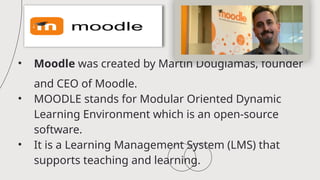
• Moodle was created by Martin Dougiamas, founder
and CEO of Moodle.
• MOODLE stands for Modular Oriented Dynamic
Learning Environment which is an open-source
software.
• It is a Learning Management System (LMS) that
supports teaching and learning.
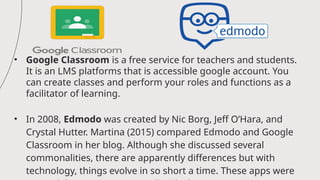
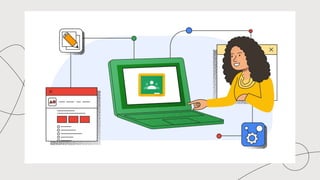
• Google Classroom is a free service for teachers and students.
It is an LMS platforms that is accessible google account. You
can create classes and perform your roles and functions as a
facilitator of learning.
• In 2008, Edmodo was created by Nic Borg, Jeff O’Hara, and
Crystal Hutter. Martina (2015) compared Edmodo and Google
Classroom in her blog. Although she discussed several
commonalities, there are apparently differences but with
technology, things evolve in so short a time. These apps were
Schoology is another LMS founded in 2009 by
Jeremy Friedman, Ryan Hwang, Tim Trinidad and
Bill Kindler. You can actually create your online
distance education learning system using any of
these platforms.
• MOOC stands for Massive Open Online Course.
• It is a model for delivering learning content online
to any person who wants to take a course.
• It allows one to pursue learning even outside of
university or higher educational formal structure.
• It allows interconnectedness among peoples in
the world to discuss and share recent
developments in their common field of interests,
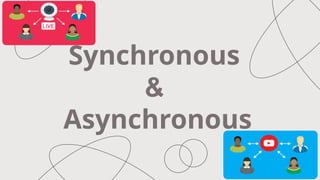
Synchronous
&
Asynchronous
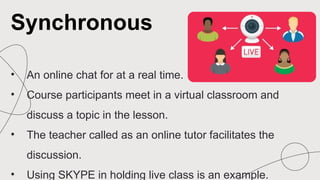
• An online chat for at a real time.
• Course participants meet in a virtual classroom and
discuss a topic in the lesson.
• The teacher called as an online tutor facilitates the
discussion.
• Using SKYPE in holding live class is an example.
Synchronous
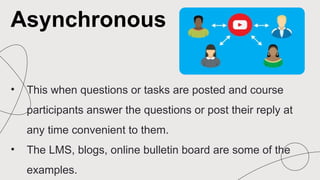
• This when questions or tasks are posted and course
participants answer the questions or post their reply at
any time convenient to them.
• The LMS, blogs, online bulletin board are some of the
examples.
Asynchronous
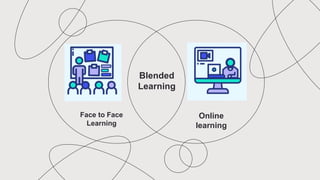
Face to Face
Learning
Online
learning
Blended
Learning
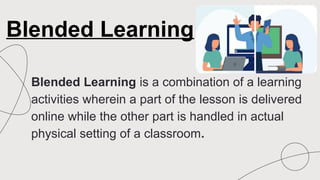
Blended Learning is a combination of a learning
activities wherein a part of the lesson is delivered
online while the other part is handled in actual
physical setting of a classroom.
Blended Learning
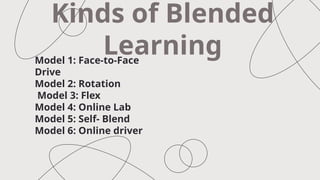
Model 1: Face-to-Face
Drive
Model 2: Rotation
Model 3: Flex
Model 4: Online Lab
Model 5: Self- Blend
Model 6: Online driver
Kinds of Blended
Learning
Model 1: Face-to-Face
Drive
In the Face-to-Face model, the
teacher delivers the curricula most of
the time and utilizes online learning at
certain times with the purpose to
augment or provide an alternate
experience.
Model 2: Rotation
In a particular course or subject, students
rotate on a fixed schedule between
learning online in a one-to-one, self-
paced learning environment and being
inside the classroom with a face-to-face
teacher.
Model 3: Flex
This model uses an online platform that
delivers most of the course-support to
learning is provided as needed through
on-site support or by an online tutor who
facilitates the tutorial or small group
sessions.
Model 4: Online Lab
 The online lab model was an online platform in
delivering the course but located in a physical
classroom or computer laboratory. Since the
lessons are in the modular format and available
in the online program, teacher assistants
supervise these classes. However, they may not
provide the needed expertise if learner seek
assistance.
Model 5:Self-Blend
 The self-Blend model sis a system provided by
the school where the students can choose the
courses they would like to have in addition to
their typical brick-and-mortar classroom
classes.
Model 6: Online Driver
The online-Driver model utilizes a platform
and a teacher that delivers all curricula.
Online Communities of Learning/ Social
Networking
• Online Communities of Learning and Social Networking are all
about connecting with others and learning together online.
• Is that they are virtual spaces where individuals with shared
interests, goals, or a common learning objective come
together to engage in collaborative learning.
• Social Networking is like being part of a big online community
where you can connect with friends, meet new people and
share things that you like
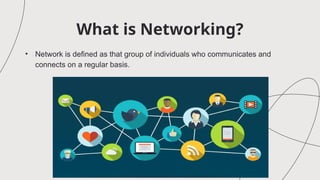
What is Networking?
• Network is defined as that group of individuals who communicates and
connects on a regular basis.
Social Networking
Platforms:
Social Networking Platforms:
• Networking platforms are online platforms or website that allow
individuals to connect and interact with others, share information,
and engage in various forms of communication.
• Different ways to communicate friends can be through the internet
or mobile devices.
• The biggest social networking site founded in
2004 based in Menlo park, California.
• The most popular social network apparently is
Facebook.
• Used by most people, it allows users to post
their profile, blogs, pictures and videos
• It does not provide social networking service but
it also gives online news.
• Twitter is the site where users post and interact
with message called “tweets”, restricted only to
140 characters.
• Founded in2006, based in San Francisco,
• Another social networking website for work.
• LinkedIn helps one search for career connections.
• It lets one upload his educational qualifications, skills, work,
and relevant experiences.
• Launched in 2003, popular social site in the professional
world.
• It is designed to be a total communication social network.
• Launched in 2011, Google is its parent and it is more
advantageous if it is kept as a browser for users are
connected even if they are outside Google+ site.
• Users can make friends and remained up to date with old
friends without leaving their Gmail account.
• It is an American video-sharing website where users can
upload, view, and even share videoclips or multimedia
productions.
• It was based in San Bruno, California, the service was
created in February 2005
• It is like Youtube.
• Pinterest was designed as a catalogue of ideas or project
ideas by its founder Ben Silberman.
• This is an excellent choice for those who have a passion
for creativity. Users must have an account to use
Pinterest
• A platform where users share visual stories.
• This system allows users to post photos with captions
allowing followers to like or comment on one’s posts.
• It is the best social networking site for photography
• It is a networking site that combines social media and
blogging.
• This is a social media that makes it very easy and
straight forward to search just about anything.
• It was acquired by Specific Media in 2011 and based in Beverly Hills
California.
• MySpace had its dose old crisis but came back stronger and rebranded
to focus on music.
• Personal users can use MySpace to keep up with their favorite artists,
have an update on the music industry, see what their friends are
listening to, and connect with people who have similar music
preferences. It is a fitting social networking website for music.
Insert MYSPACE Video
• It is an image and video hosting website that was created
by Ludicorp in 2004 and acquired by Yahoo.
• It offers massive online photo storage.
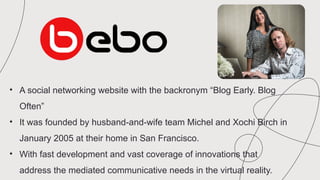
• A social networking website with the backronym “Blog Early. Blog
Often”
• It was founded by husband-and-wife team Michel and Xochi Birch in
January 2005 at their home in San Francisco.
• With fast development and vast coverage of innovations that
address the mediated communicative needs in the virtual reality.
The Benefits of
Using Networking
Sites
Social Networking Websites is that they
provide information news and views of others around
the world can be easily accessed instantly at one’s
fingertips. It easily allows to transmit information or
update contacts on what one thinks or how now feels.
It is an easy access to keeping in touch with friends,
or keeping talks with family. It also provide
opportunities for making friends with others who share
similar interests and passion
Key Advantage of Using
Networking Sites:
1. Connectivity and Communication:
Social Networking sites enable people to connect and communicate with
friends, family, colleagues and individuals from around the world.
2. Networking and Professional Opportunities:
Social Networking sites offer opportunities for networking and
professional growth platforms like LinkedIn allow users to build
professional connections, showcase their skills, experience, and discover
job opportunities.
3. Information Sharing and Awareness:
Social Networking sites serves as platforms for sharing information,
news, and ideas.
4. Community Building and Support:
Social Networking sites provided spaces for like minded individuals to come together
and form communities based on shared interest, hobbies, or courses.
5. Creativity and Self-expression:
Social Networking sites allow users to express themselves creatively through
post, photos, videos, and other forms of content users can showcase their talents, their
artworks, or even start creative projects.
6. Cultural Exchange and Diversity:
Social Networking sites breakdown geographical barriers and facilitate cultural
exchange.
7. Business Promotion and Marketing:
Social Networking sites offer business a platform to promote their product or
services, engage with customers, and build brand awareness.
The Dangers of Using Social
Networking Sites
 One major risk is making friends with strangers who may actually be a
predator or a cyberbully. No one initially recognizes the true nature of an
acquaintance or one who seemingly poses as a friend. Sometimes, a
youngster gets bullied by others who may not even be connected as friends in
a social networking websites. These are also trolls who actually instigate
conflict, misunderstanding or emotional response by eliciting anger or ill
feelings from other users through social media. They post messages that are
inflammatory or controversial.
Safeguarding Oneself when Engaging
in Social Networking Sites
 Networking can be confined and monitored within the school system. Students can use
social networking platforms designed for educational purposes that will allow students to
post, share and discuss insights gained from an activity, some of these are Super clubs
Mess, learner journey, Scuttle Pad.
1.) A social networking account has passwords and log-in details.
2.) Log out every time you use public computers.
3.) Regularly check privacy settings of social networking websites so that only direct friends or
those particularly known can see the posts.
4.) Online posts are saved and may become permanent part of their online reputation. As you
can use the internet, you leave a digital footprint which can be traced back to you.
5.) Do not accept invites from contacts unless you known them personally or you are sure of
their identity.
6.) Seriously consider the effect of positive posts on other before deciding to close. Ig posts (i.e. text,
pictures, video) could be considered offensive or humiliating another person, then you refrain from
posting or uploading it.
7.) Using appropriate language as essential. The tone when communicating or sending social
networking messages should be respectful.
8.) Better be safe than sorry. You should accept friends and connections when you are sure of the
persons identity personally meeting someone you only met online is discourages. Even if the sincerity
of having a personal meeting looks convincing, it would be better if you will be accompanied.
9.) When there is an indication of harassment or abuse, it is advised that you report this by clicking the
report button of abuse. It is better still to talk to friends or trusted adults about the case.
10.) Bullying takes place even in social networking websites. Cyberbullying uses the site’s messages,
updates, and other functions to harass, intimidate, humiliate, taunt, or pick on the individual. When this
happens, you can do the following actions;
a.) Ignore the behavior by not responding at all
b.) Block the person
c.) Click the report button of abuse. Or
d.) Talk to a trustworthy adult about it.
Online Resources,
Educational Sites and
Portals
Lesson 2:
Lesson
Outcomes:
Identified educational sites and portals
suitable to the subject area.
Select an appropriate resource portal or
educational site in relation to the identified
subject area.
Educational Sites and Portals
A lot of information are found in the et. These can be
explored and studied to determine their relevance to
the lesson. There are concerned parties that host
educational services through websites and portals like
a door, the portals open to a virtual room where
activities, tools, applications, articles provide ideas and
suggest ways on the use of technology tools.
Educational Technology and Mobile
Learning
The administrator of this allows users to download, print
and share the material just as long as proper citation is
done and that the materials are shared free of charge. If
you are interested implementing Free Educational
Technology in the classroom, the administrator highly
encourages you to share this blog site.
What is the right mindset of a
teacher in using the digital tools?
As you prepare to become a teacher by learning how
to utilize these digital tools, you need to have the right
mindset or a way of thinking how these tools can be
effectively integrated in the lesson. A lot of teachers
may find it daunting to use a technology tool in a
lesson.
CREDITS: This presentation template was created by Slidesgo and
includes icons by Flaticon, infographics & images by Freepik and
content by Sandra Medina
Thanks!
Please, keep this slide as attribution
Here’s an assortment of alternative resources whose style fits the one of this
creative template:
Vectors:
Alternative resources
Did you like the resources on this template? Get them for free at our other sister
websites:
Vectors:
● Minimalist beauty template design
Resources
Instructions for use
If you have a free account, in order to use this template, you must credit Slidesgo by keeping the Thanks slide. Please
refer to the next slide to read the instructions for premium users.
As a Free user, you are allowed to:
● Modify this template.
● Use it for both personal and commercial projects.
You are not allowed to:
● Sublicense, sell or rent any of Slidesgo Content (or a modified version of Slidesgo Content).
● Distribute Slidesgo Content unless it has been expressly authorized by Slidesgo.
● Include Slidesgo Content in an online or offline database or file.
● Offer Slidesgo templates (or modified versions of Slidesgo templates) for download.
● Acquire the copyright of Slidesgo Content.
For more information about editing slides, please read our FAQs or visit our blog:
https://slidesgo.com/faqs and https://slidesgo.com/slidesgo-school
As a Premium user, you can use this template without attributing Slidesgo or keeping the "Thanks" slide.
You are allowed to:
● Modify this template.
● Use it for both personal and commercial purposes.
● Hide or delete the “Thanks” slide and the mention to Slidesgo in the credits.
● Share this template in an editable format with people who are not part of your team.
You are not allowed to:
● Sublicense, sell or rent this Slidesgo Template (or a modified version of this Slidesgo Template).
● Distribute this Slidesgo Template (or a modified version of this Slidesgo Template) or include it in a database or in
any other product or service that offers downloadable images, icons or presentations that may be subject to
distribution or resale.
● Use any of the elements that are part of this Slidesgo Template in an isolated and separated way from this
Template.
● Register any of the elements that are part of this template as a trademark or logo, or register it as a work in an
intellectual property registry or similar.
For more information about editing slides, please read our FAQs or visit our blog:
https://slidesgo.com/faqs and https://slidesgo.com/slidesgo-school
Instructions for use (premium users)
This presentation has been made using the following fonts:
Bodoni Moda
(https://fonts.google.com/specimen/Bodoni+Moda)
Epilogue
(https://fonts.google.com/specimen/Epilogue)
#2b2b30 #ebe8e8
#797070
Fonts & colors used
Create your Story with our illustrated concepts. Choose the style you like the most, edit its
colors, pick the background and layers you want to show and bring them to life with the
animator panel! It will boost your presentation. Check out how it works.
Storyset
Pana Amico Bro Rafiki Cuate
You can easily resize these resources without losing quality. To change the color, just ungroup the resource and click on
the object you want to change. Then, click on the paint bucket and select the color you want. Group the resource again
when you’re done. You can also look for more infographics on Slidesgo.
Use our editable graphic resources...
JANUARY FEBRUARY MARCH APRIL
PHASE 1
Task 1
Task 2
JANUARY FEBRUARY MARCH APRIL MAY JUNE
PHASE 1
PHASE 2
Task 1
Task 2
Task 1
Task 2
You can resize these icons without losing quality.
You can change the stroke and fill color; just select the icon and click on the paint bucket/pen.
In Google Slides, you can also use Flaticon’s extension, allowing you to customize and add even more icons.
...and our sets of editable icons
Educational Icons Medical Icons
Business Icons Teamwork Icons
Help & Support Icons Avatar Icons
Creative Process Icons Performing Arts Icons
Nature Icons
SEO & Marketing Icons
Add the title here
Text 1 Text 2 Text 3
Text 4 Text 5 Text 6
2016 2017 2018 2019 2020
“Despite being red,
Mars is actually a
very cold place”
“Mercury is the
smallest planet in
the Solar System”
“Neptune is the
farthest planet from
the Sun”
“Saturn is a gas
giant and has
several rings”
“Venus is the
second planet from
the Sun and is
terribly hot”
Premium infographics
“Despite being red,
Mars is actually a
very cold place”
“Jupiter is the
biggest planet in the
entire Solar System”
“Saturn is a gas
giant and has
several rings”
75%
Premium infographics
“Mercury is the
smallest planet in the
Solar System”
TITLE 1
75%
Digital Marketing
Premium Icons
Online Learning
Premium Icons
Laboratory
Premium Icons
Goals & Results
Premium Icons
Infographic Elements
Premium Icons
Alternative Grading System and Different Platforms

Alternative Grading System and Different Platforms

  • 1.
  • 2.
    Pass-Fail Systems  Othercolleges and universities, faculties, schools and institutions use pass-fail grading systems in the Philippines, especially when the student’s work to be evaluated is highly subjective (as in the fine arts and music), there are no generally accepted standard gradations (as with independent studies), or the critical requirement is meeting a single satisfactory standard (as in some professional examinations and practicum).
  • 3.
    Non-Graded Evaluations  Whilenot yet practiced in Philippine schools, and institutions, non-graded evaluations do not assign numeric or letter grades as a matter of policy. This practice is usually based on a belief that grades introduce an inappropriate and distracting element of competition into the learning process, or that they are not as meaningful as a measures of intellectual growth and development as are carefully crafted faculty evaluations.
  • 4.
    Many faculty, schools,and institutions that follow a non-grade policy will, if requested, produce grades or convert their student evaluations into formulate acceptable to authorities who require traditional measures of performance. The process of deciding on a grading system is a very complex one. The problems faced by teacher who tries to design a system which will be accurate and fair are common to any manager attempting to evaluate those for whom he or she is responsible. The problems of teachers and students with regard to grading are almost identical to those of administrators and faculty with regard to evaluation for promotion and tensure,
  • 5.
    The need forcompleteness and objectivity felt by teachers and administrators must be balanced against the need for fairness and clarity felt by students and faculty in their respective situations. The fact that the faculty member finds himself or herself in both the position of evaluator and evaluated should help to make him or her more thoughtful about the needs of each position.
  • 6.
    Online Distance Educationand Communities of Learners As new technologies become less expensive and various forms of multimedia are increasingly accessible, online learning environments are becoming widely used for teaching and learning purposes. In particular, online education, as experienced through computer mediated communication (CMC), is being heralded as meeting the needs of course participants’ lifestyles by allowing them to juggle personal commitments, to manage time conflicts, and to access course materials from a variety of locations. With the aid of many online platforms for learning, learners from different communities especially in the far-flung areas can be able to learn online while they are at home.
  • 7.
  • 8.
    • Moodle wascreated by Martin Dougiamas, founder and CEO of Moodle. • MOODLE stands for Modular Oriented Dynamic Learning Environment which is an open-source software. • It is a Learning Management System (LMS) that supports teaching and learning.
  • 10.
    • Google Classroomis a free service for teachers and students. It is an LMS platforms that is accessible google account. You can create classes and perform your roles and functions as a facilitator of learning. • In 2008, Edmodo was created by Nic Borg, Jeff O’Hara, and Crystal Hutter. Martina (2015) compared Edmodo and Google Classroom in her blog. Although she discussed several commonalities, there are apparently differences but with technology, things evolve in so short a time. These apps were
  • 14.
    Schoology is anotherLMS founded in 2009 by Jeremy Friedman, Ryan Hwang, Tim Trinidad and Bill Kindler. You can actually create your online distance education learning system using any of these platforms.
  • 18.
    • MOOC standsfor Massive Open Online Course. • It is a model for delivering learning content online to any person who wants to take a course. • It allows one to pursue learning even outside of university or higher educational formal structure. • It allows interconnectedness among peoples in the world to discuss and share recent developments in their common field of interests,
  • 19.
  • 20.
    • An onlinechat for at a real time. • Course participants meet in a virtual classroom and discuss a topic in the lesson. • The teacher called as an online tutor facilitates the discussion. • Using SKYPE in holding live class is an example. Synchronous
  • 21.
    • This whenquestions or tasks are posted and course participants answer the questions or post their reply at any time convenient to them. • The LMS, blogs, online bulletin board are some of the examples. Asynchronous
  • 22.
  • 23.
    Blended Learning isa combination of a learning activities wherein a part of the lesson is delivered online while the other part is handled in actual physical setting of a classroom. Blended Learning
  • 24.
    Model 1: Face-to-Face Drive Model2: Rotation Model 3: Flex Model 4: Online Lab Model 5: Self- Blend Model 6: Online driver Kinds of Blended Learning
  • 25.
    Model 1: Face-to-Face Drive Inthe Face-to-Face model, the teacher delivers the curricula most of the time and utilizes online learning at certain times with the purpose to augment or provide an alternate experience.
  • 26.
    Model 2: Rotation Ina particular course or subject, students rotate on a fixed schedule between learning online in a one-to-one, self- paced learning environment and being inside the classroom with a face-to-face teacher.
  • 27.
    Model 3: Flex Thismodel uses an online platform that delivers most of the course-support to learning is provided as needed through on-site support or by an online tutor who facilitates the tutorial or small group sessions.
  • 28.
    Model 4: OnlineLab  The online lab model was an online platform in delivering the course but located in a physical classroom or computer laboratory. Since the lessons are in the modular format and available in the online program, teacher assistants supervise these classes. However, they may not provide the needed expertise if learner seek assistance.
  • 29.
    Model 5:Self-Blend  Theself-Blend model sis a system provided by the school where the students can choose the courses they would like to have in addition to their typical brick-and-mortar classroom classes.
  • 30.
    Model 6: OnlineDriver The online-Driver model utilizes a platform and a teacher that delivers all curricula.
  • 31.
    Online Communities ofLearning/ Social Networking • Online Communities of Learning and Social Networking are all about connecting with others and learning together online. • Is that they are virtual spaces where individuals with shared interests, goals, or a common learning objective come together to engage in collaborative learning. • Social Networking is like being part of a big online community where you can connect with friends, meet new people and share things that you like
  • 32.
    What is Networking? •Network is defined as that group of individuals who communicates and connects on a regular basis.
  • 33.
  • 34.
    Social Networking Platforms: •Networking platforms are online platforms or website that allow individuals to connect and interact with others, share information, and engage in various forms of communication. • Different ways to communicate friends can be through the internet or mobile devices.
  • 35.
    • The biggestsocial networking site founded in 2004 based in Menlo park, California. • The most popular social network apparently is Facebook. • Used by most people, it allows users to post their profile, blogs, pictures and videos
  • 36.
    • It doesnot provide social networking service but it also gives online news. • Twitter is the site where users post and interact with message called “tweets”, restricted only to 140 characters. • Founded in2006, based in San Francisco,
  • 37.
    • Another socialnetworking website for work. • LinkedIn helps one search for career connections. • It lets one upload his educational qualifications, skills, work, and relevant experiences. • Launched in 2003, popular social site in the professional world.
  • 38.
    • It isdesigned to be a total communication social network. • Launched in 2011, Google is its parent and it is more advantageous if it is kept as a browser for users are connected even if they are outside Google+ site. • Users can make friends and remained up to date with old friends without leaving their Gmail account.
  • 39.
    • It isan American video-sharing website where users can upload, view, and even share videoclips or multimedia productions. • It was based in San Bruno, California, the service was created in February 2005
  • 40.
    • It islike Youtube. • Pinterest was designed as a catalogue of ideas or project ideas by its founder Ben Silberman. • This is an excellent choice for those who have a passion for creativity. Users must have an account to use Pinterest
  • 41.
    • A platformwhere users share visual stories. • This system allows users to post photos with captions allowing followers to like or comment on one’s posts. • It is the best social networking site for photography
  • 42.
    • It isa networking site that combines social media and blogging. • This is a social media that makes it very easy and straight forward to search just about anything.
  • 43.
    • It wasacquired by Specific Media in 2011 and based in Beverly Hills California. • MySpace had its dose old crisis but came back stronger and rebranded to focus on music. • Personal users can use MySpace to keep up with their favorite artists, have an update on the music industry, see what their friends are listening to, and connect with people who have similar music preferences. It is a fitting social networking website for music.

  • 44.
  • 45.
    • It isan image and video hosting website that was created by Ludicorp in 2004 and acquired by Yahoo. • It offers massive online photo storage.
  • 46.
    • A socialnetworking website with the backronym “Blog Early. Blog Often” • It was founded by husband-and-wife team Michel and Xochi Birch in January 2005 at their home in San Francisco. • With fast development and vast coverage of innovations that address the mediated communicative needs in the virtual reality.
  • 47.
    The Benefits of UsingNetworking Sites
  • 48.
    Social Networking Websitesis that they provide information news and views of others around the world can be easily accessed instantly at one’s fingertips. It easily allows to transmit information or update contacts on what one thinks or how now feels. It is an easy access to keeping in touch with friends, or keeping talks with family. It also provide opportunities for making friends with others who share similar interests and passion
  • 49.
    Key Advantage ofUsing Networking Sites: 1. Connectivity and Communication: Social Networking sites enable people to connect and communicate with friends, family, colleagues and individuals from around the world. 2. Networking and Professional Opportunities: Social Networking sites offer opportunities for networking and professional growth platforms like LinkedIn allow users to build professional connections, showcase their skills, experience, and discover job opportunities. 3. Information Sharing and Awareness: Social Networking sites serves as platforms for sharing information, news, and ideas.
  • 50.
    4. Community Buildingand Support: Social Networking sites provided spaces for like minded individuals to come together and form communities based on shared interest, hobbies, or courses. 5. Creativity and Self-expression: Social Networking sites allow users to express themselves creatively through post, photos, videos, and other forms of content users can showcase their talents, their artworks, or even start creative projects. 6. Cultural Exchange and Diversity: Social Networking sites breakdown geographical barriers and facilitate cultural exchange. 7. Business Promotion and Marketing: Social Networking sites offer business a platform to promote their product or services, engage with customers, and build brand awareness.
  • 51.
    The Dangers ofUsing Social Networking Sites  One major risk is making friends with strangers who may actually be a predator or a cyberbully. No one initially recognizes the true nature of an acquaintance or one who seemingly poses as a friend. Sometimes, a youngster gets bullied by others who may not even be connected as friends in a social networking websites. These are also trolls who actually instigate conflict, misunderstanding or emotional response by eliciting anger or ill feelings from other users through social media. They post messages that are inflammatory or controversial.
  • 52.
    Safeguarding Oneself whenEngaging in Social Networking Sites  Networking can be confined and monitored within the school system. Students can use social networking platforms designed for educational purposes that will allow students to post, share and discuss insights gained from an activity, some of these are Super clubs Mess, learner journey, Scuttle Pad. 1.) A social networking account has passwords and log-in details. 2.) Log out every time you use public computers. 3.) Regularly check privacy settings of social networking websites so that only direct friends or those particularly known can see the posts. 4.) Online posts are saved and may become permanent part of their online reputation. As you can use the internet, you leave a digital footprint which can be traced back to you. 5.) Do not accept invites from contacts unless you known them personally or you are sure of their identity.
  • 53.
    6.) Seriously considerthe effect of positive posts on other before deciding to close. Ig posts (i.e. text, pictures, video) could be considered offensive or humiliating another person, then you refrain from posting or uploading it. 7.) Using appropriate language as essential. The tone when communicating or sending social networking messages should be respectful. 8.) Better be safe than sorry. You should accept friends and connections when you are sure of the persons identity personally meeting someone you only met online is discourages. Even if the sincerity of having a personal meeting looks convincing, it would be better if you will be accompanied. 9.) When there is an indication of harassment or abuse, it is advised that you report this by clicking the report button of abuse. It is better still to talk to friends or trusted adults about the case. 10.) Bullying takes place even in social networking websites. Cyberbullying uses the site’s messages, updates, and other functions to harass, intimidate, humiliate, taunt, or pick on the individual. When this happens, you can do the following actions; a.) Ignore the behavior by not responding at all b.) Block the person c.) Click the report button of abuse. Or d.) Talk to a trustworthy adult about it.
  • 54.
  • 55.
    Lesson Outcomes: Identified educational sitesand portals suitable to the subject area. Select an appropriate resource portal or educational site in relation to the identified subject area.
  • 56.
    Educational Sites andPortals A lot of information are found in the et. These can be explored and studied to determine their relevance to the lesson. There are concerned parties that host educational services through websites and portals like a door, the portals open to a virtual room where activities, tools, applications, articles provide ideas and suggest ways on the use of technology tools.
  • 57.
    Educational Technology andMobile Learning The administrator of this allows users to download, print and share the material just as long as proper citation is done and that the materials are shared free of charge. If you are interested implementing Free Educational Technology in the classroom, the administrator highly encourages you to share this blog site.
  • 58.
    What is theright mindset of a teacher in using the digital tools? As you prepare to become a teacher by learning how to utilize these digital tools, you need to have the right mindset or a way of thinking how these tools can be effectively integrated in the lesson. A lot of teachers may find it daunting to use a technology tool in a lesson.
  • 59.
    CREDITS: This presentationtemplate was created by Slidesgo and includes icons by Flaticon, infographics & images by Freepik and content by Sandra Medina Thanks! Please, keep this slide as attribution
  • 60.
    Here’s an assortmentof alternative resources whose style fits the one of this creative template: Vectors: Alternative resources
  • 61.
    Did you likethe resources on this template? Get them for free at our other sister websites: Vectors: ● Minimalist beauty template design Resources
  • 62.
    Instructions for use Ifyou have a free account, in order to use this template, you must credit Slidesgo by keeping the Thanks slide. Please refer to the next slide to read the instructions for premium users. As a Free user, you are allowed to: ● Modify this template. ● Use it for both personal and commercial projects. You are not allowed to: ● Sublicense, sell or rent any of Slidesgo Content (or a modified version of Slidesgo Content). ● Distribute Slidesgo Content unless it has been expressly authorized by Slidesgo. ● Include Slidesgo Content in an online or offline database or file. ● Offer Slidesgo templates (or modified versions of Slidesgo templates) for download. ● Acquire the copyright of Slidesgo Content. For more information about editing slides, please read our FAQs or visit our blog: https://slidesgo.com/faqs and https://slidesgo.com/slidesgo-school
  • 63.
    As a Premiumuser, you can use this template without attributing Slidesgo or keeping the "Thanks" slide. You are allowed to: ● Modify this template. ● Use it for both personal and commercial purposes. ● Hide or delete the “Thanks” slide and the mention to Slidesgo in the credits. ● Share this template in an editable format with people who are not part of your team. You are not allowed to: ● Sublicense, sell or rent this Slidesgo Template (or a modified version of this Slidesgo Template). ● Distribute this Slidesgo Template (or a modified version of this Slidesgo Template) or include it in a database or in any other product or service that offers downloadable images, icons or presentations that may be subject to distribution or resale. ● Use any of the elements that are part of this Slidesgo Template in an isolated and separated way from this Template. ● Register any of the elements that are part of this template as a trademark or logo, or register it as a work in an intellectual property registry or similar. For more information about editing slides, please read our FAQs or visit our blog: https://slidesgo.com/faqs and https://slidesgo.com/slidesgo-school Instructions for use (premium users)
  • 64.
    This presentation hasbeen made using the following fonts: Bodoni Moda (https://fonts.google.com/specimen/Bodoni+Moda) Epilogue (https://fonts.google.com/specimen/Epilogue) #2b2b30 #ebe8e8 #797070 Fonts & colors used
  • 65.
    Create your Storywith our illustrated concepts. Choose the style you like the most, edit its colors, pick the background and layers you want to show and bring them to life with the animator panel! It will boost your presentation. Check out how it works. Storyset Pana Amico Bro Rafiki Cuate
  • 66.
    You can easilyresize these resources without losing quality. To change the color, just ungroup the resource and click on the object you want to change. Then, click on the paint bucket and select the color you want. Group the resource again when you’re done. You can also look for more infographics on Slidesgo. Use our editable graphic resources...
  • 69.
    JANUARY FEBRUARY MARCHAPRIL PHASE 1 Task 1 Task 2 JANUARY FEBRUARY MARCH APRIL MAY JUNE PHASE 1 PHASE 2 Task 1 Task 2 Task 1 Task 2
  • 72.
    You can resizethese icons without losing quality. You can change the stroke and fill color; just select the icon and click on the paint bucket/pen. In Google Slides, you can also use Flaticon’s extension, allowing you to customize and add even more icons. ...and our sets of editable icons
  • 73.
  • 74.
  • 75.
    Help & SupportIcons Avatar Icons
  • 76.
    Creative Process IconsPerforming Arts Icons
  • 77.
  • 78.
  • 79.
    Add the titlehere Text 1 Text 2 Text 3 Text 4 Text 5 Text 6 2016 2017 2018 2019 2020 “Despite being red, Mars is actually a very cold place” “Mercury is the smallest planet in the Solar System” “Neptune is the farthest planet from the Sun” “Saturn is a gas giant and has several rings” “Venus is the second planet from the Sun and is terribly hot” Premium infographics
  • 80.
    “Despite being red, Marsis actually a very cold place” “Jupiter is the biggest planet in the entire Solar System” “Saturn is a gas giant and has several rings” 75% Premium infographics “Mercury is the smallest planet in the Solar System” TITLE 1 75%
  • 81.
  • 82.
  • 83.
  • 84.
  • 85.