ICT IN EDUCATION
UNIT-IV
WEB 2.0 TECHNOLOGY
Dr.N.SASIKUMAR
Assistant Professor
Department of Education
Alagappa University
Karaikudi-630003
What is Web 2.0 technology
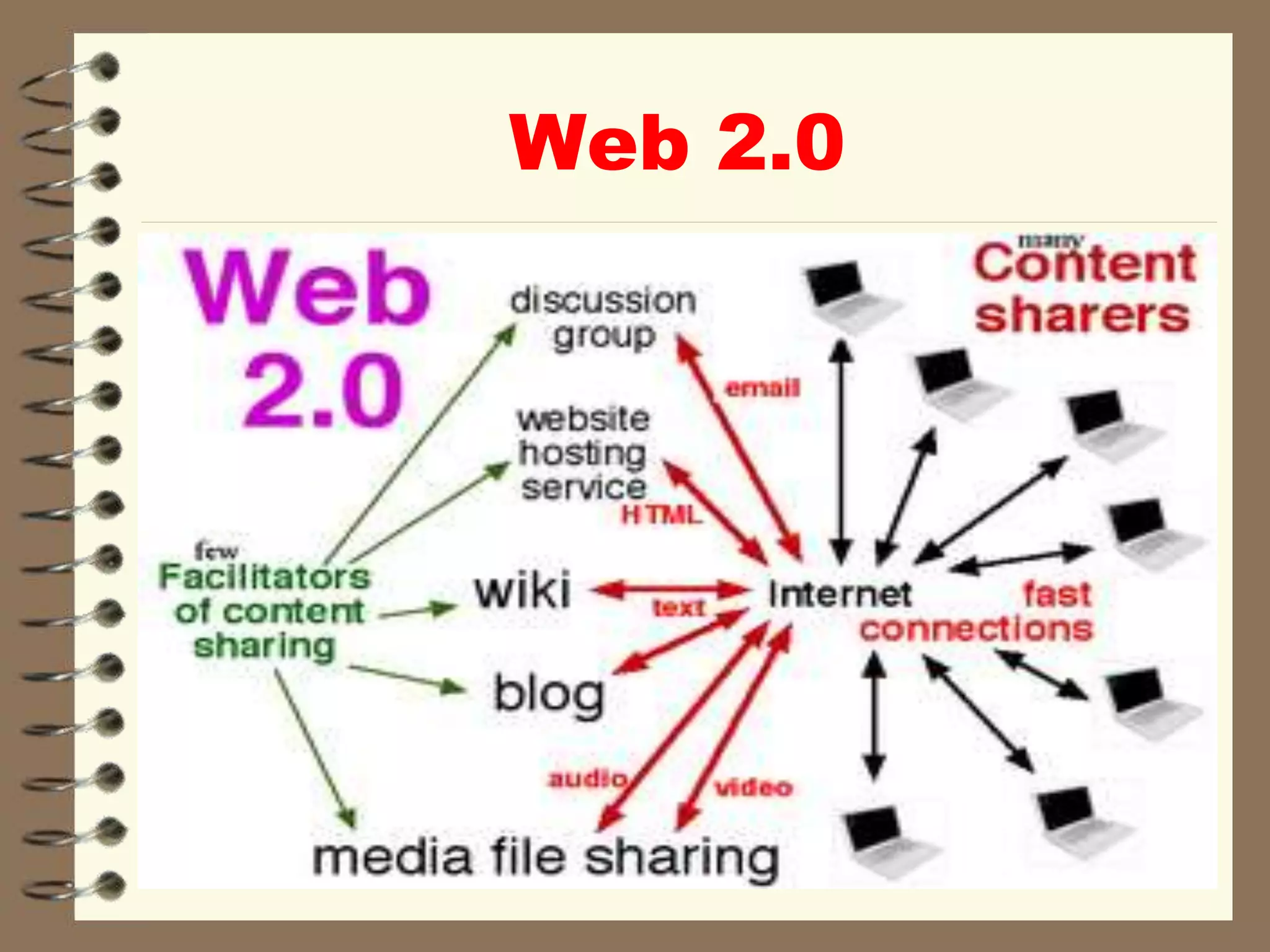
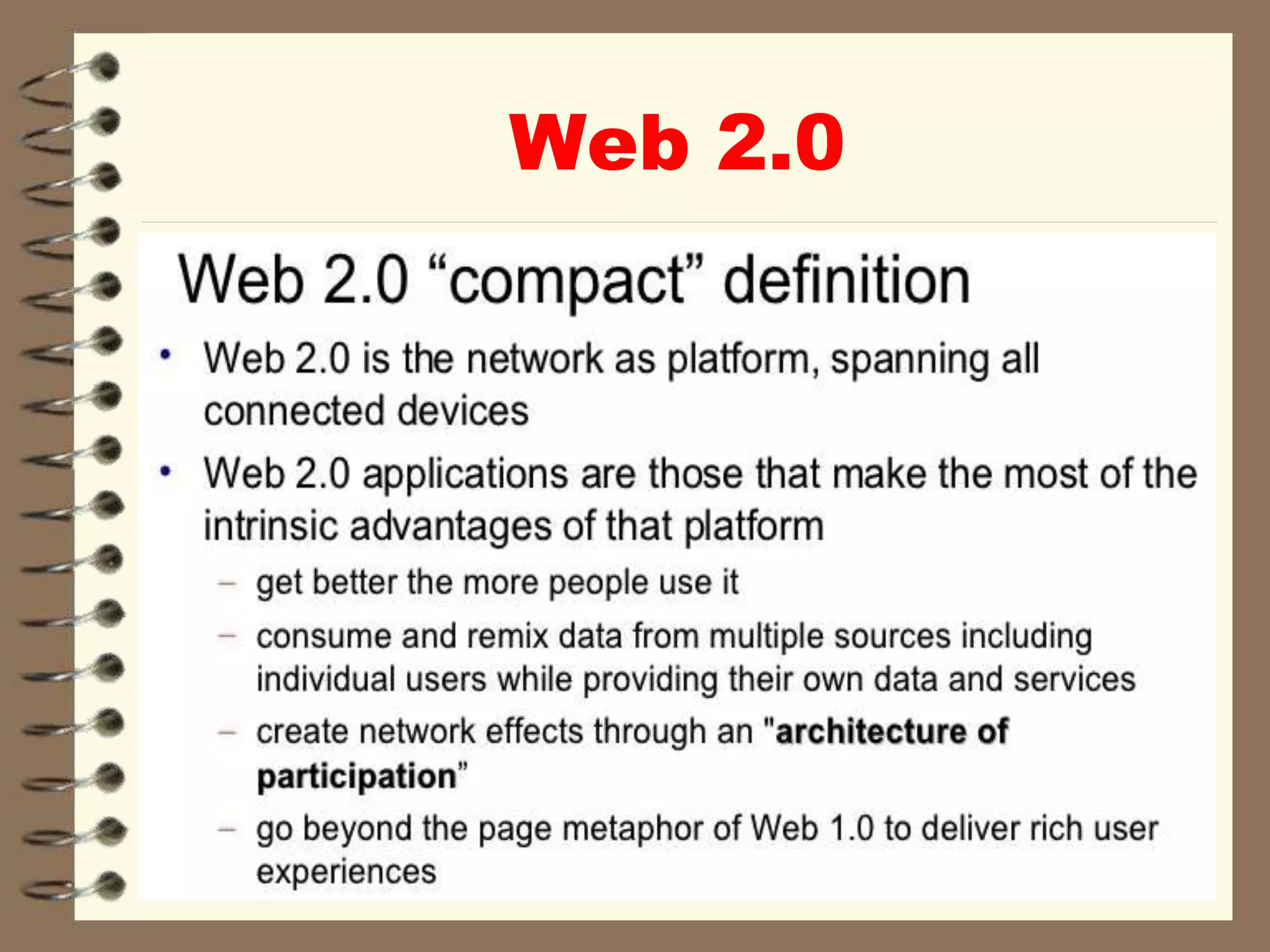
 variety of web sites and applications that allow
anyone to create and share online information
ormaterial they have created
 A key element of the technology is that it
allows people to create, share, collaborate &
communicate.
 Web 2.0 differs from other types of websites as
it does not require any web design or
publishing skills to participate, making it easy
for people to create and publish or
communicate their work to the world.
 The nature of this technology makes it an
easy and popular way to communicate
information to either a select group of
people or to a much wider audience.
 There are number of different types of web
2.0 applications including wikis, blogs,
social networking, folksonomies,
podcasting & content hosting services.
Many of the most popular websites are Web
2.0 sites such as Wikipedia, YouTube,
Facebook, MySpace, Flickr.
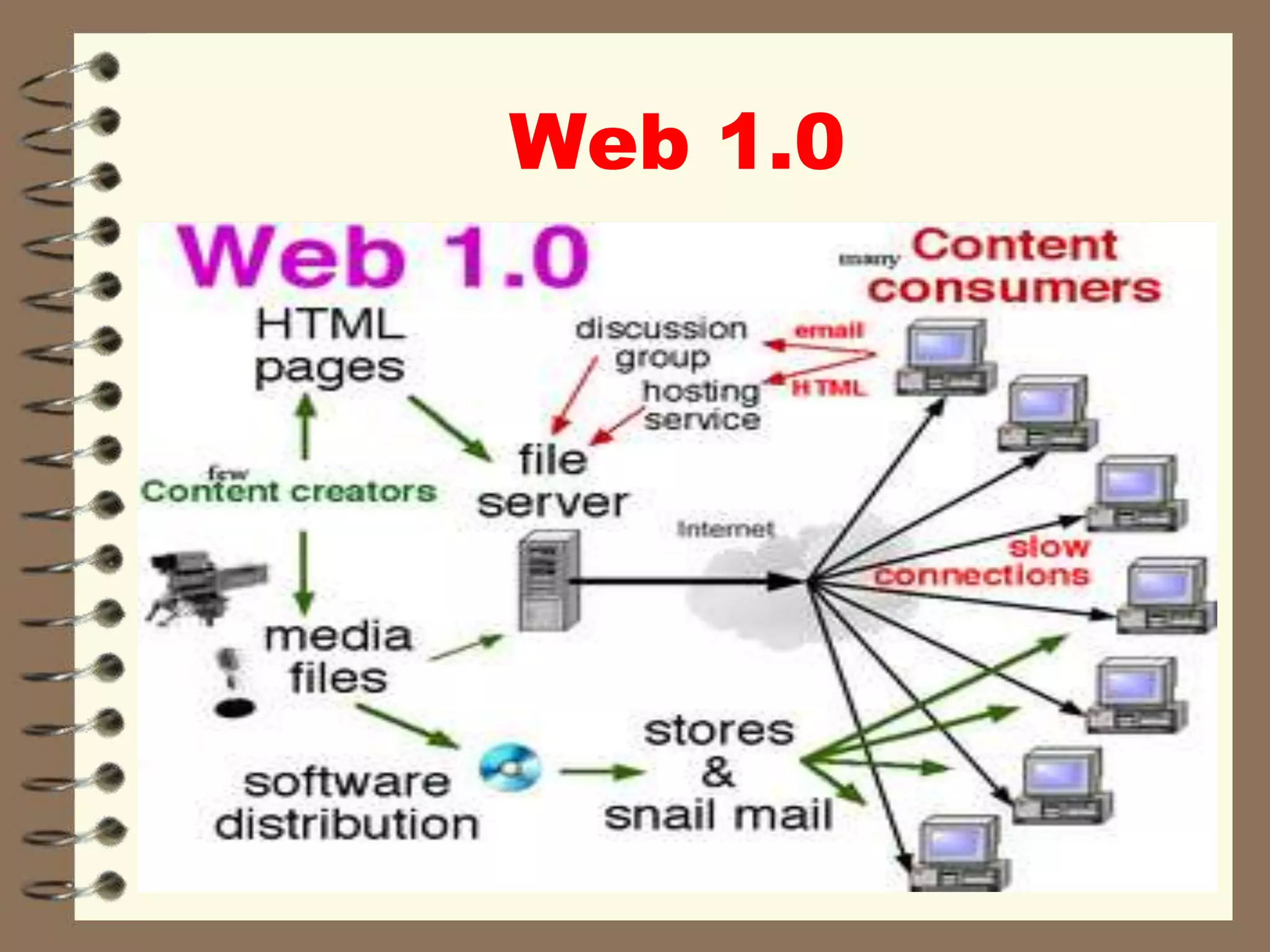
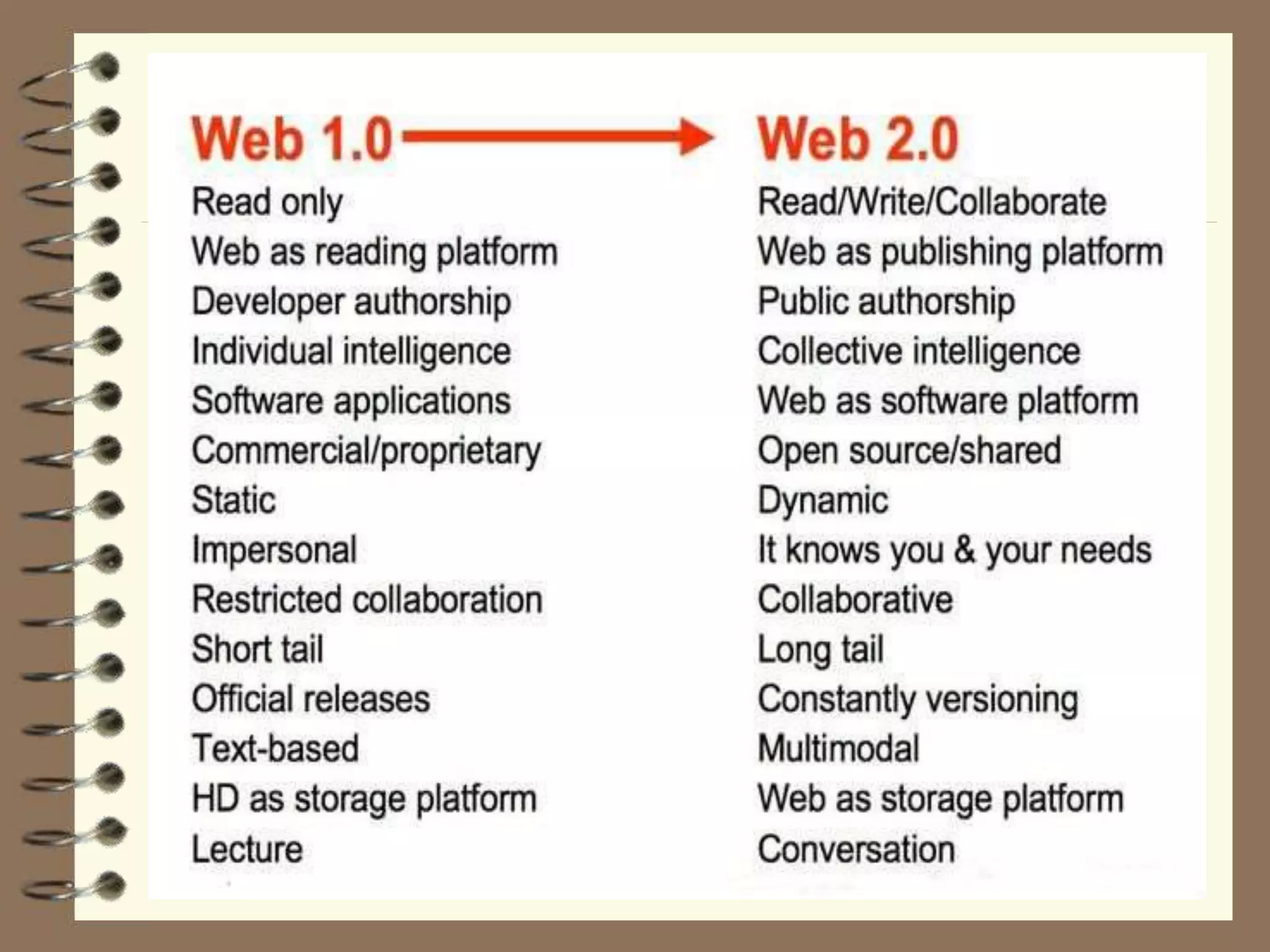
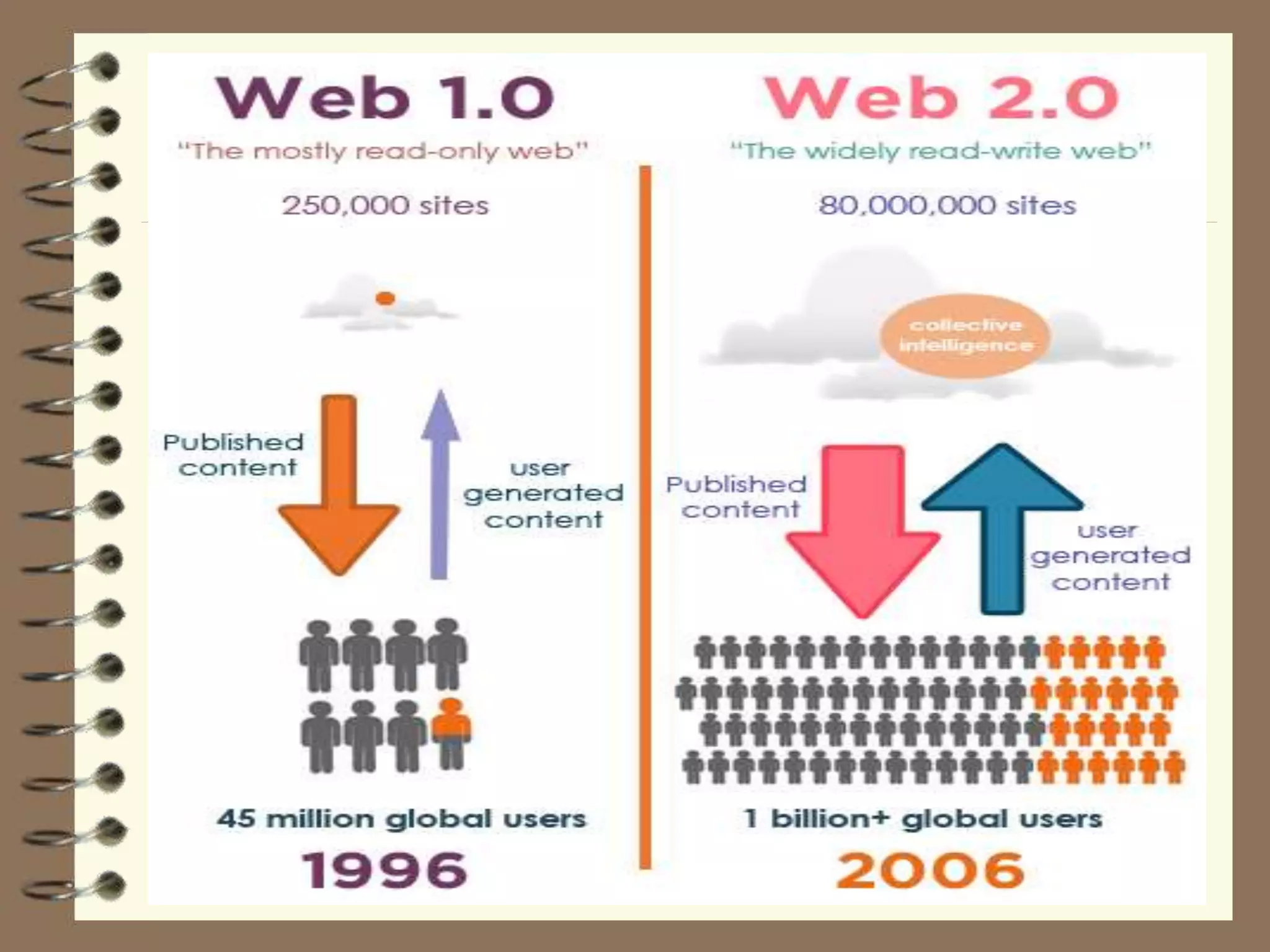
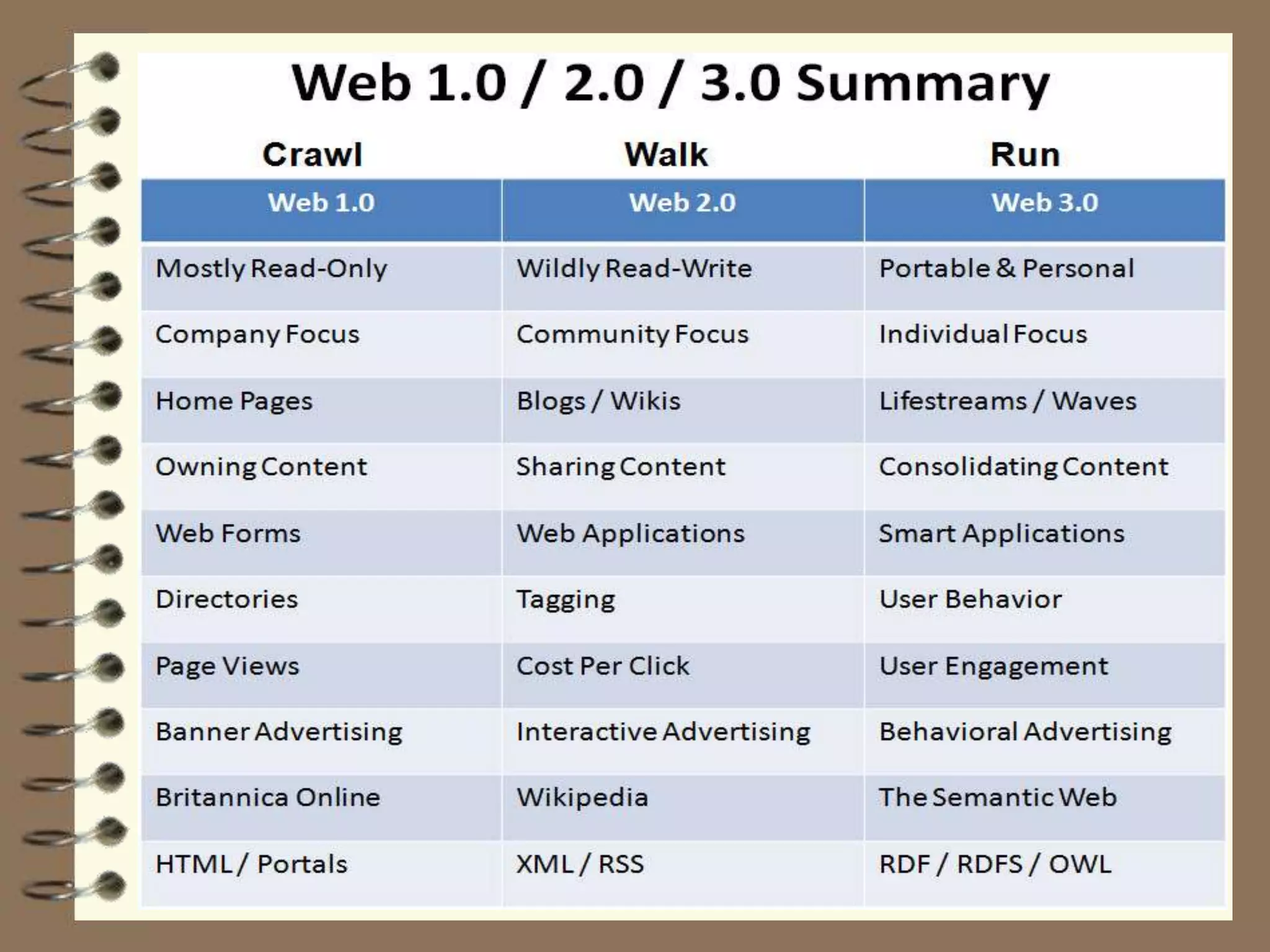
Web 1.0
Web 2.0
Web 2.0
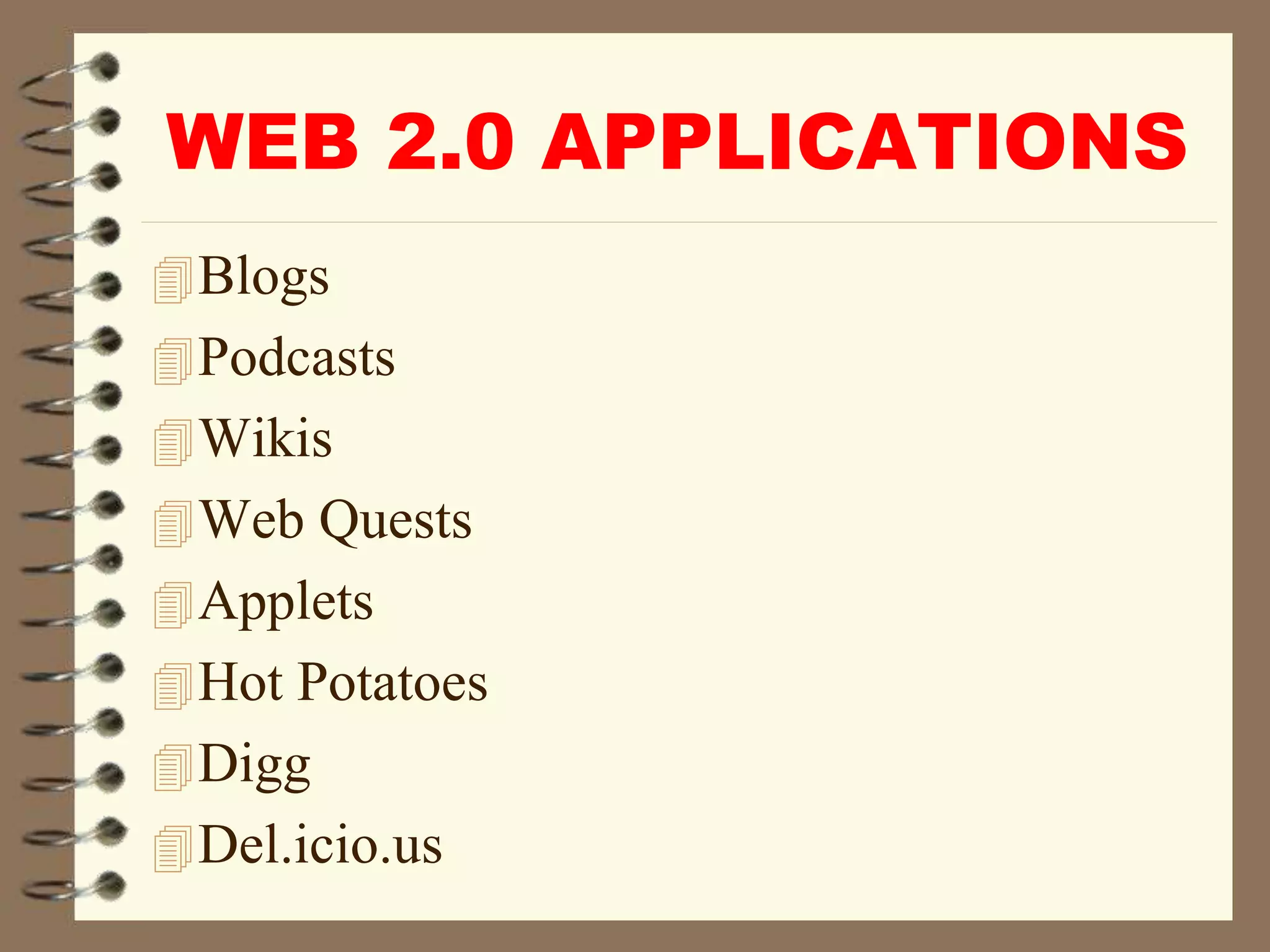
WEB 2.0 APPLICATIONS
Blogs
Podcasts
Wikis
Web Quests
Applets
Hot Potatoes
Digg
Del.icio.us
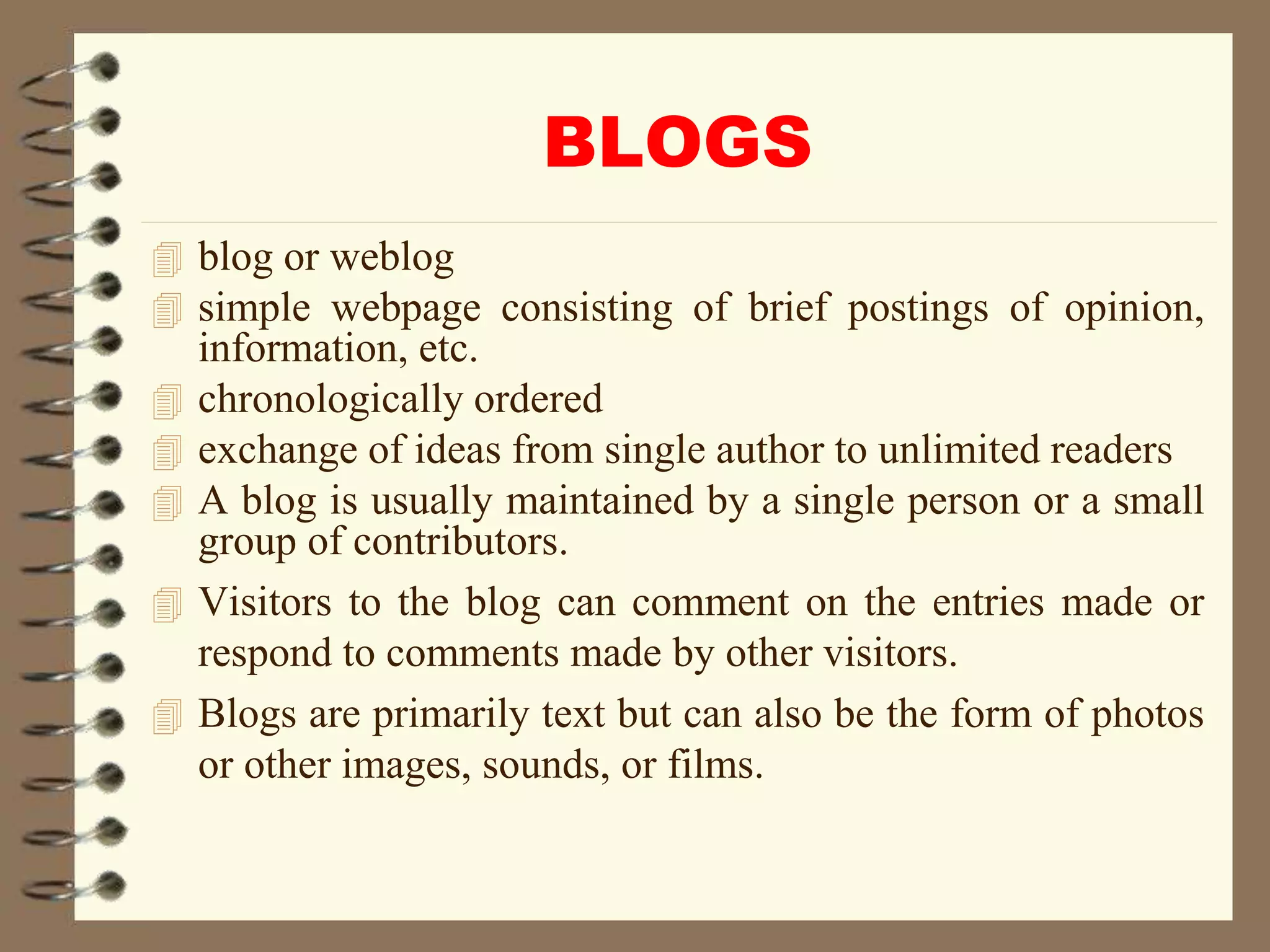
BLOGS
 blog or weblog
 simple webpage consisting of brief postings of opinion,
information, etc.
 chronologically ordered
 exchange of ideas from single author to unlimited readers
 A blog is usually maintained by a single person or a small
group of contributors.
 Visitors to the blog can comment on the entries made or
respond to comments made by other visitors.
 Blogs are primarily text but can also be the form of photos
or other images, sounds, or films.
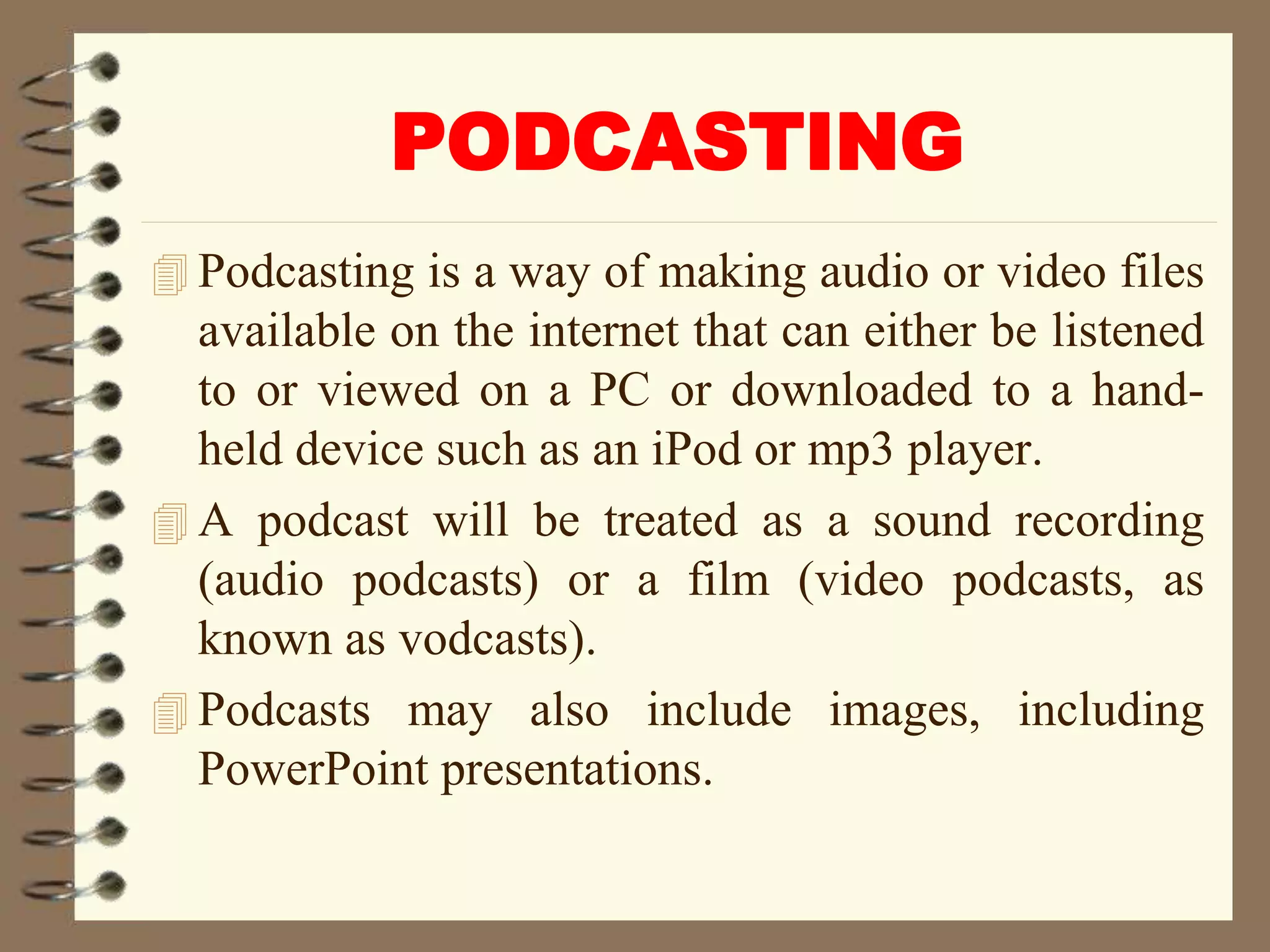
PODCASTING
 Podcasting is a way of making audio or video files
available on the internet that can either be listened
to or viewed on a PC or downloaded to a hand-
held device such as an iPod or mp3 player.
 A podcast will be treated as a sound recording
(audio podcasts) or a film (video podcasts, as
known as vodcasts).
 Podcasts may also include images, including
PowerPoint presentations.
WIKIS
 A wiki is a collaborative website that anyone
within the community of users can contribute to or
edit.
 A wiki can be open to a global audience or can be
restricted to a select network or community.
 Wikis can cover a specific topic or subject area.
Wikis also make it easy to search or browse for
information. Although primarily text, wikis can
also include images, sound recordings & films.
 Wikipedia http://en.wikipedia.org the free internet
encyclopedia is the most well known wiki.
WEB QUESTS
 A WebQuest is an inquiry-oriented lesson format
in which most or all the information that learners
work with comes from the web.
 A WebQuest is an inquiry-oriented activity in
which most or all of the information used by
learners is drawn from the Web, optionally
supplemented with videoconferencing.
 WebQuests are designed to use learner's time well,
to focus on using information rather than looking
for it, and to support learner's thinking at the levels
of analysis, synthesis and evaluation.
APPLETS
An applet is a Java program that can be
embedded into a web page.
It runs inside the web browser and works at
client side.
An applet is embedded in an HTML page
using the APPLET or OBJECT tag and
hosted on a web server.
Applets are used to make the web site more
dynamic and entertaining.
HOT POTATOES
HOT POTATOES is a set of programs that
allows the production of interactive web-
based teaching exercises which can be
delivered to any computer.
The suite consists on six individual
programs: JCloze, JQuiz, JCross, JMatch,
JMix, and The Mashe.
Digg
Digg is a social networking website
featuring user-submitted news stories.
Users can also customize their own news
feeds by using "My News" interface,
allowing users to select information based
on the people they follow, stories they've
already read and stories that are trending
across the Digg community.
Del.icio.us
Del.icio.us, pronounced simply "delicious,"
is a community bookmarking website in
which users can save Web pages they find
and share them with other users. Because
users' bookmarks are made public and
viewable by other users, other people often
bookmark Web pages that they find within
other users' bookmarks.
Social Networking/Media
 Social networking allows an individual to create a
profile for themselves on the service and share that
profile with other users with similar interests to
create a social network.
 Users can choose to have public profiles which
can be viewed by anyone or private profiles which
can only be viewed by people that the users allow.
 Users can usually post photographs, music and
videos on their site.
Facebook
An interactive software application
developed to utilize the core technologies of
the Facebook platform to create an
extensive social media framework for the
app.
Facebook Apps integrate Facebook's News
Feed, Notifications, various social channels
and other features to generate awareness
and interest in the app by Facebook users.
Myspace
Social networking site that allows its users
to create webpages to interact with other
users.
To combat this issue, Myspace has
developed privacy settings to allow users to
specify who they would like to view their
profile and personal information.
Twitter
Twitter (/ˈtwɪtər/) is an American
microblogging and social networking
service on which users post and interact
with messages known as "tweets".
Users access Twitter through its website
interface, through Short Message Service
(SMS) or its mobile-device application
software ("app").
Academic Social Networking Sites
 Academia.edu is an American commercial social
networking website for academics. It began as a
free and open repository of academic journal
articles and was awarded a .edu domain name.
 LinkedIn is a social networking website designed
for business professionals. It allows you to share
work-related information with other users and
keep an online list of professional contacts. Like
Facebook and MySpace, LinkedIn allows you to
create a custom profile.
Edutopia is a website published by the
George Lucas Educational Foundation
(GLEF).
Edutopia focuses on six core learning
strategies.
These are described as "Comprehensive
Assessment, Integrated Studies, Project-
Based Learning, Social & Emotional
Learning, Teacher Development and
Technology Integration".
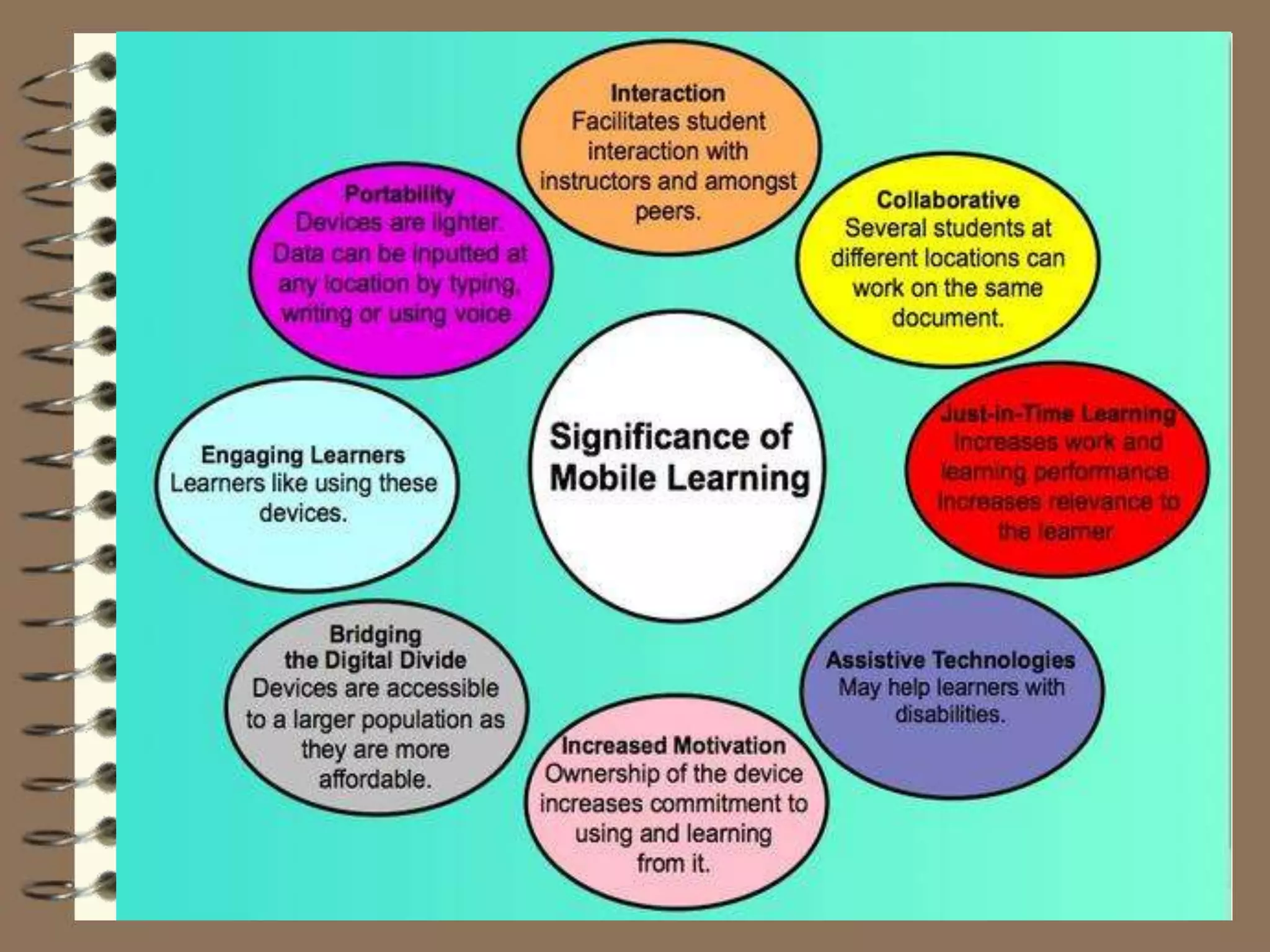
m-Learning
Mobile learning (m-learning) is education
via the Internet or network using personal
mobile devices, such as tablets and smart
phones to obtain learning materials through
mobile apps, social interactions and online
educational hubs. It is flexible, allowing
students access to education anywhere,
anytime.
Mobile learning, also known as M-learning,
is a new way to access learning content
using mobile devices. It’s possible to learn
whenever and wherever you want, as long
as you have a modern mobile device
connected to the Internet.
mobile learning is learning based on
mobility often through mobile devices like
laptops and smartphones, iPads, and
wearable technology.
Mobile Learning Theory
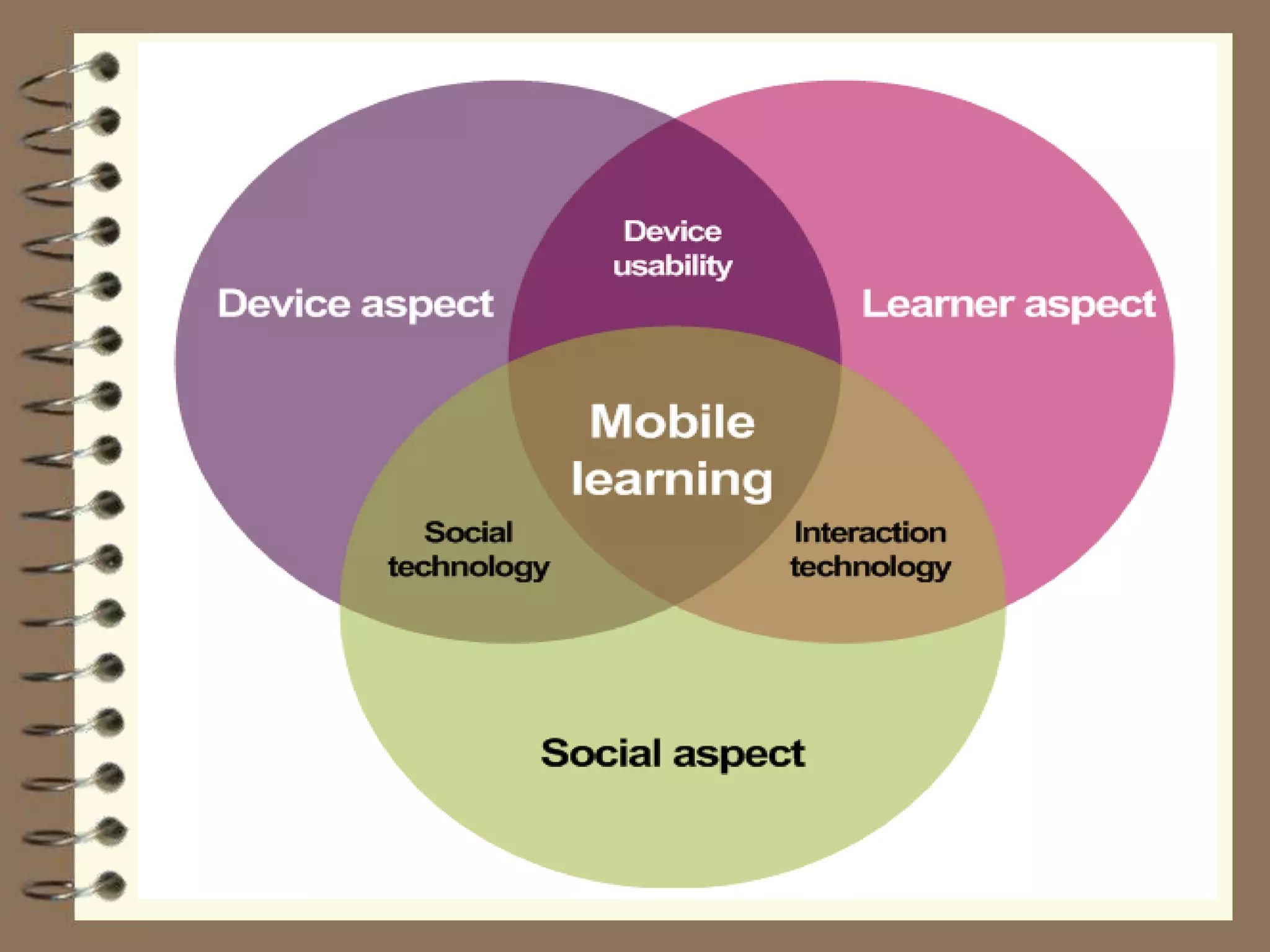
A theory of mobile learning is essential
when thinking of the role of mobility and
communication in learning environments.
In mobile learning, students learn across
both space and time and move from topic to
topic. Like a blended environment, learners
move in and out of engagement with
technology. A key point in mobile learning
theory is that it is the learner that is mobile,
not the technology (Shuler, 2009).
Three theories currently exist related to
mLearning
Sharples developed a theory around lifelong
learning that involves eight features. Shih
and Mills developed a mobile learning
model incorporating Keller’s ARCS model
(2007). Sharples et al. (2005) and Wishart
(2007) developed an evaluation framework
for a mLearning theory (Montalto-Rook et
al, 2010).
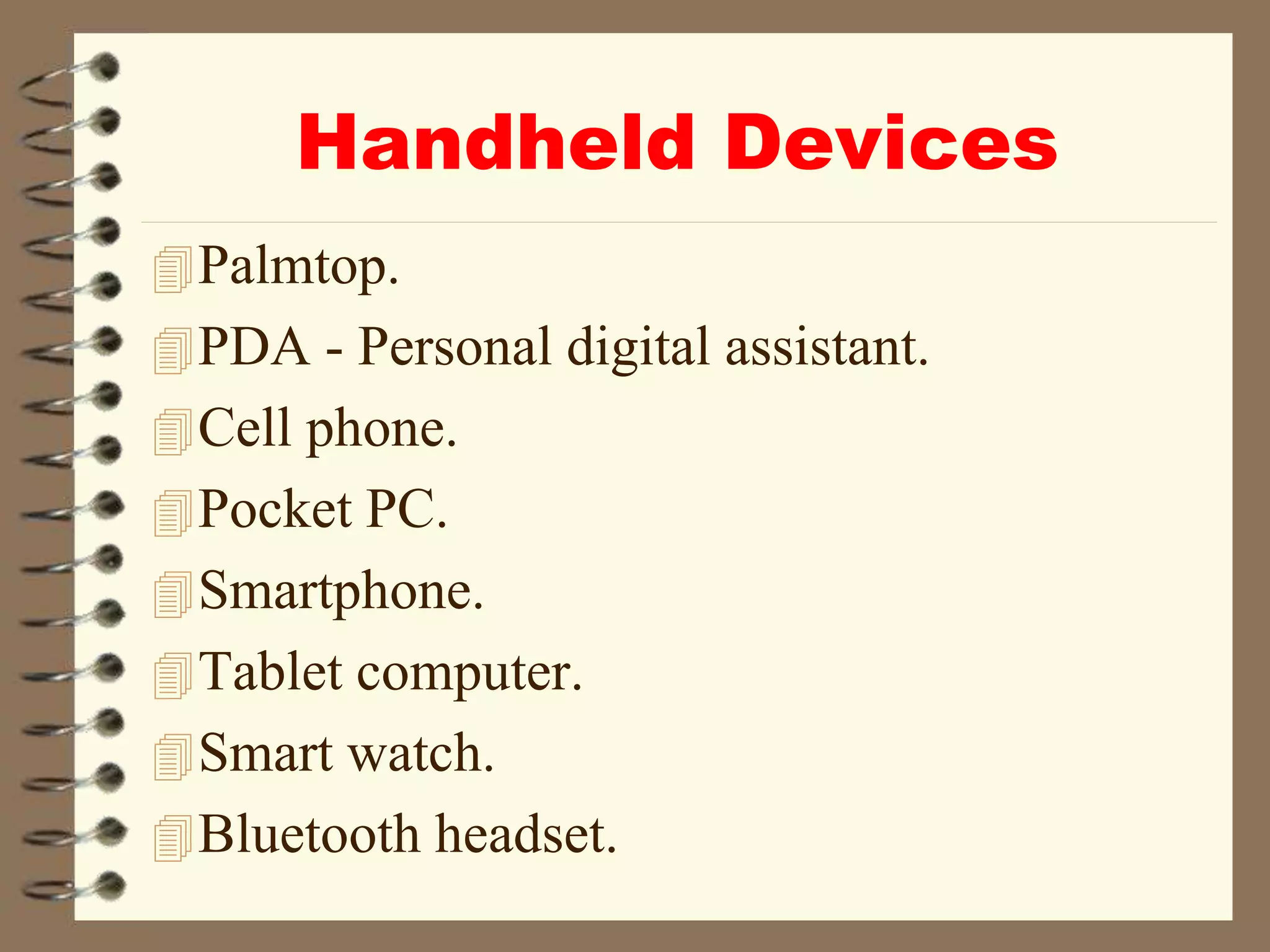
Handheld Devices
Palmtop.
PDA - Personal digital assistant.
Cell phone.
Pocket PC.
Smartphone.
Tablet computer.
Smart watch.
Bluetooth headset.
ICT_Unit_IV_Dr_NS_Part_4.ppt

ICT_Unit_IV_Dr_NS_Part_4.ppt

  • 1.
    ICT IN EDUCATION UNIT-IV WEB2.0 TECHNOLOGY Dr.N.SASIKUMAR Assistant Professor Department of Education Alagappa University Karaikudi-630003
  • 2.
    What is Web2.0 technology  variety of web sites and applications that allow anyone to create and share online information ormaterial they have created  A key element of the technology is that it allows people to create, share, collaborate & communicate.  Web 2.0 differs from other types of websites as it does not require any web design or publishing skills to participate, making it easy for people to create and publish or communicate their work to the world.
  • 3.
     The natureof this technology makes it an easy and popular way to communicate information to either a select group of people or to a much wider audience.  There are number of different types of web 2.0 applications including wikis, blogs, social networking, folksonomies, podcasting & content hosting services. Many of the most popular websites are Web 2.0 sites such as Wikipedia, YouTube, Facebook, MySpace, Flickr.
  • 4.
  • 5.
  • 6.
  • 10.
    WEB 2.0 APPLICATIONS Blogs Podcasts Wikis WebQuests Applets Hot Potatoes Digg Del.icio.us
  • 11.
    BLOGS  blog orweblog  simple webpage consisting of brief postings of opinion, information, etc.  chronologically ordered  exchange of ideas from single author to unlimited readers  A blog is usually maintained by a single person or a small group of contributors.  Visitors to the blog can comment on the entries made or respond to comments made by other visitors.  Blogs are primarily text but can also be the form of photos or other images, sounds, or films.
  • 12.
    PODCASTING  Podcasting isa way of making audio or video files available on the internet that can either be listened to or viewed on a PC or downloaded to a hand- held device such as an iPod or mp3 player.  A podcast will be treated as a sound recording (audio podcasts) or a film (video podcasts, as known as vodcasts).  Podcasts may also include images, including PowerPoint presentations.
  • 13.
    WIKIS  A wikiis a collaborative website that anyone within the community of users can contribute to or edit.  A wiki can be open to a global audience or can be restricted to a select network or community.  Wikis can cover a specific topic or subject area. Wikis also make it easy to search or browse for information. Although primarily text, wikis can also include images, sound recordings & films.  Wikipedia http://en.wikipedia.org the free internet encyclopedia is the most well known wiki.
  • 14.
    WEB QUESTS  AWebQuest is an inquiry-oriented lesson format in which most or all the information that learners work with comes from the web.  A WebQuest is an inquiry-oriented activity in which most or all of the information used by learners is drawn from the Web, optionally supplemented with videoconferencing.  WebQuests are designed to use learner's time well, to focus on using information rather than looking for it, and to support learner's thinking at the levels of analysis, synthesis and evaluation.
  • 15.
    APPLETS An applet isa Java program that can be embedded into a web page. It runs inside the web browser and works at client side. An applet is embedded in an HTML page using the APPLET or OBJECT tag and hosted on a web server. Applets are used to make the web site more dynamic and entertaining.
  • 16.
    HOT POTATOES HOT POTATOESis a set of programs that allows the production of interactive web- based teaching exercises which can be delivered to any computer. The suite consists on six individual programs: JCloze, JQuiz, JCross, JMatch, JMix, and The Mashe.
  • 17.
    Digg Digg is asocial networking website featuring user-submitted news stories. Users can also customize their own news feeds by using "My News" interface, allowing users to select information based on the people they follow, stories they've already read and stories that are trending across the Digg community.
  • 18.
    Del.icio.us Del.icio.us, pronounced simply"delicious," is a community bookmarking website in which users can save Web pages they find and share them with other users. Because users' bookmarks are made public and viewable by other users, other people often bookmark Web pages that they find within other users' bookmarks.
  • 19.
    Social Networking/Media  Socialnetworking allows an individual to create a profile for themselves on the service and share that profile with other users with similar interests to create a social network.  Users can choose to have public profiles which can be viewed by anyone or private profiles which can only be viewed by people that the users allow.  Users can usually post photographs, music and videos on their site.
  • 20.
    Facebook An interactive softwareapplication developed to utilize the core technologies of the Facebook platform to create an extensive social media framework for the app. Facebook Apps integrate Facebook's News Feed, Notifications, various social channels and other features to generate awareness and interest in the app by Facebook users.
  • 21.
    Myspace Social networking sitethat allows its users to create webpages to interact with other users. To combat this issue, Myspace has developed privacy settings to allow users to specify who they would like to view their profile and personal information.
  • 22.
    Twitter Twitter (/ˈtwɪtər/) isan American microblogging and social networking service on which users post and interact with messages known as "tweets". Users access Twitter through its website interface, through Short Message Service (SMS) or its mobile-device application software ("app").
  • 23.
    Academic Social NetworkingSites  Academia.edu is an American commercial social networking website for academics. It began as a free and open repository of academic journal articles and was awarded a .edu domain name.  LinkedIn is a social networking website designed for business professionals. It allows you to share work-related information with other users and keep an online list of professional contacts. Like Facebook and MySpace, LinkedIn allows you to create a custom profile.
  • 24.
    Edutopia is awebsite published by the George Lucas Educational Foundation (GLEF). Edutopia focuses on six core learning strategies. These are described as "Comprehensive Assessment, Integrated Studies, Project- Based Learning, Social & Emotional Learning, Teacher Development and Technology Integration".
  • 25.
    m-Learning Mobile learning (m-learning)is education via the Internet or network using personal mobile devices, such as tablets and smart phones to obtain learning materials through mobile apps, social interactions and online educational hubs. It is flexible, allowing students access to education anywhere, anytime.
  • 26.
    Mobile learning, alsoknown as M-learning, is a new way to access learning content using mobile devices. It’s possible to learn whenever and wherever you want, as long as you have a modern mobile device connected to the Internet. mobile learning is learning based on mobility often through mobile devices like laptops and smartphones, iPads, and wearable technology.
  • 28.
    Mobile Learning Theory Atheory of mobile learning is essential when thinking of the role of mobility and communication in learning environments. In mobile learning, students learn across both space and time and move from topic to topic. Like a blended environment, learners move in and out of engagement with technology. A key point in mobile learning theory is that it is the learner that is mobile, not the technology (Shuler, 2009).
  • 29.
    Three theories currentlyexist related to mLearning Sharples developed a theory around lifelong learning that involves eight features. Shih and Mills developed a mobile learning model incorporating Keller’s ARCS model (2007). Sharples et al. (2005) and Wishart (2007) developed an evaluation framework for a mLearning theory (Montalto-Rook et al, 2010).
  • 32.
    Handheld Devices Palmtop. PDA -Personal digital assistant. Cell phone. Pocket PC. Smartphone. Tablet computer. Smart watch. Bluetooth headset.