ALL ABOUT THE INTERNET
A network is a group of two or more computer systems linked
together to form a ‘Global Network’.
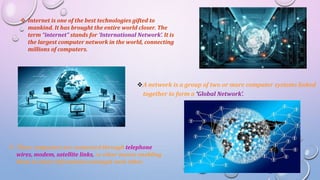
 Internet is one of the best technologies gifted to
mankind. It has brought the entire world closer. The
term “internet” stands for ‘International Network’. It is
the largest computer network in the world, connecting
millions of computers.
 These computers are connected through telephone
wires, modem, satellite links, or other means enabling
them to share information amongst each other.
USES OF INTERNET
• The internet is extremely popular in modern age. Following are some
major fields where the internet is commonly used.
 News and Information
Facilities to read online newspaper
Provides information regarding various topics of your interest
Such as sports, education, politics etc.
Also keeps you updated with current events
 Art and Entertainment
Watch movies, listen to songs, play games and puzzles
Read jokes, stories, books online
Also allows to download and purchase from various software
 Online Shopping
You can purchase various items like books, clothes, electronic goods
etc from different e-shops around the globe, without actually going
there.
Mailing Letters
Electronic Mail commonly known as Email is the most popular feature of
internet
Allows to send and receive messages in real-time and provides the
facility to attach pictures, videos and sounds to an email
 Health and Fitness
Using the internet, you can find information on Health & Fitness.
You can search for remedies & precautions for different diseases.
 Tourism and Travel
Provides facilities for online booking of hotels, railway, air tickets etc.
 Chatting
This feature allows you to exchange text messages instantly with
another person on the internet.
 Banking Operations
Using internet/e-banking services, you can perform all banking
operations from anywhere, without visiting your bank,
 Video Conferencing
This feature allows to communicate with another person, both
visually and verbally even from locations that are geographically apart.
INTERNET REQUIREMENTS
• To connect your computer with the internet, you need a modem,
telephone line and an internet connection
Modem
Modem stands for Modulater DEModulator. It is a device that allows a
computer to send or receive information through telephone lines by
converting digital data into an analog signal, used on telephone lines.
The modulator converts digital information of a computer to analog
mode at the transmitting end and demodulator further converts back the
analog signals to digital signals at the receiving end.
• Modem can be classified as follows:
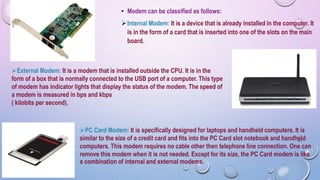
Internal Modem: It is a device that is already installed in the computer. It
is in the form of a card that is inserted into one of the slots on the main
board.
External Modem: It is a modem that is installed outside the CPU. It is in the
form of a box that is normally connected to the USB port of a computer. This type
of modem has indicator lights that display the status of the modem. The speed of
a modem is measured in bps and kbps
( kilobits per second).
PC Card Modem: It is specifically designed for laptops and handheld computers. It is
similar to the size of a credit card and fits into the PC Card slot notebook and handheld
computers. This modem requires no cable other then telephone line connection. One can
remove this modem when it is not needed. Except for its size, the PC Card modem is like
a combination of internal and external modems.
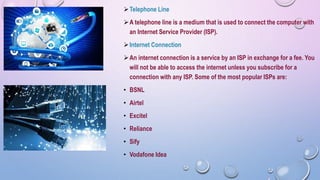
Telephone Line
A telephone line is a medium that is used to connect the computer with
an Internet Service Provider (ISP).
Internet Connection
An internet connection is a service by an ISP in exchange for a fee. You
will not be able to access the internet unless you subscribe for a
connection with any ISP. Some of the most popular ISPs are:
• BSNL
• Airtel
• Excitel
• Reliance
• Sify
• Vodafone Idea
TYPES OF INTERNET CONNECTION
• Several types of internet connection exist that enable you to connect with
the internet.
Dial-up connection
A dial-up connection requires the uses to link their phone line to a
computer, in order to access the internet. This connection does not allow
users to make or receive phone calls through their home phone service
while using the internet as a phone and computer share the same line. It is
a slow connection.
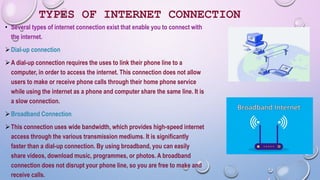
Broadband Connection
This connection uses wide bandwidth, which provides high-speed internet
access through the various transmission mediums. It is significantly
faster than a dial-up connection. By using broadband, you can easily
share videos, download music, programmes, or photos. A broadband
connection does not disrupt your phone line, so you are free to make and
receive calls.
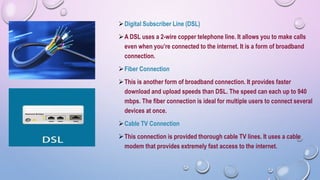
Digital Subscriber Line (DSL)
A DSL uses a 2-wire copper telephone line. It allows you to make calls
even when you’re connected to the internet. It is a form of broadband
connection.
Fiber Connection
This is another form of broadband connection. It provides faster
download and upload speeds than DSL. The speed can each up to 940
mbps. The fiber connection is ideal for multiple users to connect several
devices at once.
Cable TV Connection
This connection is provided thorough cable TV lines. It uses a cable
modem that provides extremely fast access to the internet.
Satellite
Satellite connections are used in areas, where the broadband facility
is not yet available. This requires a satellite dish to be installed in
order to connect to the satellite.
Wireless
Wireless connection makes use of the radio frequency to
connect to the internet and offers great speed. It can be
accessed from any location that comes under the network
coverage area. It requires a Wi-Fi modem to be connected to
your computer.
Mobile Internet
This type of connection allows a user to access the internet over a
smartphone using the network provided by the phone service provider.
The speed of this connection generally varies between 2G, G and 4G.
Hotspots
Hotspots are sites that provide wireless internet access over short
distances (approximately 20 metres).
They use Wi-Fi technology and allows the users to connect to the
internet through radio waves. Hotspots can be phone-based,
commercial, or free to the public and found at places, such as
airports, universities, cafes etc.

All about the Internet.pptx

  • 1.
    ALL ABOUT THEINTERNET
  • 2.
    A network isa group of two or more computer systems linked together to form a ‘Global Network’.  Internet is one of the best technologies gifted to mankind. It has brought the entire world closer. The term “internet” stands for ‘International Network’. It is the largest computer network in the world, connecting millions of computers.  These computers are connected through telephone wires, modem, satellite links, or other means enabling them to share information amongst each other.
  • 3.
    USES OF INTERNET •The internet is extremely popular in modern age. Following are some major fields where the internet is commonly used.  News and Information Facilities to read online newspaper Provides information regarding various topics of your interest Such as sports, education, politics etc. Also keeps you updated with current events  Art and Entertainment Watch movies, listen to songs, play games and puzzles Read jokes, stories, books online Also allows to download and purchase from various software
  • 4.
     Online Shopping Youcan purchase various items like books, clothes, electronic goods etc from different e-shops around the globe, without actually going there. Mailing Letters Electronic Mail commonly known as Email is the most popular feature of internet Allows to send and receive messages in real-time and provides the facility to attach pictures, videos and sounds to an email  Health and Fitness Using the internet, you can find information on Health & Fitness. You can search for remedies & precautions for different diseases.  Tourism and Travel Provides facilities for online booking of hotels, railway, air tickets etc.
  • 5.
     Chatting This featureallows you to exchange text messages instantly with another person on the internet.  Banking Operations Using internet/e-banking services, you can perform all banking operations from anywhere, without visiting your bank,  Video Conferencing This feature allows to communicate with another person, both visually and verbally even from locations that are geographically apart.
  • 6.
    INTERNET REQUIREMENTS • Toconnect your computer with the internet, you need a modem, telephone line and an internet connection Modem Modem stands for Modulater DEModulator. It is a device that allows a computer to send or receive information through telephone lines by converting digital data into an analog signal, used on telephone lines. The modulator converts digital information of a computer to analog mode at the transmitting end and demodulator further converts back the analog signals to digital signals at the receiving end.
  • 7.
    • Modem canbe classified as follows: Internal Modem: It is a device that is already installed in the computer. It is in the form of a card that is inserted into one of the slots on the main board. External Modem: It is a modem that is installed outside the CPU. It is in the form of a box that is normally connected to the USB port of a computer. This type of modem has indicator lights that display the status of the modem. The speed of a modem is measured in bps and kbps ( kilobits per second). PC Card Modem: It is specifically designed for laptops and handheld computers. It is similar to the size of a credit card and fits into the PC Card slot notebook and handheld computers. This modem requires no cable other then telephone line connection. One can remove this modem when it is not needed. Except for its size, the PC Card modem is like a combination of internal and external modems.
  • 8.
    Telephone Line A telephoneline is a medium that is used to connect the computer with an Internet Service Provider (ISP). Internet Connection An internet connection is a service by an ISP in exchange for a fee. You will not be able to access the internet unless you subscribe for a connection with any ISP. Some of the most popular ISPs are: • BSNL • Airtel • Excitel • Reliance • Sify • Vodafone Idea
  • 9.
    TYPES OF INTERNETCONNECTION • Several types of internet connection exist that enable you to connect with the internet. Dial-up connection A dial-up connection requires the uses to link their phone line to a computer, in order to access the internet. This connection does not allow users to make or receive phone calls through their home phone service while using the internet as a phone and computer share the same line. It is a slow connection. Broadband Connection This connection uses wide bandwidth, which provides high-speed internet access through the various transmission mediums. It is significantly faster than a dial-up connection. By using broadband, you can easily share videos, download music, programmes, or photos. A broadband connection does not disrupt your phone line, so you are free to make and receive calls.
  • 10.
    Digital Subscriber Line(DSL) A DSL uses a 2-wire copper telephone line. It allows you to make calls even when you’re connected to the internet. It is a form of broadband connection. Fiber Connection This is another form of broadband connection. It provides faster download and upload speeds than DSL. The speed can each up to 940 mbps. The fiber connection is ideal for multiple users to connect several devices at once. Cable TV Connection This connection is provided thorough cable TV lines. It uses a cable modem that provides extremely fast access to the internet.
  • 11.
    Satellite Satellite connections areused in areas, where the broadband facility is not yet available. This requires a satellite dish to be installed in order to connect to the satellite. Wireless Wireless connection makes use of the radio frequency to connect to the internet and offers great speed. It can be accessed from any location that comes under the network coverage area. It requires a Wi-Fi modem to be connected to your computer.
  • 12.
    Mobile Internet This typeof connection allows a user to access the internet over a smartphone using the network provided by the phone service provider. The speed of this connection generally varies between 2G, G and 4G. Hotspots Hotspots are sites that provide wireless internet access over short distances (approximately 20 metres). They use Wi-Fi technology and allows the users to connect to the internet through radio waves. Hotspots can be phone-based, commercial, or free to the public and found at places, such as airports, universities, cafes etc.