The InternetThe Internet
What is the Internet?What is the Internet?
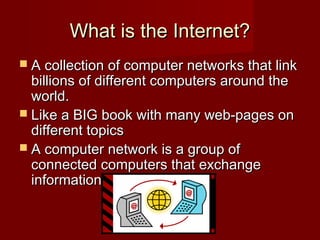
 A collection of computer networks that linkA collection of computer networks that link
billions of different computers around thebillions of different computers around the
world.world.
 Like a BIG book with many web-pages onLike a BIG book with many web-pages on
different topicsdifferent topics
 A computer network is a group ofA computer network is a group of
connected computers that exchangeconnected computers that exchange
information.information.
Why use the Internet?Why use the Internet?
 Apply for jobs or schoolsApply for jobs or schools
 Fill out government formsFill out government forms
 Check bank accountsCheck bank accounts
 Communicate with family,Communicate with family,
friends and co-workersfriends and co-workers
 Do researchDo research
 Learn new skillsLearn new skills
 Read newsRead news
 Watch videosWatch videos
How does it work?How does it work?
Key termsKey terms
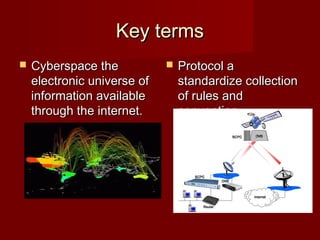
 Cyberspace theCyberspace the
electronic universe ofelectronic universe of
information availableinformation available
through the internet.through the internet.
 Protocol aProtocol a
standardize collectionstandardize collection
of rules andof rules and
convention.convention.
How a modem worksHow a modem works
A modem is a device that let’s the computer “talk” to each other via telephoneA modem is a device that let’s the computer “talk” to each other via telephone
lines.lines.
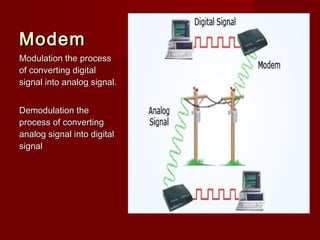
ModemModem
Modulation the processModulation the process
of converting digitalof converting digital
signal into analog signal.signal into analog signal.
Demodulation theDemodulation the
process of convertingprocess of converting
analog signal into digitalanalog signal into digital
signalsignal
History of the InternetHistory of the Internet
© 2005 Prentice-Hall, Inc© 2005 Prentice-Hall, Inc SlideSlide 99
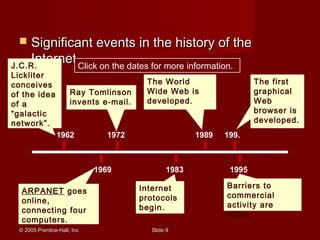
 Significant events in the history of theSignificant events in the history of the
Internet.Internet.
1962
1969
1972
1983
1989 199.
1995
J.C.R.
Lickliter
conceives
of the idea
of a
“galactic
network”.
Ray Tomlinson
invents e-mail.
The World
Wide Web is
developed.
The first
graphical
Web
browser is
developed.
ARPANET goes
online,
connecting four
computers.
Internet
protocols
begin.
Barriers to
commercial
activity are
lifted.
Click on the dates for more information.
Internet ServicesInternet Services
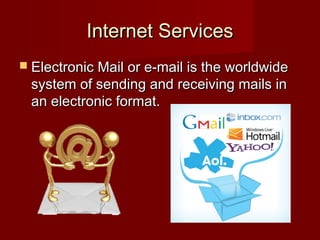
 Electronic Mail or e-mail is the worldwideElectronic Mail or e-mail is the worldwide
system of sending and receiving mails insystem of sending and receiving mails in
an electronic format.an electronic format.
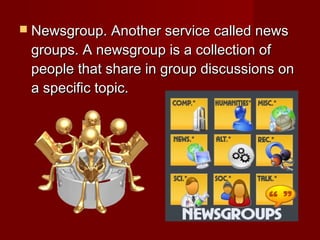
 Newsgroup. Another service called newsNewsgroup. Another service called news
groups. A newsgroup is a collection ofgroups. A newsgroup is a collection of
people that share in group discussions onpeople that share in group discussions on
a specific topic.a specific topic.
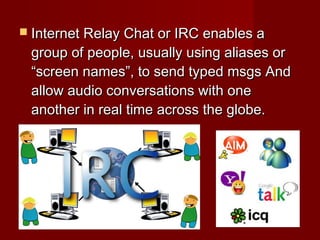
 Internet Relay Chat or IRC enables aInternet Relay Chat or IRC enables a
group of people, usually using aliases orgroup of people, usually using aliases or
“screen names”, to send typed msgs And“screen names”, to send typed msgs And
allow audio conversations with oneallow audio conversations with one
another in real time across the globe.another in real time across the globe.
 Chat rooms these are virtual rooms whereChat rooms these are virtual rooms where
people connect to discuss subjects ofpeople connect to discuss subjects of
common interest.common interest.
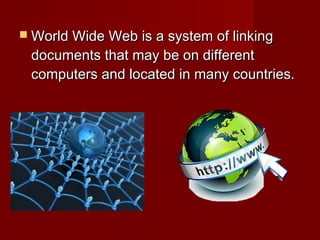
 World Wide Web is a system of linkingWorld Wide Web is a system of linking
documents that may be on differentdocuments that may be on different
computers and located in many countries.computers and located in many countries.
Key TermsKey Terms
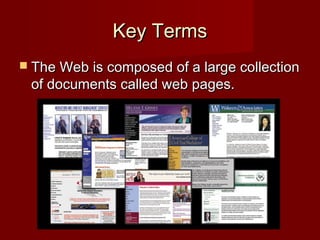
 The Web is composed of a large collectionThe Web is composed of a large collection
of documents called web pages.of documents called web pages.
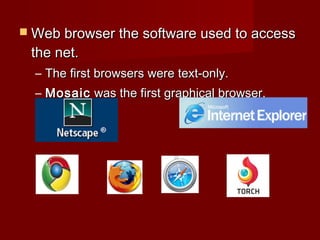
 Web browser the software used to accessWeb browser the software used to access
the net.the net.
– The first browsers were text-only.The first browsers were text-only.
– MosaicMosaic was the first graphical browser.was the first graphical browser.
© 2005 Prentice-Hall, Inc© 2005 Prentice-Hall, Inc SlideSlide 1717
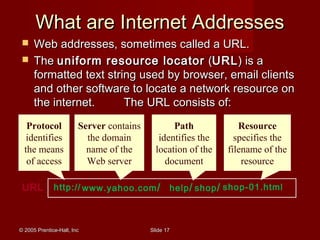
 Web addresses, sometimes called a URL.Web addresses, sometimes called a URL.
 TheThe uniform resource locatoruniform resource locator ((URLURL) is a) is a
formatted text string used by browser, email clientsformatted text string used by browser, email clients
and other software to locate a network resource onand other software to locate a network resource on
the internet. The URL consists of:the internet. The URL consists of:
URL
What are Internet AddressesWhat are Internet Addresses
http://
Protocol
identifies
the means
of access
www.yahoo.com/
Server contains
the domain
name of the
Web server
help/ shop/
Path
identifies the
location of the
document
shop-01.html
Resource
specifies the
filename of the
resource
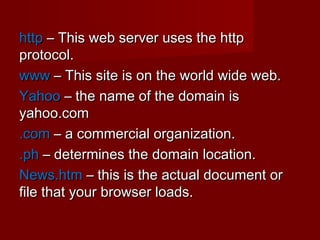
httphttp – This web server uses the http– This web server uses the http
protocol.protocol.
wwwwww – This site is on the world wide web.– This site is on the world wide web.
YahooYahoo – the name of the domain is– the name of the domain is
yahoo.comyahoo.com
.com.com – a commercial organization.– a commercial organization.
.ph.ph – determines the domain location.– determines the domain location.
News.htmNews.htm – this is the actual document or– this is the actual document or
file that your browser loads.file that your browser loads.
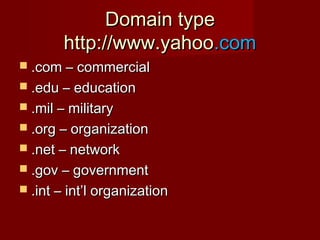
Domain typeDomain type
http://www.yahoohttp://www.yahoo.com.com
 .com – commercial.com – commercial
 .edu – education.edu – education
 .mil – military.mil – military
 .org – organization.org – organization
 .net – network.net – network
 .gov – government.gov – government
 .int – int’l organization.int – int’l organization
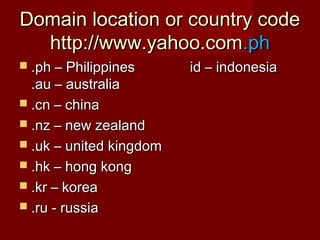
Domain location or country codeDomain location or country code
http://www.yahoo.comhttp://www.yahoo.com.ph.ph
 .ph – Philippines id – indonesia.ph – Philippines id – indonesia
.au – australia.au – australia
 .cn – china.cn – china
 .nz – new zealand.nz – new zealand
 .uk – united kingdom.uk – united kingdom
 .hk – hong kong.hk – hong kong
 .kr – korea.kr – korea
 .ru - russia.ru - russia
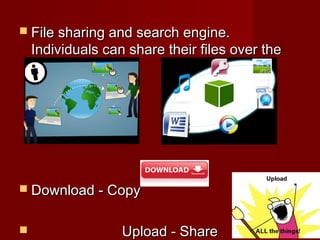
 File sharing and search engine.File sharing and search engine.
Individuals can share their files over theIndividuals can share their files over the
internet.internet.
 Download - CopyDownload - Copy
 Upload - ShareUpload - Share
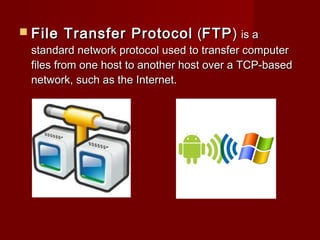
 File Transfer ProtocolFile Transfer Protocol ((FTPFTP)) is ais a
standard network protocol used to transfer computerstandard network protocol used to transfer computer
files from one host to another host over a TCP-basedfiles from one host to another host over a TCP-based
network, such as the Internet.network, such as the Internet.
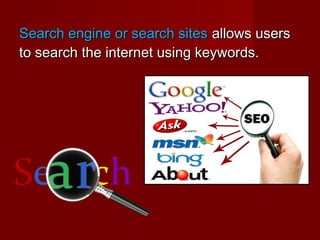
Search engine or search sitesSearch engine or search sites allows usersallows users
to search the internet using keywords.to search the internet using keywords.
What is an Internet ServiceWhat is an Internet Service
Provider?Provider?
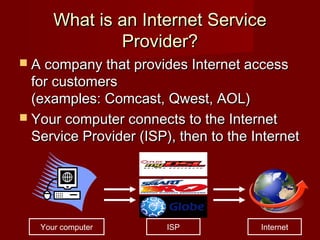
 A company that provides Internet accessA company that provides Internet access
for customersfor customers
(examples: Comcast, Qwest, AOL)(examples: Comcast, Qwest, AOL)
 Your computer connects to the InternetYour computer connects to the Internet
Service Provider (ISP), then to the InternetService Provider (ISP), then to the Internet
Your computer InternetISP
Types of Internet connectionTypes of Internet connection
 Two types of internet connectionTwo types of internet connection
1. Narrowband1. Narrowband
*Dial-up*Dial-up
*ISDN*ISDN
2. Broadband2. Broadband
* Cable connections* Cable connections
* DSL connection* DSL connection
* Dedicated Leased Line* Dedicated Leased Line
* Wireless connections* Wireless connections
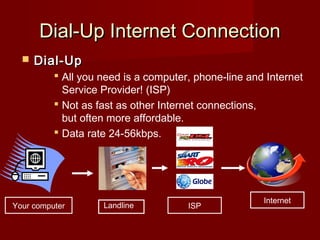
Dial-Up Internet ConnectionDial-Up Internet Connection
 Dial-UpDial-Up
 All you need is a computer, phone-line and Internet
Service Provider! (ISP)
 Not as fast as other Internet connections,
but often more affordable.
 Data rate 24-56kbps.
ISP
Internet
Your computer Landline
ISDN or Integrated ServicesISDN or Integrated Services
Digital Network.Digital Network.
 A type of digitalA type of digital
telephone connectiontelephone connection
that offers data rate ofthat offers data rate of
up to 128kbps.up to 128kbps.
 Better than dial-up butBetter than dial-up but
still consideredstill considered
outdated.outdated.
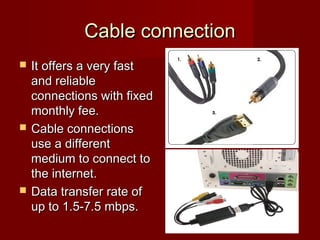
Cable connectionCable connection
 It offers a very fastIt offers a very fast
and reliableand reliable
connections with fixedconnections with fixed
monthly fee.monthly fee.
 Cable connectionsCable connections
use a differentuse a different
medium to connect tomedium to connect to
the internet.the internet.
 Data transfer rate ofData transfer rate of
up to 1.5-7.5 mbps.up to 1.5-7.5 mbps.
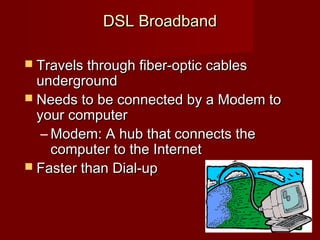
DSL BroadbandDSL Broadband
 Travels through fiber-optic cablesTravels through fiber-optic cables
undergroundunderground
 Needs to be connected by a Modem toNeeds to be connected by a Modem to
your computeryour computer
– Modem: A hub that connects theModem: A hub that connects the
computer to the Internetcomputer to the Internet
 Faster than Dial-upFaster than Dial-up
Dedicated Leased LineDedicated Leased Line
 A dedicated leased line is a point to point,A dedicated leased line is a point to point,
high speed communication line thathigh speed communication line that
directly connects your computer to yourdirectly connects your computer to your
ISP’s.ISP’s.
 Data transfer rate of up to 1,544,000 bitsData transfer rate of up to 1,544,000 bits
per second.per second.
 T1 line or t1 – This type of line allows youT1 line or t1 – This type of line allows you
to download and upload large documentsto download and upload large documents
quickly.quickly.
 Uploal and Dowwnload speed are the YrUploal and Dowwnload speed are the Yr
 the same (symmetric) , unlike DSL,the same (symmetric) , unlike DSL,
wherein upload speed is slower than itswherein upload speed is slower than its
download speed (asymmetric).download speed (asymmetric).
 T1 capacity is the most commonly usedT1 capacity is the most commonly used
broadband digital line in the U.S., Canada,broadband digital line in the U.S., Canada,
and Japan.and Japan.
Wireless Connection
(Wi-Fi) wireless fidelity
 Your computer must be aYour computer must be a
“Wireless enabled”“Wireless enabled”
devicedevice
 Your computer can pickYour computer can pick
up signals from differentup signals from different
wireless networkswireless networks
 Some networks requireSome networks require
passwords or apasswords or a
subscription, others aresubscription, others are
free.free.
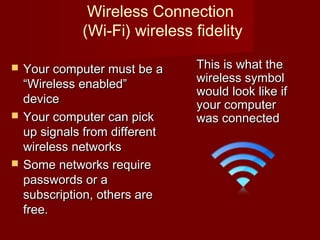
This is what theThis is what the
wireless symbolwireless symbol
would look like ifwould look like if
your computeryour computer
was connectedwas connected

The internet final

  • 1.
  • 2.
    What is theInternet?What is the Internet?  A collection of computer networks that linkA collection of computer networks that link billions of different computers around thebillions of different computers around the world.world.  Like a BIG book with many web-pages onLike a BIG book with many web-pages on different topicsdifferent topics  A computer network is a group ofA computer network is a group of connected computers that exchangeconnected computers that exchange information.information.
  • 3.
    Why use theInternet?Why use the Internet?  Apply for jobs or schoolsApply for jobs or schools  Fill out government formsFill out government forms  Check bank accountsCheck bank accounts  Communicate with family,Communicate with family, friends and co-workersfriends and co-workers  Do researchDo research  Learn new skillsLearn new skills  Read newsRead news  Watch videosWatch videos
  • 4.
    How does itwork?How does it work?
  • 5.
    Key termsKey terms Cyberspace theCyberspace the electronic universe ofelectronic universe of information availableinformation available through the internet.through the internet.  Protocol aProtocol a standardize collectionstandardize collection of rules andof rules and convention.convention.
  • 6.
    How a modemworksHow a modem works A modem is a device that let’s the computer “talk” to each other via telephoneA modem is a device that let’s the computer “talk” to each other via telephone lines.lines.
  • 7.
    ModemModem Modulation the processModulationthe process of converting digitalof converting digital signal into analog signal.signal into analog signal. Demodulation theDemodulation the process of convertingprocess of converting analog signal into digitalanalog signal into digital signalsignal
  • 8.
    History of theInternetHistory of the Internet
  • 9.
    © 2005 Prentice-Hall,Inc© 2005 Prentice-Hall, Inc SlideSlide 99  Significant events in the history of theSignificant events in the history of the Internet.Internet. 1962 1969 1972 1983 1989 199. 1995 J.C.R. Lickliter conceives of the idea of a “galactic network”. Ray Tomlinson invents e-mail. The World Wide Web is developed. The first graphical Web browser is developed. ARPANET goes online, connecting four computers. Internet protocols begin. Barriers to commercial activity are lifted. Click on the dates for more information.
  • 10.
    Internet ServicesInternet Services Electronic Mail or e-mail is the worldwideElectronic Mail or e-mail is the worldwide system of sending and receiving mails insystem of sending and receiving mails in an electronic format.an electronic format.
  • 11.
     Newsgroup. Anotherservice called newsNewsgroup. Another service called news groups. A newsgroup is a collection ofgroups. A newsgroup is a collection of people that share in group discussions onpeople that share in group discussions on a specific topic.a specific topic.
  • 12.
     Internet RelayChat or IRC enables aInternet Relay Chat or IRC enables a group of people, usually using aliases orgroup of people, usually using aliases or “screen names”, to send typed msgs And“screen names”, to send typed msgs And allow audio conversations with oneallow audio conversations with one another in real time across the globe.another in real time across the globe.
  • 13.
     Chat roomsthese are virtual rooms whereChat rooms these are virtual rooms where people connect to discuss subjects ofpeople connect to discuss subjects of common interest.common interest.
  • 14.
     World WideWeb is a system of linkingWorld Wide Web is a system of linking documents that may be on differentdocuments that may be on different computers and located in many countries.computers and located in many countries.
  • 15.
    Key TermsKey Terms The Web is composed of a large collectionThe Web is composed of a large collection of documents called web pages.of documents called web pages.
  • 16.
     Web browserthe software used to accessWeb browser the software used to access the net.the net. – The first browsers were text-only.The first browsers were text-only. – MosaicMosaic was the first graphical browser.was the first graphical browser.
  • 17.
    © 2005 Prentice-Hall,Inc© 2005 Prentice-Hall, Inc SlideSlide 1717  Web addresses, sometimes called a URL.Web addresses, sometimes called a URL.  TheThe uniform resource locatoruniform resource locator ((URLURL) is a) is a formatted text string used by browser, email clientsformatted text string used by browser, email clients and other software to locate a network resource onand other software to locate a network resource on the internet. The URL consists of:the internet. The URL consists of: URL What are Internet AddressesWhat are Internet Addresses http:// Protocol identifies the means of access www.yahoo.com/ Server contains the domain name of the Web server help/ shop/ Path identifies the location of the document shop-01.html Resource specifies the filename of the resource
  • 18.
    httphttp – Thisweb server uses the http– This web server uses the http protocol.protocol. wwwwww – This site is on the world wide web.– This site is on the world wide web. YahooYahoo – the name of the domain is– the name of the domain is yahoo.comyahoo.com .com.com – a commercial organization.– a commercial organization. .ph.ph – determines the domain location.– determines the domain location. News.htmNews.htm – this is the actual document or– this is the actual document or file that your browser loads.file that your browser loads.
  • 19.
    Domain typeDomain type http://www.yahoohttp://www.yahoo.com.com .com – commercial.com – commercial  .edu – education.edu – education  .mil – military.mil – military  .org – organization.org – organization  .net – network.net – network  .gov – government.gov – government  .int – int’l organization.int – int’l organization
  • 20.
    Domain location orcountry codeDomain location or country code http://www.yahoo.comhttp://www.yahoo.com.ph.ph  .ph – Philippines id – indonesia.ph – Philippines id – indonesia .au – australia.au – australia  .cn – china.cn – china  .nz – new zealand.nz – new zealand  .uk – united kingdom.uk – united kingdom  .hk – hong kong.hk – hong kong  .kr – korea.kr – korea  .ru - russia.ru - russia
  • 21.
     File sharingand search engine.File sharing and search engine. Individuals can share their files over theIndividuals can share their files over the internet.internet.  Download - CopyDownload - Copy  Upload - ShareUpload - Share
  • 22.
     File TransferProtocolFile Transfer Protocol ((FTPFTP)) is ais a standard network protocol used to transfer computerstandard network protocol used to transfer computer files from one host to another host over a TCP-basedfiles from one host to another host over a TCP-based network, such as the Internet.network, such as the Internet.
  • 23.
    Search engine orsearch sitesSearch engine or search sites allows usersallows users to search the internet using keywords.to search the internet using keywords.
  • 24.
    What is anInternet ServiceWhat is an Internet Service Provider?Provider?  A company that provides Internet accessA company that provides Internet access for customersfor customers (examples: Comcast, Qwest, AOL)(examples: Comcast, Qwest, AOL)  Your computer connects to the InternetYour computer connects to the Internet Service Provider (ISP), then to the InternetService Provider (ISP), then to the Internet Your computer InternetISP
  • 25.
    Types of InternetconnectionTypes of Internet connection  Two types of internet connectionTwo types of internet connection 1. Narrowband1. Narrowband *Dial-up*Dial-up *ISDN*ISDN 2. Broadband2. Broadband * Cable connections* Cable connections * DSL connection* DSL connection * Dedicated Leased Line* Dedicated Leased Line * Wireless connections* Wireless connections
  • 26.
    Dial-Up Internet ConnectionDial-UpInternet Connection  Dial-UpDial-Up  All you need is a computer, phone-line and Internet Service Provider! (ISP)  Not as fast as other Internet connections, but often more affordable.  Data rate 24-56kbps. ISP Internet Your computer Landline
  • 27.
    ISDN or IntegratedServicesISDN or Integrated Services Digital Network.Digital Network.  A type of digitalA type of digital telephone connectiontelephone connection that offers data rate ofthat offers data rate of up to 128kbps.up to 128kbps.  Better than dial-up butBetter than dial-up but still consideredstill considered outdated.outdated.
  • 28.
    Cable connectionCable connection It offers a very fastIt offers a very fast and reliableand reliable connections with fixedconnections with fixed monthly fee.monthly fee.  Cable connectionsCable connections use a differentuse a different medium to connect tomedium to connect to the internet.the internet.  Data transfer rate ofData transfer rate of up to 1.5-7.5 mbps.up to 1.5-7.5 mbps.
  • 29.
    DSL BroadbandDSL Broadband Travels through fiber-optic cablesTravels through fiber-optic cables undergroundunderground  Needs to be connected by a Modem toNeeds to be connected by a Modem to your computeryour computer – Modem: A hub that connects theModem: A hub that connects the computer to the Internetcomputer to the Internet  Faster than Dial-upFaster than Dial-up
  • 30.
    Dedicated Leased LineDedicatedLeased Line  A dedicated leased line is a point to point,A dedicated leased line is a point to point, high speed communication line thathigh speed communication line that directly connects your computer to yourdirectly connects your computer to your ISP’s.ISP’s.  Data transfer rate of up to 1,544,000 bitsData transfer rate of up to 1,544,000 bits per second.per second.  T1 line or t1 – This type of line allows youT1 line or t1 – This type of line allows you to download and upload large documentsto download and upload large documents quickly.quickly.  Uploal and Dowwnload speed are the YrUploal and Dowwnload speed are the Yr
  • 31.
     the same(symmetric) , unlike DSL,the same (symmetric) , unlike DSL, wherein upload speed is slower than itswherein upload speed is slower than its download speed (asymmetric).download speed (asymmetric).  T1 capacity is the most commonly usedT1 capacity is the most commonly used broadband digital line in the U.S., Canada,broadband digital line in the U.S., Canada, and Japan.and Japan.
  • 32.
    Wireless Connection (Wi-Fi) wirelessfidelity  Your computer must be aYour computer must be a “Wireless enabled”“Wireless enabled” devicedevice  Your computer can pickYour computer can pick up signals from differentup signals from different wireless networkswireless networks  Some networks requireSome networks require passwords or apasswords or a subscription, others aresubscription, others are free.free. This is what theThis is what the wireless symbolwireless symbol would look like ifwould look like if your computeryour computer was connectedwas connected