Advanced Workflow: Deeper Dive!
                     Nick Smith!
    Senior Software Engineer, Services Team, Alfresco!
Agenda!

Service Tasks
  •  Java Delegate Class!
  •  Java Delegate Bean!
  •  Arbitrary Expressions!

Listeners
  •  Execution Listeners!
  •  Task Listeners!

Scripting
  •  Scope Variables!
  •  Execution Variables!
  •  Examples!

Timers
Questions
Service Tasks
            !
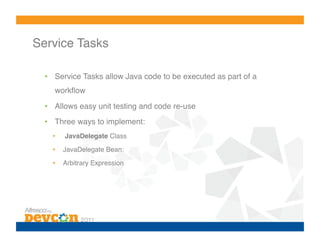
Service Tasks!

  •  Service Tasks allow Java code to be executed as part of a
     workflow!

  •  Allows easy unit testing and code re-use!
  •  Three ways to implement:!
    •    JavaDelegate Class!
    •    JavaDelegate Bean:!

    •    Arbitrary Expression!
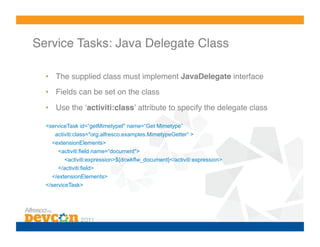
Service Tasks: Java Delegate Class!

  •  The supplied class must implement JavaDelegate interface!
  •  Fields can be set on the class!

  •  Use the ʻactiviti:classʼ attribute to specify the delegate class

  <serviceTask id=“getMimetypet" name=“Get Mimetype”
     activiti:class="org.alfresco.examples.MimetypeGetter“ >
    <extensionElements>
      <activiti:field name=“document">
        <activiti:expression>${dcwkflw_document}</activiti:expression>
      </activiti:field>
    </extensionElements>
  </serviceTask>
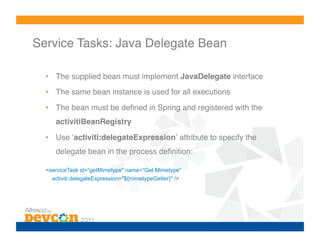
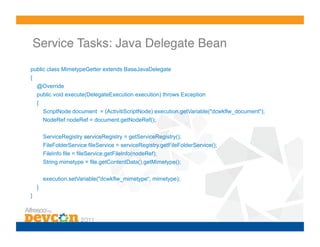
Service Tasks: Java Delegate Bean!

  •  The supplied bean must implement JavaDelegate interface!
  •  The same bean instance is used for all executions!

  •  The bean must be defined in Spring and registered with the
     activitiBeanRegistry!

  •  Use ʻactiviti:delegateExpressionʼ attribute to specify the
     delegate bean in the process definition:!

  <serviceTask id=“getMimetype" name=“Get Mimetype“
    activiti:delegateExpression="${mimetypeGetter}" />
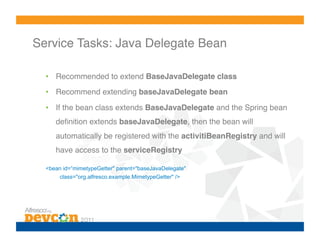
Service Tasks: Java Delegate Bean!

  •  Recommended to extend BaseJavaDelegate class!
  •  Recommend extending baseJavaDelegate bean!

  •  If the bean class extends BaseJavaDelegate and the Spring bean
     definition extends baseJavaDelegate, then the bean will
     automatically be registered with the activitiBeanRegistry and will
     have access to the serviceRegistry!

  <bean id=“mimetypeGetter" parent="baseJavaDelegate"
       class="org.alfresco.example.MimetypeGetter" />
Service Tasks: Java Delegate Bean!
public class MimetypeGetter extends BaseJavaDelegate
{
    @Override
    public void execute(DelegateExecution execution) throws Exception
    {
        ScriptNode document = (ActivitiScriptNode) execution.getVariable("dcwkflw_document");
        NodeRef nodeRef = document.getNodeRef();

        ServiceRegistry serviceRegistry = getServiceRegistry();
        FileFolderService fileService = serviceRegistry.getFileFolderService();
        FileInfo file = fileService.getFileInfo(nodeRef);
        String mimetype = file.getContentData().getMimetype();

        execution.setVariable("dcwkflw_mimetype“, mimetype);
    }
}
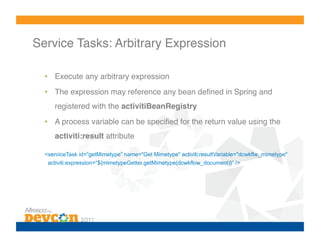
Service Tasks: Arbitrary Expression!

  •  Execute any arbitrary expression!
  •  The expression may reference any bean defined in Spring and
     registered with the activitiBeanRegistry!
  •  A process variable can be specified for the return value using the
     activiti:result attribute!

  <serviceTask id=”getMimetype” name="Get Mimetype" activiti:resultVariable="dcwkflw_mimetype"
   activiti:expression=“${mimetypeGetter.getMimetype(dcwkflow_document)}” />!
Listeners
        !
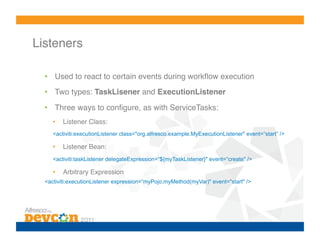
Listeners!

  •  Used to react to certain events during workflow execution!
  •  Two types: TaskLisener and ExecutionListener!

  •  Three ways to configure, as with ServiceTasks:!
     •    Listener Class:!
     <activiti:executionListener class="org.alfresco.example.MyExecutionListener" event=“start” />!

     •    Listener Bean:!
     <activiti:taskListener delegateExpression=“${myTaskListener}" event=“create" />!

     •    Arbitrary Expression
  <activiti:executionListener expression=“myPojo.myMethod(myVar)" event="start" />
Listeners: Execution Listener Events!
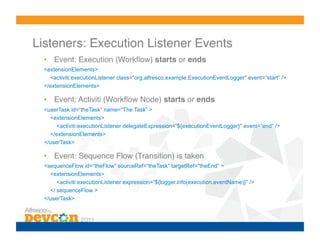
  •  Event: Execution (Workflow) starts or ends!
  <extensionElements>
    <activiti:executionListener class=“org.alfresco.example.ExecutionEventLogger" event=“start” />
  </extensionElements>!

  •  Event: Activiti (Workflow Node) starts or ends!
  <userTask id=“theTask” name=“The Task” >
    <extensionElements>
       <activiti:executionListener delegateExpression=“${executionEventLogger}" event=“end” />
    </extensionElements>
  </userTask>!

  •  Event: Sequence Flow (Transition) is taken!
  <sequenceFlow id=“theFlow” sourceRef=“theTask” targetRef=“theEnd” >
    <extensionElements>
       <activiti:executionListener expression=“${logger.info(execution.eventName)}" />
    </ sequenceFlow >
  </userTask>
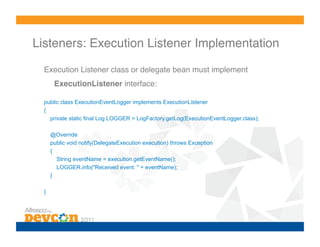
Listeners: Execution Listener Implementation!

  Execution Listener class or delegate bean must implement
        ExecutionListener interface:!

  public class ExecutionEventLogger implements ExecutionListener
  {
    private static final Log LOGGER = LogFactory.getLog(ExecutionEventLogger.class);

       @Override
       public void notify(DelegateExecution execution) throws Exception
       {
         String eventName = execution.getEventName();
         LOGGER.info("Received event: " + eventName);
       }

  }!
Listeners: Task Listener Events!
  •  All Task Listeners defined inside task elements:!
  <userTask id=“theTask” name=“The Task” >
    <extensionElements>
       <activiti:taskListener ... [Listener Details] ... />
    </extensionElements>
  </userTask>!

  •  Event: assignment is called when a task is assigned to a user,
      usually called before create:!
  <activiti:taskListener event=“assignment” class=“org.alfresco.example.TaskEventLogger” />

  •  Event: create is called when the task is created, after assignment:!
  <activiti:taskListener event=“create” delegateExpression=“${taskEventLogger}” />

  •  Event: completed is called when the task is completed:!
  <activiti:taskListener event=“completed” expression=“${logger.info(task.eventName)}” />
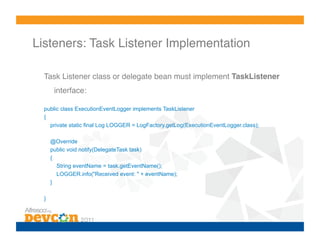
Listeners: Task Listener Implementation!

  Task Listener class or delegate bean must implement TaskListener
       interface:!

  public class ExecutionEventLogger implements TaskListener
  {
    private static final Log LOGGER = LogFactory.getLog(ExecutionEventLogger.class);

      @Override
      public void notify(DelegateTask task)
      {
        String eventName = task.getEventName();
        LOGGER.info("Received event: " + eventName);
      }

  }
Scripting!
Scripting!

  •  Scripting Lagnuage:!
    •    JavaScript!


  •  Activiti Implementations:!
    •    AlfrescoScriptDelegate!

    •    ScriptExecutionListener !

    •    ScriptTaskListener!
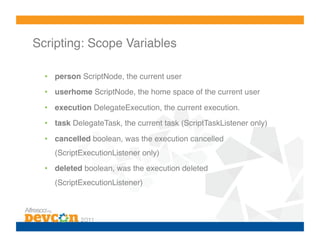
Scripting: Scope Variables!

  •  person ScriptNode, the current user!
  •  userhome ScriptNode, the home space of the current user!

  •  execution DelegateExecution, the current execution.!
  •  task DelegateTask, the current task (ScriptTaskListener only)!
  •  cancelled boolean, was the execution cancelled
    (ScriptExecutionListener only)!
  •  deleted boolean, was the execution deleted
    (ScriptExecutionListener)!
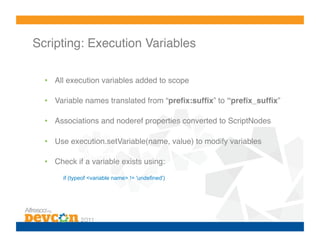
Scripting: Execution Variables!

  •  All execution variables added to scope!

  •  Variable names translated from “prefix:suffix” to “prefix_suffix”!

  •  Associations and noderef properties converted to ScriptNodes!

  •  Use execution.setVariable(name, value) to modify variables!

  •  Check if a variable exists using:!
       if (typeof <variable name> != 'undefined')
Scripting: Examples!

  •  Copy a task variable to a process variable:
    execution.setVariable('dcwkflw_reviewOutcome', task.getVariable('dcwkflw_reviewOutcome'));


  •  Set a task property from a pocess variable if it exists:
    if (typeof bpm_workflowDueDate != 'undefined') task.dueDate = bpm_workflowDueDate;


  •  Apply an aspect ʻdcwkflw:publishedʼ to a document:
    var presentation = bpm_package.children[0]; // Get the presentation
    presentation.addAspect('dcwkflw:published'); // Apply published aspect
Timers
     !
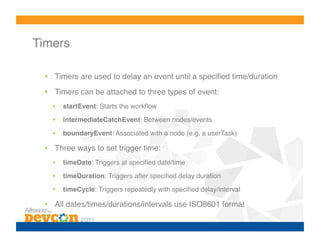
Timers!

  •  Timers are used to delay an event until a specified time/duration!
  •  Timers can be attached to three types of event:!
    •    startEvent: Starts the workflow!
    •    intermediateCatchEvent: Between nodes/events!

    •    boundaryEvent: Associated with a node (e.g. a userTask)!

  •  Three ways to set trigger time:!
    •    timeDate: Triggers at specified date/time!

    •    timeDuration: Triggers after specified delay duration!

    •    timeCycle: Triggers repeatedly with specified delay/interval!

  •  All dates/times/durations/intervals use ISO8601 format!
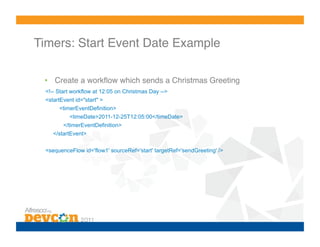
Timers: Start Event Date Example!

 •  Create a workflow which sends a Christmas Greeting
 <!-- Start workflow at 12:05 on Christmas Day -->
 <startEvent id="start" >
       <timerEventDefinition>
          <timeDate>2011-12-25T12:05:00</timeDate>
        </timerEventDefinition>
    </startEvent>


 <sequenceFlow id='flow1' sourceRef='start' targetRef='sendGreeting' />
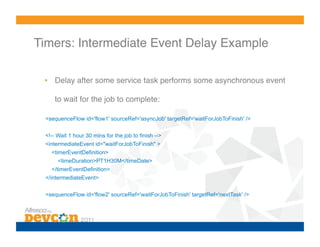
Timers: Intermediate Event Delay Example!

 •  Delay after some service task performs some asynchronous event

     to wait for the job to complete:!

 <sequenceFlow id='flow1' sourceRef='asyncJob' targetRef='waitForJobToFinish' />

 <!-- Wait 1 hour 30 mins for the job to finish -->
 <intermediateEvent id="waitForJobToFinish" >
   <timerEventDefinition>
      <timeDuration>PT1H30M</timeDate>
   </timerEventDefinition>
 </intermediateEvent>

 <sequenceFlow id='flow2' sourceRef='waitForJobToFinish' targetRef='nextTask' />
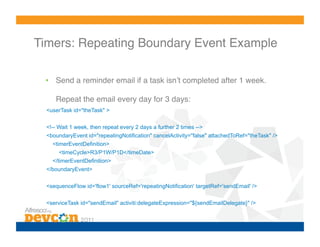
Timers: Repeating Boundary Event Example!

 •  Send a reminder email if a task isnʼt completed after 1 week.

     Repeat the email every day for 3 days:!
  <userTask id="theTask" >

  <!-- Wait 1 week, then repeat every 2 days a further 2 times -->
  <boundaryEvent id="repeatingNotification" cancelActivity="false" attachedToRef="theTask" />
    <timerEventDefinition>
       <timeCycle>R3/P1W/P1D</timeDate>
    </timerEventDefinition>
  </boundaryEvent>


  <sequenceFlow id='flow1' sourceRef='repeatingNotification' targetRef='sendEmail' />

  <serviceTask id="sendEmail" activiti:delegateExpression="${sendEmailDelegate}" />
Questions ?!

BPM-3 Advanced Workflow Deep Dive

  • 1.
    Advanced Workflow: DeeperDive! Nick Smith! Senior Software Engineer, Services Team, Alfresco!
  • 2.
    Agenda! Service Tasks •  Java Delegate Class! •  Java Delegate Bean! •  Arbitrary Expressions! Listeners •  Execution Listeners! •  Task Listeners! Scripting •  Scope Variables! •  Execution Variables! •  Examples! Timers Questions
  • 3.
  • 4.
    Service Tasks! •  Service Tasks allow Java code to be executed as part of a workflow! •  Allows easy unit testing and code re-use! •  Three ways to implement:! •  JavaDelegate Class! •  JavaDelegate Bean:! •  Arbitrary Expression!
  • 5.
    Service Tasks: JavaDelegate Class! •  The supplied class must implement JavaDelegate interface! •  Fields can be set on the class! •  Use the ʻactiviti:classʼ attribute to specify the delegate class <serviceTask id=“getMimetypet" name=“Get Mimetype” activiti:class="org.alfresco.examples.MimetypeGetter“ > <extensionElements> <activiti:field name=“document"> <activiti:expression>${dcwkflw_document}</activiti:expression> </activiti:field> </extensionElements> </serviceTask>
  • 6.
    Service Tasks: JavaDelegate Bean! •  The supplied bean must implement JavaDelegate interface! •  The same bean instance is used for all executions! •  The bean must be defined in Spring and registered with the activitiBeanRegistry! •  Use ʻactiviti:delegateExpressionʼ attribute to specify the delegate bean in the process definition:! <serviceTask id=“getMimetype" name=“Get Mimetype“ activiti:delegateExpression="${mimetypeGetter}" />
  • 7.
    Service Tasks: JavaDelegate Bean! •  Recommended to extend BaseJavaDelegate class! •  Recommend extending baseJavaDelegate bean! •  If the bean class extends BaseJavaDelegate and the Spring bean definition extends baseJavaDelegate, then the bean will automatically be registered with the activitiBeanRegistry and will have access to the serviceRegistry! <bean id=“mimetypeGetter" parent="baseJavaDelegate" class="org.alfresco.example.MimetypeGetter" />
  • 8.
    Service Tasks: JavaDelegate Bean! public class MimetypeGetter extends BaseJavaDelegate { @Override public void execute(DelegateExecution execution) throws Exception { ScriptNode document = (ActivitiScriptNode) execution.getVariable("dcwkflw_document"); NodeRef nodeRef = document.getNodeRef(); ServiceRegistry serviceRegistry = getServiceRegistry(); FileFolderService fileService = serviceRegistry.getFileFolderService(); FileInfo file = fileService.getFileInfo(nodeRef); String mimetype = file.getContentData().getMimetype(); execution.setVariable("dcwkflw_mimetype“, mimetype); } }
  • 9.
    Service Tasks: ArbitraryExpression! •  Execute any arbitrary expression! •  The expression may reference any bean defined in Spring and registered with the activitiBeanRegistry! •  A process variable can be specified for the return value using the activiti:result attribute! <serviceTask id=”getMimetype” name="Get Mimetype" activiti:resultVariable="dcwkflw_mimetype" activiti:expression=“${mimetypeGetter.getMimetype(dcwkflow_document)}” />!
  • 10.
  • 11.
    Listeners! • Used to react to certain events during workflow execution! •  Two types: TaskLisener and ExecutionListener! •  Three ways to configure, as with ServiceTasks:! •  Listener Class:! <activiti:executionListener class="org.alfresco.example.MyExecutionListener" event=“start” />! •  Listener Bean:! <activiti:taskListener delegateExpression=“${myTaskListener}" event=“create" />! •  Arbitrary Expression <activiti:executionListener expression=“myPojo.myMethod(myVar)" event="start" />
  • 12.
    Listeners: Execution ListenerEvents! •  Event: Execution (Workflow) starts or ends! <extensionElements> <activiti:executionListener class=“org.alfresco.example.ExecutionEventLogger" event=“start” /> </extensionElements>! •  Event: Activiti (Workflow Node) starts or ends! <userTask id=“theTask” name=“The Task” > <extensionElements> <activiti:executionListener delegateExpression=“${executionEventLogger}" event=“end” /> </extensionElements> </userTask>! •  Event: Sequence Flow (Transition) is taken! <sequenceFlow id=“theFlow” sourceRef=“theTask” targetRef=“theEnd” > <extensionElements> <activiti:executionListener expression=“${logger.info(execution.eventName)}" /> </ sequenceFlow > </userTask>
  • 13.
    Listeners: Execution ListenerImplementation! Execution Listener class or delegate bean must implement ExecutionListener interface:! public class ExecutionEventLogger implements ExecutionListener { private static final Log LOGGER = LogFactory.getLog(ExecutionEventLogger.class); @Override public void notify(DelegateExecution execution) throws Exception { String eventName = execution.getEventName(); LOGGER.info("Received event: " + eventName); } }!
  • 14.
    Listeners: Task ListenerEvents! •  All Task Listeners defined inside task elements:! <userTask id=“theTask” name=“The Task” > <extensionElements> <activiti:taskListener ... [Listener Details] ... /> </extensionElements> </userTask>! •  Event: assignment is called when a task is assigned to a user, usually called before create:! <activiti:taskListener event=“assignment” class=“org.alfresco.example.TaskEventLogger” /> •  Event: create is called when the task is created, after assignment:! <activiti:taskListener event=“create” delegateExpression=“${taskEventLogger}” /> •  Event: completed is called when the task is completed:! <activiti:taskListener event=“completed” expression=“${logger.info(task.eventName)}” />
  • 15.
    Listeners: Task ListenerImplementation! Task Listener class or delegate bean must implement TaskListener interface:! public class ExecutionEventLogger implements TaskListener { private static final Log LOGGER = LogFactory.getLog(ExecutionEventLogger.class); @Override public void notify(DelegateTask task) { String eventName = task.getEventName(); LOGGER.info("Received event: " + eventName); } }
  • 16.
  • 17.
    Scripting! • Scripting Lagnuage:! •  JavaScript! •  Activiti Implementations:! •  AlfrescoScriptDelegate! •  ScriptExecutionListener ! •  ScriptTaskListener!
  • 18.
    Scripting: Scope Variables! •  person ScriptNode, the current user! •  userhome ScriptNode, the home space of the current user! •  execution DelegateExecution, the current execution.! •  task DelegateTask, the current task (ScriptTaskListener only)! •  cancelled boolean, was the execution cancelled (ScriptExecutionListener only)! •  deleted boolean, was the execution deleted (ScriptExecutionListener)!
  • 19.
    Scripting: Execution Variables! •  All execution variables added to scope! •  Variable names translated from “prefix:suffix” to “prefix_suffix”! •  Associations and noderef properties converted to ScriptNodes! •  Use execution.setVariable(name, value) to modify variables! •  Check if a variable exists using:! if (typeof <variable name> != 'undefined')
  • 20.
    Scripting: Examples! •  Copy a task variable to a process variable: execution.setVariable('dcwkflw_reviewOutcome', task.getVariable('dcwkflw_reviewOutcome')); •  Set a task property from a pocess variable if it exists: if (typeof bpm_workflowDueDate != 'undefined') task.dueDate = bpm_workflowDueDate; •  Apply an aspect ʻdcwkflw:publishedʼ to a document: var presentation = bpm_package.children[0]; // Get the presentation presentation.addAspect('dcwkflw:published'); // Apply published aspect
  • 21.
  • 22.
    Timers! • Timers are used to delay an event until a specified time/duration! •  Timers can be attached to three types of event:! •  startEvent: Starts the workflow! •  intermediateCatchEvent: Between nodes/events! •  boundaryEvent: Associated with a node (e.g. a userTask)! •  Three ways to set trigger time:! •  timeDate: Triggers at specified date/time! •  timeDuration: Triggers after specified delay duration! •  timeCycle: Triggers repeatedly with specified delay/interval! •  All dates/times/durations/intervals use ISO8601 format!
  • 23.
    Timers: Start EventDate Example! •  Create a workflow which sends a Christmas Greeting <!-- Start workflow at 12:05 on Christmas Day --> <startEvent id="start" > <timerEventDefinition> <timeDate>2011-12-25T12:05:00</timeDate> </timerEventDefinition> </startEvent> <sequenceFlow id='flow1' sourceRef='start' targetRef='sendGreeting' />
  • 24.
    Timers: Intermediate EventDelay Example! •  Delay after some service task performs some asynchronous event to wait for the job to complete:! <sequenceFlow id='flow1' sourceRef='asyncJob' targetRef='waitForJobToFinish' /> <!-- Wait 1 hour 30 mins for the job to finish --> <intermediateEvent id="waitForJobToFinish" > <timerEventDefinition> <timeDuration>PT1H30M</timeDate> </timerEventDefinition> </intermediateEvent> <sequenceFlow id='flow2' sourceRef='waitForJobToFinish' targetRef='nextTask' />
  • 25.
    Timers: Repeating BoundaryEvent Example! •  Send a reminder email if a task isnʼt completed after 1 week. Repeat the email every day for 3 days:! <userTask id="theTask" > <!-- Wait 1 week, then repeat every 2 days a further 2 times --> <boundaryEvent id="repeatingNotification" cancelActivity="false" attachedToRef="theTask" /> <timerEventDefinition> <timeCycle>R3/P1W/P1D</timeDate> </timerEventDefinition> </boundaryEvent> <sequenceFlow id='flow1' sourceRef='repeatingNotification' targetRef='sendEmail' /> <serviceTask id="sendEmail" activiti:delegateExpression="${sendEmailDelegate}" />
  • 26.