Advanced JIRA and Confluence
Ashish Jain
www.europeanspallationsource.se
November 7, 2014
Index
• JIRA
– Advanced search
• JQL
• Filters
• Confluence
– Advanced editing
• Macros
• JIRA reports
2
JIRA
Advanced search
3
JIRA – Advanced Search – JQL
• JQL = JIRA Query Language
– Syntax similar to SQL, however, JQL is not a
database query language
– Complete reference:
• https://confluence.atlassian.com/display/JIRA/Advance
d+Searching
• But if you are not familiar with SQL queries, let
me give you a heads up.
4
JIRA – Advanced Search – JQL
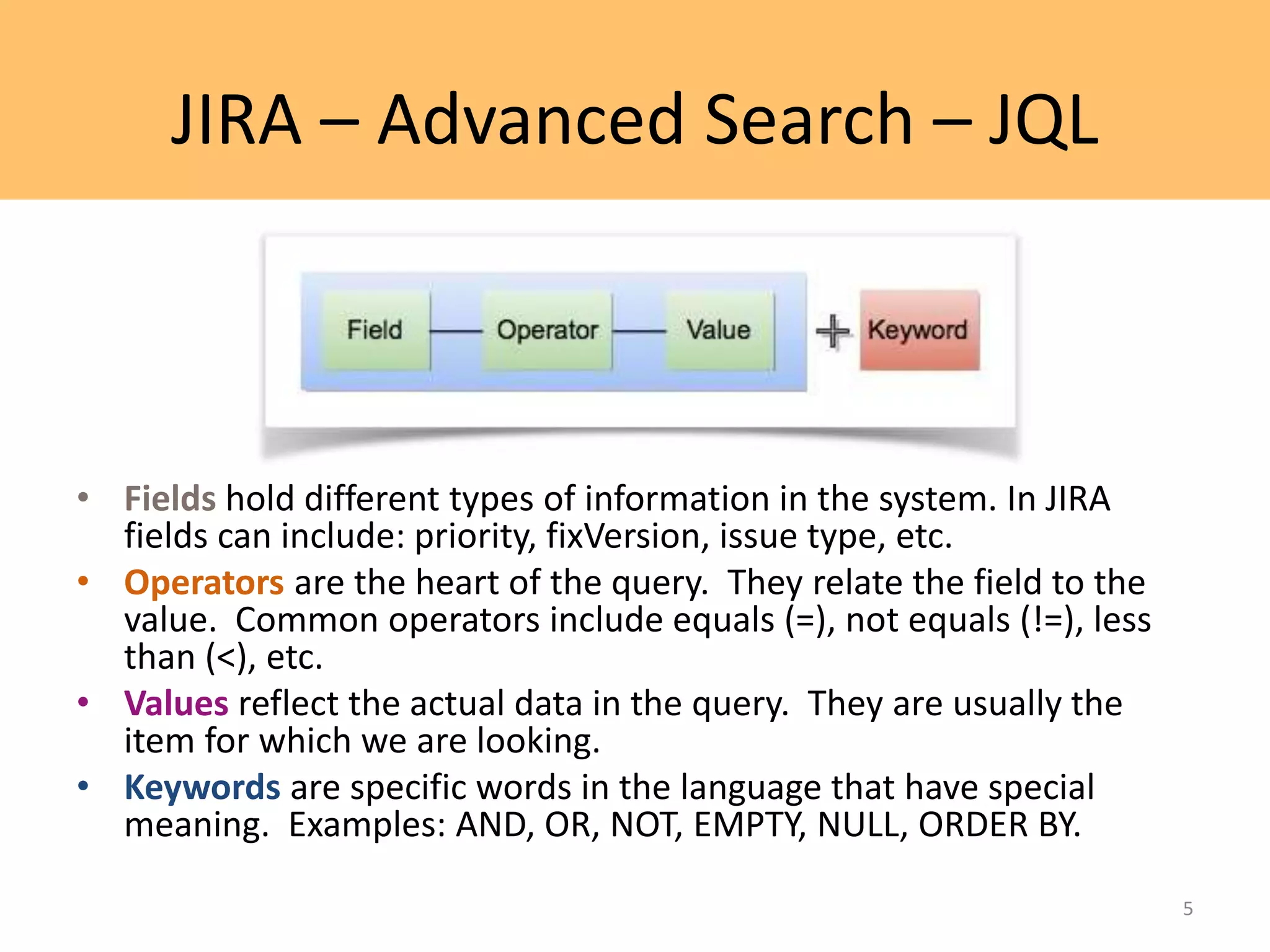
• Fields hold different types of information in the system. In JIRA
fields can include: priority, fixVersion, issue type, etc.
• Operators are the heart of the query. They relate the field to the
value. Common operators include equals (=), not equals (!=), less
than (<), etc.
• Values reflect the actual data in the query. They are usually the
item for which we are looking.
• Keywords are specific words in the language that have special
meaning. Examples: AND, OR, NOT, EMPTY, NULL, ORDER BY.
5
JIRA – Advanced Search – JQL
• Examples
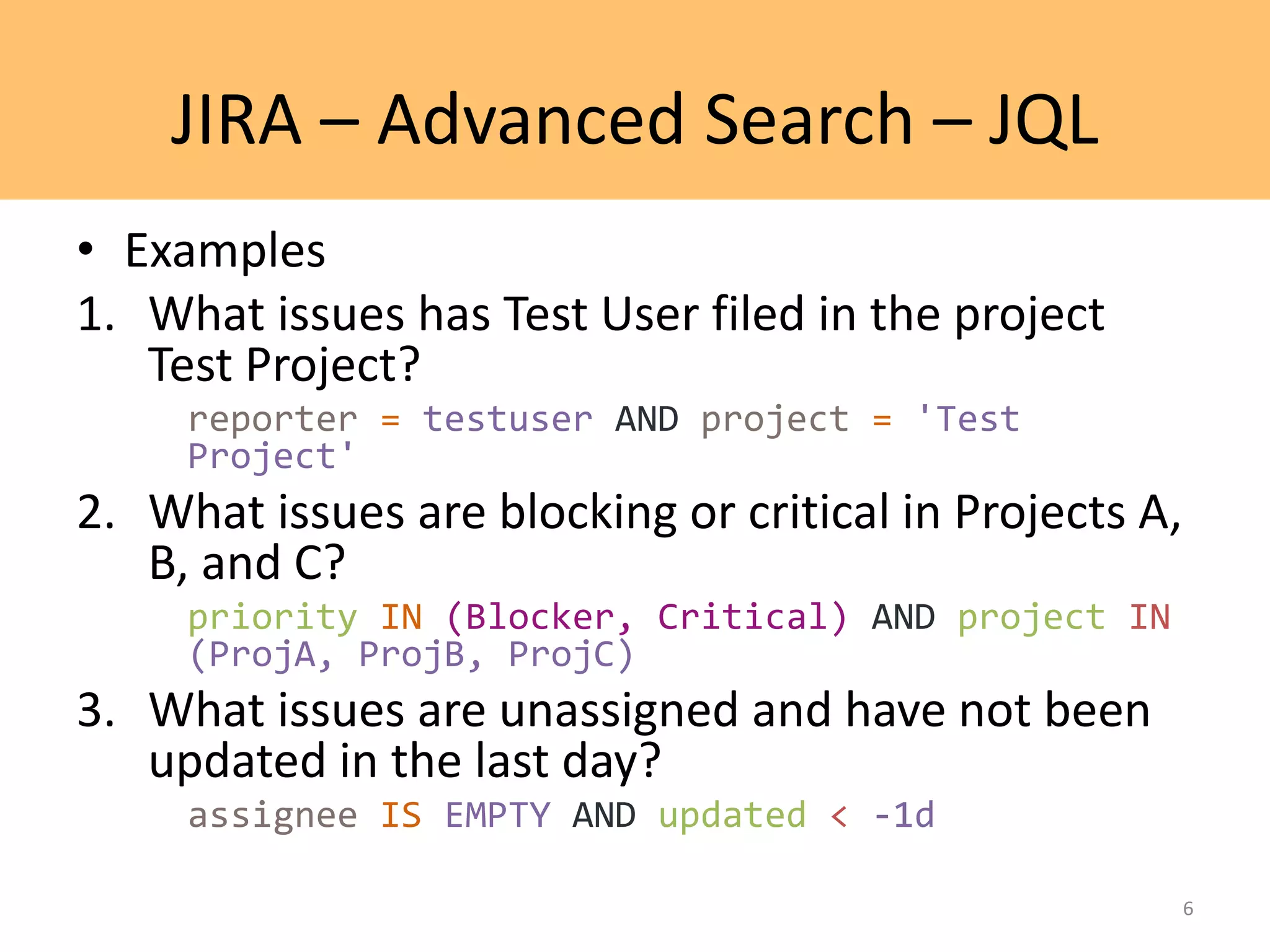
1. What issues has Test User filed in the project
Test Project?
reporter = testuser AND project = 'Test
Project'
2. What issues are blocking or critical in Projects A,
B, and C?
priority IN (Blocker, Critical) AND project IN
(ProjA, ProjB, ProjC)
3. What issues are unassigned and have not been
updated in the last day?
assignee IS EMPTY AND updated < -1d
6
JIRA – Advanced Search – JQL
• Functions
– Examples:
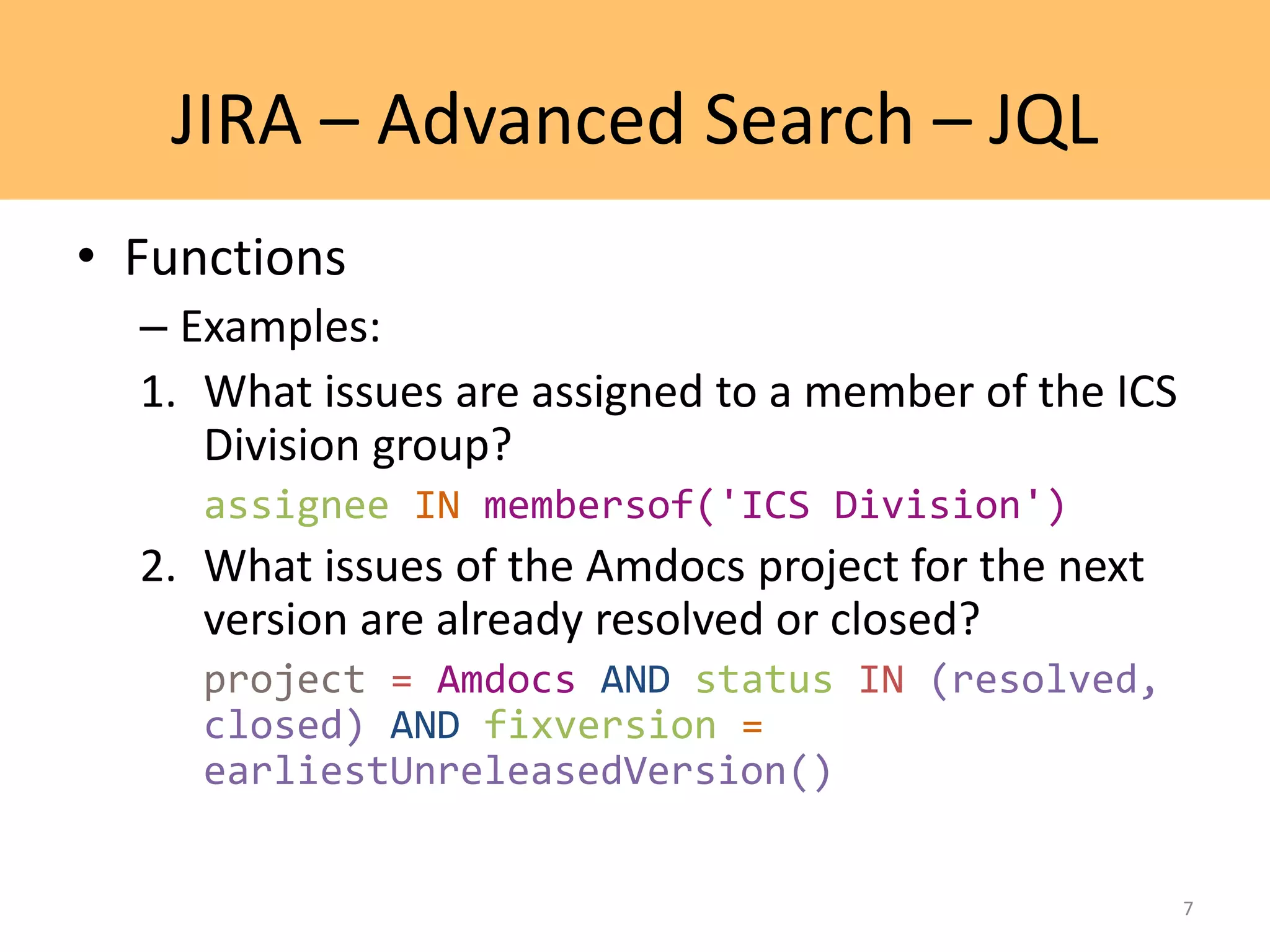
1. What issues are assigned to a member of the ICS
Division group?
assignee IN membersof('ICS Division')
2. What issues of the Amdocs project for the next
version are already resolved or closed?
project = Amdocs AND status IN (resolved,
closed) AND fixversion =
earliestUnreleasedVersion()
7
JIRA – Advanced Search – JQL
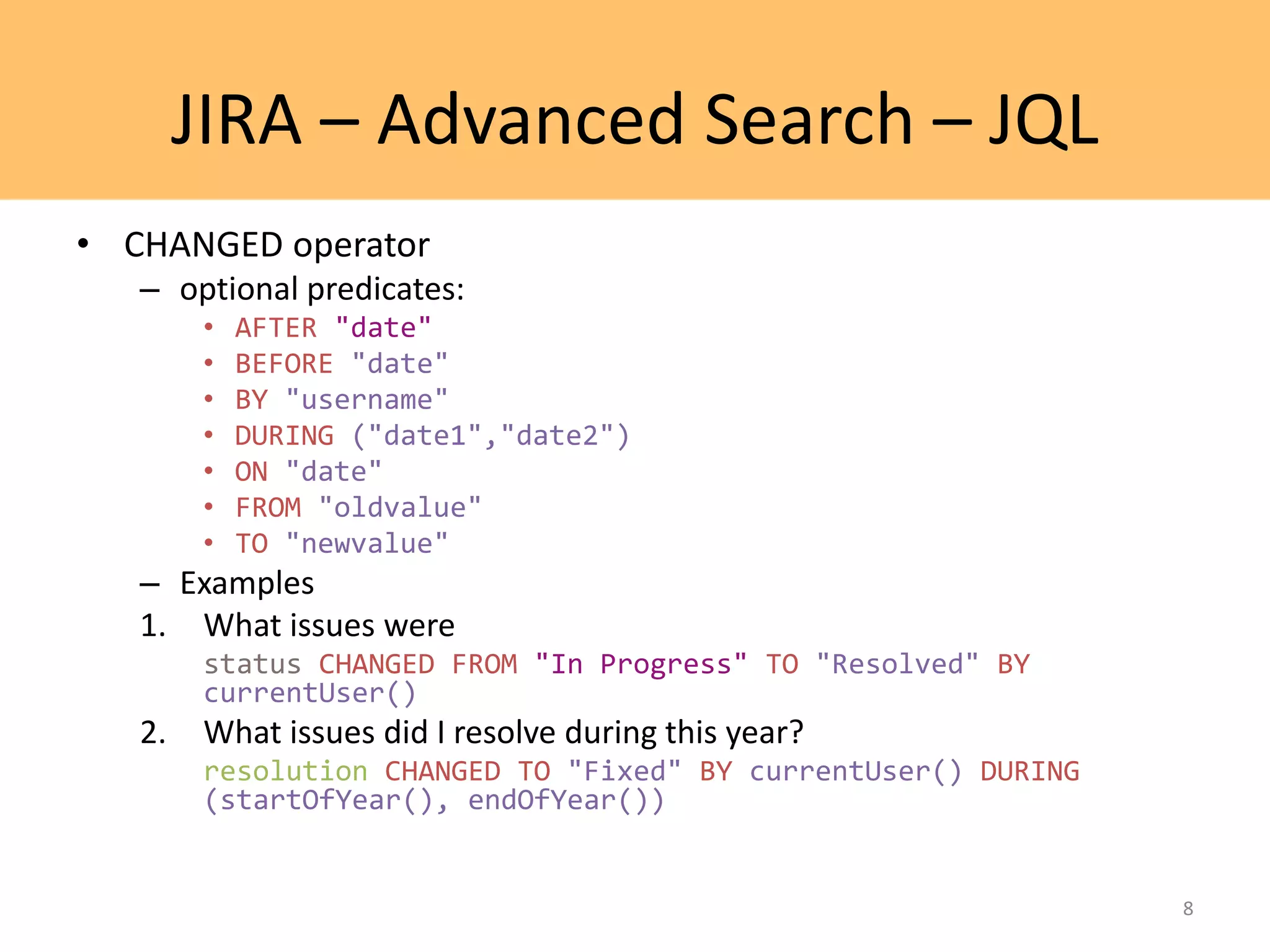
• CHANGED operator
– optional predicates:
• AFTER "date"
• BEFORE "date"
• BY "username"
• DURING ("date1","date2")
• ON "date"
• FROM "oldvalue"
• TO "newvalue"
– Examples
1. What issues were
status CHANGED FROM "In Progress" TO "Resolved" BY
currentUser()
2. What issues did I resolve during this year?
resolution CHANGED TO "Fixed" BY currentUser() DURING
(startOfYear(), endOfYear())
8
JIRA – Advanced Search – JQL
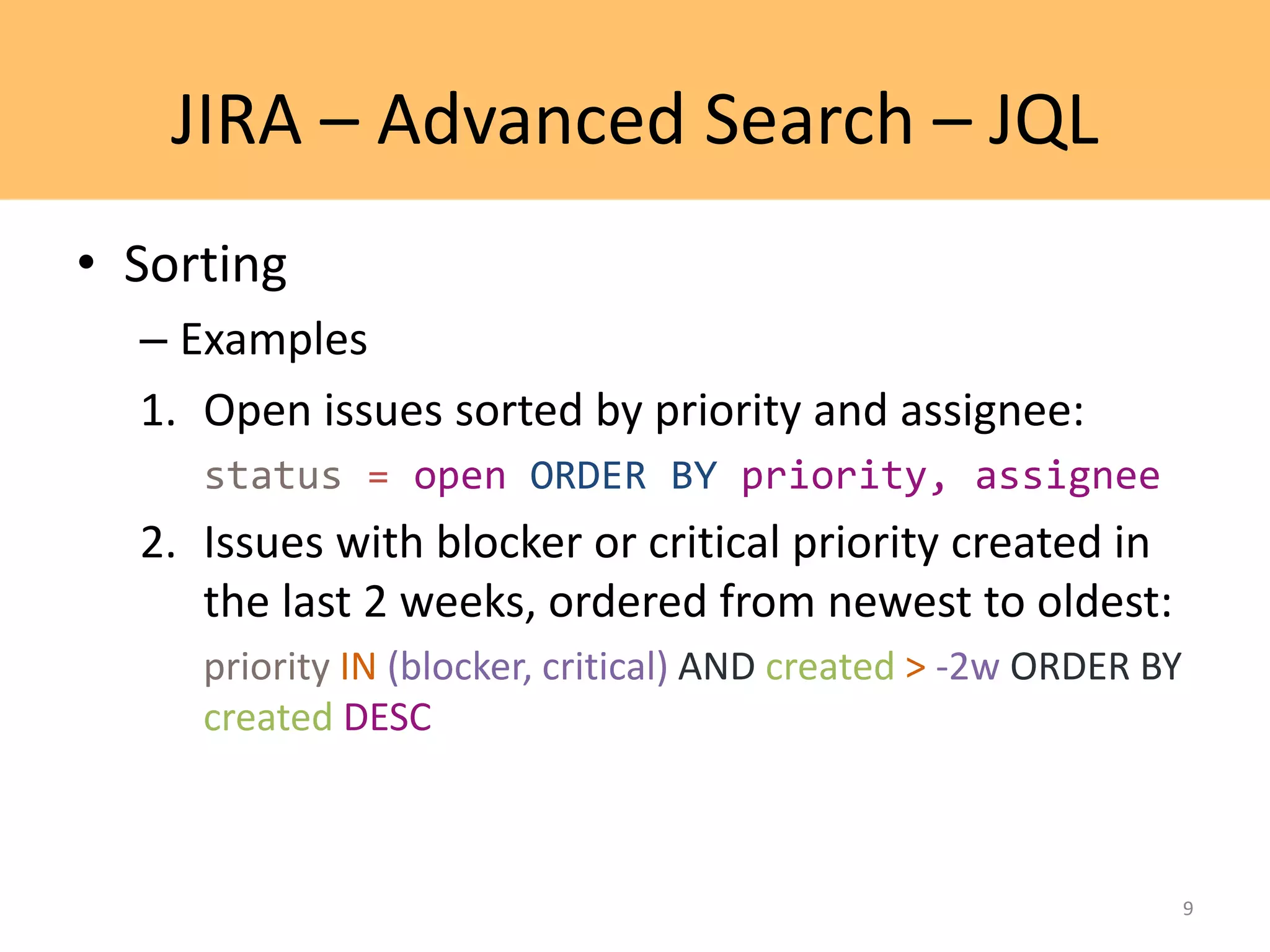
• Sorting
– Examples
1. Open issues sorted by priority and assignee:
status = open ORDER BY priority, assignee
2. Issues with blocker or critical priority created in
the last 2 weeks, ordered from newest to oldest:
priority IN (blocker, critical) AND created > -2w ORDER BY
created DESC
9
JIRA – Advanced Search – JQL
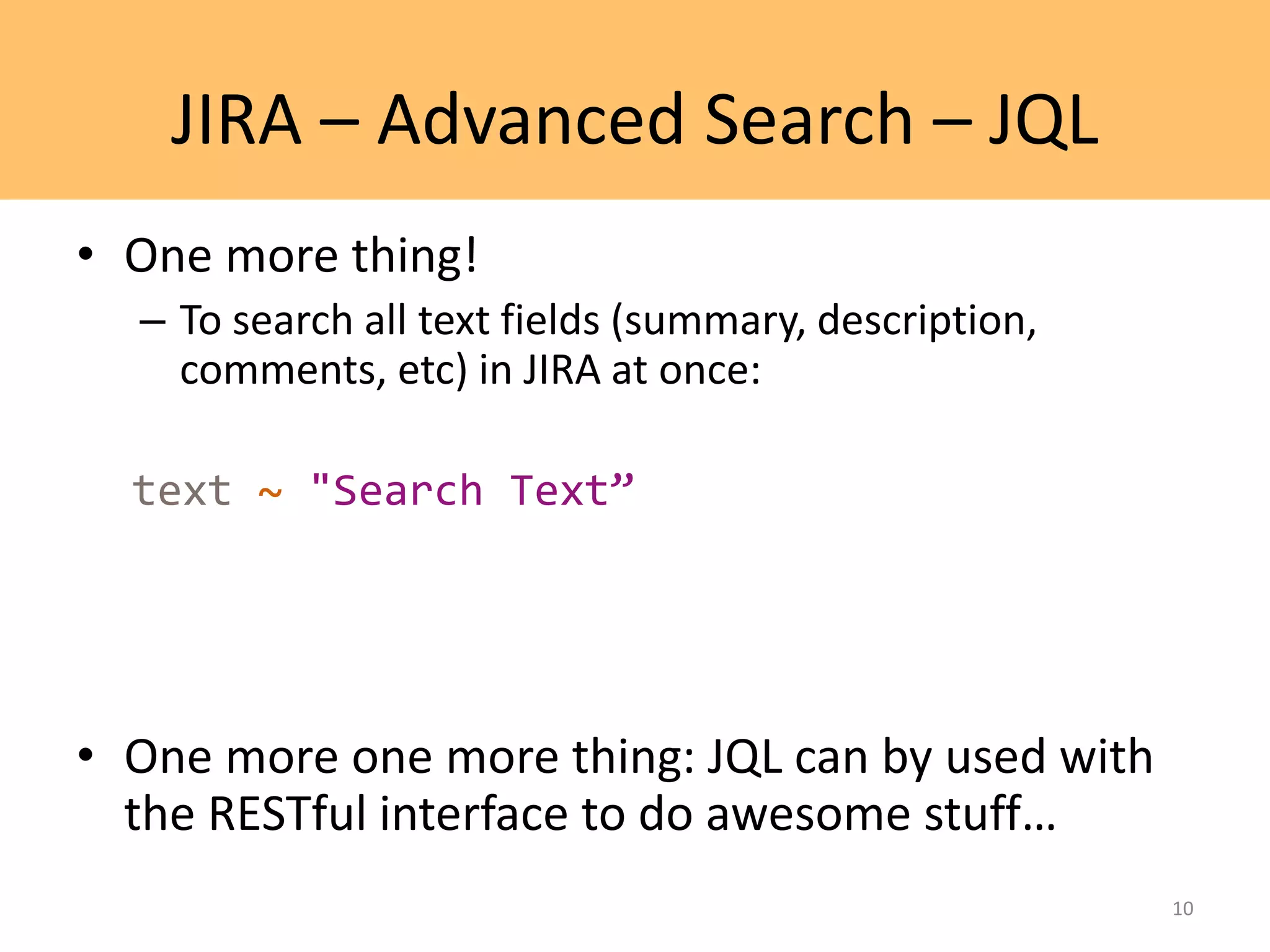
• One more thing!
– To search all text fields (summary, description,
comments, etc) in JIRA at once:
text ~ "Search Text”
• One more one more thing: JQL can by used with
the RESTful interface to do awesome stuff…
10
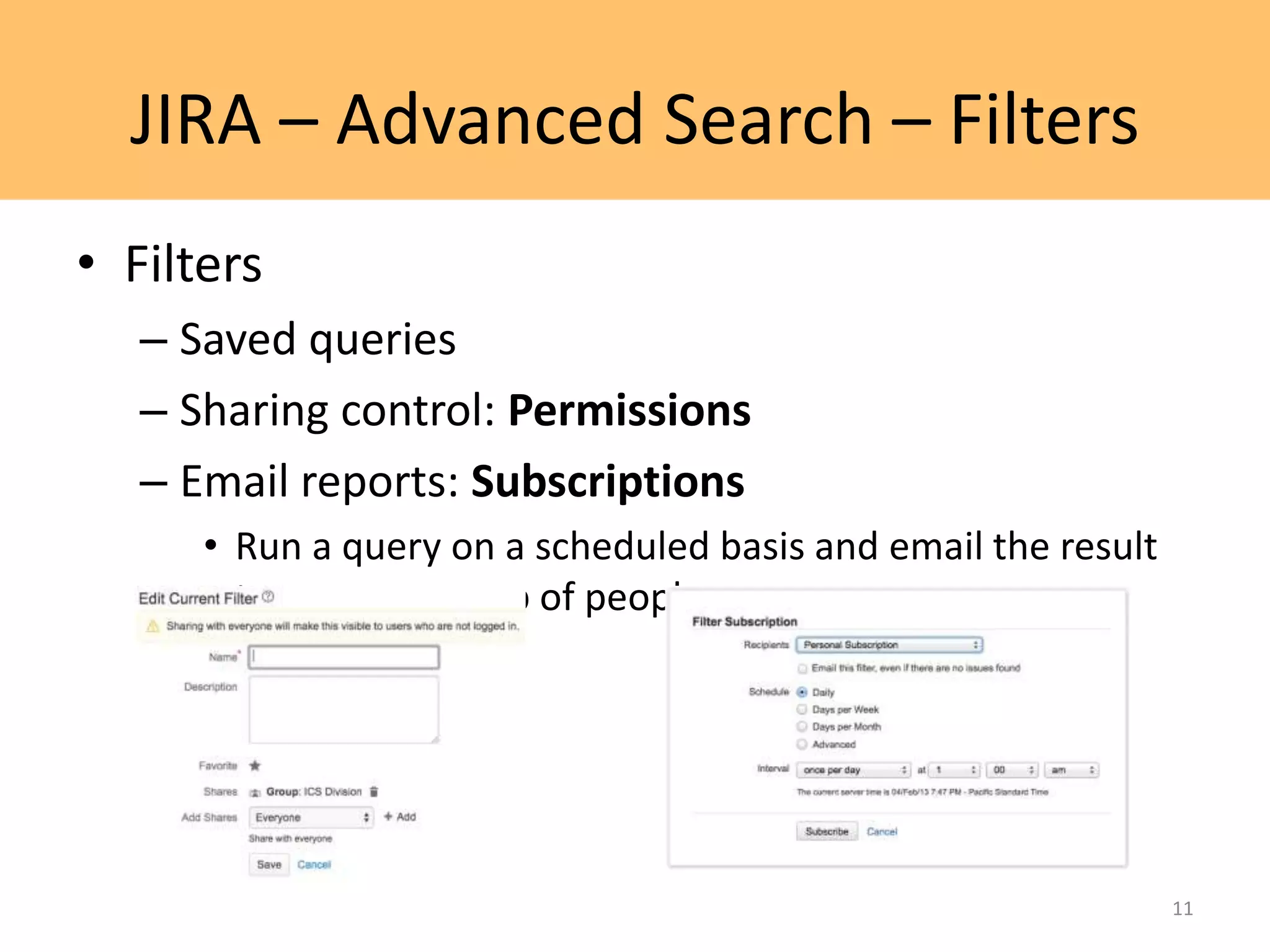
JIRA – Advanced Search – Filters
• Filters
– Saved queries
– Sharing control: Permissions
– Email reports: Subscriptions
• Run a query on a scheduled basis and email the result
to you or a group of people.
11
Confluence
Advanced editing
12
Confluence – Advanced Editing
Macros
• Using macros helps you to expand the capabilities of your
Confluence pages, allowing you to add extra functionality or include
dynamic content.
• Examples:
– Attachments macro to list files attached to a page
– Children Display macro to show child pages
– Code Block macro to display snippets of code with syntax highlighting
– File macro to embed/preview an Office or PDF document
– Gallery macro to display a collection of thumbnail images
– Include Page macro to display the contents of another page
– JIRA Issues macro to display one or more issues from JIRA
– Roadmap Planner macro to create simple, visual timelines
– Widget Connector macro to include things like a YouTube video or
Twitter feed
13
Confluence – Advanced Editing
JIRA Reports
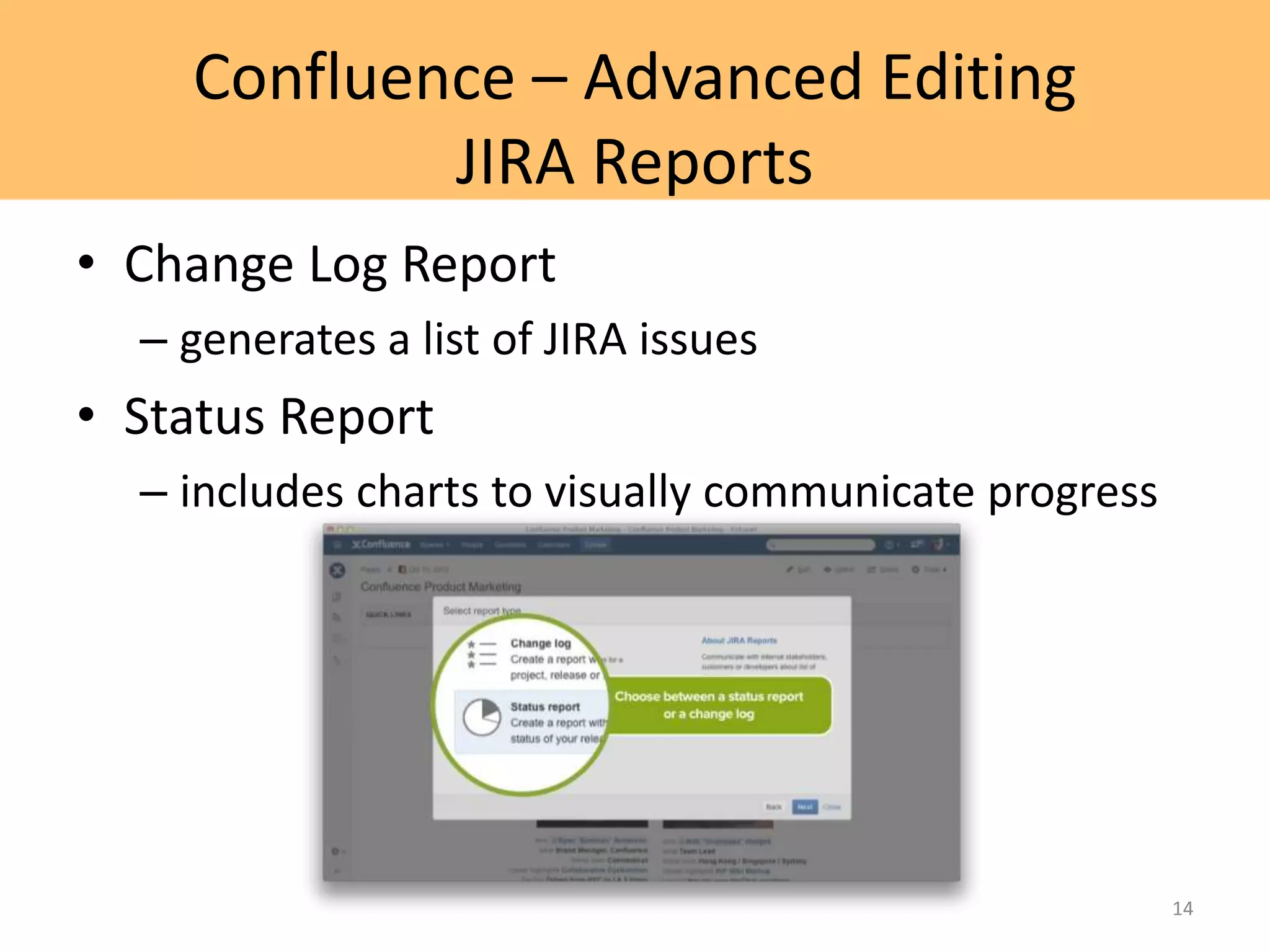
• Change Log Report
– generates a list of JIRA issues
• Status Report
– includes charts to visually communicate progress
14
Q&A
Thank you for your time and attention 
Any questions?
15

Advanced JIRA and Confluence

  • 1.
    Advanced JIRA andConfluence Ashish Jain www.europeanspallationsource.se November 7, 2014
  • 2.
    Index • JIRA – Advancedsearch • JQL • Filters • Confluence – Advanced editing • Macros • JIRA reports 2
  • 3.
  • 4.
    JIRA – AdvancedSearch – JQL • JQL = JIRA Query Language – Syntax similar to SQL, however, JQL is not a database query language – Complete reference: • https://confluence.atlassian.com/display/JIRA/Advance d+Searching • But if you are not familiar with SQL queries, let me give you a heads up. 4
  • 5.
    JIRA – AdvancedSearch – JQL • Fields hold different types of information in the system. In JIRA fields can include: priority, fixVersion, issue type, etc. • Operators are the heart of the query. They relate the field to the value. Common operators include equals (=), not equals (!=), less than (<), etc. • Values reflect the actual data in the query. They are usually the item for which we are looking. • Keywords are specific words in the language that have special meaning. Examples: AND, OR, NOT, EMPTY, NULL, ORDER BY. 5
  • 6.
    JIRA – AdvancedSearch – JQL • Examples 1. What issues has Test User filed in the project Test Project? reporter = testuser AND project = 'Test Project' 2. What issues are blocking or critical in Projects A, B, and C? priority IN (Blocker, Critical) AND project IN (ProjA, ProjB, ProjC) 3. What issues are unassigned and have not been updated in the last day? assignee IS EMPTY AND updated < -1d 6
  • 7.
    JIRA – AdvancedSearch – JQL • Functions – Examples: 1. What issues are assigned to a member of the ICS Division group? assignee IN membersof('ICS Division') 2. What issues of the Amdocs project for the next version are already resolved or closed? project = Amdocs AND status IN (resolved, closed) AND fixversion = earliestUnreleasedVersion() 7
  • 8.
    JIRA – AdvancedSearch – JQL • CHANGED operator – optional predicates: • AFTER "date" • BEFORE "date" • BY "username" • DURING ("date1","date2") • ON "date" • FROM "oldvalue" • TO "newvalue" – Examples 1. What issues were status CHANGED FROM "In Progress" TO "Resolved" BY currentUser() 2. What issues did I resolve during this year? resolution CHANGED TO "Fixed" BY currentUser() DURING (startOfYear(), endOfYear()) 8
  • 9.
    JIRA – AdvancedSearch – JQL • Sorting – Examples 1. Open issues sorted by priority and assignee: status = open ORDER BY priority, assignee 2. Issues with blocker or critical priority created in the last 2 weeks, ordered from newest to oldest: priority IN (blocker, critical) AND created > -2w ORDER BY created DESC 9
  • 10.
    JIRA – AdvancedSearch – JQL • One more thing! – To search all text fields (summary, description, comments, etc) in JIRA at once: text ~ "Search Text” • One more one more thing: JQL can by used with the RESTful interface to do awesome stuff… 10
  • 11.
    JIRA – AdvancedSearch – Filters • Filters – Saved queries – Sharing control: Permissions – Email reports: Subscriptions • Run a query on a scheduled basis and email the result to you or a group of people. 11
  • 12.
  • 13.
    Confluence – AdvancedEditing Macros • Using macros helps you to expand the capabilities of your Confluence pages, allowing you to add extra functionality or include dynamic content. • Examples: – Attachments macro to list files attached to a page – Children Display macro to show child pages – Code Block macro to display snippets of code with syntax highlighting – File macro to embed/preview an Office or PDF document – Gallery macro to display a collection of thumbnail images – Include Page macro to display the contents of another page – JIRA Issues macro to display one or more issues from JIRA – Roadmap Planner macro to create simple, visual timelines – Widget Connector macro to include things like a YouTube video or Twitter feed 13
  • 14.
    Confluence – AdvancedEditing JIRA Reports • Change Log Report – generates a list of JIRA issues • Status Report – includes charts to visually communicate progress 14
  • 15.
    Q&A Thank you foryour time and attention  Any questions? 15

Editor's Notes

  • #7 JIRA’s JQL editor makes it easy to learn JQL. The editor uses code hints as you type. For new users, this will greatly simplify the learning curve to get started. The JQL editor is contextually aware of the query as you type and gives real time feedback.
  • #8 https://confluence.atlassian.com/display/JIRA/Advanced+Searching+Functions#AdvancedSearchingFunctions-function
  • #14 https://confluence.atlassian.com/display/AOD/Working+with+Macros