Know How
Jira & Confluence
Tool Overview
Application Links/Tool Integrations
Lifecycle Processes Enforced by Tools
 Benefits
 Conclusion
 Questions
Overview
• Project/issue tracker with powerful customization
options
• Agile plugin adds agile project management to any
JIRA project for software development teams
practicing Scrum or Kanban
• Structure plugin is an enterprise issue organizer for
Project Management, Requirements Management,
Test/QA and Help Desk
Tool Overview
Tool Overview
In JIRA you could
 customize workflows to any business process
 perform integration with existing systems to manage tasks, track
activity and deadlines
 add lots of plug-ins as you need to expand it capabilities
JIRA is advanced highly customizable issue tracking system
All this makes JIRA a flexible project management tool where you can:
 track bugs for a single application
 manage software development for several products
 or run countless projects throughout your entire company
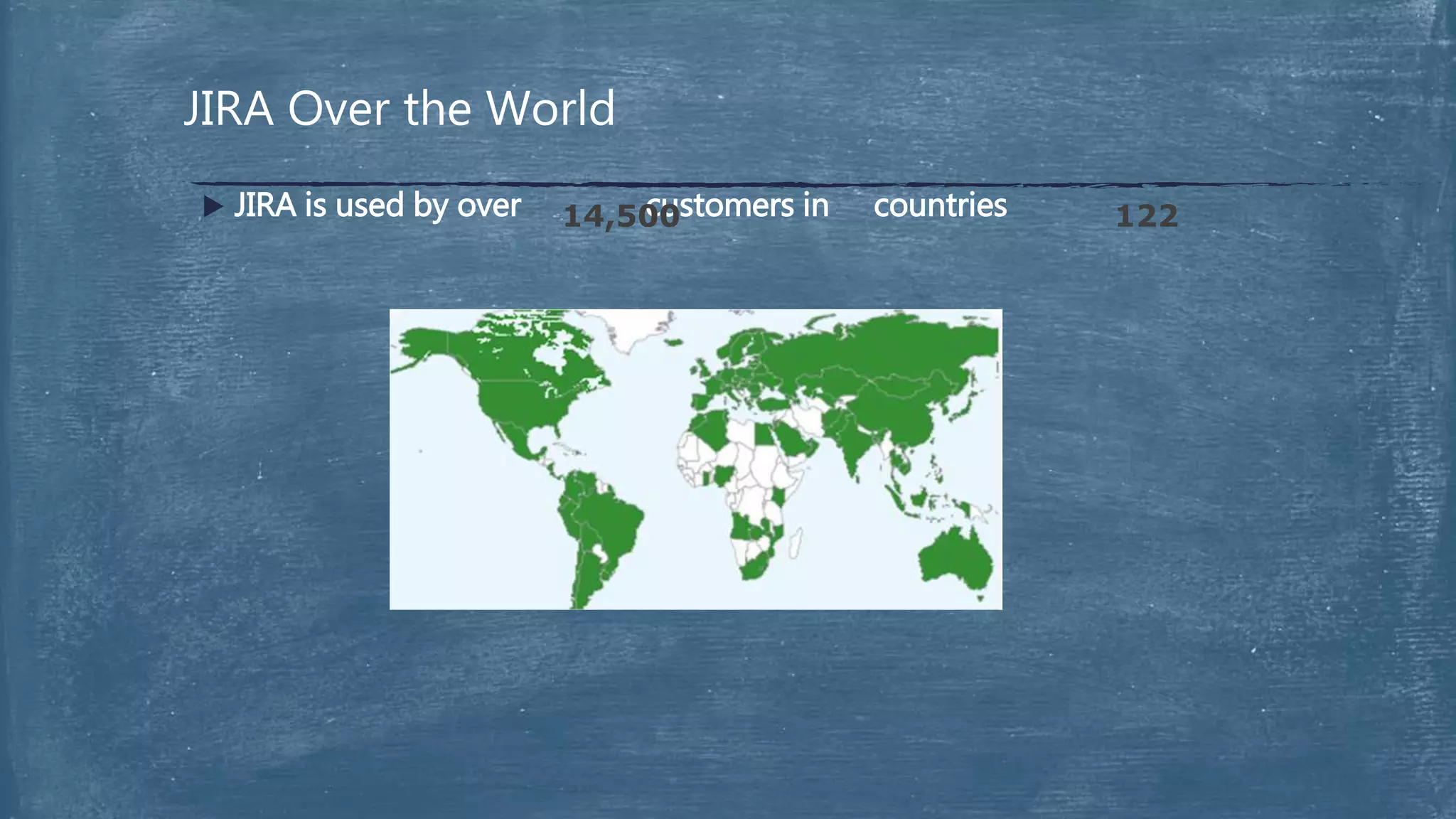
JIRA Over the World
 JIRA is used by over customers in countries14,500 122
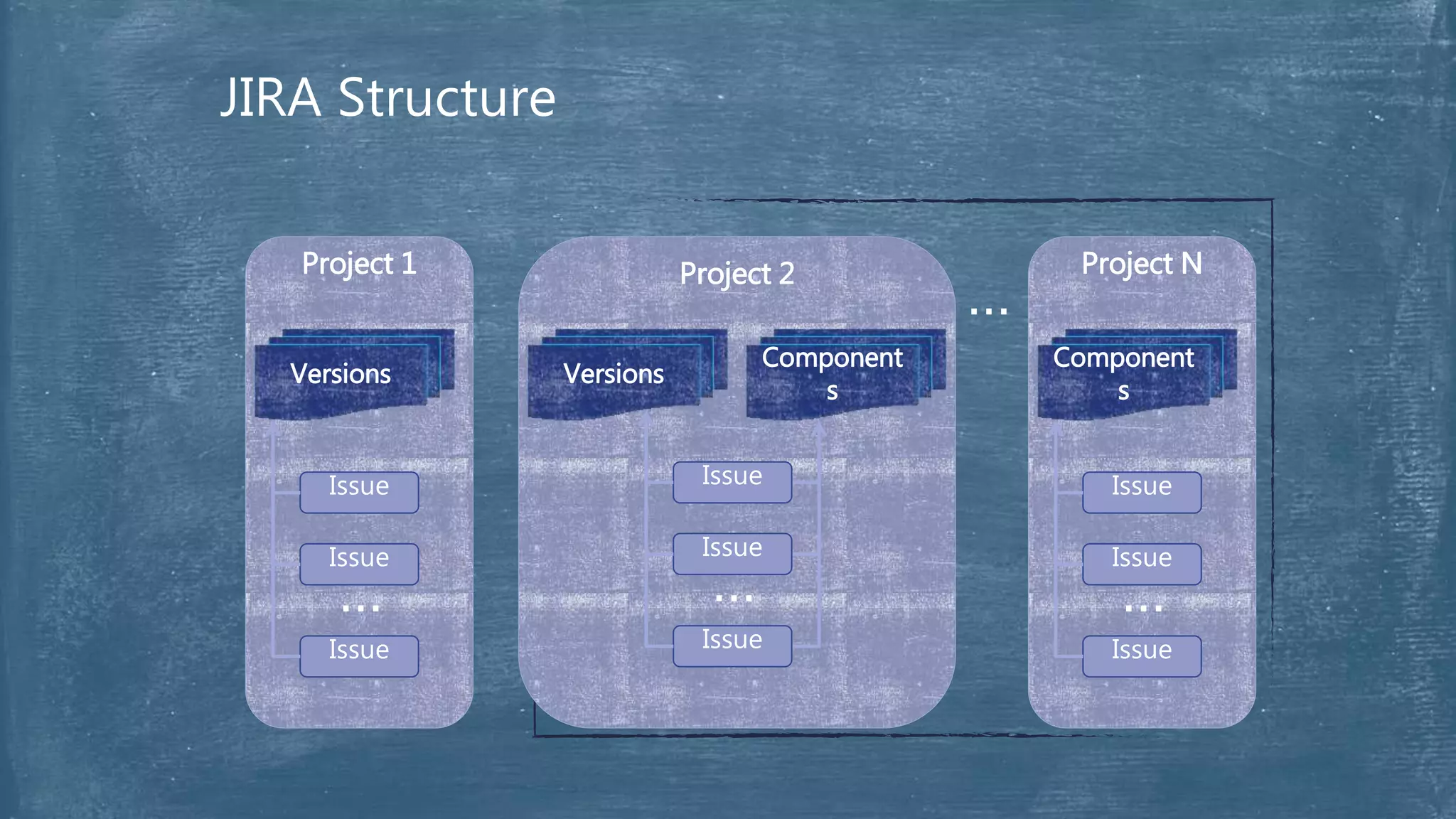
JIRA Structure
Project 2
Versions
Component
s
Issue
Issue
Issue
…
Project 1
Versions
Issue
Issue
Issue
…
Project N
Component
s
…
Issue
Issue
Issue
…
7
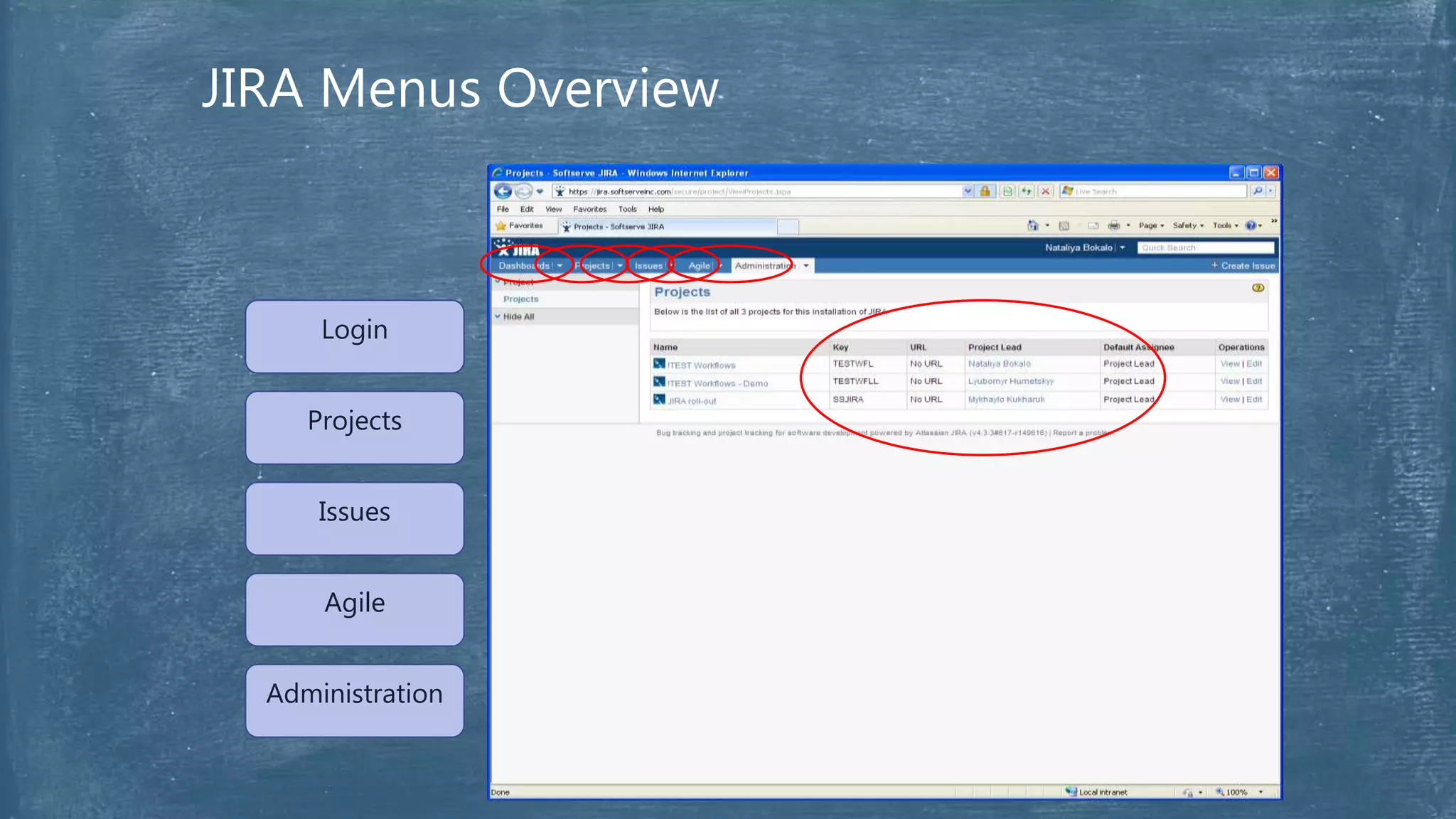
Dashboards
Projects
Issues
Agile
Administration
Login
JIRA Menus Overview
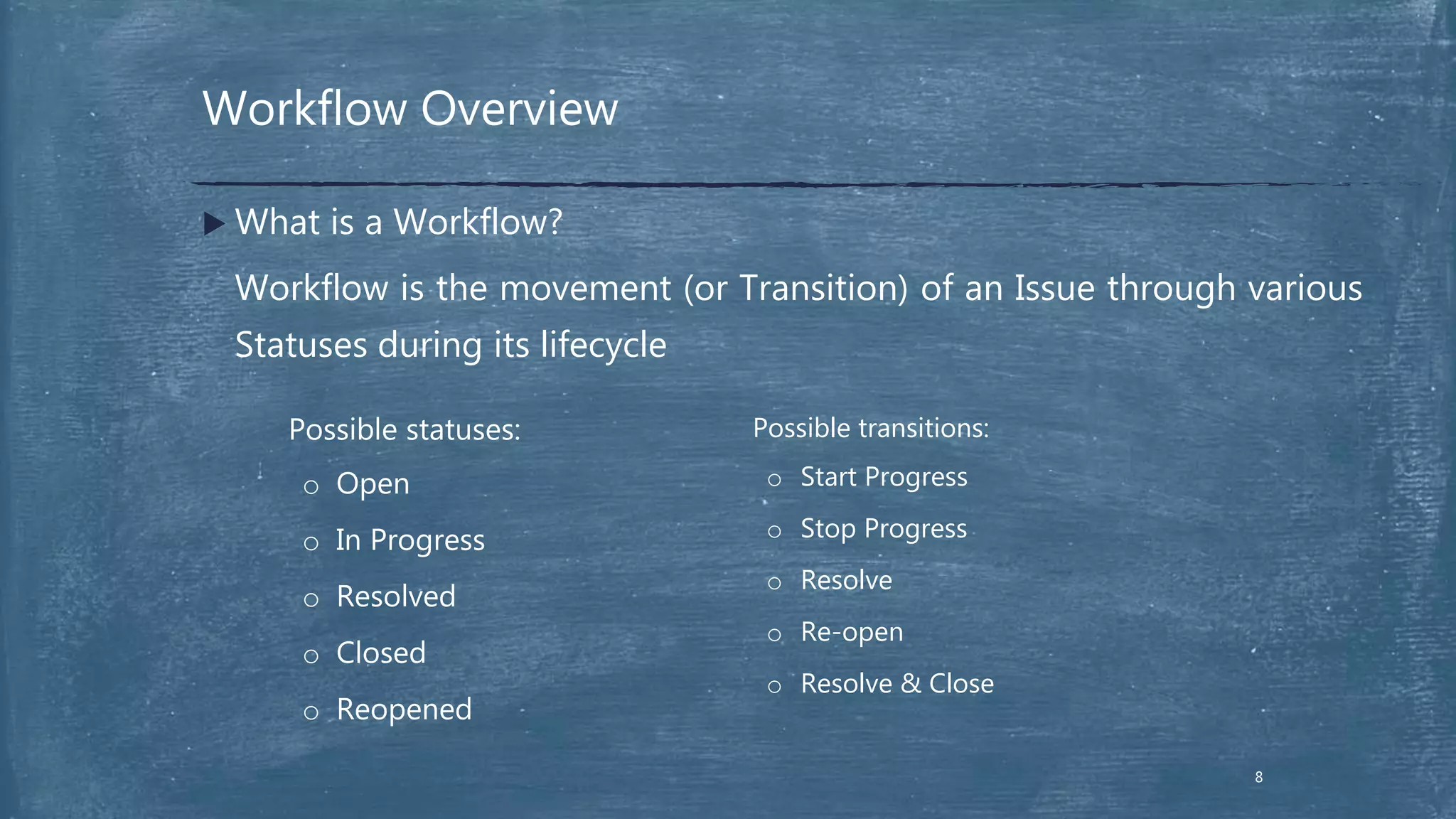
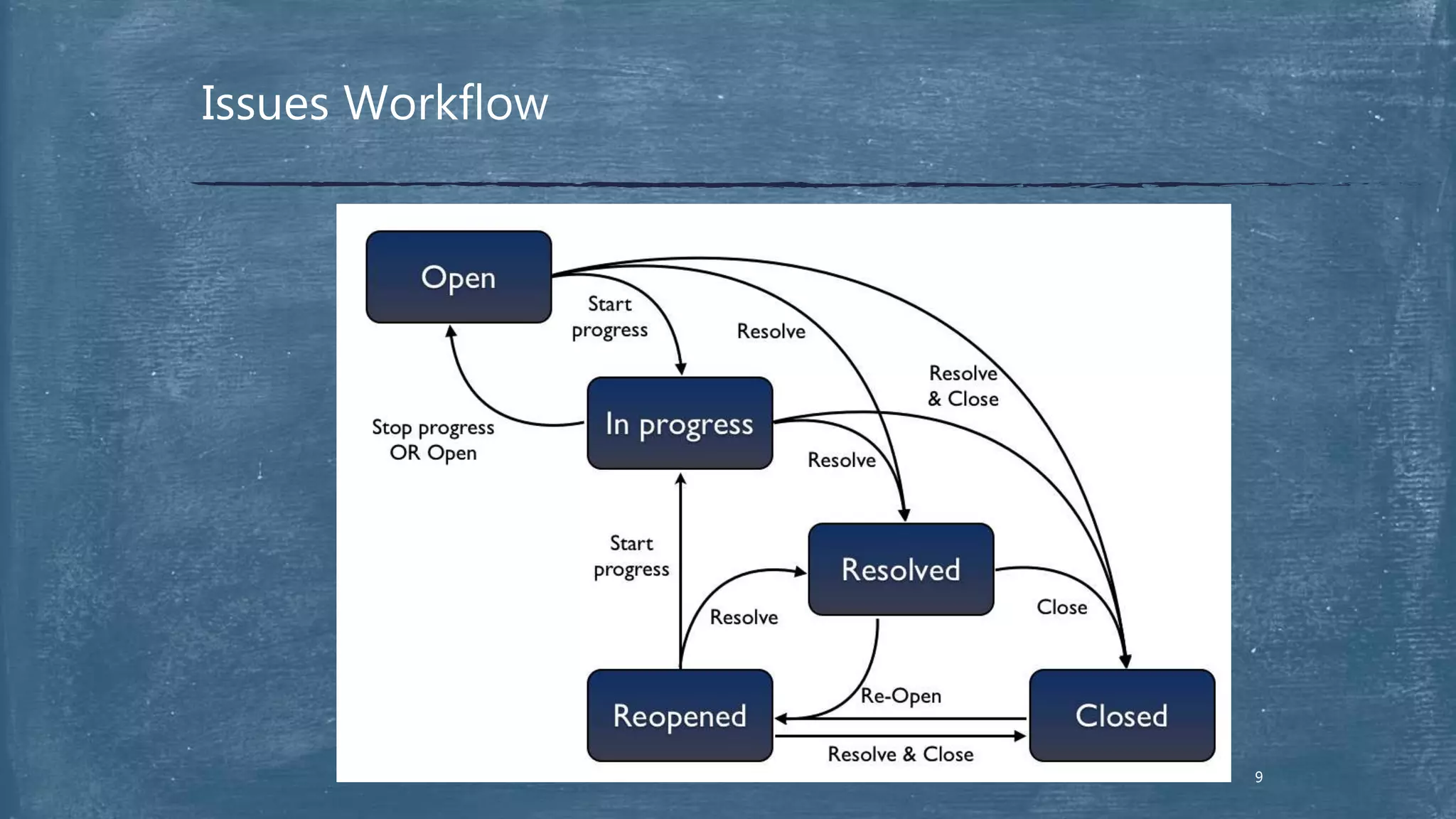
Workflow Overview
8
 What is a Workflow?
Workflow is the movement (or Transition) of an Issue through various
Statuses during its lifecycle
Possible statuses:
o Open
o In Progress
o Resolved
o Closed
o Reopened
Possible transitions:
o Start Progress
o Stop Progress
o Resolve
o Re-open
o Resolve & Close
Issues Workflow
9
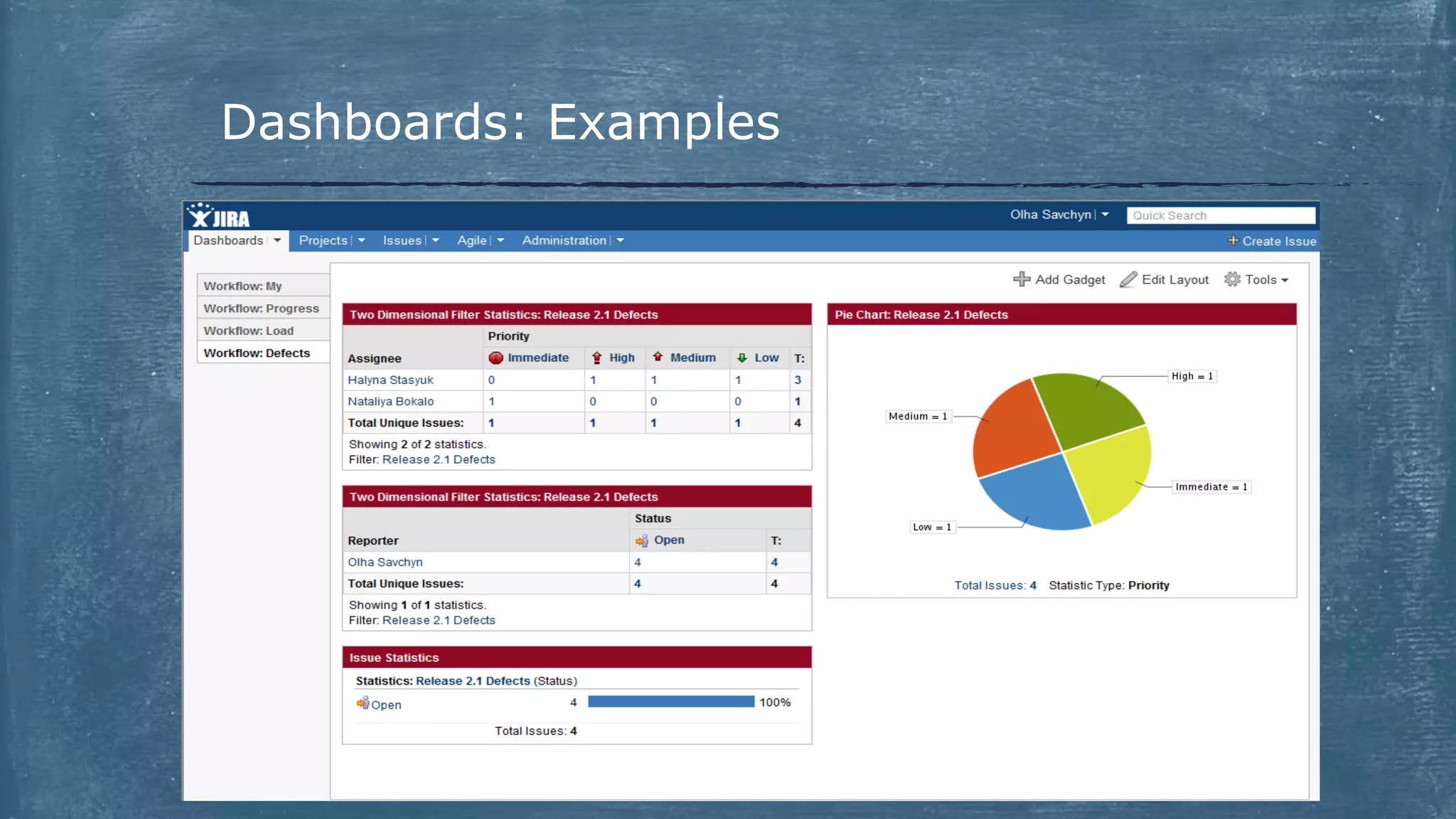
Dashboards: Examples
GreenHopper extension
 GreenHopper Overview
 Contexts
 Agile Boards
 GreenHopper and Dashboard
Overview
 GreenHopper is a JIRA plug-in that
adds a broad collection of agile project management capabilities to
JIRA
extends JIRA with powerful platform for agile development teams
simplifies the planning and organization of tasks
simplifies workflows and reporting for agile teams
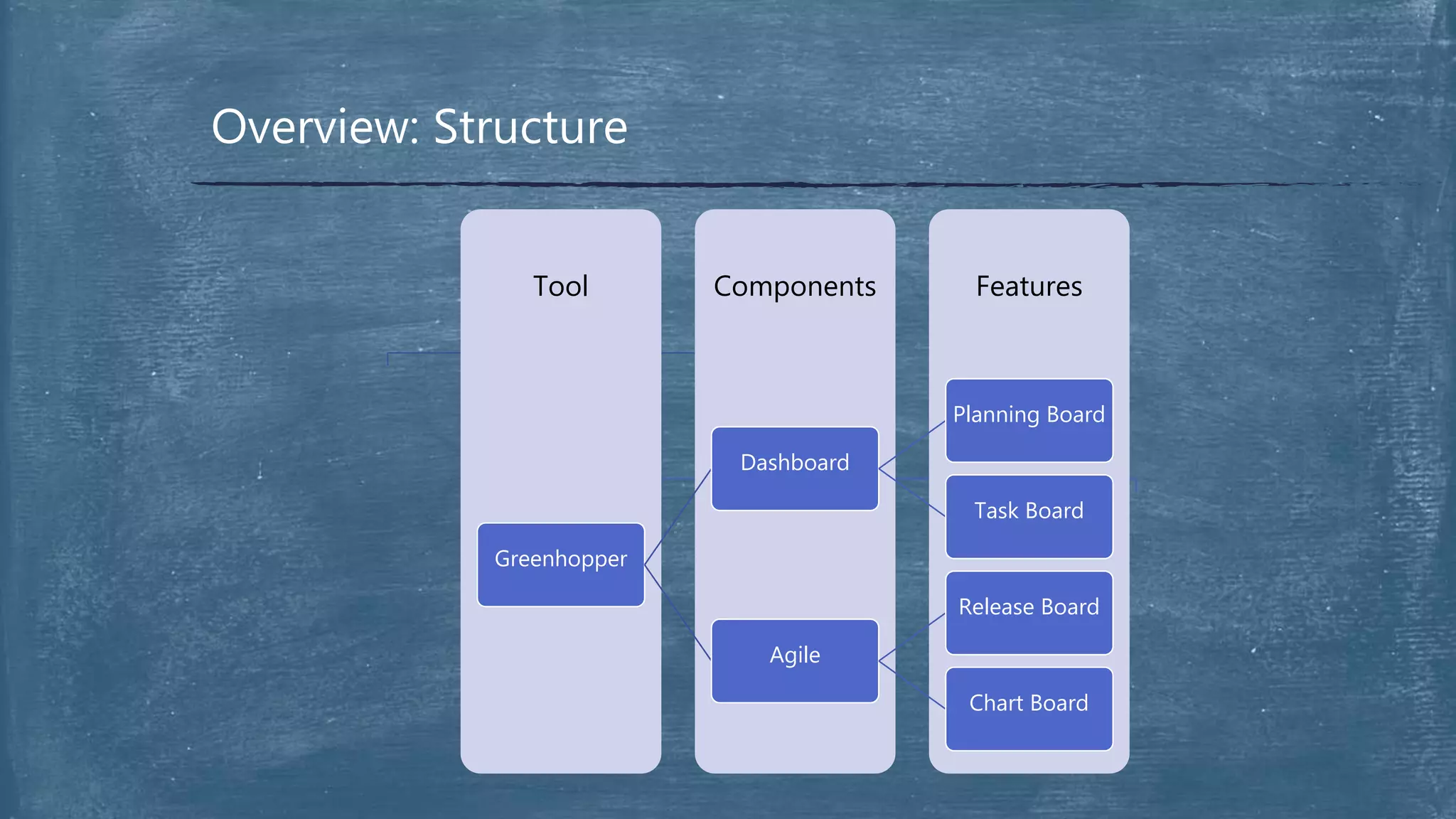
Overview: Structure
FeaturesComponentsTool
Greenhopper
Dashboard
Planning Board
Task Board
Agile
Release Board
Chart Board
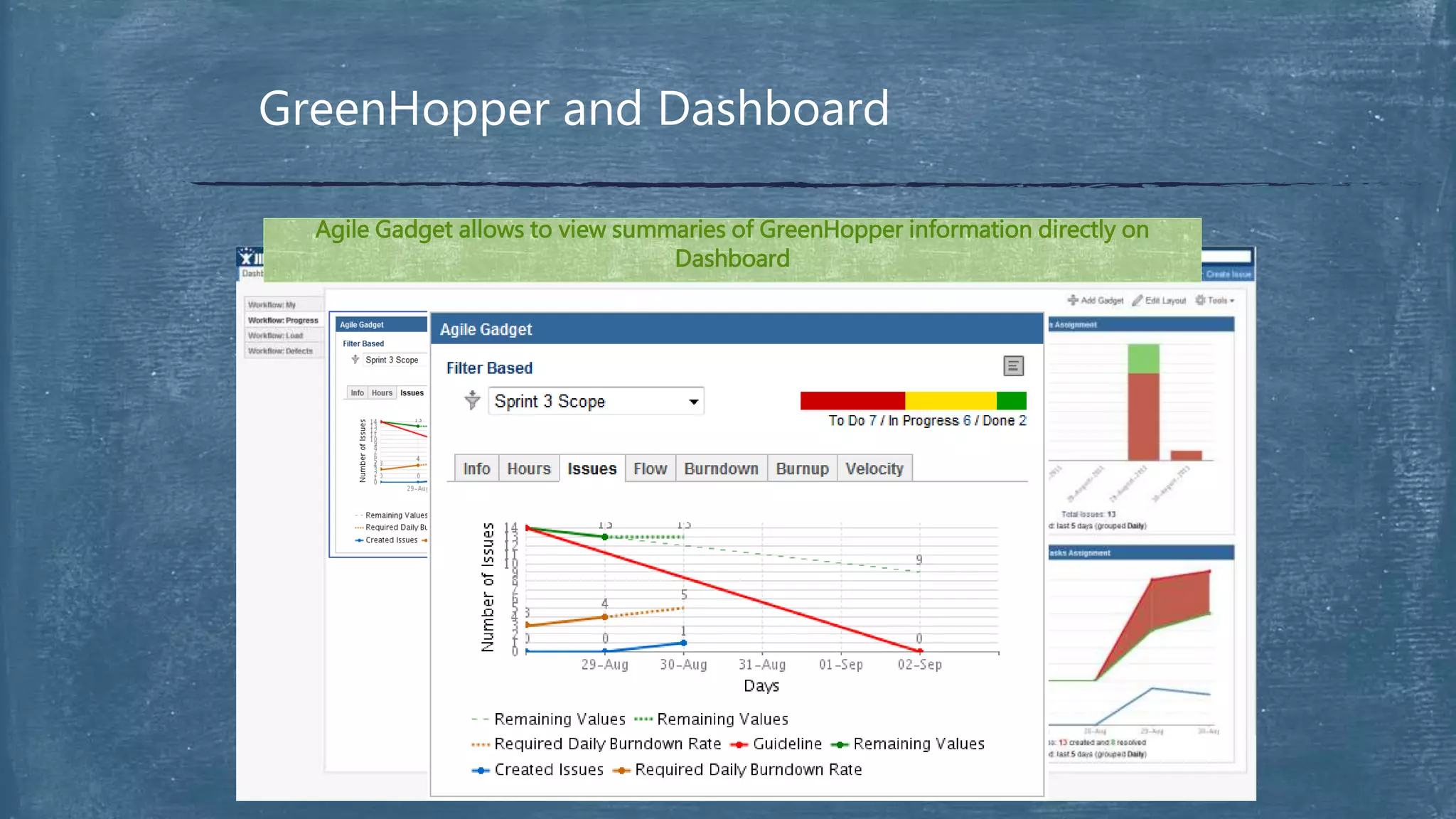
GreenHopper and Dashboard
Agile Gadget allows to view summaries of GreenHopper information directly on
Dashboard
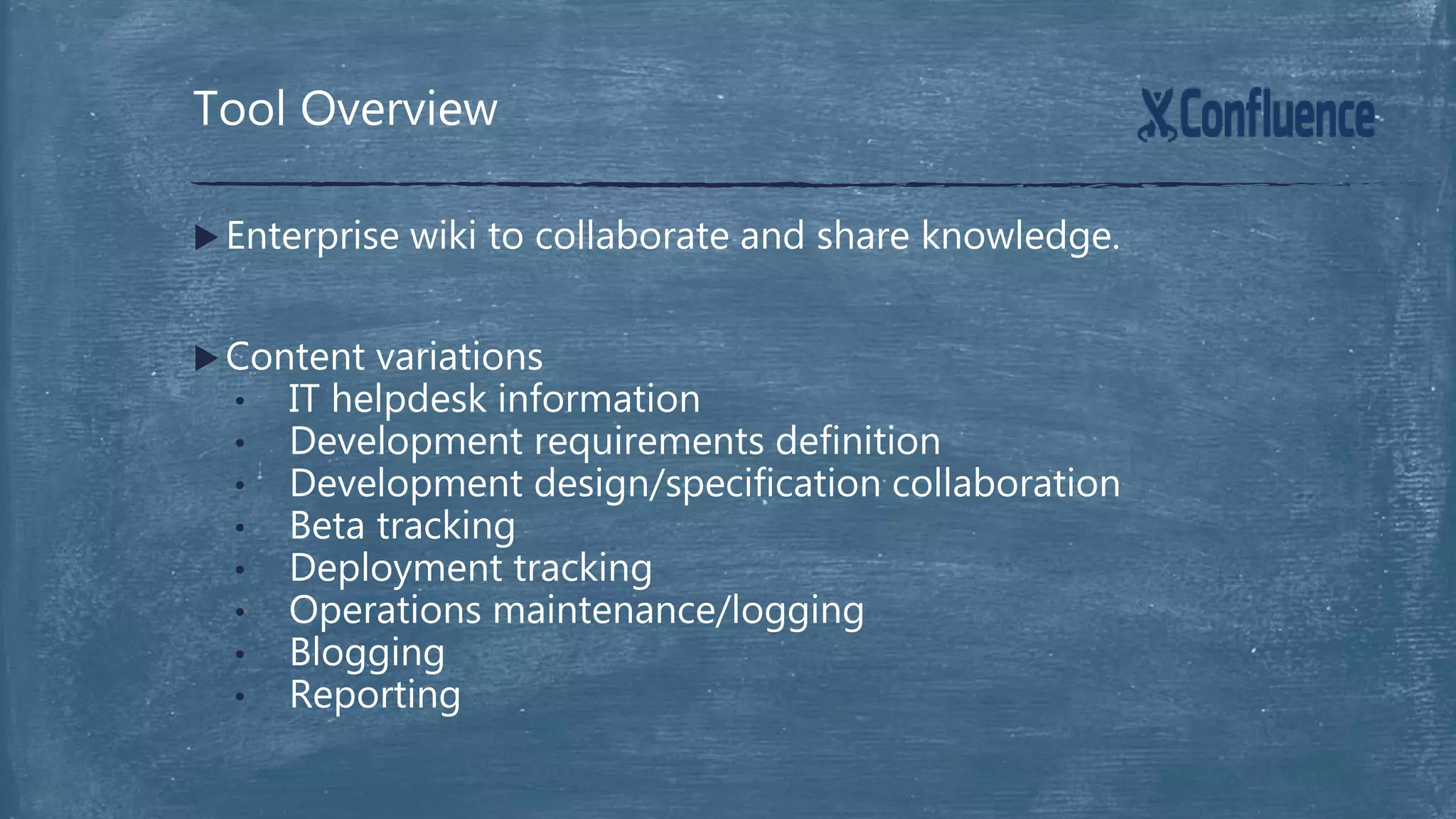
 Enterprise wiki to collaborate and share knowledge.
 Content variations
• IT helpdesk information
• Development requirements definition
• Development design/specification collaboration
• Beta tracking
• Deployment tracking
• Operations maintenance/logging
• Blogging
• Reporting
Tool Overview
What are the Benefits
Flesh out new features before development starts, saving
resource time by using the collaborative design and
requirements gathering in Confluence.
19
What are the Benefits
More maintainable code and improved products by
embracing efficient lightweight peer code reviews with
Fisheye/Crucible.
20
What are the Benefits
Early detection of bugs/issues prior to field deployment by
employing interative development and test using Jira.
21
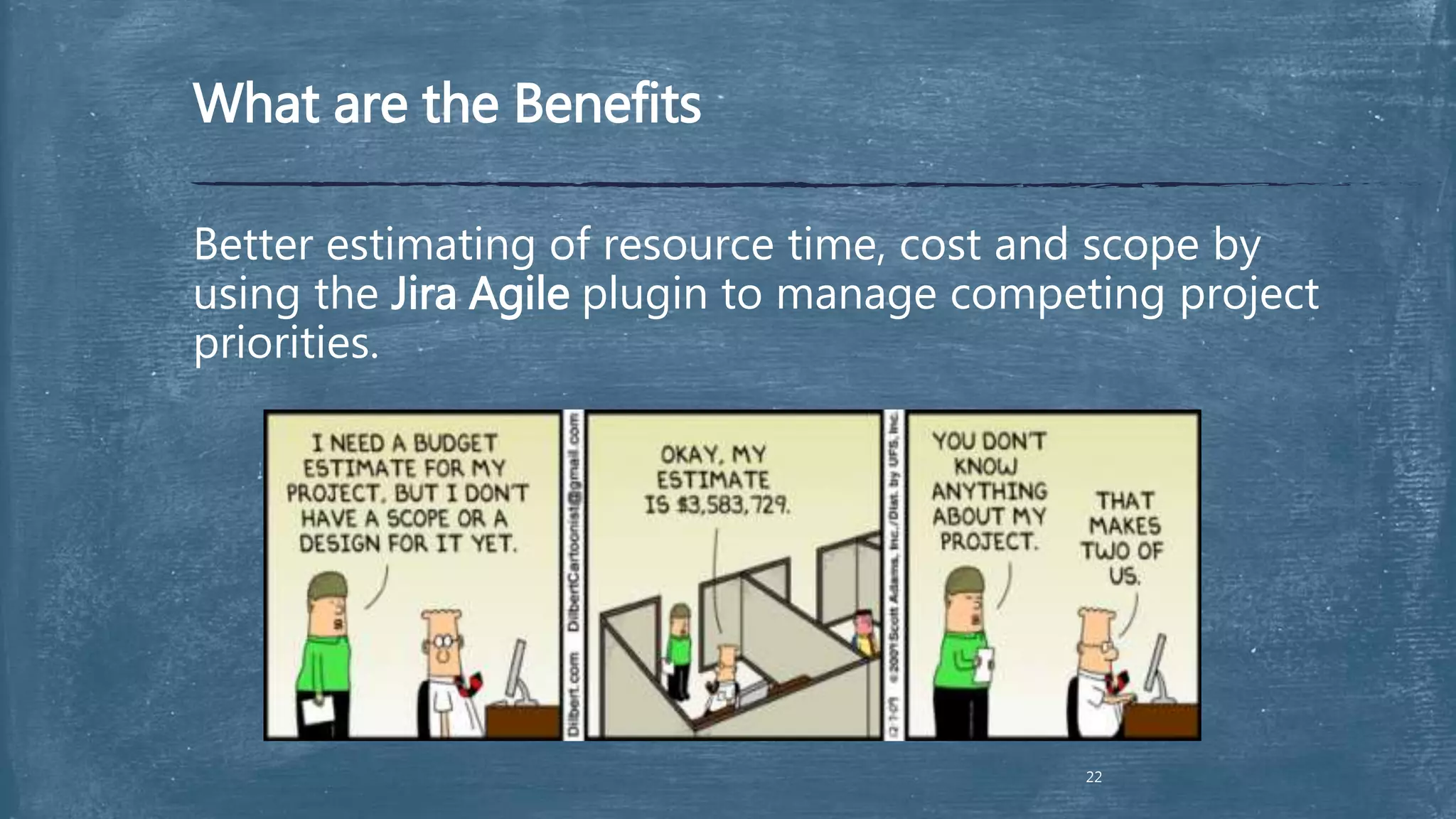
What are the Benefits
Better estimating of resource time, cost and scope by
using the Jira Agile plugin to manage competing project
priorities.
22
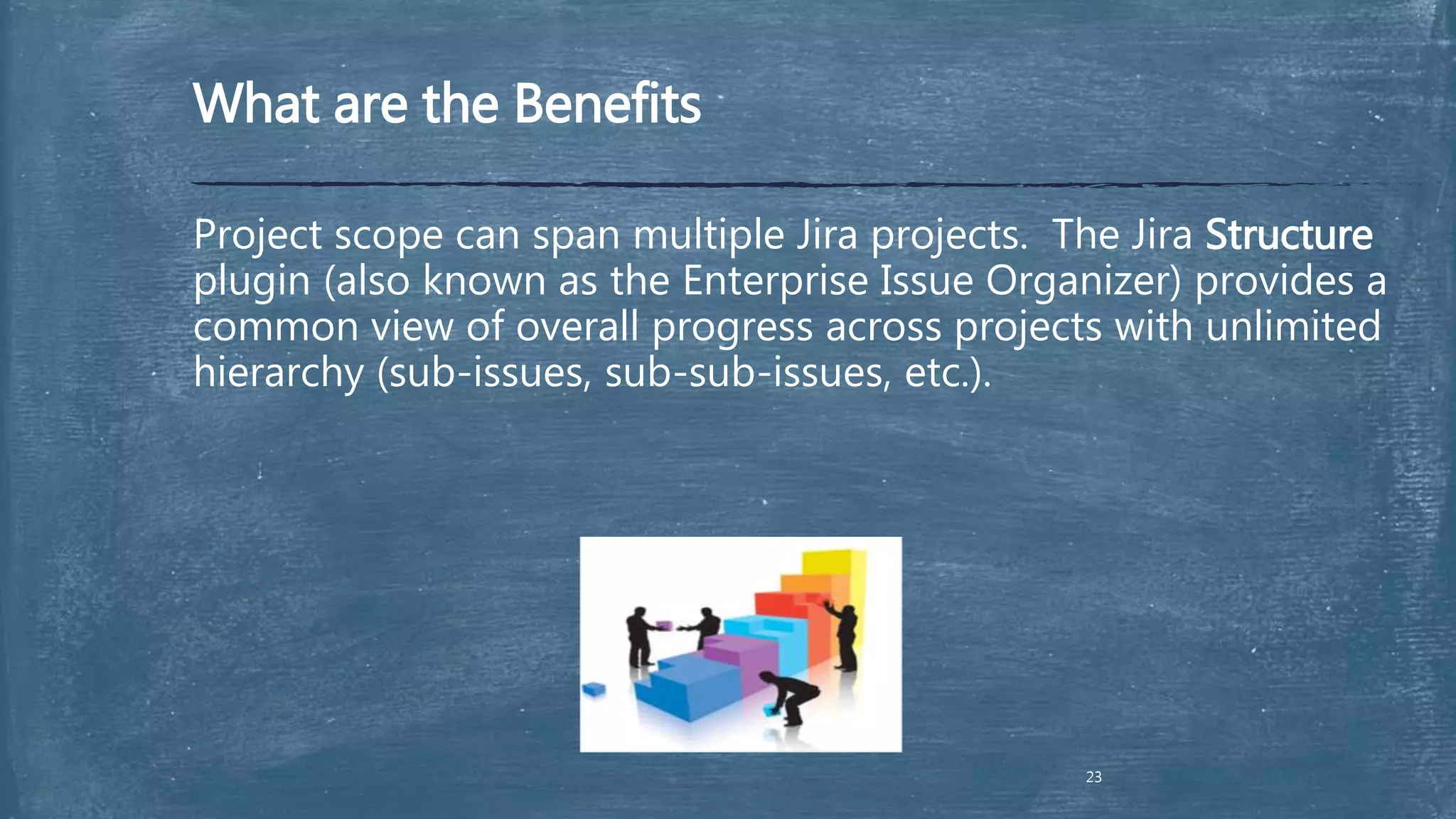
What are the Benefits
Project scope can span multiple Jira projects. The Jira Structure
plugin (also known as the Enterprise Issue Organizer) provides a
common view of overall progress across projects with unlimited
hierarchy (sub-issues, sub-sub-issues, etc.).
23
What are the Benefits
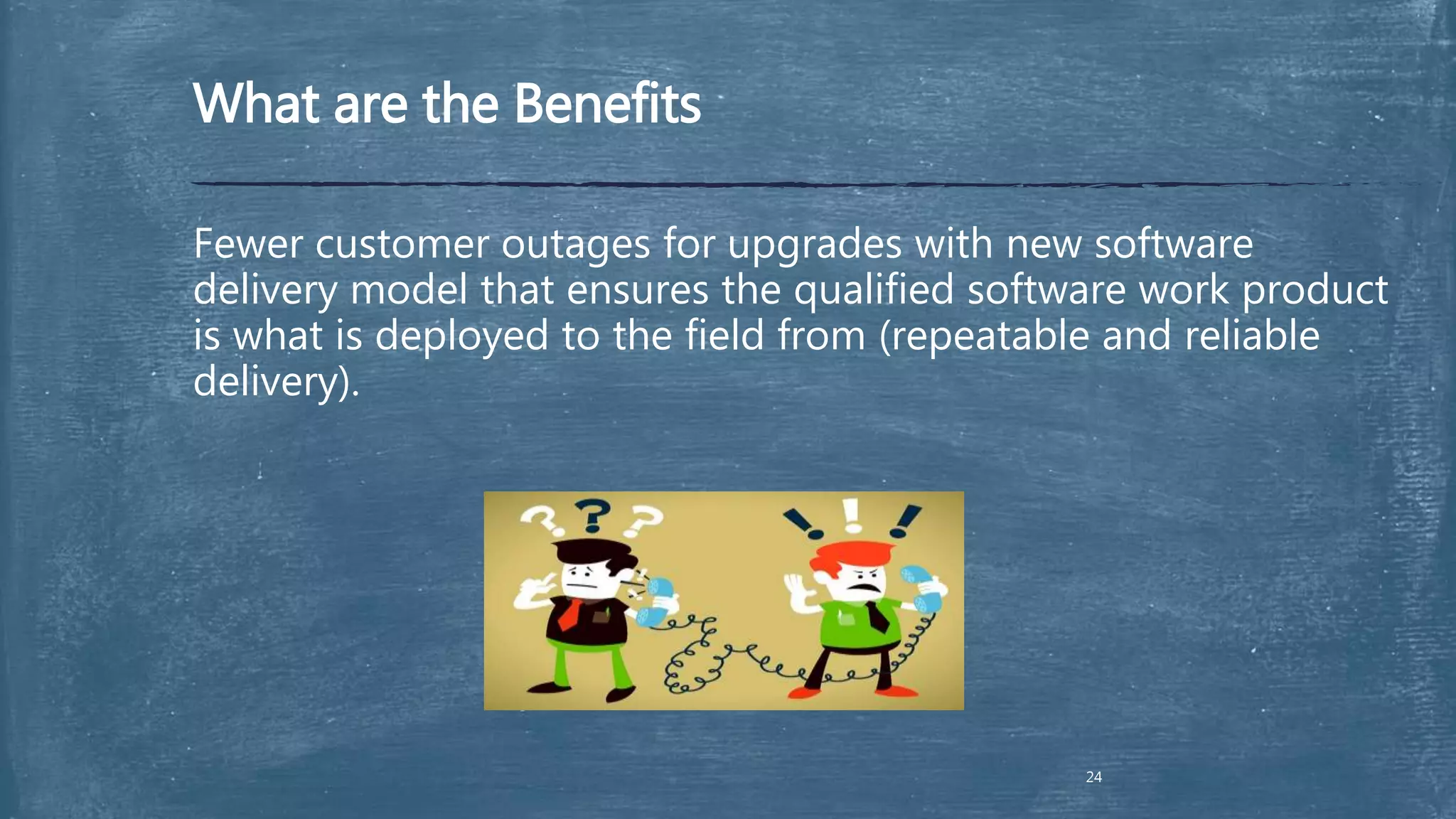
Fewer customer outages for upgrades with new software
delivery model that ensures the qualified software work product
is what is deployed to the field from (repeatable and reliable
delivery).
24
What are the Benefits
The ability to accurately detail what was delivered in a
release with reports from Jira.
25
Questions & Discussion

Use of Jira Confluence as Project Management Tool

  • 1.
    Know How Jira &Confluence
  • 2.
    Tool Overview Application Links/ToolIntegrations Lifecycle Processes Enforced by Tools  Benefits  Conclusion  Questions Overview
  • 3.
    • Project/issue trackerwith powerful customization options • Agile plugin adds agile project management to any JIRA project for software development teams practicing Scrum or Kanban • Structure plugin is an enterprise issue organizer for Project Management, Requirements Management, Test/QA and Help Desk Tool Overview
  • 4.
    Tool Overview In JIRAyou could  customize workflows to any business process  perform integration with existing systems to manage tasks, track activity and deadlines  add lots of plug-ins as you need to expand it capabilities JIRA is advanced highly customizable issue tracking system All this makes JIRA a flexible project management tool where you can:  track bugs for a single application  manage software development for several products  or run countless projects throughout your entire company
  • 5.
    JIRA Over theWorld  JIRA is used by over customers in countries14,500 122
  • 6.
    JIRA Structure Project 2 Versions Component s Issue Issue Issue … Project1 Versions Issue Issue Issue … Project N Component s … Issue Issue Issue …
  • 7.
  • 8.
    Workflow Overview 8  Whatis a Workflow? Workflow is the movement (or Transition) of an Issue through various Statuses during its lifecycle Possible statuses: o Open o In Progress o Resolved o Closed o Reopened Possible transitions: o Start Progress o Stop Progress o Resolve o Re-open o Resolve & Close
  • 9.
  • 10.
  • 11.
    GreenHopper extension  GreenHopperOverview  Contexts  Agile Boards  GreenHopper and Dashboard
  • 12.
    Overview  GreenHopper isa JIRA plug-in that adds a broad collection of agile project management capabilities to JIRA extends JIRA with powerful platform for agile development teams simplifies the planning and organization of tasks simplifies workflows and reporting for agile teams
  • 13.
  • 14.
    GreenHopper and Dashboard AgileGadget allows to view summaries of GreenHopper information directly on Dashboard
  • 15.
     Enterprise wikito collaborate and share knowledge.  Content variations • IT helpdesk information • Development requirements definition • Development design/specification collaboration • Beta tracking • Deployment tracking • Operations maintenance/logging • Blogging • Reporting Tool Overview
  • 16.
    What are theBenefits Flesh out new features before development starts, saving resource time by using the collaborative design and requirements gathering in Confluence. 19
  • 17.
    What are theBenefits More maintainable code and improved products by embracing efficient lightweight peer code reviews with Fisheye/Crucible. 20
  • 18.
    What are theBenefits Early detection of bugs/issues prior to field deployment by employing interative development and test using Jira. 21
  • 19.
    What are theBenefits Better estimating of resource time, cost and scope by using the Jira Agile plugin to manage competing project priorities. 22
  • 20.
    What are theBenefits Project scope can span multiple Jira projects. The Jira Structure plugin (also known as the Enterprise Issue Organizer) provides a common view of overall progress across projects with unlimited hierarchy (sub-issues, sub-sub-issues, etc.). 23
  • 21.
    What are theBenefits Fewer customer outages for upgrades with new software delivery model that ensures the qualified software work product is what is deployed to the field from (repeatable and reliable delivery). 24
  • 22.
    What are theBenefits The ability to accurately detail what was delivered in a release with reports from Jira. 25
  • 23.

Editor's Notes

  • #5 JIRA is advanced highly customizable issue tracking system. In JIRA you could customize workflows to any business process and integrate JIRA with existing systems to manage tasks, track activity and ensure you meet your deadlines. You could add as many plug-ins as you need to expand it capabilities. All this makes JIRA a flexible project management tool whether you can track bugs for a single application, managing software development for several products or running countless projects throughout your entire company.
  • #7 JIRA consist of a set of Projects. A project component is a logical grouping of issues within a project. Each project may consist of various components (or none), depending on your organization's needs. For example, a software development project could consist of components called 'Documentation', 'Backend', “UI”, 'Email Subsystem’ etc. Any issue can belong to one or multiple components within a project or component may not be selected at all. Versions are points-in-time for a project. They help to schedule and organize releases and sprints. Any issue can belong to one or multiple versions within a project or version may not be selected at all (it will be shown as unresolved by default). Each issue belongs to a project but may not belong to component or version.
  • #8 In our Jira / Confluence configuration we have single sing-on login (this mean if you are using one browse to enter to your Jira / Confluence, and currently you are already enter to one of them you don’t need to login to another system will automatically log you in). The Dashboard is the first screen you see when you login to JIRA. - The navigation bar (at the top of the screen) is the same on every screen in JIRA. It contains links which give you quick access to many of JIRA's most useful functions. - The white area of the screen, below the top navigation bar, can be customized to display 'gadgets' showing many different types of information, depending on your areas of interest. Dashboards The JIRA Dashboards is the first screen you see when you log in to JIRA. It can be configured to display many different types of information, depending on your areas of interest. If you are anywhere else in JIRA, you can access your JIRA Dashboards view by clicking the 'Dashboards' link in the top left corner of the JIRA interface. Projects This screen provides a general overview of your project, with a variety of easily accessible reports for your project's issues, builds and source code reviews, from which you can 'dig down' into further detail. Issues JIRA provides a powerful issue search facility. You can search for issues across projects, versions and components using a range of search criteria. If you need to find issues based on time-tracking details, then the standard 'simple search' interface also allows you to search against the work logged on issues. JIRA also makes custom fields available as search criteria, allowing you to refine your searches even further. Agile Link to GreenHopper section, you also could choose one of the view: Planning Board, Task Board, Chart Board, Released Board. Administration In this section you could find information about your project (Name, Project Key, URL, Project Lead, Default Assignee, Operations View and Edit). Click Edit if you want to edit project info or Project Name link to enter to project info tab.
  • #11 Dashboard> Tools>Create Dashboard You can now customise your dashboard as follows: Choosing a Dashboard Layout Adding a Gadget Moving a Gadget Removing a Gadget
  • #12 You can also share your dashboard pages with other users, as well as adding dashboards shared by other users as favourites. Each dashboard page appears as a separate "tab" on the dashboard. You can view a dashboard page by simply clicking its name in the tab list.