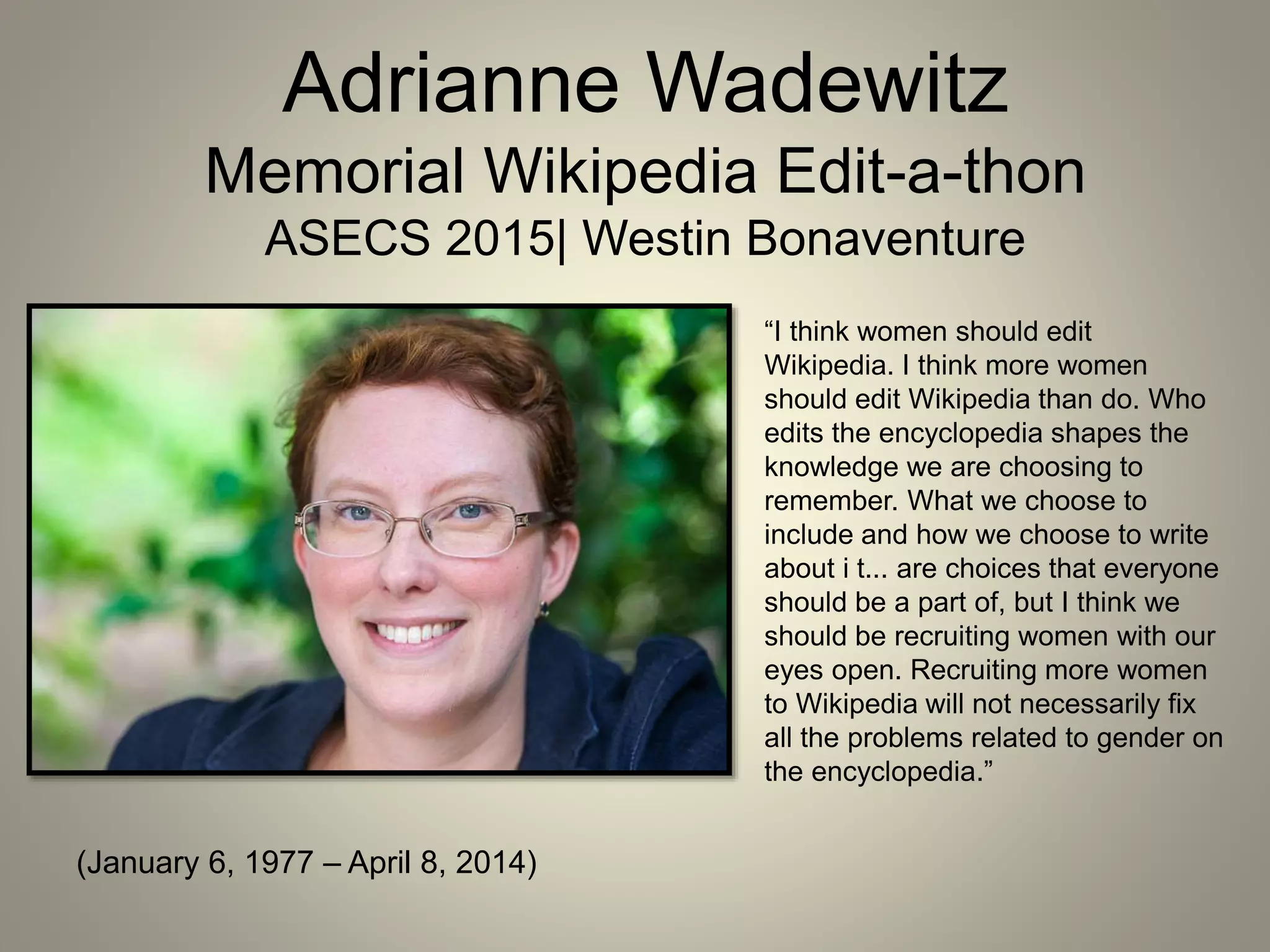
Adrianne Wadewitz
Memorial Wikipedia Edit-a-thon
ASECS 2015| Westin Bonaventure
(January 6, 1977 – April 8, 2014)
“I think women should edit
Wikipedia. I think more women
should edit Wikipedia than do. Who
edits the encyclopedia shapes the
knowledge we are choosing to
remember. What we choose to
include and how we choose to write
about i t... are choices that everyone
should be a part of, but I think we
should be recruiting women with our
eyes open. Recruiting more women
to Wikipedia will not necessarily fix
all the problems related to gender on
the encyclopedia.”
Wikipedia is the world’s free encyclopedia, accessed by nearly 500 million
unique visitors per month in more than 250 languages. It hosts more than 4.5
million articles in English with about 800 new articles created each day by
volunteer editors around the world.
Who edits Wikipedia?
• 87% men
• 13% women
• 75% under the age of 30
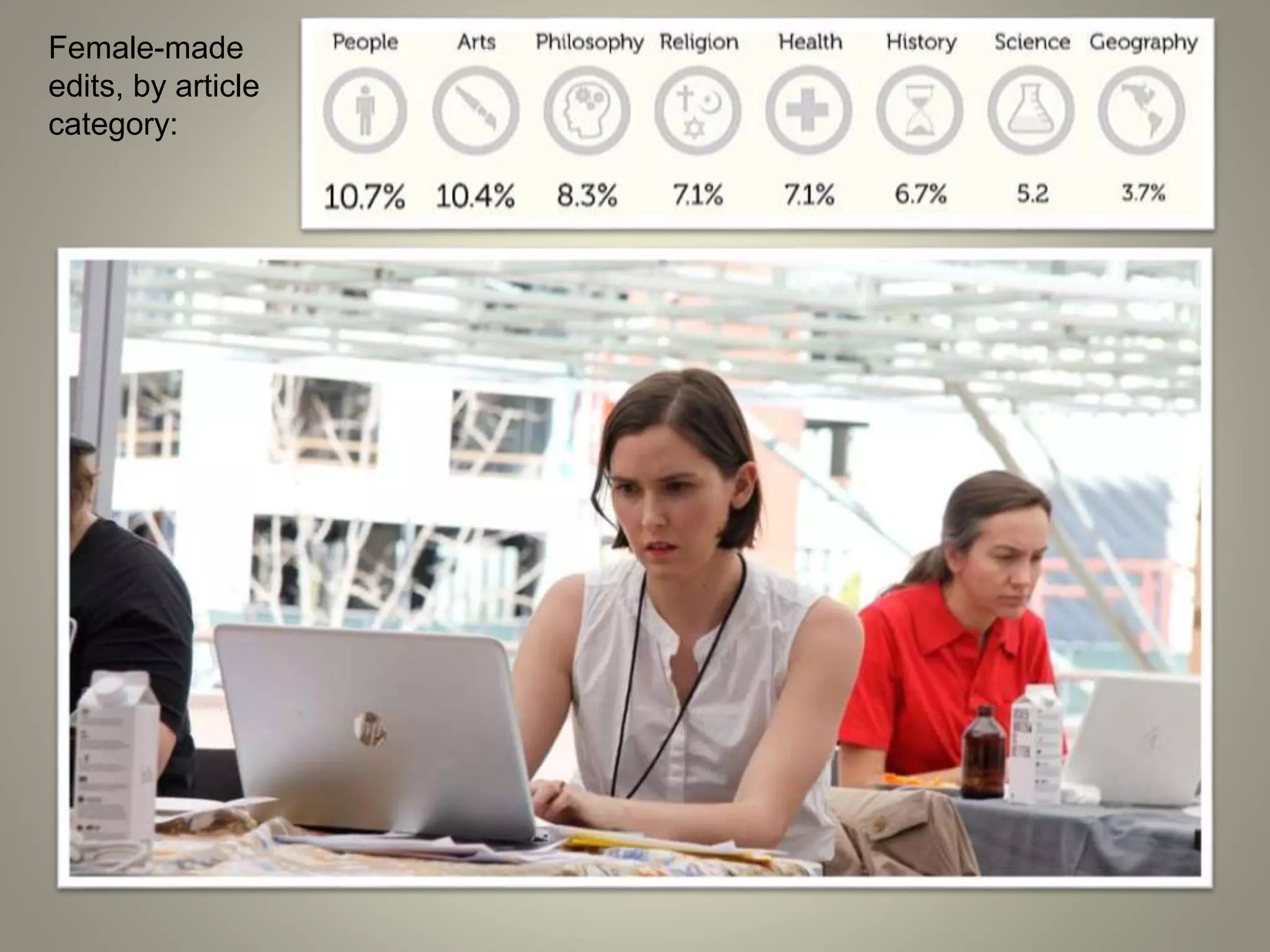
Female-made
edits, by article
category:
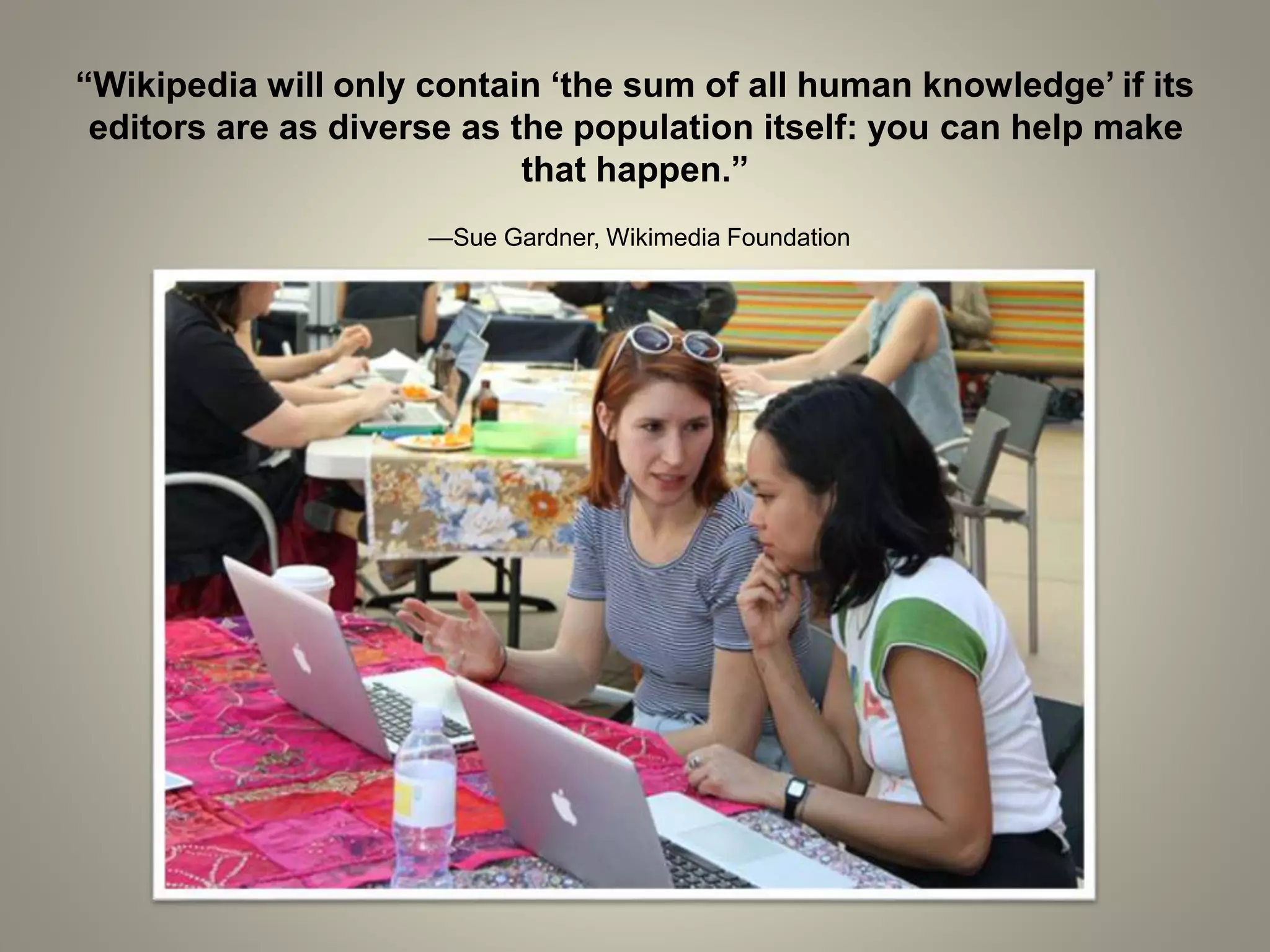
“Wikipedia will only contain ‘the sum of all human knowledge’ if its
editors are as diverse as the population itself: you can help make
that happen.”
—Sue Gardner, Wikimedia Foundation
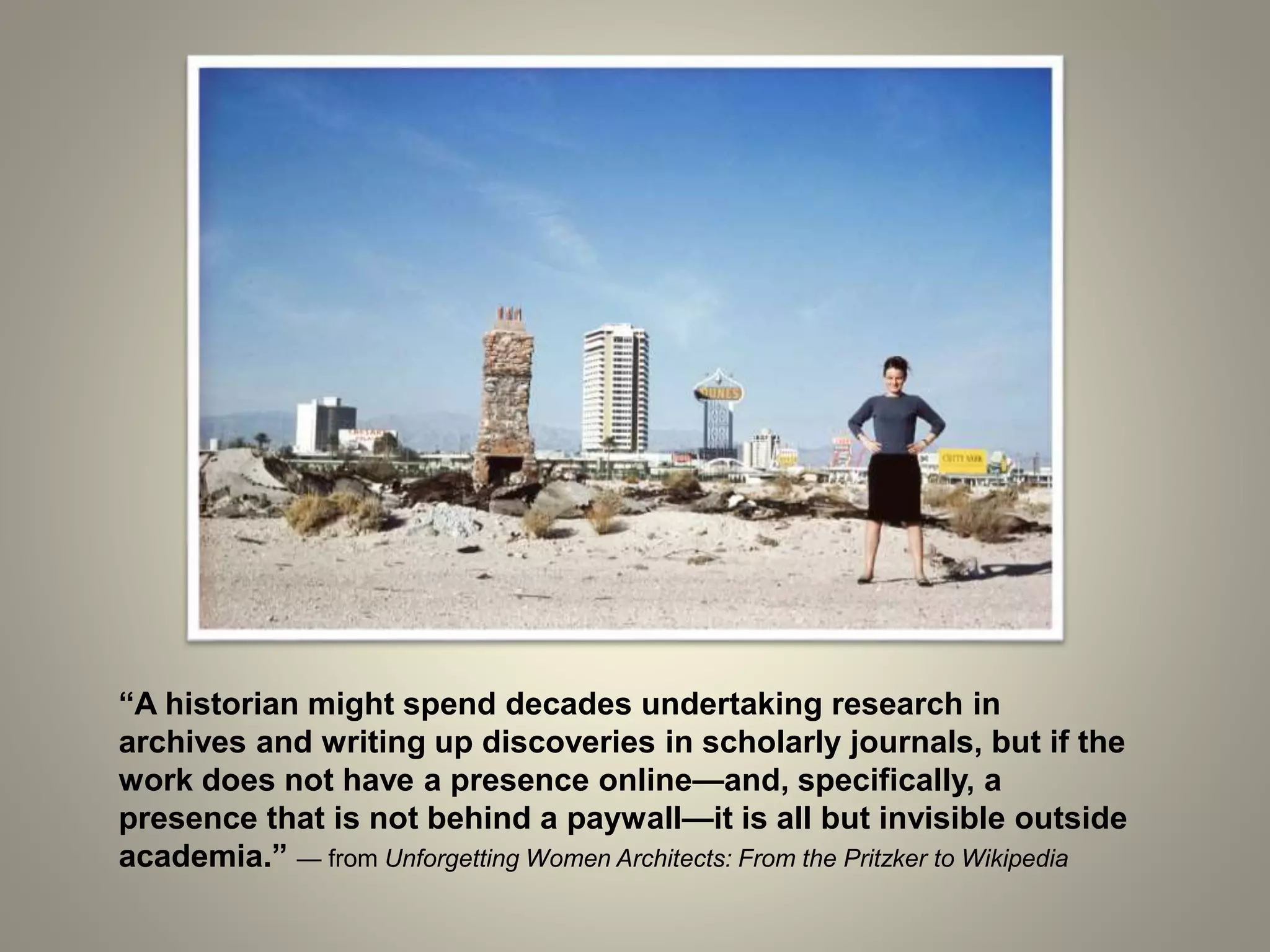
“A historian might spend decades undertaking research in
archives and writing up discoveries in scholarly journals, but if the
work does not have a presence online—and, specifically, a
presence that is not behind a paywall—it is all but invisible outside
academia.” — from Unforgetting Women Architects: From the Pritzker to Wikipedia
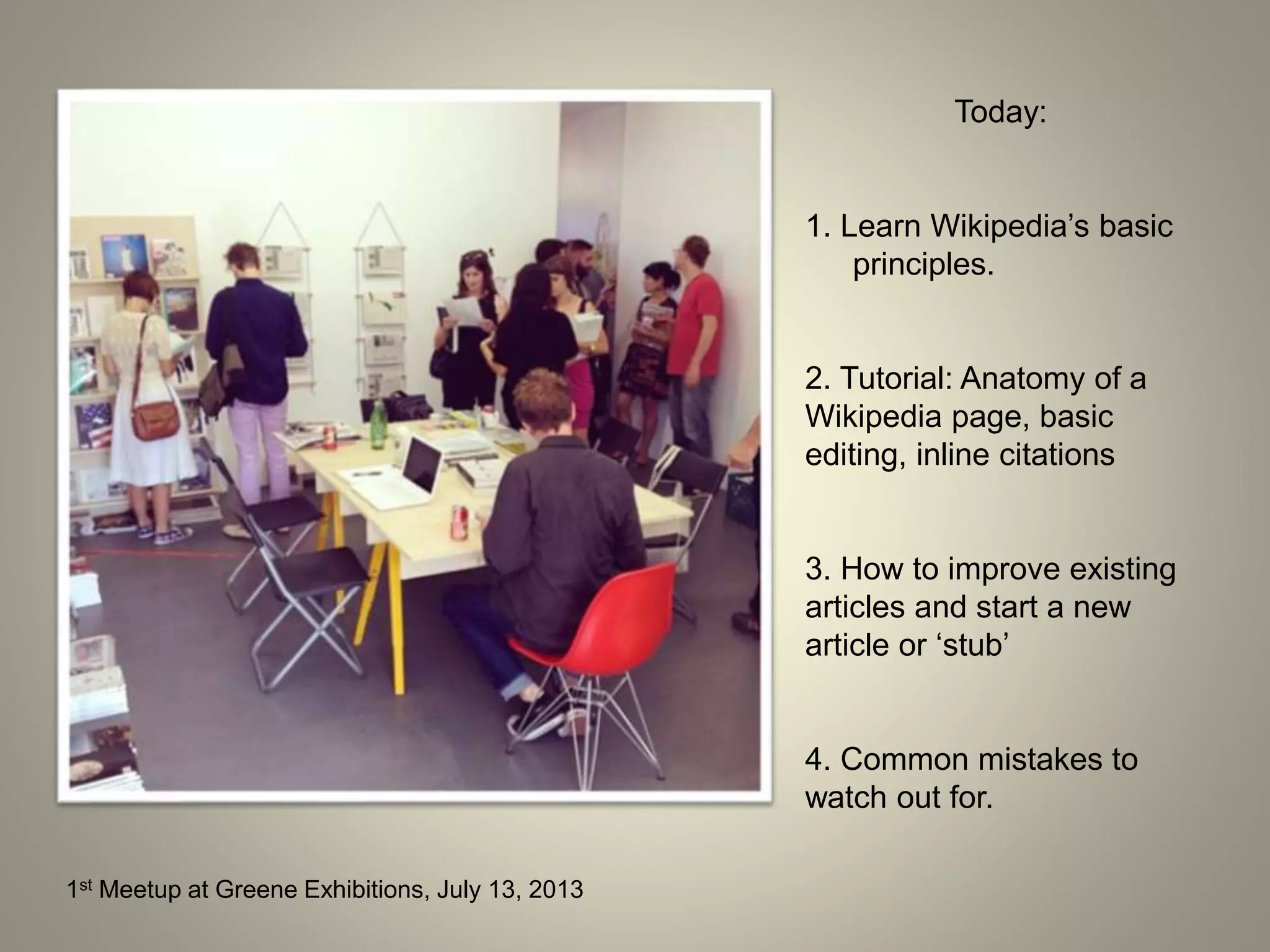
1st Meetup at Greene Exhibitions, July 13, 2013
Today:
1. Learn Wikipedia’s basic
principles.
2. Tutorial: Anatomy of a
Wikipedia page, basic
editing, inline citations
3. How to improve existing
articles and start a new
article or ‘stub’
4. Common mistakes to
watch out for.
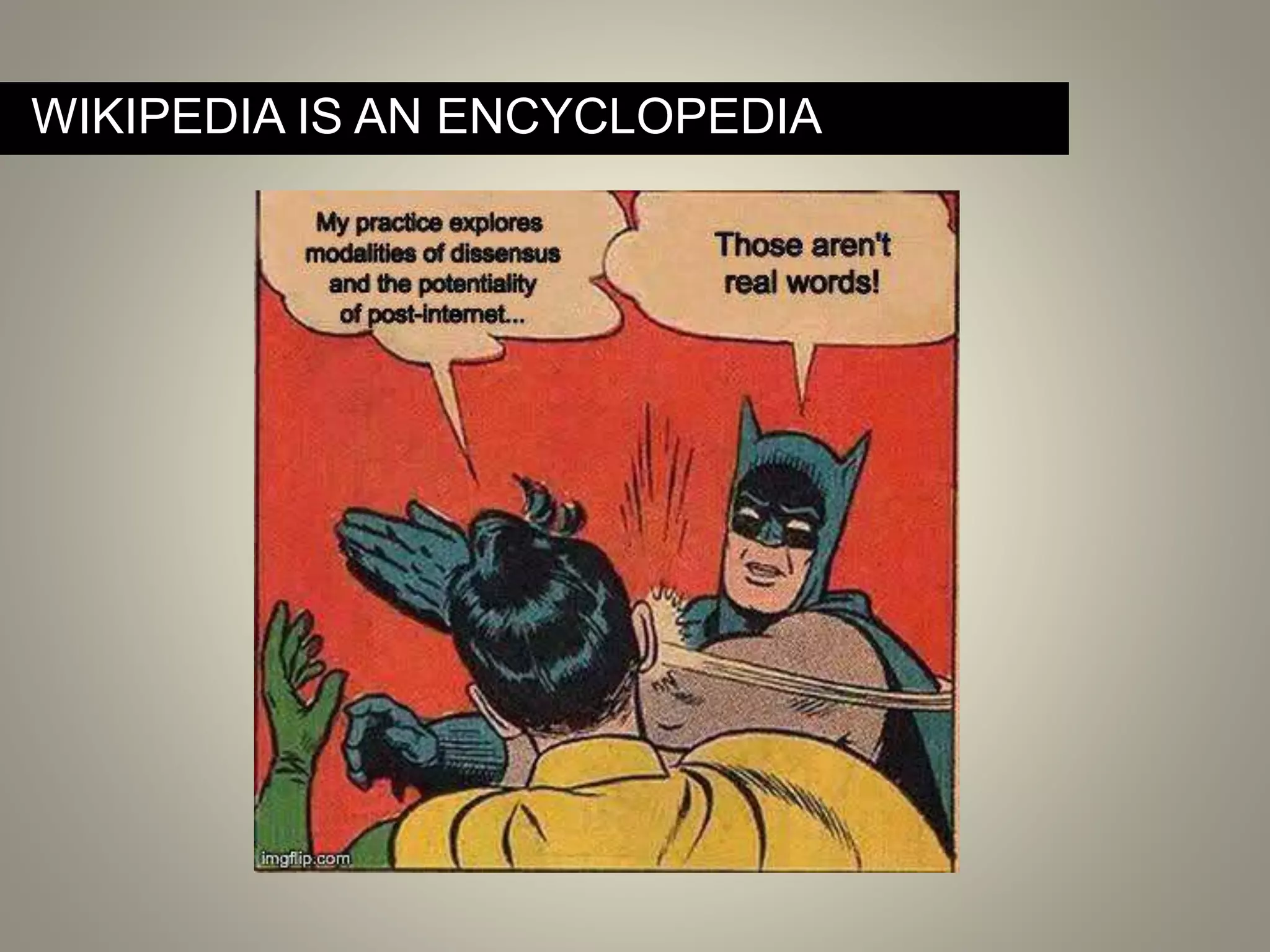
WIKIPEDIA IS AN ENCYCLOPEDIA
Neutral point of view – All Wikipedia articles and other
encyclopedic content must be written from a neutral point
of view, representing significant views fairly, proportionately
and without bias.
BASIC RULES: BE NEUTRAL
AVOID CONFLICT OF INTEREST
Note: If you think you have a Conflict Of Interest (COI), don’t create the article.
Instead, you can suggest that someone else create it by posting this on a related
talk page.
Avoid Conflict of Interest – Wikipedia has an extensive
COI policy, but most importantly for our purposes: Don’t
create an article for yourself or your organization. For any
borderline conflict of interest concerns, it can be helpful to
disclose affiliations on your User page.
No original research – Your article should summarize the
existing, published knowledge on your subject. Even if you
know something to be true, do not include any previously
unpublished anecdotes, data, opinions or theories.
BASIC RULES: NO ORIGINAL RESEARCH
Verifiability – The information you include—especially
quotes and anything likely to be challenged—must be
attributed to a reliable, published source.
In Wikipedia, verifiability means that anyone reading and
editing the encyclopedia can check that the information has
come from a reliable source. It is accomplished by adding
inline citations (footnotes).
BASIC RULES: VERIFIABILITY IS KEY
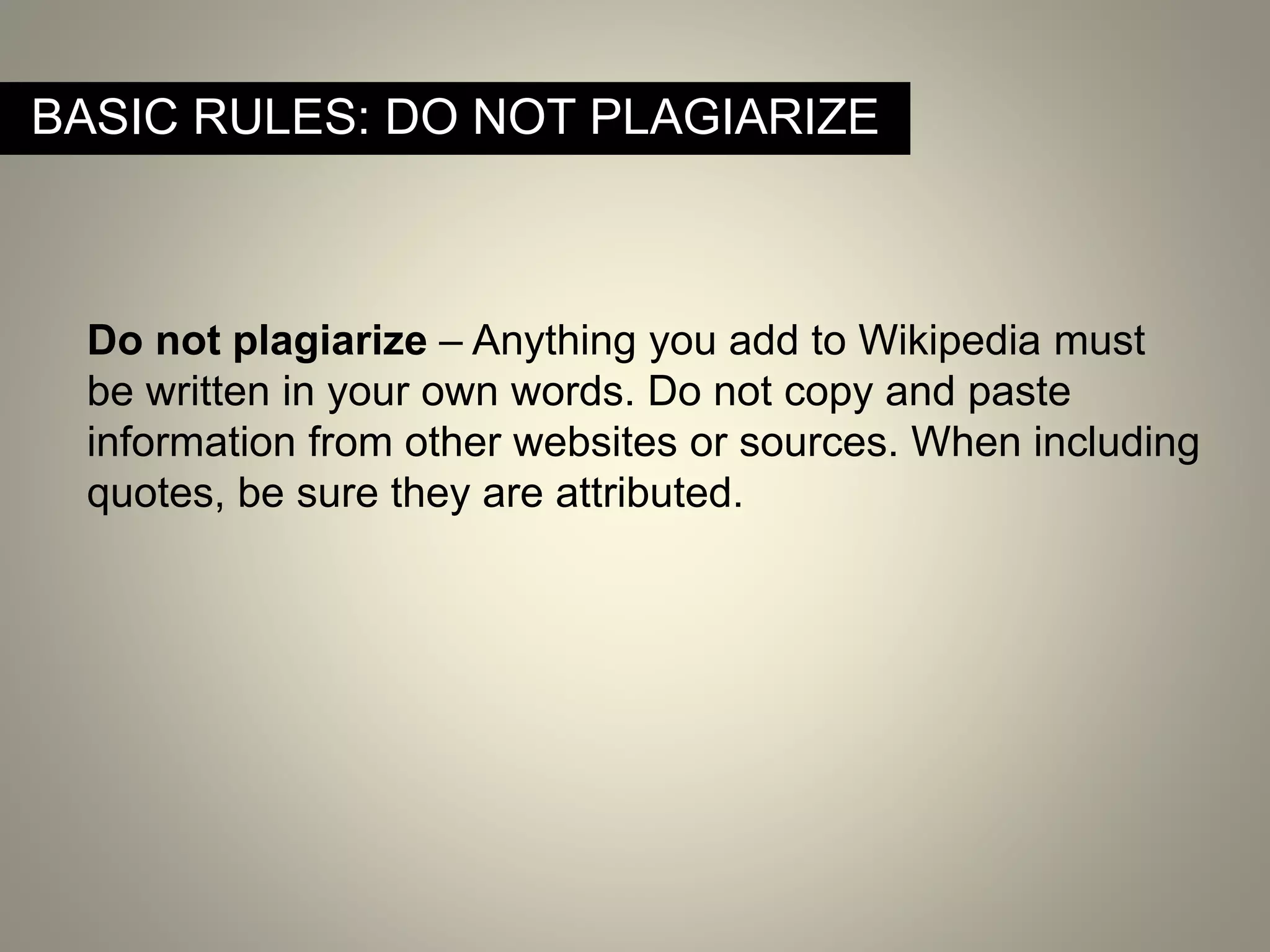
BASIC RULES: DO NOT PLAGIARIZE
Do not plagiarize – Anything you add to Wikipedia must
be written in your own words. Do not copy and paste
information from other websites or sources. When including
quotes, be sure they are attributed.
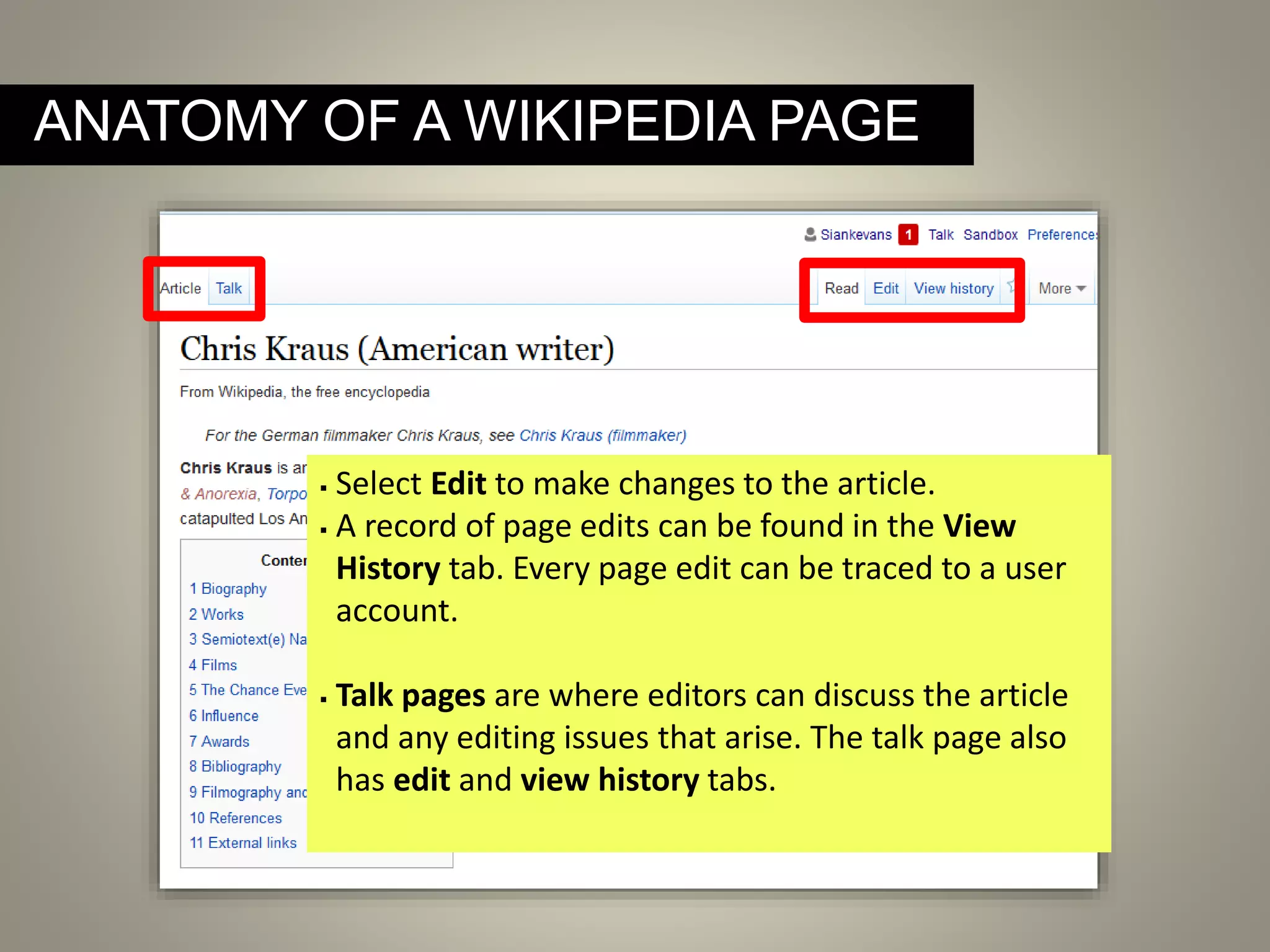
ANATOMY OF A WIKIPEDIA PAGE
 Select Edit to make changes to the article.
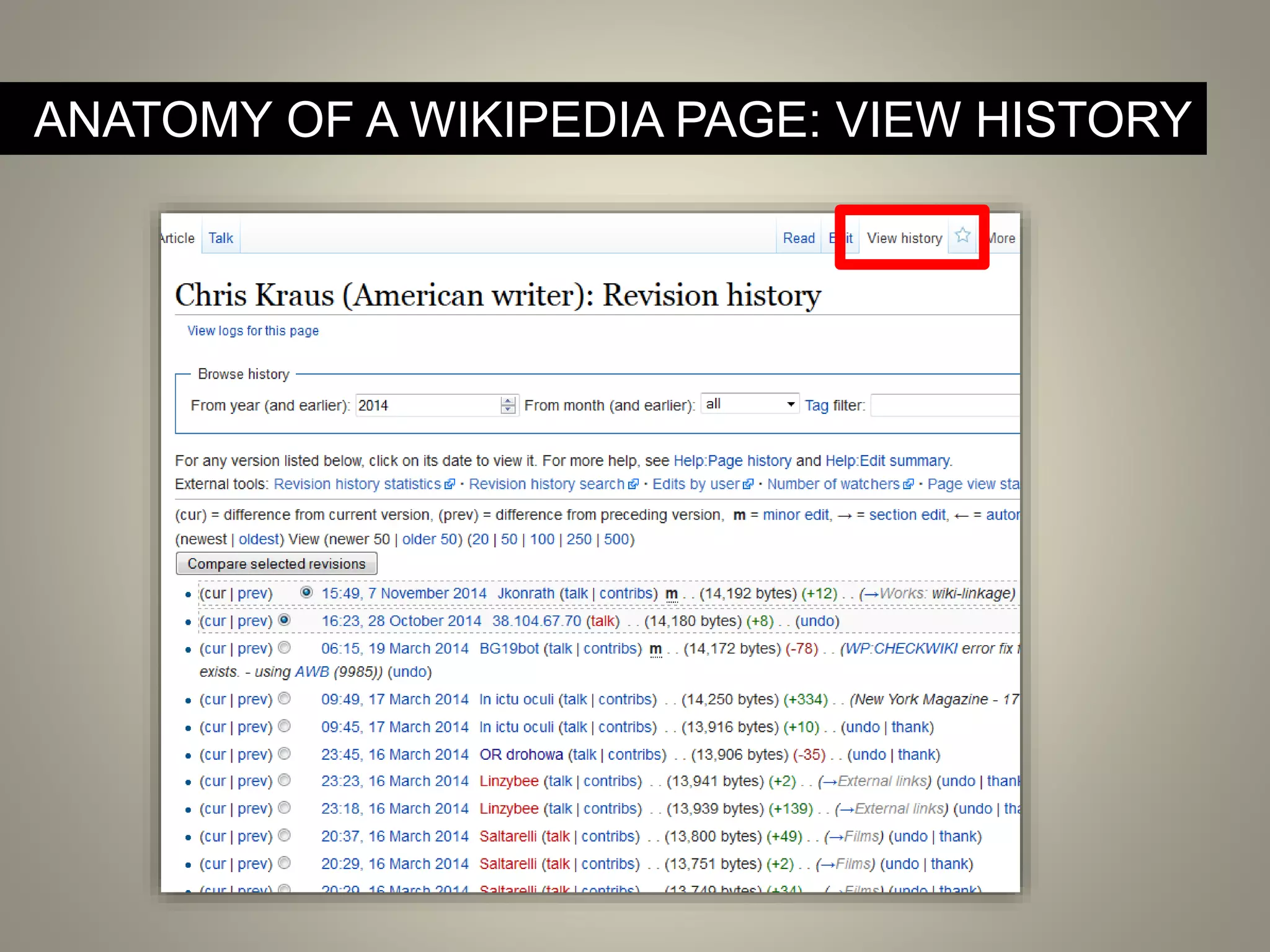
 A record of page edits can be found in the View
History tab. Every page edit can be traced to a user
account.
 Talk pages are where editors can discuss the article
and any editing issues that arise. The talk page also
has edit and view history tabs.
ANATOMY OF A WIKIPEDIA PAGE: VIEW HISTORY
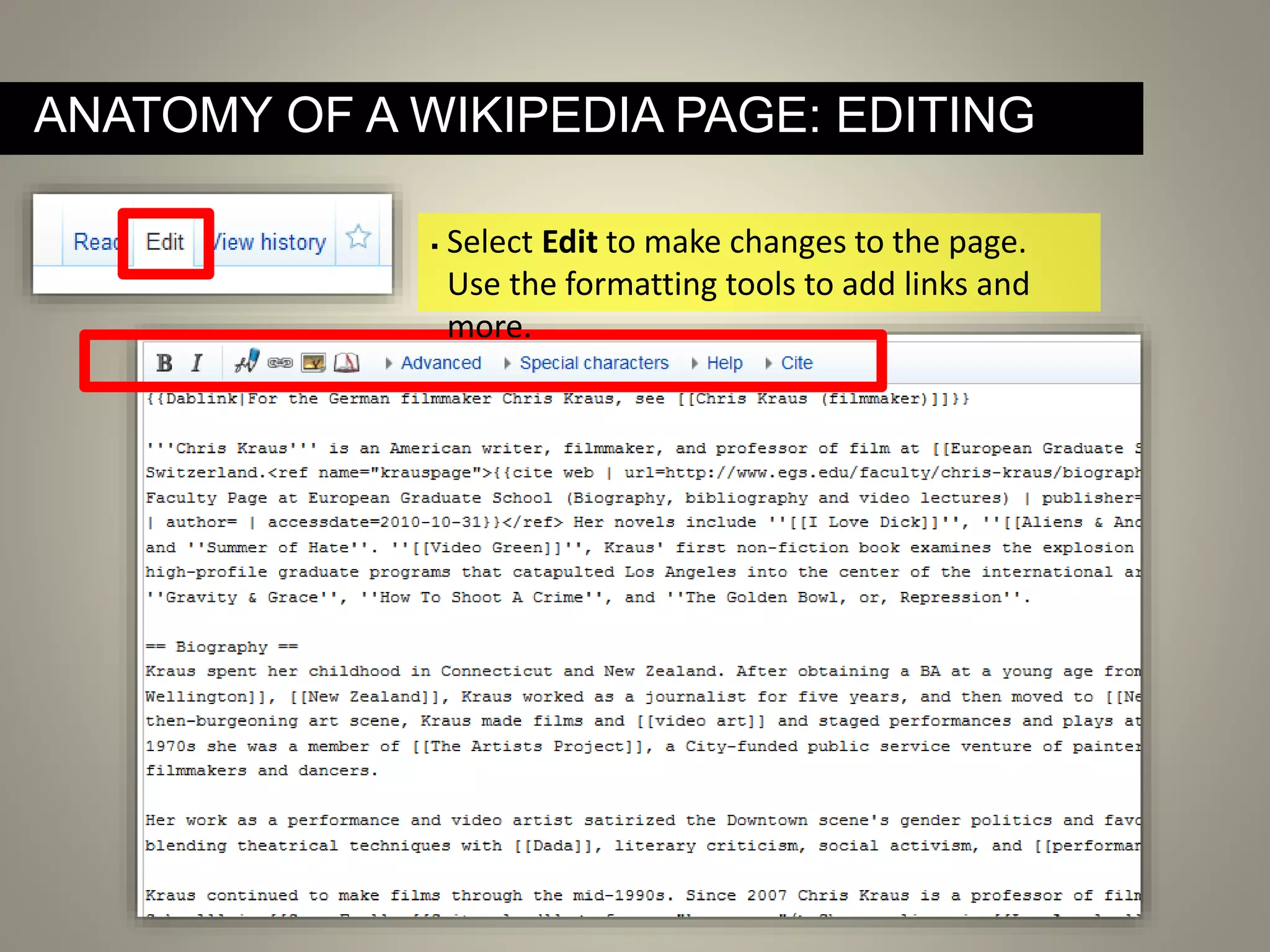
ANATOMY OF A WIKIPEDIA PAGE: EDITING
 Select Edit to make changes to the page.
Use the formatting tools to add links and
more.
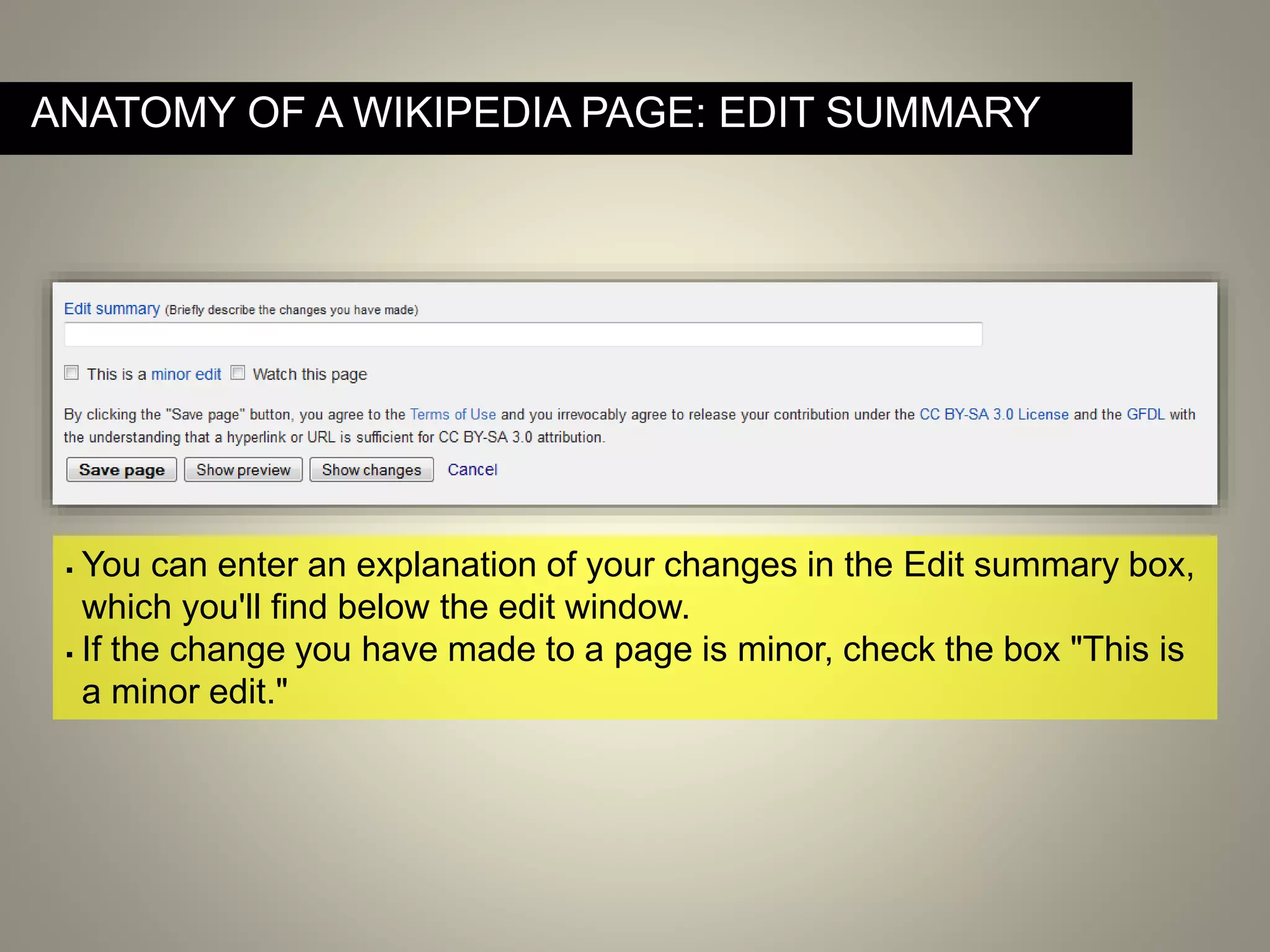
ANATOMY OF A WIKIPEDIA PAGE: EDIT SUMMARY
 You can enter an explanation of your changes in the Edit summary box,
which you'll find below the edit window.
 If the change you have made to a page is minor, check the box "This is
a minor edit."
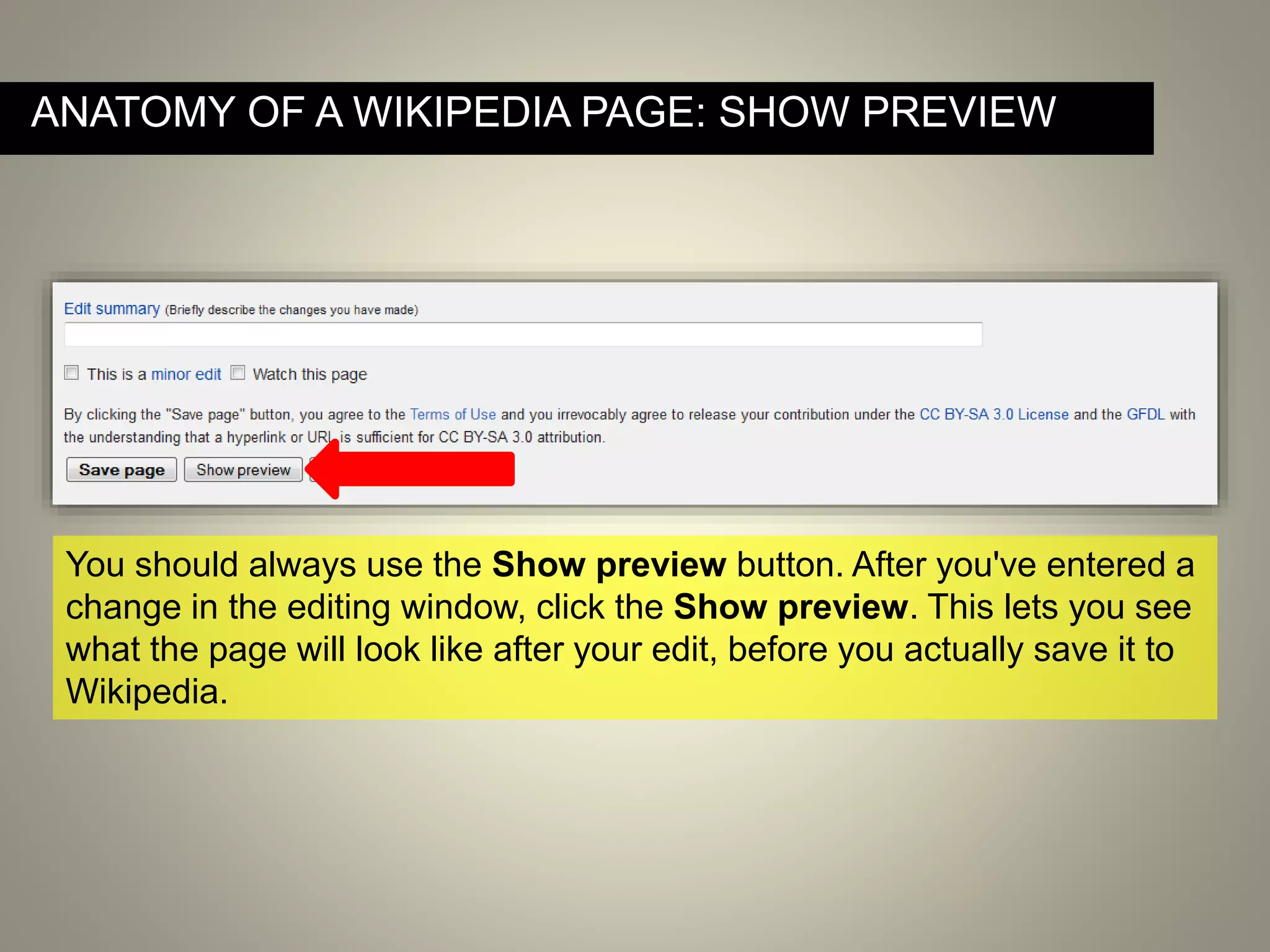
You should always use the Show preview button. After you've entered a
change in the editing window, click the Show preview. This lets you see
what the page will look like after your edit, before you actually save it to
Wikipedia.
ANATOMY OF A WIKIPEDIA PAGE: SHOW PREVIEW
DEMO: MAKING A SIMPLE EDIT TO A WIKIPEDIA PAGE
By Michael Mandiberg (Own work) [CC-BY-SA-3.0 (http://creativecommons.org/licenses/by-sa/3.0)],
via Wikimedia Commons
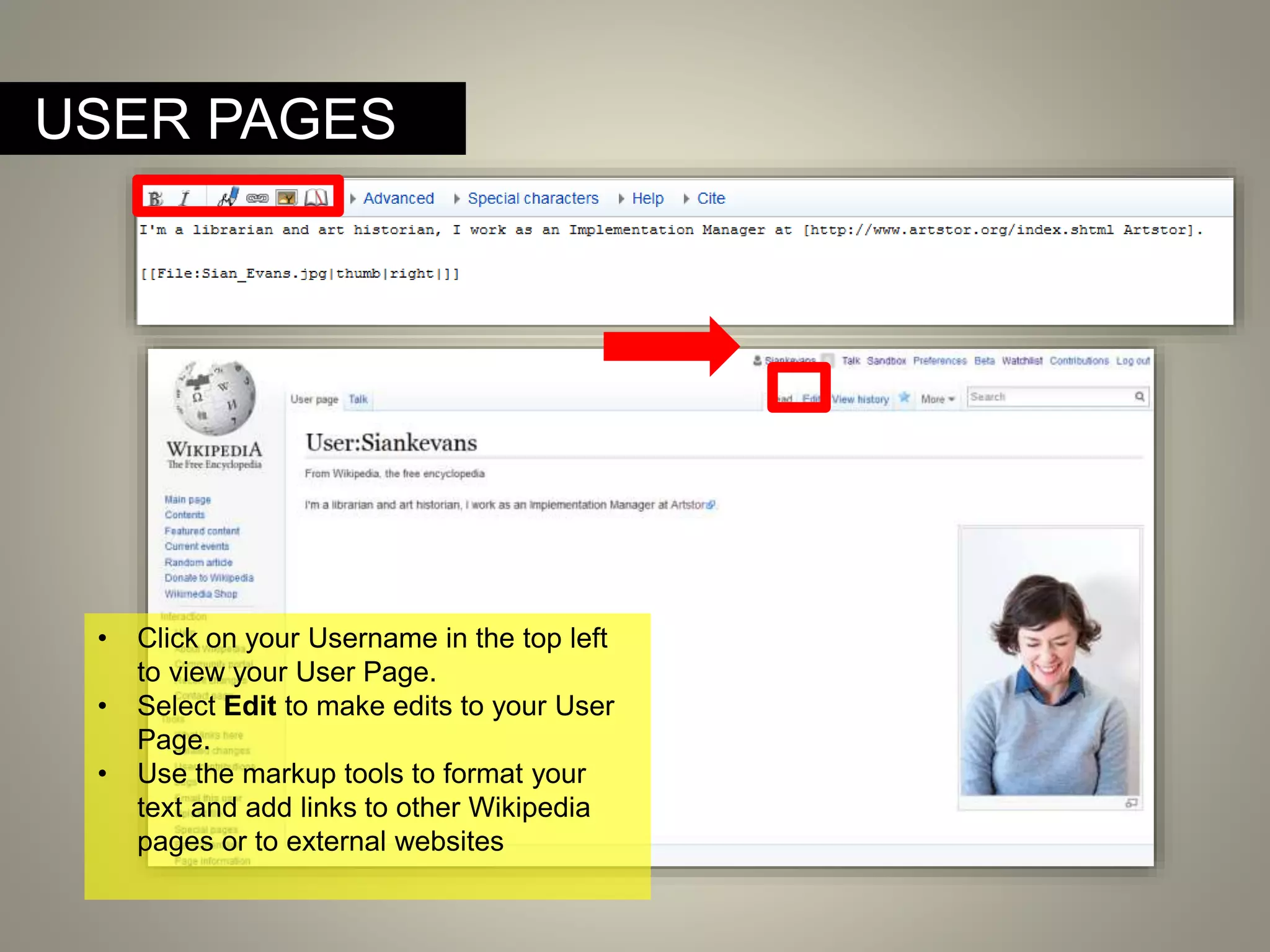
USER PAGES
• Click on your Username in the top left
to view your User Page.
• Select Edit to make edits to your User
Page.
• Use the markup tools to format your
text and add links to other Wikipedia
pages or to external websites
By Michael Mandiberg (Own work) [CC-BY-SA-3.0 (http://creativecommons.org/licenses/by-sa/3.0)],
via Wikimedia Commons
Take a few minutes to edit your own user page.
A NOTE ON NOTABILITY
Notability – Every article on Wikipedia must prove the
notability of its subject. To help your article pass the
notability test, I recommend a rule of three: Be sure to cite
at least THREE reliable, published sources that are
independent of your subject. If you can’t find at least
three good sources, you may find it difficult to prove
notability and your article will risk deletion.
Good sources are independent of your subject and prove
notability.
When possible, focus on:
• university-level textbooks
• books published by respected publishing houses
• magazines
• journals
• mainstream newspapers
When using websites, focus on those that are most likely to have
undergone an editorial process that includes fact-checking.
WHAT MAKES A GOOD SOURCE?
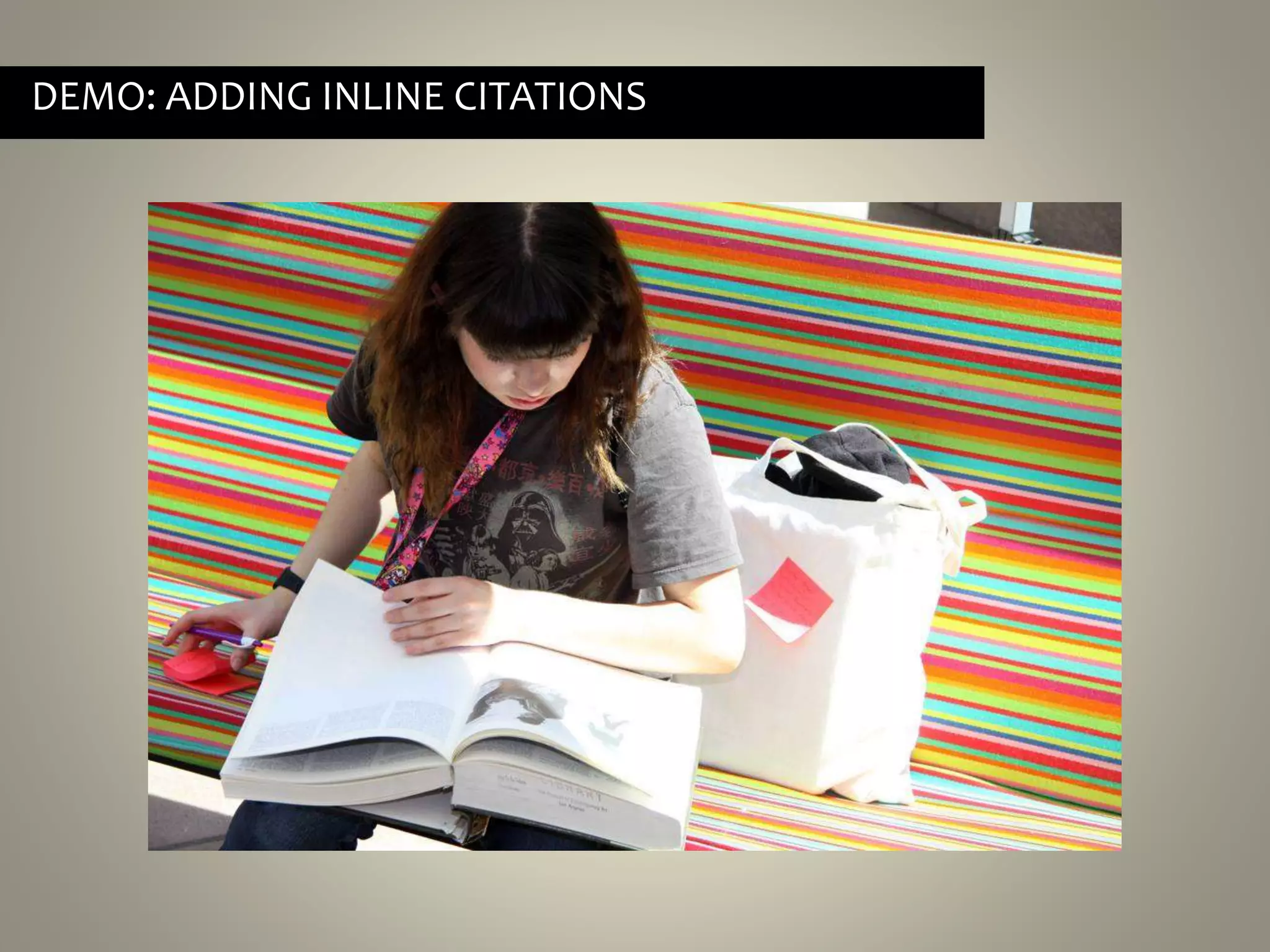
DEMO: ADDING INLINE CITATIONS
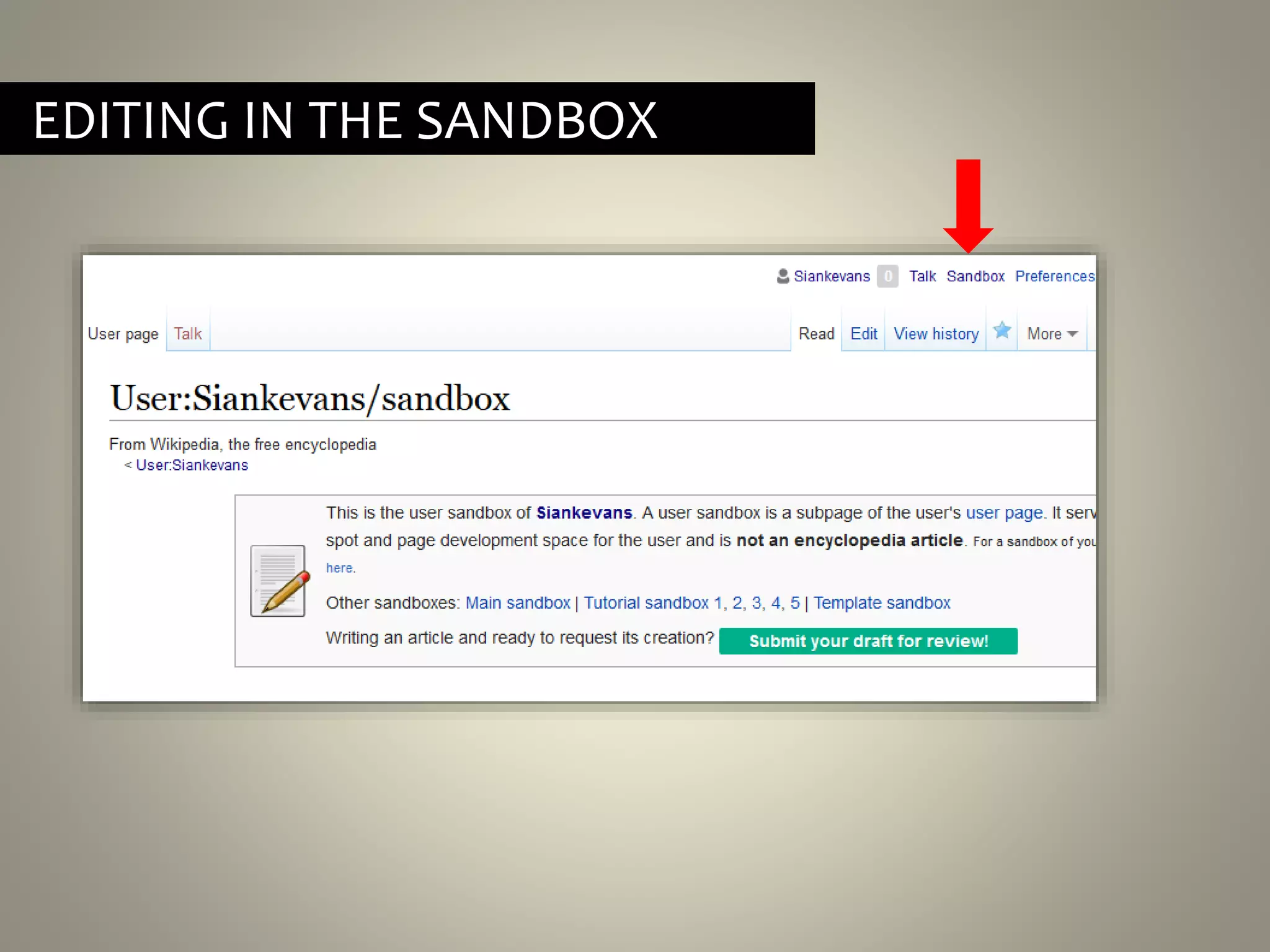
EDITING IN THE SANDBOX
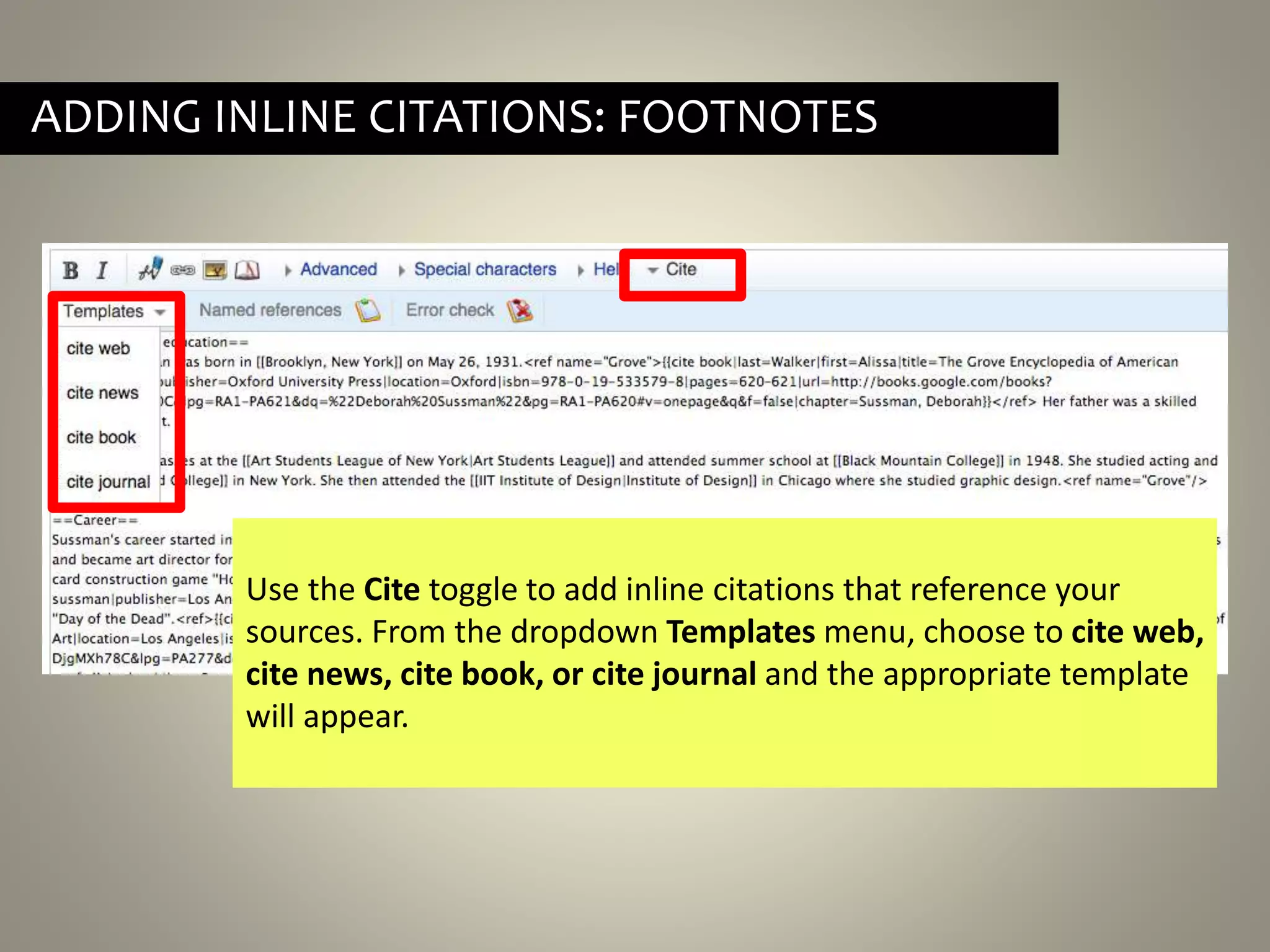
ADDING INLINE CITATIONS: FOOTNOTES
Use the Cite toggle to add inline citations that reference your
sources. From the dropdown Templates menu, choose to cite web,
cite news, cite book, or cite journal and the appropriate template
will appear.
ADDING INLINE CITATIONS: FOOTNOTES
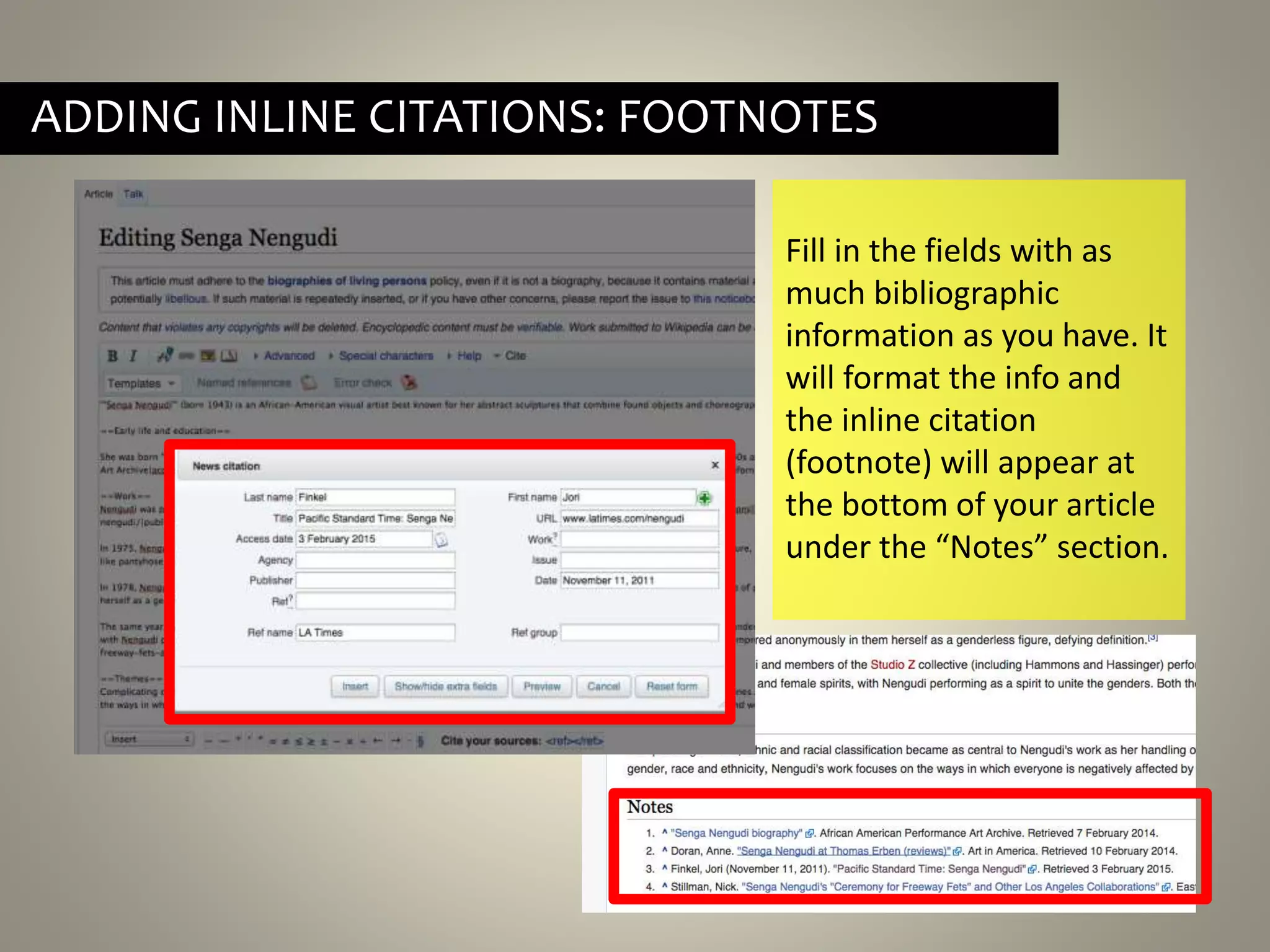
Fill in the fields with as
much bibliographic
information as you have. It
will format the info and
the inline citation
(footnote) will appear at
the bottom of your article
under the “Notes” section.
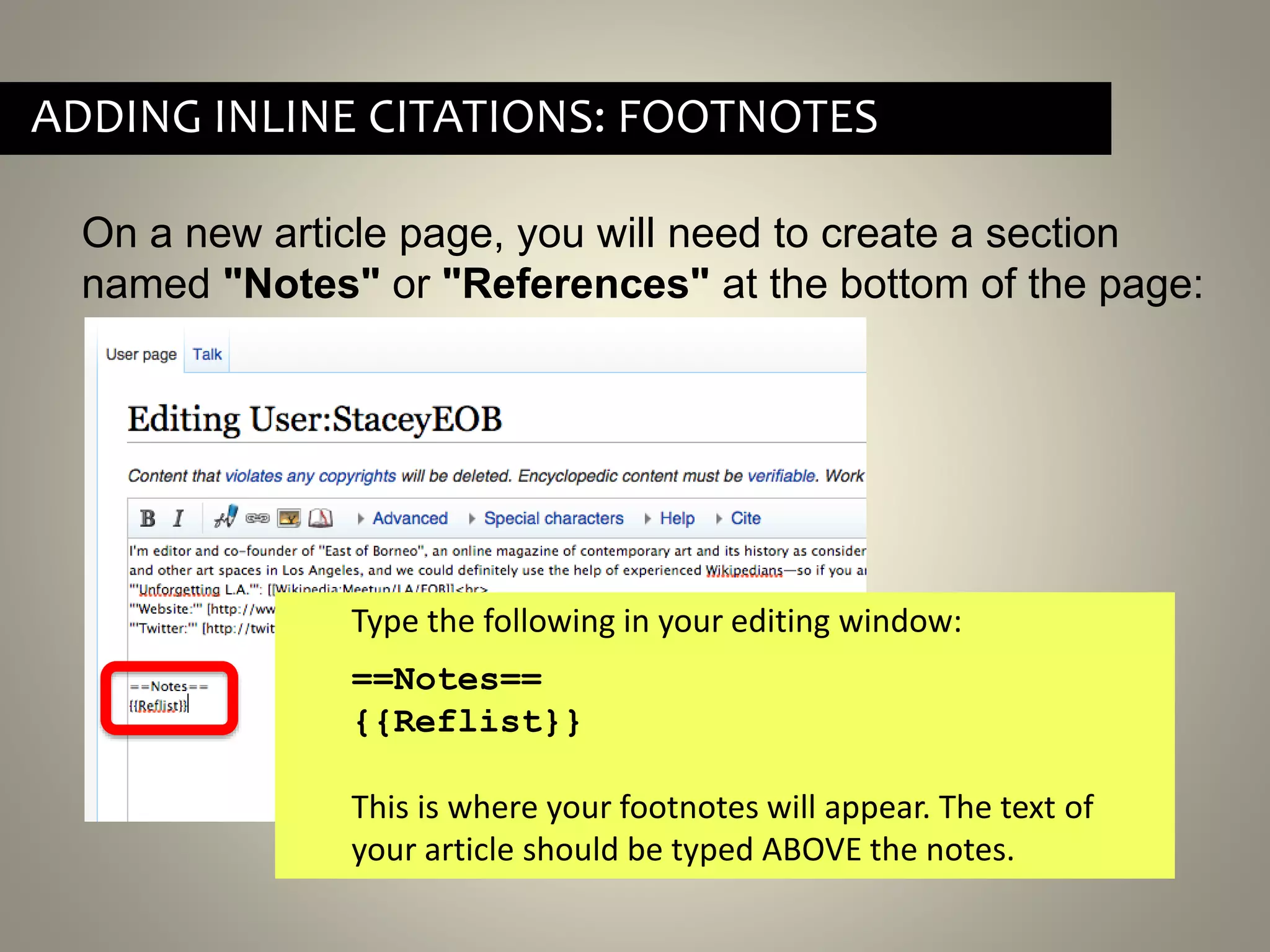
On a new article page, you will need to create a section
named "Notes" or "References" at the bottom of the page:
ADDING INLINE CITATIONS: FOOTNOTES
Type the following in your editing window:
==Notes==
{{Reflist}}
This is where your footnotes will appear. The text of
your article should be typed ABOVE the notes.
By Failedprojects (Own work) [CC-BY-SA-4.0 (http://creativecommons.org/licenses/by-
sa/4.0)], via Wikimedia Commons
QUESTIONS SO FAR?
• No conflict of interest
• No plagiarism.
• Written from a neutral point of view
• At least THREE inline citations to reliable published sources
that are independent of the subject and prove notability.
WHAT MAKES A GOOD ARTICLE
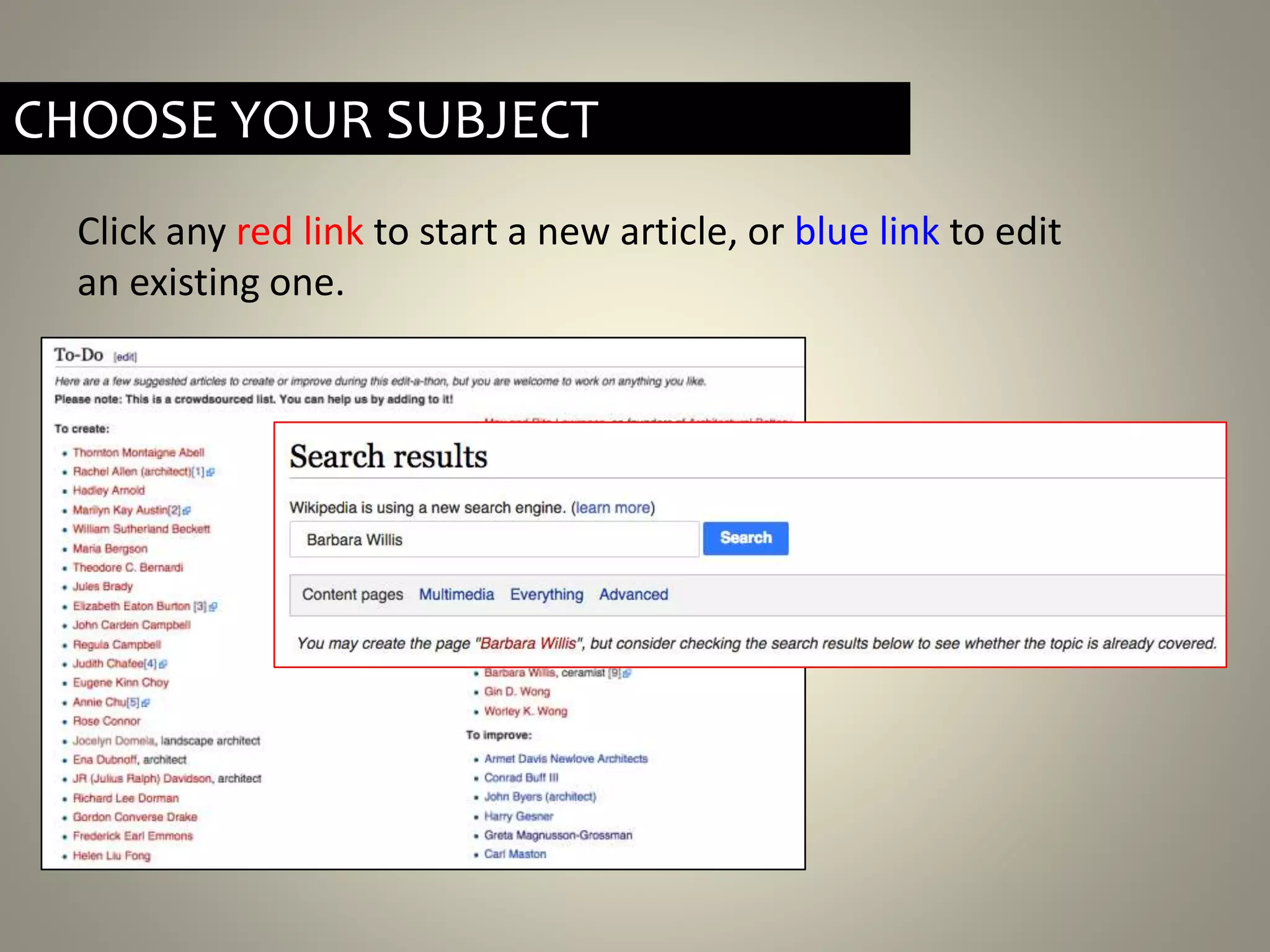
Click any red link to start a new article, or blue link to edit
an existing one.
CHOOSE YOUR SUBJECT
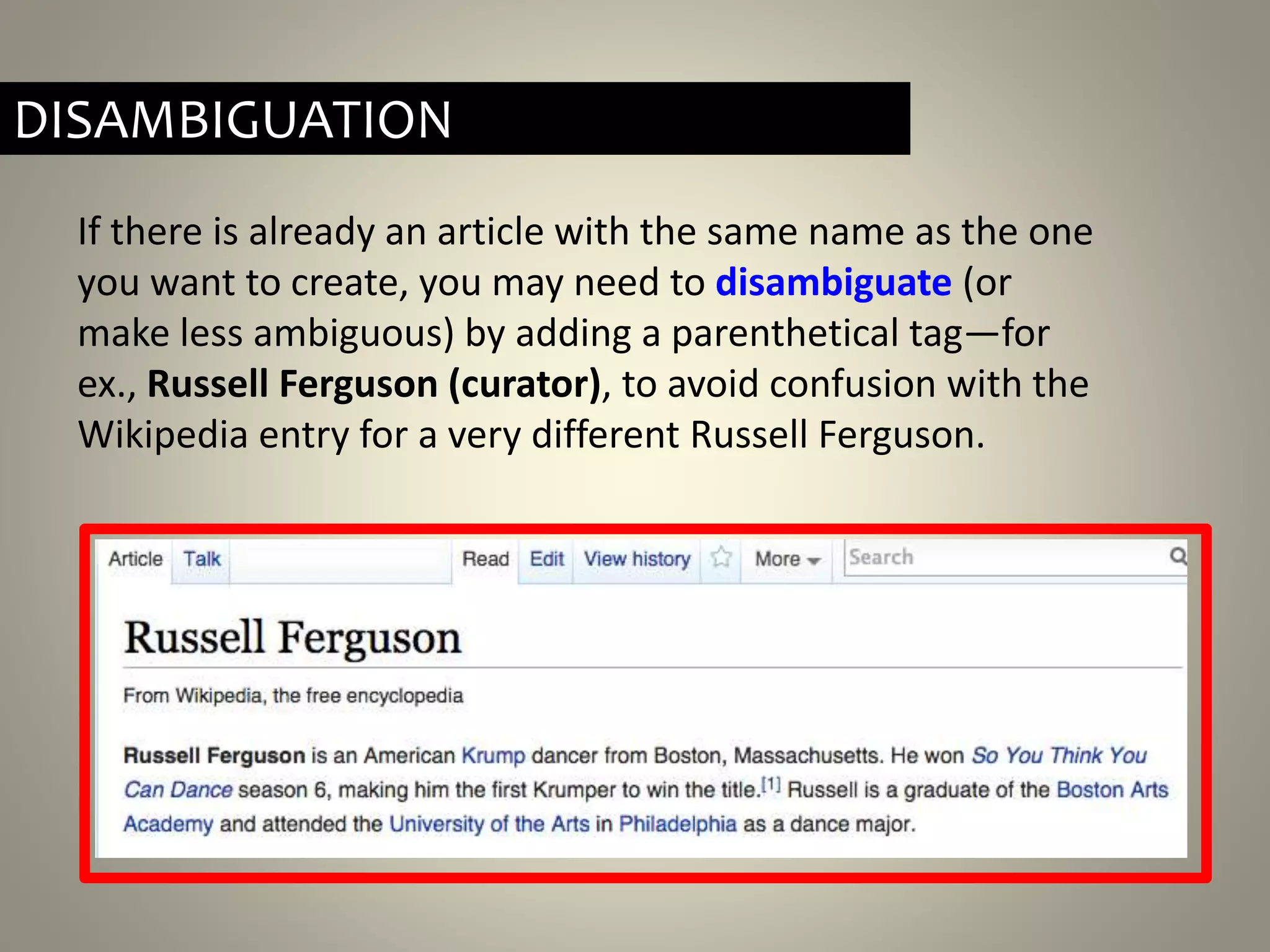
If there is already an article with the same name as the one
you want to create, you may need to disambiguate (or
make less ambiguous) by adding a parenthetical tag—for
ex., Russell Ferguson (curator), to avoid confusion with the
Wikipedia entry for a very different Russell Ferguson.
DISAMBIGUATION
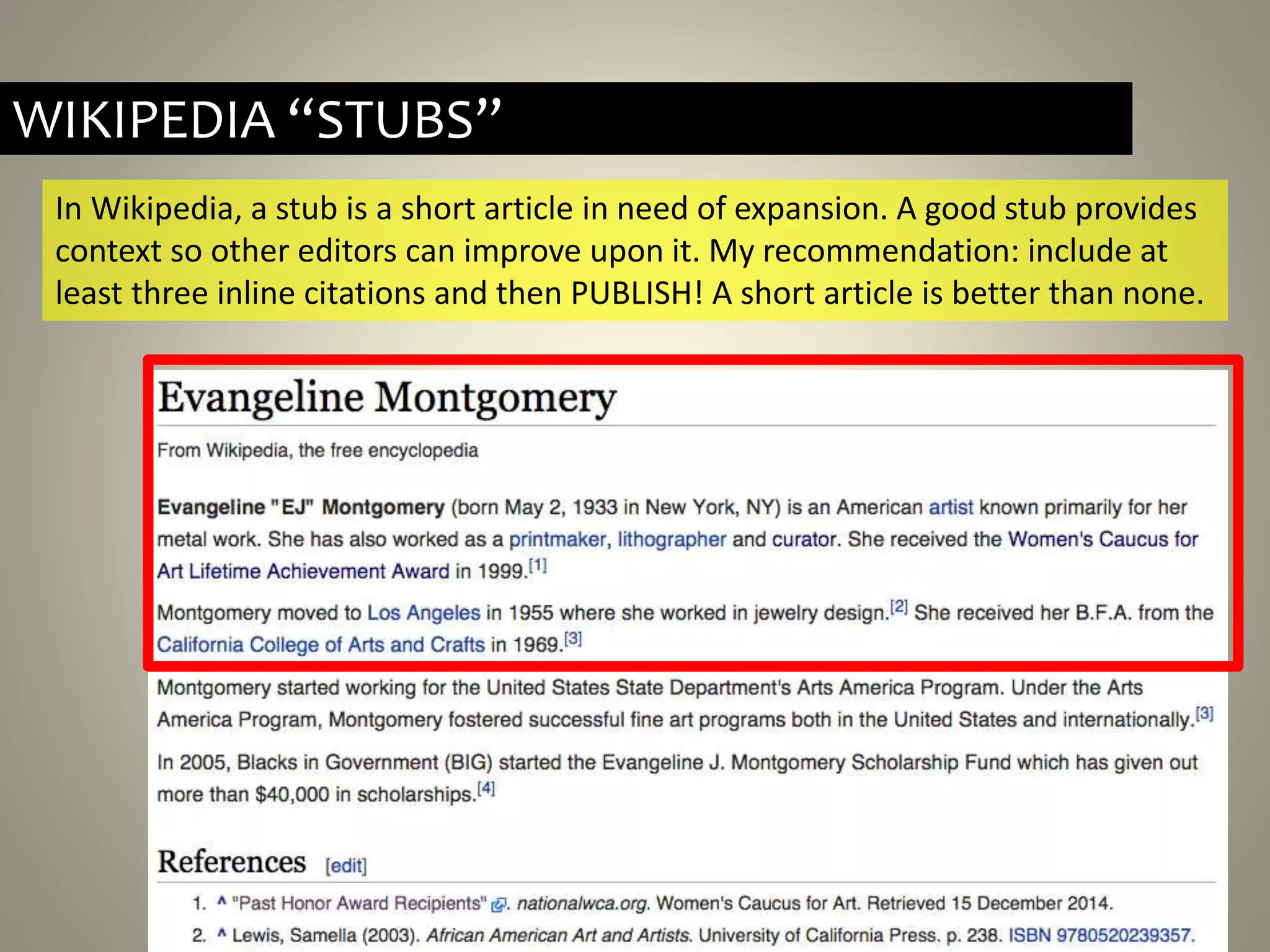
WIKIPEDIA “STUBS”
In Wikipedia, a stub is a short article in need of expansion. A good stub provides
context so other editors can improve upon it. My recommendation: include at
least three inline citations and then PUBLISH! A short article is better than none.
Your introductory paragraph must:
• Include full name in bold, followed by dates of birth and death
in parentheses
• Provide context (most often, nationality and occupation)
• Assert notability (museum collections, awards, legacy, etc.)
HOW TO START YOUR ARTICLE
As you continue writing, you can add section headings like:
==Early life and education==
==Selected Works==
==Awards== To make a sub-heading, use 3[===] instead of 2.
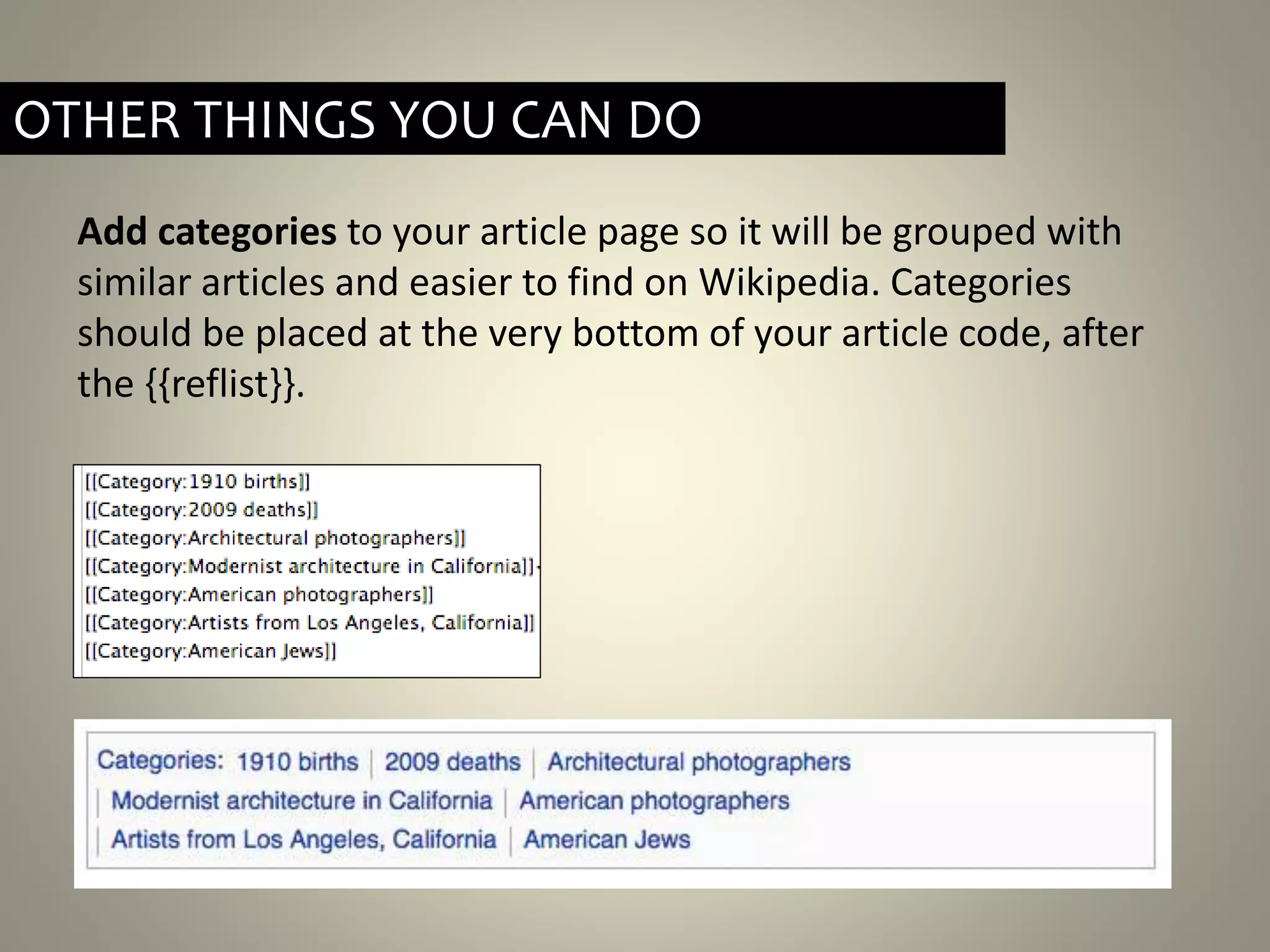
Add categories to your article page so it will be grouped with
similar articles and easier to find on Wikipedia. Categories
should be placed at the very bottom of your article code, after
the {{reflist}}.
OTHER THINGS YOU CAN DO
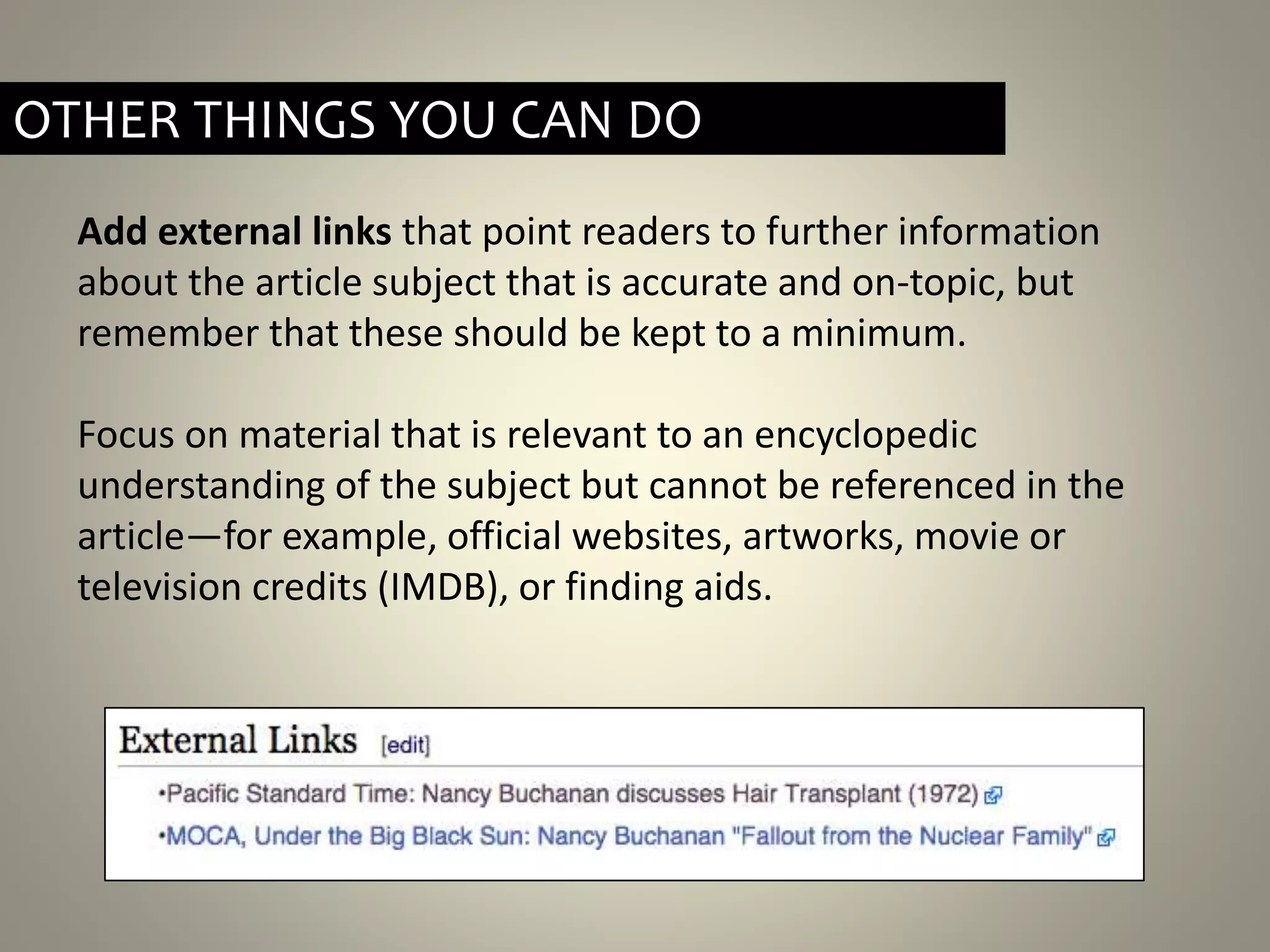
Add external links that point readers to further information
about the article subject that is accurate and on-topic, but
remember that these should be kept to a minimum.
Focus on material that is relevant to an encyclopedic
understanding of the subject but cannot be referenced in the
article—for example, official websites, artworks, movie or
television credits (IMDB), or finding aids.
OTHER THINGS YOU CAN DO
• Using external links instead of inline citations.
• Creating footnotes in any other unorthodox way. Be sure they
are using the cite templates!
• Copying text directly from artist’s website (plagiarism) or citing
statement on website (not an independent source).
• Non-neutral POV: Feminist editing.
COMMON MISTAKES TO WATCH FOR
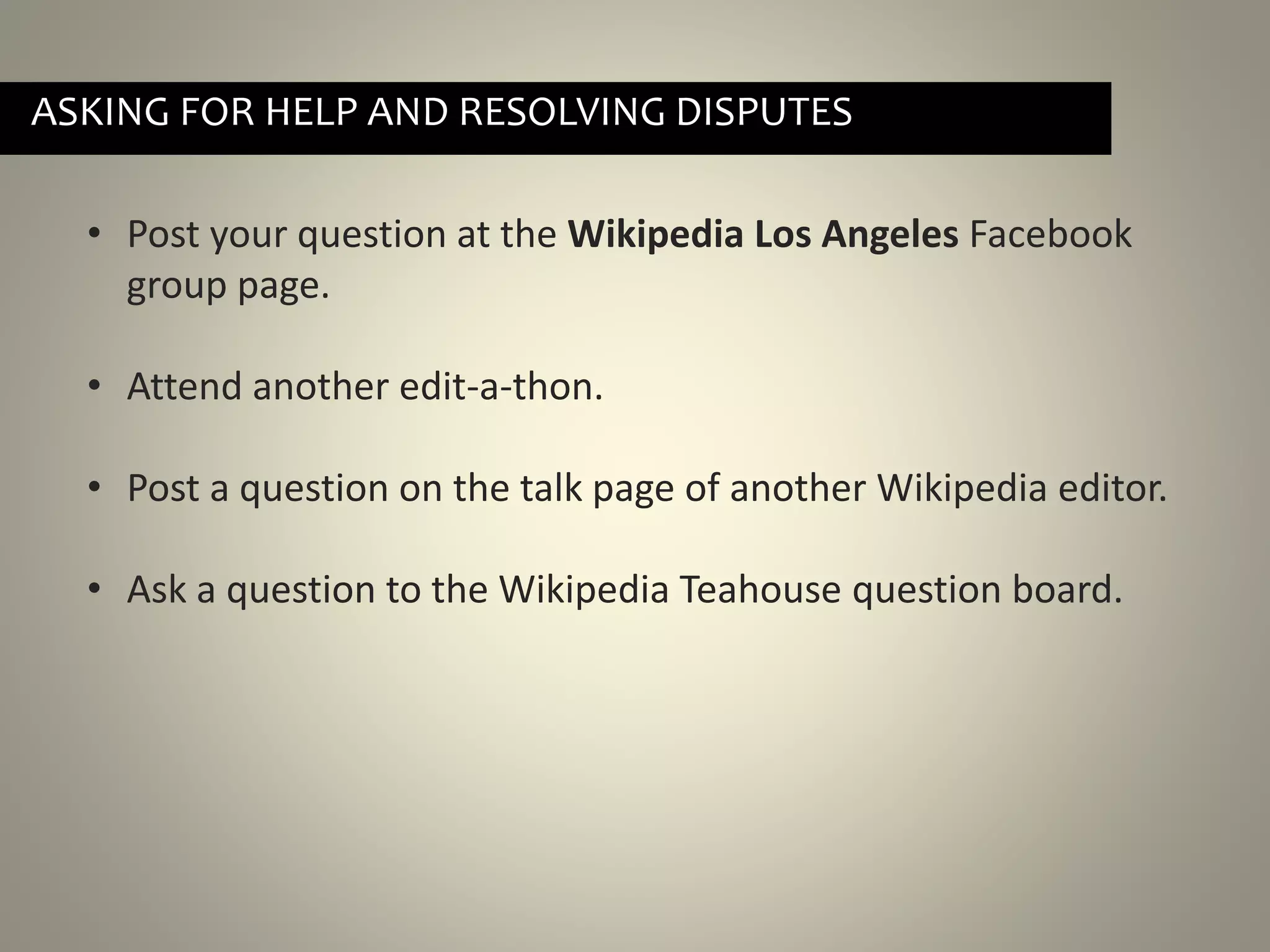
• Post your question at the Wikipedia Los Angeles Facebook
group page.
• Attend another edit-a-thon.
• Post a question on the talk page of another Wikipedia editor.
• Ask a question to the Wikipedia Teahouse question board.
ASKING FOR HELP AND RESOLVING DISPUTES
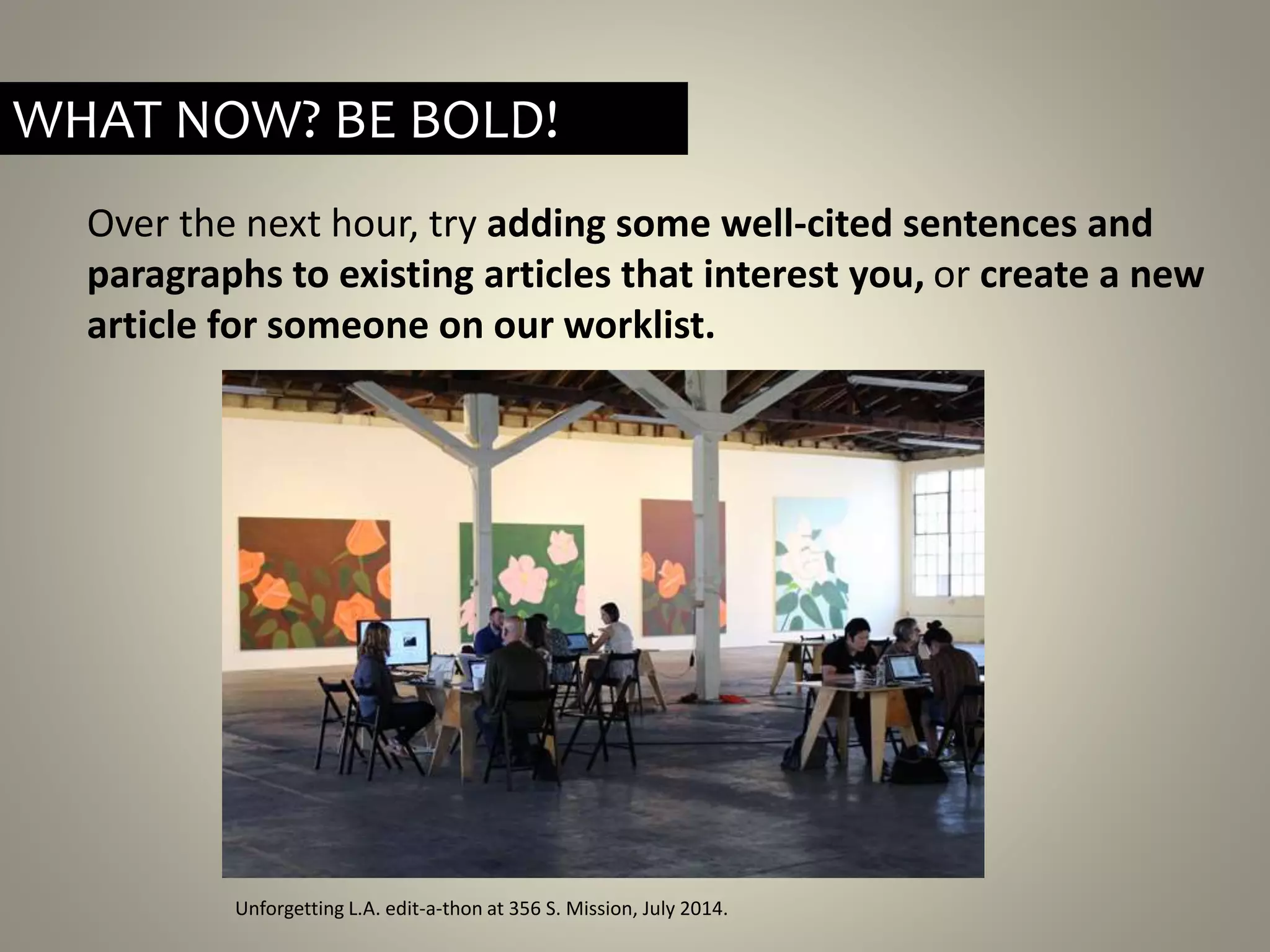
Over the next hour, try adding some well-cited sentences and
paragraphs to existing articles that interest you, or create a new
article for someone on our worklist.
Unforgetting L.A. edit-a-thon at 356 S. Mission, July 2014.
WHAT NOW? BE BOLD!
THANK YOU! // Q&A
By Michael Mandiberg (Own work) [CC-BY-SA-3.0 (http://creativecommons.org/licenses/by-sa/3.0)], via
Wikimedia Commons

Adrianne Wadewitz Memoriad Wikipedia Edit a-thon slides

  • 1.
    Adrianne Wadewitz Memorial WikipediaEdit-a-thon ASECS 2015| Westin Bonaventure (January 6, 1977 – April 8, 2014) “I think women should edit Wikipedia. I think more women should edit Wikipedia than do. Who edits the encyclopedia shapes the knowledge we are choosing to remember. What we choose to include and how we choose to write about i t... are choices that everyone should be a part of, but I think we should be recruiting women with our eyes open. Recruiting more women to Wikipedia will not necessarily fix all the problems related to gender on the encyclopedia.”
  • 2.
    Wikipedia is theworld’s free encyclopedia, accessed by nearly 500 million unique visitors per month in more than 250 languages. It hosts more than 4.5 million articles in English with about 800 new articles created each day by volunteer editors around the world.
  • 3.
    Who edits Wikipedia? •87% men • 13% women • 75% under the age of 30
  • 4.
  • 5.
    “Wikipedia will onlycontain ‘the sum of all human knowledge’ if its editors are as diverse as the population itself: you can help make that happen.” —Sue Gardner, Wikimedia Foundation
  • 6.
    “A historian mightspend decades undertaking research in archives and writing up discoveries in scholarly journals, but if the work does not have a presence online—and, specifically, a presence that is not behind a paywall—it is all but invisible outside academia.” — from Unforgetting Women Architects: From the Pritzker to Wikipedia
  • 7.
    1st Meetup atGreene Exhibitions, July 13, 2013 Today: 1. Learn Wikipedia’s basic principles. 2. Tutorial: Anatomy of a Wikipedia page, basic editing, inline citations 3. How to improve existing articles and start a new article or ‘stub’ 4. Common mistakes to watch out for.
  • 8.
    WIKIPEDIA IS ANENCYCLOPEDIA
  • 9.
    Neutral point ofview – All Wikipedia articles and other encyclopedic content must be written from a neutral point of view, representing significant views fairly, proportionately and without bias. BASIC RULES: BE NEUTRAL
  • 10.
    AVOID CONFLICT OFINTEREST Note: If you think you have a Conflict Of Interest (COI), don’t create the article. Instead, you can suggest that someone else create it by posting this on a related talk page. Avoid Conflict of Interest – Wikipedia has an extensive COI policy, but most importantly for our purposes: Don’t create an article for yourself or your organization. For any borderline conflict of interest concerns, it can be helpful to disclose affiliations on your User page.
  • 11.
    No original research– Your article should summarize the existing, published knowledge on your subject. Even if you know something to be true, do not include any previously unpublished anecdotes, data, opinions or theories. BASIC RULES: NO ORIGINAL RESEARCH
  • 12.
    Verifiability – Theinformation you include—especially quotes and anything likely to be challenged—must be attributed to a reliable, published source. In Wikipedia, verifiability means that anyone reading and editing the encyclopedia can check that the information has come from a reliable source. It is accomplished by adding inline citations (footnotes). BASIC RULES: VERIFIABILITY IS KEY
  • 13.
    BASIC RULES: DONOT PLAGIARIZE Do not plagiarize – Anything you add to Wikipedia must be written in your own words. Do not copy and paste information from other websites or sources. When including quotes, be sure they are attributed.
  • 14.
    ANATOMY OF AWIKIPEDIA PAGE  Select Edit to make changes to the article.  A record of page edits can be found in the View History tab. Every page edit can be traced to a user account.  Talk pages are where editors can discuss the article and any editing issues that arise. The talk page also has edit and view history tabs.
  • 15.
    ANATOMY OF AWIKIPEDIA PAGE: VIEW HISTORY
  • 16.
    ANATOMY OF AWIKIPEDIA PAGE: EDITING  Select Edit to make changes to the page. Use the formatting tools to add links and more.
  • 17.
    ANATOMY OF AWIKIPEDIA PAGE: EDIT SUMMARY  You can enter an explanation of your changes in the Edit summary box, which you'll find below the edit window.  If the change you have made to a page is minor, check the box "This is a minor edit."
  • 18.
    You should alwaysuse the Show preview button. After you've entered a change in the editing window, click the Show preview. This lets you see what the page will look like after your edit, before you actually save it to Wikipedia. ANATOMY OF A WIKIPEDIA PAGE: SHOW PREVIEW
  • 19.
    DEMO: MAKING ASIMPLE EDIT TO A WIKIPEDIA PAGE By Michael Mandiberg (Own work) [CC-BY-SA-3.0 (http://creativecommons.org/licenses/by-sa/3.0)], via Wikimedia Commons
  • 20.
    USER PAGES • Clickon your Username in the top left to view your User Page. • Select Edit to make edits to your User Page. • Use the markup tools to format your text and add links to other Wikipedia pages or to external websites
  • 21.
    By Michael Mandiberg(Own work) [CC-BY-SA-3.0 (http://creativecommons.org/licenses/by-sa/3.0)], via Wikimedia Commons Take a few minutes to edit your own user page.
  • 22.
    A NOTE ONNOTABILITY Notability – Every article on Wikipedia must prove the notability of its subject. To help your article pass the notability test, I recommend a rule of three: Be sure to cite at least THREE reliable, published sources that are independent of your subject. If you can’t find at least three good sources, you may find it difficult to prove notability and your article will risk deletion.
  • 23.
    Good sources areindependent of your subject and prove notability. When possible, focus on: • university-level textbooks • books published by respected publishing houses • magazines • journals • mainstream newspapers When using websites, focus on those that are most likely to have undergone an editorial process that includes fact-checking. WHAT MAKES A GOOD SOURCE?
  • 24.
  • 25.
  • 26.
    ADDING INLINE CITATIONS:FOOTNOTES Use the Cite toggle to add inline citations that reference your sources. From the dropdown Templates menu, choose to cite web, cite news, cite book, or cite journal and the appropriate template will appear.
  • 27.
    ADDING INLINE CITATIONS:FOOTNOTES Fill in the fields with as much bibliographic information as you have. It will format the info and the inline citation (footnote) will appear at the bottom of your article under the “Notes” section.
  • 28.
    On a newarticle page, you will need to create a section named "Notes" or "References" at the bottom of the page: ADDING INLINE CITATIONS: FOOTNOTES Type the following in your editing window: ==Notes== {{Reflist}} This is where your footnotes will appear. The text of your article should be typed ABOVE the notes.
  • 29.
    By Failedprojects (Ownwork) [CC-BY-SA-4.0 (http://creativecommons.org/licenses/by- sa/4.0)], via Wikimedia Commons QUESTIONS SO FAR?
  • 30.
    • No conflictof interest • No plagiarism. • Written from a neutral point of view • At least THREE inline citations to reliable published sources that are independent of the subject and prove notability. WHAT MAKES A GOOD ARTICLE
  • 31.
    Click any redlink to start a new article, or blue link to edit an existing one. CHOOSE YOUR SUBJECT
  • 32.
    If there isalready an article with the same name as the one you want to create, you may need to disambiguate (or make less ambiguous) by adding a parenthetical tag—for ex., Russell Ferguson (curator), to avoid confusion with the Wikipedia entry for a very different Russell Ferguson. DISAMBIGUATION
  • 33.
    WIKIPEDIA “STUBS” In Wikipedia,a stub is a short article in need of expansion. A good stub provides context so other editors can improve upon it. My recommendation: include at least three inline citations and then PUBLISH! A short article is better than none.
  • 34.
    Your introductory paragraphmust: • Include full name in bold, followed by dates of birth and death in parentheses • Provide context (most often, nationality and occupation) • Assert notability (museum collections, awards, legacy, etc.) HOW TO START YOUR ARTICLE As you continue writing, you can add section headings like: ==Early life and education== ==Selected Works== ==Awards== To make a sub-heading, use 3[===] instead of 2.
  • 35.
    Add categories toyour article page so it will be grouped with similar articles and easier to find on Wikipedia. Categories should be placed at the very bottom of your article code, after the {{reflist}}. OTHER THINGS YOU CAN DO
  • 36.
    Add external linksthat point readers to further information about the article subject that is accurate and on-topic, but remember that these should be kept to a minimum. Focus on material that is relevant to an encyclopedic understanding of the subject but cannot be referenced in the article—for example, official websites, artworks, movie or television credits (IMDB), or finding aids. OTHER THINGS YOU CAN DO
  • 37.
    • Using externallinks instead of inline citations. • Creating footnotes in any other unorthodox way. Be sure they are using the cite templates! • Copying text directly from artist’s website (plagiarism) or citing statement on website (not an independent source). • Non-neutral POV: Feminist editing. COMMON MISTAKES TO WATCH FOR
  • 38.
    • Post yourquestion at the Wikipedia Los Angeles Facebook group page. • Attend another edit-a-thon. • Post a question on the talk page of another Wikipedia editor. • Ask a question to the Wikipedia Teahouse question board. ASKING FOR HELP AND RESOLVING DISPUTES
  • 39.
    Over the nexthour, try adding some well-cited sentences and paragraphs to existing articles that interest you, or create a new article for someone on our worklist. Unforgetting L.A. edit-a-thon at 356 S. Mission, July 2014. WHAT NOW? BE BOLD!
  • 40.
    THANK YOU! //Q&A By Michael Mandiberg (Own work) [CC-BY-SA-3.0 (http://creativecommons.org/licenses/by-sa/3.0)], via Wikimedia Commons

Editor's Notes

  • #2 Introductions of each person in the room involved with Art + Feminism. Why are we doing what we’re doing: Less than 10% of Wikipedia’s editors are women, while the reasons for this are up for debate, the results are not: the content is skewed by lack of participation. Through training women to edit Wikipedia and organizing edit-a-thons committed to improving the coverage of women in the arts on Wikipedia, our goals are two-fold and symbiotic: to close the gender gap in both content and participation on Wikipedia. 51% of visual artists today are women. Only 28% of museum solo exhibitions spotlighted women in eight selected museums throughout the 2000s. 1 See more at: http://nmwa.org/advocate/get-facts#sthash.Jd1AX1EB.dpuf Only 27 women are represented in current edition of H.W. Janson’s survey, History of Art—up from zero in the 1980s. - See more at: http://nmwa.org/advocate/get-facts#sthash.Jd1AX1EB.dpuf Though women earn half of the MFAs granted in the US, only a quarter of solo exhibitions in New York galleries feature women. 4 - See more at: http://nmwa.org/advocate/get-facts#sthash.Jd1AX1EB.dpuf
  • #3 It’s a gateway: early history / late journalism Good place to start research, but not the best place to stop.
  • #5 The Gender Gap = Arts + Culture gap.