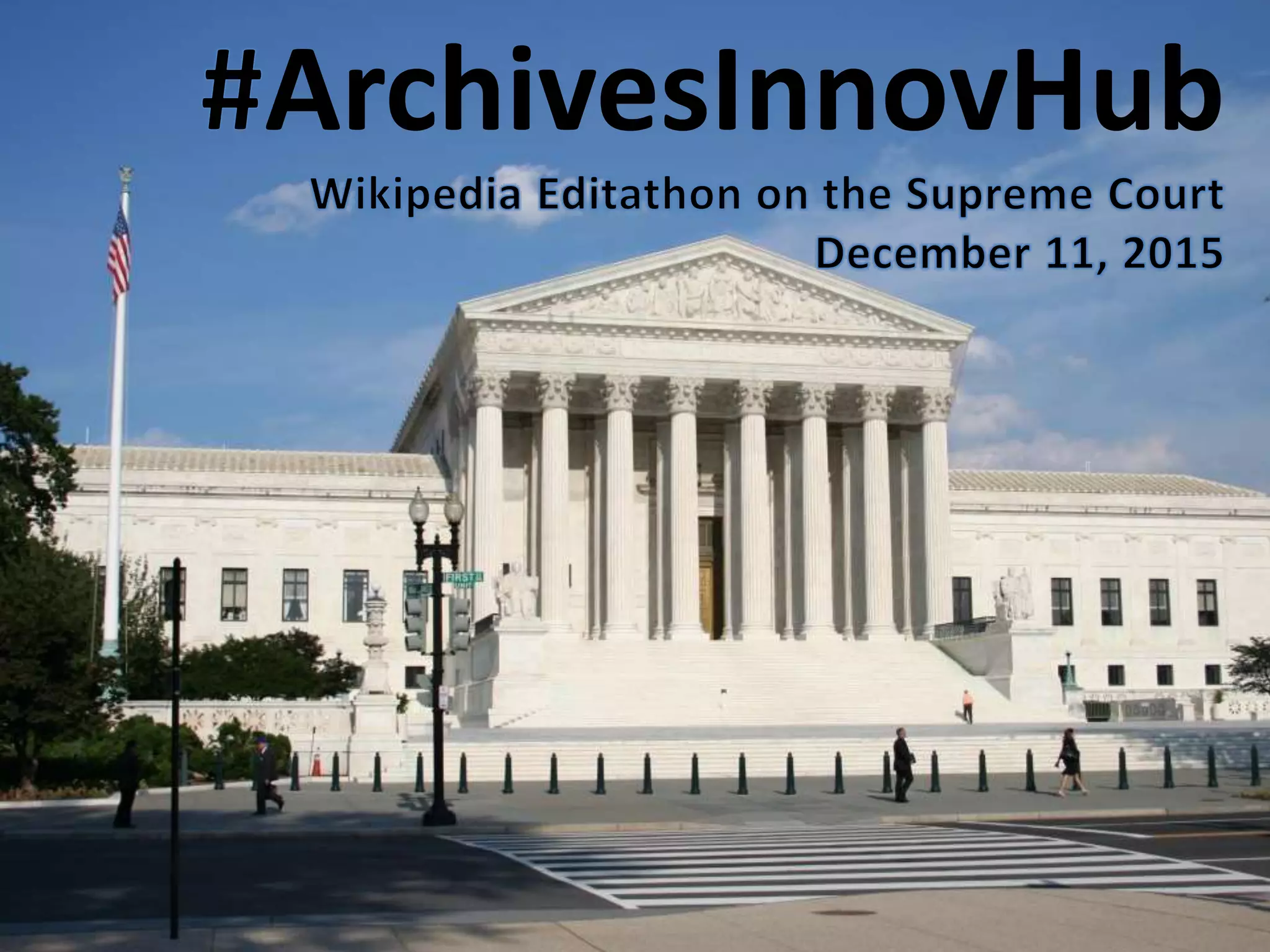
ArchivesInnovHub
1. Your name, affiliation
2. Have you ever edited Wikipedia
before?
3. What are you hoping to get out
of today’s event?
Introductions
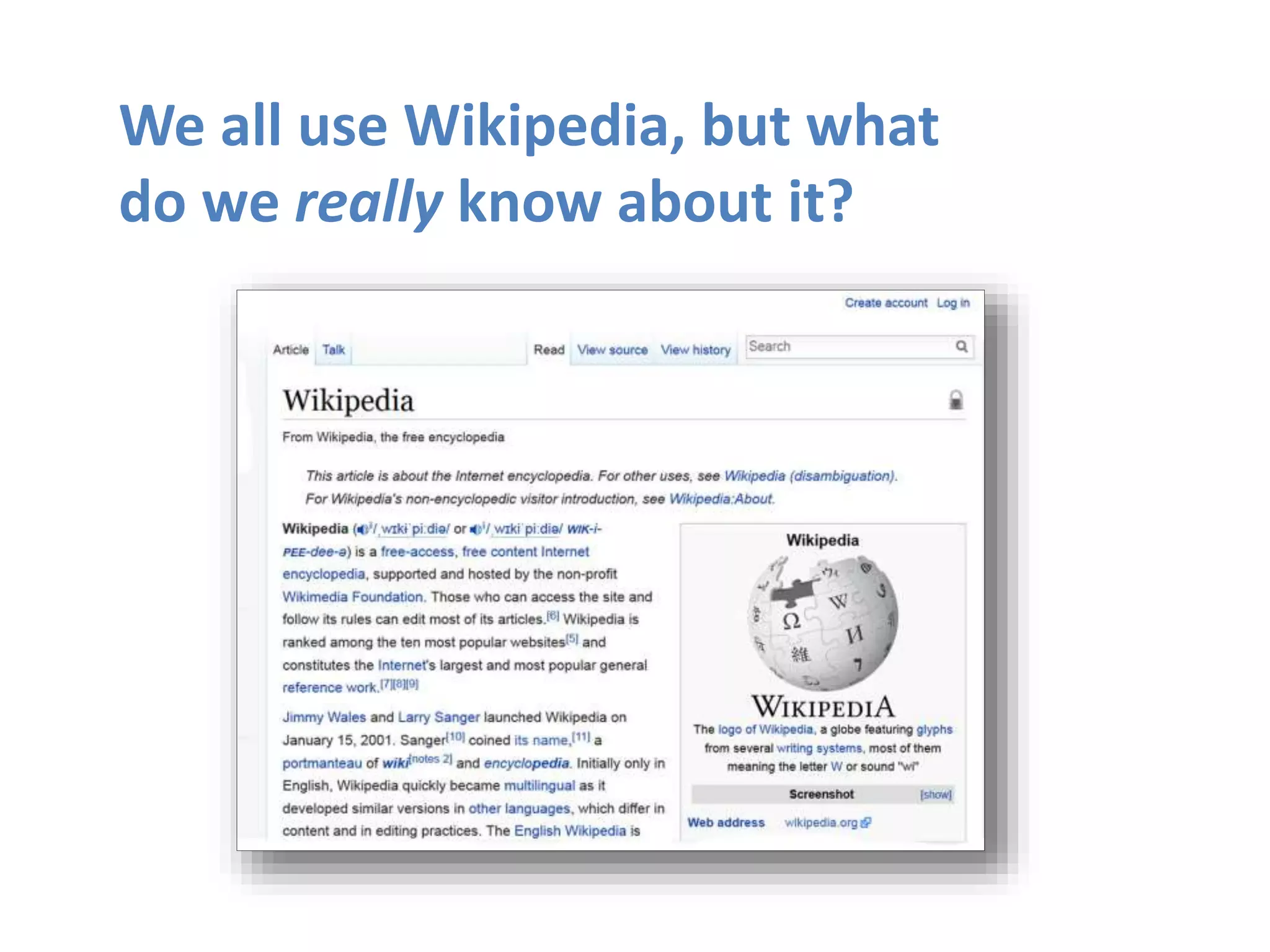
We all use Wikipedia, but what
do we really know about it?
Wikipedia: The Free Encyclopedia
• Freely licensed without restrictions
• All content created & maintained by
volunteers
• Non-profit educational project, supported by
Wikimedia Foundation
• All edits/versions are recorded indefinitely
• Software: MediaWiki
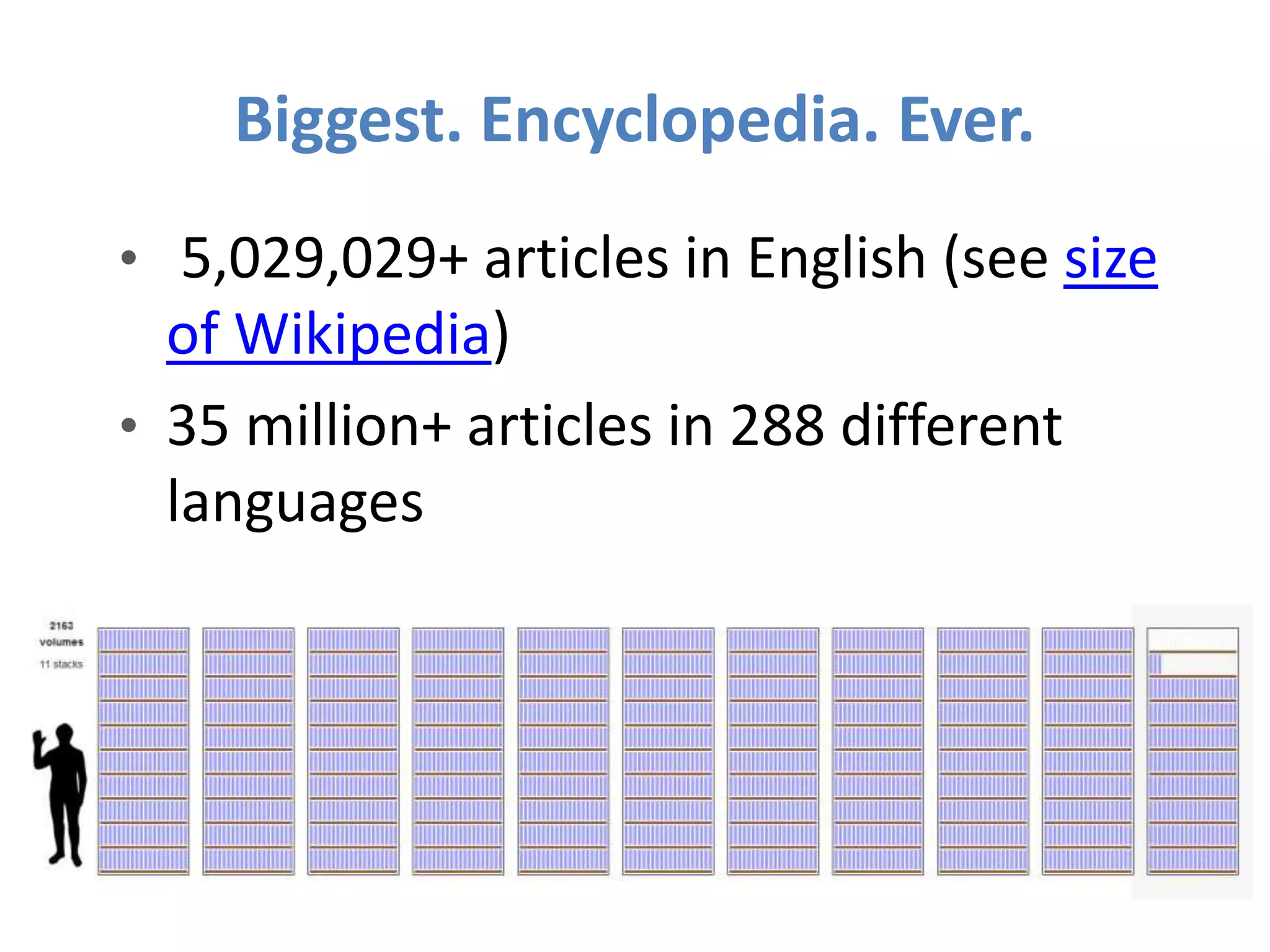
Biggest. Encyclopedia. Ever.
• 5,029,029+ articles in English (see size
of Wikipedia)
• 35 million+ articles in 288 different
languages
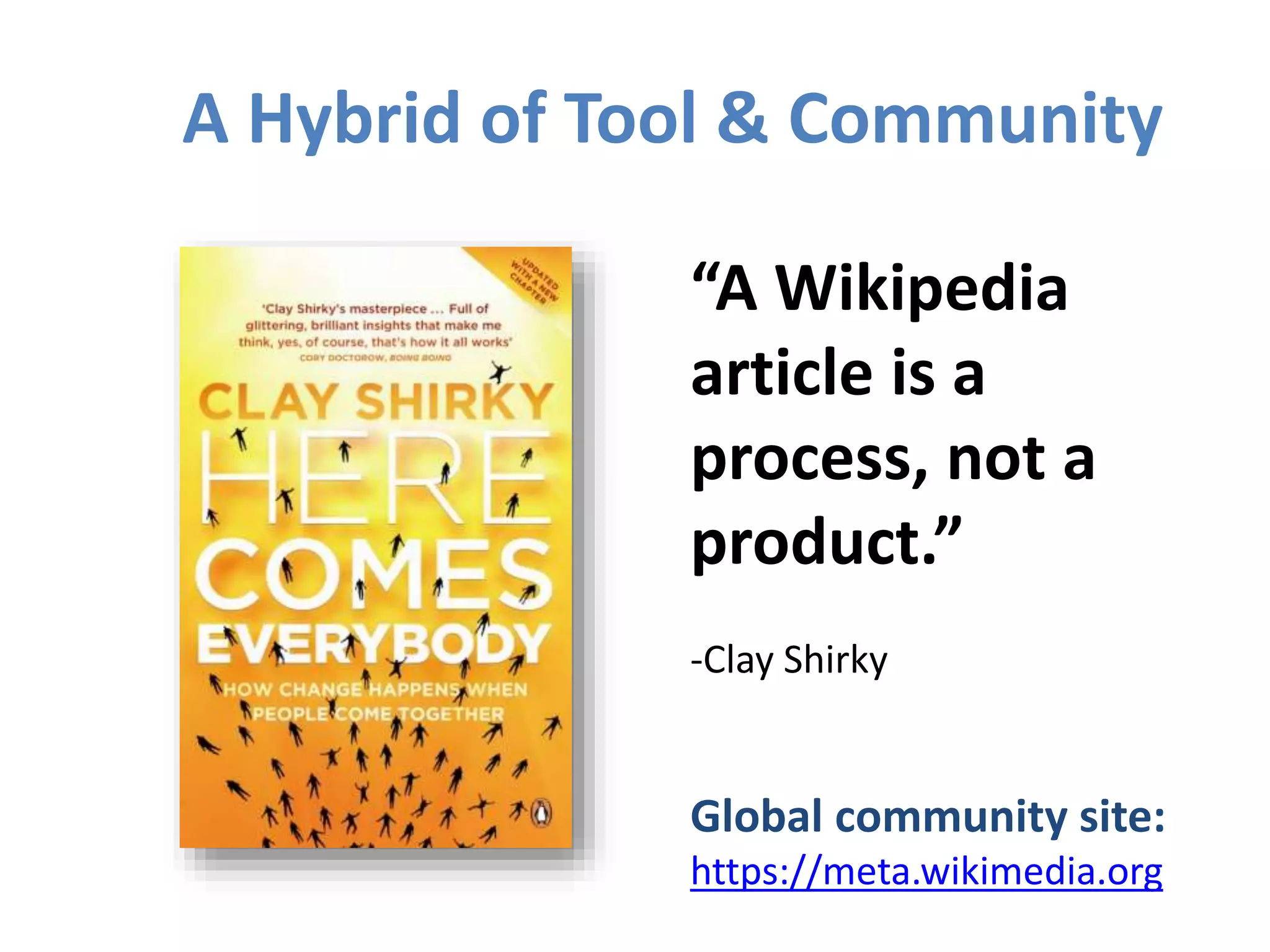
“A Wikipedia
article is a
process, not a
product.”
-Clay Shirky
Global community site:
https://meta.wikimedia.org
A Hybrid of Tool & Community
Who or what merits an
article in Wikipedia?
If a person or topic has received
significant coverage in reliable
sources that are independent of the
subject, then it is deemed
“notable.”
See http://en.wikipedia.org/wiki/Wikipedia:Notability
Or type in search shortcut WP:N
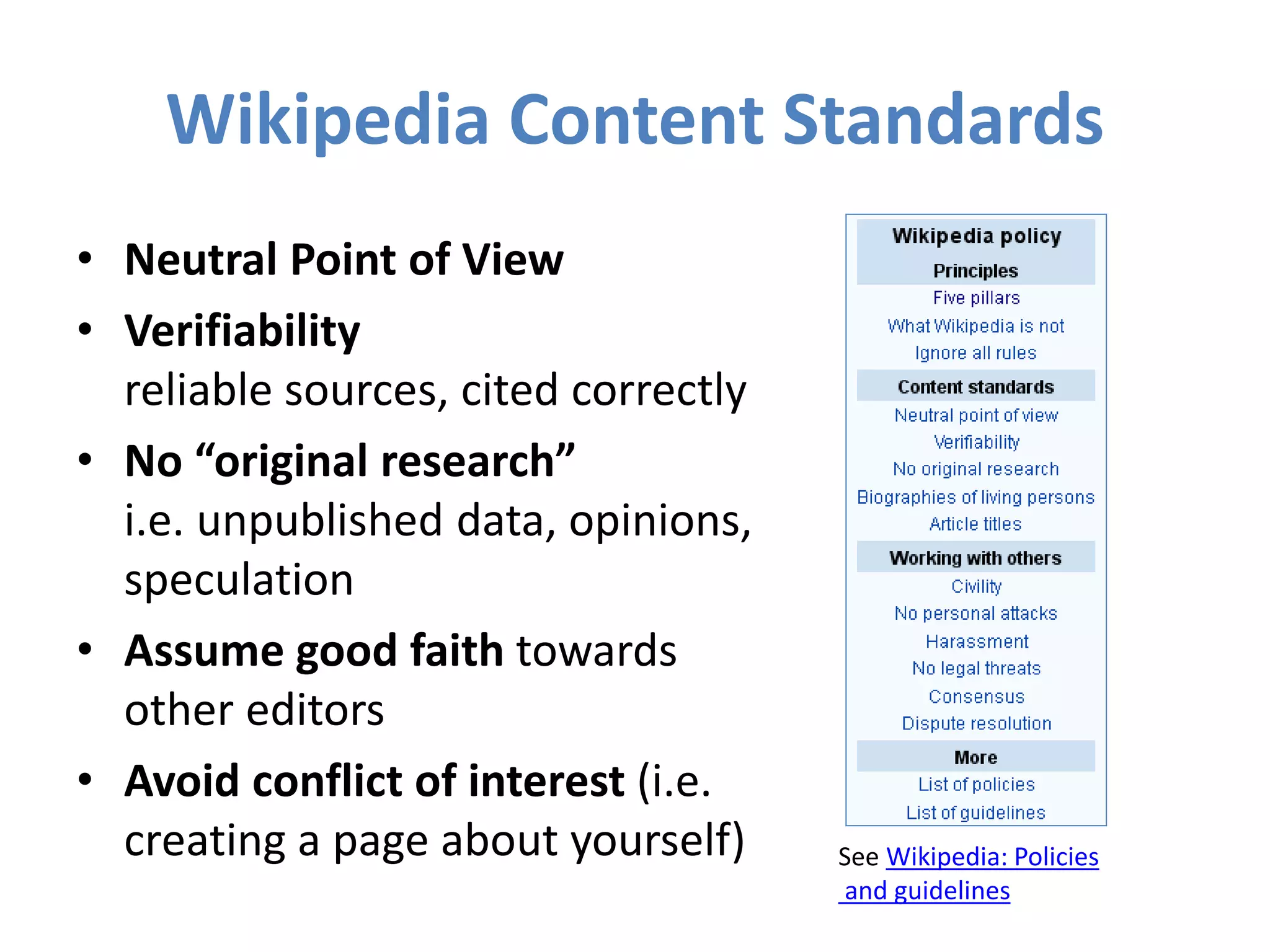
Wikipedia Content Standards
• Neutral Point of View
• Verifiability
reliable sources, cited correctly
• No “original research”
i.e. unpublished data, opinions,
speculation
• Assume good faith towards
other editors
• Avoid conflict of interest (i.e.
creating a page about yourself) See Wikipedia: Policies
and guidelines
Do I have to register an account?
No, but there are lots of advantages to doing so.
• A record of your work builds credibility & signals
membership in the community
• More privacy, since anonymous contributors’ IP
address is recorded
• More editing privileges: ability to create/rename
articles, upload images, edit preferences
NOTE: There should be a 1:1 ratio between editors
and accounts on Wikipedia. Shared accounts are not
allowed.
Can I edit the Wikipedia article
about my workplace? My boss?
My grandma?
Possibly, but ONLY under the right conditions.
“When advancing outside interests is more important
to an editor than advancing the aims of Wikipedia,
that editor stands in a conflict of interest (CoI).”
Your #1 priority must be: making a
better, more useful encyclopedia article.
Avoid Conflict of Interest Editing
• Register a unique user account
• Disclose your affiliations (see sample CoI
Statement)
• Cite authoritative sources
• Don’t remove “controversies”
• Recognize that no one person can
“own” a Wikipedia article or control
its content
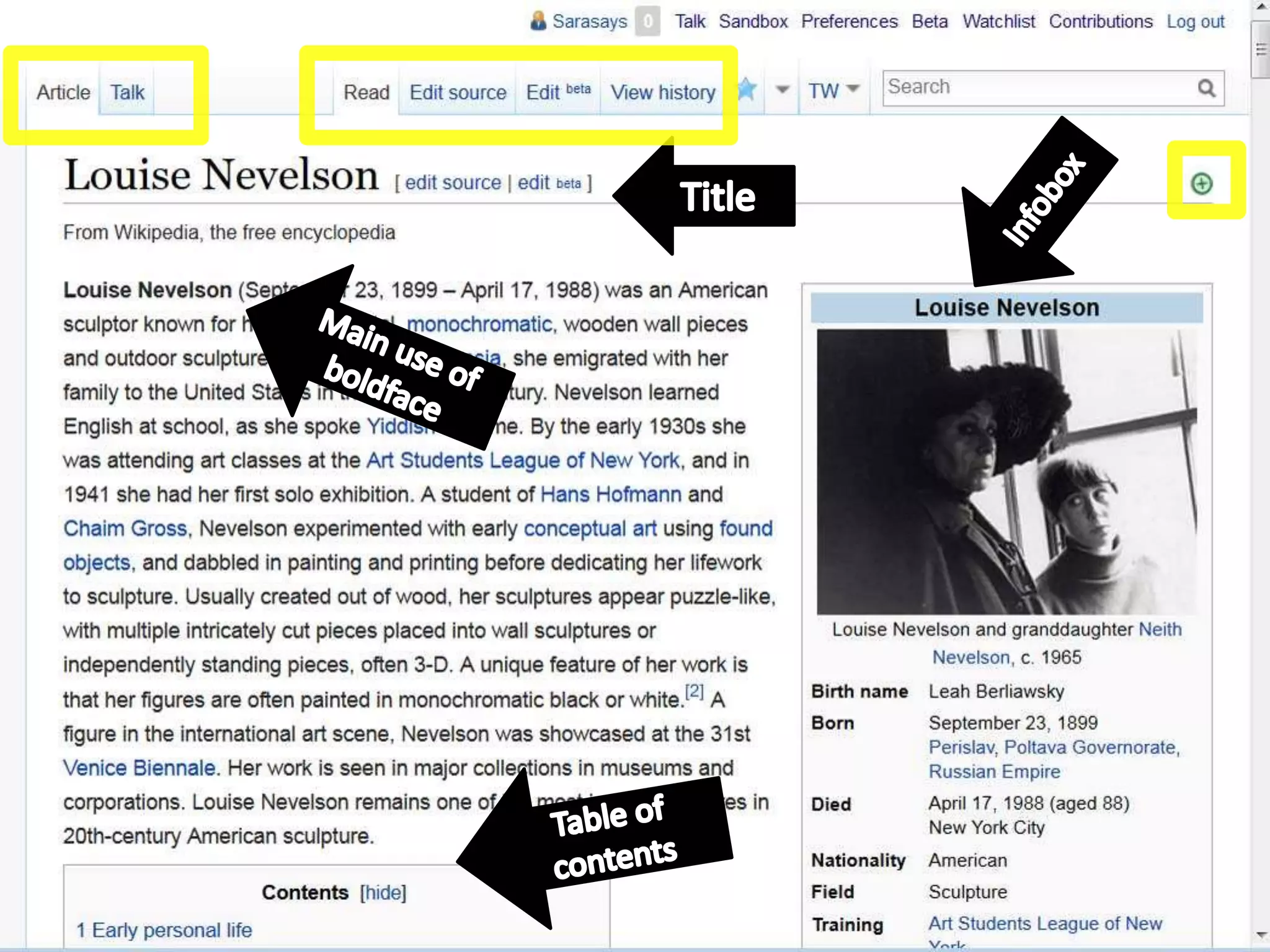
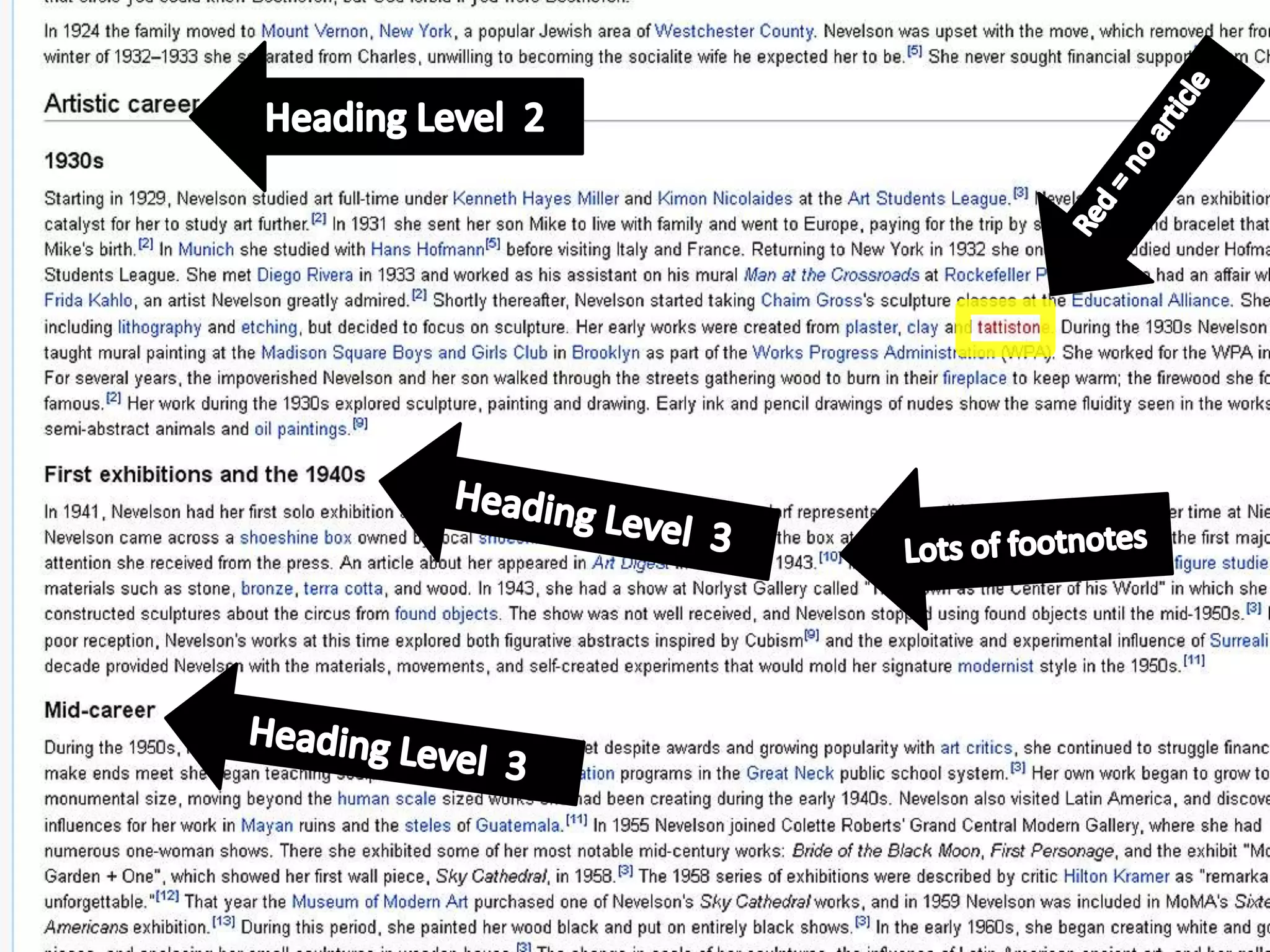
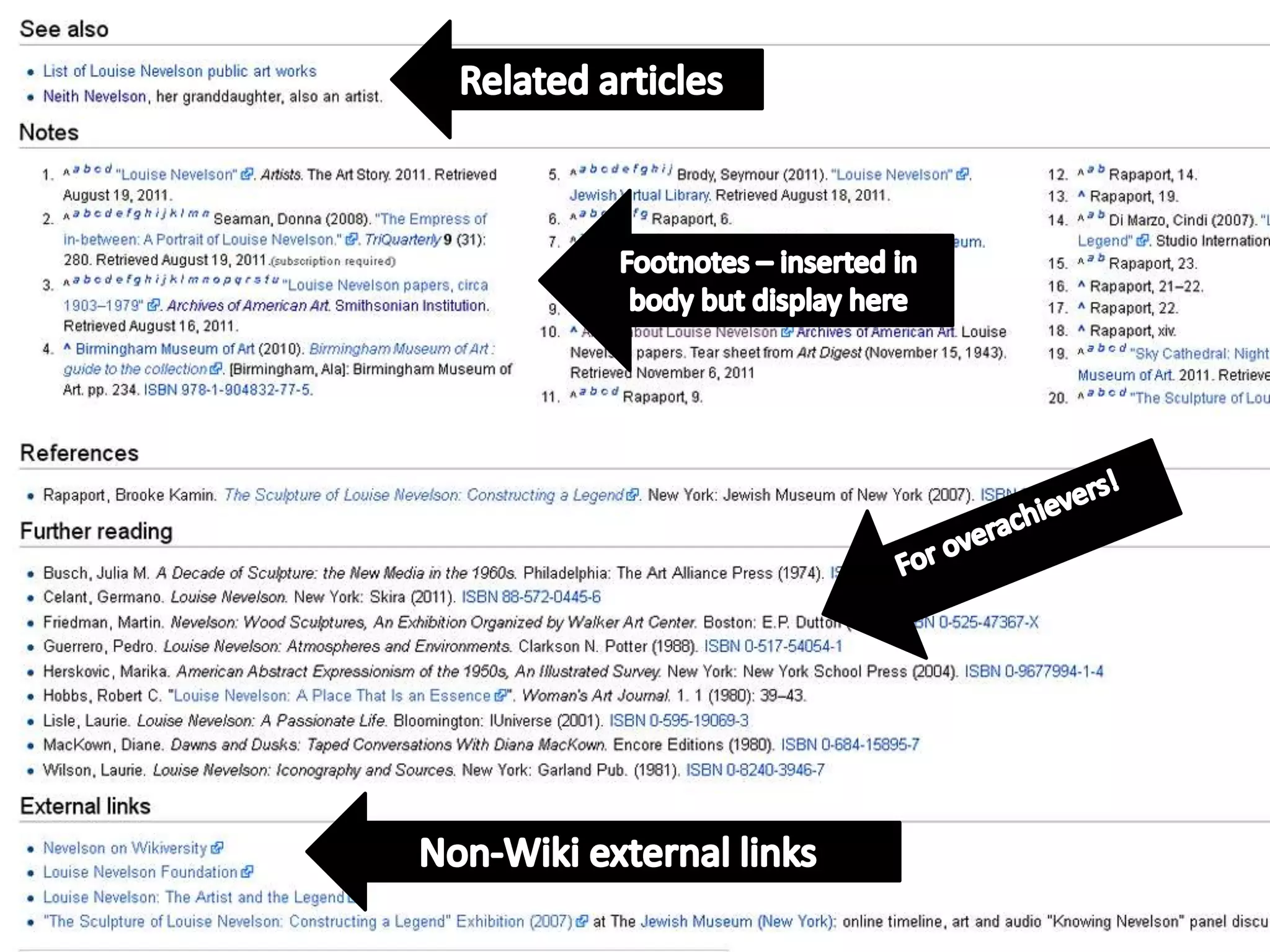
ANATOMY OF AN ARTICLE
LETS START EDITING!
Step 1 - Register a user account
1. Go to en.wikipedia.org, click “Create
Account”
2. Choose a username and password
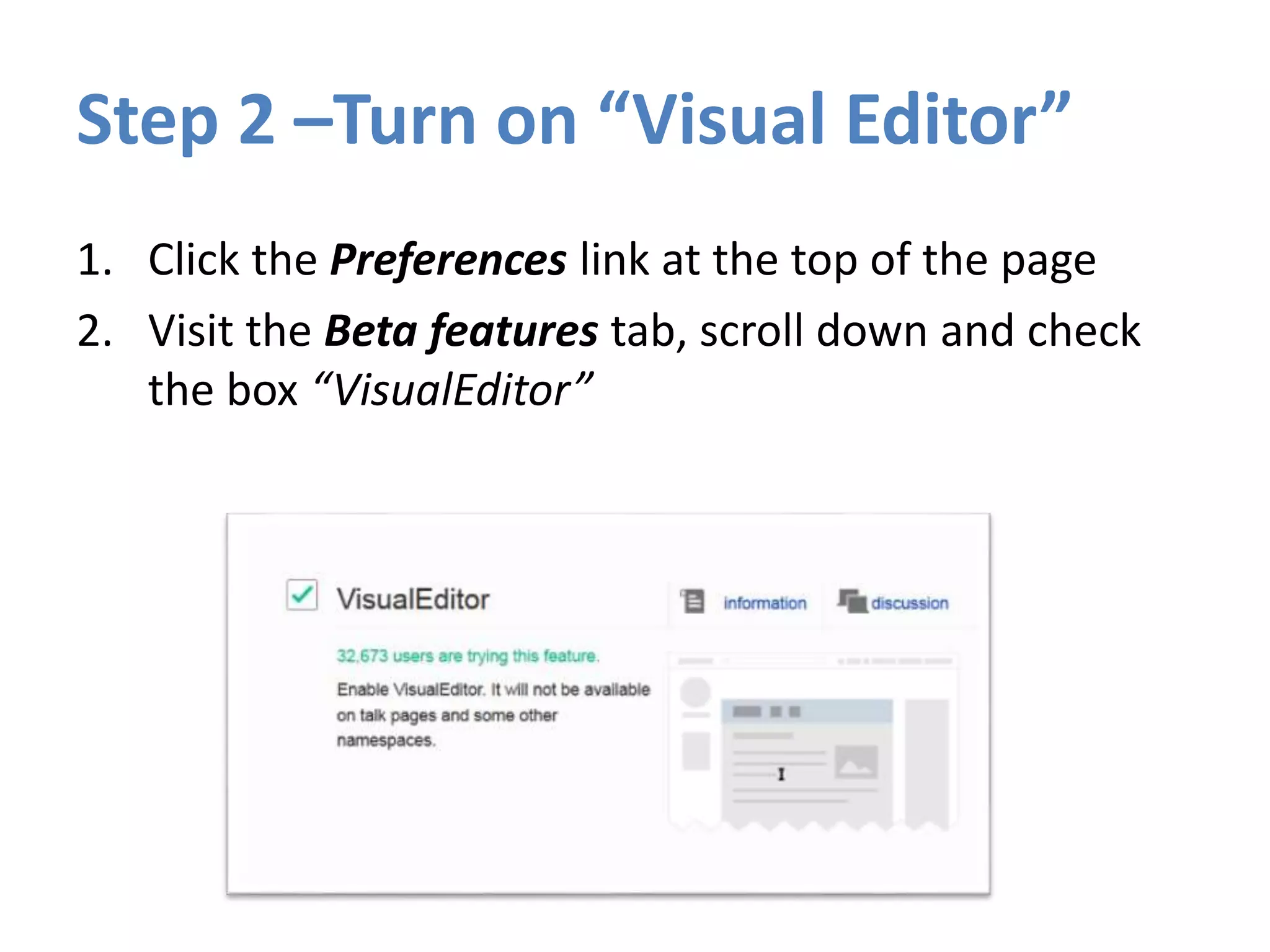
Step 2 –Turn on “Visual Editor”
1. Click the Preferences link at the top of the page
2. Visit the Beta features tab, scroll down and check
the box “VisualEditor”
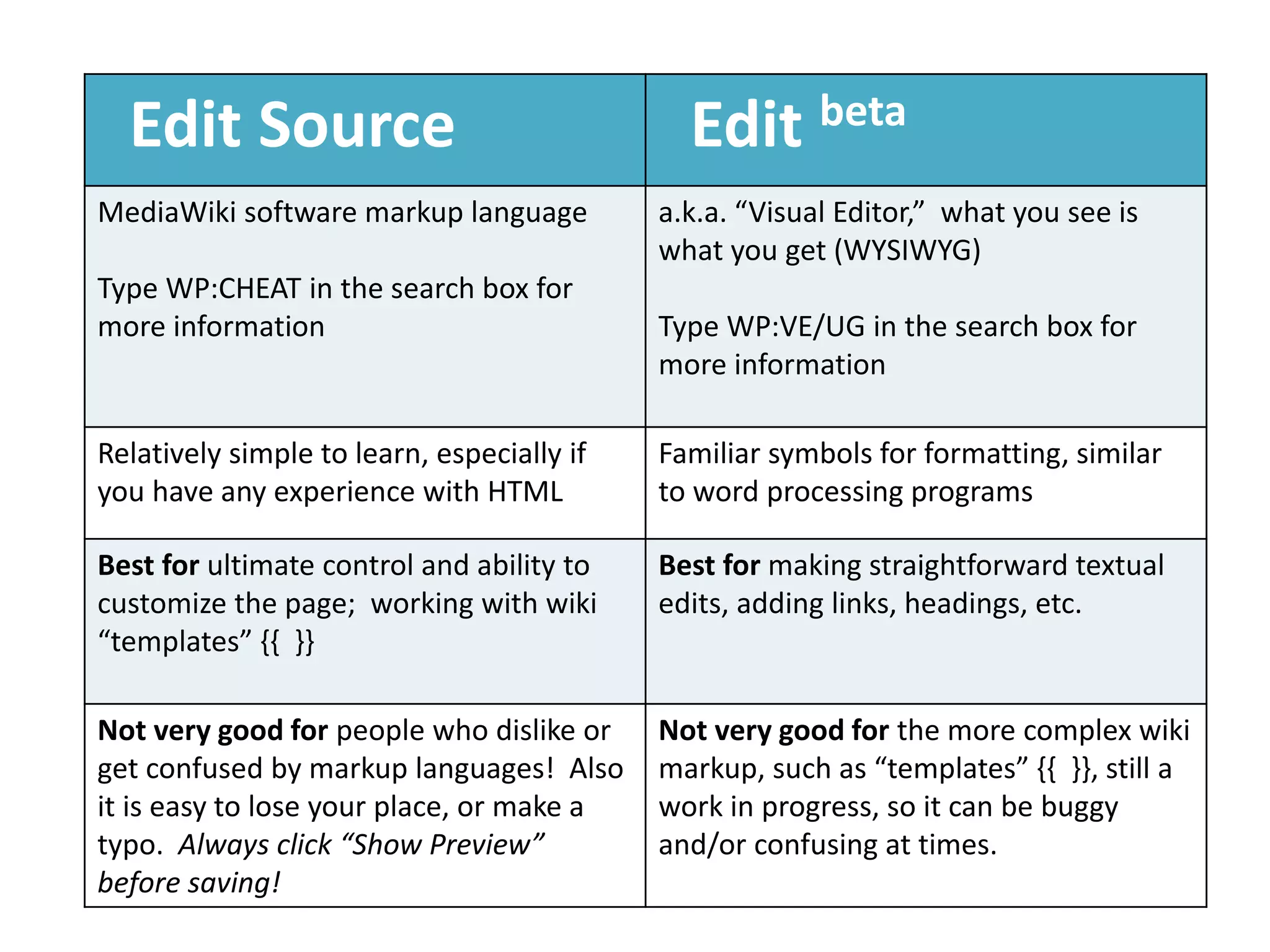
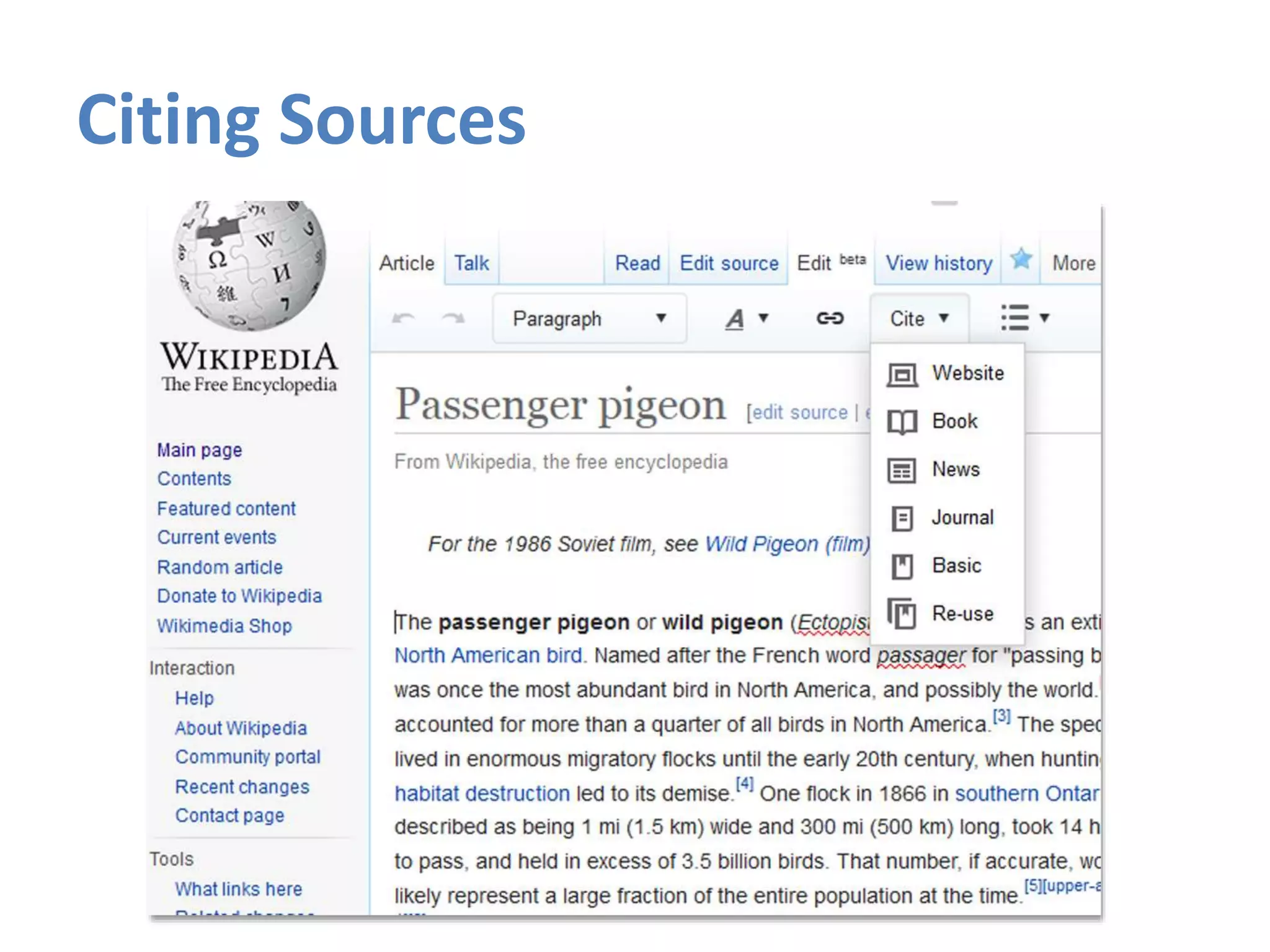
Edit Source Edit beta
MediaWiki software markup language
Type WP:CHEAT in the search box for
more information
a.k.a. “Visual Editor,” what you see is
what you get (WYSIWYG)
Type WP:VE/UG in the search box for
more information
Relatively simple to learn, especially if
you have any experience with HTML
Familiar symbols for formatting, similar
to word processing programs
Best for ultimate control and ability to
customize the page; working with wiki
“templates” {{ }}
Best for making straightforward textual
edits, adding links, headings, etc.
Not very good for people who dislike or
get confused by markup languages! Also
it is easy to lose your place, or make a
typo. Always click “Show Preview”
before saving!
Not very good for the more complex wiki
markup, such as “templates” {{ }}, still a
work in progress, so it can be buggy
and/or confusing at times.
Step 3 - Create a user page or sandbox
1. Click the red link at the top with your
username on it, or “sandbox”
2. Write something and click Show Preview.
3. Save.
It is good to get in the habit of leaving a
comment too!
Citing Sources
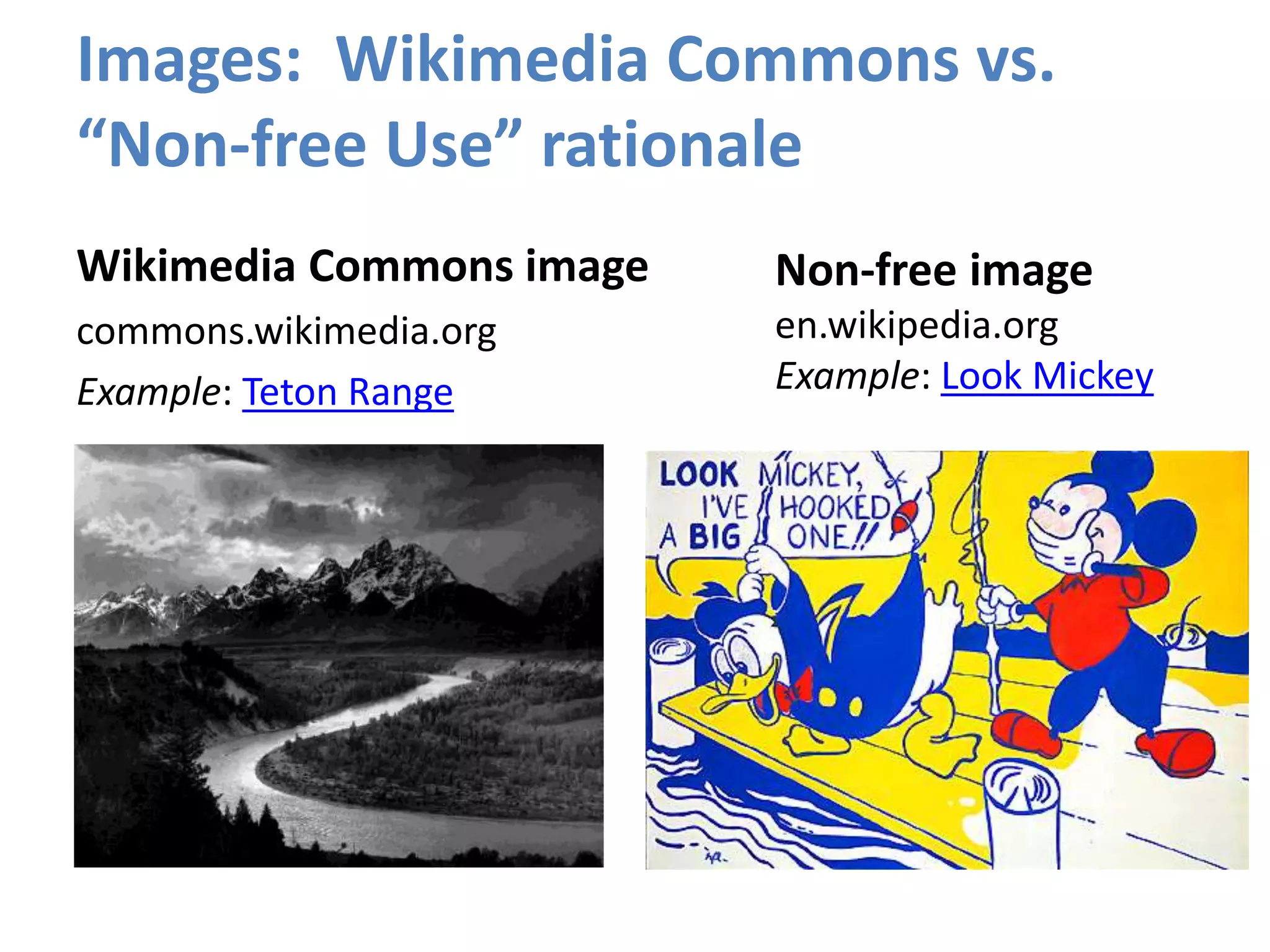
Images: Wikimedia Commons vs.
“Non-free Use” rationale
Wikimedia Commons image
commons.wikimedia.org
Example: Teton Range
Non-free image
en.wikipedia.org
Example: Look Mickey
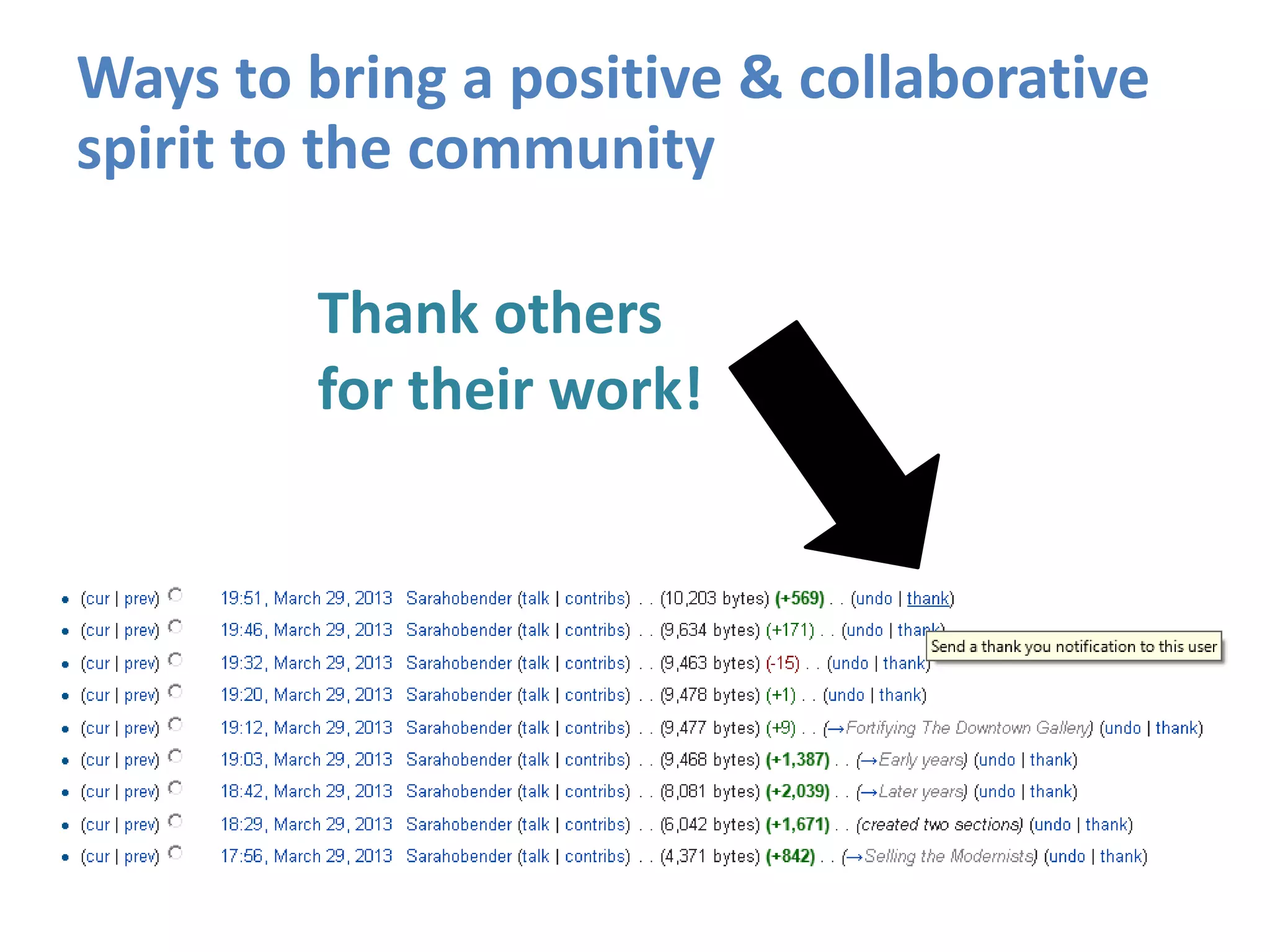
Thank others
for their work!
Ways to bring a positive & collaborative
spirit to the community
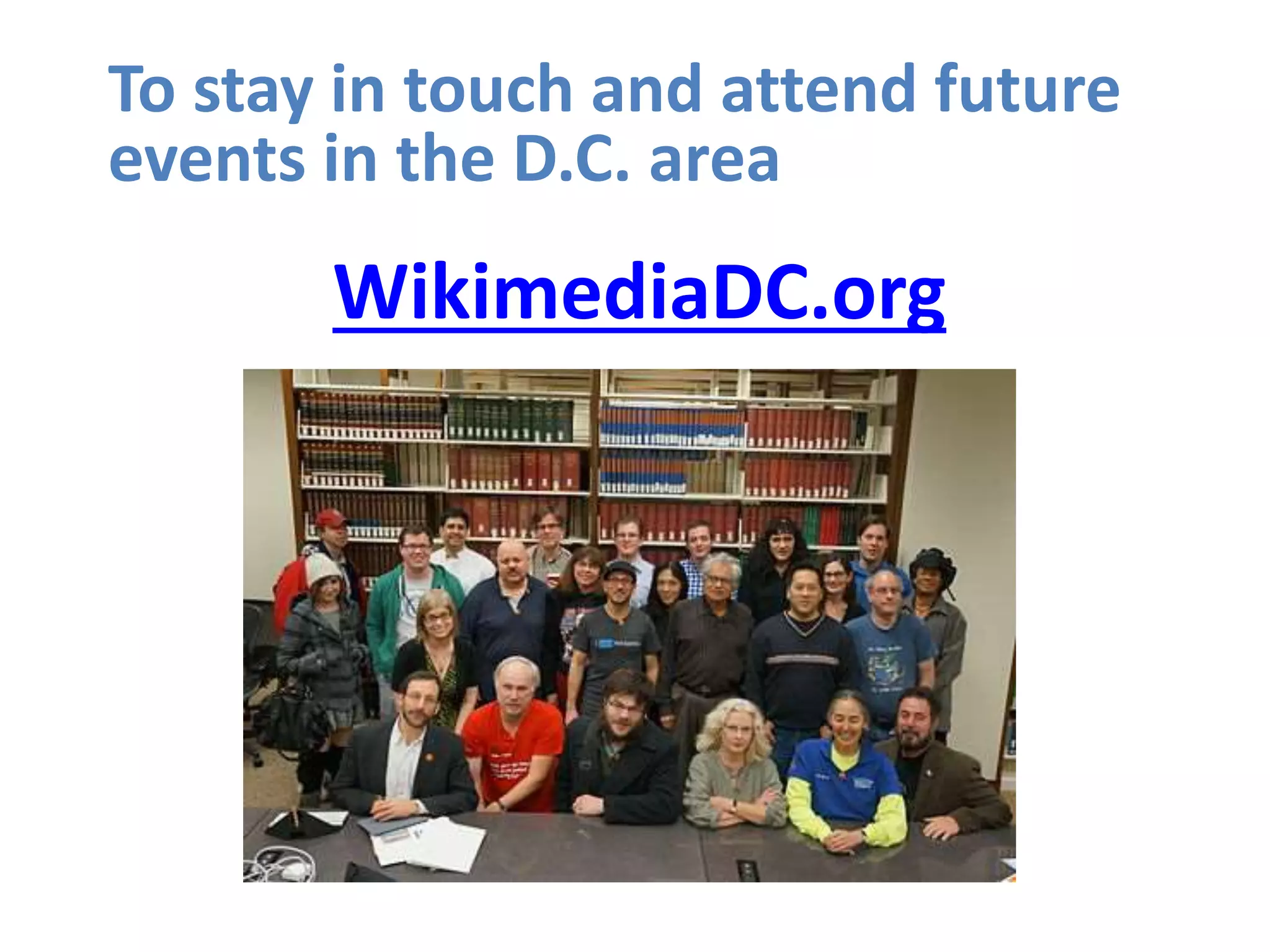
WikimediaDC.org
To stay in touch and attend future
events in the D.C. area

Intro to Editing Wikipedia - SCOTUS Editathon at NARA

  • 1.
  • 2.
    1. Your name,affiliation 2. Have you ever edited Wikipedia before? 3. What are you hoping to get out of today’s event? Introductions
  • 3.
    We all useWikipedia, but what do we really know about it?
  • 4.
    Wikipedia: The FreeEncyclopedia • Freely licensed without restrictions • All content created & maintained by volunteers • Non-profit educational project, supported by Wikimedia Foundation • All edits/versions are recorded indefinitely • Software: MediaWiki
  • 5.
    Biggest. Encyclopedia. Ever. •5,029,029+ articles in English (see size of Wikipedia) • 35 million+ articles in 288 different languages
  • 6.
    “A Wikipedia article isa process, not a product.” -Clay Shirky Global community site: https://meta.wikimedia.org A Hybrid of Tool & Community
  • 7.
    Who or whatmerits an article in Wikipedia? If a person or topic has received significant coverage in reliable sources that are independent of the subject, then it is deemed “notable.” See http://en.wikipedia.org/wiki/Wikipedia:Notability Or type in search shortcut WP:N
  • 8.
    Wikipedia Content Standards •Neutral Point of View • Verifiability reliable sources, cited correctly • No “original research” i.e. unpublished data, opinions, speculation • Assume good faith towards other editors • Avoid conflict of interest (i.e. creating a page about yourself) See Wikipedia: Policies and guidelines
  • 9.
    Do I haveto register an account? No, but there are lots of advantages to doing so. • A record of your work builds credibility & signals membership in the community • More privacy, since anonymous contributors’ IP address is recorded • More editing privileges: ability to create/rename articles, upload images, edit preferences NOTE: There should be a 1:1 ratio between editors and accounts on Wikipedia. Shared accounts are not allowed.
  • 10.
    Can I editthe Wikipedia article about my workplace? My boss? My grandma? Possibly, but ONLY under the right conditions. “When advancing outside interests is more important to an editor than advancing the aims of Wikipedia, that editor stands in a conflict of interest (CoI).” Your #1 priority must be: making a better, more useful encyclopedia article.
  • 11.
    Avoid Conflict ofInterest Editing • Register a unique user account • Disclose your affiliations (see sample CoI Statement) • Cite authoritative sources • Don’t remove “controversies” • Recognize that no one person can “own” a Wikipedia article or control its content
  • 12.
  • 16.
  • 17.
    Step 1 -Register a user account 1. Go to en.wikipedia.org, click “Create Account” 2. Choose a username and password
  • 18.
    Step 2 –Turnon “Visual Editor” 1. Click the Preferences link at the top of the page 2. Visit the Beta features tab, scroll down and check the box “VisualEditor”
  • 19.
    Edit Source Editbeta MediaWiki software markup language Type WP:CHEAT in the search box for more information a.k.a. “Visual Editor,” what you see is what you get (WYSIWYG) Type WP:VE/UG in the search box for more information Relatively simple to learn, especially if you have any experience with HTML Familiar symbols for formatting, similar to word processing programs Best for ultimate control and ability to customize the page; working with wiki “templates” {{ }} Best for making straightforward textual edits, adding links, headings, etc. Not very good for people who dislike or get confused by markup languages! Also it is easy to lose your place, or make a typo. Always click “Show Preview” before saving! Not very good for the more complex wiki markup, such as “templates” {{ }}, still a work in progress, so it can be buggy and/or confusing at times.
  • 20.
    Step 3 -Create a user page or sandbox 1. Click the red link at the top with your username on it, or “sandbox” 2. Write something and click Show Preview. 3. Save. It is good to get in the habit of leaving a comment too!
  • 21.
  • 22.
    Images: Wikimedia Commonsvs. “Non-free Use” rationale Wikimedia Commons image commons.wikimedia.org Example: Teton Range Non-free image en.wikipedia.org Example: Look Mickey
  • 23.
    Thank others for theirwork! Ways to bring a positive & collaborative spirit to the community
  • 24.
    WikimediaDC.org To stay intouch and attend future events in the D.C. area

Editor's Notes

  • #2 Self introduction