Downloaded 11 times
![if you meet “error: MSVCP90.dll:
No such file or directory”
Change the setup file
from distutils.core import setup
import py2exe
setup(windows=[‘hello.py'],
options = {
"py2exe": {
"dll_excludes":
["MSVCP90.dll"]
}
},
)](https://image.slidesharecdn.com/ausefultoolsinwindows-py2exeoptional-131221115549-phpapp02/85/A-useful-tools-in-windows-py2exe-optional-6-320.jpg)
![if you meet “error: MSVCP90.dll:
No such file or directory”
Change the setup file
from distutils.core import setup
import py2exe
setup(windows=[‘hello.py'],
options = {
"py2exe": {
"dll_excludes":
["MSVCP90.dll"]
}
},
)](https://image.slidesharecdn.com/ausefultoolsinwindows-py2exeoptional-131221115549-phpapp02/85/A-useful-tools-in-windows-py2exe-optional-7-320.jpg)

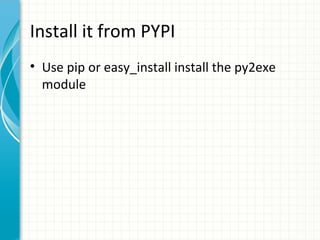
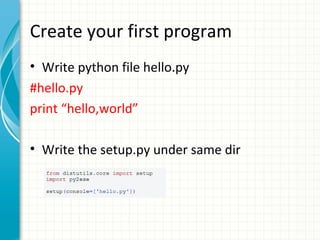
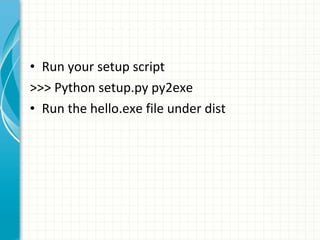
The document discusses how to use the Py2Exe tool to create executable (.exe) files from Python scripts in Windows. It explains that Py2Exe must first be installed using pip or easy_install. Then a Python file like hello.py is created, and a setup.py file configures Py2Exe to convert that file to an executable. Running python setup.py py2exe will create an .exe file that can be run independently of Python. The document also provides a solution for errors related to missing DLL files.


![Why is a[1] fast than a.get(1)](https://cdn.slidesharecdn.com/ss_thumbnails/whyisa1fastthana-150329085113-conversion-gate01-thumbnail.jpg?width=640&height=640&fit=bounds)


