04/15/2000
Configuring and Managing an Oracle 8i
Read-Only Standby Database
Bill Schott
Detroit Edison
Prepared for presentation at the ECO/SEOC 2000 Conference, March 21, 2000
© 2000, The Detroit Edison Company, All Rights Reserved
04/15/2000
Purpose and Overview
uReview Standby Database Basics
uNew Oracle 8i Capabilities
uHow to Setup
uOperational Issues
uTroubleshooting
1
2
Why Use a Standby Database?
u Provide a current, ready-to-go
database should regular server
fail
u Hardware Independent,
Software solution
u Remote Backup Data Center
2
3
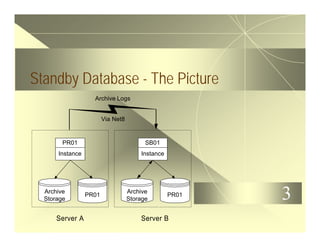
Standby Database - The Picture
Server A
PR01
Instance
PR01
Archive
Storage
Server B
Archive Logs
Via Net8
SB01
Instance
PR01
Archive
Storage
4
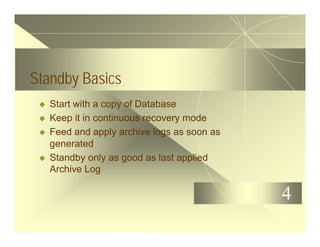
Standby Basics
u Start with a copy of Database
u Keep it in continuous recovery mode
u Feed and apply archive logs as soon as
generated
u Standby only as good as last applied
Archive Log
5
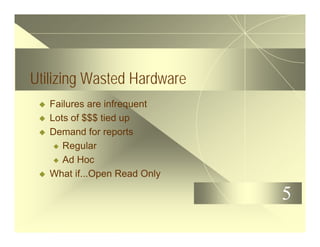
Utilizing Wasted Hardware
u Failures are infrequent
u Lots of $$$ tied up
u Demand for reports
u Regular
u Ad Hoc
u What if...Open Read Only
6
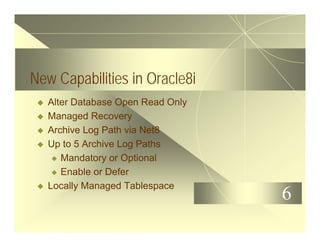
New Capabilities in Oracle8i
u Alter Database Open Read Only
u Managed Recovery
u Archive Log Path via Net8
u Up to 5 Archive Log Paths
u Mandatory or Optional
u Enable or Defer
u Locally Managed Tablespace
7
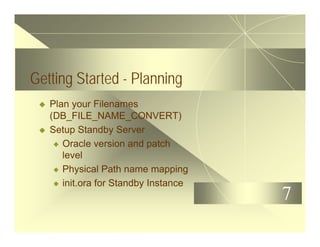
Getting Started - Planning
u Plan your Filenames
(DB_FILE_NAME_CONVERT)
u Setup Standby Server
u Oracle version and patch
level
u Physical Path name mapping
u init.ora for Standby Instance
8
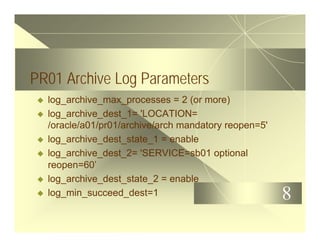
PR01 Archive Log Parameters
u log_archive_max_processes = 2 (or more)
u log_archive_dest_1= 'LOCATION=
/oracle/a01/pr01/archive/arch mandatory reopen=5'
u log_archive_dest_state_1 = enable
u log_archive_dest_2= 'SERVICE=sb01 optional
reopen=60’
u log_archive_dest_state_2 = enable
u log_min_succeed_dest=1
9
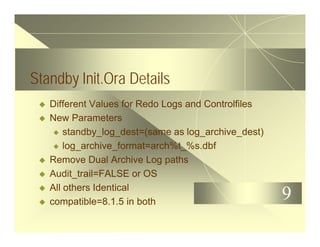
Standby Init.Ora Details
u Different Values for Redo Logs and Controlfiles
u New Parameters
u standby_log_dest=(same as log_archive_dest)
u log_archive_format=arch%t_%s.dbf
u Remove Dual Archive Log paths
u Audit_trail=FALSE or OS
u All others Identical
u compatible=8.1.5 in both
10
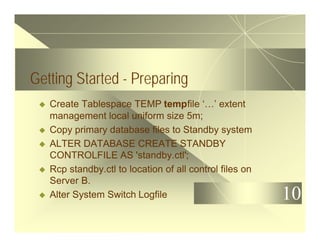
Getting Started - Preparing
u Create Tablespace TEMP tempfile ‘…’ extent
management local uniform size 5m;
u Copy primary database files to Standby system
u ALTER DATABASE CREATE STANDBY
CONTROLFILE AS 'standby.ctl';
u Rcp standby.ctl to location of all control files on
Server B.
u Alter System Switch Logfile
11
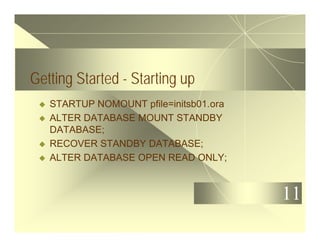
Getting Started - Starting up
u STARTUP NOMOUNT pfile=initsb01.ora
u ALTER DATABASE MOUNT STANDBY
DATABASE;
u RECOVER STANDBY DATABASE;
u ALTER DATABASE OPEN READ ONLY;
12
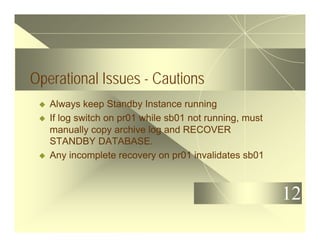
Operational Issues - Cautions
u Always keep Standby Instance running
u If log switch on pr01 while sb01 not running, must
manually copy archive log and RECOVER
STANDBY DATABASE.
u Any incomplete recovery on pr01 invalidates sb01
13
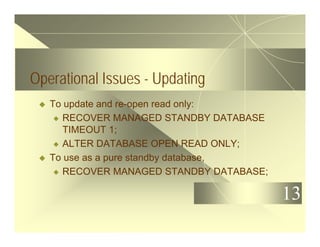
Operational Issues - Updating
u To update and re-open read only:
u RECOVER MANAGED STANDBY DATABASE
TIMEOUT 1;
u ALTER DATABASE OPEN READ ONLY;
u To use as a pure standby database,
u RECOVER MANAGED STANDBY DATABASE;
14
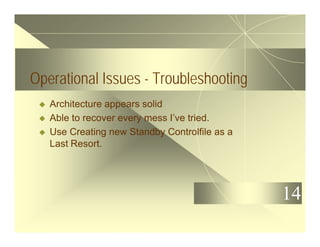
Operational Issues - Troubleshooting
u Architecture appears solid
u Able to recover every mess I’ve tried.
u Use Creating new Standby Controlfile as a
Last Resort.
15
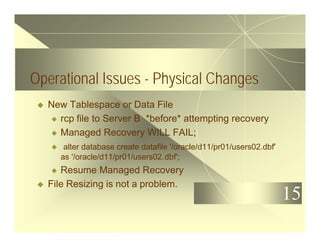
Operational Issues - Physical Changes
u New Tablespace or Data File
u rcp file to Server B *before* attempting recovery
u Managed Recovery WILL FAIL;
u alter database create datafile '/oracle/d11/pr01/users02.dbf'
as '/oracle/d11/pr01/users02.dbf';
u Resume Managed Recovery
u File Resizing is not a problem.
16
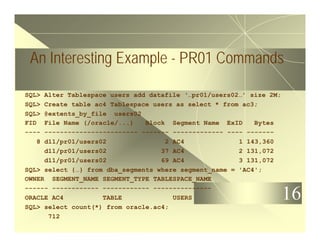
An Interesting Example - PR01 Commands
SQL> Alter Tablespace users add datafile ‘…pr01/users02…’ size 2M;
SQL> Create table ac4 Tablespace users as select * from ac3;
SQL> @extents_by_file users02
FID File Name (/oracle/...) Block Segment Name ExID Bytes
---- ------------------------ ------- ------------- ---- -------
8 d11/pr01/users02 2 AC4 1 143,360
d11/pr01/users02 37 AC4 2 131,072
d11/pr01/users02 69 AC4 3 131,072
SQL> select {…} from dba_segments where segment_name = 'AC4';
OWNER SEGMENT_NAME SEGMENT_TYPE TABLESPACE_NAME
------ ------------ ------------ ---------------
ORACLE AC4 TABLE USERS
SQL> select count(*) from oracle.ac4;
712
17
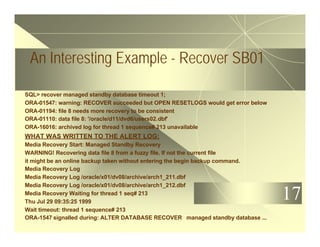
An Interesting Example - Recover SB01
SQL> recover managed standby database timeout 1;
ORA-01547: warning: RECOVER succeeded but OPEN RESETLOGS would get error below
ORA-01194: file 8 needs more recovery to be consistent
ORA-01110: data file 8: '/oracle/d11/dvd6/users02.dbf'
ORA-16016: archived log for thread 1 sequence# 213 unavailable
WHAT WAS WRITTEN TO THE ALERT LOG:
Media Recovery Start: Managed Standby Recovery
WARNING! Recovering data file 8 from a fuzzy file. If not the current file
it might be an online backup taken without entering the begin backup command.
Media Recovery Log
Media Recovery Log /oracle/x01/dv08/archive/arch1_211.dbf
Media Recovery Log /oracle/x01/dv08/archive/arch1_212.dbf
Media Recovery Waiting for thread 1 seq# 213
Thu Jul 29 09:35:25 1999
Wait timeout: thread 1 sequence# 213
ORA-1547 signalled during: ALTER DATABASE RECOVER managed standby database ...
18
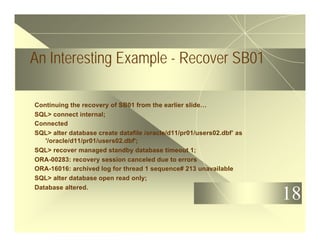
An Interesting Example - Recover SB01
Continuing the recovery of SB01 from the earlier slide…
SQL> connect internal;
Connected
SQL> alter database create datafile /oracle/d11/pr01/users02.dbf’ as
'/oracle/d11/pr01/users02.dbf';
SQL> recover managed standby database timeout 1;
ORA-00283: recovery session canceled due to errors
ORA-16016: archived log for thread 1 sequence# 213 unavailable
SQL> alter database open read only;
Database altered.
19
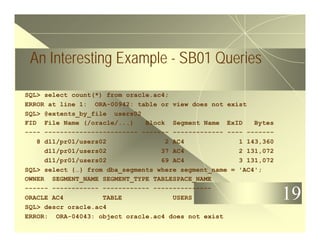
An Interesting Example - SB01 Queries
SQL> select count(*) from oracle.ac4;
ERROR at line 1: ORA-00942: table or view does not exist
SQL> @extents_by_file users02
FID File Name (/oracle/...) Block Segment Name ExID Bytes
---- ------------------------ ------- ------------- ---- -------
8 d11/pr01/users02 2 AC4 1 143,360
d11/pr01/users02 37 AC4 2 131,072
d11/pr01/users02 69 AC4 3 131,072
SQL> select {…} from dba_segments where segment_name = 'AC4';
OWNER SEGMENT_NAME SEGMENT_TYPE TABLESPACE_NAME
------ ------------ ------------ ---------------
ORACLE AC4 TABLE USERS
SQL> descr oracle.ac4
ERROR: ORA-04043: object oracle.ac4 does not exist
20
An Interesting Example - What Happened?
u What happened?
u How can a table be there, but
not exist?
21
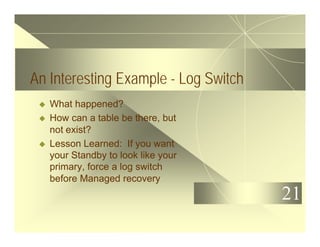
An Interesting Example - Log Switch
u What happened?
u How can a table be there, but
not exist?
u Lesson Learned: If you want
your Standby to look like your
primary, force a log switch
before Managed recovery
22
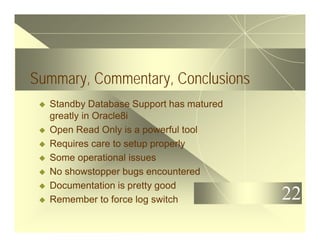
Summary, Commentary, Conclusions
u Standby Database Support has matured
greatly in Oracle8i
u Open Read Only is a powerful tool
u Requires care to setup properly
u Some operational issues
u No showstopper bugs encountered
u Documentation is pretty good
u Remember to force log switch
23
For More Information...
u Email address: bschott@corecomm.net
u Web page: www.corecomm.net/
~bschott/standby.html
24
The ECO/OUR Conference is moving to the
fall in 2001
u The Conference will be held at the Opryland Hotel in
Nashville, TN
u Dates are September 30 thru October 3, 2001
u For more information call 910 452-0006 or visit us
on the web at www.oracle-users.com

8i standby

  • 1.
    04/15/2000 Configuring and Managingan Oracle 8i Read-Only Standby Database Bill Schott Detroit Edison Prepared for presentation at the ECO/SEOC 2000 Conference, March 21, 2000 © 2000, The Detroit Edison Company, All Rights Reserved
  • 2.
    04/15/2000 Purpose and Overview uReviewStandby Database Basics uNew Oracle 8i Capabilities uHow to Setup uOperational Issues uTroubleshooting 1
  • 3.
    2 Why Use aStandby Database? u Provide a current, ready-to-go database should regular server fail u Hardware Independent, Software solution u Remote Backup Data Center 2
  • 4.
    3 Standby Database -The Picture Server A PR01 Instance PR01 Archive Storage Server B Archive Logs Via Net8 SB01 Instance PR01 Archive Storage
  • 5.
    4 Standby Basics u Startwith a copy of Database u Keep it in continuous recovery mode u Feed and apply archive logs as soon as generated u Standby only as good as last applied Archive Log
  • 6.
    5 Utilizing Wasted Hardware uFailures are infrequent u Lots of $$$ tied up u Demand for reports u Regular u Ad Hoc u What if...Open Read Only
  • 7.
    6 New Capabilities inOracle8i u Alter Database Open Read Only u Managed Recovery u Archive Log Path via Net8 u Up to 5 Archive Log Paths u Mandatory or Optional u Enable or Defer u Locally Managed Tablespace
  • 8.
    7 Getting Started -Planning u Plan your Filenames (DB_FILE_NAME_CONVERT) u Setup Standby Server u Oracle version and patch level u Physical Path name mapping u init.ora for Standby Instance
  • 9.
    8 PR01 Archive LogParameters u log_archive_max_processes = 2 (or more) u log_archive_dest_1= 'LOCATION= /oracle/a01/pr01/archive/arch mandatory reopen=5' u log_archive_dest_state_1 = enable u log_archive_dest_2= 'SERVICE=sb01 optional reopen=60’ u log_archive_dest_state_2 = enable u log_min_succeed_dest=1
  • 10.
    9 Standby Init.Ora Details uDifferent Values for Redo Logs and Controlfiles u New Parameters u standby_log_dest=(same as log_archive_dest) u log_archive_format=arch%t_%s.dbf u Remove Dual Archive Log paths u Audit_trail=FALSE or OS u All others Identical u compatible=8.1.5 in both
  • 11.
    10 Getting Started -Preparing u Create Tablespace TEMP tempfile ‘…’ extent management local uniform size 5m; u Copy primary database files to Standby system u ALTER DATABASE CREATE STANDBY CONTROLFILE AS 'standby.ctl'; u Rcp standby.ctl to location of all control files on Server B. u Alter System Switch Logfile
  • 12.
    11 Getting Started -Starting up u STARTUP NOMOUNT pfile=initsb01.ora u ALTER DATABASE MOUNT STANDBY DATABASE; u RECOVER STANDBY DATABASE; u ALTER DATABASE OPEN READ ONLY;
  • 13.
    12 Operational Issues -Cautions u Always keep Standby Instance running u If log switch on pr01 while sb01 not running, must manually copy archive log and RECOVER STANDBY DATABASE. u Any incomplete recovery on pr01 invalidates sb01
  • 14.
    13 Operational Issues -Updating u To update and re-open read only: u RECOVER MANAGED STANDBY DATABASE TIMEOUT 1; u ALTER DATABASE OPEN READ ONLY; u To use as a pure standby database, u RECOVER MANAGED STANDBY DATABASE;
  • 15.
    14 Operational Issues -Troubleshooting u Architecture appears solid u Able to recover every mess I’ve tried. u Use Creating new Standby Controlfile as a Last Resort.
  • 16.
    15 Operational Issues -Physical Changes u New Tablespace or Data File u rcp file to Server B *before* attempting recovery u Managed Recovery WILL FAIL; u alter database create datafile '/oracle/d11/pr01/users02.dbf' as '/oracle/d11/pr01/users02.dbf'; u Resume Managed Recovery u File Resizing is not a problem.
  • 17.
    16 An Interesting Example- PR01 Commands SQL> Alter Tablespace users add datafile ‘…pr01/users02…’ size 2M; SQL> Create table ac4 Tablespace users as select * from ac3; SQL> @extents_by_file users02 FID File Name (/oracle/...) Block Segment Name ExID Bytes ---- ------------------------ ------- ------------- ---- ------- 8 d11/pr01/users02 2 AC4 1 143,360 d11/pr01/users02 37 AC4 2 131,072 d11/pr01/users02 69 AC4 3 131,072 SQL> select {…} from dba_segments where segment_name = 'AC4'; OWNER SEGMENT_NAME SEGMENT_TYPE TABLESPACE_NAME ------ ------------ ------------ --------------- ORACLE AC4 TABLE USERS SQL> select count(*) from oracle.ac4; 712
  • 18.
    17 An Interesting Example- Recover SB01 SQL> recover managed standby database timeout 1; ORA-01547: warning: RECOVER succeeded but OPEN RESETLOGS would get error below ORA-01194: file 8 needs more recovery to be consistent ORA-01110: data file 8: '/oracle/d11/dvd6/users02.dbf' ORA-16016: archived log for thread 1 sequence# 213 unavailable WHAT WAS WRITTEN TO THE ALERT LOG: Media Recovery Start: Managed Standby Recovery WARNING! Recovering data file 8 from a fuzzy file. If not the current file it might be an online backup taken without entering the begin backup command. Media Recovery Log Media Recovery Log /oracle/x01/dv08/archive/arch1_211.dbf Media Recovery Log /oracle/x01/dv08/archive/arch1_212.dbf Media Recovery Waiting for thread 1 seq# 213 Thu Jul 29 09:35:25 1999 Wait timeout: thread 1 sequence# 213 ORA-1547 signalled during: ALTER DATABASE RECOVER managed standby database ...
  • 19.
    18 An Interesting Example- Recover SB01 Continuing the recovery of SB01 from the earlier slide… SQL> connect internal; Connected SQL> alter database create datafile /oracle/d11/pr01/users02.dbf’ as '/oracle/d11/pr01/users02.dbf'; SQL> recover managed standby database timeout 1; ORA-00283: recovery session canceled due to errors ORA-16016: archived log for thread 1 sequence# 213 unavailable SQL> alter database open read only; Database altered.
  • 20.
    19 An Interesting Example- SB01 Queries SQL> select count(*) from oracle.ac4; ERROR at line 1: ORA-00942: table or view does not exist SQL> @extents_by_file users02 FID File Name (/oracle/...) Block Segment Name ExID Bytes ---- ------------------------ ------- ------------- ---- ------- 8 d11/pr01/users02 2 AC4 1 143,360 d11/pr01/users02 37 AC4 2 131,072 d11/pr01/users02 69 AC4 3 131,072 SQL> select {…} from dba_segments where segment_name = 'AC4'; OWNER SEGMENT_NAME SEGMENT_TYPE TABLESPACE_NAME ------ ------------ ------------ --------------- ORACLE AC4 TABLE USERS SQL> descr oracle.ac4 ERROR: ORA-04043: object oracle.ac4 does not exist
  • 21.
    20 An Interesting Example- What Happened? u What happened? u How can a table be there, but not exist?
  • 22.
    21 An Interesting Example- Log Switch u What happened? u How can a table be there, but not exist? u Lesson Learned: If you want your Standby to look like your primary, force a log switch before Managed recovery
  • 23.
    22 Summary, Commentary, Conclusions uStandby Database Support has matured greatly in Oracle8i u Open Read Only is a powerful tool u Requires care to setup properly u Some operational issues u No showstopper bugs encountered u Documentation is pretty good u Remember to force log switch
  • 24.
    23 For More Information... uEmail address: bschott@corecomm.net u Web page: www.corecomm.net/ ~bschott/standby.html
  • 25.
    24 The ECO/OUR Conferenceis moving to the fall in 2001 u The Conference will be held at the Opryland Hotel in Nashville, TN u Dates are September 30 thru October 3, 2001 u For more information call 910 452-0006 or visit us on the web at www.oracle-users.com