Right choice for ultimate yield
LSIS strives to maximize customers' profit in gratitude of choosing us for your
partner.
SV-iE5 User Manual
0.1~0.4kW (200V)
Read this manual carefully before
installing, wiring, operating, servicing
or inspecting this equipment.
Keep this manual within easy reach
for quick reference.
Instructions
1
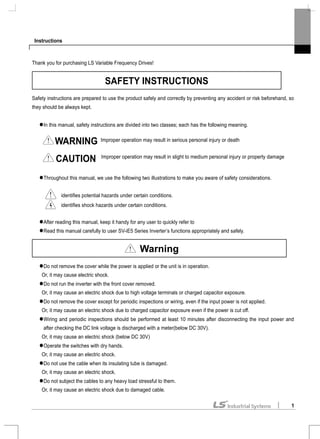
Thank you for purchasing LS Variable Frequency Drives!
Safety instructions are prepared to use the product safely and correctly by preventing any accident or risk beforehand, so
they should be always kept.
In this manual, safety instructions are divided into two classes; each has the following meaning.
Throughout this manual, we use the following two illustrations to make you aware of safety considerations.
After reading this manual, keep it handy for any user to quickly refer to
Read this manual carefully to user SV-iE5 Series Inverter’s functions appropriately and safely.
Do not remove the cover while the power is applied or the unit is in operation.
Or, it may cause electric shock.
Do not run the inverter with the front cover removed.
Or, it may cause an electric shock due to high voltage terminals or charged capacitor exposure.
Do not remove the cover except for periodic inspections or wiring, even if the input power is not applied.
Or, it may cause an electric shock due to charged capacitor exposure even if the power is cut off.
Wiring and periodic inspections should be performed at least 10 minutes after disconnecting the input power and
after checking the DC link voltage is discharged with a meter(below DC 30V).
Or, it may cause an electric shock (below DC 30V)
Operate the switches with dry hands.
Or, it may cause an electric shock.
Do not use the cable when its insulating tube is damaged.
Or, it may cause an electric shock.
Do not subject the cables to any heavy load stressful to them.
Or, it may cause an electric shock due to damaged cable.
Warning
SAFETY INSTRUCTIONS
Improper operation may result in serious personal injury or death
Improper operation may result in slight to medium personal injury or property damage
WARNING
CAUTION
identifies shock hazards under certain conditions.
identifies potential hazards under certain conditions.
Instructions
2
Install the inverter on a non-flammable surface.
Or, it may cause a fire if being installed on or closely to a flammable material.
Disconnect the input power if the inverter gets damaged.
Or, it may result in a secondary accident and fire.
After the input power is applied or removed, the inverter will remain hot for a couple of minutes.
Otherwise, you get bodily injuries such as skin-burn or damage.
Do not apply power to a damaged inverter or an inverter with parts missing even if the installation is complete.
Or, it may cause an electric shock.
Do not allow screw, metal chips, water drops, oil or other impurities into the inverter.
Or, it may cause a fire.
(1) Transport and installation
Carry it correctly according to the specified weight.
Do not stack the inverter boxes higher than recommended.
Install according to instruction specified in this manual.
Do not open the cover during transport.
Do not place any heavy load on the inverter.
Check whether the inverter mounting direction is correct.
Do not drop the inverter, or subject it to impact.
Follow your national electrical code for grounding(200V).
As soon as detaching PCB(Printed Circuit Board) for installation or repair, make sure to place it on conductor.
Otherwise, it may cause destruction due to static electricity.
Use the inverter under the following environmental conditions.
Ambient temperature - 10 ~ 40 (non℃ -freezing)
Relative humidity 90% RH or less (non-condensing)
Storage temperature - 20 ~ 65 ℃
Service condition Free of any corrosive gas, combustible gas, oil mist or dust
Environment
Altitude, vibration Max. 1,000m above the sea level · 5.9m/sec²(=0.6g) or less
Operating Precautions
Caution
Instructions
3
(2) Wiring
Do not connect a power factor correction capacitor, surge suppressor, or RFI filter to the output of the inverter.
The connection orientation of the output cables should be in good order of U, V, W.
Incorrect terminal wiring could result in the equipment damage.
Reversing the polarity (+/-) of the terminals could damage the inverter.
The only authorized and skilled person should perform wiring and inspections.
Always install the inverter before wiring.
(3) Trial run
Check all parameters during operation. Changing parameter values might be required depending on the load.
Always apply permissible range of voltage to the each terminal as indicated in this manual. Otherwise, it could lead
to inverter damage.
(4) Operation precautions
Note that if the Auto restart function is selected, you must stay away from the equipment as a motor will restart
suddenly after an alarm stop.
The Stop key on the keypad is activated only when the setting has been made. Prepare an emergency stop switch
separately.
If any fault is reset with the reference signal present, a sudden start will automatically occur. Check that the
reference signal is turned off in advance. Otherwise an accident could occur.
Do not modify or alter the inverter without permission.
Do not use a magnetic contactor on the inverter input for frequent starting/stopping of the inverter.
Use a noise filter to reduce the effect of electromagnetic interference. Otherwise nearby electronic equipment may
be affected.
In case of input voltage unbalance, install AC reactor. Power Factor capacitors and generators may become
overheated and damaged due to potential high frequency noise transmitted from inverter.
Before operating unit and prior to user programming, reset user parameters to default settings.
Inverter can easily be set to high-speed operations, Verify capability of motor or machinery prior to operating unit.
Stopping torque is not produced when using the DC-Break function. Install separate equipment when stopping
torque is needed.
(5) Fault prevention precautions
Provide a safety backup such as an emergency brake which will prevent the machine and equipment from
hazardous conditions if the inverter fails.
(6) Maintenance, inspection and parts replacement
Do not conduct a megger (insulation resistance) test on the control circuit of the inverter.
Refer to Chapter 13 for periodic inspection (parts replacement).
Instructions
4
(7) Disposal
Dispose of the inverter as treating industrial waste.
(8) General instructions
Many of the diagrams and drawings in this instruction manual show the inverter without a circuit breaker, a cover or
partially open. Never run the inverter like this. Always place the cover with circuit breakers and follow this instruction
manual when operating the inverter.
Instructions
5
User’s Manual
The purpose of this manual is to provide the user with the necessary information to install, program, start up and
maintain the SV-iE5 series inverter.
To assure successful installation and operation of the SV-iE5 series inverter, the material presented must be
thoroughly read and understood before proceeding
This manual contains...
Ch. Title Description
1 Basic information
& Precautions
Provides general information and precautions for safe use of the inverter.
2 Installation Provides instructions on how to install the SV-iE5 inverter.
3 Wiring Provide the information on how to wire the input power and signal terminal
strip
4 Peripheral Describes how to connect the optional peripheral devices to the inverter.
5 Loader Illustrates keypad features and display.
6 Basic Operation Provides instructions for quick start of the inverter.
7 Function List Summarized table of functions.
8 Control Block
Diagram
Shows control flow to help users easily understand operation mode.
9 Basic Functions Provides information on basic functions such as frequency setup and
operation commands.
10 Advanced
Functions
Indicates advanced functions used for system application.
11 Monitoring Gives information on the operating status and fault information.
12 Protective
Functions
Outlines protective functions of the motor and the inverter.
13 Troubleshooting
& Maintenance
Provides information on potential troubles or abnormal situations.
14 COM Options Gives information on the inverter mounting with communication options.
15 Specifications Gives information on Input/Output rating, control type and more details of
the SV-iE5 inverter.
Contents
6
Contents
1. Basic Information & Precaution................................................................................................................................ 1-1
1.1 Important precautions ............................................................................................................................... 1-1
1.2 Parts’ Names & Details ............................................................................................................................. 1-2
1.3 Assembling & Disassembling.................................................................................................................... 1-3
2. Installation................................................................................................................................................................. 2-1
2.1 Installation precautions ............................................................................................................................. 2-1
2.2 Dimensions................................................................................................................................................ 2-4
3. Wiring........................................................................................................................................................................ 3-1
3.1 Control Terminal Wiring Diagram.............................................................................................................. 3-1
3.2 Power Terminal Wiring Diagram ............................................................................................................... 3-1
3.3 Grounding Specification............................................................................................................................ 3-2
3.4 Control Terminal Wiring Specification ....................................................................................................... 3-3
3.5 PNP/NPN Modes Switch........................................................................................................................... 3-4
4. Peripheral.................................................................................................................................................................. 4-1
4.1 Configuration of Peripherals ..................................................................................................................... 4-1
4.2 Recommended MCCB and Magnetic Contactor ...................................................................................... 4-2
4.3 Recommended Reactors .......................................................................................................................... 4-2
5. Loader....................................................................................................................................................................... 5-1
5.1 Configuration............................................................................................................................................. 5-1
5.2 Alpha-numeric view on the LED ............................................................................................................... 5-2
5.3 Moving to other groups ............................................................................................................................. 5-3
5.4 How to move among codes in a group..................................................................................................... 5-4
5.5 How to set parameters.............................................................................................................................. 5-7
5.6 Monitoring Operation Status ..................................................................................................................... 5-9
6. Basic Operation ........................................................................................................................................................ 6-1
6.1 Frequency Setting and Basic Operation................................................................................................... 6-1
7. Function List.............................................................................................................................................................. 7-1
8. Control Block Diagram............................................................................................................................................ 8-15
8.1 Control Flow ............................................................................................................................................ 8-15
8.2 Frequency Setting & Drive Mode Setting ............................................................................................... 8-15
8.3 Frequency Setting, Drive Acc./Dec. Setting and V/F Voltage Control.................................................... 8-16
9. Basic Functions......................................................................................................................................................... 9-1
9.1 Frequency Setting..................................................................................................................................... 9-1
9.2 Multi-Step Frequency Setting.................................................................................................................... 9-4
9.3 Operating command setting method......................................................................................................... 9-5
9.4 Accel/Decel time and pattern setting ........................................................................................................ 9-8
Contents
7
9.5 V/F Control ...............................................................................................................................................9-11
9.6 Stop method select.................................................................................................................................. 9-14
9.7 Frequency limit........................................................................................................................................ 9-15
10. Advanced Functions ............................................................................................................................................... 10-1
10.1 DC Brake................................................................................................................................................. 10-1
10.2 Jog operation........................................................................................................................................... 10-3
10.3 UP – DOWN operation............................................................................................................................ 10-4
10.4 3-Wire operation...................................................................................................................................... 10-5
10.5 Dwell operation ....................................................................................................................................... 10-5
10.6 Slip Compensation Control ..................................................................................................................... 10-6
10.7 PI Control ................................................................................................................................................ 10-8
10.8 Speed search operation........................................................................................................................ 10-10
10.9 Auto Restart Operation ......................................................................................................................... 10-12
10.10 Operation Sound Select (carrier frequency change)............................................................................ 10-13
10.11 Parameter initialize/Lock....................................................................................................................... 10-13
11. Monitoring ................................................................................................................................................................11-1
11.1 Operating Status Monitoring ....................................................................................................................11-1
11.2 Monitoring I/O Terminal............................................................................................................................11-3
11.3 Monitoring Fault Condition.......................................................................................................................11-3
11.4 Analogue output.......................................................................................................................................11-5
11.5 Multi-function output terminal and Relay .................................................................................................11-6
12. Protective Function................................................................................................................................................. 12-1
12.1 Overload Trip........................................................................................................................................... 12-1
12.2 Stall prevention........................................................................................................................................ 12-1
12.3 User’s fault detection .............................................................................................................................. 12-2
12.4 External trip signal................................................................................................................................... 12-3
12.5 Frequency command loss....................................................................................................................... 12-4
12.6 Inverter overload ..................................................................................................................................... 12-5
13. Troubleshooting and Maintenance......................................................................................................................... 13-1
13.1 Protective Functions................................................................................................................................ 13-1
13.2 Fault Remedy.......................................................................................................................................... 13-3
13.3 Precautions for maintenance .................................................................................................................. 13-5
13.4 Checklist.................................................................................................................................................. 13-5
13.5 Parts Replacement.................................................................................................................................. 13-5
14. COM Option (RS-485) ............................................................................................................................................ 14-1
14.1 Introduction.............................................................................................................................................. 14-1
14.2 Specifications .......................................................................................................................................... 14-1
14.3 Installation ............................................................................................................................................... 14-2
Contents
8
14.4 Inverter functional code setting............................................................................................................... 14-3
14.5 Operation................................................................................................................................................. 14-4
14.6 COM Protocol(ModBus-RTU) ................................................................................................................. 14-4
14.7 Communication Protocol (LS BUS) ........................................................................................................ 14-5
14.8 Parameter code list ................................................................................................................................. 14-9
14.9 Troubleshooting..................................................................................................................................... 14-15
14.10 ASCII Code List..................................................................................................................................... 14-16
15. Specifications.......................................................................................................................................................... 15-1
15.1 Technical data ......................................................................................................................................... 15-1
DECLARATION OF CONFORMITY............................................................................................................................. 15-1
Chapter 1. Basic Information & Precaution
1-1
1.Basic Information & Precaution
1.1 Important precautions
Unpacking &
Inspection
Unpack the package and check the inverter type, output ratings on the nameplate and
whether the inverter is intact. In addition, inspect the inverter for any damage that may
have occurred during shipping.
SV 004 iE5 - 1 C
Motor rating Series name Input power RS-485 option
001 0.1 [kW] 1
Single phase
200V
C No option
002 0.2 [kW] 2
3 Phases
200V
- No option
004 0.4 [kW]
Extra small
commercial
inverter
Accessories
If you have found any discrepancy, damage, etc., contact your dealer or sales
representative (refer to the rear cover page of this manual).
Preparations of
instruments and
parts required for
operation
Instruments and parts to be prepared depend on how the inverter is operated. Prepare
optional (additional) equipments and parts as necessary.
Installation To operate the inverter with high performance for a long time, install the inverter
considering a proper place and the correct direction with proper clearances.
Wiring Connect the power supply, motor and operation signals (control signals) to the terminal
block. Note that incorrect connection may damage the inverter and peripheral devices.
Inverter type
Rated output spec.
Inverter capacity
Barcode and serial number
Manufacturer and
manufacturing country
Rated Input spec.
Chapter 1. Basic Information & Precaution
1-2
1.2 Parts’ Names & Details
Appearance
Inside view with front cover removed
Refer to 1.3 for details when remove front cover.
Front cover:
Removed when wiring and
installing
Status LED
display
Inverter nameplate:
Indicating the capacity and
rating of the inverter
Variable resistance for
frequency setting
RUN button
Cover screws
Power input
NPN, PNP Select switch
COM part: built in for COM
type product
Inverter ground terminal
Versatile relay output terminal
Control signal terminal
Motor output (lower)
DC power (upper)
Analogue input select switch
Chapter 1. Basic Information & Precaution
1-3
1.3 Assembling & Disassembling
To remove the front cover, press both indented sides of the cover lightly and pull it up.
The front cover is completely removed if lifting it up and removing the fixed part. Wiring and installation is
available only with the cover removed.
Caution
For the control terminal, use the cables presented in this manual. Using a thicker one than
the reference type may interfere with assembling or subject the cable sheath to damage.
Press the indented
sides to remove the
cover.
Remove the screw
for wiring
After the cover
removed, the
terminal wiring is
possible.
Chapter 2. Installation
2-1
2.Installation
2.1 Installation precautions
CAUTION
Handle the inverter with care to prevent the plastic components damaged.
Avoid installing the inverter in a place where vibration from bogie or press exists.
Install in a location where ambient air temperature is within the permissible range (-10 ~ 40°C).
Maximum Surrounding Air Temperature of 40 °C (UL508C)
< Ambient air Temp Checking Location >
The inverter will be very hot during operation. Install it on a flame-retardant surface.
Inverter is a heating source, so the installation place needs enough space for proper heat dissipation
In case installed in a panel without ventilating opening, secure space as presented in Figure 1.
If the inverters are installed in a row, make sure to leave space between and among them as seen in Figure 2.
Note that side space may vary depending on a panel’s cooling efficiency.
[Figure 1] [Figure 2]
Protect from high temperature and high moisture and/or direct sunlight.
Install the inverter inside a “totally enclosed” panel to protect against oil mist, water or dust.
5cm 5cm
5cm
20cm 20cm
17cm
17cm
5cm 5cm
Chapter 2. Installation
2-2
When two or more inverters are installed inside a panel, the inverters and fans must be installed in proper
positions with extreme care.
Install the inverter using screws or bolts to insure the inverter is firmly fastened.
< For installing multiple inverters in a panel >
Caution
Arrange hot air from the inverters is discharged when installing them on a panel. ‘X’ shows
incorrect layout example.
Caution
A fan is to be installed so that the air inside the inverter is well discharged as seen in the
left figure. ‘X’ shows an example of reduced cooling effect, possibly causing the inverter to
overheat.
Hot air
Chapter 2. Installation
2-3
Warning
Follows procedure below when Install the inverter for successful operation.
Caution
iE5 has self cooling structure using air. Therefore install the inverter vertically possible to air
circulation. Malfunction or fire may be caused when installed horizontally.
Caution
Heat protection pin of iE5 is a high heating element. Caution to contact while operate
the products.
Since switching heat occurs when inverter output without connection motors, Do not
operate inverter independently. Skin burn or malfunction may be caused.
Chapter 2. Installation
2-4
2.2 Dimensions
Inverter 001iE5-1 002iE5-1 004iE5-1 001iE5-2 002iE5-2 004iE5-2
W 68 68 68 68 68 68
H 128 128 128 128 128 128
D 85 85 115 85 85 115
H1 124 124 124 124 124 124
W1 64 64 64 64 64 64
φ 4.2 4.2 4.2 4.2 4.2 4.2
Weight(kg) 0.44 0.46 0.68 0.43 0.45 0.67
Note
Use M4 screw for fixing the inverter on a panel.
W
H
D
H1
W1
Chapter 3. Wiring
3-1
3.Wiring
3.1 Control Terminal Wiring Diagram
3.2 Power Terminal Wiring Diagram
Caution
In case of single phase, the input power should be connected to R, S terminals. If connected
to T phase, the inverter does not work.
Note
Refer to page 3-3 for the dimensions of the
control terminal
0.1~0.4kW IE5 Power Terminal Spec.
I wire thickness 16AWG, 1.25 mm2
O wire thickness 16AWG, 1.25 mm2
G wire thickness 14AWG, 1.25 mm2
I/O terminal
16AWG, 1.25 mm2
/3.5 φ
Terminal torque 3.5 lb-in
220Vac
U V W
P P1 DCN
R S T
30A
30B
30C
A contact output
B contact output
A/B contact common
Multi function
relay output
terminal
Multi
function
Input
terminal
Input signal common
12V power(12V,100mA) for external volume
Default
FX : forward run
RX : reverse run
EST : emergency stop
JOG : jog operation
RST : trip reset
Analogue frequency input(Voltage or current)
Analogue output: 0 ~ 10V
P1
P2
P3
P4
P5
CM
VR
AM
AI
G
Power-indicative
lamp
DescriptionT/M
Chapter 3. Wiring
3-2
CAUTION
Suitable For Use On A Circuit Capable of Delivering Not More Than 5000 RMS Symmetrical Amperes, 240
Volts Maximum. (UL508C)
Use Copper Conductors Only, 75 °C only with a torque rating. (UL508C)
Make sure the input power is off before wiring.
When the inverter’s input power is cut off after operation, wire it after DC circuit voltage inside the inverter is
fully discharged by measuring P1 and N with a tester (voltameter). If there is no tester, wire it after the power
lamp is completely out.
Applying input power supply to the output terminals U, V and W causes internal inverter damage.
Use ring terminals with insulated caps when wiring the input power and motor wiring
Do not leave wire fragments inside the inverter. it can cause faults, breakdowns and malfunctions.
Never short P1 or P with N. Shorting terminals may cause internal inverter damage
Do not connect static condenser, surge killer or radio noise filter to the output of the inverter. Otherwise, the
inverter’s protection function starts working or it may cause condenser or surge suppressor broken.
The inverter is delivered that P~P1 are connected to short circuit
3.3 Grounding Specification
WARNING
Use the Type 3 grounding method (Ground impedance: Below 100Ω).
Use the dedicated ground terminal to ground the inverter. Do not use the screw in the case or chassis, etc for
grounding.
Note
Grounding procedure
1) Remove the front cover.
2) Connect the Grounding wire to the ground terminal
as shown above
CAUTION
Follow the grounding specifications.
Inverter Cap. 001iE5, 002iE5,004iE5 – 1,2
Wire size 14AWG, 2mm2
Lug spec. 14AWG, 2mm2
, 4φ
Grounding method Special type 3
Chapter 3. Wiring
3-3
3.4 Control Terminal Wiring Specification
Terminal description COM optional terminal
P1 P2 P3 P4 P5 VR AI AM CM S+ S-
T/M Terminal description Wire size Torque [lb-in] Remarks
P1~P5 Multi-function input T/M 1-5 22 AWG,0.3 mm2
3.0
VR Power T/M for external volume resistance 22 AWG,0.3 mm2
3.0
AI Analogue frequency input T/M 22 AWG,0.3 mm2
3.0
AM Multi-function output T/M 22 AWG,0.3 mm2
3.0
CM Common terminal 22 AWG,0.3 mm2
3.0
Multi-function Relay T/M Spec.
30A 30B 30C
T/M Terminal description Wire size Torque[lb-in] Remarks
30A Multi-function relay output A contact 20 AWG,0.5 mm2
4.5
30B Multi-function relay output B contact 20 AWG,0.5 mm2
4.5
30C Common for Multi-function relays 20 AWG,0.5 mm2
4.5
CAUTION
Tie the control wires more than 15cm away from the control terminals. Otherwise, it interferes with front cover
reinstallation.
Note
When you use external power supply (24V) for multi-function input terminal (P1~P5), terminals will be active
above 12V level. Take caution not to drop the voltage below 12V.
Chapter 3. Wiring
3-4
3.5 PNP/NPN Modes Switch
Internal Power
[NPN](up)
Using internal
24V
External power
[PNP](down)
Using external
24V
Voltage input[ V ](right)
Analogue
voltage input
Current input[ I ](left)
Analogue
current input
Note
The setting direction of switch in the above figure
is in black.
P1 P2 P3 P4 P5 CM
P1 P2 P3 P4 P5 CM
24 Vdc
0~20mA
AI CM
0~10Vdc
1~10kΩ
AI CM
VR AI CM
2) Using external voltage
3) Using variable resistor
1) Using external current
Chapter 4. Peripheral
4-1
4.Peripheral
4.1 Configuration of Peripherals
Correct peripherals must be selected and properly connected. An incorrectly applied or installed inverter may result in
system malfunction or reduction in product life as well as component damage. You must read and understand this
manual thoroughly before proceeding.
AC power input
Peripheral Name Caution
Input power
Use the power supply within the permissible range of
inverter input power rating (Refer to Page 15-1).
MCCB or ELB
Select circuit breakers with care. A large inrush
current may flow in the inverter at power on.
Magnetic
contactor
Install it if necessary. When installed, do not use it for
the purpose of starting or stopping. Otherwise, it may
cause the reduction of product life.
AC or DC reactors
The reactors must be used when the power factor is
to be improved or the inverter is installed near a large
power supply system (20times and more than its cap.
and wiring distance within 10m).
Installation and
wiring
Maintain the ambient temperature within the
permissible range because the life is sensitive to the
temperature. Incorrect terminal wiring could result in
equipment damage.
Inverter output
Do not connect a static condenser, surge suppressor
or radio noise filter to the output side of the inverter.
Chapter 4. Peripheral
4-2
4.2 Recommended MCCB and Magnetic Contactor
Model MCCB (LSIS) ELB (LSIS) MC (LSIS)
001iE5-1 5A 5A GMC- 9 7A
002iE5-1 10A 10A GMC-12 9A
004iE5-1 15A 15A GMC-18 13A
001iE5-2 3A 3A GMC- 9 7A
002iE5-2 5A 5A GMC- 9 7A
004iE5-2
ABS33b
10A
EBS33b
10A GMC-12 9A
4.3 Recommended Reactors
Model AC Input fuse AC reactor DC reactor
001iE5-1 20A 4.2mH, 3.5A 10mH, 3A
002iE5-1 20A 4.2mH, 3.5A 10mH, 3A
004iE5-1 20A 5.1mH, 5.4A 7mH, 5A
001iE5-2 20A 4.2mH, 3.5A 10mH, 3A
002iE5-2 20A 4.2mH, 3.5A 10mH, 3A
004iE5-2 20A 4.2mH, 3.5A 7mH, 5A
Chapter 5. Loader
5-1
5. Loader
5.1 Configuration
Note
STOP key of the inverter iE5 also contains reset function, which is used to cancel trip. Trip may be cancelled by
using this key.
Display Description
FWD ‘On’ during forward run
REV ‘On’ during reverse run
SET ‘On’ during parameter setting
RUN ‘On’ during inverter operation
Blinks when a fault occurs
7 Segments Displaying operation status and parameter information
Key Name Description
Up Scroll through codes or increase parameter value
Down Scroll through codes or decrease parameter value
RUN Run Operation command
STOP Stop STOP : stop during operation, RST : reset in case of fault
FUNC Function Edit parameters or save edited parameter values
SHFT Shift Move among groups/the number of ciphers left during parameter setting
Volume resistance Used to change driving frequency
FWD/REV LED
SET LED
RUN LED
7 Segment LED
UP, DOWN
SHFT
FUNC
RUN,STOP/RESET
Volume Resistance
Chapter 5. Loader
5-2
5.2 Alpha-numeric view on the LED
Refer to the below table summarizing the characters displayed on the LED.
Note
Inverter iE5 uses 7-segment display. Therefore, it displays numbers and alphabet as the above table. Make sure to
fully comprehend them for reading the fault messages/functional information.
Note
The 7-Segment operates in three statuses; on, off and blink. Throughout this manual, on is in black, blank is in grey
and off is not separately presented.
i.e.)
Inverter LED No. Inverter LED Eng Inverter LED Eng Inverter LED Eng
0 A K U
1 B L V
2 C M W
3 D N X
4 E O Y
5 F P Z
6 G Q
7 H R
8 I S
9 J T
OFF ON Blink
Chapter 5. Loader
5-3
5.3 Moving to other groups
There are two different parameter groups in SV-iE5 series as shown below.
Moving to the other parameter group
PG groupDrive group
SHFT
SHFT
SHFT SHFT
Can move between groups if pressing SHFT key in code 0 of Drive Group/PG Group as shown in the figure. If
pressing SHFT in other codes but 0, it moves to the first code of a selected group and it moves between groups
if pressing SHFT once more.
1)
Target frequency is set in the first code of Drive Group. It is delivered with 0.00 set as the default and any
differently changed driving frequency is displayed once a user changes it.
Type Description
Drive group Basic parameters necessary to
operate the inverter; target
frequency,
acceleration/deceleration time
and etc.
PG group Parameter group for additional
functions
PG group
Drive group
Note1)
Chapter 5. Loader
5-4
5.4 How to move among codes in a group
Moving between groups
Moving from 15 of PG Group to Drive Group
1
-. Display Code 15 of PG Group.
-. Press SHFT key.
2
-. It displays F0, the first code of PG Group.
-. Press SHFT key.
3 -. It displays 0.00, the first code of Drive Group.
Code change in Drive Group
1
-. It displays 0.00, the 1st code of Drive Group.
-. Press UP( ) key.
2
-. It displays ACC, the 2nd code of Drive Group.
-. Press UP( ) key.
3
-. It displays dEC, the 3rd code of Drive Group.
-. Keep pressing UP( ) key.
4
-. It displays drC, the final code of Drive Group
-. Press UP( ) key in the final code of Drive
Group.
5 -. It returns to the 1st code of Drive Group.
Note
Drive group
For moving reversely, use DOWN( ) key.
PG groupDrive group
SHFT
Chapter 5. Loader
5-5
Code jump
Moving from code 1(P 0) to the code15(P15) in PG Group
1
-. It displays P0, the 1st code of Drive Group.
-. Press FUNC key.
2
-. SET lamp lights up. Changeable number blinks
-. It shows moving to Code 1 is possible. Set 5 using
UP( ) key.
3
-. The 1st digit is changed to 5.
-. Press SHFT key.
-. Blinking cursor moves and 05 is displayed.
Change it to 1 using UP( ) key.
4
-. It shows moving to Code 15 is possible.
-. Pressing FUNC key enters 15.
F U N C
S H F T
X5
F U N C
5
-. SET lamp is out.
-. It displays Code 15 of PG Group.
Code change in PG Group
Moving from code 1 to code 15 in PG group
1
-. It displays Code 1 of PG Group.
-. Keep pressing UP( ) key until P 15 is
displayed.
2 -. It displays Code 15 of PG Group.
Note
Some codes will be skipped in the middle of increment ( )/decrement ( ) for code change in PG Group. That is
because it is programmed that some codes are intentionally reserved for later use or the codes user does not use
are invisible. For details, refer to the table of functions in Chapter 7.
Chapter 5. Loader
5-6
Frequency setting
When changing RUN frequency to 30.05 [Hz] in Drive Group
SHFTFUNC
Drive group
X5 X3 X3 FUNC
1
-. It displays Target Frequency, the 1st code of Drive Group.
-. Press FUNC key.
2
-. SET lamp lights up.
-. The second decimal 0 becomes active.
-. Press the UP ( ) key until 5 is displayed.
3
-. The second decimal is changed to 5.
-. Press SHFT key.
4
-. The first decimal 0 becomes active.
-. Press SHFT key twice.
5
-. The first digit 0 becomes active.
-. Set 3 using UP( ) key.
6 -. Press FUNC key.
7
-. 30.05 blinks quickly and it asks whether to save the value.
-. Press FUNC key.
8
-. SET lamp is out.
-. Blink stops and the saved target frequency are displayed.
Note
Parameter setting is disabled when pressing other Keys except Function Key(FUNC) in step 6 where 30.05 blinks
quickly.
Chapter 5. Loader
5-7
5.5 How to set parameters
Parameter change in Drive Group
Changing acceleration duration from 5.0 to 16.0 seconds
SHFT SHFT
FUNC
FUNC
Drive group
1
-. It displays the target frequency, the 1st code of Drive Group.
-. Press UP( ) key.
2
-. It displays ACC, the acceleration duration, the 2nd code of Drive Group.
-. Press Function(FUNC) key.
3
-. SET lamp lights up.
-. 0 in 5.0 blinks, which means that the digit may be changed.
-. Press Shift(SHFT) key.
4
-. The digit to change is moved to the first digit.
-. Press UP( ) key.
5
-. The digit to change is increased, being changed to 6.0.
-. Press Shift(SHFT) key.
6
-. The digit to change is moved the tenth digit.
-. Press UP( ) key.
7
-. It displays 16.0.
-. Press Function(FUNC) key.
-. 16.0 blinks wholly.1)
-. Press Function(FUNC) key. ACC duration of 16.0 seconds is entered.
8
-. SET lamp is out
-. It displays ACC. ACC duration is changed to 16.0 seconds.
1)
That every digit blinks quickly while modifying a parameter means asking whether to enter a modified value. At
the moment, pressing Function(FUNC) key completes the entry. To cancel it instead of entering a parameter, press
any key such as Shift(SHFT), UP( ) or DOWN( ) but Function(FUNC) key.
Chapter 5. Loader
5-8
Parameter change in PG Group
Changing P34, Code 34 of PG Group from 0 to 1
PG group
F U N C
F U N C
S H F T
X4
F U N C S H F T
X3
F U N C
1
-. The 1st code of PG Group is displayed.
-. Press FUNC key.
2
-. SET lamp lights up.
-. Can move to Code 1.
-. Chang it to 4 by using UP( ) key.
3
-. The first digit is changed to 4
-. Press SHFT key.
4
-. 0 in 04 is active.
-. Increase up to 3 by using UP( ) key.
5
-. Can move to Code 34
-. Press FUNC key.
6
-. SET lamp is out.
-. It means the current position is Code 34 of PG Group.
-. Press FUNC key.
7
-. SET lamp light up.
-. Code 34 is set to 0.
-. Increase it to 1 by using UP( ) key.
8
-. Press FUNC key.
-. Press FUNC key once more when 1 blinks.
-. SET lamp is out.
9
-. Function code change is complete.
-. Press SHFT key.
10 -. Moved to Code 1 of PG Group.
Chapter 5. Loader
5-9
5.6 Monitoring Operation Status
Displaying Current Output
Monitoring output current in Drive Group
FUNC
X8
FUNC
Drive group
1
-. The target frequency, Code 1 of Drive Group is displayed
-. Press UP( ) key or DOWN( ) key until Cur is displayed.
2
-. Moved to a code to monitor output current.
-. Press FUNC key.
3
-. Present output current is 2.5[A].
-. Press FUNC key.
4 -. Return to the output current monitoring code.
Note
Other parameters in Drive group such as dCL (Inverter DC link voltage) or vOL (Inverter output voltage) can be
monitored via the same method.
Chapter 5. Loader
5-10
Fault display
How to monitor fault condition in Drive Group
Current
Frequency
Drive group
STOP
FUNC
AccelOvercurrent
trip
1
-. OCt appears when an Overcurrent fault occurs.
-. Press FUNC key.
-. Press UP( ) key or DOWN ( ) key.
2
-. The run frequency at the time of trip is displayed.
-. Press UP( ) key.
3
-. The output current at the time of trip is displayed
-. Press UP( ) key.
4
-. Operating status is displayed. A fault occurred during acceleration
-. Press STOP key.
5 -. A fault condition is cleared and “nOn” is displayed.
Note
Trip occurrence is displayed in one of modes like ACC, DEC, Stp or Std. Fault causes may be expected by using
the indication.
Chapter 5. Loader
5-11
When types of faults occur at the same time
Note
In case inverter trip occurs, it shows the type in the current fault status indication code. In the case, if clearing it
away by resetting or turning it off, fault info is moved to fault history(P 1) of PG Group.
However, if any, the existing fault history moves from (P 1) to (P 2) or from (P 2) to (P 3); the latest fault info is
saved in (P 1) through (P 3).
When Overcurrent(OCt), overvoltage(Ovt) and overheat(OHt) occur simultaneously
-. When various trips occur simultaneously, it shows like the figure above and it can show up to 3 trips.
Overcurrent
Overvoltage
Overheating
Drive
Chapter 6. Basic Operation
6-1
6.Basic Operation
6.1 Frequency Setting and Basic Operation
Note
The following parameters are set to factory defaults. Therefore, results may be different if any parameter is
changed by a user. In this case, initialize parameters(see page 10-13) back to factory defaults and follow the
instructions below.
If setting frequency with the loader and commanding operation on the inverter’s terminal
No. Indication Operation & description
1
-. Target frequency, the first code of Drive Group when turning it on.
-. Press FUNC key.
2
-. The second decimal, 0 in 0.00 displayed blinks.
-. Press SHFT three times.
3
-. 00.00 is displayed and the very left 0 blinks.
-. Press UP( ) key.
4
-. Confirming 10.00, press FUNC key.
-. 10.00 blinks quickly as a whole. Press FUNC key once more.
5
-. Target frequency is changed to 10.00Hz.
-. Turn on the switch between P1(FX) and CM terminals.
6
-. FWD(forward run) lamp of the inverter display blinks and accelerating frequency is
displayed on the LED.
-. When target run frequency 10Hz is reached, 10.00 is displayed.
-. Turn off the switch between P1 (FX) and CM terminals.
7
-. FWD lamp begins to blink and decelerating frequency is displayed on the LED.
-. When run frequency is reached to 0Hz, RUN and FWD lamp turn off and target
frequency (10.00) is displayed.
Wiring diagram Operating pattern
M
L1(R)
L2(S)
(T)
P
P1
N
G
U
V
W
P1(FX)
CM
220 Vac
Frequency
P1(FX)-CM ON OFF
10 Hz
Chapter 6. Basic Operation
6-2
If setting frequency with volume resistance on the loader and commanding operation on the inverter’s terminal
No. Indication Operation & description
1
-. Target frequency, the first code of Drive Group when turning it on.
-. Press UP( ) key four times.
2
-. Moved to a code to change a frequency setting mode.
-. Press FUNC key.
3
-. The current frequency setting mode is set to 0(frequency setting using loader).
-. Press UP( ) key two times.
4
-. Check 3(frequency setting by loader’s volume resistance).
-. Press FUNC key.
-. 3 blinks quickly. Press FUNC key once more.
5
-. Frq is displayed and frequency setting mode is changed to loader volume.
-. Press SHFT moves to target frequency, the first code of Drive Group.
-. Turn the loader volume to MAX or MIN to set to 10.00Hz.
6
-. Turn on the switch between P1 (FX) and CM.
-. FWD(forward run) lamp of the inverter display blinks and accelerating frequency is
displayed on the LED.
-. When run frequency 10Hz is reached, the value is displayed as shown left.
-. Turn off the switch between P1 (FX) and CM terminals.
7
-. FWD(forward run) lamp of the inverter display blinks and decelerating frequency is
displayed on the LED.
-. When run frequency is reached to 0Hz, Run and FWD lamp turn off and target
frequency(10.00)is displayed
Wiring diagram Operating pattern
M
L1(R)
L2(S)
(T)
P
P1
N
G
U
V
W
P1(FX)
CM
220 Vac
F U N C
S H F T
S T O P
R U N
Frequency
P1(FX)-CM ON OFF
10Hz
Chapter 6. Basic Operation
6-3
If setting frq with volume resistance on the loader and commanding operation with RUN key on the loader
No. Indication Operation & description
1
-. Target frequency, the first code of Drive Group when turning it on.
-. Press UP( ) key three times.
2
-. Moved to a code to change a frequency setting mode
-. Press FUNC key.
3
-. The current frequency setting mode is set to 1(terminal)
-. Press DOWN ( ) key.
4
-. Operation command mode may be changed to 0(RUN key of the loader).
-. Press FUNC key twice.
5
-. It displays drv and operation command mode is changed to RUN key.
-. Press UP( ) key once.
6
-. Moved to frequency setting mode(Frq) code.
-. Press FUNC key.
7
-. Frequency setting mode is changed to 0(keypad of the loader).
-. Press UP( ) key two times.
8
-. Frequency setting mode may be changed to 3(loader’s volume resistance).
-. Press FUNC key twice.
9
-. It displays Frq and frequency setting mode is changed to loader volume.
-. Turn the loader volume to set to 10.00 in either Max or Min direction.
10
-. Press RUN key. FWD(forward run) lamp of the inverter display blinks and
accelerating frequency is displayed on the LED.
-. When run frequency 10Hz is reached, it is displayed as shown left.
-. Press STOP key.
11
-. FWD(forward run) lamp of the inverter display blinks and decelerating frequency is
displayed on the LED.
-. When run frequency 10Hz is reached, FWD(forward run) lamp is out and target
frequency(10.00) is displayed on the LED.
Wiring diagram Operating pattern
F U N C
S H F T
S T O P
R U N
M
L1(R)
L2(S)
(T)
P
P1
N
G
U
V
W
220 Vac
Frequency
RUN
10 Hz
STOP/RST
Chapter 7. Function List
7-1
7.Function List
Drive Group
Display Name
Min/Max
range
Description
Factory
defaults
Adj.
during
run
Page
0.0 Frequency
command
0 ~ 200
[Hz]
This parameter sets the operation frequency.
During stop, it displays Frequency Command;
During run, it shows output frequency. During
multi-step operation, it becomes frequency 0. It
cannot be set greater than Max frequency(P16).
0.00 O 9-1
ACC Acc time 5.0 O 9-8
dEC Dec time
0 ~ 6000
[sec]
During multi-acc/dec operation, this parameter
serves as acc/dec time 0. 10.0 O 9-8
0 Operate with RUN/STOP key of the loader 9-5
1
FX: forward run
RX: reverse run
2
Terminal
operation
FX: Run/stop command
RX: Reverse rotation
9-6
drv Drive mode 0 ~ 3
3 communication: communication option
1 X
0 Set loader digital frequency 1 9-1
1
Digital
Set loader digital frequency 2 9-1
2 Terminal AI input 9-3
3 Loader volume resistance 9-2
Frq Frequency
setting
method
0 ~ 4
4
Analogue
communication option
0 X
St1 Multi-step
frequency 1
Set multi-step frequency 1 10.00 O
St2 Multi-step
frequency 2
Set multi-step frequency 2 20.00 O
St3 Multi-step
frequency 3
0 ~ 200
[Hz]
Set multi-step frequency 3 30.00 O
9-4
Chapter 7. Function List
7-2
Drive Group
Display Name
Min/Ma
x range
Description
Factory
defaults
Adj.
during
run
Page
CUr Output current - Display output current - - 11-1
rPM No. of motor
rotation
- Display the no. of motor rotation(RPM) - - 11-1
dCL Inverter DC
voltage
- Display DC voltage inside the inverter - - 11-1
vOL Output voltage - Display the inverter’s output voltage. vOL - 11-2
nOn Fault display - Display the types of fault, frequency,
current and operation status.
- - 11-4
If operation command mode(drv) is set to
0, select the direction of motor rotation
F Forward operation
drC Selection of
motor rotation
direction
F, r
r Reverse operation
P O 9-7
Chapter 7. Function List
7-3
PG Group
Display Name
Min/Max
range
Description
Factory
defaults
Adj.
during
run
Page
P 0 Jump code 0 ~ 88 Sets the code number to jump 1 O 5-5
P 1 Fault log 1 - It logs the information on the types of
faults, and the frequency, current and
status such as acceleration, deceleration
and stop at the time of trouble. The latest
fault is automatically recorded in log 1.
nOn -
P 2 Fault log 2 - nOn -
P 3 Fault log 3 - nOn -
P 4 Fault log removal 0 ~ 1 Remove log P1~P3. 0 O
11-4
0 Both F/R directions available
1 Forward rotation prohibited
P 5 Prohibition of
forward/reverse
rotation
0 ~ 2
2 Reverse rotation prohibited
0 X 9-7
P 6 Acc pattern 0 Linear pattern operation
P 7 Dec pattern
0 ~ 1
1 S-curve pattern operation
0 X 9-9
0 Deceleration to stop
1 DC brake to stop
P 8 Stop mode
selection
0 ~ 2
2 Free run to stop
0 X 9-14
P 9
1)
DC brake start
frequency
0.1 ~ 60
[Hz]
It sets DC brake start frequency.
It cannot be set below start
frequency(P18).
5.00 X
P10 DC brake wait
time
0 ~ 60
[sec]
When DC brake frequency is reached,
the inverter holds the output for the
setting time before starting DC brake.
0.10 X
P11 DC brake voltage
amount
0 ~ 200
[%]
It sets the amount of DC voltage applied
to a motor. Motor rated current(P43).
50 X
P12 DC brake time 0 ~ 60
[sec]
It sets the time taken to apply DC current
to a motor.
1.0 X
10-1
1)
Displayed only when P8 is set to 1(DC brake to stop)
Chapter 7. Function List
7-4
PG Group
Display Name
Min/Max
range
Description
Factory
defaults
Adj.
during
run
Page
P13 DC brake start
voltage
0 ~ 200
[%]
It sets the amount of DC voltage before a motor
starts to run. Motor rated current(P43)
50 X
P14 DC brake start
time
0 ~ 60
[sec]
It applies the current to a motor for the set time
before motor accelerates.
0.0 X
10-2
P15 Jog frequency 0 ~ 200
[Hz]
It sets the frequency for jog operation. It can not
be set above the max frequency(P16).
10.00 O 10-3
This parameter sets the upper limit frequency.
It is frequency reference for Accel./Decel.
Note
P16 Max
frequency
40 ~ 200
[Hz]
If changing the max frequency, all other
frequency parameters but P17(base frequency)
would be changed to the frequency if they are
above the new max. frequency.
60.00 X 9-8
P17 Base
frequency
30 ~ 200
[Hz]
The inverter outputs its rated voltage to the
motor at this frequency.
60.00 X
P18 Start
frequency
0.1 ~ 10
[Hz]
The inverter starts to output its voltage at this
frequency.
It is lower frequency limit of frequency(Hz).
0.5 X
9-11
0 Manual torque boostP19 Torque boost
selection
0 ~ 1
1 Auto torque boost
0 X
P20 Forward
torque boost
Torque boost amount of motor during forward
run, based on max. output voltage.
5.0 X
P21 Reverse
torque boost
0 ~ 15
[%]
Torque boost amount of motor during reverse
run based on max. output voltage.
5.0 X
9-13
0 Linear 9-11P22 V/F pattern 0 ~ 1
1 Square
0 X
9-12
Chapter 7. Function List
7-5
PG Group
Display Name
Min/Max
range
Description
Factory
defaults
Adj.
during
run
Page
P23 Output
voltage
adjustment
40 ~ 110
[%]
It adjusts the amount of output voltage, based on
the percentage of input voltage.
100 X 9-12
P24 Overload trip
selection
0 ~ 1 This parameter turns off the inverter output when
motor is overloaded. Overload protection function
works if it is set to 1.
1 0
P25
1)
Overload trip
level
50 ~ 200
[%]
It sets the amount of overload current, based on
the percentage of Motor rated current(P43)
180 0
P26 Overload trip
time
0 ~ 60
[sec]
It turns off the inverter output when overload trip
level current(P25) flows for overload trip time.
60 0
12-1
Sets stall prevention function
Func.
Set
During
dec.
During
constant run
During
acc.
bit 2 bit 1 bit 0
0 - - -
1 - -
2 - -
3 -
4 - -
5 -
6 -
P27 Stall
prevention
select
0 ~ 7
7
0 X 12-1
P28 Stall
prevention
level
30 ~ 150
[%]
It sets the amount of current to activate stall
prevention function, based on the percentage of
the motor rated current(P43).
150 X 12-1
P29 Save
up/down
frequency
0 ~ 1 It decides whether to save the specified frequency
during up/down operation.
If 1 is selected, the up/down frequency is saved in
P30.
0 X 10-4
P30
2)
Save
Up/Down
- It saves the frequency before the inverter stops or
decelerated.
0.00 - 10-4
1),2)
Set P24 and P29 to 1 to display this parameter.
Chapter 7. Function List
7-6
PG Group
Display Name
Min/Max
range
Description
Factory
defaults
Adj.
during
run
Page
P31 Dwell
frequency
0.1 ~ 200
[Hz]
When run frequency is issued, motor starts to
accelerate after dwell frequency is applied to the
motor during dwell time(P32).
It can be set within max frequency(P16) and start
frequency(P18).
5.00 X
P32 Dwell time 0~10
[sec]
Sets the time for dwell operation. 0.0
X
10-5
Sets fault detection items at operator’s discretion
Func.
Set
Earth
detection
during
run(GCt)
Input phase
detection
(CoL)
Output
phase
detection
(Pot)
bit2 bit1 bit0
0 - - -
1
2
3
4
5
6
P33 Operator’s
fault
detection
0 ~ 7
[bit]
7
0 O 12-2
P34 Power On
Start
Selection
0 ~ 1 It is activated when drv is set to 1 or 2.
Motor starts acceleration after AC power is applied
while FX or RX terminal is ON.
0 X 9-7
P35 Restart after
fault reset
selection
0 ~1 It is activated when drv is set to 1 or 2 (Run/Stop via
Control terminal).
Motor accelerates after the fault condition is reset
while the FX or RX terminal is ON.
0 O 9-8
Chapter 7. Function List
7-7
PG Group
Display Name
Min/Max
range
Description
Factory
defaults
Adj.
during
run
Page
It is active to prevent any possible fault when
the inverter outputs its voltage to the running
motor.
Func.
Set
Power
on
start
(P34)
Restart
after
instant
power
failure
Operation
on after
fault
(P35)
Normal
acc.
bit3 bit2 bit1 bit0
0 - - - -
1 - - -
2 - -
3 - -
4 - - -
5 - -
6 - -
7 -
8 - - -
9 - -
10 - -
11 -
12 - -
13 -
14 -
P36 Speed
search
selection
0 ~ 15
[bit]
15
0 X
P37 Speed
Search
Current
Level
Limits the amount of current during speed
search operation, based on motor rated
current(P43)
100 O
10-10
Chapter 7. Function List
7-8
PG Group
Display Name
Min/Max
range
Description
Factory
defaults
Adj.
during
run
Page
P38 Number of
Auto Restart
try
0 ~ 10 It sets the number of restart tries after a
fault occurs. Auto Restart is deactivated
if the fault outnumbers the restart tries.
This function is active when [drv] is set to
1 or 2 {Run/Stop via control terminal}.
0
1)
O
P39 Auto Restart
time
0 ~ 60 [sec] Restart tries after auto restart waiting
time has passed.
1.0 O
10-12
P40 Motor cap.
select
0.1~ 0.4
[kW]
Selects the capacity of a motor to use. 2)
X
P41 Number of
motor poles
2 ~ 12 It is displayed via rpm in drive group. 4 X
P42 Rated slip
frequency
0 ~ 10
[Hz]
Enter the difference between the input
power frequency and the value
calculated by converting rpm described
in the nameplate to frequency.
3)
X
P43 Motor rated
current
0.0~ 25.5
[A]
Enter motor rated current on the
nameplate.
- X
P44 No Load
Motor Current
0.0 ~ 25.5
[A]
Enter the current value detected when
the motor is rotating in rated rpm after
the load connected to the motor shaft is
removed.
Enter the 50% of the rated current value
when it is difficult to measure No Load
Motor Current.
- X
10-6
P45 Carrier
frequency
select
1 ~ 10
[kHz]
It selects the audible sound of the motor.
If the set value is higher, the inverter
sound is quieter but the noise from the
inverter and leakage current will become
greater.
3 O 10-13
1)
No auto restart in case of protection functions such as OHt, Lvt, ESt, HWt.
2)
P40 initial value is preset based on inverter rating.
3)
P42 ~ P44 values are changed based on the P40. factory defaults are set based on the inverter capacity.
Chapter 7. Function List
7-9
PG Group
Display Name
Min/Max
range
Description
Factory
defaults
Adj.
during
run
Page
0 V/F control 0 X 9-11
1 Slip compensation control 10-6
P46 Control mode
selection
0 ~ 2
2 PI control
P47
1)
P gain for PI
controller
0~ 999.9
[%]
300.00 O
P48 I time for PI
controller
0.1~32.0
[sec]
It sets the gains for the PI controller’s
response characteristics.
1.00 O
P50 F gain for PI
controller
0 ~ 99.99
[%]
Feed forward gain for PI controller. 0.00 O
P51 Upper limit of
PI frequency
0.1 ~ 200
[Hz]
60.00 O
P52 Lower limit of
PI frequency
0.1 ~ 200
[Hz]
It limits the amount of the output frequency
through the PI operation.
It is settable within the range of Max
frequency(P16) and Start frequency(P18).
0.50 O
10-8
It selects the parameter to be displayed first on
the display of inverter when the power is
applied.
0 Operation frequency
1 Acc. time
2 Dec. time
3 Drive mode
4 Frequency mode
5 Multi-step frequency 1
6 Multi-step frequency 2
7 Multi-step frequency 3
8 Output current(Cur)
9 Motor rpm
10 Inverter DC voltage(DCL)
11 User display select(vOL)
12 Fault display 1
13 Direction of motor rotation
14 Output current
P53 Power on
display
0 ~ 15
15 Motor rpm
0 O 11-2
Displayed only when P46 is set to 2(PI control).
Chapter 7. Function List
7-10
PG Group
Display Name
Min/Max
range
Description
Factory
defaults
Adj.
during
run
Page
P54 Gain for Motor
rpm display
1 ~ 1000
[%]
It can monitoring on the rpm display code of
drive group as converting gear ratio of load
system.
100 O 11-1
P55 Filter time
constant for AI
input
0 ~ 9999 Adjusts the responsiveness of analogue
input.
10 O
P56 Min input for
AI(vol/cur)
0 ~ 100
[%]
Sets the min value of analogue input as the
percentage of the whole input.
0 O
P57 Frequency
corresponding min
input for AI
0 ~ 200
[Hz]
Frequency in case analogue input is the min
value.
0.00 O
P58 AI max input 0 ~ 100
[%]
Sets the max value of analogue input as the
percentage of the whole input.
100 O
P59 Frequency
corresponding to
AI max input
0 ~ 200
[Hz]
Frequency in case analogue input is the
max. value.
60.00 O
9-3
P60 Filter time
constant for
Volume input
0 ~ 9999 Adjusts the responsiveness of volume input
operation.
10 O
P61 Min value for
volume input
0 ~ 100
[%]
Sets the min rpm of volume input as the
percentage of the whole input
0 O
P62 Frequency
corresponding to
volume input
0 ~ 200
[Hz]
Frequency at minimum current of volume
input
0.00 O
P63 Max. value of
volume input
0 ~ 100
[%]
Sets the max volume input as the
percentage of the whole input.
100 O
P64 Frequency
corresponding to
volume input
0 ~ 200
[Hz]
Frequency at maximum volume input. 60.00 O
9-2
P65 Criteria for Analog
Input Signal loss
0 ~ 2 0: Disabled
1: activated below half of set value.
2: activated below set value.
0 O 12-4
Chapter 7. Function List
7-11
PG Group
Display Name
Min/Max
range
Description
Factory
defaults
Adj.
during
run
Page
0 Forward run command (FX)P66 Multi-function input
terminal P1 define 1 Reverse run command (RX)
0 O 9-6
P67 Multi-function input
terminal P2 define
2 EST-Emergency Stop Trip :
temporary output cut-off
1 O -
3 Reset when a fault occurs(RST) -P68 Multi-function input
terminal P3 define 4 Jog operation command (JOG)
2 O
10-3
5 Multi-Step freq – lowP69 Multi-function input
terminal P4 define 6 Multi-Step freq – high
3 O 9-5
7 -
8 -
9 -
10 -
-
11 DC brake during stop 10-1
12 - -
13 - -
14 - -
15 Frequency up
16
Up-
down Frequency down
10-4
17 3-wire operation 10-4
18 External trip: A Contact (EtA)
19 External trip: B Contact (EtB)
12-5
20 Change from PI operation to
general operation
-
21 - -
22 Analog Hold 9-4
23 Accel/Decel Disable 9-10
P70 Multi-function input
terminal P5 define
0 ~ 24
24 Up/Down Save Freq. Initialization
4 O
10-4
BIT4 BIT3 BIT2 BIT1 BIT0P71 Input terminal status
display P5 P4 P3 P2 P1
- - 11-3
Chapter 7. Function List
7-12
PG Group
Display Name
Min/Max
range
Description
Factory
defaults
Adj.
during
run
Page
P72 Filtering time
constant for Multi-
function Input
terminal
1 ~ 20 If the value is set higher, the responsiveness of the
Input terminal is getting slower.
3 O -
Output item Output to 10[V]
0 Output freq. Max frequency
1 Output current 150 %
2 Output voltage 282 V
P73 Analog output item
select
0 ~ 3
3 Inverter DC link voltage DC 400V
0 O 11-5
P74 Analog output level
adjustment
10 ~ 200
[%]
Based on 10V. 100 O
P75 Frequency detection
level
30.00 O
P76 Frequency detection
bandwidth
0 ~ 200
[Hz]
Used when P77 is set to 0-4.
Cannot be set higher than P16.
10.00 O
11-7
~
11-9
0 FDT-1
1 FDT-2
11-7
2 FDT-3
3 FDT-4
11-8
4 FDT-5
5 -
6 Inverter Overload (IOLt)
7 Motor stall (STALL)
8 Over voltage trip (OVt)
9 Low voltage trip (LVt)
10 Inverter cooling pin Overheat (OHt)
11-9
11 Command loss
12 During Run
13 During Stop
14 During constant run
15 During speed searching
16 Wait time for run signal input
P77 Multi-function relay
select
0 ~ 17
17 Fault output select
17 O
11-10
Chapter 7. Function List
7-13
PG Group
Display Name
Min/Max
range
Description
Factory
defaults
Adj.
during
run
Page
Operation
when setting
the number
of auto
restart
try(P38)
Operation
when the
trip other
than low
voltage trip
occurs
Operation
when the
low voltage
trip occurs
Func.
Set bit 2 bit 1 bit 0
0 - - -
1 - -
2 - -
3 -
4 - -
5 -
6 -
P78 Fault output
select
0 ~ 7
[bit]
7
2 O 11-10
P79 Inverter number 1 ~ 250 Set for RS-485 communication 1 O 14-3
Select the Baud rate of the RS-485.
0 2400 [bps]
1 4800 [bps]
P80 Baud rate 0 ~ 2
2 9600 [bps]
2 O 14-3
It is used when freq command is given via Analog
signal(volume/AI) or RS-485.
0 Continuous operation at the frequency
before its command is lost.
1 Free Run stop (Output cut-off)
P81 Drive mode
select after loss
of frequency
command
0 ~ 2
2 Decel to stop
0 O 12-4
P82 Wait time after
loss of
frequency
command
0.1 ~
120
[sec]
Time inverter determines whether there is the
input frequency command or not. If there is no
frequency command input during this time,
inverter starts operation via the mode selected at
P81.
1.0 O
P83 Communication
time setting
2 ~ 100
[ms]
When RS-485 communication, waiting time from
TX to the next TX.
5 O
Chapter 7. Function List
7-14
PG Group
Display Name
Min/Max
range
Description
Factory
defaults
Adj.
during
run
Page
Sets communication parity and stop bit.
Parity bit Stop bit
0 - 1 Stop Bit
1 - 2 Stop Bit
2 Odd Parity 1 Stop Bit
P84 Parity/stop bit
setting
0 ~ 3
3 Even Parity 1 Stop Bit
0 O
Initialize the parameters set by a user to
factory defaults
0 -
1 Initialize both groups
2 Initialize Drive Group
P85 Parameter
initialization
0 ~ 3
3 Initialize PG Group
0 X 10-13
P86 Password
registration
0 ~ FFFF Enter password to prohibit parameter
change. Set it as hexadecimal number
0 O 10-14
Prohibit or cancel parameter change
prohibition by using the password set in
P86.
UL(Unlock) Enable parameter change
P87 parameter
change
prohibition
0 ~ FFFF
L(Lock) Disable parameter change
0 O 10-15
P88 Software
version
- Display inverter software version. Refer to
manual version.
- X
P89 Selecting
communication
protocol
0 ~ 1 0 : Modbus RTU
1 : LSBUS
0 X
Chapter 8. Control Block Diagram
8-15
8. Control Block Diagram
8.1 Control Flow
8.2 Frequency Setting & Drive Mode Setting
Frequency
setting
Drive
mode
Accel / Decel
V/F
control
PWM
Motor
Step 0
Step 1~3
Analog input
filter
Digital input
filter
AI
Loader volume
Loader
key
FX/RX operation
command setting
via multi-function
terminal
Loader key
1,2
P1 ~ P5
Operation
command
Multi-step operation
via multi-function
terminal
Analog input
scale
PG group
P55, P60
PG group
P56~P64
PG group
P72
P1
P2
P3
P4
P5
PG group
P16
P18
Max/Min
frequency
Step frequency
setting
PG group
P66 ~ P70
PG group
P66 ~ P70
0,1
PG group
P66 ~ P70
3-Wire operation
17
Drive group
drv
Operation
command
setting
0
1
2
PG group
P 5
FX/RX operation
disable
Forward run disable
Reverse run disable
1
2
FX/RX run enable0
Jog
frequency
Frq. setting
PG group
P66 ~ P70
Up-down
operation
15, 16
Frequency setting
0
1
2
3
4
Drive group
Frq
Loader volume
resistance
1
2
3
4
0
Loader key
setting 2
AI analog input
Comm. input
Loader key
setting 1
Drive group
St1
St2
St3
4
PG group
Jog
operation
PG group
P15
P66 ~ P70
Chapter 8. Control Block Diagram
8-16
8.3 Frequency Setting, Drive Acc./Dec. Setting and V/F Voltage Control
PG group
P22
V/F pattern
0
1Square
PG group
P19
Torque
boost select
PG group
P20
Torque
boost value
0
1
P21
auto
manual
Linear
PG group
P23
Output voltage
adjustment
+
PG group
P17
P18
Base/start
frequency
PWM
PG group
P31
Dwell operation
P32
Dwell freq & time
PG group
P 8
Stop method select
0
1
2
DC brake
Free run stop
PG group
P9~P12
DC brake freq.
Voltage, time
PG group
P9~P12
DC brake start frq.
Operation
command
DC brake voltage
& time
Frequency
setting
Operation
Stop
Drive group
ACC
DEC
Accel/decel
time
PG group
P16
Max frequency
PG group
P6,P7
Accel/decel
pattern
S-curve1
linear0
Chapter 9. Basic Functions
9-1
9.Basic Functions
9.1 Frequency Setting
Loader Digital Frequency Setting1
Group Code Parameter Name Setting Range Initial Unit
0.00 Frequency command - 0 ~ 200 0.0 HzDrive Group
Frq Frequency mode 0 0 ~ 4 0
 Set Frq – [Frequency mode] to 0.
 Set the desired frequency in 0.00 and press FUNC key to enter the value into memory.
 The value is settable less than the max. frequency(P16).
Loader Digital Frequency Setting2
Group Code Parameter Name Setting Range Initial Unit
0.00 Frequency command - 0 ~ 200 0.0 HzDrive Group
Frq Frequency mode 1 0 ~ 4 0
 Set Frq – [Frequency mode] to 1.
 In 0.00, frequency is changed upon pressing the Up ( )/Down ( ) key. In this case, UP/Down keys serve
as volume resistance.
 The value is settable less than the max. frequency(P16).
Using Loader’s volume resistance(run in case of Frq: 3)
SV-iE5 series basically offer volume resistance on the inverter’s loader for frequency command. Through
this volume resistance, it supplies 0~5 V and enables frequency setting. At the moment, voltage input is
indicated as input value.
Loader volume is getting larger as it rotates clockwise.
F U N C
S H F T
S T O P
R U N
F U N C
S H F T
S T O P
R U N
Increase Decrease
Chapter 9. Basic Functions
9-2
Frequency setting with the loader’s volume resistance(V0)
Group Code Parameter Name Setting Range Initial Unit
0.0 Frequency Command - - - HzDrive Group
Frq Frequency setting mode 3 0 ~ 4 0
P60 Filter time constant for V0 input 10 0 ~ 9999 10
P61 V0 input Min voltage - 0 ~ 100 0 %
P62 Frequency corresponding to P61 - 0 ~ 200 0.00 Hz
P63 V0 input max voltage - 0 ~ 100 100 %
PG Group
P64 Frequency corresponding to P63 - 0 ~ 200 60.00 Hz
 Select 3 in Frq code of Drive group
 It is possible to monitor frequency setting in Command Frequency Code(0.0) of Drive Group.
P60(Filter time constant for V0 input): Effective for eliminating noise in the frequency setting circuit.
Increase the filter time constant if steady operation cannot be performed due to noise. A larger setting
results in slower response (t gets longer).
P61 ~ P64: Setting input range and corresponding frequency to -10V ~ 0V V1 input voltage.
When minimum input voltage is 20% with corresponding frequency 10Hz and Max voltage is 80% with run
freq. 50Hz, set as follow.
Setting frequency
Volume
input
P61 P63
P62
P64
20% 80%
10Hz
50Hz
V1 input
Set
Freq.
t
Chapter 9. Basic Functions
9-3
Frequency setting using AI(analogue input) terminal
Group Code Parameter Name Setting Range Initial Unit
0.0 Frequency Command - - - HzDrive Group
Frq Frequency setting mode 2 0 ~ 4 0
P55 Input filter time constant for AI 10 0 ~ 9999 10
P56 Min. input for AI(V/I) - 0 ~ 100 0 %
P57 Frequency corresponding to P56 - 0 ~ 200 0.00 Hz
P58 Max. input for AI (V/I) - 0 ~ 100 100 %
PG Group
P59 Frequency corresponding to P58 - 0 ~ 200 60.00 Hz
 Select 2 in Frq code of Drive group.
 It is possible to use by inputting 0 ~ 10V in an external control or connecting variable resistance to
VR,AI,CM terminals of the inverter.
Inverter terminal may be wired as follows and see page 9-2 for the functions of P55 through P59.
Depending on AI selection switch beside the inverter’s control terminal as V, I, it is possible to select one of
voltage input and current input.
Caution
For AI selection, set it accurately according to the current input and voltage input. Incorrect setting may cause the
inverter troubled.
In the below, switch direction is colored in black.
Voltage Input [ V ] Rt
Analogue
voltage input
Current Input [ I ] Lt
Analogue
current input
0~10Vdc
AI CM
2) Using Ex. voltage
1~10kΩ
VR AI CM
3) Using V.R
AI CM
1) Using CI
0~20mA
Chapter 9. Basic Functions
9-4
Analogue frequency command fixed
Group Code Parameter Name Setting Range Initial Unit
Drive Group Frq Frequency setting mode 2 ~ 3 0 ~ 4 0
P66
Multi-function input terminal P1
select
- 0
~ ~
PG Group
P70
Multi-function input terminal P5
select
22
0 ~ 24
4
 If Frq code of Drive Group is 2~3, it works.
 Select a terminal to use as analogue frequency command fixed signal among multi-function input
terminals(P1 ~ P5).
It works as shown in the below figure if using P5 terminal.
Frequency
P5
Operation
command
Setting
frequency
9.2 Multi-Step Frequency Setting
Group Code Parameter Name Setting Range Initial Unit
0.0 Frequency command 5.0 0 ~ 200 0.0 Hz
Frq Frequency setting mode 0 0 ~ 4 0 -
St1 Multi-step freq.1 - 10.0
St2 Multi-step freq.2 - 20.0
Drive Group
St3 Multi-step freq.3 -
0 ~ 200
30.0
Hz
P68 Multi-function input terminal P3 define 5 2 -PG Group
P69 Multi-function input terminal P4 define 6
0 ~ 24
3 -
 Select a terminal to give Multi-step frequency command among P1-P5 terminals.
 If terminals P3-P4 are selected, set P68-79 to 5 - 6 to give Multi-step frequency command.
 Multi-step frequency 0 is settable in [Frequency mode] and [Frequency command(0.0)].
 Multi-step frequency 1-3 are set at St1-St3 in Drive group.
Chapter 9. Basic Functions
9-5
If running by using multi-step high/low, it is possible to run from 0 to 3 step in 4 combinations as the below
figure.
9.3 Operating command setting method
Operation by RUN key and STOP/RST key of the loader
Group Code Parameter Name Setting Range Initial Unit
drv Drive mode 0 0 ~ 3 1Drive Group
drC Motor rotation direction select - F, r F
 Set drive code of Drive Group to 0.
 Acceleration is started upon pressing the Run key while operating frequency is set. Motor decelerates to
stop by pressing the STOP/RST key.
 Selecting rotation direction is available at drC - [Direction of motor rotation select] when operating
command is set to 0.
F ForwarddrC Direction of motor
rotation select. r Reverse
Spee
d
FX/
RX
P4 P3
0 - -
1 -
2 -
3
FX : counter clockwise
Frequency
P3
P4
P1(FX)
P2(RX)
Step 0
Step 1
Step 2
Step 3
Step 0
Step 1
Step 2
Step 3
Time
Chapter 9. Basic Functions
9-6
Operating command via FX, RX terminal
Group Code Parameter Name Setting Range Initial Unit
Drive Group drv Drive mode 1 0 ~ 3 1
P66 Multi-function input terminal P1 define 0 0 ~ 24 0PG Group
P67 Multi-function input terminal P2 define 1 0 ~ 24 1
 Set drv code of Drive Group to 1.
 Set P66 and P67 to 0 and 1 to use P1 and P2 as FX and RX terminals.
 FX is forward run command and RX is reverse run command.
  Motor is stopped when FX/RX terminal is ON/OFF at the same time.
FX
RX
Frequency
Time
Operating command via FX, RX terminal 2
Group Code Parameter Name Setting Range Initial Unit
Drive Group drv Drive mode 2 0 ~ 3 1
P66 Multi-function input terminal P1 define 0 0 ~ 24 0PG Group
P67 Multi-function input terminal P2 define 1 0 ~ 24 1
 Set drv code of Drive Group to 2.
 Set P66 and P67 to 0 and 1 to use P1 and P2 as FX and RX terminals.
 FX: Operating command setting. Motor runs in forward direction when RX terminal is OFF.
 RX: Direction of motor rotation select. Motor runs in reverse direction when RX terminal is ON.
FX
RX
Frequency
Time
Chapter 9. Basic Functions
9-7
FX/RX Run Disable
Group Code Parameter Name Setting Range Initial Unit
Drive Group drC Direction of motor rotation select - F, r F
PG Group P 5 Forward/Reverse run disable - 0 ~ 2 0
 Select the direction of motor rotation.
 0: Forward and Reverse run enable
 1: Forward run disable
 2: Reverse run disable
Power On Start select
Group Code Parameter Name Setting Range Initial Unit
Drive Group drv Drive mode 1, 2 0 ~ 3 1
PG Group P34 Power on start select 1 0 ~ 1 0
 Set P34 to 1
 When AC input power is applied to the inverter with drv set to ON, motor starts acceleration.
 It is inactive when it is operated by RUN key.
Caution
Particular attention must be directed to this function due to potential hazard as motor starts to run suddenly upon
applying AC input power.
Operation
command
Frequency
Input voltage
P34 = 0 P34= 1
Time Time
Chapter 9. Basic Functions
9-8
Restart after fault reset
Group Code Parameter Name Setting Range Initial Unit
Drive Group drv Drive mode 1, 2 0 ~ 3 1
PG Group P35 Restart after fault reset selection 1 0 ~ 1 0
 Set P35 code to 1
 When AC input power is applied to the inverter with drv set to ON, motor starts acceleration.
 It is inactive when it is operated by RUN key
Caution
Particular attention must be directed to this function due to potential hazard as motor starts to run suddenly after
the fault is cleared.
Operation
command
Reset
Frequency
P35 = 0 P35 = 1
Time Time
9.4 Accel/Decel time and pattern setting
Accel/Decel time setting based on Max frequency
Group Code Parameter Name Setting Range Initial Unit
ACC Accel time - 0 ~ 6000 5.0 SecDrive Group
dEC Decel time - 0 ~ 6000 10.0 Sec
PG Group P16 Max. freq. - 0 ~ 200 60.0 Hz
 Set the desired Accel/Decel time at ACC/dEC code in Drive group.
 Accel/decal time means the time accelerating/decelerating from starting frequency up to max. frequency
and it forms a pattern of accel/decel time with the max. frequency. Therefore, the slope of same accel/decel
pattern within a constant max. frequency is uniform regardless of target frequency.
Chapter 9. Basic Functions
9-9
Accel/Decel time is set based on max. frequency and 0Hz. For instance, if it is set max. frequency to 60Hz,
Accel/Decel time to 5 sec, and run frequency to 30Hz, time to reach 30Hz would be 2.5 sec.
FX
Frequency
Accel. time Decel. time
Max.
frequency
Time
Accel/Decel pattern setting
Group Code Parameter Name Setting Range Initial
P 6 Accel pattern 0 Linear pattern runPG Group
P 7 Decel pattern 1 S-shape pattern run
0
 Accel/decel patterns may be set in P6 and P7 codes of PG Group, respectively.
 Linear pattern operation: Output frequency linearly increases or decreases at uniform incremental
 S-shape pattern run: Used for applications needing smoothing acceleration/deceleration such as conveyor
or elevator door.
Note
In case of S-shape pattern runs, the accel/decel time is longer than that set by a user. Use linear pattern run in
case of application needing accurate accel/decel time.
Operation
command
Frequency
Accel. time Decel. time
Time
Chapter 9. Basic Functions
9-10
Note
If the target frequency is less than 40% of the max. frequency as below figure, it may not realize a complete s-
shape pattern run with the ending partially cut.
Frequency
Target
frequency
Max.
frequency
Time
Accel/Decel Disable
Group Code Parameter Name Setting Range Initial Unit
P66 Multi-function input terminal P1 define - 0
~ ~
PG Group
P70 Multi-function input terminal P5 define 23
0 ~ 24
4
 Select one terminal among Multi-function input terminals P1-P5 to define Accel/Decel disable.
 If P5 is selected, set P70 to 23 to activate this function.
Frequency
P5
Operation
command
Time
Chapter 9. Basic Functions
9-11
9.5 V/F Control
Linear V/F pattern operation
Group Code Parameter Name Setting Range Initial Unit
P17 Base frequency - 30 ~ 200 60.0 Hz
P18 Start frequency - 0.1 ~ 10 0.5 Hz
PG Group
P22 V/F pattern 0 0 ~ 1 0
 Set P22 code to 0(linear)
 This pattern maintains a linear volts/frequency ratio by voltage/frequency(V/F).
  Base frequency: Inverter outputs its rated voltage at this level. Enter the motor nameplate frequency.
  Start frequency: Inverter starts to output its voltage at this level.
Operation
command
Frequency
Start frequency
Base frequency
Voltage
Inverter
rated voltage
Time
Time
Chapter 9. Basic Functions
9-12
Square V/F pattern
Group Code Parameter Name Setting Range Initial Unit
PG Group P22 V/F pattern 1 0 ~ 1 0
 Set P22 code to 1
 This pattern maintains squared volts. Appropriate applications are fans, pumps, etc
Frequency
Base frequency
100%
Voltage
In the Squared V/F pattern, to secure operation torque, it is practically realized with approximate value to
1.4 squared.
Output voltage adjustment
Group Code Parameter Name Setting Range Initial Unit
PG Group P23 Output voltage adjustment - 40 ~ 110 100 %
This function is used to adjust the output voltage of the inverter. This is useful when you use a motor that
has a rated voltage lower than the input voltage
Frequency
Voltage
Base frequency
100%
70%
100% set up
70% set up
Torque
boost
Chapter 9. Basic Functions
9-13
Manual torque boost
Group Code Parameter Name Setting Range Initial Unit
P19 Torque boost select 0 0 ~ 1 0
P20 Torque boost in forward direction
PG Group
P21 Torque boost in reverse direction
- 0 ~ 15 5 %
 Set P19 code of PG Group to 0(manual torque boost).
 The values of Torque boost in forward/reverse direction are set separately in P20 and P21.
Caution
If the boost value is set much higher than required, it may cause motor overheating due to over-energizing.
FX
Time
RX
Voltage
FX
torque boost
: Without torque
boost
100%
RX
torque boost
Auto torque boost
Group Code Parameter Name Setting Range Initial Unit
PG Group P19 Torque boost select 1 0 ~ 1 0
PG Group P44 No load motor current - 0.1 ~ 25.5 - A
 Set P19 code of PG Group to 1(auto torque boost).
 Inverter automatically calculates torque boost value using motor parameters and outputs the
corresponding voltage.
Chapter 9. Basic Functions
9-14
9.6 Stop method select
Decel to stop
Group Code Parameter Name Setting Range Initial Unit
PG Group P 8 Stop mode select 0 0 ~ 2 0
 Set P8 code of PG Group to 0.
 Motor decelerates to 0 Hz and stops during the setting time.
Operation
command
Frequency
Decel. time
Time
DC braking to stop
Group Code Parameter Name Setting Range Initial Unit
PG Group P 8 Stop mode select 1 0 ~ 2 0
 Select 1(DC brake to stop) in P8 code of PG Group.
 Refer to page 10-1.
Free run stop
Group Code Parameter Name Setting Range Initial Unit
PG Group P 8 Stop mode select 2 0 ~ 2 0
 Select 2(Free run stop) in P8 code of PG Group.
 When operating command is turned OFF, Output Frequency and voltage are shut down.
Operation
command
Frequency,
voltage Time
Chapter 9. Basic Functions
9-15
9.7 Frequency limit
Frequency limit using Max Frequency and Start Frequency
Group Code Parameter Name Setting Range Initial Unit
P16 Max frequency - 0 ~ 200 60.0 HzPG Group
P18 Start frequency - 0.1 ~ 10 0.5 Hz
 Max Frequency: Every frequency except P17(base frequency) has upper limit of frequency parameter.
Therefore, any frequency cannot be set above the max. frequency.
 Start Frequency: Every frequency has lower limit of frequency parameter.. If a frequency is set lower than
this, 0.00 is automatically set.
 Max frequency is the reference frequency serving as the criteria of accel/decel time as well as upper limit.
Once max. frequency is changed, accel/decel slope may be changed accordingly.
FX
Frequency
Accel time Decel time
Max
frequency
Time
Chapter 10. Advanced Functions
10-1
10. Advanced Functions
10.1 DC Brake
Stopping motor by DC brake
Group Code Parameter Name Setting Range Initial Unit
P 8 Stop mode select 1 0 ~ 2 0
P 9 DC brake start frequency - 0 ~ 60 5.0 Hz
P10 DC brake wait time - 0 ~ 60 0.1 sec
P11 DC brake voltage - 0 ~ 200 50 %
PG Group
P12 DC brake time - 0 ~ 60 1.0 sec
 Select 1 in P8 code(DC brake stopping) of PG Group
 P 9 : The frequency at which the DC brake will become active
 P10 : Inverter output will hold for this time before applying DC brake voltage.
 P11 : Set this value as a percent of Motor rated current.
 P12 : Sets the time for DC brake voltage to be applied to the motor.
Caution
If excessive DC Brake voltage is set or DC Brake time is set too long, it may cause motor overheating and
damage to the motor.
  Setting P11 or P12 to 0 will disable DC brake.
  DC Brake Wait time: When load inertia is large, DC brake start frequency is high or excessive DC
voltage is allowed to motor, over current trip may occur. It can be prevented using P10 before starting DC
brake.
Freuency
Operation
command
Voltage
Current
P 9
P10 P12
P11
Chapter 10. Advanced Functions
10-2
Starting DC brake
Group Code Parameter Name Setting Range Initial Unit
P13 DC brake start voltage - 0 ~ 200 50 %PG Group
P14 DC brake start time - 0 ~ 60 0 sec
 P13 : It sets the level as a percent of Motor rated current.
 P14 : Motor accelerates after DC voltage is applied for the set time.
Caution
If excessive DC Brake voltage is set or DC Brake time is set too long, it may cause motor overheating and
damage to the motor.
  Setting P13 or P14 to 0 will disable Starting DC brake.
  t : After P14, the frequency starts accelerating.
DC brake at a stop
Group Code Parameter Name Setting Range Initial Unit
PG Group P13 DC brake start voltage - 0 ~ 200 50 %
PG Group
P68
Multi-function input terminal P3 function
select
11 0 ~ 24 2
 P13 : It sets the level as a percent of Motor rated current.
 Select a terminal to issue a command of DC brake at a stop among P1 to P5.
 If P3 terminal is set for this function, set P68 to 11(DC brake at a stop).
Caution
If excessive DC Brake voltage at a stop is set or DC Brake time is set too long, it may cause motor overheating
and damage to the motor.
Frequency
Voltage
Operation
command
P14 t
P13
Chapter 10. Advanced Functions
10-3
Voltage
Operation
command
P13
P3
10.2 Jog operation
Group Code Parameter Name Setting Range Initial Unit
PG Group P15 Jog frequency - 0 ~ 200 10.0 Hz
PG Group P68 Multi-function input terminal P3 select 4 0 ~ 24 2
 Set a desirable jog frequency in P15 of PG Group.
 Select a terminal from P1 – P5 to use for this setting
 If P3 is set for Jog operation, set P68 to 4(Jog operation).
 Jog frequency can be set within Max frequency(P16) and Start frequency(P18).
Jog operation overrides all other operations except Dwell operation. Therefore, if Jog frequency command
is entered in the middle of Multi-Step, Up-Down or 3-wire operation, operation is executed at Jog frequency.
The above diagram shows an example when Multi-function input is set to NPN mode.
P3 (JOG)
Operation
command(FX)
Frequency
P15
P1
P3
CM
FX : P66=0
JOG : P68=4
Chapter 10. Advanced Functions
10-4
10.3 UP – DOWN operation
Group Code Parameter Name Setting Range Initial Unit
P66 Multi-function input terminal P1 select 0 0
P68 Multi-function input terminal P3 select 24 2
P69 Multi-function input terminal P4 select 15 3
PG Group
P70 Multi-function input terminal P5 select 16
0 ~ 24
4
 Select terminals for Up-Down operation from P1-P5.
 If P4 and P5 are selected for Up-Down operation terminals, set P69 and P70 to 15(Frequency Up
command) and 16 (Frequency Down command), respectively.
Up/down Save function: If P29, ‘Save up/down frequency’, is set to 1, the frequency before the inverter was
stopped or decelerated is saved in P30.
0 Remove ‘save up/down frequency’P29 Save up/down frequency
select 1 Set ‘save up/down frequency’
P30 Save up/down frequency Up/down frequency saved
The Up/down frequency can be initialized by setting of the multi-function input terminal as ‘Up/Down Save
Frequency Initialization’.
If ‘Up/Down Save Frequency Initialization’ signal is input while the multi-function input ‘Up’ or ‘Down’
function is applied, this signal is ignored.
P4 (UP)
P3(CLEAR)
Output
frequency
Operation
command(FX)
Save
frequency
P4 (UP)
P5(DOWN)
Frequency
Operation
command(FX)
P1
P4
P5
FX : P66 = 0
UP : P69 = 15
CM
DOWN : P70 = 16
P3 UP : P68 = 24
Chapter 10. Advanced Functions
10-5
10.4 3-Wire operation
Group Code Parameter Name Setting Range Initial Unit
P66 Multi-function Input terminal P1 select] 0 0
~ ~
PG Group
P70 Multi-function Input terminal P5 select 17
0 ~ 24
4
 Select a terminal from P1-P5 for use as 3-Wire operation.
 If P5 is selected, set P70 to 17(3-Wire operation).
Input signal is latched (saved) in 3-Wire operation. Therefore, inverter can be operated by Push-button
switch.
The bandwidth of pulse (t) should not be less than 50msec.
10.5 Dwell operation
Group Code Parameter Name Setting Range Initial Unit
P31 Dwell frequency - 0 ~ 200 5.0 HzPG Group
P32 Dwell time - 0 ~ 10 0.0 sec
 In this setting, a motor begins to accelerate after dwell operation is executed for dwell time at the specified
dwell frequency.
 It is mainly used to release mechanical brake in elevators after operating at dwell frequency.
Dwell frequency: This function is used to output torque in an intended direction. It is useful in hoisting
applications to get enough torque before releasing a mechanical brake. Rated Slip frequency is calculated
by the formula shown below.
P1
P2
P5
CM
FX : P66 = 0
RX : P67 = 1
3-Wire : P70 = 17
FX
RX
Frequency
P5 (3-Wire)
t
Chapter 10. Advanced Functions
10-6
⎟
⎠
⎞
⎜
⎝
⎛ ×
−=
120
Prpm
ff rs
where, sf = rated slip frequency
rf = rated frequency
rpm = motor rated rpm
P = no. of motor poles
i.e.) rated frequency: 60Hz, rated rpm: 1740rpm, No. of poles: 4
Hzfs 2
120
41740
60 =⎟
⎠
⎞
⎜
⎝
⎛ ×
−=
Frequency
Operation
command
Dwell time
Dwell frequency
Start frequency
10.6 Slip Compensation Control
Group Code Parameter Name Setting Range Initial Unit
P40 Motor type select - 0.1 ~ 0.4 -
P41 No. of motor poles - 2 ~ 12 4
P42 Rated slip frequency - 0 ~ 10 - Hz
P43 Motor rated current - 0.0 ~ 25.5 - A
P44 Motor no load current - 0.0 ~ 25.5 - A
PG Group
P46 Control mode select 1 0 ~ 2 0
 Set P46 to 1(Slip compensation control).
 This function enables the motor to run in constant speed by compensating inherent slip in an induction
motor.
P46: Set the motor type connected to the inverter output side.
0.1 0.1kW
0.2 0.2kW
P46 Motor type select
0.4 0.4kW
Chapter 10. Advanced Functions
10-7
P41 : Enter the pole number on the Motor nameplate.
P42 : Enter the slip frequency in accordance with the following formula and motor nameplate.
⎟
⎠
⎞
⎜
⎝
⎛ ×
−=
120
Prpm
ff rs
where, sf = rated slip frequency
rf = rated frequency
rpm = motor rated rpm
P = motor pole number
i.e.) rated freq. : 60Hz, rated rpm: 1740rpm, poles: 4
Motor function codes per motor type are summarized as follows. Enter motor parameter if any change is
required.
Factory defaults per motor type
Motor type [kW] Rated current [A] No load current [A] Rated slip frequency [Hz]
0.1 0.6 0.4 2.0
0.2 1.1 0.7 2.33
0.4 1.8 1.2 3.00
P43: Enter the motor nameplate rated current.
P44: Enter the measured current when the motor is running at rated frequency after the load is removed.
Enter 50% of the rated motor current when it is difficult to measure the motor no load current.
Induction motor has a large difference between motor rated rpm and frequency(synchronous speed)
depending on load rate. Therefore, it is recommended to use slip compensation control to reduce the
difference.
Set torque boost within 2% for slip compensation operation. Excessive torque boost may cause a huge
error in slip speed because motor may get overexcitation in low speed.
Synchronous
speed
Motor rated
RPM
RPM
Load
Slip
compensation
Hzfs 2
120
41740
60 =⎟
⎠
⎞
⎜
⎝
⎛ ×
−=
Chapter 10. Advanced Functions
10-8
10.7 PI Control
Group Code Parameter Name Setting Range Initial Unit
P46 Control mode select 2 0 ~ 3 0 -
P47 P gain for PI controller - 0 ~ 999.9 300.0 %
P48 Differential time for PI controller(I gain) - 0.1~ 32.0 1.0 sec
P50 Feed forward gain for PI controller 0 ~ 999.9 0 %
P51 PI output frequency upper limit - 0 ~ 200 60.0 Hz
P52 PI output frequency lower limit 0 ~ 200 0.5 Hz
PG Group
P66~
P70
Multi-function input terminal P1 ~ P5 define 20 0 ~ 24 - -
 Set P46 to 2(PI control).
 Output frequency of the inverter is controlled by PI control for use as constant control of flow, pressure or
temperature.
P47: Set the percentage of output to error. If P Gain is set to 50%, 50% of the error value will be output.
Higher value can reach the target control value faster but it may cause oscillation.
P48: Set the time to output the accumulated error value. Set the time required to output 100% when the
error value is 100%. If differential time is set to 1 second and error is 100%, it outputs 100% in 1 second. If
the value is reduced, response will be faster but setting too low may lead to controller oscillation.
P50: Set the gain to add the target value to the PI controller output.
P51, P52: It limits the output of the PI controller.
P66 ~ P70: To exchange PI to normal operation, set one of P1~P5 terminal to 20 and turn ON.
Chapter 10. Advanced Functions
10-9
PI Control block diagram
Loader key
setting 2
Analog
input (AI)
Loader
volume
Drive group
Frq
PG group
P47 : P gain
Ref. freq
setting
PI control
PG
group
P55,
P60
Analog
input filter
PG
group
P56~
P64
Analog
input scale
1
2
3
Loader key
setting 1
0
I
V1
Loader
volume
Loader
key
PG
group
P46
Control mode
select
2
P1 ~ P5
Accel/Decel
PG
group
Analog
input filter
Analog
input scale
AI
+
PG
group
-
P48 : I time
PG group
P50
Feed forward gain
+
+
PG group
P66 ~
P70
Switching from PI
operation to normal
operation
PG
group
P51
PI output
freq limit
0, 1
0
1
2
3
P55
P55,
P60
P56~
P64
Comm.
input
4
Chapter 10. Advanced Functions
10-10
10.8 Speed search operation
Group Code Parameter Name Setting Range Initial Unit
P36 Speed search select - 0 ~ 15 0
P37 Speed search current level - 80 ~ 200 100 %
PG Group
P77 Multi-function relay 15 0~20 17
 Used to avoid any possible fault when the inverter outputs the voltage during operation after the load is
removed
 The inverter estimates the motor rpm based on output current. Therefore, detecting exact speed is
difficult.
The following table shows 4 types of Speed search selection.
Speed search
during P34(power
on start)
Speed search
during instant
power failure
restart
Speed search
during P35(restart
after fault reset)
Speed search
during
accelerationSet
bit 3 bit 2 bit 1 bit 0
0 - - - -
1 - - -
2 - - -
3 - -
4 - - -
5 - -
6 - -
7 -
8 - - -
9 - -
10 - -
11 -
12 - -
13 -
14 -
P36 Speed
search
15
P37: Limits current during Speed search. Set as the percent of P43.
P77: Signal of active Speed search is given to external sequence via multi-function relay output (30AC).
Chapter 10. Advanced Functions
10-11
The followings show speed search operation during Instant Power Failure restart
 When the input power is cut off due to instant power failure, the inverter outputs Low voltage trip (LV)
to hold the output.
 When the power is restored, the inverter outputs the frequency before the low voltage trip and the
voltage is increased due to PI control.
 t1: If current is increasing over the preset level in P37, the rise in voltage will stop and the frequency
is decreased.
 t2: If current lowers than the level set in P37, the increase in voltage starts again and the decrease in
frequency stops decelerating.
 When the frequency and voltage are restored back to the nominal level, acceleration will continue at
the frequency before trip.
Speed search operation is suitable for loads with high inertia. Stop the motor and restart when friction in the
load is high.
SV-iE5 series keeps normal operation when power is restored in 15msec for the use of its inverter rating if
it operates within the rated output(0.1kW, 0.2kW and 0.4kW inverter types).
Inverter DC link voltage can vary depending on output load quantity. Therefore, Low Voltage trip(Lvt) may
occur when instant power failure is maintained over 15msec or output is higher than its rating.
Instant power failure specification is applied when input voltage to Inverter is 200~230V AC.
Adjust P37(speed search current level) in accordance with motor inertia to accelerate without trip by
detecting idle rotation speed quickly, when operation characteristics would be improved if accurately
entering motor no load current.
Input voltage
Frequency
Voltage
Current
H23
t1 t2
Multi-function
output or relay
Chapter 10. Advanced Functions
10-12
10.9 Auto Restart Operation
Group Code Parameter Name Setting Range Initial Unit
P38 No. of auto restart try - 0 ~ 10 0PG Group
P39 Auto restart time - 0 ~ 60 1.0 sec
 Set the frequency of auto restart activated in P38.
 Used to avoid system down, which is caused by internal protection function activated by causes
such as noise.
P38: If run command is entered after trip as inverter prevention function is active, it automatically restarts in
the time set in P39. Auto restart will become active after the P38, which is reduced by 1 when it is active. If
the trip outnumbers the preset restart try, auto restart function is deactivated. If the setting is reset via the
control terminal or the STOP key on the loader, the number of auto restart try set by user is automatically
entered.
If there is no more trip for 30 sec after Auto restart operation, it increases the preset auto restart value
reduced in the inverter.
When operation is stopped due to Low voltage {Lvt} or Emergency stop {EST}, Inverter Overheat {Oht},
and Hardware Trip {HWt}, Auto restart will be deactivated.
After the auto restart time set in P39, the motor starts acceleration automatically via speed search.
The following pattern is shown when the number of auto restart try is set to 2.
Operation
command
Constant
run
Number of auto
restart try
2 1 2 1 0 2
Frequency
Voltage
Reset
30 sec
Speed search
operation
: Trip occured
P39
Chapter 10. Advanced Functions
10-13
10.10 Operation Sound Select (carrier frequency change)
Group Code Parameter Name Setting Range Initial Unit
PG Group P45 Carrier frequency select - 0 ~ 15 3
 Set the operating sound of the inverter.
Operating sound affects the following advantages/disadvantages.
Motor sound reduced
Inverter heat loss increased
Inverter noise increased
P45 When setting carrier frequency
high
Inverter leakage current increased
iE5 series are designed to monitor the temperature of the inverter’s cooling coil(heat sink) in order to
automatically adjust carrier frequency in overheating condition. If it is necessary to use high carrier, select
inverter type considering ambient temperature and motor load.
10.11 Parameter initialize/Lock
Parameter initialize
Group Code Parameter Name Setting Range
P85 Parameter initialize 0 - 0
1 Groups initialize
2 Drive group initialize
PG Group
3 PG group initialize
 Select the group to be initialized and perform it in P85 code.
It displays P85 after initialization value is entered in P85 code and initialization is complete by pressing
FUNC key.
Chapter 10. Advanced Functions
10-14
Password register
Group Code Parameter Name Setting Range Initial Unit
P86 Password register - 0 ~ FFFF 0PG Group
P87 Parameter lock - 0 ~ FFFF 0
Register password for parameter lock (P87).
Password should be hexadecimal (0 ~ 9, A, B, C, D, E, F).
Use the registered password to cancel parameter lock again after setting parameter lock of P86 using the
registered password. Therefore, a user should memorize the registered password. If forgetting the password, you
need to get after-sales service.
Follow the steps to register password.
If password is already set, it is necessary to enter the present password instead of 0000 in step 2.
No. Display Description
1
-. Move to P86.
-. Pressing FUNC key shows 0000.
2
-. Enter the present password and press FUNC key. The factory default password
is 0000.
-. Press FUNC key.
3
-. Register new password(i.e.: A123)
-. If pressing FUNC key, A123 blinks.
4 -. Press FUNC key.
5 -. New password is saved.
If the present password is incorrectly entered in step 2, it may not go to step 3. Do not forget the registered
password.
Caution
Chapter 10. Advanced Functions
10-15
Parameter lock
Group Code Parameter Name Setting Range Initial Unit
P87 Parameter lock - 0 ~ FFFF 0PG Group
P86 Password register - 0 ~ FFFF 0
 Parameter may be protected by using password.
Parameter lock is realized by using the password registered in P86.
No. Display Description
1
-. Move to P87.
-. Pressing FUNC key shows UL(unlock).
2
-. Display whether or not function code is changeable.
-. UL(unlock) shows that function code is changeable.
-. Press FUNC key.
3
-. Indicating 0000, the present password entry window is displayed.
-. Enter the present password(i.e.: A123).
4 -. Press FUNC key.
5
-. If password is correct, it is changed to L(lock); if incorrect, it shows UL(unlock)
again.
-. Function code is locked.
-. Press FUNC key.
6 -. Initial menu is displayed.
If the present status is ‘lock’ in step 2, it shows L(lock); to cancel it, enter the present password, changing it
to UL(unlock).
Chapter 11. Monitoring
11-1
11. Monitoring
11.1 Operating Status Monitoring
Output current
Group Code Parameter Name Setting Range Initial Unit
Drive Group CUr Output current -
Inverter output current can be monitored in CUr code.
Motor RPM
Group Code Parameter Name Setting Range Initial Unit
Drive Group rPM Motor RPM -
P41 No. of motor poles - 2 ~ 12 4
P46 Control mode select - 0 ~ 2 0
PG Group
P54 Gain for motor rpm display - 1 ~ 1000 100 %
 Motor rpm can be monitored in rpm code of Drive Group.
When P46 is set to 0(V/F control) or 1(PID control), the Inverter output frequency (f) is displayed in RPM
using the formula below without Motor slip considered.
P41: Enter the number of rated motor poles on the nameplate.
P54: Enter gear ratio to monitor mechanical rotation, instead of rotation of motor axis.
Inverter DC link voltage
Group Code Parameter Name Setting Range Initial Unit
Drive Group dCL Inverter DC link voltage -
 Inverter DC link of input voltage can be monitored in dCL.
2 times (1.414) the value of input voltage is displayed while motor is at a stop. This is why it is converted
to DC voltage, the maximum of AC voltage by a rectifier.
It is the voltage between P1 on the inverter’s power terminal and N terminal.
100
54
41
120 P
P
f
RPM ×⎟
⎠
⎞
⎜
⎝
⎛ ×
=
Chapter 11. Monitoring
11-2
User display select
Group Code Parameter Name Setting Range Initial Unit
Drive Group vOL Output voltage display -
 It displays the current inverter output voltage.
Power on display
Group Code Parameter Name Range Default
0 Frequency command(0.0)
1 Accel time(ACC)
2 Decel time(DEC)
3 Drive mode(drv)
4 Frequency mode(Frq)
5 Multi-step frequency 1
6 Multi-step frequency 2
7 Multi-step frequency 3
8 Output current (CUr)
9 Motor rpm(rPM)
10
Inverter DC link voltage
(dCL)
11 Output voltage (vOL)
12 Fault display 1
13 Operating display select
14 Output current
PG Group P53 Power on display
15 Motor rpm
0
 Display the parameters set in P53 when power on.
The output current and motor rpm are displayed directly when P53 is set 14,15.
Chapter 11. Monitoring
11-3
11.2 Monitoring I/O Terminal
Input terminal status monitoring
Group Code Parameter Name Setting Range Initial Unit
PG Group P71 Input terminal status display -
Current input terminal status (ON/OFF) can be monitored in P71.
The following is displayed when P1, P3, P4 are ON and P5 is OFF.
11.3 Monitoring Fault Condition
Monitoring Current Fault Status
Group Code Parameter Name Setting Range Initial Unit
Drive Group nOn Current fault display -
 Fault occurred during operation is displayed in nOn
 Up to 3 kinds of faults can be monitored.
This parameter gives information on fault types and the operating status at the time of the fault in good
order of fault type -> frequency -> current -> accel/decel. Refer to Page 5-10 for keypad setting.
Frequency
Current
Fault during accel
Fault during decel
Fault during constant run
Fault types
Accel/decel
information
Fault at a stop
Refer to Page 13-1 on fault types.
ON
OFF
P5 P4 P3 P2 P1
Chapter 11. Monitoring
11-4
Fault history monitoring
Group Code Parameter Name Setting Range Initial Unit
P 1 Fault history 1 -
P 2 Fault history 2
P 3 Fault history 3
PG Group
P 4 Reset fault history - 0 ~ 1 0
 P 1 ~ P 3: Up to 3 faults information is stored.
 P 4: Previous fault information stored in the code P1 thru P3 is all cleared.
When a fault occurs during operation, it can be monitored in the nOn.
When the fault condition is reset via the STOP/RST key or multi-function terminal, information displayed in
the nOn will be moved to P1. In addition, the previous fault info stored in P1 will be automatically moved to
P2. Therefore, the latest update fault info will be stored in the lowest history number.
When more than 1 fault occurred at the same time, up to 3 types of faults will be stored in one code.
Note
Among faults displayed, ESt(emergency stop) and Lvt(low voltage trip) are not stored in fault history.
Fault type
Operating status
when a fault occurs
FUNC
FUNC
SHFT
Chapter 11. Monitoring
11-5
11.4 Analogue output
Group Code Parameter Name Setting Range Initial Unit
P73 Analogue output item select - 0 ~ 3 0PG Group
P74
Analogue output level
adjustment
- 10 ~ 200 100 %
Output item and the level from the AM terminal are selectable and adjustable.
P73: The selected item will be output to Analog output terminal (AM).
Item corresponding to 10V
0 Output frequency Max. frequency(P16)
1 Output current 150% of inverter rated current
2 Output voltage 282Vac
P73 Analogue output item
select
3
Inverter DC link
voltage
400Vdc
P74: If you want to use analog output value as a gauge input, the value can be adjustable according to
various gauge specifications.
AM
CM
0 ~ 10Vdc(50mA)
Chapter 11. Monitoring
11-6
11.5 Multi-function output terminal and Relay
Group Code
Parameter
Name
Range Default
0 FDT-1
1 FDT-2
2 FDT-3
3 FDT-4
4 FDT-5
5 -
6 Inverter overload(IOL)
7 Motor stall(STALL)
8 Over voltage trip(Ovt)
9 Low voltage trip(Lvt)
10 Inverter overheat(OHt)
11 Command loss
12 During run
13 During stop
14 During constant run
15 During speed searching
16 Wait time for run signal input
P77
Multi-function
output
terminal
select
17 Fault output
17
When setting
H26(number of
auto restart tries)
When the other
than low voltage
trip occurs
When the low
voltage trip
occurs
Type
Set
bit 2 bit 1 bit 0
0 - - -
1 - -
2 - -
3 -
4 - -
5 -
6 -
PG
Group
P78
Fault relay
output
7
2
 Select the desired item to be output.
Chapter 11. Monitoring
11-7
P78: When 17(Fault display) is selected in P77, Multi-function output relay will be activated with the value
in P78.
0 : FDT-1
Check whether the output frequency matches the user-setting frequency.
Active condition: Absolute value (preset frequency-output frequency)<= Frequency Detection Bandwidth/ 2
Group Code Parameter Name Setting Range Initial Unit
PG Group P76 Detected frequency bandwidth - 0 ~ 200 10.0 Hz
Can not be set above max. frequency(P16).
When setting P76 to 10.0.
1 : FDT-2
Activated when the preset frequency
matches frequency detection level (P75) and FDT-1 condition is met.
Active condition: (Preset frequency = FDT level) & FDT-1
Group Code Parameter Name Setting Range Initial Unit
P75 Detected frequency - 30.0PG Group
P76 Detected frequency bandwidth -
0 ~ 200
10.0
Hz
Cannot be set above Max frequency (P16).
When setting P75 and P76 to 30.0 Hz
and 10.0 Hz, respectively
25Hz
Frequency
setting
Frequency
Multi output
relay
30Hz
50Hz
Operation
command
15Hz
Frequency
setting
Frequency
Multi output
relay
20Hz
40Hz
20Hz
40Hz
35Hz
Operation
command
Chapter 11. Monitoring
11-8
2 : FDT-3
Activated when run frequency meets the following condition.
Active condition: Absolute value (detected frequency - run frequency) <= detected frequency Bandwidth/2
Group Code Parameter Name Setting Range Initial Unit
P75 Detected frequency - 30.0PG Group
P76 Detected frequency bandwidth -
0 ~ 200
10.0
Hz
Can not be set above max. frequency(P16).
When setting P75 and P76 to
30.0Hz and 10.0 Hz, respectively
3 : FDT-4
Activated when run frequency meets the following condition.
Active condition
Accel time: Run Frequency >= FDT Level
Decel time: Run Frequency > (FDT Level – FDT Bandwidth/2)
Group Code Parameter Name Setting Range Initial Unit
PG Group P75 Detected frequency - 30.0
P76 Detected frequency bandwidth -
0 ~ 200
10.0
Hz
Can not be set above max. frequency(P16).
When setting P75 and P76 to
30.0Hz and 10.0 Hz, respectively
Frequency
Multi output
relay
Operation
command
25Hz
30Hz
35Hz
Frequency
Multi output
relay
Operation
command
25Hz
30Hz
Chapter 11. Monitoring
11-9
4 : FDT-5
Activated as B contact contrast to FDT-4.
Active condition
Accel time: Run Frequency >= FDT Level
Decel time: Run Frequency > (FDT Level – FDT Bandwidth/2)
Group Code Parameter Name Setting Range Initial Unit
PG Group P75 Detected frequency - 30.0
P76 Detected frequency bandwidth -
0 ~ 200
10.0
Hz
Can not be set above max. frequency(P16).
When setting P75 and P76 to
30.0Hz and 10.0 Hz, respectively
5 : Overload (OL)
Refer to page 12-1.
6 : Inverter overload (IOL)
Refer to page 12-5
7 : Motor stall (Stall)
Refer to page 12-1
8 : Over voltage trip (Ovt)
Activated when over voltage trip occurs due to DC link voltage exceeded 400VDC.
9 : Low voltage trip (Lvt)
Activated when low voltage trip occurs due to DC link voltage under 200V.
10 : Inverter heatsink overheat (OHt)
Activated when the heatsink is overheated
11 : Command loss
Activated when analogue or RS-485 communication command are lost. Refer to page 12-4 frequency input
loss.
Frequency
Multi output
relay
Operation
command
25Hz
30Hz
Chapter 11. Monitoring
11-10
12 : During operation
Activated when run command is input and inverter outputs its voltage.
13 : During stop
Activated during stop without active command
14 : During constant run
Activated during constant speed operation
15 : During speed searching
Refer to page 10-10
16 : Wait time for run signal input
This function becomes active during normal operation and that the inverter waits for active run command
from external sequence.
17 : Fault output
The parameter set in P78 is activated.
For example, if setting P77, P78 to 17 and 2, respectively, Multi-function output relay will become active
when trip other than “Low voltage trip” occurred.
Frequency
Relay
Operation
command
Frequency
Relay
Operation
command
Frequency
Relay
Operation
command
Chapter 12. Protective Function
12-1
12. Protective Function
12.1 Overload Trip
Group Code Parameter Name Setting Range Initial Unit
P24 Overload trip select 1 0 ~ 1 0
P25 Overload trip level - 30 ~ 200 180 %
PG Group
P26 Overload trip time - 0 ~ 60 60 sec
 Set P24 of PG Group to 1.
 Cut the inverter’s output in case of motor overload
 Cut the output if current is allowed to motor during overload trip time higher than the preset level.
12.2 Stall prevention
Group Code Parameter Name Setting Range Initial Unit
P27 Stall prevention select - 0 ~ 7 3
P28 Stall prevention level - 30 ~ 150 150 %
PG Group
P77 Multi-function relay select 7 0 ~ 18 17
 During acceleration: Motor starts deceleration when current exceeding the value set in P28 flows
 During constant run: Motor decelerates when current exceeding the value set in P28 flows.
 During deceleration: Motor deceleration stops when inverter DC link voltage rises above a certain
voltage level.
 P28: The value is set as the percent of motor rated current (P43).
 P77: Inverter outputs signals of stall prevention operation to externally connected device through multi-
function relay output (30AC).
P27 : Stall prevention can be set as the table below
Set Decel Constant Accel Set Decel Constant Accel
0 - - - 4 - -
1 - - 5 -
2 - - 6 -
3 - 7
Chapter 12. Protective Function
12-2
For example, set P27 to 3 to make stall prevention active during Acceleration and constant run.
When stall prevention is executed during acceleration or deceleration, Accel/Decel time may take longer
than the user-setting time.
When stall prevention is activated during constant run, t1, t2 executed in accordance with the value set in
ACC - [Accel time] and dEC - [Decel time].
i.e.) Stall prevention during operation
12.3 User’s fault detection
Group Code Parameter Name Setting Range Initial Unit
PG Group P33 User’s fault detection 3 0 ~ 7 0
 Can set the following fault detection.
 Ground fault detection during operation: it stops output if excessive current of one or more outputs flows
due to ground fault and etc.
 Input phase loss: Inverter output is blocked at the event of more than one phase loss among R, S and T.
 Output phase loss: Inverter output is shut off at the event of more than one phase loss among U, V and W.
DC
voltage
Frequency
Deceleration
MOor relay
Current
Frequency
Acceleration Constant run
P28
t
1
t
2Multi output
relay
Chapter 12. Protective Function
12-3
Display
Ground
fault
during
operation
[GCt]
Input
phase
loss
[COL]
Output
phase
loss
[Pot]
Display
Ground
fault
during
operation
[GCt]
Input
phase
loss
[COL]
Output
phase
loss
[Pot]
0 - - - 4 - -
1 - - 5 -
2 - - 6 -
3 - 7
12.4 External trip signal
Group Code Parameter Name Setting Range Initial Unit
P66 Multi-function input terminal P1 define 0
~ ~
P69 Multi-function input terminal P4 define 18 3
PG Group
P70 Multi-function input terminal P5 define 19
0 ~ 24
4
 Select a terminal among P1 ~ P5 to output external trip signal.
 Set P69 and P70 to 18 and 19 to define P4 and P5 as External A contact and B contact.
External trip signal input A contact (N.O.): At normal status, P4 and CM terminals are open while at fault,
inverter output is shut off.
External trip signal input B contact (N.C.): At normal status, P5 and CM terminals are open while at open,
inverter output is shut off.
P4(Acontact)
Frequency
Operation
command
P5(Bcontact)
P1
P4
P5
FX : P66 = 0
N.O. : P69 = 18
CM
N.C. : P70 = 19
Chapter 12. Protective Function
12-4
12.5 Frequency command loss
Group Code Parameter Name Setting Range Initial Unit
P65 Criteria for analogue input signal 0 0 ~ 2 0
P81
Drive mode select after loss of
frequency command
- 0 ~ 2 0
P82
Wait time after loss of frequency
command
- 0.1~120 1.0 sec
PG Group
P77 Multi-function relay select 11 0 ~ 18 17
Select the Drive mode when frequency reference set via analog signal or communication option is lost.
P65: Set the criteria for analog input signal loss.
0 Disabled
1 When half the value set in P56 and P61 is entered
P65 Criteria for analogue
input signal loss
2 When less than the value set in P56 and P61 is entered
If frequency command is set to 3(V1 of terminal) in Frq code of Drive Group and P65 is set to 1 and when
AI is less than half the value set in P56, it determines frequency command loss. At the moment, if entering
current based on the value converting 0~10V to 0~100%, it operates with the value converting 0~20mA to
0~100%.
i.e.) Voltage input: If P56 and P65 are set to 50% and 2 respectively, it operates at 5V.
Current input: If P56 and P65 are set to 50% and 1 respectively, it operates at 5mA.
P81: When the conditions set in P65 are met for the time set in P82, the inverter operates as follows.
0
Continuous operation with the frequency before
command loss occurs
1 Free run stop (output cut off)
P81 Drive mode select after
loss of frequency
command
2 Decel to stop
P77: Multi-function relay output (30AC) is used to output information on loss of frequency command to
external sequence.
Chapter 12. Protective Function
12-5
i.e.) when P65 is set to 2, P81 to 2, P82 to 5.0 sec and P77 to 11, respectively,
12.6 Inverter overload
Group Code Parameter Name Setting Range Initial Unit
PG Group P77
Multi-function output terminal
select
6 0 ~ 17 17
Inverter overload prevention function is activated when the current above inverter rated current flows. At
the moment, the operation time becomes shorter as larger output current is.
Multi-function relay (30BC) is used to output it to external device during inverter overload trip.
Inverter overload trip operates as follows. However, level and time may vary automatically in accordance
with motor type, depending on settings including carrier frequency.
Frequency
Relay
Operation
command
Frequency
input
5 sec
Detection
time
[min]
1 min
Continuous
rating
150% Output current
[Inverter rating]
Chapter 13. Troubleshooting and Maintenance
13-1
13. Troubleshooting and Maintenance
13.1 Protective Functions
When a fault occurs, the cause must be corrected before the fault can be cleared. If protective function keeps
active, the inverter should restart after clearing the cause(s). Or, it may lead to reduction in product life and
damage to the equipment.
Protection of Inverter output current and input voltage
Fault display
Protective
function
Description
Overcurrent
The inverter turns off its output when the output current of the inverter flows more
than 200% of the inverter rated current
Ground
fault current
The inverter turns off its output when a ground fault occurs on the output as long as
the function is active.
Ground
fault current
The inverter turns off its output when unbalanced output current occurs due to
abnormal situation such as ground fault during run and one of U,V,W gets
overcurrent.
Inverter
Overload
The inverter turns off its output when the output current of the inverter flows more
than the rated level (150% for 1 minute).
Overload
trip
The inverter turns off its output if the output current of the inverter more than the
motor rated current(P25) flows.
Inverter
overheat
The inverter turns off its output if the heat sink overheats due to a damaged cooling
fan.
Condenser
overload
Inverter output is blocked when one of 3 phases gets opened or main condenser is
outworn, resulting in excessive DC voltage variation. Detection time varies
depending on inverter output current.
Output
Phase loss
The inverter turns off its output when the one or more of the output (U, V, W) phase
is open. The inverter detects the output current to check the phase loss of the
output.
Over
voltage
The inverter turns off its output if the DC voltage of the main circuit increases higher
than 400 V when the motor decelerates. This fault can also occur due to a surge
voltage generated at the power supply system.
Low
voltage
The inverter turns off its output if the DC voltage is below 180V because of
insufficient voltage input torque.
Caution
Chapter 13. Troubleshooting and Maintenance
13-2
Protection of abnormal internal circuit and external signal
Fault display
Protective
function
Description
Parameter
save error
Displayed when user-setting parameters fail to be entered into memory.
Inverter
hardware
fault
Displayed when an error occurs in CPU operation and internal OS program. The
fault may not be relieved simply by STOP/RST key of the loader or reset terminal.
Retry after completely turning off the inverter and the display of the loader is fully
disappeared.
Used for the emergency stop of the inverter. The inverter instantly turns off the
output when the EST terminal is turned on.
Note
Instant cut
off
The inverter starts to regular operation when turning off the EST terminal while FX
or RX terminal is ON.
External
fault A
contact
input
When multi-function input terminal (P66~P70) is set to 18, external fault signal
input: A (Normal Open Contact), the inverter turns off the output.
External
fault B
contact
input
When multi-function input terminal (P66 ~ P70) is set to 19, external fault signal
input: B (Normal Close Contact), the inverter turns off the output.
When the
frequency
command
is lost
When inverter operation is set via Analog input (0-10V or 0-20mA input) or option
(RS-485) and no signal is applied, operation is done according to the method set in
P81.
Chapter 13. Troubleshooting and Maintenance
13-3
13.2 Fault Remedy
Caution
If any trouble occurs due to overcurrent, make sure to restart after eliminating the causes because power
semiconductor element inside the inverter may be broken.
Protective function Cause Remedy
Overcurrent
Accel/Decel time is too short compared
to the inertia of the load(GD2
).
Load is greater than the inverter rating.
Inverter output is issued when the motor
is free running.
Output short circuit or ground fault has
occurred.
Mechanical brake of the motor is
operating too fast.
Increase the Accel/Decel time.
Replace the inverter with appropriate
capacity.
Resume operation after stopping the
motor or use P36 (Speed search).
Check output wiring.
Check the mechanical brake.
Ground fault
current
Ground fault has occurred at the output
wiring of the inverter.
The insulation of the motor is damaged
due to heat.
Check the wiring of the output terminal.
Replace the motor.
Inverter overload
Overload trip
Load is greater than the inverter rating.
Torque boost scale is set too large.
Upgrade the capacity of motor and inverter
or reduce the load weight.
Reduce torque boost scale.
Inverter overheat
Cooling system has faults.
Ambient temperature is too high.
Check for alien substances clogged in the
heat sink.
Keep ambient temperature under 40°C.
Condenser
overload
3-Phase product may have one phase
lost.
Internal condenser was outworn.
Check whether wiring of input power or
inter-phase voltage is abnormal.
It’s almost time to replace or it may
happen when it is used in hot temperature for
a long while. Contact after-sales service.
Chapter 13. Troubleshooting and Maintenance
13-4
Fault Remedy
Protective function Cause Remedy
Output Phase loss
Faulty contact of magnetic switch
at output
Faulty output wiring
Make connection of magnetic switch at
output of the inverter securely.
Check output wiring.
Over voltage
Decel time is too short compared
to the inertia of the load(GD2
).
Regenerative load is at the
inverter output.
Line voltage is too high.
Increase the Decel time.
Check whether line voltage exceeds its
rating.
Low voltage
Line voltage is low.
Load larger than line capacity is
connected to line (ex: welding
machine, motor’s direct input)
Faulty magnetic switch at the
input side of the inverter.
Check whether line voltage is below its rating.
Check the incoming AC line. Adjust the line
capacity corresponding to the load.
Change a magnetic switch.
External fault A
contact input
External fault B
contact input
The multi function terminals(P66
~ P70) set to “18 (External fault-
A)” or “19 (External trip signal
input : fault-B)” in P66~P70 in PG
Group is ON.
Eliminate the cause of fault at circuit
connected to external fault terminal or cause of
external fault input.
No frequency command is applied
to AI terminal.
Communication command is cuts
off
Check the wiring of AI and frequency
reference level.
In case of a program set to periodically
update frequency, check the communication line
or operation of master device.
Parameter save error Hardware fault
Contact your local LSIS sales representative.
EEP message occurs when first allowing
power after upgrading software due to A/S
service. At the moment, turn it off and retry.
Chapter 13. Troubleshooting and Maintenance
13-5
13.3 Precautions for maintenance
Make sure to remove the input power while performing maintenance. 
Make sure to perform maintenance after checking the DC link capacitor has discharged. The bus 
capacitors in the inverter main circuit can still be charged even after the power is turned off. Check the
voltage between terminal P or P1 and N using a tester before proceeding.
SV  -iE5 series inverter has ESD (Electrostatic Discharge) sensitive components. Take protective
measures against ESD before touching them for inspection or installation.
Do not change any inner parts and connectors. Never modify the inverter. 
13.4 Checklist
Daily inspections
Proper installation environment
Cooling system fault
Unusual vibration and noise
Unusual overheating and discoloration
Periodic inspection
Do screws and bolts become loose or rust due to the environment?
Tighten or replace them.
Alien substances are clogged in the cooling system?
Eliminate them by using compressed air.
Check the rotating condition of the cooling fan, the condition of capacitors and the connections with the
magnetic contactor
Replace them if there are any abnormalities.
13.5 Parts Replacement
The inverter consists of many electronic parts such as semiconductor devices. The following parts may deteriorate
with age because of their structures or physical characteristics, leading to reduced performance or failure of the
inverter. For preventive maintenance, the parts must be changed periodically.
Part name Change period(year) Description
DC link condenser 4 Exchange
Control smoothing condenser 4 Exchange
Relay - Determined after inspection
Warning
Chapter 14. COM Option (RS-485)
14-1
14. COM Option (RS-485)
14.1 Introduction
SV-iE5 inverter can be controlled and monitored by the sequence program of the PLC or other master module. Drives
or other slave devices may be connected in a multi-drop fashion on the RS-485 network and may be monitored or
controlled by a single PLC or PC.
14.2 Specifications
Performance Specifications
Item Specification
COM method RS-485
Transmission form Bus method, Multi drop Link System
Inverter SV-iE5 series
Converter RS232 converter
Connectable drives Max. 16
Transmission distance Max. 1,200m (within 700m recommended)
Hardware specification
Item Specification
Installation Use S+, S- terminals on control terminal block
Power supply Use Insulated power from the inverter power supply
Communication specification
Item Specification
Communication speed 9,600/4,800/2,400 bps selectable
Control procedure Asynchronous communication system
COM system Half duplex system
Character system Binary (Modbus RTU), ASCII (LSBUS)
Stop bit length 1 bit / 2bit
CRC check 2 bytes
Parity check None
Chapter 14. COM Option (RS-485)
14-2
14.3 Installation
Connecting the communication line
Connect(wire) to the inverter’s (S+), (S-) terminals of the control terminals as shown in the below figure. Use CM
terminal on the lower control terminal for COM signal shield ground. COM dedicated terminal is delivered with iE5
COM optional product.
PC-Inverter connection
Note
The number of drives to be connected is up to 16 drives.
The specification of length of communication line is max. 1200m. To ensure stable communication, limit the
length below 700m.
Short both(S+, S-) of JP1 pin located on the upper PBC of control terminal COM terminal.
Upper controls
(PC, laptop, PLC and etc)
232,485 converter
S+(P) S-(N)
Use CM terminal if
using shield wiring
Chapter 14. COM Option (RS-485)
14-3
Cable Specification
If communicating by using RS-422 or RS-485 channel, the twisted pair cable for RS-422 should be used considering
the communication distance and speed. The specifications of the recommended cable are as follows.
- Product : Low Capacitance Lan Interface Cable
- Spec. : 2P X 22AWG(D/0.254 TA)
- Manufacturer : LS cable
- Type : LIREV-AMESB
Even if using other cables but the above recommended cable, make sure to use cables conforming to the following
table.
Characteristics
Item Unit Characteristics Test condition
Conductor resistance Ω/km 59 and lower Ambient temp.
Withstand voltage(DC) V/1min Endurable at 500V for 1 minute In the air
Insulation resistance MΩ-km 1,000 and higher Ambient temp.
Electrostatic cap Pf/M 45 and lower 1kHz
Electrical
characteristics
Characteristic
impedance
Ω 120 ± 12 10MHz
Core Pair 2
Spec. AWG 22
Structure NO./mm 1/0.643
Conductor
Dia. Mm 0.643
Thickness mm 0.59
Appearance
characteristics
insulator
Dia. Mm 1.94
14.4 Inverter functional code setting
Once correctly connected, set COM parameters as follows. However, COM speed number should be set according to
the system.
Function
Code Function Setting
drv Run mode 3 (COM)
Frq Frequency mode 4 (COM)
P 79 Inverter number 1 ~ 250 (set avoiding duplication)
P 80 COM speed 2 (9,600 bps, factory default)
P 81 Run mode when speed command is lost 0 (keep operating with the frequency set before
command is lost)
Chapter 14. COM Option (RS-485)
14-4
Code Function Setting
P 82 Determination time when speed command is lost 1.0 second
P 83 COM waiting time Set the waiting time until the next TX signal output
after receiving RX signal.
P 84 Parity/STOP setting Set COM parity/stop bit
P 89 Selecting communication protocol 0 (Modbus RTU), 1 (LSBUS)
14.5 Operation
Check whether a computer and an inverter are correctly connected.
Turn on the inverter. Do not connect any load to the inverter until it is confirmed that it would be communicated with a
computer. Run the inverter in accordance with the inverter run program.
14.6 COM Protocol(ModBus-RTU)
Use ModBus-RTU protocol, which is open protocol. It is structured that computer or other host serves as a master
while the inverter servers as a slave. The inverter, as a slave, responds to the read/write request of the master
Supportable function codes
Function Description Remarks
h03 Read Hold Register
h04 Read Input Register
h06 Preset Single Register
h10 Preset Multiple Register
Exception codes
Exception Description Remarks
h01 ILLEGAL FUNCTION
When using other function codes but these supported by
the inverter (h03,h04,h06,h10)
h02 ILLEGAL DATA ADDRESS When parameter address is invalid (not exists)
h03 ILLEGAL DATA VALUE
If function code is h06 or h10(parameter writing command)
or when parameter value is not valid (reading only or
beyond the range)
h06 SLAVE DEVICE BUSY Delay
h14 User define
1.Write Disable(Address h0004 value is 0)
2.Read Only or Not Program during Running
Note
Common S/W version is displayed in hexadecimal number while the S/W version of parameter is displayed in
decimal number.
Chapter 14. COM Option (RS-485)
14-5
14.7 Communication Protocol (LS BUS)
LS BUS protocol is dedicated communication protocol of LSIS. It is used for connecting of communication with LSIS
PLC etc.
Basic format
Command message (Request):
ENQ Drive No. CMD Data SUM EOT
1 byte 2 bytes 1 byte n bytes 2 bytes 1 byte
Normal response (Acknowledge Response):
ACK Drive No. CMD Data SUM EOT
1 byte 2 bytes 1 byte n * 4 bytes 2 bytes 1 byte
Negative response (Negative Acknowledge Response):
NAK Drive No. CMD Error code SUM EOT
1 byte 2 bytes 1 byte 2 bytes 2 bytes 1 byte
Description:
Request starts with “ENQ” and ends with “EOT”.
Acknowledge Response starts with “ACK” and ends with “EOT”.
Negative Acknowledge Response starts with ”NAK” and ends with “EOT”.
“Drive Number” is the number of drives and indicated in 2 bytes ASCII-HEX.
(ASCII-HEX: Hexadecimal consists of ‘0’ ~ ‘9’, ‘A’ ~ ‘F)
CMD: Capital letter
Character ASCII-HEX Command
‘R’ 52h Read
‘W’ 57h Write
‘X’ 58h Request for monitoring registration
‘Y’ 59h Action for monitoring registration
Data: ASCII-HEX
Ex) when data value is 3000: 3000 (dec) → ‘0’ ’B’ ’B’ ’8’h → 30h 42h 42h 38h
Error code: ASCII (20h ~ 7Fh)
Receive/Send buffer size: Receive= 39 bytes, Send=44 bytes
Monitor register buffer: 8 Word
SUM: to check the communication error
SUM= ASCII-HEX format of lower 8 bit of (Drive No. + CMD + DATA)
Chapter 14. COM Option (RS-485)
14-6
Ex) Command Message (Request) for reading one address from address “3000”
ENQ Drive No CMD Address
Number of
address to read
SUM EOT
05h “01” “R” “3000” “1” “A7” 04h
1 byte 2 bytes 1 byte 4 bytes 1 byte 2 bytes 1 byte
SUM = ‘0’ + ‘1’ + ’R’ + ‘3’ + ‘0’ + ‘0’ + ‘0’ + ‘1’
= 30h + 31h + 52h + 33h + 30h + 30h + 30h + 31h
= 1A7h (Control values such as ENQ/ACK/NAK are excluded.)
Detail communication protocol
1) Request for Read: Request for read successive ‘N’ numbers of WORD from address “XXXX”
ENQ Drive No CMD Address
Number of
address to read
SUM EOT
05h
“01” ~
“1F”
“R” “XXXX” “1” ~ “8” = n “XX” 04h
1 byte 2 bytes 1 byte 4 bytes 1 byte 2 bytes 1 byte
Total Byte = 12
The quotation marks (“ ”) means character.
1.1) Acknowledge Response:
ACK Drive No CMD Data SUM EOT
06h “01” ~ “1F” “R” “XXXX” “XX” 04h
1 byte 2 bytes 1 byte N * 4 bytes 2 bytes 1 byte
Total Byte = 7 + n * 4 = Max 39
1.2) Negative Acknowledge Response:
NAK Drive No CMD Error code SUM EOT
15h “01” ~ “1F” “R” “**” “XX” 04h
1 byte 2 bytes 1 byte 2 bytes 2 bytes 1 byte
Total Byte = 9
Chapter 14. COM Option (RS-485)
14-7
2) Request for Write:
ENQ Drive No CMD Address
Number of
address to read
Data SUM EOT
05h “01”~ “1F” “W” “XXXX” “1” ~ “8” = n “XXXX…” “XX” 04h
1 byte 2 bytes 1 byte 4 bytes 1 byte n * 4 bytes 2 bytes 1 byte
Total Byte = 12 + n * 4 = Max 44
2.1) Acknowledge response:
ACK Drive No CMD Data SUM EOT
06h “01” ~ “1F” “W” “XXXX…” “XX” 04h
1:byte 2:bytes 1:byte n * 4 bytes 2 bytes 1 byte
Total Byte = 7 + n * 4 = Max 39
Caution) Run command and Command frequency send the previous data to the first request of write and
then it send the owned data to the second request of write.
2.2) Negative response:
NAK Drive No CMD Error code SUM EOT
15h “01” ~ “1F” “W” “**” “XX” 04h
1 byte 2 bytes 1 byte 2 bytes 2 bytes 1 byte
Total Byte = 9
3) Request for Monitor Register
This is useful when constant parameter monitoring and data updates are required periodically.
Request for Register of ‘n’ numbers of Address (not consecutive)
ENQ Drive No CMD
Number of
address to read
Address SUM EOT
05h “01” ~ “1F” “X” 1” ~ “4”= n “XXXX…” “XX” 04h
1 byte 2 bytes 1 byte 1 byte n * 4 byte 2 byte 1 byte
Total Byte = 8 + n * 4 = Max 24
3.1) Acknowledge Response:
ACK Drive No CMD SUM EOT
06h “01” ~ “1F” “X” “XX” 04h
1 byte 2 bytes 1 byte 2 bytes 1 byte
Total Byte = 7
Chapter 14. COM Option (RS-485)
14-8
3.2) Negative Acknowledge Response:
NAK Drive No CMD Error code SUM EOT
15h “01” ~ “1F” “X” “**” “XX” 04h
1 byte 2 bytes 1 byte 2 bytes 2 bytes 1 byte
Total Byte = 9
4) Action Request for monitor register: Request for read of address registered by monitor register.
ENQ Drive No CMD SUM EOT
05h “01” ~ “1F” “Y” “XX” 04h
1 byte 2 bytes 1 byte 2 bytes 1 byte
Total Byte = 7
4.1) Acknowledge response:
ACK Drive No CMD Data SUM EOT
06h “01” ~ “1F” “Y” “XXXX…” “XX” 04h
1 byte 2 bytes 1 byte n * 4 bytes 2 bytes 1 byte
Total Byte= 7 + n * 4 = Max 23
4.2) Negative response:
NAK Drive No CMD Error code SUM EOT
15h “01” ~ “1F” “Y” “**” “XX” 04h
1 byte 2 bytes 1 byte 2 bytes 2 bytes 1 byte
Total Byte = 9
5) Error code
Error code Description
“IF” When master is sending codes other than Function code (R, W, X, Y).
“IA” When parameter address does not exist
“ID” When Data value exceeds its permissible range during ‘W’ (Write).
“WM”
When the specific parameters cannot be written during ‘W’ (Write).
(For example, in the case of Read Only, Write disabled during Run)
“FE” When frame size of specific function is not correct and Checksum field is wrong.
Chapter 14. COM Option (RS-485)
14-9
14.8 Parameter code list
Common area: Area accessible regardless of inverter models.
Address Parameter Scale Unit R/W Data value
0 : SV-iS3 7 : SV-iG5
1 : SV-iG 8 : SV-iC5
2 : SV-iV 9 : SV-iP5
3 : SV-iH A : SV-iG5A
4 : SV-iS5 D : SV-iE5
h0000 Inverter model - - R
5 :SV-iV5
h0001 Inverter capacity - - R FFFF:100W 0000:200W 0001:200W
h0002 Inverter Input Voltage - - R 0 : 220V class
h0003 Version - - R i.e.) Version 1.0 : h0010
h0004 Parameter Lock - - R/W
0: Lock (default)
1: Unlock
h0005 Frequency Command 0.01 Hz R/W Starting freq. ~ Max. freq.
BIT 0: Stop
BIT 1: Forward RunR/W
BIT 2: Reverse Run
BIT 3: Fault Reset (RESET)
W
BIT 4: Emergency Stop (EST)
- BIT 5, 13~15: Not Used
BIT 6~7:
00: terminal 01: loader
10: Reserved 11: Com operation
BIT 8~12: frequency arrival info
00000: DRV-00 00001: multi-step 1
00010: multi-step 2 00011: multi-step 3
00100: UP 00101: Down
00110: Up/down zero 00111: AI input
01000: JOG /
Loader volume
01001~
10010: reserved
h0006 Drive mode - -
R
10011: Com operation 10100~
11111: reserved
h0007 Acc Time 0.1 sec R/W See Function List
h0008 Dec Time 0.1 sec R/W See Function List h0008
Chapter 14. COM Option (RS-485)
14-10
Address Parameter Scale Unit R/W Data value
h0009 Output Current 0.1 A R See Function List.
H000A Output Frequency 0.01 Hz R See Function List.
H000B Output Voltage 0.1 V R See Function List.
H000C DC Link voltage 0.1 V R See Function List.
H000D - - - - Reserved
BIT 0 : Stop
BIT 1 : Forward running
BIT 2 : Reverse running
BIT 3 : Fault (Trip)
BIT 4 : Accelerating
BIT 5 : Decelerating
BIT 6 : speed arrival
BIT 7 : DC Braking
BIT 8 : Stopping
BIT10 : Brake Open
BIT11 : Forward run command(1)
BIT12 : Reverse run command(1)
BIT13 : REM. R/S
h000E Status of Inverter R
BIT14 : REM. Freq.
BIT 0 : OCT
BIT 1 : OVT
BIT 2 : EXT-A
BIT 3 : EST(Emergency Stop)
BIT 4 : COL
BIT 5 : GFT(Ground Fault)
BIT 6 : OHT(Over Heat)
BIT 7 : GCT(Ground Current Trip)
BIT 8 : OLT(Overload trip)
BIT 9 : HW-Diag
BIT10: EXT-B
BIT11: EEP(Parameter Write Error)
BIT12: -
BIT13: PO(Phase Open)
BIT14 : IOLT
h000F Trip information R
BIT15: LVT
Chapter 14. COM Option (RS-485)
14-11
Address Parameter Scale Unit R/W Data value
BIT 0 : P1
BIT 1 : P2
BIT 2 : P3
BIT 3 : P4
h0010 Input terminal status R
BIT 4 : P5
BIT 0 ~6: Not Used
h0011 Output terminal status R
BIT 7 : 30AC
h0012 - - - - Reserved
h0013 - - - - Reserved
h0014 - - - - Reserved
h0015 RPM R See Function List.
Note
The changed value in Common area affects the current setting but returns to the previous setting when power is
cycled or Inverter is reset. However, changing value is immediately reflected in other parameter groups even in
the case of Reset or Power On/Off.
DRV group
Address
16bit 10bit
Code Parameter Initial Max. Min.
D100 53504 D00 Cmd. Freq 0 Max. Freq. 0
D101 53505 D01 ACC 50 60000 0
D102 53506 D02 DEC 100 60000 0
D103 53507 D03 DRV 1 3 0
D104 53508 D04 FRQ 0 4 0
D105 53509 D05 ST 1 1000 Max. Freq. 0
D106 53510 D06 ST 2 2000 Max. Freq. 0
D107 53511 D07 ST 3 3000 Max. Freq. 0
D108 53512 D08 CUR - 255 -
D109 53513 D09 RPM 0 1800 0
D10A 53514 D10 DCL 0 65535 0
D10B 53515 D11 USR 0 1 0
D10C 53516 D12 FLT 0 1 0
D10D 53517 D13 DRC 0 1 0
Chapter 14. COM Option (RS-485)
14-12
PROGRAM group
Address
16bit 10bit
Code Parameter Initial Max. Min.
D201 53761 P 1 Last Fault1 0 1 0
D202 53762 P 2 Last Fault2 0 1 0
D203 53763 P 3 Last Fault3 0 1 0
D204 53764 P 4 Fault Clear 0 1 0
D205 53765 P 5 Run Prohibit 0 2 0
D206 53766 P 6 ACC Pattern 0 1 0
D207 53767 P 7 DEC Pattern 0 1 0
D208 53768 P 8 Stop Method 0 2 0
D209 53769 P 9 DcBr freq 500 6000 startFreq
D20A 53770 P 10 DcBlk time 10 6000 0
D20B 53771 P 11 DcBr value 50 200 0
D20C 53772 P 12 DcBr time 10 600 0
D20D 53773 P 13 DcSt value 50 200 0
D20E 53774 P 14 DcSt time 0 600 0
D20F 53775 P 15 Jog Freq 1000 Max. Freq. 0
D210 53776 P 16 Max Freq 6000 12000 4000
D211 53777 P 17 Base Freq 6000 12000 3000
D212 53778 P 18 Start Freq 50 1000 10
D213 53779 P 19 Trq Boost 0 1 0
D214 53780 P 20 Fwd Boost 50 150 0
D215 53781 P 21 Rev Boost 50 150 0
D216 53782 P 22 VF Pattern 0 1 0
D217 53783 P 23 OV adj 100 110 40
D218 53784 P 24 OLT select 0 1 0
D219 53785 P 25 OLT level 180 200 50
D21A 53786 P 26 OLT time 600 600 0
D21B 53787 P 27 Stall prev. 0 7 0
D21C 53788 P 28 Stall level 150 150 30
D21D 53789 P 29 Up/Down Save select 0 1 0
D21E 53790 P 30 Up/Down Save Freq. 0 Max. Freq. 0
D21F 53791 P 31 Dwell freq 500 Max. Freq. startFreq
D220 53792 P 32 Dwell time 0 100 0
Chapter 14. COM Option (RS-485)
14-13
Address
16bit 10bit
Code Parameter Initial Max. Min.
D221 53793 P 33 Trip select 0 3 0
D222 53794 P 34 Power-on run 0 1 0
D223 53795 P 35 RST restart 0 1 0
D224 53796 P 36 Speed Search 0 50 0
D225 53797 P 37 SS Sup-Curr 100 200 80
D226 53798 P 38 Retry number 0 10 0
D227 53799 P 39 Retry delay 10 600 0
D228 53800 P 40 Motor select 0 2 0
D229 53801 P 41 Pole number 4 12 2
D22A 53802 P 42 Rated-Slip freq. 200 1000 0
D22B 53803 P 43 Rated-Curr 10 255 0
D22C 53804 P 44 Noload-Curr 5 255 0
D22D 53805 P 45 Carrier freq 30 100 10
D22E 53806 P 46 Control Mode 0 2 0
D22F 53807 P 47 PI P-gain 3000 9999 0
D230 53808 P 48 PI I-gain 100 3200 10
D232 53810 P 50 PI F-gain 0 9999 0
D233 53811 P 51 PI output freq. H limit 6000 Max. Freq. PI output freq.L limit
D234 53812 P 52 PI output freq. L limit 50
PI output freq. H
limit
startFreq.
D235 53813 P 53 PowerOn disp 0 15 0
D236 53814 P 54 Rpm disp Gain 100 1000 1
D237 53815 P 55 AI input filter cont 10 9999 0
D238 53816 P 56 AI min. Input(v/i) 0 AI max. inupt 0
D239 53817 P 57 AI min. input freq. 0 Max. Freq. 0
D23A 53818 P 58 AI max. Input(v/i) 1000 1000 AI min. input
D23B 53819 P 59 AI max. input freq. 6000 Max. Freq. 0
D23C 53820 P 60 Volume input filter cont 10 9999 0
D23D 53821 P 61 Volume min. input 0 Vol. max. input 0
D23E 53822 P 62 Volume input min. freq. 0 Max. Freq. 0
D23F 53823 P 63 Volume max. input 1000 1000 Vol. min. input
D240 53824 P 64 Volume input max. freq. 6000 Max. Freq. 0
D241 53825 P 65 Anal speed command lost criteria 0 2 0
D242 53826 P 66 P1 define 0 24 0
Chapter 14. COM Option (RS-485)
14-14
Address
16bit 10bit
Code Parameter Initial Max. Min.
D243 53827 P 67 P2 define 1 24 0
D244 53828 P 68 P3 define 2 24 0
D245 53829 P 69 P4 define 3 24 0
D246 53830 P 70 P5 define 4 24 0
D247 53831 P 71 Input T/M status disp 0 31 0
D248 53832 P 72 MF input T/M filter cont. 3 20 1
D249 53833 P 73 Anal. Output item select 0 3 0
D24A 53834 P 74 Anal. Output level adj. 100 200 10
D24B 53835 P 75 Det. Freq. 3000 Max. Freq. 0
D24C 53836 P 76 Det. Freq. bandwidth 1000 Max. Freq. 0
D24D 53837 P 77 Relay func. select 17 17 0
D24E 53838 P 78 Fault output select. 2 7 0
D24F 53839 P 79 Inv No. 1 250 1
D250 53840 P 80 Baud rate 2 2 0
D251 53841 P 81 Lost command 0 2 0
D252 53842 P 82 Determination time of freq. input lost 10 1200 1
D253 53843 P 83 COM speed set 5 100 2
D254 53844 P 84 Parity/Stop Bit set 0 3 0
D255 53845 P 85 Para Init 0 2 0
D256 53846 P 86 Password set 0 FFFF 0
D257 53847 P 87 Para. Lock 0 65535 0
D258 53848 P 88 S/W Version 1 65535 0
D259 53849 P 89 Selecting communication protocol 0 1 0
Chapter 14. COM Option (RS-485)
14-15
14.9 Troubleshooting
Refer to Troubleshooting when RS -485 communication error occurs
If communication is not connected
Check points Corrective measures
Is the power provided to the converter? Provide electric power to the converter.
Are the connections between converter and computer
correct?
Refer to converter manual.
Does master start to communicate? Start communication
Is baud rate of computer and inverter correctly set? Set the correct value in accordance with“14.3
Installation”.
1)
Is the data format of user program right? Revise User Program.
Is the connection between converter and communication
card right?
Check for GF the correct wiring in accordance
with“14.3 Installation”.
1)
User program refers to the embedded program for MCU or S/W programmed by a user.
Chapter 14. COM Option (RS-485)
14-16
14.10 ASCII Code List
Character Hex Character Hex Character Hex Character Hex Character Hex
A
B
C
D
E
F
G
H
I
J
K
L
M
N
O
P
Q
R
S
T
U
V
W
X
Y
Z
41
42
43
44
45
46
47
48
49
4A
4B
4C
4D
4E
4F
50
51
52
53
54
55
56
57
58
59
5A
a
b
c
d
e
f
g
h
i
J
k
l
m
n
o
p
q
r
s
t
u
v
w
x
y
z
61
62
63
64
65
66
67
68
69
6A
6B
6C
6D
6E
6F
70
71
72
73
74
75
76
77
78
79
7A
0
1
2
3
4
5
6
7
8
9
space
!
"
#
$
%
&
'
(
)
*
+
,
-
.
/
30
31
32
33
34
35
36
37
38
39
20
21
22
23
24
25
26
27
28
29
2A
2B
2C
2D
2E
2F
:
;
<
=
>
?
@
[
₩
]
^
_
`
{
|
}
~
BEL
BS
CAN
CR
DC1
DC2
DC3
DC4
DEL
3A
3B
3C
3D
3E
3F
40
5B
5C
5D
5E
5F
60
7B
7C
7D
7E
07
08
18
0D
11
12
13
14
7F
DLE
EM
ACK
ENQ
EOT
ESC
ETB
ETX
FF
FS
GS
HT
LF
NAK
NUL
RS
SI
SO
SOH
STX
SUB
SYN
US
VT
10
19
06
05
04
1B
17
03
0C
1C
1D
09
0A
15
00
1E
0F
0E
01
02
1A
16
1F
0B
Chapter 15. Specifications
15-1
15. Specifications
15.1 Technical data
Input & output ratings
Type : SV xxx iE5 – x 001-1 002-1 004-1 001-2 002-2 004-2
[HP] 1/8 1/4 1/2 1/8 1/4 1/2
1)
Motor
[kW] 0.1 0.2 0.4 0.1 0.2 0.4
2)
Capacity[kVA] 0.3 0.6 0.95 0.3 0.6 1.14
Current [A] 0.8 1.4 2.5 0.8 1.6 3.0
Output frequency 0 ~ 200 [Hz]
Output
ratings
Voltage [V] 3)
3phase 200 ~ 230V
Voltage [V] 1phase 200 ~ 230 VAC (±10%) 3phase 200~230 VAC (±10%)
Frequency 50 ~ 60 [Hz] (±5%)
Input
ratings
Current[A] 2.0 3.5 5.5 1.2 2.0 3.5
Control
Control method v/f
Frequency setting resolution
Digital command : 0.01Hz
Analog command : 0.1Hz (max. fre : 60Hz)
Frequency accuracy
Digital command: 0.01% of Max output frequency
Analog command: 0.1% of Max output frequency
v/f pattern Linear v/f, Squared v/f
Overload capacity 150% per min.
Torque boost Manual/Auto torque boost
1)
Motor shows the max. capacity assuming that 4 poles standard motor is used.
2)
Ratings are based on 220V.
3)
Max. output voltage may not be over the power voltage. Output voltage may be set temporarily lower than the
power voltage.
Chapter 15. Specifications
15-2
Operation
Operation mode Select one of loader/terminal/COM operation(optional)
Frequency setting
Analogue: 0 ~ 10[V], 0 ~ 20[mA], loader volume
Digital: loader
Operation features PI, up-down, 3-wire
NPN / PNP selectable(see page 3-5)
Multi-function terminal
P1, P2, P3, P4, P5
Functions: FWD/REV RUN, Emergency stop, Fault reset, Jog operation,
Multi-step Frequency-High & Low, Frequency UP/Down, 3-wire operation,
External trip A & B, PI-Inverter (v/f) operation bypass, Analog Hold,
Accel/Decel stop,
Up/Down Save Freq.
Multi-function relay
Fault output and inverter
status output
Less than (N.O., N.C.) AC250V 0.3A
Less than DC 30V 1A
Input
Analog output
0 ~ 10 Vdc (less than 10mA) : frequency, current, voltage, DC voltage
selectable
Protective function
Trip
Over Voltage, low voltage, over current, ground fault detection, inverter overload,
overload trip, inverter overheat, condenser overload, output phase loss, overload
protection, frequency command loss, hardware fault.
Alarm Stall prevention
Momentary power
loss
Below 15 msec: Continuous operation (should be within rated input voltage, rated output
power.)
Above 15 msec: Auto restart enable
Structure & Environment
Cooling Natural cooling
Protection type Open(IP 20)
Ambient temperature -10°C ~ 40°C
Storage temperature -20°C ~ 65°C
Ambient humidity Less than 90% RH(no condensation)
Altitude, vibration Below 1,000m, below 5.9m/sec2
(0.6G)
Environmental conditions Protected from corrosive gas, combustible gas, oil mist or dust
DECLARATION OF CONFORMITY
Council Directive(s) to which conformity is declared:
2006/95/CE and 2004/108/CE
Units are certified for compliance with the following standards:
EN 61800-3:2004
EN 50178:1997
Type of Equipment: Inverter (Power Conversion Equipment)
Model Name: SV - iE5 Series
Trade Mark: LS Industrial Systems Co., Ltd.
Representative: LG International (Deutschland) GmbH
Address: Lyoner Strasse 15,
Frankfurt am Main, 60528,
Germany
Manufacturer: LG Industrial Systems Co., Ltd.
Address: 181, Samsung-ri, Mokchon-Eup,
Chonan, Chungnam, 330-845,
Korea
We, the undersigned, hereby declare that equipment specified above conforms to the Directives and
Standards mentioned.
Place: Frankfurt am Main Chonan, Chungnam,
Germany Korea
Mr. Ik-Seong Yang / Dept. Manager Mr. Jin Goo Song / General Manager
(Full name / Position) (Full name / Position)
(Signature/Date)
2007/11/19
(Signature/Date)
2007/11/29
i
TECHNICAL STANDARDS APPLIED
The standards applied in order to comply with the essential requirements of the Directives 2006/95/CEE "Electrical
material intended to be used with certain limits of voltage" and 2004/108/CEE "Electromagnetic Compatibility" are the
following ones:
• EN 50178 (1997) “Electronic equipment for use in power installations”.
•EN 61800-3/ (2004) “Adjustable speed electrical power drive systems. Part 3: EMC product
standard including specific methods”
• EN 55011/A2 (2003) “Industrial, scientific and medical (ISM) radio-frequency equipment.
Radio disturbances characteristics. Limits and methods of measurement”
•EN61000-4-2/A2 (2001) “Electromagnetic compatibility (EMC). Part 4: Testing and measurement
techniques. Section 2: Electrostatic discharge immunity test.
•EN61000-4-3/A2 (2004) “Electromagnetic compatibility (EMC). Part 4: Testing and measurement
techniques. Section 3: Radiated, radiofrequency, electromagnetic field
immunity test.
•EN61000-4-4/A2 (2002) “Electromagnetic compatibility (EMC). Part 4: Testing and measurement
techniques. Section 4: Electrical fast transients / burst immunity test.
•EN61000-4-5/A1 (2001) “Electromagnetic compatibility (EMC). Part 4: Testing and measurement
techniques. Section 5: Surge immunity test.
•EN61000-4-6/A1 (2001) “Electromagnetic compatibility (EMC). Part 4: Testing and measurement
techniques. Section 6: Immunity to conducted disturbances, induced by
radio-frequency fields.
•CEI/TR 61000-2-1 (1990) “Electromagnetic compatibility (EMC). Part 2: Environment. Environment
description for low-frequency conducted disturbances and signalling in
public low voltages supply systems”
• EN 61000-2-2 (2003) “Electromagnetic compatibility (EMC). Part 2: Environment. Compatibility
level for low-frequency conducted disturbances and signalling in public
low voltages supply systems”
ii
EMI / RFI POWER LINE FILTERS
LS inverters, iE5 series
CAUTION
RFI FILTERS
RECOMMENDED INSTALLATION INSTRUCTIONS
To conform to the EMC directive, it is necessary that these instructions be followed as closely as possible. Follow the usual safety
procedures when working with electrical equipment. All electrical connections to the filter, inverter and motor must be made by a qualified
electrical technician.
1- ) Check the filter rating label to ensure that the current, voltage rating and part number are correct.
2- ) For best results the filter should be fitted as closely as possible to the incoming mains supply of the wiring enclousure, usually directly
after the enclosures circuit breaker or supply switch.
3- ) The back panel of the wiring cabinet of board should be prepared for the mounting dimensions of the filter. Care should be taken to
remove any paint etc... from the mounting holes and face area of the panel to ensure the best possible earthing of the filter.
4- ) Mount the filter securely.
5- ) Connect the mains supply to the filter terminals marked LINE, connect any earth cables to the earth stud provided. Connect the filter
terminals marked LOAD to the mains input of the inverter using short lengths of appropriate gauge cable.
6- ) Connect the motor and fit the ferrite core ( output chokes ) as close to the inverter as possible. Armoured or screened cable should be
used with the 3 phase conductors only threaded twice through the center of the ferrite core. The earth conductor should be securely
earthed at both inverter and motor ends. The screen should be connected to the enclousure body via and earthed cable gland.
7- ) Connect any control cables as instructed in the inverter instructions manual.
IT IS IMPORTANT THAT ALL LEAD LENGHTS ARE KEPT AS SHORT AS POSSIBLE AND THAT INCOMING MAINS AND OUTGOING
MOTOR CABLES ARE KEPT WELL SEPARATED.
THE LS RANGE OF POWER LINE FILTERS FF ( Footprint ) - FE ( Standard ) SERIES, HAVE BEEN SPECIFICALLY DESIGNED WITH HIGH
FREQUENCY LG INVERTERS.
THE USE OF LS FILTERS, WITH THE INSTALLATION ADVICE OVERLEAF HELP TO ENSURE TROUBLE FREE USE ALONG SIDE SENSITIVE
DEVICES AND COMPLIANCE TO CONDUCTED EMISSION AND IMMUNITY STANDARS TO EN 50081.
THE LS RANGE OF POWER LINE FILTERS FF ( Footprint ) - FE ( Standard ) SERIES, HAVE BEEN SPECIFICALLY DESIGNED WITH HIGH
FREQUENCY LG INVERTERS.
THE USE OF LS FILTERS, WITH THE INSTALLATION ADVICE OVERLEAF HELP TO ENSURE TROUBLE FREE USE ALONG SIDE SENSITIVE
DEVICES AND COMPLIANCE TO CONDUCTED EMISSION AND IMMUNITY STANDARS TO EN 50081.
iii
iV
WARRANTY
Maker LS Industrial Systems Co.,Ltd
Installation(start-
up) date
Model No. SV-iE5 Warranty period
Name
Address
Customer
info
Tel.
Name
AddressSales office
Tel.
Note
This product has been manufactured through the strict QC control and inspection of LS Industrial Systems.
Warranty period is 12 months after installation or 18 months after manufactured when the installation date is
unidentified. However, the guarantee term may vary on the sales term.
In-warranty service information
If the defective part has been identified under normal and proper use within the guarantee term, contact
your local authorized LS distributor or LS Service center.
Out-of-warranty service information
The guarantee will not apply in the following cases.
Troubles are attributable to a user’s intentional negligence or carelessness
Damage was caused by abnormal voltage and peripheral devices’ malfunction (failure)
Damage was caused by natural disasters(earthquake, fire, flooding, lightning and etc)
When LS nameplate is not attached
Manual Revision History
No. Revision Changes Version. No Remarks
1 Sept 2006 First edition 1.10 -
2 Jan 2007 Contents revised 1.10 -
3 Apr 2007 Contents revised 1.20 -
4 Jul 2008 Contents revised 1.30 -
Sustainable Management
LS Industrial System Co.,Ltd take the highest priority on sustainable management and
do our best to preserve the environment of the earth.
Disposal Recommendation
LS Inverter is intended and designed to preserve the environment. To dispose of it,
iron, aluminum, copper, and synthetic resin(product cover) may be separated and
reused.
LS values every single customer.
Quality and service come first at LSIS.
Always at your service, standing for our customers.
SV-iE5/2008.07
■ HEAD OFFICE
Yonsei Jaedan Severance Bldg. 84-11 5 ga, Namdaemun-ro,
Jung-gu Seoul 100-753, Korea http://eng.lsis.biz
Tel. (82-2)2034-4643~4649 Fax.(82-2)2034-4879, 2034-4885
■ LS Industrial Systems Tokyo Office >> Japan
Address: 16F, Higashi-Kan, Akasaka Twin Towers 17- 22,
2-chome, Akasaka, Minato-ku, Tokyo 107-8470, Japan
Tel: 81-3-3582-9128 Fax: 81-3-3582-2667
e-mail: jschuna@lsis.biz
■ LS Industrial Systems Dubai Rep. Office >> UAE
Address: P.O.BOX-114216, API World Tower, 303B, Sheikh
Zayed road, Dubai, UAE. e-mail: hwyim@lsis.biz
Tel: 971-4-3328289 Fax: 971-4-3329444
■ LS-VINA Industrial Systems Co., Ltd. >> Vietnam
Address: LSIS VINA Congty che tao may dien Viet-Hung
Dong Anh Hanoi, Vietnam e-mail: srjo@hn.vnn.vn
Tel: 84-4-882-0222 Fax: 84-4-882-0220
■ LS Industrial Systems Hanoi Office >> Vietnam
Address: Room C21, 5th Floor, Horison Hotel, 40 Cat Linh,
Hanoi, Vietnam
Tel: 84-4-736-6270/1 Fax: 84-4-736-6269
■ Dalian LS Industrial Systems co., Ltd, >> China
Address: No. 15 Liaohexi 3 Road, economic and technical
development zone, Dalian, China e-mail: lixk@lgis.com.cn
Tel: 86-411-8273-7777 Fax: 86-411-8730-7560
■ LS Industrial Systems (Shanghai) Co., Ltd. >> China
Address: Room E-G, 12th Floor Huamin Empire Plaza,
No. 726, West Yan’an Road, Shanghai, China
Tel: 86-21-5237-9977
■ LS Industrial Systems(Wuxi) Co., Ltd. >> China
Address: 102-A National High & New Tech Industrial
Development Area, Wuxi, Jiangsu, China e-mail: Xugh@lgis.com.cn
Tel: 86-510-534-6666 Fax: 86-510-522-4078
■ LS Industrial Systems Beijing Office >> China
Address: B-tower 17th Floor, Beijing Global Trade Center building,
No. 36, BeiSanHuanDong-Lu, DongCheng-District, Beijing, China
Tel: 86-10-5825-6025
■ LS Industrial Systems Guangzhou Office >> China
Address: Room 1403, 14F, New Poly Tower, 2 Zhongshan Liu
Rad, Guangzhou, China e-mail: zhangch@lgis.com.cn
Tel: 86-20-8326-6754 Fax: 86-20-8326-6287
■ LS Industrial Systems Chengdu Office >> China
Address: Room 2907, Zhong Yin B/D, No. 35, Renminzhong(2)-
Road, Chengdu, China e-mail: hongkonk@vip.163.com
Tel: 86-28-8612-9151 Fax: 86-28-8612-9236
■ LS Industrial Systems Qingdao Office >> China
Address: 12th Floor, Guodong building, No52 Jindun Road,
Chengdu, China e-mail: bellkuk@hanmail.net
Tel: 86-532-580-2539 Fax: 86-532-583-3793
※ LS Industrial Systems constantly endeavors to improve its product so that
Information in this manual is subject to change without notice.
ⓒ LS Industrial systems Co., Ltd 2006 All Rights Reserved.
10310000756

756 i e5_eng_081014

  • 1.
    Right choice forultimate yield LSIS strives to maximize customers' profit in gratitude of choosing us for your partner. SV-iE5 User Manual 0.1~0.4kW (200V) Read this manual carefully before installing, wiring, operating, servicing or inspecting this equipment. Keep this manual within easy reach for quick reference.
  • 2.
    Instructions 1 Thank you forpurchasing LS Variable Frequency Drives! Safety instructions are prepared to use the product safely and correctly by preventing any accident or risk beforehand, so they should be always kept. In this manual, safety instructions are divided into two classes; each has the following meaning. Throughout this manual, we use the following two illustrations to make you aware of safety considerations. After reading this manual, keep it handy for any user to quickly refer to Read this manual carefully to user SV-iE5 Series Inverter’s functions appropriately and safely. Do not remove the cover while the power is applied or the unit is in operation. Or, it may cause electric shock. Do not run the inverter with the front cover removed. Or, it may cause an electric shock due to high voltage terminals or charged capacitor exposure. Do not remove the cover except for periodic inspections or wiring, even if the input power is not applied. Or, it may cause an electric shock due to charged capacitor exposure even if the power is cut off. Wiring and periodic inspections should be performed at least 10 minutes after disconnecting the input power and after checking the DC link voltage is discharged with a meter(below DC 30V). Or, it may cause an electric shock (below DC 30V) Operate the switches with dry hands. Or, it may cause an electric shock. Do not use the cable when its insulating tube is damaged. Or, it may cause an electric shock. Do not subject the cables to any heavy load stressful to them. Or, it may cause an electric shock due to damaged cable. Warning SAFETY INSTRUCTIONS Improper operation may result in serious personal injury or death Improper operation may result in slight to medium personal injury or property damage WARNING CAUTION identifies shock hazards under certain conditions. identifies potential hazards under certain conditions.
  • 3.
    Instructions 2 Install the inverteron a non-flammable surface. Or, it may cause a fire if being installed on or closely to a flammable material. Disconnect the input power if the inverter gets damaged. Or, it may result in a secondary accident and fire. After the input power is applied or removed, the inverter will remain hot for a couple of minutes. Otherwise, you get bodily injuries such as skin-burn or damage. Do not apply power to a damaged inverter or an inverter with parts missing even if the installation is complete. Or, it may cause an electric shock. Do not allow screw, metal chips, water drops, oil or other impurities into the inverter. Or, it may cause a fire. (1) Transport and installation Carry it correctly according to the specified weight. Do not stack the inverter boxes higher than recommended. Install according to instruction specified in this manual. Do not open the cover during transport. Do not place any heavy load on the inverter. Check whether the inverter mounting direction is correct. Do not drop the inverter, or subject it to impact. Follow your national electrical code for grounding(200V). As soon as detaching PCB(Printed Circuit Board) for installation or repair, make sure to place it on conductor. Otherwise, it may cause destruction due to static electricity. Use the inverter under the following environmental conditions. Ambient temperature - 10 ~ 40 (non℃ -freezing) Relative humidity 90% RH or less (non-condensing) Storage temperature - 20 ~ 65 ℃ Service condition Free of any corrosive gas, combustible gas, oil mist or dust Environment Altitude, vibration Max. 1,000m above the sea level · 5.9m/sec²(=0.6g) or less Operating Precautions Caution
  • 4.
    Instructions 3 (2) Wiring Do notconnect a power factor correction capacitor, surge suppressor, or RFI filter to the output of the inverter. The connection orientation of the output cables should be in good order of U, V, W. Incorrect terminal wiring could result in the equipment damage. Reversing the polarity (+/-) of the terminals could damage the inverter. The only authorized and skilled person should perform wiring and inspections. Always install the inverter before wiring. (3) Trial run Check all parameters during operation. Changing parameter values might be required depending on the load. Always apply permissible range of voltage to the each terminal as indicated in this manual. Otherwise, it could lead to inverter damage. (4) Operation precautions Note that if the Auto restart function is selected, you must stay away from the equipment as a motor will restart suddenly after an alarm stop. The Stop key on the keypad is activated only when the setting has been made. Prepare an emergency stop switch separately. If any fault is reset with the reference signal present, a sudden start will automatically occur. Check that the reference signal is turned off in advance. Otherwise an accident could occur. Do not modify or alter the inverter without permission. Do not use a magnetic contactor on the inverter input for frequent starting/stopping of the inverter. Use a noise filter to reduce the effect of electromagnetic interference. Otherwise nearby electronic equipment may be affected. In case of input voltage unbalance, install AC reactor. Power Factor capacitors and generators may become overheated and damaged due to potential high frequency noise transmitted from inverter. Before operating unit and prior to user programming, reset user parameters to default settings. Inverter can easily be set to high-speed operations, Verify capability of motor or machinery prior to operating unit. Stopping torque is not produced when using the DC-Break function. Install separate equipment when stopping torque is needed. (5) Fault prevention precautions Provide a safety backup such as an emergency brake which will prevent the machine and equipment from hazardous conditions if the inverter fails. (6) Maintenance, inspection and parts replacement Do not conduct a megger (insulation resistance) test on the control circuit of the inverter. Refer to Chapter 13 for periodic inspection (parts replacement).
  • 5.
    Instructions 4 (7) Disposal Dispose ofthe inverter as treating industrial waste. (8) General instructions Many of the diagrams and drawings in this instruction manual show the inverter without a circuit breaker, a cover or partially open. Never run the inverter like this. Always place the cover with circuit breakers and follow this instruction manual when operating the inverter.
  • 6.
    Instructions 5 User’s Manual The purposeof this manual is to provide the user with the necessary information to install, program, start up and maintain the SV-iE5 series inverter. To assure successful installation and operation of the SV-iE5 series inverter, the material presented must be thoroughly read and understood before proceeding This manual contains... Ch. Title Description 1 Basic information & Precautions Provides general information and precautions for safe use of the inverter. 2 Installation Provides instructions on how to install the SV-iE5 inverter. 3 Wiring Provide the information on how to wire the input power and signal terminal strip 4 Peripheral Describes how to connect the optional peripheral devices to the inverter. 5 Loader Illustrates keypad features and display. 6 Basic Operation Provides instructions for quick start of the inverter. 7 Function List Summarized table of functions. 8 Control Block Diagram Shows control flow to help users easily understand operation mode. 9 Basic Functions Provides information on basic functions such as frequency setup and operation commands. 10 Advanced Functions Indicates advanced functions used for system application. 11 Monitoring Gives information on the operating status and fault information. 12 Protective Functions Outlines protective functions of the motor and the inverter. 13 Troubleshooting & Maintenance Provides information on potential troubles or abnormal situations. 14 COM Options Gives information on the inverter mounting with communication options. 15 Specifications Gives information on Input/Output rating, control type and more details of the SV-iE5 inverter.
  • 7.
    Contents 6 Contents 1. Basic Information& Precaution................................................................................................................................ 1-1 1.1 Important precautions ............................................................................................................................... 1-1 1.2 Parts’ Names & Details ............................................................................................................................. 1-2 1.3 Assembling & Disassembling.................................................................................................................... 1-3 2. Installation................................................................................................................................................................. 2-1 2.1 Installation precautions ............................................................................................................................. 2-1 2.2 Dimensions................................................................................................................................................ 2-4 3. Wiring........................................................................................................................................................................ 3-1 3.1 Control Terminal Wiring Diagram.............................................................................................................. 3-1 3.2 Power Terminal Wiring Diagram ............................................................................................................... 3-1 3.3 Grounding Specification............................................................................................................................ 3-2 3.4 Control Terminal Wiring Specification ....................................................................................................... 3-3 3.5 PNP/NPN Modes Switch........................................................................................................................... 3-4 4. Peripheral.................................................................................................................................................................. 4-1 4.1 Configuration of Peripherals ..................................................................................................................... 4-1 4.2 Recommended MCCB and Magnetic Contactor ...................................................................................... 4-2 4.3 Recommended Reactors .......................................................................................................................... 4-2 5. Loader....................................................................................................................................................................... 5-1 5.1 Configuration............................................................................................................................................. 5-1 5.2 Alpha-numeric view on the LED ............................................................................................................... 5-2 5.3 Moving to other groups ............................................................................................................................. 5-3 5.4 How to move among codes in a group..................................................................................................... 5-4 5.5 How to set parameters.............................................................................................................................. 5-7 5.6 Monitoring Operation Status ..................................................................................................................... 5-9 6. Basic Operation ........................................................................................................................................................ 6-1 6.1 Frequency Setting and Basic Operation................................................................................................... 6-1 7. Function List.............................................................................................................................................................. 7-1 8. Control Block Diagram............................................................................................................................................ 8-15 8.1 Control Flow ............................................................................................................................................ 8-15 8.2 Frequency Setting & Drive Mode Setting ............................................................................................... 8-15 8.3 Frequency Setting, Drive Acc./Dec. Setting and V/F Voltage Control.................................................... 8-16 9. Basic Functions......................................................................................................................................................... 9-1 9.1 Frequency Setting..................................................................................................................................... 9-1 9.2 Multi-Step Frequency Setting.................................................................................................................... 9-4 9.3 Operating command setting method......................................................................................................... 9-5 9.4 Accel/Decel time and pattern setting ........................................................................................................ 9-8
  • 8.
    Contents 7 9.5 V/F Control...............................................................................................................................................9-11 9.6 Stop method select.................................................................................................................................. 9-14 9.7 Frequency limit........................................................................................................................................ 9-15 10. Advanced Functions ............................................................................................................................................... 10-1 10.1 DC Brake................................................................................................................................................. 10-1 10.2 Jog operation........................................................................................................................................... 10-3 10.3 UP – DOWN operation............................................................................................................................ 10-4 10.4 3-Wire operation...................................................................................................................................... 10-5 10.5 Dwell operation ....................................................................................................................................... 10-5 10.6 Slip Compensation Control ..................................................................................................................... 10-6 10.7 PI Control ................................................................................................................................................ 10-8 10.8 Speed search operation........................................................................................................................ 10-10 10.9 Auto Restart Operation ......................................................................................................................... 10-12 10.10 Operation Sound Select (carrier frequency change)............................................................................ 10-13 10.11 Parameter initialize/Lock....................................................................................................................... 10-13 11. Monitoring ................................................................................................................................................................11-1 11.1 Operating Status Monitoring ....................................................................................................................11-1 11.2 Monitoring I/O Terminal............................................................................................................................11-3 11.3 Monitoring Fault Condition.......................................................................................................................11-3 11.4 Analogue output.......................................................................................................................................11-5 11.5 Multi-function output terminal and Relay .................................................................................................11-6 12. Protective Function................................................................................................................................................. 12-1 12.1 Overload Trip........................................................................................................................................... 12-1 12.2 Stall prevention........................................................................................................................................ 12-1 12.3 User’s fault detection .............................................................................................................................. 12-2 12.4 External trip signal................................................................................................................................... 12-3 12.5 Frequency command loss....................................................................................................................... 12-4 12.6 Inverter overload ..................................................................................................................................... 12-5 13. Troubleshooting and Maintenance......................................................................................................................... 13-1 13.1 Protective Functions................................................................................................................................ 13-1 13.2 Fault Remedy.......................................................................................................................................... 13-3 13.3 Precautions for maintenance .................................................................................................................. 13-5 13.4 Checklist.................................................................................................................................................. 13-5 13.5 Parts Replacement.................................................................................................................................. 13-5 14. COM Option (RS-485) ............................................................................................................................................ 14-1 14.1 Introduction.............................................................................................................................................. 14-1 14.2 Specifications .......................................................................................................................................... 14-1 14.3 Installation ............................................................................................................................................... 14-2
  • 9.
    Contents 8 14.4 Inverter functionalcode setting............................................................................................................... 14-3 14.5 Operation................................................................................................................................................. 14-4 14.6 COM Protocol(ModBus-RTU) ................................................................................................................. 14-4 14.7 Communication Protocol (LS BUS) ........................................................................................................ 14-5 14.8 Parameter code list ................................................................................................................................. 14-9 14.9 Troubleshooting..................................................................................................................................... 14-15 14.10 ASCII Code List..................................................................................................................................... 14-16 15. Specifications.......................................................................................................................................................... 15-1 15.1 Technical data ......................................................................................................................................... 15-1 DECLARATION OF CONFORMITY............................................................................................................................. 15-1
  • 10.
    Chapter 1. BasicInformation & Precaution 1-1 1.Basic Information & Precaution 1.1 Important precautions Unpacking & Inspection Unpack the package and check the inverter type, output ratings on the nameplate and whether the inverter is intact. In addition, inspect the inverter for any damage that may have occurred during shipping. SV 004 iE5 - 1 C Motor rating Series name Input power RS-485 option 001 0.1 [kW] 1 Single phase 200V C No option 002 0.2 [kW] 2 3 Phases 200V - No option 004 0.4 [kW] Extra small commercial inverter Accessories If you have found any discrepancy, damage, etc., contact your dealer or sales representative (refer to the rear cover page of this manual). Preparations of instruments and parts required for operation Instruments and parts to be prepared depend on how the inverter is operated. Prepare optional (additional) equipments and parts as necessary. Installation To operate the inverter with high performance for a long time, install the inverter considering a proper place and the correct direction with proper clearances. Wiring Connect the power supply, motor and operation signals (control signals) to the terminal block. Note that incorrect connection may damage the inverter and peripheral devices. Inverter type Rated output spec. Inverter capacity Barcode and serial number Manufacturer and manufacturing country Rated Input spec.
  • 11.
    Chapter 1. BasicInformation & Precaution 1-2 1.2 Parts’ Names & Details Appearance Inside view with front cover removed Refer to 1.3 for details when remove front cover. Front cover: Removed when wiring and installing Status LED display Inverter nameplate: Indicating the capacity and rating of the inverter Variable resistance for frequency setting RUN button Cover screws Power input NPN, PNP Select switch COM part: built in for COM type product Inverter ground terminal Versatile relay output terminal Control signal terminal Motor output (lower) DC power (upper) Analogue input select switch
  • 12.
    Chapter 1. BasicInformation & Precaution 1-3 1.3 Assembling & Disassembling To remove the front cover, press both indented sides of the cover lightly and pull it up. The front cover is completely removed if lifting it up and removing the fixed part. Wiring and installation is available only with the cover removed. Caution For the control terminal, use the cables presented in this manual. Using a thicker one than the reference type may interfere with assembling or subject the cable sheath to damage. Press the indented sides to remove the cover. Remove the screw for wiring After the cover removed, the terminal wiring is possible.
  • 13.
    Chapter 2. Installation 2-1 2.Installation 2.1Installation precautions CAUTION Handle the inverter with care to prevent the plastic components damaged. Avoid installing the inverter in a place where vibration from bogie or press exists. Install in a location where ambient air temperature is within the permissible range (-10 ~ 40°C). Maximum Surrounding Air Temperature of 40 °C (UL508C) < Ambient air Temp Checking Location > The inverter will be very hot during operation. Install it on a flame-retardant surface. Inverter is a heating source, so the installation place needs enough space for proper heat dissipation In case installed in a panel without ventilating opening, secure space as presented in Figure 1. If the inverters are installed in a row, make sure to leave space between and among them as seen in Figure 2. Note that side space may vary depending on a panel’s cooling efficiency. [Figure 1] [Figure 2] Protect from high temperature and high moisture and/or direct sunlight. Install the inverter inside a “totally enclosed” panel to protect against oil mist, water or dust. 5cm 5cm 5cm 20cm 20cm 17cm 17cm 5cm 5cm
  • 14.
    Chapter 2. Installation 2-2 Whentwo or more inverters are installed inside a panel, the inverters and fans must be installed in proper positions with extreme care. Install the inverter using screws or bolts to insure the inverter is firmly fastened. < For installing multiple inverters in a panel > Caution Arrange hot air from the inverters is discharged when installing them on a panel. ‘X’ shows incorrect layout example. Caution A fan is to be installed so that the air inside the inverter is well discharged as seen in the left figure. ‘X’ shows an example of reduced cooling effect, possibly causing the inverter to overheat. Hot air
  • 15.
    Chapter 2. Installation 2-3 Warning Followsprocedure below when Install the inverter for successful operation. Caution iE5 has self cooling structure using air. Therefore install the inverter vertically possible to air circulation. Malfunction or fire may be caused when installed horizontally. Caution Heat protection pin of iE5 is a high heating element. Caution to contact while operate the products. Since switching heat occurs when inverter output without connection motors, Do not operate inverter independently. Skin burn or malfunction may be caused.
  • 16.
    Chapter 2. Installation 2-4 2.2Dimensions Inverter 001iE5-1 002iE5-1 004iE5-1 001iE5-2 002iE5-2 004iE5-2 W 68 68 68 68 68 68 H 128 128 128 128 128 128 D 85 85 115 85 85 115 H1 124 124 124 124 124 124 W1 64 64 64 64 64 64 φ 4.2 4.2 4.2 4.2 4.2 4.2 Weight(kg) 0.44 0.46 0.68 0.43 0.45 0.67 Note Use M4 screw for fixing the inverter on a panel. W H D H1 W1
  • 17.
    Chapter 3. Wiring 3-1 3.Wiring 3.1Control Terminal Wiring Diagram 3.2 Power Terminal Wiring Diagram Caution In case of single phase, the input power should be connected to R, S terminals. If connected to T phase, the inverter does not work. Note Refer to page 3-3 for the dimensions of the control terminal 0.1~0.4kW IE5 Power Terminal Spec. I wire thickness 16AWG, 1.25 mm2 O wire thickness 16AWG, 1.25 mm2 G wire thickness 14AWG, 1.25 mm2 I/O terminal 16AWG, 1.25 mm2 /3.5 φ Terminal torque 3.5 lb-in 220Vac U V W P P1 DCN R S T 30A 30B 30C A contact output B contact output A/B contact common Multi function relay output terminal Multi function Input terminal Input signal common 12V power(12V,100mA) for external volume Default FX : forward run RX : reverse run EST : emergency stop JOG : jog operation RST : trip reset Analogue frequency input(Voltage or current) Analogue output: 0 ~ 10V P1 P2 P3 P4 P5 CM VR AM AI G Power-indicative lamp DescriptionT/M
  • 18.
    Chapter 3. Wiring 3-2 CAUTION SuitableFor Use On A Circuit Capable of Delivering Not More Than 5000 RMS Symmetrical Amperes, 240 Volts Maximum. (UL508C) Use Copper Conductors Only, 75 °C only with a torque rating. (UL508C) Make sure the input power is off before wiring. When the inverter’s input power is cut off after operation, wire it after DC circuit voltage inside the inverter is fully discharged by measuring P1 and N with a tester (voltameter). If there is no tester, wire it after the power lamp is completely out. Applying input power supply to the output terminals U, V and W causes internal inverter damage. Use ring terminals with insulated caps when wiring the input power and motor wiring Do not leave wire fragments inside the inverter. it can cause faults, breakdowns and malfunctions. Never short P1 or P with N. Shorting terminals may cause internal inverter damage Do not connect static condenser, surge killer or radio noise filter to the output of the inverter. Otherwise, the inverter’s protection function starts working or it may cause condenser or surge suppressor broken. The inverter is delivered that P~P1 are connected to short circuit 3.3 Grounding Specification WARNING Use the Type 3 grounding method (Ground impedance: Below 100Ω). Use the dedicated ground terminal to ground the inverter. Do not use the screw in the case or chassis, etc for grounding. Note Grounding procedure 1) Remove the front cover. 2) Connect the Grounding wire to the ground terminal as shown above CAUTION Follow the grounding specifications. Inverter Cap. 001iE5, 002iE5,004iE5 – 1,2 Wire size 14AWG, 2mm2 Lug spec. 14AWG, 2mm2 , 4φ Grounding method Special type 3
  • 19.
    Chapter 3. Wiring 3-3 3.4Control Terminal Wiring Specification Terminal description COM optional terminal P1 P2 P3 P4 P5 VR AI AM CM S+ S- T/M Terminal description Wire size Torque [lb-in] Remarks P1~P5 Multi-function input T/M 1-5 22 AWG,0.3 mm2 3.0 VR Power T/M for external volume resistance 22 AWG,0.3 mm2 3.0 AI Analogue frequency input T/M 22 AWG,0.3 mm2 3.0 AM Multi-function output T/M 22 AWG,0.3 mm2 3.0 CM Common terminal 22 AWG,0.3 mm2 3.0 Multi-function Relay T/M Spec. 30A 30B 30C T/M Terminal description Wire size Torque[lb-in] Remarks 30A Multi-function relay output A contact 20 AWG,0.5 mm2 4.5 30B Multi-function relay output B contact 20 AWG,0.5 mm2 4.5 30C Common for Multi-function relays 20 AWG,0.5 mm2 4.5 CAUTION Tie the control wires more than 15cm away from the control terminals. Otherwise, it interferes with front cover reinstallation. Note When you use external power supply (24V) for multi-function input terminal (P1~P5), terminals will be active above 12V level. Take caution not to drop the voltage below 12V.
  • 20.
    Chapter 3. Wiring 3-4 3.5PNP/NPN Modes Switch Internal Power [NPN](up) Using internal 24V External power [PNP](down) Using external 24V Voltage input[ V ](right) Analogue voltage input Current input[ I ](left) Analogue current input Note The setting direction of switch in the above figure is in black. P1 P2 P3 P4 P5 CM P1 P2 P3 P4 P5 CM 24 Vdc 0~20mA AI CM 0~10Vdc 1~10kΩ AI CM VR AI CM 2) Using external voltage 3) Using variable resistor 1) Using external current
  • 21.
    Chapter 4. Peripheral 4-1 4.Peripheral 4.1Configuration of Peripherals Correct peripherals must be selected and properly connected. An incorrectly applied or installed inverter may result in system malfunction or reduction in product life as well as component damage. You must read and understand this manual thoroughly before proceeding. AC power input Peripheral Name Caution Input power Use the power supply within the permissible range of inverter input power rating (Refer to Page 15-1). MCCB or ELB Select circuit breakers with care. A large inrush current may flow in the inverter at power on. Magnetic contactor Install it if necessary. When installed, do not use it for the purpose of starting or stopping. Otherwise, it may cause the reduction of product life. AC or DC reactors The reactors must be used when the power factor is to be improved or the inverter is installed near a large power supply system (20times and more than its cap. and wiring distance within 10m). Installation and wiring Maintain the ambient temperature within the permissible range because the life is sensitive to the temperature. Incorrect terminal wiring could result in equipment damage. Inverter output Do not connect a static condenser, surge suppressor or radio noise filter to the output side of the inverter.
  • 22.
    Chapter 4. Peripheral 4-2 4.2Recommended MCCB and Magnetic Contactor Model MCCB (LSIS) ELB (LSIS) MC (LSIS) 001iE5-1 5A 5A GMC- 9 7A 002iE5-1 10A 10A GMC-12 9A 004iE5-1 15A 15A GMC-18 13A 001iE5-2 3A 3A GMC- 9 7A 002iE5-2 5A 5A GMC- 9 7A 004iE5-2 ABS33b 10A EBS33b 10A GMC-12 9A 4.3 Recommended Reactors Model AC Input fuse AC reactor DC reactor 001iE5-1 20A 4.2mH, 3.5A 10mH, 3A 002iE5-1 20A 4.2mH, 3.5A 10mH, 3A 004iE5-1 20A 5.1mH, 5.4A 7mH, 5A 001iE5-2 20A 4.2mH, 3.5A 10mH, 3A 002iE5-2 20A 4.2mH, 3.5A 10mH, 3A 004iE5-2 20A 4.2mH, 3.5A 7mH, 5A
  • 23.
    Chapter 5. Loader 5-1 5.Loader 5.1 Configuration Note STOP key of the inverter iE5 also contains reset function, which is used to cancel trip. Trip may be cancelled by using this key. Display Description FWD ‘On’ during forward run REV ‘On’ during reverse run SET ‘On’ during parameter setting RUN ‘On’ during inverter operation Blinks when a fault occurs 7 Segments Displaying operation status and parameter information Key Name Description Up Scroll through codes or increase parameter value Down Scroll through codes or decrease parameter value RUN Run Operation command STOP Stop STOP : stop during operation, RST : reset in case of fault FUNC Function Edit parameters or save edited parameter values SHFT Shift Move among groups/the number of ciphers left during parameter setting Volume resistance Used to change driving frequency FWD/REV LED SET LED RUN LED 7 Segment LED UP, DOWN SHFT FUNC RUN,STOP/RESET Volume Resistance
  • 24.
    Chapter 5. Loader 5-2 5.2Alpha-numeric view on the LED Refer to the below table summarizing the characters displayed on the LED. Note Inverter iE5 uses 7-segment display. Therefore, it displays numbers and alphabet as the above table. Make sure to fully comprehend them for reading the fault messages/functional information. Note The 7-Segment operates in three statuses; on, off and blink. Throughout this manual, on is in black, blank is in grey and off is not separately presented. i.e.) Inverter LED No. Inverter LED Eng Inverter LED Eng Inverter LED Eng 0 A K U 1 B L V 2 C M W 3 D N X 4 E O Y 5 F P Z 6 G Q 7 H R 8 I S 9 J T OFF ON Blink
  • 25.
    Chapter 5. Loader 5-3 5.3Moving to other groups There are two different parameter groups in SV-iE5 series as shown below. Moving to the other parameter group PG groupDrive group SHFT SHFT SHFT SHFT Can move between groups if pressing SHFT key in code 0 of Drive Group/PG Group as shown in the figure. If pressing SHFT in other codes but 0, it moves to the first code of a selected group and it moves between groups if pressing SHFT once more. 1) Target frequency is set in the first code of Drive Group. It is delivered with 0.00 set as the default and any differently changed driving frequency is displayed once a user changes it. Type Description Drive group Basic parameters necessary to operate the inverter; target frequency, acceleration/deceleration time and etc. PG group Parameter group for additional functions PG group Drive group Note1)
  • 26.
    Chapter 5. Loader 5-4 5.4How to move among codes in a group Moving between groups Moving from 15 of PG Group to Drive Group 1 -. Display Code 15 of PG Group. -. Press SHFT key. 2 -. It displays F0, the first code of PG Group. -. Press SHFT key. 3 -. It displays 0.00, the first code of Drive Group. Code change in Drive Group 1 -. It displays 0.00, the 1st code of Drive Group. -. Press UP( ) key. 2 -. It displays ACC, the 2nd code of Drive Group. -. Press UP( ) key. 3 -. It displays dEC, the 3rd code of Drive Group. -. Keep pressing UP( ) key. 4 -. It displays drC, the final code of Drive Group -. Press UP( ) key in the final code of Drive Group. 5 -. It returns to the 1st code of Drive Group. Note Drive group For moving reversely, use DOWN( ) key. PG groupDrive group SHFT
  • 27.
    Chapter 5. Loader 5-5 Codejump Moving from code 1(P 0) to the code15(P15) in PG Group 1 -. It displays P0, the 1st code of Drive Group. -. Press FUNC key. 2 -. SET lamp lights up. Changeable number blinks -. It shows moving to Code 1 is possible. Set 5 using UP( ) key. 3 -. The 1st digit is changed to 5. -. Press SHFT key. -. Blinking cursor moves and 05 is displayed. Change it to 1 using UP( ) key. 4 -. It shows moving to Code 15 is possible. -. Pressing FUNC key enters 15. F U N C S H F T X5 F U N C 5 -. SET lamp is out. -. It displays Code 15 of PG Group. Code change in PG Group Moving from code 1 to code 15 in PG group 1 -. It displays Code 1 of PG Group. -. Keep pressing UP( ) key until P 15 is displayed. 2 -. It displays Code 15 of PG Group. Note Some codes will be skipped in the middle of increment ( )/decrement ( ) for code change in PG Group. That is because it is programmed that some codes are intentionally reserved for later use or the codes user does not use are invisible. For details, refer to the table of functions in Chapter 7.
  • 28.
    Chapter 5. Loader 5-6 Frequencysetting When changing RUN frequency to 30.05 [Hz] in Drive Group SHFTFUNC Drive group X5 X3 X3 FUNC 1 -. It displays Target Frequency, the 1st code of Drive Group. -. Press FUNC key. 2 -. SET lamp lights up. -. The second decimal 0 becomes active. -. Press the UP ( ) key until 5 is displayed. 3 -. The second decimal is changed to 5. -. Press SHFT key. 4 -. The first decimal 0 becomes active. -. Press SHFT key twice. 5 -. The first digit 0 becomes active. -. Set 3 using UP( ) key. 6 -. Press FUNC key. 7 -. 30.05 blinks quickly and it asks whether to save the value. -. Press FUNC key. 8 -. SET lamp is out. -. Blink stops and the saved target frequency are displayed. Note Parameter setting is disabled when pressing other Keys except Function Key(FUNC) in step 6 where 30.05 blinks quickly.
  • 29.
    Chapter 5. Loader 5-7 5.5How to set parameters Parameter change in Drive Group Changing acceleration duration from 5.0 to 16.0 seconds SHFT SHFT FUNC FUNC Drive group 1 -. It displays the target frequency, the 1st code of Drive Group. -. Press UP( ) key. 2 -. It displays ACC, the acceleration duration, the 2nd code of Drive Group. -. Press Function(FUNC) key. 3 -. SET lamp lights up. -. 0 in 5.0 blinks, which means that the digit may be changed. -. Press Shift(SHFT) key. 4 -. The digit to change is moved to the first digit. -. Press UP( ) key. 5 -. The digit to change is increased, being changed to 6.0. -. Press Shift(SHFT) key. 6 -. The digit to change is moved the tenth digit. -. Press UP( ) key. 7 -. It displays 16.0. -. Press Function(FUNC) key. -. 16.0 blinks wholly.1) -. Press Function(FUNC) key. ACC duration of 16.0 seconds is entered. 8 -. SET lamp is out -. It displays ACC. ACC duration is changed to 16.0 seconds. 1) That every digit blinks quickly while modifying a parameter means asking whether to enter a modified value. At the moment, pressing Function(FUNC) key completes the entry. To cancel it instead of entering a parameter, press any key such as Shift(SHFT), UP( ) or DOWN( ) but Function(FUNC) key.
  • 30.
    Chapter 5. Loader 5-8 Parameterchange in PG Group Changing P34, Code 34 of PG Group from 0 to 1 PG group F U N C F U N C S H F T X4 F U N C S H F T X3 F U N C 1 -. The 1st code of PG Group is displayed. -. Press FUNC key. 2 -. SET lamp lights up. -. Can move to Code 1. -. Chang it to 4 by using UP( ) key. 3 -. The first digit is changed to 4 -. Press SHFT key. 4 -. 0 in 04 is active. -. Increase up to 3 by using UP( ) key. 5 -. Can move to Code 34 -. Press FUNC key. 6 -. SET lamp is out. -. It means the current position is Code 34 of PG Group. -. Press FUNC key. 7 -. SET lamp light up. -. Code 34 is set to 0. -. Increase it to 1 by using UP( ) key. 8 -. Press FUNC key. -. Press FUNC key once more when 1 blinks. -. SET lamp is out. 9 -. Function code change is complete. -. Press SHFT key. 10 -. Moved to Code 1 of PG Group.
  • 31.
    Chapter 5. Loader 5-9 5.6Monitoring Operation Status Displaying Current Output Monitoring output current in Drive Group FUNC X8 FUNC Drive group 1 -. The target frequency, Code 1 of Drive Group is displayed -. Press UP( ) key or DOWN( ) key until Cur is displayed. 2 -. Moved to a code to monitor output current. -. Press FUNC key. 3 -. Present output current is 2.5[A]. -. Press FUNC key. 4 -. Return to the output current monitoring code. Note Other parameters in Drive group such as dCL (Inverter DC link voltage) or vOL (Inverter output voltage) can be monitored via the same method.
  • 32.
    Chapter 5. Loader 5-10 Faultdisplay How to monitor fault condition in Drive Group Current Frequency Drive group STOP FUNC AccelOvercurrent trip 1 -. OCt appears when an Overcurrent fault occurs. -. Press FUNC key. -. Press UP( ) key or DOWN ( ) key. 2 -. The run frequency at the time of trip is displayed. -. Press UP( ) key. 3 -. The output current at the time of trip is displayed -. Press UP( ) key. 4 -. Operating status is displayed. A fault occurred during acceleration -. Press STOP key. 5 -. A fault condition is cleared and “nOn” is displayed. Note Trip occurrence is displayed in one of modes like ACC, DEC, Stp or Std. Fault causes may be expected by using the indication.
  • 33.
    Chapter 5. Loader 5-11 Whentypes of faults occur at the same time Note In case inverter trip occurs, it shows the type in the current fault status indication code. In the case, if clearing it away by resetting or turning it off, fault info is moved to fault history(P 1) of PG Group. However, if any, the existing fault history moves from (P 1) to (P 2) or from (P 2) to (P 3); the latest fault info is saved in (P 1) through (P 3). When Overcurrent(OCt), overvoltage(Ovt) and overheat(OHt) occur simultaneously -. When various trips occur simultaneously, it shows like the figure above and it can show up to 3 trips. Overcurrent Overvoltage Overheating Drive
  • 34.
    Chapter 6. BasicOperation 6-1 6.Basic Operation 6.1 Frequency Setting and Basic Operation Note The following parameters are set to factory defaults. Therefore, results may be different if any parameter is changed by a user. In this case, initialize parameters(see page 10-13) back to factory defaults and follow the instructions below. If setting frequency with the loader and commanding operation on the inverter’s terminal No. Indication Operation & description 1 -. Target frequency, the first code of Drive Group when turning it on. -. Press FUNC key. 2 -. The second decimal, 0 in 0.00 displayed blinks. -. Press SHFT three times. 3 -. 00.00 is displayed and the very left 0 blinks. -. Press UP( ) key. 4 -. Confirming 10.00, press FUNC key. -. 10.00 blinks quickly as a whole. Press FUNC key once more. 5 -. Target frequency is changed to 10.00Hz. -. Turn on the switch between P1(FX) and CM terminals. 6 -. FWD(forward run) lamp of the inverter display blinks and accelerating frequency is displayed on the LED. -. When target run frequency 10Hz is reached, 10.00 is displayed. -. Turn off the switch between P1 (FX) and CM terminals. 7 -. FWD lamp begins to blink and decelerating frequency is displayed on the LED. -. When run frequency is reached to 0Hz, RUN and FWD lamp turn off and target frequency (10.00) is displayed. Wiring diagram Operating pattern M L1(R) L2(S) (T) P P1 N G U V W P1(FX) CM 220 Vac Frequency P1(FX)-CM ON OFF 10 Hz
  • 35.
    Chapter 6. BasicOperation 6-2 If setting frequency with volume resistance on the loader and commanding operation on the inverter’s terminal No. Indication Operation & description 1 -. Target frequency, the first code of Drive Group when turning it on. -. Press UP( ) key four times. 2 -. Moved to a code to change a frequency setting mode. -. Press FUNC key. 3 -. The current frequency setting mode is set to 0(frequency setting using loader). -. Press UP( ) key two times. 4 -. Check 3(frequency setting by loader’s volume resistance). -. Press FUNC key. -. 3 blinks quickly. Press FUNC key once more. 5 -. Frq is displayed and frequency setting mode is changed to loader volume. -. Press SHFT moves to target frequency, the first code of Drive Group. -. Turn the loader volume to MAX or MIN to set to 10.00Hz. 6 -. Turn on the switch between P1 (FX) and CM. -. FWD(forward run) lamp of the inverter display blinks and accelerating frequency is displayed on the LED. -. When run frequency 10Hz is reached, the value is displayed as shown left. -. Turn off the switch between P1 (FX) and CM terminals. 7 -. FWD(forward run) lamp of the inverter display blinks and decelerating frequency is displayed on the LED. -. When run frequency is reached to 0Hz, Run and FWD lamp turn off and target frequency(10.00)is displayed Wiring diagram Operating pattern M L1(R) L2(S) (T) P P1 N G U V W P1(FX) CM 220 Vac F U N C S H F T S T O P R U N Frequency P1(FX)-CM ON OFF 10Hz
  • 36.
    Chapter 6. BasicOperation 6-3 If setting frq with volume resistance on the loader and commanding operation with RUN key on the loader No. Indication Operation & description 1 -. Target frequency, the first code of Drive Group when turning it on. -. Press UP( ) key three times. 2 -. Moved to a code to change a frequency setting mode -. Press FUNC key. 3 -. The current frequency setting mode is set to 1(terminal) -. Press DOWN ( ) key. 4 -. Operation command mode may be changed to 0(RUN key of the loader). -. Press FUNC key twice. 5 -. It displays drv and operation command mode is changed to RUN key. -. Press UP( ) key once. 6 -. Moved to frequency setting mode(Frq) code. -. Press FUNC key. 7 -. Frequency setting mode is changed to 0(keypad of the loader). -. Press UP( ) key two times. 8 -. Frequency setting mode may be changed to 3(loader’s volume resistance). -. Press FUNC key twice. 9 -. It displays Frq and frequency setting mode is changed to loader volume. -. Turn the loader volume to set to 10.00 in either Max or Min direction. 10 -. Press RUN key. FWD(forward run) lamp of the inverter display blinks and accelerating frequency is displayed on the LED. -. When run frequency 10Hz is reached, it is displayed as shown left. -. Press STOP key. 11 -. FWD(forward run) lamp of the inverter display blinks and decelerating frequency is displayed on the LED. -. When run frequency 10Hz is reached, FWD(forward run) lamp is out and target frequency(10.00) is displayed on the LED. Wiring diagram Operating pattern F U N C S H F T S T O P R U N M L1(R) L2(S) (T) P P1 N G U V W 220 Vac Frequency RUN 10 Hz STOP/RST
  • 37.
    Chapter 7. FunctionList 7-1 7.Function List Drive Group Display Name Min/Max range Description Factory defaults Adj. during run Page 0.0 Frequency command 0 ~ 200 [Hz] This parameter sets the operation frequency. During stop, it displays Frequency Command; During run, it shows output frequency. During multi-step operation, it becomes frequency 0. It cannot be set greater than Max frequency(P16). 0.00 O 9-1 ACC Acc time 5.0 O 9-8 dEC Dec time 0 ~ 6000 [sec] During multi-acc/dec operation, this parameter serves as acc/dec time 0. 10.0 O 9-8 0 Operate with RUN/STOP key of the loader 9-5 1 FX: forward run RX: reverse run 2 Terminal operation FX: Run/stop command RX: Reverse rotation 9-6 drv Drive mode 0 ~ 3 3 communication: communication option 1 X 0 Set loader digital frequency 1 9-1 1 Digital Set loader digital frequency 2 9-1 2 Terminal AI input 9-3 3 Loader volume resistance 9-2 Frq Frequency setting method 0 ~ 4 4 Analogue communication option 0 X St1 Multi-step frequency 1 Set multi-step frequency 1 10.00 O St2 Multi-step frequency 2 Set multi-step frequency 2 20.00 O St3 Multi-step frequency 3 0 ~ 200 [Hz] Set multi-step frequency 3 30.00 O 9-4
  • 38.
    Chapter 7. FunctionList 7-2 Drive Group Display Name Min/Ma x range Description Factory defaults Adj. during run Page CUr Output current - Display output current - - 11-1 rPM No. of motor rotation - Display the no. of motor rotation(RPM) - - 11-1 dCL Inverter DC voltage - Display DC voltage inside the inverter - - 11-1 vOL Output voltage - Display the inverter’s output voltage. vOL - 11-2 nOn Fault display - Display the types of fault, frequency, current and operation status. - - 11-4 If operation command mode(drv) is set to 0, select the direction of motor rotation F Forward operation drC Selection of motor rotation direction F, r r Reverse operation P O 9-7
  • 39.
    Chapter 7. FunctionList 7-3 PG Group Display Name Min/Max range Description Factory defaults Adj. during run Page P 0 Jump code 0 ~ 88 Sets the code number to jump 1 O 5-5 P 1 Fault log 1 - It logs the information on the types of faults, and the frequency, current and status such as acceleration, deceleration and stop at the time of trouble. The latest fault is automatically recorded in log 1. nOn - P 2 Fault log 2 - nOn - P 3 Fault log 3 - nOn - P 4 Fault log removal 0 ~ 1 Remove log P1~P3. 0 O 11-4 0 Both F/R directions available 1 Forward rotation prohibited P 5 Prohibition of forward/reverse rotation 0 ~ 2 2 Reverse rotation prohibited 0 X 9-7 P 6 Acc pattern 0 Linear pattern operation P 7 Dec pattern 0 ~ 1 1 S-curve pattern operation 0 X 9-9 0 Deceleration to stop 1 DC brake to stop P 8 Stop mode selection 0 ~ 2 2 Free run to stop 0 X 9-14 P 9 1) DC brake start frequency 0.1 ~ 60 [Hz] It sets DC brake start frequency. It cannot be set below start frequency(P18). 5.00 X P10 DC brake wait time 0 ~ 60 [sec] When DC brake frequency is reached, the inverter holds the output for the setting time before starting DC brake. 0.10 X P11 DC brake voltage amount 0 ~ 200 [%] It sets the amount of DC voltage applied to a motor. Motor rated current(P43). 50 X P12 DC brake time 0 ~ 60 [sec] It sets the time taken to apply DC current to a motor. 1.0 X 10⁻¹ 1) Displayed only when P8 is set to 1(DC brake to stop)
  • 40.
    Chapter 7. FunctionList 7-4 PG Group Display Name Min/Max range Description Factory defaults Adj. during run Page P13 DC brake start voltage 0 ~ 200 [%] It sets the amount of DC voltage before a motor starts to run. Motor rated current(P43) 50 X P14 DC brake start time 0 ~ 60 [sec] It applies the current to a motor for the set time before motor accelerates. 0.0 X 10⁻² P15 Jog frequency 0 ~ 200 [Hz] It sets the frequency for jog operation. It can not be set above the max frequency(P16). 10.00 O 10-3 This parameter sets the upper limit frequency. It is frequency reference for Accel./Decel. Note P16 Max frequency 40 ~ 200 [Hz] If changing the max frequency, all other frequency parameters but P17(base frequency) would be changed to the frequency if they are above the new max. frequency. 60.00 X 9-8 P17 Base frequency 30 ~ 200 [Hz] The inverter outputs its rated voltage to the motor at this frequency. 60.00 X P18 Start frequency 0.1 ~ 10 [Hz] The inverter starts to output its voltage at this frequency. It is lower frequency limit of frequency(Hz). 0.5 X 9-11 0 Manual torque boostP19 Torque boost selection 0 ~ 1 1 Auto torque boost 0 X P20 Forward torque boost Torque boost amount of motor during forward run, based on max. output voltage. 5.0 X P21 Reverse torque boost 0 ~ 15 [%] Torque boost amount of motor during reverse run based on max. output voltage. 5.0 X 9-13 0 Linear 9-11P22 V/F pattern 0 ~ 1 1 Square 0 X 9-12
  • 41.
    Chapter 7. FunctionList 7-5 PG Group Display Name Min/Max range Description Factory defaults Adj. during run Page P23 Output voltage adjustment 40 ~ 110 [%] It adjusts the amount of output voltage, based on the percentage of input voltage. 100 X 9-12 P24 Overload trip selection 0 ~ 1 This parameter turns off the inverter output when motor is overloaded. Overload protection function works if it is set to 1. 1 0 P25 1) Overload trip level 50 ~ 200 [%] It sets the amount of overload current, based on the percentage of Motor rated current(P43) 180 0 P26 Overload trip time 0 ~ 60 [sec] It turns off the inverter output when overload trip level current(P25) flows for overload trip time. 60 0 12-1 Sets stall prevention function Func. Set During dec. During constant run During acc. bit 2 bit 1 bit 0 0 - - - 1 - - 2 - - 3 - 4 - - 5 - 6 - P27 Stall prevention select 0 ~ 7 7 0 X 12-1 P28 Stall prevention level 30 ~ 150 [%] It sets the amount of current to activate stall prevention function, based on the percentage of the motor rated current(P43). 150 X 12-1 P29 Save up/down frequency 0 ~ 1 It decides whether to save the specified frequency during up/down operation. If 1 is selected, the up/down frequency is saved in P30. 0 X 10-4 P30 2) Save Up/Down - It saves the frequency before the inverter stops or decelerated. 0.00 - 10-4 1),2) Set P24 and P29 to 1 to display this parameter.
  • 42.
    Chapter 7. FunctionList 7-6 PG Group Display Name Min/Max range Description Factory defaults Adj. during run Page P31 Dwell frequency 0.1 ~ 200 [Hz] When run frequency is issued, motor starts to accelerate after dwell frequency is applied to the motor during dwell time(P32). It can be set within max frequency(P16) and start frequency(P18). 5.00 X P32 Dwell time 0~10 [sec] Sets the time for dwell operation. 0.0 X 10⁻⁵ Sets fault detection items at operator’s discretion Func. Set Earth detection during run(GCt) Input phase detection (CoL) Output phase detection (Pot) bit2 bit1 bit0 0 - - - 1 2 3 4 5 6 P33 Operator’s fault detection 0 ~ 7 [bit] 7 0 O 12-2 P34 Power On Start Selection 0 ~ 1 It is activated when drv is set to 1 or 2. Motor starts acceleration after AC power is applied while FX or RX terminal is ON. 0 X 9-7 P35 Restart after fault reset selection 0 ~1 It is activated when drv is set to 1 or 2 (Run/Stop via Control terminal). Motor accelerates after the fault condition is reset while the FX or RX terminal is ON. 0 O 9-8
  • 43.
    Chapter 7. FunctionList 7-7 PG Group Display Name Min/Max range Description Factory defaults Adj. during run Page It is active to prevent any possible fault when the inverter outputs its voltage to the running motor. Func. Set Power on start (P34) Restart after instant power failure Operation on after fault (P35) Normal acc. bit3 bit2 bit1 bit0 0 - - - - 1 - - - 2 - - 3 - - 4 - - - 5 - - 6 - - 7 - 8 - - - 9 - - 10 - - 11 - 12 - - 13 - 14 - P36 Speed search selection 0 ~ 15 [bit] 15 0 X P37 Speed Search Current Level Limits the amount of current during speed search operation, based on motor rated current(P43) 100 O 10-10
  • 44.
    Chapter 7. FunctionList 7-8 PG Group Display Name Min/Max range Description Factory defaults Adj. during run Page P38 Number of Auto Restart try 0 ~ 10 It sets the number of restart tries after a fault occurs. Auto Restart is deactivated if the fault outnumbers the restart tries. This function is active when [drv] is set to 1 or 2 {Run/Stop via control terminal}. 0 1) O P39 Auto Restart time 0 ~ 60 [sec] Restart tries after auto restart waiting time has passed. 1.0 O 10-12 P40 Motor cap. select 0.1~ 0.4 [kW] Selects the capacity of a motor to use. 2) X P41 Number of motor poles 2 ~ 12 It is displayed via rpm in drive group. 4 X P42 Rated slip frequency 0 ~ 10 [Hz] Enter the difference between the input power frequency and the value calculated by converting rpm described in the nameplate to frequency. 3) X P43 Motor rated current 0.0~ 25.5 [A] Enter motor rated current on the nameplate. - X P44 No Load Motor Current 0.0 ~ 25.5 [A] Enter the current value detected when the motor is rotating in rated rpm after the load connected to the motor shaft is removed. Enter the 50% of the rated current value when it is difficult to measure No Load Motor Current. - X 10-6 P45 Carrier frequency select 1 ~ 10 [kHz] It selects the audible sound of the motor. If the set value is higher, the inverter sound is quieter but the noise from the inverter and leakage current will become greater. 3 O 10-13 1) No auto restart in case of protection functions such as OHt, Lvt, ESt, HWt. 2) P40 initial value is preset based on inverter rating. 3) P42 ~ P44 values are changed based on the P40. factory defaults are set based on the inverter capacity.
  • 45.
    Chapter 7. FunctionList 7-9 PG Group Display Name Min/Max range Description Factory defaults Adj. during run Page 0 V/F control 0 X 9-11 1 Slip compensation control 10-6 P46 Control mode selection 0 ~ 2 2 PI control P47 1) P gain for PI controller 0~ 999.9 [%] 300.00 O P48 I time for PI controller 0.1~32.0 [sec] It sets the gains for the PI controller’s response characteristics. 1.00 O P50 F gain for PI controller 0 ~ 99.99 [%] Feed forward gain for PI controller. 0.00 O P51 Upper limit of PI frequency 0.1 ~ 200 [Hz] 60.00 O P52 Lower limit of PI frequency 0.1 ~ 200 [Hz] It limits the amount of the output frequency through the PI operation. It is settable within the range of Max frequency(P16) and Start frequency(P18). 0.50 O 10-8 It selects the parameter to be displayed first on the display of inverter when the power is applied. 0 Operation frequency 1 Acc. time 2 Dec. time 3 Drive mode 4 Frequency mode 5 Multi-step frequency 1 6 Multi-step frequency 2 7 Multi-step frequency 3 8 Output current(Cur) 9 Motor rpm 10 Inverter DC voltage(DCL) 11 User display select(vOL) 12 Fault display 1 13 Direction of motor rotation 14 Output current P53 Power on display 0 ~ 15 15 Motor rpm 0 O 11-2 Displayed only when P46 is set to 2(PI control).
  • 46.
    Chapter 7. FunctionList 7-10 PG Group Display Name Min/Max range Description Factory defaults Adj. during run Page P54 Gain for Motor rpm display 1 ~ 1000 [%] It can monitoring on the rpm display code of drive group as converting gear ratio of load system. 100 O 11-1 P55 Filter time constant for AI input 0 ~ 9999 Adjusts the responsiveness of analogue input. 10 O P56 Min input for AI(vol/cur) 0 ~ 100 [%] Sets the min value of analogue input as the percentage of the whole input. 0 O P57 Frequency corresponding min input for AI 0 ~ 200 [Hz] Frequency in case analogue input is the min value. 0.00 O P58 AI max input 0 ~ 100 [%] Sets the max value of analogue input as the percentage of the whole input. 100 O P59 Frequency corresponding to AI max input 0 ~ 200 [Hz] Frequency in case analogue input is the max. value. 60.00 O 9-3 P60 Filter time constant for Volume input 0 ~ 9999 Adjusts the responsiveness of volume input operation. 10 O P61 Min value for volume input 0 ~ 100 [%] Sets the min rpm of volume input as the percentage of the whole input 0 O P62 Frequency corresponding to volume input 0 ~ 200 [Hz] Frequency at minimum current of volume input 0.00 O P63 Max. value of volume input 0 ~ 100 [%] Sets the max volume input as the percentage of the whole input. 100 O P64 Frequency corresponding to volume input 0 ~ 200 [Hz] Frequency at maximum volume input. 60.00 O 9-2 P65 Criteria for Analog Input Signal loss 0 ~ 2 0: Disabled 1: activated below half of set value. 2: activated below set value. 0 O 12-4
  • 47.
    Chapter 7. FunctionList 7-11 PG Group Display Name Min/Max range Description Factory defaults Adj. during run Page 0 Forward run command (FX)P66 Multi-function input terminal P1 define 1 Reverse run command (RX) 0 O 9-6 P67 Multi-function input terminal P2 define 2 EST-Emergency Stop Trip : temporary output cut-off 1 O - 3 Reset when a fault occurs(RST) -P68 Multi-function input terminal P3 define 4 Jog operation command (JOG) 2 O 10-3 5 Multi-Step freq – lowP69 Multi-function input terminal P4 define 6 Multi-Step freq – high 3 O 9-5 7 - 8 - 9 - 10 - - 11 DC brake during stop 10-1 12 - - 13 - - 14 - - 15 Frequency up 16 Up- down Frequency down 10-4 17 3-wire operation 10-4 18 External trip: A Contact (EtA) 19 External trip: B Contact (EtB) 12-5 20 Change from PI operation to general operation - 21 - - 22 Analog Hold 9-4 23 Accel/Decel Disable 9-10 P70 Multi-function input terminal P5 define 0 ~ 24 24 Up/Down Save Freq. Initialization 4 O 10-4 BIT4 BIT3 BIT2 BIT1 BIT0P71 Input terminal status display P5 P4 P3 P2 P1 - - 11-3
  • 48.
    Chapter 7. FunctionList 7-12 PG Group Display Name Min/Max range Description Factory defaults Adj. during run Page P72 Filtering time constant for Multi- function Input terminal 1 ~ 20 If the value is set higher, the responsiveness of the Input terminal is getting slower. 3 O - Output item Output to 10[V] 0 Output freq. Max frequency 1 Output current 150 % 2 Output voltage 282 V P73 Analog output item select 0 ~ 3 3 Inverter DC link voltage DC 400V 0 O 11-5 P74 Analog output level adjustment 10 ~ 200 [%] Based on 10V. 100 O P75 Frequency detection level 30.00 O P76 Frequency detection bandwidth 0 ~ 200 [Hz] Used when P77 is set to 0-4. Cannot be set higher than P16. 10.00 O 11-7 ~ 11-9 0 FDT-1 1 FDT-2 11-7 2 FDT-3 3 FDT-4 11-8 4 FDT-5 5 - 6 Inverter Overload (IOLt) 7 Motor stall (STALL) 8 Over voltage trip (OVt) 9 Low voltage trip (LVt) 10 Inverter cooling pin Overheat (OHt) 11-9 11 Command loss 12 During Run 13 During Stop 14 During constant run 15 During speed searching 16 Wait time for run signal input P77 Multi-function relay select 0 ~ 17 17 Fault output select 17 O 11-10
  • 49.
    Chapter 7. FunctionList 7-13 PG Group Display Name Min/Max range Description Factory defaults Adj. during run Page Operation when setting the number of auto restart try(P38) Operation when the trip other than low voltage trip occurs Operation when the low voltage trip occurs Func. Set bit 2 bit 1 bit 0 0 - - - 1 - - 2 - - 3 - 4 - - 5 - 6 - P78 Fault output select 0 ~ 7 [bit] 7 2 O 11-10 P79 Inverter number 1 ~ 250 Set for RS-485 communication 1 O 14-3 Select the Baud rate of the RS-485. 0 2400 [bps] 1 4800 [bps] P80 Baud rate 0 ~ 2 2 9600 [bps] 2 O 14-3 It is used when freq command is given via Analog signal(volume/AI) or RS-485. 0 Continuous operation at the frequency before its command is lost. 1 Free Run stop (Output cut-off) P81 Drive mode select after loss of frequency command 0 ~ 2 2 Decel to stop 0 O 12-4 P82 Wait time after loss of frequency command 0.1 ~ 120 [sec] Time inverter determines whether there is the input frequency command or not. If there is no frequency command input during this time, inverter starts operation via the mode selected at P81. 1.0 O P83 Communication time setting 2 ~ 100 [ms] When RS-485 communication, waiting time from TX to the next TX. 5 O
  • 50.
    Chapter 7. FunctionList 7-14 PG Group Display Name Min/Max range Description Factory defaults Adj. during run Page Sets communication parity and stop bit. Parity bit Stop bit 0 - 1 Stop Bit 1 - 2 Stop Bit 2 Odd Parity 1 Stop Bit P84 Parity/stop bit setting 0 ~ 3 3 Even Parity 1 Stop Bit 0 O Initialize the parameters set by a user to factory defaults 0 - 1 Initialize both groups 2 Initialize Drive Group P85 Parameter initialization 0 ~ 3 3 Initialize PG Group 0 X 10-13 P86 Password registration 0 ~ FFFF Enter password to prohibit parameter change. Set it as hexadecimal number 0 O 10-14 Prohibit or cancel parameter change prohibition by using the password set in P86. UL(Unlock) Enable parameter change P87 parameter change prohibition 0 ~ FFFF L(Lock) Disable parameter change 0 O 10-15 P88 Software version - Display inverter software version. Refer to manual version. - X P89 Selecting communication protocol 0 ~ 1 0 : Modbus RTU 1 : LSBUS 0 X
  • 51.
    Chapter 8. ControlBlock Diagram 8-15 8. Control Block Diagram 8.1 Control Flow 8.2 Frequency Setting & Drive Mode Setting Frequency setting Drive mode Accel / Decel V/F control PWM Motor Step 0 Step 1~3 Analog input filter Digital input filter AI Loader volume Loader key FX/RX operation command setting via multi-function terminal Loader key 1,2 P1 ~ P5 Operation command Multi-step operation via multi-function terminal Analog input scale PG group P55, P60 PG group P56~P64 PG group P72 P1 P2 P3 P4 P5 PG group P16 P18 Max/Min frequency Step frequency setting PG group P66 ~ P70 PG group P66 ~ P70 0,1 PG group P66 ~ P70 3-Wire operation 17 Drive group drv Operation command setting 0 1 2 PG group P 5 FX/RX operation disable Forward run disable Reverse run disable 1 2 FX/RX run enable0 Jog frequency Frq. setting PG group P66 ~ P70 Up-down operation 15, 16 Frequency setting 0 1 2 3 4 Drive group Frq Loader volume resistance 1 2 3 4 0 Loader key setting 2 AI analog input Comm. input Loader key setting 1 Drive group St1 St2 St3 4 PG group Jog operation PG group P15 P66 ~ P70
  • 52.
    Chapter 8. ControlBlock Diagram 8-16 8.3 Frequency Setting, Drive Acc./Dec. Setting and V/F Voltage Control PG group P22 V/F pattern 0 1Square PG group P19 Torque boost select PG group P20 Torque boost value 0 1 P21 auto manual Linear PG group P23 Output voltage adjustment + PG group P17 P18 Base/start frequency PWM PG group P31 Dwell operation P32 Dwell freq & time PG group P 8 Stop method select 0 1 2 DC brake Free run stop PG group P9~P12 DC brake freq. Voltage, time PG group P9~P12 DC brake start frq. Operation command DC brake voltage & time Frequency setting Operation Stop Drive group ACC DEC Accel/decel time PG group P16 Max frequency PG group P6,P7 Accel/decel pattern S-curve1 linear0
  • 53.
    Chapter 9. BasicFunctions 9-1 9.Basic Functions 9.1 Frequency Setting Loader Digital Frequency Setting1 Group Code Parameter Name Setting Range Initial Unit 0.00 Frequency command - 0 ~ 200 0.0 HzDrive Group Frq Frequency mode 0 0 ~ 4 0  Set Frq – [Frequency mode] to 0.  Set the desired frequency in 0.00 and press FUNC key to enter the value into memory.  The value is settable less than the max. frequency(P16). Loader Digital Frequency Setting2 Group Code Parameter Name Setting Range Initial Unit 0.00 Frequency command - 0 ~ 200 0.0 HzDrive Group Frq Frequency mode 1 0 ~ 4 0  Set Frq – [Frequency mode] to 1.  In 0.00, frequency is changed upon pressing the Up ( )/Down ( ) key. In this case, UP/Down keys serve as volume resistance.  The value is settable less than the max. frequency(P16). Using Loader’s volume resistance(run in case of Frq: 3) SV-iE5 series basically offer volume resistance on the inverter’s loader for frequency command. Through this volume resistance, it supplies 0~5 V and enables frequency setting. At the moment, voltage input is indicated as input value. Loader volume is getting larger as it rotates clockwise. F U N C S H F T S T O P R U N F U N C S H F T S T O P R U N Increase Decrease
  • 54.
    Chapter 9. BasicFunctions 9-2 Frequency setting with the loader’s volume resistance(V0) Group Code Parameter Name Setting Range Initial Unit 0.0 Frequency Command - - - HzDrive Group Frq Frequency setting mode 3 0 ~ 4 0 P60 Filter time constant for V0 input 10 0 ~ 9999 10 P61 V0 input Min voltage - 0 ~ 100 0 % P62 Frequency corresponding to P61 - 0 ~ 200 0.00 Hz P63 V0 input max voltage - 0 ~ 100 100 % PG Group P64 Frequency corresponding to P63 - 0 ~ 200 60.00 Hz  Select 3 in Frq code of Drive group  It is possible to monitor frequency setting in Command Frequency Code(0.0) of Drive Group. P60(Filter time constant for V0 input): Effective for eliminating noise in the frequency setting circuit. Increase the filter time constant if steady operation cannot be performed due to noise. A larger setting results in slower response (t gets longer). P61 ~ P64: Setting input range and corresponding frequency to -10V ~ 0V V1 input voltage. When minimum input voltage is 20% with corresponding frequency 10Hz and Max voltage is 80% with run freq. 50Hz, set as follow. Setting frequency Volume input P61 P63 P62 P64 20% 80% 10Hz 50Hz V1 input Set Freq. t
  • 55.
    Chapter 9. BasicFunctions 9-3 Frequency setting using AI(analogue input) terminal Group Code Parameter Name Setting Range Initial Unit 0.0 Frequency Command - - - HzDrive Group Frq Frequency setting mode 2 0 ~ 4 0 P55 Input filter time constant for AI 10 0 ~ 9999 10 P56 Min. input for AI(V/I) - 0 ~ 100 0 % P57 Frequency corresponding to P56 - 0 ~ 200 0.00 Hz P58 Max. input for AI (V/I) - 0 ~ 100 100 % PG Group P59 Frequency corresponding to P58 - 0 ~ 200 60.00 Hz  Select 2 in Frq code of Drive group.  It is possible to use by inputting 0 ~ 10V in an external control or connecting variable resistance to VR,AI,CM terminals of the inverter. Inverter terminal may be wired as follows and see page 9-2 for the functions of P55 through P59. Depending on AI selection switch beside the inverter’s control terminal as V, I, it is possible to select one of voltage input and current input. Caution For AI selection, set it accurately according to the current input and voltage input. Incorrect setting may cause the inverter troubled. In the below, switch direction is colored in black. Voltage Input [ V ] Rt Analogue voltage input Current Input [ I ] Lt Analogue current input 0~10Vdc AI CM 2) Using Ex. voltage 1~10kΩ VR AI CM 3) Using V.R AI CM 1) Using CI 0~20mA
  • 56.
    Chapter 9. BasicFunctions 9-4 Analogue frequency command fixed Group Code Parameter Name Setting Range Initial Unit Drive Group Frq Frequency setting mode 2 ~ 3 0 ~ 4 0 P66 Multi-function input terminal P1 select - 0 ~ ~ PG Group P70 Multi-function input terminal P5 select 22 0 ~ 24 4  If Frq code of Drive Group is 2~3, it works.  Select a terminal to use as analogue frequency command fixed signal among multi-function input terminals(P1 ~ P5). It works as shown in the below figure if using P5 terminal. Frequency P5 Operation command Setting frequency 9.2 Multi-Step Frequency Setting Group Code Parameter Name Setting Range Initial Unit 0.0 Frequency command 5.0 0 ~ 200 0.0 Hz Frq Frequency setting mode 0 0 ~ 4 0 - St1 Multi-step freq.1 - 10.0 St2 Multi-step freq.2 - 20.0 Drive Group St3 Multi-step freq.3 - 0 ~ 200 30.0 Hz P68 Multi-function input terminal P3 define 5 2 -PG Group P69 Multi-function input terminal P4 define 6 0 ~ 24 3 -  Select a terminal to give Multi-step frequency command among P1-P5 terminals.  If terminals P3-P4 are selected, set P68-79 to 5 - 6 to give Multi-step frequency command.  Multi-step frequency 0 is settable in [Frequency mode] and [Frequency command(0.0)].  Multi-step frequency 1-3 are set at St1-St3 in Drive group.
  • 57.
    Chapter 9. BasicFunctions 9-5 If running by using multi-step high/low, it is possible to run from 0 to 3 step in 4 combinations as the below figure. 9.3 Operating command setting method Operation by RUN key and STOP/RST key of the loader Group Code Parameter Name Setting Range Initial Unit drv Drive mode 0 0 ~ 3 1Drive Group drC Motor rotation direction select - F, r F  Set drive code of Drive Group to 0.  Acceleration is started upon pressing the Run key while operating frequency is set. Motor decelerates to stop by pressing the STOP/RST key.  Selecting rotation direction is available at drC - [Direction of motor rotation select] when operating command is set to 0. F ForwarddrC Direction of motor rotation select. r Reverse Spee d FX/ RX P4 P3 0 - - 1 - 2 - 3 FX : counter clockwise Frequency P3 P4 P1(FX) P2(RX) Step 0 Step 1 Step 2 Step 3 Step 0 Step 1 Step 2 Step 3 Time
  • 58.
    Chapter 9. BasicFunctions 9-6 Operating command via FX, RX terminal Group Code Parameter Name Setting Range Initial Unit Drive Group drv Drive mode 1 0 ~ 3 1 P66 Multi-function input terminal P1 define 0 0 ~ 24 0PG Group P67 Multi-function input terminal P2 define 1 0 ~ 24 1  Set drv code of Drive Group to 1.  Set P66 and P67 to 0 and 1 to use P1 and P2 as FX and RX terminals.  FX is forward run command and RX is reverse run command.   Motor is stopped when FX/RX terminal is ON/OFF at the same time. FX RX Frequency Time Operating command via FX, RX terminal 2 Group Code Parameter Name Setting Range Initial Unit Drive Group drv Drive mode 2 0 ~ 3 1 P66 Multi-function input terminal P1 define 0 0 ~ 24 0PG Group P67 Multi-function input terminal P2 define 1 0 ~ 24 1  Set drv code of Drive Group to 2.  Set P66 and P67 to 0 and 1 to use P1 and P2 as FX and RX terminals.  FX: Operating command setting. Motor runs in forward direction when RX terminal is OFF.  RX: Direction of motor rotation select. Motor runs in reverse direction when RX terminal is ON. FX RX Frequency Time
  • 59.
    Chapter 9. BasicFunctions 9-7 FX/RX Run Disable Group Code Parameter Name Setting Range Initial Unit Drive Group drC Direction of motor rotation select - F, r F PG Group P 5 Forward/Reverse run disable - 0 ~ 2 0  Select the direction of motor rotation.  0: Forward and Reverse run enable  1: Forward run disable  2: Reverse run disable Power On Start select Group Code Parameter Name Setting Range Initial Unit Drive Group drv Drive mode 1, 2 0 ~ 3 1 PG Group P34 Power on start select 1 0 ~ 1 0  Set P34 to 1  When AC input power is applied to the inverter with drv set to ON, motor starts acceleration.  It is inactive when it is operated by RUN key. Caution Particular attention must be directed to this function due to potential hazard as motor starts to run suddenly upon applying AC input power. Operation command Frequency Input voltage P34 = 0 P34= 1 Time Time
  • 60.
    Chapter 9. BasicFunctions 9-8 Restart after fault reset Group Code Parameter Name Setting Range Initial Unit Drive Group drv Drive mode 1, 2 0 ~ 3 1 PG Group P35 Restart after fault reset selection 1 0 ~ 1 0  Set P35 code to 1  When AC input power is applied to the inverter with drv set to ON, motor starts acceleration.  It is inactive when it is operated by RUN key Caution Particular attention must be directed to this function due to potential hazard as motor starts to run suddenly after the fault is cleared. Operation command Reset Frequency P35 = 0 P35 = 1 Time Time 9.4 Accel/Decel time and pattern setting Accel/Decel time setting based on Max frequency Group Code Parameter Name Setting Range Initial Unit ACC Accel time - 0 ~ 6000 5.0 SecDrive Group dEC Decel time - 0 ~ 6000 10.0 Sec PG Group P16 Max. freq. - 0 ~ 200 60.0 Hz  Set the desired Accel/Decel time at ACC/dEC code in Drive group.  Accel/decal time means the time accelerating/decelerating from starting frequency up to max. frequency and it forms a pattern of accel/decel time with the max. frequency. Therefore, the slope of same accel/decel pattern within a constant max. frequency is uniform regardless of target frequency.
  • 61.
    Chapter 9. BasicFunctions 9-9 Accel/Decel time is set based on max. frequency and 0Hz. For instance, if it is set max. frequency to 60Hz, Accel/Decel time to 5 sec, and run frequency to 30Hz, time to reach 30Hz would be 2.5 sec. FX Frequency Accel. time Decel. time Max. frequency Time Accel/Decel pattern setting Group Code Parameter Name Setting Range Initial P 6 Accel pattern 0 Linear pattern runPG Group P 7 Decel pattern 1 S-shape pattern run 0  Accel/decel patterns may be set in P6 and P7 codes of PG Group, respectively.  Linear pattern operation: Output frequency linearly increases or decreases at uniform incremental  S-shape pattern run: Used for applications needing smoothing acceleration/deceleration such as conveyor or elevator door. Note In case of S-shape pattern runs, the accel/decel time is longer than that set by a user. Use linear pattern run in case of application needing accurate accel/decel time. Operation command Frequency Accel. time Decel. time Time
  • 62.
    Chapter 9. BasicFunctions 9-10 Note If the target frequency is less than 40% of the max. frequency as below figure, it may not realize a complete s- shape pattern run with the ending partially cut. Frequency Target frequency Max. frequency Time Accel/Decel Disable Group Code Parameter Name Setting Range Initial Unit P66 Multi-function input terminal P1 define - 0 ~ ~ PG Group P70 Multi-function input terminal P5 define 23 0 ~ 24 4  Select one terminal among Multi-function input terminals P1-P5 to define Accel/Decel disable.  If P5 is selected, set P70 to 23 to activate this function. Frequency P5 Operation command Time
  • 63.
    Chapter 9. BasicFunctions 9-11 9.5 V/F Control Linear V/F pattern operation Group Code Parameter Name Setting Range Initial Unit P17 Base frequency - 30 ~ 200 60.0 Hz P18 Start frequency - 0.1 ~ 10 0.5 Hz PG Group P22 V/F pattern 0 0 ~ 1 0  Set P22 code to 0(linear)  This pattern maintains a linear volts/frequency ratio by voltage/frequency(V/F).   Base frequency: Inverter outputs its rated voltage at this level. Enter the motor nameplate frequency.   Start frequency: Inverter starts to output its voltage at this level. Operation command Frequency Start frequency Base frequency Voltage Inverter rated voltage Time Time
  • 64.
    Chapter 9. BasicFunctions 9-12 Square V/F pattern Group Code Parameter Name Setting Range Initial Unit PG Group P22 V/F pattern 1 0 ~ 1 0  Set P22 code to 1  This pattern maintains squared volts. Appropriate applications are fans, pumps, etc Frequency Base frequency 100% Voltage In the Squared V/F pattern, to secure operation torque, it is practically realized with approximate value to 1.4 squared. Output voltage adjustment Group Code Parameter Name Setting Range Initial Unit PG Group P23 Output voltage adjustment - 40 ~ 110 100 % This function is used to adjust the output voltage of the inverter. This is useful when you use a motor that has a rated voltage lower than the input voltage Frequency Voltage Base frequency 100% 70% 100% set up 70% set up Torque boost
  • 65.
    Chapter 9. BasicFunctions 9-13 Manual torque boost Group Code Parameter Name Setting Range Initial Unit P19 Torque boost select 0 0 ~ 1 0 P20 Torque boost in forward direction PG Group P21 Torque boost in reverse direction - 0 ~ 15 5 %  Set P19 code of PG Group to 0(manual torque boost).  The values of Torque boost in forward/reverse direction are set separately in P20 and P21. Caution If the boost value is set much higher than required, it may cause motor overheating due to over-energizing. FX Time RX Voltage FX torque boost : Without torque boost 100% RX torque boost Auto torque boost Group Code Parameter Name Setting Range Initial Unit PG Group P19 Torque boost select 1 0 ~ 1 0 PG Group P44 No load motor current - 0.1 ~ 25.5 - A  Set P19 code of PG Group to 1(auto torque boost).  Inverter automatically calculates torque boost value using motor parameters and outputs the corresponding voltage.
  • 66.
    Chapter 9. BasicFunctions 9-14 9.6 Stop method select Decel to stop Group Code Parameter Name Setting Range Initial Unit PG Group P 8 Stop mode select 0 0 ~ 2 0  Set P8 code of PG Group to 0.  Motor decelerates to 0 Hz and stops during the setting time. Operation command Frequency Decel. time Time DC braking to stop Group Code Parameter Name Setting Range Initial Unit PG Group P 8 Stop mode select 1 0 ~ 2 0  Select 1(DC brake to stop) in P8 code of PG Group.  Refer to page 10-1. Free run stop Group Code Parameter Name Setting Range Initial Unit PG Group P 8 Stop mode select 2 0 ~ 2 0  Select 2(Free run stop) in P8 code of PG Group.  When operating command is turned OFF, Output Frequency and voltage are shut down. Operation command Frequency, voltage Time
  • 67.
    Chapter 9. BasicFunctions 9-15 9.7 Frequency limit Frequency limit using Max Frequency and Start Frequency Group Code Parameter Name Setting Range Initial Unit P16 Max frequency - 0 ~ 200 60.0 HzPG Group P18 Start frequency - 0.1 ~ 10 0.5 Hz  Max Frequency: Every frequency except P17(base frequency) has upper limit of frequency parameter. Therefore, any frequency cannot be set above the max. frequency.  Start Frequency: Every frequency has lower limit of frequency parameter.. If a frequency is set lower than this, 0.00 is automatically set.  Max frequency is the reference frequency serving as the criteria of accel/decel time as well as upper limit. Once max. frequency is changed, accel/decel slope may be changed accordingly. FX Frequency Accel time Decel time Max frequency Time
  • 68.
    Chapter 10. AdvancedFunctions 10-1 10. Advanced Functions 10.1 DC Brake Stopping motor by DC brake Group Code Parameter Name Setting Range Initial Unit P 8 Stop mode select 1 0 ~ 2 0 P 9 DC brake start frequency - 0 ~ 60 5.0 Hz P10 DC brake wait time - 0 ~ 60 0.1 sec P11 DC brake voltage - 0 ~ 200 50 % PG Group P12 DC brake time - 0 ~ 60 1.0 sec  Select 1 in P8 code(DC brake stopping) of PG Group  P 9 : The frequency at which the DC brake will become active  P10 : Inverter output will hold for this time before applying DC brake voltage.  P11 : Set this value as a percent of Motor rated current.  P12 : Sets the time for DC brake voltage to be applied to the motor. Caution If excessive DC Brake voltage is set or DC Brake time is set too long, it may cause motor overheating and damage to the motor.   Setting P11 or P12 to 0 will disable DC brake.   DC Brake Wait time: When load inertia is large, DC brake start frequency is high or excessive DC voltage is allowed to motor, over current trip may occur. It can be prevented using P10 before starting DC brake. Freuency Operation command Voltage Current P 9 P10 P12 P11
  • 69.
    Chapter 10. AdvancedFunctions 10-2 Starting DC brake Group Code Parameter Name Setting Range Initial Unit P13 DC brake start voltage - 0 ~ 200 50 %PG Group P14 DC brake start time - 0 ~ 60 0 sec  P13 : It sets the level as a percent of Motor rated current.  P14 : Motor accelerates after DC voltage is applied for the set time. Caution If excessive DC Brake voltage is set or DC Brake time is set too long, it may cause motor overheating and damage to the motor.   Setting P13 or P14 to 0 will disable Starting DC brake.   t : After P14, the frequency starts accelerating. DC brake at a stop Group Code Parameter Name Setting Range Initial Unit PG Group P13 DC brake start voltage - 0 ~ 200 50 % PG Group P68 Multi-function input terminal P3 function select 11 0 ~ 24 2  P13 : It sets the level as a percent of Motor rated current.  Select a terminal to issue a command of DC brake at a stop among P1 to P5.  If P3 terminal is set for this function, set P68 to 11(DC brake at a stop). Caution If excessive DC Brake voltage at a stop is set or DC Brake time is set too long, it may cause motor overheating and damage to the motor. Frequency Voltage Operation command P14 t P13
  • 70.
    Chapter 10. AdvancedFunctions 10-3 Voltage Operation command P13 P3 10.2 Jog operation Group Code Parameter Name Setting Range Initial Unit PG Group P15 Jog frequency - 0 ~ 200 10.0 Hz PG Group P68 Multi-function input terminal P3 select 4 0 ~ 24 2  Set a desirable jog frequency in P15 of PG Group.  Select a terminal from P1 – P5 to use for this setting  If P3 is set for Jog operation, set P68 to 4(Jog operation).  Jog frequency can be set within Max frequency(P16) and Start frequency(P18). Jog operation overrides all other operations except Dwell operation. Therefore, if Jog frequency command is entered in the middle of Multi-Step, Up-Down or 3-wire operation, operation is executed at Jog frequency. The above diagram shows an example when Multi-function input is set to NPN mode. P3 (JOG) Operation command(FX) Frequency P15 P1 P3 CM FX : P66=0 JOG : P68=4
  • 71.
    Chapter 10. AdvancedFunctions 10-4 10.3 UP – DOWN operation Group Code Parameter Name Setting Range Initial Unit P66 Multi-function input terminal P1 select 0 0 P68 Multi-function input terminal P3 select 24 2 P69 Multi-function input terminal P4 select 15 3 PG Group P70 Multi-function input terminal P5 select 16 0 ~ 24 4  Select terminals for Up-Down operation from P1-P5.  If P4 and P5 are selected for Up-Down operation terminals, set P69 and P70 to 15(Frequency Up command) and 16 (Frequency Down command), respectively. Up/down Save function: If P29, ‘Save up/down frequency’, is set to 1, the frequency before the inverter was stopped or decelerated is saved in P30. 0 Remove ‘save up/down frequency’P29 Save up/down frequency select 1 Set ‘save up/down frequency’ P30 Save up/down frequency Up/down frequency saved The Up/down frequency can be initialized by setting of the multi-function input terminal as ‘Up/Down Save Frequency Initialization’. If ‘Up/Down Save Frequency Initialization’ signal is input while the multi-function input ‘Up’ or ‘Down’ function is applied, this signal is ignored. P4 (UP) P3(CLEAR) Output frequency Operation command(FX) Save frequency P4 (UP) P5(DOWN) Frequency Operation command(FX) P1 P4 P5 FX : P66 = 0 UP : P69 = 15 CM DOWN : P70 = 16 P3 UP : P68 = 24
  • 72.
    Chapter 10. AdvancedFunctions 10-5 10.4 3-Wire operation Group Code Parameter Name Setting Range Initial Unit P66 Multi-function Input terminal P1 select] 0 0 ~ ~ PG Group P70 Multi-function Input terminal P5 select 17 0 ~ 24 4  Select a terminal from P1-P5 for use as 3-Wire operation.  If P5 is selected, set P70 to 17(3-Wire operation). Input signal is latched (saved) in 3-Wire operation. Therefore, inverter can be operated by Push-button switch. The bandwidth of pulse (t) should not be less than 50msec. 10.5 Dwell operation Group Code Parameter Name Setting Range Initial Unit P31 Dwell frequency - 0 ~ 200 5.0 HzPG Group P32 Dwell time - 0 ~ 10 0.0 sec  In this setting, a motor begins to accelerate after dwell operation is executed for dwell time at the specified dwell frequency.  It is mainly used to release mechanical brake in elevators after operating at dwell frequency. Dwell frequency: This function is used to output torque in an intended direction. It is useful in hoisting applications to get enough torque before releasing a mechanical brake. Rated Slip frequency is calculated by the formula shown below. P1 P2 P5 CM FX : P66 = 0 RX : P67 = 1 3-Wire : P70 = 17 FX RX Frequency P5 (3-Wire) t
  • 73.
    Chapter 10. AdvancedFunctions 10-6 ⎟ ⎠ ⎞ ⎜ ⎝ ⎛ × −= 120 Prpm ff rs where, sf = rated slip frequency rf = rated frequency rpm = motor rated rpm P = no. of motor poles i.e.) rated frequency: 60Hz, rated rpm: 1740rpm, No. of poles: 4 Hzfs 2 120 41740 60 =⎟ ⎠ ⎞ ⎜ ⎝ ⎛ × −= Frequency Operation command Dwell time Dwell frequency Start frequency 10.6 Slip Compensation Control Group Code Parameter Name Setting Range Initial Unit P40 Motor type select - 0.1 ~ 0.4 - P41 No. of motor poles - 2 ~ 12 4 P42 Rated slip frequency - 0 ~ 10 - Hz P43 Motor rated current - 0.0 ~ 25.5 - A P44 Motor no load current - 0.0 ~ 25.5 - A PG Group P46 Control mode select 1 0 ~ 2 0  Set P46 to 1(Slip compensation control).  This function enables the motor to run in constant speed by compensating inherent slip in an induction motor. P46: Set the motor type connected to the inverter output side. 0.1 0.1kW 0.2 0.2kW P46 Motor type select 0.4 0.4kW
  • 74.
    Chapter 10. AdvancedFunctions 10-7 P41 : Enter the pole number on the Motor nameplate. P42 : Enter the slip frequency in accordance with the following formula and motor nameplate. ⎟ ⎠ ⎞ ⎜ ⎝ ⎛ × −= 120 Prpm ff rs where, sf = rated slip frequency rf = rated frequency rpm = motor rated rpm P = motor pole number i.e.) rated freq. : 60Hz, rated rpm: 1740rpm, poles: 4 Motor function codes per motor type are summarized as follows. Enter motor parameter if any change is required. Factory defaults per motor type Motor type [kW] Rated current [A] No load current [A] Rated slip frequency [Hz] 0.1 0.6 0.4 2.0 0.2 1.1 0.7 2.33 0.4 1.8 1.2 3.00 P43: Enter the motor nameplate rated current. P44: Enter the measured current when the motor is running at rated frequency after the load is removed. Enter 50% of the rated motor current when it is difficult to measure the motor no load current. Induction motor has a large difference between motor rated rpm and frequency(synchronous speed) depending on load rate. Therefore, it is recommended to use slip compensation control to reduce the difference. Set torque boost within 2% for slip compensation operation. Excessive torque boost may cause a huge error in slip speed because motor may get overexcitation in low speed. Synchronous speed Motor rated RPM RPM Load Slip compensation Hzfs 2 120 41740 60 =⎟ ⎠ ⎞ ⎜ ⎝ ⎛ × −=
  • 75.
    Chapter 10. AdvancedFunctions 10-8 10.7 PI Control Group Code Parameter Name Setting Range Initial Unit P46 Control mode select 2 0 ~ 3 0 - P47 P gain for PI controller - 0 ~ 999.9 300.0 % P48 Differential time for PI controller(I gain) - 0.1~ 32.0 1.0 sec P50 Feed forward gain for PI controller 0 ~ 999.9 0 % P51 PI output frequency upper limit - 0 ~ 200 60.0 Hz P52 PI output frequency lower limit 0 ~ 200 0.5 Hz PG Group P66~ P70 Multi-function input terminal P1 ~ P5 define 20 0 ~ 24 - -  Set P46 to 2(PI control).  Output frequency of the inverter is controlled by PI control for use as constant control of flow, pressure or temperature. P47: Set the percentage of output to error. If P Gain is set to 50%, 50% of the error value will be output. Higher value can reach the target control value faster but it may cause oscillation. P48: Set the time to output the accumulated error value. Set the time required to output 100% when the error value is 100%. If differential time is set to 1 second and error is 100%, it outputs 100% in 1 second. If the value is reduced, response will be faster but setting too low may lead to controller oscillation. P50: Set the gain to add the target value to the PI controller output. P51, P52: It limits the output of the PI controller. P66 ~ P70: To exchange PI to normal operation, set one of P1~P5 terminal to 20 and turn ON.
  • 76.
    Chapter 10. AdvancedFunctions 10-9 PI Control block diagram Loader key setting 2 Analog input (AI) Loader volume Drive group Frq PG group P47 : P gain Ref. freq setting PI control PG group P55, P60 Analog input filter PG group P56~ P64 Analog input scale 1 2 3 Loader key setting 1 0 I V1 Loader volume Loader key PG group P46 Control mode select 2 P1 ~ P5 Accel/Decel PG group Analog input filter Analog input scale AI + PG group - P48 : I time PG group P50 Feed forward gain + + PG group P66 ~ P70 Switching from PI operation to normal operation PG group P51 PI output freq limit 0, 1 0 1 2 3 P55 P55, P60 P56~ P64 Comm. input 4
  • 77.
    Chapter 10. AdvancedFunctions 10-10 10.8 Speed search operation Group Code Parameter Name Setting Range Initial Unit P36 Speed search select - 0 ~ 15 0 P37 Speed search current level - 80 ~ 200 100 % PG Group P77 Multi-function relay 15 0~20 17  Used to avoid any possible fault when the inverter outputs the voltage during operation after the load is removed  The inverter estimates the motor rpm based on output current. Therefore, detecting exact speed is difficult. The following table shows 4 types of Speed search selection. Speed search during P34(power on start) Speed search during instant power failure restart Speed search during P35(restart after fault reset) Speed search during accelerationSet bit 3 bit 2 bit 1 bit 0 0 - - - - 1 - - - 2 - - - 3 - - 4 - - - 5 - - 6 - - 7 - 8 - - - 9 - - 10 - - 11 - 12 - - 13 - 14 - P36 Speed search 15 P37: Limits current during Speed search. Set as the percent of P43. P77: Signal of active Speed search is given to external sequence via multi-function relay output (30AC).
  • 78.
    Chapter 10. AdvancedFunctions 10-11 The followings show speed search operation during Instant Power Failure restart  When the input power is cut off due to instant power failure, the inverter outputs Low voltage trip (LV) to hold the output.  When the power is restored, the inverter outputs the frequency before the low voltage trip and the voltage is increased due to PI control.  t1: If current is increasing over the preset level in P37, the rise in voltage will stop and the frequency is decreased.  t2: If current lowers than the level set in P37, the increase in voltage starts again and the decrease in frequency stops decelerating.  When the frequency and voltage are restored back to the nominal level, acceleration will continue at the frequency before trip. Speed search operation is suitable for loads with high inertia. Stop the motor and restart when friction in the load is high. SV-iE5 series keeps normal operation when power is restored in 15msec for the use of its inverter rating if it operates within the rated output(0.1kW, 0.2kW and 0.4kW inverter types). Inverter DC link voltage can vary depending on output load quantity. Therefore, Low Voltage trip(Lvt) may occur when instant power failure is maintained over 15msec or output is higher than its rating. Instant power failure specification is applied when input voltage to Inverter is 200~230V AC. Adjust P37(speed search current level) in accordance with motor inertia to accelerate without trip by detecting idle rotation speed quickly, when operation characteristics would be improved if accurately entering motor no load current. Input voltage Frequency Voltage Current H23 t1 t2 Multi-function output or relay
  • 79.
    Chapter 10. AdvancedFunctions 10-12 10.9 Auto Restart Operation Group Code Parameter Name Setting Range Initial Unit P38 No. of auto restart try - 0 ~ 10 0PG Group P39 Auto restart time - 0 ~ 60 1.0 sec  Set the frequency of auto restart activated in P38.  Used to avoid system down, which is caused by internal protection function activated by causes such as noise. P38: If run command is entered after trip as inverter prevention function is active, it automatically restarts in the time set in P39. Auto restart will become active after the P38, which is reduced by 1 when it is active. If the trip outnumbers the preset restart try, auto restart function is deactivated. If the setting is reset via the control terminal or the STOP key on the loader, the number of auto restart try set by user is automatically entered. If there is no more trip for 30 sec after Auto restart operation, it increases the preset auto restart value reduced in the inverter. When operation is stopped due to Low voltage {Lvt} or Emergency stop {EST}, Inverter Overheat {Oht}, and Hardware Trip {HWt}, Auto restart will be deactivated. After the auto restart time set in P39, the motor starts acceleration automatically via speed search. The following pattern is shown when the number of auto restart try is set to 2. Operation command Constant run Number of auto restart try 2 1 2 1 0 2 Frequency Voltage Reset 30 sec Speed search operation : Trip occured P39
  • 80.
    Chapter 10. AdvancedFunctions 10-13 10.10 Operation Sound Select (carrier frequency change) Group Code Parameter Name Setting Range Initial Unit PG Group P45 Carrier frequency select - 0 ~ 15 3  Set the operating sound of the inverter. Operating sound affects the following advantages/disadvantages. Motor sound reduced Inverter heat loss increased Inverter noise increased P45 When setting carrier frequency high Inverter leakage current increased iE5 series are designed to monitor the temperature of the inverter’s cooling coil(heat sink) in order to automatically adjust carrier frequency in overheating condition. If it is necessary to use high carrier, select inverter type considering ambient temperature and motor load. 10.11 Parameter initialize/Lock Parameter initialize Group Code Parameter Name Setting Range P85 Parameter initialize 0 - 0 1 Groups initialize 2 Drive group initialize PG Group 3 PG group initialize  Select the group to be initialized and perform it in P85 code. It displays P85 after initialization value is entered in P85 code and initialization is complete by pressing FUNC key.
  • 81.
    Chapter 10. AdvancedFunctions 10-14 Password register Group Code Parameter Name Setting Range Initial Unit P86 Password register - 0 ~ FFFF 0PG Group P87 Parameter lock - 0 ~ FFFF 0 Register password for parameter lock (P87). Password should be hexadecimal (0 ~ 9, A, B, C, D, E, F). Use the registered password to cancel parameter lock again after setting parameter lock of P86 using the registered password. Therefore, a user should memorize the registered password. If forgetting the password, you need to get after-sales service. Follow the steps to register password. If password is already set, it is necessary to enter the present password instead of 0000 in step 2. No. Display Description 1 -. Move to P86. -. Pressing FUNC key shows 0000. 2 -. Enter the present password and press FUNC key. The factory default password is 0000. -. Press FUNC key. 3 -. Register new password(i.e.: A123) -. If pressing FUNC key, A123 blinks. 4 -. Press FUNC key. 5 -. New password is saved. If the present password is incorrectly entered in step 2, it may not go to step 3. Do not forget the registered password. Caution
  • 82.
    Chapter 10. AdvancedFunctions 10-15 Parameter lock Group Code Parameter Name Setting Range Initial Unit P87 Parameter lock - 0 ~ FFFF 0PG Group P86 Password register - 0 ~ FFFF 0  Parameter may be protected by using password. Parameter lock is realized by using the password registered in P86. No. Display Description 1 -. Move to P87. -. Pressing FUNC key shows UL(unlock). 2 -. Display whether or not function code is changeable. -. UL(unlock) shows that function code is changeable. -. Press FUNC key. 3 -. Indicating 0000, the present password entry window is displayed. -. Enter the present password(i.e.: A123). 4 -. Press FUNC key. 5 -. If password is correct, it is changed to L(lock); if incorrect, it shows UL(unlock) again. -. Function code is locked. -. Press FUNC key. 6 -. Initial menu is displayed. If the present status is ‘lock’ in step 2, it shows L(lock); to cancel it, enter the present password, changing it to UL(unlock).
  • 83.
    Chapter 11. Monitoring 11-1 11.Monitoring 11.1 Operating Status Monitoring Output current Group Code Parameter Name Setting Range Initial Unit Drive Group CUr Output current - Inverter output current can be monitored in CUr code. Motor RPM Group Code Parameter Name Setting Range Initial Unit Drive Group rPM Motor RPM - P41 No. of motor poles - 2 ~ 12 4 P46 Control mode select - 0 ~ 2 0 PG Group P54 Gain for motor rpm display - 1 ~ 1000 100 %  Motor rpm can be monitored in rpm code of Drive Group. When P46 is set to 0(V/F control) or 1(PID control), the Inverter output frequency (f) is displayed in RPM using the formula below without Motor slip considered. P41: Enter the number of rated motor poles on the nameplate. P54: Enter gear ratio to monitor mechanical rotation, instead of rotation of motor axis. Inverter DC link voltage Group Code Parameter Name Setting Range Initial Unit Drive Group dCL Inverter DC link voltage -  Inverter DC link of input voltage can be monitored in dCL. 2 times (1.414) the value of input voltage is displayed while motor is at a stop. This is why it is converted to DC voltage, the maximum of AC voltage by a rectifier. It is the voltage between P1 on the inverter’s power terminal and N terminal. 100 54 41 120 P P f RPM ×⎟ ⎠ ⎞ ⎜ ⎝ ⎛ × =
  • 84.
    Chapter 11. Monitoring 11-2 Userdisplay select Group Code Parameter Name Setting Range Initial Unit Drive Group vOL Output voltage display -  It displays the current inverter output voltage. Power on display Group Code Parameter Name Range Default 0 Frequency command(0.0) 1 Accel time(ACC) 2 Decel time(DEC) 3 Drive mode(drv) 4 Frequency mode(Frq) 5 Multi-step frequency 1 6 Multi-step frequency 2 7 Multi-step frequency 3 8 Output current (CUr) 9 Motor rpm(rPM) 10 Inverter DC link voltage (dCL) 11 Output voltage (vOL) 12 Fault display 1 13 Operating display select 14 Output current PG Group P53 Power on display 15 Motor rpm 0  Display the parameters set in P53 when power on. The output current and motor rpm are displayed directly when P53 is set 14,15.
  • 85.
    Chapter 11. Monitoring 11-3 11.2Monitoring I/O Terminal Input terminal status monitoring Group Code Parameter Name Setting Range Initial Unit PG Group P71 Input terminal status display - Current input terminal status (ON/OFF) can be monitored in P71. The following is displayed when P1, P3, P4 are ON and P5 is OFF. 11.3 Monitoring Fault Condition Monitoring Current Fault Status Group Code Parameter Name Setting Range Initial Unit Drive Group nOn Current fault display -  Fault occurred during operation is displayed in nOn  Up to 3 kinds of faults can be monitored. This parameter gives information on fault types and the operating status at the time of the fault in good order of fault type -> frequency -> current -> accel/decel. Refer to Page 5-10 for keypad setting. Frequency Current Fault during accel Fault during decel Fault during constant run Fault types Accel/decel information Fault at a stop Refer to Page 13-1 on fault types. ON OFF P5 P4 P3 P2 P1
  • 86.
    Chapter 11. Monitoring 11-4 Faulthistory monitoring Group Code Parameter Name Setting Range Initial Unit P 1 Fault history 1 - P 2 Fault history 2 P 3 Fault history 3 PG Group P 4 Reset fault history - 0 ~ 1 0  P 1 ~ P 3: Up to 3 faults information is stored.  P 4: Previous fault information stored in the code P1 thru P3 is all cleared. When a fault occurs during operation, it can be monitored in the nOn. When the fault condition is reset via the STOP/RST key or multi-function terminal, information displayed in the nOn will be moved to P1. In addition, the previous fault info stored in P1 will be automatically moved to P2. Therefore, the latest update fault info will be stored in the lowest history number. When more than 1 fault occurred at the same time, up to 3 types of faults will be stored in one code. Note Among faults displayed, ESt(emergency stop) and Lvt(low voltage trip) are not stored in fault history. Fault type Operating status when a fault occurs FUNC FUNC SHFT
  • 87.
    Chapter 11. Monitoring 11-5 11.4Analogue output Group Code Parameter Name Setting Range Initial Unit P73 Analogue output item select - 0 ~ 3 0PG Group P74 Analogue output level adjustment - 10 ~ 200 100 % Output item and the level from the AM terminal are selectable and adjustable. P73: The selected item will be output to Analog output terminal (AM). Item corresponding to 10V 0 Output frequency Max. frequency(P16) 1 Output current 150% of inverter rated current 2 Output voltage 282Vac P73 Analogue output item select 3 Inverter DC link voltage 400Vdc P74: If you want to use analog output value as a gauge input, the value can be adjustable according to various gauge specifications. AM CM 0 ~ 10Vdc(50mA)
  • 88.
    Chapter 11. Monitoring 11-6 11.5Multi-function output terminal and Relay Group Code Parameter Name Range Default 0 FDT-1 1 FDT-2 2 FDT-3 3 FDT-4 4 FDT-5 5 - 6 Inverter overload(IOL) 7 Motor stall(STALL) 8 Over voltage trip(Ovt) 9 Low voltage trip(Lvt) 10 Inverter overheat(OHt) 11 Command loss 12 During run 13 During stop 14 During constant run 15 During speed searching 16 Wait time for run signal input P77 Multi-function output terminal select 17 Fault output 17 When setting H26(number of auto restart tries) When the other than low voltage trip occurs When the low voltage trip occurs Type Set bit 2 bit 1 bit 0 0 - - - 1 - - 2 - - 3 - 4 - - 5 - 6 - PG Group P78 Fault relay output 7 2  Select the desired item to be output.
  • 89.
    Chapter 11. Monitoring 11-7 P78:When 17(Fault display) is selected in P77, Multi-function output relay will be activated with the value in P78. 0 : FDT-1 Check whether the output frequency matches the user-setting frequency. Active condition: Absolute value (preset frequency-output frequency)<= Frequency Detection Bandwidth/ 2 Group Code Parameter Name Setting Range Initial Unit PG Group P76 Detected frequency bandwidth - 0 ~ 200 10.0 Hz Can not be set above max. frequency(P16). When setting P76 to 10.0. 1 : FDT-2 Activated when the preset frequency matches frequency detection level (P75) and FDT-1 condition is met. Active condition: (Preset frequency = FDT level) & FDT-1 Group Code Parameter Name Setting Range Initial Unit P75 Detected frequency - 30.0PG Group P76 Detected frequency bandwidth - 0 ~ 200 10.0 Hz Cannot be set above Max frequency (P16). When setting P75 and P76 to 30.0 Hz and 10.0 Hz, respectively 25Hz Frequency setting Frequency Multi output relay 30Hz 50Hz Operation command 15Hz Frequency setting Frequency Multi output relay 20Hz 40Hz 20Hz 40Hz 35Hz Operation command
  • 90.
    Chapter 11. Monitoring 11-8 2: FDT-3 Activated when run frequency meets the following condition. Active condition: Absolute value (detected frequency - run frequency) <= detected frequency Bandwidth/2 Group Code Parameter Name Setting Range Initial Unit P75 Detected frequency - 30.0PG Group P76 Detected frequency bandwidth - 0 ~ 200 10.0 Hz Can not be set above max. frequency(P16). When setting P75 and P76 to 30.0Hz and 10.0 Hz, respectively 3 : FDT-4 Activated when run frequency meets the following condition. Active condition Accel time: Run Frequency >= FDT Level Decel time: Run Frequency > (FDT Level – FDT Bandwidth/2) Group Code Parameter Name Setting Range Initial Unit PG Group P75 Detected frequency - 30.0 P76 Detected frequency bandwidth - 0 ~ 200 10.0 Hz Can not be set above max. frequency(P16). When setting P75 and P76 to 30.0Hz and 10.0 Hz, respectively Frequency Multi output relay Operation command 25Hz 30Hz 35Hz Frequency Multi output relay Operation command 25Hz 30Hz
  • 91.
    Chapter 11. Monitoring 11-9 4: FDT-5 Activated as B contact contrast to FDT-4. Active condition Accel time: Run Frequency >= FDT Level Decel time: Run Frequency > (FDT Level – FDT Bandwidth/2) Group Code Parameter Name Setting Range Initial Unit PG Group P75 Detected frequency - 30.0 P76 Detected frequency bandwidth - 0 ~ 200 10.0 Hz Can not be set above max. frequency(P16). When setting P75 and P76 to 30.0Hz and 10.0 Hz, respectively 5 : Overload (OL) Refer to page 12-1. 6 : Inverter overload (IOL) Refer to page 12-5 7 : Motor stall (Stall) Refer to page 12-1 8 : Over voltage trip (Ovt) Activated when over voltage trip occurs due to DC link voltage exceeded 400VDC. 9 : Low voltage trip (Lvt) Activated when low voltage trip occurs due to DC link voltage under 200V. 10 : Inverter heatsink overheat (OHt) Activated when the heatsink is overheated 11 : Command loss Activated when analogue or RS-485 communication command are lost. Refer to page 12-4 frequency input loss. Frequency Multi output relay Operation command 25Hz 30Hz
  • 92.
    Chapter 11. Monitoring 11-10 12: During operation Activated when run command is input and inverter outputs its voltage. 13 : During stop Activated during stop without active command 14 : During constant run Activated during constant speed operation 15 : During speed searching Refer to page 10-10 16 : Wait time for run signal input This function becomes active during normal operation and that the inverter waits for active run command from external sequence. 17 : Fault output The parameter set in P78 is activated. For example, if setting P77, P78 to 17 and 2, respectively, Multi-function output relay will become active when trip other than “Low voltage trip” occurred. Frequency Relay Operation command Frequency Relay Operation command Frequency Relay Operation command
  • 93.
    Chapter 12. ProtectiveFunction 12-1 12. Protective Function 12.1 Overload Trip Group Code Parameter Name Setting Range Initial Unit P24 Overload trip select 1 0 ~ 1 0 P25 Overload trip level - 30 ~ 200 180 % PG Group P26 Overload trip time - 0 ~ 60 60 sec  Set P24 of PG Group to 1.  Cut the inverter’s output in case of motor overload  Cut the output if current is allowed to motor during overload trip time higher than the preset level. 12.2 Stall prevention Group Code Parameter Name Setting Range Initial Unit P27 Stall prevention select - 0 ~ 7 3 P28 Stall prevention level - 30 ~ 150 150 % PG Group P77 Multi-function relay select 7 0 ~ 18 17  During acceleration: Motor starts deceleration when current exceeding the value set in P28 flows  During constant run: Motor decelerates when current exceeding the value set in P28 flows.  During deceleration: Motor deceleration stops when inverter DC link voltage rises above a certain voltage level.  P28: The value is set as the percent of motor rated current (P43).  P77: Inverter outputs signals of stall prevention operation to externally connected device through multi- function relay output (30AC). P27 : Stall prevention can be set as the table below Set Decel Constant Accel Set Decel Constant Accel 0 - - - 4 - - 1 - - 5 - 2 - - 6 - 3 - 7
  • 94.
    Chapter 12. ProtectiveFunction 12-2 For example, set P27 to 3 to make stall prevention active during Acceleration and constant run. When stall prevention is executed during acceleration or deceleration, Accel/Decel time may take longer than the user-setting time. When stall prevention is activated during constant run, t1, t2 executed in accordance with the value set in ACC - [Accel time] and dEC - [Decel time]. i.e.) Stall prevention during operation 12.3 User’s fault detection Group Code Parameter Name Setting Range Initial Unit PG Group P33 User’s fault detection 3 0 ~ 7 0  Can set the following fault detection.  Ground fault detection during operation: it stops output if excessive current of one or more outputs flows due to ground fault and etc.  Input phase loss: Inverter output is blocked at the event of more than one phase loss among R, S and T.  Output phase loss: Inverter output is shut off at the event of more than one phase loss among U, V and W. DC voltage Frequency Deceleration MOor relay Current Frequency Acceleration Constant run P28 t 1 t 2Multi output relay
  • 95.
    Chapter 12. ProtectiveFunction 12-3 Display Ground fault during operation [GCt] Input phase loss [COL] Output phase loss [Pot] Display Ground fault during operation [GCt] Input phase loss [COL] Output phase loss [Pot] 0 - - - 4 - - 1 - - 5 - 2 - - 6 - 3 - 7 12.4 External trip signal Group Code Parameter Name Setting Range Initial Unit P66 Multi-function input terminal P1 define 0 ~ ~ P69 Multi-function input terminal P4 define 18 3 PG Group P70 Multi-function input terminal P5 define 19 0 ~ 24 4  Select a terminal among P1 ~ P5 to output external trip signal.  Set P69 and P70 to 18 and 19 to define P4 and P5 as External A contact and B contact. External trip signal input A contact (N.O.): At normal status, P4 and CM terminals are open while at fault, inverter output is shut off. External trip signal input B contact (N.C.): At normal status, P5 and CM terminals are open while at open, inverter output is shut off. P4(Acontact) Frequency Operation command P5(Bcontact) P1 P4 P5 FX : P66 = 0 N.O. : P69 = 18 CM N.C. : P70 = 19
  • 96.
    Chapter 12. ProtectiveFunction 12-4 12.5 Frequency command loss Group Code Parameter Name Setting Range Initial Unit P65 Criteria for analogue input signal 0 0 ~ 2 0 P81 Drive mode select after loss of frequency command - 0 ~ 2 0 P82 Wait time after loss of frequency command - 0.1~120 1.0 sec PG Group P77 Multi-function relay select 11 0 ~ 18 17 Select the Drive mode when frequency reference set via analog signal or communication option is lost. P65: Set the criteria for analog input signal loss. 0 Disabled 1 When half the value set in P56 and P61 is entered P65 Criteria for analogue input signal loss 2 When less than the value set in P56 and P61 is entered If frequency command is set to 3(V1 of terminal) in Frq code of Drive Group and P65 is set to 1 and when AI is less than half the value set in P56, it determines frequency command loss. At the moment, if entering current based on the value converting 0~10V to 0~100%, it operates with the value converting 0~20mA to 0~100%. i.e.) Voltage input: If P56 and P65 are set to 50% and 2 respectively, it operates at 5V. Current input: If P56 and P65 are set to 50% and 1 respectively, it operates at 5mA. P81: When the conditions set in P65 are met for the time set in P82, the inverter operates as follows. 0 Continuous operation with the frequency before command loss occurs 1 Free run stop (output cut off) P81 Drive mode select after loss of frequency command 2 Decel to stop P77: Multi-function relay output (30AC) is used to output information on loss of frequency command to external sequence.
  • 97.
    Chapter 12. ProtectiveFunction 12-5 i.e.) when P65 is set to 2, P81 to 2, P82 to 5.0 sec and P77 to 11, respectively, 12.6 Inverter overload Group Code Parameter Name Setting Range Initial Unit PG Group P77 Multi-function output terminal select 6 0 ~ 17 17 Inverter overload prevention function is activated when the current above inverter rated current flows. At the moment, the operation time becomes shorter as larger output current is. Multi-function relay (30BC) is used to output it to external device during inverter overload trip. Inverter overload trip operates as follows. However, level and time may vary automatically in accordance with motor type, depending on settings including carrier frequency. Frequency Relay Operation command Frequency input 5 sec Detection time [min] 1 min Continuous rating 150% Output current [Inverter rating]
  • 98.
    Chapter 13. Troubleshootingand Maintenance 13-1 13. Troubleshooting and Maintenance 13.1 Protective Functions When a fault occurs, the cause must be corrected before the fault can be cleared. If protective function keeps active, the inverter should restart after clearing the cause(s). Or, it may lead to reduction in product life and damage to the equipment. Protection of Inverter output current and input voltage Fault display Protective function Description Overcurrent The inverter turns off its output when the output current of the inverter flows more than 200% of the inverter rated current Ground fault current The inverter turns off its output when a ground fault occurs on the output as long as the function is active. Ground fault current The inverter turns off its output when unbalanced output current occurs due to abnormal situation such as ground fault during run and one of U,V,W gets overcurrent. Inverter Overload The inverter turns off its output when the output current of the inverter flows more than the rated level (150% for 1 minute). Overload trip The inverter turns off its output if the output current of the inverter more than the motor rated current(P25) flows. Inverter overheat The inverter turns off its output if the heat sink overheats due to a damaged cooling fan. Condenser overload Inverter output is blocked when one of 3 phases gets opened or main condenser is outworn, resulting in excessive DC voltage variation. Detection time varies depending on inverter output current. Output Phase loss The inverter turns off its output when the one or more of the output (U, V, W) phase is open. The inverter detects the output current to check the phase loss of the output. Over voltage The inverter turns off its output if the DC voltage of the main circuit increases higher than 400 V when the motor decelerates. This fault can also occur due to a surge voltage generated at the power supply system. Low voltage The inverter turns off its output if the DC voltage is below 180V because of insufficient voltage input torque. Caution
  • 99.
    Chapter 13. Troubleshootingand Maintenance 13-2 Protection of abnormal internal circuit and external signal Fault display Protective function Description Parameter save error Displayed when user-setting parameters fail to be entered into memory. Inverter hardware fault Displayed when an error occurs in CPU operation and internal OS program. The fault may not be relieved simply by STOP/RST key of the loader or reset terminal. Retry after completely turning off the inverter and the display of the loader is fully disappeared. Used for the emergency stop of the inverter. The inverter instantly turns off the output when the EST terminal is turned on. Note Instant cut off The inverter starts to regular operation when turning off the EST terminal while FX or RX terminal is ON. External fault A contact input When multi-function input terminal (P66~P70) is set to 18, external fault signal input: A (Normal Open Contact), the inverter turns off the output. External fault B contact input When multi-function input terminal (P66 ~ P70) is set to 19, external fault signal input: B (Normal Close Contact), the inverter turns off the output. When the frequency command is lost When inverter operation is set via Analog input (0-10V or 0-20mA input) or option (RS-485) and no signal is applied, operation is done according to the method set in P81.
  • 100.
    Chapter 13. Troubleshootingand Maintenance 13-3 13.2 Fault Remedy Caution If any trouble occurs due to overcurrent, make sure to restart after eliminating the causes because power semiconductor element inside the inverter may be broken. Protective function Cause Remedy Overcurrent Accel/Decel time is too short compared to the inertia of the load(GD2 ). Load is greater than the inverter rating. Inverter output is issued when the motor is free running. Output short circuit or ground fault has occurred. Mechanical brake of the motor is operating too fast. Increase the Accel/Decel time. Replace the inverter with appropriate capacity. Resume operation after stopping the motor or use P36 (Speed search). Check output wiring. Check the mechanical brake. Ground fault current Ground fault has occurred at the output wiring of the inverter. The insulation of the motor is damaged due to heat. Check the wiring of the output terminal. Replace the motor. Inverter overload Overload trip Load is greater than the inverter rating. Torque boost scale is set too large. Upgrade the capacity of motor and inverter or reduce the load weight. Reduce torque boost scale. Inverter overheat Cooling system has faults. Ambient temperature is too high. Check for alien substances clogged in the heat sink. Keep ambient temperature under 40°C. Condenser overload 3-Phase product may have one phase lost. Internal condenser was outworn. Check whether wiring of input power or inter-phase voltage is abnormal. It’s almost time to replace or it may happen when it is used in hot temperature for a long while. Contact after-sales service.
  • 101.
    Chapter 13. Troubleshootingand Maintenance 13-4 Fault Remedy Protective function Cause Remedy Output Phase loss Faulty contact of magnetic switch at output Faulty output wiring Make connection of magnetic switch at output of the inverter securely. Check output wiring. Over voltage Decel time is too short compared to the inertia of the load(GD2 ). Regenerative load is at the inverter output. Line voltage is too high. Increase the Decel time. Check whether line voltage exceeds its rating. Low voltage Line voltage is low. Load larger than line capacity is connected to line (ex: welding machine, motor’s direct input) Faulty magnetic switch at the input side of the inverter. Check whether line voltage is below its rating. Check the incoming AC line. Adjust the line capacity corresponding to the load. Change a magnetic switch. External fault A contact input External fault B contact input The multi function terminals(P66 ~ P70) set to “18 (External fault- A)” or “19 (External trip signal input : fault-B)” in P66~P70 in PG Group is ON. Eliminate the cause of fault at circuit connected to external fault terminal or cause of external fault input. No frequency command is applied to AI terminal. Communication command is cuts off Check the wiring of AI and frequency reference level. In case of a program set to periodically update frequency, check the communication line or operation of master device. Parameter save error Hardware fault Contact your local LSIS sales representative. EEP message occurs when first allowing power after upgrading software due to A/S service. At the moment, turn it off and retry.
  • 102.
    Chapter 13. Troubleshootingand Maintenance 13-5 13.3 Precautions for maintenance Make sure to remove the input power while performing maintenance.  Make sure to perform maintenance after checking the DC link capacitor has discharged. The bus  capacitors in the inverter main circuit can still be charged even after the power is turned off. Check the voltage between terminal P or P1 and N using a tester before proceeding. SV  -iE5 series inverter has ESD (Electrostatic Discharge) sensitive components. Take protective measures against ESD before touching them for inspection or installation. Do not change any inner parts and connectors. Never modify the inverter.  13.4 Checklist Daily inspections Proper installation environment Cooling system fault Unusual vibration and noise Unusual overheating and discoloration Periodic inspection Do screws and bolts become loose or rust due to the environment? Tighten or replace them. Alien substances are clogged in the cooling system? Eliminate them by using compressed air. Check the rotating condition of the cooling fan, the condition of capacitors and the connections with the magnetic contactor Replace them if there are any abnormalities. 13.5 Parts Replacement The inverter consists of many electronic parts such as semiconductor devices. The following parts may deteriorate with age because of their structures or physical characteristics, leading to reduced performance or failure of the inverter. For preventive maintenance, the parts must be changed periodically. Part name Change period(year) Description DC link condenser 4 Exchange Control smoothing condenser 4 Exchange Relay - Determined after inspection Warning
  • 103.
    Chapter 14. COMOption (RS-485) 14-1 14. COM Option (RS-485) 14.1 Introduction SV-iE5 inverter can be controlled and monitored by the sequence program of the PLC or other master module. Drives or other slave devices may be connected in a multi-drop fashion on the RS-485 network and may be monitored or controlled by a single PLC or PC. 14.2 Specifications Performance Specifications Item Specification COM method RS-485 Transmission form Bus method, Multi drop Link System Inverter SV-iE5 series Converter RS232 converter Connectable drives Max. 16 Transmission distance Max. 1,200m (within 700m recommended) Hardware specification Item Specification Installation Use S+, S- terminals on control terminal block Power supply Use Insulated power from the inverter power supply Communication specification Item Specification Communication speed 9,600/4,800/2,400 bps selectable Control procedure Asynchronous communication system COM system Half duplex system Character system Binary (Modbus RTU), ASCII (LSBUS) Stop bit length 1 bit / 2bit CRC check 2 bytes Parity check None
  • 104.
    Chapter 14. COMOption (RS-485) 14-2 14.3 Installation Connecting the communication line Connect(wire) to the inverter’s (S+), (S-) terminals of the control terminals as shown in the below figure. Use CM terminal on the lower control terminal for COM signal shield ground. COM dedicated terminal is delivered with iE5 COM optional product. PC-Inverter connection Note The number of drives to be connected is up to 16 drives. The specification of length of communication line is max. 1200m. To ensure stable communication, limit the length below 700m. Short both(S+, S-) of JP1 pin located on the upper PBC of control terminal COM terminal. Upper controls (PC, laptop, PLC and etc) 232,485 converter S+(P) S-(N) Use CM terminal if using shield wiring
  • 105.
    Chapter 14. COMOption (RS-485) 14-3 Cable Specification If communicating by using RS-422 or RS-485 channel, the twisted pair cable for RS-422 should be used considering the communication distance and speed. The specifications of the recommended cable are as follows. - Product : Low Capacitance Lan Interface Cable - Spec. : 2P X 22AWG(D/0.254 TA) - Manufacturer : LS cable - Type : LIREV-AMESB Even if using other cables but the above recommended cable, make sure to use cables conforming to the following table. Characteristics Item Unit Characteristics Test condition Conductor resistance Ω/km 59 and lower Ambient temp. Withstand voltage(DC) V/1min Endurable at 500V for 1 minute In the air Insulation resistance MΩ-km 1,000 and higher Ambient temp. Electrostatic cap Pf/M 45 and lower 1kHz Electrical characteristics Characteristic impedance Ω 120 ± 12 10MHz Core Pair 2 Spec. AWG 22 Structure NO./mm 1/0.643 Conductor Dia. Mm 0.643 Thickness mm 0.59 Appearance characteristics insulator Dia. Mm 1.94 14.4 Inverter functional code setting Once correctly connected, set COM parameters as follows. However, COM speed number should be set according to the system. Function Code Function Setting drv Run mode 3 (COM) Frq Frequency mode 4 (COM) P 79 Inverter number 1 ~ 250 (set avoiding duplication) P 80 COM speed 2 (9,600 bps, factory default) P 81 Run mode when speed command is lost 0 (keep operating with the frequency set before command is lost)
  • 106.
    Chapter 14. COMOption (RS-485) 14-4 Code Function Setting P 82 Determination time when speed command is lost 1.0 second P 83 COM waiting time Set the waiting time until the next TX signal output after receiving RX signal. P 84 Parity/STOP setting Set COM parity/stop bit P 89 Selecting communication protocol 0 (Modbus RTU), 1 (LSBUS) 14.5 Operation Check whether a computer and an inverter are correctly connected. Turn on the inverter. Do not connect any load to the inverter until it is confirmed that it would be communicated with a computer. Run the inverter in accordance with the inverter run program. 14.6 COM Protocol(ModBus-RTU) Use ModBus-RTU protocol, which is open protocol. It is structured that computer or other host serves as a master while the inverter servers as a slave. The inverter, as a slave, responds to the read/write request of the master Supportable function codes Function Description Remarks h03 Read Hold Register h04 Read Input Register h06 Preset Single Register h10 Preset Multiple Register Exception codes Exception Description Remarks h01 ILLEGAL FUNCTION When using other function codes but these supported by the inverter (h03,h04,h06,h10) h02 ILLEGAL DATA ADDRESS When parameter address is invalid (not exists) h03 ILLEGAL DATA VALUE If function code is h06 or h10(parameter writing command) or when parameter value is not valid (reading only or beyond the range) h06 SLAVE DEVICE BUSY Delay h14 User define 1.Write Disable(Address h0004 value is 0) 2.Read Only or Not Program during Running Note Common S/W version is displayed in hexadecimal number while the S/W version of parameter is displayed in decimal number.
  • 107.
    Chapter 14. COMOption (RS-485) 14-5 14.7 Communication Protocol (LS BUS) LS BUS protocol is dedicated communication protocol of LSIS. It is used for connecting of communication with LSIS PLC etc. Basic format Command message (Request): ENQ Drive No. CMD Data SUM EOT 1 byte 2 bytes 1 byte n bytes 2 bytes 1 byte Normal response (Acknowledge Response): ACK Drive No. CMD Data SUM EOT 1 byte 2 bytes 1 byte n * 4 bytes 2 bytes 1 byte Negative response (Negative Acknowledge Response): NAK Drive No. CMD Error code SUM EOT 1 byte 2 bytes 1 byte 2 bytes 2 bytes 1 byte Description: Request starts with “ENQ” and ends with “EOT”. Acknowledge Response starts with “ACK” and ends with “EOT”. Negative Acknowledge Response starts with ”NAK” and ends with “EOT”. “Drive Number” is the number of drives and indicated in 2 bytes ASCII-HEX. (ASCII-HEX: Hexadecimal consists of ‘0’ ~ ‘9’, ‘A’ ~ ‘F) CMD: Capital letter Character ASCII-HEX Command ‘R’ 52h Read ‘W’ 57h Write ‘X’ 58h Request for monitoring registration ‘Y’ 59h Action for monitoring registration Data: ASCII-HEX Ex) when data value is 3000: 3000 (dec) → ‘0’ ’B’ ’B’ ’8’h → 30h 42h 42h 38h Error code: ASCII (20h ~ 7Fh) Receive/Send buffer size: Receive= 39 bytes, Send=44 bytes Monitor register buffer: 8 Word SUM: to check the communication error SUM= ASCII-HEX format of lower 8 bit of (Drive No. + CMD + DATA)
  • 108.
    Chapter 14. COMOption (RS-485) 14-6 Ex) Command Message (Request) for reading one address from address “3000” ENQ Drive No CMD Address Number of address to read SUM EOT 05h “01” “R” “3000” “1” “A7” 04h 1 byte 2 bytes 1 byte 4 bytes 1 byte 2 bytes 1 byte SUM = ‘0’ + ‘1’ + ’R’ + ‘3’ + ‘0’ + ‘0’ + ‘0’ + ‘1’ = 30h + 31h + 52h + 33h + 30h + 30h + 30h + 31h = 1A7h (Control values such as ENQ/ACK/NAK are excluded.) Detail communication protocol 1) Request for Read: Request for read successive ‘N’ numbers of WORD from address “XXXX” ENQ Drive No CMD Address Number of address to read SUM EOT 05h “01” ~ “1F” “R” “XXXX” “1” ~ “8” = n “XX” 04h 1 byte 2 bytes 1 byte 4 bytes 1 byte 2 bytes 1 byte Total Byte = 12 The quotation marks (“ ”) means character. 1.1) Acknowledge Response: ACK Drive No CMD Data SUM EOT 06h “01” ~ “1F” “R” “XXXX” “XX” 04h 1 byte 2 bytes 1 byte N * 4 bytes 2 bytes 1 byte Total Byte = 7 + n * 4 = Max 39 1.2) Negative Acknowledge Response: NAK Drive No CMD Error code SUM EOT 15h “01” ~ “1F” “R” “**” “XX” 04h 1 byte 2 bytes 1 byte 2 bytes 2 bytes 1 byte Total Byte = 9
  • 109.
    Chapter 14. COMOption (RS-485) 14-7 2) Request for Write: ENQ Drive No CMD Address Number of address to read Data SUM EOT 05h “01”~ “1F” “W” “XXXX” “1” ~ “8” = n “XXXX…” “XX” 04h 1 byte 2 bytes 1 byte 4 bytes 1 byte n * 4 bytes 2 bytes 1 byte Total Byte = 12 + n * 4 = Max 44 2.1) Acknowledge response: ACK Drive No CMD Data SUM EOT 06h “01” ~ “1F” “W” “XXXX…” “XX” 04h 1:byte 2:bytes 1:byte n * 4 bytes 2 bytes 1 byte Total Byte = 7 + n * 4 = Max 39 Caution) Run command and Command frequency send the previous data to the first request of write and then it send the owned data to the second request of write. 2.2) Negative response: NAK Drive No CMD Error code SUM EOT 15h “01” ~ “1F” “W” “**” “XX” 04h 1 byte 2 bytes 1 byte 2 bytes 2 bytes 1 byte Total Byte = 9 3) Request for Monitor Register This is useful when constant parameter monitoring and data updates are required periodically. Request for Register of ‘n’ numbers of Address (not consecutive) ENQ Drive No CMD Number of address to read Address SUM EOT 05h “01” ~ “1F” “X” 1” ~ “4”= n “XXXX…” “XX” 04h 1 byte 2 bytes 1 byte 1 byte n * 4 byte 2 byte 1 byte Total Byte = 8 + n * 4 = Max 24 3.1) Acknowledge Response: ACK Drive No CMD SUM EOT 06h “01” ~ “1F” “X” “XX” 04h 1 byte 2 bytes 1 byte 2 bytes 1 byte Total Byte = 7
  • 110.
    Chapter 14. COMOption (RS-485) 14-8 3.2) Negative Acknowledge Response: NAK Drive No CMD Error code SUM EOT 15h “01” ~ “1F” “X” “**” “XX” 04h 1 byte 2 bytes 1 byte 2 bytes 2 bytes 1 byte Total Byte = 9 4) Action Request for monitor register: Request for read of address registered by monitor register. ENQ Drive No CMD SUM EOT 05h “01” ~ “1F” “Y” “XX” 04h 1 byte 2 bytes 1 byte 2 bytes 1 byte Total Byte = 7 4.1) Acknowledge response: ACK Drive No CMD Data SUM EOT 06h “01” ~ “1F” “Y” “XXXX…” “XX” 04h 1 byte 2 bytes 1 byte n * 4 bytes 2 bytes 1 byte Total Byte= 7 + n * 4 = Max 23 4.2) Negative response: NAK Drive No CMD Error code SUM EOT 15h “01” ~ “1F” “Y” “**” “XX” 04h 1 byte 2 bytes 1 byte 2 bytes 2 bytes 1 byte Total Byte = 9 5) Error code Error code Description “IF” When master is sending codes other than Function code (R, W, X, Y). “IA” When parameter address does not exist “ID” When Data value exceeds its permissible range during ‘W’ (Write). “WM” When the specific parameters cannot be written during ‘W’ (Write). (For example, in the case of Read Only, Write disabled during Run) “FE” When frame size of specific function is not correct and Checksum field is wrong.
  • 111.
    Chapter 14. COMOption (RS-485) 14-9 14.8 Parameter code list Common area: Area accessible regardless of inverter models. Address Parameter Scale Unit R/W Data value 0 : SV-iS3 7 : SV-iG5 1 : SV-iG 8 : SV-iC5 2 : SV-iV 9 : SV-iP5 3 : SV-iH A : SV-iG5A 4 : SV-iS5 D : SV-iE5 h0000 Inverter model - - R 5 :SV-iV5 h0001 Inverter capacity - - R FFFF:100W 0000:200W 0001:200W h0002 Inverter Input Voltage - - R 0 : 220V class h0003 Version - - R i.e.) Version 1.0 : h0010 h0004 Parameter Lock - - R/W 0: Lock (default) 1: Unlock h0005 Frequency Command 0.01 Hz R/W Starting freq. ~ Max. freq. BIT 0: Stop BIT 1: Forward RunR/W BIT 2: Reverse Run BIT 3: Fault Reset (RESET) W BIT 4: Emergency Stop (EST) - BIT 5, 13~15: Not Used BIT 6~7: 00: terminal 01: loader 10: Reserved 11: Com operation BIT 8~12: frequency arrival info 00000: DRV-00 00001: multi-step 1 00010: multi-step 2 00011: multi-step 3 00100: UP 00101: Down 00110: Up/down zero 00111: AI input 01000: JOG / Loader volume 01001~ 10010: reserved h0006 Drive mode - - R 10011: Com operation 10100~ 11111: reserved h0007 Acc Time 0.1 sec R/W See Function List h0008 Dec Time 0.1 sec R/W See Function List h0008
  • 112.
    Chapter 14. COMOption (RS-485) 14-10 Address Parameter Scale Unit R/W Data value h0009 Output Current 0.1 A R See Function List. H000A Output Frequency 0.01 Hz R See Function List. H000B Output Voltage 0.1 V R See Function List. H000C DC Link voltage 0.1 V R See Function List. H000D - - - - Reserved BIT 0 : Stop BIT 1 : Forward running BIT 2 : Reverse running BIT 3 : Fault (Trip) BIT 4 : Accelerating BIT 5 : Decelerating BIT 6 : speed arrival BIT 7 : DC Braking BIT 8 : Stopping BIT10 : Brake Open BIT11 : Forward run command(1) BIT12 : Reverse run command(1) BIT13 : REM. R/S h000E Status of Inverter R BIT14 : REM. Freq. BIT 0 : OCT BIT 1 : OVT BIT 2 : EXT-A BIT 3 : EST(Emergency Stop) BIT 4 : COL BIT 5 : GFT(Ground Fault) BIT 6 : OHT(Over Heat) BIT 7 : GCT(Ground Current Trip) BIT 8 : OLT(Overload trip) BIT 9 : HW-Diag BIT10: EXT-B BIT11: EEP(Parameter Write Error) BIT12: - BIT13: PO(Phase Open) BIT14 : IOLT h000F Trip information R BIT15: LVT
  • 113.
    Chapter 14. COMOption (RS-485) 14-11 Address Parameter Scale Unit R/W Data value BIT 0 : P1 BIT 1 : P2 BIT 2 : P3 BIT 3 : P4 h0010 Input terminal status R BIT 4 : P5 BIT 0 ~6: Not Used h0011 Output terminal status R BIT 7 : 30AC h0012 - - - - Reserved h0013 - - - - Reserved h0014 - - - - Reserved h0015 RPM R See Function List. Note The changed value in Common area affects the current setting but returns to the previous setting when power is cycled or Inverter is reset. However, changing value is immediately reflected in other parameter groups even in the case of Reset or Power On/Off. DRV group Address 16bit 10bit Code Parameter Initial Max. Min. D100 53504 D00 Cmd. Freq 0 Max. Freq. 0 D101 53505 D01 ACC 50 60000 0 D102 53506 D02 DEC 100 60000 0 D103 53507 D03 DRV 1 3 0 D104 53508 D04 FRQ 0 4 0 D105 53509 D05 ST 1 1000 Max. Freq. 0 D106 53510 D06 ST 2 2000 Max. Freq. 0 D107 53511 D07 ST 3 3000 Max. Freq. 0 D108 53512 D08 CUR - 255 - D109 53513 D09 RPM 0 1800 0 D10A 53514 D10 DCL 0 65535 0 D10B 53515 D11 USR 0 1 0 D10C 53516 D12 FLT 0 1 0 D10D 53517 D13 DRC 0 1 0
  • 114.
    Chapter 14. COMOption (RS-485) 14-12 PROGRAM group Address 16bit 10bit Code Parameter Initial Max. Min. D201 53761 P 1 Last Fault1 0 1 0 D202 53762 P 2 Last Fault2 0 1 0 D203 53763 P 3 Last Fault3 0 1 0 D204 53764 P 4 Fault Clear 0 1 0 D205 53765 P 5 Run Prohibit 0 2 0 D206 53766 P 6 ACC Pattern 0 1 0 D207 53767 P 7 DEC Pattern 0 1 0 D208 53768 P 8 Stop Method 0 2 0 D209 53769 P 9 DcBr freq 500 6000 startFreq D20A 53770 P 10 DcBlk time 10 6000 0 D20B 53771 P 11 DcBr value 50 200 0 D20C 53772 P 12 DcBr time 10 600 0 D20D 53773 P 13 DcSt value 50 200 0 D20E 53774 P 14 DcSt time 0 600 0 D20F 53775 P 15 Jog Freq 1000 Max. Freq. 0 D210 53776 P 16 Max Freq 6000 12000 4000 D211 53777 P 17 Base Freq 6000 12000 3000 D212 53778 P 18 Start Freq 50 1000 10 D213 53779 P 19 Trq Boost 0 1 0 D214 53780 P 20 Fwd Boost 50 150 0 D215 53781 P 21 Rev Boost 50 150 0 D216 53782 P 22 VF Pattern 0 1 0 D217 53783 P 23 OV adj 100 110 40 D218 53784 P 24 OLT select 0 1 0 D219 53785 P 25 OLT level 180 200 50 D21A 53786 P 26 OLT time 600 600 0 D21B 53787 P 27 Stall prev. 0 7 0 D21C 53788 P 28 Stall level 150 150 30 D21D 53789 P 29 Up/Down Save select 0 1 0 D21E 53790 P 30 Up/Down Save Freq. 0 Max. Freq. 0 D21F 53791 P 31 Dwell freq 500 Max. Freq. startFreq D220 53792 P 32 Dwell time 0 100 0
  • 115.
    Chapter 14. COMOption (RS-485) 14-13 Address 16bit 10bit Code Parameter Initial Max. Min. D221 53793 P 33 Trip select 0 3 0 D222 53794 P 34 Power-on run 0 1 0 D223 53795 P 35 RST restart 0 1 0 D224 53796 P 36 Speed Search 0 50 0 D225 53797 P 37 SS Sup-Curr 100 200 80 D226 53798 P 38 Retry number 0 10 0 D227 53799 P 39 Retry delay 10 600 0 D228 53800 P 40 Motor select 0 2 0 D229 53801 P 41 Pole number 4 12 2 D22A 53802 P 42 Rated-Slip freq. 200 1000 0 D22B 53803 P 43 Rated-Curr 10 255 0 D22C 53804 P 44 Noload-Curr 5 255 0 D22D 53805 P 45 Carrier freq 30 100 10 D22E 53806 P 46 Control Mode 0 2 0 D22F 53807 P 47 PI P-gain 3000 9999 0 D230 53808 P 48 PI I-gain 100 3200 10 D232 53810 P 50 PI F-gain 0 9999 0 D233 53811 P 51 PI output freq. H limit 6000 Max. Freq. PI output freq.L limit D234 53812 P 52 PI output freq. L limit 50 PI output freq. H limit startFreq. D235 53813 P 53 PowerOn disp 0 15 0 D236 53814 P 54 Rpm disp Gain 100 1000 1 D237 53815 P 55 AI input filter cont 10 9999 0 D238 53816 P 56 AI min. Input(v/i) 0 AI max. inupt 0 D239 53817 P 57 AI min. input freq. 0 Max. Freq. 0 D23A 53818 P 58 AI max. Input(v/i) 1000 1000 AI min. input D23B 53819 P 59 AI max. input freq. 6000 Max. Freq. 0 D23C 53820 P 60 Volume input filter cont 10 9999 0 D23D 53821 P 61 Volume min. input 0 Vol. max. input 0 D23E 53822 P 62 Volume input min. freq. 0 Max. Freq. 0 D23F 53823 P 63 Volume max. input 1000 1000 Vol. min. input D240 53824 P 64 Volume input max. freq. 6000 Max. Freq. 0 D241 53825 P 65 Anal speed command lost criteria 0 2 0 D242 53826 P 66 P1 define 0 24 0
  • 116.
    Chapter 14. COMOption (RS-485) 14-14 Address 16bit 10bit Code Parameter Initial Max. Min. D243 53827 P 67 P2 define 1 24 0 D244 53828 P 68 P3 define 2 24 0 D245 53829 P 69 P4 define 3 24 0 D246 53830 P 70 P5 define 4 24 0 D247 53831 P 71 Input T/M status disp 0 31 0 D248 53832 P 72 MF input T/M filter cont. 3 20 1 D249 53833 P 73 Anal. Output item select 0 3 0 D24A 53834 P 74 Anal. Output level adj. 100 200 10 D24B 53835 P 75 Det. Freq. 3000 Max. Freq. 0 D24C 53836 P 76 Det. Freq. bandwidth 1000 Max. Freq. 0 D24D 53837 P 77 Relay func. select 17 17 0 D24E 53838 P 78 Fault output select. 2 7 0 D24F 53839 P 79 Inv No. 1 250 1 D250 53840 P 80 Baud rate 2 2 0 D251 53841 P 81 Lost command 0 2 0 D252 53842 P 82 Determination time of freq. input lost 10 1200 1 D253 53843 P 83 COM speed set 5 100 2 D254 53844 P 84 Parity/Stop Bit set 0 3 0 D255 53845 P 85 Para Init 0 2 0 D256 53846 P 86 Password set 0 FFFF 0 D257 53847 P 87 Para. Lock 0 65535 0 D258 53848 P 88 S/W Version 1 65535 0 D259 53849 P 89 Selecting communication protocol 0 1 0
  • 117.
    Chapter 14. COMOption (RS-485) 14-15 14.9 Troubleshooting Refer to Troubleshooting when RS -485 communication error occurs If communication is not connected Check points Corrective measures Is the power provided to the converter? Provide electric power to the converter. Are the connections between converter and computer correct? Refer to converter manual. Does master start to communicate? Start communication Is baud rate of computer and inverter correctly set? Set the correct value in accordance with“14.3 Installation”. 1) Is the data format of user program right? Revise User Program. Is the connection between converter and communication card right? Check for GF the correct wiring in accordance with“14.3 Installation”. 1) User program refers to the embedded program for MCU or S/W programmed by a user.
  • 118.
    Chapter 14. COMOption (RS-485) 14-16 14.10 ASCII Code List Character Hex Character Hex Character Hex Character Hex Character Hex A B C D E F G H I J K L M N O P Q R S T U V W X Y Z 41 42 43 44 45 46 47 48 49 4A 4B 4C 4D 4E 4F 50 51 52 53 54 55 56 57 58 59 5A a b c d e f g h i J k l m n o p q r s t u v w x y z 61 62 63 64 65 66 67 68 69 6A 6B 6C 6D 6E 6F 70 71 72 73 74 75 76 77 78 79 7A 0 1 2 3 4 5 6 7 8 9 space ! " # $ % & ' ( ) * + , - . / 30 31 32 33 34 35 36 37 38 39 20 21 22 23 24 25 26 27 28 29 2A 2B 2C 2D 2E 2F : ; < = > ? @ [ ₩ ] ^ _ ` { | } ~ BEL BS CAN CR DC1 DC2 DC3 DC4 DEL 3A 3B 3C 3D 3E 3F 40 5B 5C 5D 5E 5F 60 7B 7C 7D 7E 07 08 18 0D 11 12 13 14 7F DLE EM ACK ENQ EOT ESC ETB ETX FF FS GS HT LF NAK NUL RS SI SO SOH STX SUB SYN US VT 10 19 06 05 04 1B 17 03 0C 1C 1D 09 0A 15 00 1E 0F 0E 01 02 1A 16 1F 0B
  • 119.
    Chapter 15. Specifications 15-1 15.Specifications 15.1 Technical data Input & output ratings Type : SV xxx iE5 – x 001-1 002-1 004-1 001-2 002-2 004-2 [HP] 1/8 1/4 1/2 1/8 1/4 1/2 1) Motor [kW] 0.1 0.2 0.4 0.1 0.2 0.4 2) Capacity[kVA] 0.3 0.6 0.95 0.3 0.6 1.14 Current [A] 0.8 1.4 2.5 0.8 1.6 3.0 Output frequency 0 ~ 200 [Hz] Output ratings Voltage [V] 3) 3phase 200 ~ 230V Voltage [V] 1phase 200 ~ 230 VAC (±10%) 3phase 200~230 VAC (±10%) Frequency 50 ~ 60 [Hz] (±5%) Input ratings Current[A] 2.0 3.5 5.5 1.2 2.0 3.5 Control Control method v/f Frequency setting resolution Digital command : 0.01Hz Analog command : 0.1Hz (max. fre : 60Hz) Frequency accuracy Digital command: 0.01% of Max output frequency Analog command: 0.1% of Max output frequency v/f pattern Linear v/f, Squared v/f Overload capacity 150% per min. Torque boost Manual/Auto torque boost 1) Motor shows the max. capacity assuming that 4 poles standard motor is used. 2) Ratings are based on 220V. 3) Max. output voltage may not be over the power voltage. Output voltage may be set temporarily lower than the power voltage.
  • 120.
    Chapter 15. Specifications 15-2 Operation Operationmode Select one of loader/terminal/COM operation(optional) Frequency setting Analogue: 0 ~ 10[V], 0 ~ 20[mA], loader volume Digital: loader Operation features PI, up-down, 3-wire NPN / PNP selectable(see page 3-5) Multi-function terminal P1, P2, P3, P4, P5 Functions: FWD/REV RUN, Emergency stop, Fault reset, Jog operation, Multi-step Frequency-High & Low, Frequency UP/Down, 3-wire operation, External trip A & B, PI-Inverter (v/f) operation bypass, Analog Hold, Accel/Decel stop, Up/Down Save Freq. Multi-function relay Fault output and inverter status output Less than (N.O., N.C.) AC250V 0.3A Less than DC 30V 1A Input Analog output 0 ~ 10 Vdc (less than 10mA) : frequency, current, voltage, DC voltage selectable Protective function Trip Over Voltage, low voltage, over current, ground fault detection, inverter overload, overload trip, inverter overheat, condenser overload, output phase loss, overload protection, frequency command loss, hardware fault. Alarm Stall prevention Momentary power loss Below 15 msec: Continuous operation (should be within rated input voltage, rated output power.) Above 15 msec: Auto restart enable Structure & Environment Cooling Natural cooling Protection type Open(IP 20) Ambient temperature -10°C ~ 40°C Storage temperature -20°C ~ 65°C Ambient humidity Less than 90% RH(no condensation) Altitude, vibration Below 1,000m, below 5.9m/sec2 (0.6G) Environmental conditions Protected from corrosive gas, combustible gas, oil mist or dust
  • 121.
    DECLARATION OF CONFORMITY CouncilDirective(s) to which conformity is declared: 2006/95/CE and 2004/108/CE Units are certified for compliance with the following standards: EN 61800-3:2004 EN 50178:1997 Type of Equipment: Inverter (Power Conversion Equipment) Model Name: SV - iE5 Series Trade Mark: LS Industrial Systems Co., Ltd. Representative: LG International (Deutschland) GmbH Address: Lyoner Strasse 15, Frankfurt am Main, 60528, Germany Manufacturer: LG Industrial Systems Co., Ltd. Address: 181, Samsung-ri, Mokchon-Eup, Chonan, Chungnam, 330-845, Korea We, the undersigned, hereby declare that equipment specified above conforms to the Directives and Standards mentioned. Place: Frankfurt am Main Chonan, Chungnam, Germany Korea Mr. Ik-Seong Yang / Dept. Manager Mr. Jin Goo Song / General Manager (Full name / Position) (Full name / Position) (Signature/Date) 2007/11/19 (Signature/Date) 2007/11/29 i
  • 122.
    TECHNICAL STANDARDS APPLIED Thestandards applied in order to comply with the essential requirements of the Directives 2006/95/CEE "Electrical material intended to be used with certain limits of voltage" and 2004/108/CEE "Electromagnetic Compatibility" are the following ones: • EN 50178 (1997) “Electronic equipment for use in power installations”. •EN 61800-3/ (2004) “Adjustable speed electrical power drive systems. Part 3: EMC product standard including specific methods” • EN 55011/A2 (2003) “Industrial, scientific and medical (ISM) radio-frequency equipment. Radio disturbances characteristics. Limits and methods of measurement” •EN61000-4-2/A2 (2001) “Electromagnetic compatibility (EMC). Part 4: Testing and measurement techniques. Section 2: Electrostatic discharge immunity test. •EN61000-4-3/A2 (2004) “Electromagnetic compatibility (EMC). Part 4: Testing and measurement techniques. Section 3: Radiated, radiofrequency, electromagnetic field immunity test. •EN61000-4-4/A2 (2002) “Electromagnetic compatibility (EMC). Part 4: Testing and measurement techniques. Section 4: Electrical fast transients / burst immunity test. •EN61000-4-5/A1 (2001) “Electromagnetic compatibility (EMC). Part 4: Testing and measurement techniques. Section 5: Surge immunity test. •EN61000-4-6/A1 (2001) “Electromagnetic compatibility (EMC). Part 4: Testing and measurement techniques. Section 6: Immunity to conducted disturbances, induced by radio-frequency fields. •CEI/TR 61000-2-1 (1990) “Electromagnetic compatibility (EMC). Part 2: Environment. Environment description for low-frequency conducted disturbances and signalling in public low voltages supply systems” • EN 61000-2-2 (2003) “Electromagnetic compatibility (EMC). Part 2: Environment. Compatibility level for low-frequency conducted disturbances and signalling in public low voltages supply systems” ii
  • 123.
    EMI / RFIPOWER LINE FILTERS LS inverters, iE5 series CAUTION RFI FILTERS RECOMMENDED INSTALLATION INSTRUCTIONS To conform to the EMC directive, it is necessary that these instructions be followed as closely as possible. Follow the usual safety procedures when working with electrical equipment. All electrical connections to the filter, inverter and motor must be made by a qualified electrical technician. 1- ) Check the filter rating label to ensure that the current, voltage rating and part number are correct. 2- ) For best results the filter should be fitted as closely as possible to the incoming mains supply of the wiring enclousure, usually directly after the enclosures circuit breaker or supply switch. 3- ) The back panel of the wiring cabinet of board should be prepared for the mounting dimensions of the filter. Care should be taken to remove any paint etc... from the mounting holes and face area of the panel to ensure the best possible earthing of the filter. 4- ) Mount the filter securely. 5- ) Connect the mains supply to the filter terminals marked LINE, connect any earth cables to the earth stud provided. Connect the filter terminals marked LOAD to the mains input of the inverter using short lengths of appropriate gauge cable. 6- ) Connect the motor and fit the ferrite core ( output chokes ) as close to the inverter as possible. Armoured or screened cable should be used with the 3 phase conductors only threaded twice through the center of the ferrite core. The earth conductor should be securely earthed at both inverter and motor ends. The screen should be connected to the enclousure body via and earthed cable gland. 7- ) Connect any control cables as instructed in the inverter instructions manual. IT IS IMPORTANT THAT ALL LEAD LENGHTS ARE KEPT AS SHORT AS POSSIBLE AND THAT INCOMING MAINS AND OUTGOING MOTOR CABLES ARE KEPT WELL SEPARATED. THE LS RANGE OF POWER LINE FILTERS FF ( Footprint ) - FE ( Standard ) SERIES, HAVE BEEN SPECIFICALLY DESIGNED WITH HIGH FREQUENCY LG INVERTERS. THE USE OF LS FILTERS, WITH THE INSTALLATION ADVICE OVERLEAF HELP TO ENSURE TROUBLE FREE USE ALONG SIDE SENSITIVE DEVICES AND COMPLIANCE TO CONDUCTED EMISSION AND IMMUNITY STANDARS TO EN 50081. THE LS RANGE OF POWER LINE FILTERS FF ( Footprint ) - FE ( Standard ) SERIES, HAVE BEEN SPECIFICALLY DESIGNED WITH HIGH FREQUENCY LG INVERTERS. THE USE OF LS FILTERS, WITH THE INSTALLATION ADVICE OVERLEAF HELP TO ENSURE TROUBLE FREE USE ALONG SIDE SENSITIVE DEVICES AND COMPLIANCE TO CONDUCTED EMISSION AND IMMUNITY STANDARS TO EN 50081. iii
  • 124.
  • 125.
    WARRANTY Maker LS IndustrialSystems Co.,Ltd Installation(start- up) date Model No. SV-iE5 Warranty period Name Address Customer info Tel. Name AddressSales office Tel. Note This product has been manufactured through the strict QC control and inspection of LS Industrial Systems. Warranty period is 12 months after installation or 18 months after manufactured when the installation date is unidentified. However, the guarantee term may vary on the sales term. In-warranty service information If the defective part has been identified under normal and proper use within the guarantee term, contact your local authorized LS distributor or LS Service center. Out-of-warranty service information The guarantee will not apply in the following cases. Troubles are attributable to a user’s intentional negligence or carelessness Damage was caused by abnormal voltage and peripheral devices’ malfunction (failure) Damage was caused by natural disasters(earthquake, fire, flooding, lightning and etc) When LS nameplate is not attached
  • 126.
    Manual Revision History No.Revision Changes Version. No Remarks 1 Sept 2006 First edition 1.10 - 2 Jan 2007 Contents revised 1.10 - 3 Apr 2007 Contents revised 1.20 - 4 Jul 2008 Contents revised 1.30 - Sustainable Management LS Industrial System Co.,Ltd take the highest priority on sustainable management and do our best to preserve the environment of the earth. Disposal Recommendation LS Inverter is intended and designed to preserve the environment. To dispose of it, iron, aluminum, copper, and synthetic resin(product cover) may be separated and reused.
  • 127.
    LS values everysingle customer. Quality and service come first at LSIS. Always at your service, standing for our customers. SV-iE5/2008.07 ■ HEAD OFFICE Yonsei Jaedan Severance Bldg. 84-11 5 ga, Namdaemun-ro, Jung-gu Seoul 100-753, Korea http://eng.lsis.biz Tel. (82-2)2034-4643~4649 Fax.(82-2)2034-4879, 2034-4885 ■ LS Industrial Systems Tokyo Office >> Japan Address: 16F, Higashi-Kan, Akasaka Twin Towers 17- 22, 2-chome, Akasaka, Minato-ku, Tokyo 107-8470, Japan Tel: 81-3-3582-9128 Fax: 81-3-3582-2667 e-mail: jschuna@lsis.biz ■ LS Industrial Systems Dubai Rep. Office >> UAE Address: P.O.BOX-114216, API World Tower, 303B, Sheikh Zayed road, Dubai, UAE. e-mail: hwyim@lsis.biz Tel: 971-4-3328289 Fax: 971-4-3329444 ■ LS-VINA Industrial Systems Co., Ltd. >> Vietnam Address: LSIS VINA Congty che tao may dien Viet-Hung Dong Anh Hanoi, Vietnam e-mail: srjo@hn.vnn.vn Tel: 84-4-882-0222 Fax: 84-4-882-0220 ■ LS Industrial Systems Hanoi Office >> Vietnam Address: Room C21, 5th Floor, Horison Hotel, 40 Cat Linh, Hanoi, Vietnam Tel: 84-4-736-6270/1 Fax: 84-4-736-6269 ■ Dalian LS Industrial Systems co., Ltd, >> China Address: No. 15 Liaohexi 3 Road, economic and technical development zone, Dalian, China e-mail: lixk@lgis.com.cn Tel: 86-411-8273-7777 Fax: 86-411-8730-7560 ■ LS Industrial Systems (Shanghai) Co., Ltd. >> China Address: Room E-G, 12th Floor Huamin Empire Plaza, No. 726, West Yan’an Road, Shanghai, China Tel: 86-21-5237-9977 ■ LS Industrial Systems(Wuxi) Co., Ltd. >> China Address: 102-A National High & New Tech Industrial Development Area, Wuxi, Jiangsu, China e-mail: Xugh@lgis.com.cn Tel: 86-510-534-6666 Fax: 86-510-522-4078 ■ LS Industrial Systems Beijing Office >> China Address: B-tower 17th Floor, Beijing Global Trade Center building, No. 36, BeiSanHuanDong-Lu, DongCheng-District, Beijing, China Tel: 86-10-5825-6025 ■ LS Industrial Systems Guangzhou Office >> China Address: Room 1403, 14F, New Poly Tower, 2 Zhongshan Liu Rad, Guangzhou, China e-mail: zhangch@lgis.com.cn Tel: 86-20-8326-6754 Fax: 86-20-8326-6287 ■ LS Industrial Systems Chengdu Office >> China Address: Room 2907, Zhong Yin B/D, No. 35, Renminzhong(2)- Road, Chengdu, China e-mail: hongkonk@vip.163.com Tel: 86-28-8612-9151 Fax: 86-28-8612-9236 ■ LS Industrial Systems Qingdao Office >> China Address: 12th Floor, Guodong building, No52 Jindun Road, Chengdu, China e-mail: bellkuk@hanmail.net Tel: 86-532-580-2539 Fax: 86-532-583-3793 ※ LS Industrial Systems constantly endeavors to improve its product so that Information in this manual is subject to change without notice. ⓒ LS Industrial systems Co., Ltd 2006 All Rights Reserved. 10310000756