7 Tips: Using LinkedIn  To Grow Your Business
About Me  Marketing Director at Hennessey Capital   My job = spread the word about what Hennessey Capital does and how  Avid social media user – Facebook, Twitter, LinkedIn
Social Media – What is it?  “Social media essentially is a category of online media where people are talking, participating, sharing, networking, and bookmarking online.” Social media is about building a community  New set of rules – givers get  Personal & professional brand blurred
So Many Tools  Twitter = 140 characters. Used to generate interest and share beneficial content with new people  (followers)   Facebook = highly social. An online high school reunion.  (friends)   LinkedIn is the most professionally-focused and widely used for business purposes of all the social media tools  (connections)
About LinkedIn  Professional social networking website  65 million users in 200 countries  Executives from all  Fortune 500  companies are LinkedIn members  Available in English, French, German, Italian, Portuguese and Spanish
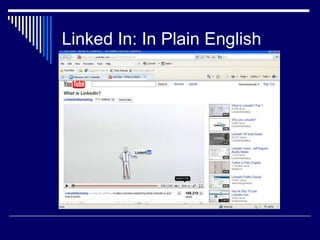
Linked In: In Plain English
Tip #1 – Complete Your Profile You are creating an online brand  Use keywords to craft your online presence  Be found – using LinkedIn increases your search engine results (claim your “vanity URL”)  Your profile should be interesting and compelling
Tip #1 – Complete Your Profile  Your profile should:  Reinforce your credentials  Include a photo  Include all of your past work experience  Include industry and non-profit affiliations Include special interests – connections come from everywhere  Include websites – send connections to environments you control
Tip #2 – Add Connections  Use LinkedIn as your online Rolodex  4 Ways to Add Connections:  Import your address book from AOL, Yahoo, Hotmail, Gmail, Outlook  Search individual contacts by email address  Search individual contacts by name or company
Tip #2 – Add Connections  You can invite anyone to join your LinkedIn network, they don’t have to be a current user.  Add connections after networking events, industry events  Start with people you know – then add people they know  Send a meaningful invitation – personalizing the invite makes all the difference
Tip #3 – Recommendations  Request recommendations and provide them in return  Request recommendations from various positions – not simply your current role  Establishes credibility  Ask satisfied clients for recommendations
Tip #4 – Status Updates Use status updates to create conversation  Stay top of mind  It’s not all about you  Can link status updates to Twitter  The coolest trick ever – TinyUrl.com (mobile devices)
Tip #5 – Join Groups  There are 414 “CPA” groups  Your competitors are there – why aren’t you?  Stay informed – industry trends, critical issues  Participate in conversation important to you and your business  Can display groups on your profile  Create a group? (have to manage)
Tip #6 – Prospect on LinkedIn  More connections = increased opportunities  Second & third level connections  Request an introduction (limited)  Search companies and see how you may be connected to someone within that company
Tip #6 – Prospect on LinkedIn Search options allow you to prospect by Title Name Geography  Company  Keywords  Advanced Search – an amazing and cost-effective prospecting tool
Tip #7 – Use Applications  Applications enhance the value in your profile  Easy to implement and allow you to connect with a broader audience  Gives people a reason to visit your profile
Keep It Up  Spend 15 minutes a day on LinkedIn  Update your status Add new contacts Respond to requests Participate in discussion  Update your profile  Request recommendations
Thank You  Kim Eberhardt Marketing Director, Hennessey Capital  248.658.3206  keberhardt@hennesseycap.com  http://www.linkedin.com/in/kimeberhardt

7 Tips: Using LinkedIn to Grow Your Business

  • 1.
    7 Tips: UsingLinkedIn To Grow Your Business
  • 2.
    About Me Marketing Director at Hennessey Capital My job = spread the word about what Hennessey Capital does and how Avid social media user – Facebook, Twitter, LinkedIn
  • 3.
    Social Media –What is it? “Social media essentially is a category of online media where people are talking, participating, sharing, networking, and bookmarking online.” Social media is about building a community New set of rules – givers get Personal & professional brand blurred
  • 4.
    So Many Tools Twitter = 140 characters. Used to generate interest and share beneficial content with new people (followers) Facebook = highly social. An online high school reunion. (friends) LinkedIn is the most professionally-focused and widely used for business purposes of all the social media tools (connections)
  • 5.
    About LinkedIn Professional social networking website 65 million users in 200 countries Executives from all Fortune 500 companies are LinkedIn members Available in English, French, German, Italian, Portuguese and Spanish
  • 6.
    Linked In: InPlain English
  • 7.
    Tip #1 –Complete Your Profile You are creating an online brand Use keywords to craft your online presence Be found – using LinkedIn increases your search engine results (claim your “vanity URL”) Your profile should be interesting and compelling
  • 8.
    Tip #1 –Complete Your Profile Your profile should: Reinforce your credentials Include a photo Include all of your past work experience Include industry and non-profit affiliations Include special interests – connections come from everywhere Include websites – send connections to environments you control
  • 9.
    Tip #2 –Add Connections Use LinkedIn as your online Rolodex 4 Ways to Add Connections: Import your address book from AOL, Yahoo, Hotmail, Gmail, Outlook Search individual contacts by email address Search individual contacts by name or company
  • 10.
    Tip #2 –Add Connections You can invite anyone to join your LinkedIn network, they don’t have to be a current user. Add connections after networking events, industry events Start with people you know – then add people they know Send a meaningful invitation – personalizing the invite makes all the difference
  • 11.
    Tip #3 –Recommendations Request recommendations and provide them in return Request recommendations from various positions – not simply your current role Establishes credibility Ask satisfied clients for recommendations
  • 12.
    Tip #4 –Status Updates Use status updates to create conversation Stay top of mind It’s not all about you Can link status updates to Twitter The coolest trick ever – TinyUrl.com (mobile devices)
  • 13.
    Tip #5 –Join Groups There are 414 “CPA” groups Your competitors are there – why aren’t you? Stay informed – industry trends, critical issues Participate in conversation important to you and your business Can display groups on your profile Create a group? (have to manage)
  • 14.
    Tip #6 –Prospect on LinkedIn More connections = increased opportunities Second & third level connections Request an introduction (limited) Search companies and see how you may be connected to someone within that company
  • 15.
    Tip #6 –Prospect on LinkedIn Search options allow you to prospect by Title Name Geography Company Keywords Advanced Search – an amazing and cost-effective prospecting tool
  • 16.
    Tip #7 –Use Applications Applications enhance the value in your profile Easy to implement and allow you to connect with a broader audience Gives people a reason to visit your profile
  • 17.
    Keep It Up Spend 15 minutes a day on LinkedIn Update your status Add new contacts Respond to requests Participate in discussion Update your profile Request recommendations
  • 18.
    Thank You Kim Eberhardt Marketing Director, Hennessey Capital 248.658.3206 keberhardt@hennesseycap.com http://www.linkedin.com/in/kimeberhardt