Connecting and sharing to
Social media: Facebook,
Twitter, YouTube, LinkedIn
…. and more
Website Promotion workshop
> Tourism sector
January 2012
:: Alfons van Duijvenbode
• Importance of social media
• Facebook: good practice
and creating a page
• Twitter: good practice and
creating an account
• You Tube: good practice
and creating a channel
• LinkedIn for B2B
• Sharing widget
• Social media dashboard
• TripAdvisor
Agenda
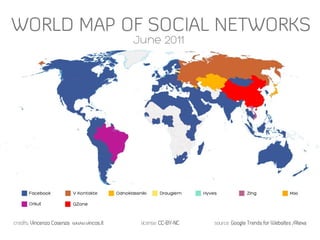
Social media a must
• Consumers increasingly video oriented
• 4 billion views per day in You Tube (2011)
• Facebook surpassed Google as most visited website
• 600 billion pageviews per month (2010)
• Twitter: 90 million tweets per day (2010)
• KLM communication dept spends 80% of the time on social media (2010)
• 33% of leisure travelers changed their hotels based on what they read
on blogs or other travel related community sites (Forrester Research)
• Live stats at: Gary’s social media count ..and socialnomics in YouTube
• http://www.personalizemedia.com/the-count/
• http://www.youtube.com/watch?v=g3JPuEUY8oY&feature=related
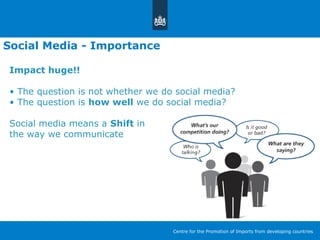
Social Media - Importance
Impact huge!!
• The question is not whether we do social media?
• The question is how well we do social media?
Social media means a Shift in
the way we communicate
Centre for the Promotion of Imports from developing countries
Social Media – Key for success
What is your goal?
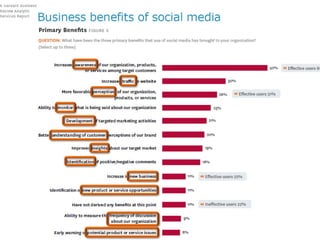
Benefits of Social Media
Centre for the Promotion of Imports from developing countries
1 Social Media – Key for success
Impact huge!!
• The question is not whether we do social media?
• The question is how well we do social media?
Social media means a Shift in
the way we communicate
Facebook
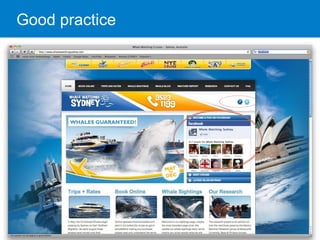
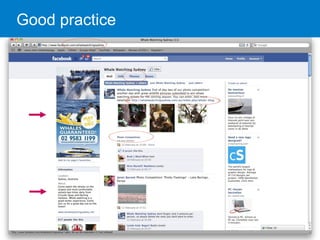
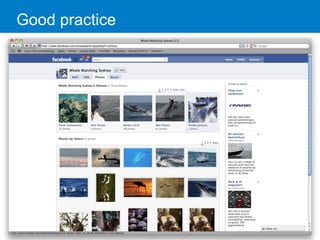
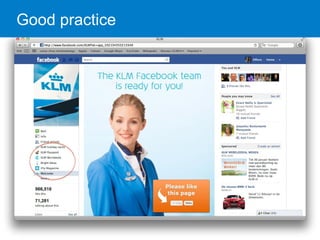
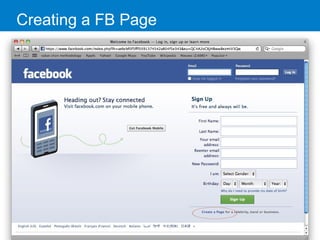
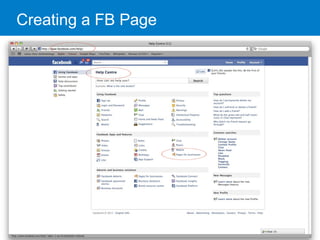
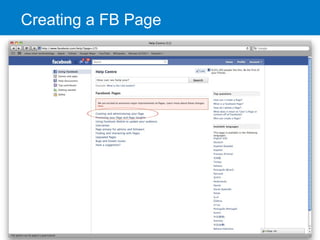
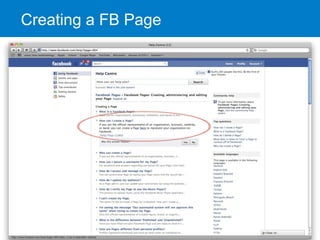
• Set up a ‘Page’ not just a profile
• Businesses or organizations are not allowed by FB to set up an ‘individual
profile’
• Pages allow more than 5,000 fans where a profile can only have 5,000
friends
• Pages offer more features incl. statistical analytics (fan activity)
• Possibility for multiple administrators
• The page is for engagement, the website for conversion, so always
link to the website
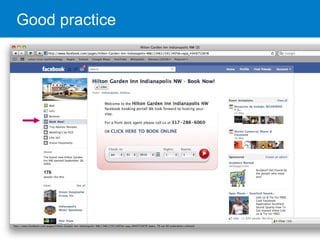
• FB applications for richer engagement experience and immediate
actions (FBML)
• Invite fans: “Follow us on…” (widget…)
Good practice
Good practice
Good practice
Good practice
Good practice
Good practice
Good practice
Good practice
Creating a FB Page
Creating a FB Page
Creating a FB Page
Creating a FB Page
Twitter
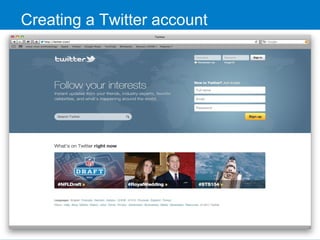
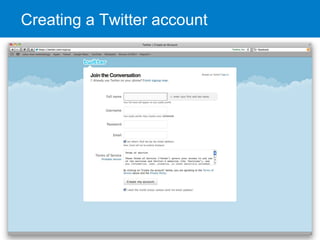
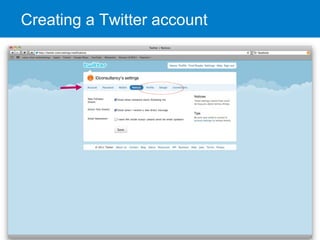
• Set up an account, mind the account name
• Customize the background design (corporate style…)
• Follow relevant parties (travel agents, tour operators, etc.)
• Tweet regularly, follow KISS and AIDAS principle
• Use a URL shortener (e.g. bit.ly or via dashboard…)
• The twitter page is for engagement, the website for
conversion, so always link your tweets to the website
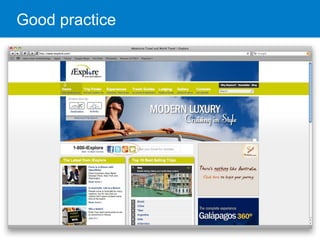
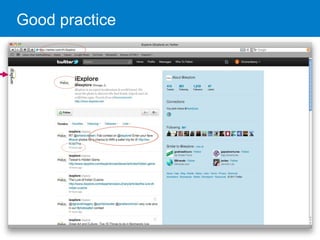
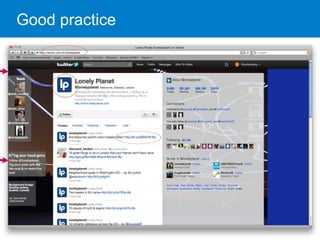
• A good practice:
http://twitter.com/#!/iExplore | http://twitter.com/#!/lonelyplanet
• Youtube: http://www.youtube.com/watch?v=NshQFrpC2O4
Good practice
Good practice
Good practice
Creating a Twitter account
You Tube
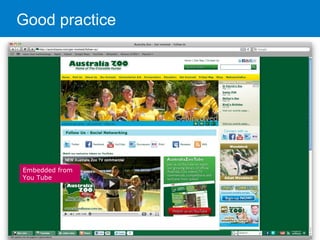
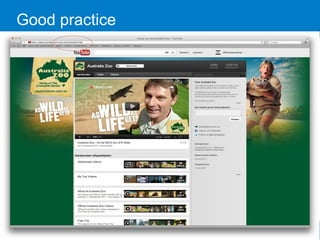
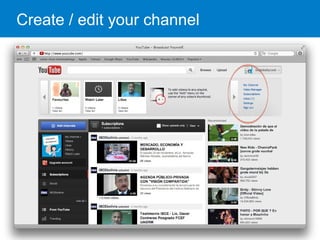
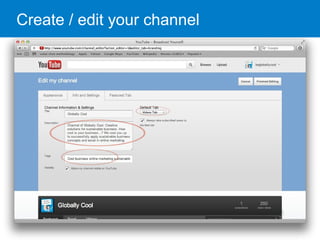
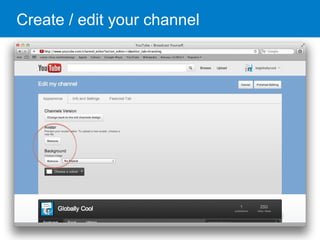
• Create your own channel and include a description,
always include your website domain name
• Customize the channel design (corporate style)
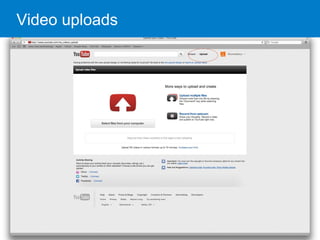
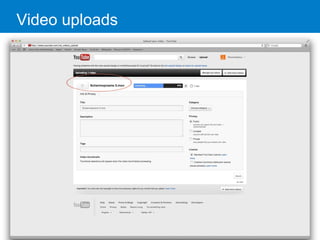
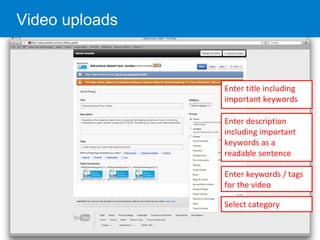
• Upload video’s and name, describe and tag them
properly to make them visible in You Tube’s search
• Keep video’s short (2-3 minutes)
• Mind music copy rights….
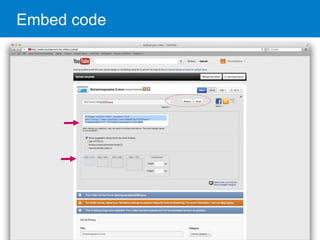
• Embed the code in your website
• Good practice: http://www.youtube.com/user/AustraliaZooTube
Good practice
Embedded from
You Tube
Good practice
Customized
design
Create / edit your channel
Video uploads
Video uploads
Video uploads
Enter title including
important keywords
Enter keywords / tags
for the video
Select category
Enter description
including important
keywords as a
readable sentence
Embed code
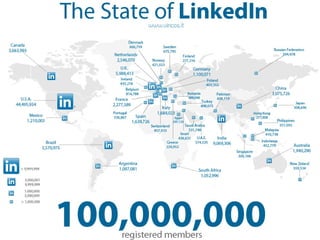
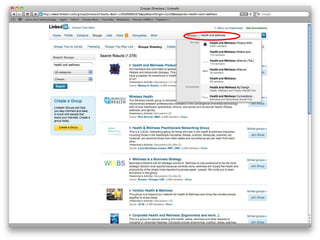
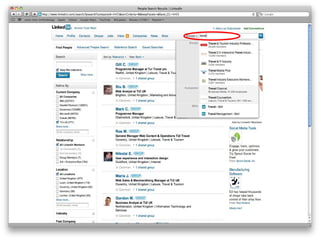
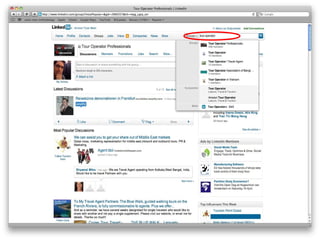
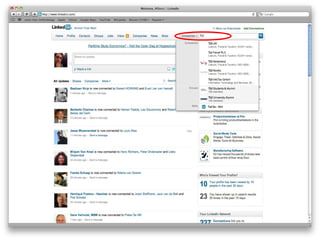
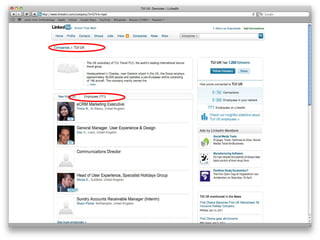
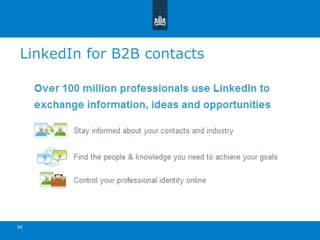
LinkedIn for B2B contacts
39
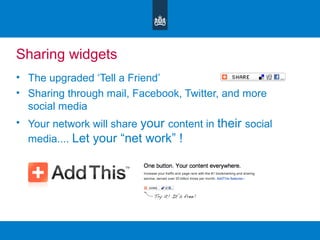
Sharing widgets
• The upgraded ‘Tell a Friend’
• Sharing through mail, Facebook, Twitter, and more
social media
• Your network will share your content in their social
media.... Let your “net work” !
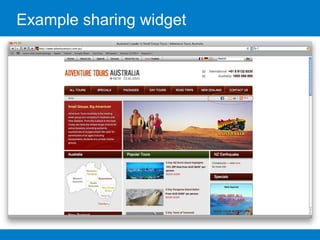
Example sharing widget
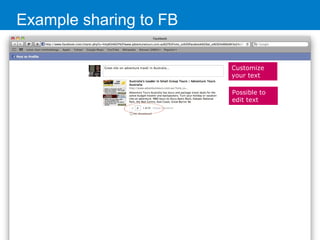
Example sharing to FB
Customize
your text
Possible to
edit text
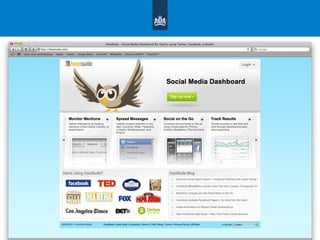
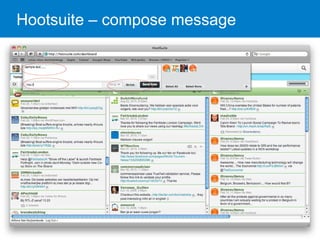
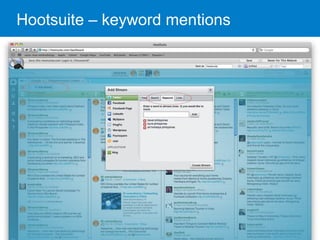
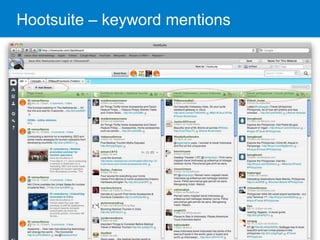
Social media dashboard
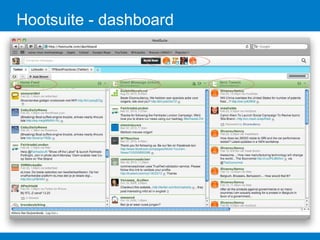
• Manage your social media through one dashboard
• Compose your message and send to multiple social
media channels (Twitter, FB, LinkedIn etc.)
• Automatic ‘link shrink’
• Schedule updates
• Monitor mentions
• Mobile app
www.hootsuite.com
Social media dashboard
• Manage your social media through one dashboard
• Compose your message and send to multiple social
media channels
• Automatic ‘link shrink’
• Schedule updates
• Monitor mentions
• Mobile app
Hootsuite - dashboard
Hootsuite – compose message
Hootsuite – keyword mentions
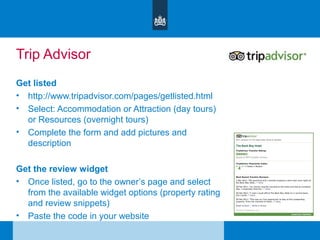
Trip Advisor
Get listed
• http://www.tripadvisor.com/pages/getlisted.html
• Select: Accommodation or Attraction (day tours)
or Resources (overnight tours)
• Complete the form and add pictures and
description
Get the review widget
• Once listed, go to the owner’s page and select
from the available widget options (property rating
and review snippets)
• Paste the code in your website
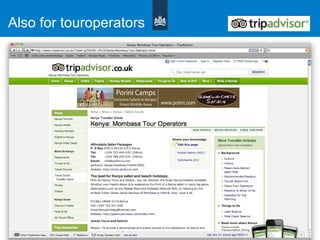
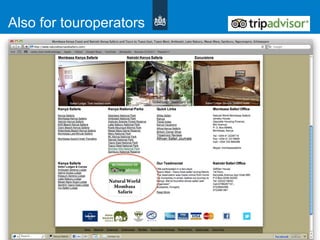
Also for touroperators
Assignment
Assignment
• Set up a company ‘fan page’ and add your company logo
• Set up a twitter page and add your company logo
• Create your company YouTube account / channel and include
your company logo
• Create your company LinkedIn account and register in relevant
groups
• Create your Hootsuite account and add your twitter and facebook
‘fan page’ accounts
• Make sure that your Tweets and fan page feeds are included in
the Hootsuite streams
• Add a stream with keywords relevant to your business
• Register with Trip Advisor or get a review widget
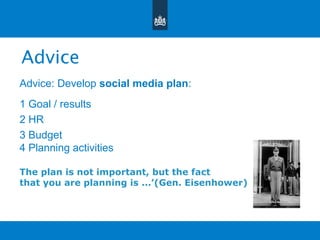
Advice
Advice: Develop social media plan:
1 Goal / results
2 HR
3 Budget
4 Planning activities
The plan is not important, but the fact
that you are planning is ...’(Gen. Eisenhower)

7 social media connecting and sharing-final [day2-module3}

  • 1.
    Connecting and sharingto Social media: Facebook, Twitter, YouTube, LinkedIn …. and more Website Promotion workshop > Tourism sector January 2012 :: Alfons van Duijvenbode
  • 2.
    • Importance ofsocial media • Facebook: good practice and creating a page • Twitter: good practice and creating an account • You Tube: good practice and creating a channel • LinkedIn for B2B • Sharing widget • Social media dashboard • TripAdvisor Agenda
  • 3.
    Social media amust • Consumers increasingly video oriented • 4 billion views per day in You Tube (2011) • Facebook surpassed Google as most visited website • 600 billion pageviews per month (2010) • Twitter: 90 million tweets per day (2010) • KLM communication dept spends 80% of the time on social media (2010) • 33% of leisure travelers changed their hotels based on what they read on blogs or other travel related community sites (Forrester Research) • Live stats at: Gary’s social media count ..and socialnomics in YouTube • http://www.personalizemedia.com/the-count/ • http://www.youtube.com/watch?v=g3JPuEUY8oY&feature=related
  • 4.
    Social Media -Importance Impact huge!! • The question is not whether we do social media? • The question is how well we do social media? Social media means a Shift in the way we communicate Centre for the Promotion of Imports from developing countries
  • 6.
    Social Media –Key for success What is your goal? Benefits of Social Media Centre for the Promotion of Imports from developing countries
  • 7.
    1 Social Media– Key for success Impact huge!! • The question is not whether we do social media? • The question is how well we do social media? Social media means a Shift in the way we communicate
  • 8.
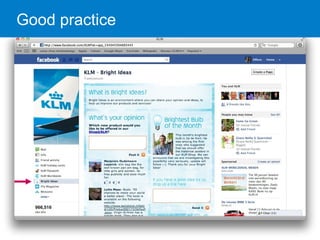
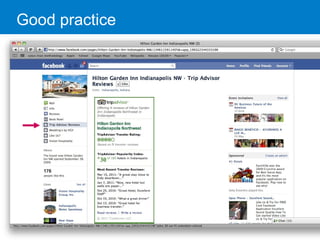
    Facebook • Set upa ‘Page’ not just a profile • Businesses or organizations are not allowed by FB to set up an ‘individual profile’ • Pages allow more than 5,000 fans where a profile can only have 5,000 friends • Pages offer more features incl. statistical analytics (fan activity) • Possibility for multiple administrators • The page is for engagement, the website for conversion, so always link to the website • FB applications for richer engagement experience and immediate actions (FBML) • Invite fans: “Follow us on…” (widget…)
  • 9.
  • 10.
  • 11.
  • 12.
  • 13.
  • 14.
  • 15.
  • 16.
  • 17.
  • 18.
  • 19.
  • 20.
  • 21.
    Twitter • Set upan account, mind the account name • Customize the background design (corporate style…) • Follow relevant parties (travel agents, tour operators, etc.) • Tweet regularly, follow KISS and AIDAS principle • Use a URL shortener (e.g. bit.ly or via dashboard…) • The twitter page is for engagement, the website for conversion, so always link your tweets to the website • A good practice: http://twitter.com/#!/iExplore | http://twitter.com/#!/lonelyplanet • Youtube: http://www.youtube.com/watch?v=NshQFrpC2O4
  • 22.
  • 23.
  • 24.
  • 25.
  • 26.
  • 27.
  • 28.
    You Tube • Createyour own channel and include a description, always include your website domain name • Customize the channel design (corporate style) • Upload video’s and name, describe and tag them properly to make them visible in You Tube’s search • Keep video’s short (2-3 minutes) • Mind music copy rights…. • Embed the code in your website • Good practice: http://www.youtube.com/user/AustraliaZooTube
  • 29.
  • 30.
  • 31.
    Create / edityour channel
  • 32.
    Create / edityour channel
  • 33.
    Create / edityour channel
  • 34.
  • 35.
  • 36.
    Video uploads Enter titleincluding important keywords Enter keywords / tags for the video Select category Enter description including important keywords as a readable sentence
  • 37.
  • 38.
    LinkedIn for B2Bcontacts 39
  • 45.
    Sharing widgets • Theupgraded ‘Tell a Friend’ • Sharing through mail, Facebook, Twitter, and more social media • Your network will share your content in their social media.... Let your “net work” !
  • 46.
  • 47.
    Example sharing toFB Customize your text Possible to edit text
  • 48.
    Social media dashboard •Manage your social media through one dashboard • Compose your message and send to multiple social media channels (Twitter, FB, LinkedIn etc.) • Automatic ‘link shrink’ • Schedule updates • Monitor mentions • Mobile app www.hootsuite.com
  • 49.
    Social media dashboard •Manage your social media through one dashboard • Compose your message and send to multiple social media channels • Automatic ‘link shrink’ • Schedule updates • Monitor mentions • Mobile app
  • 50.
  • 51.
  • 52.
  • 53.
  • 54.
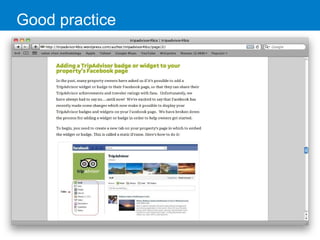
    Trip Advisor Get listed •http://www.tripadvisor.com/pages/getlisted.html • Select: Accommodation or Attraction (day tours) or Resources (overnight tours) • Complete the form and add pictures and description Get the review widget • Once listed, go to the owner’s page and select from the available widget options (property rating and review snippets) • Paste the code in your website
  • 55.
  • 56.
  • 57.
  • 58.
    Assignment • Set upa company ‘fan page’ and add your company logo • Set up a twitter page and add your company logo • Create your company YouTube account / channel and include your company logo • Create your company LinkedIn account and register in relevant groups • Create your Hootsuite account and add your twitter and facebook ‘fan page’ accounts • Make sure that your Tweets and fan page feeds are included in the Hootsuite streams • Add a stream with keywords relevant to your business • Register with Trip Advisor or get a review widget
  • 59.
    Advice Advice: Develop socialmedia plan: 1 Goal / results 2 HR 3 Budget 4 Planning activities The plan is not important, but the fact that you are planning is ...’(Gen. Eisenhower)