Pre-Production
Jack Reagan-Wallis
Style sheet
This is a colour scheme of the NBA teams,
the colours here are what they use for there
home and away jerseys. I will follow one of
these schemes depending on the player and
team I use in my game.
This font is used by the Bulls and is a
contender for the font I will be using in
my game. It is bold and strong which can
help it stand out on the screen whilst
other stuff is going on.
These numbers are
used by Miami Heat for
their jerseys. This font I
may use to display the
score, timer etc.
Layout 1
Side view of court
and player, left
hand side has
player, the right
side has the
basket.
Background has
scenery that can
change from city
view, to street
courts and the
beach. The score
and timer text is
used with the font
I showcased on
the style sheet,
the numbers were
also used by the
font I showed.
Layout 2
This layout shows the game
played from a different
angle. Instead of the game
being viewed from the side,
this one is shown from the
perspective of the player.
The game is played by
swiping up the ball and
aiming it at the hoop. The
scenery is different with this
layout, the aim is too have
graffiti on the walls behind
the basket and backboard.
The area that this court is
placed is a street
environment, which means
in the final piece, I will add
detail such as litter, graffiti
and other extras.
Props & Locations
Props/Costume needed Locations needed
Text Font DaFont
Numbers Font DaFont
Images Google
Photoshop Adobe
Computer College
Microsoft PowerPoint Microsoft
Contingency Planning
Potential Issue Solution
Storage device full Spare memory card or USB
Bad internet connection could cause you to not
find images on google
Have images ready on USB
Layout idea may not look correct after
production
Have spare layouts ready
Might lose saved documents Back up all files using email or USB
Any drawings or designs may look incorrect Keep back up designs
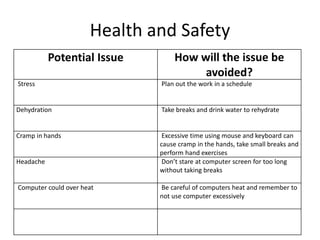
Health and Safety
Potential Issue How will the issue be
avoided?
Stress Plan out the work in a schedule
Dehydration Take breaks and drink water to rehydrate
Cramp in hands Excessive time using mouse and keyboard can
cause cramp in the hands, take small breaks and
perform hand exercises
Headache Don’t stare at computer screen for too long
without taking breaks
Computer could over heat Be careful of computers heat and remember to
not use computer excessively
Schedule
Day Plan of Action Resources Required
Day 1  Design characters on Photoshop document  Photoshop
Day 2  Plan layout of game design on Photoshop  Photoshop
Day 3  Start designing layout  Photoshop
Day 4  Add character to map  Photoshop
Day 5  Add details to character to make him fit in
with the scene
 Photoshop
Day 6  Add details to map design/layout  Photoshop
Day 7  Animate the game  Photoshop
Day 8  Add finishing touches to game  Photoshop

5. pre production (jrw) interactive

  • 1.
  • 2.
    Style sheet This isa colour scheme of the NBA teams, the colours here are what they use for there home and away jerseys. I will follow one of these schemes depending on the player and team I use in my game. This font is used by the Bulls and is a contender for the font I will be using in my game. It is bold and strong which can help it stand out on the screen whilst other stuff is going on. These numbers are used by Miami Heat for their jerseys. This font I may use to display the score, timer etc.
  • 3.
    Layout 1 Side viewof court and player, left hand side has player, the right side has the basket. Background has scenery that can change from city view, to street courts and the beach. The score and timer text is used with the font I showcased on the style sheet, the numbers were also used by the font I showed.
  • 4.
    Layout 2 This layoutshows the game played from a different angle. Instead of the game being viewed from the side, this one is shown from the perspective of the player. The game is played by swiping up the ball and aiming it at the hoop. The scenery is different with this layout, the aim is too have graffiti on the walls behind the basket and backboard. The area that this court is placed is a street environment, which means in the final piece, I will add detail such as litter, graffiti and other extras.
  • 5.
    Props & Locations Props/Costumeneeded Locations needed Text Font DaFont Numbers Font DaFont Images Google Photoshop Adobe Computer College Microsoft PowerPoint Microsoft
  • 6.
    Contingency Planning Potential IssueSolution Storage device full Spare memory card or USB Bad internet connection could cause you to not find images on google Have images ready on USB Layout idea may not look correct after production Have spare layouts ready Might lose saved documents Back up all files using email or USB Any drawings or designs may look incorrect Keep back up designs
  • 7.
    Health and Safety PotentialIssue How will the issue be avoided? Stress Plan out the work in a schedule Dehydration Take breaks and drink water to rehydrate Cramp in hands Excessive time using mouse and keyboard can cause cramp in the hands, take small breaks and perform hand exercises Headache Don’t stare at computer screen for too long without taking breaks Computer could over heat Be careful of computers heat and remember to not use computer excessively
  • 8.
    Schedule Day Plan ofAction Resources Required Day 1  Design characters on Photoshop document  Photoshop Day 2  Plan layout of game design on Photoshop  Photoshop Day 3  Start designing layout  Photoshop Day 4  Add character to map  Photoshop Day 5  Add details to character to make him fit in with the scene  Photoshop Day 6  Add details to map design/layout  Photoshop Day 7  Animate the game  Photoshop Day 8  Add finishing touches to game  Photoshop

Editor's Notes

  • #3 Explore colours, fonts and image styles similar to what you want to produce. Discuss all three elements in relation to why you chose them and where you may use them in your project. Go over as many pages as you need to
  • #4 Mock up of a potential design using the colours and fonts established in your style sheet and sourced images
  • #5 Mock up of a potential design using the colours and fonts established in your style sheet and sourced images