3D technologies for teaching and learning
How using 3D technologies can benefit education
and research
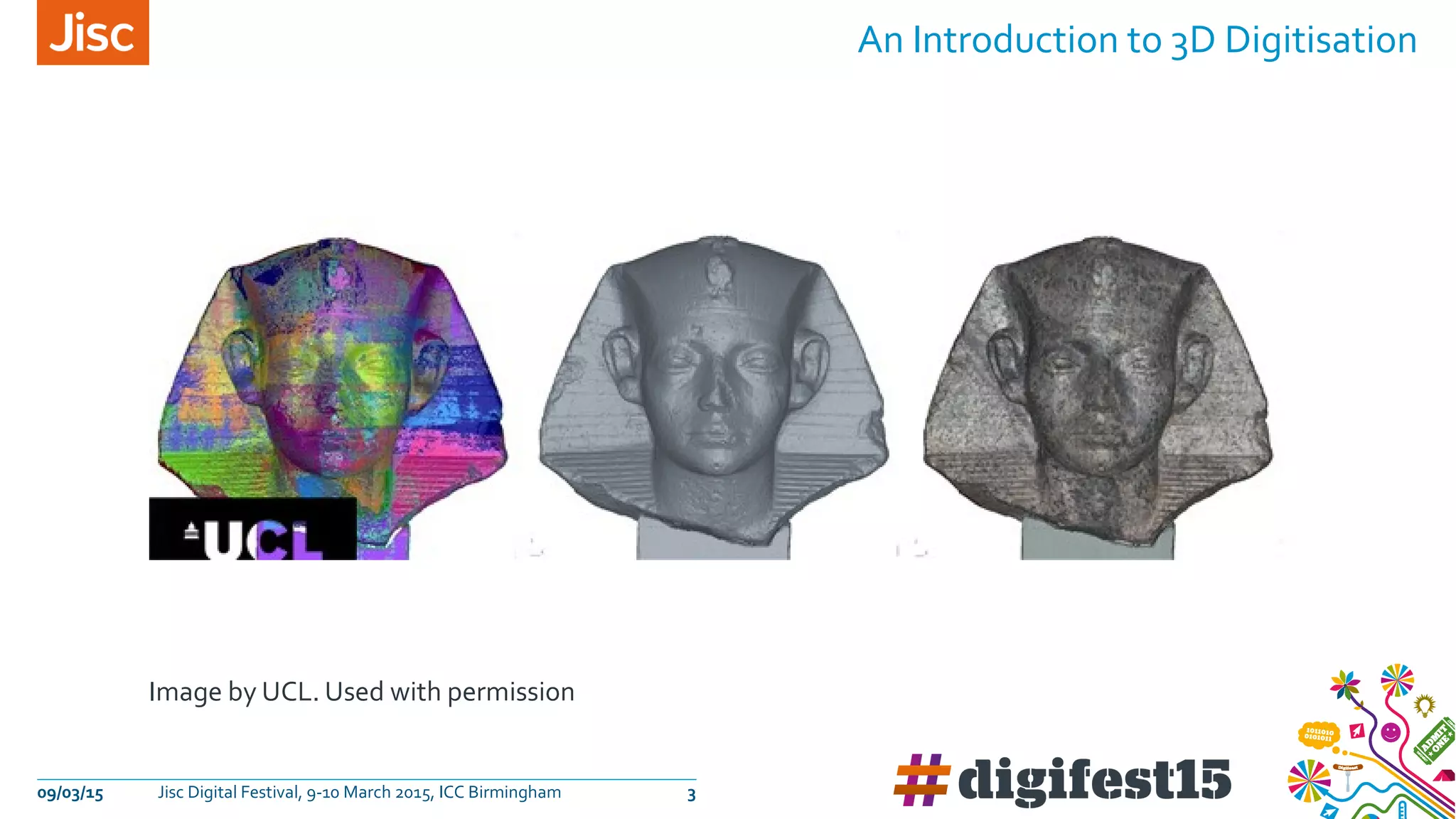
Image by UCL. Used with permission
An Introduction to 3D Digitisation
09/03/15 Jisc Digital Festival, 9-10 March 2015, ICC Birmingham 3
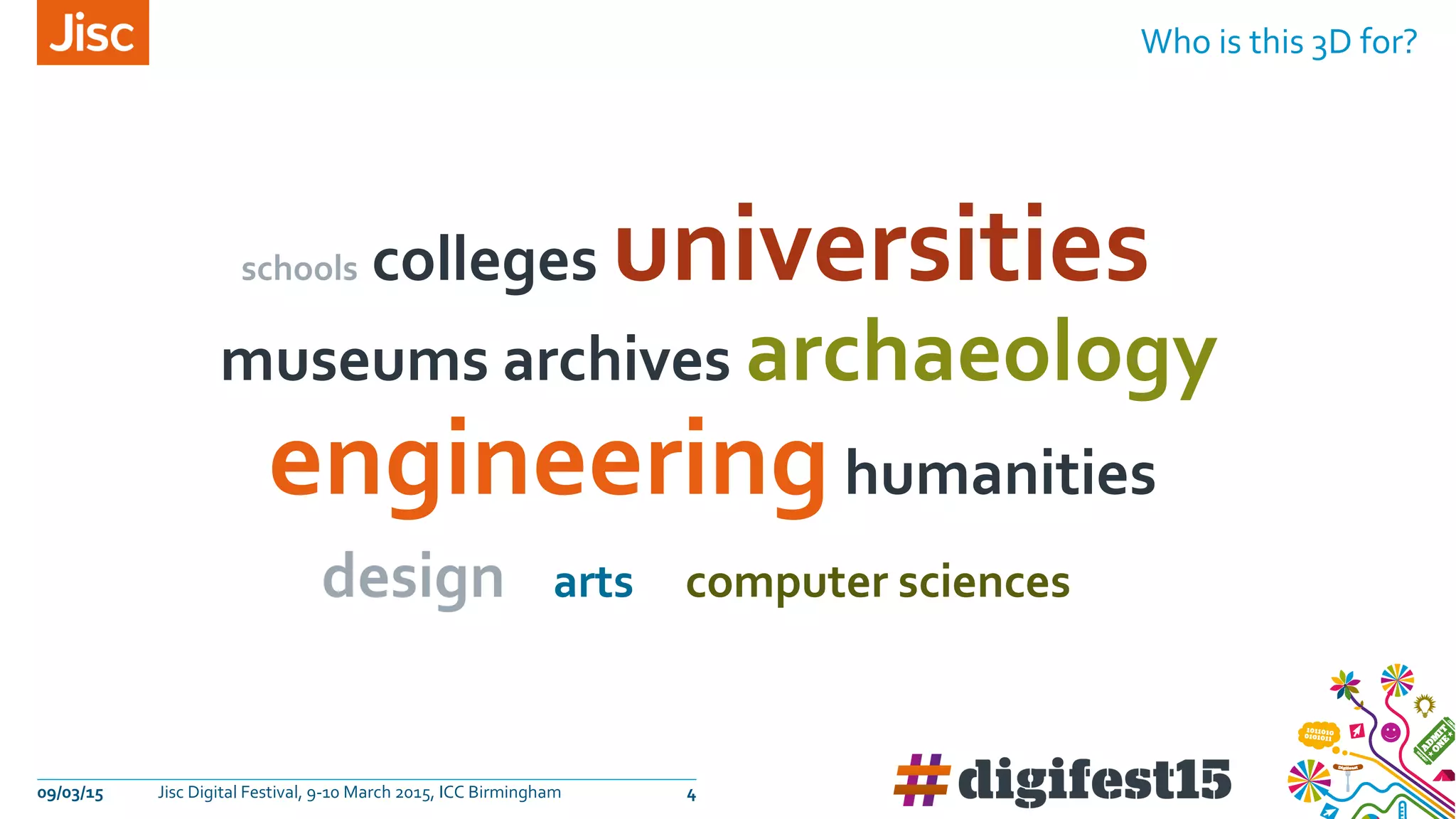
Who is this 3D for?
09/03/15 Jisc Digital Festival, 9-10 March 2015, ICC Birmingham 4
schools colleges universities
museums archives archaeology
engineeringhumanities
design arts computer sciences
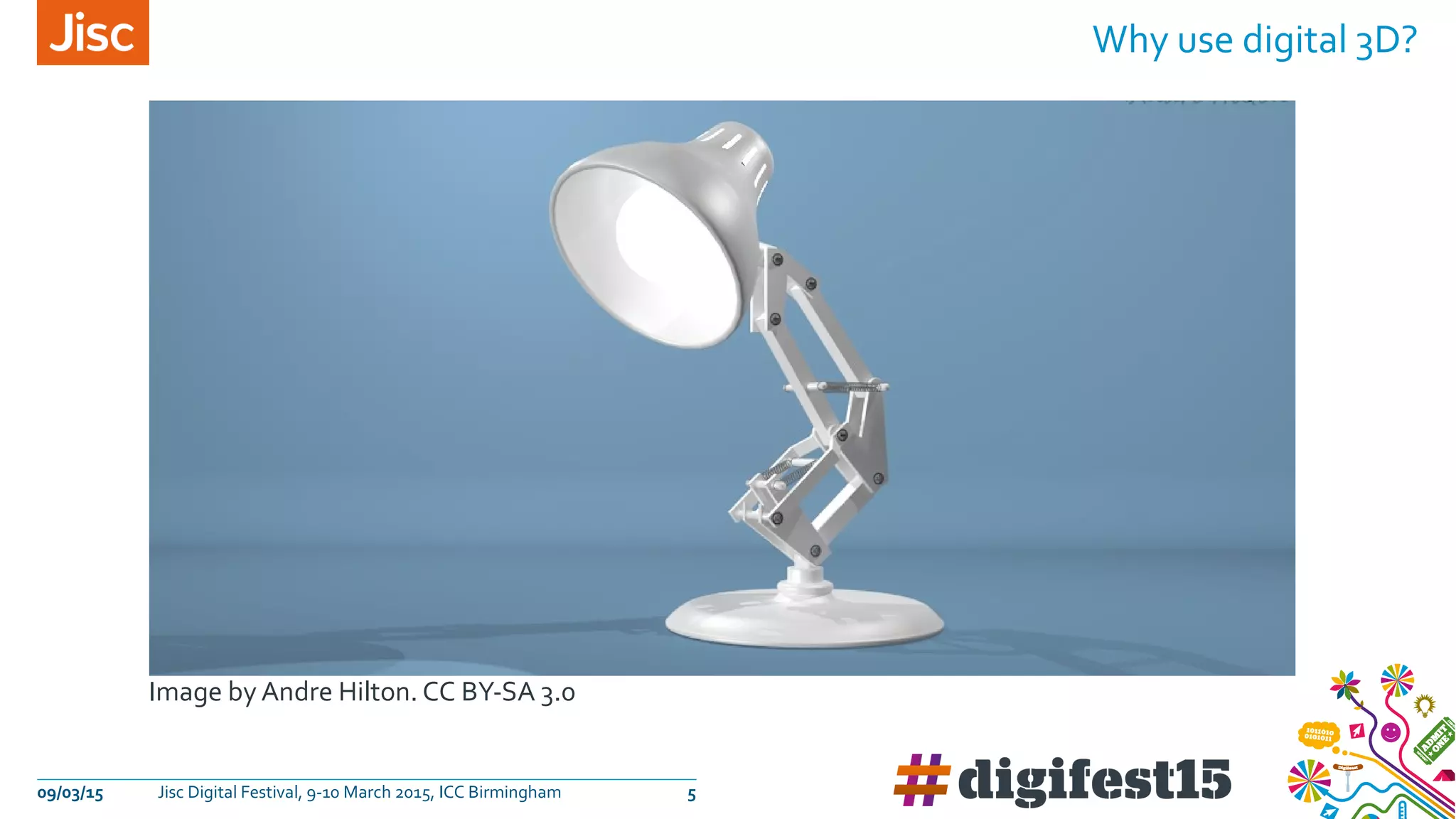
Image by Andre Hilton. CC BY-SA 3.0
09/03/15 Jisc Digital Festival, 9-10 March 2015, ICC Birmingham 5
Why use digital 3D?
» We can widen our audience by‘dematerialising’our real-world collection
» We can preserve fragile collections by making 3D copies
» We can harvest data from real world objects to increase our
understanding
» Researchers can gain new knowledge by 3D modeling & simulation
» We can share 3D data of real world objects
» 3D printing can make surrogate objects available to all
» 3D printing creates infinite opportunities for prototyping
» Learners engage with immersive worlds and‘gamification’
Why?
09/03/15 Jisc Digital Festival, 9-10 March 2015, ICC Birmingham 6
09/03/15 Jisc Digital Festival, 9-10 March 2015, ICC Birmingham 7
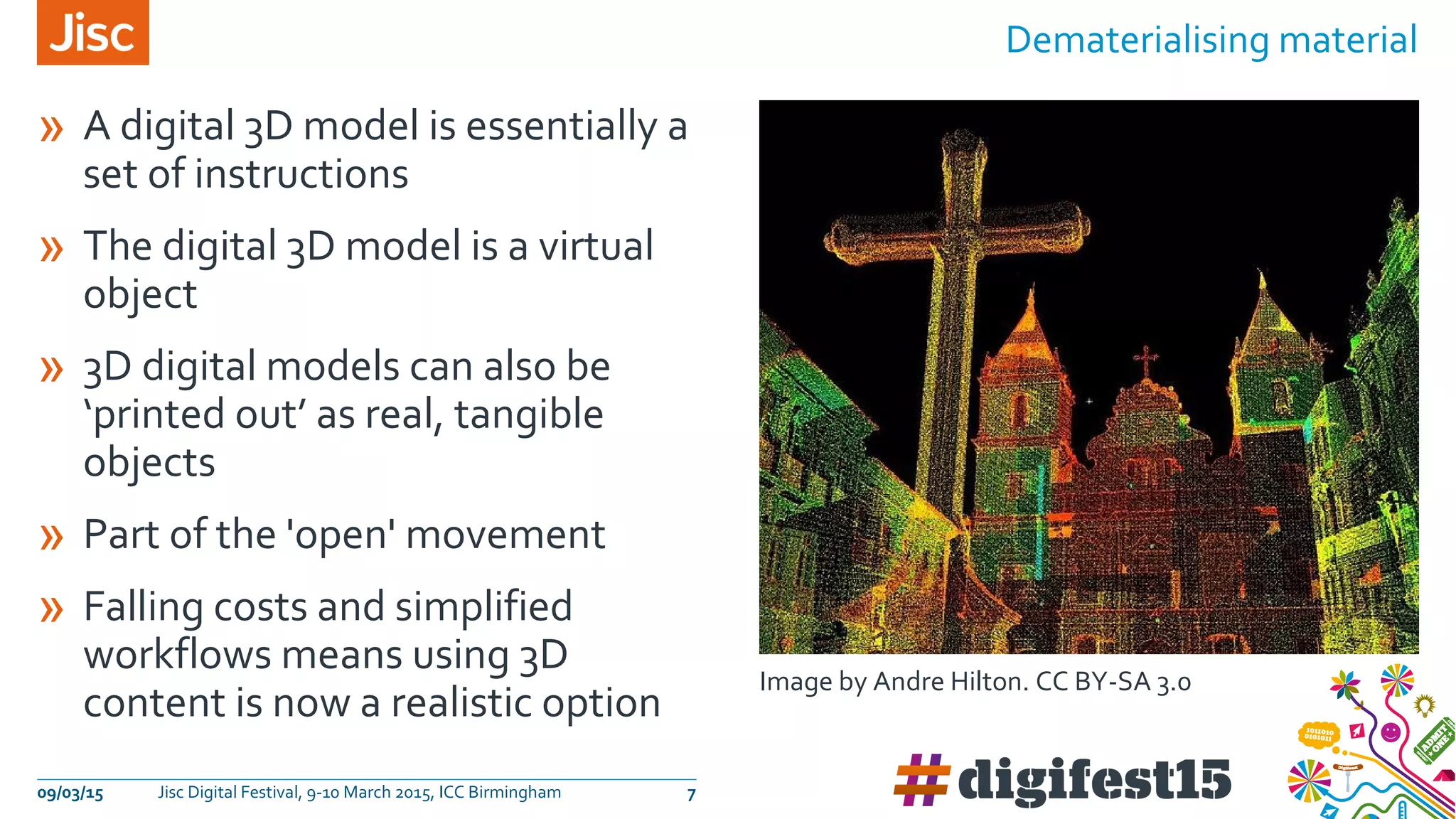
Dematerialising material
» A digital 3D model is essentially a
set of instructions
» The digital 3D model is a virtual
object
» 3D digital models can also be
‘printed out’ as real, tangible
objects
» Part of the 'open' movement
» Falling costs and simplified
workflows means using 3D
content is now a realistic option
Image by Andre Hilton. CC BY-SA 3.0
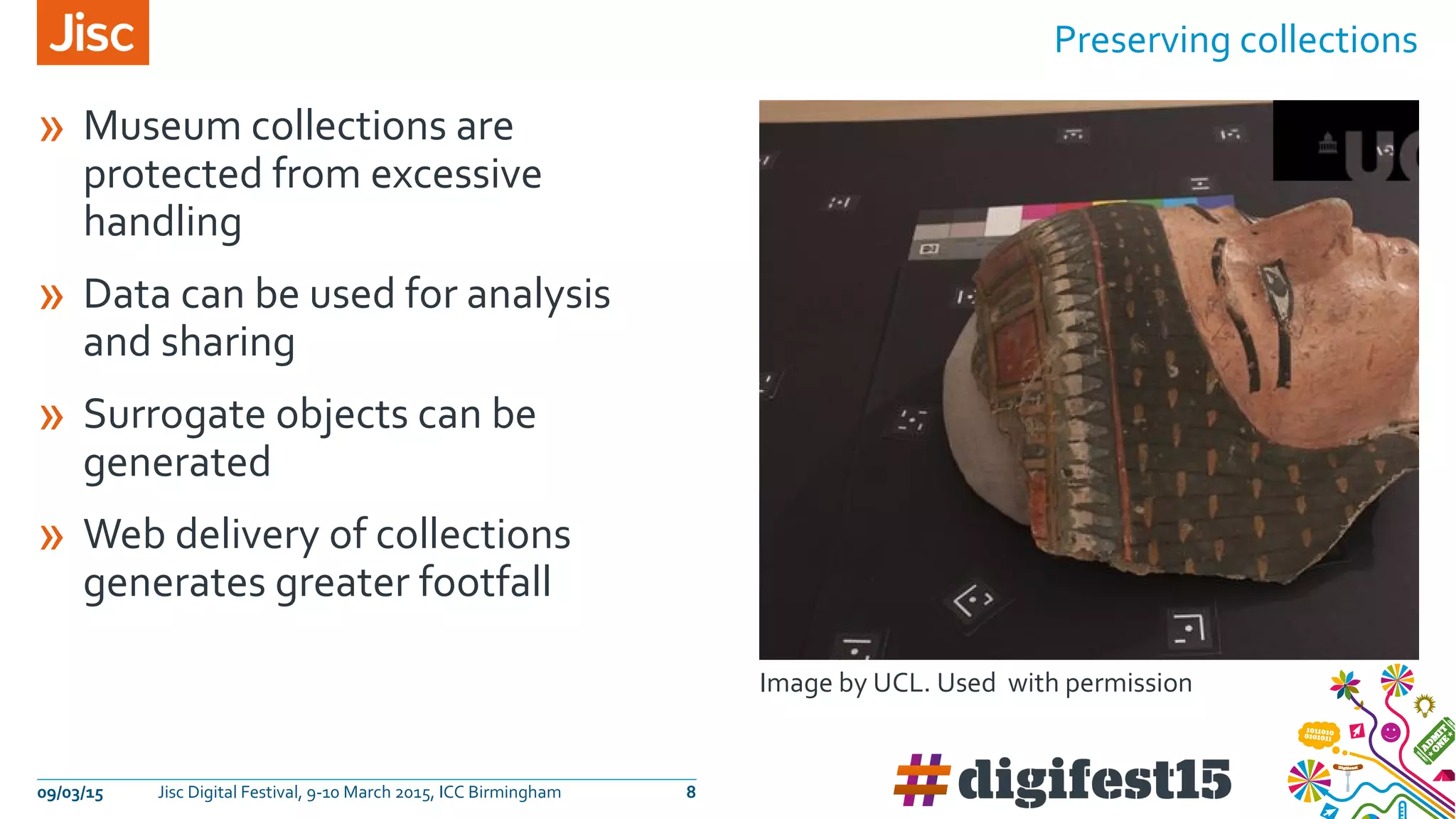
» Museum collections are
protected from excessive
handling
» Data can be used for analysis
and sharing
» Surrogate objects can be
generated
» Web delivery of collections
generates greater footfall
Preserving collections
09/03/15 Jisc Digital Festival, 9-10 March 2015, ICC Birmingham 8
Image by UCL. Used with permission
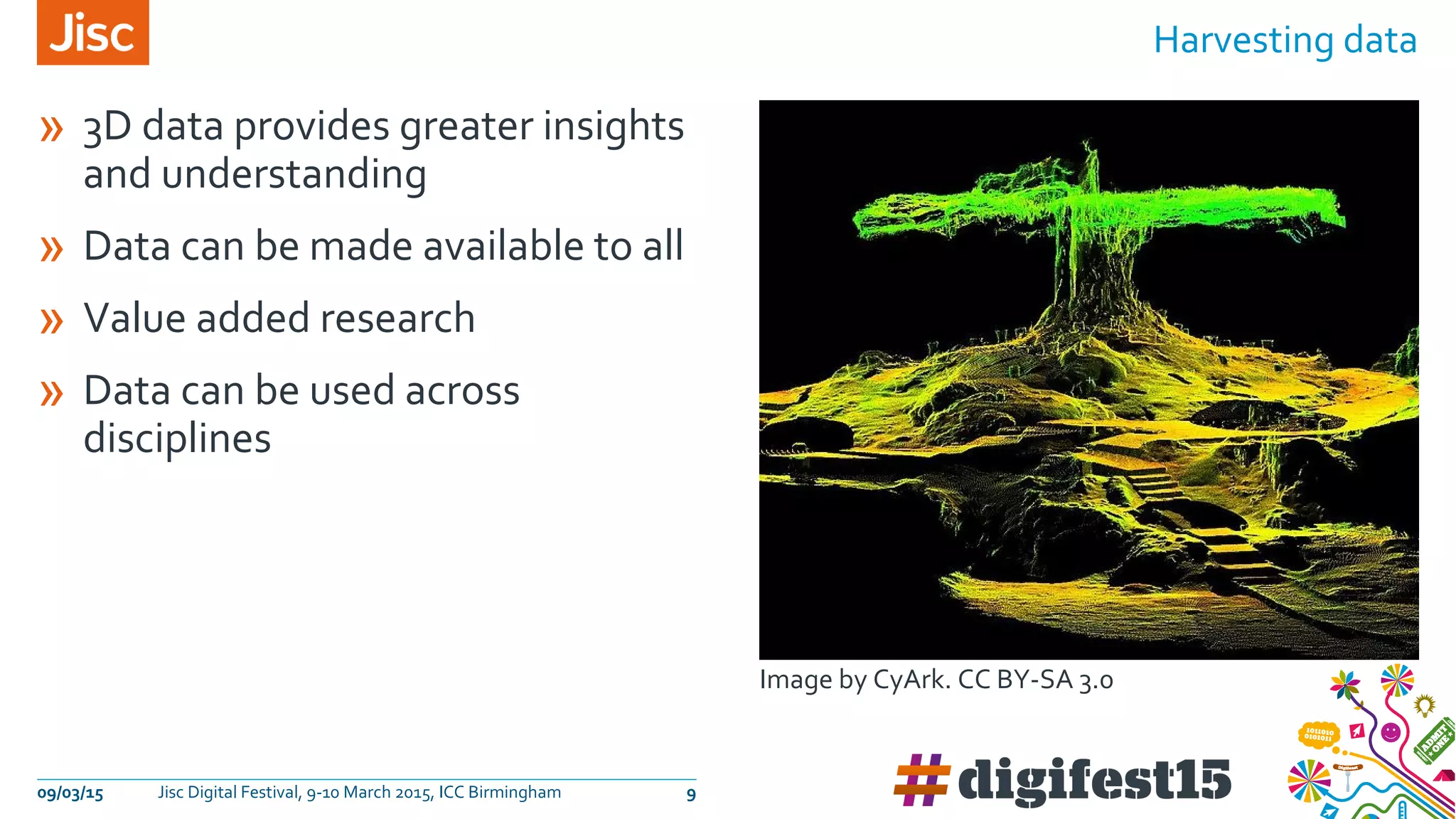
» 3D data provides greater insights
and understanding
» Data can be made available to all
» Value added research
» Data can be used across
disciplines
Harvesting data
09/03/15 Jisc Digital Festival, 9-10 March 2015, ICC Birmingham 9
Image by CyArk. CC BY-SA 3.0
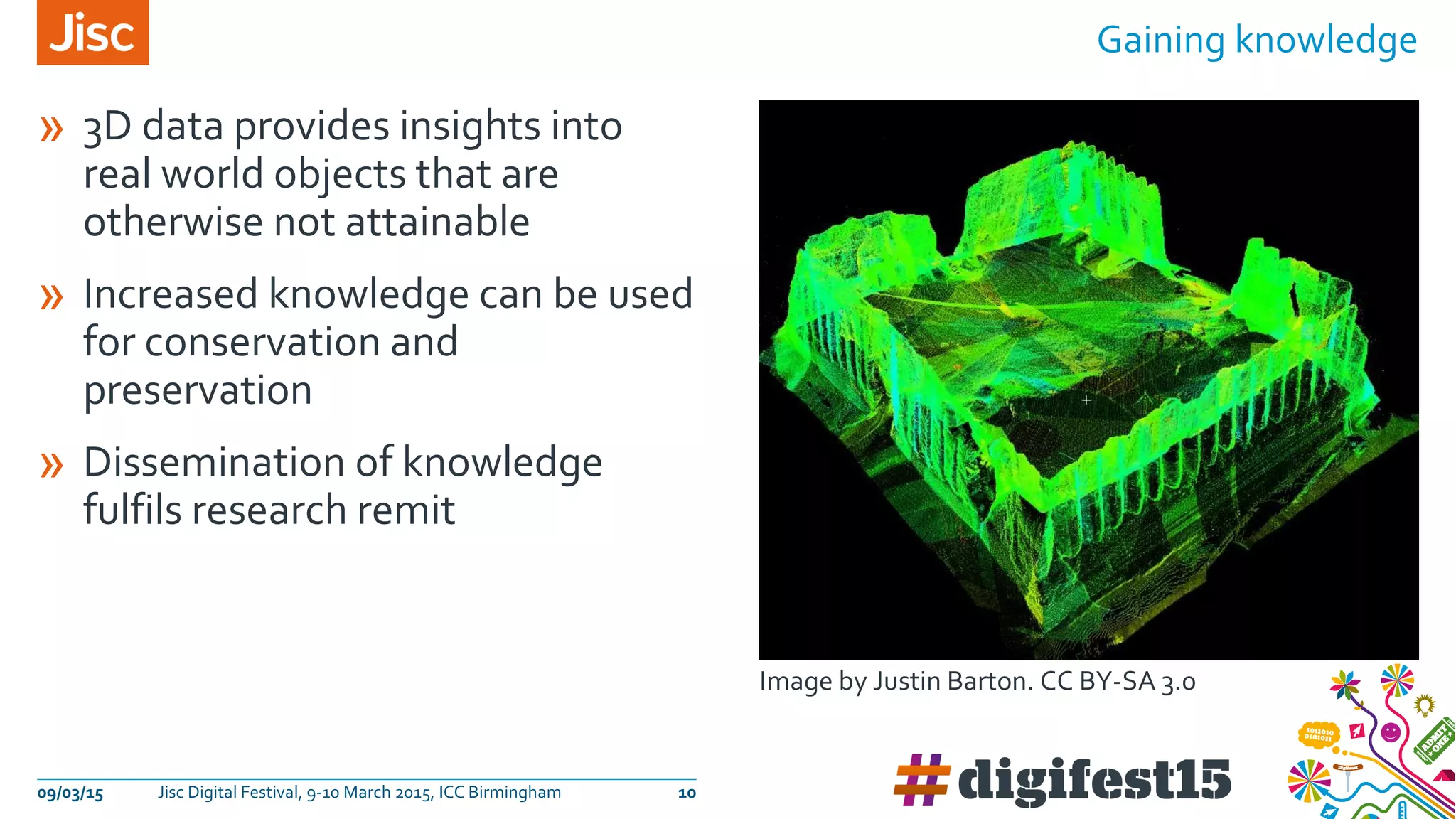
» 3D data provides insights into
real world objects that are
otherwise not attainable
» Increased knowledge can be used
for conservation and
preservation
» Dissemination of knowledge
fulfils research remit
Gaining knowledge
09/03/15 Jisc Digital Festival, 9-10 March 2015, ICC Birmingham 10
Image by Justin Barton. CC BY-SA 3.0
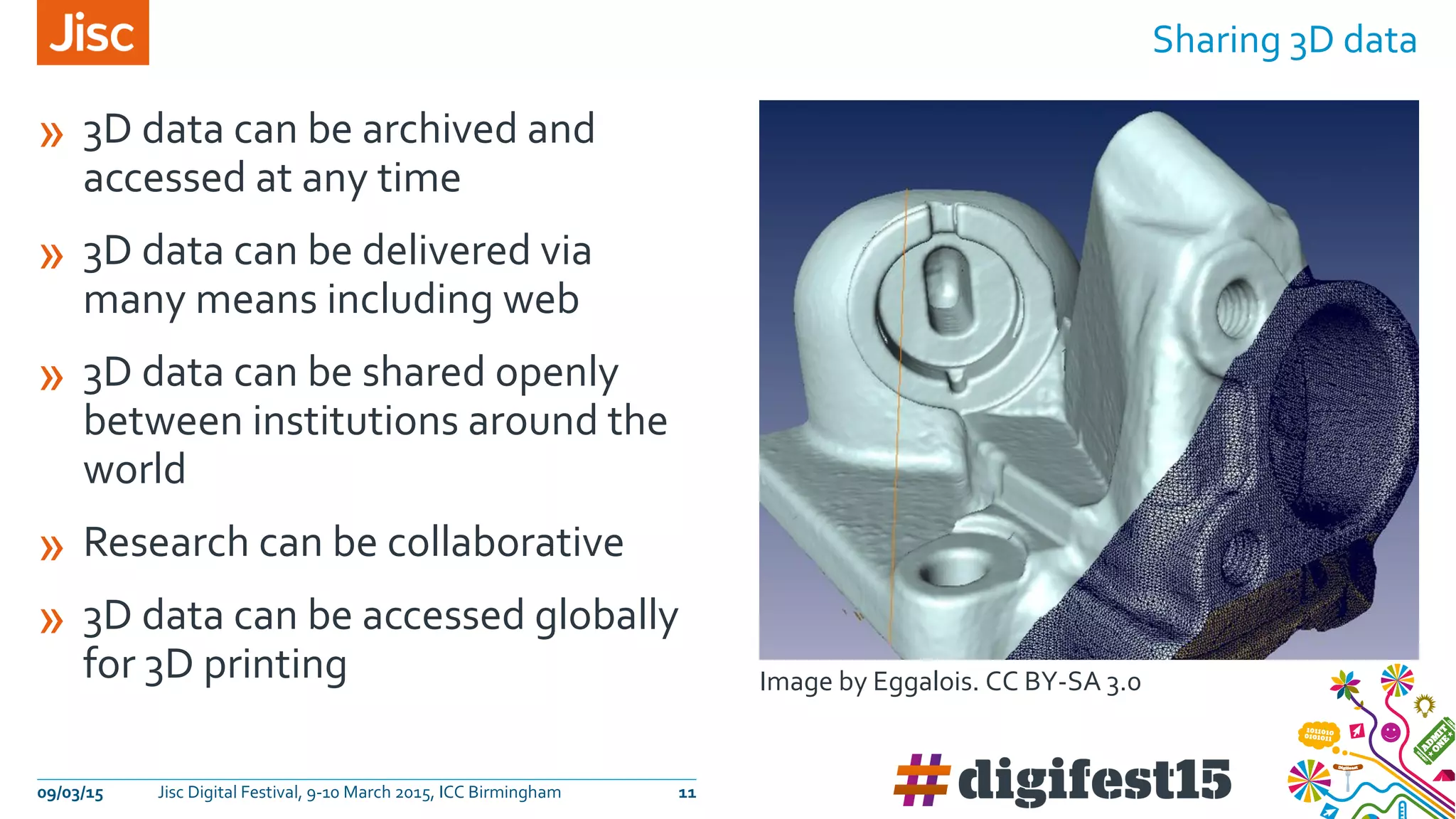
» 3D data can be archived and
accessed at any time
» 3D data can be delivered via
many means including web
» 3D data can be shared openly
between institutions around the
world
» Research can be collaborative
» 3D data can be accessed globally
for 3D printing
Sharing 3D data
09/03/15 Jisc Digital Festival, 9-10 March 2015, ICC Birmingham 11
Image by Eggalois. CC BY-SA 3.0
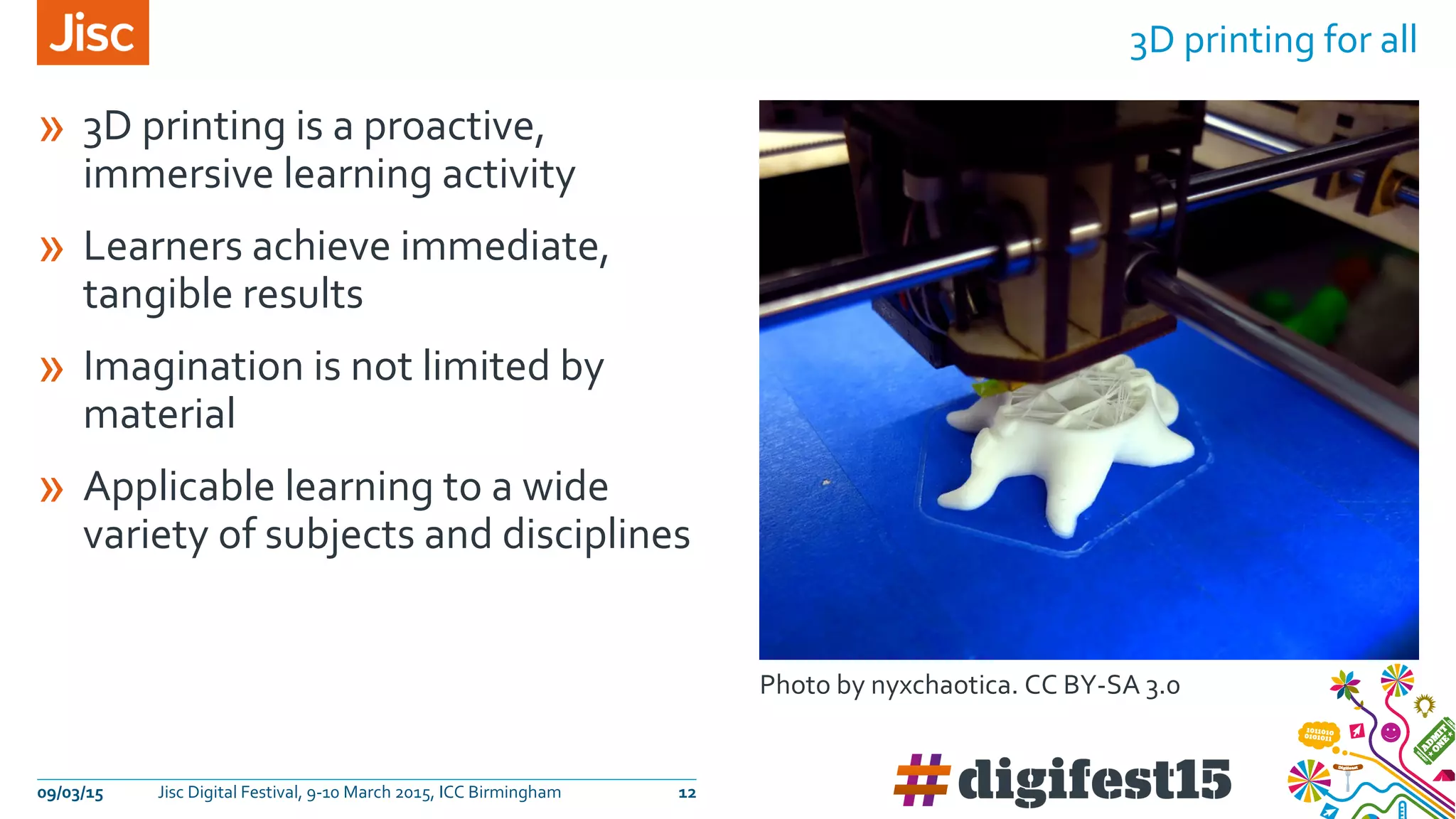
» 3D printing is a proactive,
immersive learning activity
» Learners achieve immediate,
tangible results
» Imagination is not limited by
material
» Applicable learning to a wide
variety of subjects and disciplines
3D printing for all
09/03/15 Jisc Digital Festival, 9-10 March 2015, ICC Birmingham 12
Photo by nyxchaotica. CC BY-SA 3.0
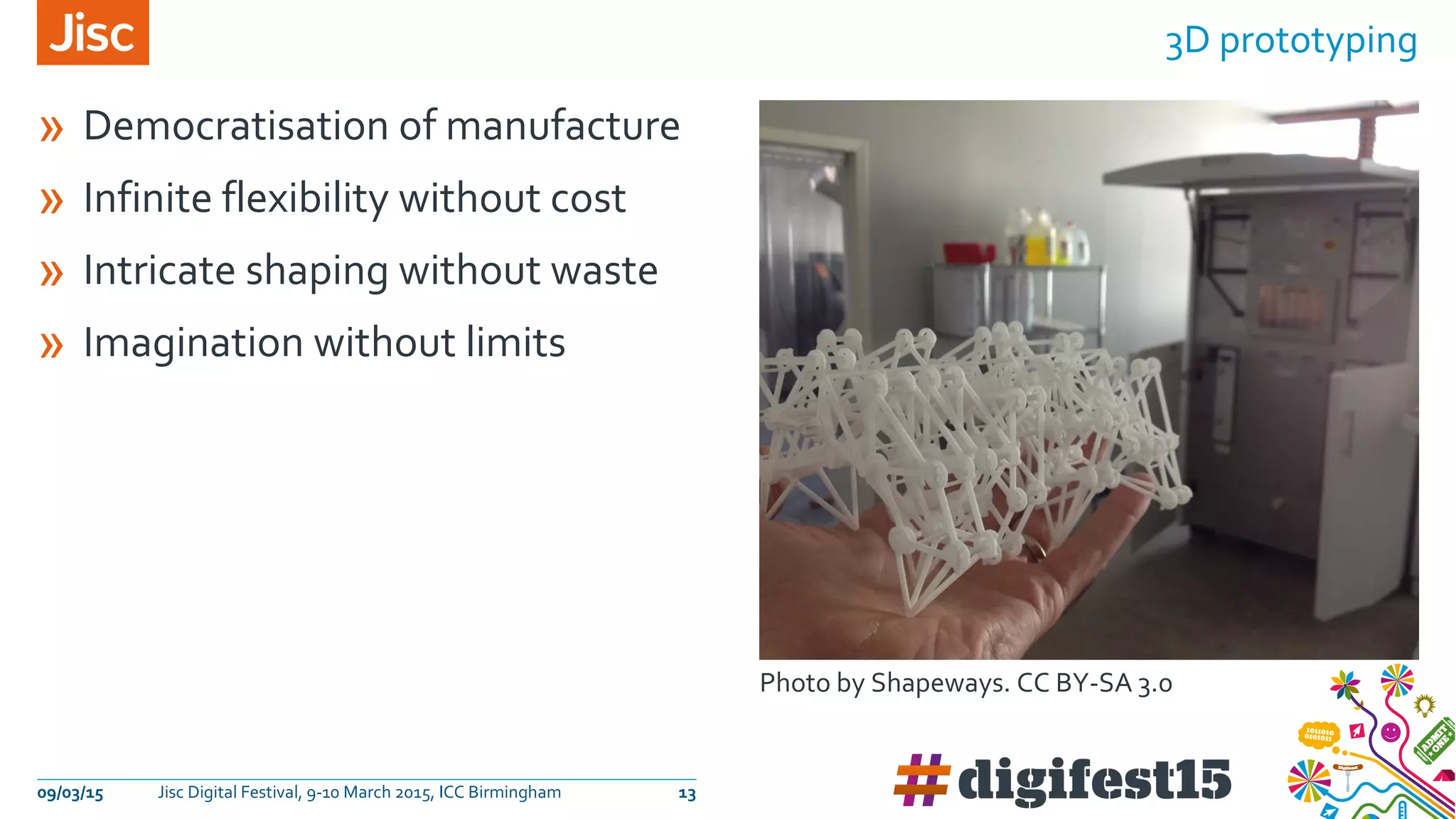
» Democratisation of manufacture
» Infinite flexibility without cost
» Intricate shaping without waste
» Imagination without limits
3D prototyping
09/03/15 Jisc Digital Festival, 9-10 March 2015, ICC Birmingham 13
Photo by Shapeways. CC BY-SA 3.0
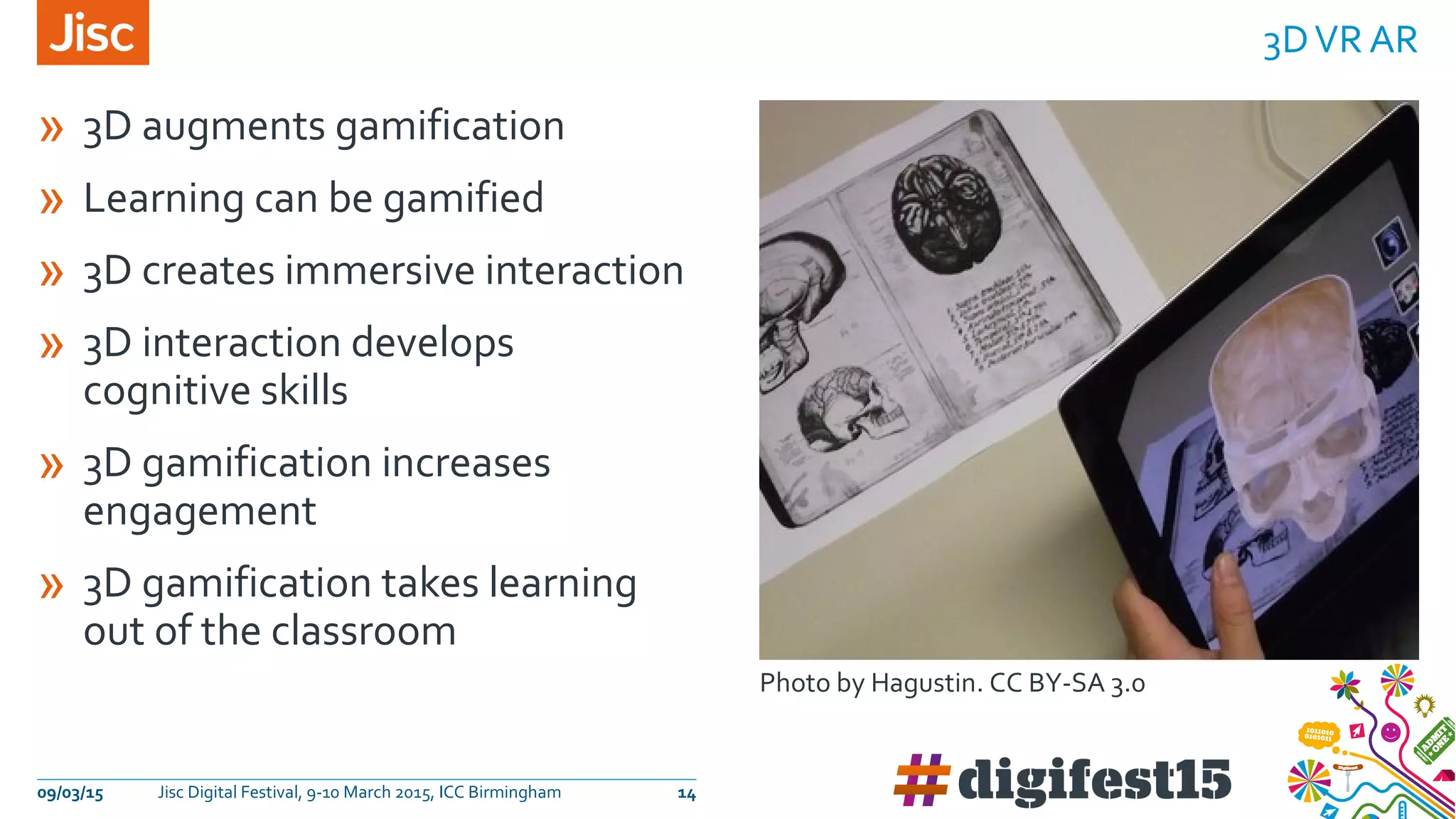
» 3D augments gamification
» Learning can be gamified
» 3D creates immersive interaction
» 3D interaction develops
cognitive skills
» 3D gamification increases
engagement
» 3D gamification takes learning
out of the classroom
3DVR AR
09/03/15 Jisc Digital Festival, 9-10 March 2015, ICC Birmingham 14
Photo by Hagustin. CC BY-SA 3.0
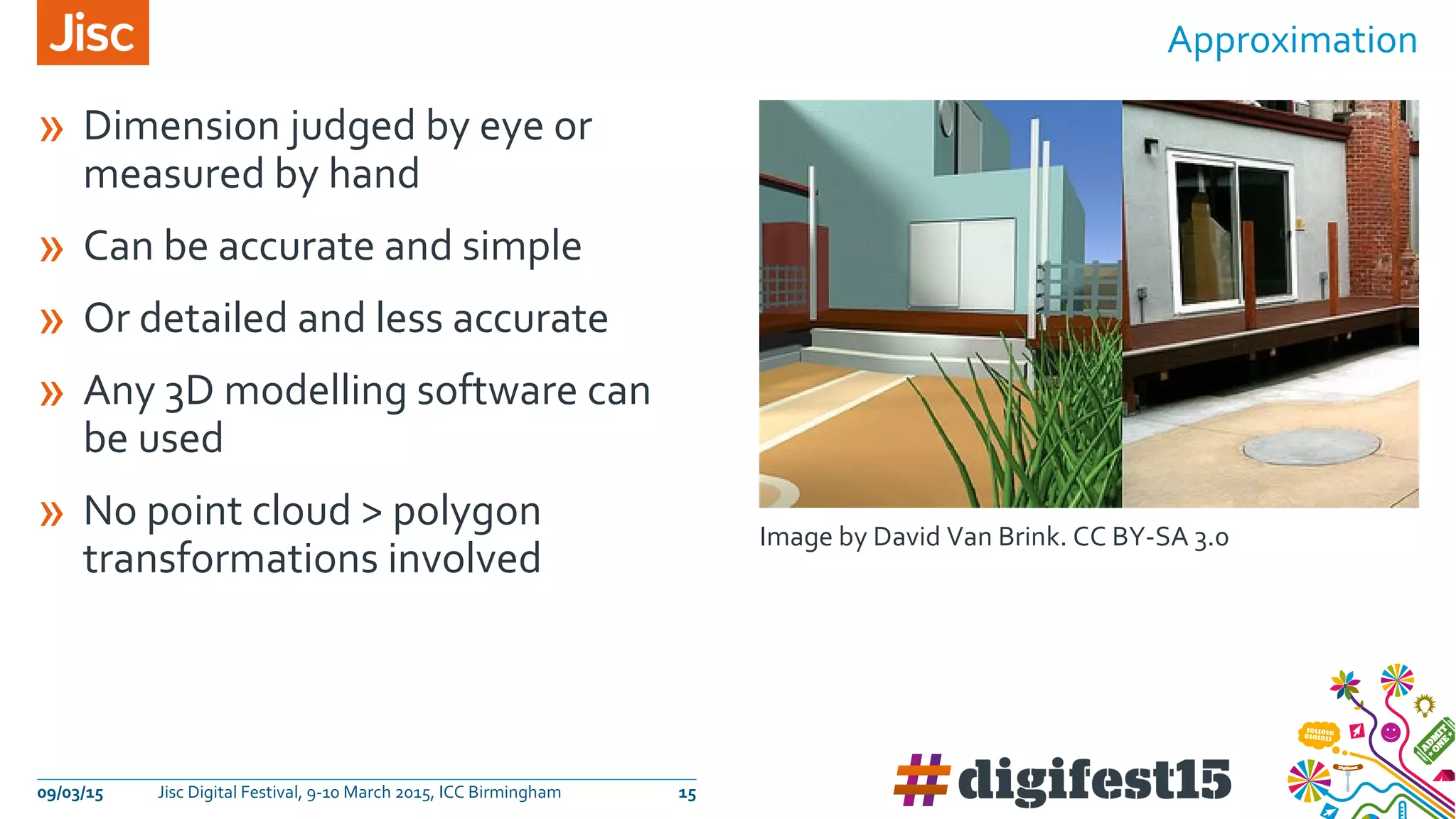
» Dimension judged by eye or
measured by hand
» Can be accurate and simple
» Or detailed and less accurate
» Any 3D modelling software can
be used
» No point cloud > polygon
transformations involved
Approximation
09/03/15 Jisc Digital Festival, 9-10 March 2015, ICC Birmingham 15
Image by David Van Brink. CC BY-SA 3.0
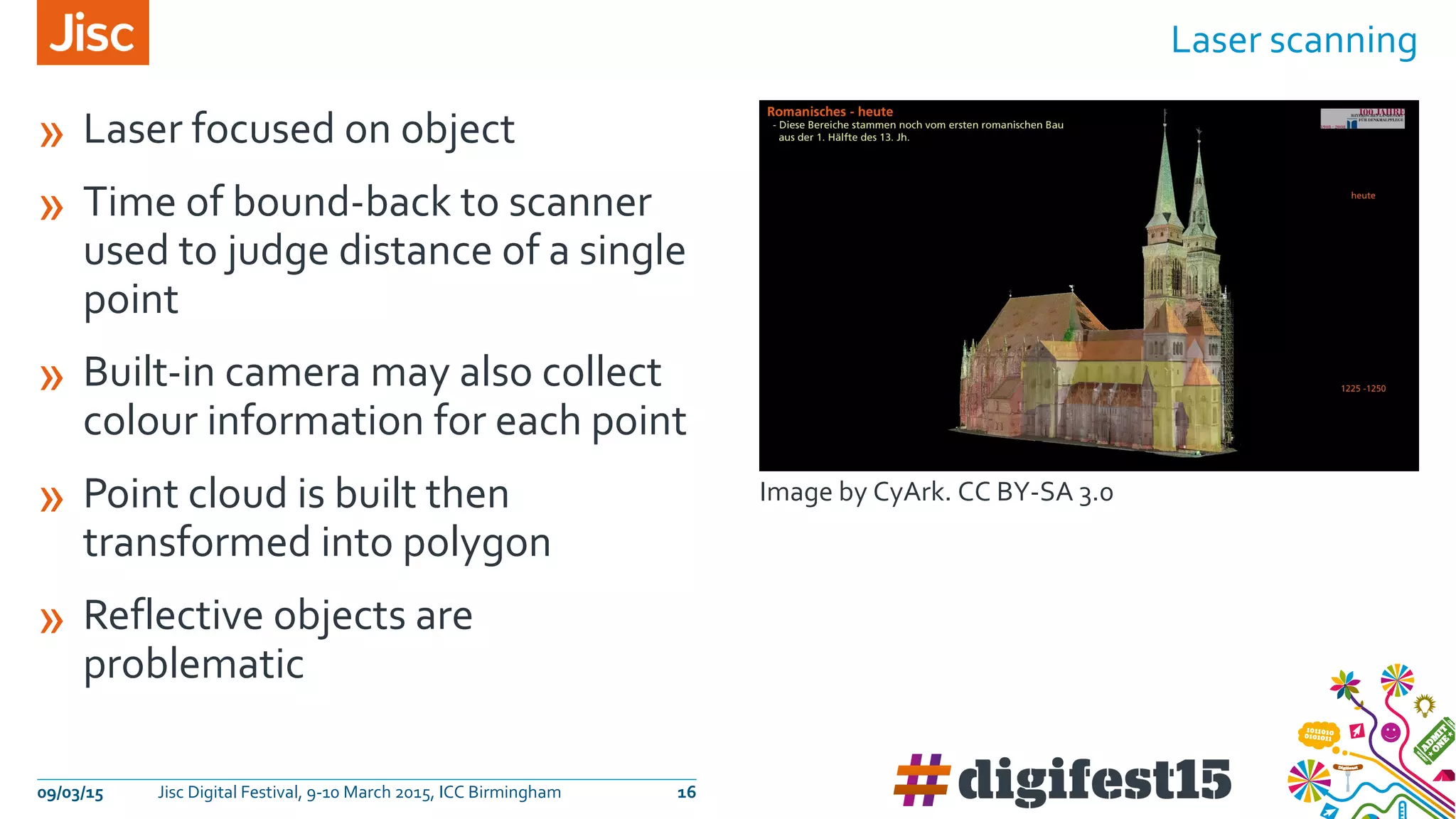
» Laser focused on object
» Time of bound-back to scanner
used to judge distance of a single
point
» Built-in camera may also collect
colour information for each point
» Point cloud is built then
transformed into polygon
» Reflective objects are
problematic
Laser scanning
09/03/15 Jisc Digital Festival, 9-10 March 2015, ICC Birmingham 16
Image by CyArk. CC BY-SA 3.0
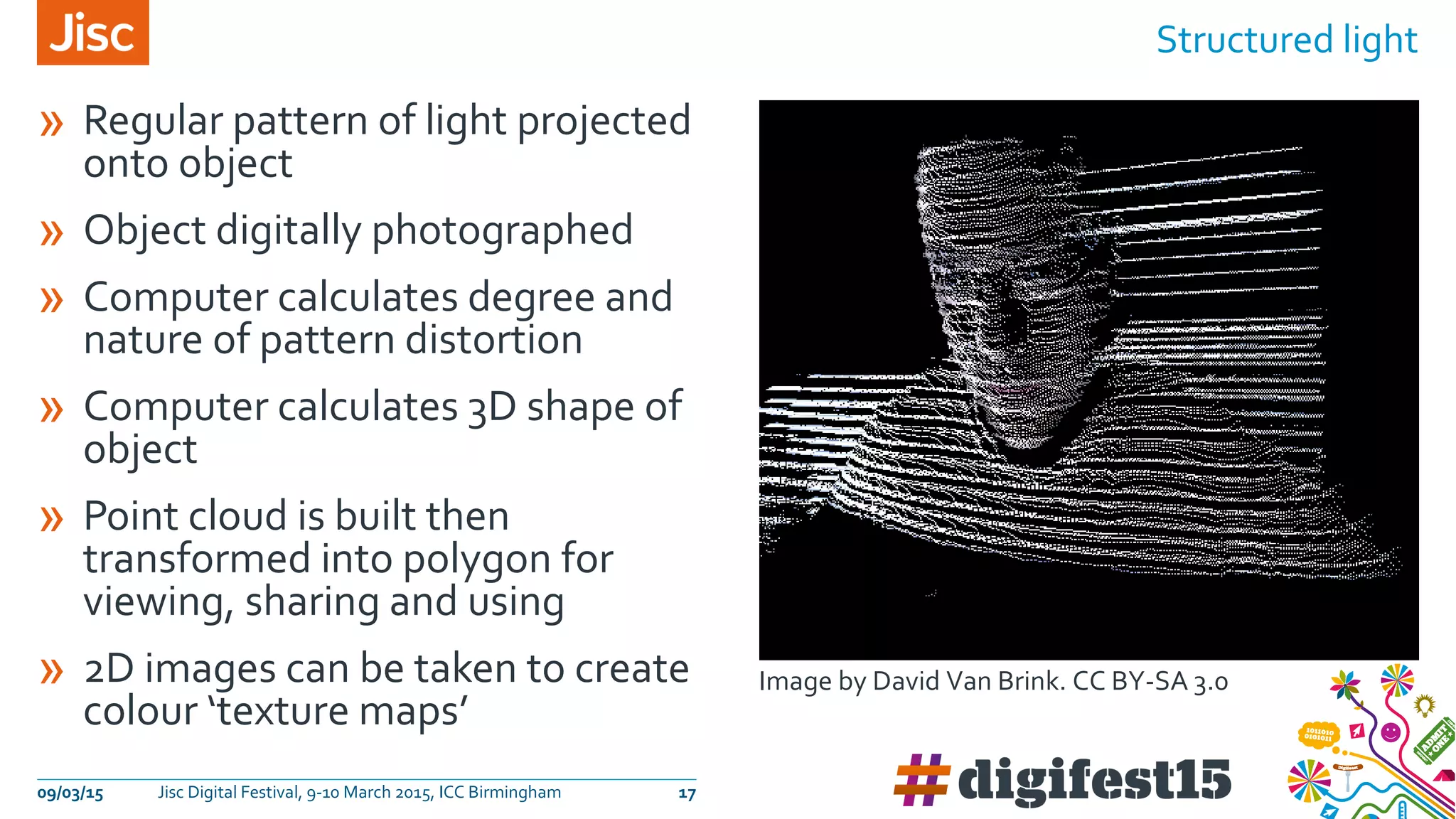
» Regular pattern of light projected
onto object
» Object digitally photographed
» Computer calculates degree and
nature of pattern distortion
» Computer calculates 3D shape of
object
» Point cloud is built then
transformed into polygon for
viewing, sharing and using
» 2D images can be taken to create
colour ‘texture maps’
Structured light
09/03/15 Jisc Digital Festival, 9-10 March 2015, ICC Birmingham 17
Image by David Van Brink. CC BY-SA 3.0
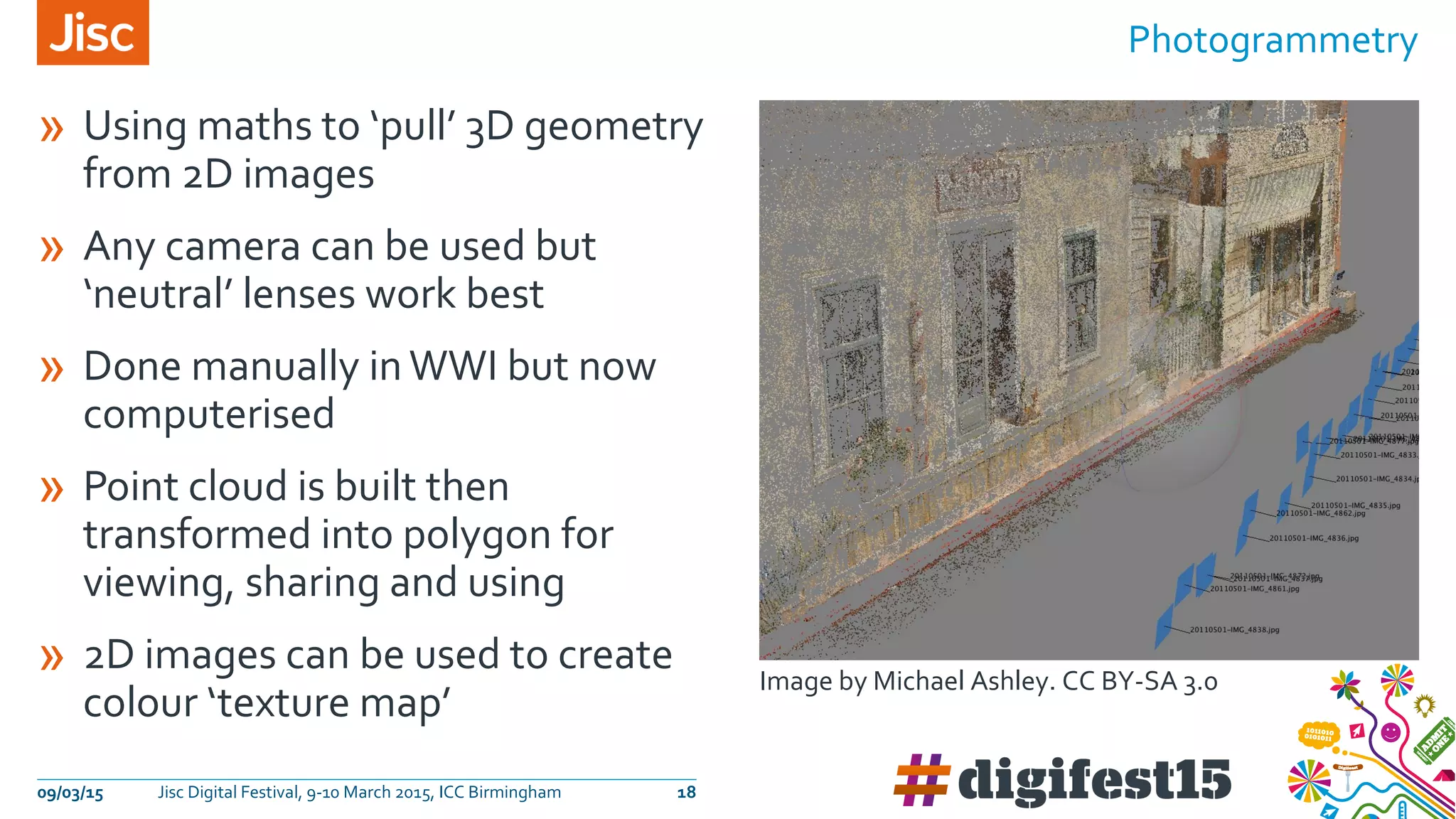
» Using maths to ‘pull’ 3D geometry
from 2D images
» Any camera can be used but
‘neutral’ lenses work best
» Done manually inWWI but now
computerised
» Point cloud is built then
transformed into polygon for
viewing, sharing and using
» 2D images can be used to create
colour ‘texture map’
Photogrammetry
09/03/15 Jisc Digital Festival, 9-10 March 2015, ICC Birmingham 18
Image by Michael Ashley. CC BY-SA 3.0
09/03/15 Jisc Digital Festival, 9-10 March 2015, ICC Birmingham 19
https://sketchfab.com/models/d60d7945d378414d8387444fce61ba1c
https://sketchfab.com/models/56a3210a2d8f4a55a5b9ae69f12f05c0
https://sketchfab.com/models/ca6ca4a2e3b043f78e1eb3479b158897
https://sketchfab.com/models/b1e0c0a586b241b5996b1f2bcbfc664a
Find out more…
Contact…
Except where otherwise noted, this
work is licensed under CC-BY-NC-ND
Matt Faber
Imaging advisor
matt.faber@jisc.ac.uk
www.jiscdigitalmedia.ac.uk

3D technologies for teaching and learning

  • 2.
    3D technologies forteaching and learning How using 3D technologies can benefit education and research
  • 3.
    Image by UCL.Used with permission An Introduction to 3D Digitisation 09/03/15 Jisc Digital Festival, 9-10 March 2015, ICC Birmingham 3
  • 4.
    Who is this3D for? 09/03/15 Jisc Digital Festival, 9-10 March 2015, ICC Birmingham 4 schools colleges universities museums archives archaeology engineeringhumanities design arts computer sciences
  • 5.
    Image by AndreHilton. CC BY-SA 3.0 09/03/15 Jisc Digital Festival, 9-10 March 2015, ICC Birmingham 5 Why use digital 3D?
  • 6.
    » We canwiden our audience by‘dematerialising’our real-world collection » We can preserve fragile collections by making 3D copies » We can harvest data from real world objects to increase our understanding » Researchers can gain new knowledge by 3D modeling & simulation » We can share 3D data of real world objects » 3D printing can make surrogate objects available to all » 3D printing creates infinite opportunities for prototyping » Learners engage with immersive worlds and‘gamification’ Why? 09/03/15 Jisc Digital Festival, 9-10 March 2015, ICC Birmingham 6
  • 7.
    09/03/15 Jisc DigitalFestival, 9-10 March 2015, ICC Birmingham 7 Dematerialising material » A digital 3D model is essentially a set of instructions » The digital 3D model is a virtual object » 3D digital models can also be ‘printed out’ as real, tangible objects » Part of the 'open' movement » Falling costs and simplified workflows means using 3D content is now a realistic option Image by Andre Hilton. CC BY-SA 3.0
  • 8.
    » Museum collectionsare protected from excessive handling » Data can be used for analysis and sharing » Surrogate objects can be generated » Web delivery of collections generates greater footfall Preserving collections 09/03/15 Jisc Digital Festival, 9-10 March 2015, ICC Birmingham 8 Image by UCL. Used with permission
  • 9.
    » 3D dataprovides greater insights and understanding » Data can be made available to all » Value added research » Data can be used across disciplines Harvesting data 09/03/15 Jisc Digital Festival, 9-10 March 2015, ICC Birmingham 9 Image by CyArk. CC BY-SA 3.0
  • 10.
    » 3D dataprovides insights into real world objects that are otherwise not attainable » Increased knowledge can be used for conservation and preservation » Dissemination of knowledge fulfils research remit Gaining knowledge 09/03/15 Jisc Digital Festival, 9-10 March 2015, ICC Birmingham 10 Image by Justin Barton. CC BY-SA 3.0
  • 11.
    » 3D datacan be archived and accessed at any time » 3D data can be delivered via many means including web » 3D data can be shared openly between institutions around the world » Research can be collaborative » 3D data can be accessed globally for 3D printing Sharing 3D data 09/03/15 Jisc Digital Festival, 9-10 March 2015, ICC Birmingham 11 Image by Eggalois. CC BY-SA 3.0
  • 12.
    » 3D printingis a proactive, immersive learning activity » Learners achieve immediate, tangible results » Imagination is not limited by material » Applicable learning to a wide variety of subjects and disciplines 3D printing for all 09/03/15 Jisc Digital Festival, 9-10 March 2015, ICC Birmingham 12 Photo by nyxchaotica. CC BY-SA 3.0
  • 13.
    » Democratisation ofmanufacture » Infinite flexibility without cost » Intricate shaping without waste » Imagination without limits 3D prototyping 09/03/15 Jisc Digital Festival, 9-10 March 2015, ICC Birmingham 13 Photo by Shapeways. CC BY-SA 3.0
  • 14.
    » 3D augmentsgamification » Learning can be gamified » 3D creates immersive interaction » 3D interaction develops cognitive skills » 3D gamification increases engagement » 3D gamification takes learning out of the classroom 3DVR AR 09/03/15 Jisc Digital Festival, 9-10 March 2015, ICC Birmingham 14 Photo by Hagustin. CC BY-SA 3.0
  • 15.
    » Dimension judgedby eye or measured by hand » Can be accurate and simple » Or detailed and less accurate » Any 3D modelling software can be used » No point cloud > polygon transformations involved Approximation 09/03/15 Jisc Digital Festival, 9-10 March 2015, ICC Birmingham 15 Image by David Van Brink. CC BY-SA 3.0
  • 16.
    » Laser focusedon object » Time of bound-back to scanner used to judge distance of a single point » Built-in camera may also collect colour information for each point » Point cloud is built then transformed into polygon » Reflective objects are problematic Laser scanning 09/03/15 Jisc Digital Festival, 9-10 March 2015, ICC Birmingham 16 Image by CyArk. CC BY-SA 3.0
  • 17.
    » Regular patternof light projected onto object » Object digitally photographed » Computer calculates degree and nature of pattern distortion » Computer calculates 3D shape of object » Point cloud is built then transformed into polygon for viewing, sharing and using » 2D images can be taken to create colour ‘texture maps’ Structured light 09/03/15 Jisc Digital Festival, 9-10 March 2015, ICC Birmingham 17 Image by David Van Brink. CC BY-SA 3.0
  • 18.
    » Using mathsto ‘pull’ 3D geometry from 2D images » Any camera can be used but ‘neutral’ lenses work best » Done manually inWWI but now computerised » Point cloud is built then transformed into polygon for viewing, sharing and using » 2D images can be used to create colour ‘texture map’ Photogrammetry 09/03/15 Jisc Digital Festival, 9-10 March 2015, ICC Birmingham 18 Image by Michael Ashley. CC BY-SA 3.0
  • 19.
    09/03/15 Jisc DigitalFestival, 9-10 March 2015, ICC Birmingham 19 https://sketchfab.com/models/d60d7945d378414d8387444fce61ba1c https://sketchfab.com/models/56a3210a2d8f4a55a5b9ae69f12f05c0 https://sketchfab.com/models/ca6ca4a2e3b043f78e1eb3479b158897 https://sketchfab.com/models/b1e0c0a586b241b5996b1f2bcbfc664a
  • 20.
    Find out more… Contact… Exceptwhere otherwise noted, this work is licensed under CC-BY-NC-ND Matt Faber Imaging advisor matt.faber@jisc.ac.uk www.jiscdigitalmedia.ac.uk

Editor's Notes

  • #2 +++++ COVER: OPTION 1 ++++++ +++++ PLEASE FEEL FREE TO DELETE THESE NOTES WHILST CREATING YOUR PRESENTATION +++++++
  • #3 +++++ SECTION BREAK SLIDE ++++ +++++ PLEASE FEEL FREE TO DELETE THESE NOTES WHILST CREATING YOUR PRESENTATION +++++++
  • #4 +++++ SINGLE COLUMN LAYOUT – FOR USE WITH IMAGES - CAPTIONS AND ATTRIBUTION BELOW +++++++ +++++ PLEASE FEEL FREE TO DELETE THESE NOTES WHILST CREATING YOUR PRESENTATION +++++++
  • #5 +++++ SINGLE COLUMN – FOR EITHER BODY COPY, BULLETS, GRAPHICS, IMAGES, TABLES OR VIDEO – PLEASE NOTE ANY VIDEOS SUPPLIED WILL NEED THE VIDEO SUPPLIED ALONG SIDE THE PRESENTATION +++++++ +++++ PLEASE FEEL FREE TO DELETE THESE NOTES WHILST CREATING YOUR PRESENTATION +++++++
  • #6 +++++ SINGLE COLUMN LAYOUT – FOR USE WITH IMAGES - CAPTIONS AND ATTRIBUTION BELOW +++++++ +++++ PLEASE FEEL FREE TO DELETE THESE NOTES WHILST CREATING YOUR PRESENTATION +++++++
  • #7 +++++ SINGLE COLUMN WITH HEADER – FOR EITHER BODY COPY, BULLETS, GRAPHICS, IMAGES, TABLES OR VIDEO – PLEASE NOTE ANY VIDEOS SUPPLIED WILL NEED THE VIDEO SUPPLIED ALONG SIDE THE PRESENTATION +++++++ +++++ PLEASE FEEL FREE TO DELETE THESE NOTES WHILST CREATING YOUR PRESENTATION +++++++
  • #8 +++++ TWO COLUMN LAYOUT – NO HEADERS – FOR EITHER BODY COPY, BULLETS, GRAPHICS, IMAGES, TABLES OR VIDEO – PLEASE NOTE ANY VIDEOS SUPPLIED WILL NEED THE VIDEO SUPPLIED ALONG SIDE THE PRESENTATION +++++++ +++++ PLEASE FEEL FREE TO DELETE THESE NOTES WHILST CREATING YOUR PRESENTATION +++++++
  • #9 +++++ TWO COLUMN LAYOUT – NO HEADERS – FOR EITHER BODY COPY, BULLETS, GRAPHICS, IMAGES, TABLES OR VIDEO – PLEASE NOTE ANY VIDEOS SUPPLIED WILL NEED THE VIDEO SUPPLIED ALONG SIDE THE PRESENTATION +++++++ +++++ PLEASE FEEL FREE TO DELETE THESE NOTES WHILST CREATING YOUR PRESENTATION +++++++
  • #10 +++++ TWO COLUMN LAYOUT – NO HEADERS – FOR EITHER BODY COPY, BULLETS, GRAPHICS, IMAGES, TABLES OR VIDEO – PLEASE NOTE ANY VIDEOS SUPPLIED WILL NEED THE VIDEO SUPPLIED ALONG SIDE THE PRESENTATION +++++++ +++++ PLEASE FEEL FREE TO DELETE THESE NOTES WHILST CREATING YOUR PRESENTATION +++++++
  • #11 +++++ TWO COLUMN LAYOUT – NO HEADERS – FOR EITHER BODY COPY, BULLETS, GRAPHICS, IMAGES, TABLES OR VIDEO – PLEASE NOTE ANY VIDEOS SUPPLIED WILL NEED THE VIDEO SUPPLIED ALONG SIDE THE PRESENTATION +++++++ +++++ PLEASE FEEL FREE TO DELETE THESE NOTES WHILST CREATING YOUR PRESENTATION +++++++
  • #12 +++++ TWO COLUMN LAYOUT – NO HEADERS – FOR EITHER BODY COPY, BULLETS, GRAPHICS, IMAGES, TABLES OR VIDEO – PLEASE NOTE ANY VIDEOS SUPPLIED WILL NEED THE VIDEO SUPPLIED ALONG SIDE THE PRESENTATION +++++++ +++++ PLEASE FEEL FREE TO DELETE THESE NOTES WHILST CREATING YOUR PRESENTATION +++++++
  • #13 +++++ TWO COLUMN LAYOUT – NO HEADERS – FOR EITHER BODY COPY, BULLETS, GRAPHICS, IMAGES, TABLES OR VIDEO – PLEASE NOTE ANY VIDEOS SUPPLIED WILL NEED THE VIDEO SUPPLIED ALONG SIDE THE PRESENTATION +++++++ +++++ PLEASE FEEL FREE TO DELETE THESE NOTES WHILST CREATING YOUR PRESENTATION +++++++
  • #14 +++++ TWO COLUMN LAYOUT – NO HEADERS – FOR EITHER BODY COPY, BULLETS, GRAPHICS, IMAGES, TABLES OR VIDEO – PLEASE NOTE ANY VIDEOS SUPPLIED WILL NEED THE VIDEO SUPPLIED ALONG SIDE THE PRESENTATION +++++++ +++++ PLEASE FEEL FREE TO DELETE THESE NOTES WHILST CREATING YOUR PRESENTATION +++++++
  • #15 +++++ TWO COLUMN LAYOUT – NO HEADERS – FOR EITHER BODY COPY, BULLETS, GRAPHICS, IMAGES, TABLES OR VIDEO – PLEASE NOTE ANY VIDEOS SUPPLIED WILL NEED THE VIDEO SUPPLIED ALONG SIDE THE PRESENTATION +++++++ +++++ PLEASE FEEL FREE TO DELETE THESE NOTES WHILST CREATING YOUR PRESENTATION +++++++
  • #16 +++++ TWO COLUMN LAYOUT – NO HEADERS – FOR EITHER BODY COPY, BULLETS, GRAPHICS, IMAGES, TABLES OR VIDEO – PLEASE NOTE ANY VIDEOS SUPPLIED WILL NEED THE VIDEO SUPPLIED ALONG SIDE THE PRESENTATION +++++++ +++++ PLEASE FEEL FREE TO DELETE THESE NOTES WHILST CREATING YOUR PRESENTATION +++++++
  • #17 +++++ TWO COLUMN LAYOUT – NO HEADERS – FOR EITHER BODY COPY, BULLETS, GRAPHICS, IMAGES, TABLES OR VIDEO – PLEASE NOTE ANY VIDEOS SUPPLIED WILL NEED THE VIDEO SUPPLIED ALONG SIDE THE PRESENTATION +++++++ +++++ PLEASE FEEL FREE TO DELETE THESE NOTES WHILST CREATING YOUR PRESENTATION +++++++
  • #18 +++++ TWO COLUMN LAYOUT – NO HEADERS – FOR EITHER BODY COPY, BULLETS, GRAPHICS, IMAGES, TABLES OR VIDEO – PLEASE NOTE ANY VIDEOS SUPPLIED WILL NEED THE VIDEO SUPPLIED ALONG SIDE THE PRESENTATION +++++++ +++++ PLEASE FEEL FREE TO DELETE THESE NOTES WHILST CREATING YOUR PRESENTATION +++++++
  • #19 +++++ TWO COLUMN LAYOUT – NO HEADERS – FOR EITHER BODY COPY, BULLETS, GRAPHICS, IMAGES, TABLES OR VIDEO – PLEASE NOTE ANY VIDEOS SUPPLIED WILL NEED THE VIDEO SUPPLIED ALONG SIDE THE PRESENTATION +++++++ +++++ PLEASE FEEL FREE TO DELETE THESE NOTES WHILST CREATING YOUR PRESENTATION +++++++
  • #20 +++++ SINGLE COLUMN WITH HEADER – FOR EITHER BODY COPY, BULLETS, GRAPHICS, IMAGES, TABLES OR VIDEO – PLEASE NOTE ANY VIDEOS SUPPLIED WILL NEED THE VIDEO SUPPLIED ALONG SIDE THE PRESENTATION +++++++ +++++ PLEASE FEEL FREE TO DELETE THESE NOTES WHILST CREATING YOUR PRESENTATION +++++++
  • #21 +++++ CONTACT SLIDE WITH CREATIVE COMMONS +++++++ +++++ PLEASE FEEL FREE TO DELETE THESE NOTES WHILST CREATING YOUR PRESENTATION +++++++