KATE FERNIE, Operations Manager,
CARARE
HOUSEKEEPING
• The webinar will be recorded
• All lines are muted
• Please use the Zoom chat to introduce yourself, for general
discussions and to share links
• Please write your questions in the Zoom Q&A
• We will have a dedicated Q&A session at the end of this
webinar
WELCOME
• This webinar is an introduction to 3D digitisation in heritage and is
the third in a three-part series organised by CARARE for the 5CH
and Tech4Heritage projects
• These webinars are geared towards CH professionals, volunteers,
or students who want to learn more about 3D as a heritage sector
activity
• Today we’re exploring archiving, sharing and reuses of 3D content.
https://www.carare.eu/
ABOUT US!
CARARE has been working with heritage organisations and
archaeologists across Europe since 2010 offering support
and practical assistance in sharing datasets with Europeana
• We are a non-profit membership association aiming to advance
professional practice and foster appreciation of the digital
archaeological and architectural heritage
• CARARE is a partner in the consortium for the implementation of
the Common European Dataspace for CH and in projects working
with 3D – notably 4CH, 5DCulture, Tech4Heritage and the 3D-4CH
competence centre (starting in January)
• This webinar is part of the capacity building activities for 5DCulture
and Tech4Heritage
https://www.carare.eu
Contact: info@carare.eu
Bluesky: @carare.eu
Training hub:
https://www.carare.eu/e
n/training/
Webinars onVimeo:
https://vimeo.com/user1
24611809
https://www.tech4heritage.com/ https://5dculture.eu
LEARNING OBJECTIVES
1. Appreciation of the importance of data management and
the difference between storage, archiving and publication
2. Recognising the value of standards and the importance of
good quality documentation for archiving, access and
reuse of 3D heritage
3. Understanding the potential of 3D heritage for reuse within
and beyond the heritage sector
OVERVIEW
• Creating and managing 3D digital
heritage
• Archiving
• Sharing
• Re-use
• Closing
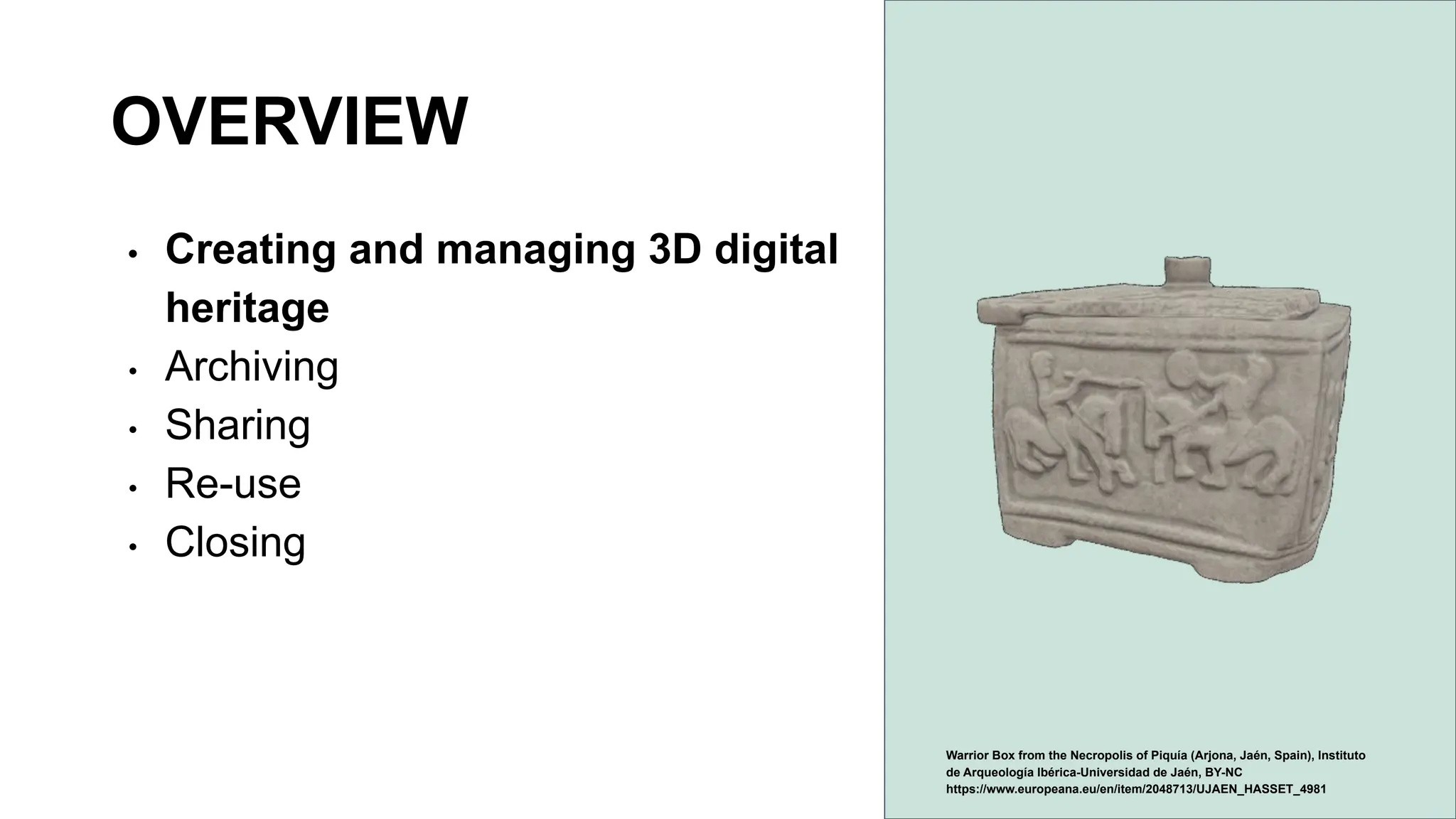
Warrior Box from the Necropolis of Piquía (Arjona, Jaén, Spain), Instituto
de Arqueología Ibérica-Universidad de Jaén, BY-NC
https://www.europeana.eu/en/item/2048713/UJAEN_HASSET_4981
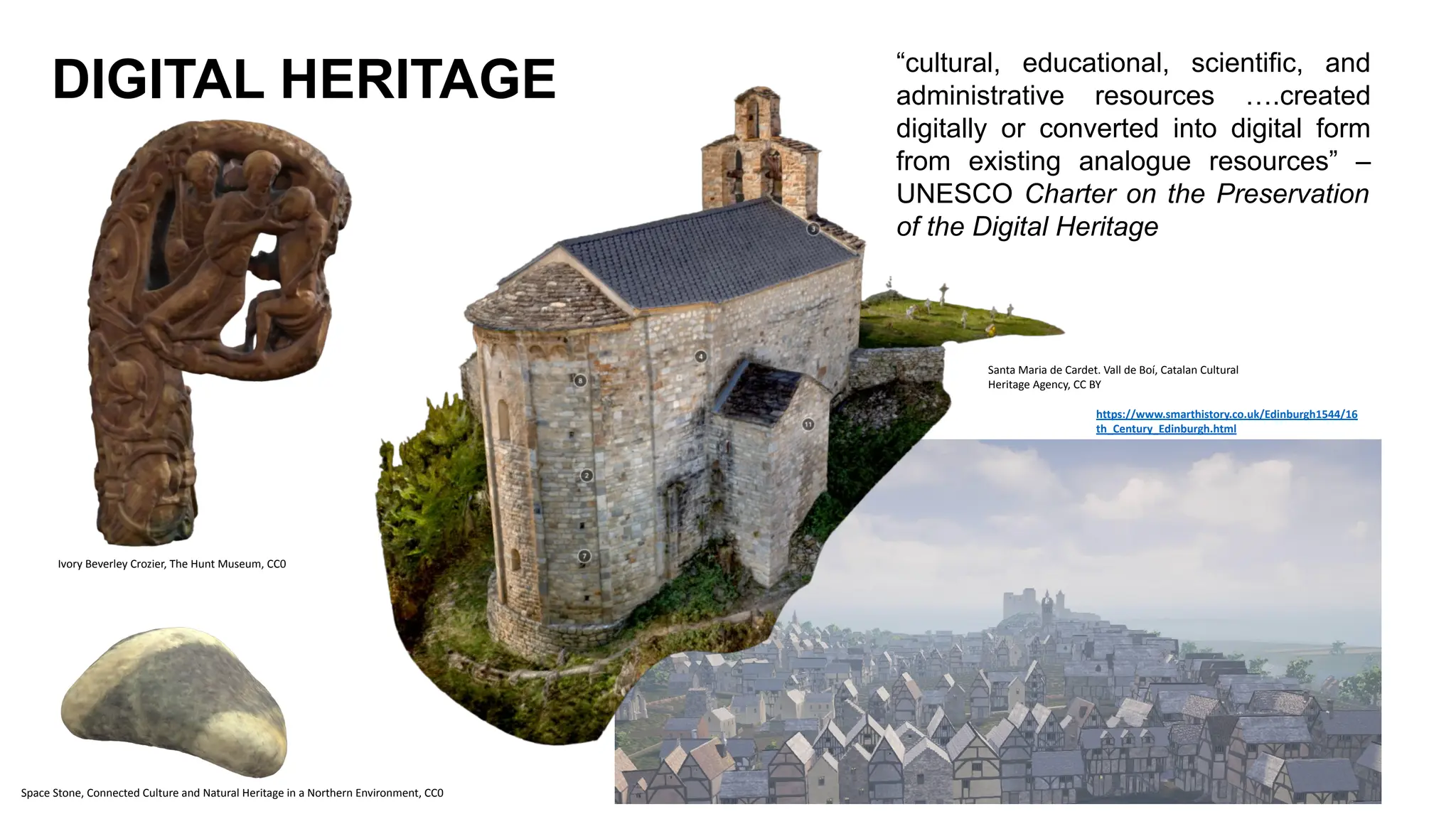
DIGITAL HERITAGE “cultural, educational, scientific, and
administrative resources ….created
digitally or converted into digital form
from existing analogue resources” –
UNESCO Charter on the Preservation
of the Digital Heritage
Santa Maria de Cardet. Vall de Boí, Catalan Cultural
Heritage Agency, CC BY
Ivory Beverley Crozier, The Hunt Museum, CC0
Space Stone, Connected Culture and Natural Heritage in a Northern Environment, CC0
https://www.smarthistory.co.uk/Edinburgh1544/16
th_Century_Edinburgh.html
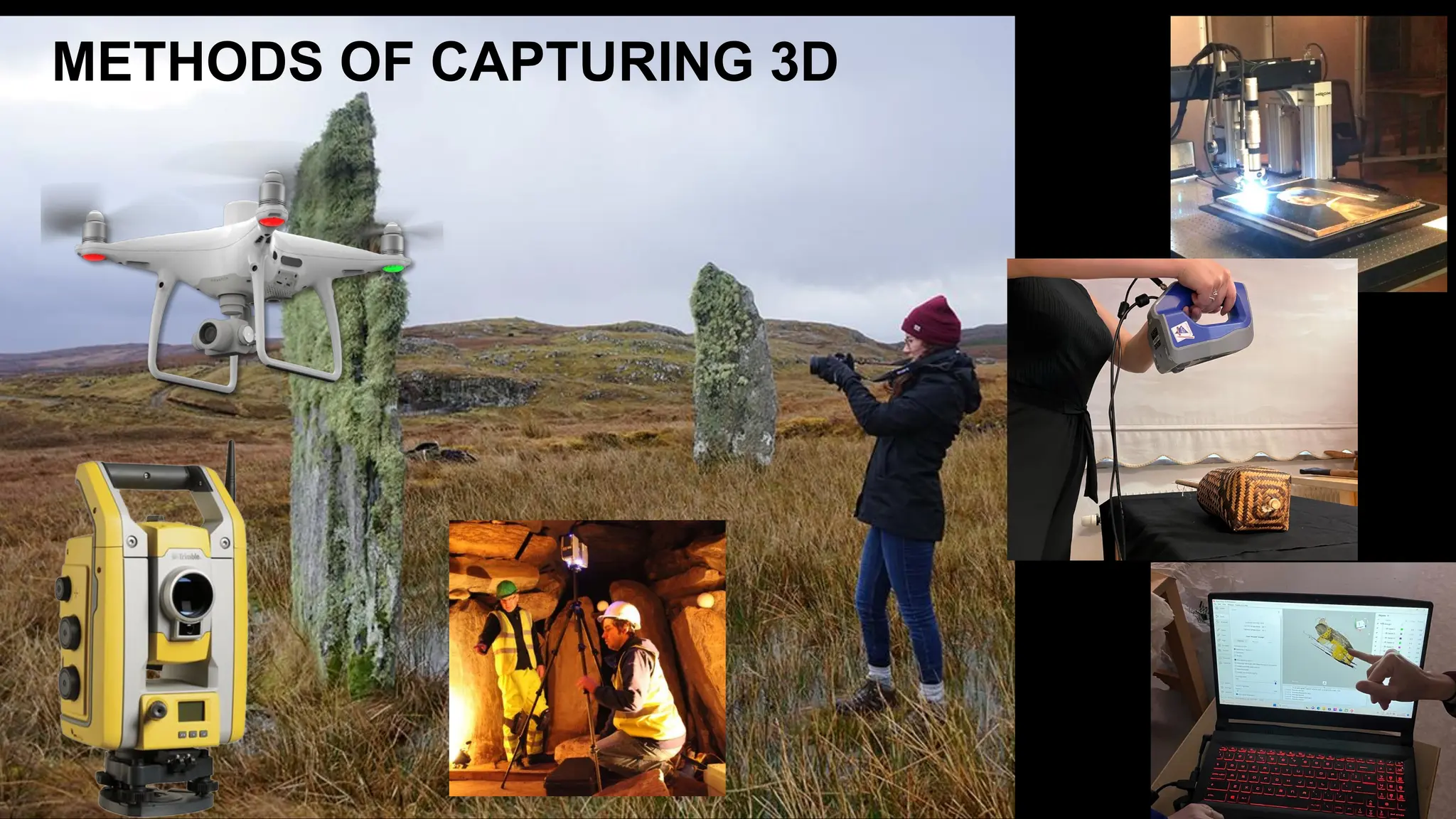
METHODS OF CAPTURING 3D
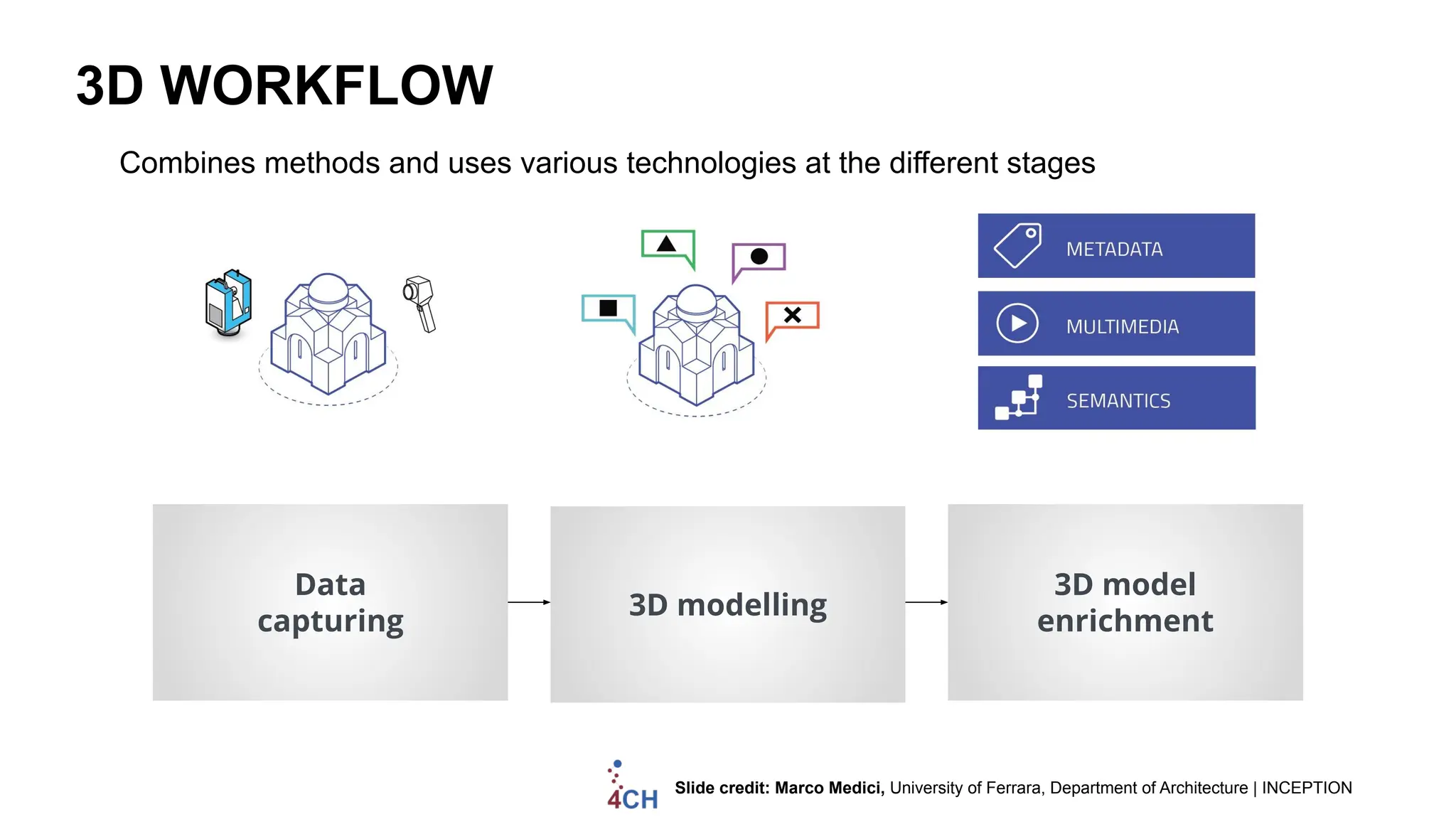
3D WORKFLOW
Data
capturing
3D modelling
3D model
enrichment
Combines methods and uses various technologies at the different stages
Slide credit: Marco Medici, University of Ferrara, Department of Architecture | INCEPTION
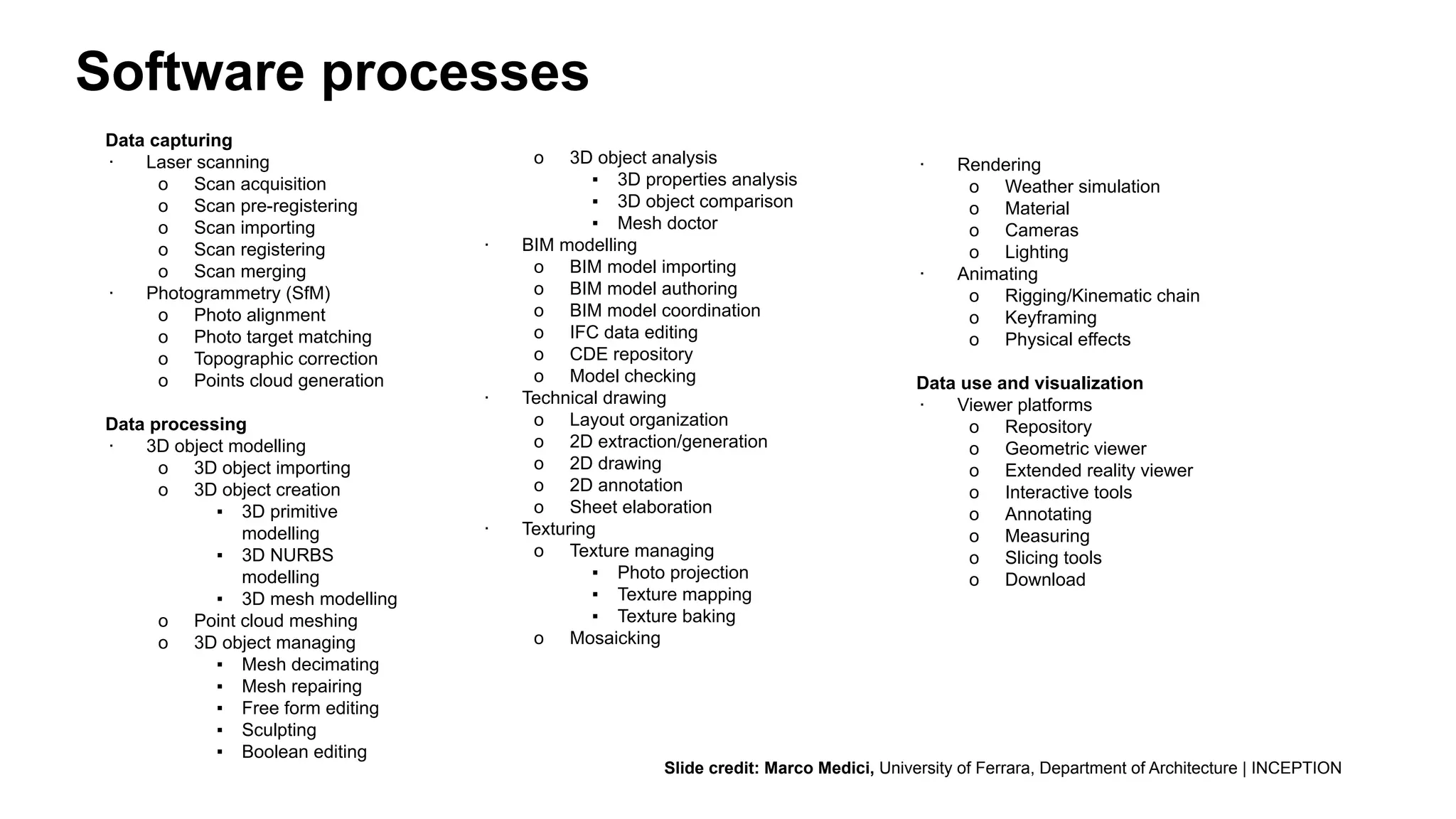
Data capturing
∙ Laser scanning
o Scan acquisition
o Scan pre-registering
o Scan importing
o Scan registering
o Scan merging
∙ Photogrammetry (SfM)
o Photo alignment
o Photo target matching
o Topographic correction
o Points cloud generation
Data processing
∙ 3D object modelling
o 3D object importing
o 3D object creation
▪ 3D primitive
modelling
▪ 3D NURBS
modelling
▪ 3D mesh modelling
o Point cloud meshing
o 3D object managing
▪ Mesh decimating
▪ Mesh repairing
▪ Free form editing
▪ Sculpting
▪ Boolean editing
o 3D object analysis
▪ 3D properties analysis
▪ 3D object comparison
▪ Mesh doctor
∙ BIM modelling
o BIM model importing
o BIM model authoring
o BIM model coordination
o IFC data editing
o CDE repository
o Model checking
∙ Technical drawing
o Layout organization
o 2D extraction/generation
o 2D drawing
o 2D annotation
o Sheet elaboration
∙ Texturing
o Texture managing
▪ Photo projection
▪ Texture mapping
▪ Texture baking
o Mosaicking
∙ Rendering
o Weather simulation
o Material
o Cameras
o Lighting
∙ Animating
o Rigging/Kinematic chain
o Keyframing
o Physical effects
Data use and visualization
∙ Viewer platforms
o Repository
o Geometric viewer
o Extended reality viewer
o Interactive tools
o Annotating
o Measuring
o Slicing tools
o Download
Software processes
Slide credit: Marco Medici, University of Ferrara, Department of Architecture | INCEPTION
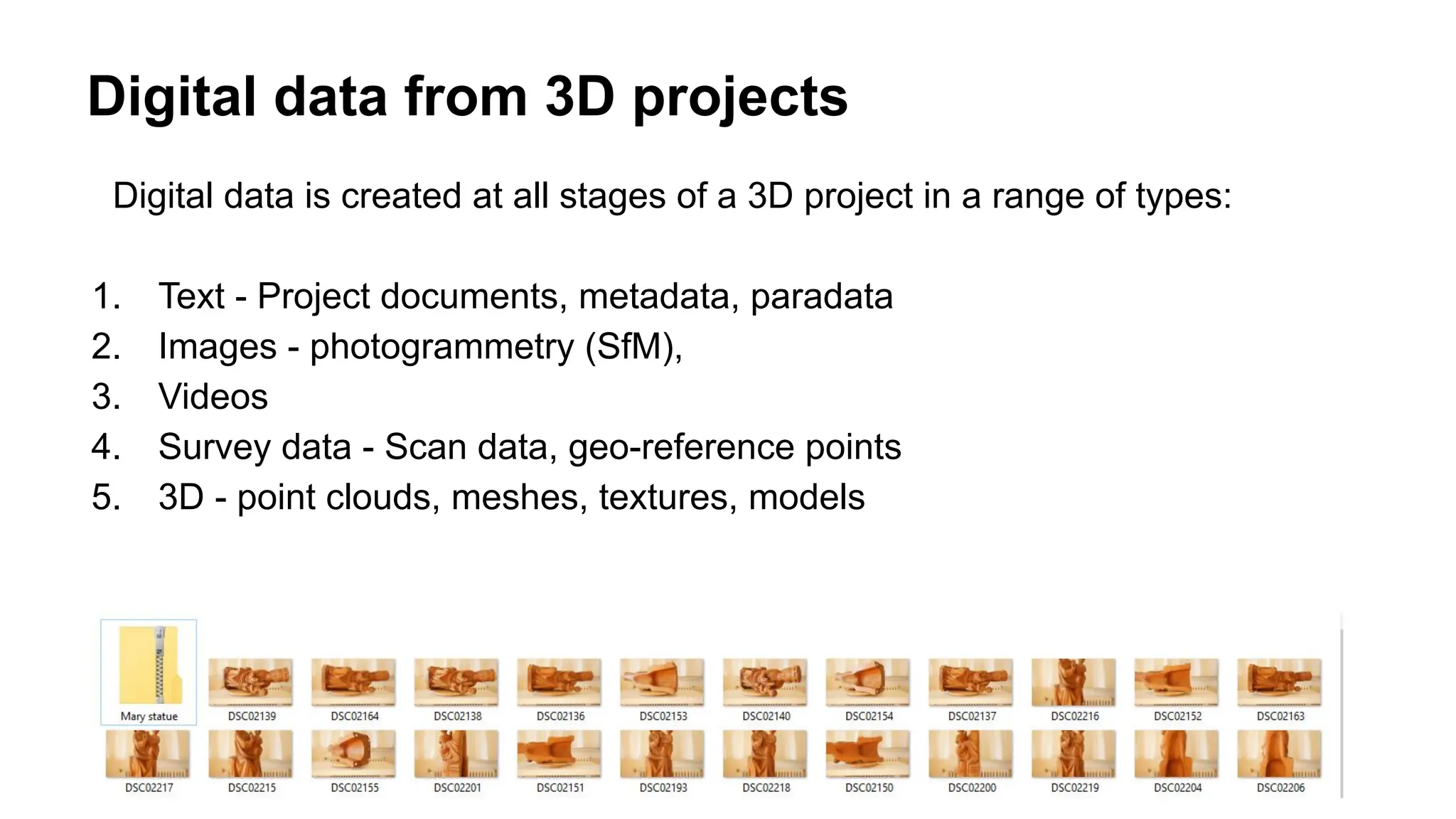
Digital data from 3D projects
Digital data is created at all stages of a 3D project in a range of types:
1. Text - Project documents, metadata, paradata
2. Images - photogrammetry (SfM),
3. Videos
4. Survey data - Scan data, geo-reference points
5. 3D - point clouds, meshes, textures, models
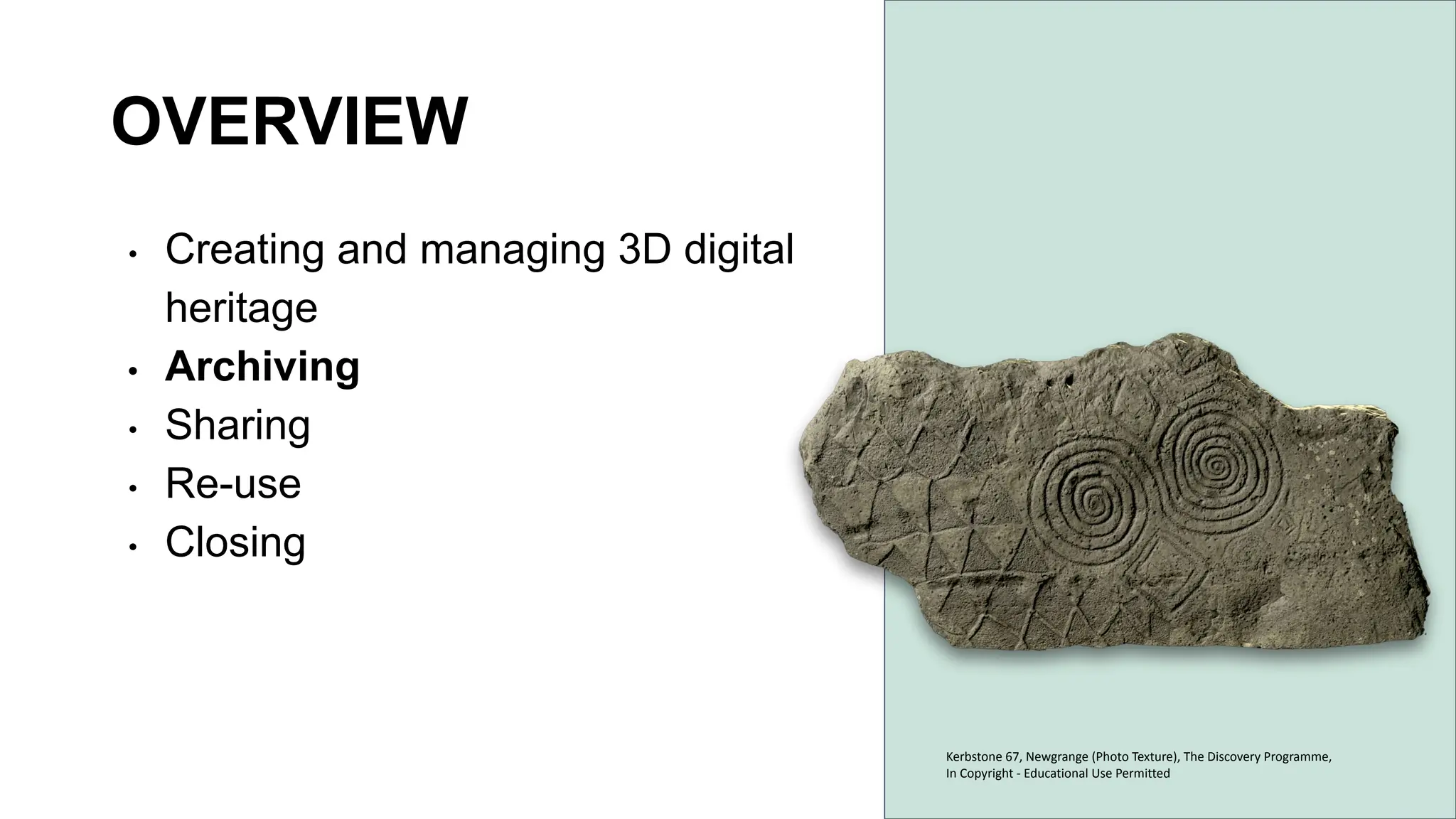
OVERVIEW
• Creating and managing 3D digital
heritage
• Archiving
• Sharing
• Re-use
• Closing
Kerbstone 67, Newgrange (Photo Texture), The Discovery Programme,
In Copyright - Educational Use Permitted
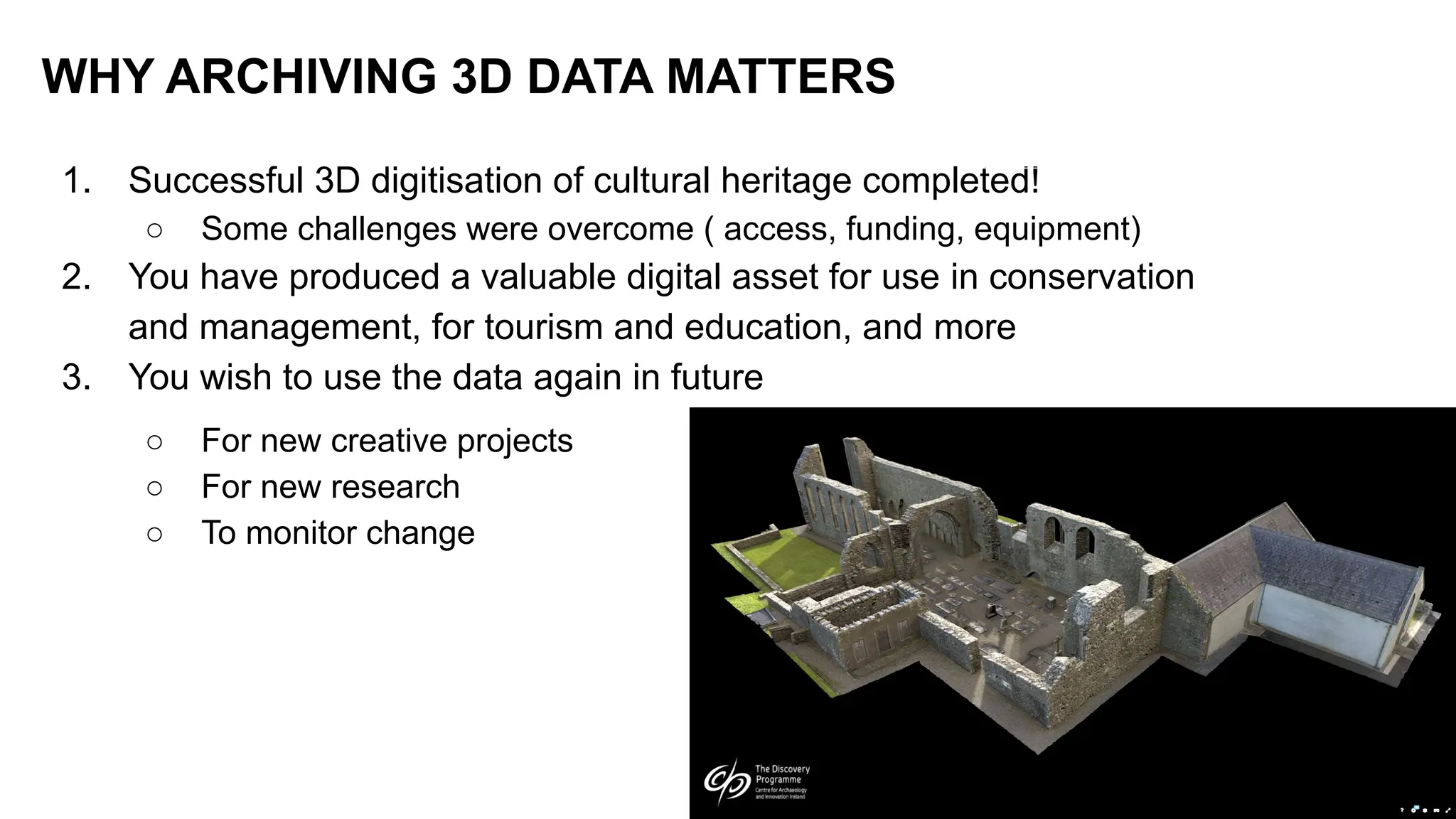
1. Successful 3D digitisation of cultural heritage completed!
○ Some challenges were overcome ( access, funding, equipment)
2. You have produced a valuable digital asset for use in conservation
and management, for tourism and education, and more
3. You wish to use the data again in future
○ For new creative projects
○ For new research
○ To monitor change
WHY ARCHIVING 3D DATA MATTERS
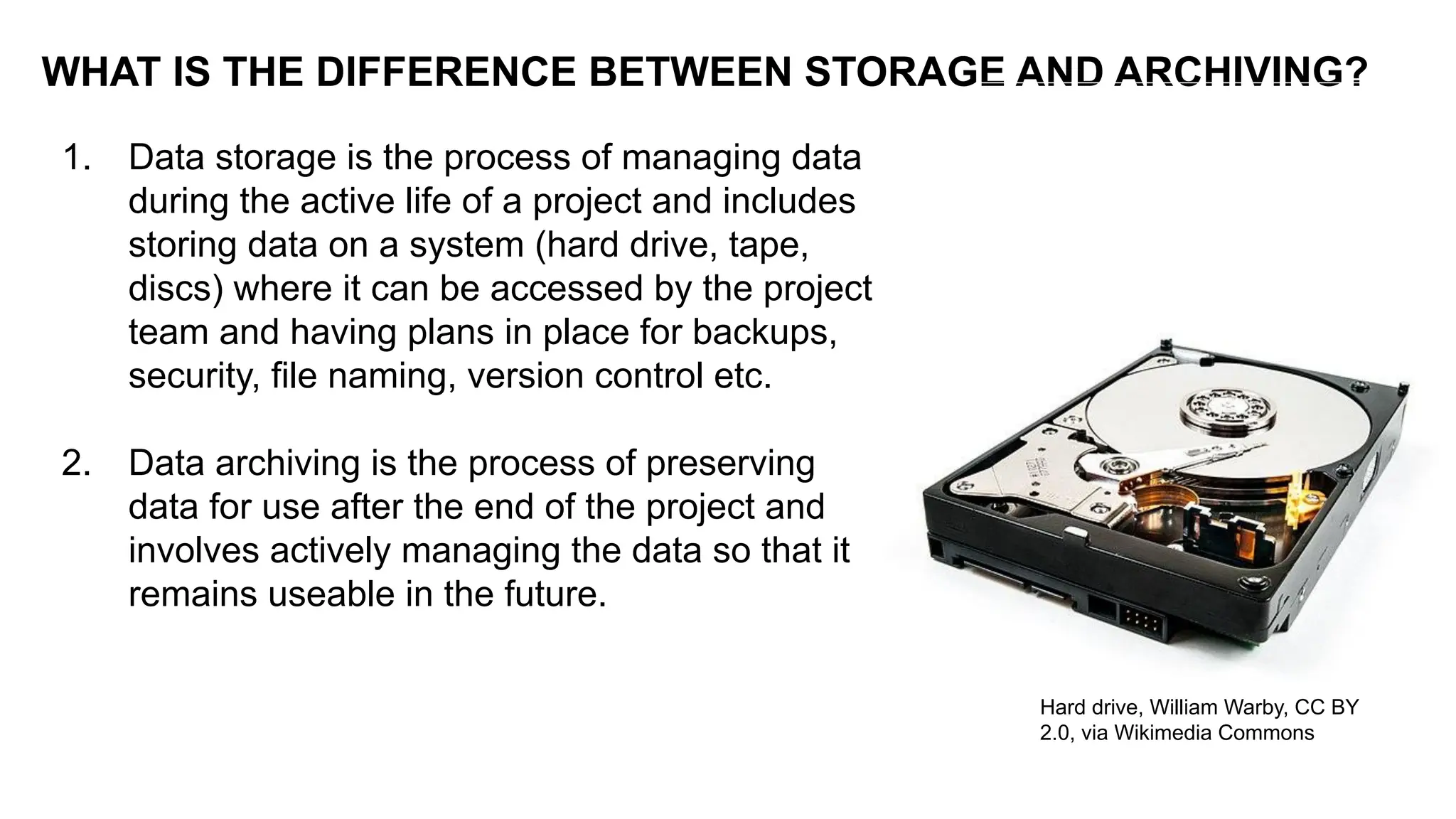
1. Data storage is the process of managing data
during the active life of a project and includes
storing data on a system (hard drive, tape,
discs) where it can be accessed by the project
team and having plans in place for backups,
security, file naming, version control etc.
2. Data archiving is the process of preserving
data for use after the end of the project and
involves actively managing the data so that it
remains useable in the future.
WHAT IS THE DIFFERENCE BETWEEN STORAGE AND ARCHIVING?
Hard drive, William Warby, CC BY
2.0, via Wikimedia Commons
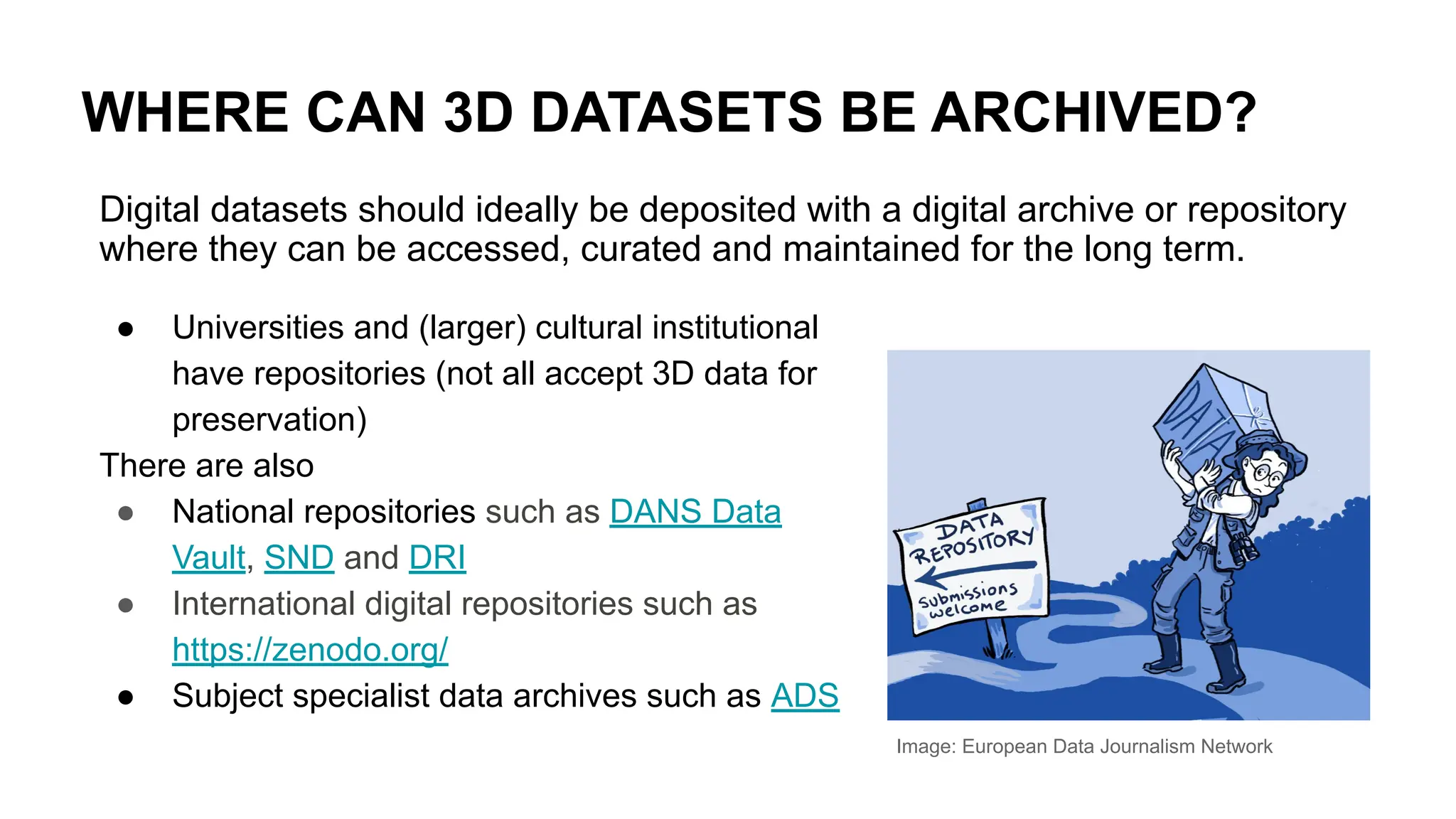
WHERE CAN 3D DATASETS BE ARCHIVED?
Image: European Data Journalism Network
Digital datasets should ideally be deposited with a digital archive or repository
where they can be accessed, curated and maintained for the long term.
● Universities and (larger) cultural institutional
have repositories (not all accept 3D data for
preservation)
There are also
● National repositories such as DANS Data
Vault, SND and DRI
● International digital repositories such as
https://zenodo.org/
● Subject specialist data archives such as ADS
What should you look out for?
Digital data cannot simply be saved and left. It needs to be actively managed for
long term preservation. You need a repository that offers this and can manage
3D datasets, which have some specific challenges:
● A 3D project consists of several data files including point clouds, 3D models, 2D
images, text files plus files for rendering and texturing.
● There is a wide variety of 3D file formats and limited standardisation
● Metadata and paradata are needed to document the dataset
● Any legal or ethical issues need to be cleared
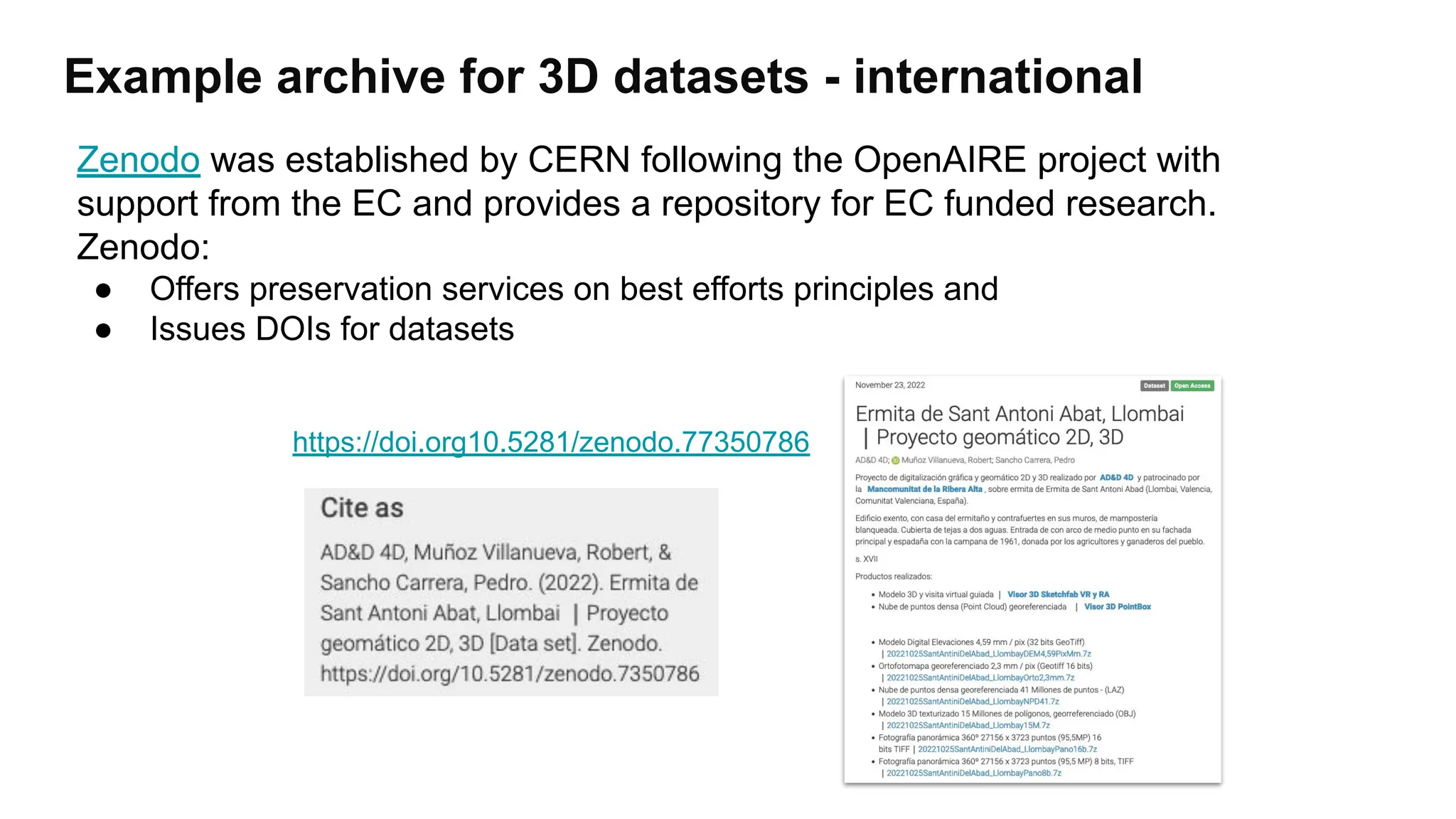
Example archive for 3D datasets - international
https://doi.org10.5281/zenodo.77350786
Zenodo was established by CERN following the OpenAIRE project with
support from the EC and provides a repository for EC funded research.
Zenodo:
● Offers preservation services on best efforts principles and
● Issues DOIs for datasets
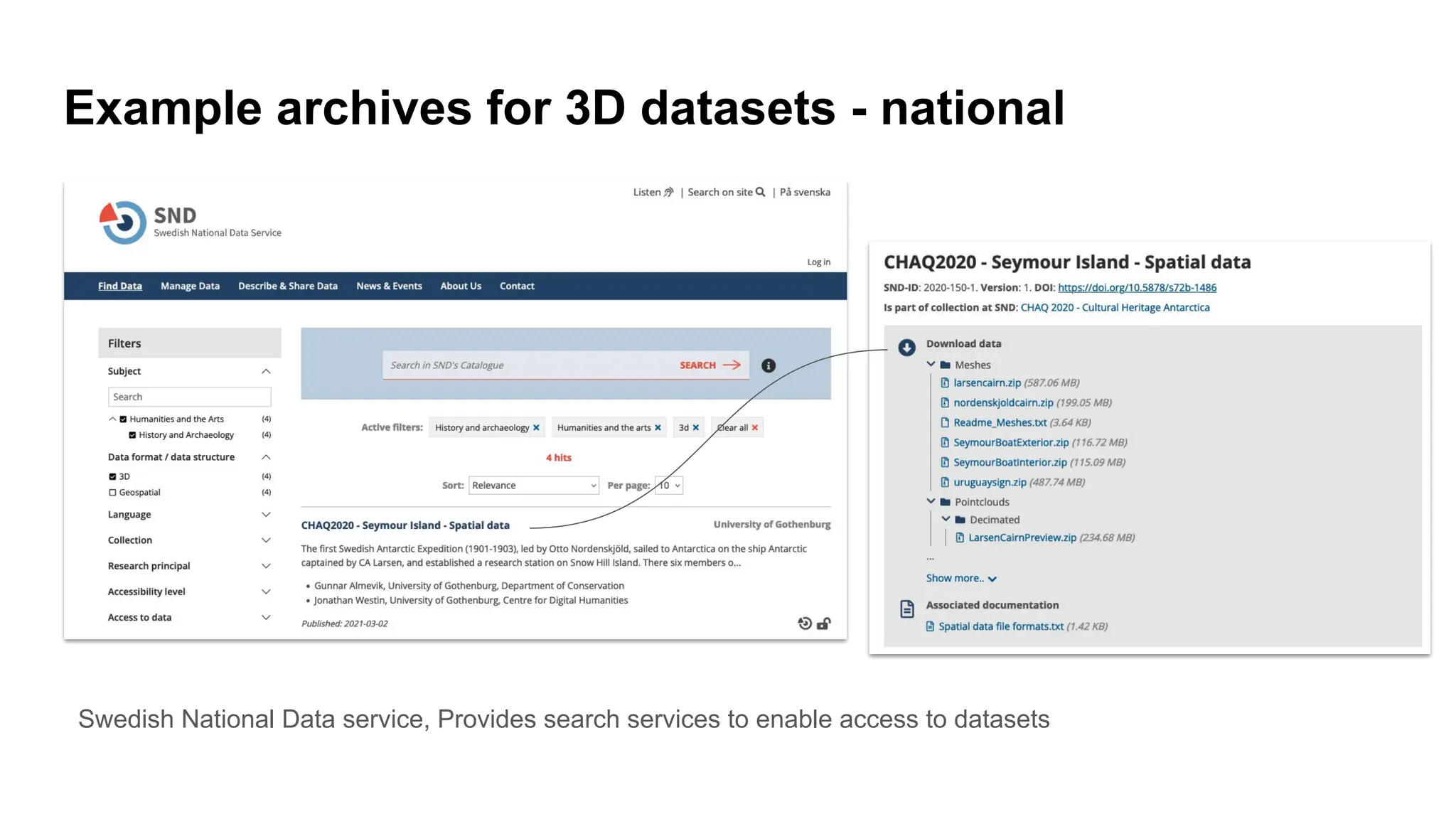
Example archives for 3D datasets - national
Swedish National Data service, Provides search services to enable access to datasets
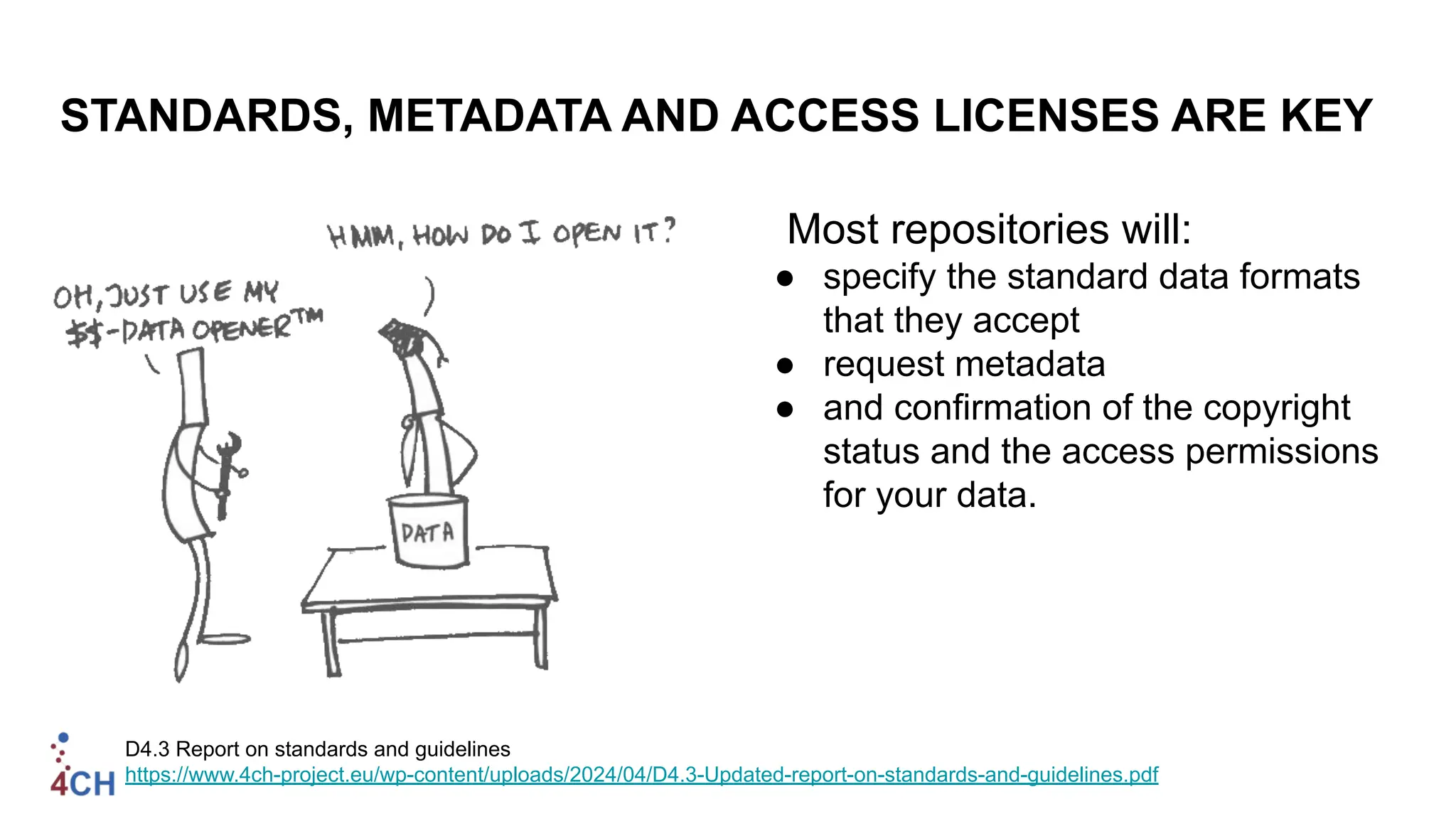
STANDARDS, METADATA AND ACCESS LICENSES ARE KEY
Most repositories will:
● specify the standard data formats
that they accept
● request metadata
● and confirmation of the copyright
status and the access permissions
for your data.
D4.3 Report on standards and guidelines
https://www.4ch-project.eu/wp-content/uploads/2024/04/D4.3-Updated-report-on-standards-and-guidelines.pdf
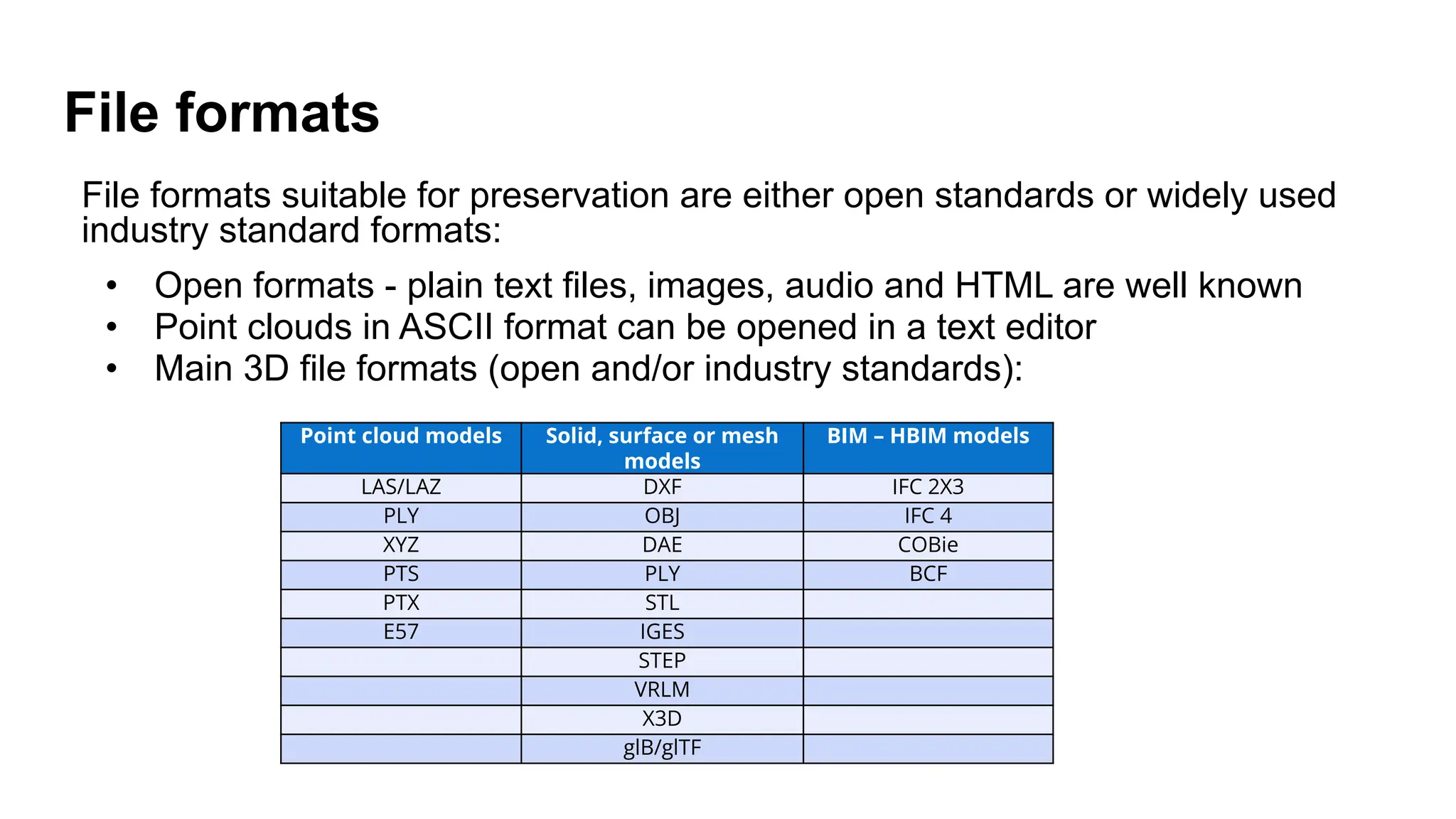
File formats
File formats suitable for preservation are either open standards or widely used
industry standard formats:
• Open formats - plain text files, images, audio and HTML are well known
• Point clouds in ASCII format can be opened in a text editor
• Main 3D file formats (open and/or industry standards):
Point cloud models Solid, surface or mesh
models
BIM – HBIM models
LAS/LAZ DXF IFC 2X3
PLY OBJ IFC 4
XYZ DAE COBie
PTS PLY BCF
PTX STL
E57 IGES
STEP
VRLM
X3D
glB/glTF
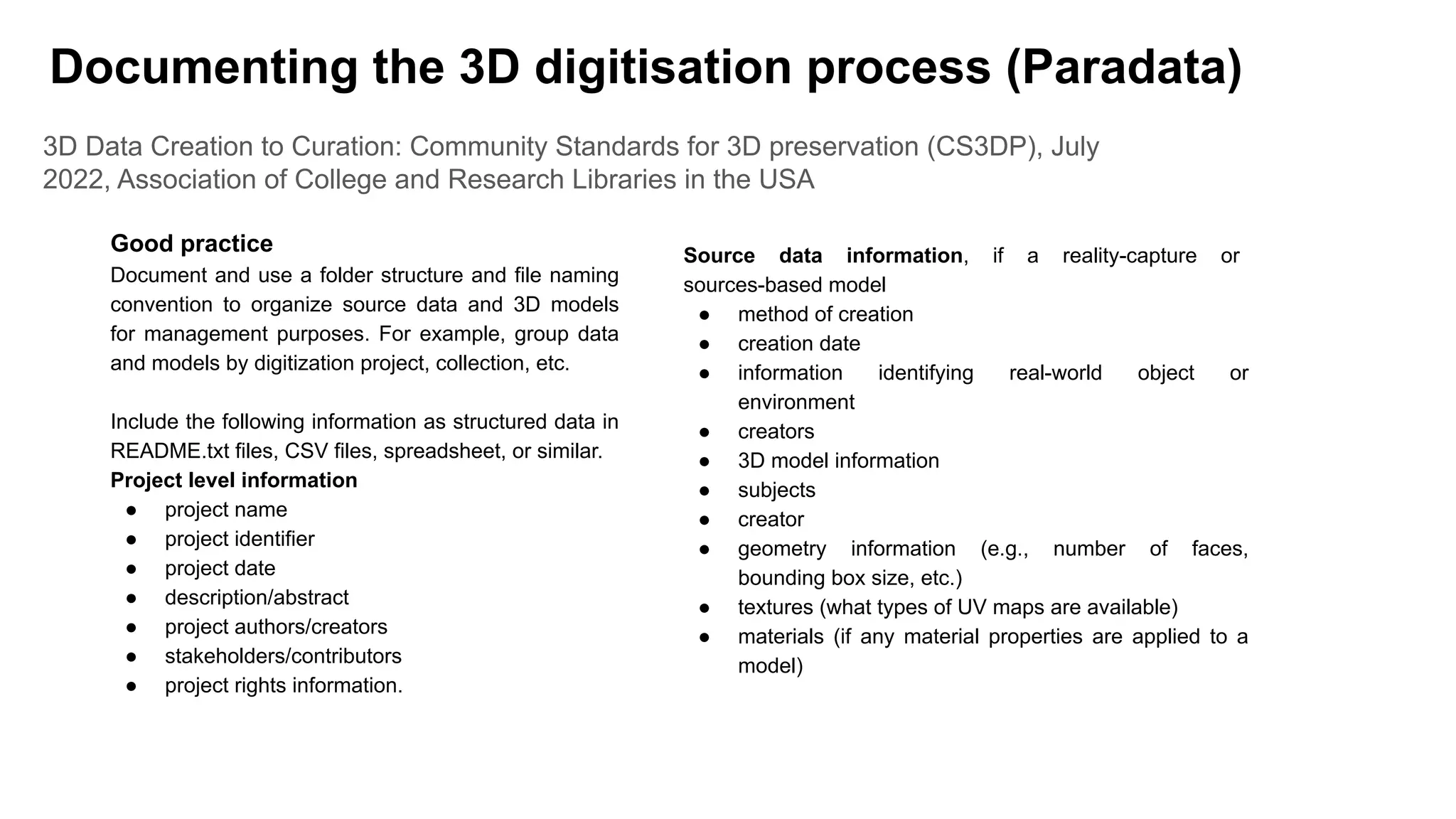
3D Data Creation to Curation: Community Standards for 3D preservation (CS3DP), July
2022, Association of College and Research Libraries in the USA
Good practice
Document and use a folder structure and file naming
convention to organize source data and 3D models
for management purposes. For example, group data
and models by digitization project, collection, etc.
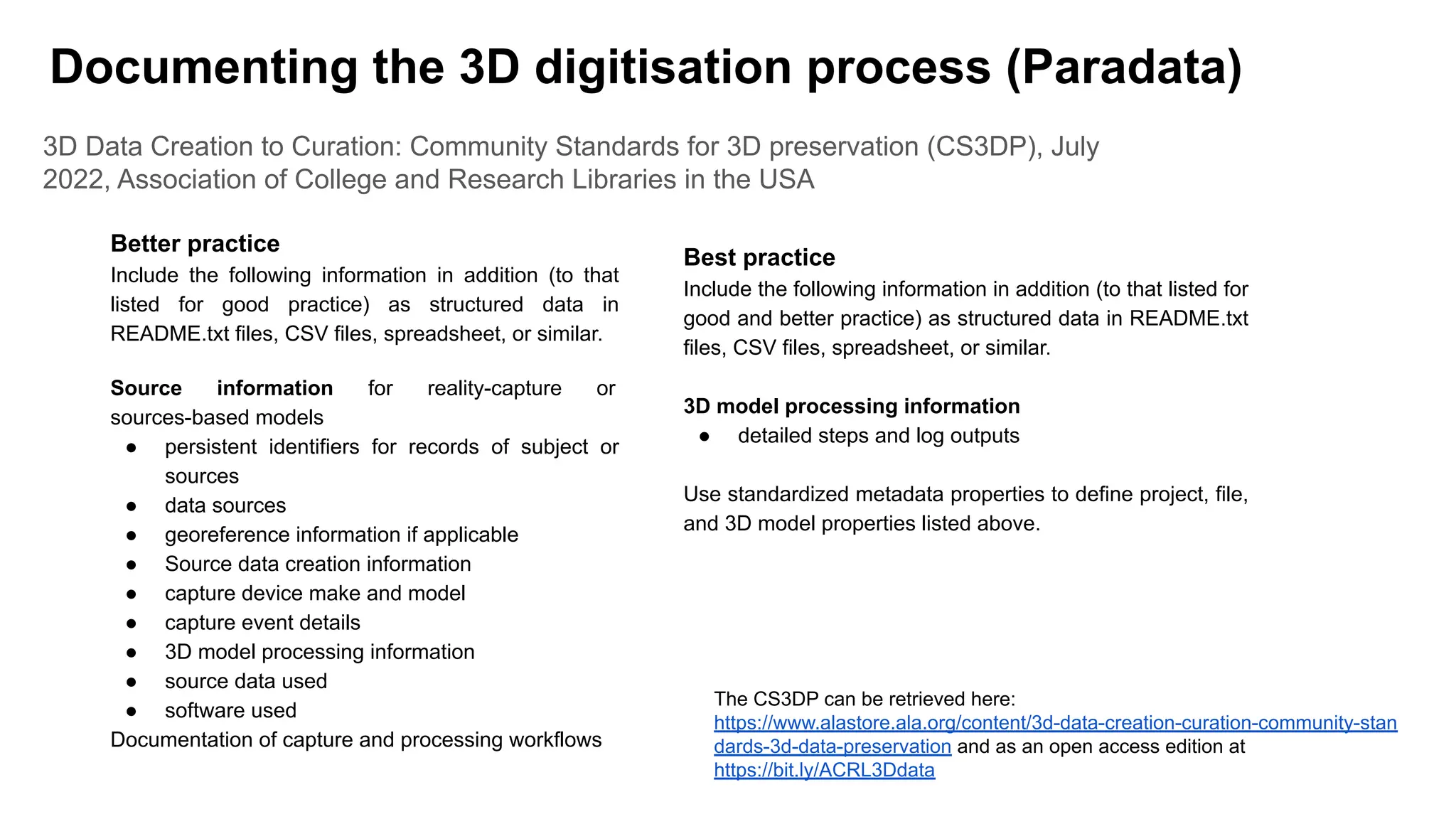
Include the following information as structured data in
README.txt files, CSV files, spreadsheet, or similar.
Project level information
● project name
● project identifier
● project date
● description/abstract
● project authors/creators
● stakeholders/contributors
● project rights information.
Source data information, if a reality-capture or
sources-based model
● method of creation
● creation date
● information identifying real-world object or
environment
● creators
● 3D model information
● subjects
● creator
● geometry information (e.g., number of faces,
bounding box size, etc.)
● textures (what types of UV maps are available)
● materials (if any material properties are applied to a
model)
Documenting the 3D digitisation process (Paradata)
3D Data Creation to Curation: Community Standards for 3D preservation (CS3DP), July
2022, Association of College and Research Libraries in the USA
Better practice
Include the following information in addition (to that
listed for good practice) as structured data in
README.txt files, CSV files, spreadsheet, or similar.
Source information for reality-capture or
sources-based models
● persistent identifiers for records of subject or
sources
● data sources
● georeference information if applicable
● Source data creation information
● capture device make and model
● capture event details
● 3D model processing information
● source data used
● software used
Documentation of capture and processing workflows
Best practice
Include the following information in addition (to that listed for
good and better practice) as structured data in README.txt
files, CSV files, spreadsheet, or similar.
3D model processing information
● detailed steps and log outputs
Use standardized metadata properties to define project, file,
and 3D model properties listed above.
Documenting the 3D digitisation process (Paradata)
The CS3DP can be retrieved here:
https://www.alastore.ala.org/content/3d-data-creation-curation-community-stan
dards-3d-data-preservation and as an open access edition at
https://bit.ly/ACRL3Ddata
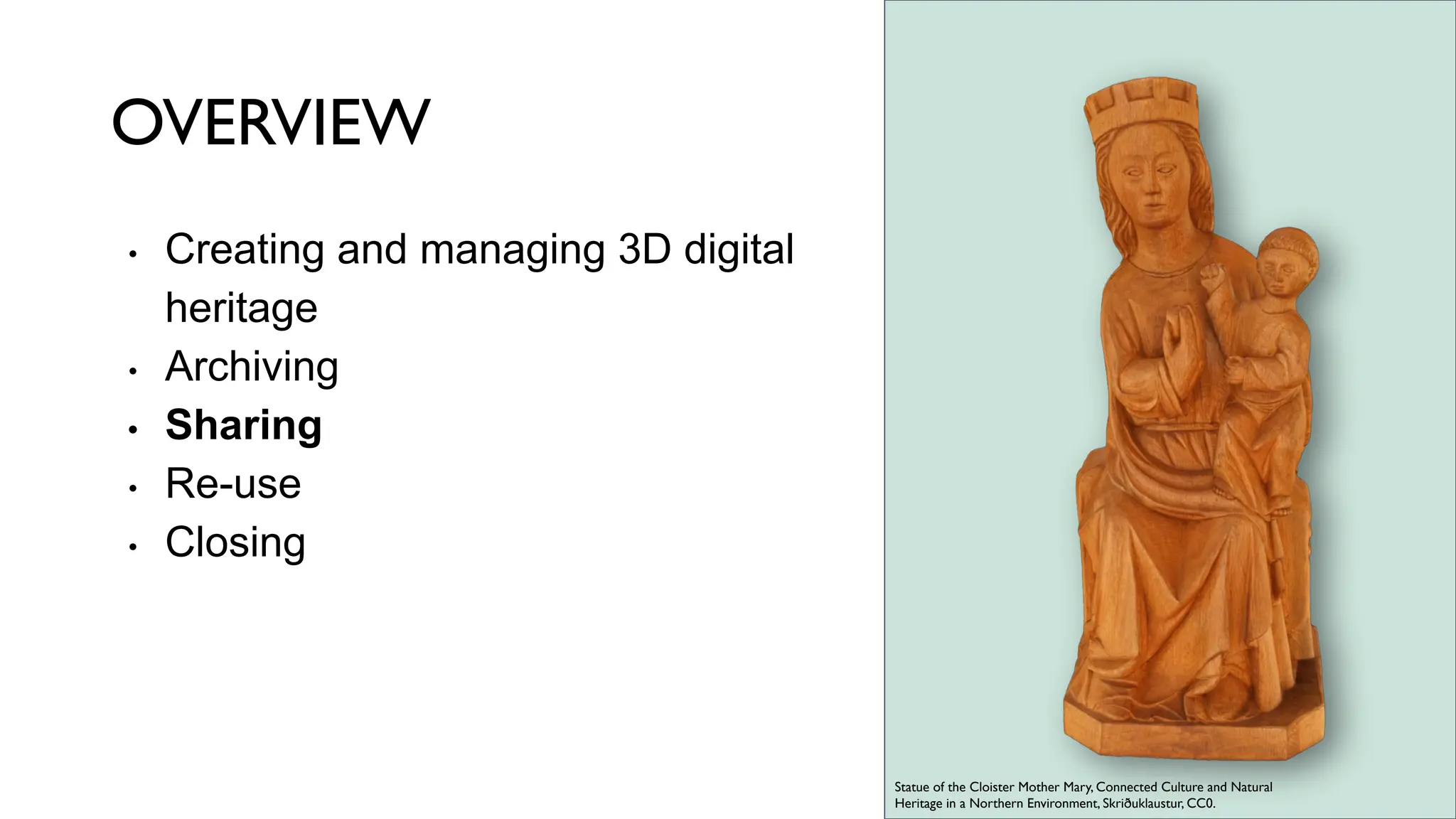
OVERVIEW
• Creating and managing 3D digital
heritage
• Archiving
• Sharing
• Re-use
• Closing
Statue of the Cloister Mother Mary, Connected Culture and Natural
Heritage in a Northern Environment, Skriðuklaustur, CC0.
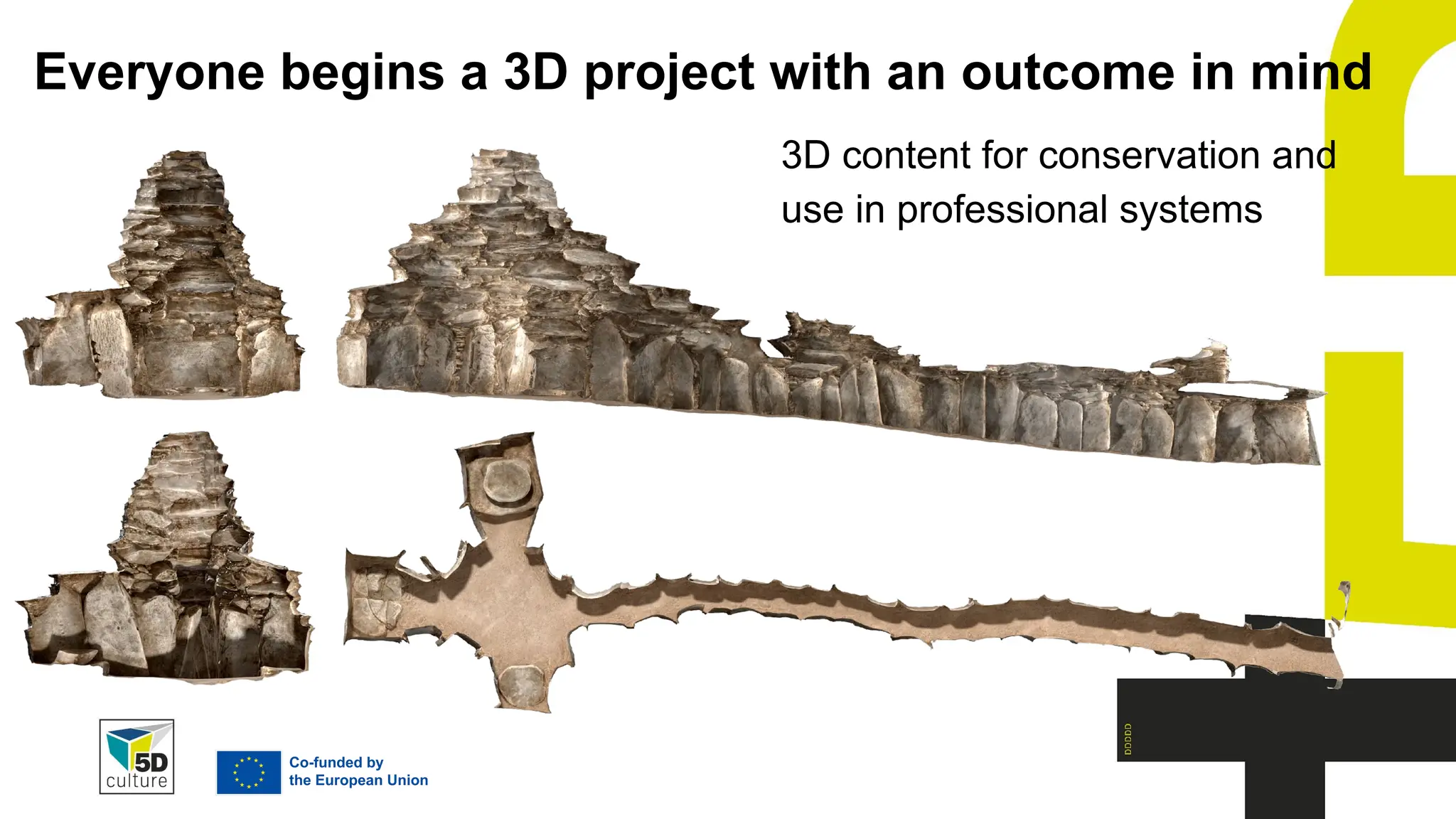
Everyone begins a 3D project with an outcome in mind
3D content for conservation and
use in professional systems
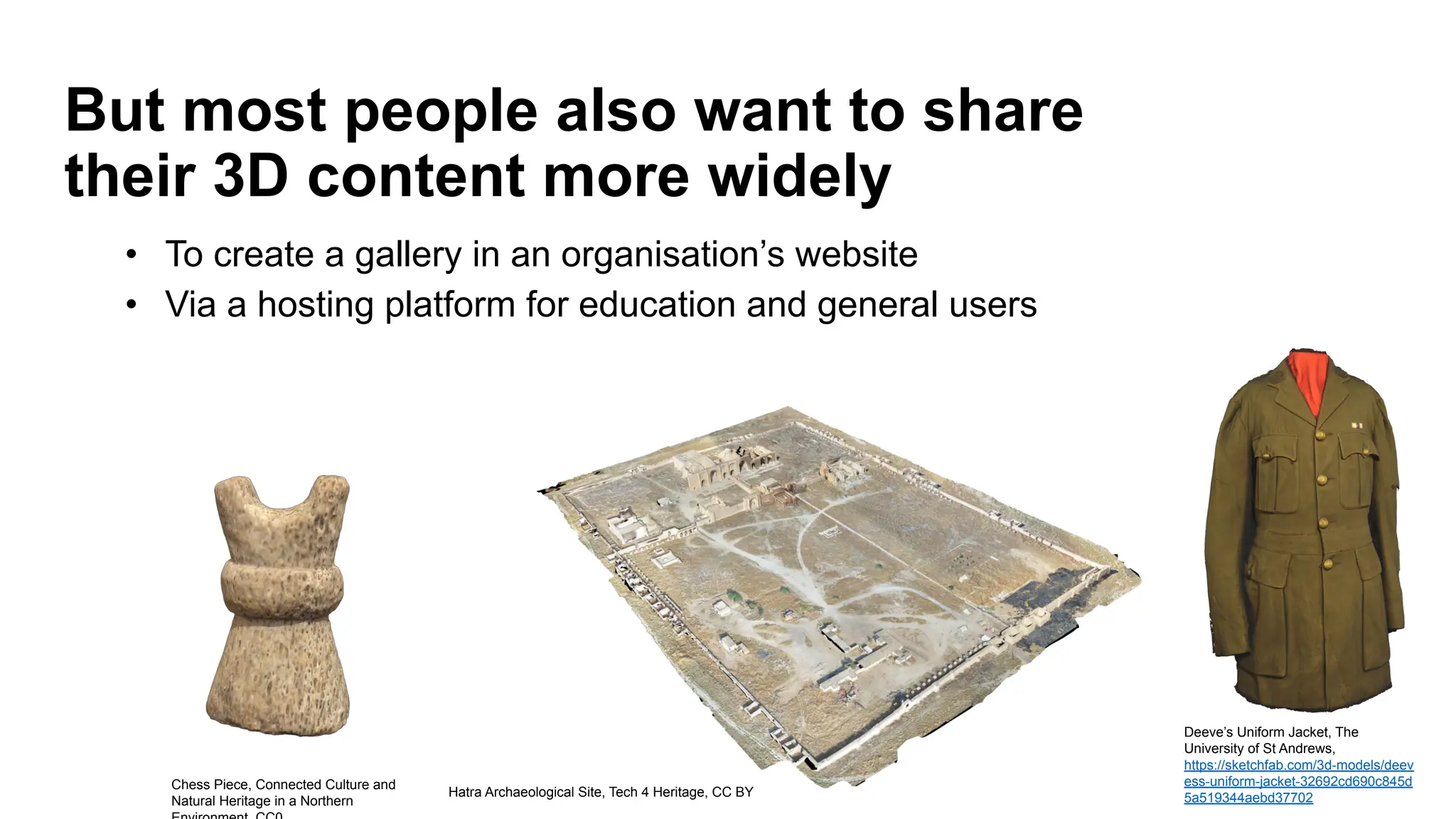
But most people also want to share
their 3D content more widely
Hatra Archaeological Site, Tech 4 Heritage, CC BY
Chess Piece, Connected Culture and
Natural Heritage in a Northern
Deeve’s Uniform Jacket, The
University of St Andrews,
https://sketchfab.com/3d-models/deev
ess-uniform-jacket-32692cd690c845d
5a519344aebd37702
• To create a gallery in an organisation’s website
• Via a hosting platform for education and general users
A note about sharing your 3D models online
Your original dataset (ideally deposited with an archive for preservation)
● Will generally comprise of a high resolution (high poly) 3D models which are
invaluable for use in professional systems, but whose size makes them slow to
download online
● Will generally be processed to create a version for online publication with a
series of operations being performed to enhance the visualization of the model
while decreasing the file size. For example, mesh decimation; creating normal
maps, retopology.
The result is a lower resolution (low poly) version of the 3D models which is
optimised for speed and interactivity in online applications.
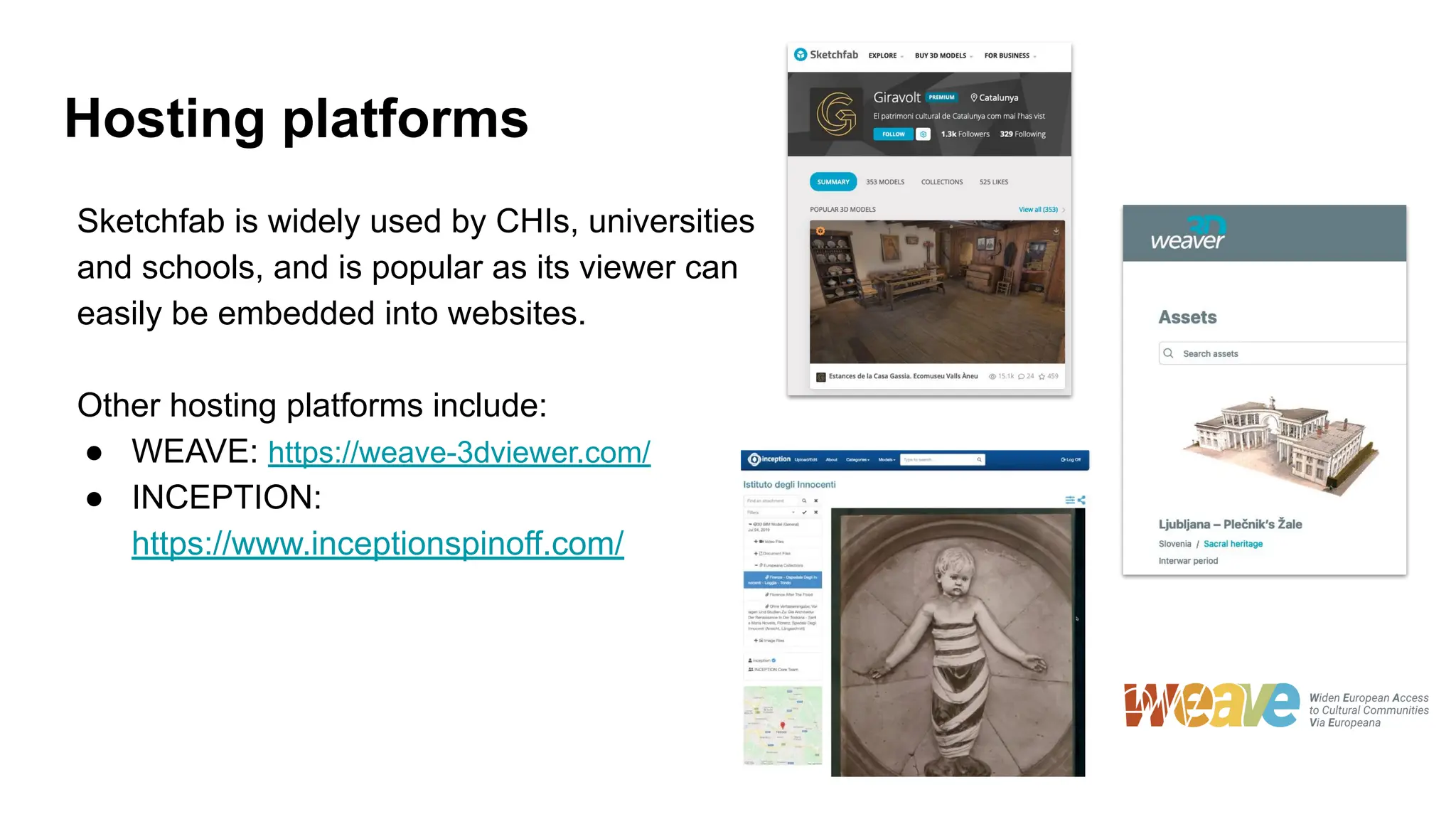
Hosting platforms
Sketchfab is widely used by CHIs, universities
and schools, and is popular as its viewer can
easily be embedded into websites.
Other hosting platforms include:
● WEAVE: https://weave-3dviewer.com/
● INCEPTION:
https://www.inceptionspinoff.com/
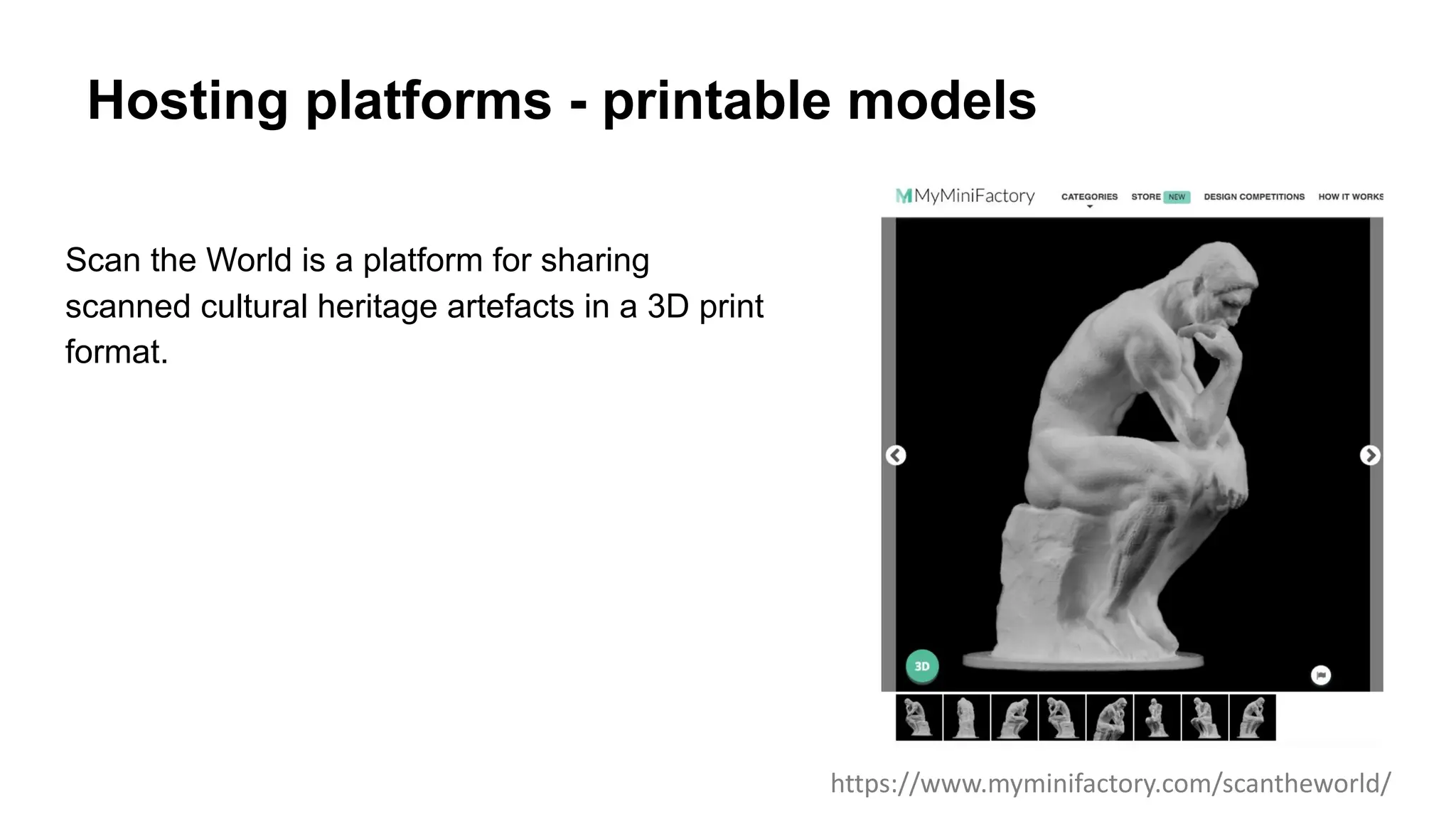
Hosting platforms - printable models
Scan the World is a platform for sharing
scanned cultural heritage artefacts in a 3D print
format.
https://www.myminifactory.com/scantheworld/
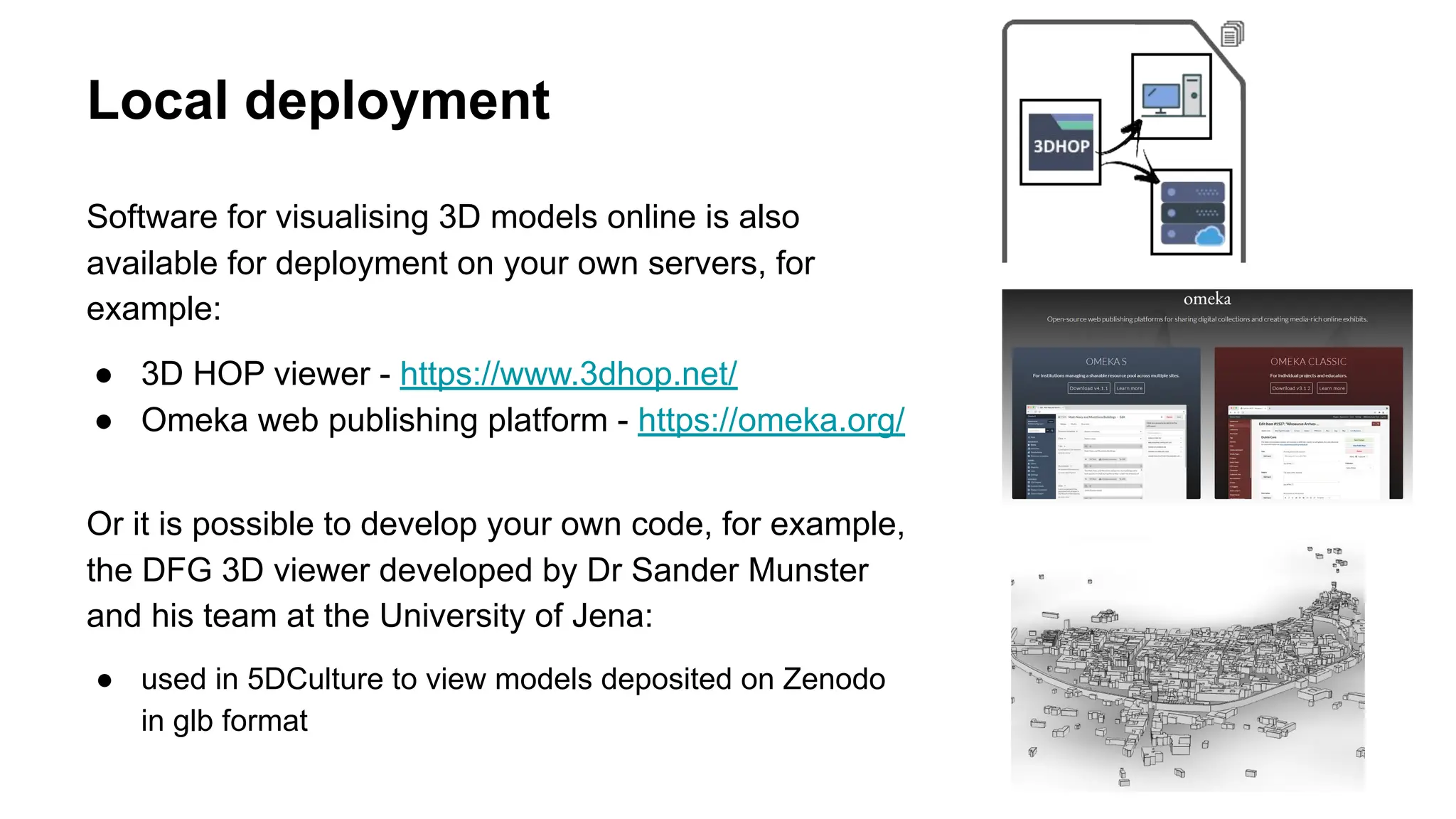
Local deployment
Software for visualising 3D models online is also
available for deployment on your own servers, for
example:
● 3D HOP viewer - https://www.3dhop.net/
● Omeka web publishing platform - https://omeka.org/
Or it is possible to develop your own code, for example,
the DFG 3D viewer developed by Dr Sander Munster
and his team at the University of Jena:
● used in 5DCulture to view models deposited on Zenodo
in glb format
As well as deciding how to publish your 3D model online you also need:
1. A metadata description of the model
a. Some hosting platforms ask you to complete a form as part of the upload process, this
creates metadata with more or less detail according to the platform you choose.
2. To select a rights statements which expresses the permitted uses for your
content.
More follows on metadata and rights
Sharing your 3D data
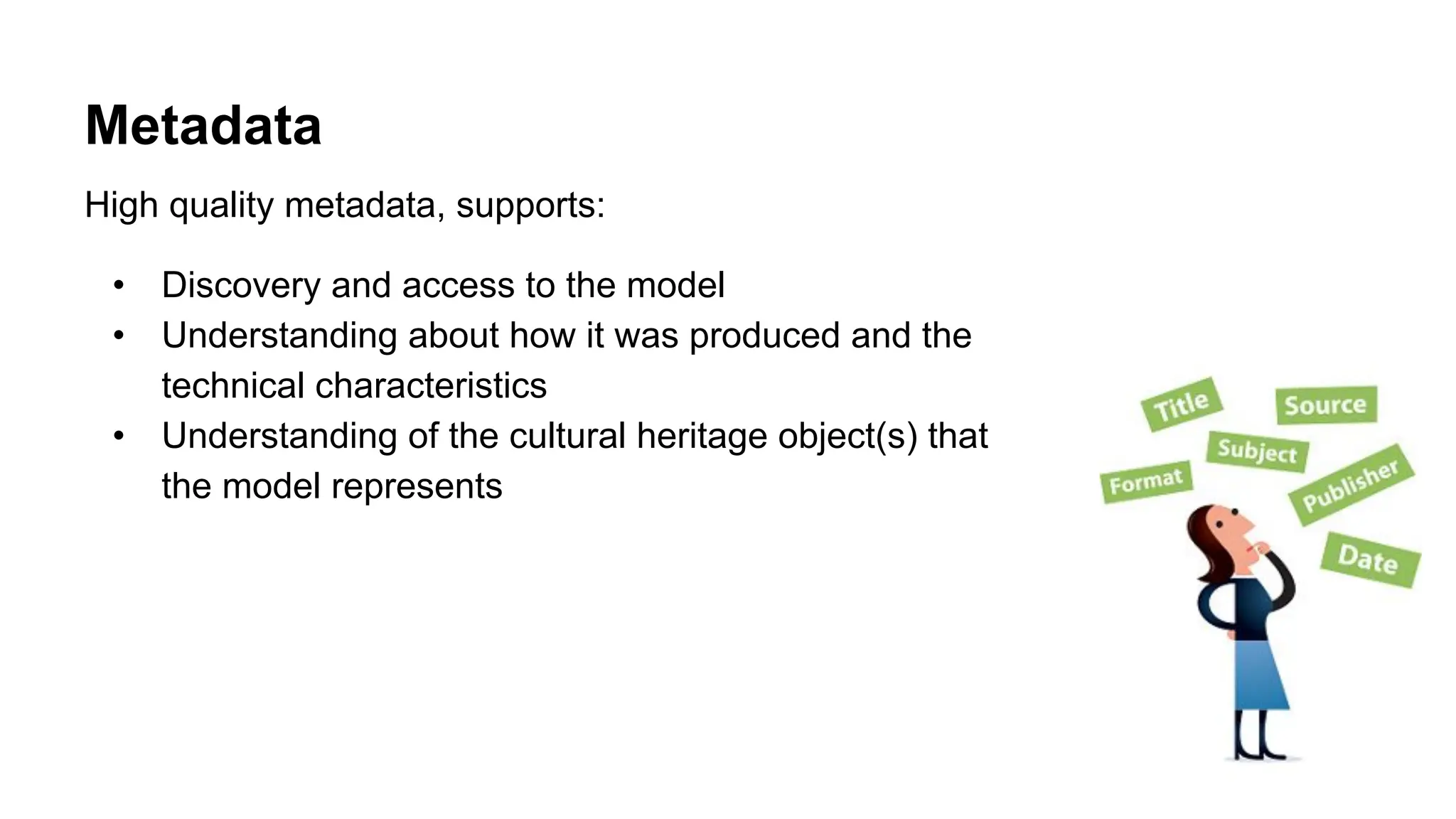
Metadata
High quality metadata, supports:
• Discovery and access to the model
• Understanding about how it was produced and the
technical characteristics
• Understanding of the cultural heritage object(s) that
the model represents
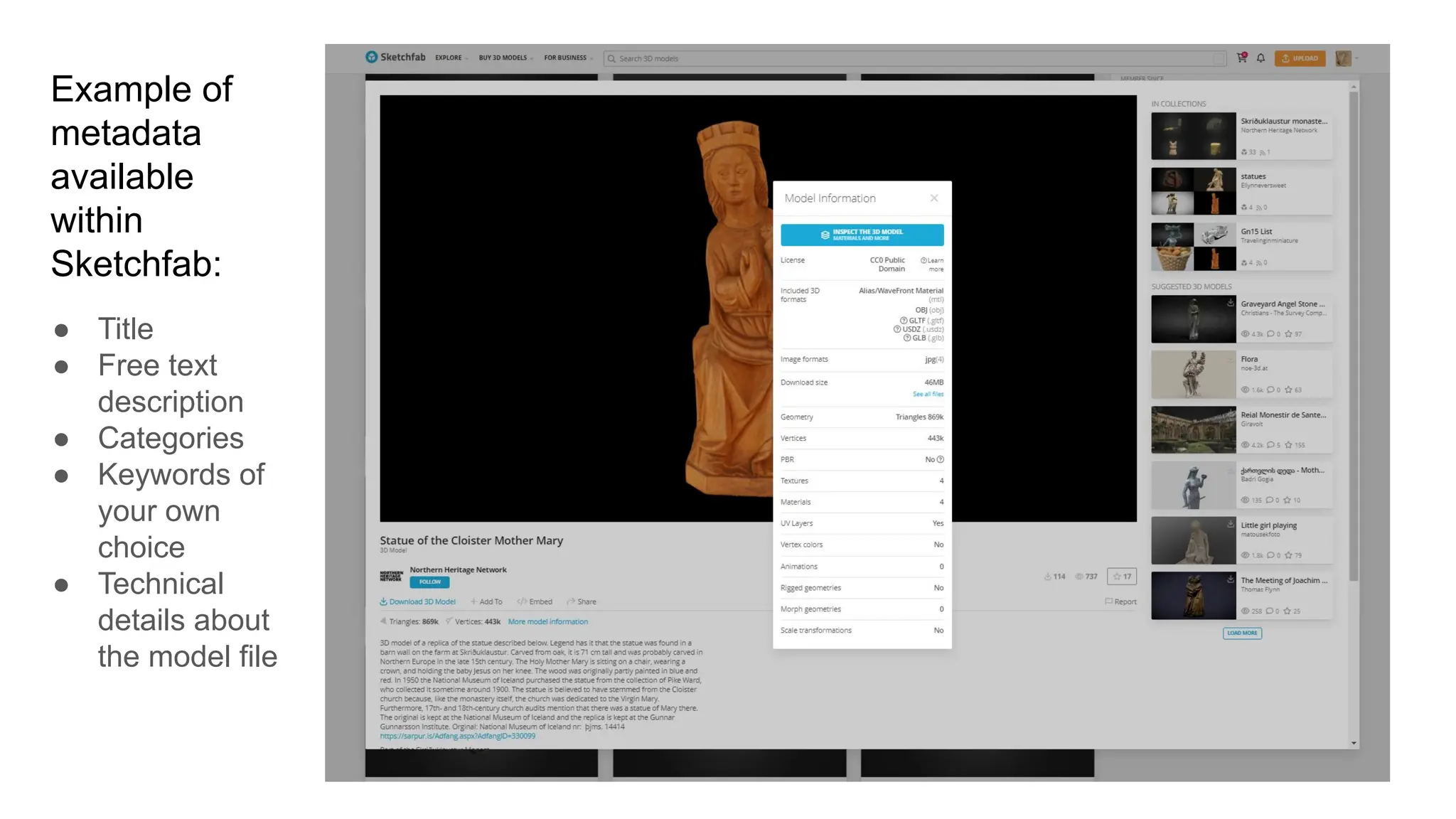
Example of
metadata
available
within
Sketchfab:
● Title
● Free text
description
● Categories
● Keywords of
your own
choice
● Technical
details about
the model file
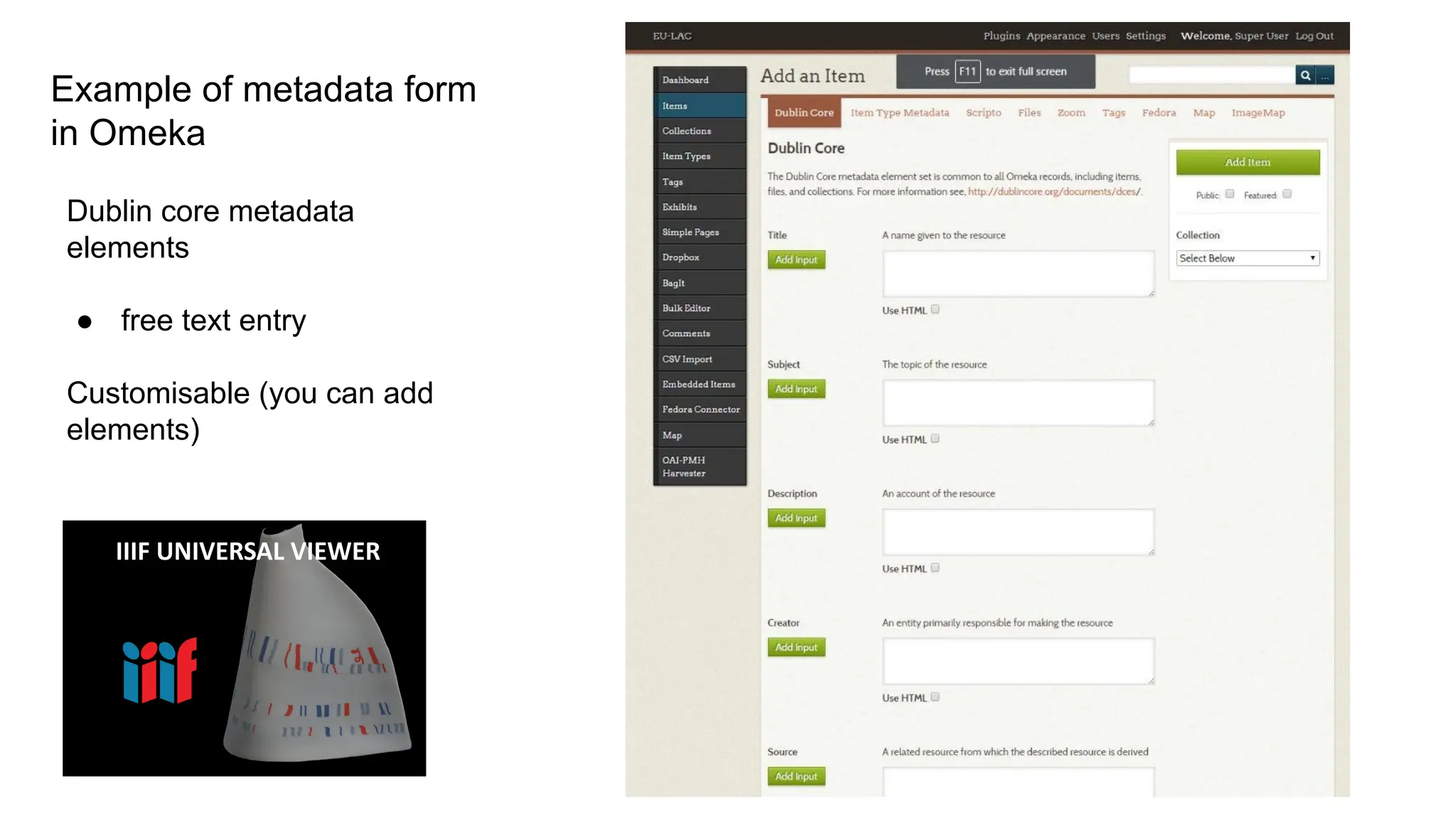
Example of metadata form
in Omeka
Dublin core metadata
elements
● free text entry
Customisable (you can add
elements)
IIIF UNIVERSAL VIEWER
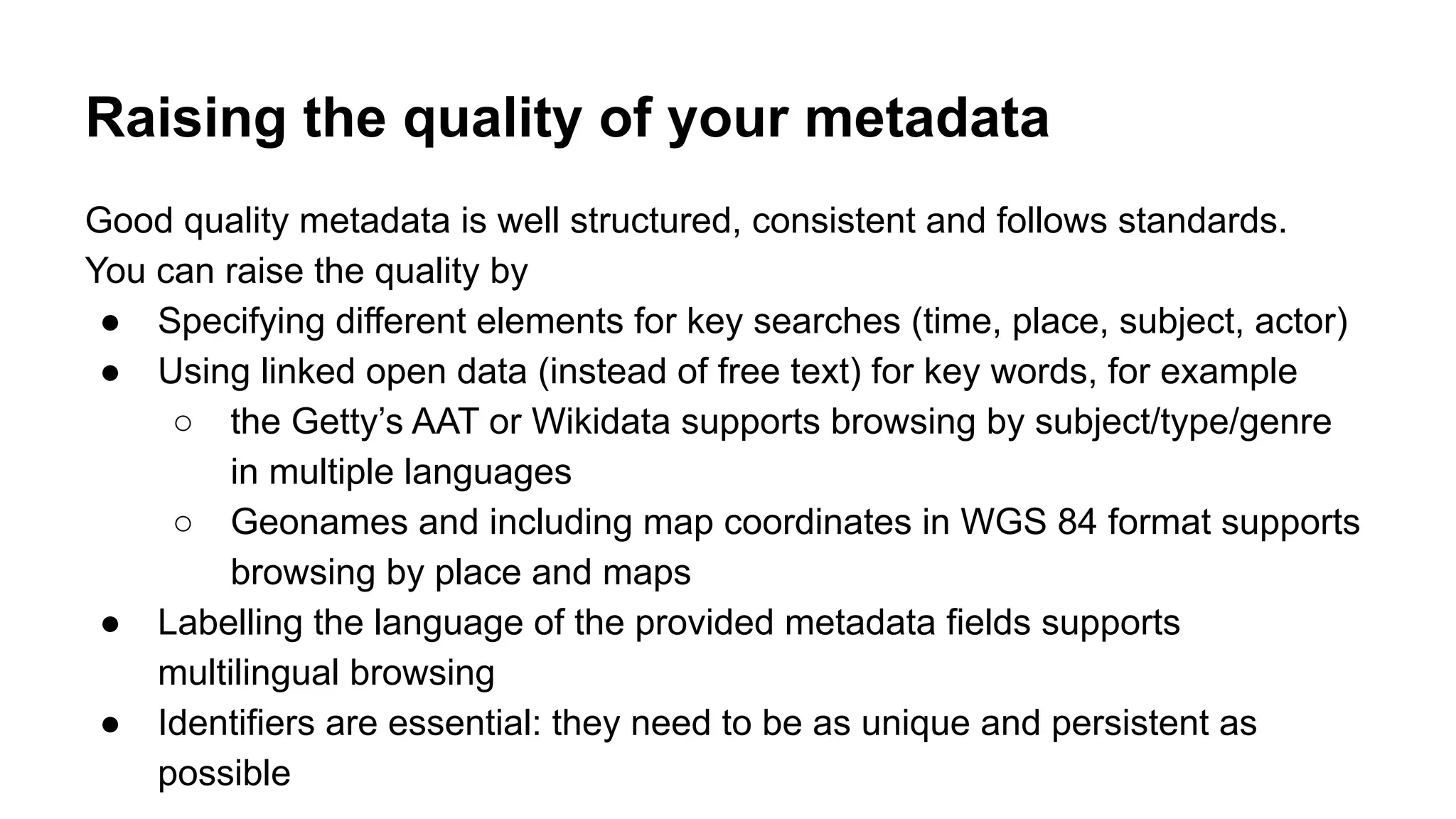
Raising the quality of your metadata
Good quality metadata is well structured, consistent and follows standards.
You can raise the quality by
● Specifying different elements for key searches (time, place, subject, actor)
● Using linked open data (instead of free text) for key words, for example
○ the Getty’s AAT or Wikidata supports browsing by subject/type/genre
in multiple languages
○ Geonames and including map coordinates in WGS 84 format supports
browsing by place and maps
● Labelling the language of the provided metadata fields supports
multilingual browsing
● Identifiers are essential: they need to be as unique and persistent as
possible
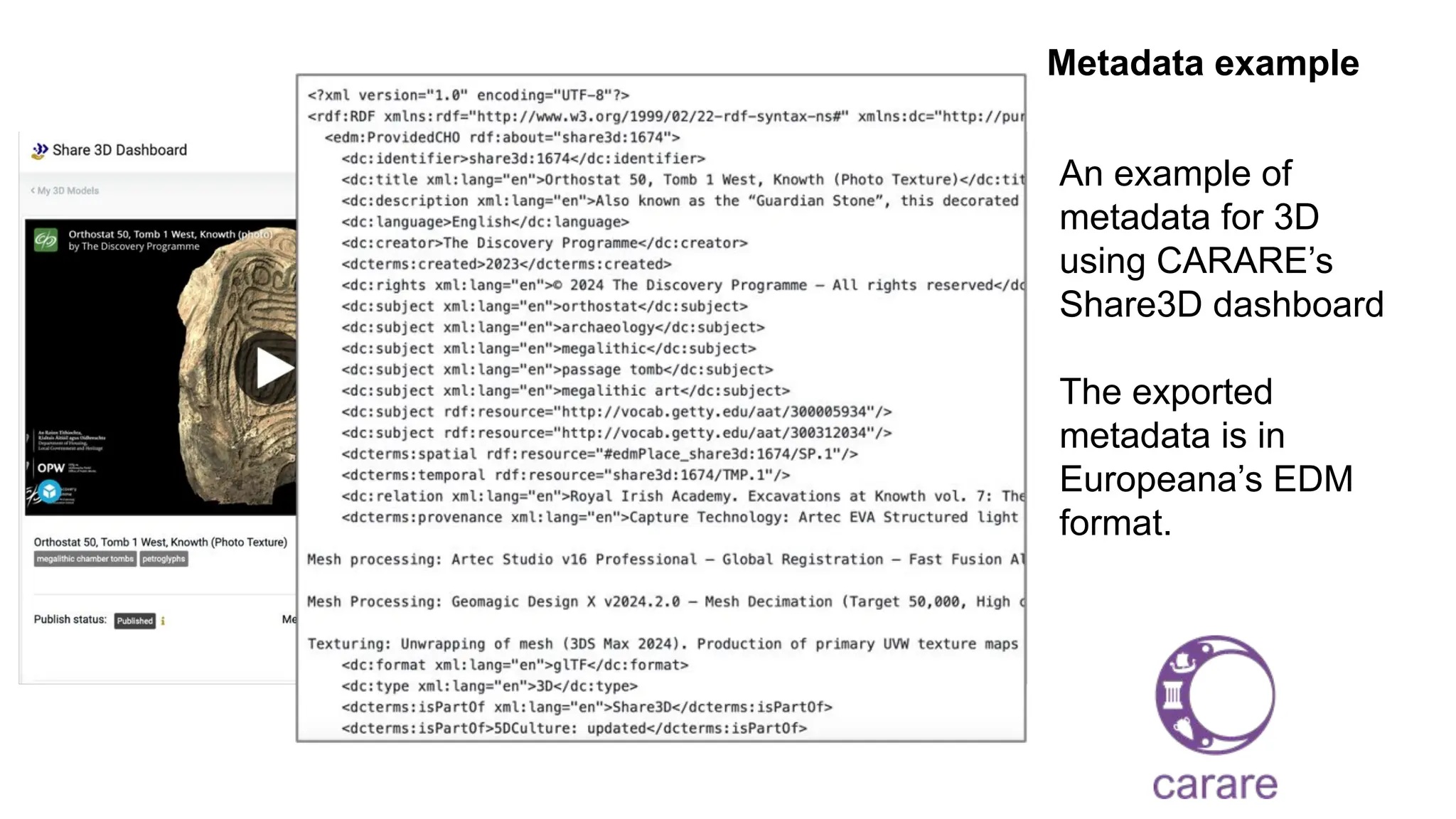
Metadata example
An example of
metadata for 3D
using CARARE’s
Share3D dashboard
The exported
metadata is in
Europeana’s EDM
format.
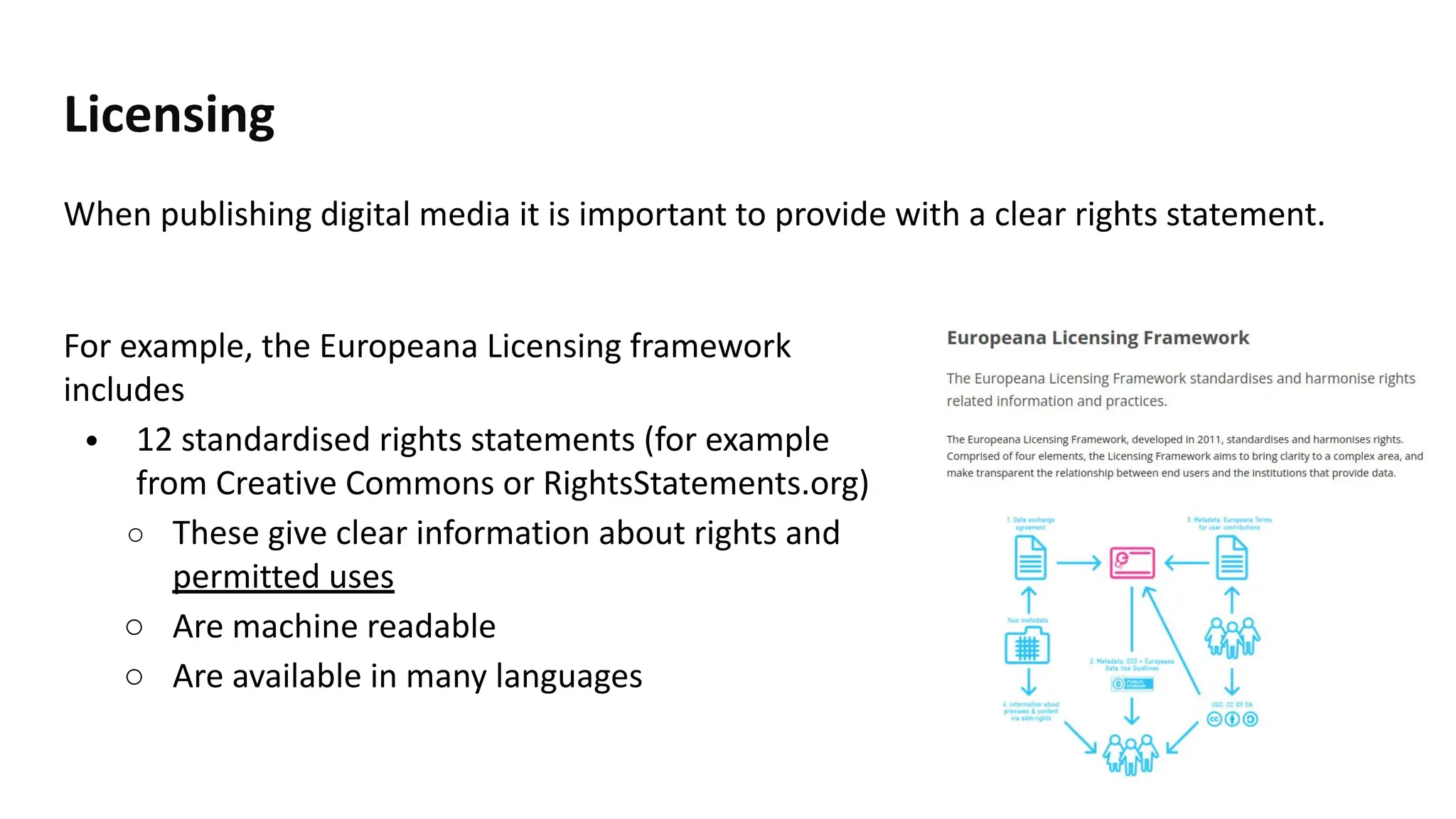
Licensing
When publishing digital media it is important to provide with a clear rights statement.
36
For example, the Europeana Licensing framework
includes
• 12 standardised rights statements (for example
from Creative Commons or RightsStatements.org)
○ These give clear information about rights and
permitted uses
○ Are machine readable
○ Are available in many languages
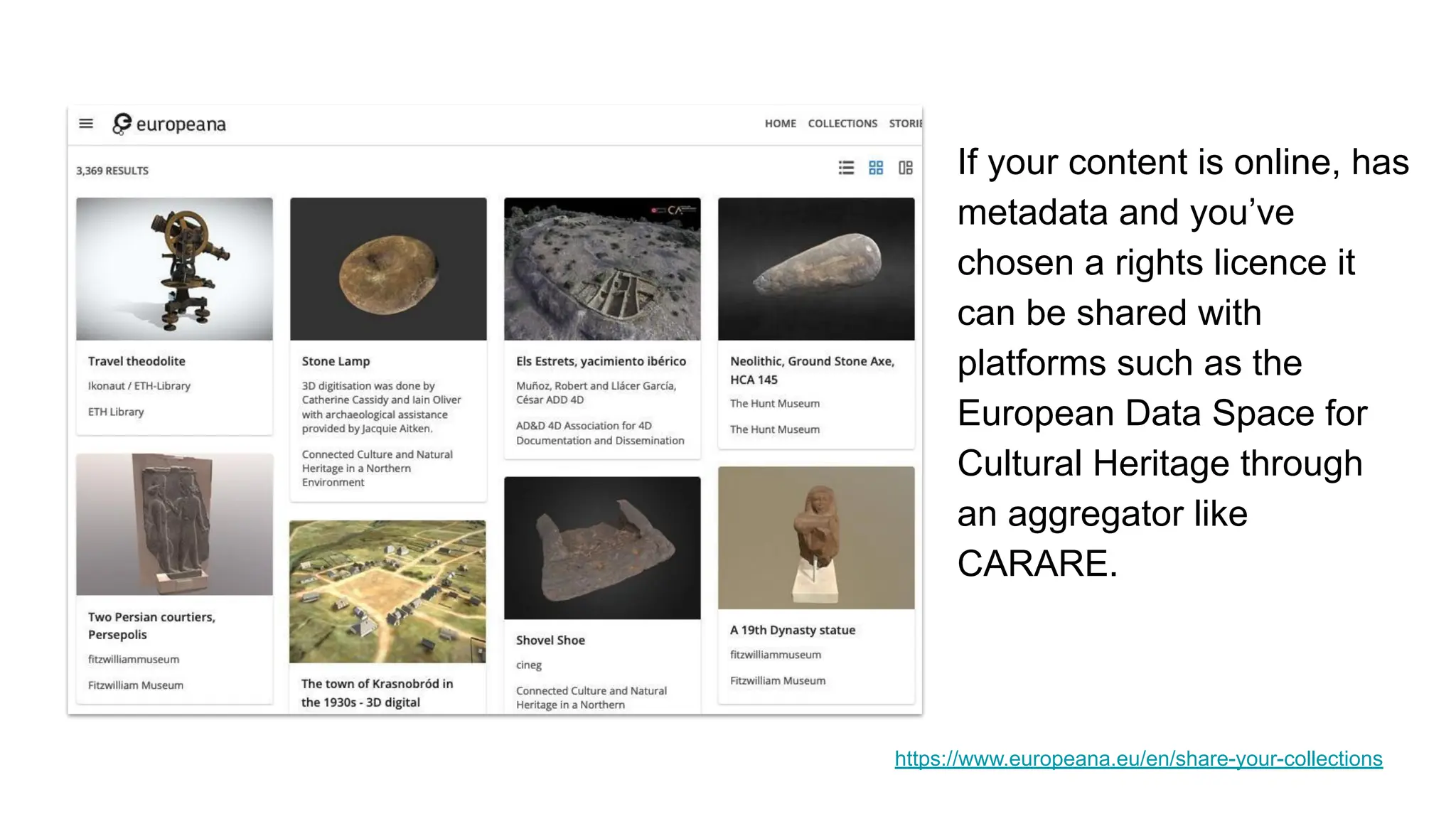
If your content is online, has
metadata and you’ve
chosen a rights licence it
can be shared with
platforms such as the
European Data Space for
Cultural Heritage through
an aggregator like
CARARE.
https://www.europeana.eu/en/share-your-collections
OVERVIEW
• Creating and managing 3D digital
heritage
• Archiving
• Sharing
• Re-use
• Closing
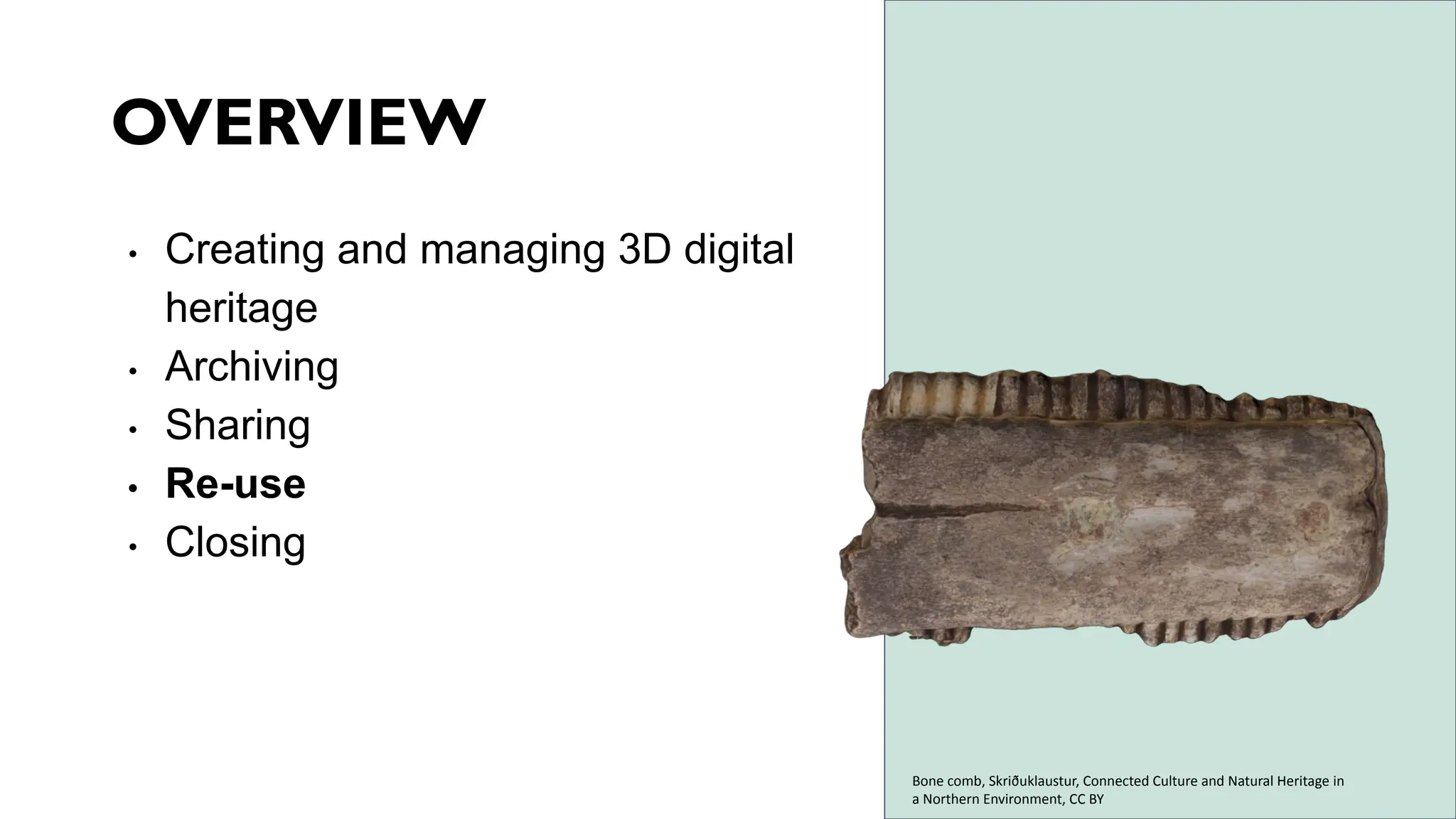
Bone comb, Skriðuklaustur, Connected Culture and Natural Heritage in
a Northern Environment, CC BY
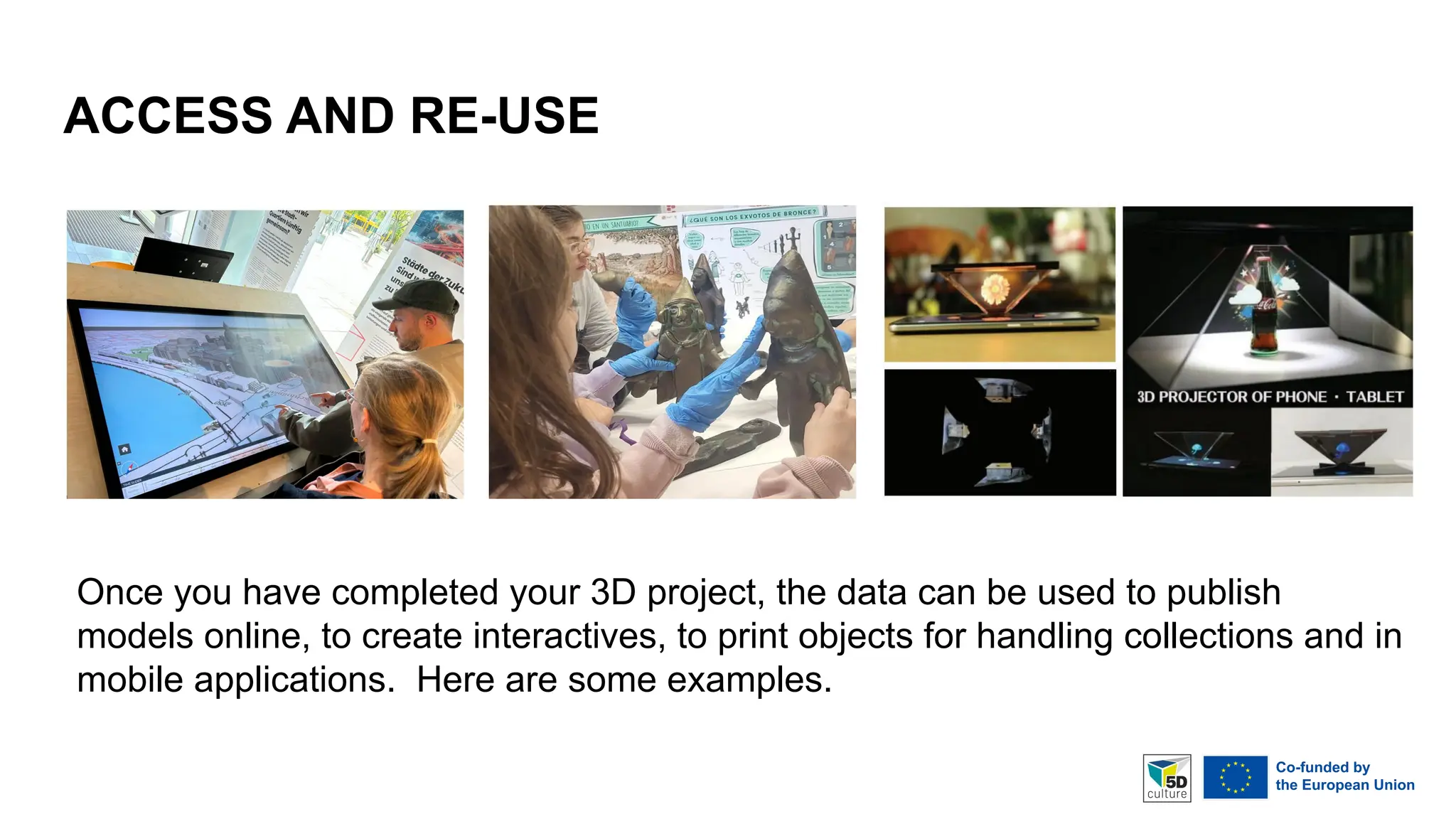
ACCESS AND RE-USE
Once you have completed your 3D project, the data can be used to publish
models online, to create interactives, to print objects for handling collections and in
mobile applications. Here are some examples.
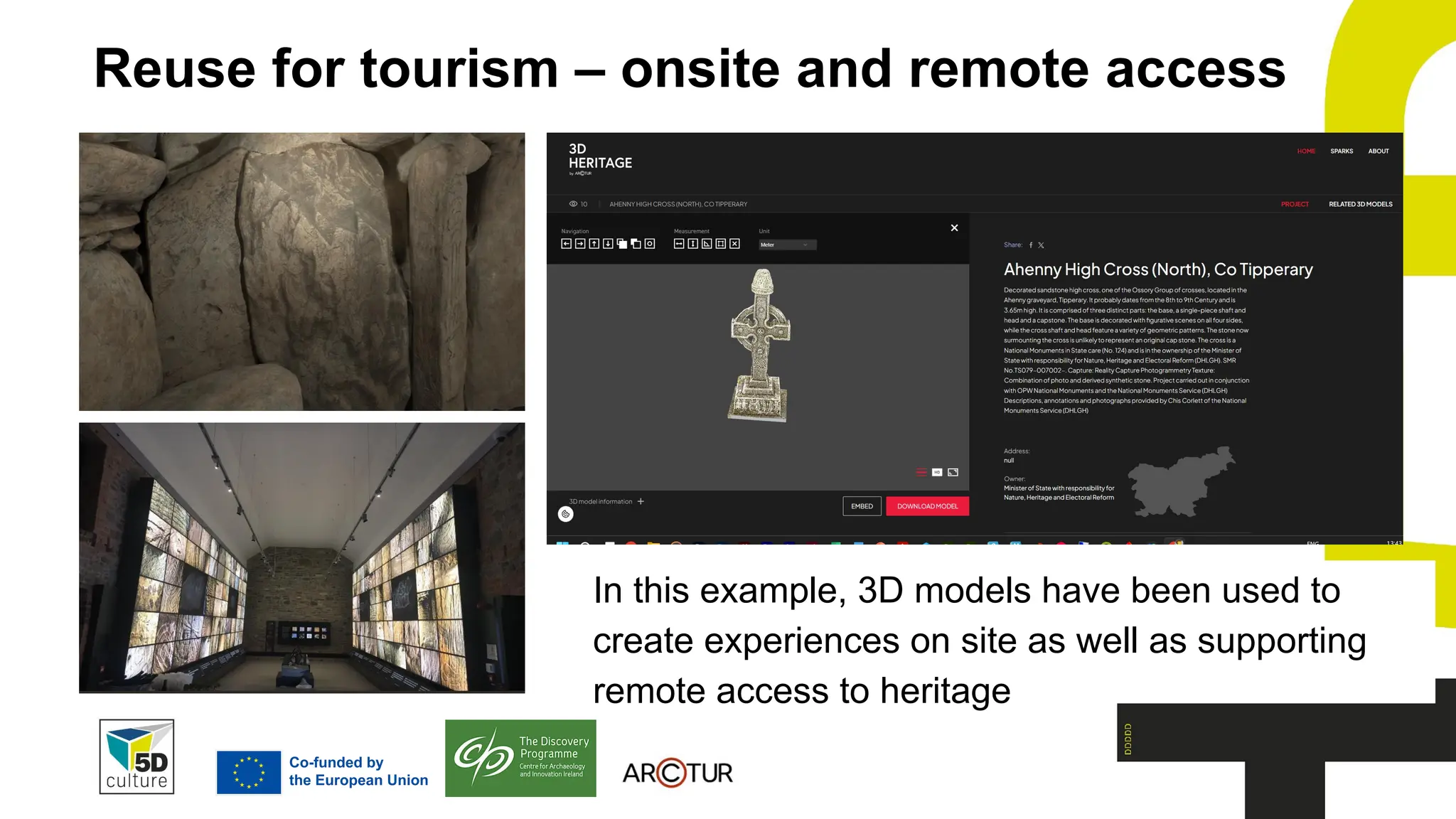
Reuse for tourism – onsite and remote access
In this example, 3D models have been used to
create experiences on site as well as supporting
remote access to heritage
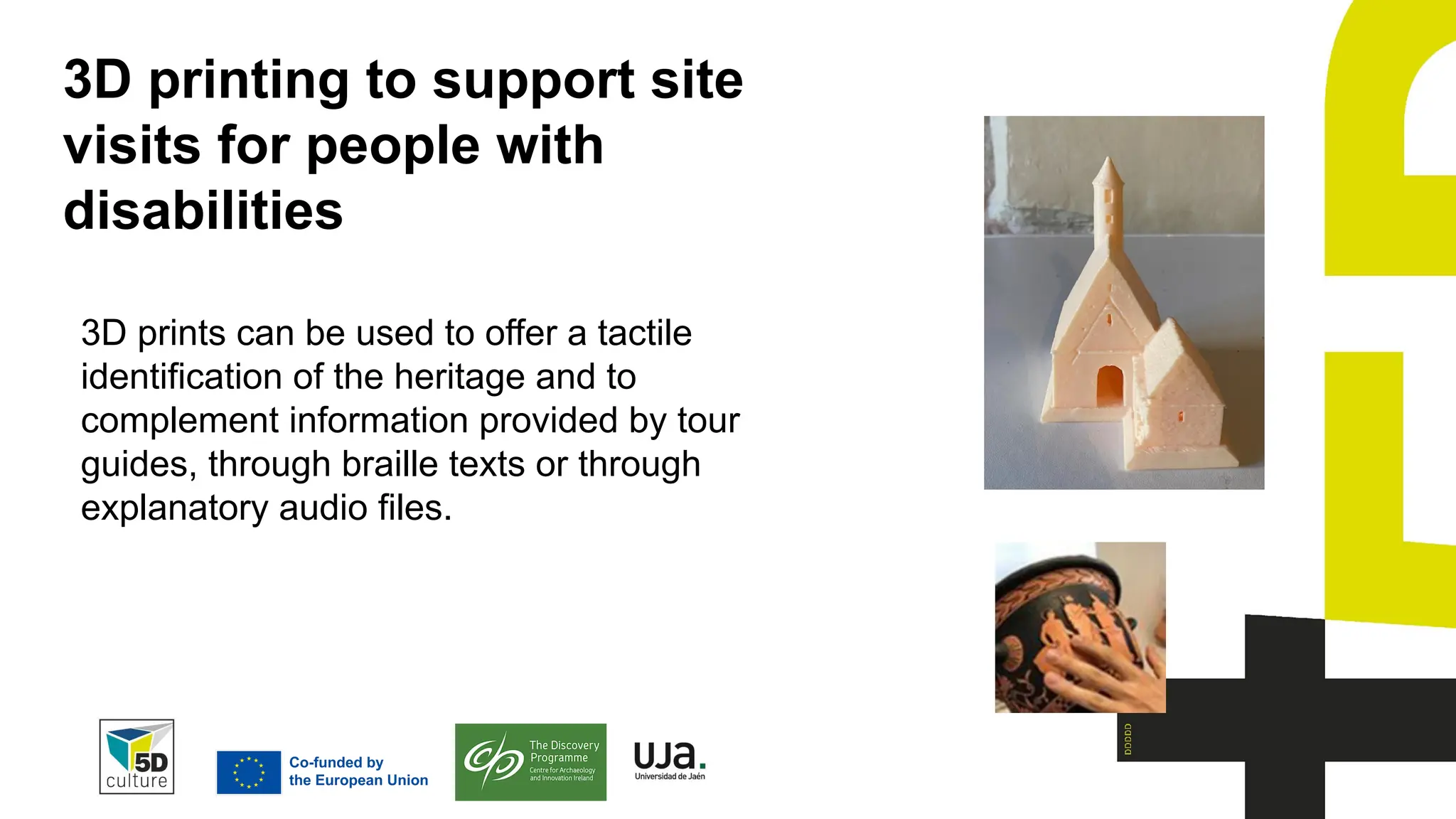
3D printing to support site
visits for people with
disabilities
3D prints can be used to offer a tactile
identification of the heritage and to
complement information provided by tour
guides, through braille texts or through
explanatory audio files.
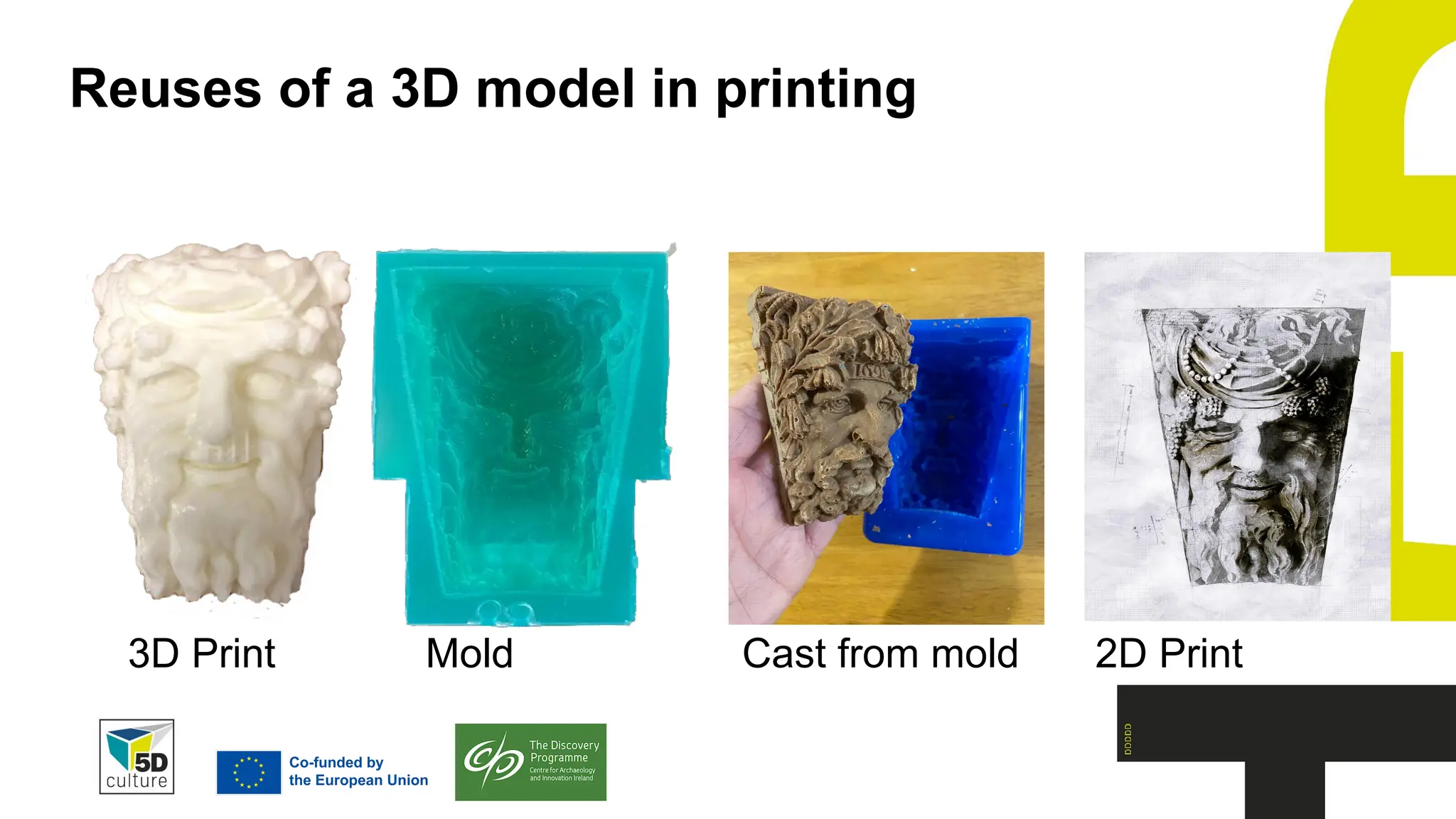
Reuses of a 3D model in printing
3D Print Mold Cast from mold 2D Print
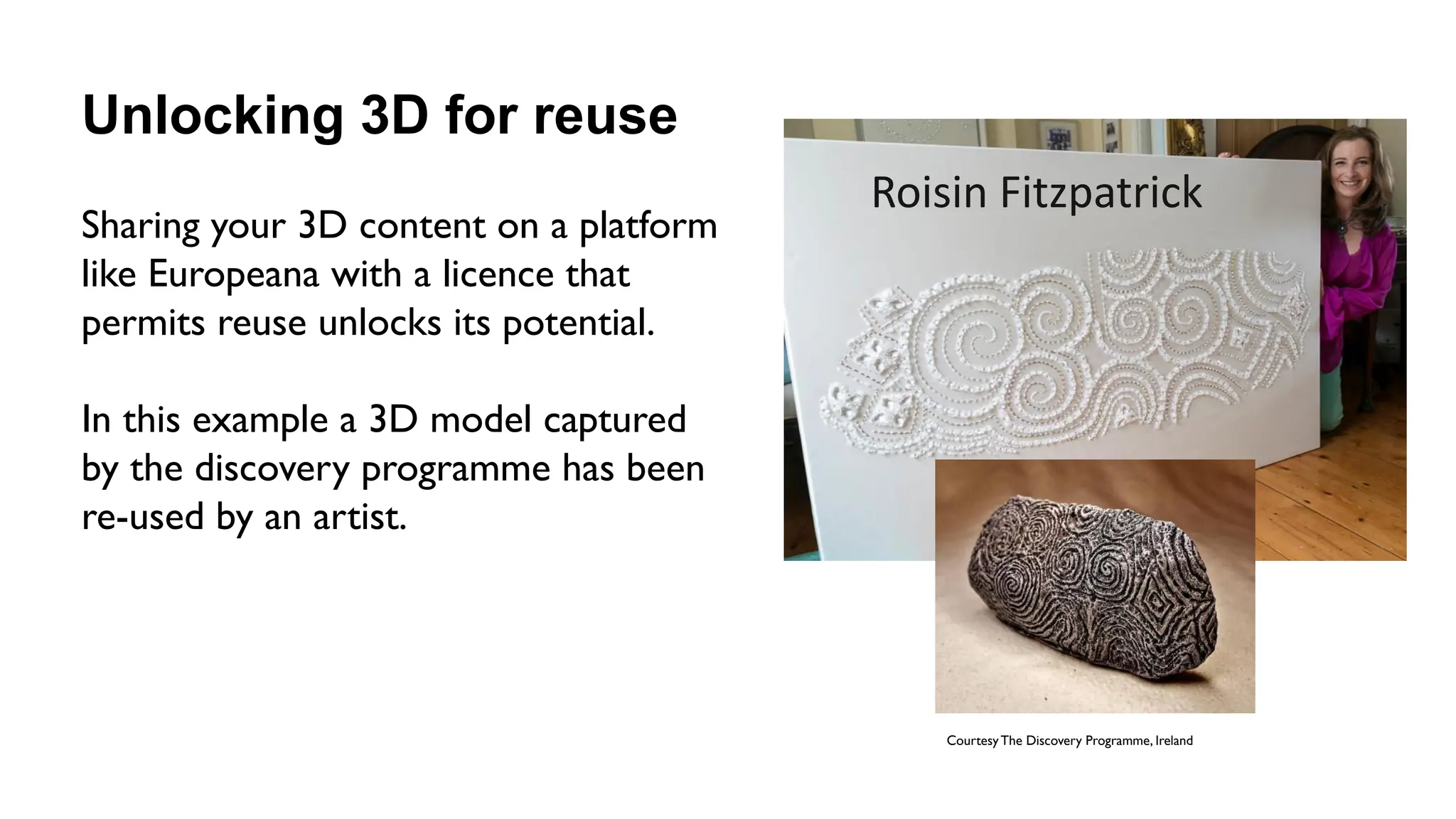
Unlocking 3D for reuse
Sharing your 3D content on a platform
like Europeana with a licence that
permits reuse unlocks its potential.
In this example a 3D model captured
by the discovery programme has been
re-used by an artist.
Courtesy The Discovery Programme, Ireland
Roisin Fitzpatrick
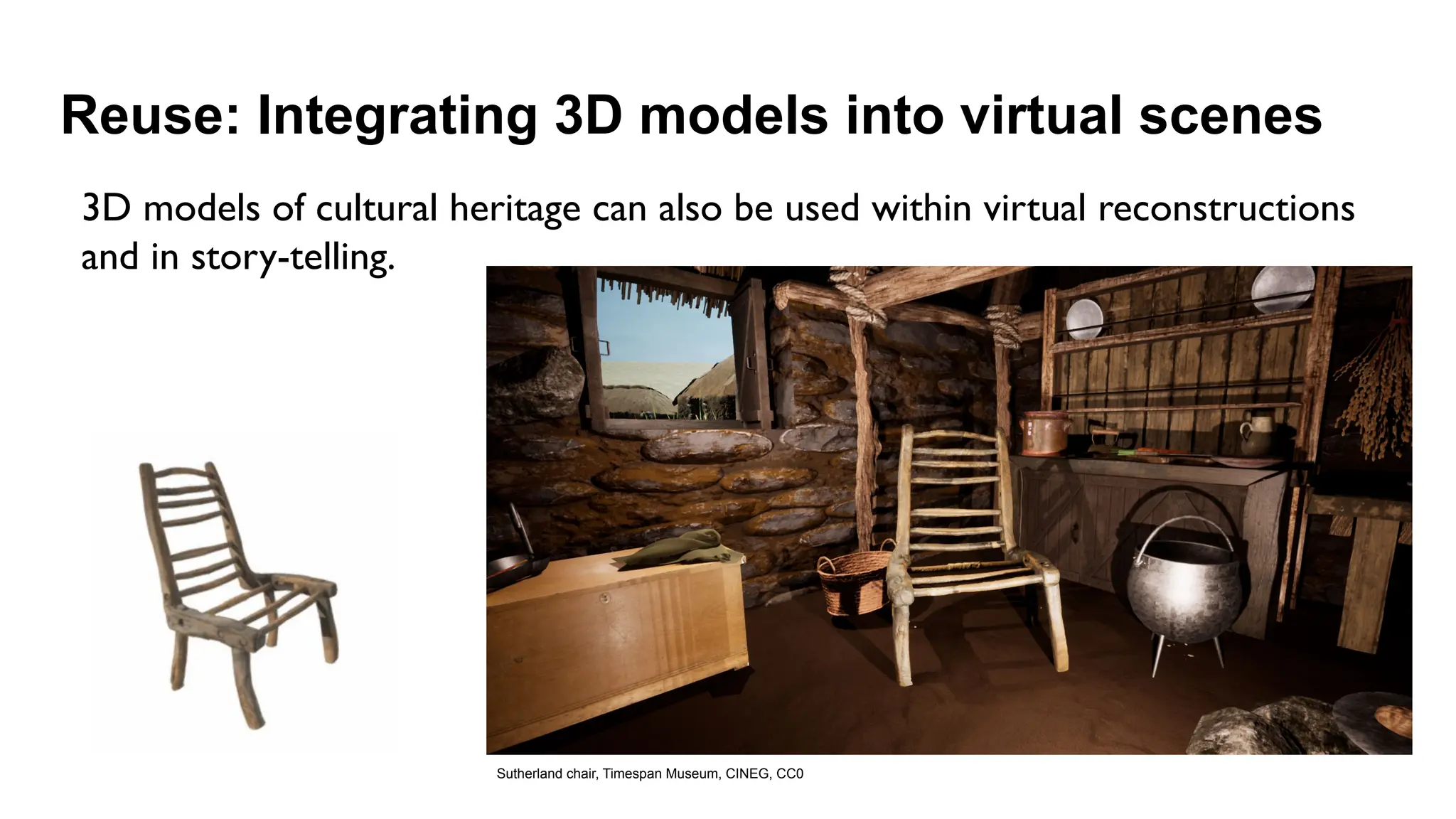
Reuse: Integrating 3D models into virtual scenes
Sutherland chair, Timespan Museum, CINEG, CC0
3D models of cultural heritage can also be used within virtual reconstructions
and in story-telling.
OVERVIEW
• Creating and managing 3D digital
heritage
• Archiving
• Sharing
• Re-use
• Closing
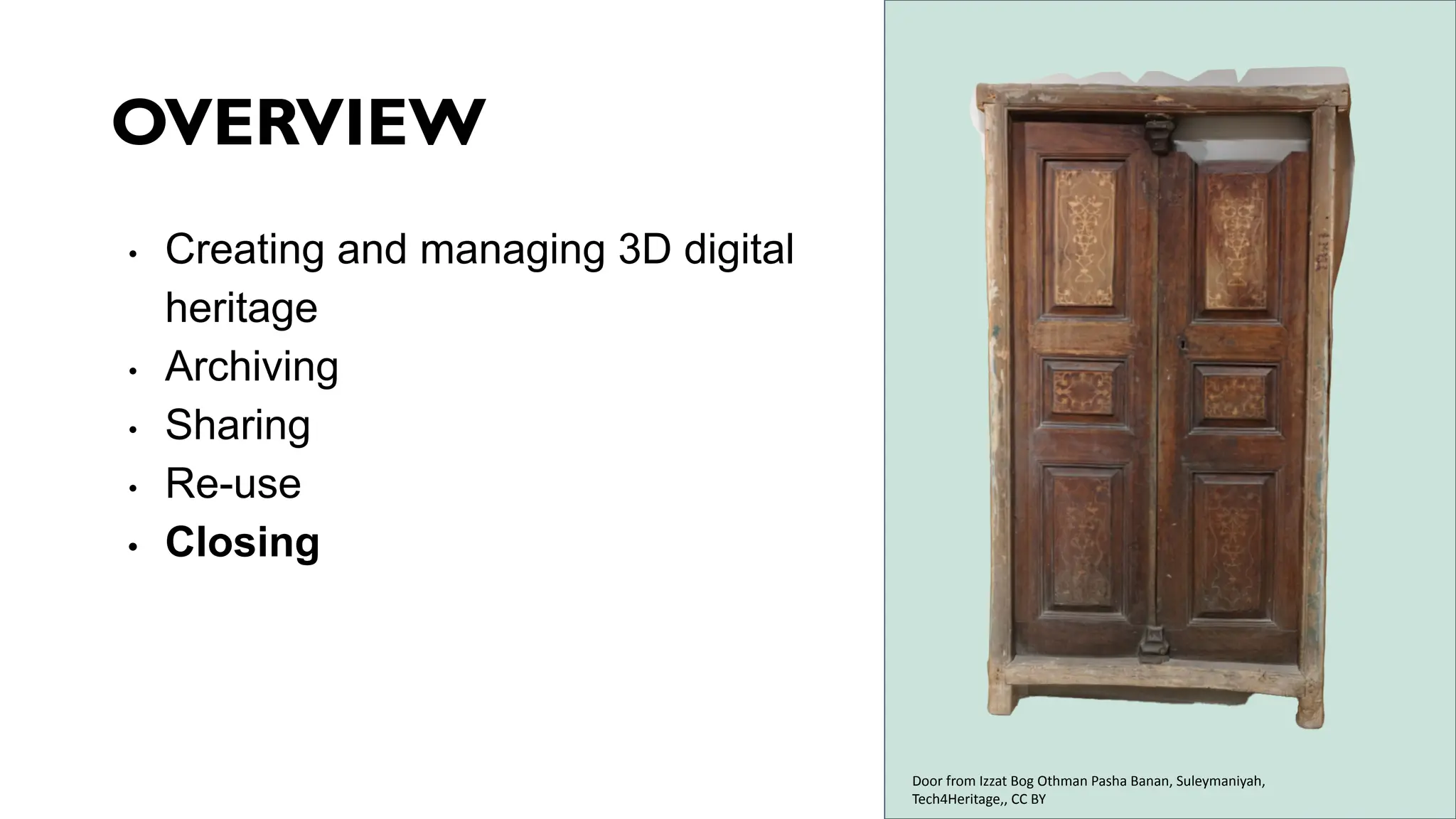
Door from Izzat Bog Othman Pasha Banan, Suleymaniyah,
Tech4Heritage,, CC BY
1. Appreciation of the benefits of 3D digitisation of cultural heritage
2. Knowledge about planning and implementing 3D data capture and data
processing in a sustainable way; about potential obstacles and plausible
solutions
3. Appreciation of the importance of data management and the difference
between storage, archiving and publication
4. Recognising the value of standards and good quality documentation for
archiving, access and reuse.
5. Understanding the potential of 3D heritage for reuse within and beyond the
heritage sector
The essential guide to 3D digitised heritage aimed to
give you:
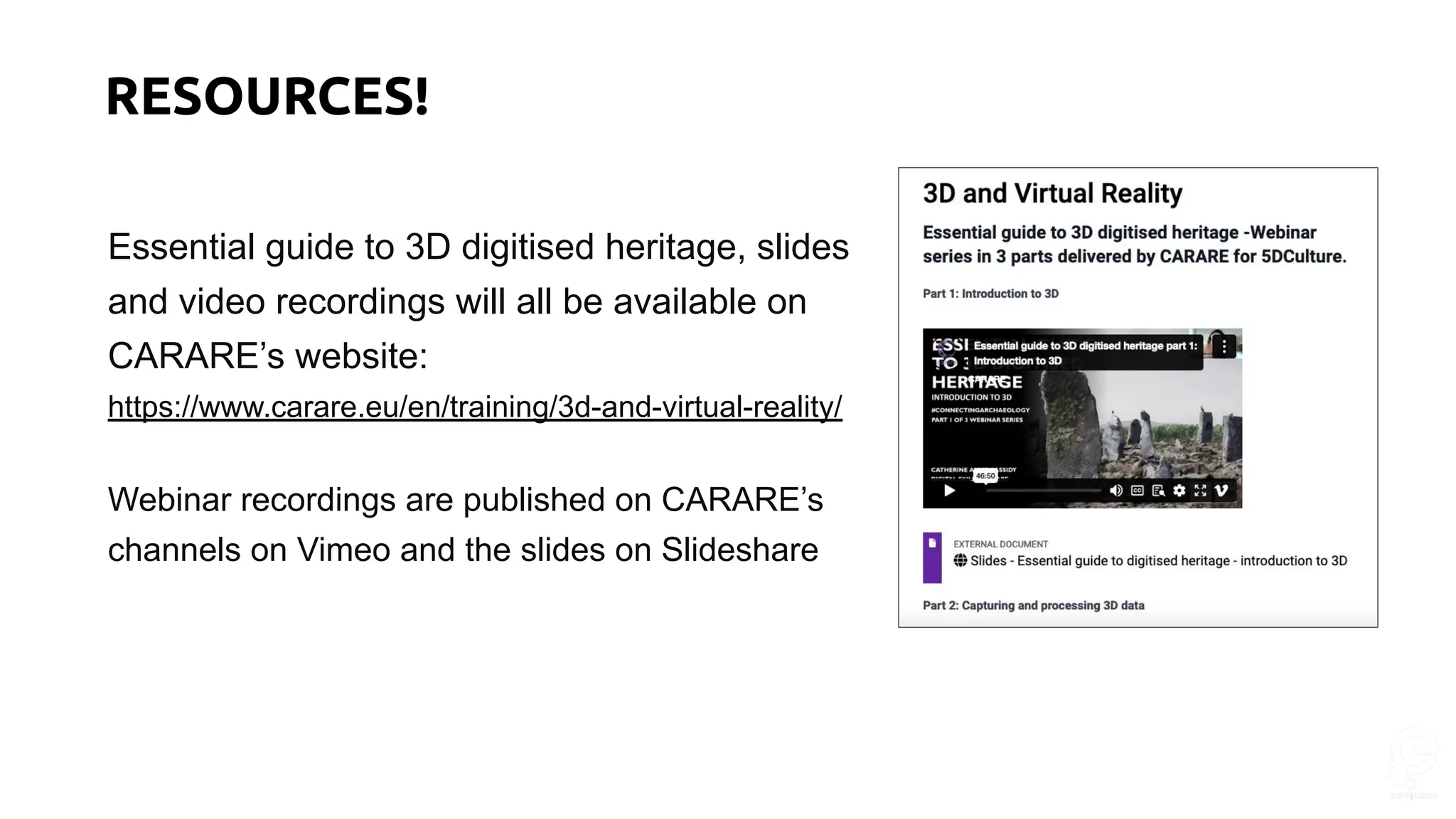
Essential guide to 3D digitised heritage, slides
and video recordings will all be available on
CARARE’s website:
https://www.carare.eu/en/training/3d-and-virtual-reality/
Webinar recordings are published on CARARE’s
channels on Vimeo and the slides on Slideshare
RESOURCES!
CARARE is a partner in a new project, 3D
4CH, which will establish a competence centre
on 3D for cultural heritage.
Watch this space and follow us for news!
Email kfernie27@gmail.com if you’d like to join
our mailing list
What’s next
Kate Fernie
kfernie27@gmail.com
THANK YOU! https://www.carare.eu
Contact: info@carare.eu
Bluesky: @carare.eu
Training hub:
https://www.carare.eu/en
/training/
Webinars on Vimeo:
https://vimeo.com/user1
24611809

Essential guide to 3D digitised heritage: part 3

  • 1.
    KATE FERNIE, OperationsManager, CARARE
  • 2.
    HOUSEKEEPING • The webinarwill be recorded • All lines are muted • Please use the Zoom chat to introduce yourself, for general discussions and to share links • Please write your questions in the Zoom Q&A • We will have a dedicated Q&A session at the end of this webinar
  • 3.
    WELCOME • This webinaris an introduction to 3D digitisation in heritage and is the third in a three-part series organised by CARARE for the 5CH and Tech4Heritage projects • These webinars are geared towards CH professionals, volunteers, or students who want to learn more about 3D as a heritage sector activity • Today we’re exploring archiving, sharing and reuses of 3D content. https://www.carare.eu/
  • 4.
    ABOUT US! CARARE hasbeen working with heritage organisations and archaeologists across Europe since 2010 offering support and practical assistance in sharing datasets with Europeana • We are a non-profit membership association aiming to advance professional practice and foster appreciation of the digital archaeological and architectural heritage • CARARE is a partner in the consortium for the implementation of the Common European Dataspace for CH and in projects working with 3D – notably 4CH, 5DCulture, Tech4Heritage and the 3D-4CH competence centre (starting in January) • This webinar is part of the capacity building activities for 5DCulture and Tech4Heritage https://www.carare.eu Contact: info@carare.eu Bluesky: @carare.eu Training hub: https://www.carare.eu/e n/training/ Webinars onVimeo: https://vimeo.com/user1 24611809 https://www.tech4heritage.com/ https://5dculture.eu
  • 5.
    LEARNING OBJECTIVES 1. Appreciationof the importance of data management and the difference between storage, archiving and publication 2. Recognising the value of standards and the importance of good quality documentation for archiving, access and reuse of 3D heritage 3. Understanding the potential of 3D heritage for reuse within and beyond the heritage sector
  • 6.
    OVERVIEW • Creating andmanaging 3D digital heritage • Archiving • Sharing • Re-use • Closing Warrior Box from the Necropolis of Piquía (Arjona, Jaén, Spain), Instituto de Arqueología Ibérica-Universidad de Jaén, BY-NC https://www.europeana.eu/en/item/2048713/UJAEN_HASSET_4981
  • 7.
    DIGITAL HERITAGE “cultural,educational, scientific, and administrative resources ….created digitally or converted into digital form from existing analogue resources” – UNESCO Charter on the Preservation of the Digital Heritage Santa Maria de Cardet. Vall de Boí, Catalan Cultural Heritage Agency, CC BY Ivory Beverley Crozier, The Hunt Museum, CC0 Space Stone, Connected Culture and Natural Heritage in a Northern Environment, CC0 https://www.smarthistory.co.uk/Edinburgh1544/16 th_Century_Edinburgh.html
  • 8.
  • 9.
    3D WORKFLOW Data capturing 3D modelling 3Dmodel enrichment Combines methods and uses various technologies at the different stages Slide credit: Marco Medici, University of Ferrara, Department of Architecture | INCEPTION
  • 10.
    Data capturing ∙ Laserscanning o Scan acquisition o Scan pre-registering o Scan importing o Scan registering o Scan merging ∙ Photogrammetry (SfM) o Photo alignment o Photo target matching o Topographic correction o Points cloud generation Data processing ∙ 3D object modelling o 3D object importing o 3D object creation ▪ 3D primitive modelling ▪ 3D NURBS modelling ▪ 3D mesh modelling o Point cloud meshing o 3D object managing ▪ Mesh decimating ▪ Mesh repairing ▪ Free form editing ▪ Sculpting ▪ Boolean editing o 3D object analysis ▪ 3D properties analysis ▪ 3D object comparison ▪ Mesh doctor ∙ BIM modelling o BIM model importing o BIM model authoring o BIM model coordination o IFC data editing o CDE repository o Model checking ∙ Technical drawing o Layout organization o 2D extraction/generation o 2D drawing o 2D annotation o Sheet elaboration ∙ Texturing o Texture managing ▪ Photo projection ▪ Texture mapping ▪ Texture baking o Mosaicking ∙ Rendering o Weather simulation o Material o Cameras o Lighting ∙ Animating o Rigging/Kinematic chain o Keyframing o Physical effects Data use and visualization ∙ Viewer platforms o Repository o Geometric viewer o Extended reality viewer o Interactive tools o Annotating o Measuring o Slicing tools o Download Software processes Slide credit: Marco Medici, University of Ferrara, Department of Architecture | INCEPTION
  • 11.
    Digital data from3D projects Digital data is created at all stages of a 3D project in a range of types: 1. Text - Project documents, metadata, paradata 2. Images - photogrammetry (SfM), 3. Videos 4. Survey data - Scan data, geo-reference points 5. 3D - point clouds, meshes, textures, models
  • 12.
    OVERVIEW • Creating andmanaging 3D digital heritage • Archiving • Sharing • Re-use • Closing Kerbstone 67, Newgrange (Photo Texture), The Discovery Programme, In Copyright - Educational Use Permitted
  • 13.
    1. Successful 3Ddigitisation of cultural heritage completed! ○ Some challenges were overcome ( access, funding, equipment) 2. You have produced a valuable digital asset for use in conservation and management, for tourism and education, and more 3. You wish to use the data again in future ○ For new creative projects ○ For new research ○ To monitor change WHY ARCHIVING 3D DATA MATTERS
  • 14.
    1. Data storageis the process of managing data during the active life of a project and includes storing data on a system (hard drive, tape, discs) where it can be accessed by the project team and having plans in place for backups, security, file naming, version control etc. 2. Data archiving is the process of preserving data for use after the end of the project and involves actively managing the data so that it remains useable in the future. WHAT IS THE DIFFERENCE BETWEEN STORAGE AND ARCHIVING? Hard drive, William Warby, CC BY 2.0, via Wikimedia Commons
  • 15.
    WHERE CAN 3DDATASETS BE ARCHIVED? Image: European Data Journalism Network Digital datasets should ideally be deposited with a digital archive or repository where they can be accessed, curated and maintained for the long term. ● Universities and (larger) cultural institutional have repositories (not all accept 3D data for preservation) There are also ● National repositories such as DANS Data Vault, SND and DRI ● International digital repositories such as https://zenodo.org/ ● Subject specialist data archives such as ADS
  • 16.
    What should youlook out for? Digital data cannot simply be saved and left. It needs to be actively managed for long term preservation. You need a repository that offers this and can manage 3D datasets, which have some specific challenges: ● A 3D project consists of several data files including point clouds, 3D models, 2D images, text files plus files for rendering and texturing. ● There is a wide variety of 3D file formats and limited standardisation ● Metadata and paradata are needed to document the dataset ● Any legal or ethical issues need to be cleared
  • 17.
    Example archive for3D datasets - international https://doi.org10.5281/zenodo.77350786 Zenodo was established by CERN following the OpenAIRE project with support from the EC and provides a repository for EC funded research. Zenodo: ● Offers preservation services on best efforts principles and ● Issues DOIs for datasets
  • 18.
    Example archives for3D datasets - national Swedish National Data service, Provides search services to enable access to datasets
  • 19.
    STANDARDS, METADATA ANDACCESS LICENSES ARE KEY Most repositories will: ● specify the standard data formats that they accept ● request metadata ● and confirmation of the copyright status and the access permissions for your data. D4.3 Report on standards and guidelines https://www.4ch-project.eu/wp-content/uploads/2024/04/D4.3-Updated-report-on-standards-and-guidelines.pdf
  • 20.
    File formats File formatssuitable for preservation are either open standards or widely used industry standard formats: • Open formats - plain text files, images, audio and HTML are well known • Point clouds in ASCII format can be opened in a text editor • Main 3D file formats (open and/or industry standards): Point cloud models Solid, surface or mesh models BIM – HBIM models LAS/LAZ DXF IFC 2X3 PLY OBJ IFC 4 XYZ DAE COBie PTS PLY BCF PTX STL E57 IGES STEP VRLM X3D glB/glTF
  • 21.
    3D Data Creationto Curation: Community Standards for 3D preservation (CS3DP), July 2022, Association of College and Research Libraries in the USA Good practice Document and use a folder structure and file naming convention to organize source data and 3D models for management purposes. For example, group data and models by digitization project, collection, etc. Include the following information as structured data in README.txt files, CSV files, spreadsheet, or similar. Project level information ● project name ● project identifier ● project date ● description/abstract ● project authors/creators ● stakeholders/contributors ● project rights information. Source data information, if a reality-capture or sources-based model ● method of creation ● creation date ● information identifying real-world object or environment ● creators ● 3D model information ● subjects ● creator ● geometry information (e.g., number of faces, bounding box size, etc.) ● textures (what types of UV maps are available) ● materials (if any material properties are applied to a model) Documenting the 3D digitisation process (Paradata)
  • 22.
    3D Data Creationto Curation: Community Standards for 3D preservation (CS3DP), July 2022, Association of College and Research Libraries in the USA Better practice Include the following information in addition (to that listed for good practice) as structured data in README.txt files, CSV files, spreadsheet, or similar. Source information for reality-capture or sources-based models ● persistent identifiers for records of subject or sources ● data sources ● georeference information if applicable ● Source data creation information ● capture device make and model ● capture event details ● 3D model processing information ● source data used ● software used Documentation of capture and processing workflows Best practice Include the following information in addition (to that listed for good and better practice) as structured data in README.txt files, CSV files, spreadsheet, or similar. 3D model processing information ● detailed steps and log outputs Use standardized metadata properties to define project, file, and 3D model properties listed above. Documenting the 3D digitisation process (Paradata) The CS3DP can be retrieved here: https://www.alastore.ala.org/content/3d-data-creation-curation-community-stan dards-3d-data-preservation and as an open access edition at https://bit.ly/ACRL3Ddata
  • 23.
    OVERVIEW • Creating andmanaging 3D digital heritage • Archiving • Sharing • Re-use • Closing Statue of the Cloister Mother Mary, Connected Culture and Natural Heritage in a Northern Environment, Skriðuklaustur, CC0.
  • 24.
    Everyone begins a3D project with an outcome in mind 3D content for conservation and use in professional systems
  • 25.
    But most peoplealso want to share their 3D content more widely Hatra Archaeological Site, Tech 4 Heritage, CC BY Chess Piece, Connected Culture and Natural Heritage in a Northern Deeve’s Uniform Jacket, The University of St Andrews, https://sketchfab.com/3d-models/deev ess-uniform-jacket-32692cd690c845d 5a519344aebd37702 • To create a gallery in an organisation’s website • Via a hosting platform for education and general users
  • 26.
    A note aboutsharing your 3D models online Your original dataset (ideally deposited with an archive for preservation) ● Will generally comprise of a high resolution (high poly) 3D models which are invaluable for use in professional systems, but whose size makes them slow to download online ● Will generally be processed to create a version for online publication with a series of operations being performed to enhance the visualization of the model while decreasing the file size. For example, mesh decimation; creating normal maps, retopology. The result is a lower resolution (low poly) version of the 3D models which is optimised for speed and interactivity in online applications.
  • 27.
    Hosting platforms Sketchfab iswidely used by CHIs, universities and schools, and is popular as its viewer can easily be embedded into websites. Other hosting platforms include: ● WEAVE: https://weave-3dviewer.com/ ● INCEPTION: https://www.inceptionspinoff.com/
  • 28.
    Hosting platforms -printable models Scan the World is a platform for sharing scanned cultural heritage artefacts in a 3D print format. https://www.myminifactory.com/scantheworld/
  • 29.
    Local deployment Software forvisualising 3D models online is also available for deployment on your own servers, for example: ● 3D HOP viewer - https://www.3dhop.net/ ● Omeka web publishing platform - https://omeka.org/ Or it is possible to develop your own code, for example, the DFG 3D viewer developed by Dr Sander Munster and his team at the University of Jena: ● used in 5DCulture to view models deposited on Zenodo in glb format
  • 30.
    As well asdeciding how to publish your 3D model online you also need: 1. A metadata description of the model a. Some hosting platforms ask you to complete a form as part of the upload process, this creates metadata with more or less detail according to the platform you choose. 2. To select a rights statements which expresses the permitted uses for your content. More follows on metadata and rights Sharing your 3D data
  • 31.
    Metadata High quality metadata,supports: • Discovery and access to the model • Understanding about how it was produced and the technical characteristics • Understanding of the cultural heritage object(s) that the model represents
  • 32.
    Example of metadata available within Sketchfab: ● Title ●Free text description ● Categories ● Keywords of your own choice ● Technical details about the model file
  • 33.
    Example of metadataform in Omeka Dublin core metadata elements ● free text entry Customisable (you can add elements) IIIF UNIVERSAL VIEWER
  • 34.
    Raising the qualityof your metadata Good quality metadata is well structured, consistent and follows standards. You can raise the quality by ● Specifying different elements for key searches (time, place, subject, actor) ● Using linked open data (instead of free text) for key words, for example ○ the Getty’s AAT or Wikidata supports browsing by subject/type/genre in multiple languages ○ Geonames and including map coordinates in WGS 84 format supports browsing by place and maps ● Labelling the language of the provided metadata fields supports multilingual browsing ● Identifiers are essential: they need to be as unique and persistent as possible
  • 35.
    Metadata example An exampleof metadata for 3D using CARARE’s Share3D dashboard The exported metadata is in Europeana’s EDM format.
  • 36.
    Licensing When publishing digitalmedia it is important to provide with a clear rights statement. 36 For example, the Europeana Licensing framework includes • 12 standardised rights statements (for example from Creative Commons or RightsStatements.org) ○ These give clear information about rights and permitted uses ○ Are machine readable ○ Are available in many languages
  • 37.
    If your contentis online, has metadata and you’ve chosen a rights licence it can be shared with platforms such as the European Data Space for Cultural Heritage through an aggregator like CARARE. https://www.europeana.eu/en/share-your-collections
  • 38.
    OVERVIEW • Creating andmanaging 3D digital heritage • Archiving • Sharing • Re-use • Closing Bone comb, Skriðuklaustur, Connected Culture and Natural Heritage in a Northern Environment, CC BY
  • 39.
    ACCESS AND RE-USE Onceyou have completed your 3D project, the data can be used to publish models online, to create interactives, to print objects for handling collections and in mobile applications. Here are some examples.
  • 40.
    Reuse for tourism– onsite and remote access In this example, 3D models have been used to create experiences on site as well as supporting remote access to heritage
  • 41.
    3D printing tosupport site visits for people with disabilities 3D prints can be used to offer a tactile identification of the heritage and to complement information provided by tour guides, through braille texts or through explanatory audio files.
  • 42.
    Reuses of a3D model in printing 3D Print Mold Cast from mold 2D Print
  • 43.
    Unlocking 3D forreuse Sharing your 3D content on a platform like Europeana with a licence that permits reuse unlocks its potential. In this example a 3D model captured by the discovery programme has been re-used by an artist. Courtesy The Discovery Programme, Ireland Roisin Fitzpatrick
  • 44.
    Reuse: Integrating 3Dmodels into virtual scenes Sutherland chair, Timespan Museum, CINEG, CC0 3D models of cultural heritage can also be used within virtual reconstructions and in story-telling.
  • 45.
    OVERVIEW • Creating andmanaging 3D digital heritage • Archiving • Sharing • Re-use • Closing Door from Izzat Bog Othman Pasha Banan, Suleymaniyah, Tech4Heritage,, CC BY
  • 46.
    1. Appreciation ofthe benefits of 3D digitisation of cultural heritage 2. Knowledge about planning and implementing 3D data capture and data processing in a sustainable way; about potential obstacles and plausible solutions 3. Appreciation of the importance of data management and the difference between storage, archiving and publication 4. Recognising the value of standards and good quality documentation for archiving, access and reuse. 5. Understanding the potential of 3D heritage for reuse within and beyond the heritage sector The essential guide to 3D digitised heritage aimed to give you:
  • 47.
    Essential guide to3D digitised heritage, slides and video recordings will all be available on CARARE’s website: https://www.carare.eu/en/training/3d-and-virtual-reality/ Webinar recordings are published on CARARE’s channels on Vimeo and the slides on Slideshare RESOURCES!
  • 48.
    CARARE is apartner in a new project, 3D 4CH, which will establish a competence centre on 3D for cultural heritage. Watch this space and follow us for news! Email kfernie27@gmail.com if you’d like to join our mailing list What’s next
  • 49.
    Kate Fernie kfernie27@gmail.com THANK YOU!https://www.carare.eu Contact: info@carare.eu Bluesky: @carare.eu Training hub: https://www.carare.eu/en /training/ Webinars on Vimeo: https://vimeo.com/user1 24611809