Research data spring
DataVault10/12/2015
Scope and Approach
»Worked well, still doing what we said we’d do
»Definite aim, including getting into production by the
end of phase 3
»Manchester: Research ‘hot house’ project and ‘archiving
service’ project
»Edinburgh: Core RDM Programme component (with big
pressure to deliver)
10/12/2015 DataVault - Pitch 3 2
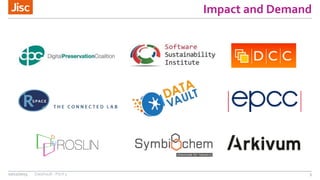
Impact and Demand
»Local demand at both the University of Edinburgh and
Manchester
»Two well-attended engagement events in October and
November
10/12/2015 DataVault - Pitch 3 3
Impact and Demand
10/12/2015 DataVault - Pitch 3 4
Impact and Demand
10/12/2015 DataVault - Pitch 3 5
Sustainability
»Sometimes it’s the small things…
http://DataVaultPlatform.org/
@JiscDataVault
10/12/2015 DataVault - Pitch 3 6
Sustainability
»Included as part of the Jisc RDM Shared Service
procurement
10/12/2015 DataVault - Pitch 3 7
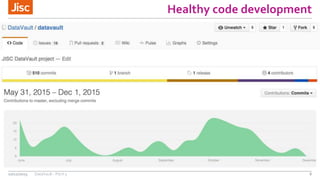
Healthy code development
10/12/2015 DataVault - Pitch 3 8
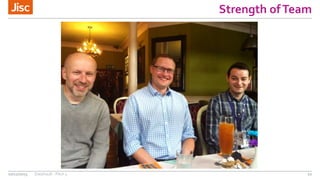
Strength ofTeam
»Two large partners
»Monthly meetings + sprints
»Wider teams (architects / infrastructure / governance
groups / etc)
10/12/2015 DataVault - Pitch 3 9
Strength ofTeam
10/12/2015 DataVault - Pitch 3 10
Outputs and Achievements
»Lots of new features
»Load testing with 20+ users
»Usability testing with new users on their own devices
10/12/2015 DataVault - Pitch 3 11
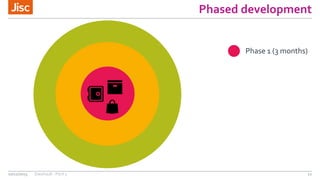
Phased development
10/12/2015 DataVault - Pitch 3 12
Phase 1 (3 months)
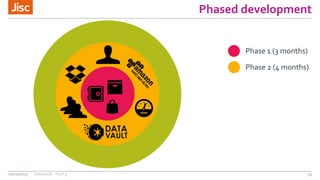
Phased development
10/12/2015 DataVault - Pitch 3 13
Phase 1 (3 months)
Phase 2 (4 months)
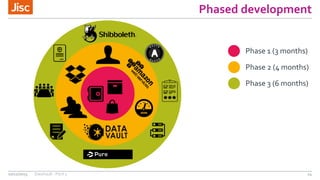
Phased development
10/12/2015 DataVault - Pitch 3 14
Phase 1 (3 months)
Phase 2 (4 months)
Phase 3 (6 months)
Funding
10/12/2015 DataVault - Pitch 3 15
….and for 50%
stake in our
project we’re
are looking for
investment
of….
Research data spring
DataVault – Demonstration…10/12/2015
Contact Details
» Thomas Higgins (Thomas.Higgins@manchester.ac.uk)
» Stuart Lewis (Stuart.Lewis@ed.ac.uk)
» Mary McDerby (Mary.McDerby@manchester.ac.uk)
»RobinTaylor (Robin.Taylor@ed.ac.uk)
» http://DataVaultPlatform.org/
10/12/2015 DataVault - Pitch 3 17

Research data spring: DataVault

Editor's Notes

  • #2 Go to ‘View’ menu > ‘Header and Footer…’ to edit the footers on this slide (click ‘Apply’ to change only the currently selected slide, or ‘Apply to All’ to change the footers on all slides). To add a background image to this slide; drag a picture to the placeholder or click the icon in the centre of the placeholder to browse for and add another image. Once added, the image can be cropped, resized or repositioned to suit.