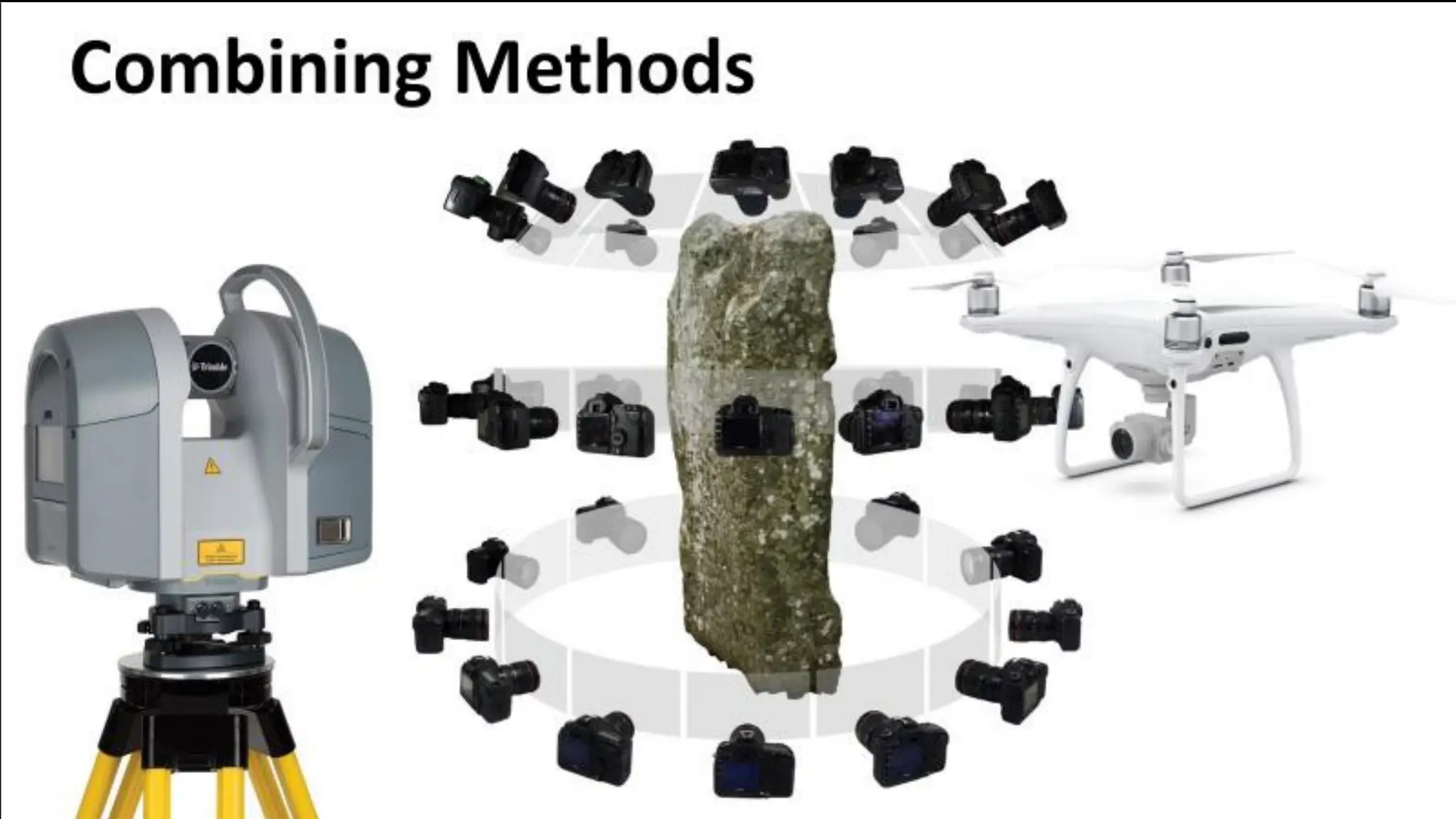
WELCOME
• This webinar is an introduction to capturing and processing 3D data and is
the second in a three-part series organised by CARARE for the 5DCulture
project.
• These webinars are geared towards CH professionals, volunteers, or
students who want to learn more about 3D as a heritage sector activity.
• Today we’re exploring the methods of 3D digitisation, object selection,
capture steps per method, processing, troubleshooting, and exporting.
We end by introducing what is to come in the following webinar in the
series.
https://www.carare.eu/ carare.bsky.social
ABOUT US!
CARARE has been working with heritage organisations and
archaeologists across Europe since 2010 offering support
and practical assistance in sharing datasets with Europeana
• We are a non-profit membership association aiming to advance
professional practice and foster appreciation of the digital
archaeological and architectural heritage
• CARARE is a partner in the consortium for the implementation of
the Common European Dataspace for CH and in projects working
with 3D – notably 5DCulture, Tech4Heritage and the 3D-4CH
competence centre (starting in January),
• We have a help desk and can offer advice on 3D
https://www.carare.eu
Contact: info@carare.eu
Bluesky: @carare.eu
Training hub:
https://www.carare.eu/
en/training/
Webinars on Vimeo:
https://vimeo.com/user
124611809
D5D
DD5
5DD
D5D
DD5
5DD
5DCulture in a few words
With project funding from the EU, 5DCulture is a
collaboration between key cultural heritage stakeholders
that aims to enrich the offer of 3D digital cultural heritage
assets, tools and know-how in the Data Space for Cultural
Heritage.
These webinars are part of the project’s capacity building
activity.
https://5dculture.eu/about
LEARNING OBJECTIVES
1. Understand differences in procedures based on digitisation
methods used for data capture, assess quality of data,
troubleshooting and recording of metadata and paradata.
2. Acknowledgment of requirements to facilitate data processing
and management.
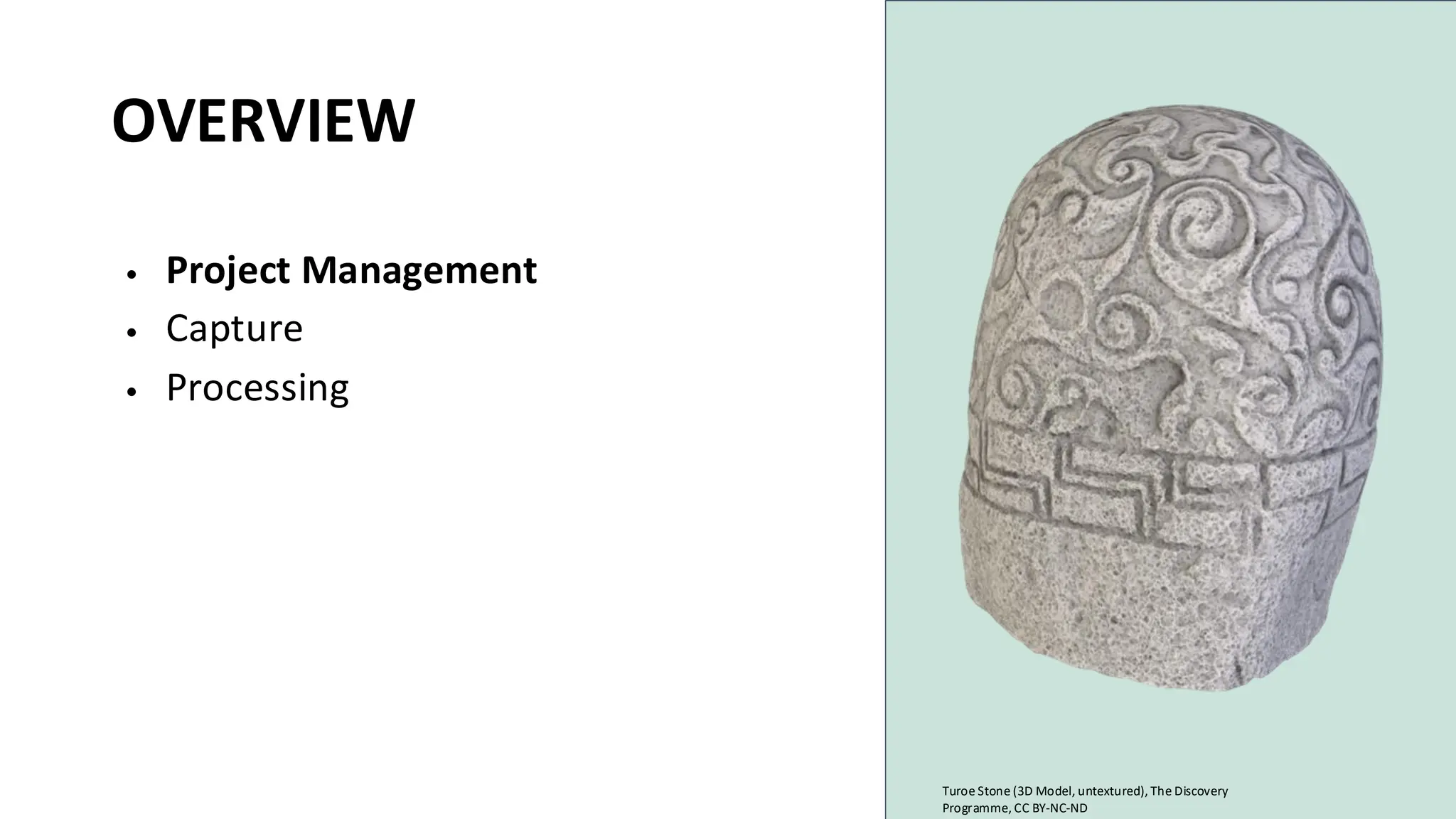
OVERVIEW
• Project Management
• Capture
• Processing
Turoe Stone (3D Model, untextured), The Discovery
Programme, CC BY-NC-ND
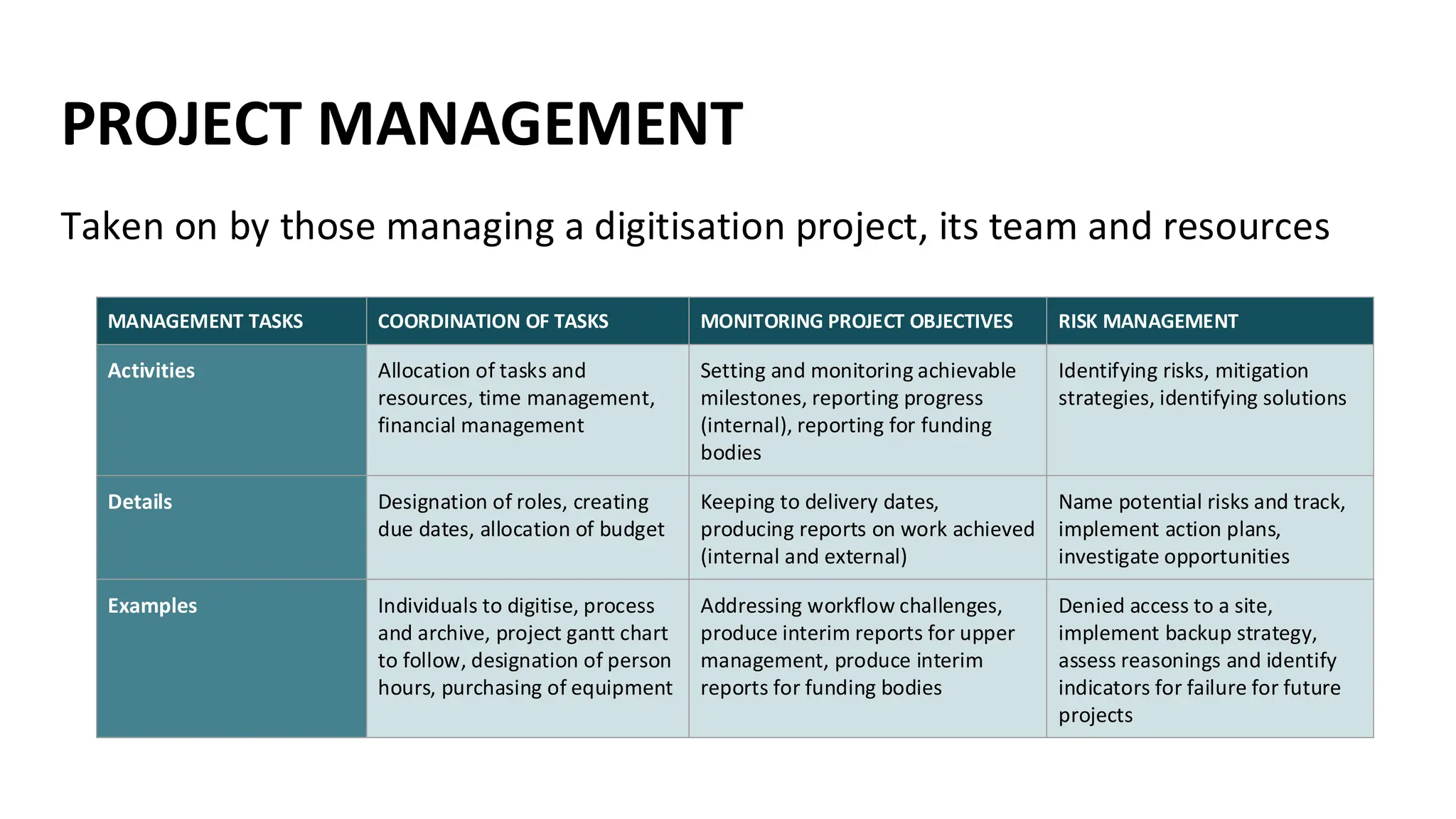
PROJECT MANAGEMENT
Taken on by those managing a digitisation project, its team and resources
MANAGEMENT TASKS COORDINATION OF TASKS MONITORING PROJECT OBJECTIVES RISK MANAGEMENT
Activities Allocation of tasks and
resources, time management,
financial management
Setting and monitoring achievable
milestones, reporting progress
(internal), reporting for funding
bodies
Identifying risks, mitigation
strategies, identifying solutions
Details Designation of roles, creating
due dates, allocation of budget
Keeping to delivery dates,
producing reports on work achieved
(internal and external)
Name potential risks and track,
implement action plans,
investigate opportunities
Examples Individuals to digitise, process
and archive, project gantt chart
to follow, designation of person
hours, purchasing of equipment
Addressing workflow challenges,
produce interim reports for upper
management, produce interim
reports for funding bodies
Denied access to a site,
implement backup strategy,
assess reasonings and identify
indicators for failure for future
projects
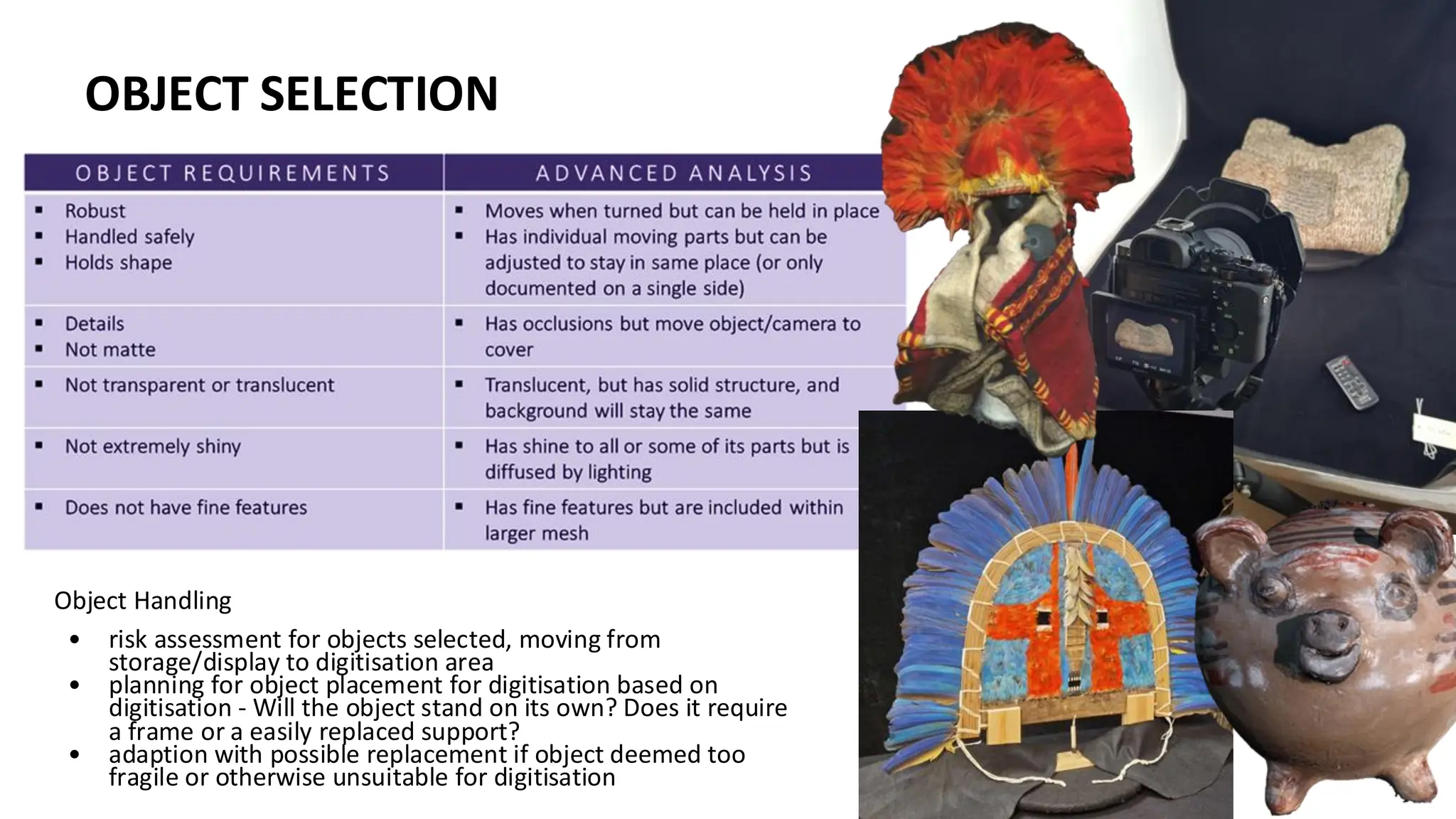
OBJECT SELECTION
Object Handling
• risk assessment for objects selected, moving from
storage/display to digitisation area
• planning for object placement for digitisation based on
digitisation - Will the object stand on its own? Does it require
a frame or a easily replaced support?
• adaption with possible replacement if object deemed too
fragile or otherwise unsuitable for digitisation
OBJECT SELECTION
OVERVIEW
• Project Management
• Capture
• Processing
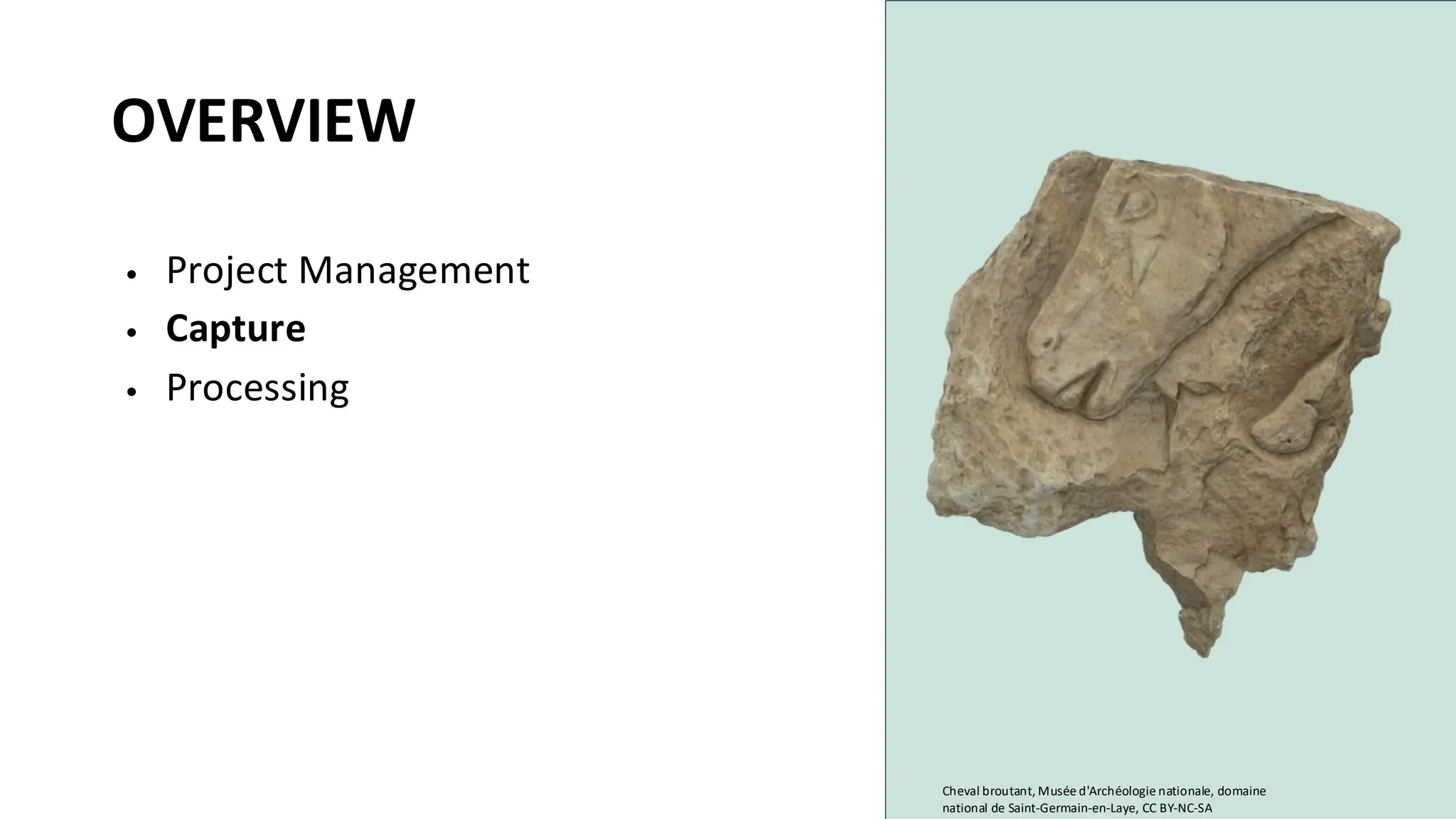
Cheval broutant, Musée d'Archéologie nationale, domaine
national de Saint-Germain-en-Laye, CC BY-NC-SA
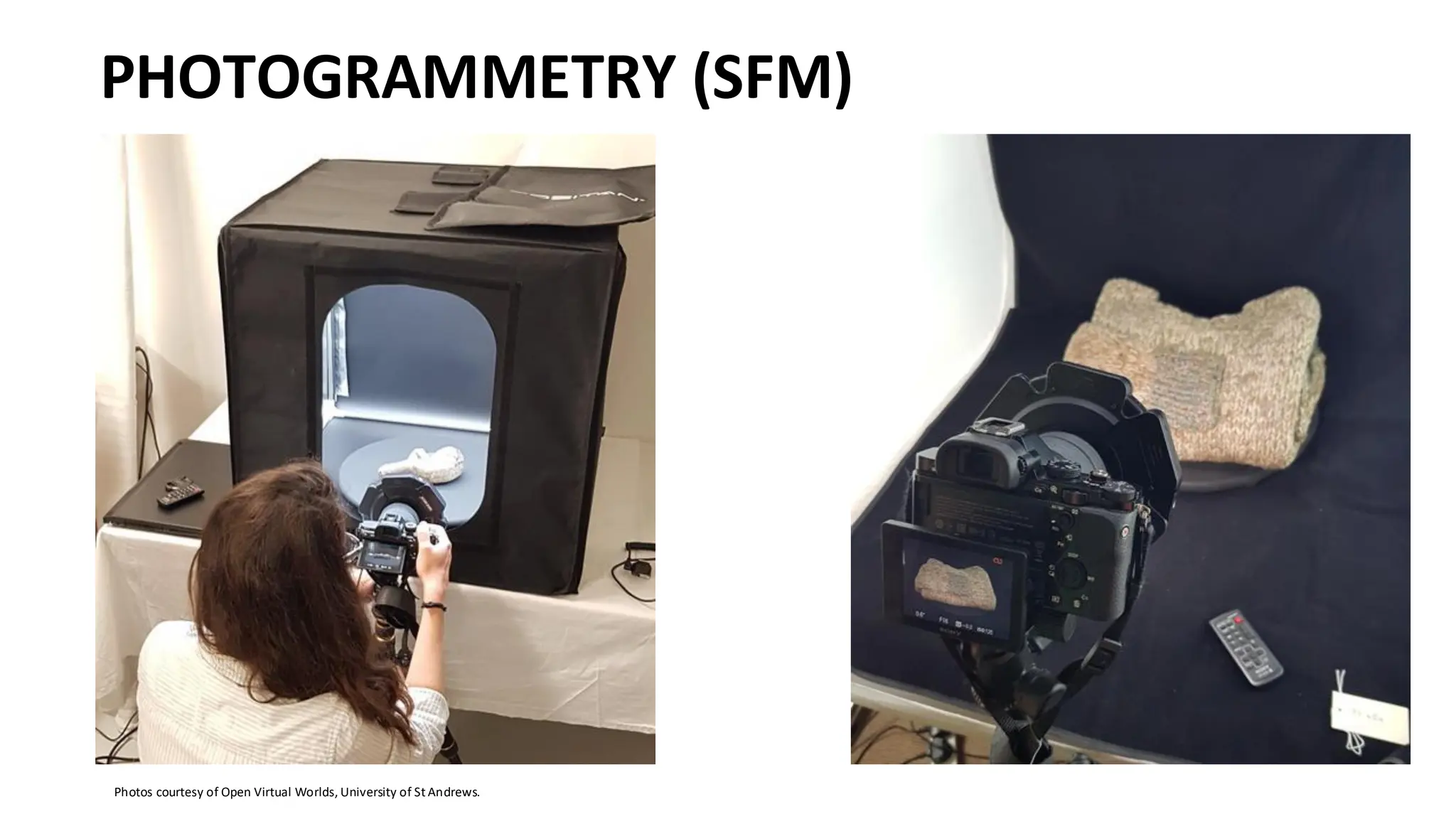
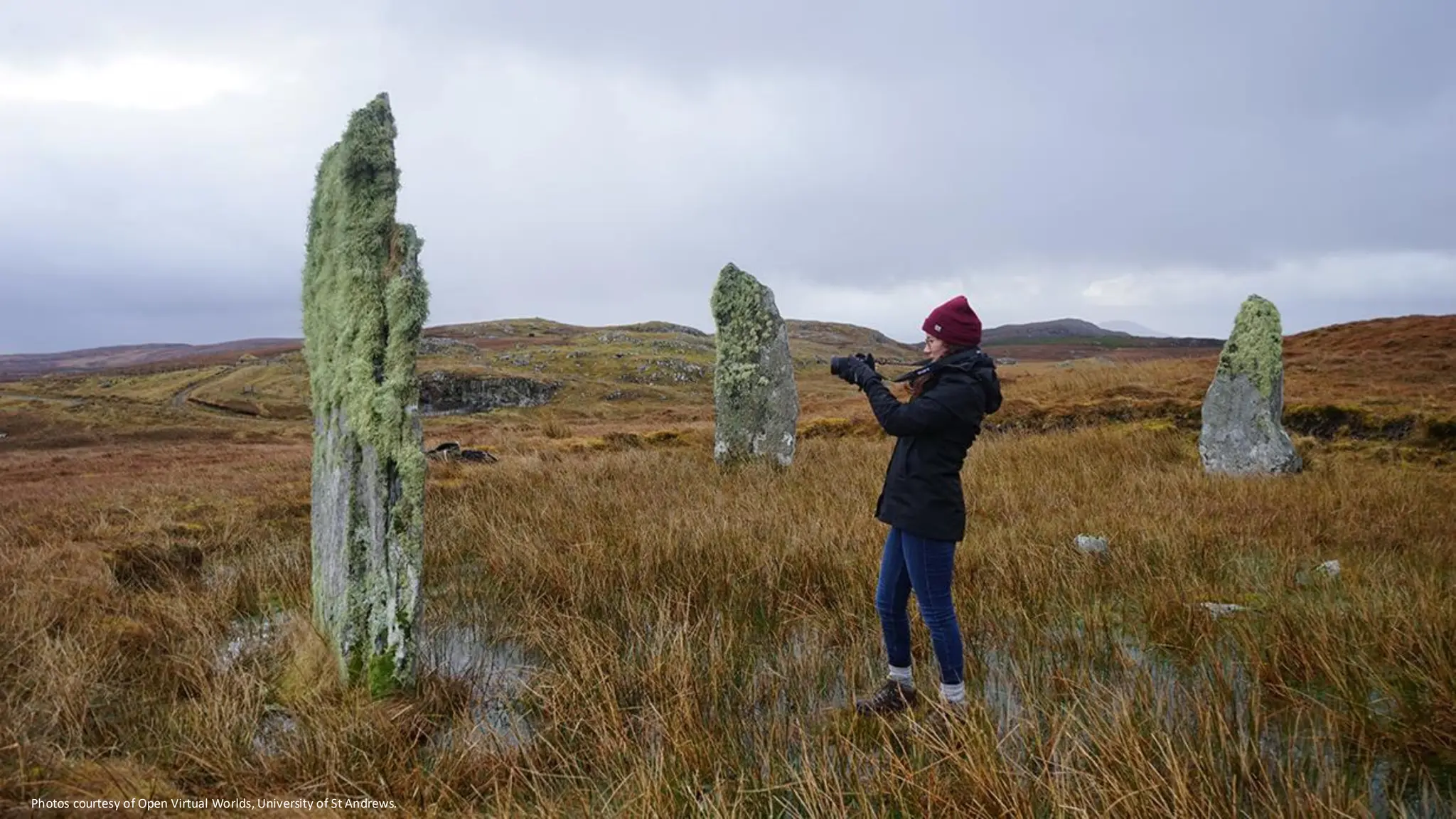
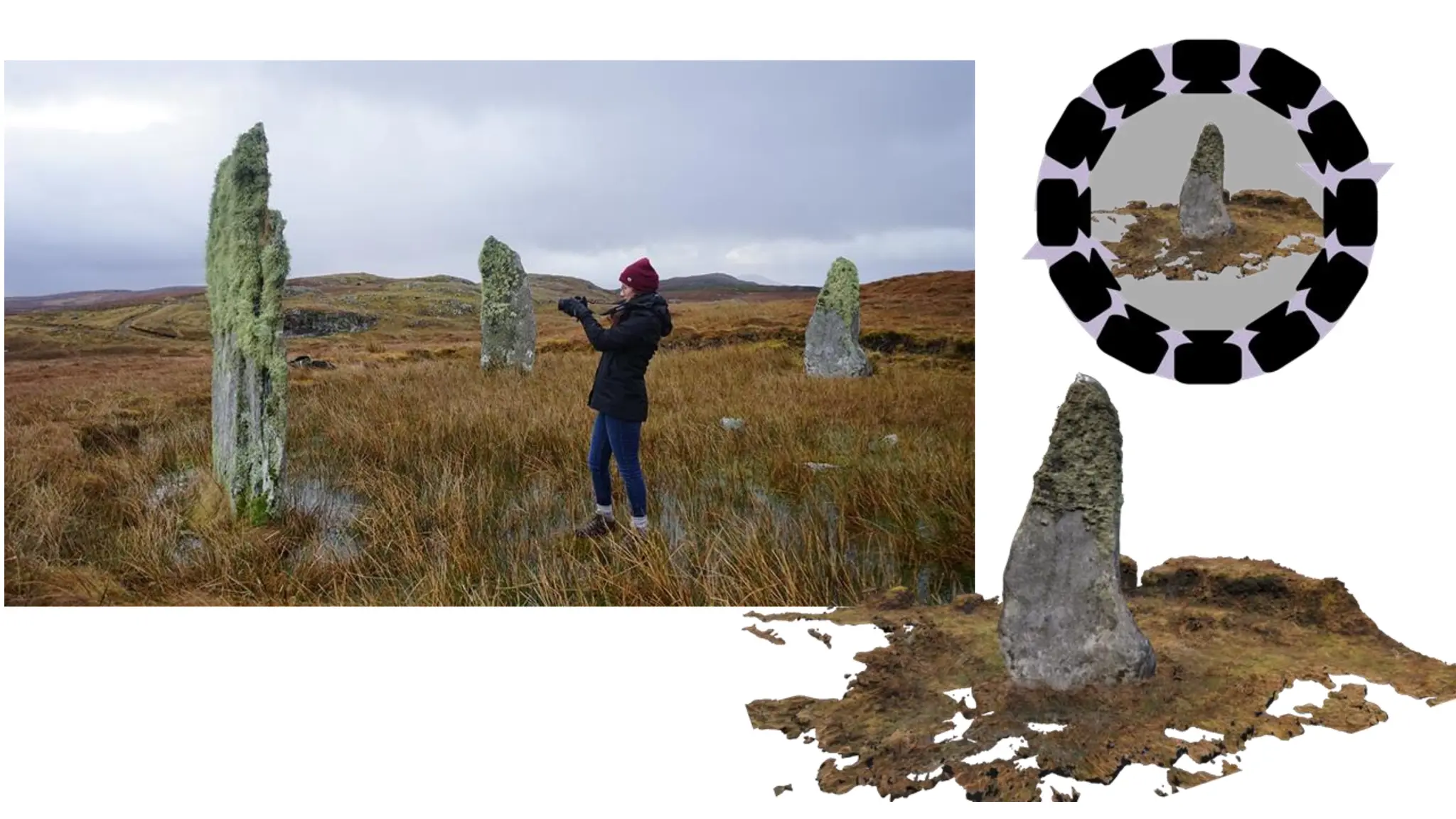
PHOTOGRAMMETRY (SFM)
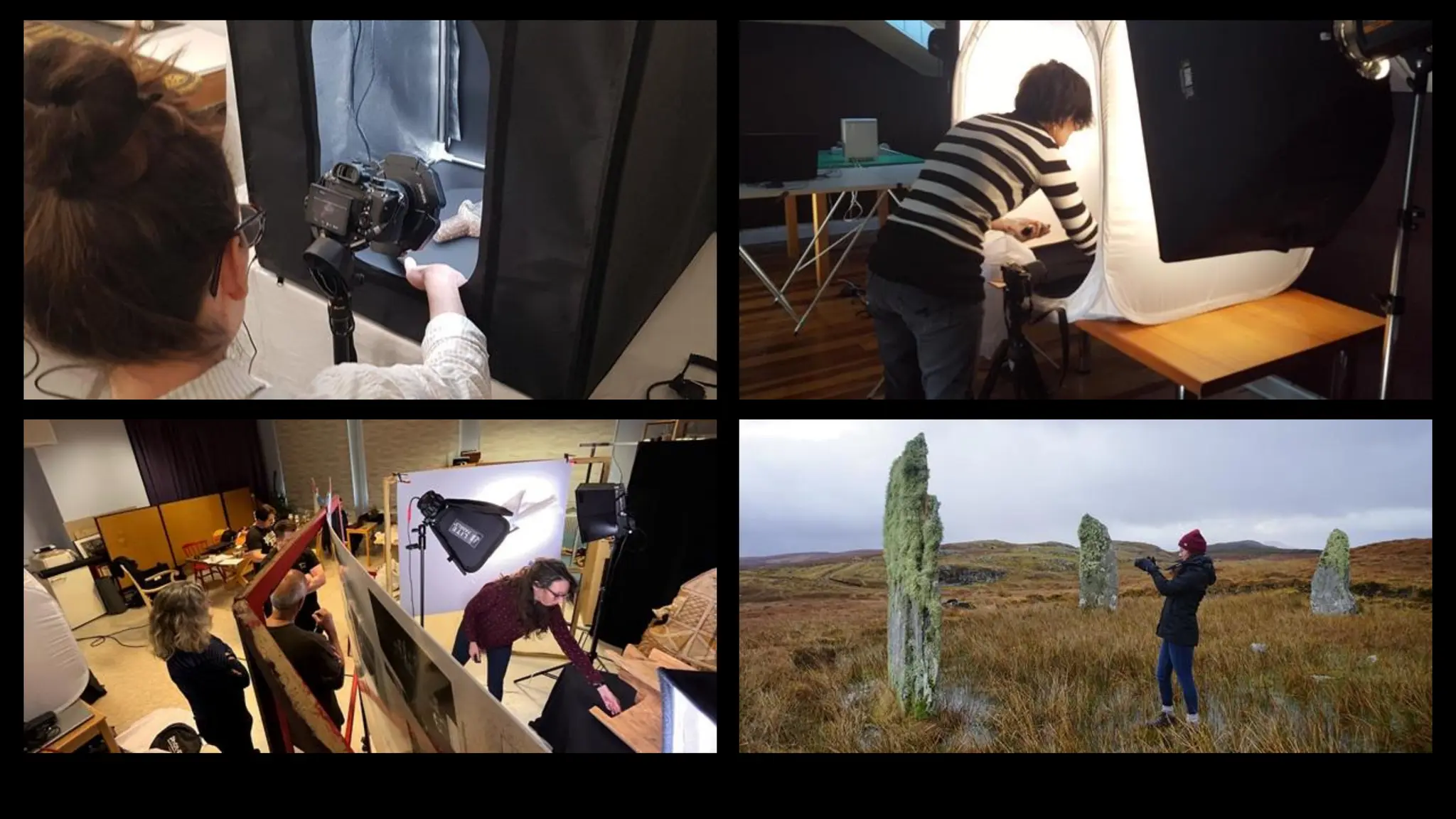
Photos courtesy of Open Virtual Worlds, University of St Andrews.
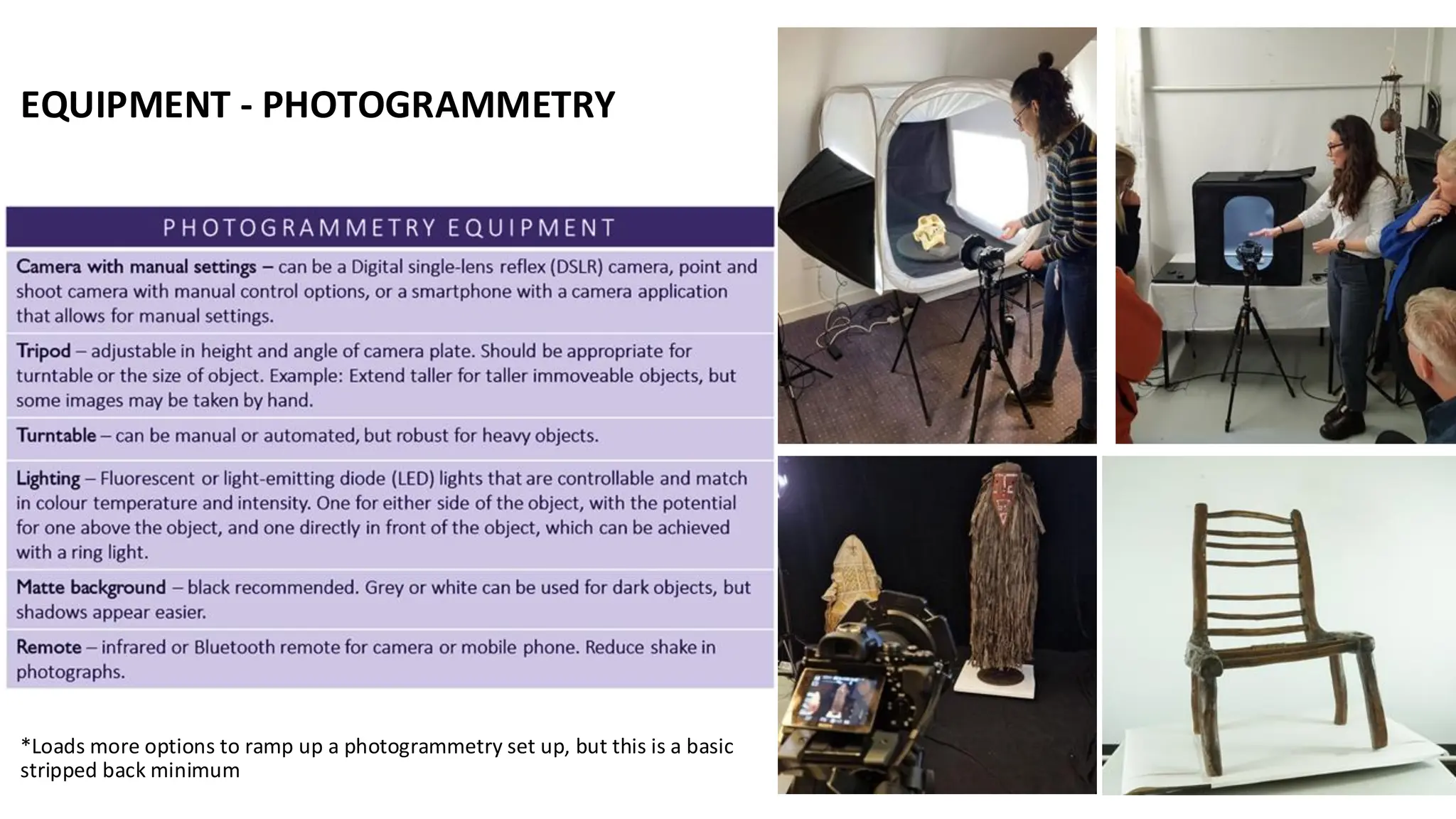
EQUIPMENT - PHOTOGRAMMETRY
*Loads more options to ramp up a photogrammetry set up, but this is a basic
stripped back minimum
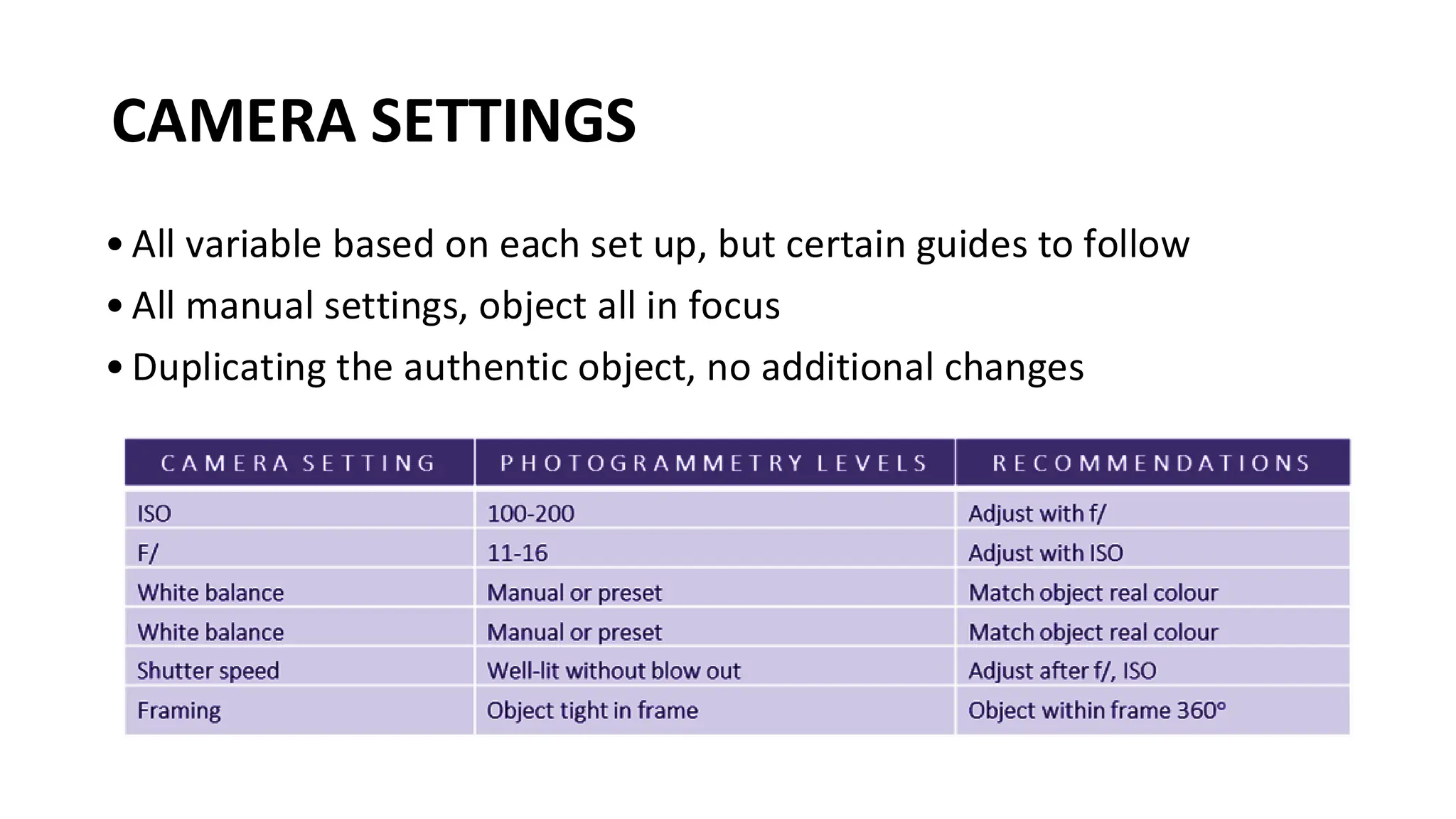
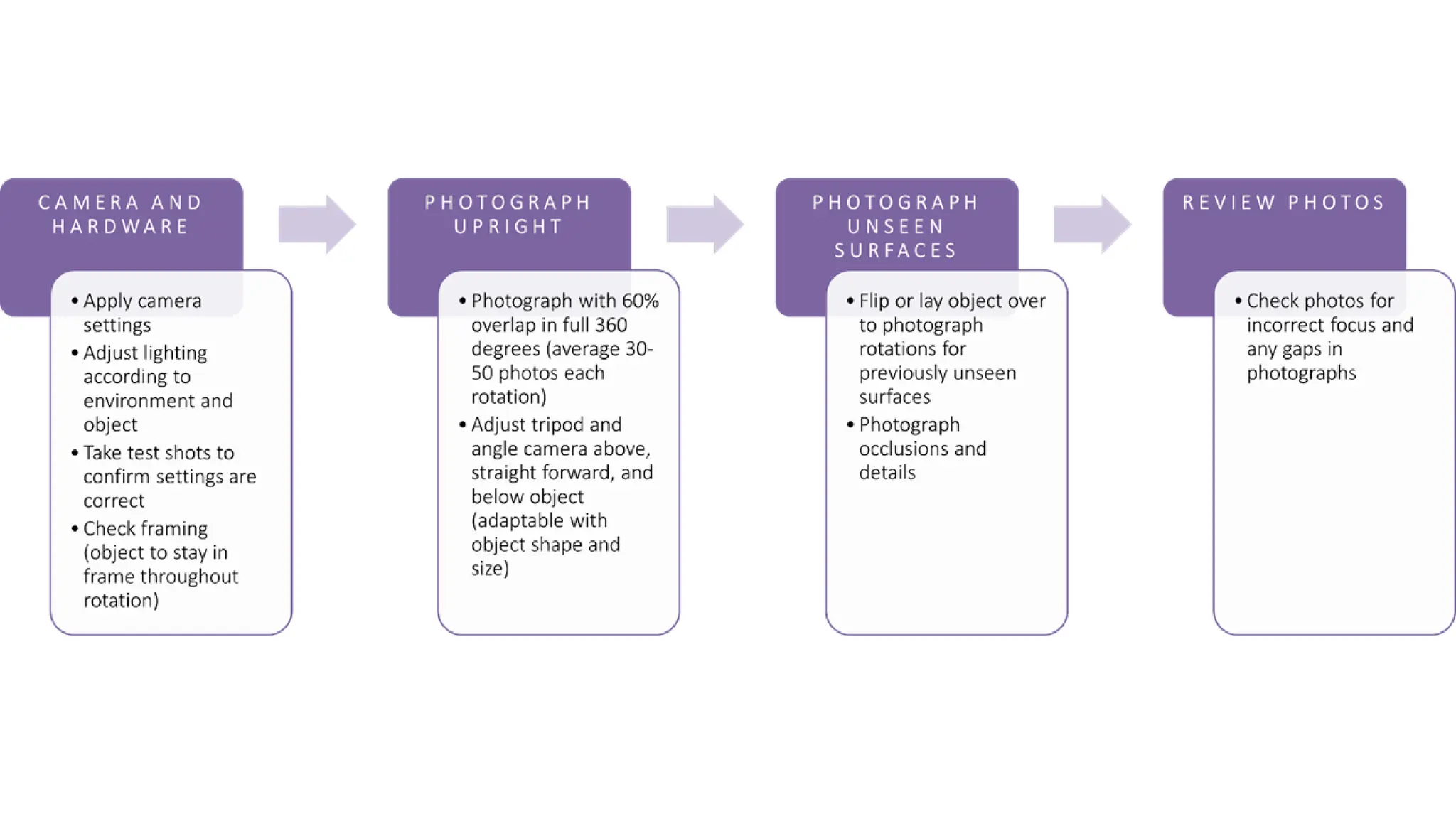
• All variable based on each set up, but certain guides to follow
• All manual settings, object all in focus
• Duplicating the authentic object, no additional changes
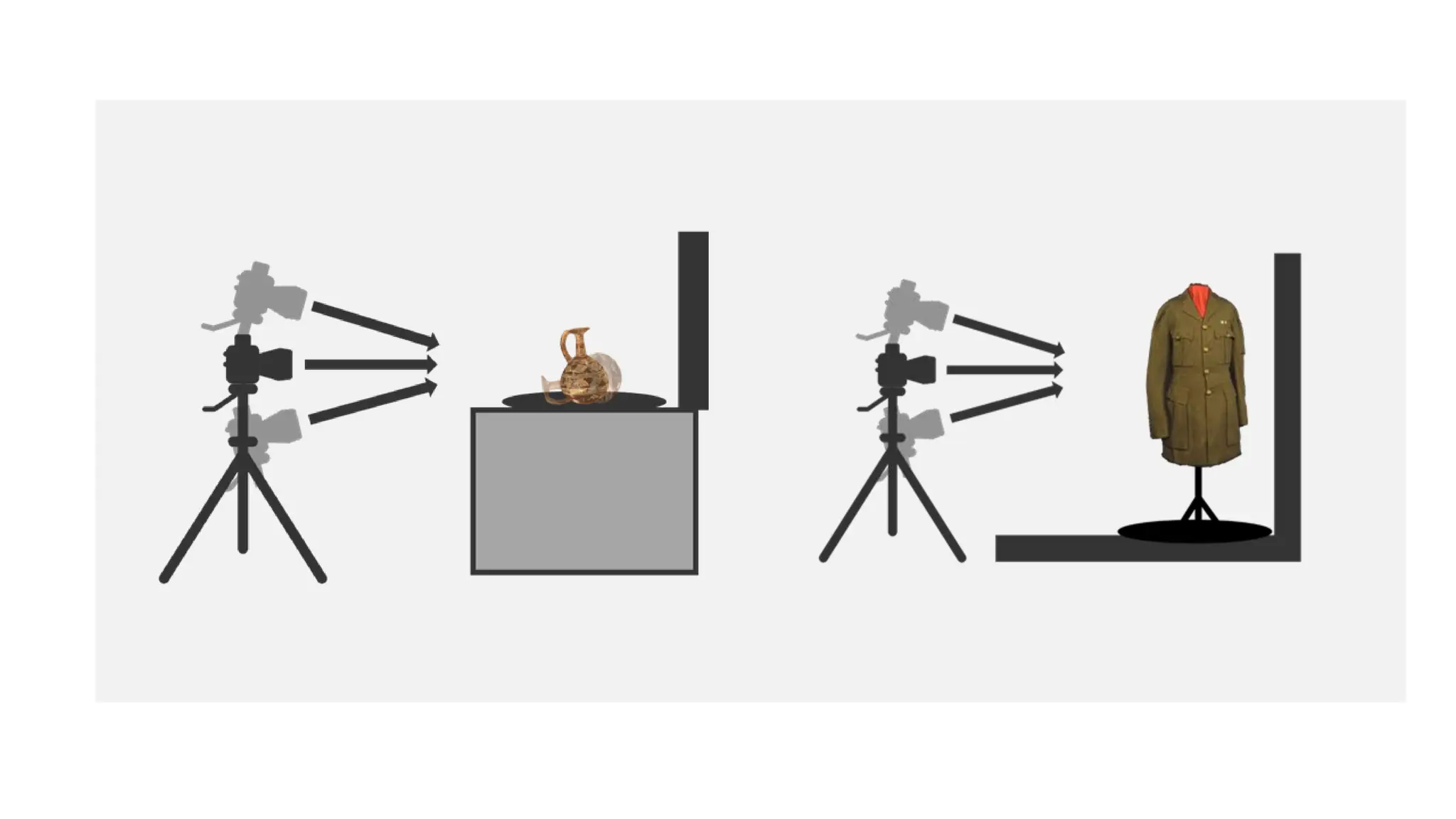
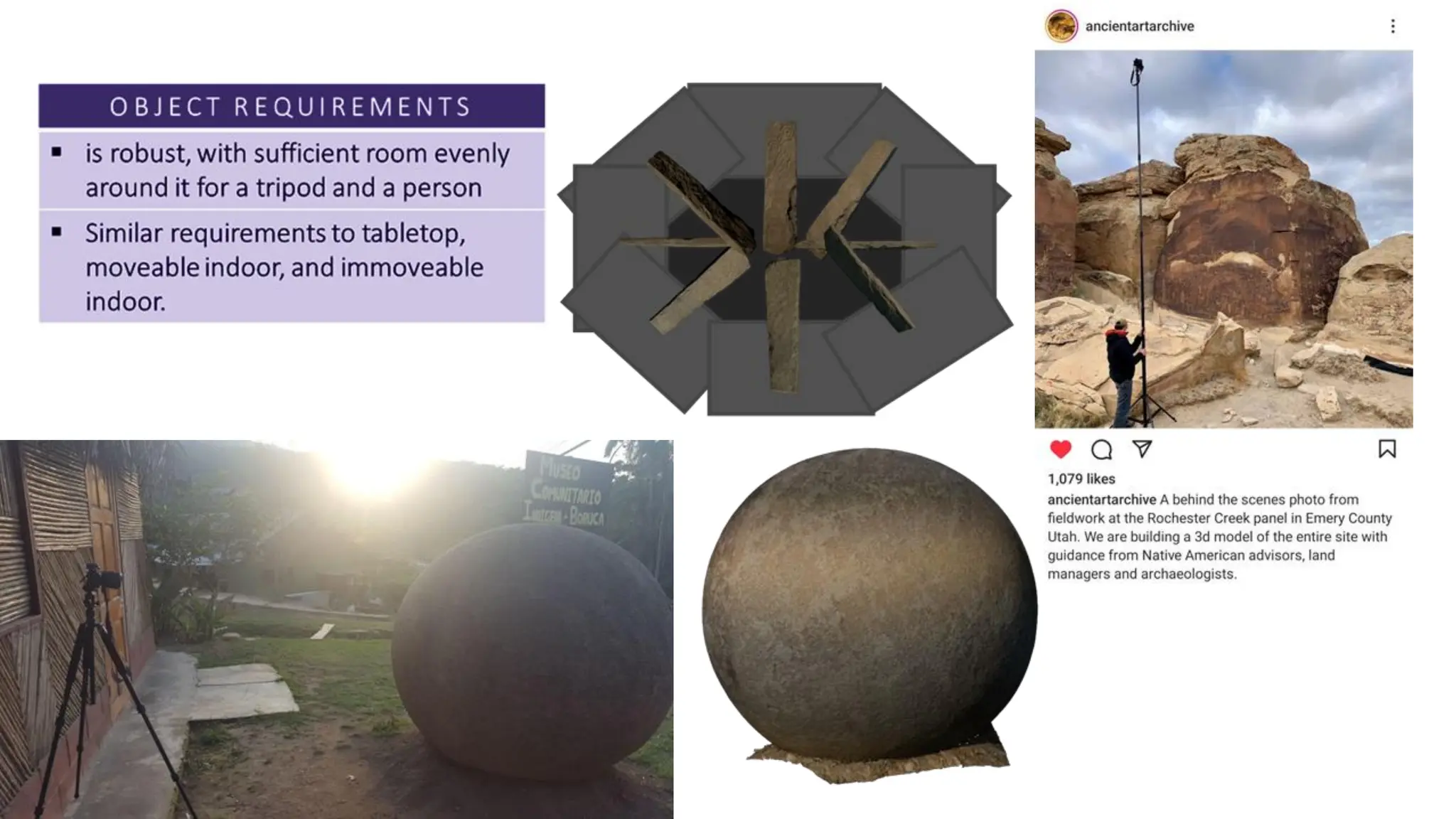
CAMERA SETTINGS
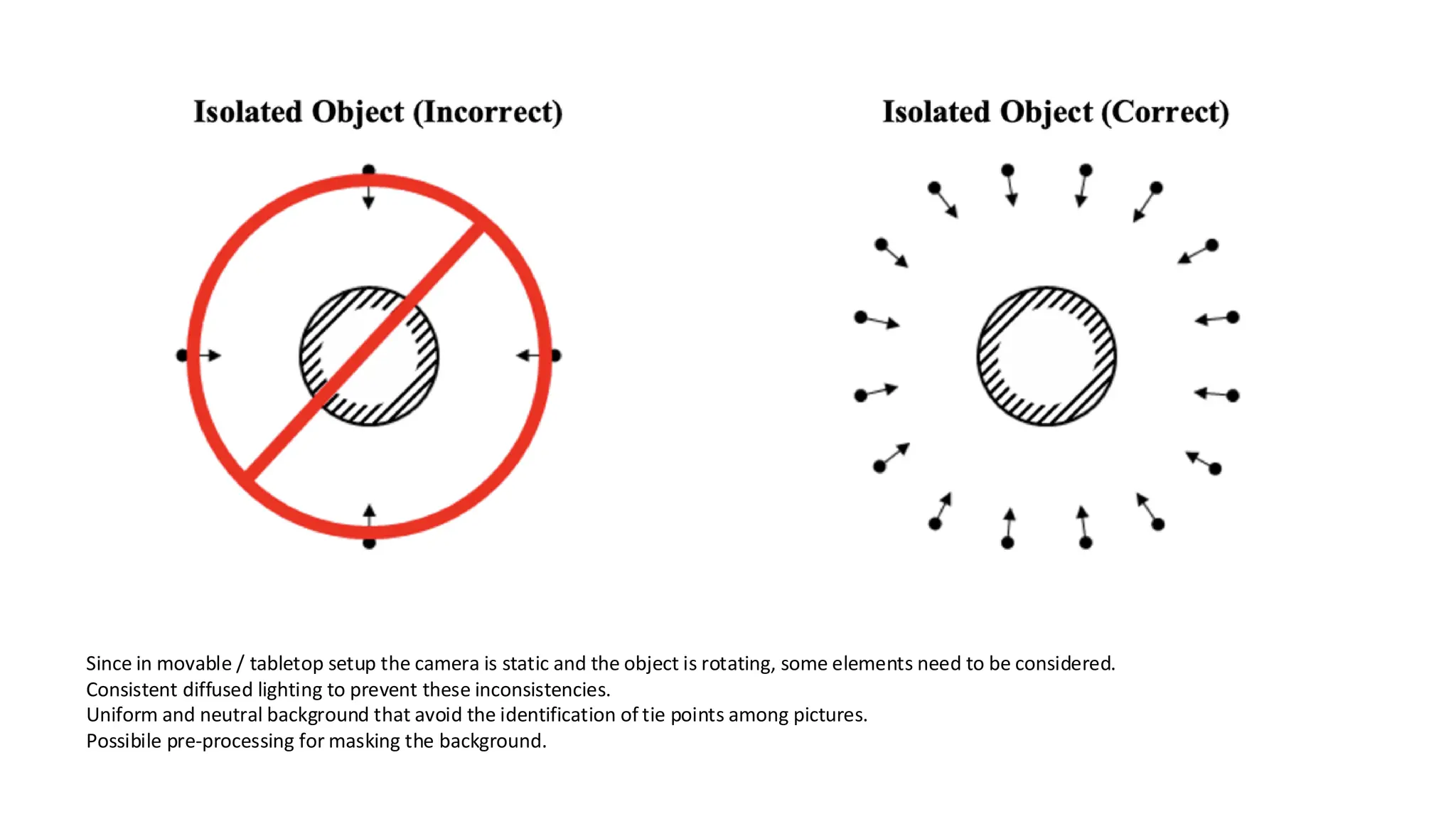
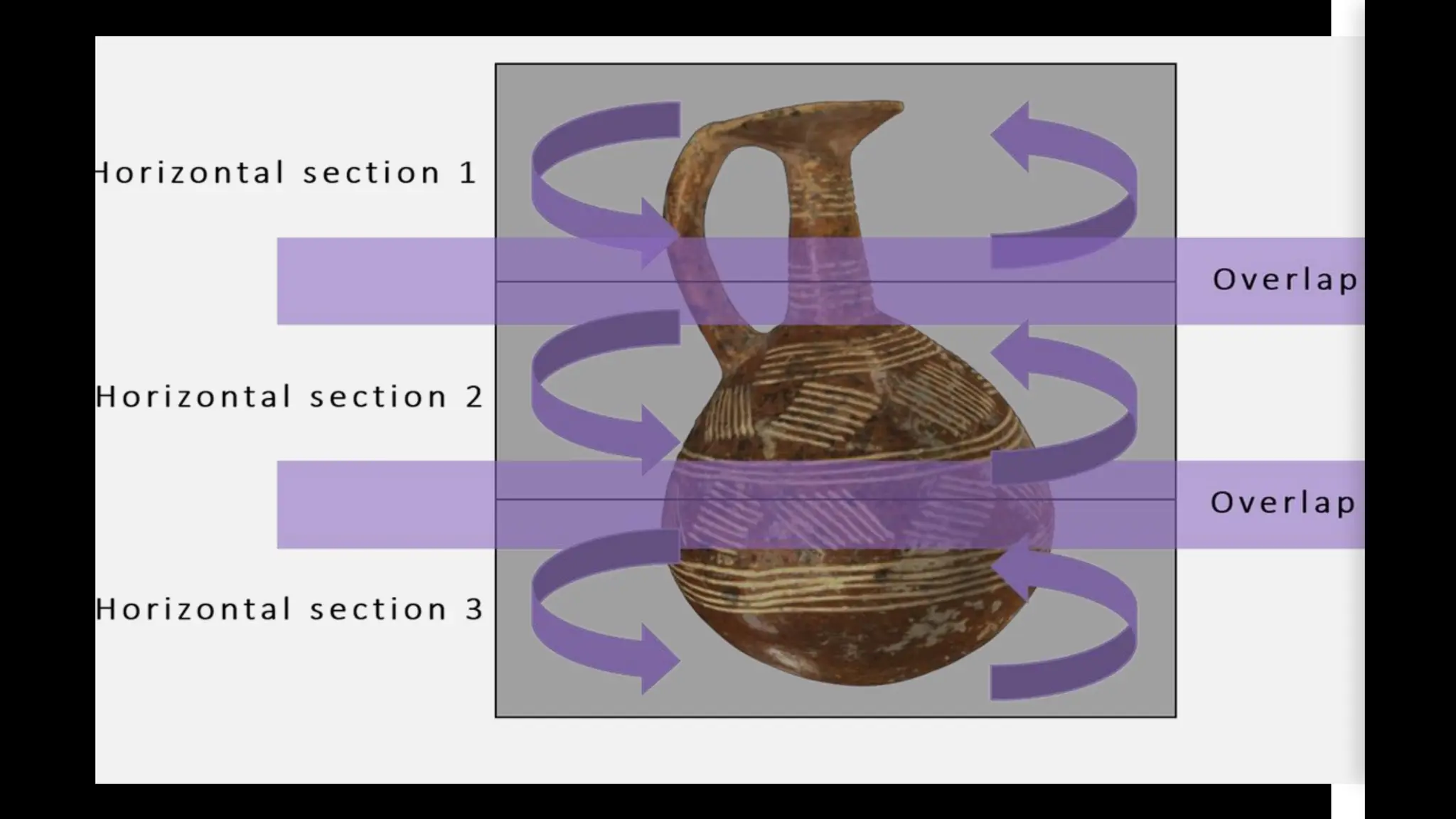
Since in movable / tabletop setup the camera is static and the object is rotating, some elements need to be considered.
Consistent diffused lighting to prevent these inconsistencies.
Uniform and neutral background that avoid the identification of tie points among pictures.
Possibile pre-processing for masking the background.
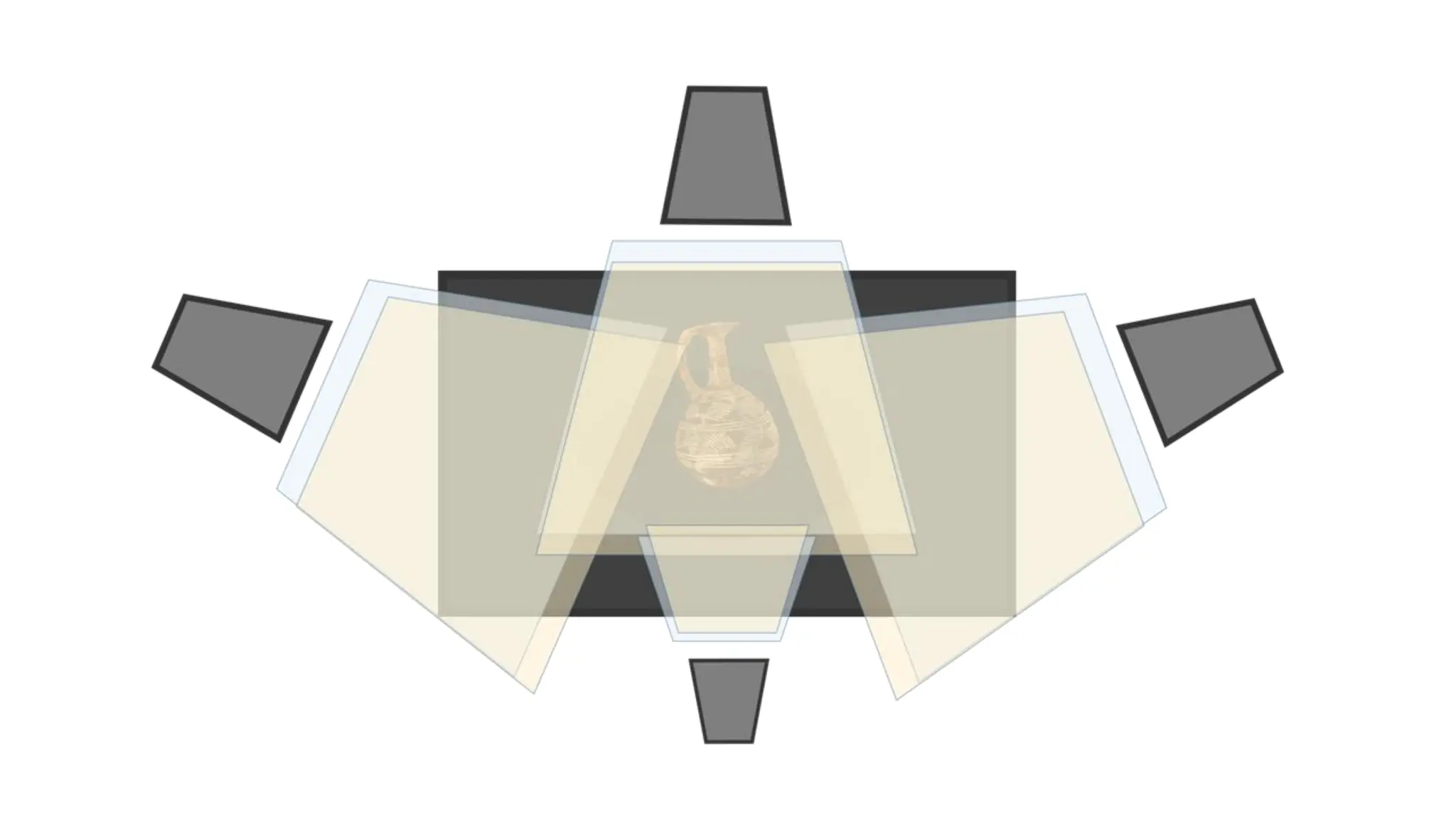
PHOTOGRAMMETRY SETTINGS - TABLETOP
Lighting
• capturing the object as true as possible
• well lit, not blown out (loss of colour), avoid creating shadows
(objects with occlusions may be impossible)
• adjustment of temperature, intensity, direction (direct or
indirect)
Zoom
• use little to no zoom (prime or low distortion lenses)
Once set up is complete
• take test shots in order to adjust settings
• once confirmed settings are correct, do not change settings
during the digitisation of the object
IMMOVEABLE SETUP
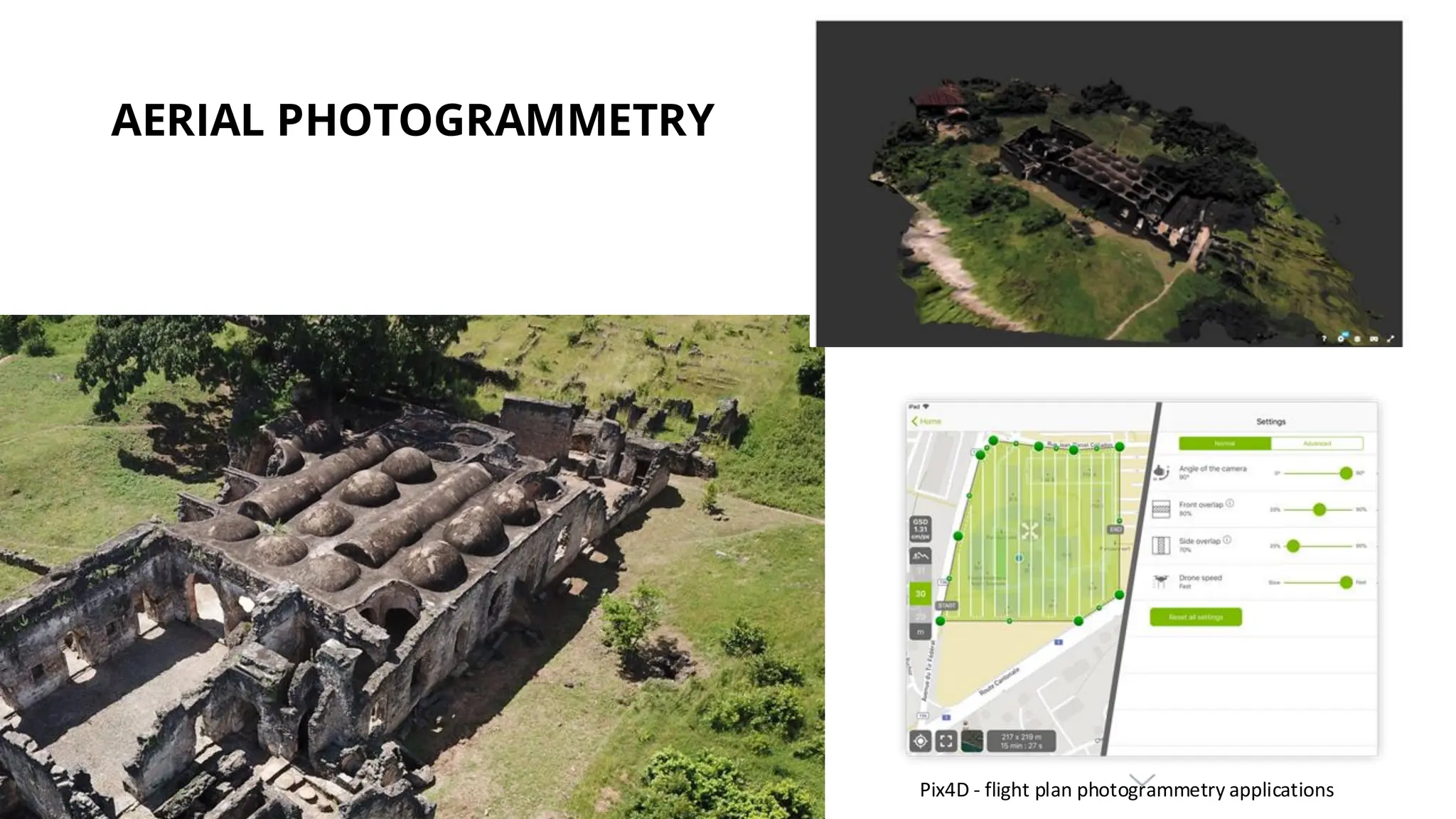
AERIAL PHOTOGRAMMETRY
Pix4D - flight plan photogrammetry applications
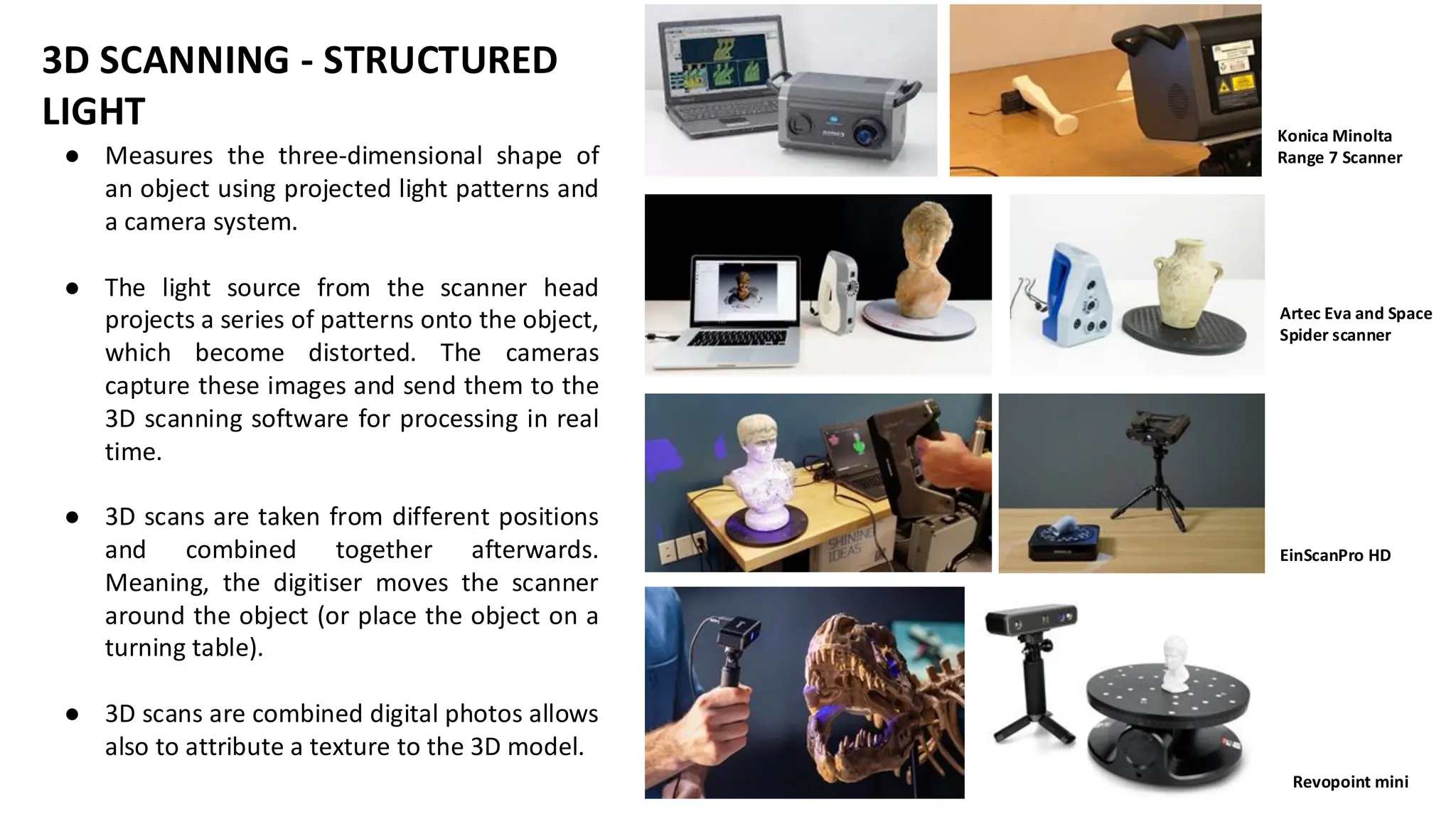
Konica Minolta
Range 7 Scanner
Artec Eva and Space
Spider scanner
EinScanPro HD
Revopoint mini
● Measures the three-dimensional shape of
an object using projected light patterns and
a camera system.
● The light source from the scanner head
projects a series of patterns onto the object,
which become distorted. The cameras
capture these images and send them to the
3D scanning software for processing in real
time.
● 3D scans are taken from different positions
and combined together afterwards.
Meaning, the digitiser moves the scanner
around the object (or place the object on a
turning table).
● 3D scans are combined digital photos allows
also to attribute a texture to the 3D model.
3D SCANNING - STRUCTURED
LIGHT
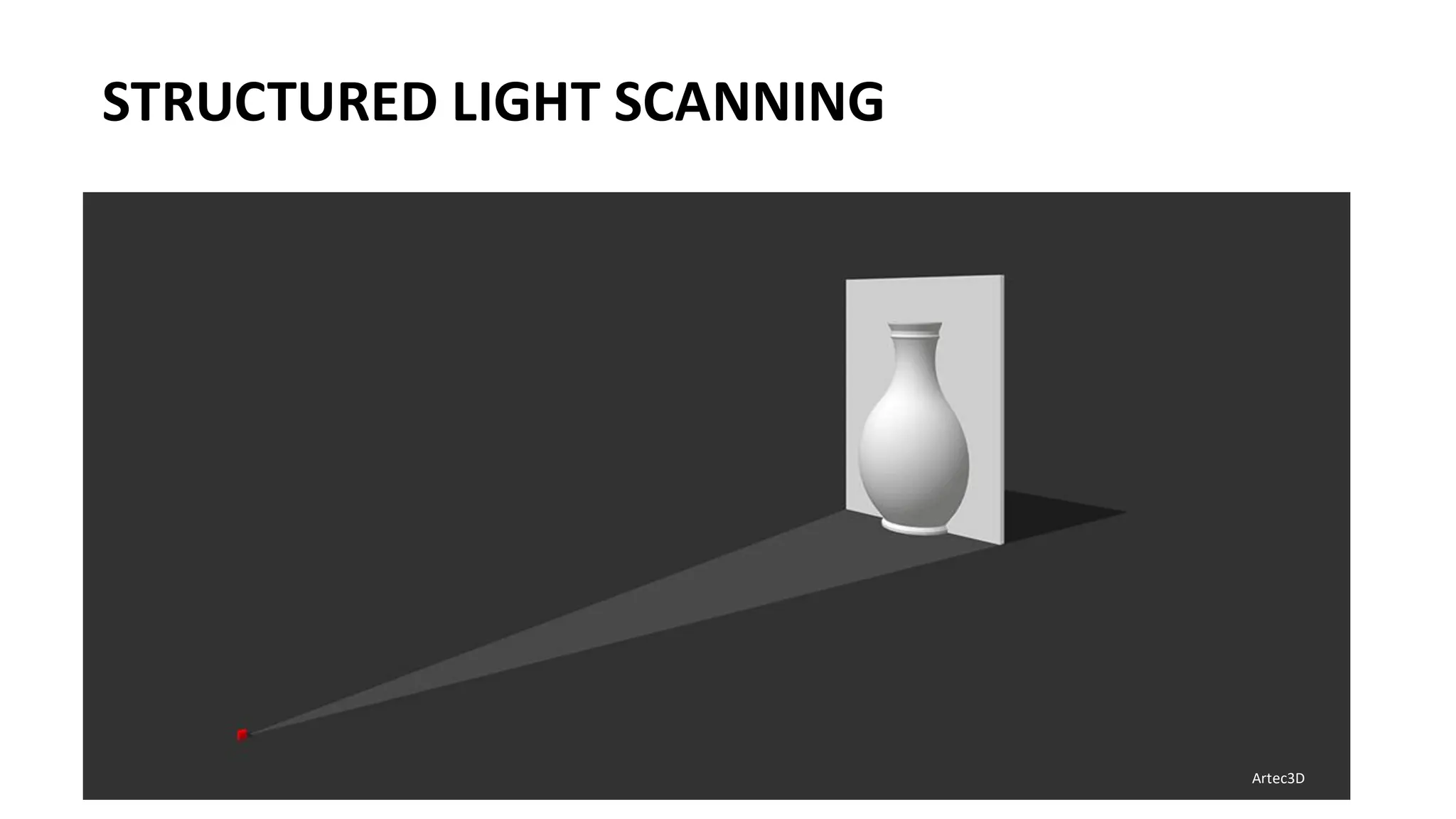
STRUCTURED LIGHT SCANNING
Artec3D
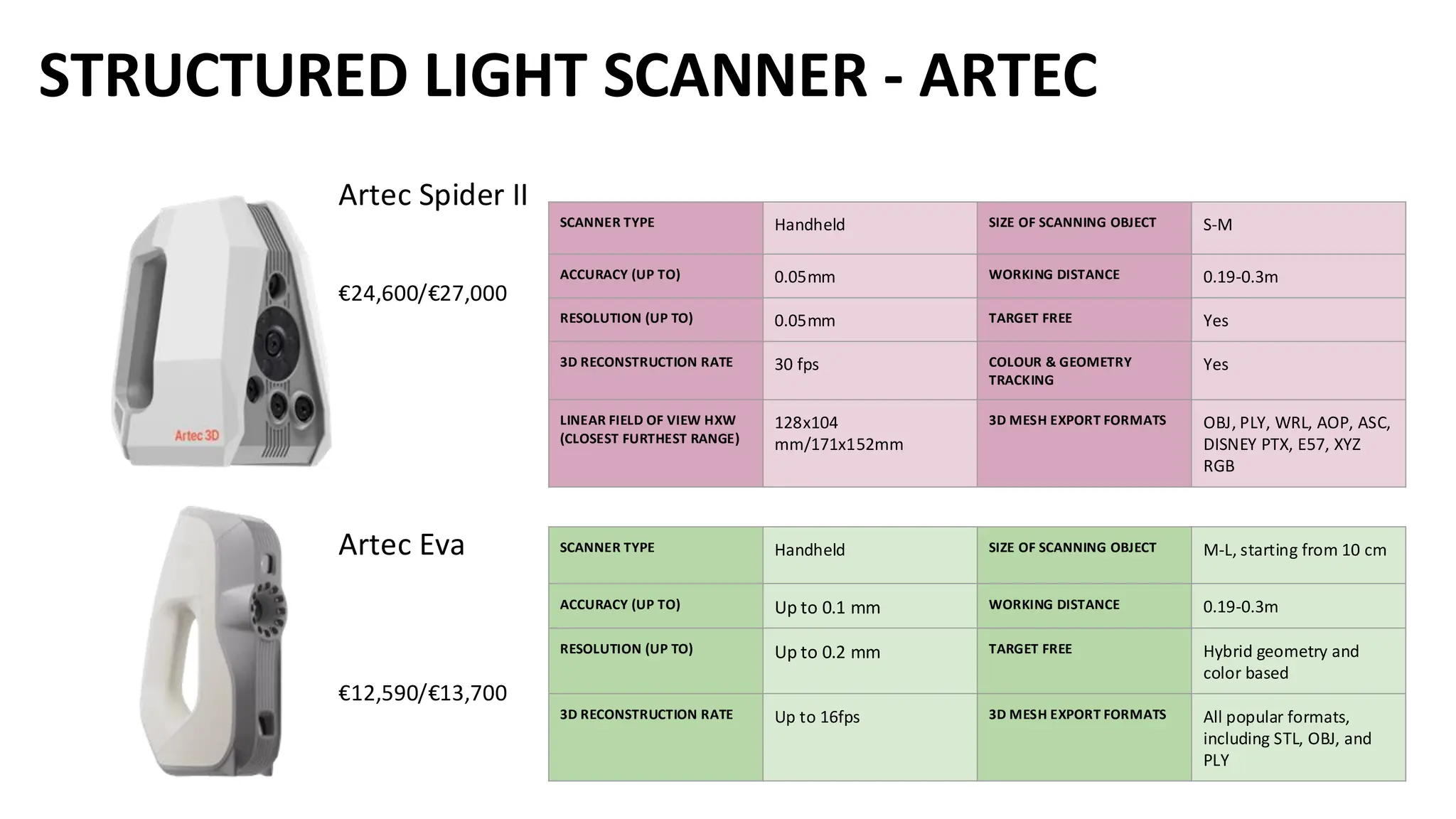
STRUCTURED LIGHT SCANNER - ARTEC
Artec Spider II
€24,600/€27,000
Artec Eva
€12,590/€13,700
SCANNER TYPE Handheld SIZE OF SCANNING OBJECT S-M
ACCURACY (UP TO) 0.05mm WORKING DISTANCE 0.19-0.3m
RESOLUTION (UP TO) 0.05mm TARGET FREE Yes
3D RECONSTRUCTION RATE 30 fps COLOUR & GEOMETRY
TRACKING
Yes
LINEAR FIELD OF VIEW HXW
(CLOSEST FURTHEST RANGE)
128x104
mm/171x152mm
3D MESH EXPORT FORMATS OBJ, PLY, WRL, AOP, ASC,
DISNEY PTX, E57, XYZ
RGB
SCANNER TYPE Handheld SIZE OF SCANNING OBJECT M-L, starting from 10 cm
ACCURACY (UP TO) Up to 0.1 mm WORKING DISTANCE 0.19-0.3m
RESOLUTION (UP TO) Up to 0.2 mm TARGET FREE Hybrid geometry and
color based
3D RECONSTRUCTION RATE Up to 16fps 3D MESH EXPORT FORMATS All popular formats,
including STL, OBJ, and
PLY
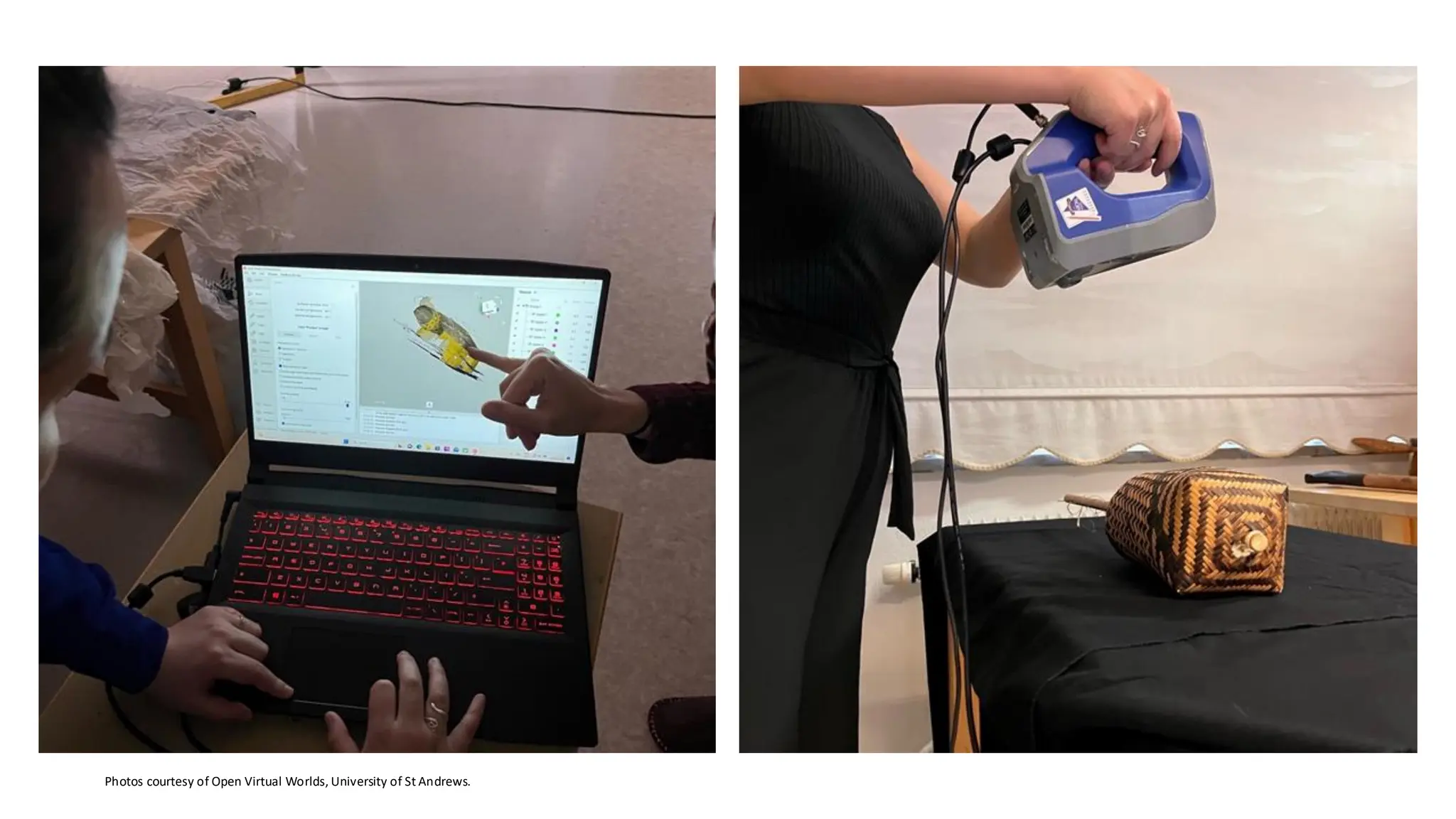
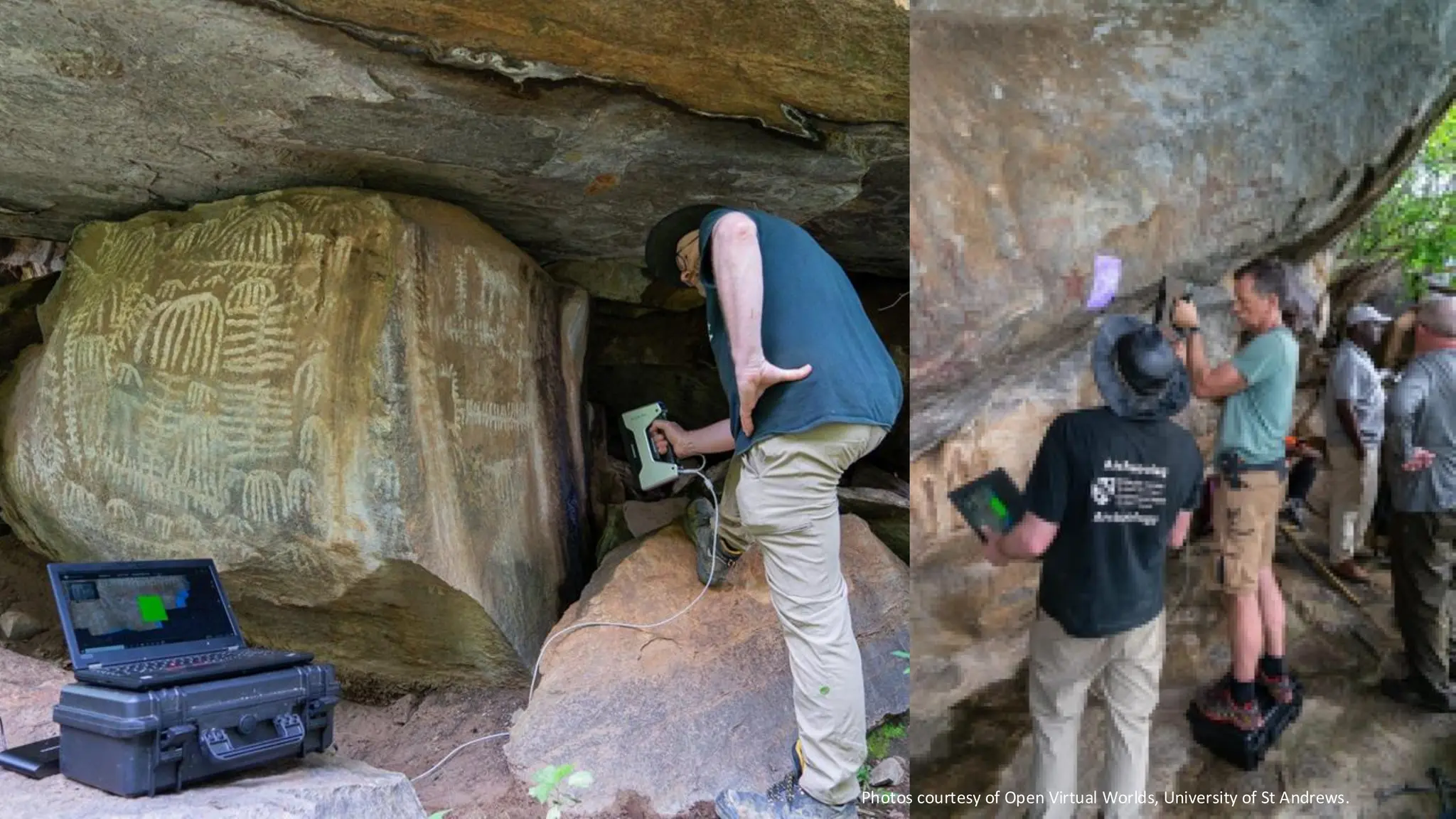
Photos courtesy of Open Virtual Worlds, University of St Andrews.
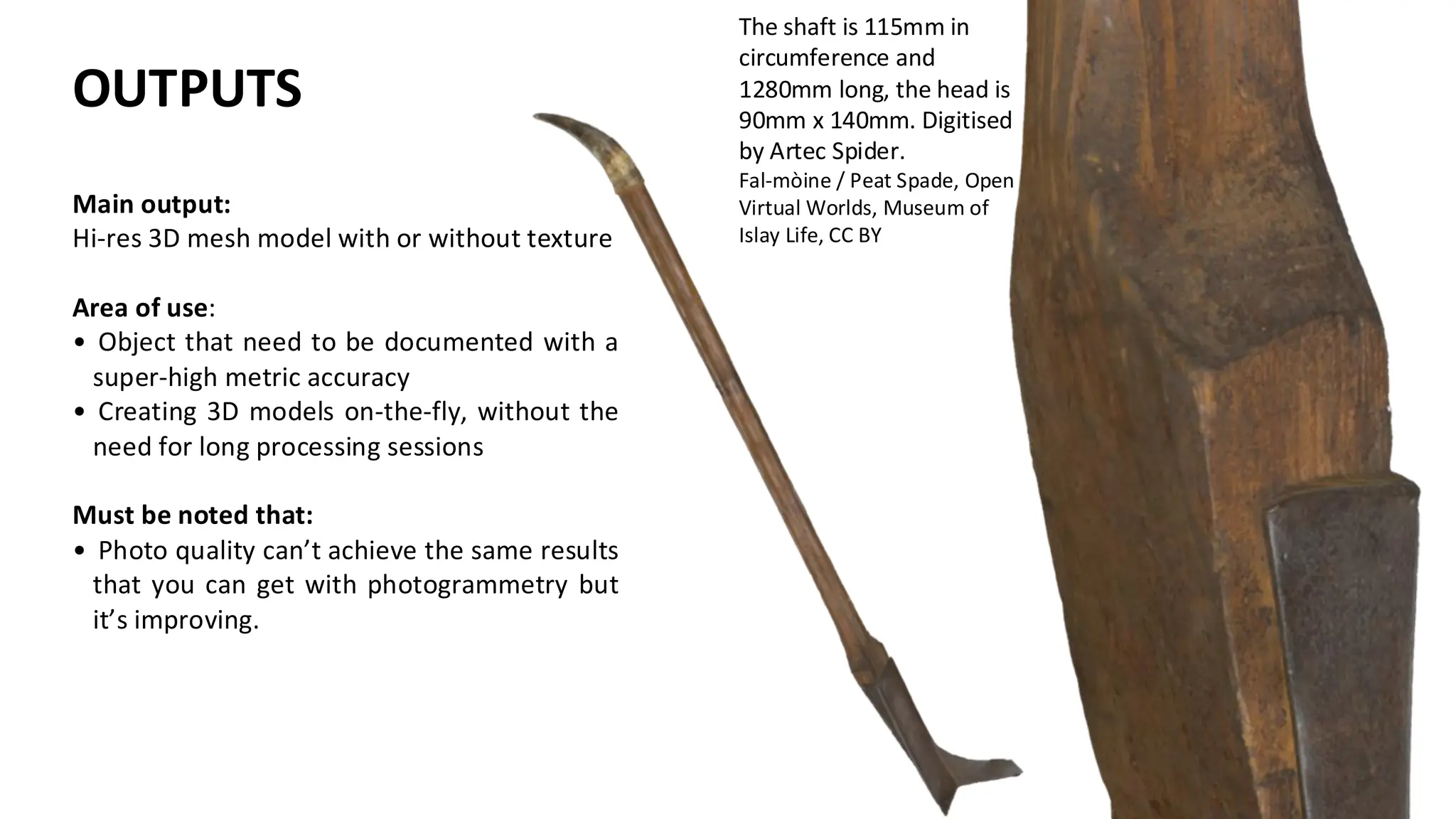
The shaft is 115mm in
circumference and
1280mm long, the head is
90mm x 140mm. Digitised
by Artec Spider.
Fal-mòine / Peat Spade, Open
Virtual Worlds, Museum of
Islay Life, CC BY
Main output:
Hi-res 3D mesh model with or without texture
Area of use:
• Object that need to be documented with a
super-high metric accuracy
• Creating 3D models on-the-fly, without the
need for long processing sessions
Must be noted that:
• Photo quality can’t achieve the same results
that you can get with photogrammetry but
it’s improving.
OUTPUTS
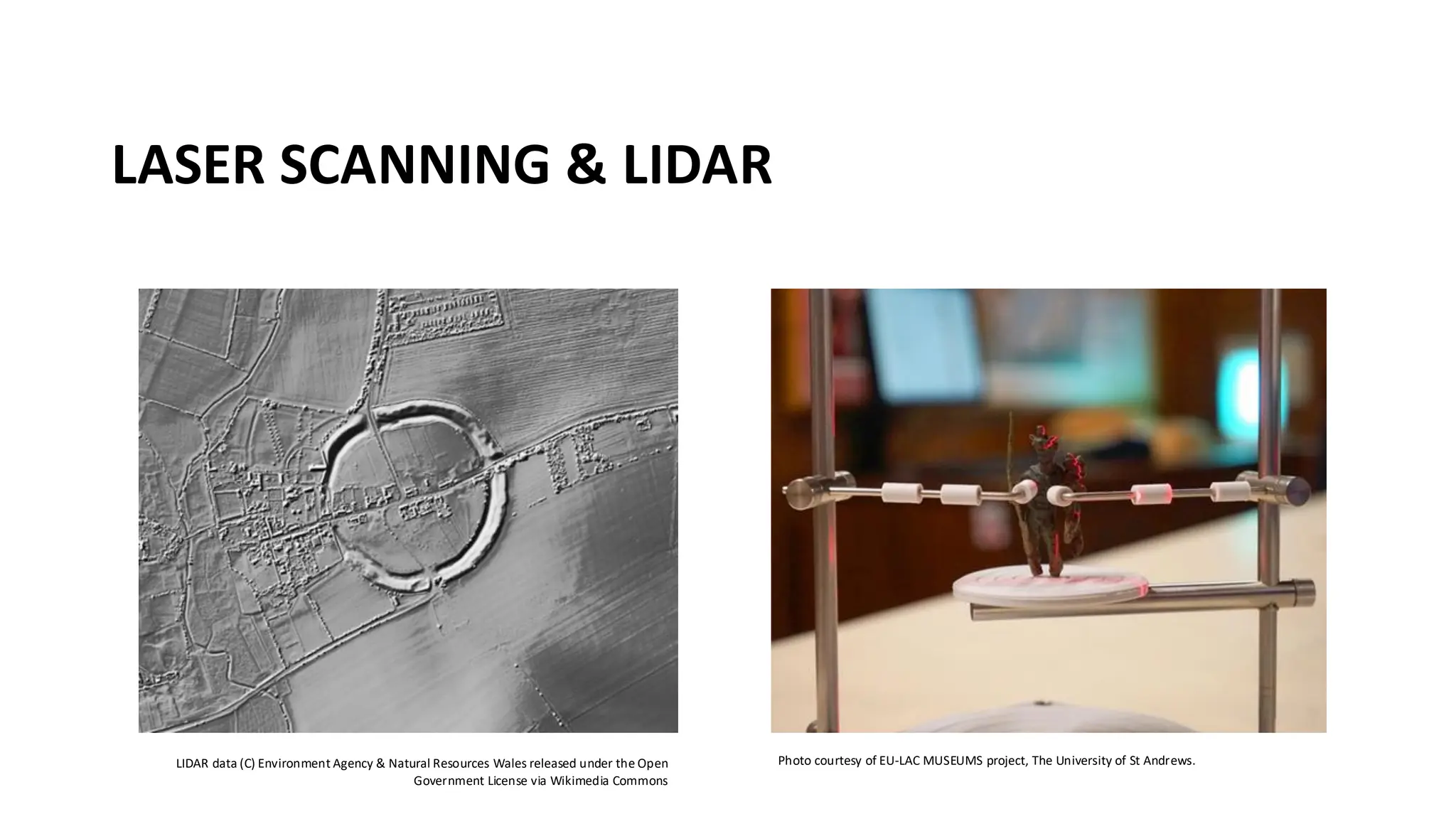
LASER SCANNING & LIDAR
LIDAR data (C) Environment Agency & Natural Resources Wales released under the Open
Government License via Wikimedia Commons
Photo courtesy of EU-LAC MUSEUMS project, The University of St Andrews.
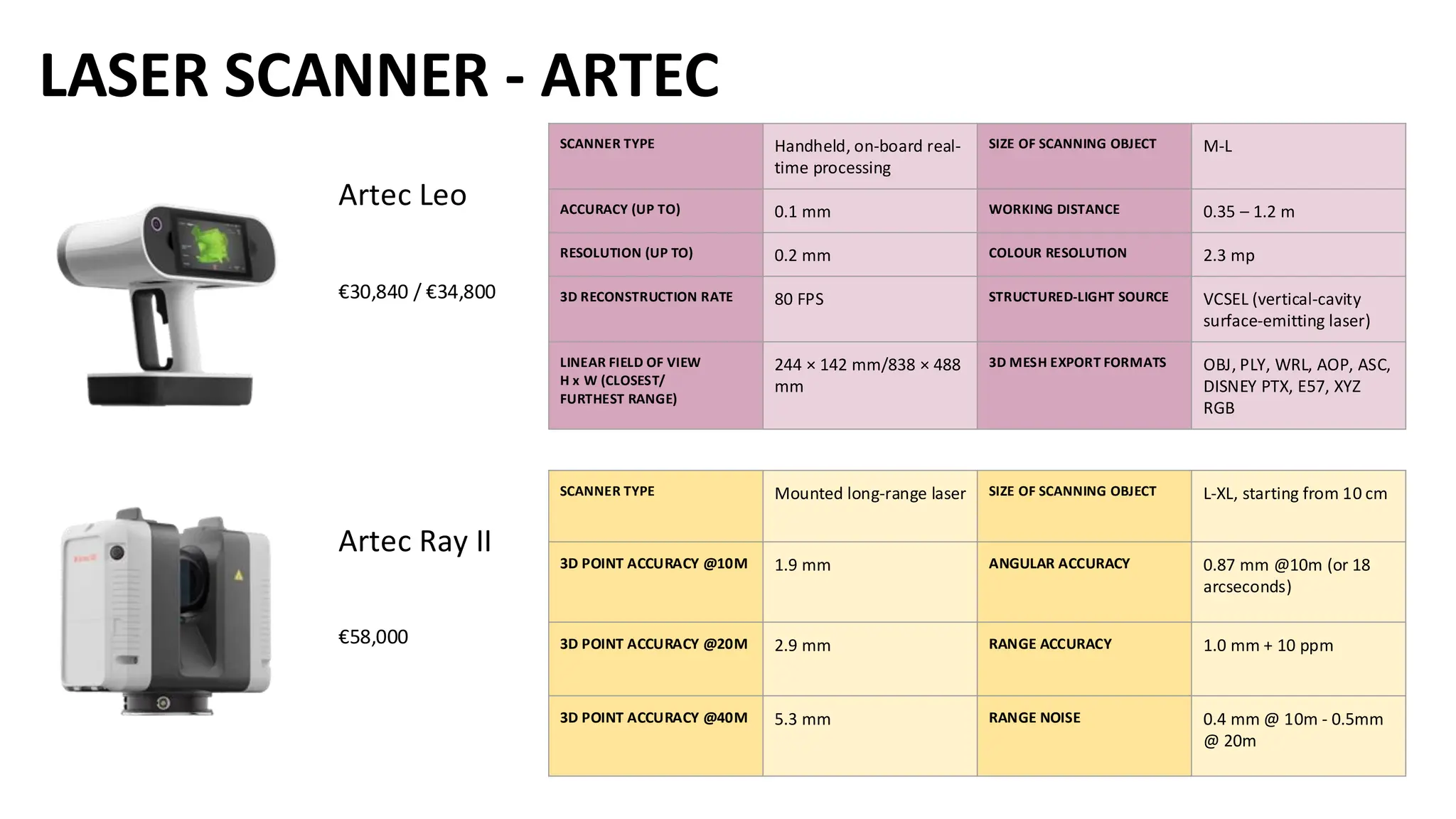
LASER SCANNER - ARTEC
Artec Leo
€30,840 / €34,800
Artec Ray II
€58,000
SCANNER TYPE Mounted long-range laser SIZE OF SCANNING OBJECT L-XL, starting from 10 cm
3D POINT ACCURACY @10M 1.9 mm ANGULAR ACCURACY 0.87 mm @10m (or 18
arcseconds)
3D POINT ACCURACY @20M 2.9 mm RANGE ACCURACY 1.0 mm + 10 ppm
3D POINT ACCURACY @40M 5.3 mm RANGE NOISE 0.4 mm @ 10m - 0.5mm
@ 20m
SCANNER TYPE Handheld, on-board real-
time processing
SIZE OF SCANNING OBJECT M-L
ACCURACY (UP TO) 0.1 mm WORKING DISTANCE 0.35 – 1.2 m
RESOLUTION (UP TO) 0.2 mm COLOUR RESOLUTION 2.3 mp
3D RECONSTRUCTION RATE 80 FPS STRUCTURED-LIGHT SOURCE VCSEL (vertical-cavity
surface-emitting laser)
LINEAR FIELD OF VIEW
H x W (CLOSEST/
FURTHEST RANGE)
244 × 142 mm/838 × 488
mm
3D MESH EXPORT FORMATS OBJ, PLY, WRL, AOP, ASC,
DISNEY PTX, E57, XYZ
RGB
MOBILE APPLICATIONS
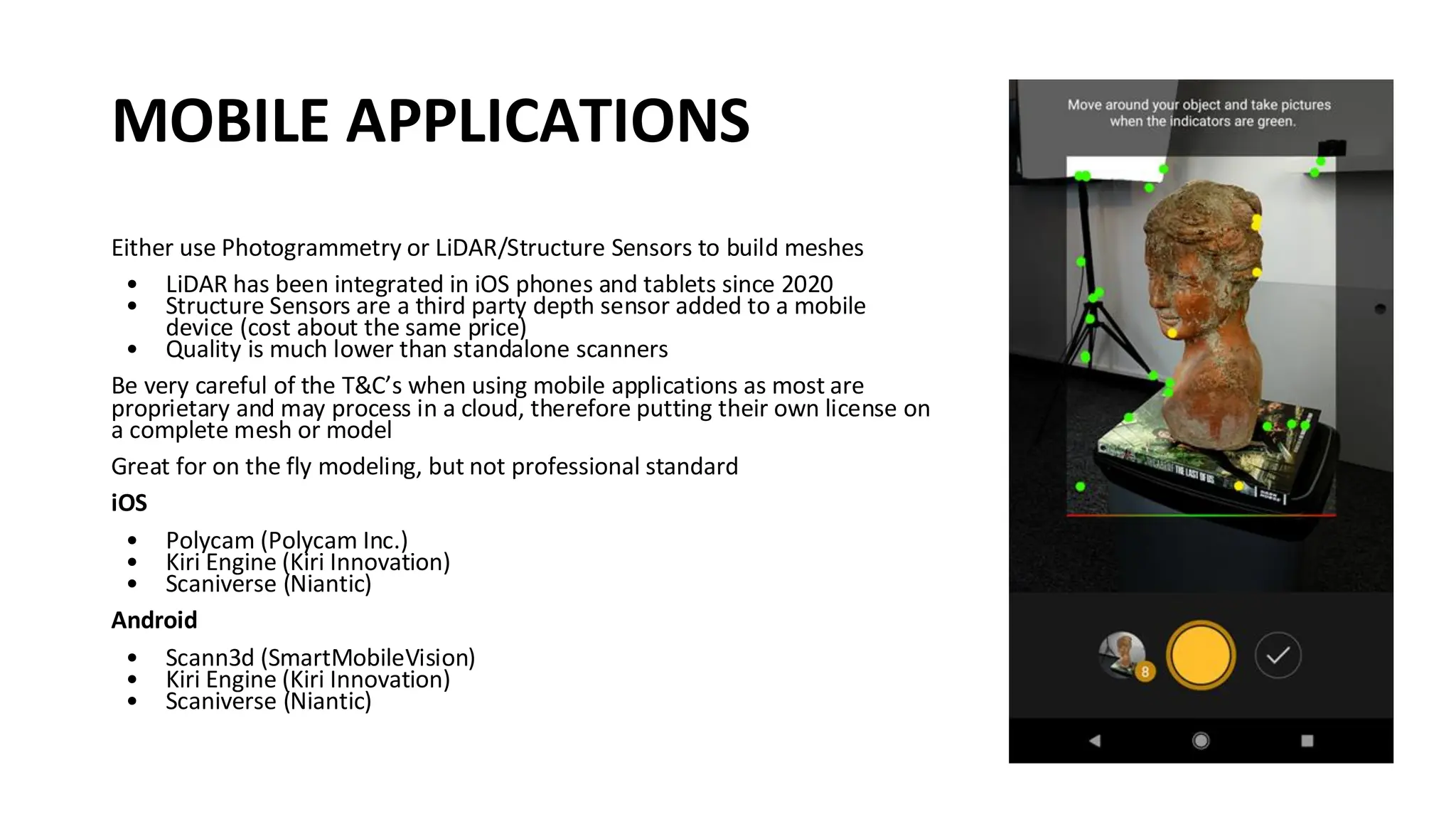
Either use Photogrammetry or LiDAR/Structure Sensors to build meshes
• LiDAR has been integrated in iOS phones and tablets since 2020
• Structure Sensors are a third party depth sensor added to a mobile
device (cost about the same price)
• Quality is much lower than standalone scanners
Be very careful of the T&C’s when using mobile applications as most are
proprietary and may process in a cloud, therefore putting their own license on
a complete mesh or model
Great for on the fly modeling, but not professional standard
iOS
• Polycam (Polycam Inc.)
• Kiri Engine (Kiri Innovation)
• Scaniverse (Niantic)
Android
• Scann3d (SmartMobileVision)
• Kiri Engine (Kiri Innovation)
• Scaniverse (Niantic)
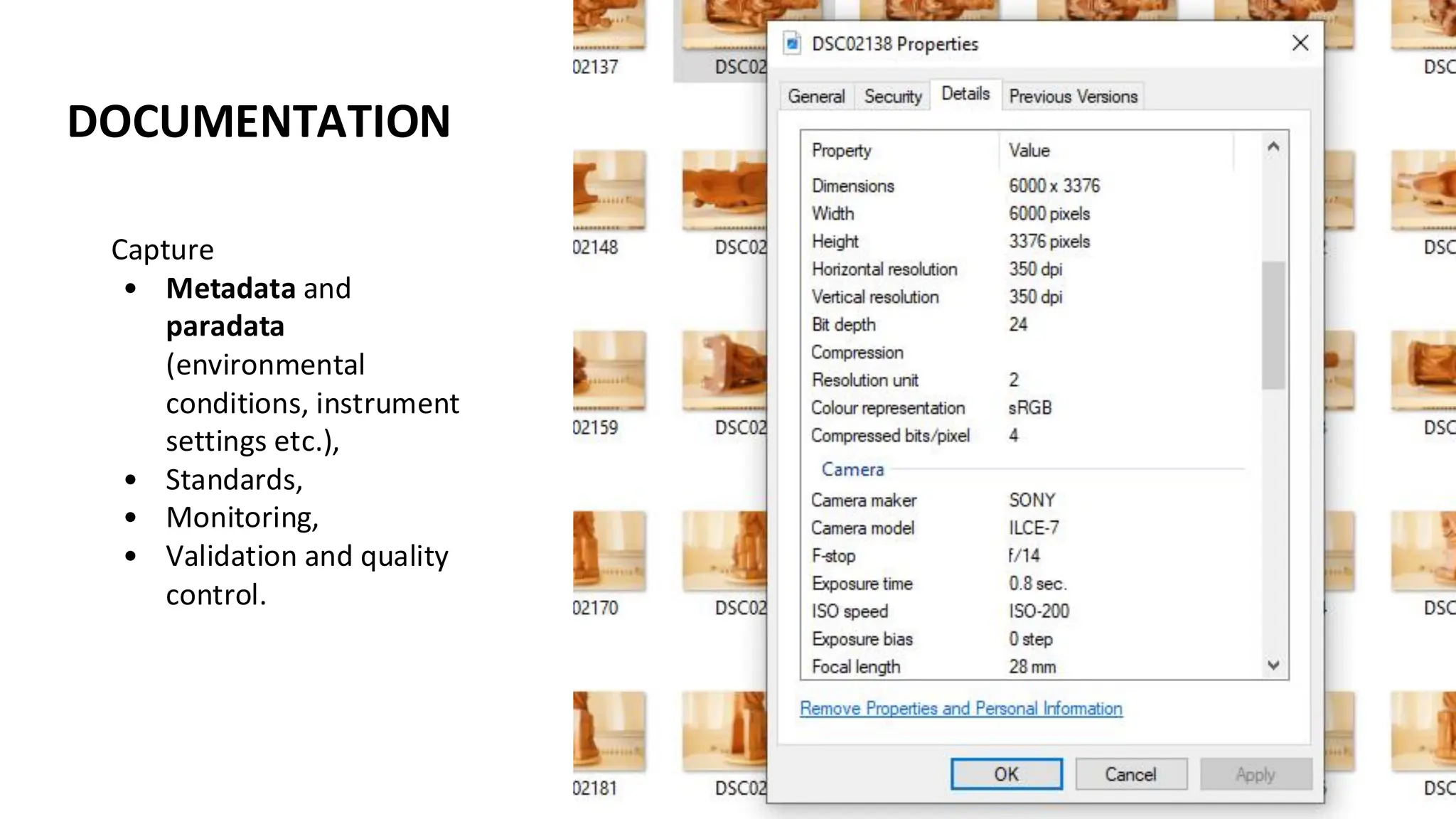
DOCUMENTATION
Capture
• Metadata and
paradata
(environmental
conditions, instrument
settings etc.),
• Standards,
• Monitoring,
• Validation and quality
control.
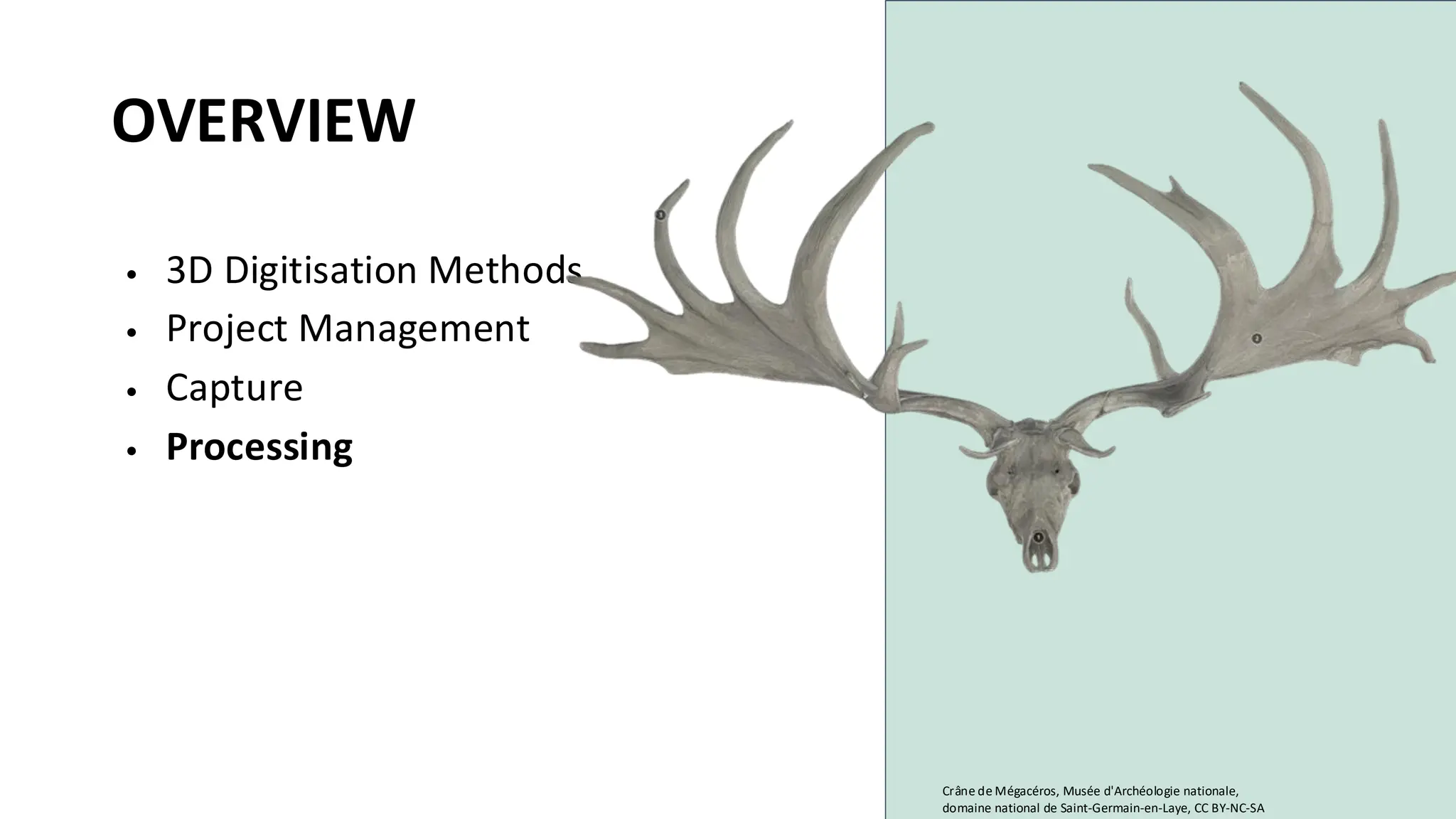
OVERVIEW
• 3D Digitisation Methods
• Project Management
• Capture
• Processing
Crâne de Mégacéros, Musée d'Archéologie nationale,
domaine national de Saint-Germain-en-Laye, CC BY-NC-SA
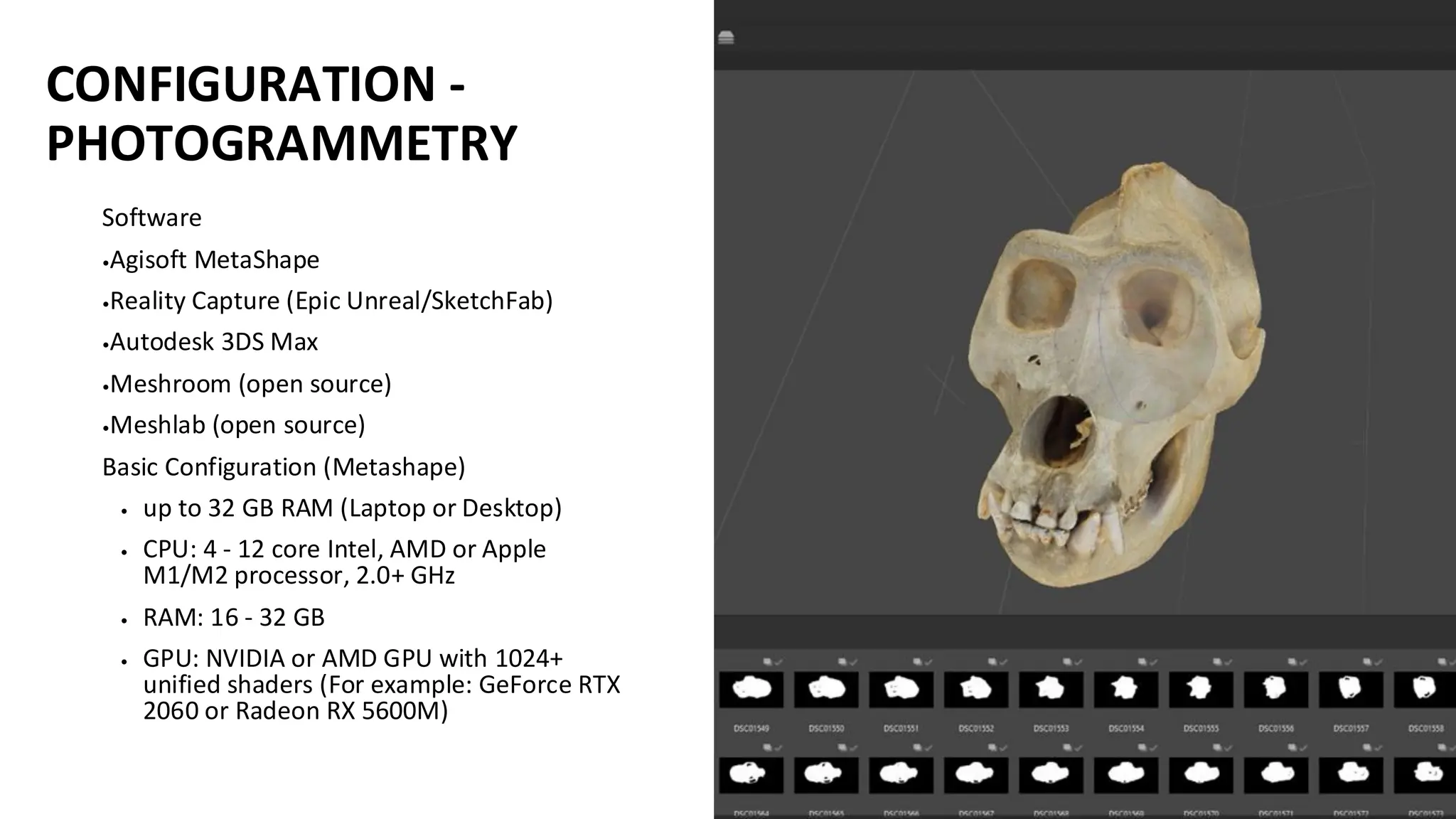
CONFIGURATION -
PHOTOGRAMMETRY
Software
•Agisoft MetaShape
•Reality Capture (Epic Unreal/SketchFab)
•Autodesk 3DS Max
•Meshroom (open source)
•Meshlab (open source)
Basic Configuration (Metashape)
• up to 32 GB RAM (Laptop or Desktop)
• CPU: 4 - 12 core Intel, AMD or Apple
M1/M2 processor, 2.0+ GHz
• RAM: 16 - 32 GB
• GPU: NVIDIA or AMD GPU with 1024+
unified shaders (For example: GeForce RTX
2060 or Radeon RX 5600M)
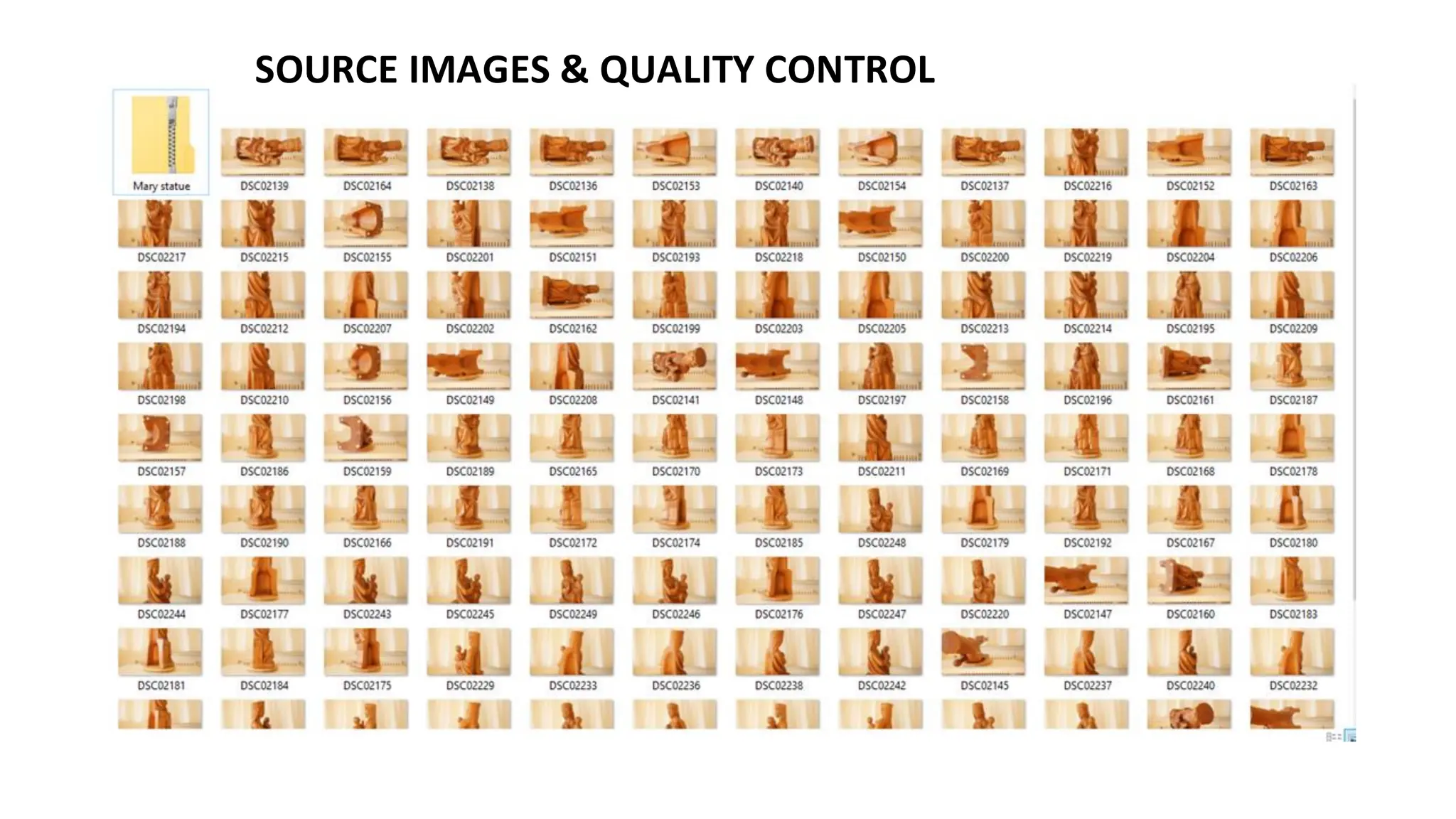
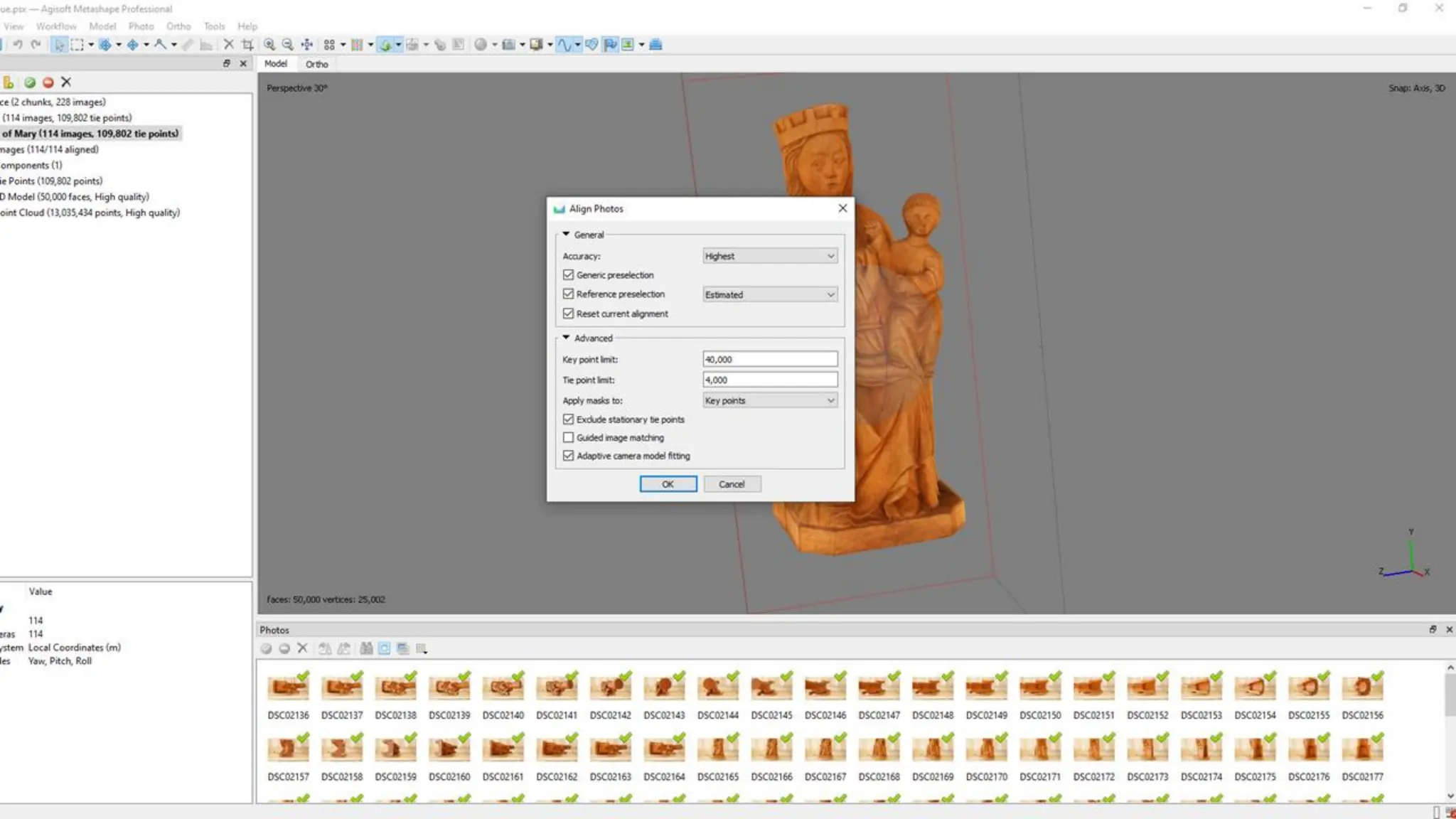
SOURCE IMAGES & QUALITY CONTROL
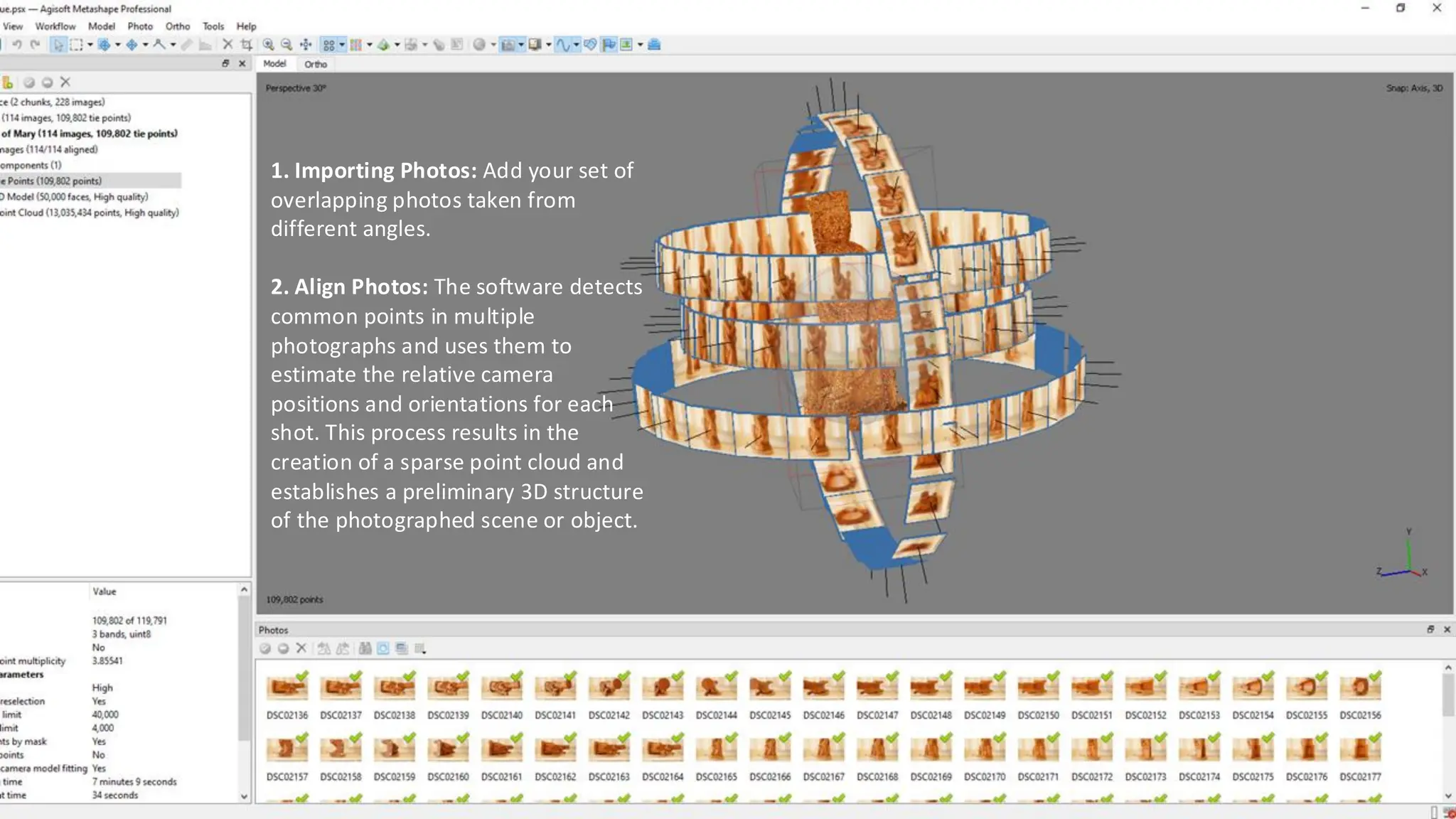
1. Importing Photos: Add your set of
overlapping photos taken from
different angles.
2. Align Photos: The software detects
common points in multiple
photographs and uses them to
estimate the relative camera
positions and orientations for each
shot. This process results in the
creation of a sparse point cloud and
establishes a preliminary 3D structure
of the photographed scene or object.
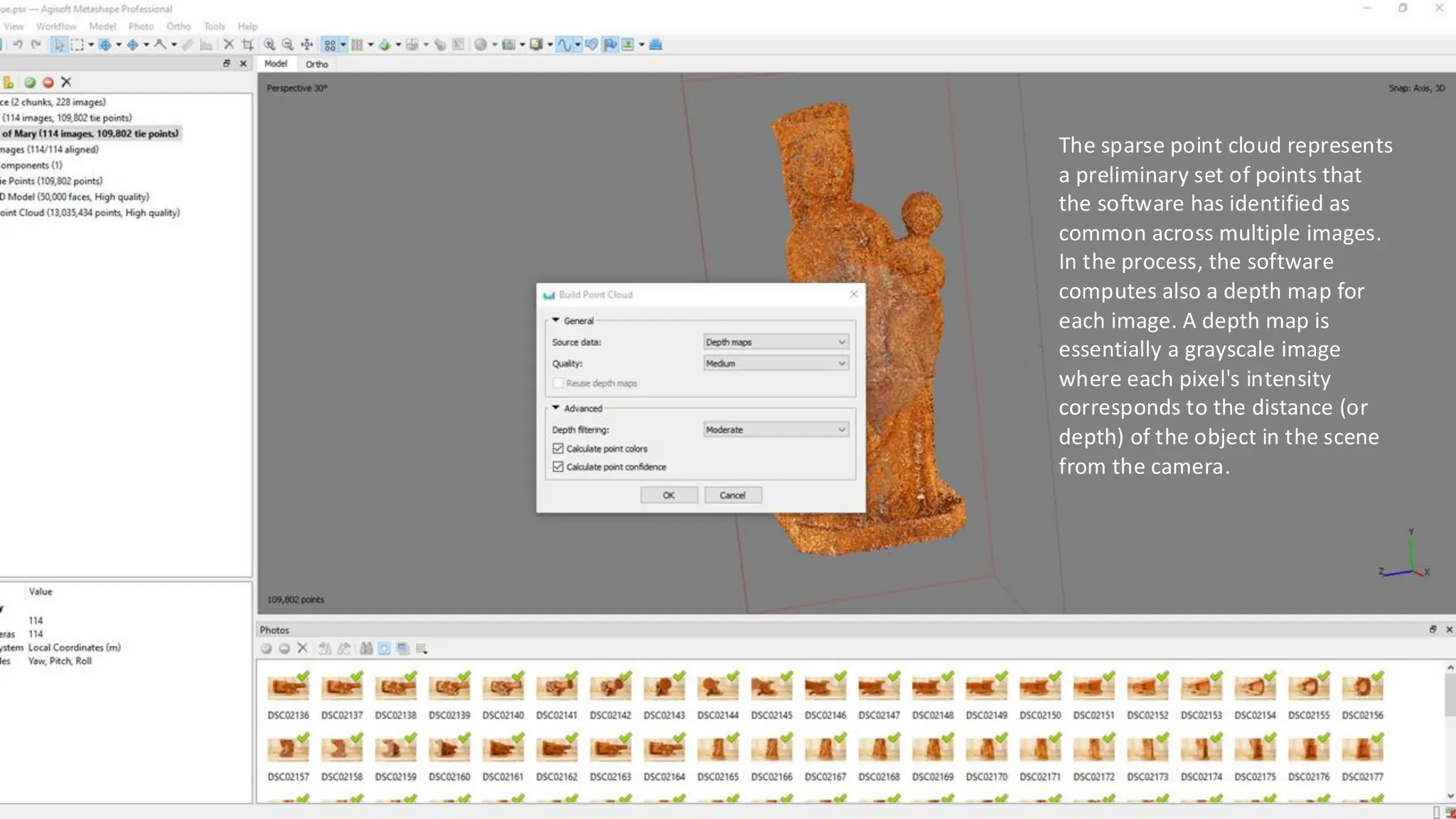
The sparse point cloud represents
a preliminary set of points that
the software has identified as
common across multiple images.
In the process, the software
computes also a depth map for
each image. A depth map is
essentially a grayscale image
where each pixel's intensity
corresponds to the distance (or
depth) of the object in the scene
from the camera.
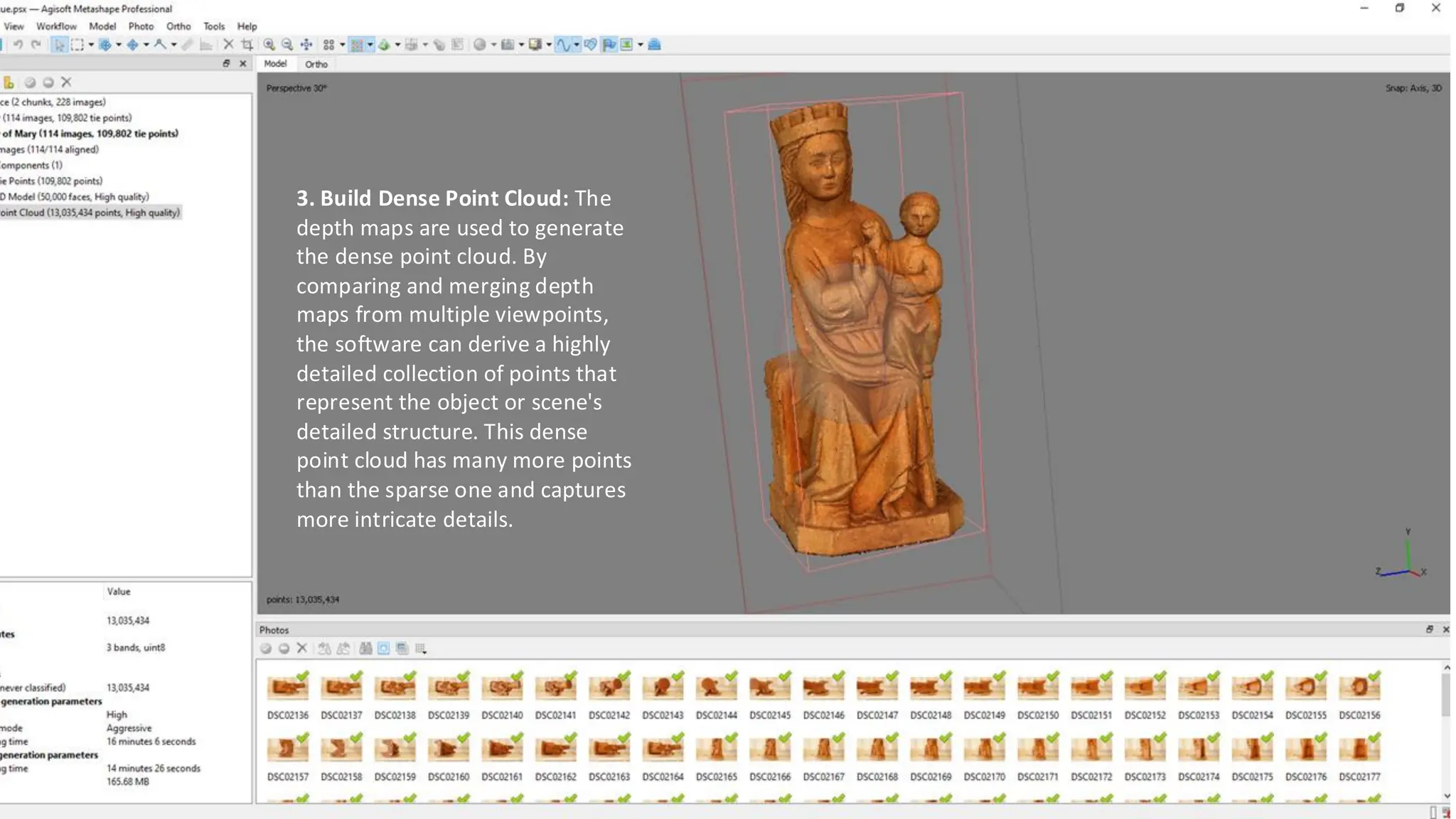
3. Build Dense Point Cloud: The
depth maps are used to generate
the dense point cloud. By
comparing and merging depth
maps from multiple viewpoints,
the software can derive a highly
detailed collection of points that
represent the object or scene's
detailed structure. This dense
point cloud has many more points
than the sparse one and captures
more intricate details.
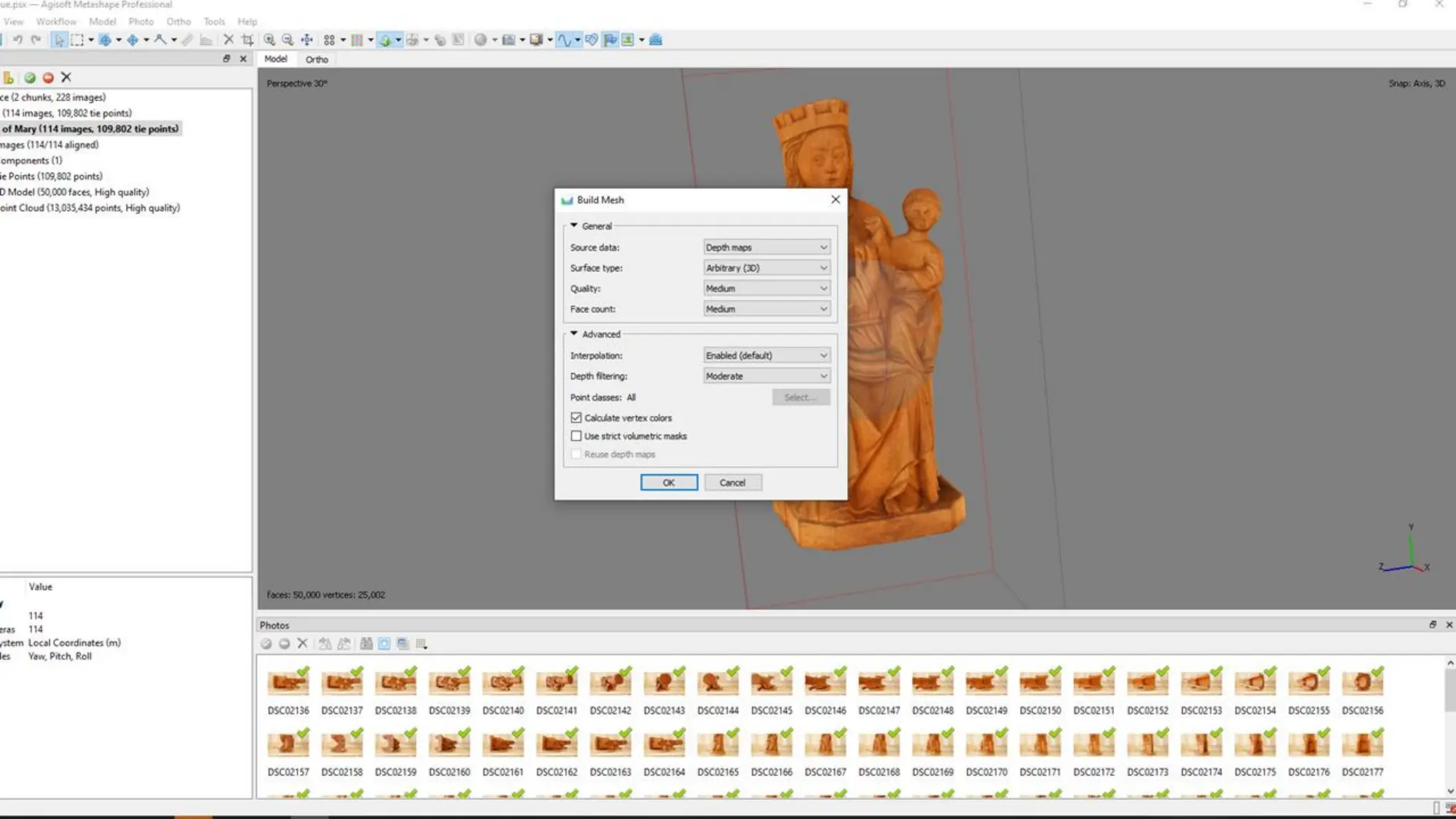
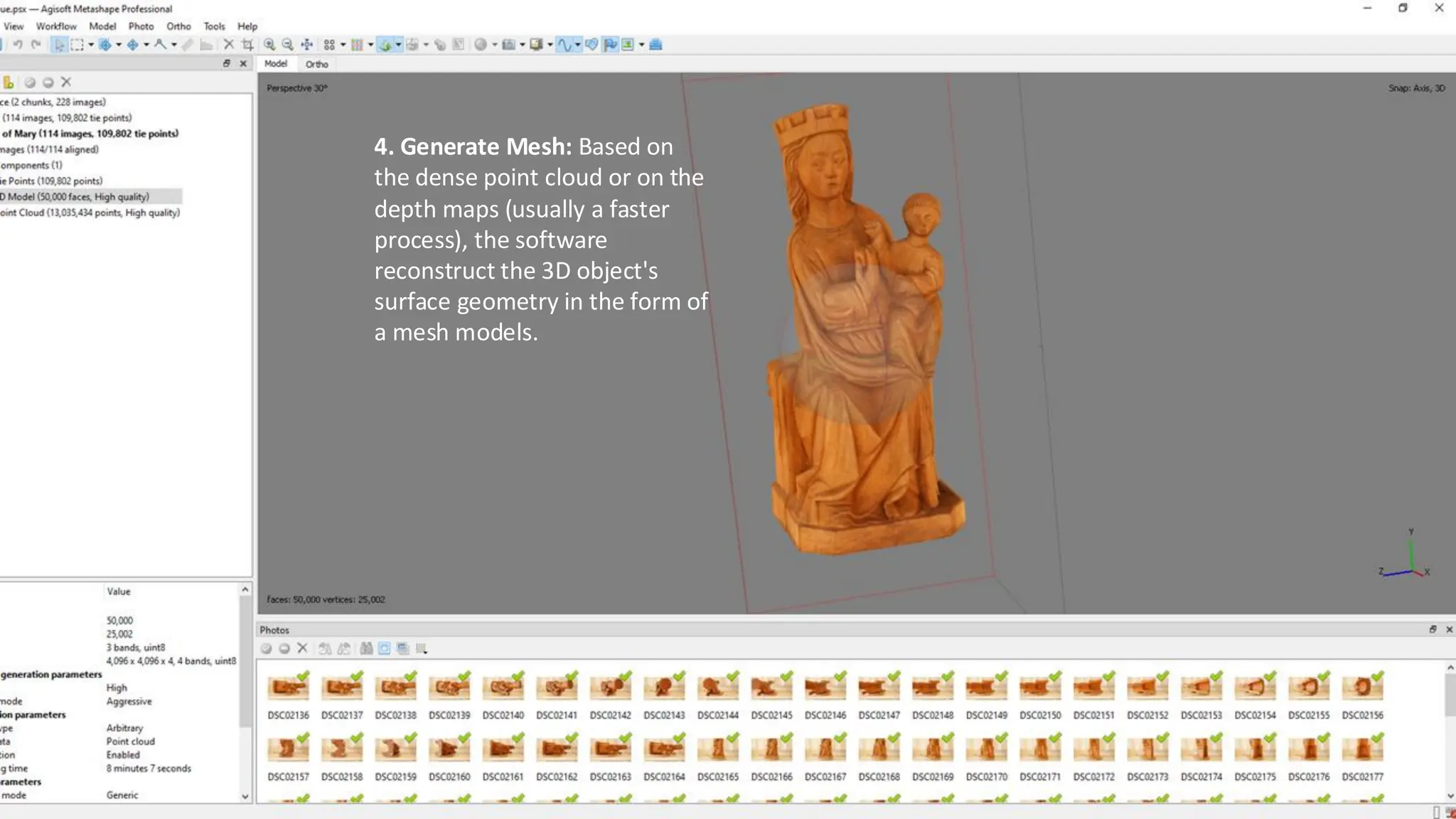
4. Generate Mesh: Based on
the dense point cloud or on the
depth maps (usually a faster
process), the software
reconstruct the 3D object's
surface geometry in the form of
a mesh models.
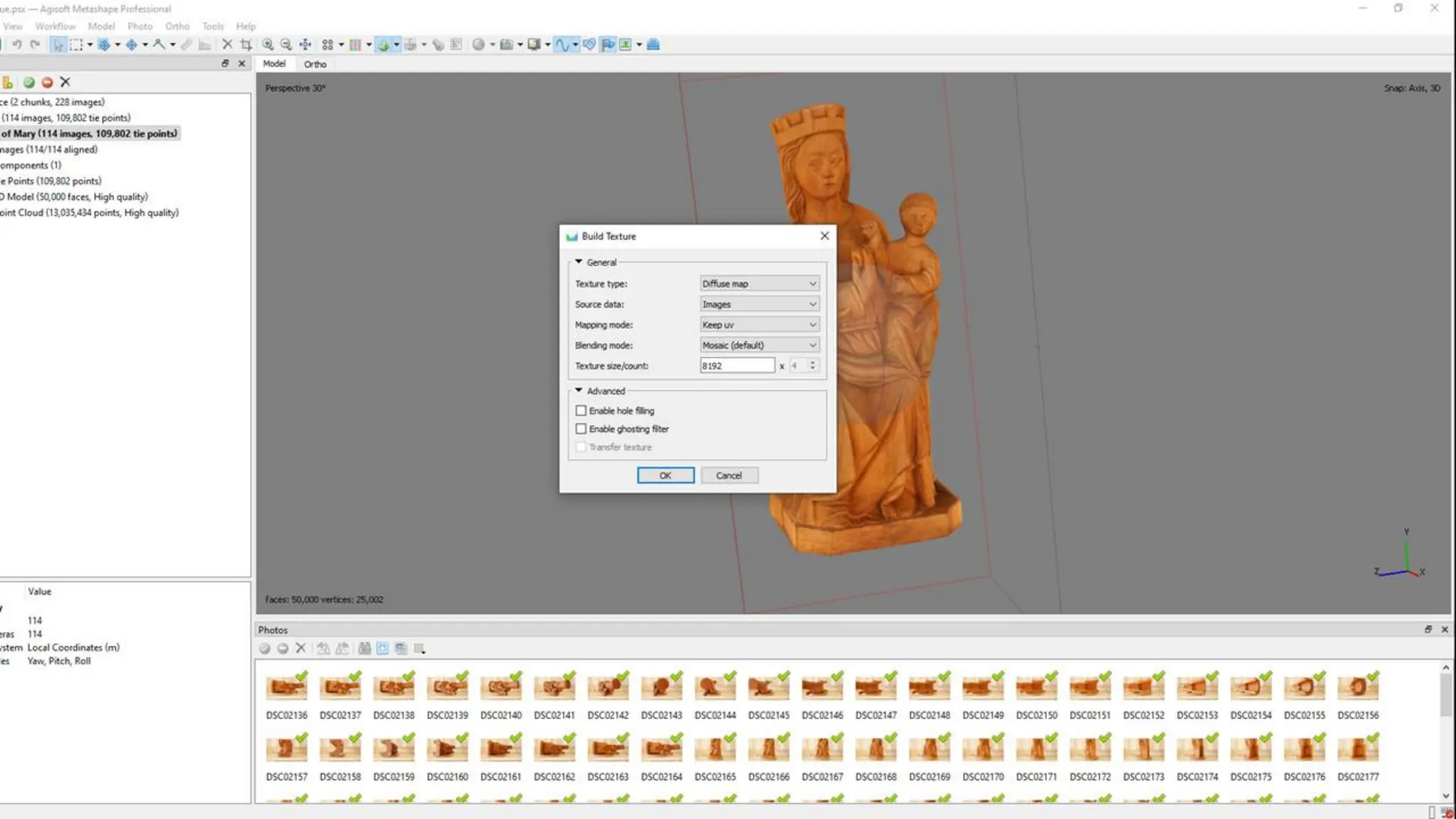
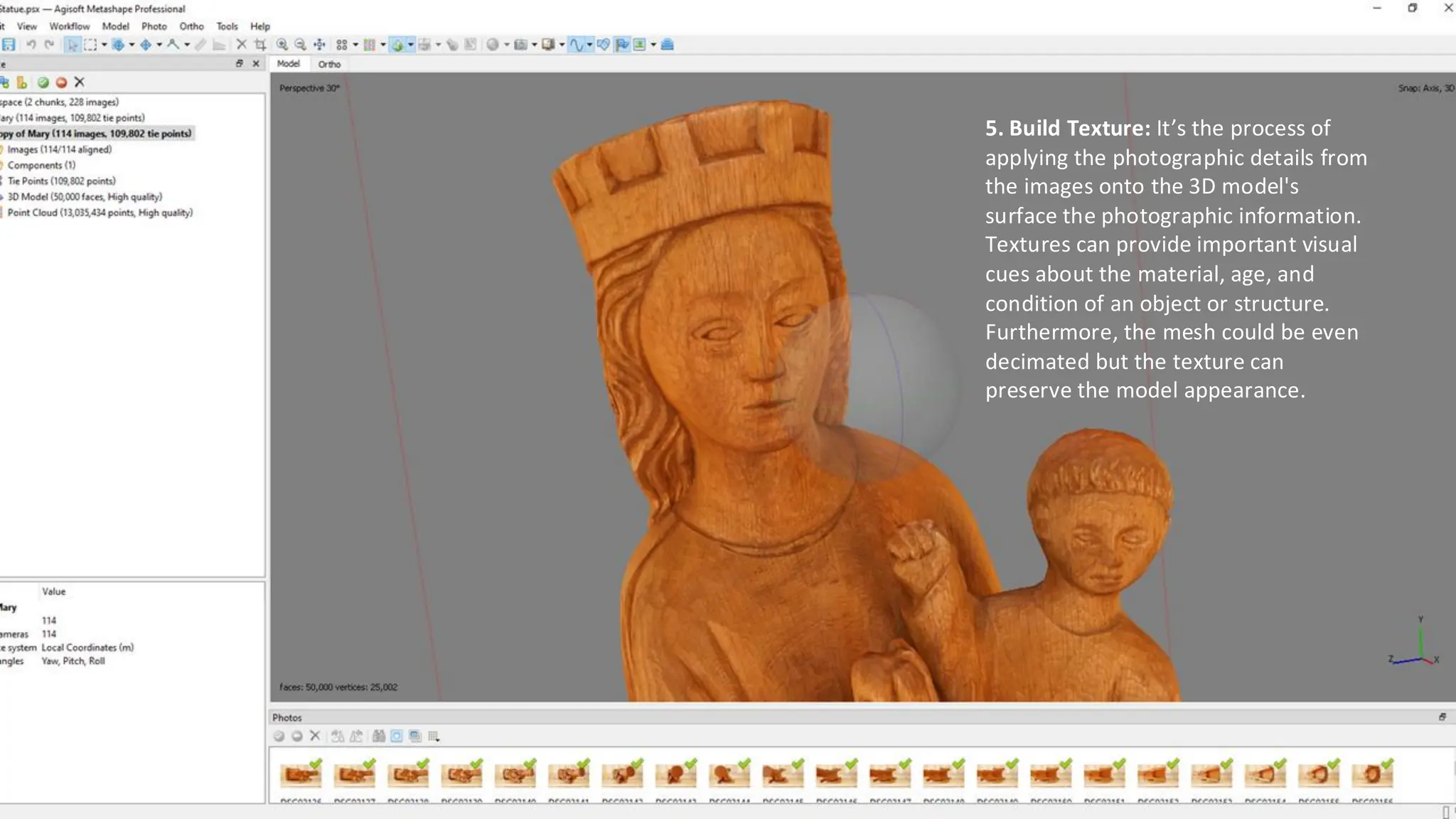
5. Build Texture: It’s the process of
applying the photographic details from
the images onto the 3D model's
surface the photographic information.
Textures can provide important visual
cues about the material, age, and
condition of an object or structure.
Furthermore, the mesh could be even
decimated but the texture can
preserve the model appearance.
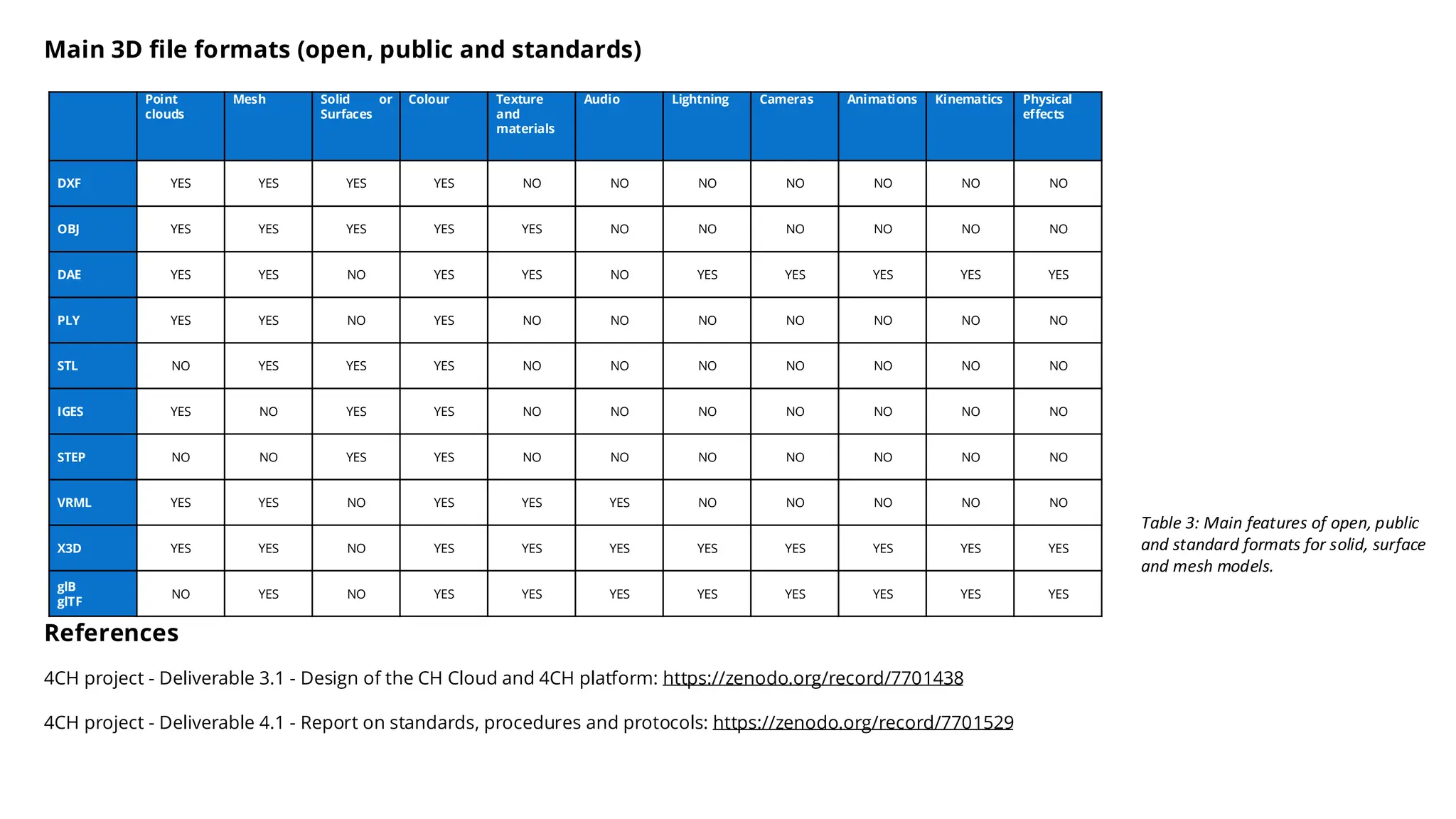
Table 3: Main features of open, public
and standard formats for solid, surface
and mesh models.
Point
clouds
Mesh Solid or
Surfaces
Colour Texture
and
materials
Audio Lightning Cameras Animations Kinematics Physical
effects
DXF YES YES YES YES NO NO NO NO NO NO NO
OBJ YES YES YES YES YES NO NO NO NO NO NO
DAE YES YES NO YES YES NO YES YES YES YES YES
PLY YES YES NO YES NO NO NO NO NO NO NO
STL NO YES YES YES NO NO NO NO NO NO NO
IGES YES NO YES YES NO NO NO NO NO NO NO
STEP NO NO YES YES NO NO NO NO NO NO NO
VRML YES YES NO YES YES YES NO NO NO NO NO
X3D YES YES NO YES YES YES YES YES YES YES YES
glB
glTF
NO YES NO YES YES YES YES YES YES YES YES
Main 3D file formats (open, public and standards)
References
4CH project - Deliverable 3.1 - Design of the CH Cloud and 4CH platform: https://zenodo.org/record/7701438
4CH project - Deliverable 4.1 - Report on standards, procedures and protocols: https://zenodo.org/record/7701529
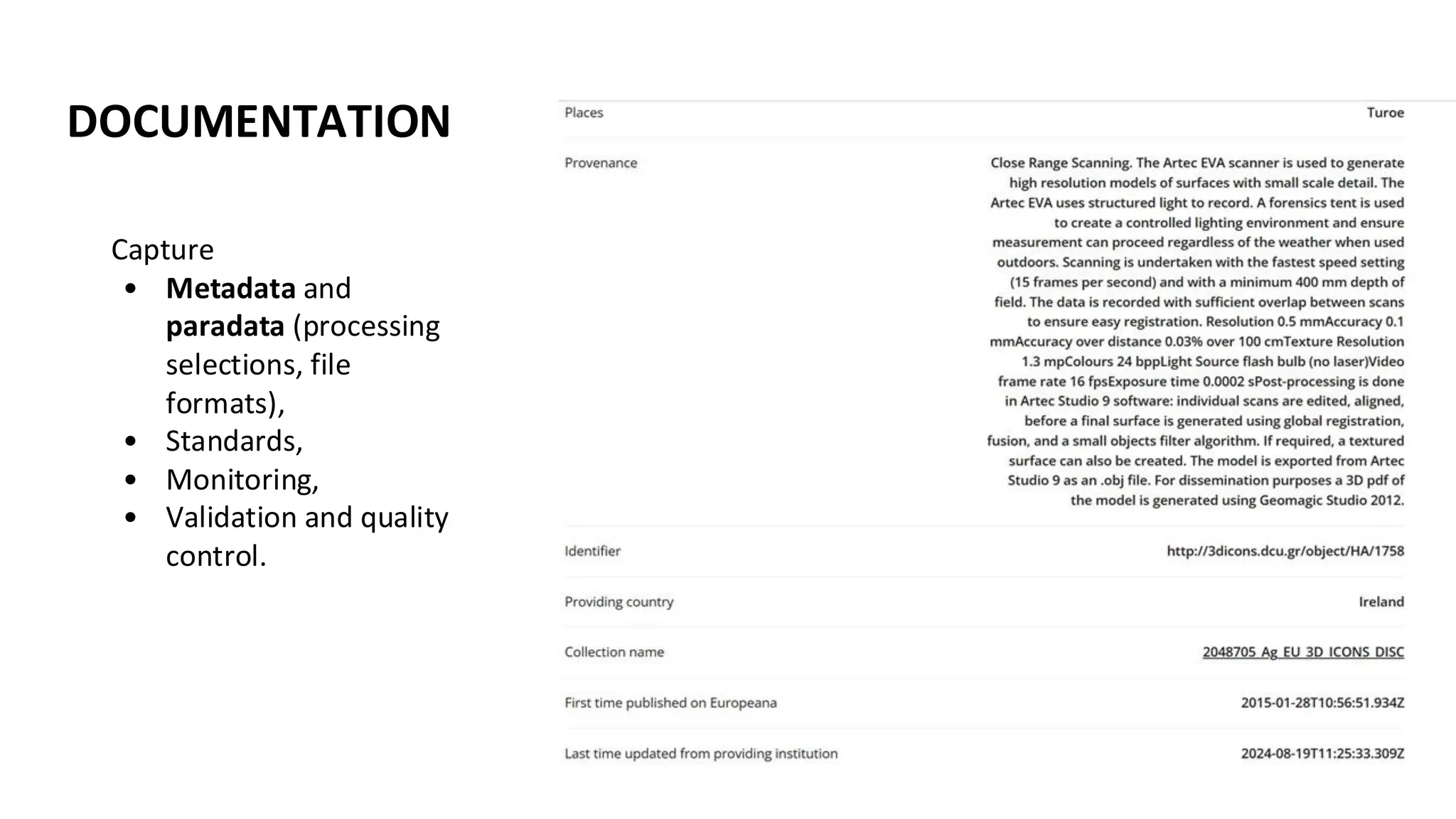
DOCUMENTATION
Capture
• Metadata and
paradata (processing
selections, file
formats),
• Standards,
• Monitoring,
• Validation and quality
control.
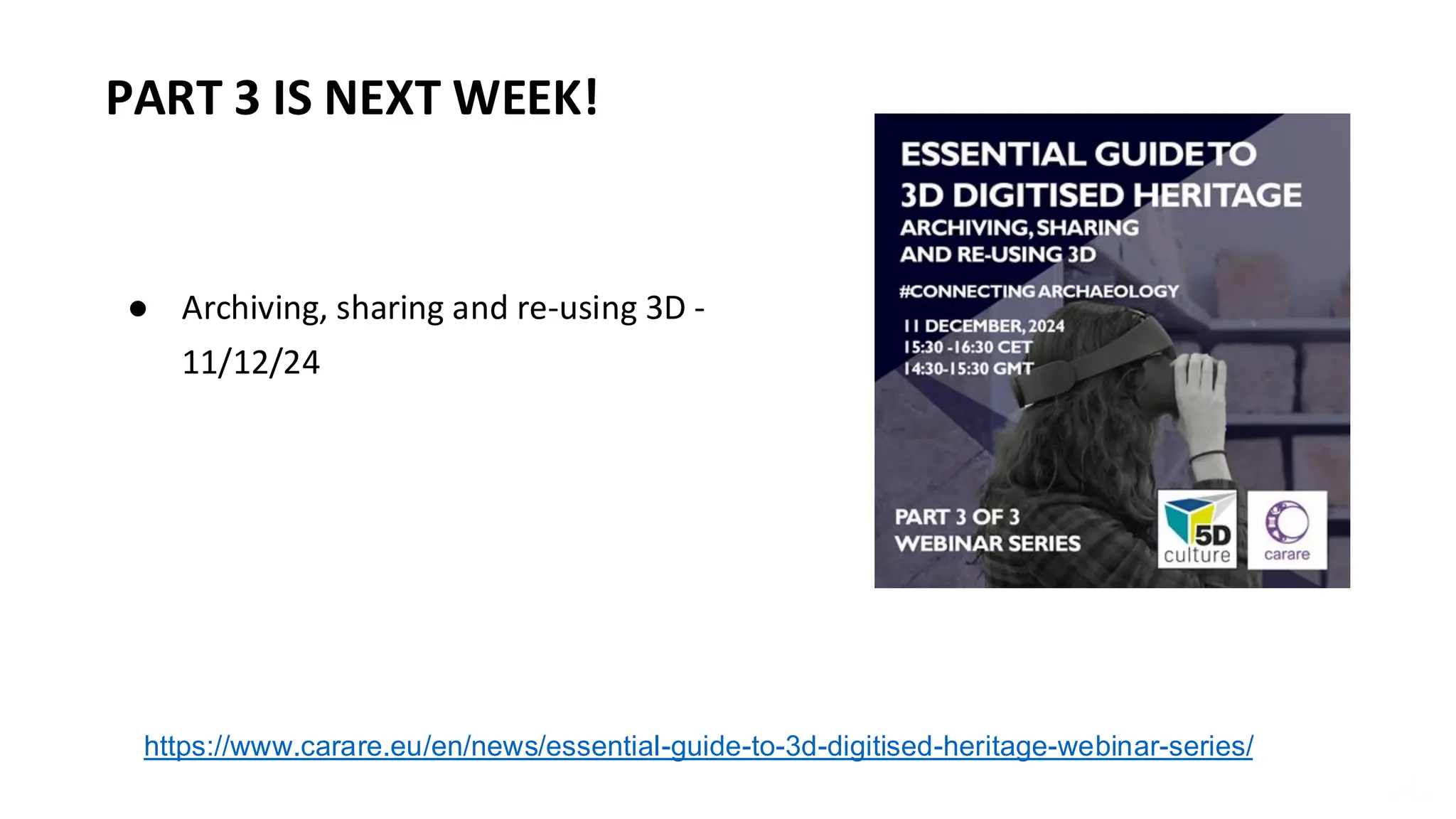
● Archiving, sharing and re-using 3D -
11/12/24
PART 3 IS NEXT WEEK!
https://www.carare.eu/en/news/essential-guide-to-3d-digitised-heritage-webinar-series/
Catherine Anne Cassidy
Catherine.anne.cassidy@gmail.com
cc274@st-andrews.ac.uk
THANK YOU! https://www.carare.eu
Contact: info@carare.eu
Bluesky: @carare.eu
Training hub:
https://www.carare.eu/en/training
/
Webinars on Vimeo:
https://vimeo.com/user124611809

Essential guide to 3D digital heritage: capturing and processing 3D data

  • 2.
    WELCOME • This webinaris an introduction to capturing and processing 3D data and is the second in a three-part series organised by CARARE for the 5DCulture project. • These webinars are geared towards CH professionals, volunteers, or students who want to learn more about 3D as a heritage sector activity. • Today we’re exploring the methods of 3D digitisation, object selection, capture steps per method, processing, troubleshooting, and exporting. We end by introducing what is to come in the following webinar in the series. https://www.carare.eu/ carare.bsky.social
  • 3.
    ABOUT US! CARARE hasbeen working with heritage organisations and archaeologists across Europe since 2010 offering support and practical assistance in sharing datasets with Europeana • We are a non-profit membership association aiming to advance professional practice and foster appreciation of the digital archaeological and architectural heritage • CARARE is a partner in the consortium for the implementation of the Common European Dataspace for CH and in projects working with 3D – notably 5DCulture, Tech4Heritage and the 3D-4CH competence centre (starting in January), • We have a help desk and can offer advice on 3D https://www.carare.eu Contact: info@carare.eu Bluesky: @carare.eu Training hub: https://www.carare.eu/ en/training/ Webinars on Vimeo: https://vimeo.com/user 124611809
  • 4.
    D5D DD5 5DD D5D DD5 5DD 5DCulture in afew words With project funding from the EU, 5DCulture is a collaboration between key cultural heritage stakeholders that aims to enrich the offer of 3D digital cultural heritage assets, tools and know-how in the Data Space for Cultural Heritage. These webinars are part of the project’s capacity building activity. https://5dculture.eu/about
  • 5.
    LEARNING OBJECTIVES 1. Understanddifferences in procedures based on digitisation methods used for data capture, assess quality of data, troubleshooting and recording of metadata and paradata. 2. Acknowledgment of requirements to facilitate data processing and management.
  • 6.
    OVERVIEW • Project Management •Capture • Processing Turoe Stone (3D Model, untextured), The Discovery Programme, CC BY-NC-ND
  • 7.
    PROJECT MANAGEMENT Taken onby those managing a digitisation project, its team and resources MANAGEMENT TASKS COORDINATION OF TASKS MONITORING PROJECT OBJECTIVES RISK MANAGEMENT Activities Allocation of tasks and resources, time management, financial management Setting and monitoring achievable milestones, reporting progress (internal), reporting for funding bodies Identifying risks, mitigation strategies, identifying solutions Details Designation of roles, creating due dates, allocation of budget Keeping to delivery dates, producing reports on work achieved (internal and external) Name potential risks and track, implement action plans, investigate opportunities Examples Individuals to digitise, process and archive, project gantt chart to follow, designation of person hours, purchasing of equipment Addressing workflow challenges, produce interim reports for upper management, produce interim reports for funding bodies Denied access to a site, implement backup strategy, assess reasonings and identify indicators for failure for future projects
  • 8.
    OBJECT SELECTION Object Handling •risk assessment for objects selected, moving from storage/display to digitisation area • planning for object placement for digitisation based on digitisation - Will the object stand on its own? Does it require a frame or a easily replaced support? • adaption with possible replacement if object deemed too fragile or otherwise unsuitable for digitisation OBJECT SELECTION
  • 9.
    OVERVIEW • Project Management •Capture • Processing Cheval broutant, Musée d'Archéologie nationale, domaine national de Saint-Germain-en-Laye, CC BY-NC-SA
  • 10.
    PHOTOGRAMMETRY (SFM) Photos courtesyof Open Virtual Worlds, University of St Andrews.
  • 11.
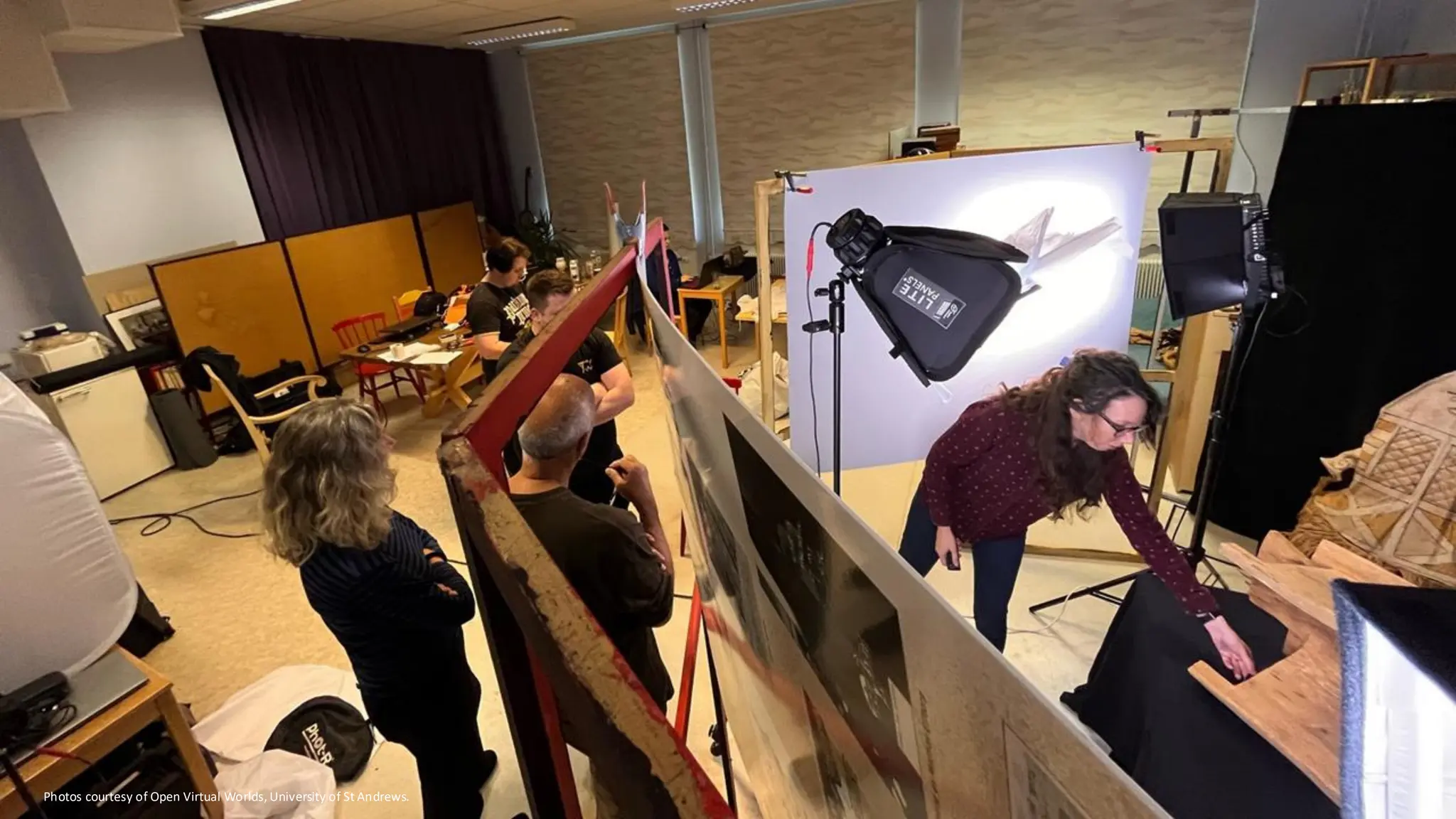
    Photos courtesy ofOpen Virtual Worlds, University of St Andrews.
  • 12.
    Photos courtesy ofOpen Virtual Worlds, University of St Andrews.
  • 13.
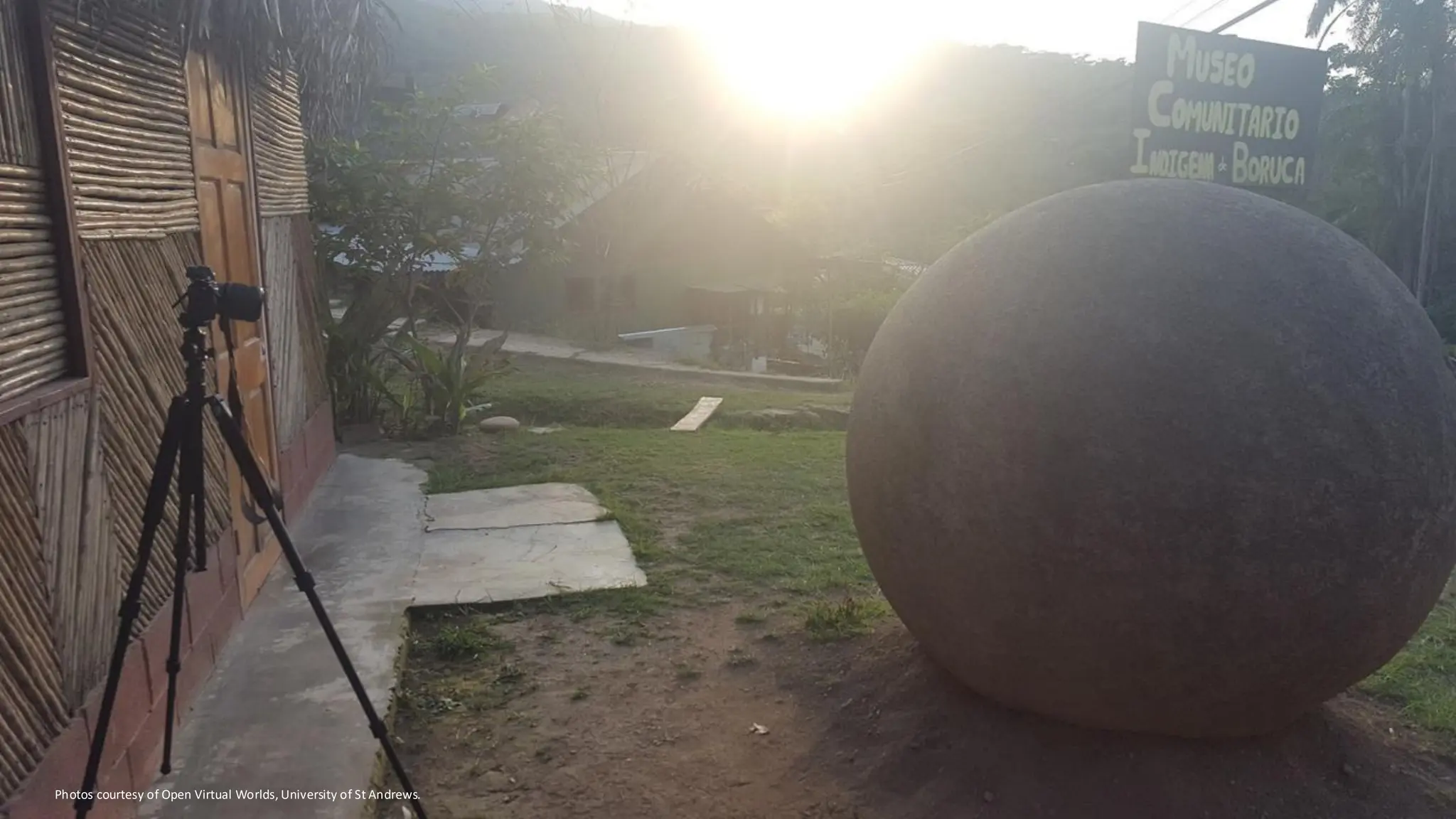
    Photos courtesy ofOpen Virtual Worlds, University of St Andrews.
  • 14.
    EQUIPMENT - PHOTOGRAMMETRY *Loadsmore options to ramp up a photogrammetry set up, but this is a basic stripped back minimum
  • 15.
    • All variablebased on each set up, but certain guides to follow • All manual settings, object all in focus • Duplicating the authentic object, no additional changes CAMERA SETTINGS
  • 16.
    Since in movable/ tabletop setup the camera is static and the object is rotating, some elements need to be considered. Consistent diffused lighting to prevent these inconsistencies. Uniform and neutral background that avoid the identification of tie points among pictures. Possibile pre-processing for masking the background.
  • 19.
    PHOTOGRAMMETRY SETTINGS -TABLETOP Lighting • capturing the object as true as possible • well lit, not blown out (loss of colour), avoid creating shadows (objects with occlusions may be impossible) • adjustment of temperature, intensity, direction (direct or indirect) Zoom • use little to no zoom (prime or low distortion lenses) Once set up is complete • take test shots in order to adjust settings • once confirmed settings are correct, do not change settings during the digitisation of the object
  • 21.
  • 24.
    AERIAL PHOTOGRAMMETRY Pix4D -flight plan photogrammetry applications
  • 25.
    Konica Minolta Range 7Scanner Artec Eva and Space Spider scanner EinScanPro HD Revopoint mini ● Measures the three-dimensional shape of an object using projected light patterns and a camera system. ● The light source from the scanner head projects a series of patterns onto the object, which become distorted. The cameras capture these images and send them to the 3D scanning software for processing in real time. ● 3D scans are taken from different positions and combined together afterwards. Meaning, the digitiser moves the scanner around the object (or place the object on a turning table). ● 3D scans are combined digital photos allows also to attribute a texture to the 3D model. 3D SCANNING - STRUCTURED LIGHT
  • 26.
  • 27.
    STRUCTURED LIGHT SCANNER- ARTEC Artec Spider II €24,600/€27,000 Artec Eva €12,590/€13,700 SCANNER TYPE Handheld SIZE OF SCANNING OBJECT S-M ACCURACY (UP TO) 0.05mm WORKING DISTANCE 0.19-0.3m RESOLUTION (UP TO) 0.05mm TARGET FREE Yes 3D RECONSTRUCTION RATE 30 fps COLOUR & GEOMETRY TRACKING Yes LINEAR FIELD OF VIEW HXW (CLOSEST FURTHEST RANGE) 128x104 mm/171x152mm 3D MESH EXPORT FORMATS OBJ, PLY, WRL, AOP, ASC, DISNEY PTX, E57, XYZ RGB SCANNER TYPE Handheld SIZE OF SCANNING OBJECT M-L, starting from 10 cm ACCURACY (UP TO) Up to 0.1 mm WORKING DISTANCE 0.19-0.3m RESOLUTION (UP TO) Up to 0.2 mm TARGET FREE Hybrid geometry and color based 3D RECONSTRUCTION RATE Up to 16fps 3D MESH EXPORT FORMATS All popular formats, including STL, OBJ, and PLY
  • 28.
    Photos courtesy ofOpen Virtual Worlds, University of St Andrews.
  • 29.
    Photos courtesy ofOpen Virtual Worlds, University of St Andrews.
  • 30.
    The shaft is115mm in circumference and 1280mm long, the head is 90mm x 140mm. Digitised by Artec Spider. Fal-mòine / Peat Spade, Open Virtual Worlds, Museum of Islay Life, CC BY Main output: Hi-res 3D mesh model with or without texture Area of use: • Object that need to be documented with a super-high metric accuracy • Creating 3D models on-the-fly, without the need for long processing sessions Must be noted that: • Photo quality can’t achieve the same results that you can get with photogrammetry but it’s improving. OUTPUTS
  • 31.
    LASER SCANNING &LIDAR LIDAR data (C) Environment Agency & Natural Resources Wales released under the Open Government License via Wikimedia Commons Photo courtesy of EU-LAC MUSEUMS project, The University of St Andrews.
  • 32.
    LASER SCANNER -ARTEC Artec Leo €30,840 / €34,800 Artec Ray II €58,000 SCANNER TYPE Mounted long-range laser SIZE OF SCANNING OBJECT L-XL, starting from 10 cm 3D POINT ACCURACY @10M 1.9 mm ANGULAR ACCURACY 0.87 mm @10m (or 18 arcseconds) 3D POINT ACCURACY @20M 2.9 mm RANGE ACCURACY 1.0 mm + 10 ppm 3D POINT ACCURACY @40M 5.3 mm RANGE NOISE 0.4 mm @ 10m - 0.5mm @ 20m SCANNER TYPE Handheld, on-board real- time processing SIZE OF SCANNING OBJECT M-L ACCURACY (UP TO) 0.1 mm WORKING DISTANCE 0.35 – 1.2 m RESOLUTION (UP TO) 0.2 mm COLOUR RESOLUTION 2.3 mp 3D RECONSTRUCTION RATE 80 FPS STRUCTURED-LIGHT SOURCE VCSEL (vertical-cavity surface-emitting laser) LINEAR FIELD OF VIEW H x W (CLOSEST/ FURTHEST RANGE) 244 × 142 mm/838 × 488 mm 3D MESH EXPORT FORMATS OBJ, PLY, WRL, AOP, ASC, DISNEY PTX, E57, XYZ RGB
  • 34.
    MOBILE APPLICATIONS Either usePhotogrammetry or LiDAR/Structure Sensors to build meshes • LiDAR has been integrated in iOS phones and tablets since 2020 • Structure Sensors are a third party depth sensor added to a mobile device (cost about the same price) • Quality is much lower than standalone scanners Be very careful of the T&C’s when using mobile applications as most are proprietary and may process in a cloud, therefore putting their own license on a complete mesh or model Great for on the fly modeling, but not professional standard iOS • Polycam (Polycam Inc.) • Kiri Engine (Kiri Innovation) • Scaniverse (Niantic) Android • Scann3d (SmartMobileVision) • Kiri Engine (Kiri Innovation) • Scaniverse (Niantic)
  • 35.
    DOCUMENTATION Capture • Metadata and paradata (environmental conditions,instrument settings etc.), • Standards, • Monitoring, • Validation and quality control.
  • 36.
    OVERVIEW • 3D DigitisationMethods • Project Management • Capture • Processing Crâne de Mégacéros, Musée d'Archéologie nationale, domaine national de Saint-Germain-en-Laye, CC BY-NC-SA
  • 37.
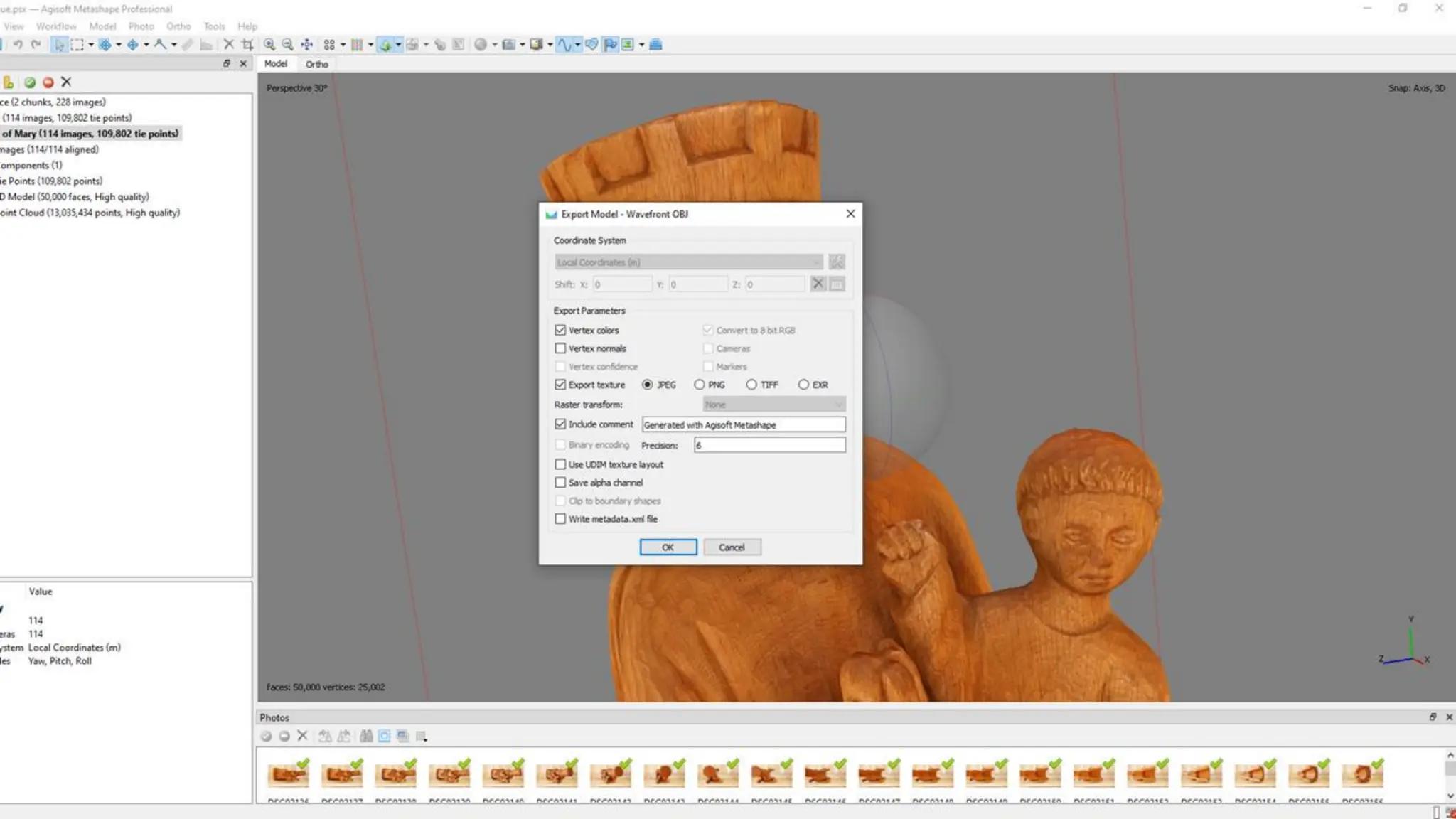
    CONFIGURATION - PHOTOGRAMMETRY Software •Agisoft MetaShape •RealityCapture (Epic Unreal/SketchFab) •Autodesk 3DS Max •Meshroom (open source) •Meshlab (open source) Basic Configuration (Metashape) • up to 32 GB RAM (Laptop or Desktop) • CPU: 4 - 12 core Intel, AMD or Apple M1/M2 processor, 2.0+ GHz • RAM: 16 - 32 GB • GPU: NVIDIA or AMD GPU with 1024+ unified shaders (For example: GeForce RTX 2060 or Radeon RX 5600M)
  • 38.
    SOURCE IMAGES &QUALITY CONTROL
  • 40.
    1. Importing Photos:Add your set of overlapping photos taken from different angles. 2. Align Photos: The software detects common points in multiple photographs and uses them to estimate the relative camera positions and orientations for each shot. This process results in the creation of a sparse point cloud and establishes a preliminary 3D structure of the photographed scene or object.
  • 41.
    The sparse pointcloud represents a preliminary set of points that the software has identified as common across multiple images. In the process, the software computes also a depth map for each image. A depth map is essentially a grayscale image where each pixel's intensity corresponds to the distance (or depth) of the object in the scene from the camera.
  • 42.
    3. Build DensePoint Cloud: The depth maps are used to generate the dense point cloud. By comparing and merging depth maps from multiple viewpoints, the software can derive a highly detailed collection of points that represent the object or scene's detailed structure. This dense point cloud has many more points than the sparse one and captures more intricate details.
  • 44.
    4. Generate Mesh:Based on the dense point cloud or on the depth maps (usually a faster process), the software reconstruct the 3D object's surface geometry in the form of a mesh models.
  • 46.
    5. Build Texture:It’s the process of applying the photographic details from the images onto the 3D model's surface the photographic information. Textures can provide important visual cues about the material, age, and condition of an object or structure. Furthermore, the mesh could be even decimated but the texture can preserve the model appearance.
  • 48.
    Table 3: Mainfeatures of open, public and standard formats for solid, surface and mesh models. Point clouds Mesh Solid or Surfaces Colour Texture and materials Audio Lightning Cameras Animations Kinematics Physical effects DXF YES YES YES YES NO NO NO NO NO NO NO OBJ YES YES YES YES YES NO NO NO NO NO NO DAE YES YES NO YES YES NO YES YES YES YES YES PLY YES YES NO YES NO NO NO NO NO NO NO STL NO YES YES YES NO NO NO NO NO NO NO IGES YES NO YES YES NO NO NO NO NO NO NO STEP NO NO YES YES NO NO NO NO NO NO NO VRML YES YES NO YES YES YES NO NO NO NO NO X3D YES YES NO YES YES YES YES YES YES YES YES glB glTF NO YES NO YES YES YES YES YES YES YES YES Main 3D file formats (open, public and standards) References 4CH project - Deliverable 3.1 - Design of the CH Cloud and 4CH platform: https://zenodo.org/record/7701438 4CH project - Deliverable 4.1 - Report on standards, procedures and protocols: https://zenodo.org/record/7701529
  • 49.
    DOCUMENTATION Capture • Metadata and paradata(processing selections, file formats), • Standards, • Monitoring, • Validation and quality control.
  • 53.
    ● Archiving, sharingand re-using 3D - 11/12/24 PART 3 IS NEXT WEEK! https://www.carare.eu/en/news/essential-guide-to-3d-digitised-heritage-webinar-series/
  • 54.
    Catherine Anne Cassidy Catherine.anne.cassidy@gmail.com cc274@st-andrews.ac.uk THANKYOU! https://www.carare.eu Contact: info@carare.eu Bluesky: @carare.eu Training hub: https://www.carare.eu/en/training / Webinars on Vimeo: https://vimeo.com/user124611809