3D-Game Development using Blender and Java


                Tobias Günther
Outline

●   Steps for designing a 3D game
●   Blender – a free 3D authoring and animation tool
●   Java MonkeyEngine – for Java based game development
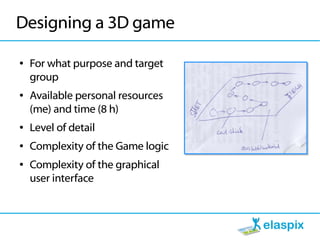
Designing a 3D game

●   For what purpose and target
    group
●   Available personal resources
    (me) and time (8 h)
●   Level of detail
●   Complexity of the Game logic
●   Complexity of the graphical
    user interface
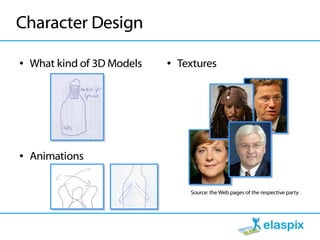
Character Design

●   What kind of 3D Models   ●   Textures


●   Animations


                                   Source: the Web pages of the respective party
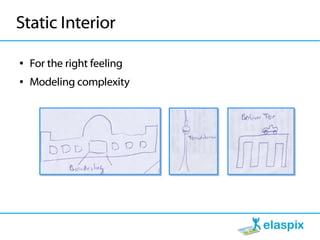
Static Interior

●   For the right feeling
●   Modeling complexity
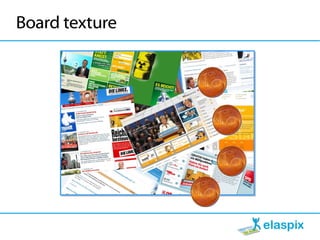
Board texture
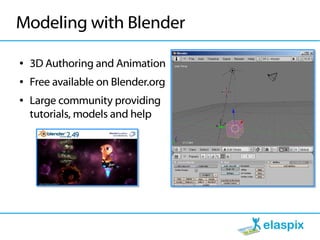
Modeling with Blender

●   3D Authoring and Animation
●   Free available on Blender.org
●   Large community providing
    tutorials, models and help
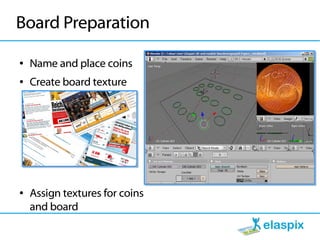
Board Preparation

●   Name and place coins
●   Create board texture


●   Assign textures for coins
    and board
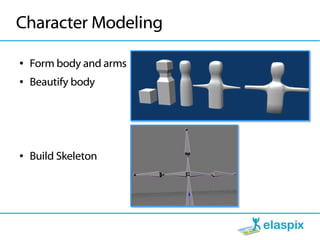
Character Modeling

●   Form body and arms
●   Beautify body


●   Build Skeleton
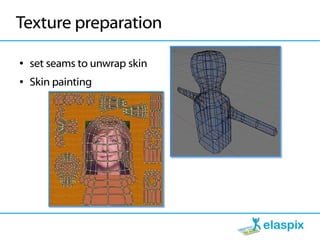
Texture preparation

●   set seams to unwrap skin
●   Skin painting
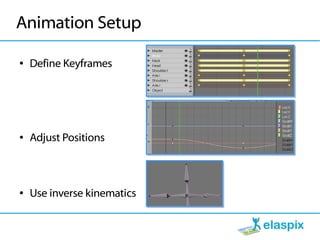
Animation Setup

●   Define Keyframes


●   Adjust Positions


●   Use inverse kinematics
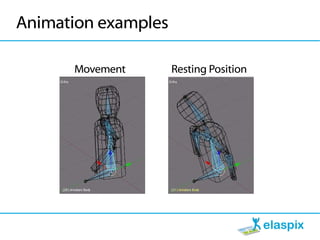
Animation examples

      Movement       Resting Position
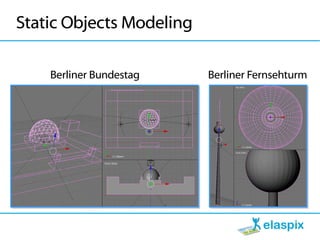
Static Objects Modeling

    Berliner Bundestag    Berliner Fernsehturm
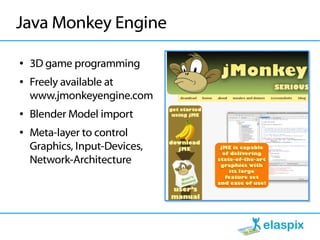
Java Monkey Engine

●   3D game programming
●   Freely available at
    www.jmonkeyengine.com
●   Blender Model import
●   Meta-layer to control
    Graphics, Input-Devices,
    Network-Architecture
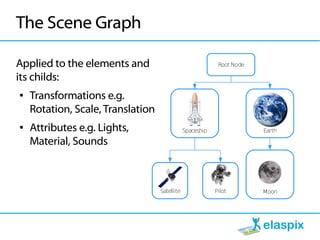
The Scene Graph

Applied to the elements and                                 Root Node

its childs:
●   Transformations e.g.
    Rotation, Scale, Translation
●   Attributes e.g. Lights,                    Spaceship                Earth

    Material, Sounds


                                   Satellite               Pilot        Moon
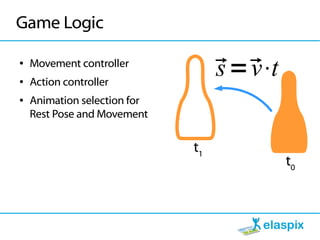
Game Logic

●


●
    Movement controller
    Action controller
                                   s v
                                    =⋅t
●   Animation selection for
    Rest Pose and Movement


                              t1
                                            t0
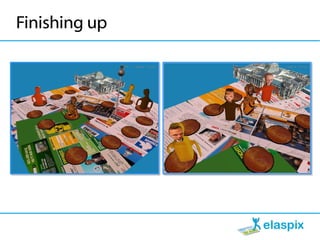
Finishing up
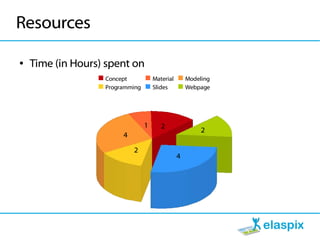
Resources

●   Time (in Hours) spent on
                   Concept           Material       Modeling
                   Programming       Slides         Webpage


                                 1      2
                                                         2
                        4

                            2
                                                4
Still missing (hours)

●   Questions and Answers (8)
    GUI Design (2), GUI Programming (3)


                                               Moma-Store
●


●   Game-Logic (2)
●   Modelling, Animation and Beautifying (8)
●   Webpage and PR (8)
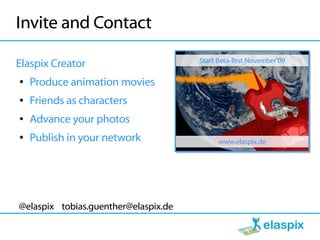
Invite and Contact
                                      Start Beta-Test November'09
Elaspix Creator
●   Produce animation movies
●   Friends as characters
●   Advance your photos
●   Publish in your network                 www.elaspix.de


@elaspix tobias.guenther@elaspix.de

3D Game development using Blender and Java

  • 1.
    3D-Game Development usingBlender and Java Tobias Günther
  • 2.
    Outline ● Steps for designing a 3D game ● Blender – a free 3D authoring and animation tool ● Java MonkeyEngine – for Java based game development
  • 3.
    Designing a 3Dgame ● For what purpose and target group ● Available personal resources (me) and time (8 h) ● Level of detail ● Complexity of the Game logic ● Complexity of the graphical user interface
  • 4.
    Character Design ● What kind of 3D Models ● Textures ● Animations Source: the Web pages of the respective party
  • 5.
    Static Interior ● For the right feeling ● Modeling complexity
  • 6.
  • 7.
    Modeling with Blender ● 3D Authoring and Animation ● Free available on Blender.org ● Large community providing tutorials, models and help
  • 8.
    Board Preparation ● Name and place coins ● Create board texture ● Assign textures for coins and board
  • 9.
    Character Modeling ● Form body and arms ● Beautify body ● Build Skeleton
  • 10.
    Texture preparation ● set seams to unwrap skin ● Skin painting
  • 11.
    Animation Setup ● Define Keyframes ● Adjust Positions ● Use inverse kinematics
  • 12.
    Animation examples Movement Resting Position
  • 13.
    Static Objects Modeling Berliner Bundestag Berliner Fernsehturm
  • 14.
    Java Monkey Engine ● 3D game programming ● Freely available at www.jmonkeyengine.com ● Blender Model import ● Meta-layer to control Graphics, Input-Devices, Network-Architecture
  • 15.
    The Scene Graph Appliedto the elements and Root Node its childs: ● Transformations e.g. Rotation, Scale, Translation ● Attributes e.g. Lights, Spaceship Earth Material, Sounds Satellite Pilot Moon
  • 16.
    Game Logic ● ● Movement controller Action controller s v  =⋅t ● Animation selection for Rest Pose and Movement t1 t0
  • 17.
  • 18.
    Resources ● Time (in Hours) spent on Concept Material Modeling Programming Slides Webpage 1 2 2 4 2 4
  • 19.
    Still missing (hours) ● Questions and Answers (8) GUI Design (2), GUI Programming (3) Moma-Store ● ● Game-Logic (2) ● Modelling, Animation and Beautifying (8) ● Webpage and PR (8)
  • 20.
    Invite and Contact Start Beta-Test November'09 Elaspix Creator ● Produce animation movies ● Friends as characters ● Advance your photos ● Publish in your network www.elaspix.de @elaspix tobias.guenther@elaspix.de