Pre-Production
Pre-production Assessment
Locations
• My two locations will be at home and in
college. There is no cost to either of these
locations and I have easy access to both. The
only limitation to accessing college would be if
there is extreme weather and the college bus
doesn’t run.
Equipment
• I need a computer and Photoshop to complete
this project. Both of these things are available
to me at college and home.
Facilities
• Photoshop and Premier Pro is needed to edit
this together, alongside a music-making
website. I will potentially use Noteflight as I
have a lot of experience working with this
website.
Personnel
• I will be working almost completely alone. I
will use friends’ input to aid my decisions in
stylistic choices. This does not cost anything;
and I am able to access them nearly all the
time so will not have any detrimental effects.
If they are slow to give feedback, I will be able
to continue with a different aspect of the
project.
Creative Planning
Storyboarding
• Your storyboard should bring your idea to life
• Provide an idea of the sequencing of you video
• Provides a basis for production
• Suggested online storyboard creators are:
– https://www.storyboardthat.com
– http://www.pixton.com [very complicated]
– http://www.storyjumper.com [allows you to insert your own
images]
• Alternatively, hand draw or photograph your storyboard
and scan or copy to insert it onto your slides
Shot List
• Your shot list should contain the sequential breakdown
of what you need to shoot for your video
• It should work in partnership with your storyboard
• It will be your working document when you film
• It should contain the shot number, scene number, shot
description, framing and action you will see
• It should also have information on performers in the
scene and other props, etc
• Shot list template is on Blackboard in the pre-
production folder.
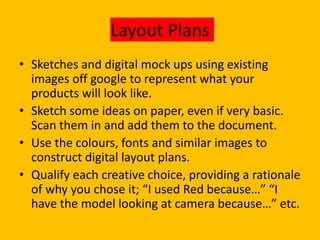
Layout Plans
• Sketches and digital mock ups using existing
images off google to represent what your
products will look like.
• Sketch some ideas on paper, even if very basic.
Scan them in and add them to the document.
• Use the colours, fonts and similar images to
construct digital layout plans.
• Qualify each creative choice, providing a rationale
of why you chose it; “I used Red because…” “I
have the model looking at camera because…” etc.
Sound Effects/Music
• Create music on Noteflight
• Potential sound effects for NPCs or speech
appearing
Script/Copy
• You will need to write out any copy or script
that you will be using. You will need to do this
as a separate document or you can include it
here.
– Magazine articles (double page spread) are
around 1400 words.
– Audio often has between 100 – 130 words per
minute.
– Films vary, but even if it has no dialogue, you need
to script what will happen visually.
Organisational Planning
Production Group Info
• There will be no other contact information
needed as I am working solely on this project
without assistance from a group.
Location information
• Information and images of your location[s] for
filming/recording/shooting.
• This means when you will arrive, when it will be
available, when you model/cast should arrive, when
you will finish, access to food/water, access to toilets,
nearby travel links etc etc.
• You should have address details, clearance/permissions
for filming, recce photos and floorplans [including
camera, equipment and cast/crew layouts]
• Where possible, have a plan B fallback location option
• Assess each location for any issues and suggest
solutions
locations
• I will not be filming anything for my project
and just animating so my locations will be at
home and in college. I do not need permission
from any locations or persons as all my work
will be digital.
Production Schedule
• Your schedule should budget a total of 10
hours for production, that is for the filming
and editing of your project.
• You should plan when you’re filming and how
you intend to use the in class days on your
timetable/class schedule
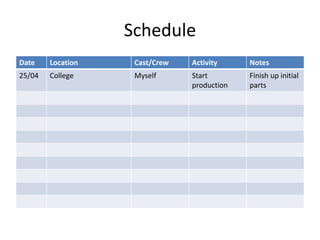
Schedule
Date Location Cast/Crew Activity Notes
25/04 College Myself Start
production
Finish up initial
parts
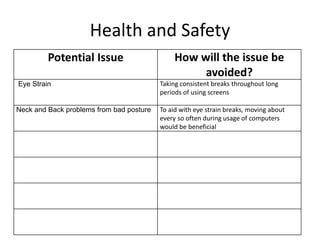
Health and Safety
Potential Issue How will the issue be
avoided?
Eye Strain Taking consistent breaks throughout long
periods of using screens
Neck and Back problems from bad posture To aid with eye strain breaks, moving about
every so often during usage of computers
would be beneficial

3. Pre-Production - Megan.pptx

  • 1.
  • 2.
  • 3.
    Locations • My twolocations will be at home and in college. There is no cost to either of these locations and I have easy access to both. The only limitation to accessing college would be if there is extreme weather and the college bus doesn’t run.
  • 4.
    Equipment • I needa computer and Photoshop to complete this project. Both of these things are available to me at college and home.
  • 5.
    Facilities • Photoshop andPremier Pro is needed to edit this together, alongside a music-making website. I will potentially use Noteflight as I have a lot of experience working with this website.
  • 6.
    Personnel • I willbe working almost completely alone. I will use friends’ input to aid my decisions in stylistic choices. This does not cost anything; and I am able to access them nearly all the time so will not have any detrimental effects. If they are slow to give feedback, I will be able to continue with a different aspect of the project.
  • 7.
  • 8.
    Storyboarding • Your storyboardshould bring your idea to life • Provide an idea of the sequencing of you video • Provides a basis for production • Suggested online storyboard creators are: – https://www.storyboardthat.com – http://www.pixton.com [very complicated] – http://www.storyjumper.com [allows you to insert your own images] • Alternatively, hand draw or photograph your storyboard and scan or copy to insert it onto your slides
  • 9.
    Shot List • Yourshot list should contain the sequential breakdown of what you need to shoot for your video • It should work in partnership with your storyboard • It will be your working document when you film • It should contain the shot number, scene number, shot description, framing and action you will see • It should also have information on performers in the scene and other props, etc • Shot list template is on Blackboard in the pre- production folder.
  • 10.
    Layout Plans • Sketchesand digital mock ups using existing images off google to represent what your products will look like. • Sketch some ideas on paper, even if very basic. Scan them in and add them to the document. • Use the colours, fonts and similar images to construct digital layout plans. • Qualify each creative choice, providing a rationale of why you chose it; “I used Red because…” “I have the model looking at camera because…” etc.
  • 11.
    Sound Effects/Music • Createmusic on Noteflight • Potential sound effects for NPCs or speech appearing
  • 12.
    Script/Copy • You willneed to write out any copy or script that you will be using. You will need to do this as a separate document or you can include it here. – Magazine articles (double page spread) are around 1400 words. – Audio often has between 100 – 130 words per minute. – Films vary, but even if it has no dialogue, you need to script what will happen visually.
  • 13.
  • 14.
    Production Group Info •There will be no other contact information needed as I am working solely on this project without assistance from a group.
  • 15.
    Location information • Informationand images of your location[s] for filming/recording/shooting. • This means when you will arrive, when it will be available, when you model/cast should arrive, when you will finish, access to food/water, access to toilets, nearby travel links etc etc. • You should have address details, clearance/permissions for filming, recce photos and floorplans [including camera, equipment and cast/crew layouts] • Where possible, have a plan B fallback location option • Assess each location for any issues and suggest solutions
  • 16.
    locations • I willnot be filming anything for my project and just animating so my locations will be at home and in college. I do not need permission from any locations or persons as all my work will be digital.
  • 17.
    Production Schedule • Yourschedule should budget a total of 10 hours for production, that is for the filming and editing of your project. • You should plan when you’re filming and how you intend to use the in class days on your timetable/class schedule
  • 18.
    Schedule Date Location Cast/CrewActivity Notes 25/04 College Myself Start production Finish up initial parts
  • 19.
    Health and Safety PotentialIssue How will the issue be avoided? Eye Strain Taking consistent breaks throughout long periods of using screens Neck and Back problems from bad posture To aid with eye strain breaks, moving about every so often during usage of computers would be beneficial

Editor's Notes

  • #4 You need to identify locations and plan a recce. What are the limitations and risks, eg distance, access, cost, weather? How will you manage this?
  • #5 What do you need? E.g. equipment, resources? Mostly from college, but who do you need to speak to get this kit? What is available? When? Look at equipment hire places, etc
  • #6 Where will you edit your video? Do you need any other specialist facilities…? Software?
  • #7 CREW: What is you team? Who is in it? What are each team members strengths/weaknesses? When are they available? CAST: Do you need any external performers? When are they available? Cost implications? Will you have to feed them? Transport them? Other personnel? Is anyone else helping you?
  • #15 Black out all contact details as this will be going online, but you will still need to collect these.