CSC 307 1.0
Graphics Programming
Budditha Hettige
Department of Statistics and Computer Science
Graphics Programming
2D Drawing
2Budditha Hettige
Primitive Types
• GL_POINTS
• GL_LINES
• GL_TRIANGLES
• GL_TRIANGLE_STRIP
• GL_QUAD_STRIP
• GL_LINE_STRIP
• GL_LINE_LOOP
• GL_QUADS
• GL_POLYGON
• GL_TRIANGLE_FAN
3Budditha Hettige
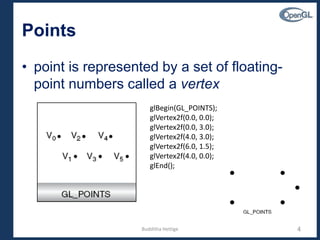
Points
• point is represented by a set of floating-
point numbers called a vertex
4
glBegin(GL_POINTS);
glVertex2f(0.0, 0.0);
glVertex2f(0.0, 3.0);
glVertex2f(4.0, 3.0);
glVertex2f(6.0, 1.5);
glVertex2f(4.0, 0.0);
glEnd();
Budditha Hettige
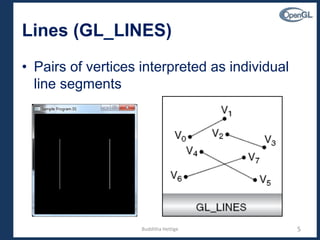
Lines (GL_LINES)
• Pairs of vertices interpreted as individual
line segments
5Budditha Hettige
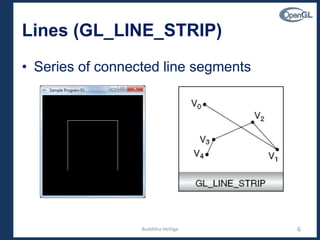
Lines (GL_LINE_STRIP)
• Series of connected line segments
6Budditha Hettige
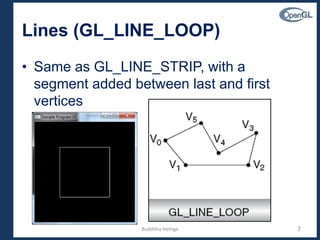
Lines (GL_LINE_LOOP)
• Same as GL_LINE_STRIP, with a
segment added between last and first
vertices
7Budditha Hettige
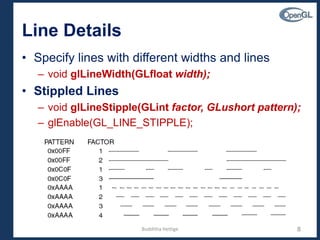
Line Details
• Specify lines with different widths and lines
– void glLineWidth(GLfloat width);
• Stippled Lines
– void glLineStipple(GLint factor, GLushort pattern);
– glEnable(GL_LINE_STIPPLE);
8Budditha Hettige
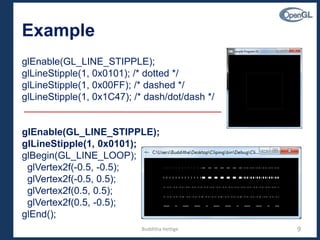
Example
glEnable(GL_LINE_STIPPLE);
glLineStipple(1, 0x0101); /* dotted */
glLineStipple(1, 0x00FF); /* dashed */
glLineStipple(1, 0x1C47); /* dash/dot/dash */
glEnable(GL_LINE_STIPPLE);
glLineStipple(1, 0x0101);
glBegin(GL_LINE_LOOP);
glVertex2f(-0.5, -0.5);
glVertex2f(-0.5, 0.5);
glVertex2f(0.5, 0.5);
glVertex2f(0.5, -0.5);
glEnd();
9Budditha Hettige
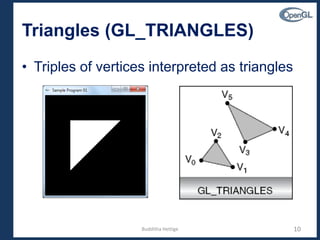
Triangles (GL_TRIANGLES)
• Triples of vertices interpreted as triangles
10Budditha Hettige
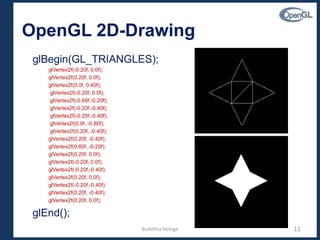
OpenGL 2D-Drawing
glBegin(GL_TRIANGLES);
glVertex2f(-0.20f, 0.0f);
glVertex2f(0.20f, 0.0f);
glVertex2f(0.0f, 0.40f);
glVertex2f(-0.20f, 0.0f);
glVertex2f(-0.60f,-0.20f);
glVertex2f(-0.20f,-0.40f);
glVertex2f(0.0f, -0.80f);
glVertex2f(0.20f, -0.40f);
glVertex2f(0.60f, -0.20f);
glVertex2f(0.20f, 0.0f);
glVertex2f(-0.20f, 0.0f);
glVertex2f(-0.20f,-0.40f);
glVertex2f(0.20f, 0.0f);
glVertex2f(-0.20f,-0.40f);
glVertex2f(0.20f, -0.40f);
glVertex2f(0.20f, 0.0f);
glEnd();
11Budditha Hettige
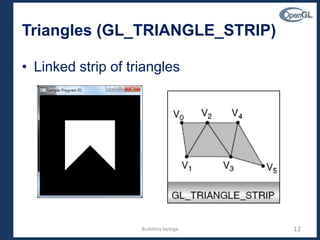
Triangles (GL_TRIANGLE_STRIP)
• Linked strip of triangles
12Budditha Hettige
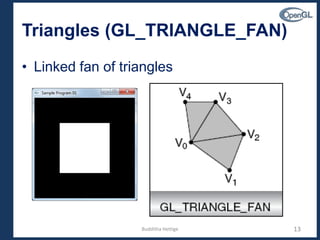
Triangles (GL_TRIANGLE_FAN)
• Linked fan of triangles
13Budditha Hettige
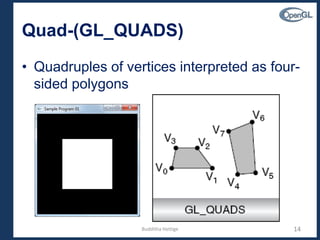
Quad-(GL_QUADS)
• Quadruples of vertices interpreted as four-
sided polygons
14Budditha Hettige
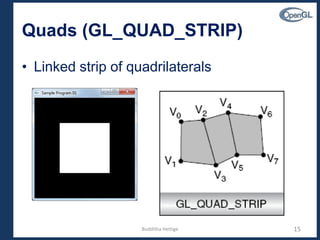
Quads (GL_QUAD_STRIP)
• Linked strip of quadrilaterals
15Budditha Hettige
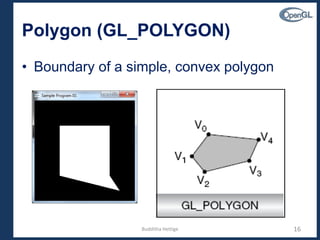
Polygon (GL_POLYGON)
• Boundary of a simple, convex polygon
16Budditha Hettige
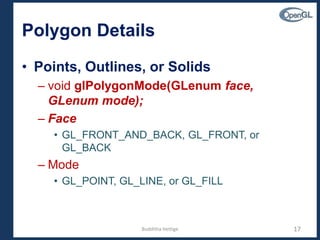
Polygon Details
• Points, Outlines, or Solids
– void glPolygonMode(GLenum face,
GLenum mode);
– Face
• GL_FRONT_AND_BACK, GL_FRONT, or
GL_BACK
– Mode
• GL_POINT, GL_LINE, or GL_FILL
17Budditha Hettige
Stippling Polygons
• filled polygons are drawn with a solid pattern
• void glPolygonStipple(const GLubyte *mask);
• Example
– Polygons.cpp
glEnable(GL_POLYGON_STIPPLE);
glPolygonStipple(fly);
glRectf(125.0, 25.0, 225.0, 125.0);
GLubyte fly[] = {
0x00, 0x00, 0x00, 0x00, 0x00,... };
18Budditha Hettige
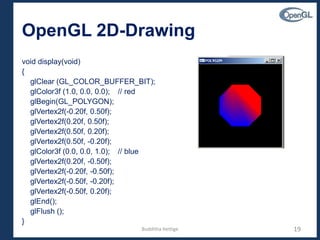
OpenGL 2D-Drawing
void display(void)
{
glClear (GL_COLOR_BUFFER_BIT);
glColor3f (1.0, 0.0, 0.0); // red
glBegin(GL_POLYGON);
glVertex2f(-0.20f, 0.50f);
glVertex2f(0.20f, 0.50f);
glVertex2f(0.50f, 0.20f);
glVertex2f(0.50f, -0.20f);
glColor3f (0.0, 0.0, 1.0); // blue
glVertex2f(0.20f, -0.50f);
glVertex2f(-0.20f, -0.50f);
glVertex2f(-0.50f, -0.20f);
glVertex2f(-0.50f, 0.20f);
glEnd();
glFlush ();
}
19Budditha Hettige
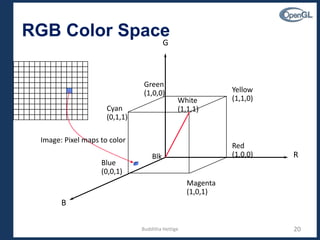
RGB Color Space
Green
(1,0,0)
Blue
(0,0,1)
Red
(1,0,0)
Yellow
(1,1,0)
Magenta
(1,0,1)
Blk
Cyan
(0,1,1)
White
(1,1,1)
G
B
R
Image: Pixel maps to color
Budditha Hettige 20
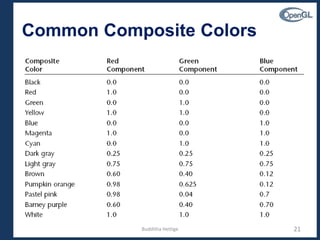
Common Composite Colors
21Budditha Hettige
Colors
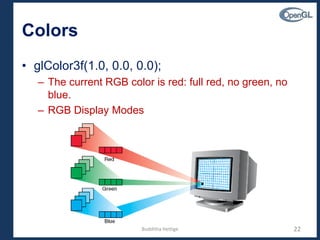
• glColor3f(1.0, 0.0, 0.0);
– The current RGB color is red: full red, no green, no
blue.
– RGB Display Modes
22Budditha Hettige
Specifying a Color and a Shading
Model
• RGBA mode, use the glColor*() command to
select a current color.
– void glColor3{b s i f d ub us ui}(TYPE r, TYPE g, TYPE b);
– void glColor4{b s i f d ub us ui}(TYPE r, TYPE g, TYPE b, TYPE a);
– void glColor3{b s i f d ub us ui}v(const TYPE *v);
– void glColor4{b s i f d ub us ui}v(const TYPE *v);
23Budditha Hettige
Specifying a Shading Model
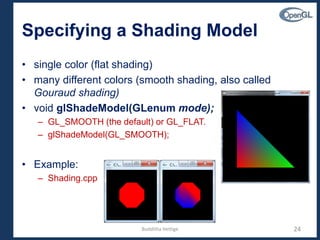
• single color (flat shading)
• many different colors (smooth shading, also called
Gouraud shading)
• void glShadeModel(GLenum mode);
– GL_SMOOTH (the default) or GL_FLAT.
– glShadeModel(GL_SMOOTH);
• Example:
– Shading.cpp
24Budditha Hettige

2D Drawing