SER332
Introduction to Graphics and
Game Development
Lecture 10:
Transformation: Projection
Javier Gonzalez-Sanchez
javiergs@asu.edu
PERALTA 230U
Office Hours: By appointment
Part 7:
Transformation: Projection
Javier Gonzalez-Sanchez | SER332 | Spring 2017 | 3
Let us move to a 3D World
• X, Y and Z axis
• A plane (gray)
• Several Pyramids
• (red, green, blue, and white faces)
• Use arrows to navigate
Javier Gonzalez-Sanchez | SER332 | Spring 2017 | 4
Step 1
• Z-buffering. The Z-buffer stores how far a pixel is away from the
camera in camera space (normalized device coordinate,
more precisely. Typically, it ranges [0, 1]). Limited precision: 16-
bit, 24-bit, and 32-bit depth value
• The Z-buffer is necessary to resolve visibility:
o Clear the z-buffer
o Enable the z-buffer
• Commands:
o glClear( GL_DEPTH_BUFFER_BIT | … colors … );
o glEnable( GL_DEPTH_TEST );
o glutInitDisplayMode( GLUT_DEPTH | … colors … | … double … );
Javier Gonzalez-Sanchez | SER332 | Spring 2017 | 5
Example
//https://github.com/javiergs/SER332/blob/master/L10
// main
int main(int argc, char **argv) {
glutInit(&argc, argv);
glutInitDisplayMode(GLUT_DEPTH | GLUT_DOUBLE | GLUT_RGBA);
glutInitWindowPosition(0, 0);
glutInitWindowSize(800, 800);
glutCreateWindow("3D");
myInit();
glutSpecialFunc(mySpecial);
glutDisplayFunc(myDisplay);
glutReshapeFunc(myReshape);
glutMainLoop();
return(0);
}
Javier Gonzalez-Sanchez | SER332 | Spring 2017 | 6
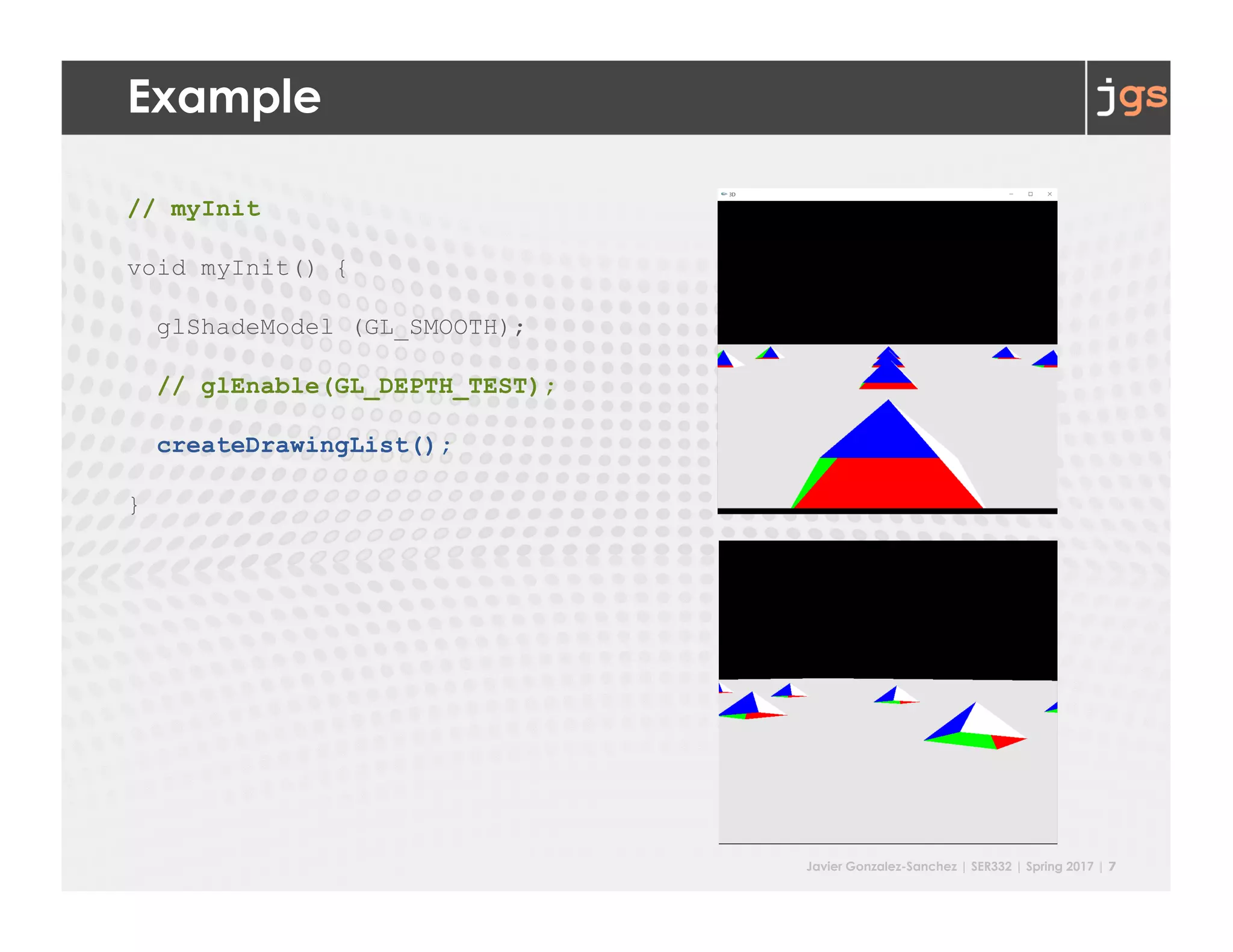
Example
// myInit
void myInit() {
glShadeModel (GL_SMOOTH);
glEnable(GL_DEPTH_TEST);
createDrawingList();
}
Javier Gonzalez-Sanchez | SER332 | Spring 2017 | 7
Example
// myInit
void myInit() {
glShadeModel (GL_SMOOTH);
// glEnable(GL_DEPTH_TEST);
createDrawingList();
}
Javier Gonzalez-Sanchez | SER332 | Spring 2017 | 8
Example
// myDisplay
void myDisplay(void) {
glClear(GL_COLOR_BUFFER_BIT | GL_DEPTH_BUFFER_BIT);
glViewport(0, 0, width, height);
// projection
glMatrixMode(GL_PROJECTION);
glLoadIdentity();
// to be continue ...
}
Javier Gonzalez-Sanchez | SER332 | Spring 2017 | 9
Step 2
§ Set the projection. This is done in
§ glMatrixMode(GL_PROJECTION);
§ Two Options
§ Orthographic Projection
§ Perspective
Javier Gonzalez-Sanchez | SER332 | Spring 2017 | 10
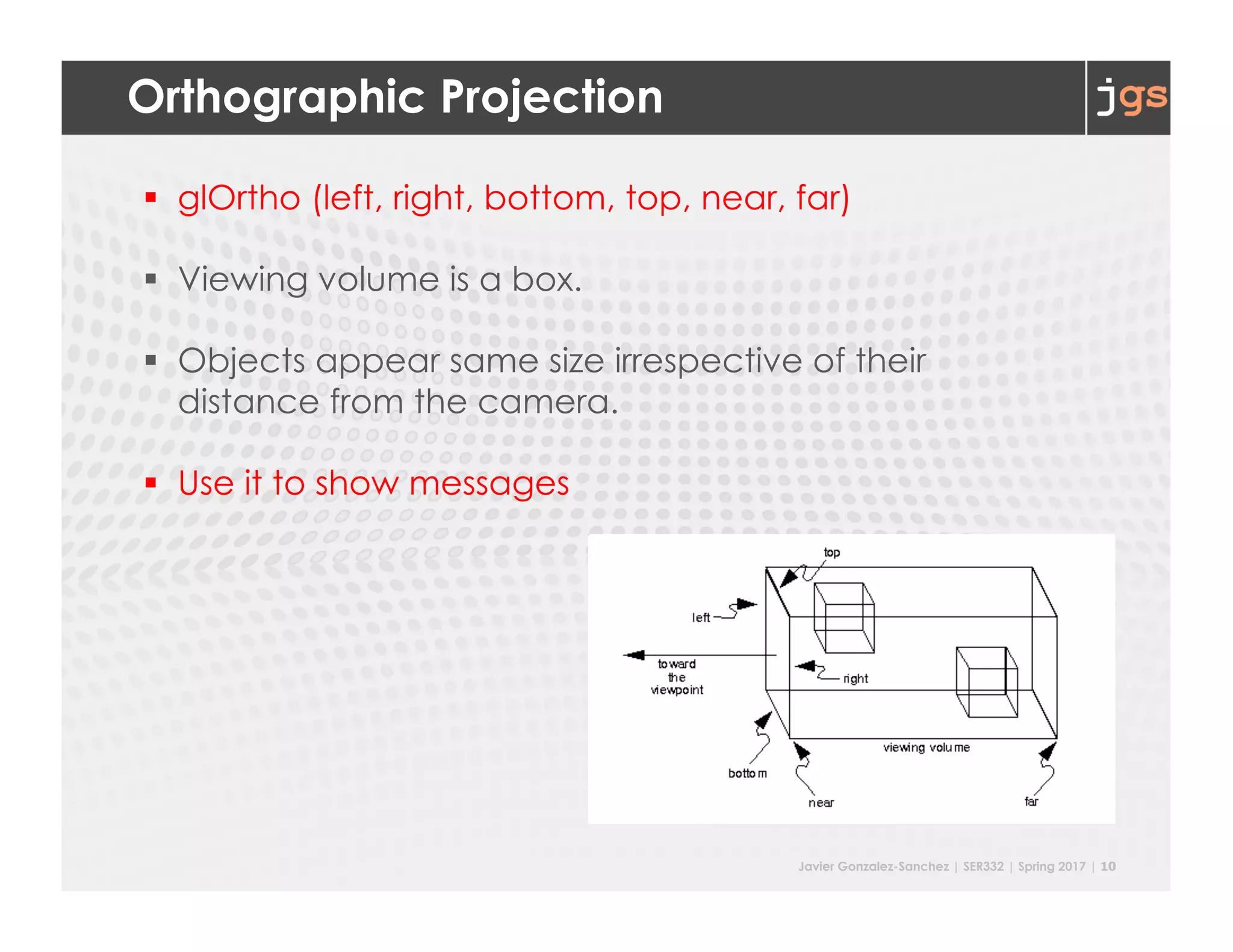
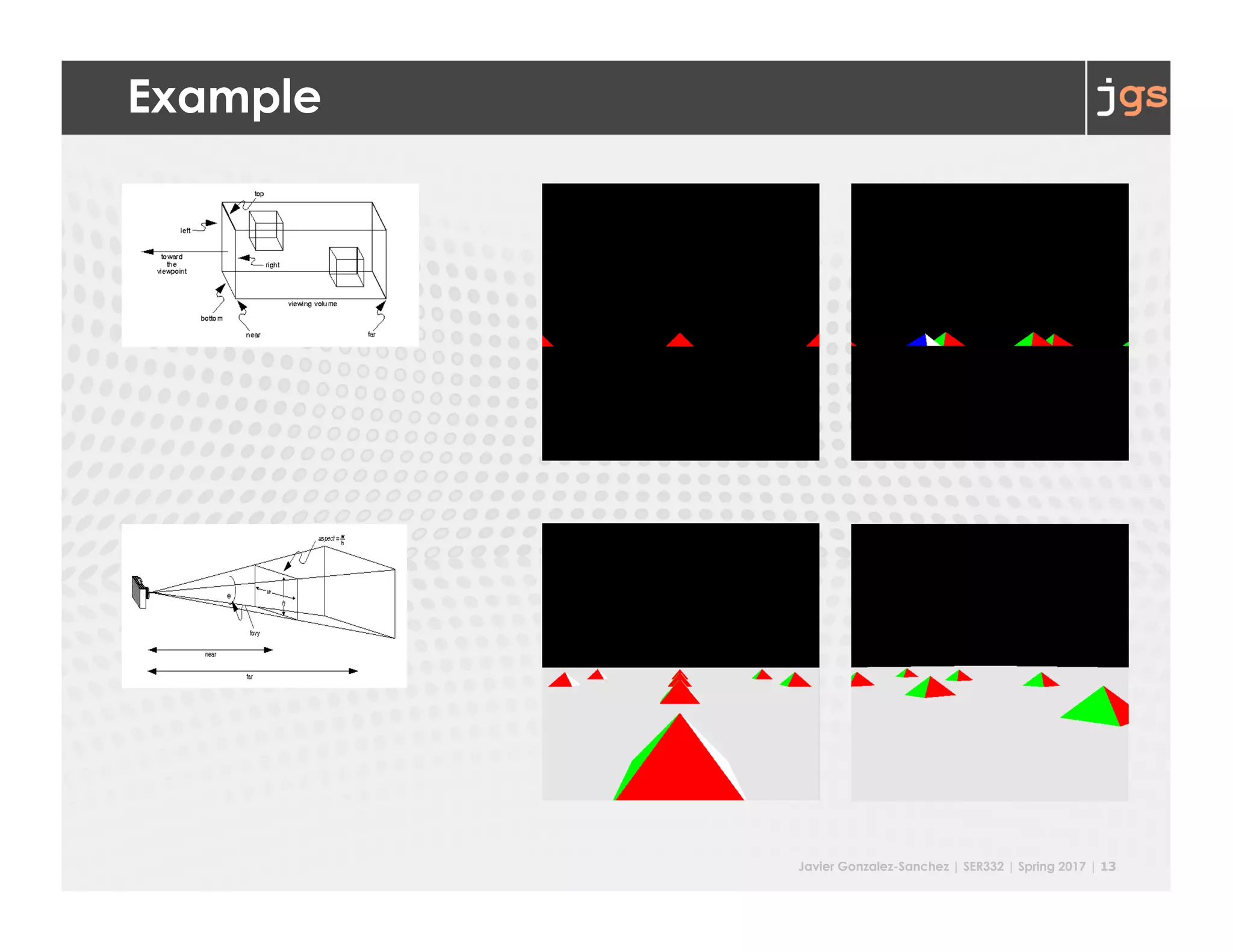
Orthographic Projection
§ glOrtho (left, right, bottom, top, near, far)
§ Viewing volume is a box.
§ Objects appear same size irrespective of their
distance from the camera.
§ Use it to show messages
Javier Gonzalez-Sanchez | SER332 | Spring 2017 | 11
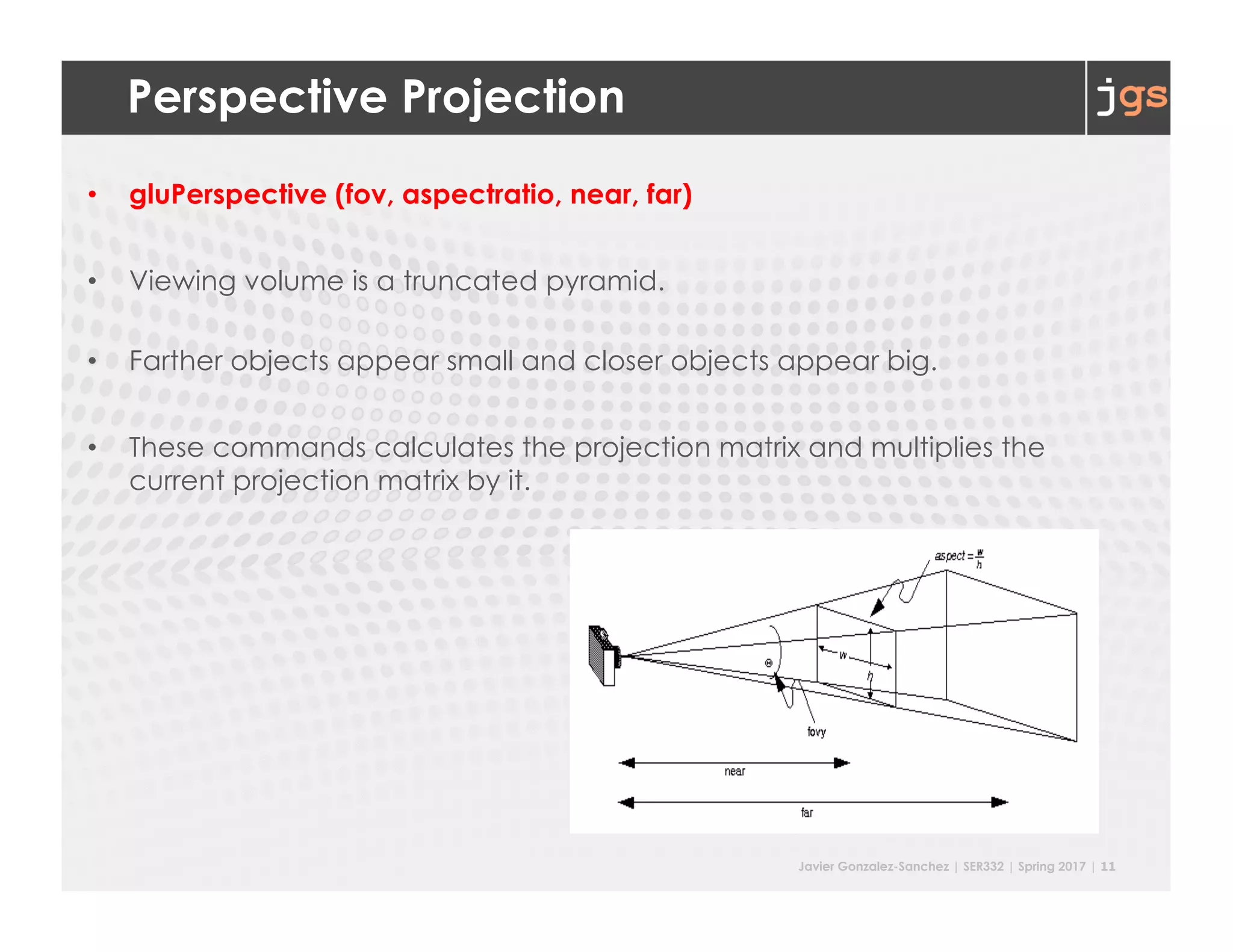
Perspective Projection
• gluPerspective (fov, aspectratio, near, far)
• Viewing volume is a truncated pyramid.
• Farther objects appear small and closer objects appear big.
• These commands calculates the projection matrix and multiplies the
current projection matrix by it.
Javier Gonzalez-Sanchez | SER332 | Spring 2017 | 12
Example
// myDisplay
void myDisplay(void) {
glClear(GL_COLOR_BUFFER_BIT | GL_DEPTH_BUFFER_BIT);
glViewport(0, 0, width, height);
// projection
glMatrixMode(GL_PROJECTION);
glLoadIdentity();
// glOrtho(-10, 10, -10, 10, -10, 10); -- uncomment it to try
gluPerspective(45, ratio, 1, 1000);
// to be continue ...
}
Javier Gonzalez-Sanchez | SER332 | Spring 2017 | 13
Example
Javier Gonzalez-Sanchez | SER332 | Spring 2017 | 14
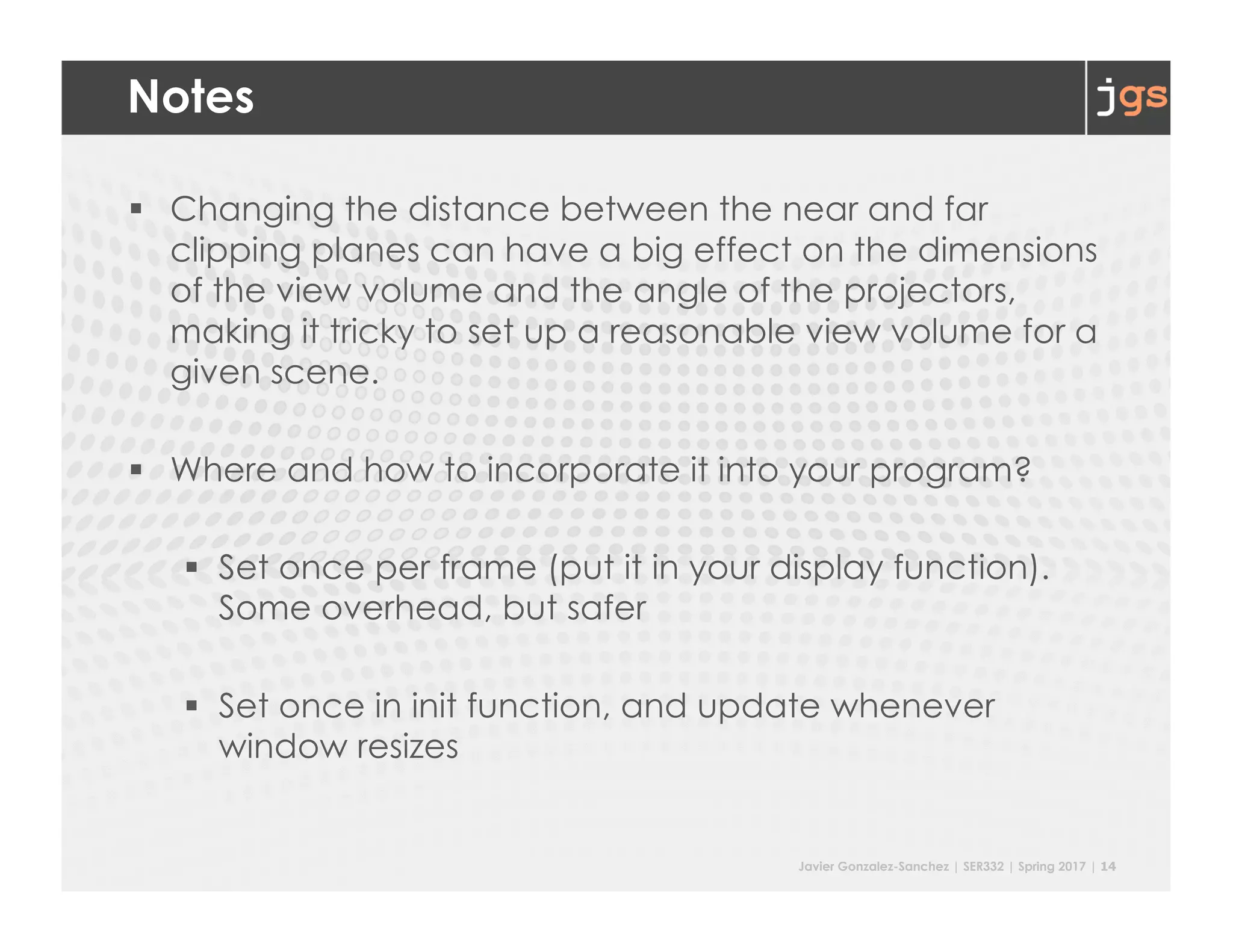
Notes
§ Changing the distance between the near and far
clipping planes can have a big effect on the dimensions
of the view volume and the angle of the projectors,
making it tricky to set up a reasonable view volume for a
given scene.
§ Where and how to incorporate it into your program?
§ Set once per frame (put it in your display function).
Some overhead, but safer
§ Set once in init function, and update whenever
window resizes
Javier Gonzalez-Sanchez | SER332 | Spring 2017 | 15
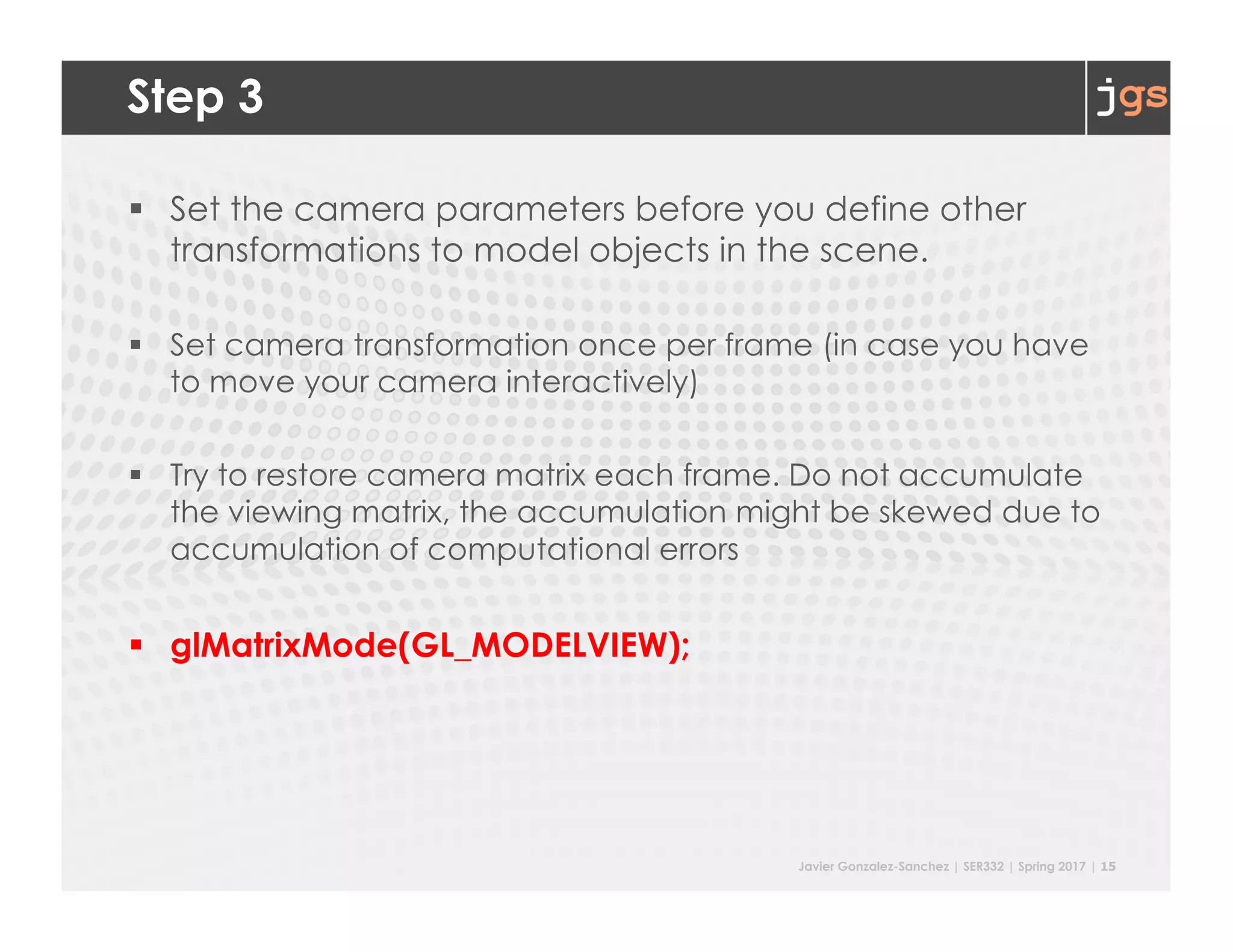
Step 3
§ Set the camera parameters before you define other
transformations to model objects in the scene.
§ Set camera transformation once per frame (in case you have
to move your camera interactively)
§ Try to restore camera matrix each frame. Do not accumulate
the viewing matrix, the accumulation might be skewed due to
accumulation of computational errors
§ glMatrixMode(GL_MODELVIEW);
Javier Gonzalez-Sanchez | SER332 | Spring 2017 | 16
lookAt
§ Viewing transformation can be specified using the command
gluLookAt (
eye_x, eye_y, eye_z,
center_x, center_y, center_z,
up_x, up_y, up_z
)
§ It encapsulates a series of rotation and translation commands.
Viewing transformation can be specified using following
commands too. This, however, makes your life harder!
§ glTranslate {f,d} (x, y, z)
§ glRotate {f,d} (angle, x, y, z)
§ glScale {f,d} (x, y, z)
Javier Gonzalez-Sanchez | SER332 | Spring 2017 | 17
lookAt
glMatrixMode(GL_MODELVIEW);
glLoadIdentity();
gluLookAt(
0.0, 1.0, 1.0, /* eye is at (0,1,1) */
0.0, 1.0, 2.0, /* look at point (0,1,2), viewing direction vector is (0,0,1) */
0.0, 1.0, 0.0 /* up is in positive Y direction */
);
Javier Gonzalez-Sanchez | SER431 | Fall 2016 | 18
// display
void myDisplay(void) {
glClear(GL_COLOR_BUFFER_BIT | GL_DEPTH_BUFFER_BIT);
// projection
glViewport(0, 0, width, height);
glMatrixMode(GL_PROJECTION);
glLoadIdentity();
//glOrtho(-10, 10, -10, 10, -10, 10);
gluPerspective(45, ratio, 1, 1000);
// view
glMatrixMode(GL_MODELVIEW);
glLoadIdentity();
gluLookAt(x, y, z, x + lx, y + ly, z + lz, 0.0f, 1.0f, 0.0f);
// draw
glColor3f(0.9f, 0.9f, 0.9f);
glBegin(GL_QUADS);
// vertex
glEnd();
// ...
glutSwapBuffers();
}
Bonus
Display Lists
Javier Gonzalez-Sanchez | SER332 | Spring 2017 | 20
Creating A Complex Display List
// …
//create several pyramids
GLuint worldDL = glGenLists(1);
glNewList(worldDL, GL_COMPILE);
for (int i = -3; i < 3; i++)
for (int j = -3; j < 3; j++) {
glPushMatrix();
glTranslatef(i*10.0, 0, j * 10.0);
glCallList(pyramidDL);
glPopMatrix();
}
glEndList();
// …
Javier Gonzalez-Sanchez | SER332 | Spring 2017 | 21
Reading
• 3D geometric transformation & viewing:
o (Required) Read Hearn Baker ch5 p261-p277, p283 – p291
o (Required) Read Hearn Baker ch7 p344-p398, focus on
perspective projection (p368-p383), and 3D viewing in
OpenGL (p383-p389)
• Z-buffer
o Red Book (pdf): ch10, focus on depth buffer related
content
o Hearn Baker ch9 p531-p534
• Front / Back face culling
o Red Book (pdf): ch2 p43-p44
SER332 Introduction to Graphics
Javier Gonzalez-Sanchez
javiergs@asu.edu
Spring 2017
Disclaimer. These slides can only be used as study material for the class SER332 at ASU. They cannot be distributed or used for another purpose.

201707 SER332 Lecture10

  • 1.
    SER332 Introduction to Graphicsand Game Development Lecture 10: Transformation: Projection Javier Gonzalez-Sanchez javiergs@asu.edu PERALTA 230U Office Hours: By appointment
  • 2.
  • 3.
    Javier Gonzalez-Sanchez |SER332 | Spring 2017 | 3 Let us move to a 3D World • X, Y and Z axis • A plane (gray) • Several Pyramids • (red, green, blue, and white faces) • Use arrows to navigate
  • 4.
    Javier Gonzalez-Sanchez |SER332 | Spring 2017 | 4 Step 1 • Z-buffering. The Z-buffer stores how far a pixel is away from the camera in camera space (normalized device coordinate, more precisely. Typically, it ranges [0, 1]). Limited precision: 16- bit, 24-bit, and 32-bit depth value • The Z-buffer is necessary to resolve visibility: o Clear the z-buffer o Enable the z-buffer • Commands: o glClear( GL_DEPTH_BUFFER_BIT | … colors … ); o glEnable( GL_DEPTH_TEST ); o glutInitDisplayMode( GLUT_DEPTH | … colors … | … double … );
  • 5.
    Javier Gonzalez-Sanchez |SER332 | Spring 2017 | 5 Example //https://github.com/javiergs/SER332/blob/master/L10 // main int main(int argc, char **argv) { glutInit(&argc, argv); glutInitDisplayMode(GLUT_DEPTH | GLUT_DOUBLE | GLUT_RGBA); glutInitWindowPosition(0, 0); glutInitWindowSize(800, 800); glutCreateWindow("3D"); myInit(); glutSpecialFunc(mySpecial); glutDisplayFunc(myDisplay); glutReshapeFunc(myReshape); glutMainLoop(); return(0); }
  • 6.
    Javier Gonzalez-Sanchez |SER332 | Spring 2017 | 6 Example // myInit void myInit() { glShadeModel (GL_SMOOTH); glEnable(GL_DEPTH_TEST); createDrawingList(); }
  • 7.
    Javier Gonzalez-Sanchez |SER332 | Spring 2017 | 7 Example // myInit void myInit() { glShadeModel (GL_SMOOTH); // glEnable(GL_DEPTH_TEST); createDrawingList(); }
  • 8.
    Javier Gonzalez-Sanchez |SER332 | Spring 2017 | 8 Example // myDisplay void myDisplay(void) { glClear(GL_COLOR_BUFFER_BIT | GL_DEPTH_BUFFER_BIT); glViewport(0, 0, width, height); // projection glMatrixMode(GL_PROJECTION); glLoadIdentity(); // to be continue ... }
  • 9.
    Javier Gonzalez-Sanchez |SER332 | Spring 2017 | 9 Step 2 § Set the projection. This is done in § glMatrixMode(GL_PROJECTION); § Two Options § Orthographic Projection § Perspective
  • 10.
    Javier Gonzalez-Sanchez |SER332 | Spring 2017 | 10 Orthographic Projection § glOrtho (left, right, bottom, top, near, far) § Viewing volume is a box. § Objects appear same size irrespective of their distance from the camera. § Use it to show messages
  • 11.
    Javier Gonzalez-Sanchez |SER332 | Spring 2017 | 11 Perspective Projection • gluPerspective (fov, aspectratio, near, far) • Viewing volume is a truncated pyramid. • Farther objects appear small and closer objects appear big. • These commands calculates the projection matrix and multiplies the current projection matrix by it.
  • 12.
    Javier Gonzalez-Sanchez |SER332 | Spring 2017 | 12 Example // myDisplay void myDisplay(void) { glClear(GL_COLOR_BUFFER_BIT | GL_DEPTH_BUFFER_BIT); glViewport(0, 0, width, height); // projection glMatrixMode(GL_PROJECTION); glLoadIdentity(); // glOrtho(-10, 10, -10, 10, -10, 10); -- uncomment it to try gluPerspective(45, ratio, 1, 1000); // to be continue ... }
  • 13.
    Javier Gonzalez-Sanchez |SER332 | Spring 2017 | 13 Example
  • 14.
    Javier Gonzalez-Sanchez |SER332 | Spring 2017 | 14 Notes § Changing the distance between the near and far clipping planes can have a big effect on the dimensions of the view volume and the angle of the projectors, making it tricky to set up a reasonable view volume for a given scene. § Where and how to incorporate it into your program? § Set once per frame (put it in your display function). Some overhead, but safer § Set once in init function, and update whenever window resizes
  • 15.
    Javier Gonzalez-Sanchez |SER332 | Spring 2017 | 15 Step 3 § Set the camera parameters before you define other transformations to model objects in the scene. § Set camera transformation once per frame (in case you have to move your camera interactively) § Try to restore camera matrix each frame. Do not accumulate the viewing matrix, the accumulation might be skewed due to accumulation of computational errors § glMatrixMode(GL_MODELVIEW);
  • 16.
    Javier Gonzalez-Sanchez |SER332 | Spring 2017 | 16 lookAt § Viewing transformation can be specified using the command gluLookAt ( eye_x, eye_y, eye_z, center_x, center_y, center_z, up_x, up_y, up_z ) § It encapsulates a series of rotation and translation commands. Viewing transformation can be specified using following commands too. This, however, makes your life harder! § glTranslate {f,d} (x, y, z) § glRotate {f,d} (angle, x, y, z) § glScale {f,d} (x, y, z)
  • 17.
    Javier Gonzalez-Sanchez |SER332 | Spring 2017 | 17 lookAt glMatrixMode(GL_MODELVIEW); glLoadIdentity(); gluLookAt( 0.0, 1.0, 1.0, /* eye is at (0,1,1) */ 0.0, 1.0, 2.0, /* look at point (0,1,2), viewing direction vector is (0,0,1) */ 0.0, 1.0, 0.0 /* up is in positive Y direction */ );
  • 18.
    Javier Gonzalez-Sanchez |SER431 | Fall 2016 | 18 // display void myDisplay(void) { glClear(GL_COLOR_BUFFER_BIT | GL_DEPTH_BUFFER_BIT); // projection glViewport(0, 0, width, height); glMatrixMode(GL_PROJECTION); glLoadIdentity(); //glOrtho(-10, 10, -10, 10, -10, 10); gluPerspective(45, ratio, 1, 1000); // view glMatrixMode(GL_MODELVIEW); glLoadIdentity(); gluLookAt(x, y, z, x + lx, y + ly, z + lz, 0.0f, 1.0f, 0.0f); // draw glColor3f(0.9f, 0.9f, 0.9f); glBegin(GL_QUADS); // vertex glEnd(); // ... glutSwapBuffers(); }
  • 19.
  • 20.
    Javier Gonzalez-Sanchez |SER332 | Spring 2017 | 20 Creating A Complex Display List // … //create several pyramids GLuint worldDL = glGenLists(1); glNewList(worldDL, GL_COMPILE); for (int i = -3; i < 3; i++) for (int j = -3; j < 3; j++) { glPushMatrix(); glTranslatef(i*10.0, 0, j * 10.0); glCallList(pyramidDL); glPopMatrix(); } glEndList(); // …
  • 21.
    Javier Gonzalez-Sanchez |SER332 | Spring 2017 | 21 Reading • 3D geometric transformation & viewing: o (Required) Read Hearn Baker ch5 p261-p277, p283 – p291 o (Required) Read Hearn Baker ch7 p344-p398, focus on perspective projection (p368-p383), and 3D viewing in OpenGL (p383-p389) • Z-buffer o Red Book (pdf): ch10, focus on depth buffer related content o Hearn Baker ch9 p531-p534 • Front / Back face culling o Red Book (pdf): ch2 p43-p44
  • 22.
    SER332 Introduction toGraphics Javier Gonzalez-Sanchez javiergs@asu.edu Spring 2017 Disclaimer. These slides can only be used as study material for the class SER332 at ASU. They cannot be distributed or used for another purpose.