
CSE240 – Introduction to
Programming Languages
Lecture 13:
Programming with C++ | memory management
Javier Gonzalez-Sanchez
javiergs@asu.edu
javiergs.engineering.asu.edu
Office Hours: By appointment
Javier Gonzalez-Sanchez | CSE 240 | Fall 2017 | 2
Outline
• static,
• constructor and destructor,
• new and delete
static
Javier Gonzalez-Sanchez | CSE 240 | Fall 2017 | 4
Example
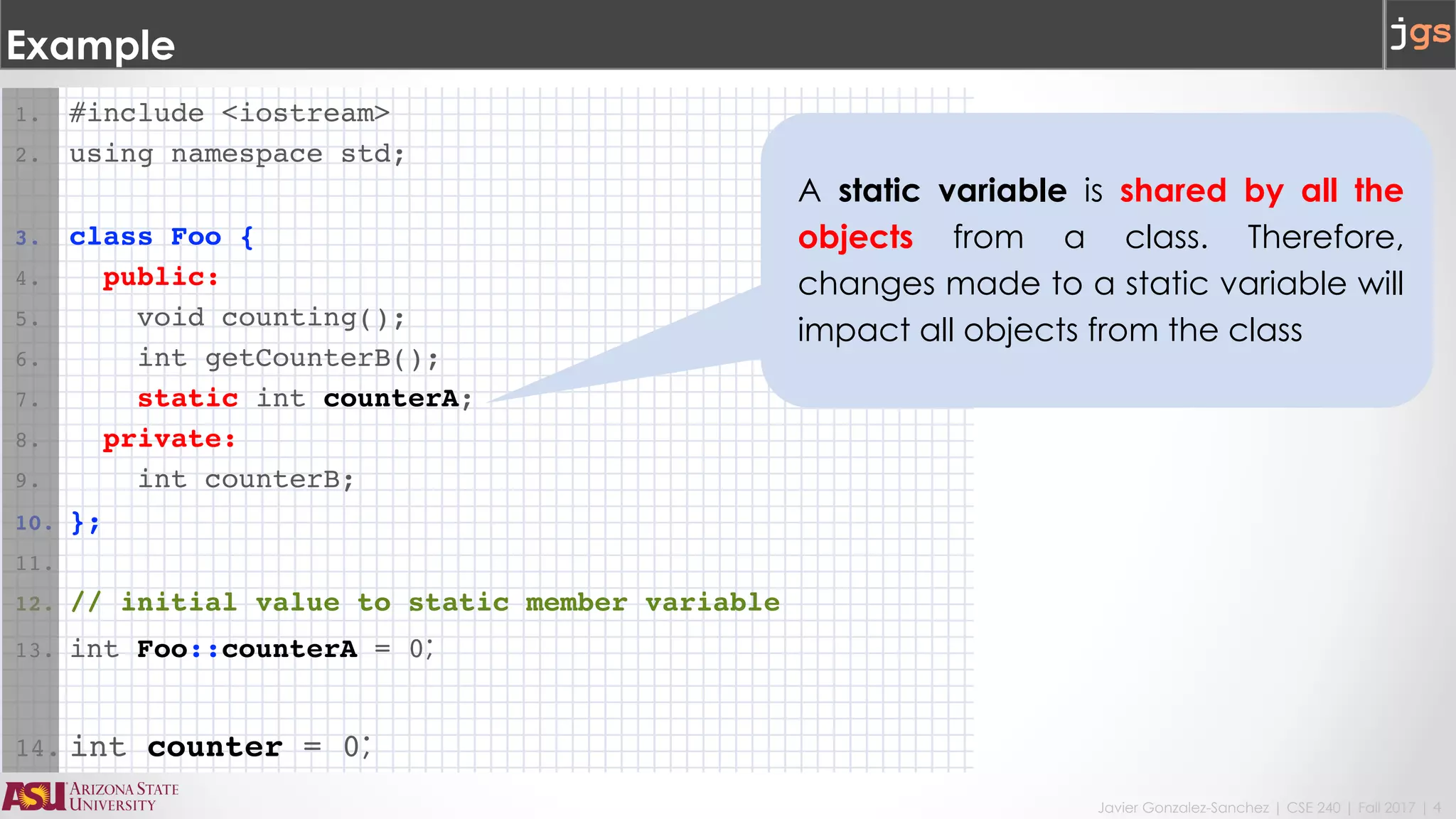
1. #include <iostream>
2. using namespace std;
3. class Foo {
4. public:
5. void counting();
6. int getCounterB();
7. static int counterA;
8. private:
9. int counterB;
10. };
11.
12. // initial value to static member variable
13. int Foo::counterA = 0;
14. int counter = 0;
A static variable is shared by all the
objects from a class. Therefore,
changes made to a static variable will
impact all objects from the class
Javier Gonzalez-Sanchez | CSE 240 | Fall 2017 | 5
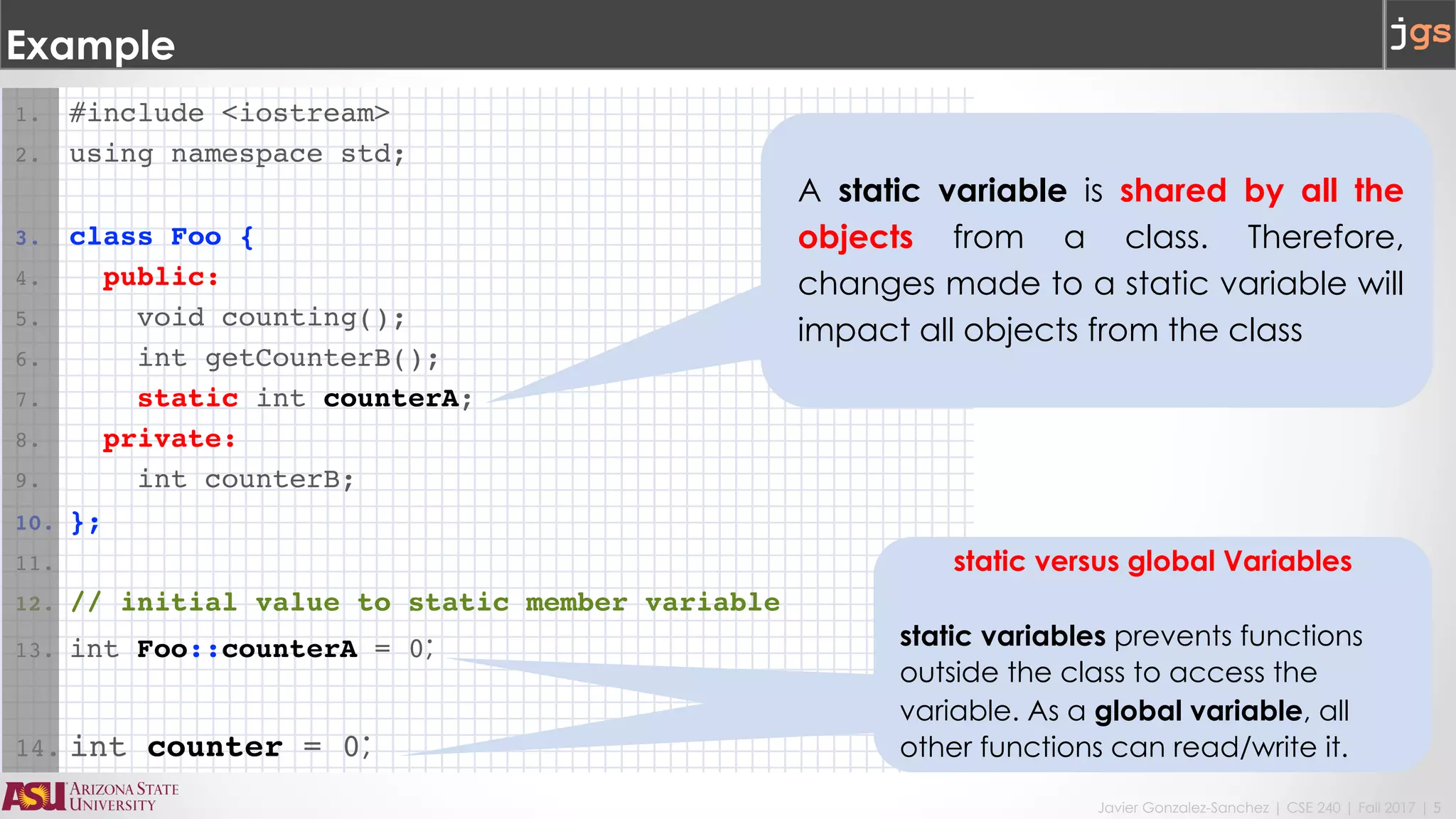
1. #include <iostream>
2. using namespace std;
3. class Foo {
4. public:
5. void counting();
6. int getCounterB();
7. static int counterA;
8. private:
9. int counterB;
10. };
11.
12. // initial value to static member variable
13. int Foo::counterA = 0;
14. int counter = 0;
Example
static versus global Variables
static variables prevents functions
outside the class to access the
variable. As a global variable, all
other functions can read/write it.
A static variable is shared by all the
objects from a class. Therefore,
changes made to a static variable will
impact all objects from the class
Javier Gonzalez-Sanchez | CSE 240 | Fall 2017 | 6
Example
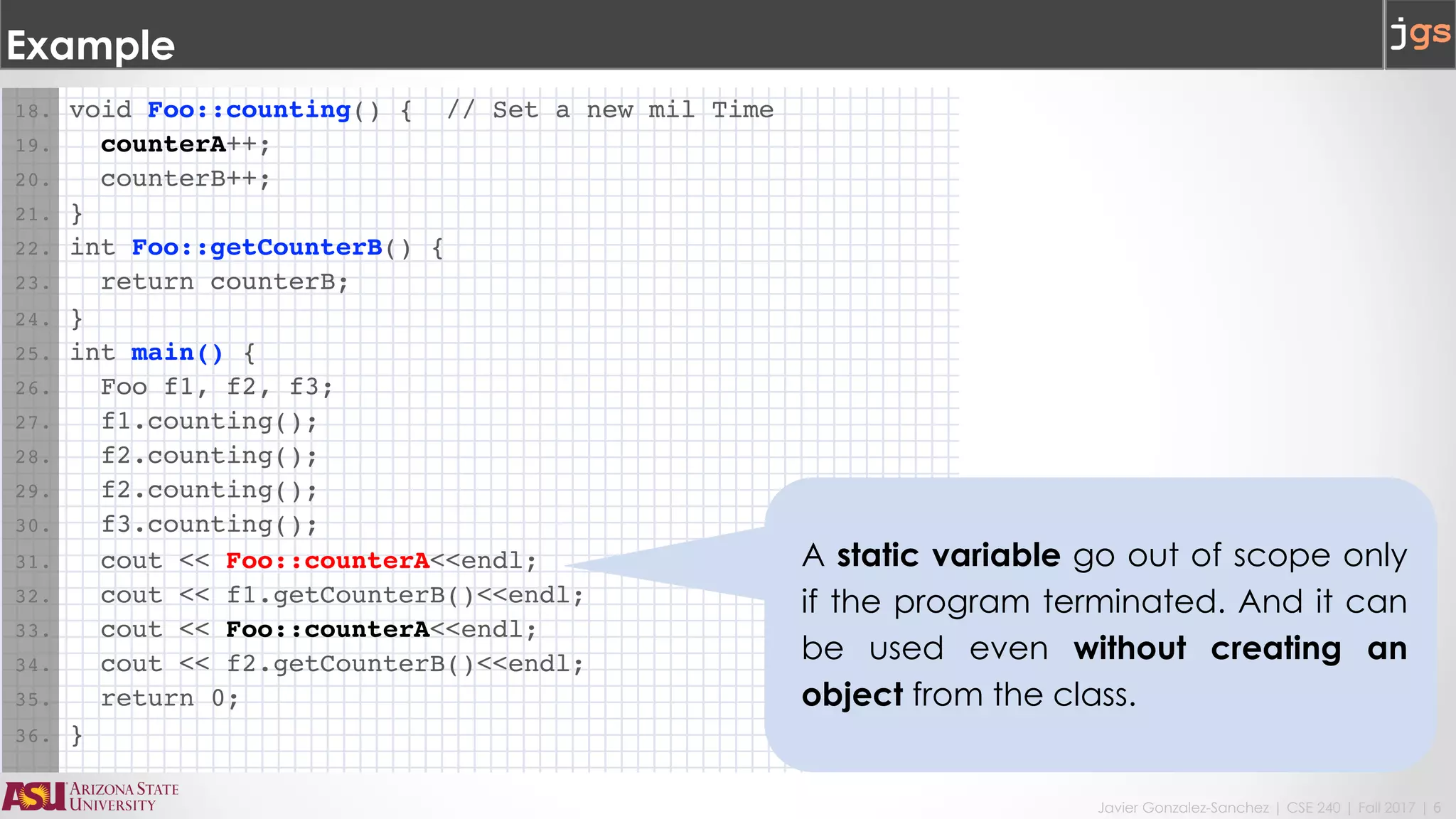
18. void Foo::counting() { // Set a new mil Time
19. counterA++;
20. counterB++;
21. }
22. int Foo::getCounterB() {
23. return counterB;
24. }
25. int main() {
26. Foo f1, f2, f3;
27. f1.counting();
28. f2.counting();
29. f2.counting();
30. f3.counting();
31. cout << Foo::counterA<<endl;
32. cout << f1.getCounterB()<<endl;
33. cout << Foo::counterA<<endl;
34. cout << f2.getCounterB()<<endl;
35. return 0;
36. }
A static variable go out of scope only
if the program terminated. And it can
be used even without creating an
object from the class.
Constructors and destructors
Javier Gonzalez-Sanchez | CSE 240 | Fall 2017 | 8
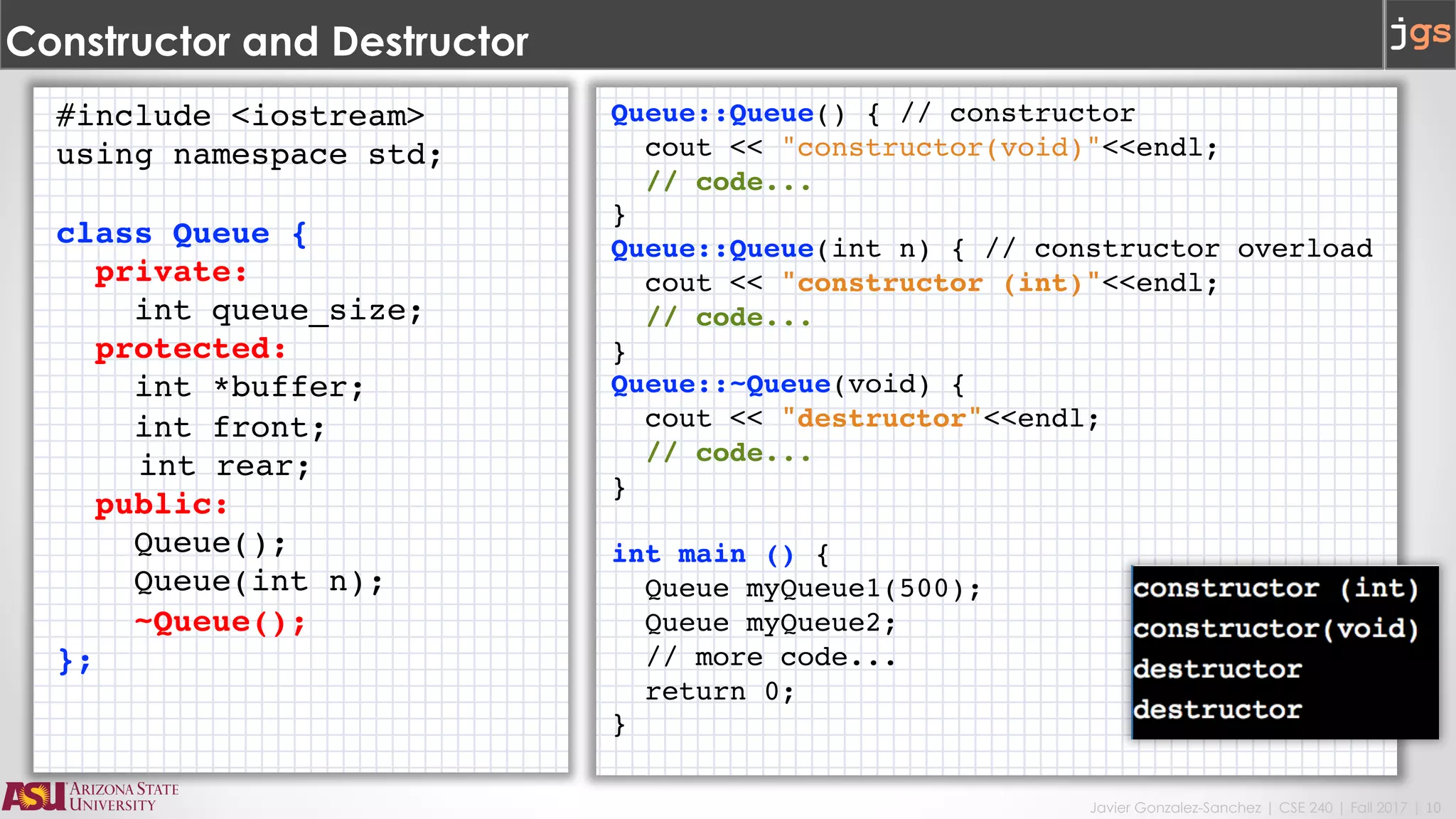
Constructor and Destructor
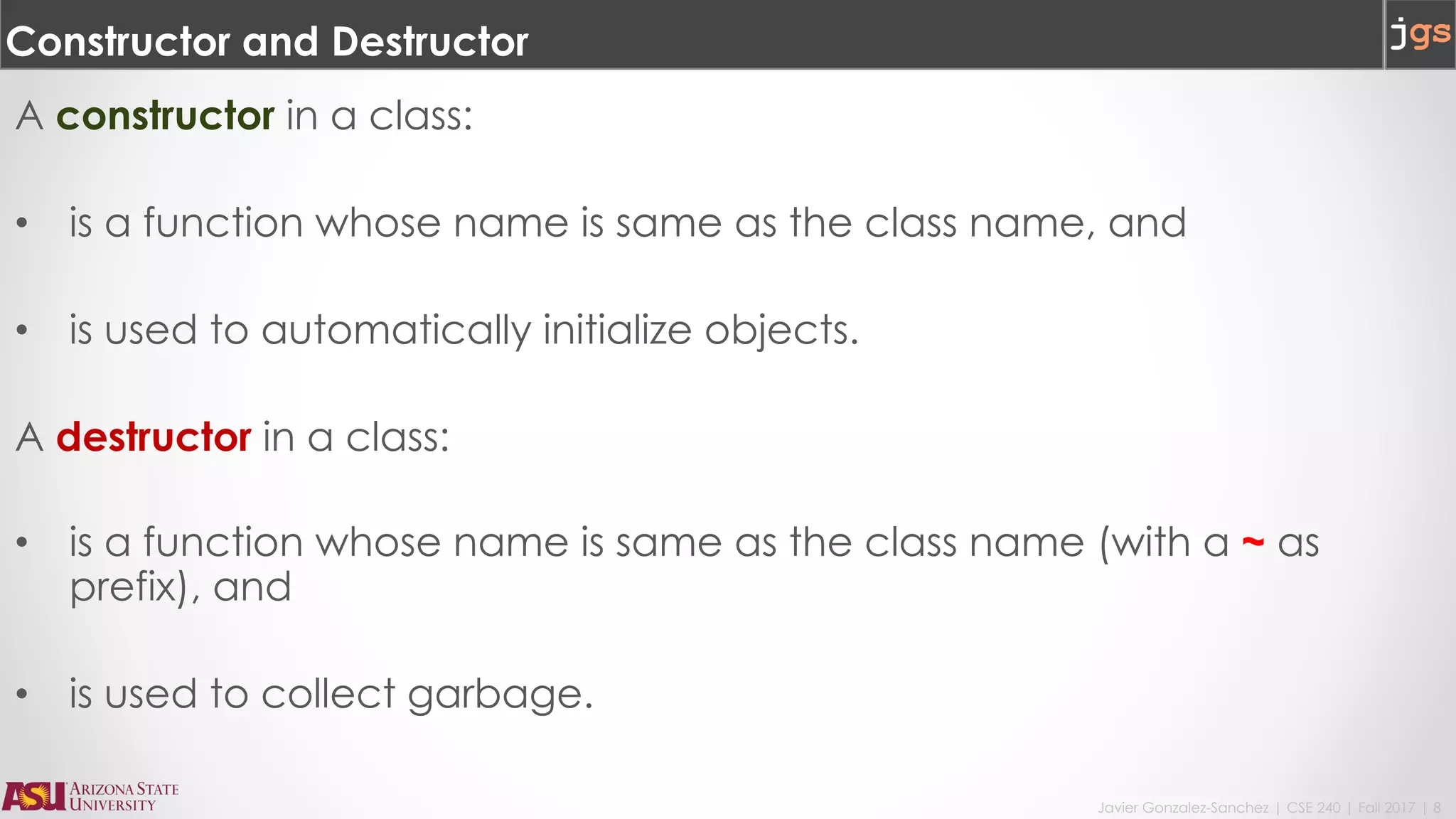
A constructor in a class:
• is a function whose name is same as the class name, and
• is used to automatically initialize objects.
A destructor in a class:
• is a function whose name is same as the class name (with a ~ as
prefix), and
• is used to collect garbage.
Javier Gonzalez-Sanchez | CSE 240 | Fall 2017 | 9
Constructor and Destructor
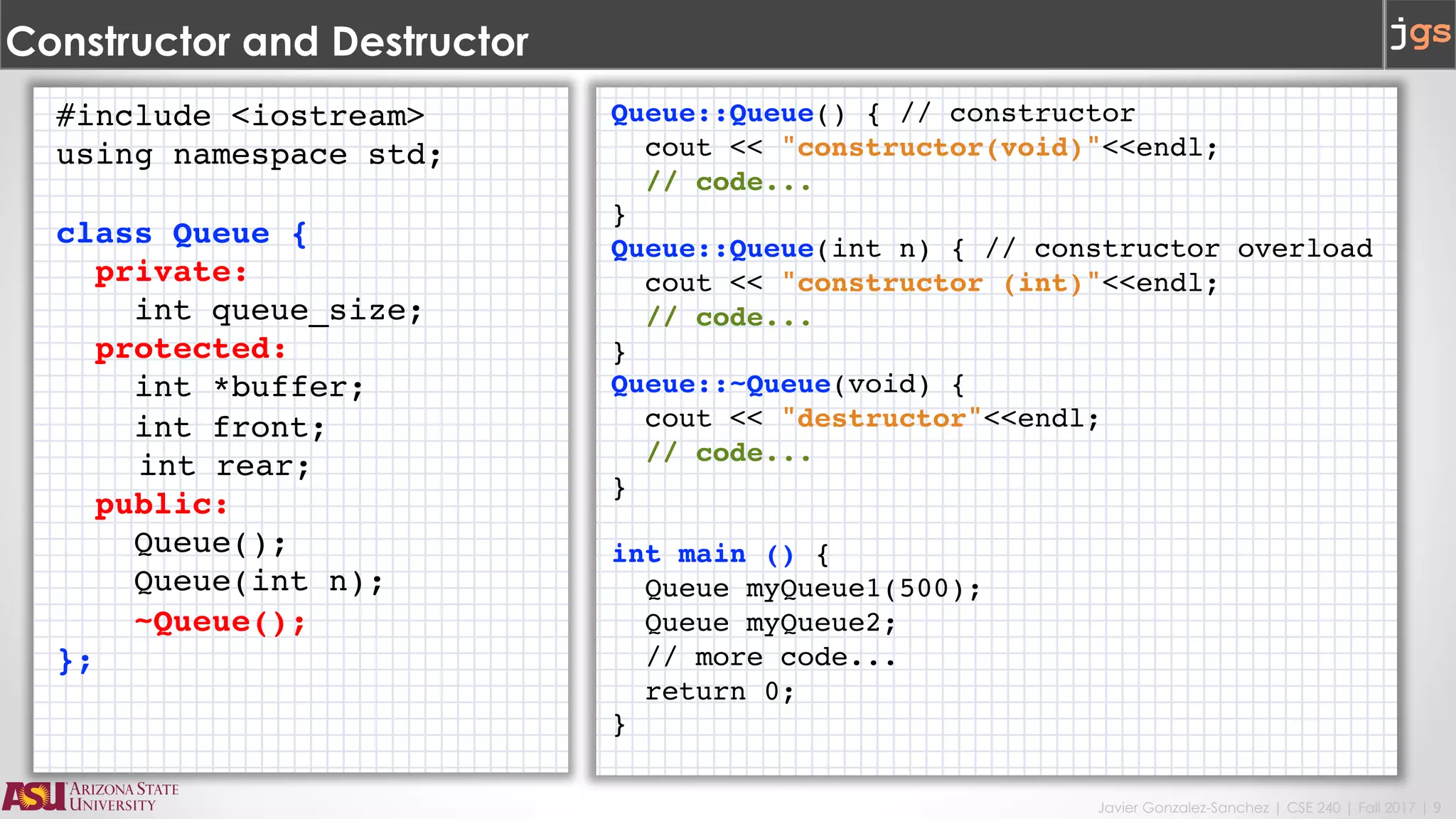
#include <iostream>
using namespace std;
class Queue {
private:
int queue_size;
protected:
int *buffer;
int front;
int rear;
public:
Queue();
Queue(int n);
~Queue();
};
Queue::Queue() { // constructor
cout << "constructor(void)"<<endl;
// code...
}
Queue::Queue(int n) { // constructor overload
cout << "constructor (int)"<<endl;
// code...
}
Queue::~Queue(void) {
cout << "destructor"<<endl;
// code...
}
int main () {
Queue myQueue1(500);
Queue myQueue2;
// more code...
return 0;
}
Javier Gonzalez-Sanchez | CSE 240 | Fall 2017 | 10
Constructor and Destructor
#include <iostream>
using namespace std;
class Queue {
private:
int queue_size;
protected:
int *buffer;
int front;
int rear;
public:
Queue();
Queue(int n);
~Queue();
};
Queue::Queue() { // constructor
cout << "constructor(void)"<<endl;
// code...
}
Queue::Queue(int n) { // constructor overload
cout << "constructor (int)"<<endl;
// code...
}
Queue::~Queue(void) {
cout << "destructor"<<endl;
// code...
}
int main () {
Queue myQueue1(500);
Queue myQueue2;
// more code...
return 0;
}
Javier Gonzalez-Sanchez | CSE 240 | Fall 2017 | 11
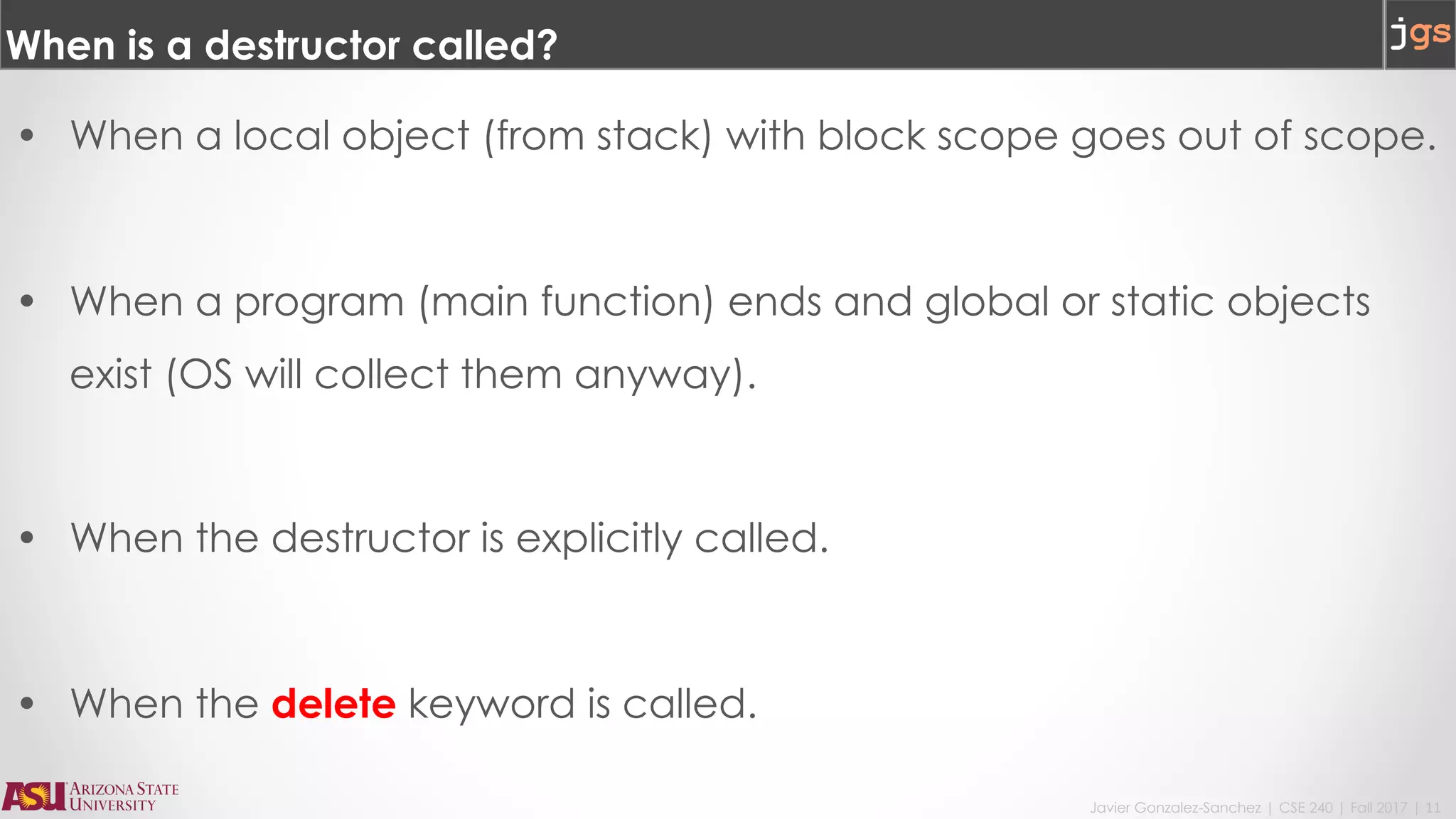
When is a destructor called?
• When a local object (from stack) with block scope goes out of scope.
• When a program (main function) ends and global or static objects
exist (OS will collect them anyway).
• When the destructor is explicitly called.
• When the delete keyword is called.
new and delete
Javier Gonzalez-Sanchez | CSE 240 | Fall 2017 | 13
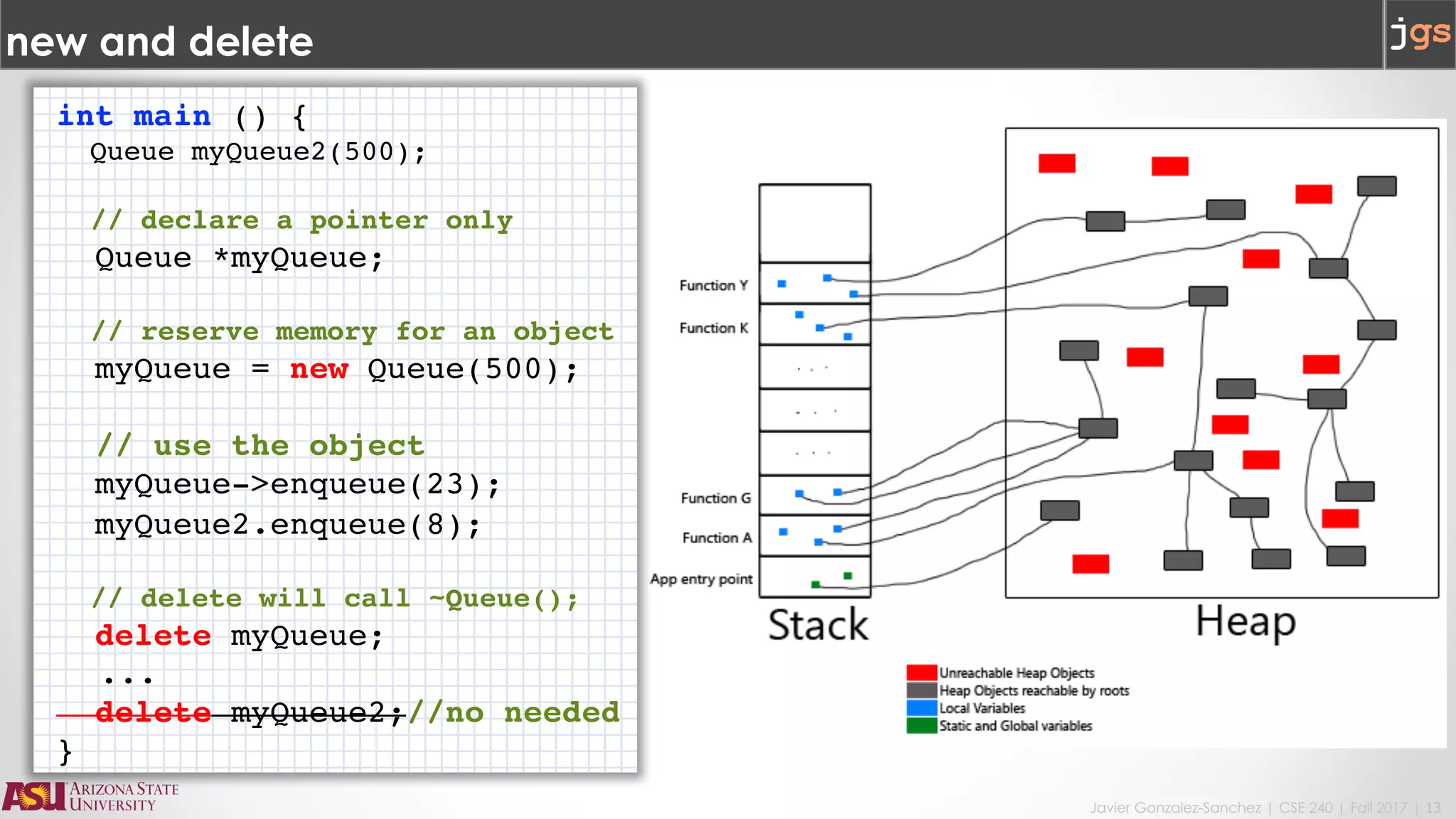
new and delete
int main () {
Queue myQueue2(500);
// declare a pointer only
Queue *myQueue;
// reserve memory for an object
myQueue = new Queue(500);
// use the object
myQueue->enqueue(23);
myQueue2.enqueue(8);
// delete will call ~Queue();
delete myQueue;
...
delete myQueue2;//no needed
}
Javier Gonzalez-Sanchez | CSE 240 | Fall 2017 | 14
new and delete with constructors and destructors
#include <iostream>
using namespace std;
class Queue {
private:
int queue_size;
protected:
int *buffer;
int front;
int rear;
public:
Queue();
Queue(int n);
~Queue();
};
Queue::Queue() { // constructor
cout << "constructor(void)"<<endl;
// code...
buffer = NULL;
}
Queue::Queue(int n) { // constructor overload
cout << "constructor (int)"<<endl;
// code...
buffer = new int[queue_size];
}
Queue::~Queue(void) {
cout << "destructor"<<endl;
// code...
delete [] buffer;
}
int main () {
Queue myQueue1(500);
Queue myQueue2;
Queue *myQueue3 = new Queue(100);
// more code...
delete myQueue3;
return 0;
}
Javier Gonzalez-Sanchez | CSE 240 | Fall 2017 | 15
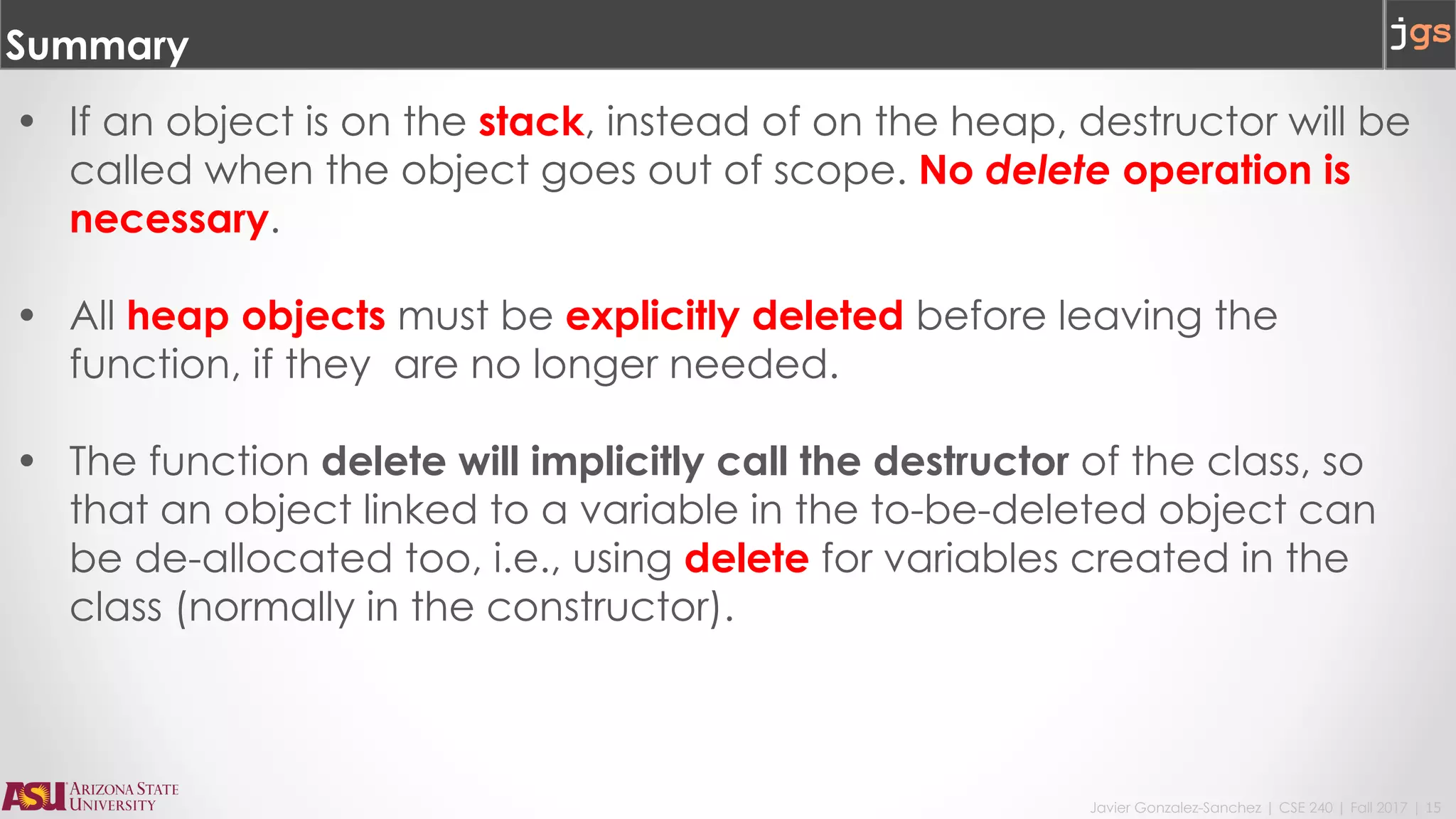
Summary
• If an object is on the stack, instead of on the heap, destructor will be
called when the object goes out of scope. No delete operation is
necessary.
• All heap objects must be explicitly deleted before leaving the
function, if they are no longer needed.
• The function delete will implicitly call the destructor of the class, so
that an object linked to a variable in the to-be-deleted object can
be de-allocated too, i.e., using delete for variables created in the
class (normally in the constructor).
Javier Gonzalez-Sanchez | CSE 240 | Fall 2017 | 16
delete and Array of Objects
#include <iostream>
using namespace std;
#define size 4
class arrayObject {
public:
int x; double y;
arrayObject() { cout << "arrayObject's constructor called" << endl; }
~arrayObject() { cout << "arrayObject's destructor called" << endl; }
};
int main() {
arrayObject *p, *q; // declare two pointers
p = new arrayObject[size]; // Create an array of objects
for (q = p; q < p + size; q++) { // Initialize the objects
q->x = 10; q->y = 1.5;
}
for (q = p; q < p + size; q++) {
cout << "Element address " << q << " Element x value: " << q->x << endl;
cout << "Element address " << q << " Element y value: " << q->y << endl;
}
delete[] p;
return 0;
}
Javier Gonzalez-Sanchez | CSE 240 | Fall 2017 | 17
Summary
• How do we delete an array of objects?
We can use a loop to delete each element,
• However, the language provides a library function to delete all
the elements one by one without the user to explicitly use a loop:
delete[] array;
Javier Gonzalez-Sanchez | CSE 240 | Fall 2017 | 18
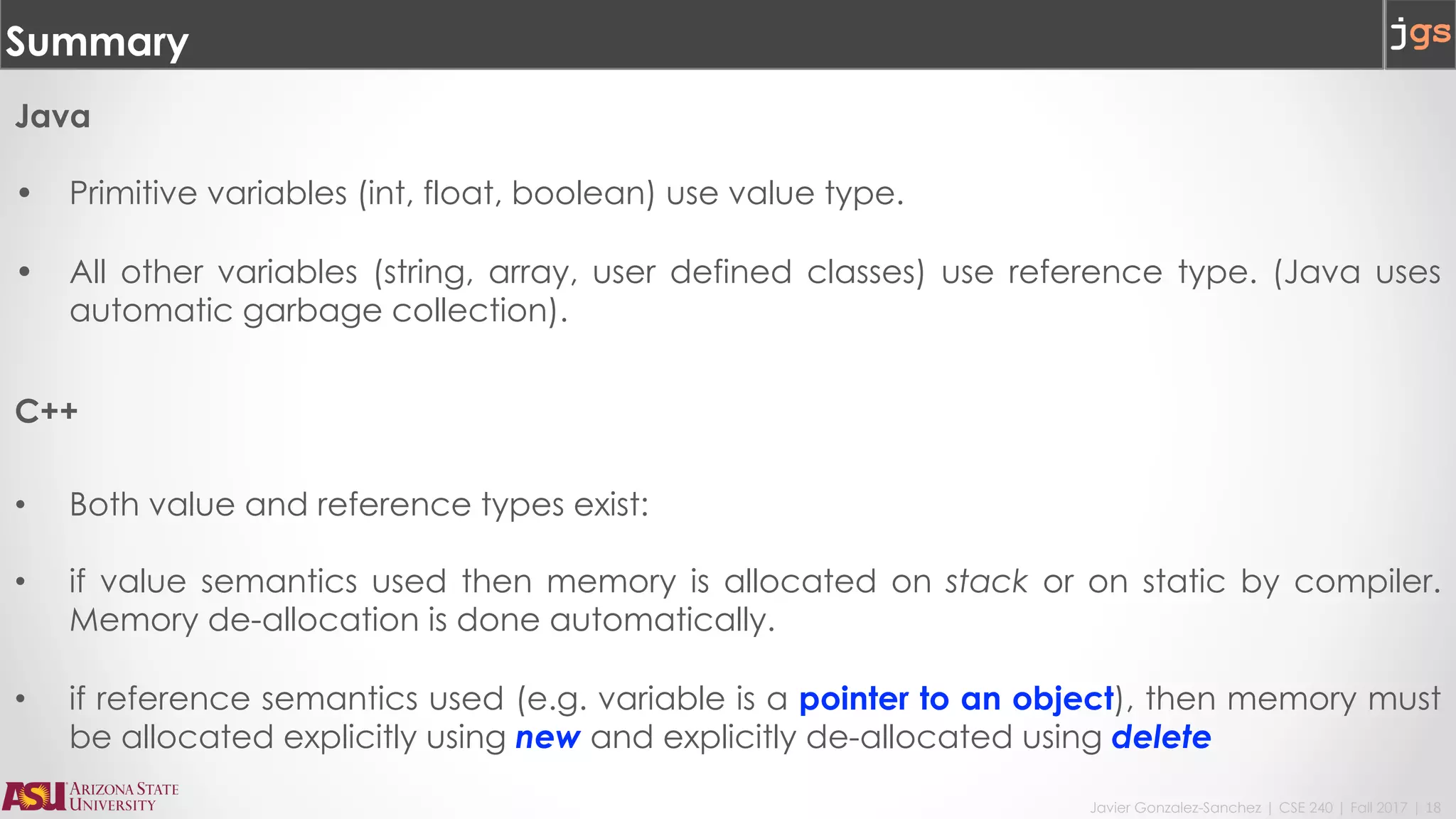
Summary
Java
• Primitive variables (int, float, boolean) use value type.
• All other variables (string, array, user defined classes) use reference type. (Java uses
automatic garbage collection).
C++
• Both value and reference types exist:
• if value semantics used then memory is allocated on stack or on static by compiler.
Memory de-allocation is done automatically.
• if reference semantics used (e.g. variable is a pointer to an object), then memory must
be allocated explicitly using new and explicitly de-allocated using delete
Javier Gonzalez-Sanchez | CSE 240 | Fall 2017 | 19
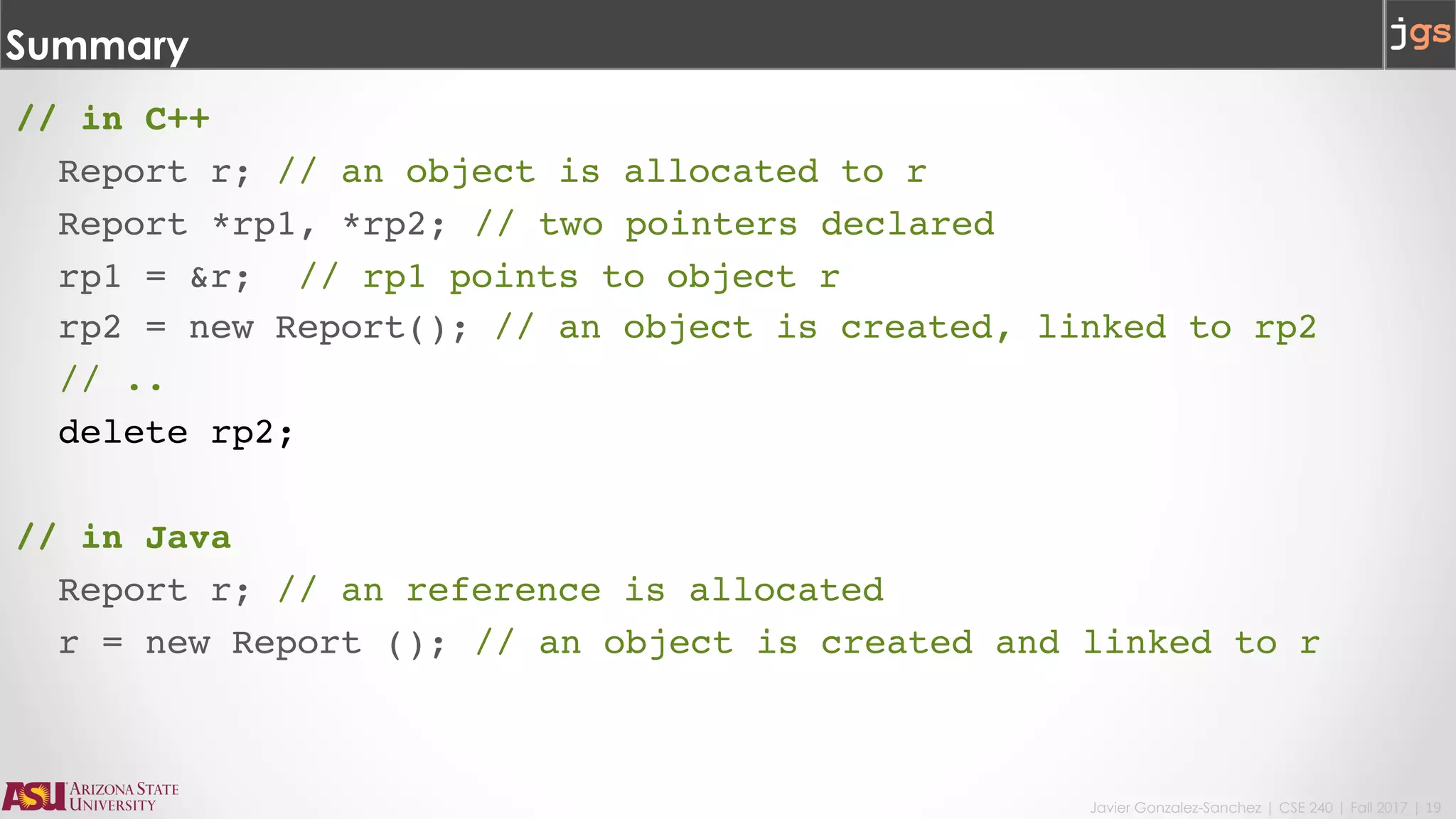
Summary
// in C++
Report r; // an object is allocated to r
Report *rp1, *rp2; // two pointers declared
rp1 = &r; // rp1 points to object r
rp2 = new Report(); // an object is created, linked to rp2
// ..
delete rp2;
// in Java
Report r; // an reference is allocated
r = new Report (); // an object is created and linked to r
CSE240 – Introduction to Programming Languages
Javier Gonzalez-Sanchez
javiergs@asu.edu
Fall 2017
Disclaimer. These slides can only be used as study material for the class CSE240 at ASU. They cannot be distributed or used for another purpose.

201801 CSE240 Lecture 13

  • 1.
    CSE240 – Introductionto Programming Languages Lecture 13: Programming with C++ | memory management Javier Gonzalez-Sanchez javiergs@asu.edu javiergs.engineering.asu.edu Office Hours: By appointment
  • 2.
    Javier Gonzalez-Sanchez |CSE 240 | Fall 2017 | 2 Outline • static, • constructor and destructor, • new and delete
  • 3.
  • 4.
    Javier Gonzalez-Sanchez |CSE 240 | Fall 2017 | 4 Example 1. #include <iostream> 2. using namespace std; 3. class Foo { 4. public: 5. void counting(); 6. int getCounterB(); 7. static int counterA; 8. private: 9. int counterB; 10. }; 11. 12. // initial value to static member variable 13. int Foo::counterA = 0; 14. int counter = 0; A static variable is shared by all the objects from a class. Therefore, changes made to a static variable will impact all objects from the class
  • 5.
    Javier Gonzalez-Sanchez |CSE 240 | Fall 2017 | 5 1. #include <iostream> 2. using namespace std; 3. class Foo { 4. public: 5. void counting(); 6. int getCounterB(); 7. static int counterA; 8. private: 9. int counterB; 10. }; 11. 12. // initial value to static member variable 13. int Foo::counterA = 0; 14. int counter = 0; Example static versus global Variables static variables prevents functions outside the class to access the variable. As a global variable, all other functions can read/write it. A static variable is shared by all the objects from a class. Therefore, changes made to a static variable will impact all objects from the class
  • 6.
    Javier Gonzalez-Sanchez |CSE 240 | Fall 2017 | 6 Example 18. void Foo::counting() { // Set a new mil Time 19. counterA++; 20. counterB++; 21. } 22. int Foo::getCounterB() { 23. return counterB; 24. } 25. int main() { 26. Foo f1, f2, f3; 27. f1.counting(); 28. f2.counting(); 29. f2.counting(); 30. f3.counting(); 31. cout << Foo::counterA<<endl; 32. cout << f1.getCounterB()<<endl; 33. cout << Foo::counterA<<endl; 34. cout << f2.getCounterB()<<endl; 35. return 0; 36. } A static variable go out of scope only if the program terminated. And it can be used even without creating an object from the class.
  • 7.
  • 8.
    Javier Gonzalez-Sanchez |CSE 240 | Fall 2017 | 8 Constructor and Destructor A constructor in a class: • is a function whose name is same as the class name, and • is used to automatically initialize objects. A destructor in a class: • is a function whose name is same as the class name (with a ~ as prefix), and • is used to collect garbage.
  • 9.
    Javier Gonzalez-Sanchez |CSE 240 | Fall 2017 | 9 Constructor and Destructor #include <iostream> using namespace std; class Queue { private: int queue_size; protected: int *buffer; int front; int rear; public: Queue(); Queue(int n); ~Queue(); }; Queue::Queue() { // constructor cout << "constructor(void)"<<endl; // code... } Queue::Queue(int n) { // constructor overload cout << "constructor (int)"<<endl; // code... } Queue::~Queue(void) { cout << "destructor"<<endl; // code... } int main () { Queue myQueue1(500); Queue myQueue2; // more code... return 0; }
  • 10.
    Javier Gonzalez-Sanchez |CSE 240 | Fall 2017 | 10 Constructor and Destructor #include <iostream> using namespace std; class Queue { private: int queue_size; protected: int *buffer; int front; int rear; public: Queue(); Queue(int n); ~Queue(); }; Queue::Queue() { // constructor cout << "constructor(void)"<<endl; // code... } Queue::Queue(int n) { // constructor overload cout << "constructor (int)"<<endl; // code... } Queue::~Queue(void) { cout << "destructor"<<endl; // code... } int main () { Queue myQueue1(500); Queue myQueue2; // more code... return 0; }
  • 11.
    Javier Gonzalez-Sanchez |CSE 240 | Fall 2017 | 11 When is a destructor called? • When a local object (from stack) with block scope goes out of scope. • When a program (main function) ends and global or static objects exist (OS will collect them anyway). • When the destructor is explicitly called. • When the delete keyword is called.
  • 12.
  • 13.
    Javier Gonzalez-Sanchez |CSE 240 | Fall 2017 | 13 new and delete int main () { Queue myQueue2(500); // declare a pointer only Queue *myQueue; // reserve memory for an object myQueue = new Queue(500); // use the object myQueue->enqueue(23); myQueue2.enqueue(8); // delete will call ~Queue(); delete myQueue; ... delete myQueue2;//no needed }
  • 14.
    Javier Gonzalez-Sanchez |CSE 240 | Fall 2017 | 14 new and delete with constructors and destructors #include <iostream> using namespace std; class Queue { private: int queue_size; protected: int *buffer; int front; int rear; public: Queue(); Queue(int n); ~Queue(); }; Queue::Queue() { // constructor cout << "constructor(void)"<<endl; // code... buffer = NULL; } Queue::Queue(int n) { // constructor overload cout << "constructor (int)"<<endl; // code... buffer = new int[queue_size]; } Queue::~Queue(void) { cout << "destructor"<<endl; // code... delete [] buffer; } int main () { Queue myQueue1(500); Queue myQueue2; Queue *myQueue3 = new Queue(100); // more code... delete myQueue3; return 0; }
  • 15.
    Javier Gonzalez-Sanchez |CSE 240 | Fall 2017 | 15 Summary • If an object is on the stack, instead of on the heap, destructor will be called when the object goes out of scope. No delete operation is necessary. • All heap objects must be explicitly deleted before leaving the function, if they are no longer needed. • The function delete will implicitly call the destructor of the class, so that an object linked to a variable in the to-be-deleted object can be de-allocated too, i.e., using delete for variables created in the class (normally in the constructor).
  • 16.
    Javier Gonzalez-Sanchez |CSE 240 | Fall 2017 | 16 delete and Array of Objects #include <iostream> using namespace std; #define size 4 class arrayObject { public: int x; double y; arrayObject() { cout << "arrayObject's constructor called" << endl; } ~arrayObject() { cout << "arrayObject's destructor called" << endl; } }; int main() { arrayObject *p, *q; // declare two pointers p = new arrayObject[size]; // Create an array of objects for (q = p; q < p + size; q++) { // Initialize the objects q->x = 10; q->y = 1.5; } for (q = p; q < p + size; q++) { cout << "Element address " << q << " Element x value: " << q->x << endl; cout << "Element address " << q << " Element y value: " << q->y << endl; } delete[] p; return 0; }
  • 17.
    Javier Gonzalez-Sanchez |CSE 240 | Fall 2017 | 17 Summary • How do we delete an array of objects? We can use a loop to delete each element, • However, the language provides a library function to delete all the elements one by one without the user to explicitly use a loop: delete[] array;
  • 18.
    Javier Gonzalez-Sanchez |CSE 240 | Fall 2017 | 18 Summary Java • Primitive variables (int, float, boolean) use value type. • All other variables (string, array, user defined classes) use reference type. (Java uses automatic garbage collection). C++ • Both value and reference types exist: • if value semantics used then memory is allocated on stack or on static by compiler. Memory de-allocation is done automatically. • if reference semantics used (e.g. variable is a pointer to an object), then memory must be allocated explicitly using new and explicitly de-allocated using delete
  • 19.
    Javier Gonzalez-Sanchez |CSE 240 | Fall 2017 | 19 Summary // in C++ Report r; // an object is allocated to r Report *rp1, *rp2; // two pointers declared rp1 = &r; // rp1 points to object r rp2 = new Report(); // an object is created, linked to rp2 // .. delete rp2; // in Java Report r; // an reference is allocated r = new Report (); // an object is created and linked to r
  • 20.
    CSE240 – Introductionto Programming Languages Javier Gonzalez-Sanchez javiergs@asu.edu Fall 2017 Disclaimer. These slides can only be used as study material for the class CSE240 at ASU. They cannot be distributed or used for another purpose.