Going Cloud - warum und wie (IS11)
DNUG – Dortmund, Juni 2015
2
3
4
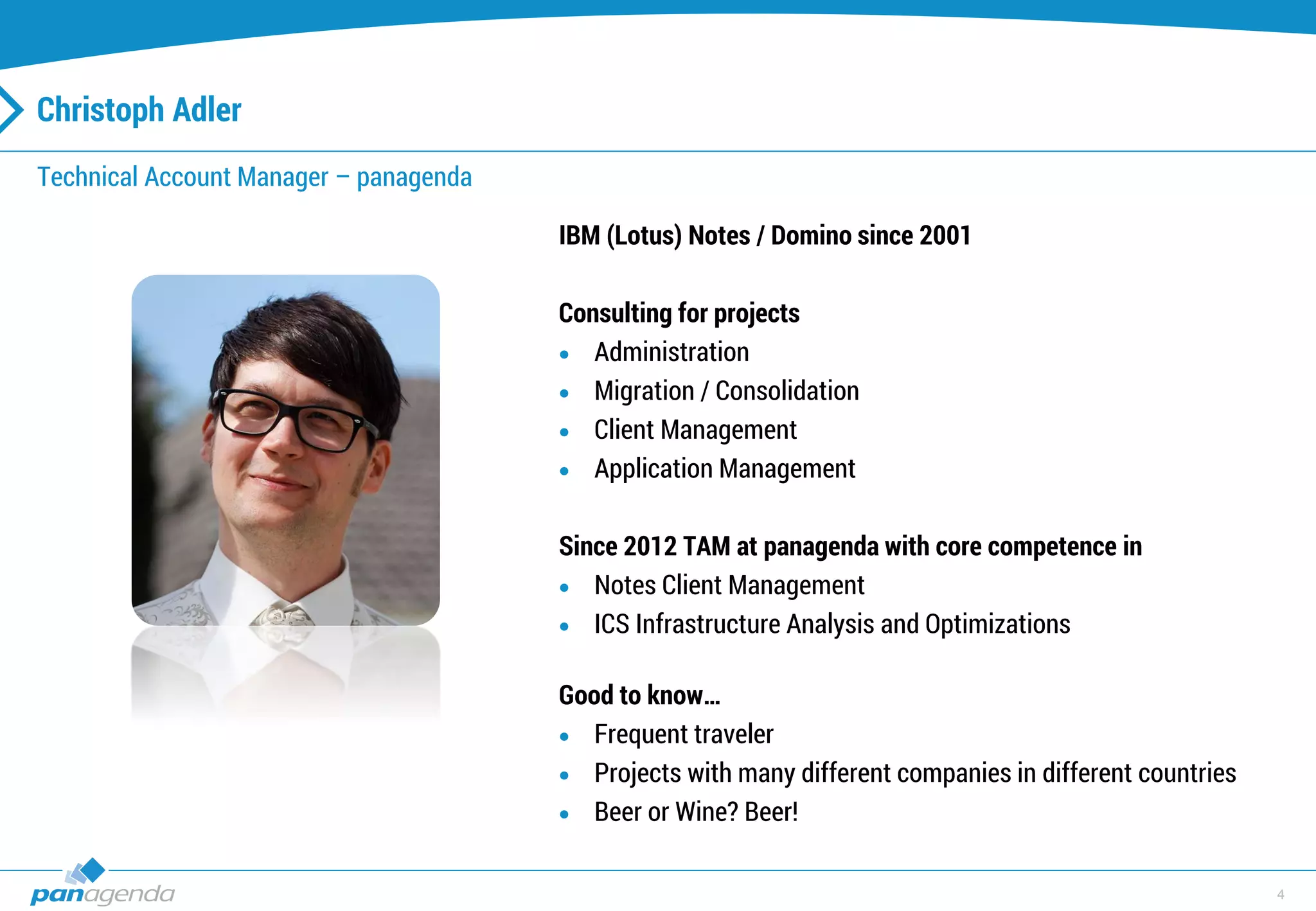
Christoph Adler
Technical Account Manager – panagenda
IBM (Lotus) Notes / Domino since 2001
Consulting for projects
 Administration
 Migration / Consolidation
 Client Management
 Application Management
Since 2012 TAM at panagenda with core competence in
 Notes Client Management
 ICS Infrastructure Analysis and Optimizations
Good to know…
 Frequent traveler
 Projects with many different companies in different countries
 Beer or Wine? Beer!
5
Going (Migrating) to the cloud, why?
6
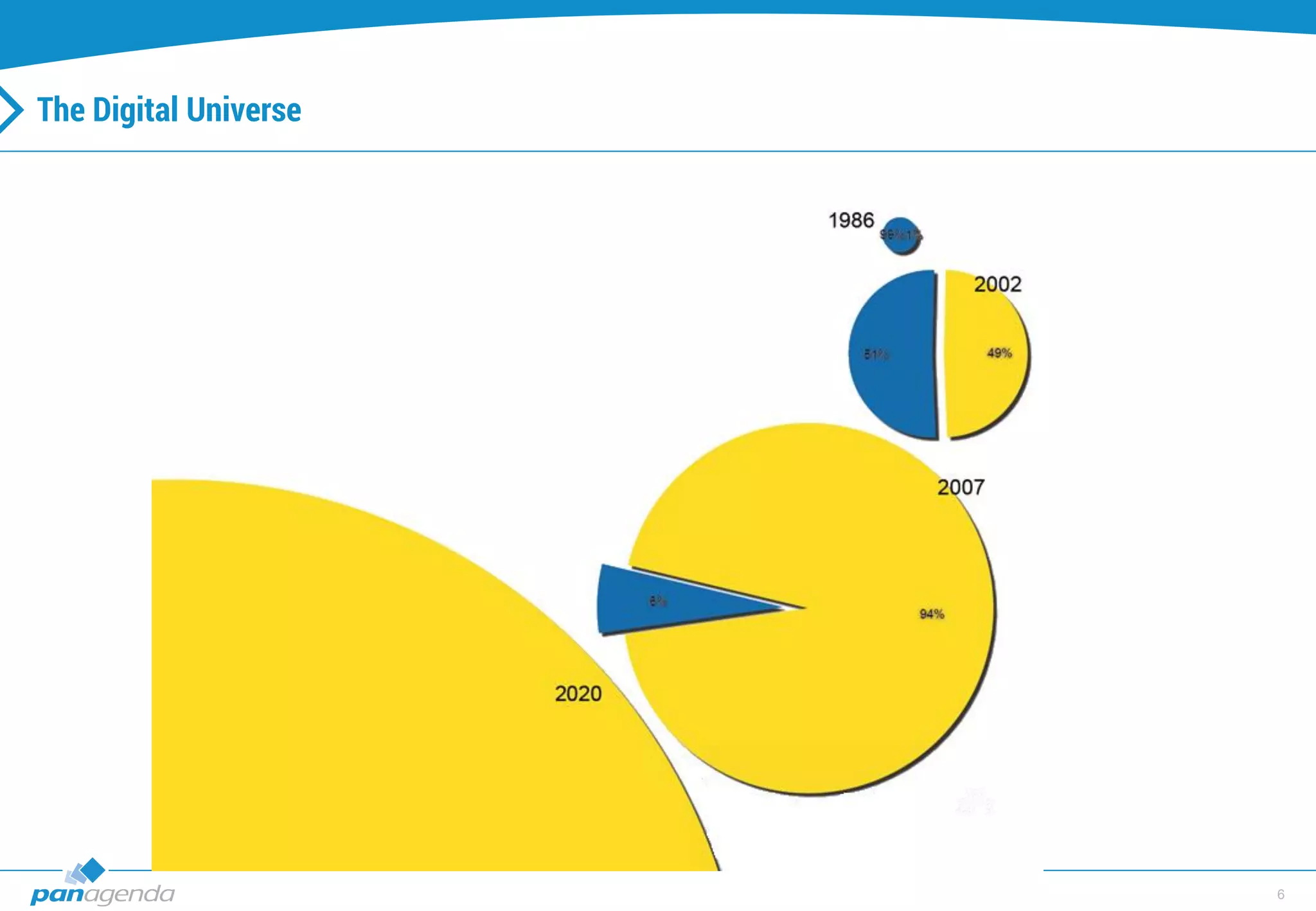
The Digital Universe
7
The Digital Universe - continued
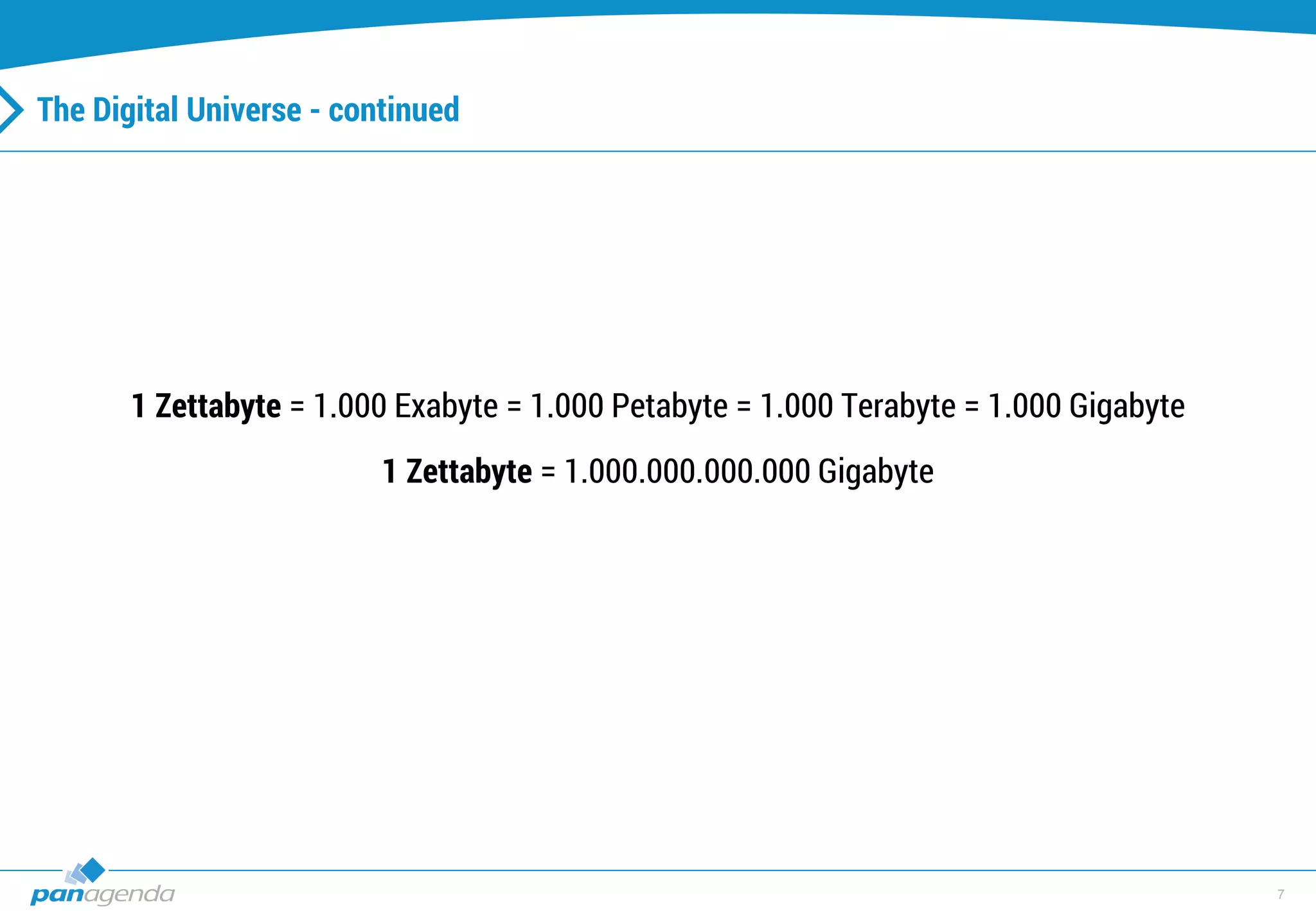
1 Zettabyte = 1.000 Exabyte = 1.000 Petabyte = 1.000 Terabyte = 1.000 Gigabyte
1 Zettabyte = 1.000.000.000.000 Gigabyte
8
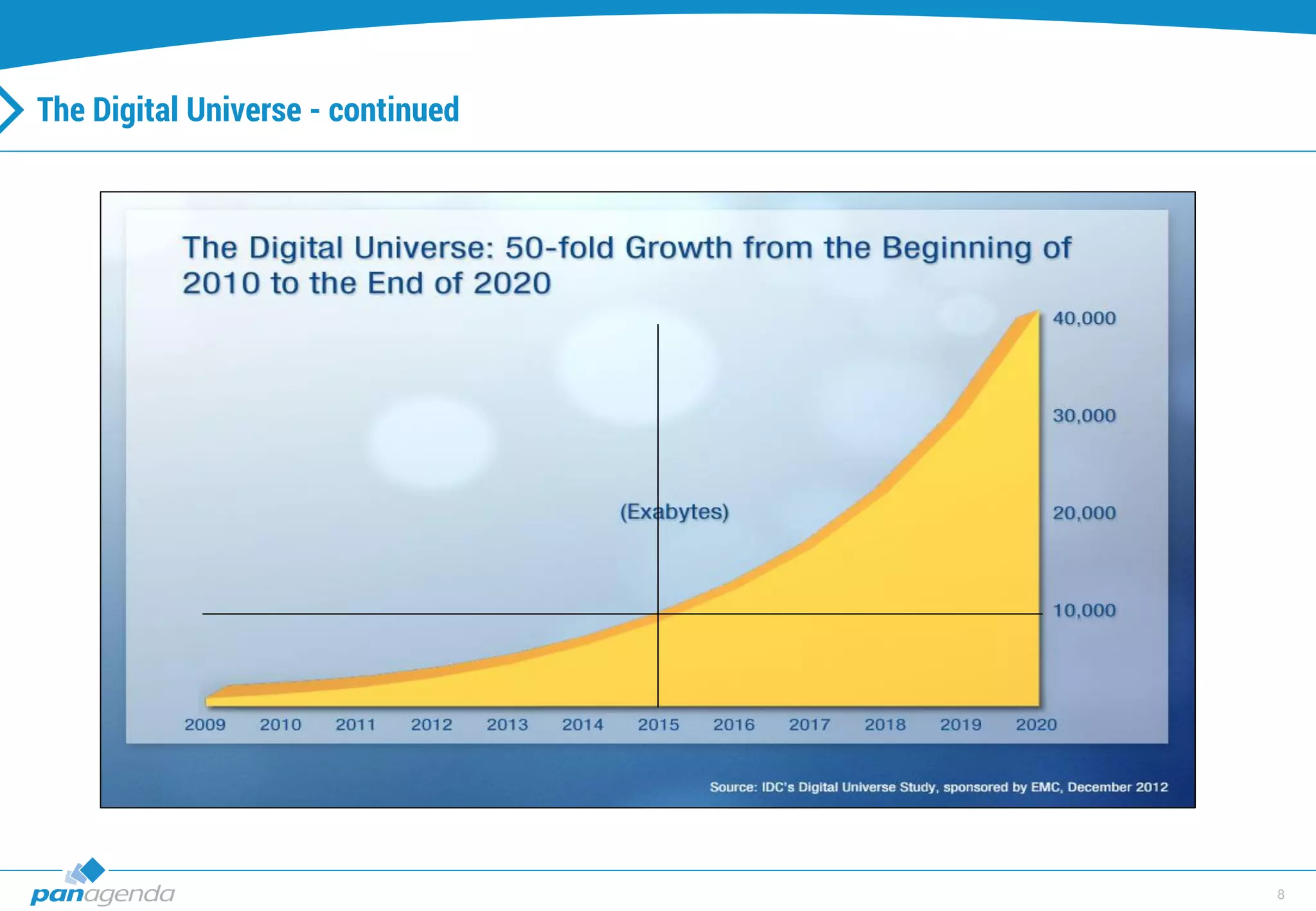
The Digital Universe - continued
9
The Digital Universe - continued
10
Population Statistics
11
The Digital Universe - continued
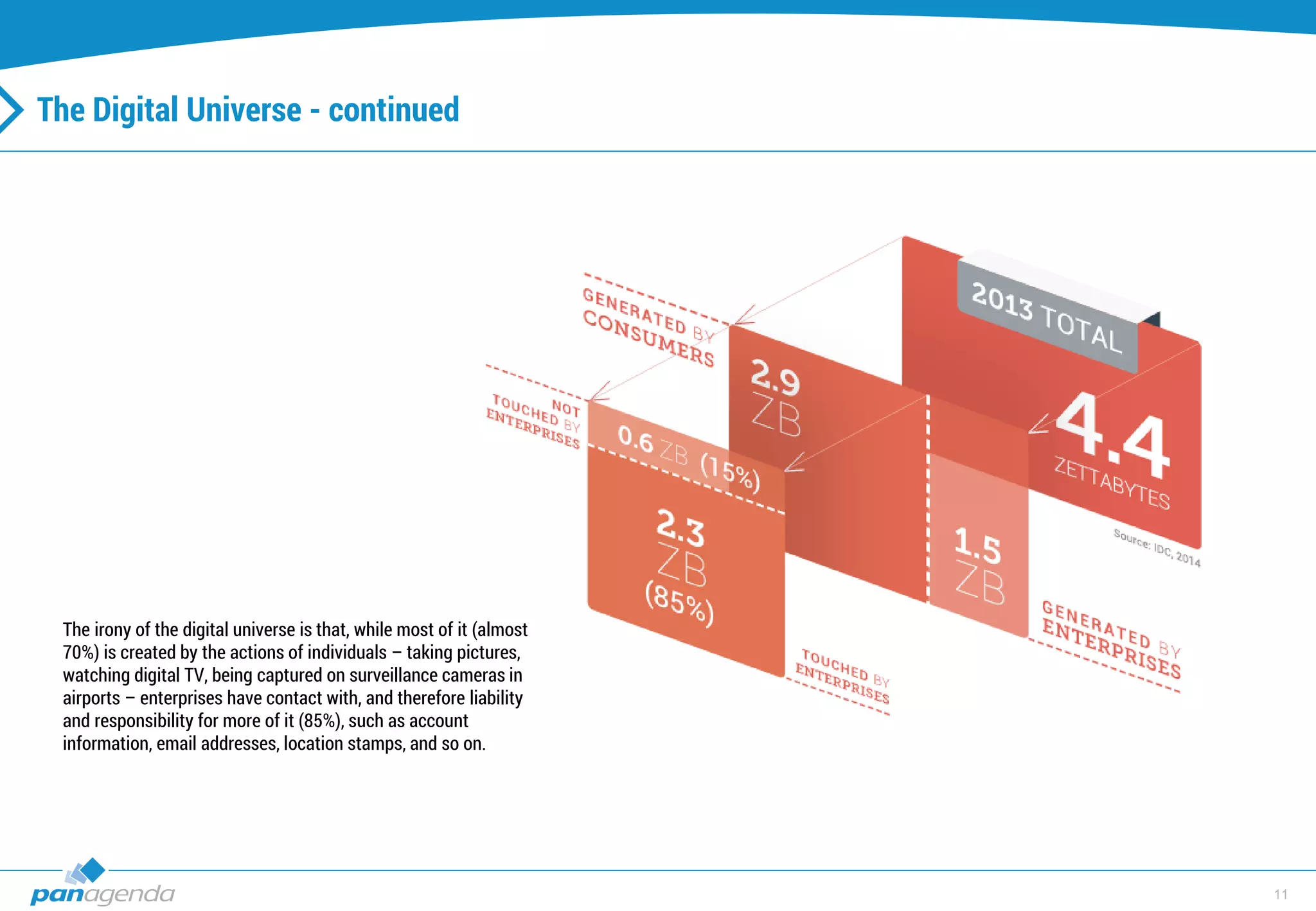
The irony of the digital universe is that, while most of it (almost
70%) is created by the actions of individuals – taking pictures,
watching digital TV, being captured on surveillance cameras in
airports – enterprises have contact with, and therefore liability
and responsibility for more of it (85%), such as account
information, email addresses, location stamps, and so on.
12
Data Security
13
Other reasons?
• Features features features (cloud first)
• (unlimited) disk space
• Less license costs
• Availability
• Performance
• Connectivity
• […]
14
Challenges!
15
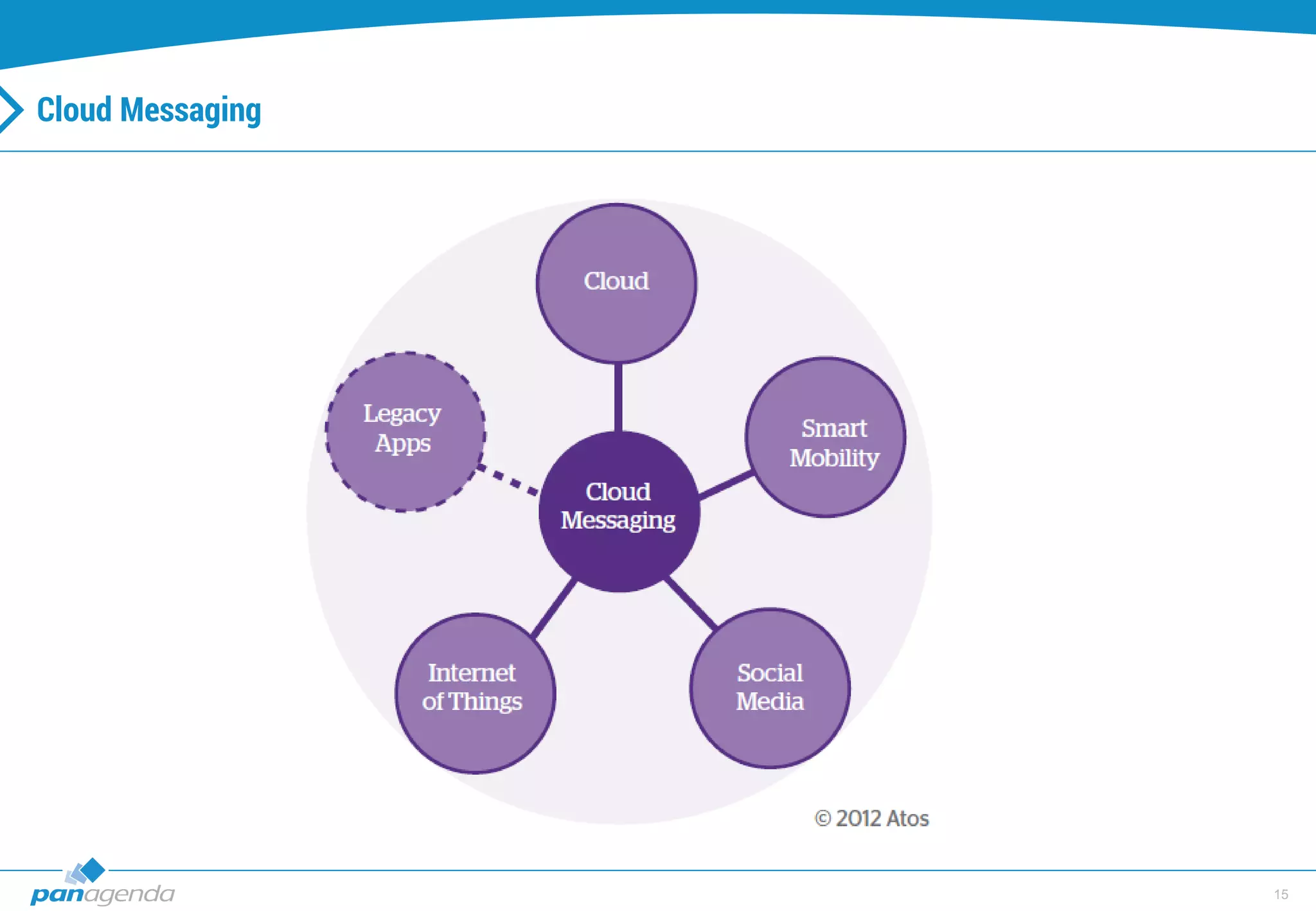
Cloud Messaging
16
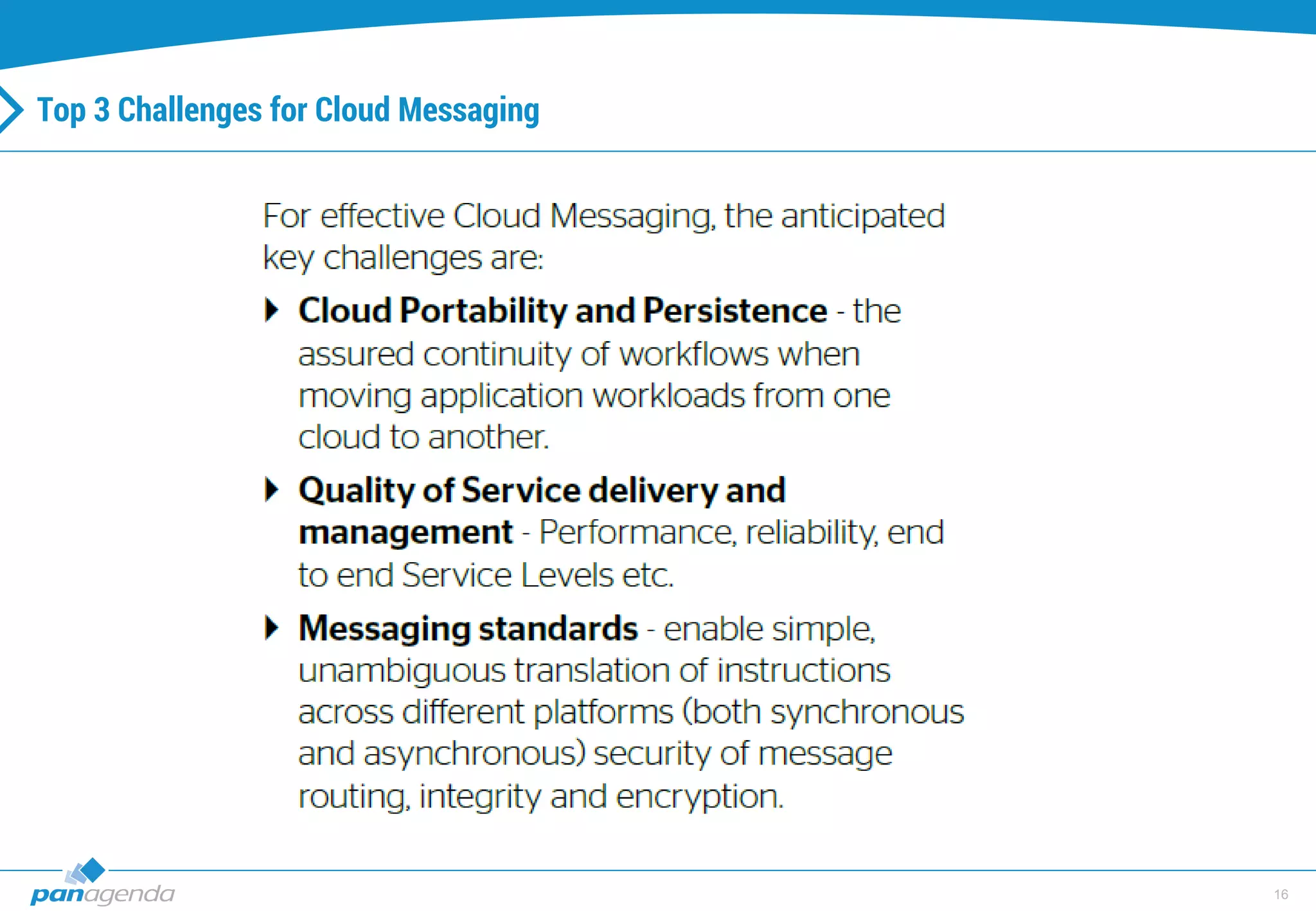
Top 3 Challenges for Cloud Messaging
17
IBM (Connections) Cloud offerings
(short)
18
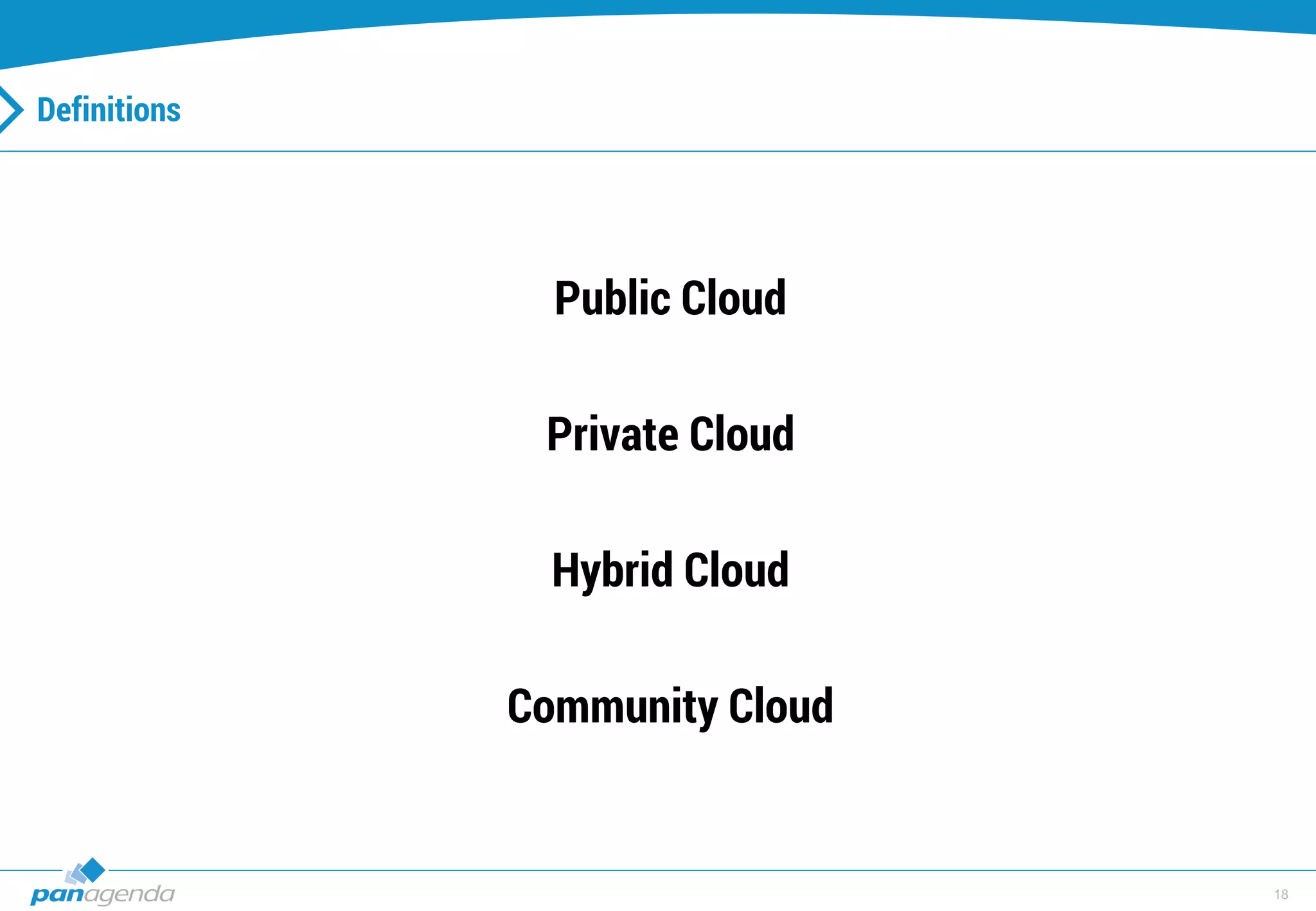
Definitions
Public Cloud
Private Cloud
Hybrid Cloud
Community Cloud
19
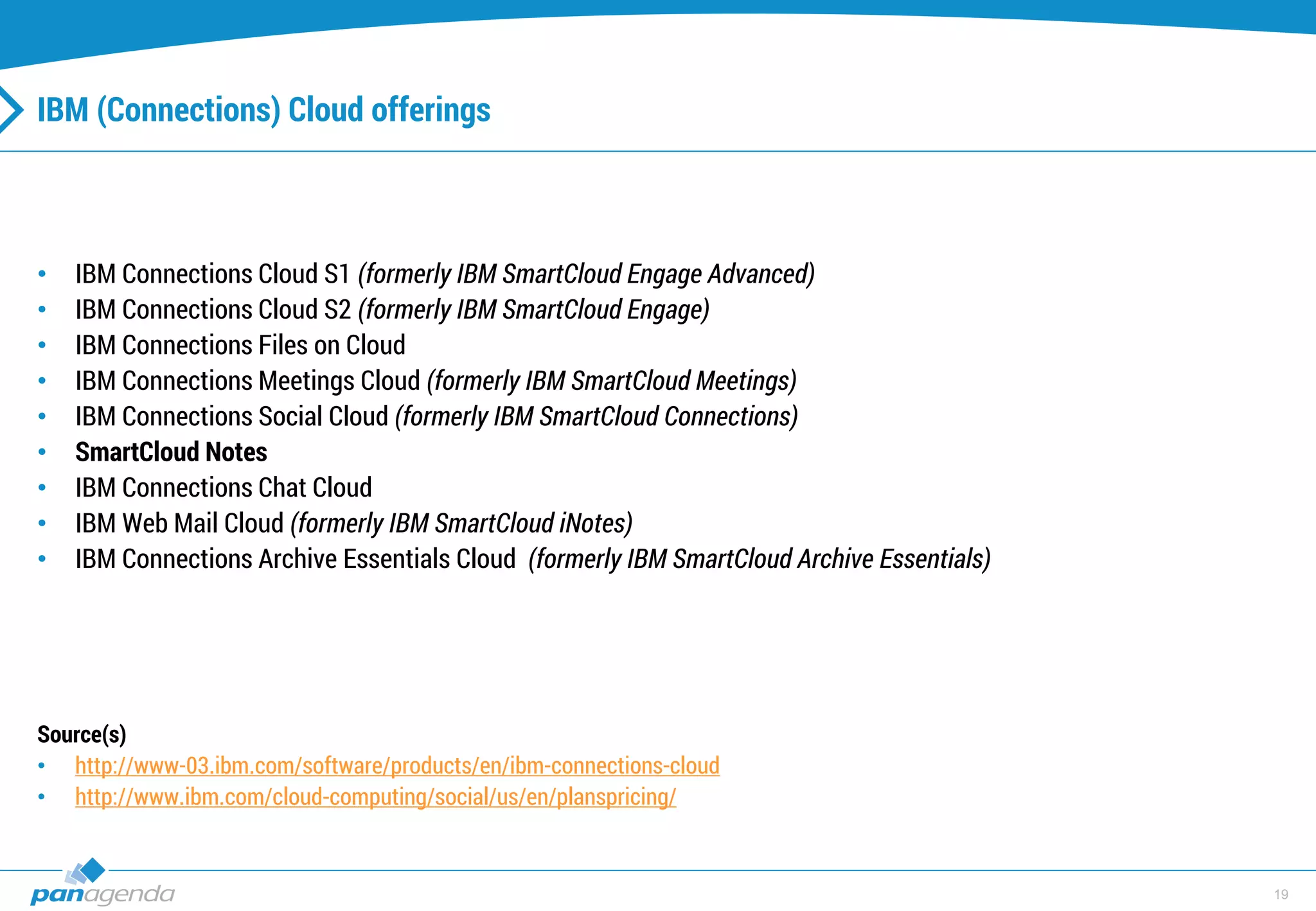
IBM (Connections) Cloud offerings
• IBM Connections Cloud S1 (formerly IBM SmartCloud Engage Advanced)
• IBM Connections Cloud S2 (formerly IBM SmartCloud Engage)
• IBM Connections Files on Cloud
• IBM Connections Meetings Cloud (formerly IBM SmartCloud Meetings)
• IBM Connections Social Cloud (formerly IBM SmartCloud Connections)
• SmartCloud Notes
• IBM Connections Chat Cloud
• IBM Web Mail Cloud (formerly IBM SmartCloud iNotes)
• IBM Connections Archive Essentials Cloud (formerly IBM SmartCloud Archive Essentials)
Source(s)
• http://www-03.ibm.com/software/products/en/ibm-connections-cloud
• http://www.ibm.com/cloud-computing/social/us/en/planspricing/
20
Cloud onboarding
21
Challenge: Cloud onboarding
Scenario
22
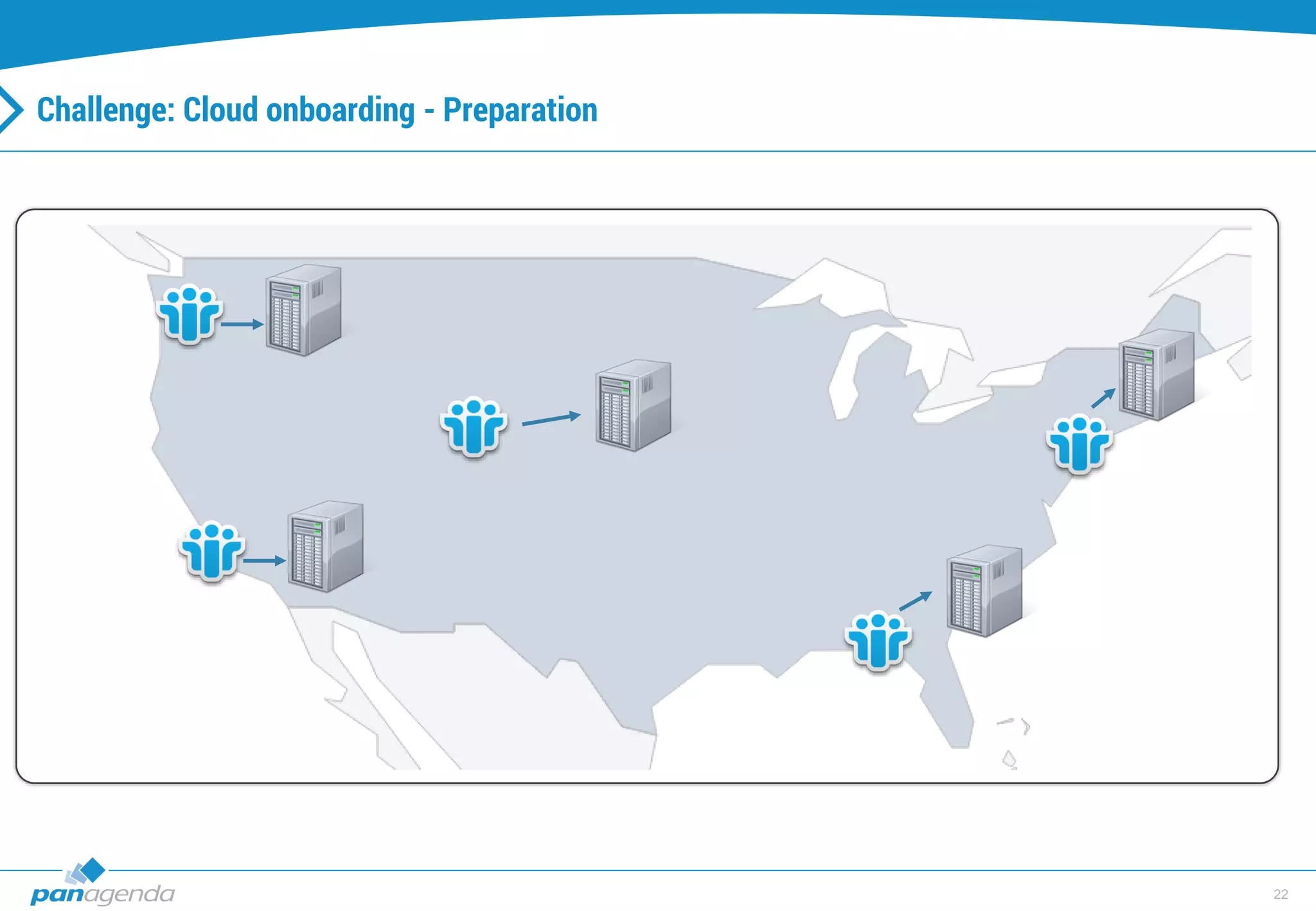
Challenge: Cloud onboarding - Preparation
23
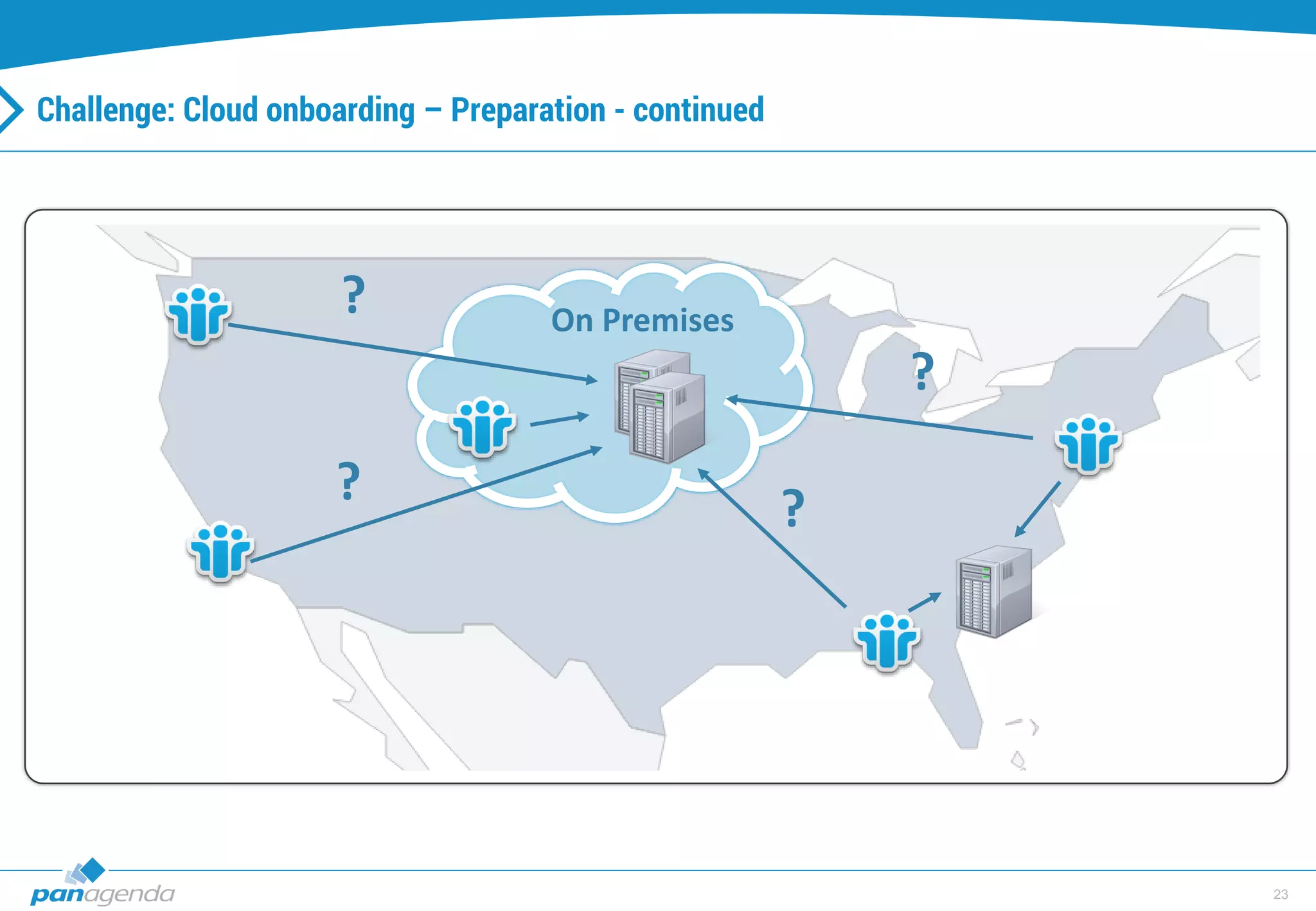
Challenge: Cloud onboarding – Preparation - continued
?
?
?
?
On Premises
24
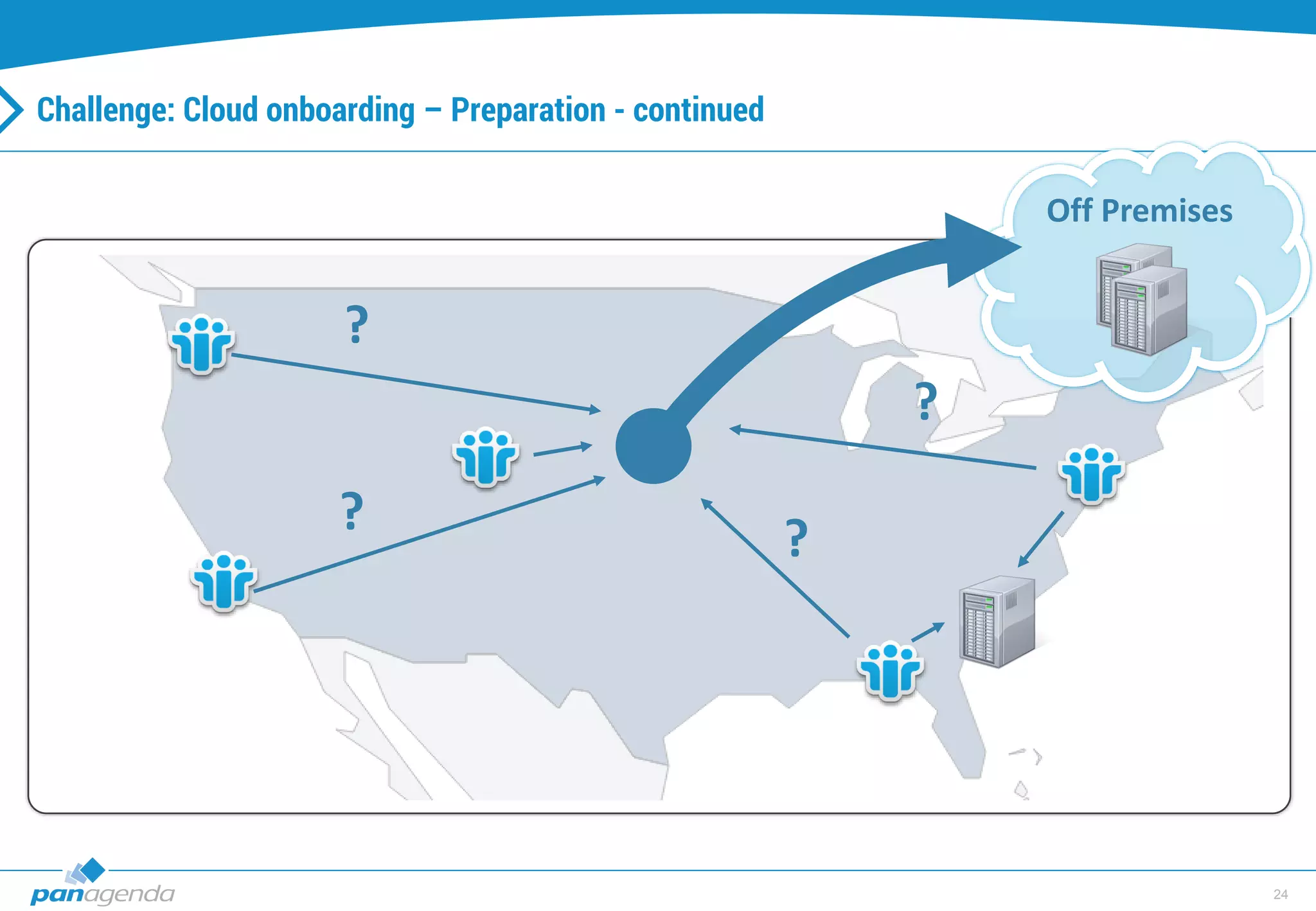
Challenge: Cloud onboarding – Preparation - continued
?
?
?
?
Off Premises
25
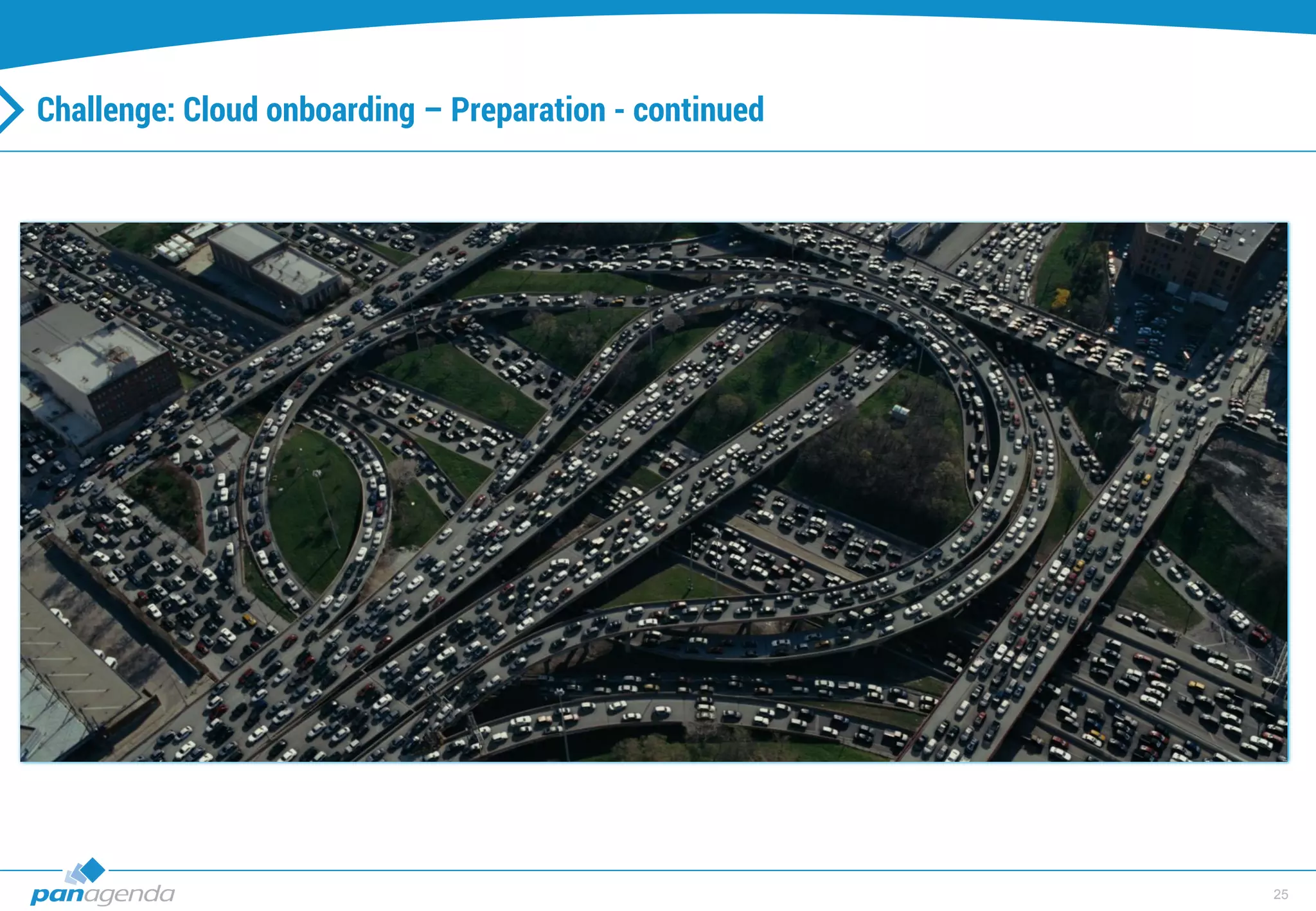
Challenge: Cloud onboarding – Preparation - continued
26
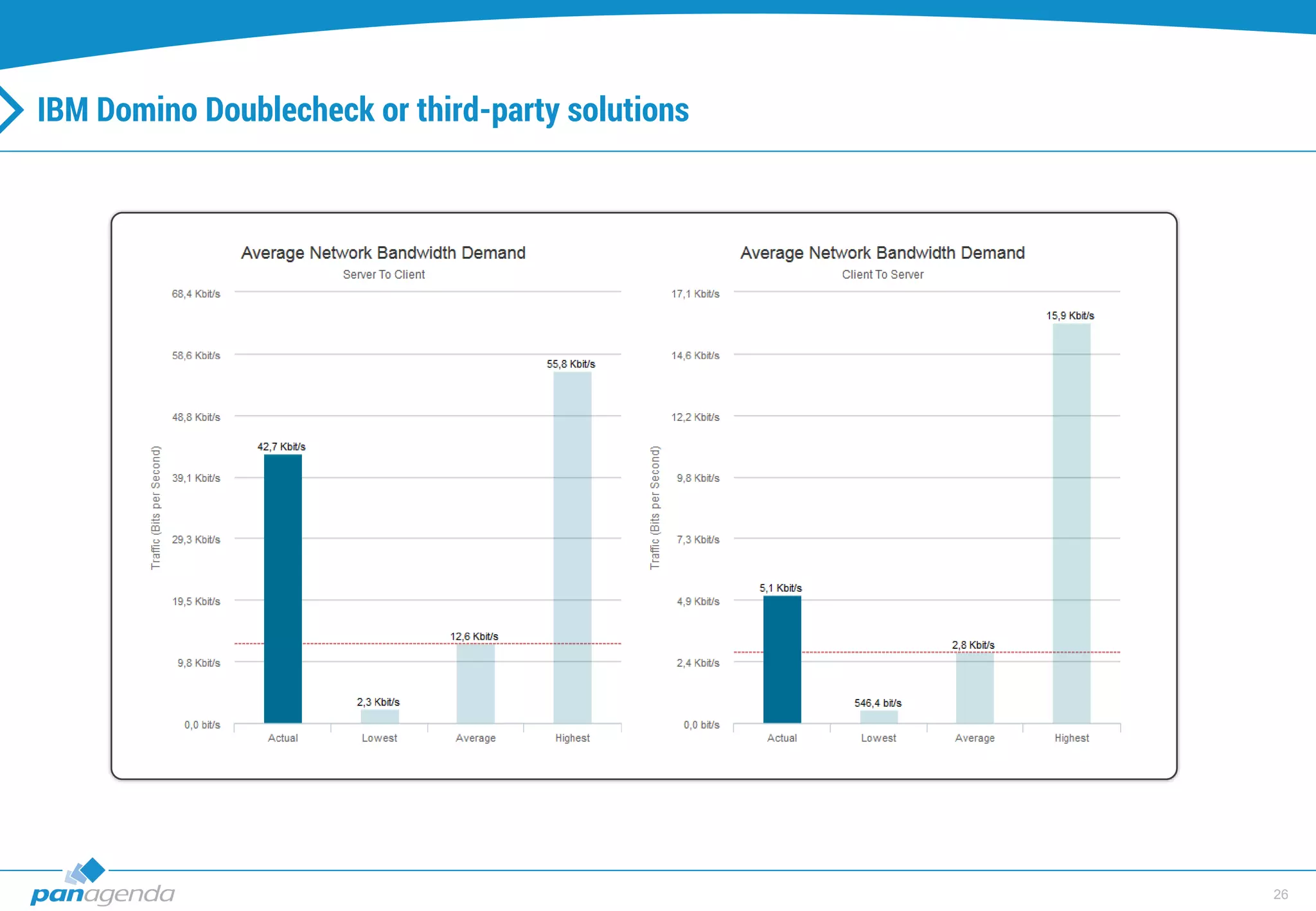
IBM Domino Doublecheck or third-party solutions
27
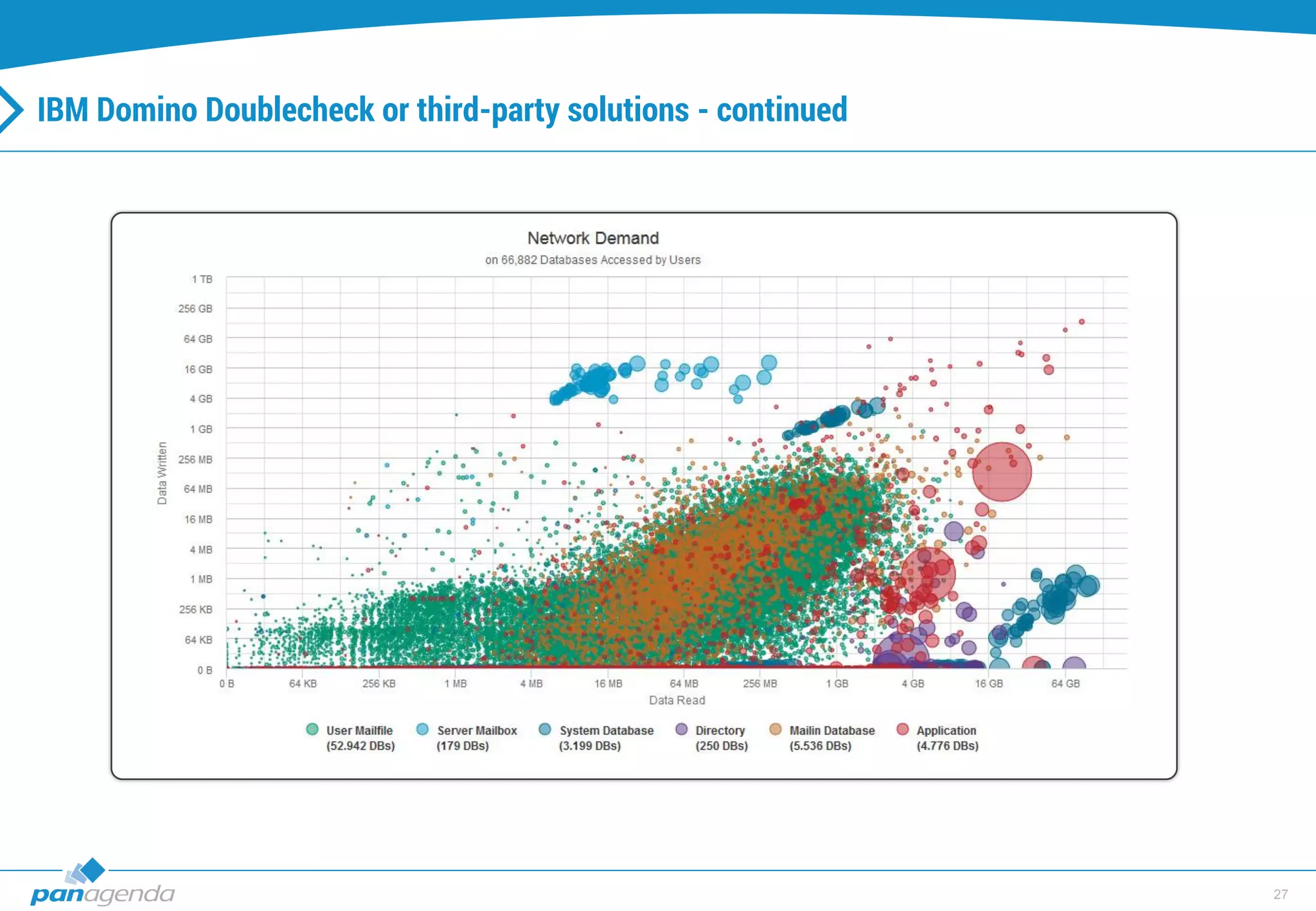
IBM Domino Doublecheck or third-party solutions - continued
28
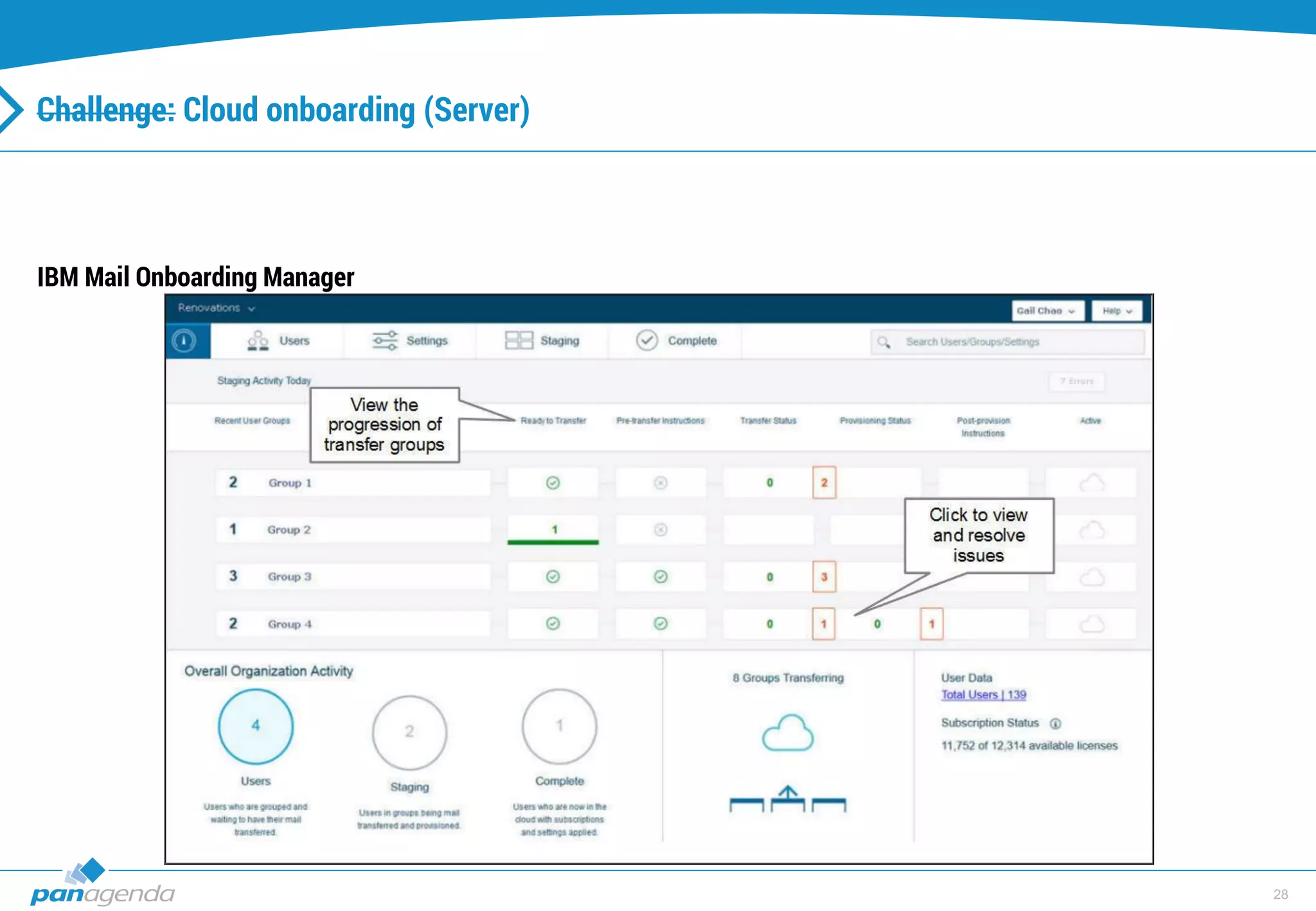
Challenge: Cloud onboarding (Server)
IBM Mail Onboarding Manager
29
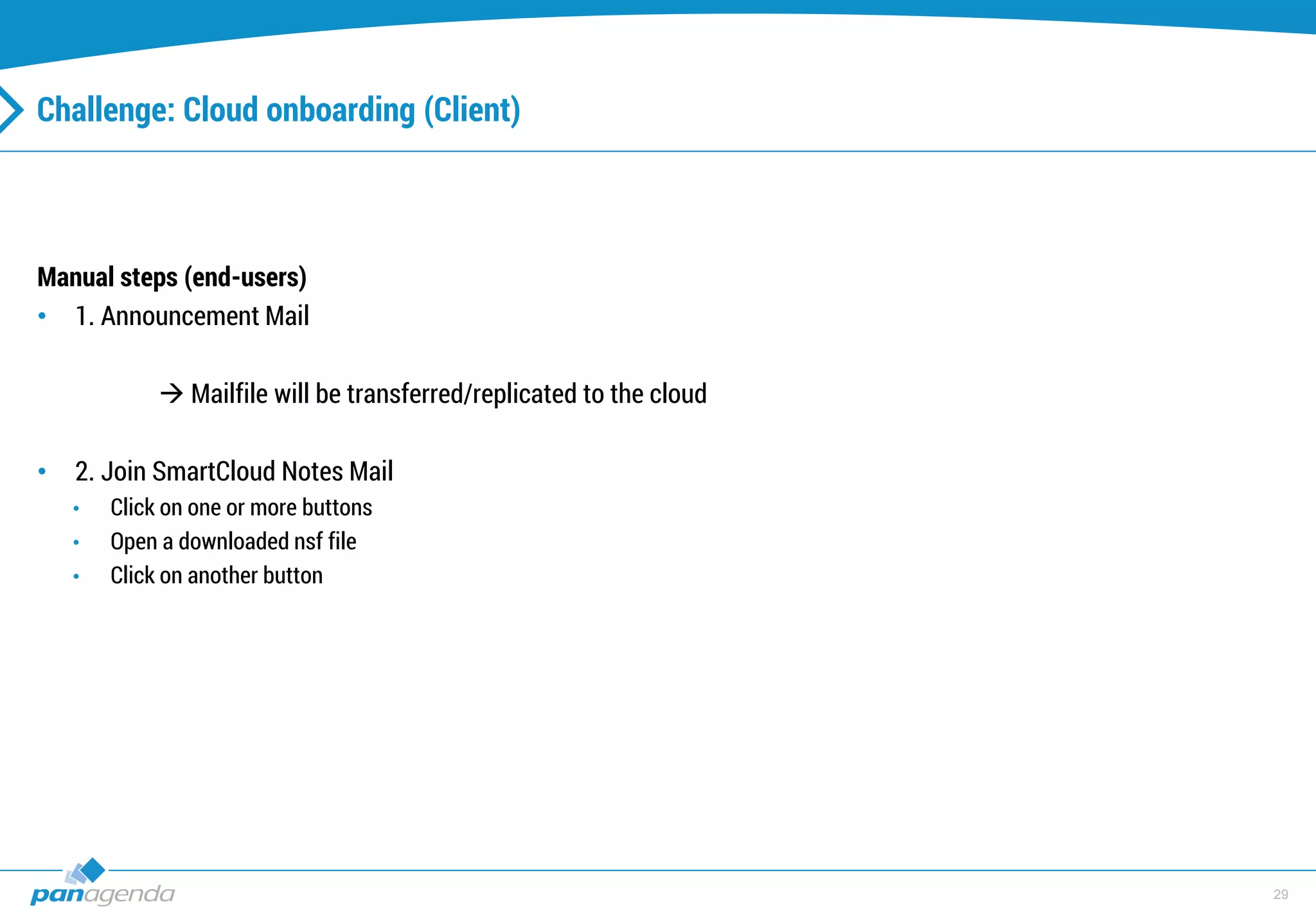
Challenge: Cloud onboarding (Client)
Manual steps (end-users)
• 1. Announcement Mail
 Mailfile will be transferred/replicated to the cloud
• 2. Join SmartCloud Notes Mail
• Click on one or more buttons
• Open a downloaded nsf file
• Click on another button
30
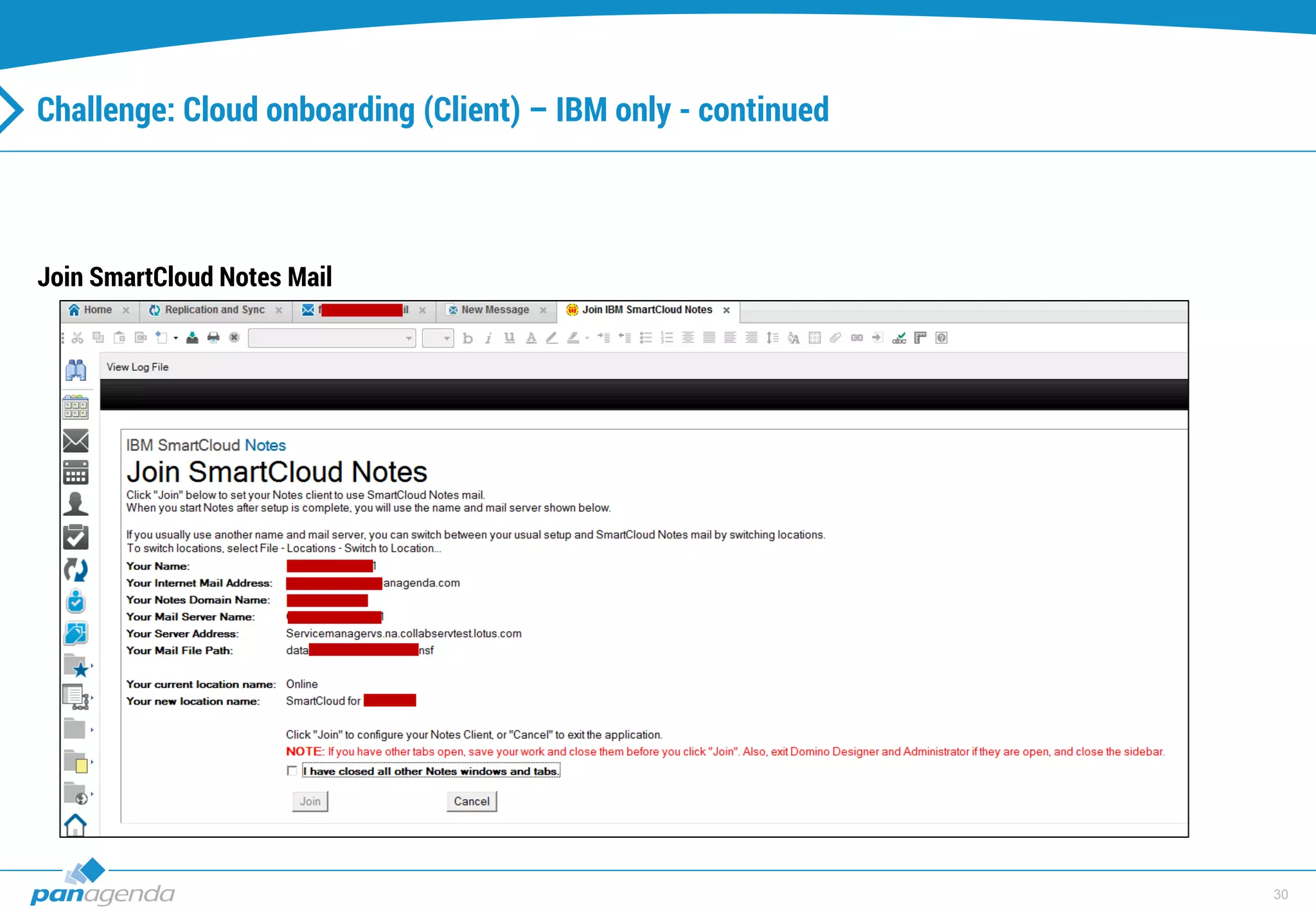
Challenge: Cloud onboarding (Client) – IBM only - continued
Join SmartCloud Notes Mail
31
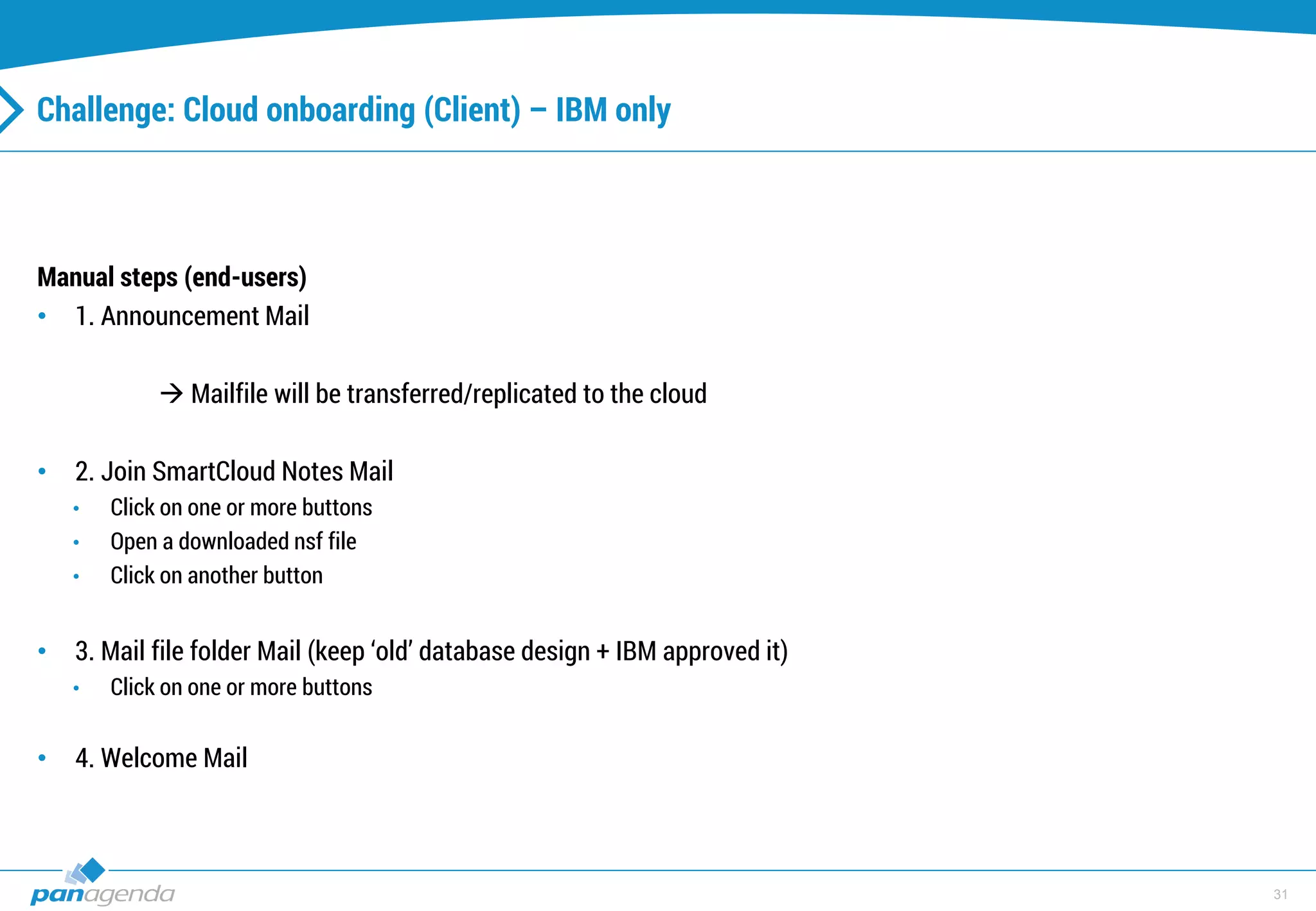
Challenge: Cloud onboarding (Client) – IBM only
Manual steps (end-users)
• 1. Announcement Mail
 Mailfile will be transferred/replicated to the cloud
• 2. Join SmartCloud Notes Mail
• Click on one or more buttons
• Open a downloaded nsf file
• Click on another button
• 3. Mail file folder Mail (keep ‘old’ database design + IBM approved it)
• Click on one or more buttons
• 4. Welcome Mail
32
More virtualizations for a better preparation
33
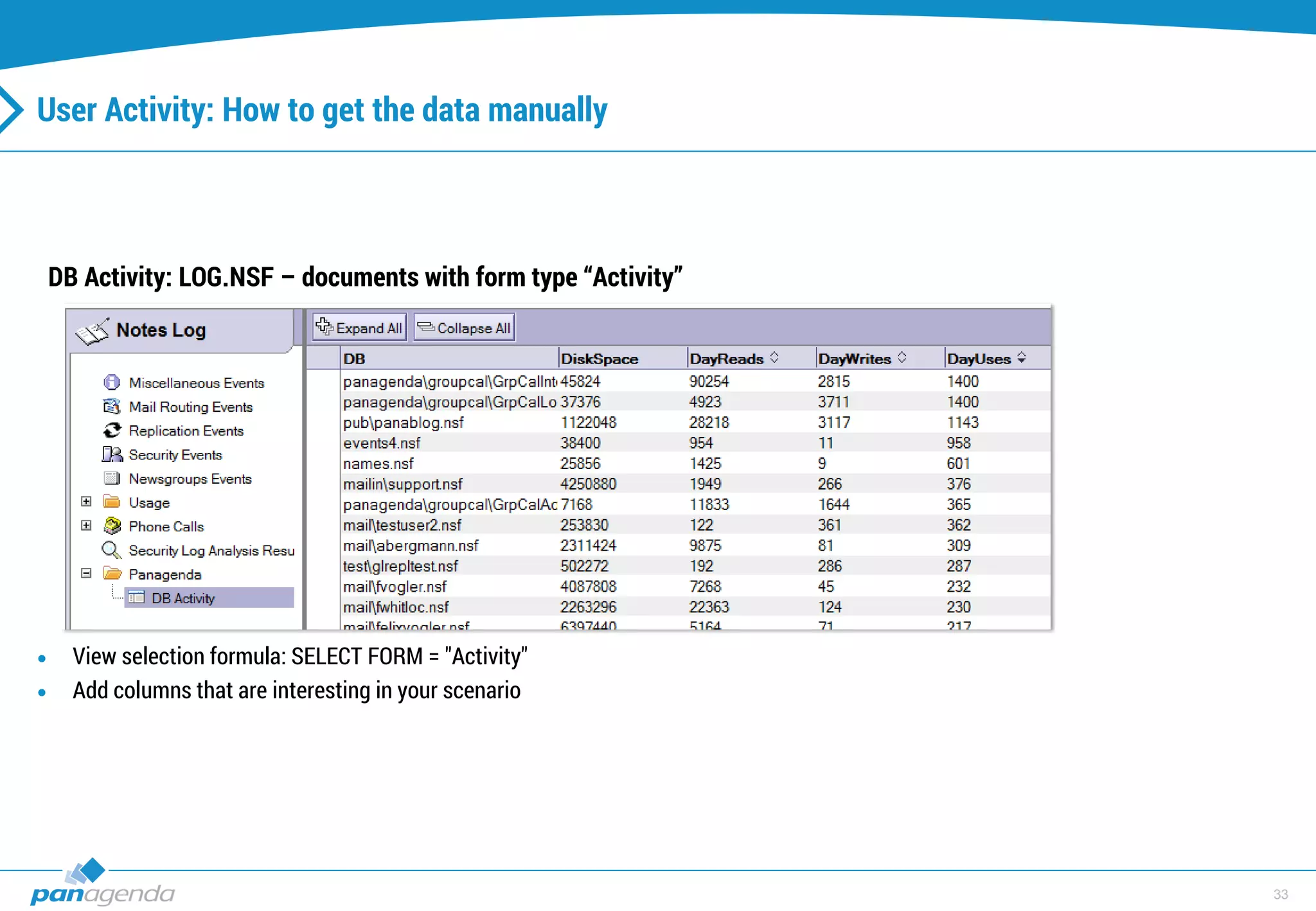
User Activity: How to get the data manually
DB Activity: LOG.NSF – documents with form type “Activity”
 View selection formula: SELECT FORM = "Activity"
 Add columns that are interesting in your scenario
34
User Activity: How to get the data manually - continued
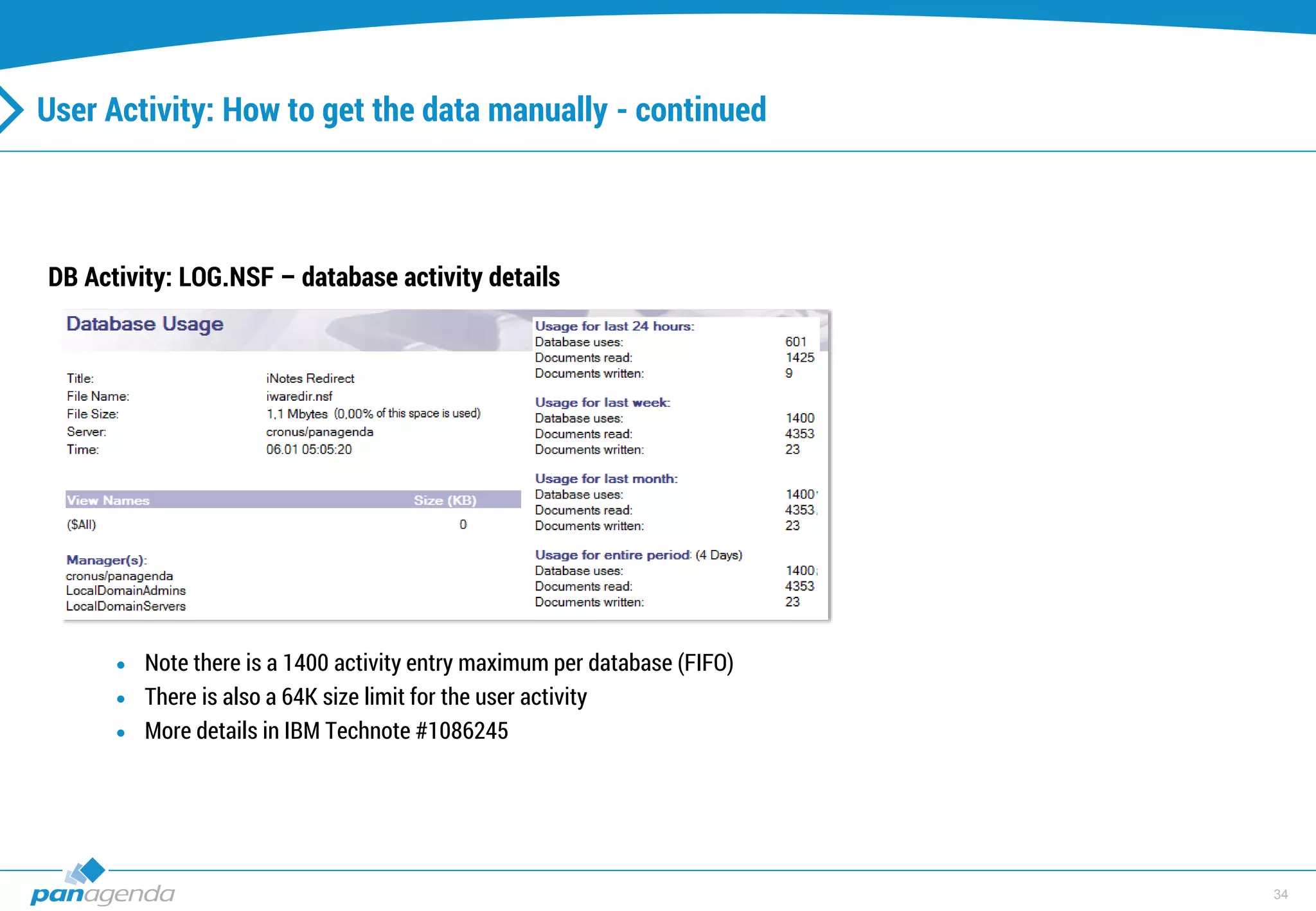
DB Activity: LOG.NSF – database activity details
 Note there is a 1400 activity entry maximum per database (FIFO)
 There is also a 64K size limit for the user activity
 More details in IBM Technote #1086245
35
User Activity: How to get the data manually - continued
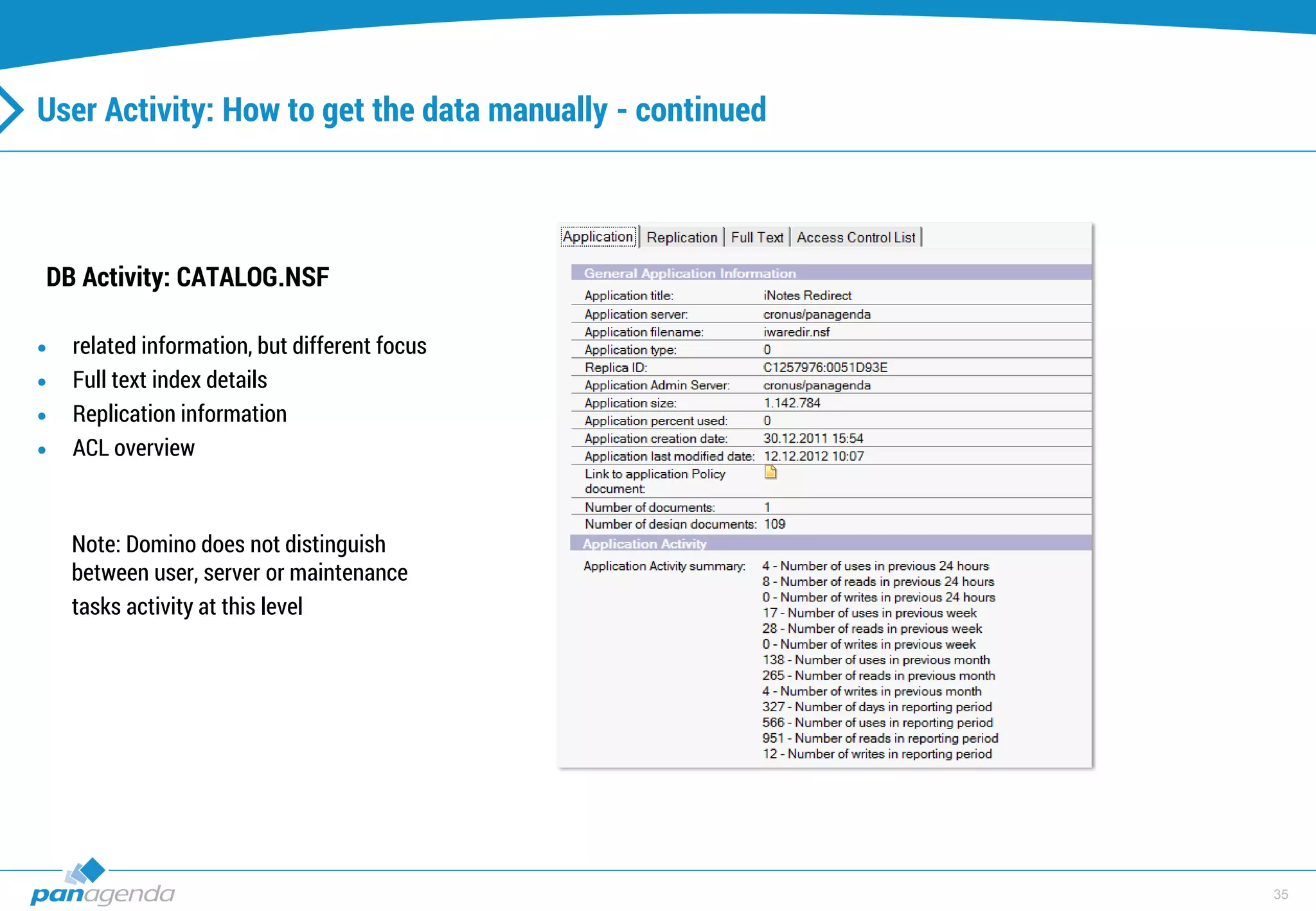
DB Activity: CATALOG.NSF
 related information, but different focus
 Full text index details
 Replication information
 ACL overview
Note: Domino does not distinguish
between user, server or maintenance
tasks activity at this level
36
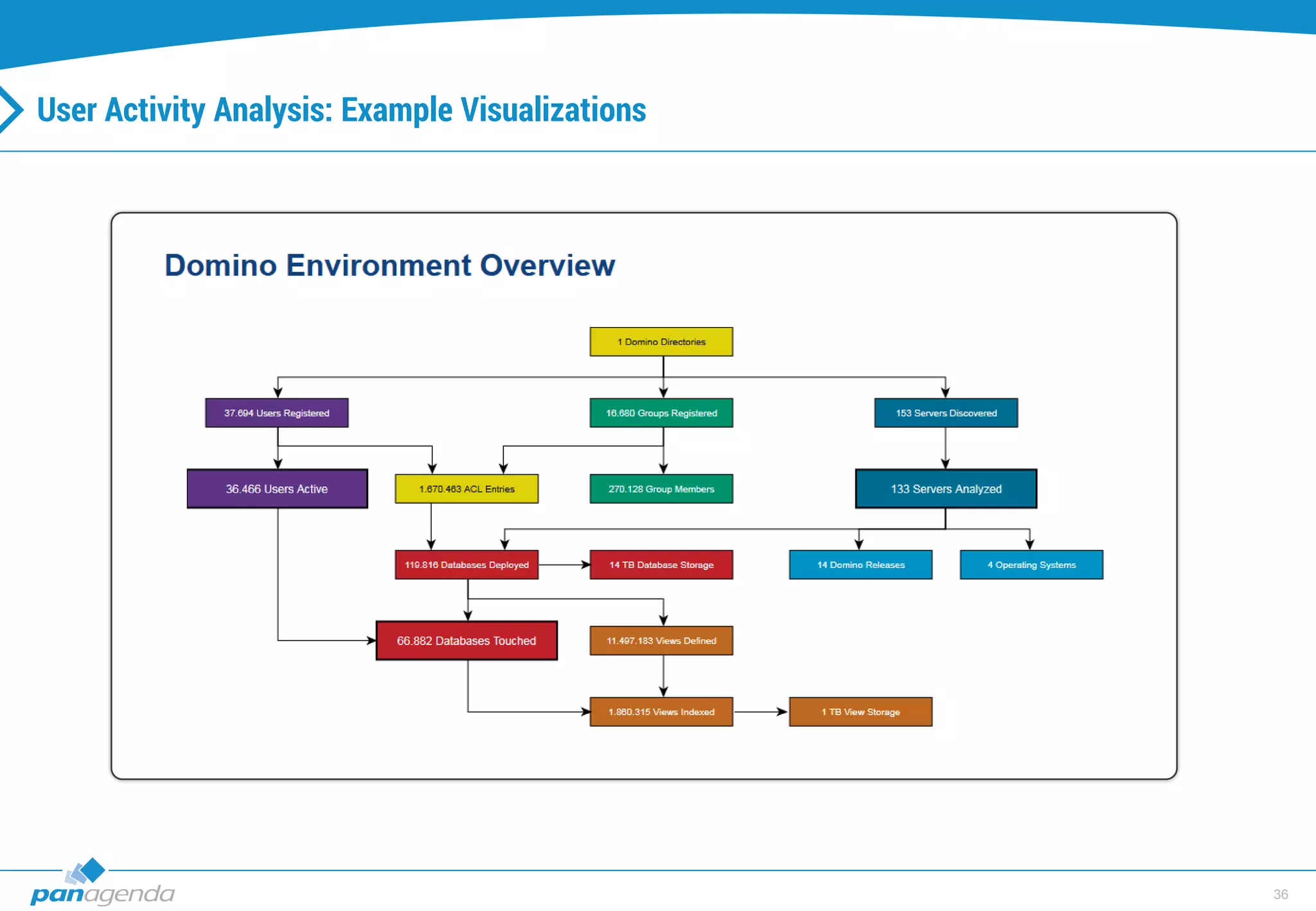
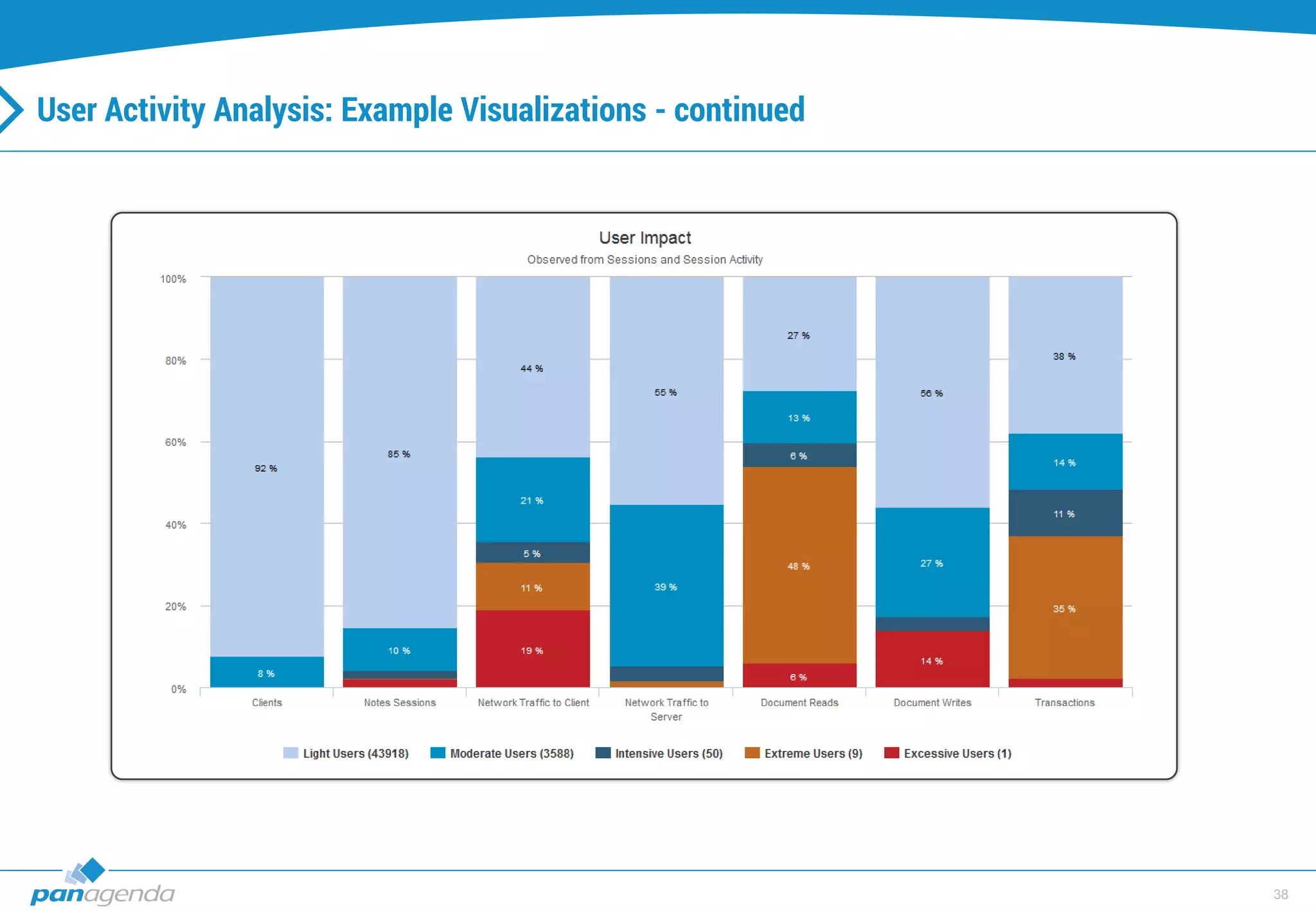
User Activity Analysis: Example Visualizations
37
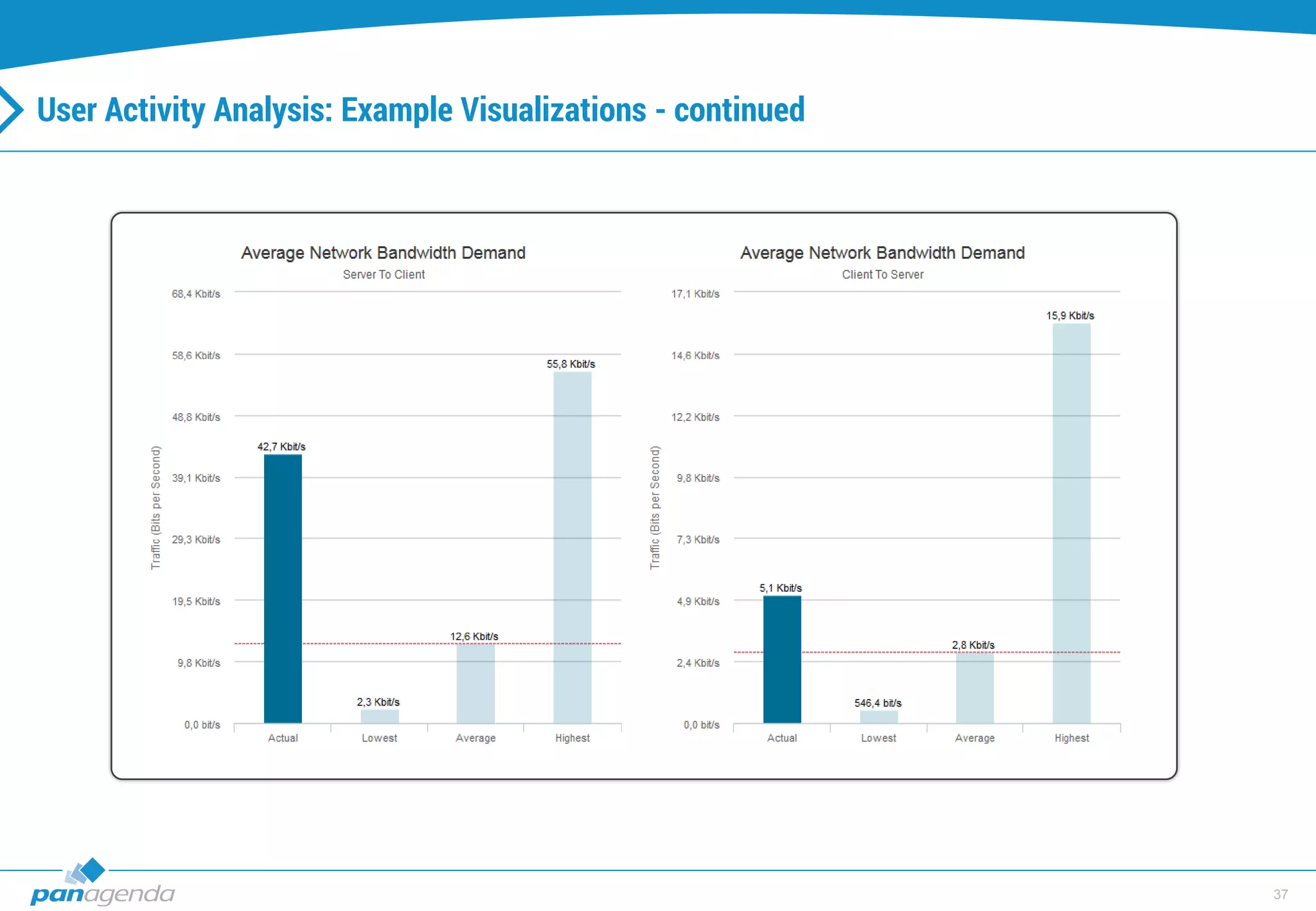
User Activity Analysis: Example Visualizations - continued
38
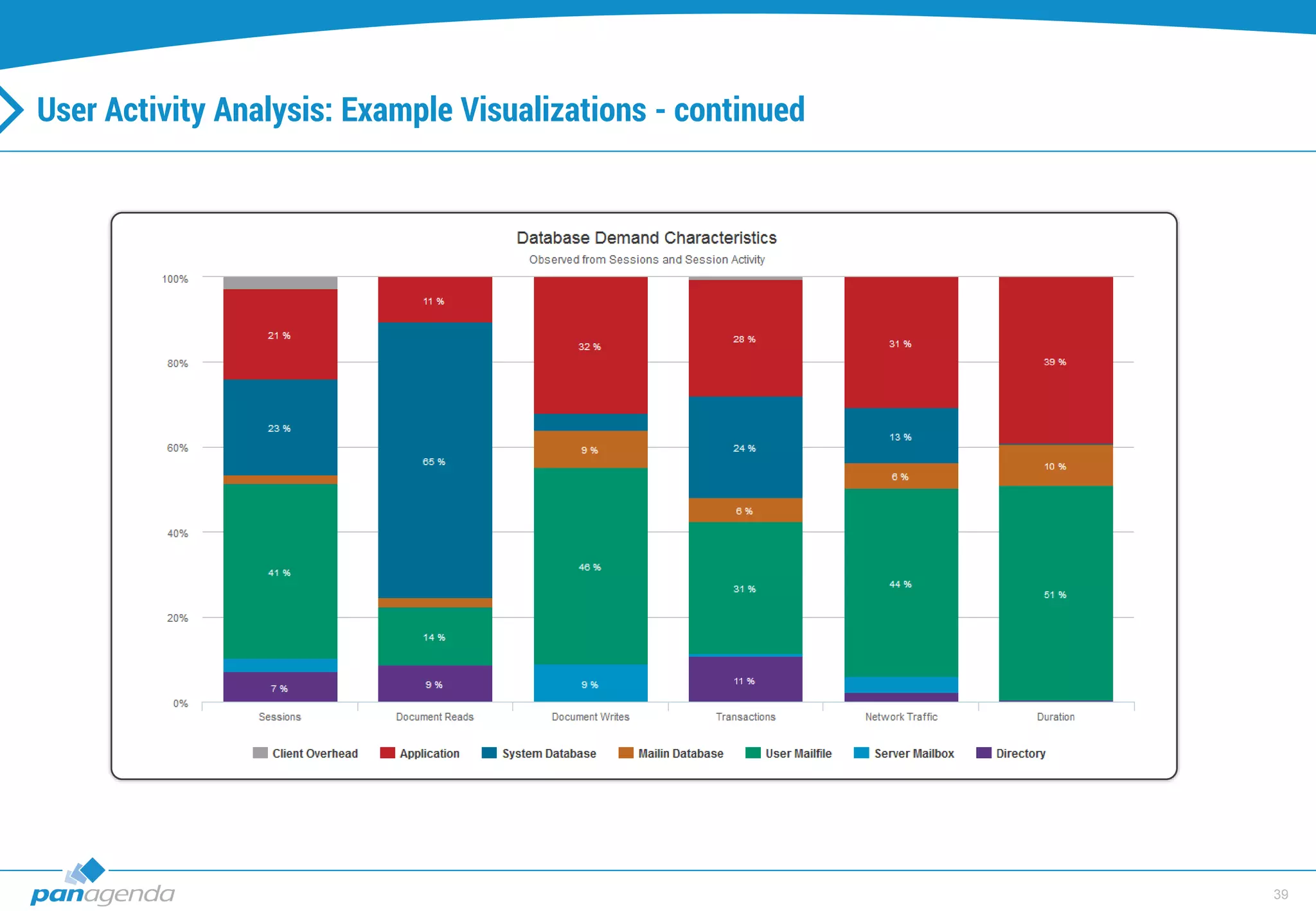
User Activity Analysis: Example Visualizations - continued
39
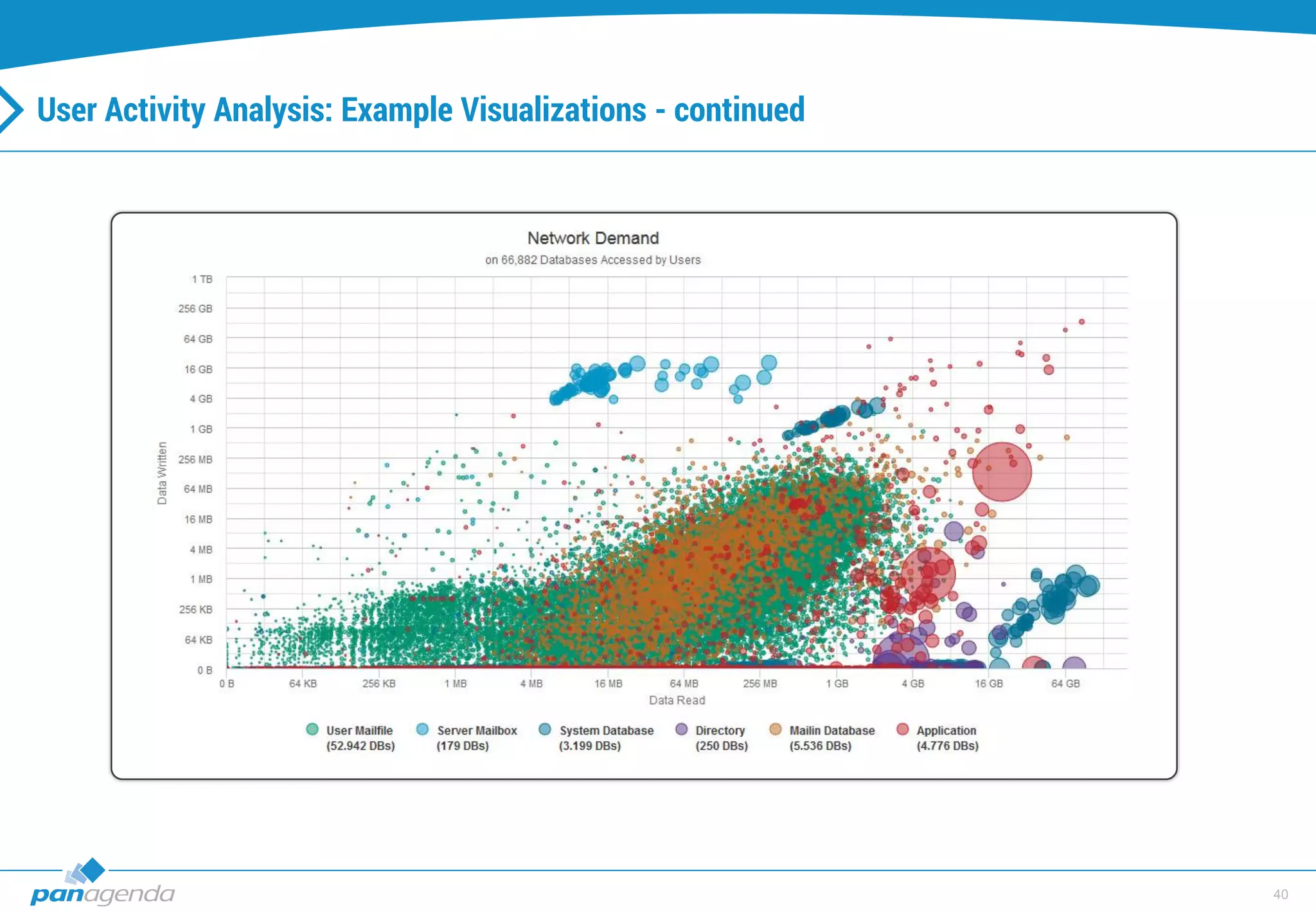
User Activity Analysis: Example Visualizations - continued
40
User Activity Analysis: Example Visualizations - continued
41
Q & A
42
Thank you !
43
Christoph Adler
Technical Account Manager
panagenda GmbH – Solutions for Infrastructure Analysis and Optimization
● Donnersbergstr. 1 ● 64646 Heppenheim (Germany)
● Cell: +49 172 494 4141
● Phone: +49 6252 679 39-52 ● Fax: +49 6252 679 39-16
● E-Mail: christoph.adler@panagenda.com
Contact

Going Cloud - warum und wie? - 42. DNUG

  • 1.
    Going Cloud -warum und wie (IS11) DNUG – Dortmund, Juni 2015
  • 2.
  • 3.
  • 4.
    4 Christoph Adler Technical AccountManager – panagenda IBM (Lotus) Notes / Domino since 2001 Consulting for projects  Administration  Migration / Consolidation  Client Management  Application Management Since 2012 TAM at panagenda with core competence in  Notes Client Management  ICS Infrastructure Analysis and Optimizations Good to know…  Frequent traveler  Projects with many different companies in different countries  Beer or Wine? Beer!
  • 5.
    5 Going (Migrating) tothe cloud, why?
  • 6.
  • 7.
    7 The Digital Universe- continued 1 Zettabyte = 1.000 Exabyte = 1.000 Petabyte = 1.000 Terabyte = 1.000 Gigabyte 1 Zettabyte = 1.000.000.000.000 Gigabyte
  • 8.
  • 9.
  • 10.
  • 11.
    11 The Digital Universe- continued The irony of the digital universe is that, while most of it (almost 70%) is created by the actions of individuals – taking pictures, watching digital TV, being captured on surveillance cameras in airports – enterprises have contact with, and therefore liability and responsibility for more of it (85%), such as account information, email addresses, location stamps, and so on.
  • 12.
  • 13.
    13 Other reasons? • Featuresfeatures features (cloud first) • (unlimited) disk space • Less license costs • Availability • Performance • Connectivity • […]
  • 14.
  • 15.
  • 16.
    16 Top 3 Challengesfor Cloud Messaging
  • 17.
    17 IBM (Connections) Cloudofferings (short)
  • 18.
  • 19.
    19 IBM (Connections) Cloudofferings • IBM Connections Cloud S1 (formerly IBM SmartCloud Engage Advanced) • IBM Connections Cloud S2 (formerly IBM SmartCloud Engage) • IBM Connections Files on Cloud • IBM Connections Meetings Cloud (formerly IBM SmartCloud Meetings) • IBM Connections Social Cloud (formerly IBM SmartCloud Connections) • SmartCloud Notes • IBM Connections Chat Cloud • IBM Web Mail Cloud (formerly IBM SmartCloud iNotes) • IBM Connections Archive Essentials Cloud (formerly IBM SmartCloud Archive Essentials) Source(s) • http://www-03.ibm.com/software/products/en/ibm-connections-cloud • http://www.ibm.com/cloud-computing/social/us/en/planspricing/
  • 20.
  • 21.
  • 22.
  • 23.
    23 Challenge: Cloud onboarding– Preparation - continued ? ? ? ? On Premises
  • 24.
    24 Challenge: Cloud onboarding– Preparation - continued ? ? ? ? Off Premises
  • 25.
    25 Challenge: Cloud onboarding– Preparation - continued
  • 26.
    26 IBM Domino Doublecheckor third-party solutions
  • 27.
    27 IBM Domino Doublecheckor third-party solutions - continued
  • 28.
    28 Challenge: Cloud onboarding(Server) IBM Mail Onboarding Manager
  • 29.
    29 Challenge: Cloud onboarding(Client) Manual steps (end-users) • 1. Announcement Mail  Mailfile will be transferred/replicated to the cloud • 2. Join SmartCloud Notes Mail • Click on one or more buttons • Open a downloaded nsf file • Click on another button
  • 30.
    30 Challenge: Cloud onboarding(Client) – IBM only - continued Join SmartCloud Notes Mail
  • 31.
    31 Challenge: Cloud onboarding(Client) – IBM only Manual steps (end-users) • 1. Announcement Mail  Mailfile will be transferred/replicated to the cloud • 2. Join SmartCloud Notes Mail • Click on one or more buttons • Open a downloaded nsf file • Click on another button • 3. Mail file folder Mail (keep ‘old’ database design + IBM approved it) • Click on one or more buttons • 4. Welcome Mail
  • 32.
    32 More virtualizations fora better preparation
  • 33.
    33 User Activity: Howto get the data manually DB Activity: LOG.NSF – documents with form type “Activity”  View selection formula: SELECT FORM = "Activity"  Add columns that are interesting in your scenario
  • 34.
    34 User Activity: Howto get the data manually - continued DB Activity: LOG.NSF – database activity details  Note there is a 1400 activity entry maximum per database (FIFO)  There is also a 64K size limit for the user activity  More details in IBM Technote #1086245
  • 35.
    35 User Activity: Howto get the data manually - continued DB Activity: CATALOG.NSF  related information, but different focus  Full text index details  Replication information  ACL overview Note: Domino does not distinguish between user, server or maintenance tasks activity at this level
  • 36.
    36 User Activity Analysis:Example Visualizations
  • 37.
    37 User Activity Analysis:Example Visualizations - continued
  • 38.
    38 User Activity Analysis:Example Visualizations - continued
  • 39.
    39 User Activity Analysis:Example Visualizations - continued
  • 40.
    40 User Activity Analysis:Example Visualizations - continued
  • 41.
  • 42.
  • 43.
    43 Christoph Adler Technical AccountManager panagenda GmbH – Solutions for Infrastructure Analysis and Optimization ● Donnersbergstr. 1 ● 64646 Heppenheim (Germany) ● Cell: +49 172 494 4141 ● Phone: +49 6252 679 39-52 ● Fax: +49 6252 679 39-16 ● E-Mail: christoph.adler@panagenda.com Contact