Upgrade Your Time
New Teams Client Architecture Autopsy
A Look Under the Hood
October 8th, 2024
Christoph Adler
Head of Solution Consulting
christoph.adler@panagenda.com
Host & Speaker
Femke Goedhart
Product Marketing Manager
& Business Consultant
femke.goedhart@panagenda.com
Before We Start
All attendee lines are muted
This is to prevent interruptions during the
presentation.
X
The webinar is being recorded
After the webinar, we will send you a mail to give
access to the recording and presentation slides.
Please submit questions via
the Chat or Q&A panel
Your questions will be addressed directly during
the webinar or in the Q&A section after the
presentation.
Share your feedback with us
Use the link provided at the end to let us know
what we can do better.
Agenda
Microsoft Teams (New)
1. Architecture
2. Client App
3. Client Update process
4. Client .exe(s) and processes
5. Policies
6. Troubleshooting
About panagenda
• Founded 2007, privately owned and funded
• HQ in Vienna (Austria)
• Offices in Germany, USA and The Netherlands
• panagendians work from >20 different locations
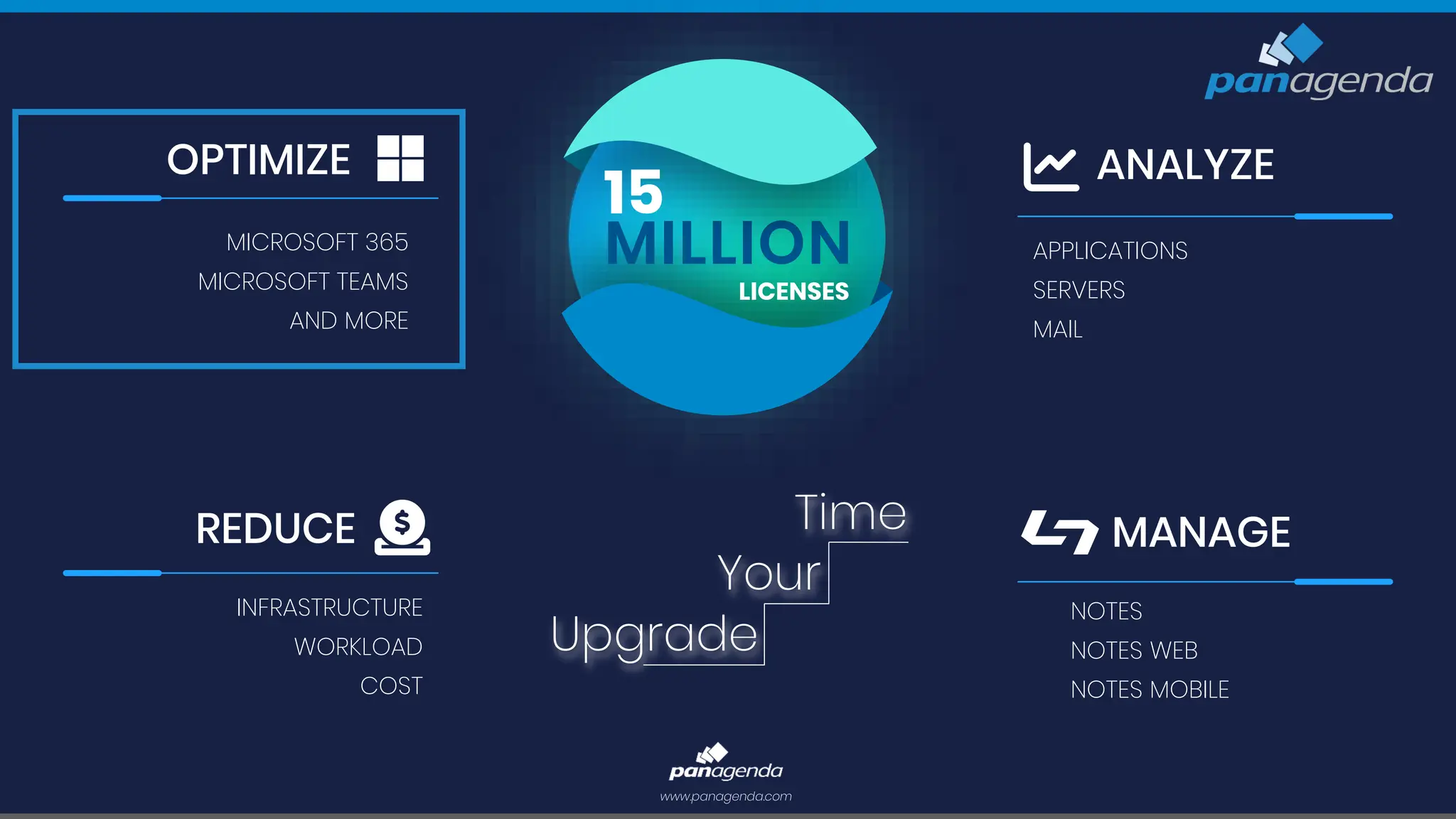
MILLION
LICENSES
15
REDUCE
INFRASTRUCTURE
WORKLOAD
COST
ANALYZE
APPLICATIONS
SERVERS
MAIL
MANAGE
NOTES
NOTES WEB
NOTES MOBILE
www.panagenda.com
Your
Upgrade
Time
OPTIMIZE
MICROSOFT 365
MICROSOFT TEAMS
AND MORE
We know that the new Teams client (v2.1)
is not new any longer, but …
Wording
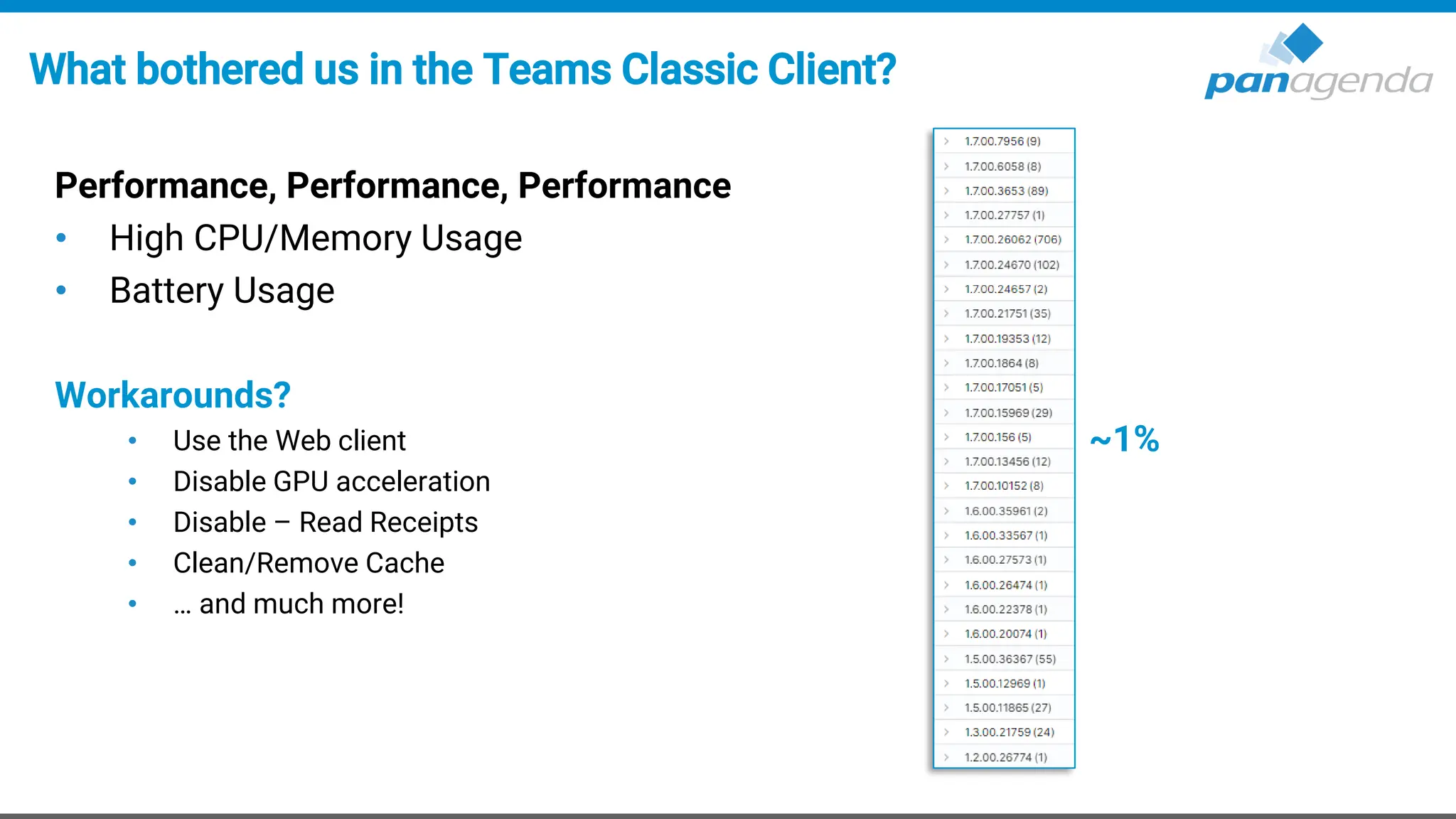
What bothered us in the Teams Classic Client?
Performance, Performance, Performance
• High CPU/Memory Usage
• Battery Usage
Workarounds?
• Use the Web client
• Disable GPU acceleration
• Disable – Read Receipts
• Clean/Remove Cache
• … and much more!
~1%
Upgrade Your Time
1. Architecture
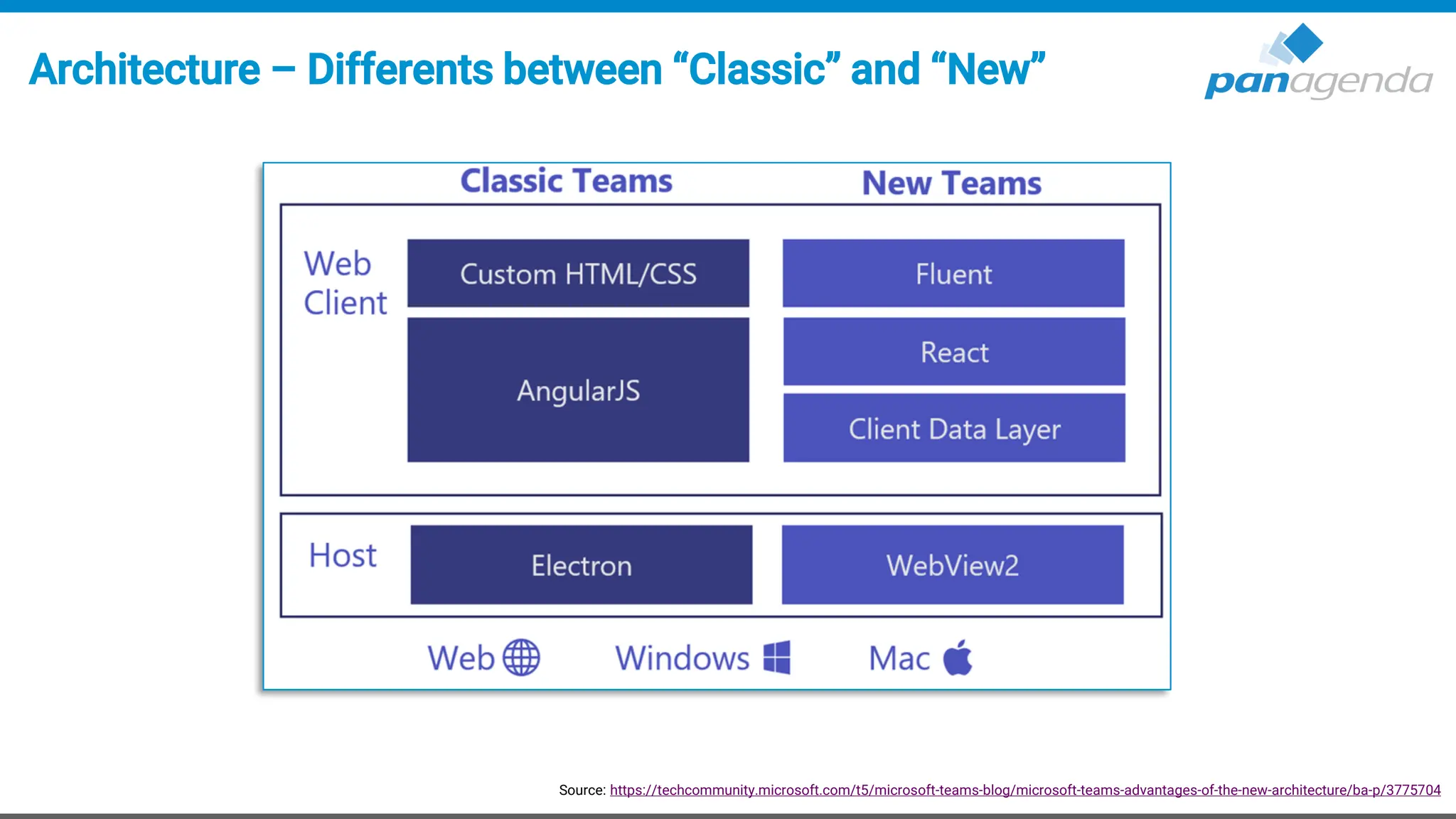
Architecture – Differents between “Classic” and “New”
Source: https://techcommunity.microsoft.com/t5/microsoft-teams-blog/microsoft-teams-advantages-of-the-new-architecture/ba-p/3775704
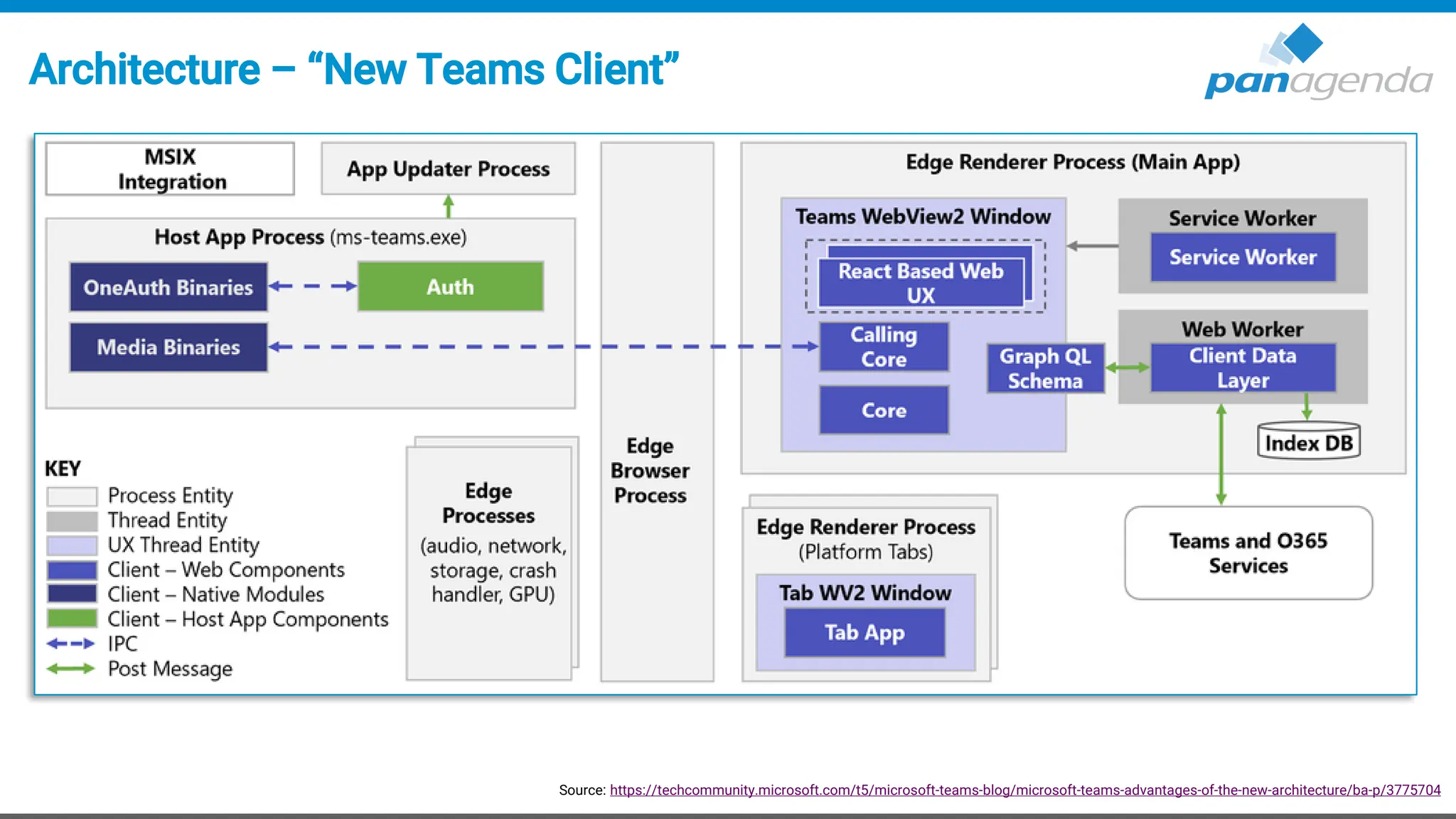
Architecture – “New Teams Client”
Source: https://techcommunity.microsoft.com/t5/microsoft-teams-blog/microsoft-teams-advantages-of-the-new-architecture/ba-p/3775704
Upgrade Your Time
2. Client App
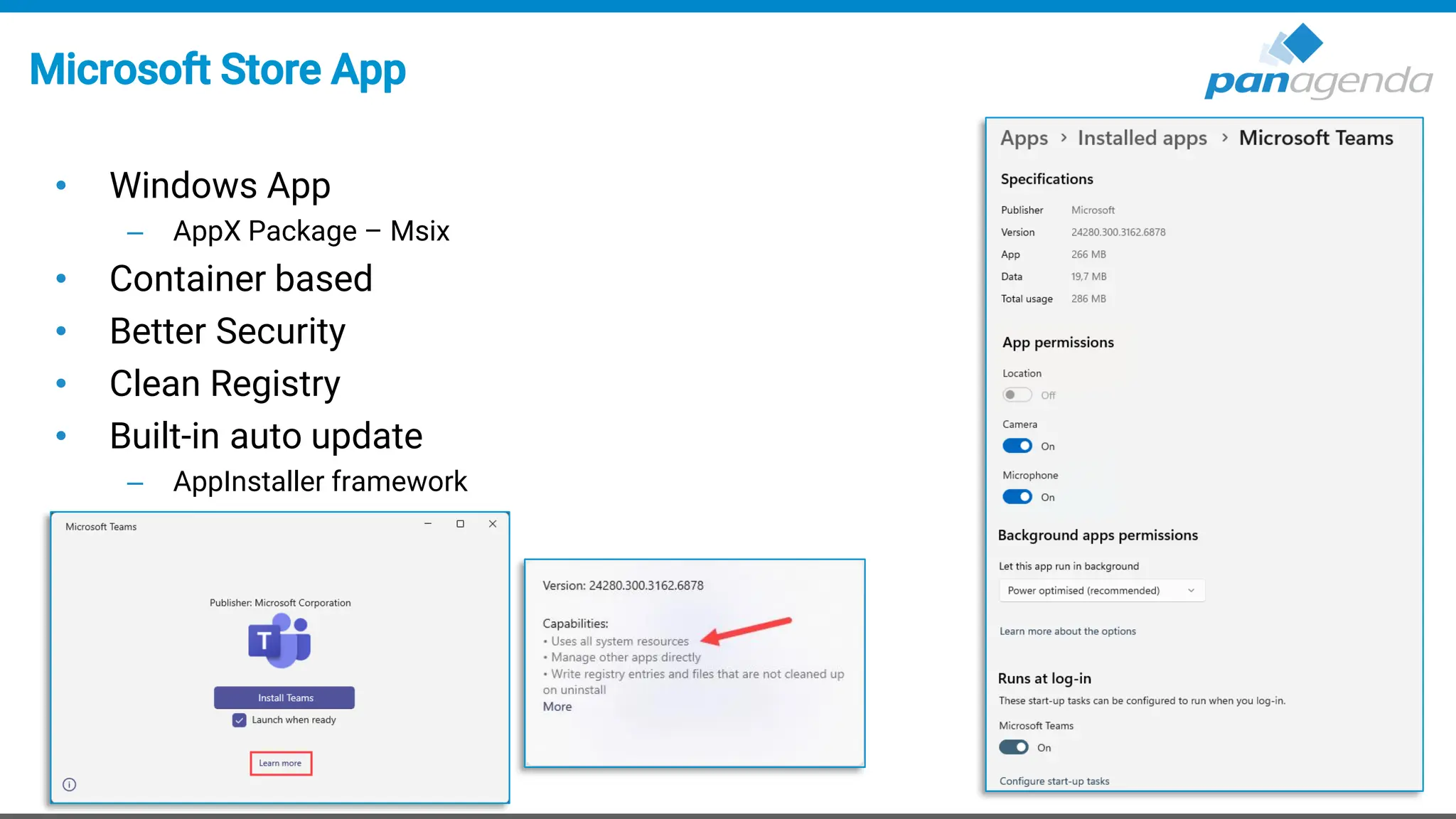
Microsoft Store App
• Windows App
– AppX Package – Msix
• Container based
• Better Security
• Clean Registry
• Built-in auto update
– AppInstaller framework
Local folders
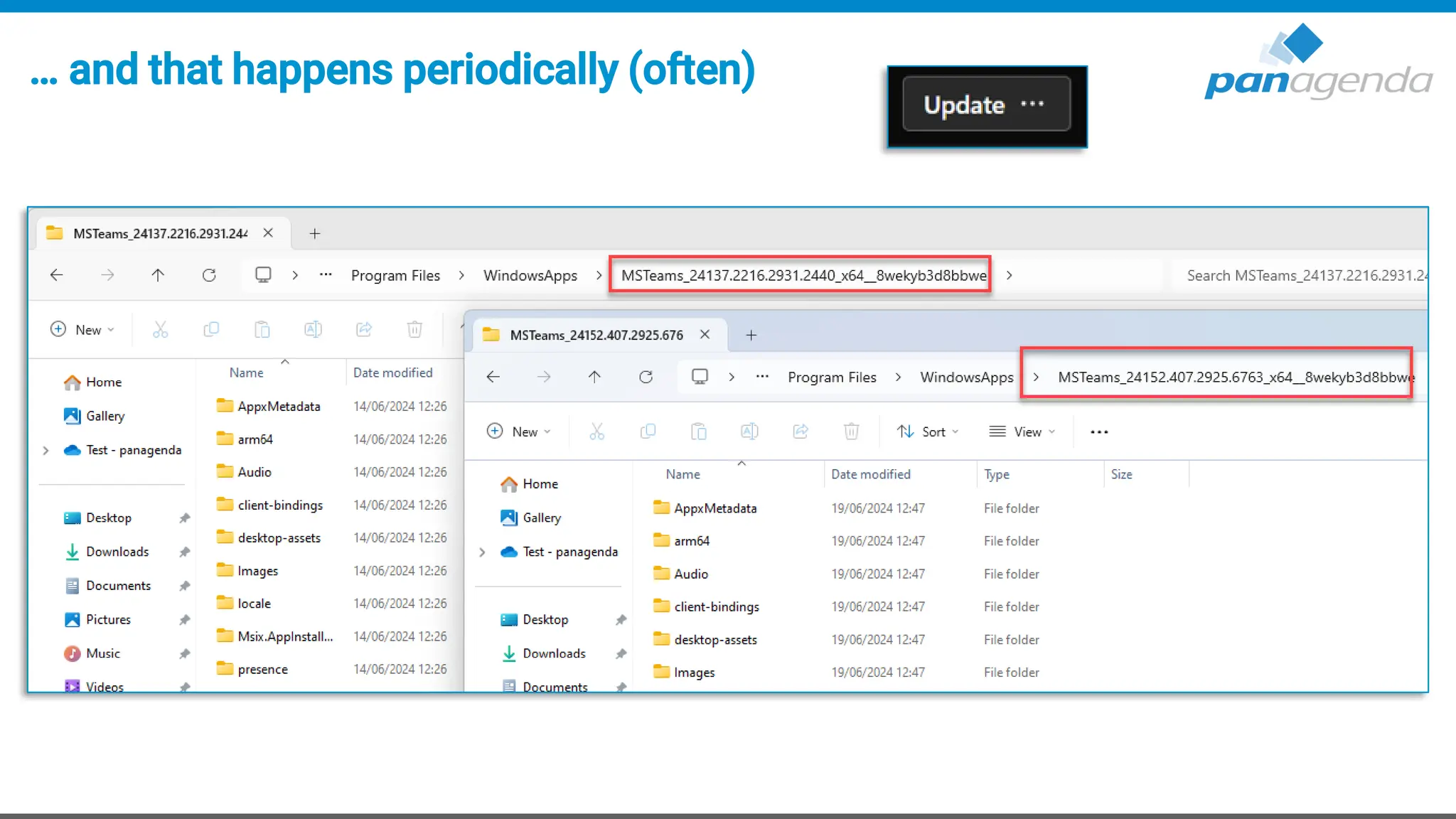
• App path %ProgramFiles%WindowsAppsMSTeams_[version]_[Arch]_8wekyb3d8bbwe
– Dynamic path, which changes with every single version update (build number)
• User path %LocalAppData%PackagesMSTeams_8wekyb3d8bbwe
– Appx package will be provisioned after first user windows logon
• Webview2 path %ProgramFiles(x86)%MicrosoftEdgeWebViewApplication
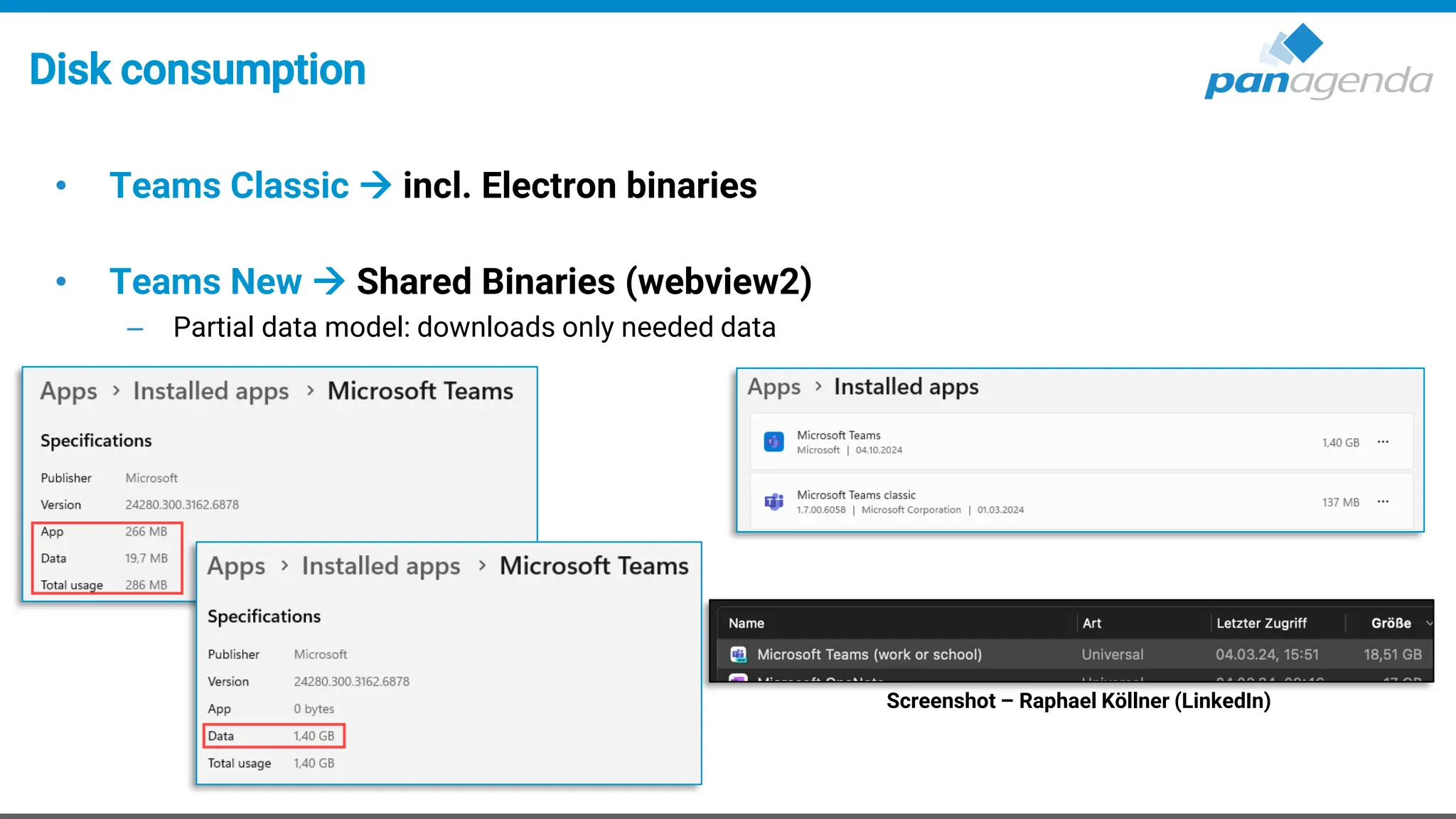
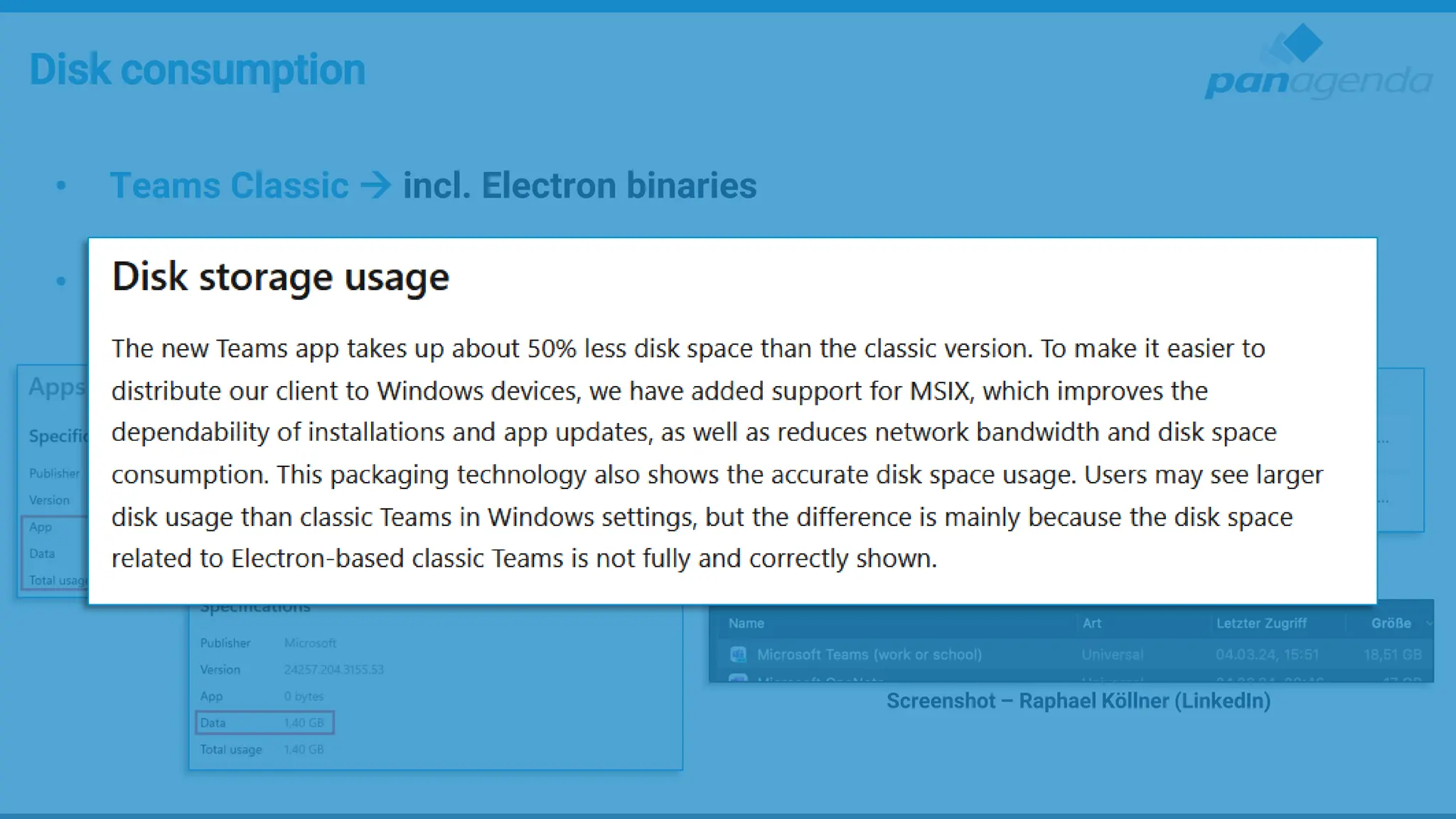
Disk consumption
• Teams Classic → incl. Electron binaries
• Teams New → Shared Binaries (webview2)
– Partial data model: downloads only needed data
Screenshot – Raphael Köllner (LinkedIn)
Disk consumption
• Teams Classic → incl. Electron binaries
• Teams New → Shared Binaries (webview2)
– Partial data model: downloads only needed data
Screenshot – Raphael Köllner (LinkedIn)
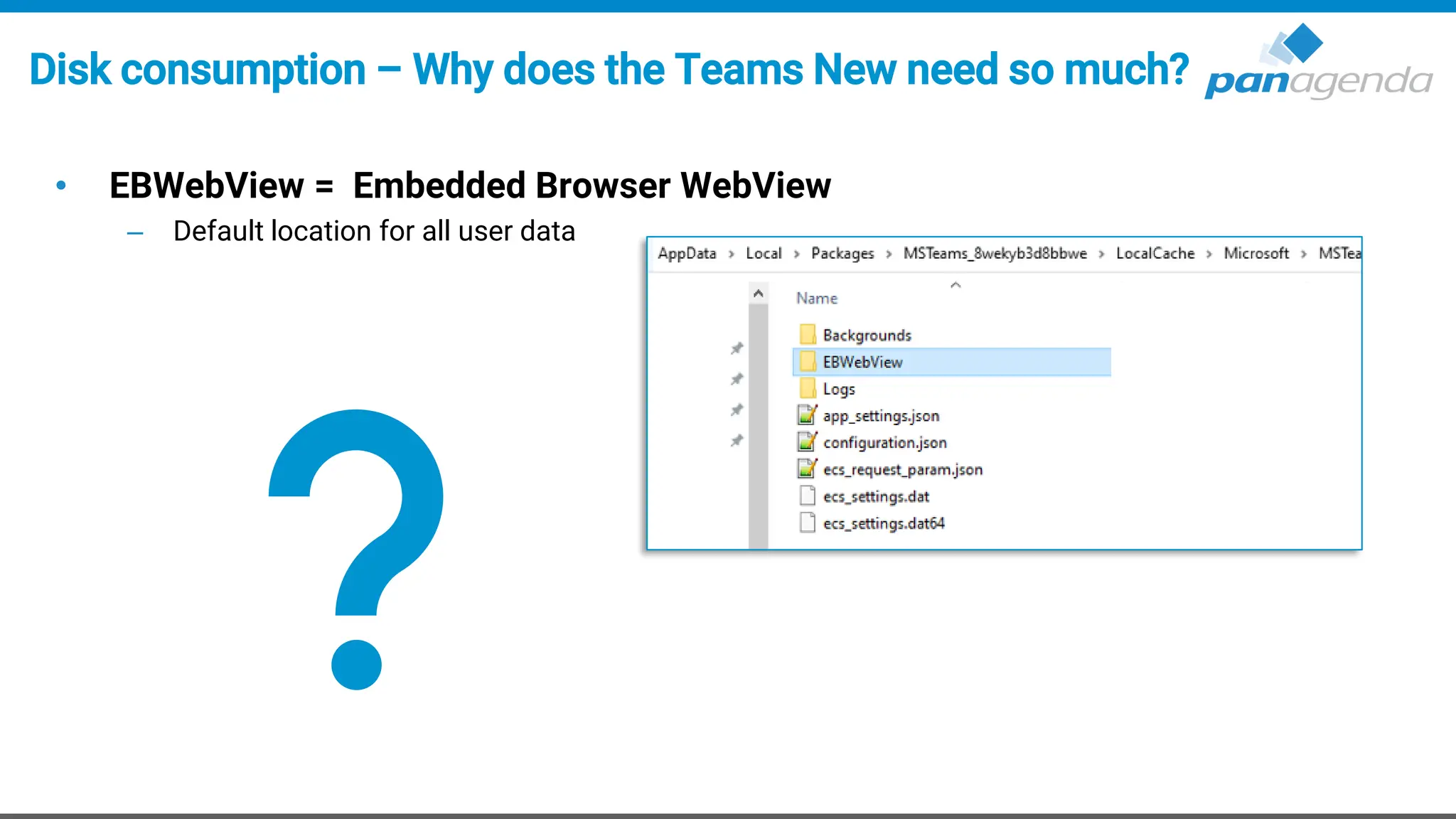
Disk consumption – Why does the Teams New need so much?
• EBWebView = Embedded Browser WebView
– Default location for all user data
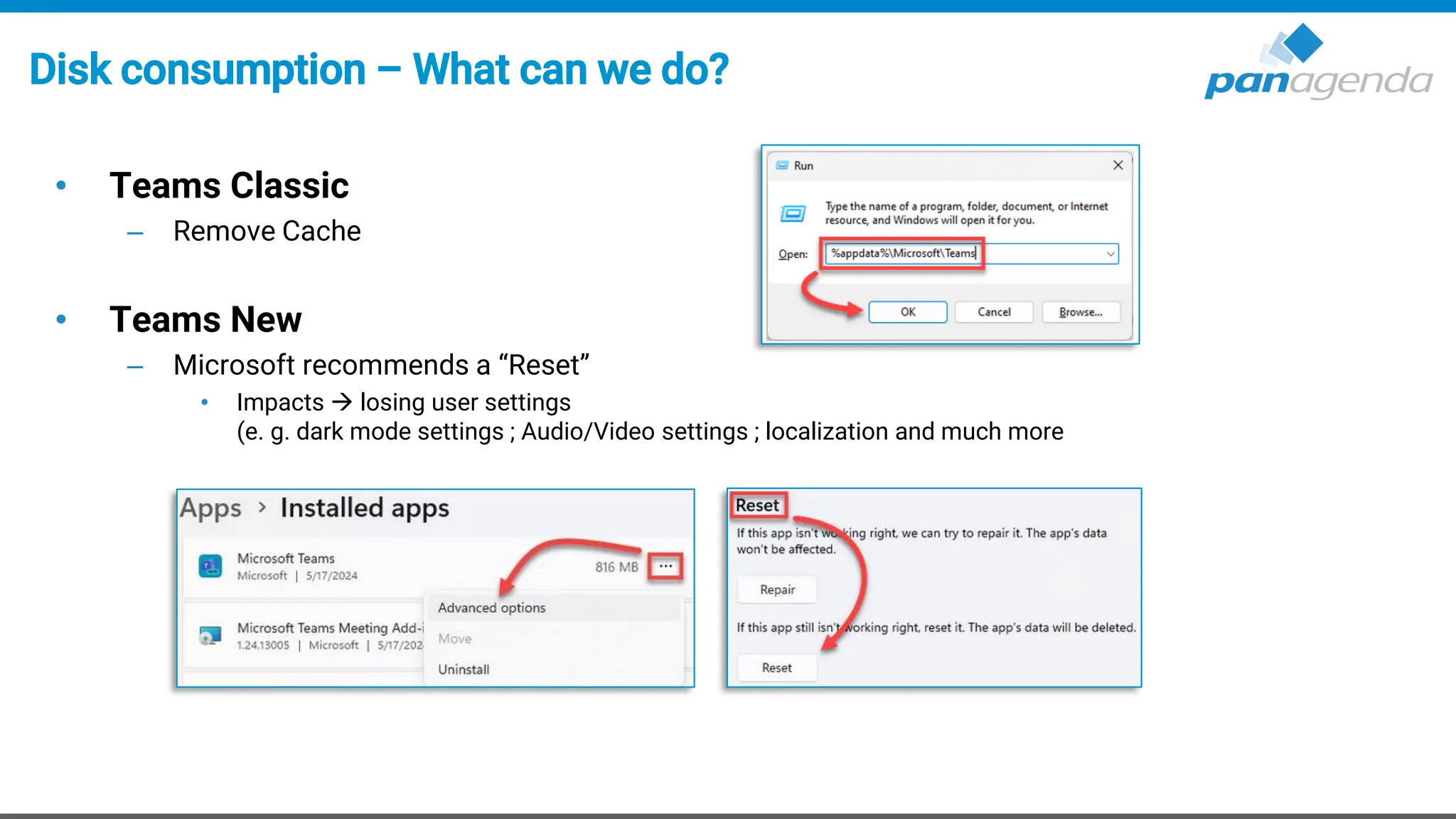
Disk consumption – What can we do?
• Teams Classic
– Remove Cache
• Teams New
– Microsoft recommends a “Reset”
• Impacts → losing user settings
(e. g. dark mode settings ; Audio/Video settings ; localization and much more
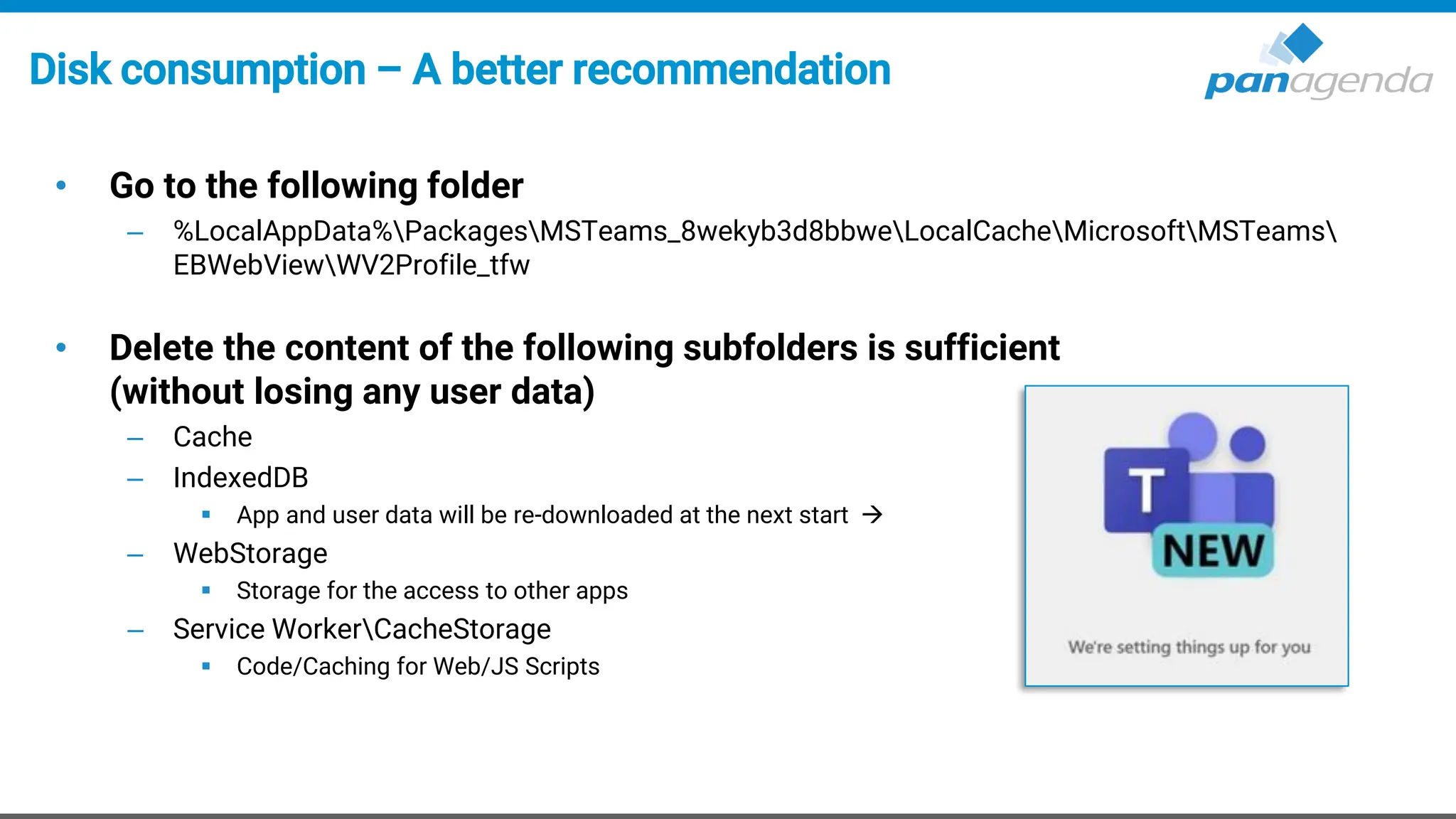
Disk consumption – A better recommendation
• Go to the following folder
– %LocalAppData%PackagesMSTeams_8wekyb3d8bbweLocalCacheMicrosoftMSTeams
EBWebViewWV2Profile_tfw
• Delete the content of the following subfolders is sufficient
(without losing any user data)
– Cache
– IndexedDB
▪ App and user data will be re-downloaded at the next start →
– WebStorage
▪ Storage for the access to other apps
– Service WorkerCacheStorage
▪ Code/Caching for Web/JS Scripts
Configuration
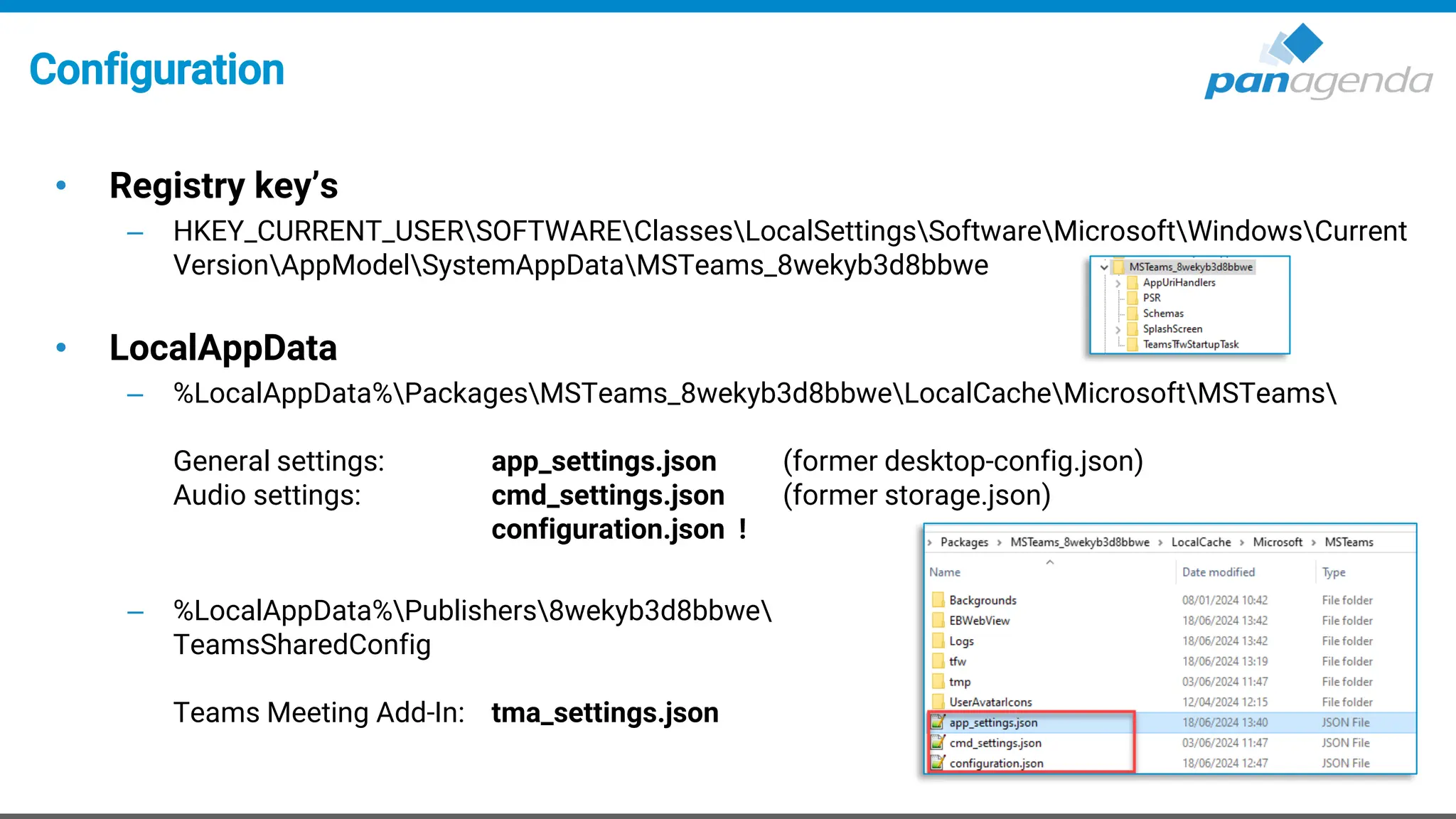
• Registry key’s
– HKEY_CURRENT_USERSOFTWAREClassesLocalSettingsSoftwareMicrosoftWindowsCurrent
VersionAppModelSystemAppDataMSTeams_8wekyb3d8bbwe
• LocalAppData
– %LocalAppData%PackagesMSTeams_8wekyb3d8bbweLocalCacheMicrosoftMSTeams
General settings: app_settings.json (former desktop-config.json)
Audio settings: cmd_settings.json (former storage.json)
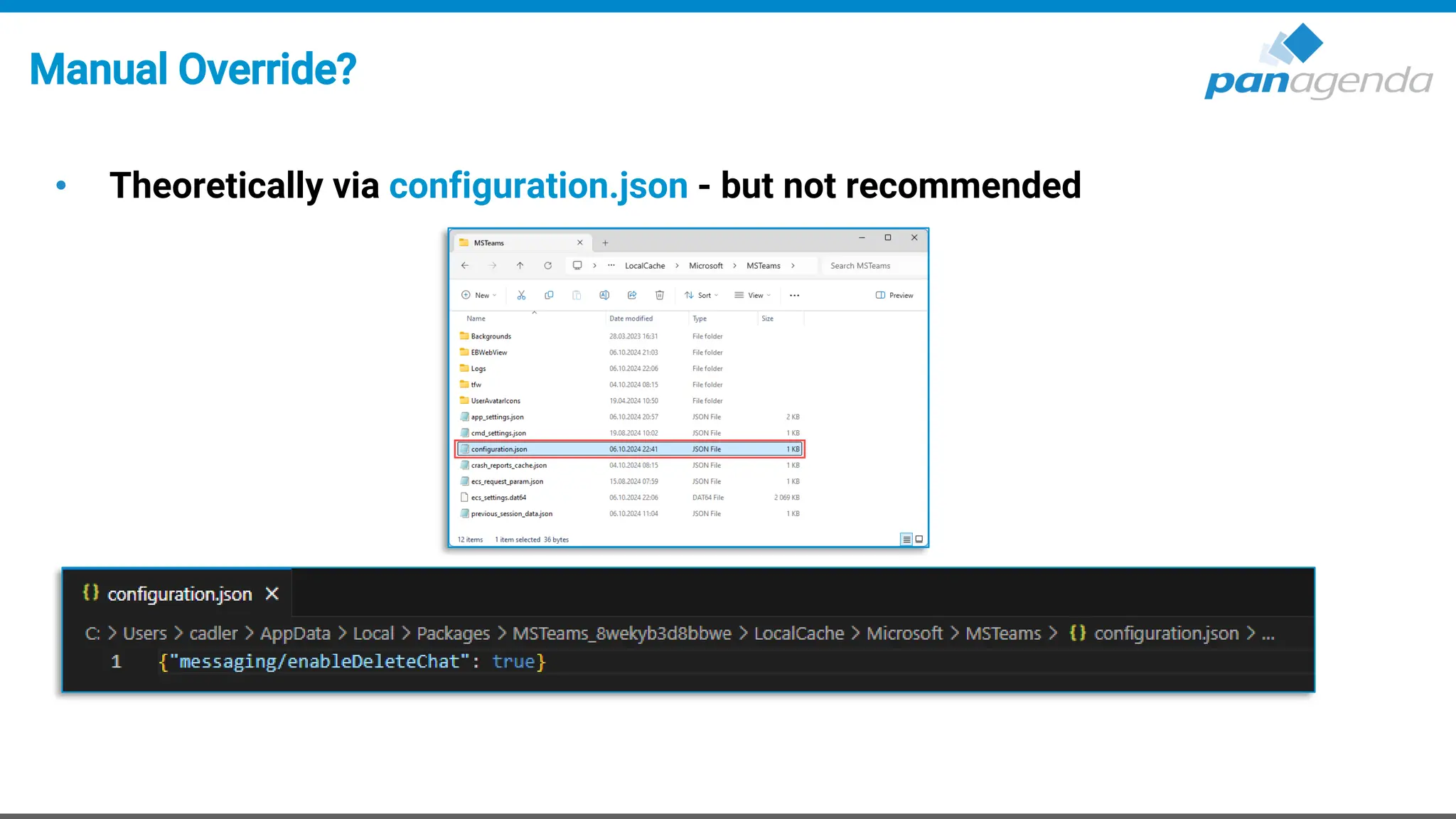
configuration.json !
– %LocalAppData%Publishers8wekyb3d8bbwe
TeamsSharedConfig
Teams Meeting Add-In: tma_settings.json
Upgrade Your Time
3. Update process
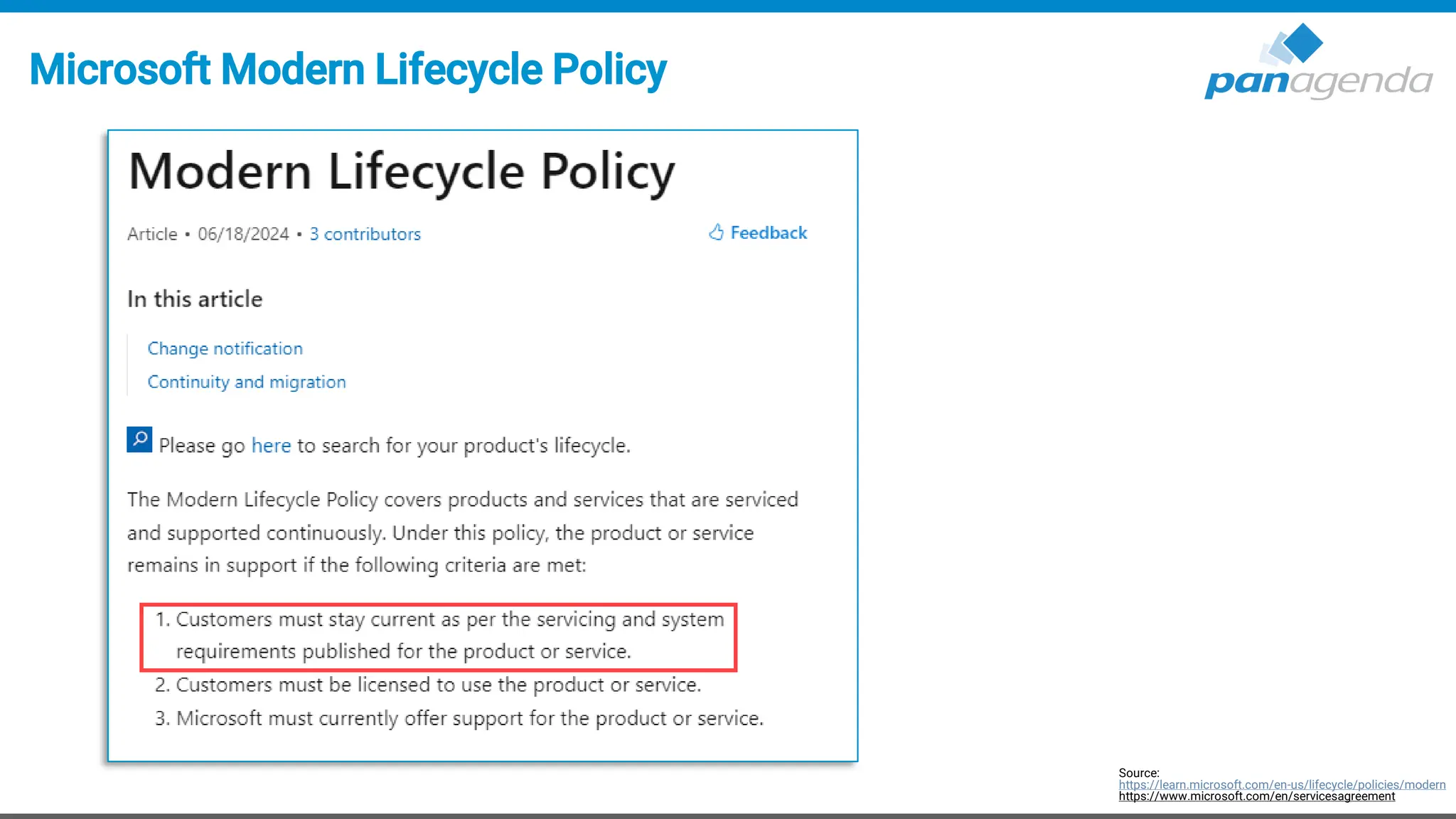
Microsoft Modern Lifecycle Policy
Source:
https://learn.microsoft.com/en-us/lifecycle/policies/modern
https://www.microsoft.com/en/servicesagreement
Teams != WebView2 Updates
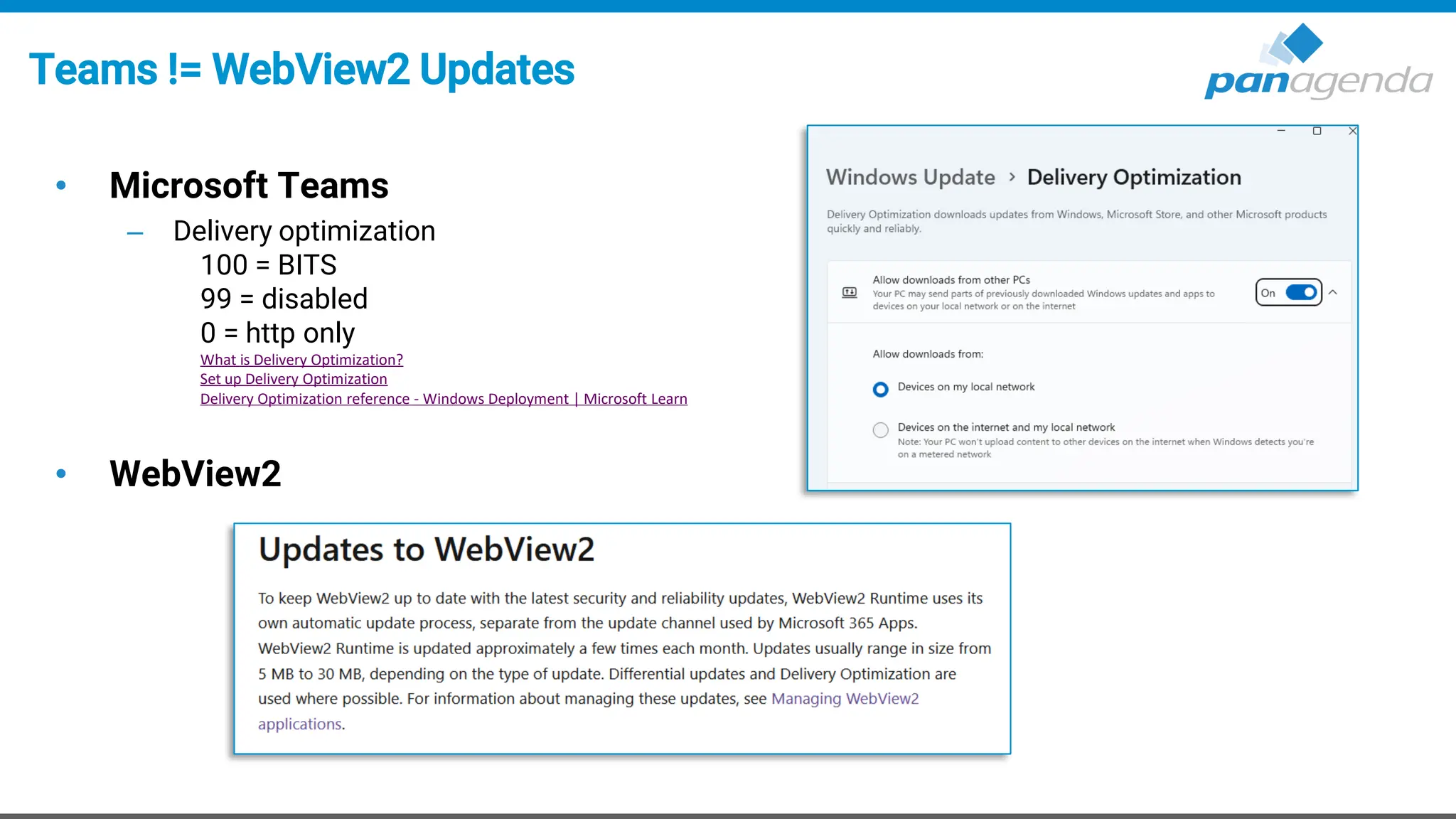
• Microsoft Teams
– Delivery optimization
100 = BITS
99 = disabled
0 = http only
What is Delivery Optimization?
Set up Delivery Optimization
Delivery Optimization reference - Windows Deployment | Microsoft Learn
• WebView2
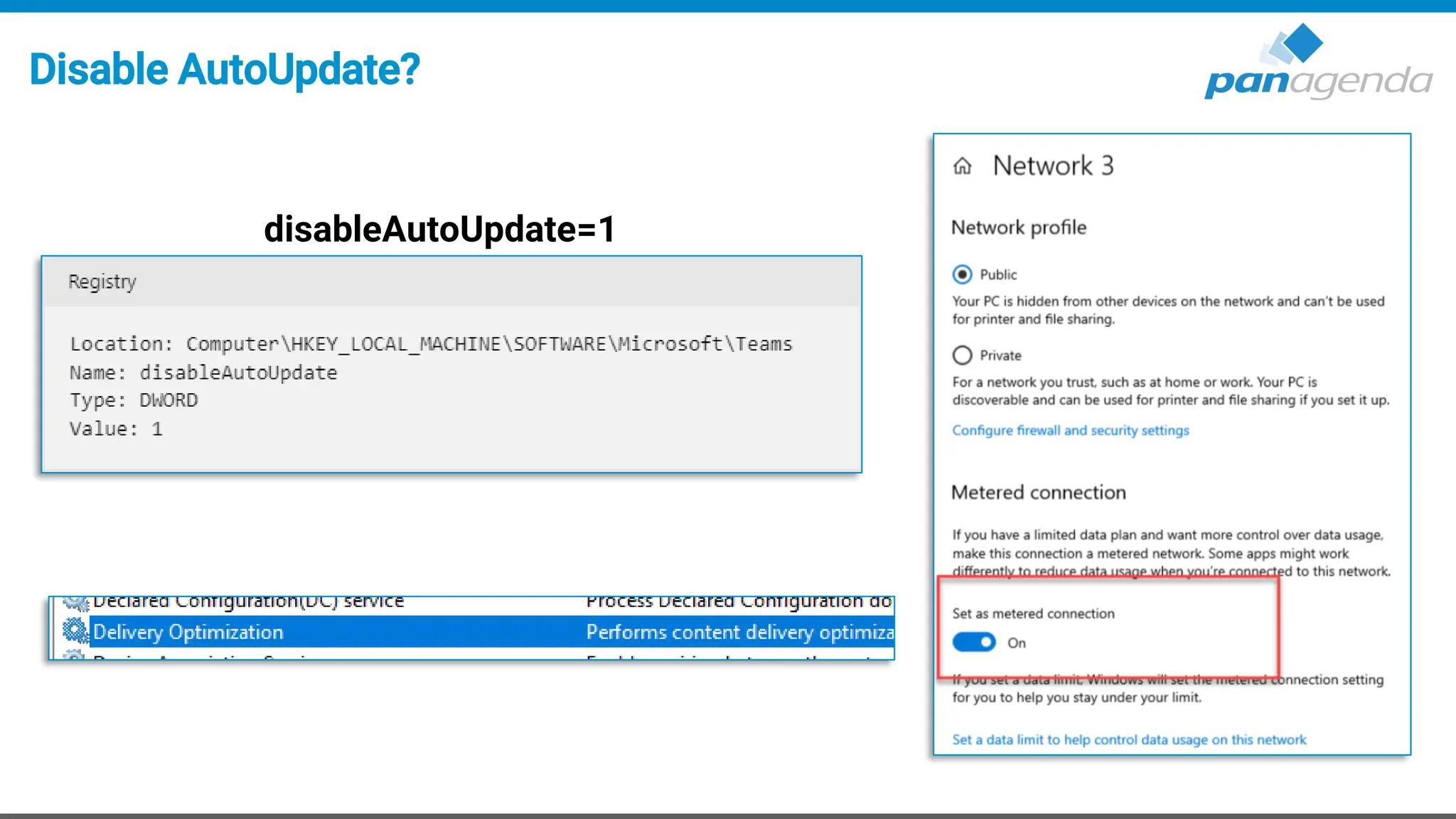
Disable AutoUpdate?
disableAutoUpdate=1
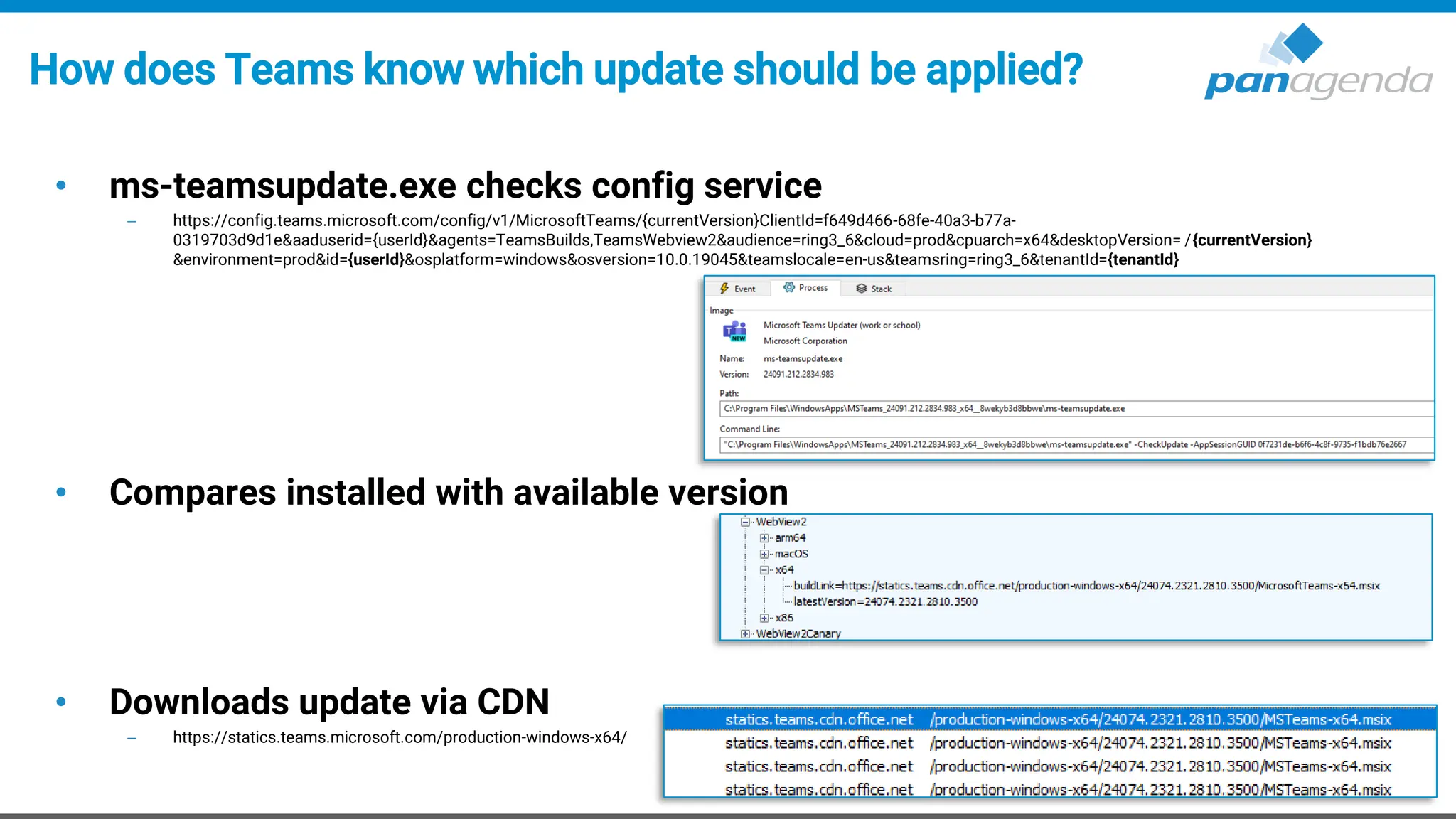
How does Teams know which update should be applied?
• ms-teamsupdate.exe checks config service
– https://config.teams.microsoft.com/config/v1/MicrosoftTeams/{currentVersion}ClientId=f649d466-68fe-40a3-b77a-
0319703d9d1e&aaduserid={userId}&agents=TeamsBuilds,TeamsWebview2&audience=ring3_6&cloud=prod&cpuarch=x64&desktopVersion= /{currentVersion}
&environment=prod&id={userId}&osplatform=windows&osversion=10.0.19045&teamslocale=en-us&teamsring=ring3_6&tenantId={tenantId}
• Compares installed with available version
• Downloads update via CDN
– https://statics.teams.microsoft.com/production-windows-x64/
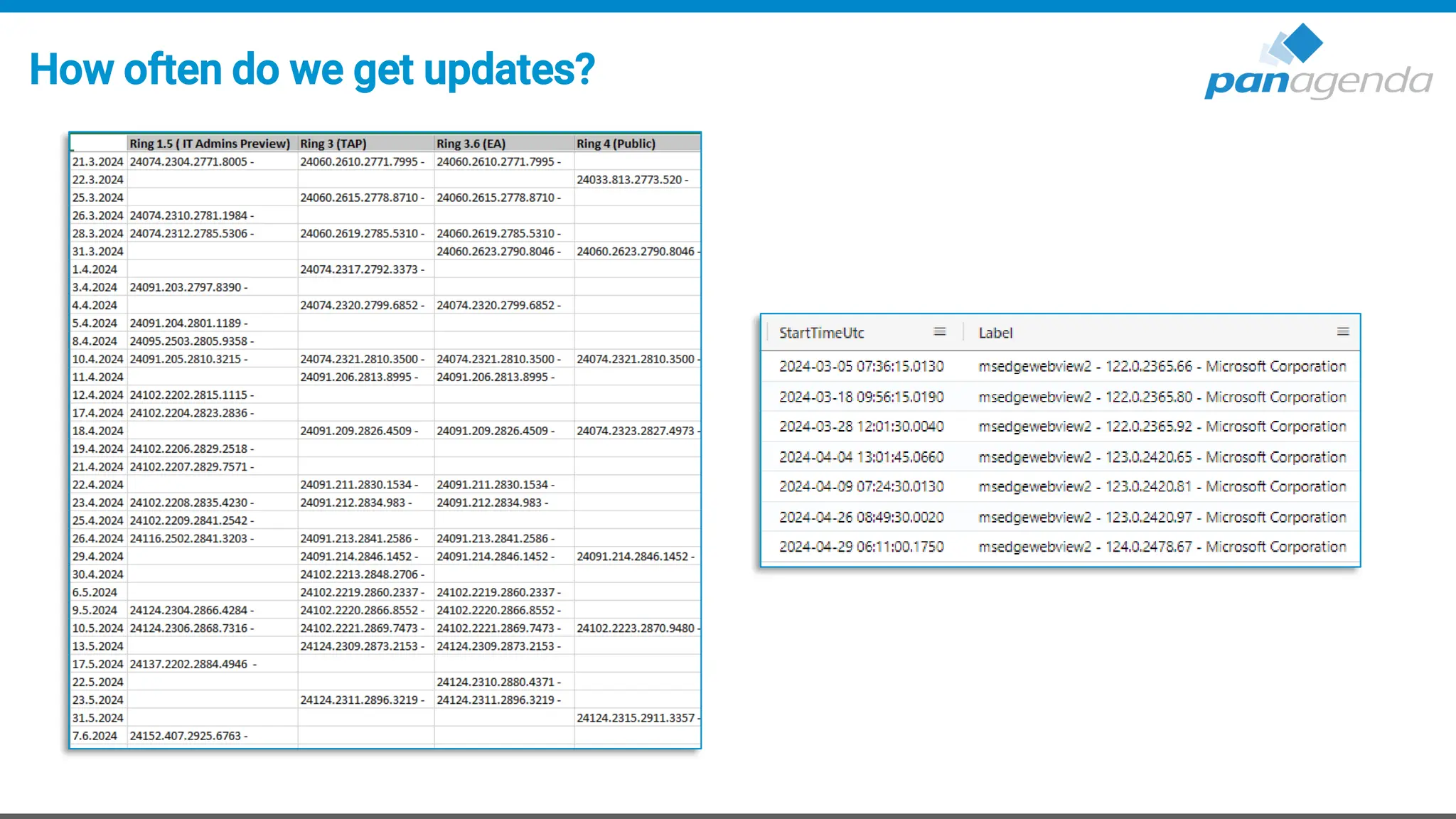
… and that happens periodically (often)
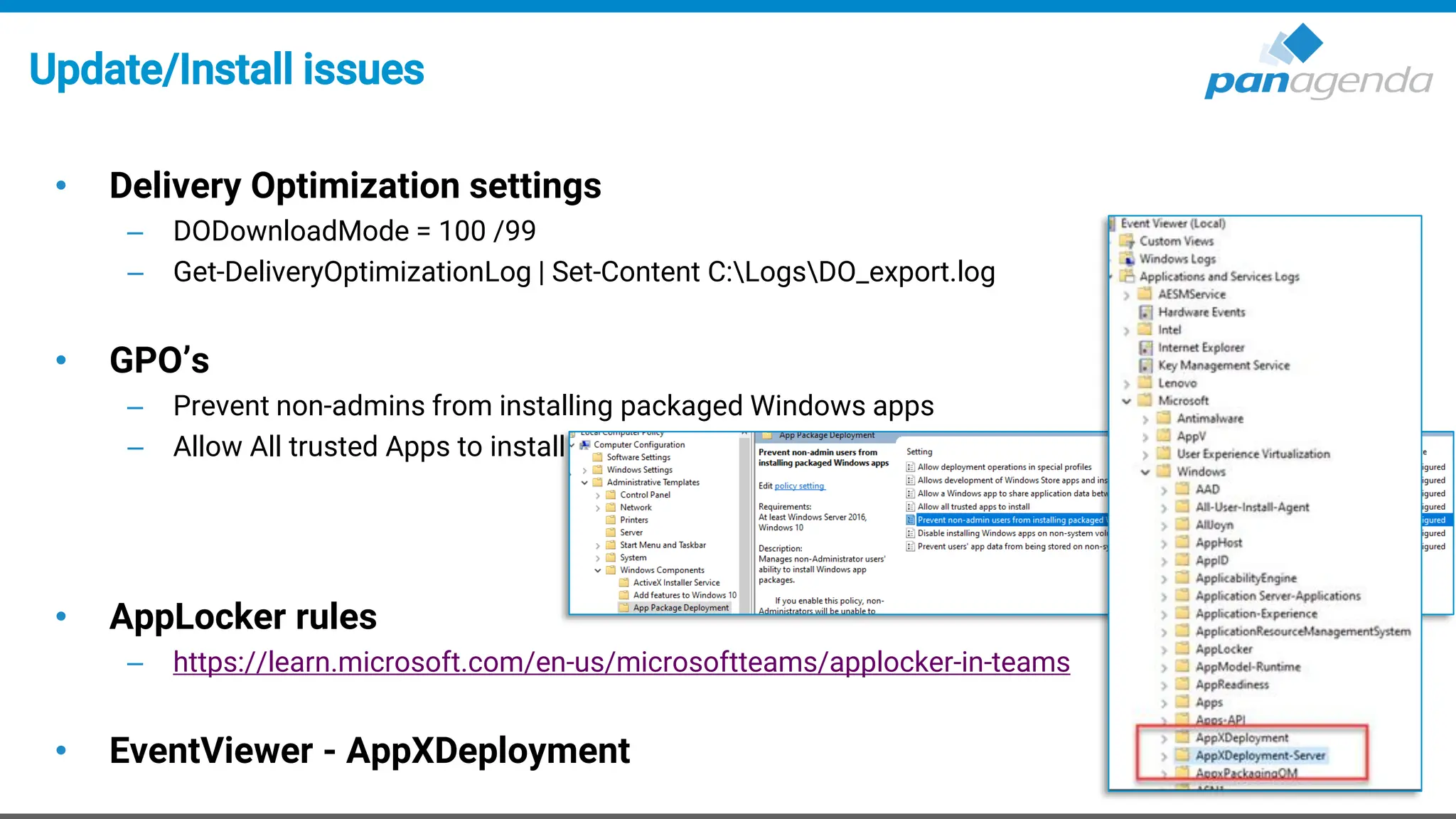
Update/Install issues
• Delivery Optimization settings
– DODownloadMode = 100 /99
– Get-DeliveryOptimizationLog | Set-Content C:LogsDO_export.log
• GPO’s
– Prevent non-admins from installing packaged Windows apps
– Allow All trusted Apps to install
• AppLocker rules
– https://learn.microsoft.com/en-us/microsoftteams/applocker-in-teams
• EventViewer - AppXDeployment
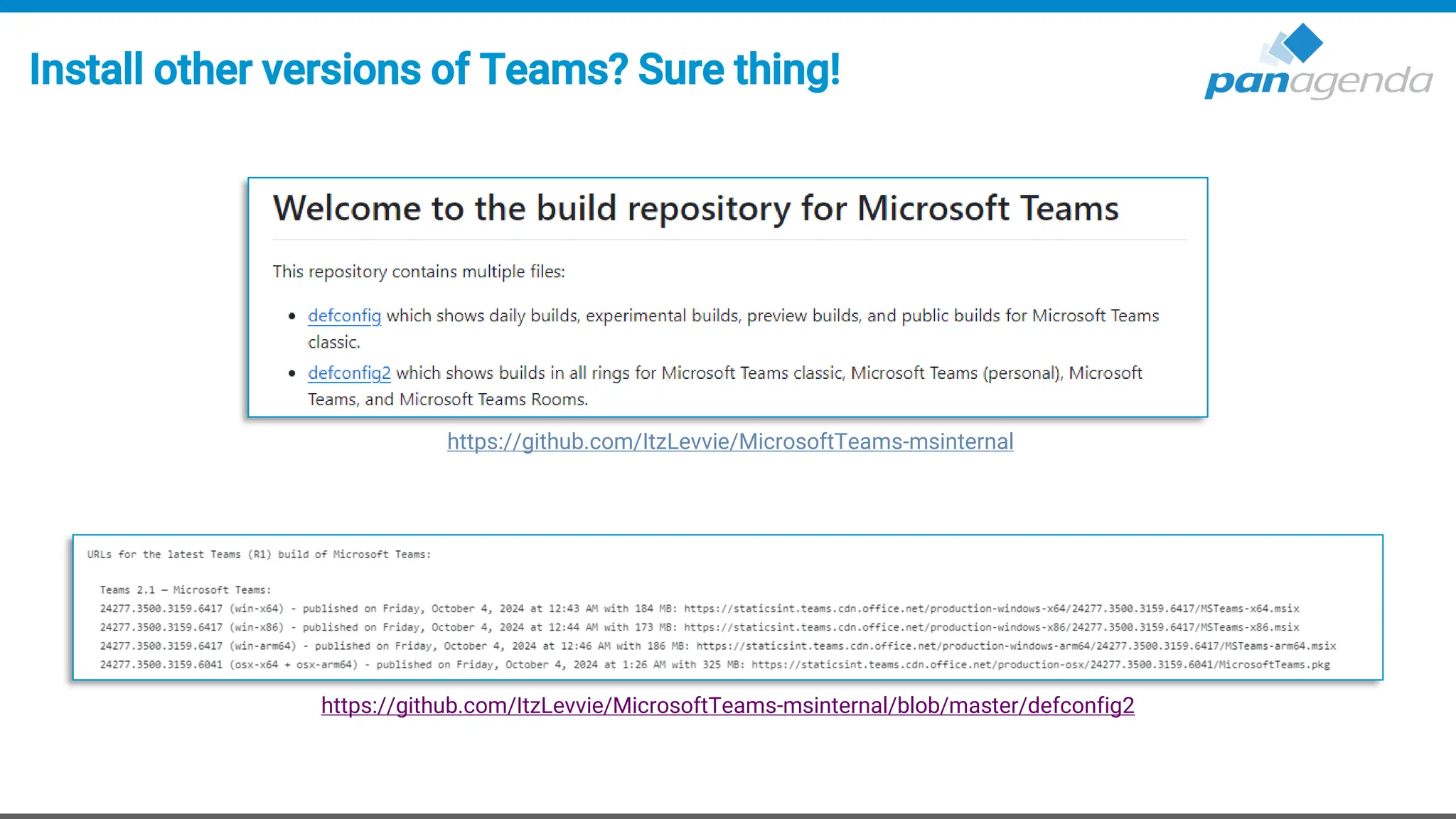
Install other versions of Teams? Sure thing!
https://github.com/ItzLevvie/MicrosoftTeams-msinternal
https://github.com/ItzLevvie/MicrosoftTeams-msinternal/blob/master/defconfig2
How often do we get updates?
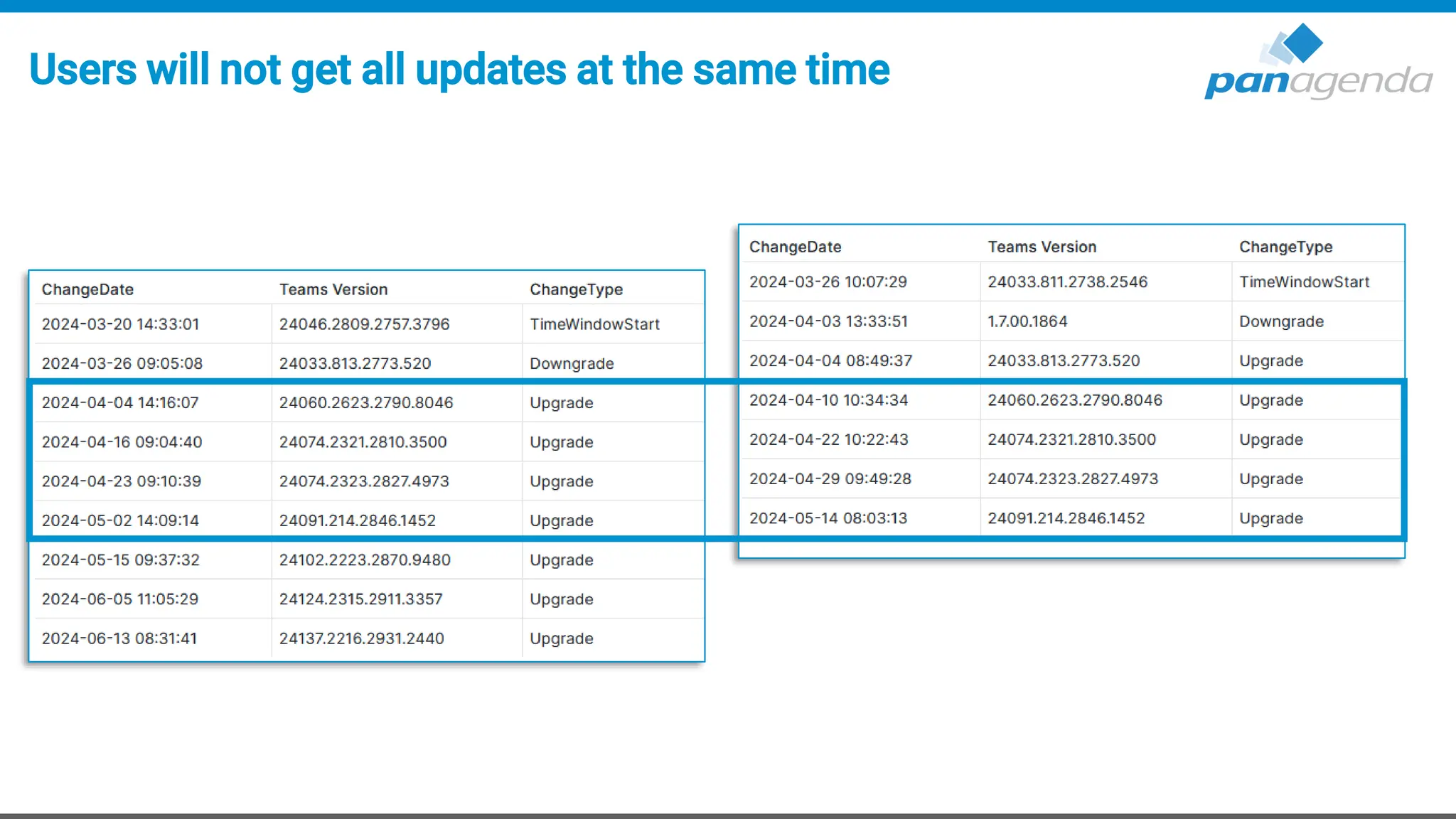
Users will not get all updates at the same time
Upgrade Your Time
4. Client .exe(s) and processes
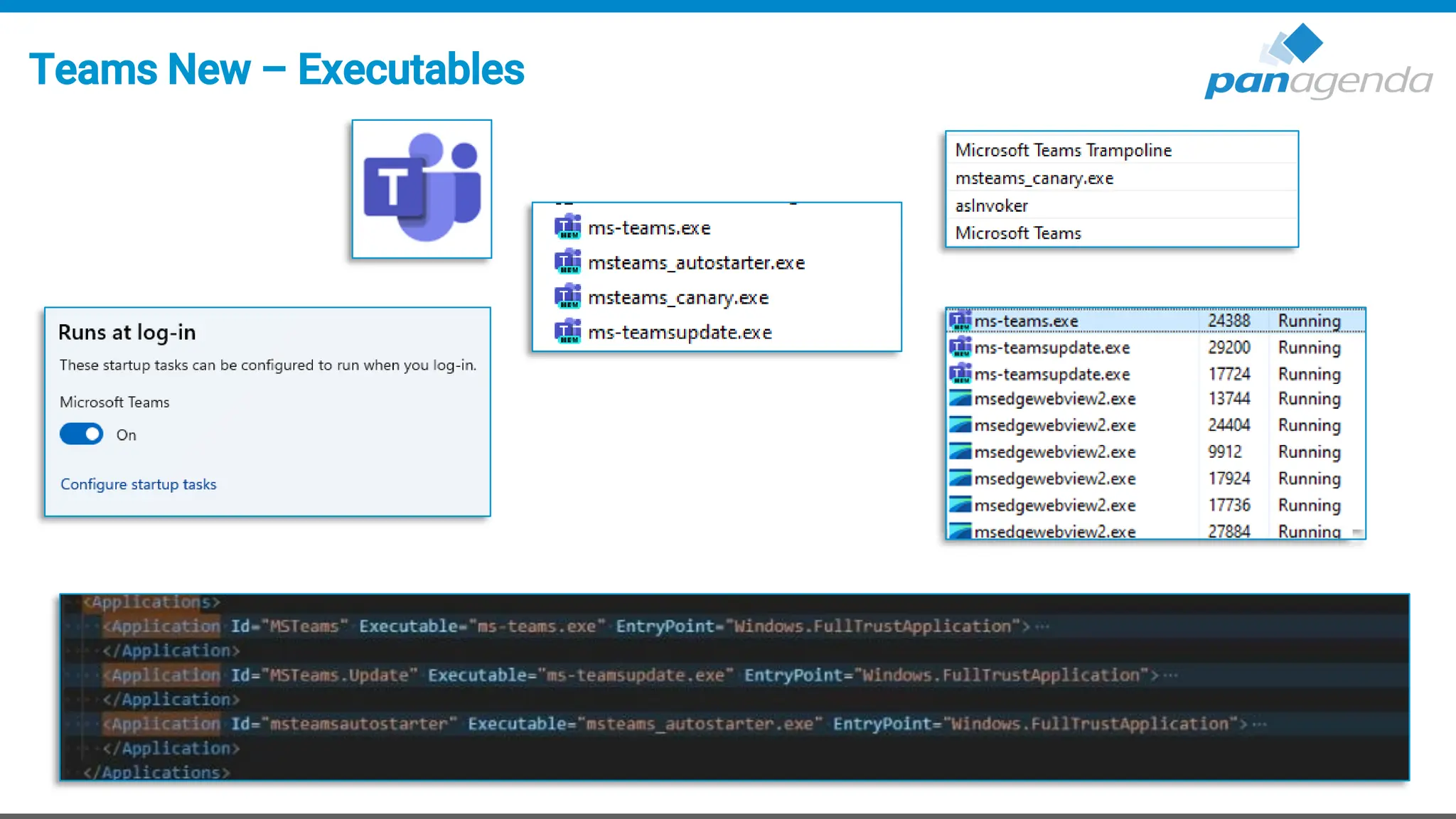
Teams New – Executables
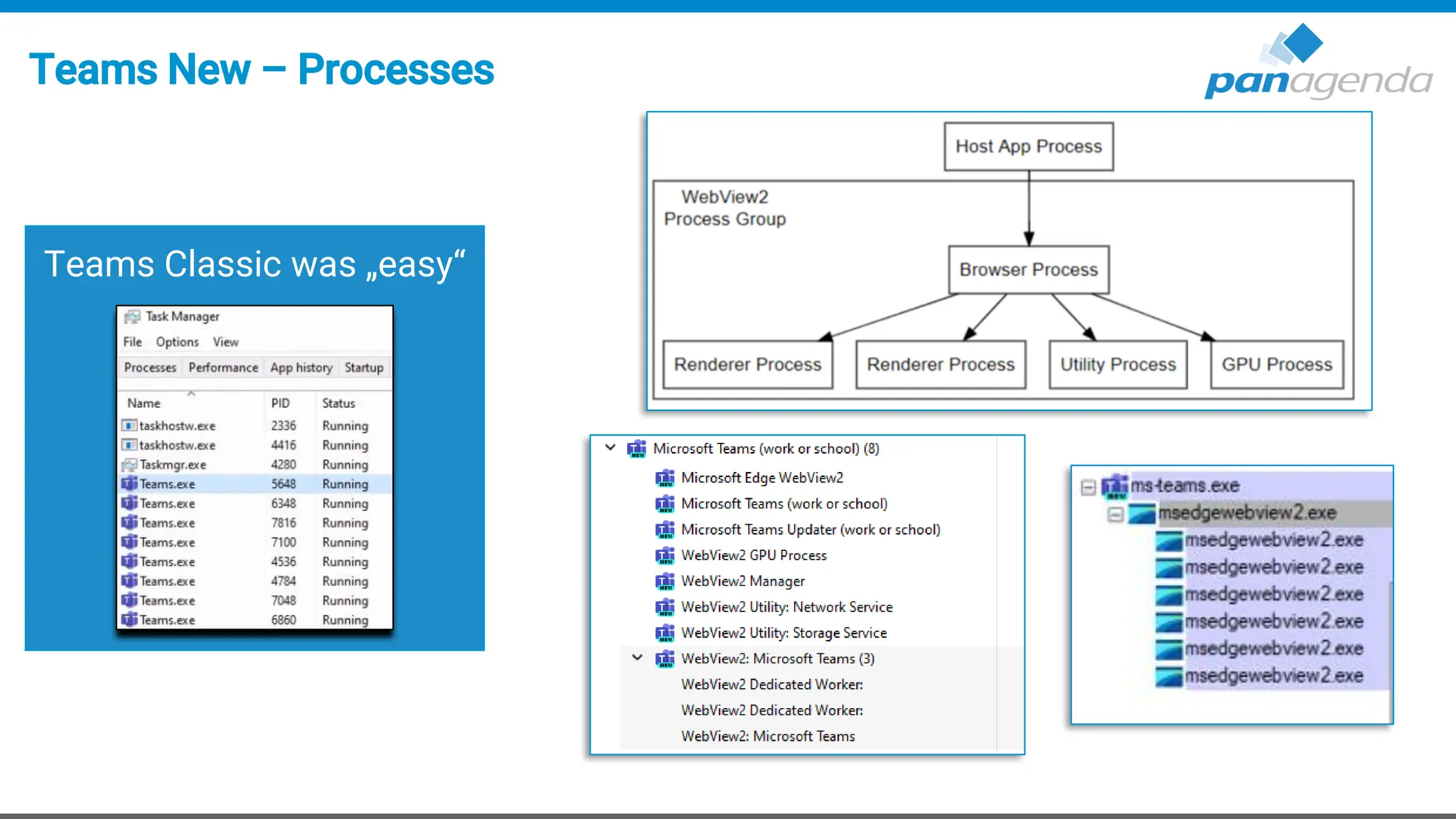
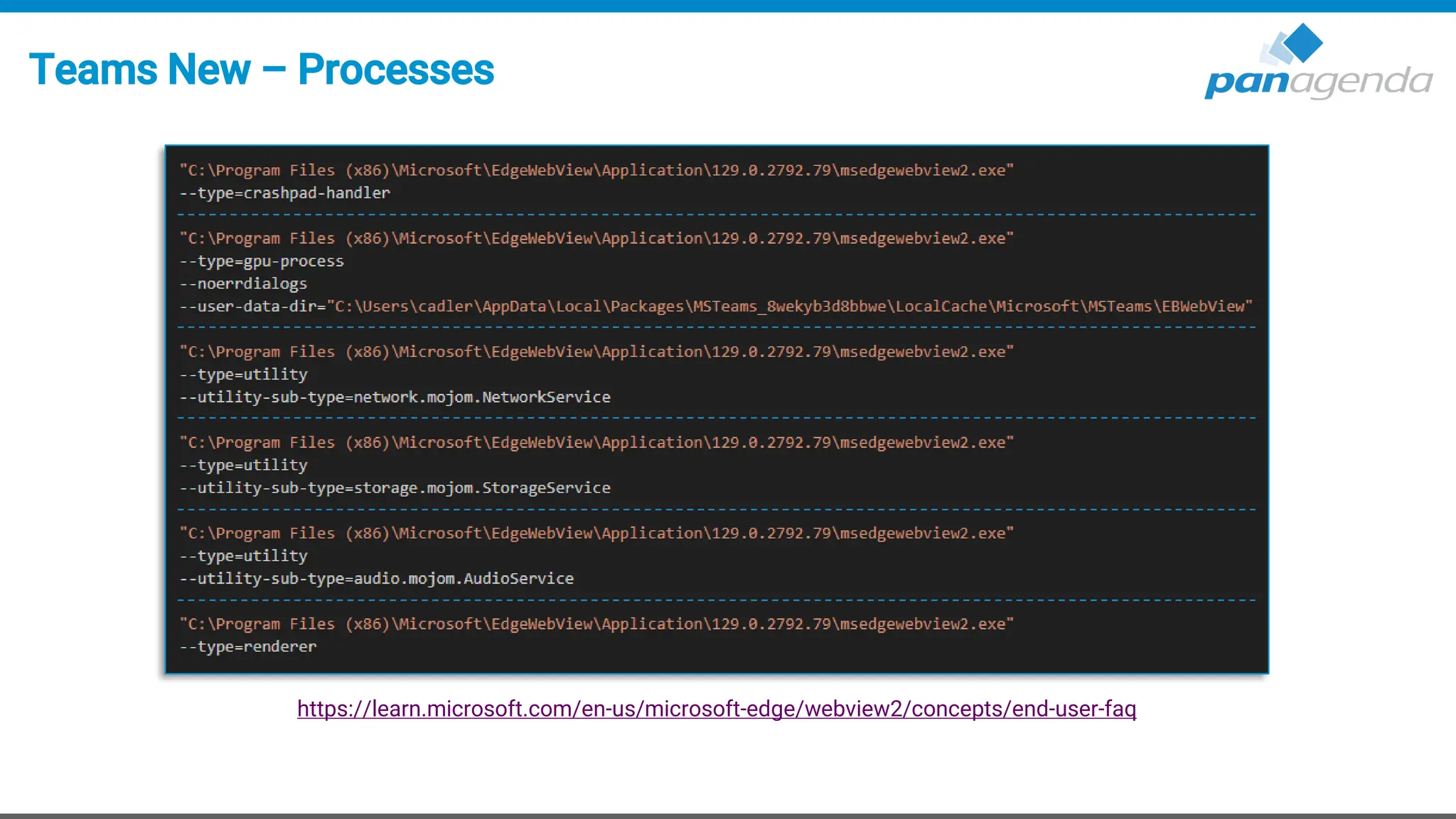
Teams New – Processes
Teams Classic was „easy“
Teams New – Processes
https://learn.microsoft.com/en-us/microsoft-edge/webview2/concepts/end-user-faq
Upgrade Your Time
5. Policies
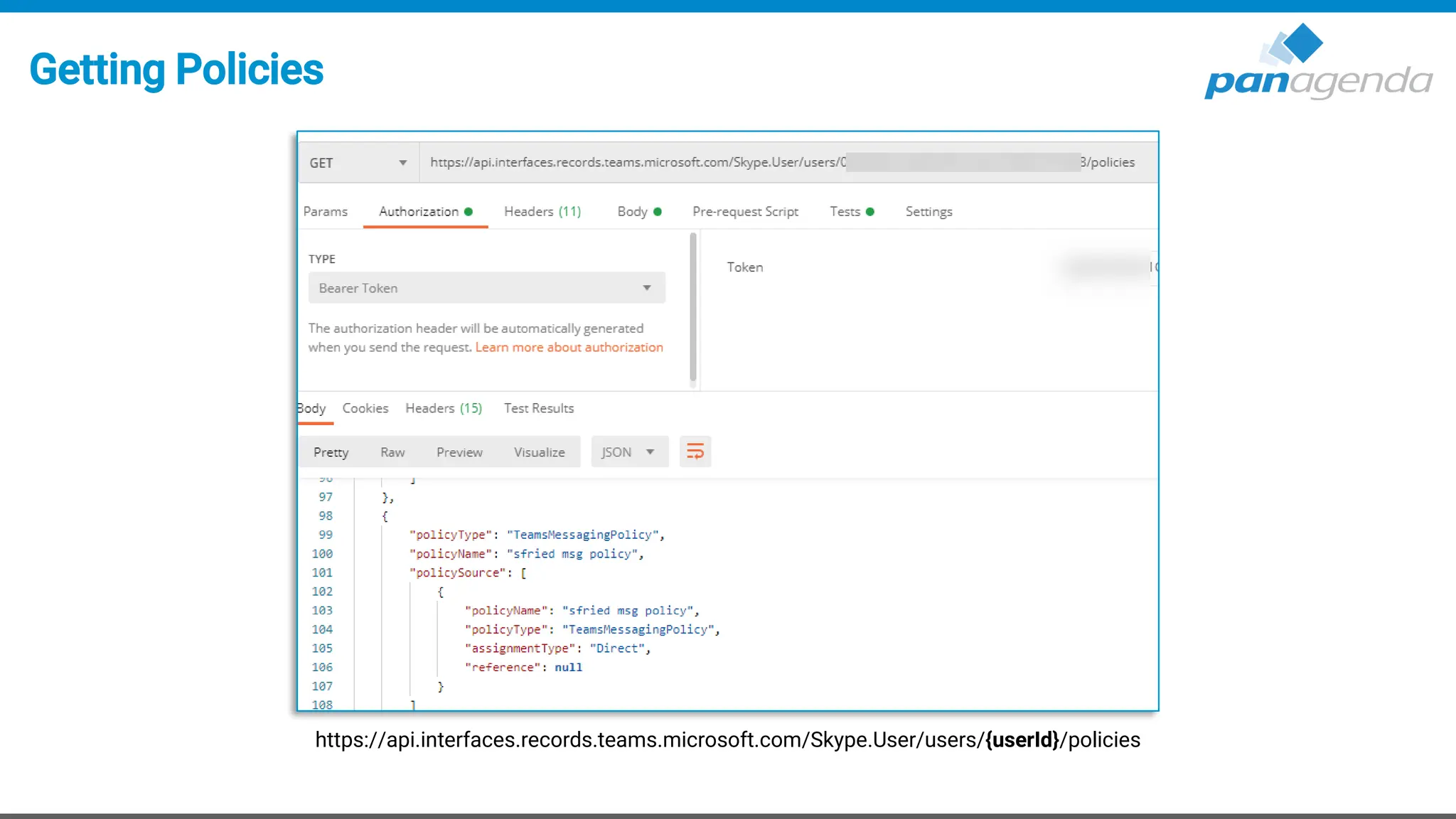
Getting Policies
https://api.interfaces.records.teams.microsoft.com/Skype.User/users/{userId}/policies
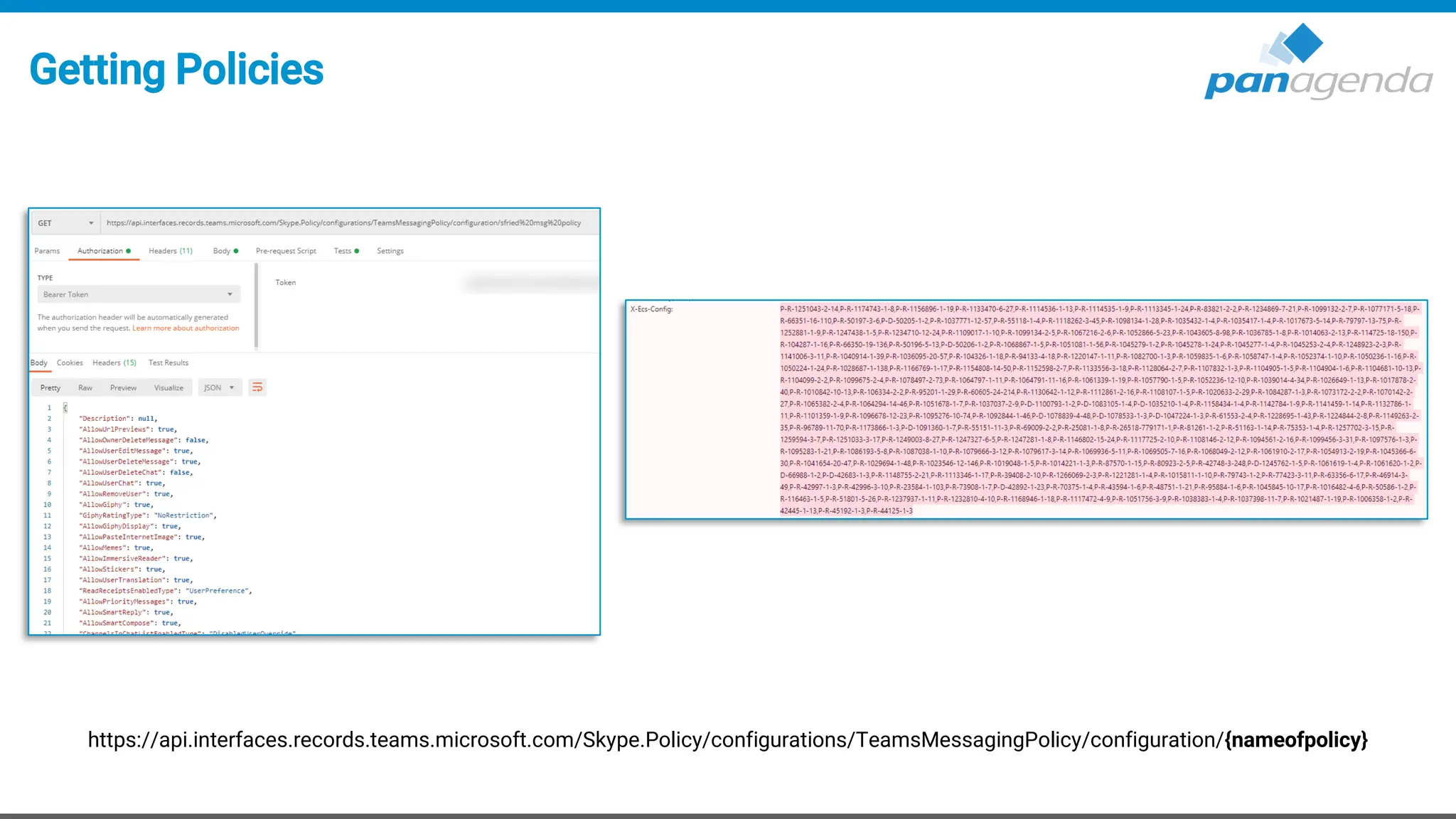
Getting Policies
https://api.interfaces.records.teams.microsoft.com/Skype.Policy/configurations/TeamsMessagingPolicy/configuration/{nameofpolicy}
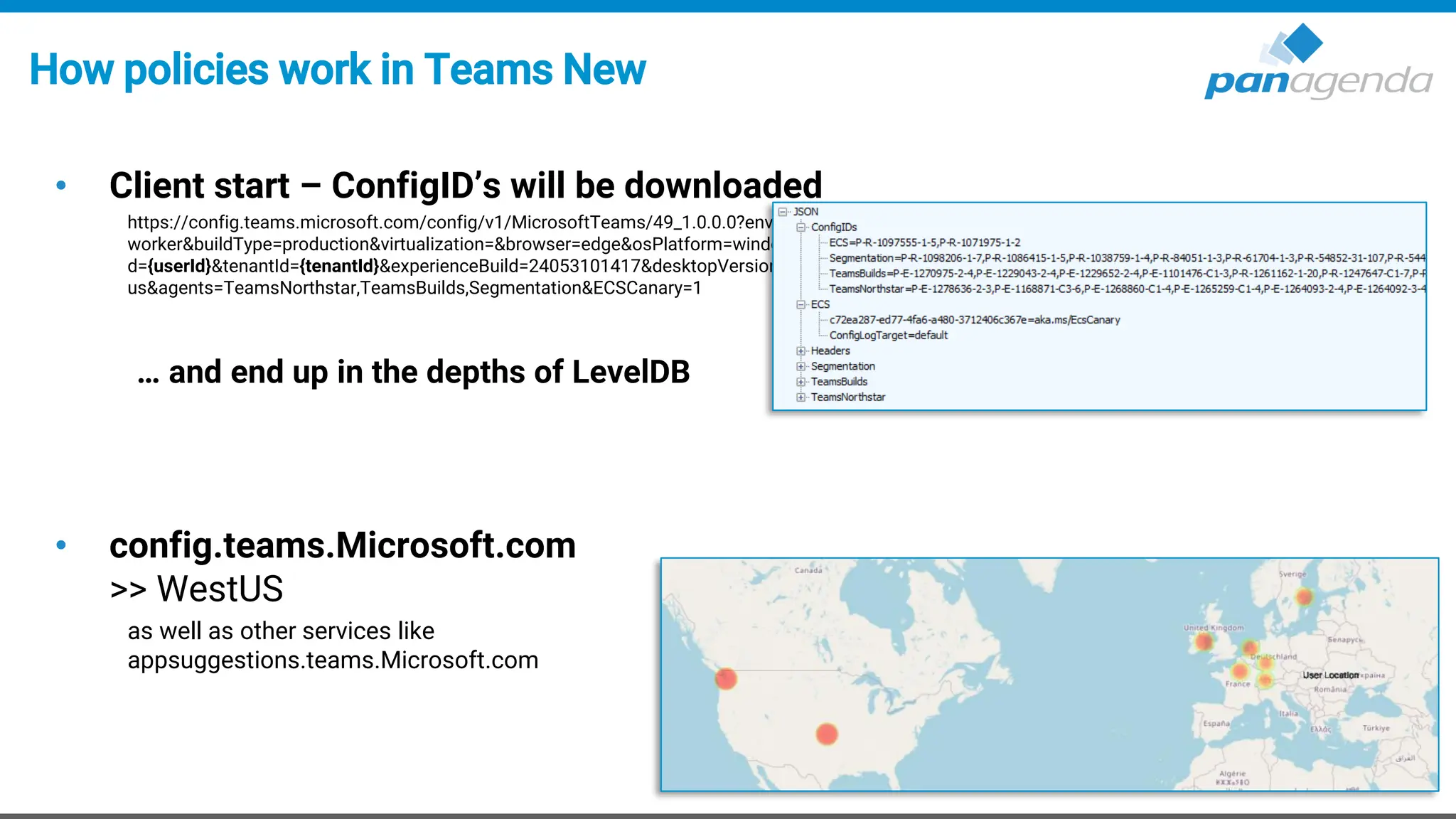
How policies work in Teams New
• Client start – ConfigID’s will be downloaded
https://config.teams.microsoft.com/config/v1/MicrosoftTeams/49_1.0.0.0?environment=prod&audienceGroup=ring3_6&teamsRing=ring3_6&experience=cdl-
worker&buildType=production&virtualization=&browser=edge&osPlatform=windows&wipChannel=&osVersion=10.0.22631&isPwa=false&id={userId}&aaduseri
d={userId}&tenantId={tenantId}&experienceBuild=24053101417&desktopVersion=24152.408.2949.8308&teamsLocale=en-
us&agents=TeamsNorthstar,TeamsBuilds,Segmentation&ECSCanary=1
… and end up in the depths of LevelDB
• config.teams.Microsoft.com
>> WestUS
as well as other services like
appsuggestions.teams.Microsoft.com
Central Control?
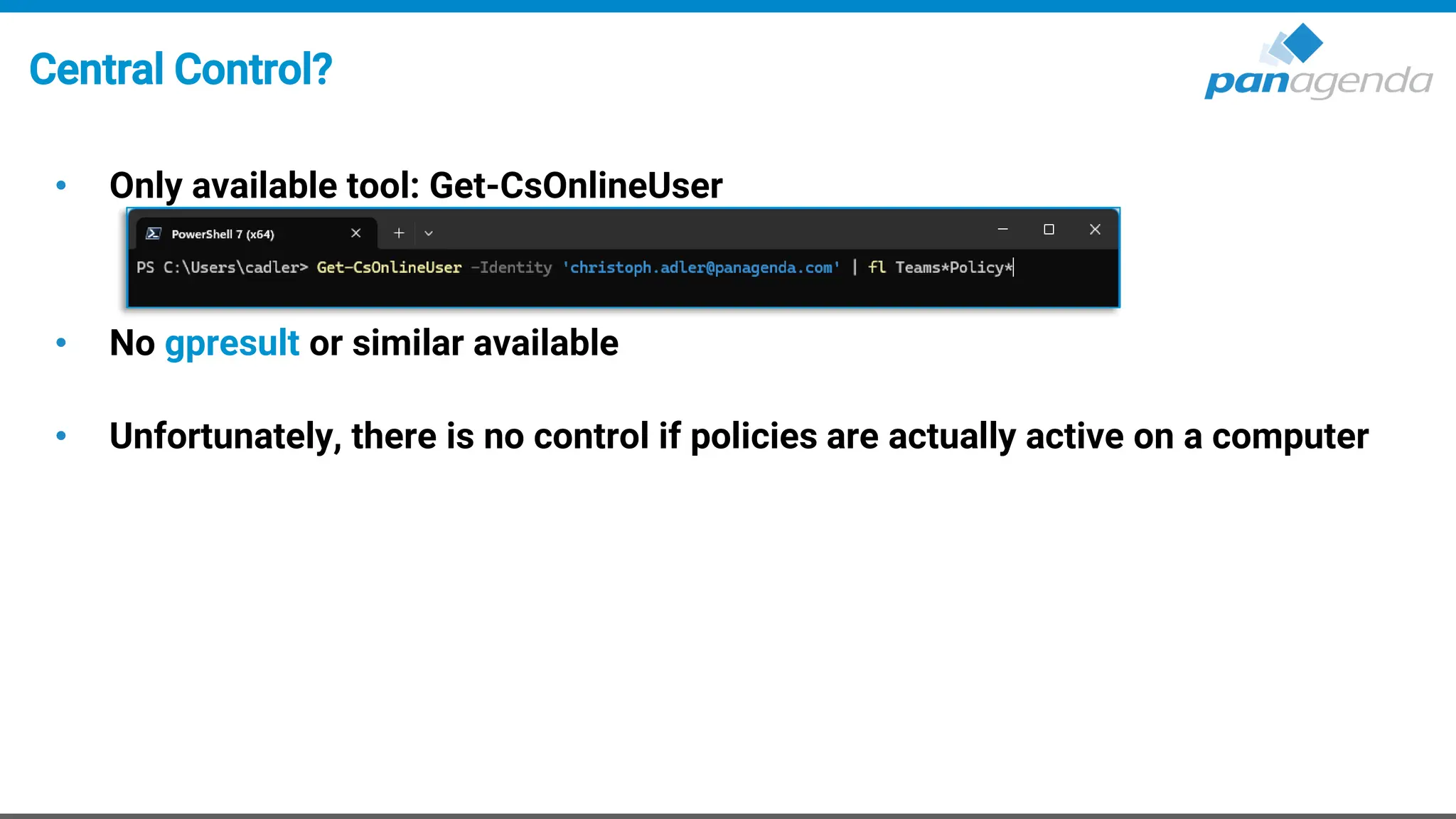
• Only available tool: Get-CsOnlineUser
• No gpresult or similar available
• Unfortunately, there is no control if policies are actually active on a computer
Manual Override?
• Theoretically via configuration.json - but not recommended
Upgrade Your Time
6. Troubleshooting
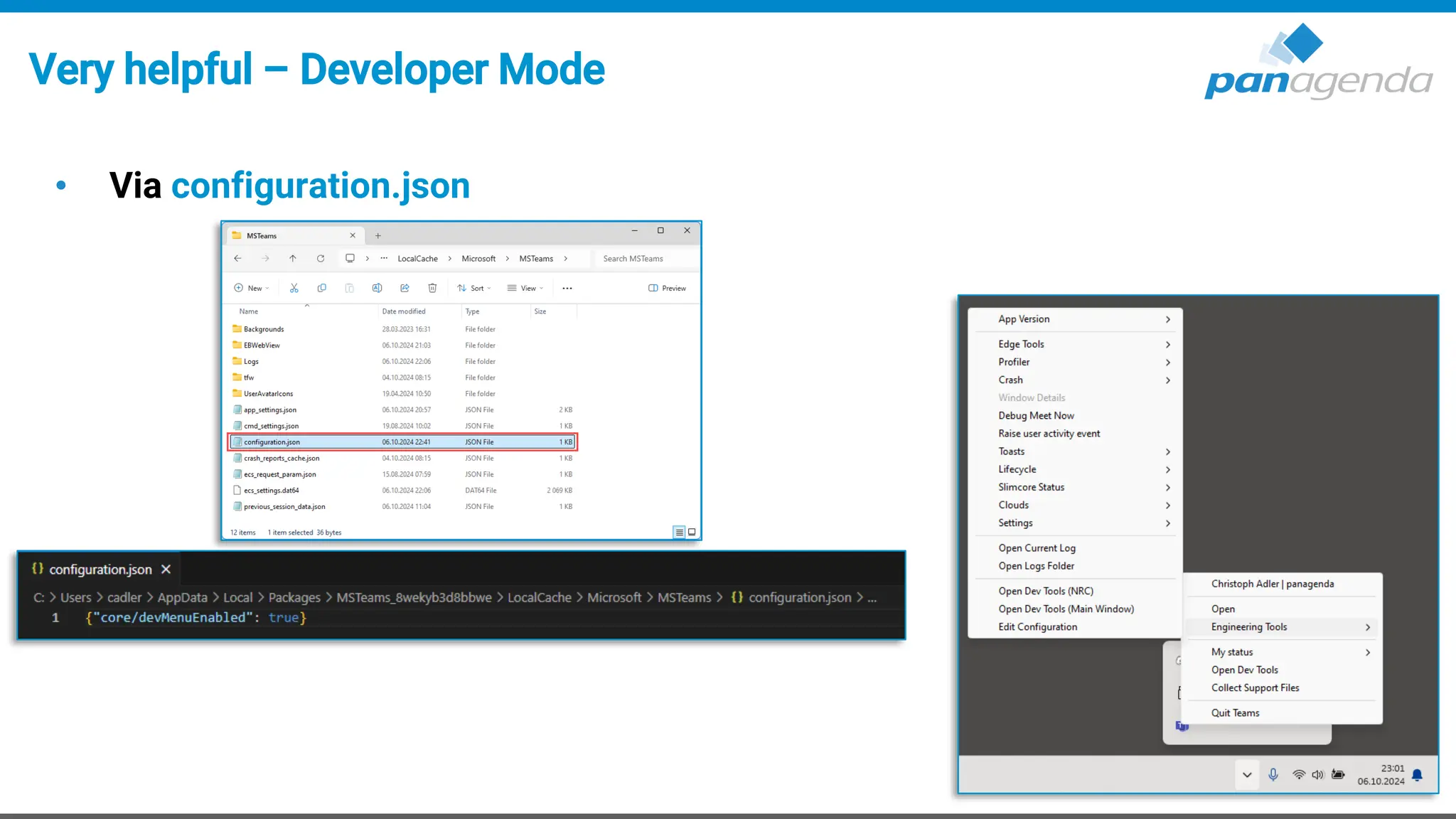
Very helpful – Developer Mode
• Via configuration.json
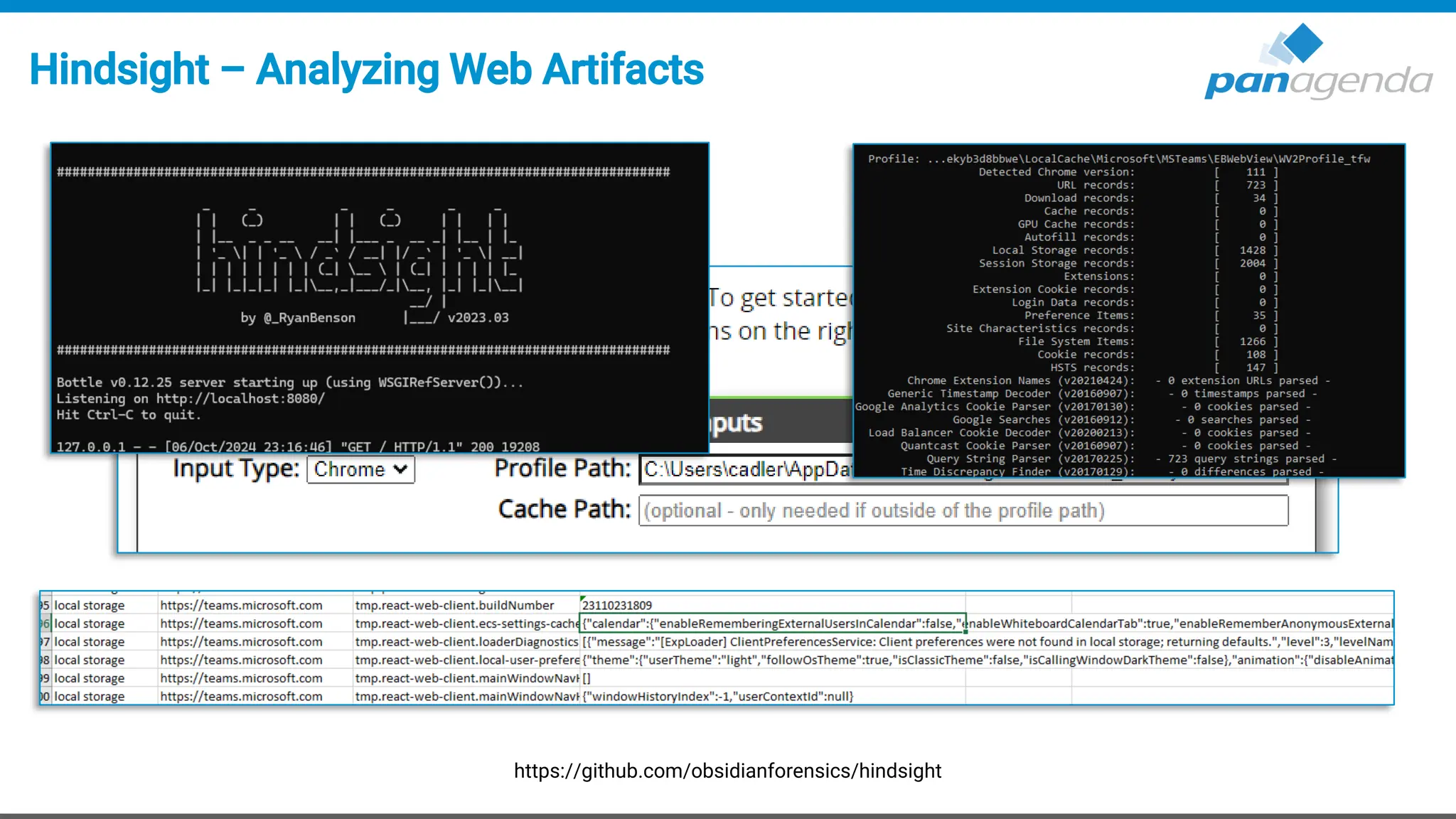
Hindsight – Analyzing Web Artifacts
https://github.com/obsidianforensics/hindsight
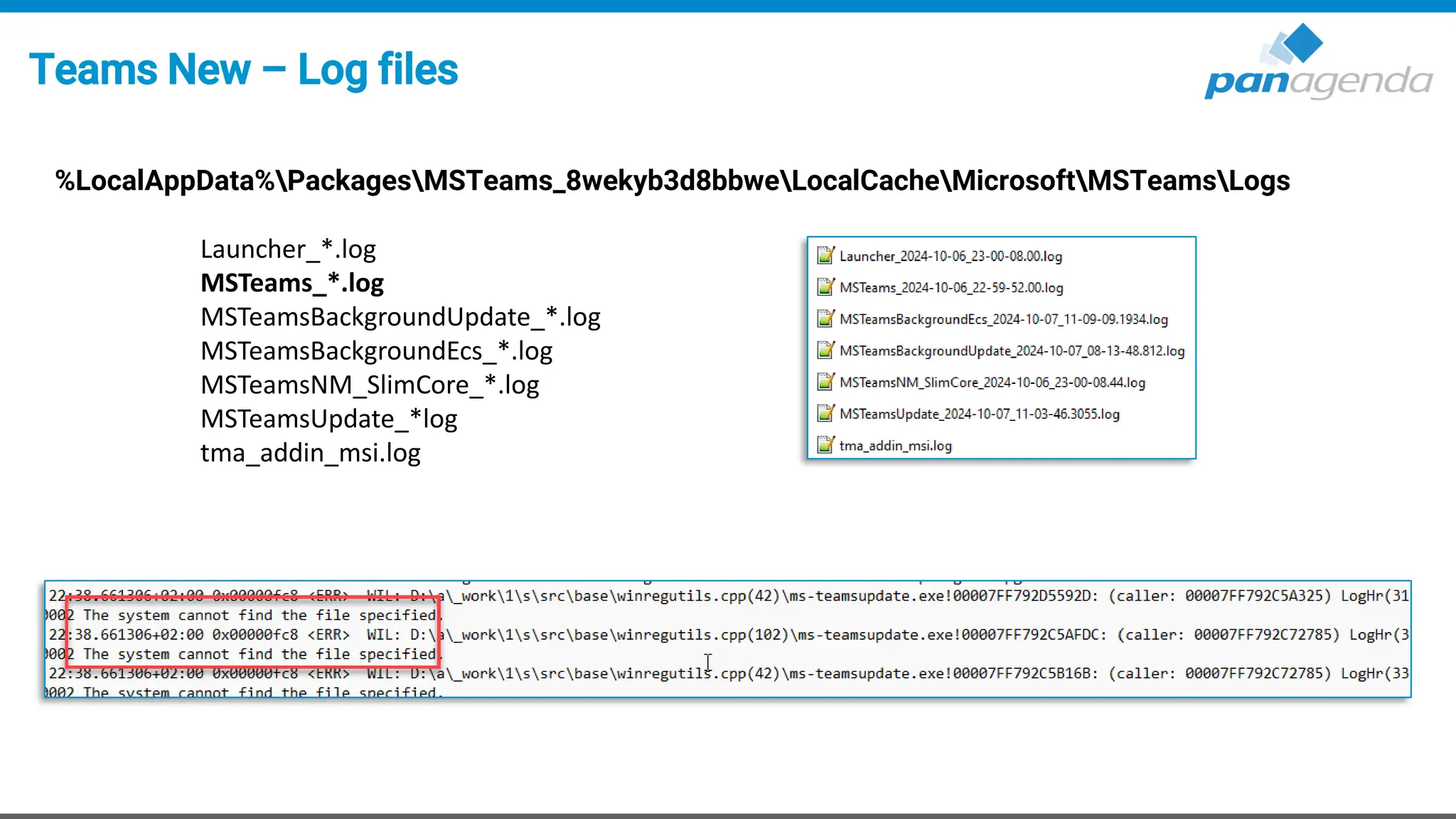
Teams New – Log files
%LocalAppData%PackagesMSTeams_8wekyb3d8bbweLocalCacheMicrosoftMSTeamsLogs
Launcher_*.log
MSTeams_*.log
MSTeamsBackgroundUpdate_*.log
MSTeamsBackgroundEcs_*.log
MSTeamsNM_SlimCore_*.log
MSTeamsUpdate_*log
tma_addin_msi.log
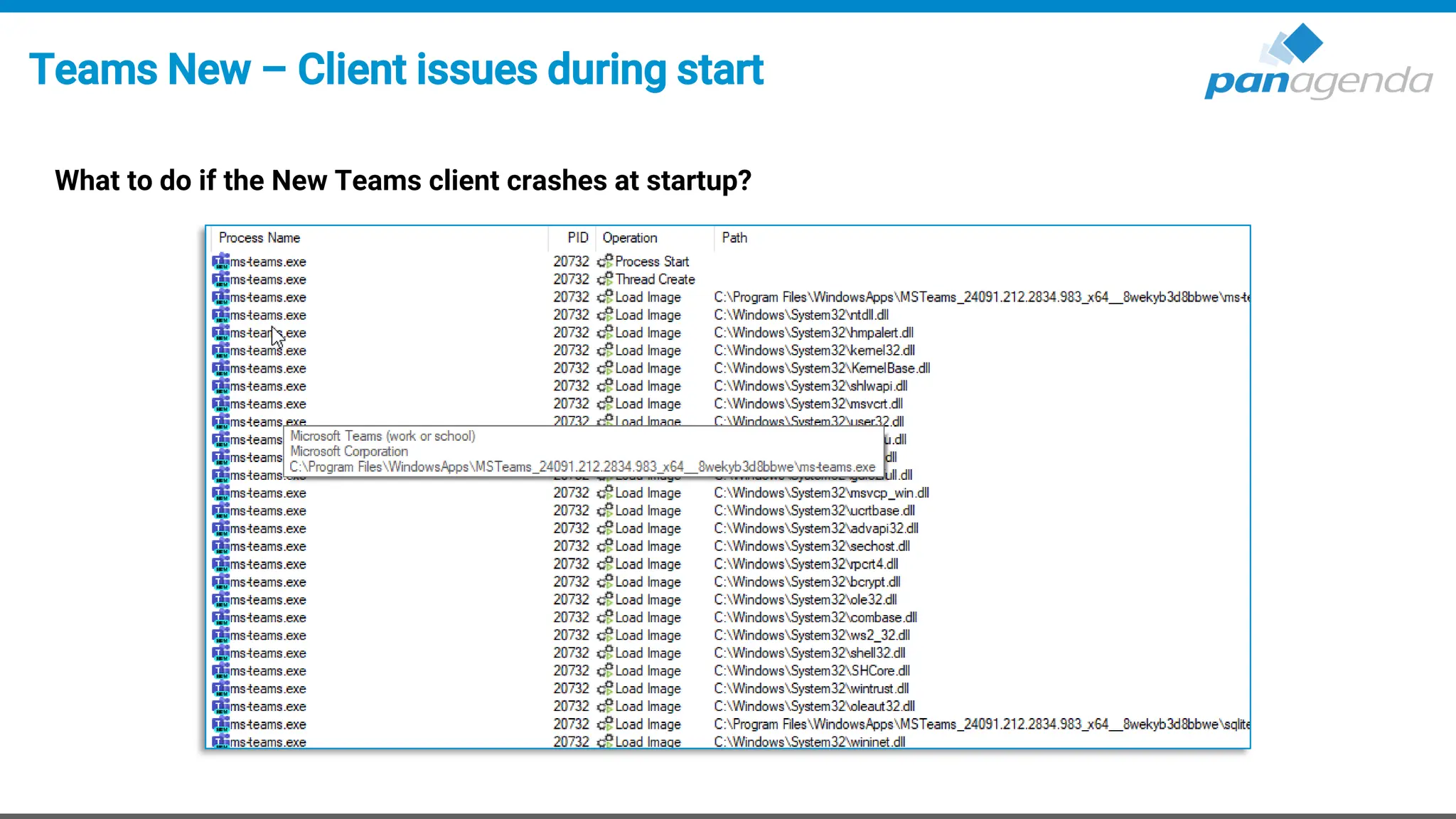
Teams New – Client issues during start
What to do if the New Teams client crashes at startup?
Upgrade Your Time
Short Recap
Recap on the New Teams client
• Improved User Experience
• Better client framework
• A lot is undocumented
• VDI is different (as always)
• Troubleshooting improved slightly
Your Feedback Matters to Us
THANK YOU!
THANK YOU!
Q & A

New Teams Client Architecture Autopsy, a Look Under the Hood

  • 1.
    Upgrade Your Time NewTeams Client Architecture Autopsy A Look Under the Hood October 8th, 2024
  • 2.
    Christoph Adler Head ofSolution Consulting christoph.adler@panagenda.com Host & Speaker Femke Goedhart Product Marketing Manager & Business Consultant femke.goedhart@panagenda.com
  • 3.
    Before We Start Allattendee lines are muted This is to prevent interruptions during the presentation. X The webinar is being recorded After the webinar, we will send you a mail to give access to the recording and presentation slides. Please submit questions via the Chat or Q&A panel Your questions will be addressed directly during the webinar or in the Q&A section after the presentation. Share your feedback with us Use the link provided at the end to let us know what we can do better.
  • 4.
    Agenda Microsoft Teams (New) 1.Architecture 2. Client App 3. Client Update process 4. Client .exe(s) and processes 5. Policies 6. Troubleshooting
  • 6.
    About panagenda • Founded2007, privately owned and funded • HQ in Vienna (Austria) • Offices in Germany, USA and The Netherlands • panagendians work from >20 different locations
  • 7.
  • 8.
    We know thatthe new Teams client (v2.1) is not new any longer, but … Wording
  • 9.
    What bothered usin the Teams Classic Client?
  • 10.
    What bothered usin the Teams Classic Client? Performance, Performance, Performance • High CPU/Memory Usage • Battery Usage Workarounds? • Use the Web client • Disable GPU acceleration • Disable – Read Receipts • Clean/Remove Cache • … and much more! ~1%
  • 11.
  • 12.
    Architecture – Differentsbetween “Classic” and “New” Source: https://techcommunity.microsoft.com/t5/microsoft-teams-blog/microsoft-teams-advantages-of-the-new-architecture/ba-p/3775704
  • 13.
    Architecture – “NewTeams Client” Source: https://techcommunity.microsoft.com/t5/microsoft-teams-blog/microsoft-teams-advantages-of-the-new-architecture/ba-p/3775704
  • 14.
  • 15.
    Microsoft Store App •Windows App – AppX Package – Msix • Container based • Better Security • Clean Registry • Built-in auto update – AppInstaller framework
  • 16.
    Local folders • Apppath %ProgramFiles%WindowsAppsMSTeams_[version]_[Arch]_8wekyb3d8bbwe – Dynamic path, which changes with every single version update (build number) • User path %LocalAppData%PackagesMSTeams_8wekyb3d8bbwe – Appx package will be provisioned after first user windows logon • Webview2 path %ProgramFiles(x86)%MicrosoftEdgeWebViewApplication
  • 17.
    Disk consumption • TeamsClassic → incl. Electron binaries • Teams New → Shared Binaries (webview2) – Partial data model: downloads only needed data Screenshot – Raphael Köllner (LinkedIn)
  • 18.
    Disk consumption • TeamsClassic → incl. Electron binaries • Teams New → Shared Binaries (webview2) – Partial data model: downloads only needed data Screenshot – Raphael Köllner (LinkedIn)
  • 19.
    Disk consumption –Why does the Teams New need so much? • EBWebView = Embedded Browser WebView – Default location for all user data
  • 20.
    Disk consumption –What can we do? • Teams Classic – Remove Cache • Teams New – Microsoft recommends a “Reset” • Impacts → losing user settings (e. g. dark mode settings ; Audio/Video settings ; localization and much more
  • 21.
    Disk consumption –A better recommendation • Go to the following folder – %LocalAppData%PackagesMSTeams_8wekyb3d8bbweLocalCacheMicrosoftMSTeams EBWebViewWV2Profile_tfw • Delete the content of the following subfolders is sufficient (without losing any user data) – Cache – IndexedDB ▪ App and user data will be re-downloaded at the next start → – WebStorage ▪ Storage for the access to other apps – Service WorkerCacheStorage ▪ Code/Caching for Web/JS Scripts
  • 22.
    Configuration • Registry key’s –HKEY_CURRENT_USERSOFTWAREClassesLocalSettingsSoftwareMicrosoftWindowsCurrent VersionAppModelSystemAppDataMSTeams_8wekyb3d8bbwe • LocalAppData – %LocalAppData%PackagesMSTeams_8wekyb3d8bbweLocalCacheMicrosoftMSTeams General settings: app_settings.json (former desktop-config.json) Audio settings: cmd_settings.json (former storage.json) configuration.json ! – %LocalAppData%Publishers8wekyb3d8bbwe TeamsSharedConfig Teams Meeting Add-In: tma_settings.json
  • 23.
    Upgrade Your Time 3.Update process
  • 24.
    Microsoft Modern LifecyclePolicy Source: https://learn.microsoft.com/en-us/lifecycle/policies/modern https://www.microsoft.com/en/servicesagreement
  • 25.
    Teams != WebView2Updates • Microsoft Teams – Delivery optimization 100 = BITS 99 = disabled 0 = http only What is Delivery Optimization? Set up Delivery Optimization Delivery Optimization reference - Windows Deployment | Microsoft Learn • WebView2
  • 26.
  • 27.
    How does Teamsknow which update should be applied? • ms-teamsupdate.exe checks config service – https://config.teams.microsoft.com/config/v1/MicrosoftTeams/{currentVersion}ClientId=f649d466-68fe-40a3-b77a- 0319703d9d1e&aaduserid={userId}&agents=TeamsBuilds,TeamsWebview2&audience=ring3_6&cloud=prod&cpuarch=x64&desktopVersion= /{currentVersion} &environment=prod&id={userId}&osplatform=windows&osversion=10.0.19045&teamslocale=en-us&teamsring=ring3_6&tenantId={tenantId} • Compares installed with available version • Downloads update via CDN – https://statics.teams.microsoft.com/production-windows-x64/
  • 28.
    … and thathappens periodically (often)
  • 29.
    Update/Install issues • DeliveryOptimization settings – DODownloadMode = 100 /99 – Get-DeliveryOptimizationLog | Set-Content C:LogsDO_export.log • GPO’s – Prevent non-admins from installing packaged Windows apps – Allow All trusted Apps to install • AppLocker rules – https://learn.microsoft.com/en-us/microsoftteams/applocker-in-teams • EventViewer - AppXDeployment
  • 30.
    Install other versionsof Teams? Sure thing! https://github.com/ItzLevvie/MicrosoftTeams-msinternal https://github.com/ItzLevvie/MicrosoftTeams-msinternal/blob/master/defconfig2
  • 31.
    How often dowe get updates?
  • 32.
    Users will notget all updates at the same time
  • 33.
    Upgrade Your Time 4.Client .exe(s) and processes
  • 34.
    Teams New –Executables
  • 35.
    Teams New –Processes Teams Classic was „easy“
  • 36.
    Teams New –Processes https://learn.microsoft.com/en-us/microsoft-edge/webview2/concepts/end-user-faq
  • 37.
  • 38.
  • 39.
  • 40.
    How policies workin Teams New • Client start – ConfigID’s will be downloaded https://config.teams.microsoft.com/config/v1/MicrosoftTeams/49_1.0.0.0?environment=prod&audienceGroup=ring3_6&teamsRing=ring3_6&experience=cdl- worker&buildType=production&virtualization=&browser=edge&osPlatform=windows&wipChannel=&osVersion=10.0.22631&isPwa=false&id={userId}&aaduseri d={userId}&tenantId={tenantId}&experienceBuild=24053101417&desktopVersion=24152.408.2949.8308&teamsLocale=en- us&agents=TeamsNorthstar,TeamsBuilds,Segmentation&ECSCanary=1 … and end up in the depths of LevelDB • config.teams.Microsoft.com >> WestUS as well as other services like appsuggestions.teams.Microsoft.com
  • 41.
    Central Control? • Onlyavailable tool: Get-CsOnlineUser • No gpresult or similar available • Unfortunately, there is no control if policies are actually active on a computer
  • 42.
    Manual Override? • Theoreticallyvia configuration.json - but not recommended
  • 43.
    Upgrade Your Time 6.Troubleshooting
  • 44.
    Very helpful –Developer Mode • Via configuration.json
  • 45.
    Hindsight – AnalyzingWeb Artifacts https://github.com/obsidianforensics/hindsight
  • 46.
    Teams New –Log files %LocalAppData%PackagesMSTeams_8wekyb3d8bbweLocalCacheMicrosoftMSTeamsLogs Launcher_*.log MSTeams_*.log MSTeamsBackgroundUpdate_*.log MSTeamsBackgroundEcs_*.log MSTeamsNM_SlimCore_*.log MSTeamsUpdate_*log tma_addin_msi.log
  • 47.
    Teams New –Client issues during start What to do if the New Teams client crashes at startup?
  • 48.
  • 49.
    Recap on theNew Teams client • Improved User Experience • Better client framework • A lot is undocumented • VDI is different (as always) • Troubleshooting improved slightly
  • 50.
    Your Feedback Mattersto Us THANK YOU! THANK YOU! Q & A