








HOOTSUITE: 
MAINTAINING 
MULTIPLE 
SOCIAL MEDIA 
ACCOUNTS 
BRIAN HUONKER
WHERE YOU CONTACT ME 
 Linkedin.com/in/bkhuonker/ 
 Facebook.com/Designs.By.Brian 
 Twitter.com/bkhuonker 
 brian@huonks.com
HERE’S WHAT THE SESSION WILL COVER 
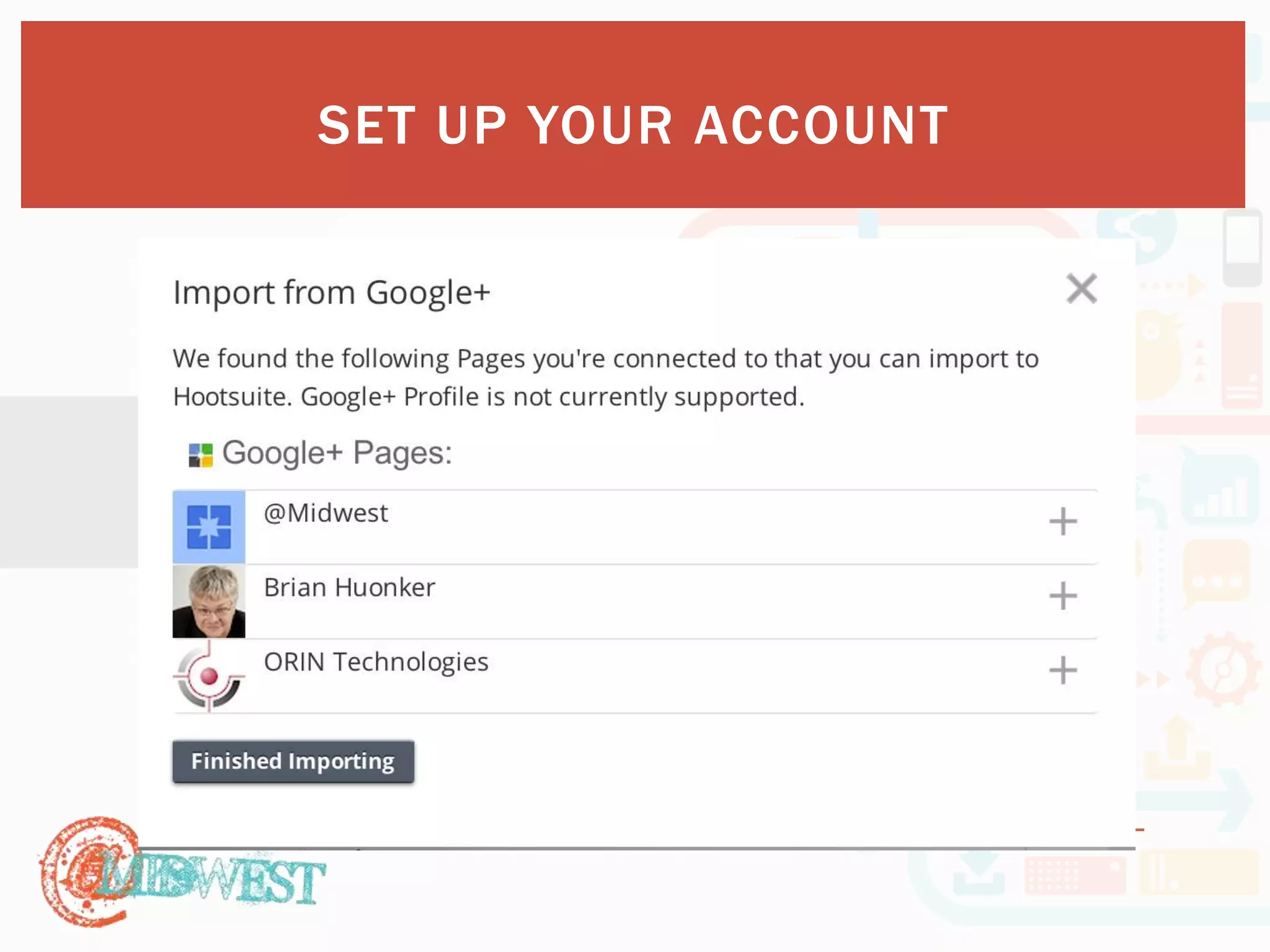
 Set up your account 
 Create your listening streams 
 Scheduling post 
 Familiarize yourself with analytics 
 Communicate monitoring goals through conversations 
 Monitor while on the go
SET UP 
YOUR 
ACCOUNT
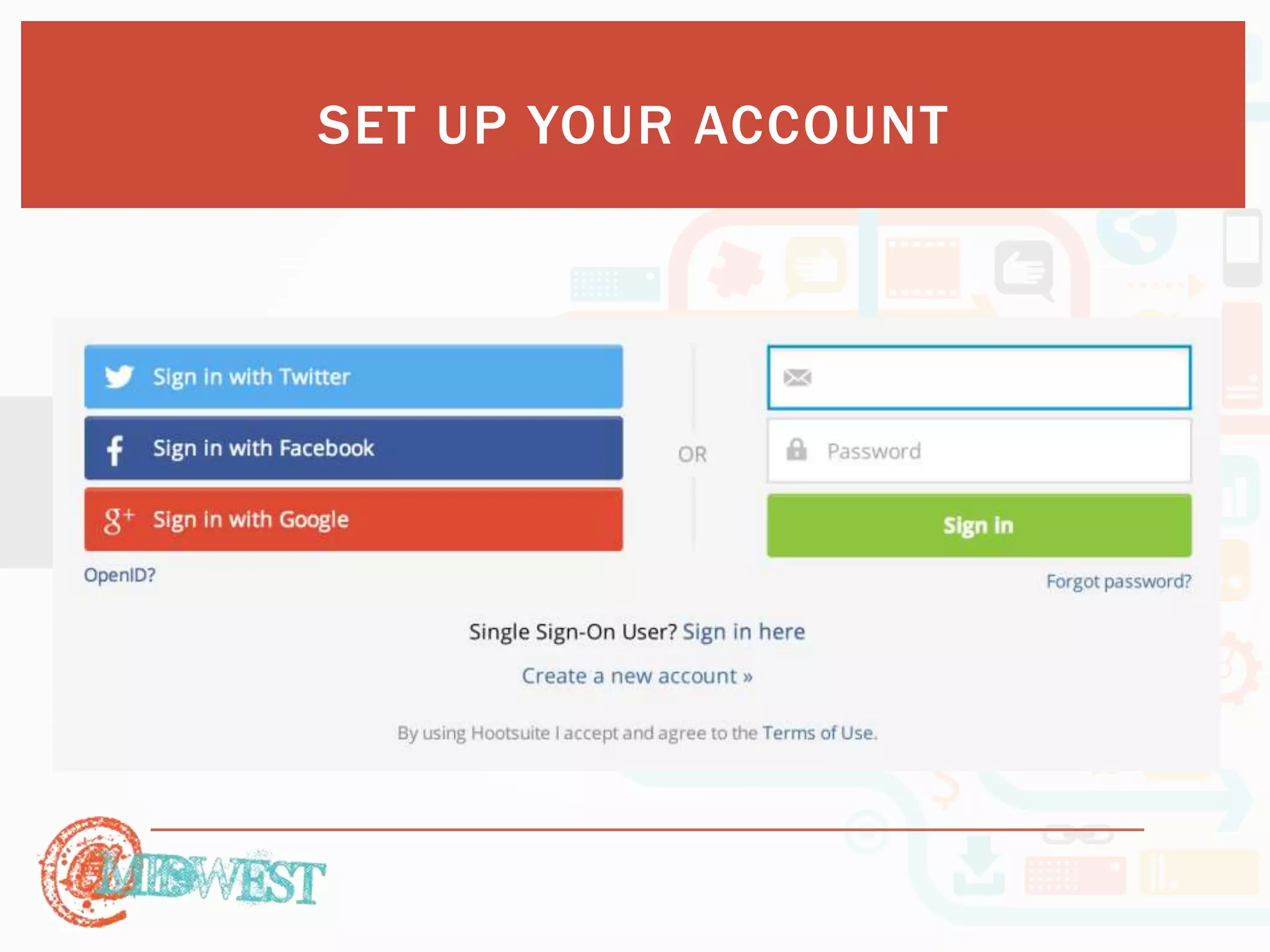
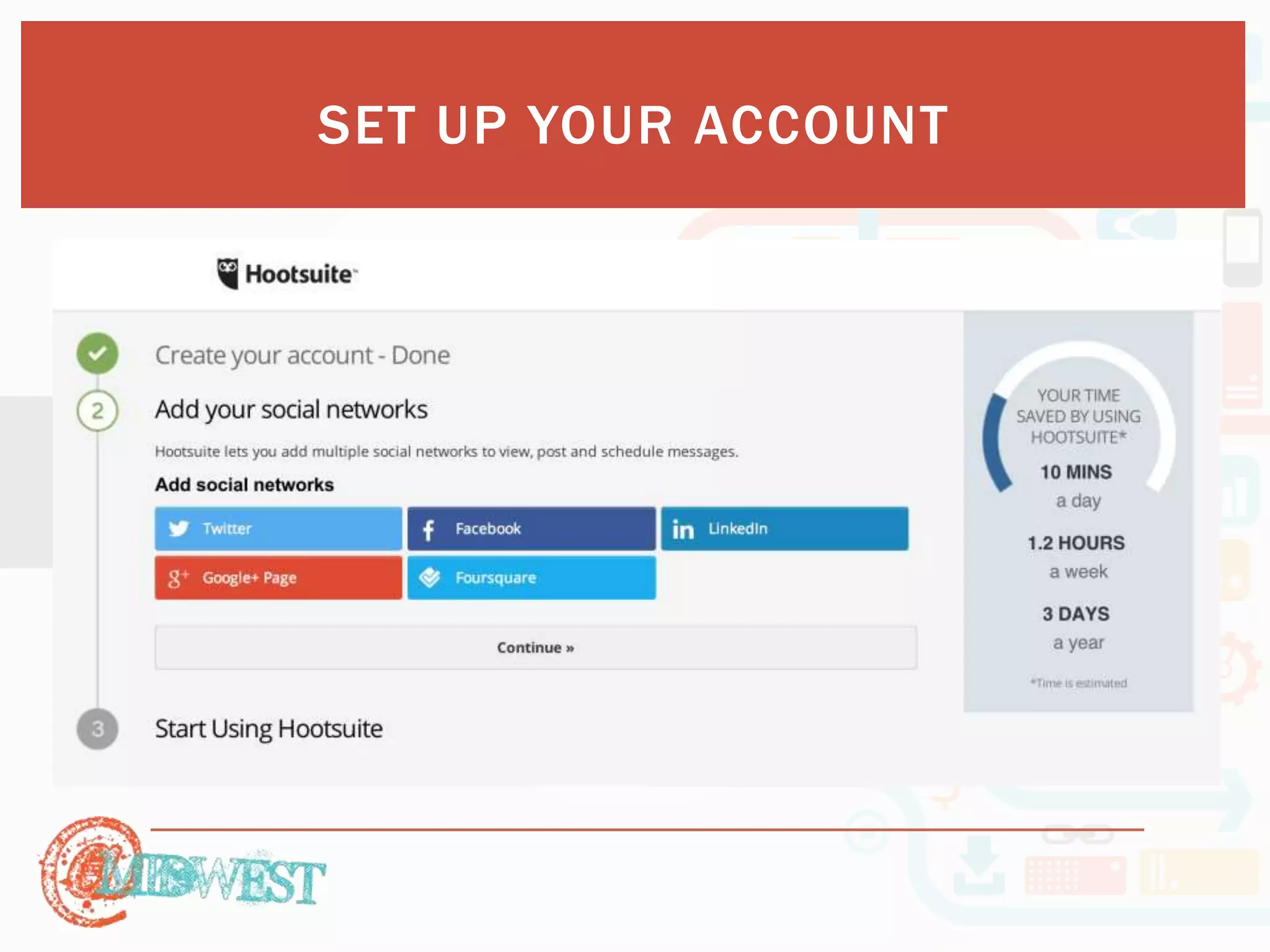
SET UP YOUR ACCOUNT
SET UP YOUR ACCOUNT
SET UP YOUR ACCOUNT
 Let’s tr y. 
SET UP YOUR ACCOUNT
CREATE 
YOUR 
LISTENING 
STREAMS
CREATE YOUR LISTENING STREAMS 
 Why perform Social Listening? 
 Brand Management 
 Millennials like to engage with brands 
 Customer Service 
 96% of unhappy customers don’t complain, however 91% of those will 
simply leave and never come back 
 A dissatisfied customer will tell between 9-15 people about their 
experience. Around 13% of dissatisfied customers tell more than 20 
people. 
 70% of buying experiences are based on how the customer feels they 
are being treated 
 55% of customers would pay extra to guarantee a better service 
 80% of customers prefer to speak with a representative at the weekends
CREATE YOUR LISTENING STREAMS 
 Why perform Social Listening? 
 Happy customers who get their issues resolved tell an average of 
four to six people about their positive experiences 
 Word of mouth testimonials broadcasted across social media 
channels
CREATE YOUR LISTENING STREAMS 
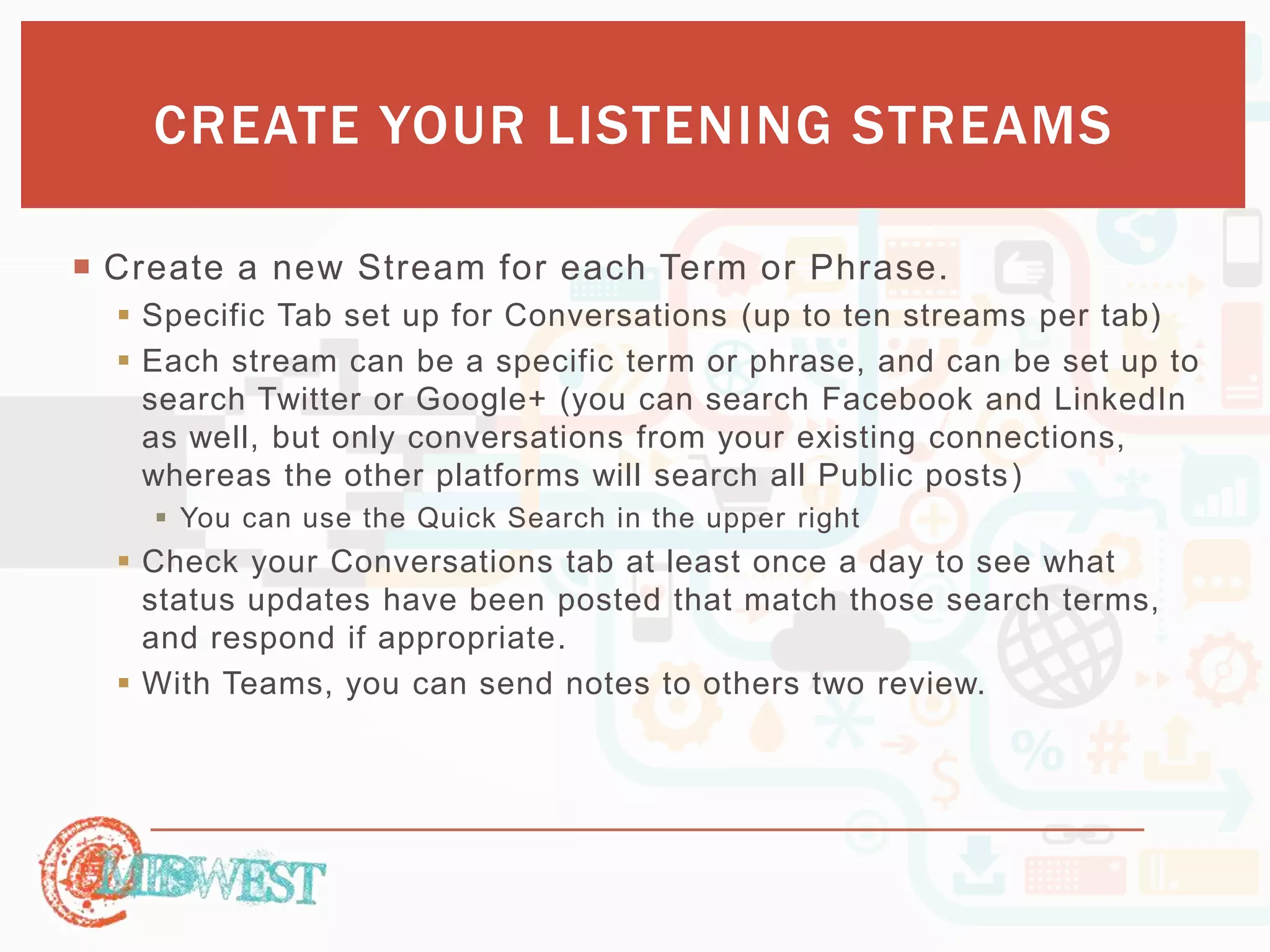
 Identify specific terms to listen for. 
 Test searches 
 Refine the terms as needed 
 Find out what consumers are using to discover your site 
 What terms do consumers use to reference you 
 Industry specific words (and acronyms)
CREATE YOUR LISTENING STREAMS 
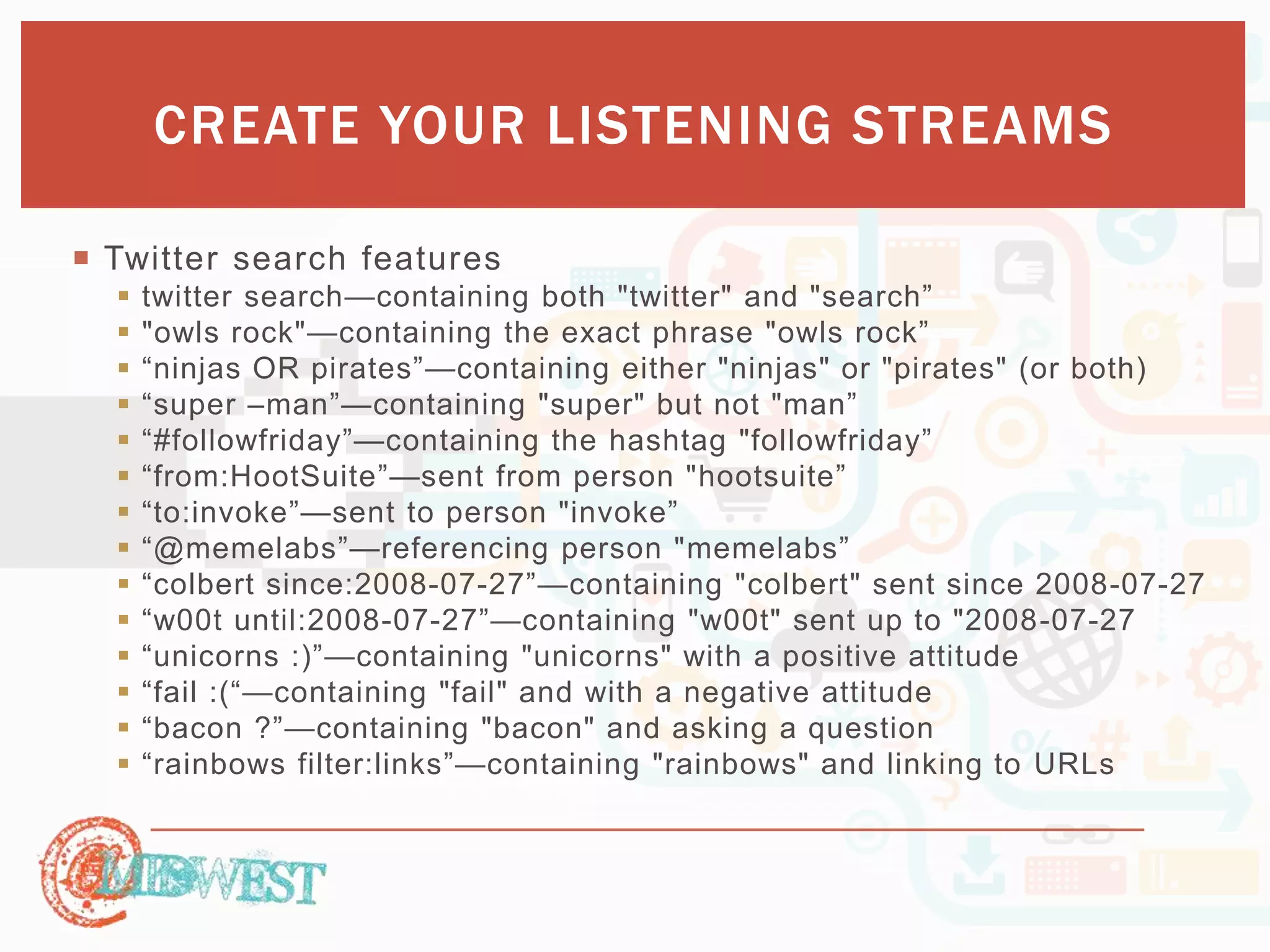
 Create a new Stream for each Term or Phrase. 
 Specific Tab set up for Conversations (up to ten streams per tab) 
 Each stream can be a specific term or phrase, and can be set up to 
search Twitter or Google+ (you can search Facebook and LinkedIn 
as well, but only conversations from your existing connections, 
whereas the other platforms will search all Public posts) 
 You can use the Quick Search in the upper right 
 Check your Conversations tab at least once a day to see what 
status updates have been posted that match those search terms, 
and respond if appropriate. 
 With Teams, you can send notes to others two review.
CREATE YOUR LISTENING STREAMS 
 Twitter search features 
 twitter search—containing both "twitter" and "search” 
 "owls rock"—containing the exact phrase "owls rock” 
 “ninjas OR pirates”—containing either "ninjas" or "pirates" (or both) 
 “super –man”—containing "super" but not "man” 
 “#followfriday”—containing the hashtag "followfriday” 
 “from:HootSuite”—sent from person "hootsuite” 
 “to:invoke”—sent to person "invoke” 
 “@memelabs”—referencing person "memelabs” 
 “colbert since:2008-07-27”—containing "colbert" sent since 2008-07-27 
 “w00t until:2008-07-27”—containing "w00t" sent up to "2008-07-27 
 “unicorns :)”—containing "unicorns" with a positive attitude 
 “fail :(“—containing "fail" and with a negative attitude 
 “bacon ?”—containing "bacon" and asking a question 
 “rainbows filter:links”—containing "rainbows" and linking to URLs
CREATE YOUR LISTENING STREAMS 
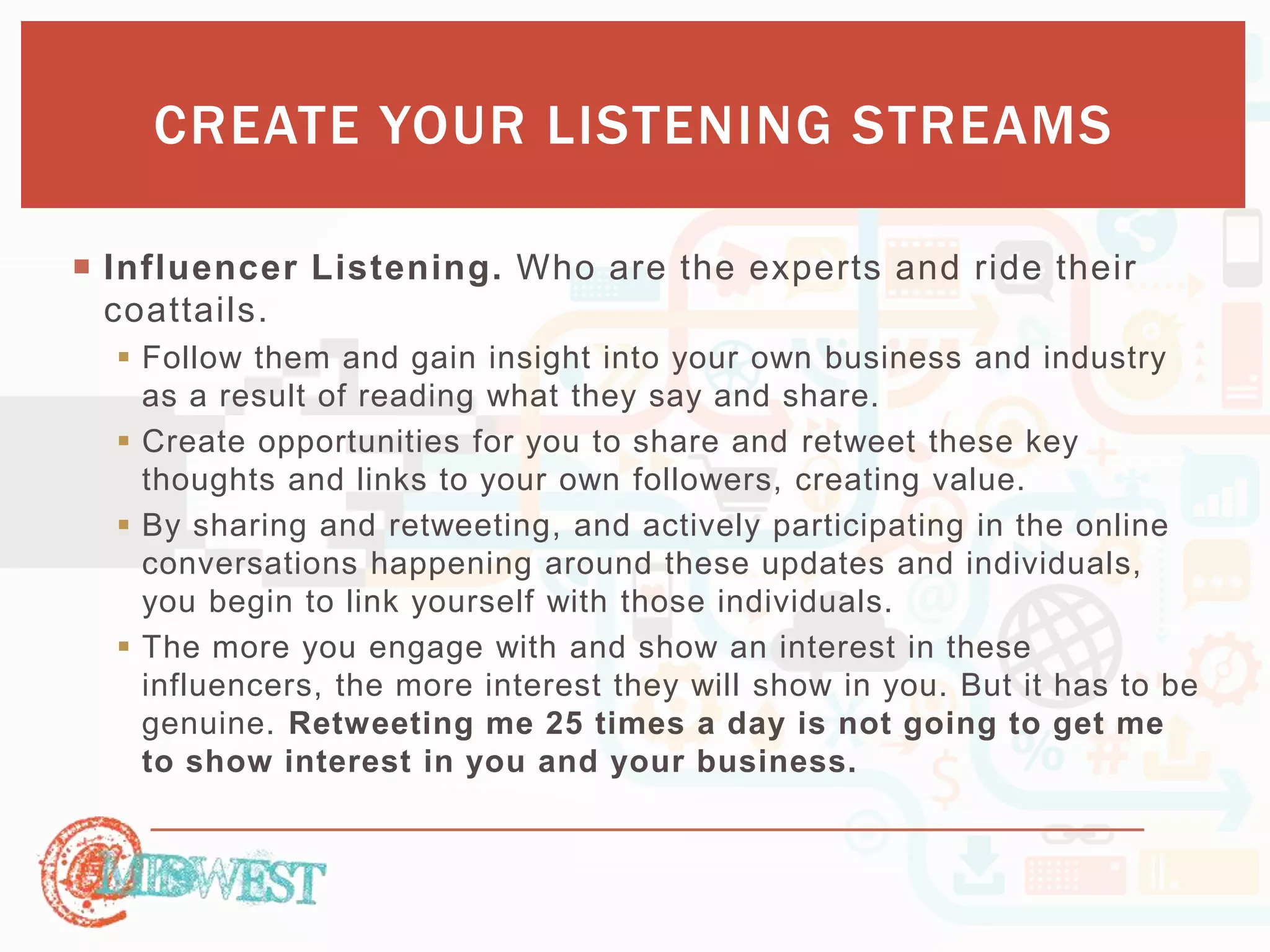
 Influencer Listening. Who are the experts and ride their 
coattails. 
 Follow them and gain insight into your own business and industry 
as a result of reading what they say and share. 
 Create opportunities for you to share and retweet these key 
thoughts and links to your own followers, creating value. 
 By sharing and retweeting, and actively participating in the online 
conversations happening around these updates and individuals, 
you begin to link yourself with those individuals. 
 The more you engage with and show an interest in these 
influencers, the more interest they will show in you. But it has to be 
genuine. Retweeting me 25 times a day is not going to get me 
to show interest in you and your business.
CREATE YOUR LISTENING STREAMS 
 Curate and Share Content 
 A good rule of thumb for businesses who want to present a well - 
rounded and effective social media presence is to maintain an 
80/20 ratio for posted content. 
 80% of your social media posts should be from or about other people 
 20% should be from or about you. 
 If all you’re doing is talking about yourself, fewer people will be 
interested. 
 Streams within one or more Tabs and connect the news feeds from 
your social networks. 
 Syndicator allows you to set up one or more RSS feeds from 
whatever websites and sources you’re interested in.
CREATE YOUR LISTENING STREAMS 
 Competition Monitoring. In the same fashion, keep informed of your 
competition. 
 Their consumers attitudes 
 Their new products 
 Their new services 
 Etc…
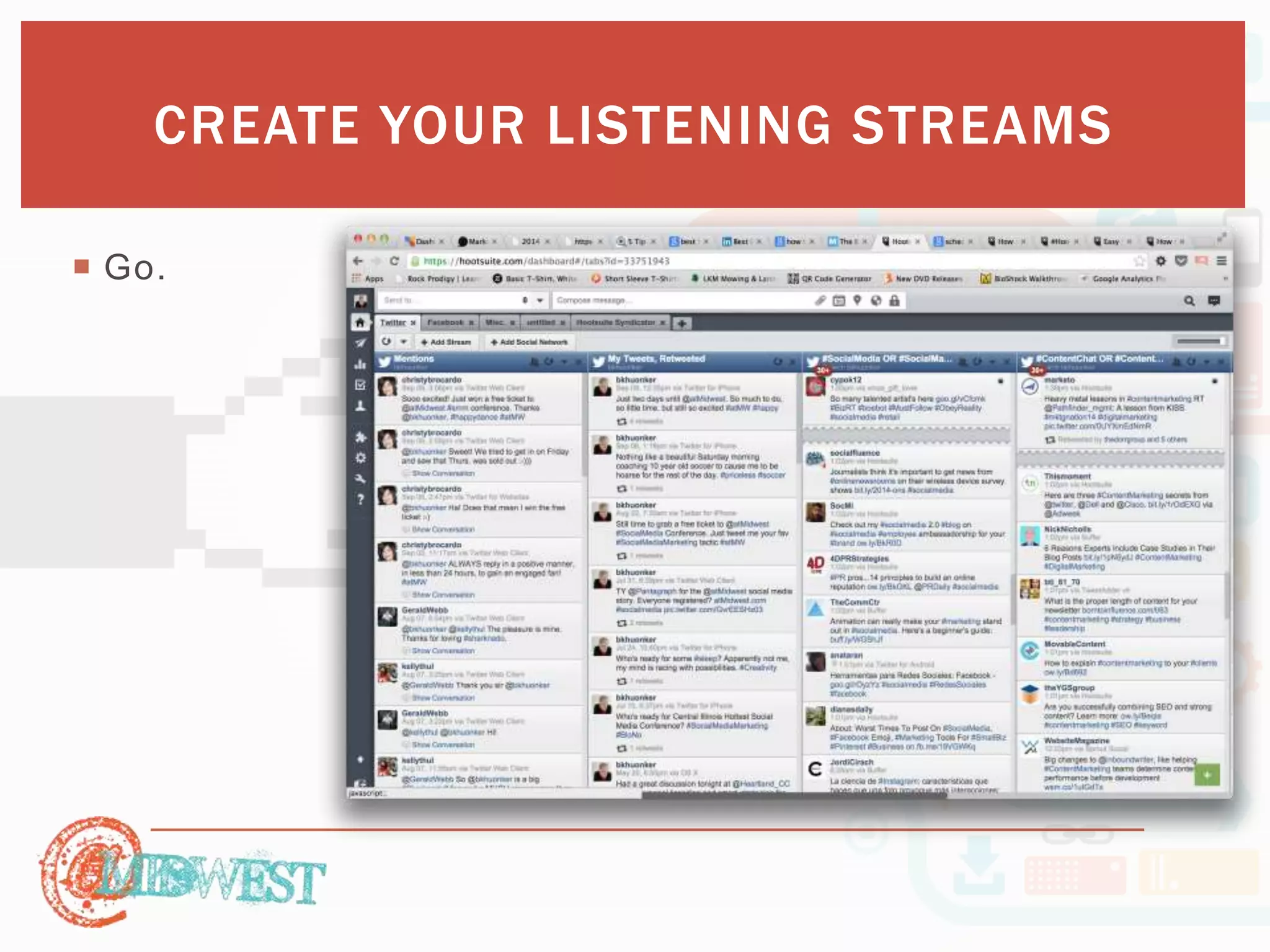
CREATE YOUR LISTENING STREAMS 
 Go.
PUBLISHER
PUBLISHER 
 Schedule post in advance 
 AutoScheduler. Uses algorithms to determine the best time to post, 
per network, and schedules your post to take advantage of that 
timeframe 
 Have them reviewed by other team members 
 Viewed as a calendar 
 View past post 
 Sc h e du le in b u lk ( th o ugh I d o n ’t a d vis e it)
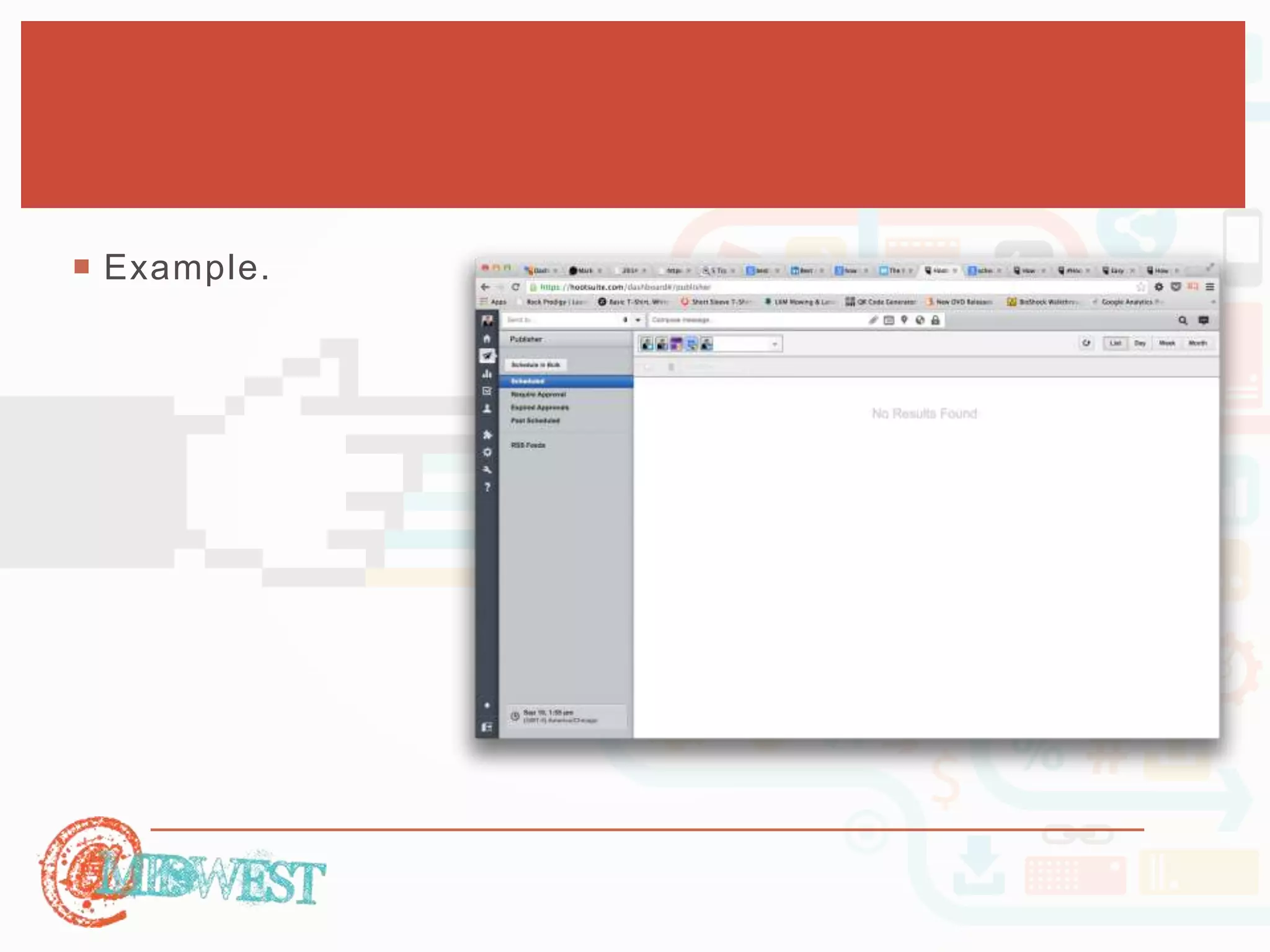
 Example.
FAMILIARIZE 
YOURSELF 
WITH 
ANALY TICS
FAMILIARIZE YOURSELF WITH ANALYTICS 
 In order to get the most out of social media for your 
business 
 keep track of how your brand is performing across your social 
channels 
 how social media is contributing to your ROI. 
 Track your social media engagement and performance 
 It’s a ll a b o u t th e p o in ts
FAMILIARIZE YOURSELF WITH ANALYTICS 
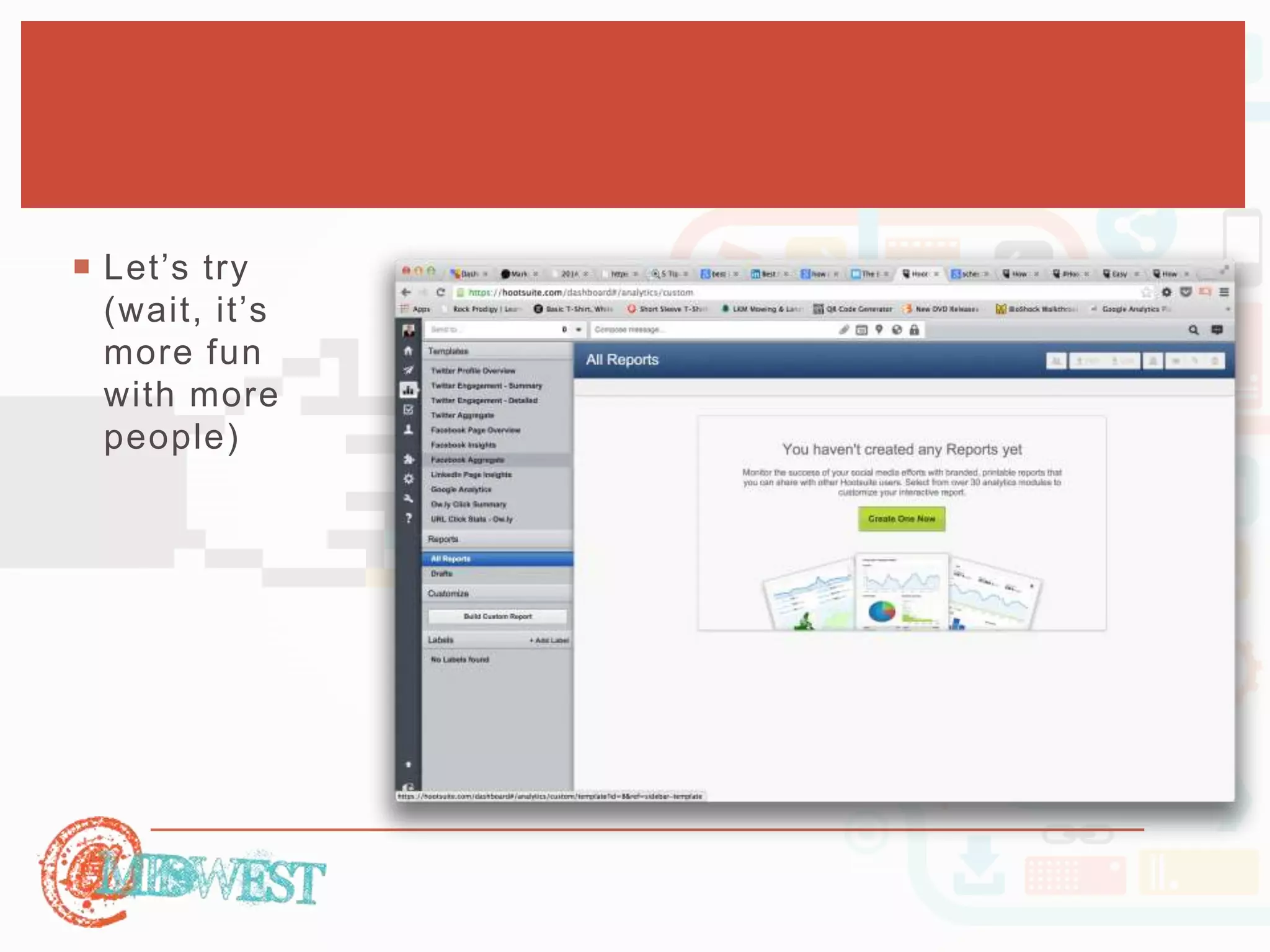
 Within the Analytics tab of your 
Hootsuite launch menu, 
 Choose the report template that 
you would like to use. 
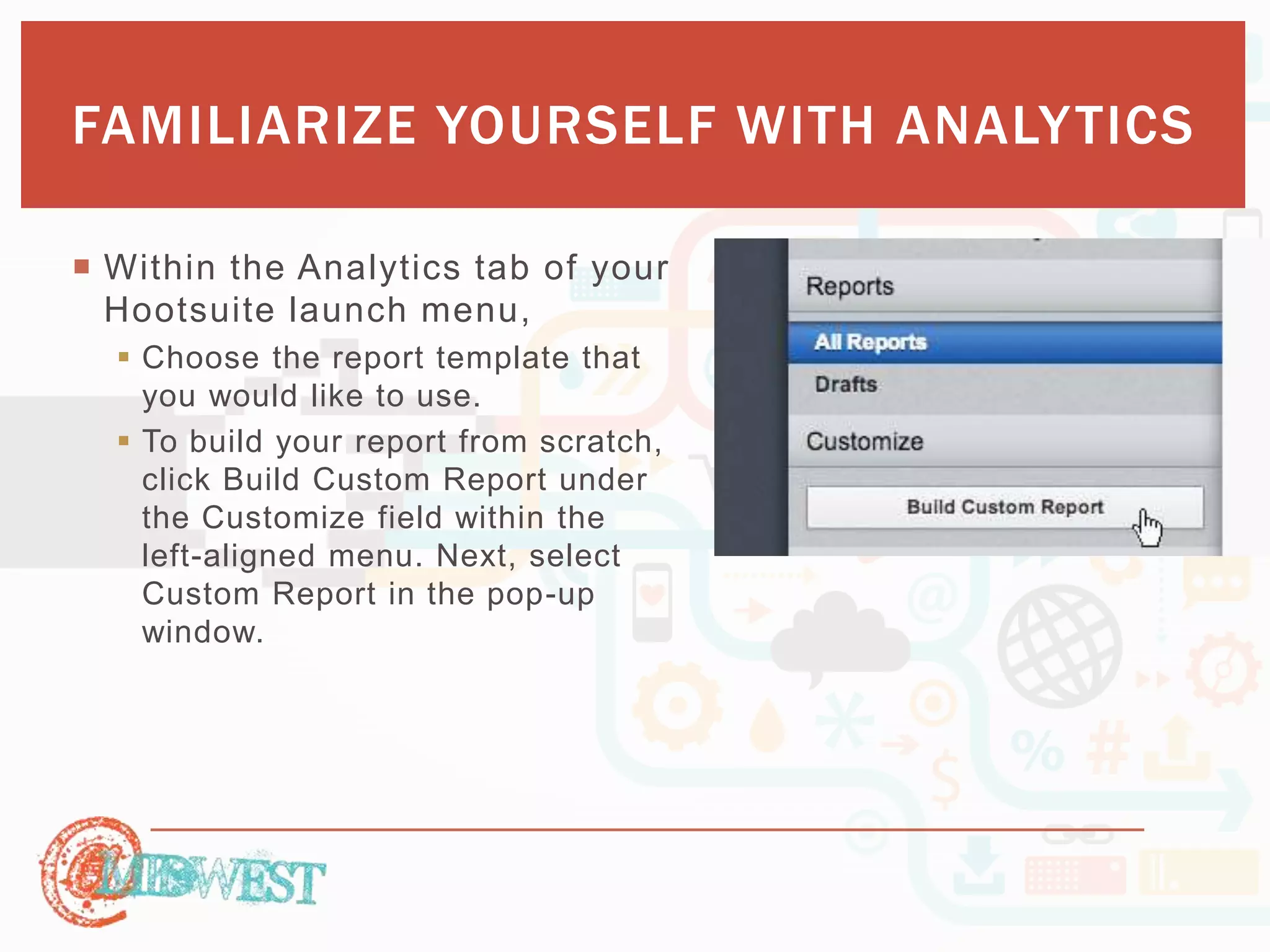
 To build your report from scratch, 
click Build Custom Report under 
the Customize field within the 
left-aligned menu. Next, select 
Custom Report in the pop-up 
window.
FAMILIARIZE YOURSELF WITH ANALYTICS 
 Let’s s ay you’ve c hosen 
to create a custom report, 
which costs 0 points. 
 With your remaining 50 
points, choose which 
modules you would like to 
include in your report. 
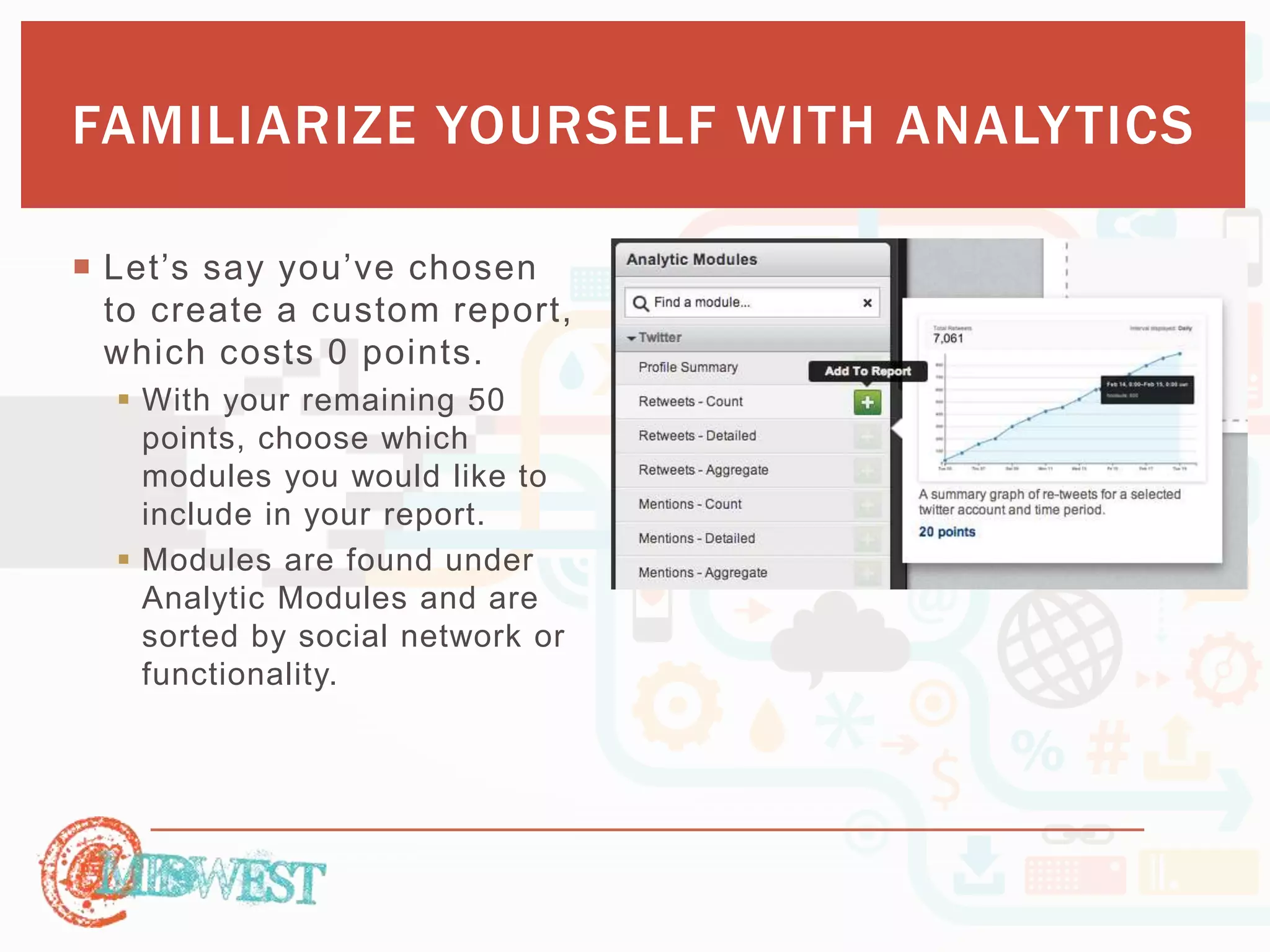
 Modules are found under 
Analytic Modules and are 
sorted by social network or 
functionality.
FAMILIARIZE YOURSELF WITH ANALYTICS 
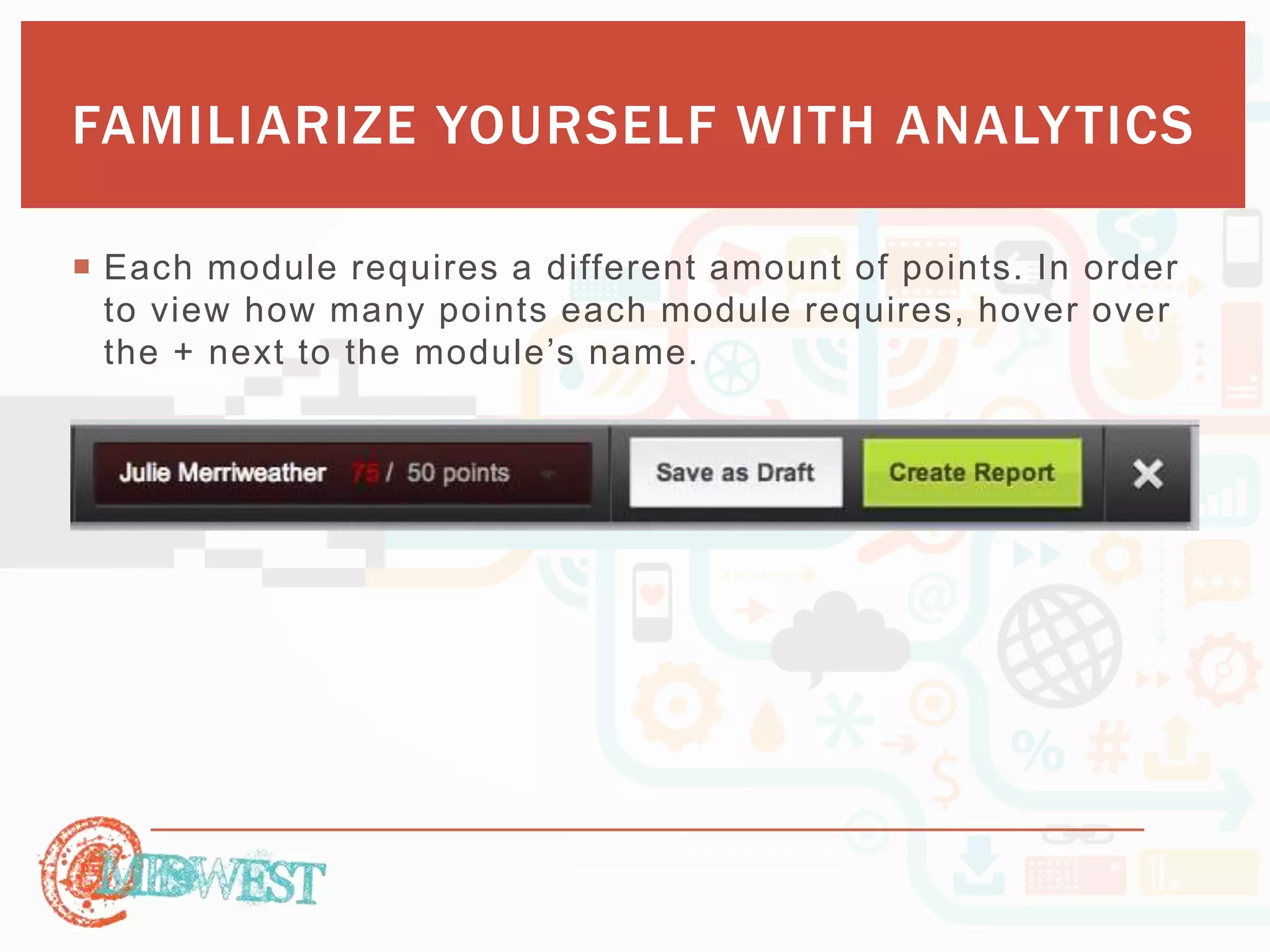
 Each module requires a different amount of points. In order 
to view how many points each module requires, hover over 
th e + n e xt to th e mo d ule ’s n ame.
FAMILIARIZE YOURSELF WITH ANALYTICS 
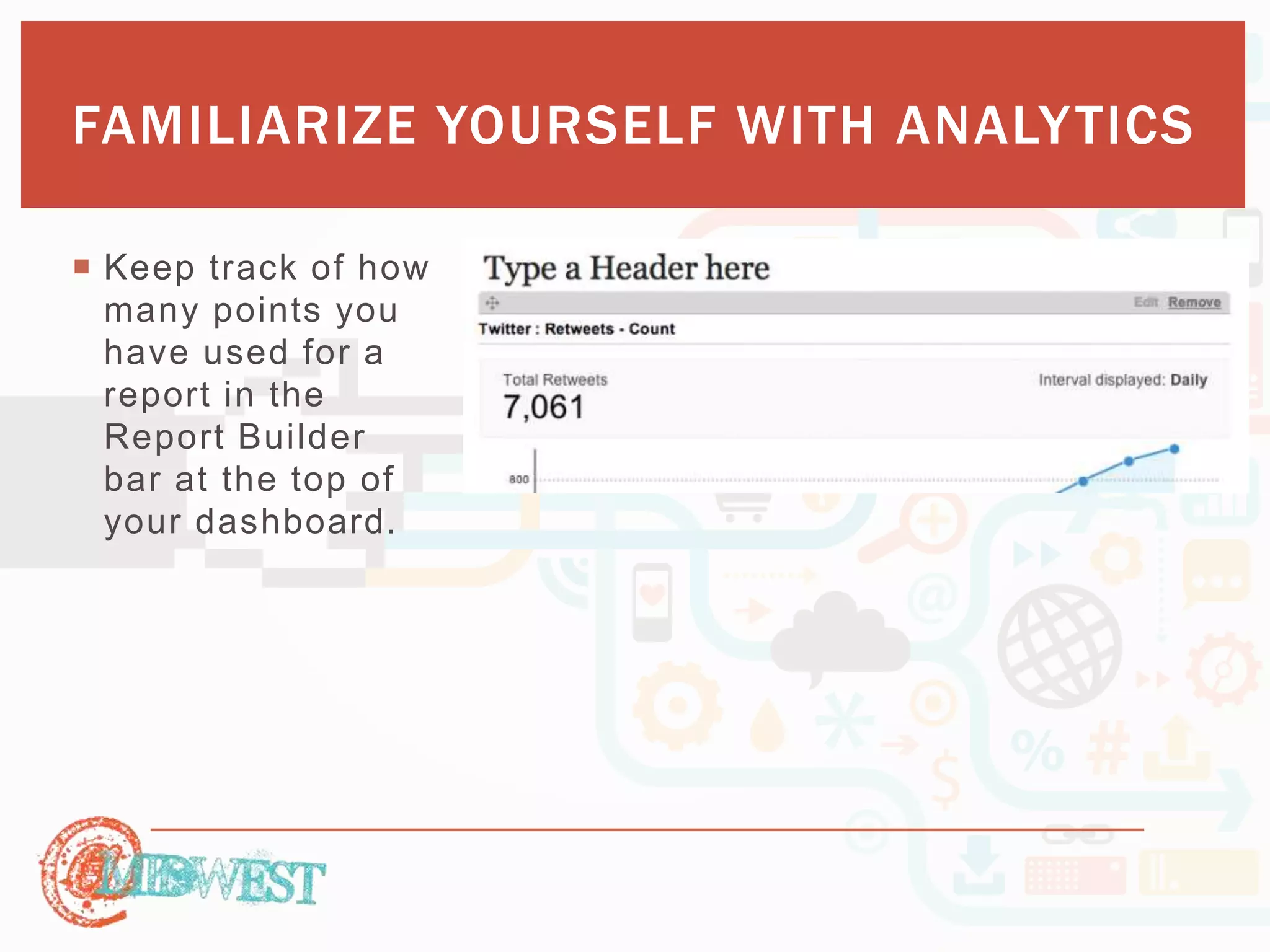
 Keep track of how 
many points you 
have used for a 
report in the 
Report Builder 
bar at the top of 
your dashboard.
FAMILIARIZE YOURSELF WITH ANALYTICS 
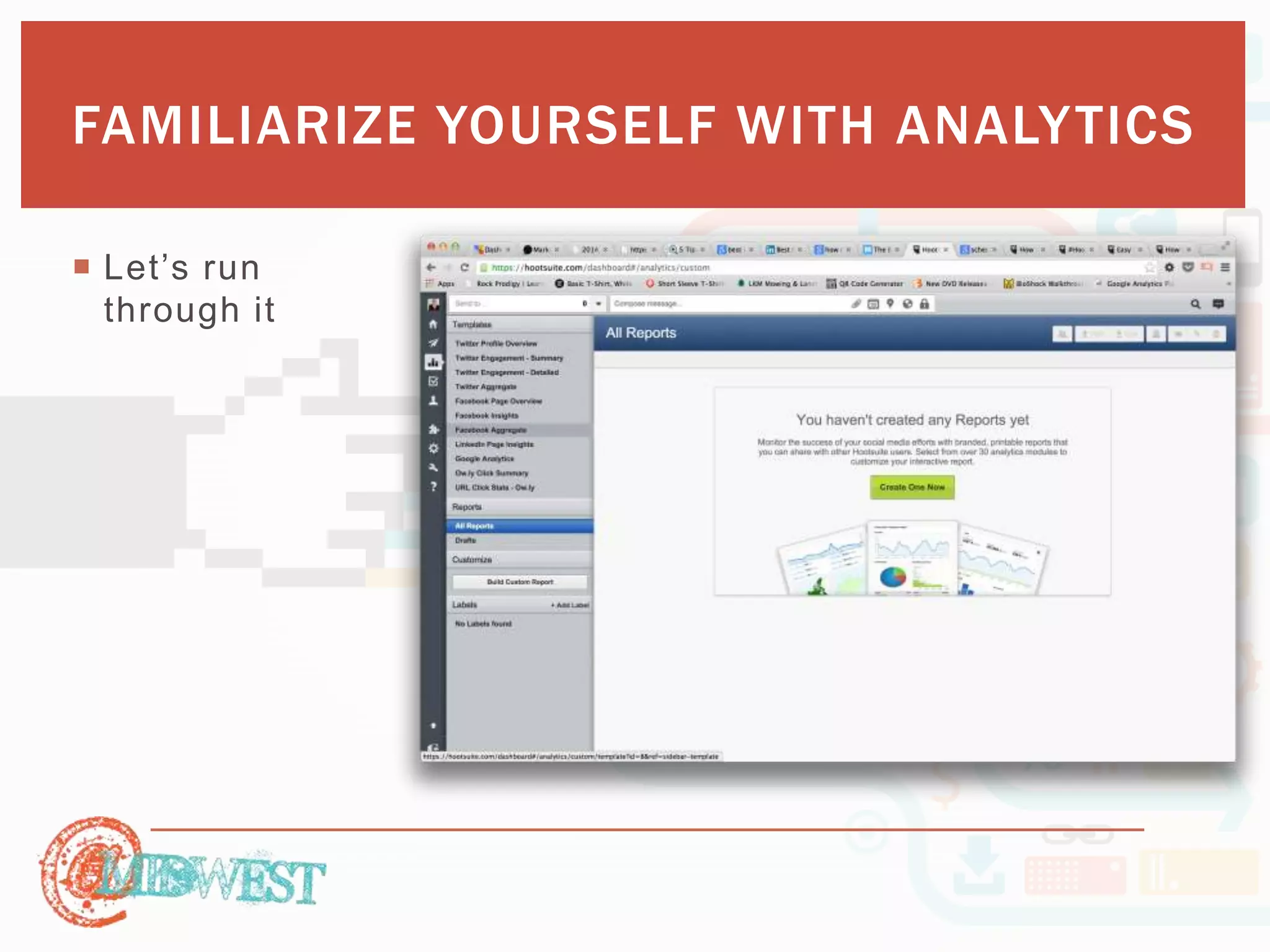
 Let’s r un 
through it
TEAM 
ASSIGNMENTS
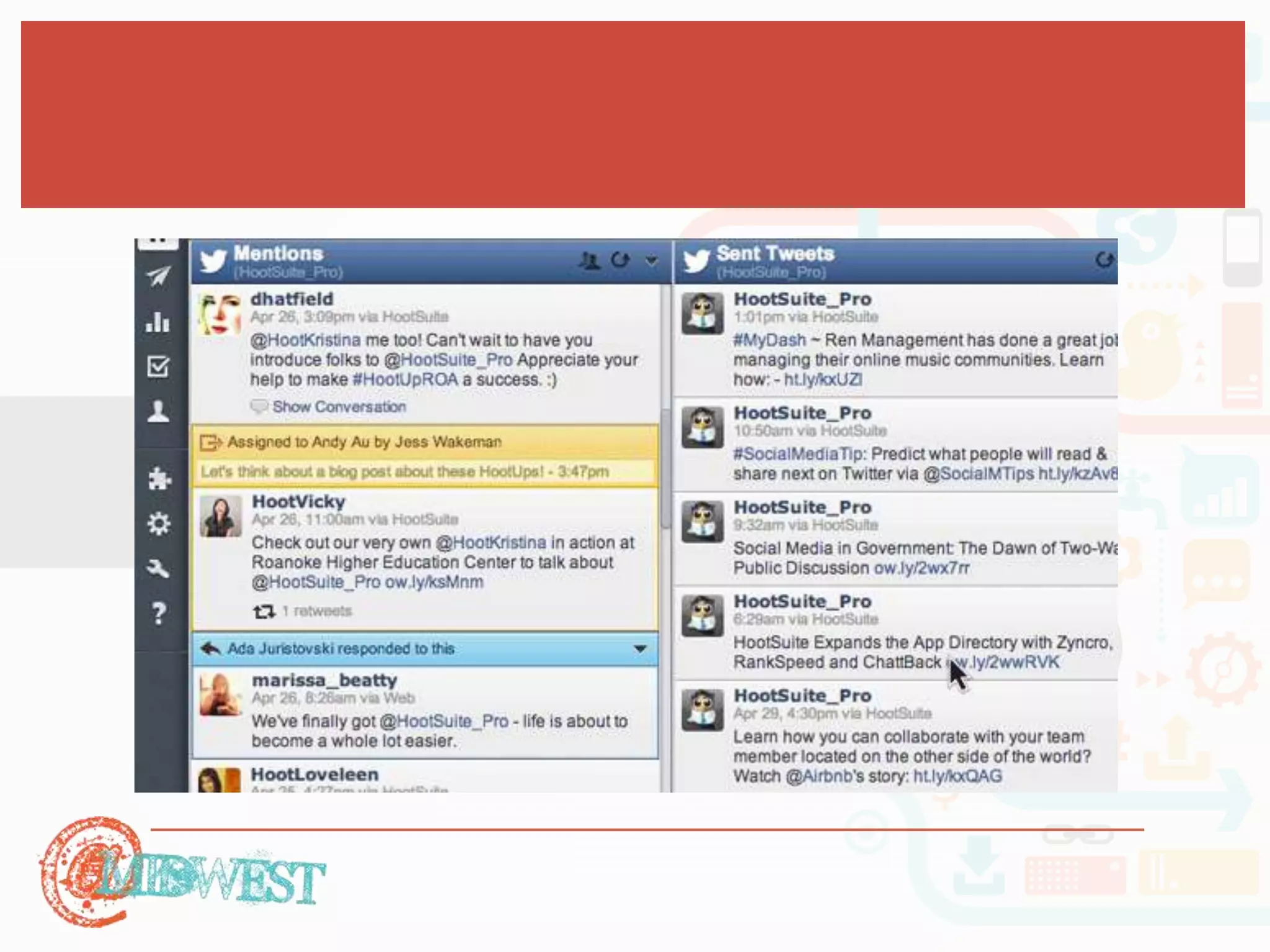
 Why Use Assignments 
 Helps to ensure no Twitter or Facebook message slips through the 
cracks—even in the busiest of work environments. 
 Lets users assign Twitter updates directly from Twitter.com or 
Facebook wall posts directly from Facebook.com to any team 
member, plus include notes for information on following up. 
 Sends assignees email notifications whenever a new message is 
delegated, and view assigned messages within a drop down 
assignment view in the browser. 
 Allows you to monitor the progress of assigned tasks—including 
auditing responses for quality assurance. Upon task completion, 
the assignee marks the message as resolved, allowing the assignor 
to monitor progress the whole way through.
 When To Use Assignments 
 PR – Not all PR opportunities happen during work hours or while 
using the dashboard. If a Team Member spots something that 
requires attention, they can quickly assign the message to the right 
Team Member in order to mitigate the situation. 
 Customer Support – Did you spot a customer question or complaint 
while browsing twitter or facebook? Quickly assign it to you support 
team to ensure the quickest response and increase your customer 
satisfaction. 
 Amplify – Take advantage of tweets with a positive sentiment 
towards your organization by assigning those tweets to be 
amplified.
 Let’s tr y 
(wa it, it’s 
more fun 
with more 
people)
MONITOR 
WHILE ON 
THE GO
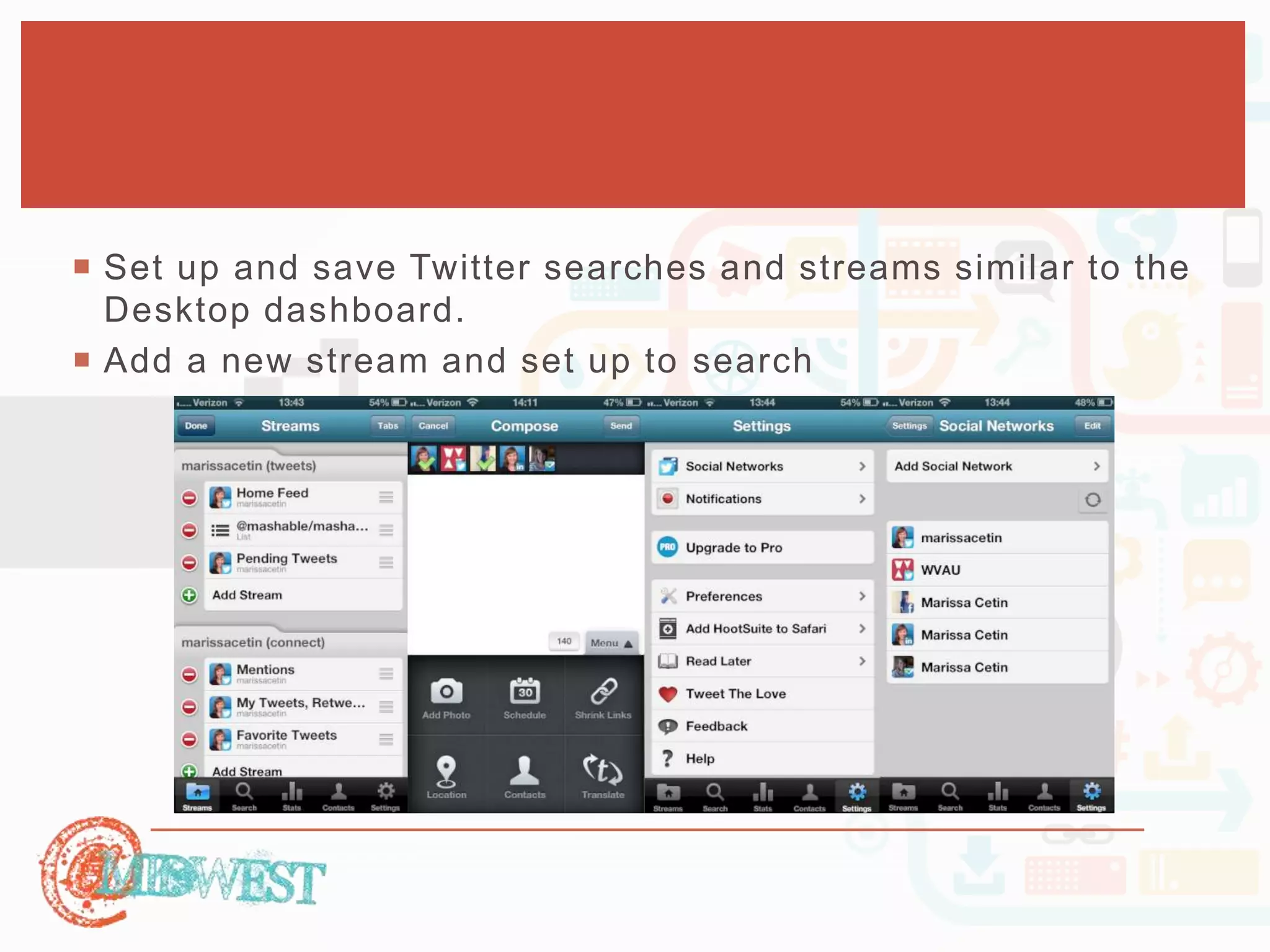
 Set up and save Twitter searches and streams similar to the 
Desktop dashboard. 
 Add a new stream and set up to search
QUESTIONS

Hootsuite: Maintaining multiple social media accounts

  • 2.
    HOOTSUITE: MAINTAINING MULTIPLE SOCIAL MEDIA ACCOUNTS BRIAN HUONKER
  • 3.
    WHERE YOU CONTACTME  Linkedin.com/in/bkhuonker/  Facebook.com/Designs.By.Brian  Twitter.com/bkhuonker  brian@huonks.com
  • 4.
    HERE’S WHAT THESESSION WILL COVER  Set up your account  Create your listening streams  Scheduling post  Familiarize yourself with analytics  Communicate monitoring goals through conversations  Monitor while on the go
  • 5.
    SET UP YOUR ACCOUNT
  • 6.
    SET UP YOURACCOUNT
  • 7.
    SET UP YOURACCOUNT
  • 8.
    SET UP YOURACCOUNT
  • 9.
     Let’s try. SET UP YOUR ACCOUNT
  • 10.
  • 11.
    CREATE YOUR LISTENINGSTREAMS  Why perform Social Listening?  Brand Management  Millennials like to engage with brands  Customer Service  96% of unhappy customers don’t complain, however 91% of those will simply leave and never come back  A dissatisfied customer will tell between 9-15 people about their experience. Around 13% of dissatisfied customers tell more than 20 people.  70% of buying experiences are based on how the customer feels they are being treated  55% of customers would pay extra to guarantee a better service  80% of customers prefer to speak with a representative at the weekends
  • 12.
    CREATE YOUR LISTENINGSTREAMS  Why perform Social Listening?  Happy customers who get their issues resolved tell an average of four to six people about their positive experiences  Word of mouth testimonials broadcasted across social media channels
  • 13.
    CREATE YOUR LISTENINGSTREAMS  Identify specific terms to listen for.  Test searches  Refine the terms as needed  Find out what consumers are using to discover your site  What terms do consumers use to reference you  Industry specific words (and acronyms)
  • 14.
    CREATE YOUR LISTENINGSTREAMS  Create a new Stream for each Term or Phrase.  Specific Tab set up for Conversations (up to ten streams per tab)  Each stream can be a specific term or phrase, and can be set up to search Twitter or Google+ (you can search Facebook and LinkedIn as well, but only conversations from your existing connections, whereas the other platforms will search all Public posts)  You can use the Quick Search in the upper right  Check your Conversations tab at least once a day to see what status updates have been posted that match those search terms, and respond if appropriate.  With Teams, you can send notes to others two review.
  • 15.
    CREATE YOUR LISTENINGSTREAMS  Twitter search features  twitter search—containing both "twitter" and "search”  "owls rock"—containing the exact phrase "owls rock”  “ninjas OR pirates”—containing either "ninjas" or "pirates" (or both)  “super –man”—containing "super" but not "man”  “#followfriday”—containing the hashtag "followfriday”  “from:HootSuite”—sent from person "hootsuite”  “to:invoke”—sent to person "invoke”  “@memelabs”—referencing person "memelabs”  “colbert since:2008-07-27”—containing "colbert" sent since 2008-07-27  “w00t until:2008-07-27”—containing "w00t" sent up to "2008-07-27  “unicorns :)”—containing "unicorns" with a positive attitude  “fail :(“—containing "fail" and with a negative attitude  “bacon ?”—containing "bacon" and asking a question  “rainbows filter:links”—containing "rainbows" and linking to URLs
  • 16.
    CREATE YOUR LISTENINGSTREAMS  Influencer Listening. Who are the experts and ride their coattails.  Follow them and gain insight into your own business and industry as a result of reading what they say and share.  Create opportunities for you to share and retweet these key thoughts and links to your own followers, creating value.  By sharing and retweeting, and actively participating in the online conversations happening around these updates and individuals, you begin to link yourself with those individuals.  The more you engage with and show an interest in these influencers, the more interest they will show in you. But it has to be genuine. Retweeting me 25 times a day is not going to get me to show interest in you and your business.
  • 17.
    CREATE YOUR LISTENINGSTREAMS  Curate and Share Content  A good rule of thumb for businesses who want to present a well - rounded and effective social media presence is to maintain an 80/20 ratio for posted content.  80% of your social media posts should be from or about other people  20% should be from or about you.  If all you’re doing is talking about yourself, fewer people will be interested.  Streams within one or more Tabs and connect the news feeds from your social networks.  Syndicator allows you to set up one or more RSS feeds from whatever websites and sources you’re interested in.
  • 18.
    CREATE YOUR LISTENINGSTREAMS  Competition Monitoring. In the same fashion, keep informed of your competition.  Their consumers attitudes  Their new products  Their new services  Etc…
  • 19.
    CREATE YOUR LISTENINGSTREAMS  Go.
  • 20.
  • 21.
    PUBLISHER  Schedulepost in advance  AutoScheduler. Uses algorithms to determine the best time to post, per network, and schedules your post to take advantage of that timeframe  Have them reviewed by other team members  Viewed as a calendar  View past post  Sc h e du le in b u lk ( th o ugh I d o n ’t a d vis e it)
  • 22.
  • 23.
  • 24.
    FAMILIARIZE YOURSELF WITHANALYTICS  In order to get the most out of social media for your business  keep track of how your brand is performing across your social channels  how social media is contributing to your ROI.  Track your social media engagement and performance  It’s a ll a b o u t th e p o in ts
  • 25.
    FAMILIARIZE YOURSELF WITHANALYTICS  Within the Analytics tab of your Hootsuite launch menu,  Choose the report template that you would like to use.  To build your report from scratch, click Build Custom Report under the Customize field within the left-aligned menu. Next, select Custom Report in the pop-up window.
  • 26.
    FAMILIARIZE YOURSELF WITHANALYTICS  Let’s s ay you’ve c hosen to create a custom report, which costs 0 points.  With your remaining 50 points, choose which modules you would like to include in your report.  Modules are found under Analytic Modules and are sorted by social network or functionality.
  • 27.
    FAMILIARIZE YOURSELF WITHANALYTICS  Each module requires a different amount of points. In order to view how many points each module requires, hover over th e + n e xt to th e mo d ule ’s n ame.
  • 28.
    FAMILIARIZE YOURSELF WITHANALYTICS  Keep track of how many points you have used for a report in the Report Builder bar at the top of your dashboard.
  • 29.
    FAMILIARIZE YOURSELF WITHANALYTICS  Let’s r un through it
  • 30.
  • 31.
     Why UseAssignments  Helps to ensure no Twitter or Facebook message slips through the cracks—even in the busiest of work environments.  Lets users assign Twitter updates directly from Twitter.com or Facebook wall posts directly from Facebook.com to any team member, plus include notes for information on following up.  Sends assignees email notifications whenever a new message is delegated, and view assigned messages within a drop down assignment view in the browser.  Allows you to monitor the progress of assigned tasks—including auditing responses for quality assurance. Upon task completion, the assignee marks the message as resolved, allowing the assignor to monitor progress the whole way through.
  • 32.
     When ToUse Assignments  PR – Not all PR opportunities happen during work hours or while using the dashboard. If a Team Member spots something that requires attention, they can quickly assign the message to the right Team Member in order to mitigate the situation.  Customer Support – Did you spot a customer question or complaint while browsing twitter or facebook? Quickly assign it to you support team to ensure the quickest response and increase your customer satisfaction.  Amplify – Take advantage of tweets with a positive sentiment towards your organization by assigning those tweets to be amplified.
  • 34.
     Let’s try (wa it, it’s more fun with more people)
  • 35.
  • 36.
     Set upand save Twitter searches and streams similar to the Desktop dashboard.  Add a new stream and set up to search
  • 37.

Editor's Notes

  • #5 When it comes to brands on social media, one of the most common mistakes made is not listening to their social following. Many brands choose to promote content and chat via these channels, without having a strong understanding of what their audience’s preferences and interests actually are. In short, social listening is a way brands can monitor conversations being held on social channels, in order to identify opportunities to develop, promote, and participate in the discussions through engagement. To enable this form of customer engagement, brands must be able to identify specific keywords and phrases relevant to their business. For example, with Pepsi, keywords would consist of “soda, fizzy drink, soft drink etc. Likewise, if you were a service offering company, you may want to monitor conversations surrounding the area your service is in; consequently allowing you to provide your expert input and reach out to the individuals in need of help or advice. In order to develop a social media listening program, this workshop will utilize Hootsuite and show you how to:
  • #12 The details will vary from business to business and industry to industry, but the core principle is that brands will listen to conversations taking place on social media and look for opportunities to participate and engage customers and prospects. First, a business will identify specific words and phrases that might be part of a conversation that would apply to the business. For instance, if your business solves specific problems, you would listen for people talking about those kinds of issues. You might find opportunities to provide assistance or resources, or to reach out to individuals in need. Second, a business will identify key influencers. These are people who may be well-known in the industry, or perhaps in roles where a referral could go a long way. For instance, gaining the interest and support of someone more established on Twitter, where they may have a much larger following, might result in getting a retweet or mention that helps extend the reach and visibility of your business tremendously.
  • #17 Now, there are different kinds of influencers, so you should have specific profiles and goals in mind. Are you looking for leaders in your industry who might help build your reputation through association? Or perhaps you’re looking for key C-level executives who can help you land critical accounts, or perhaps someone else. Finding these influencers is achieved a couple of different ways. You can do a quick search and change to Twitter Users. Type in names or keywords or businesses or whatever makes sense for the kind of person you’re looking for, and see what comes up. Within the list of Twitter users, you can click on any name and their profile will pop up and you can decide whether or not you want to follow that person. Or, alternatively, you can search on topics and look for people talking about and demonstrating expertise and influence in specific areas. A profile bio within HootSuite A profile bio within HootSuite When looking at someone’s Twitter bio within HootSuite, you can see how many followers they have, how many updates they’ve posted, their location and their Bio text. You can also select a Timeline tab to see their latest tweets. The Bio tab also includes an interesting stat: their Klout score. While there’s non-stop debate over the validity and usefulness of Klout as a measurement, in this instance, I think it’s tremendously valuable. If you’re looking for someone in your industry who has demonstrated significant online influence, the higher their Klout score the better. Now, the actual number for the Klout score will vary by industry. Someone who’s nationally known may have a Klout score of 80+, but you may not need or even want that caliber of influencer. Smaller businesses, particularly local businesses, are going to want to identify and connect with people who are influential, but also approachable. My guess is that you’ll want to target people with a Klout score between 50 – 70, but again, your specific business, region and industry may vary. Once you’ve identified someone, following them is just the first step. You should then begin to form a relationship with that individual, and spend an appropriate amount of time compared to what you hope to get out of the relationship. You may want to add that person to a new or existing Twitter List to help keep tabs on the profile, and can do so using the Add to List button at the bottom of the bio box. You can send them a Direct Message if you think it would be appropriate, but generally I advise starting by making it a point to regularly retweet, favorite and reply to the tweets they’re sending on a daily basis. Begin to start conversations with these individuals, and make intelligent comments. Ask good questions and offer genuine, thoughtful compliments, and you will begin to make an impression. At an appropriate time, Make The Ask – whatever it is you are hoping they will do for you, whether it’s to make an introduction, retweet one of your tweets, or something else. By laying the groundwork of retweeting, favoriting and other comments, you’ve created value for the influencer. That way, when you ask them to do something for you, they’ll feel like they’re reciprocating, and not just doing you a favor.
  • #26 Different templates require a different amount of points, ranging from 0 to 75.
  • #32 With the HootSuite Assignments functionality, both in-dash and with the extension, you can easily expand your team’s monitoring capabilities so you can reply to important clients and audiences quickly and accurately. Even if you aren’t browsing your social networks within your HootSuite dashboard, you can still assign social messaging to the most appropriate person in sales, customer support, public relations, the marketing department and more.