

ql.io and Node.js: Next Generation
Open Source Web Querying System


                                 Jonathan LeBlanc
                Developer Evangelist: X.commerce
                           Email: jleblanc@x.com
                               Twitter: @jcleblanc
                     Github: github.com/jcleblanc
Topics We’ll Be Covering

        Overview of ql.io

        Language Specifications

        Monkey Patching & Enhancements

        Integrating Into Your Node Applications

        Tools and More
Topics We’ll Be Covering

        Overview of ql.io

        Language Specifications

        Monkey Patching & Enhancements

        Integrating Into Your Node Applications

        Tools and More
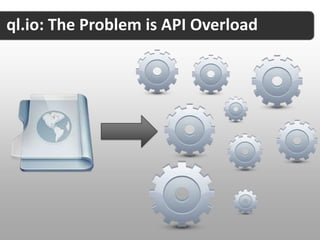
ql.io: The Problem is API Overload
ql.io: Developing for Mobile
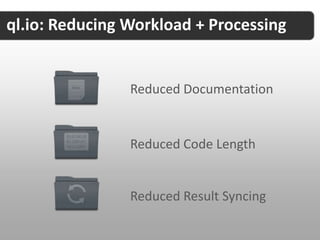
ql.io: Reducing Workload + Processing


                Reduced Documentation


                Reduced Code Length


                Reduced Result Syncing
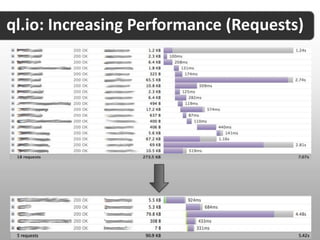
ql.io: Increasing Performance (Requests)
ql.io: Error Handling and Reporting
ql.io: Open Standard Foundation
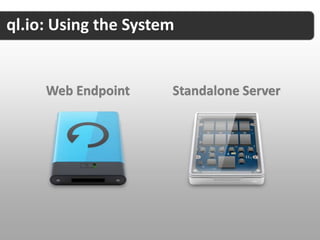
ql.io: Using the System


     Web Endpoint     Standalone Server
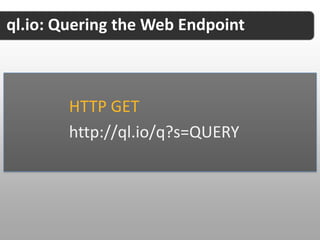
ql.io: Quering the Web Endpoint


        HTTP GET
        http://ql.io/q?s=QUERY
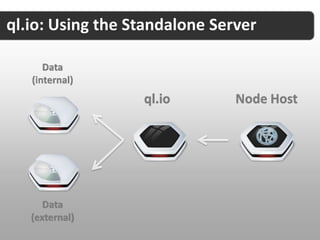
ql.io: Using the Standalone Server

      Data
   (internal)
                  ql.io        Node Host


      Data
   (external)
Topics We’ll Be Covering

        Overview of ql.io

        Language Specifications

        Monkey Patching & Enhancements

        Integrating Into Your Node Applications

        Tools and More
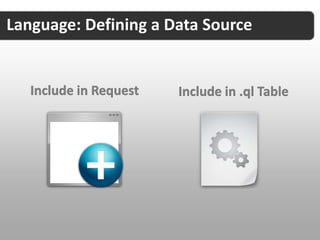
Language: Defining a Data Source


   Include in Request   Include in .ql Table
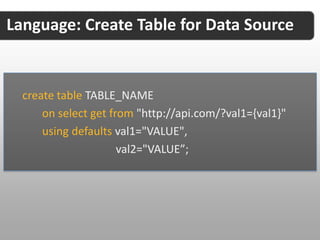
Language: Create Table for Data Source


  create table TABLE_NAME
      on select get from "http://api.com/?val1={val1}"
      using defaults val1="VALUE",
                      val2="VALUE”;
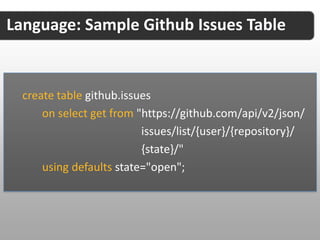
Language: Sample Github Issues Table


  create table github.issues
      on select get from "https://github.com/api/v2/json/
                          issues/list/{user}/{repository}/
                          {state}/"
      using defaults state="open";
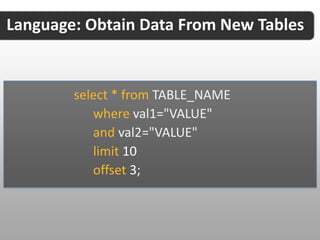
Language: Obtain Data From New Tables


        select * from TABLE_NAME
           where val1="VALUE"
           and val2="VALUE"
           limit 10
           offset 3;
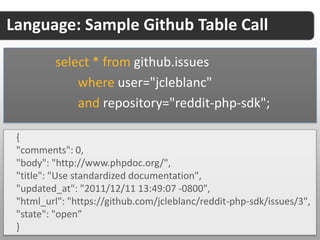
Language: Sample Github Table Call

         select * from github.issues
             where user="jcleblanc"
             and repository="reddit-php-sdk";

 {
 "comments": 0,
 "body": "http://www.phpdoc.org/",
 "title": "Use standardized documentation",
 "updated_at": "2011/12/11 13:49:07 -0800",
 "html_url": "https://github.com/jcleblanc/reddit-php-sdk/issues/3",
 "state": "open”
 }
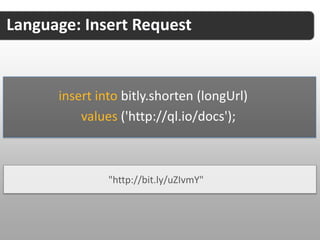
Language: Insert Request


      insert into bitly.shorten (longUrl)
          values ('http://ql.io/docs');


               "http://bit.ly/uZIvmY"
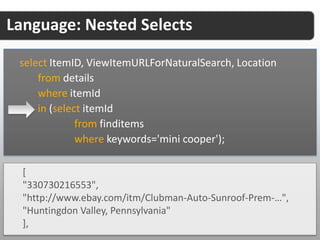
Language: Nested Selects

 select ItemID, ViewItemURLForNaturalSearch, Location
     from details
     where itemId
     in (select itemId
              from finditems
              where keywords='mini cooper');

  [
  "330730216553",
  "http://www.ebay.com/itm/Clubman-Auto-Sunroof-Prem-…",
  "Huntingdon Valley, Pennsylvania"
  ],
ql.io: The Test Console
      Test Console: http://ql.io/console
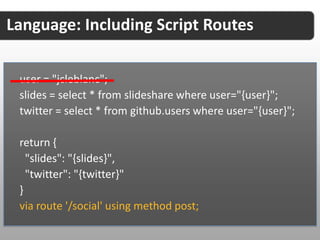
Language: Including Script Routes

 user = "jcleblanc";
 slides = select * from slideshare where user="{user}";
 twitter = select * from github.users where user="{user}";

 return {
   "slides": "{slides}",
   "twitter": "{twitter}"
 }
 via route '/social' using method post;
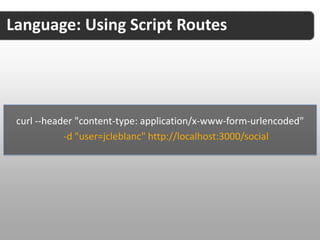
Language: Using Script Routes


 curl --header "content-type: application/x-www-form-urlencoded"
            -d "user=jcleblanc" http://localhost:3000/social
Topics We’ll Be Covering

        Overview of ql.io

        Language Specifications

        Monkey Patching & Enhancements

        Integrating Into Your Node Applications

        Tools and More
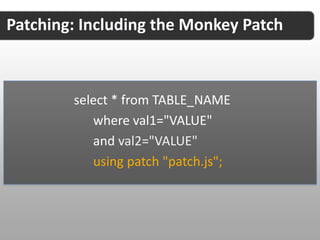
Patching: Including the Monkey Patch


  create table TABLE_NAME
      on select get from "http://api.com/?val1={val1}"
      using defaults val1="VALUE"
      using patch "patch.js";
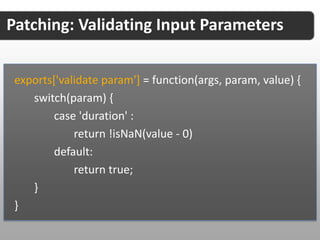
Patching: Validating Input Parameters


 exports['validate param'] = function(args, param, value) {
    switch(param) {
        case 'duration' :
             return !isNaN(value - 0)
        default:
             return true;
    }
 }
Patching: The Body Patch


 exports['patch body'] = function() {
   return {
      type: 'application/json',
      content: JSON.stringify({message : 'aok'})
   };
 }
Patching: The Response Patch


   exports['patch response'] = function(args){
      var body = args.body;

       //modify response body

       return body;
   }
Topics We’ll Be Covering

        Overview of ql.io

        Language Specifications

        Monkey Patching & Enhancements

        Integrating Into Your Node Applications

        Tools and More
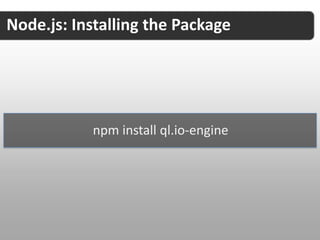
Node.js: Installing the Package


           npm install ql.io-engine
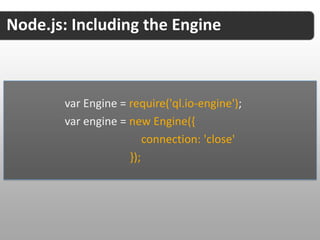
Node.js: Including the Engine


       var Engine = require('ql.io-engine');
       var engine = new Engine({
                        connection: 'close'
                    });
Node.js: Building the Script
Topics We’ll Be Covering

        Overview of ql.io

        Language Specifications

        Monkey Patching & Enhancements

        Integrating Into Your Node Applications

        Tools and More
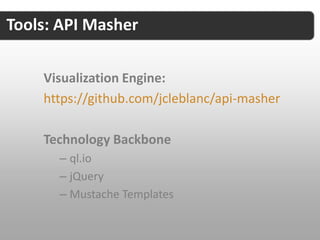
Tools: API Masher

    Visualization Engine:
    https://github.com/jcleblanc/api-masher

    Technology Backbone
      – ql.io
      – jQuery
      – Mustache Templates
Tools: API Masher


 var format = “<li><a href=‘{{link}}’ target=‘_blank’>
     <img src=‘{{media:content.media:thumbnail.url}}’
     width=‘{{media:content.media:thumbnail.width}}’
     height=‘{{media:content.media:thumbnail.height}}’ /></a>
     <br /><span class=‘small’>
     <a href=‘{{link}}’ target=‘_blank’>{{title}}</a></span></li>”;
Tools: API Masher

 var query = “create table slideshare
   on select get from ‘http://www.slideshare.net/rss/user/{user}’
   resultset ‘rss.channel’;
   select * from slideshare where user=“jcleblanc”

 var insertEl = “widgetContainer”;

 parser.push(query, format, insertEl);
 parser.render();
Tools: API Masher Results

    Showcase Website: http://jcleblanc.com
Tools: External API Tables


     Tables Source:
     https://github.com/jcleblanc/ql.io-tables
ql.io: The Link
Thank You!
http://slidesha.re/ql-io-node


                  Jonathan LeBlanc
 Developer Evangelist: X.commerce
            Email: jleblanc@x.com
                Twitter: @jcleblanc
      Github: github.com/jcleblanc

2012: ql.io and Node.js

  • 1.
    ql.io and Node.js:Next Generation Open Source Web Querying System Jonathan LeBlanc Developer Evangelist: X.commerce Email: jleblanc@x.com Twitter: @jcleblanc Github: github.com/jcleblanc
  • 2.
    Topics We’ll BeCovering Overview of ql.io Language Specifications Monkey Patching & Enhancements Integrating Into Your Node Applications Tools and More
  • 3.
    Topics We’ll BeCovering Overview of ql.io Language Specifications Monkey Patching & Enhancements Integrating Into Your Node Applications Tools and More
  • 4.
    ql.io: The Problemis API Overload
  • 5.
  • 6.
    ql.io: Reducing Workload+ Processing Reduced Documentation Reduced Code Length Reduced Result Syncing
  • 7.
  • 8.
    ql.io: Error Handlingand Reporting
  • 9.
  • 10.
    ql.io: Using theSystem Web Endpoint Standalone Server
  • 11.
    ql.io: Quering theWeb Endpoint HTTP GET http://ql.io/q?s=QUERY
  • 12.
    ql.io: Using theStandalone Server Data (internal) ql.io Node Host Data (external)
  • 13.
    Topics We’ll BeCovering Overview of ql.io Language Specifications Monkey Patching & Enhancements Integrating Into Your Node Applications Tools and More
  • 14.
    Language: Defining aData Source Include in Request Include in .ql Table
  • 15.
    Language: Create Tablefor Data Source create table TABLE_NAME on select get from "http://api.com/?val1={val1}" using defaults val1="VALUE", val2="VALUE”;
  • 16.
    Language: Sample GithubIssues Table create table github.issues on select get from "https://github.com/api/v2/json/ issues/list/{user}/{repository}/ {state}/" using defaults state="open";
  • 17.
    Language: Obtain DataFrom New Tables select * from TABLE_NAME where val1="VALUE" and val2="VALUE" limit 10 offset 3;
  • 18.
    Language: Sample GithubTable Call select * from github.issues where user="jcleblanc" and repository="reddit-php-sdk"; { "comments": 0, "body": "http://www.phpdoc.org/", "title": "Use standardized documentation", "updated_at": "2011/12/11 13:49:07 -0800", "html_url": "https://github.com/jcleblanc/reddit-php-sdk/issues/3", "state": "open” }
  • 19.
    Language: Insert Request insert into bitly.shorten (longUrl) values ('http://ql.io/docs'); "http://bit.ly/uZIvmY"
  • 20.
    Language: Nested Selects select ItemID, ViewItemURLForNaturalSearch, Location from details where itemId in (select itemId from finditems where keywords='mini cooper'); [ "330730216553", "http://www.ebay.com/itm/Clubman-Auto-Sunroof-Prem-…", "Huntingdon Valley, Pennsylvania" ],
  • 21.
    ql.io: The TestConsole Test Console: http://ql.io/console
  • 22.
    Language: Including ScriptRoutes user = "jcleblanc"; slides = select * from slideshare where user="{user}"; twitter = select * from github.users where user="{user}"; return { "slides": "{slides}", "twitter": "{twitter}" } via route '/social' using method post;
  • 23.
    Language: Using ScriptRoutes curl --header "content-type: application/x-www-form-urlencoded" -d "user=jcleblanc" http://localhost:3000/social
  • 24.
    Topics We’ll BeCovering Overview of ql.io Language Specifications Monkey Patching & Enhancements Integrating Into Your Node Applications Tools and More
  • 25.
    Patching: Including theMonkey Patch create table TABLE_NAME on select get from "http://api.com/?val1={val1}" using defaults val1="VALUE" using patch "patch.js";
  • 26.
    Patching: Validating InputParameters exports['validate param'] = function(args, param, value) { switch(param) { case 'duration' : return !isNaN(value - 0) default: return true; } }
  • 27.
    Patching: The BodyPatch exports['patch body'] = function() { return { type: 'application/json', content: JSON.stringify({message : 'aok'}) }; }
  • 28.
    Patching: The ResponsePatch exports['patch response'] = function(args){ var body = args.body; //modify response body return body; }
  • 29.
    Topics We’ll BeCovering Overview of ql.io Language Specifications Monkey Patching & Enhancements Integrating Into Your Node Applications Tools and More
  • 30.
    Node.js: Installing thePackage npm install ql.io-engine
  • 31.
    Node.js: Including theEngine var Engine = require('ql.io-engine'); var engine = new Engine({ connection: 'close' });
  • 32.
  • 33.
    Topics We’ll BeCovering Overview of ql.io Language Specifications Monkey Patching & Enhancements Integrating Into Your Node Applications Tools and More
  • 34.
    Tools: API Masher Visualization Engine: https://github.com/jcleblanc/api-masher Technology Backbone – ql.io – jQuery – Mustache Templates
  • 35.
    Tools: API Masher var format = “<li><a href=‘{{link}}’ target=‘_blank’> <img src=‘{{media:content.media:thumbnail.url}}’ width=‘{{media:content.media:thumbnail.width}}’ height=‘{{media:content.media:thumbnail.height}}’ /></a> <br /><span class=‘small’> <a href=‘{{link}}’ target=‘_blank’>{{title}}</a></span></li>”;
  • 36.
    Tools: API Masher var query = “create table slideshare on select get from ‘http://www.slideshare.net/rss/user/{user}’ resultset ‘rss.channel’; select * from slideshare where user=“jcleblanc” var insertEl = “widgetContainer”; parser.push(query, format, insertEl); parser.render();
  • 37.
    Tools: API MasherResults Showcase Website: http://jcleblanc.com
  • 38.
    Tools: External APITables Tables Source: https://github.com/jcleblanc/ql.io-tables
  • 39.
  • 40.
    Thank You! http://slidesha.re/ql-io-node Jonathan LeBlanc Developer Evangelist: X.commerce Email: jleblanc@x.com Twitter: @jcleblanc Github: github.com/jcleblanc

Editor's Notes

  • #5 Mashing up multiple data sourcesPerformance issuesAdd slides showing performance hits
  • #6 Most mobile applications will, on average, make at least 5+ HTTP data requests per UI paint.
  • #10 Language based on a SQL-like syntax which exports all data to JSON
  • #12 If you’re using the web endpoint you would make HTTP GET requests to the API endpoint, inserting your query in the request. A JSON response will be returned to you.
  • #13 If you download the standalone server version of ql.io, it will sit on top of your existing node server (or within your node applications) and be able to query your internal data and/or external data sources
  • #15 A create table call (to define a data source) may be included in the HTTP request to the ql.io web source or defined in a .ql file, which is added into the /tables directory of your application.
  • #20 Update / Delete requests not currently supported, but are being actively worked on.
  • #22 create table slideshare on select get from &quot;http://www.slideshare.net/rss/user/{user}&quot; resultset &quot;rss.channel&quot;;create table github.users on select get from &quot;http://github.com/api/v2/json/user/show/{user}&quot;;user = &quot;jcleblanc&quot;;slides = select * from slideshare where user=&quot;{user}&quot;;twitter = select * from github.users where user=&quot;{user}&quot;;return { &quot;slides&quot;: &quot;{slides}&quot;, &quot;twitter&quot;: &quot;{twitter}&quot;}
  • #23 Route files are also stored with the .ql extension but are placed under the routes directory
  • #33 var script = &quot;create table geocoder &quot; + &quot; on select get from &apos;http://maps.googleapis.com/maps/api/geocode/json?address={address}&amp;sensor=true&apos; &quot; + &quot; resultset &apos;results.geometry.location&apos;&quot; + &quot;select lat as lattitude, lng as longitude from geocoder where address=&apos;Mt. Everest&apos;&quot;;engine.execute(script, function(emitter) {emitter.on(&apos;end&apos;, function(err, res) {console.log(res.body[0]); });});
  • #38 var script = &quot;create table geocoder &quot; + &quot; on select get from &apos;http://maps.googleapis.com/maps/api/geocode/json?address={address}&amp;sensor=true&apos; &quot; + &quot; resultset &apos;results.geometry.location&apos;&quot; + &quot;select lat as lattitude, lng as longitude from geocoder where address=&apos;Mt. Everest&apos;&quot;;engine.execute(script, function(emitter) {emitter.on(&apos;end&apos;, function(err, res) {console.log(res.body[0]); });});