Professional Help for
PowerShell Modules
June Blender
Technology Evangelist
SAPIEN Technologies, Inc.
Windows PowerShell MVP
juneb@sapien.com
@juneb_get_help
Tested Versions
The information and code used in this presentation were
tested with the following system attributes.
• Windows 7 Pro RTM, Windows Server 2012 R2 Ultimate,
Microsoft Windows 10 Pro 10.0.10586 (x64), Windows
Server 2012 R2 (x64), Microsoft Window 10 Home Insider
Preview 10.0.14279
• Windows PowerShell 3.0, 4.0, 5.0.10586.122,
5.0.14279.1000
Contact: June Blender, @juneb_get_help, juneb@sapien.com
Slides and code for all help talks:
PowerShell Help Deep Dive
(GitHub)
https://github.com/juneb/PowerShellHelpDeepDive
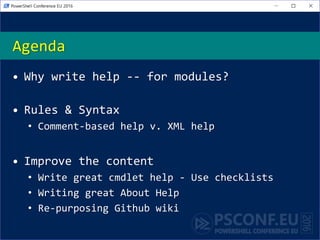
• Why write help -- for modules?
• Rules & Syntax
• Comment-based help v. XML help
• Improve the content
• Write great cmdlet help - Use checklists
• Writing great About Help
• Re-purposing Github wiki
Agenda
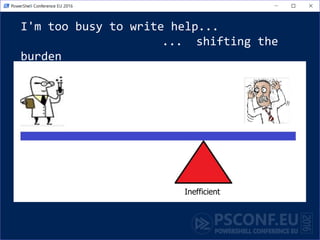
I'm too busy to write help...
... shifting the
burden
Inefficient
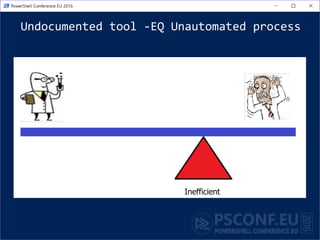
Undocumented tool -EQ Unautomated process
Inefficient
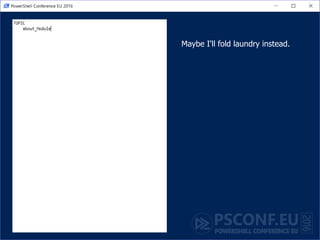
Why write help for a module?
• Likely to share it
• Like to keep it (and need to maintain it)
• More complex than a script
• More valuable
How is help different for a module
• Examples are intertwined
• About topic (at least one; typically more)
• Benefit from "Get-Help -Online"
Don't write help for your own module
• Find a writer
• Get a buddy
• Immersed in the implementation
• Need a beginner perspective focused
on the user experience
Benefits to the Author of Writing
Help
• It makes you a better blogger and
instructor
• Writing help as a code spec
• Examples -EQ Tests
"Help-Driven Development"
Help as a code specification
• Description: Describe the UI.
• Examples:
– Which parameters you need
– Recognizable parameter names
– Parameter attributes
– Parameter combinations -> parameter sets
• Expected outcomes for testing
• Inputs: Coordinate types with other cmdlets
• Outputs: Define return values
Advanced Help for Advanced Functions #PSBlogWeek
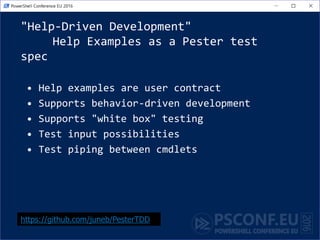
"Help-Driven Development"
Help Examples as a Pester test
spec
• Help examples are user contract
• Supports behavior-driven development
• Supports "white box" testing
• Test input possibilities
• Test piping between cmdlets
https://github.com/juneb/PesterTDD
Mechanics:
A few hints about help syntax...
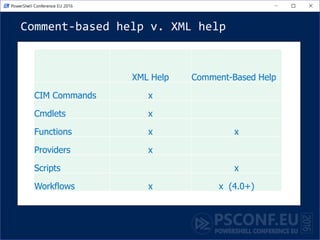
Comment-based help v. XML help
XML Help Comment-Based Help
CIM Commands x
Cmdlets x
Functions x x
Providers x
Scripts x
Workflows x x (4.0+)
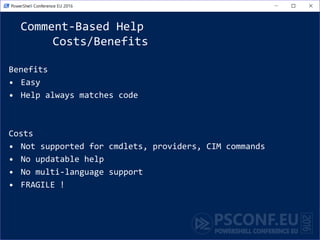
Comment-Based Help
Costs/Benefits
Benefits
• Easy
• Help always matches code
Costs
• Not supported for cmdlets, providers, CIM commands
• No updatable help
• No multi-language support
• FRAGILE !
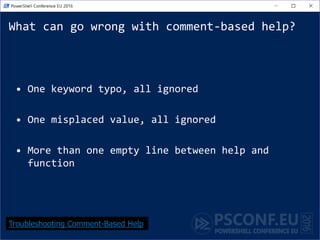
What can go wrong with comment-based help?
• One keyword typo, all ignored
• One misplaced value, all ignored
• More than one empty line between help and
function
Troubleshooting Comment-Based Help
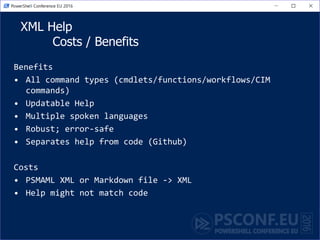
XML Help
Costs / Benefits
Benefits
• All command types (cmdlets/functions/workflows/CIM
commands)
• Updatable Help
• Multiple spoken languages
• Robust; error-safe
• Separates help from code (Github)
Costs
• PSMAML XML or Markdown file -> XML
• Help might not match code
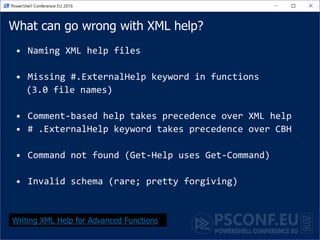
What can go wrong with XML help?
• Naming XML help files
• Missing #.ExternalHelp keyword in functions
(3.0 file names)
• Comment-based help takes precedence over XML help
• # .ExternalHelp keyword takes precedence over CBH
• Command not found (Get-Help uses Get-Command)
• Invalid schema (rare; pretty forgiving)
Writing XML Help for Advanced Functions
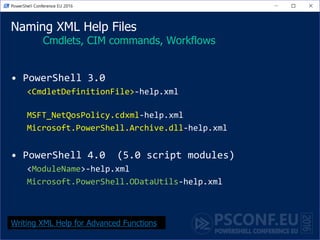
Naming XML Help Files
Cmdlets, CIM commands, Workflows
• PowerShell 3.0
<CmdletDefinitionFile>-help.xml
MSFT_NetQosPolicy.cdxml-help.xml
Microsoft.PowerShell.Archive.dll-help.xml
• PowerShell 4.0 (5.0 script modules)
<ModuleName>-help.xml
Microsoft.PowerShell.ODataUtils-help.xml
Writing XML Help for Advanced Functions
Naming XML Help Files
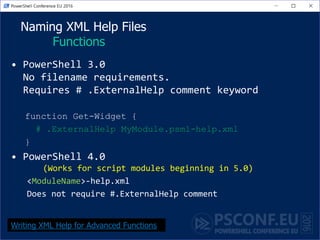
Functions
• PowerShell 3.0
No filename requirements.
Requires # .ExternalHelp comment keyword
function Get-Widget {
# .ExternalHelp MyModule.psm1-help.xml
}
• PowerShell 4.0
(Works for script modules beginning in 5.0)
<ModuleName>-help.xml
Does not require #.ExternalHelp comment
Writing XML Help for Advanced Functions
.ExternalHelp keyword
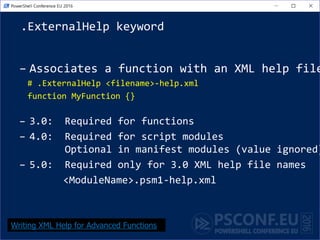
– Associates a function with an XML help file
# .ExternalHelp <filename>-help.xml
function MyFunction {}
– 3.0: Required for functions
– 4.0: Required for script modules
Optional in manifest modules (value ignored)
– 5.0: Required only for 3.0 XML help file names
<ModuleName>.psm1-help.xml
Writing XML Help for Advanced Functions
Where do I put help files?
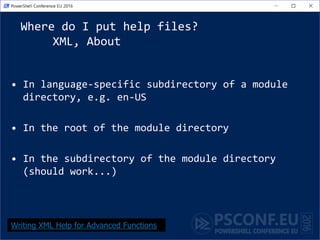
XML, About
• In language-specific subdirectory of a module
directory, e.g. en-US
• In the root of the module directory
• In the subdirectory of the module directory
(should work...)
Writing XML Help for Advanced Functions
It's all about the content!
PowerShell Help Deep Dive (GitHub)
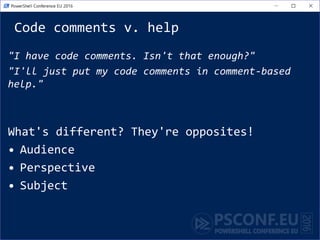
Code comments v. help
"I have code comments. Isn't that enough?"
"I'll just put my code comments in comment-based
help."
What's different? They're opposites!
• Audience
• Perspective
• Subject
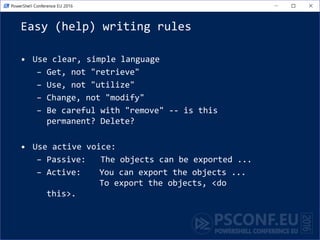
Easy (help) writing rules
• Use clear, simple language
– Get, not "retrieve"
– Use, not "utilize"
– Change, not "modify"
– Be careful with "remove" -- is this
permanent? Delete?
• Use active voice:
– Passive: The objects can be exported ...
– Active: You can export the objects ...
To export the objects, <do
this>.
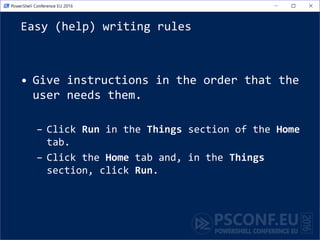
Easy (help) writing rules
• Give instructions in the order that the
user needs them.
– Click Run in the Things section of the Home
tab.
– Click the Home tab and, in the Things
section, click Run.
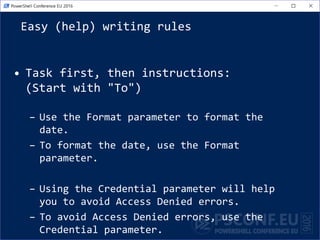
Easy (help) writing rules
• Task first, then instructions:
(Start with "To")
– Use the Format parameter to format the
date.
– To format the date, use the Format
parameter.
– Using the Credential parameter will help
you to avoid Access Denied errors.
– To avoid Access Denied errors, use the
Credential parameter.
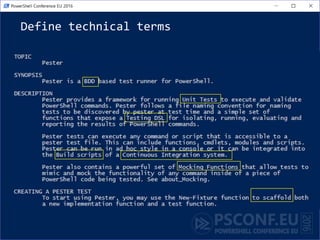
Define technical terms
Reuse content
• You don't have to be original. Reusing is
efficient.
• Reuse parameter descriptions!
• Be sure to cite and credit the original author
with a link.
Write, use, and share checklists
• Checklists for Authoring PowerShell Help on
GitHub
http://github.com/juneb/PowerShellHelpDeepDiv
e
Synopsis Checklist "Elevator
speech"
Will this cmdlet solve my problem?
• Identify the technology (What kind of disk?)
• Describe the action and outcome
• Generic v. specific
(Removes all events from the session.)
Checklists for Authoring PowerShell Help
Use Synopsis Checklist:
Invoke-Pester (3.4.0)
• Identify the technology (What kind of disk?)
Testing PowerShell code
• Be specific about the action and outcome.
Runs *.Tests.ps1 files. Recursive.
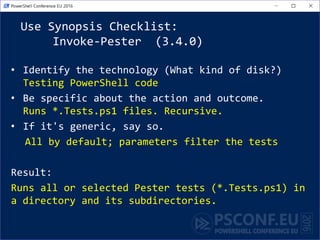
• If it's generic, say so.
All by default; parameters filter the tests
Result:
Runs all or selected Pester tests (*.Tests.ps1) in
a directory and its subdirectories.
About Help
Without it, your module is
a confusing collection of
unrelated commands.
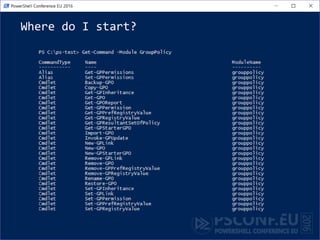
Where do I start?
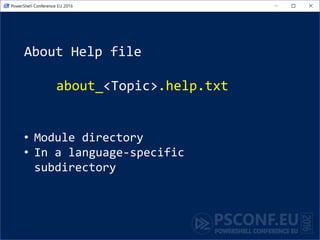
About Help file
about_<Topic>.help.txt
• Module directory
• In a language-specific
subdirectory
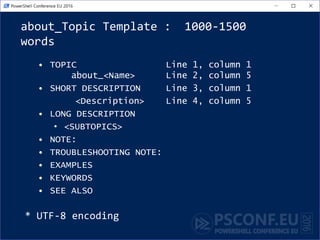
about_Topic Template : 1000-1500
words
• TOPIC Line 1, column 1
about_<Name> Line 2, column 5
Line 3 (blank)
• SHORT DESCRIPTION Line 4, column 1
<Description> Line 5, column 5
• LONG DESCRIPTION
• <SUBTOPICS>
• EXAMPLES
• NOTE:
• TROUBLESHOOTING NOTE: #Known bugs
• SEE ALSO #Add URL of your Github wiki
• KEYWORDS
* UTF-8 encoding
Maybe I'll fold laundry instead.
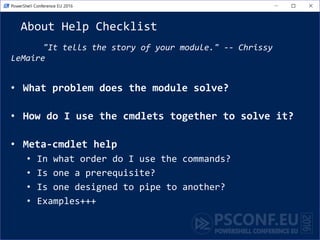
About Help Checklist
"It tells the story of your module." -- Chrissy
LeMaire
• What problem does the module solve?
• How do I use the cmdlets together to solve it?
• Meta-cmdlet help
• In what order do I use the commands?
• Is one a prerequisite?
• Is one designed to pipe to another?
• Examples+++
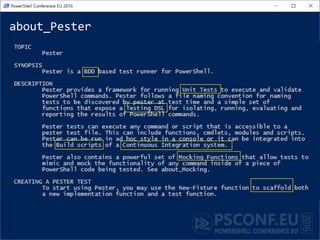
about_Pester
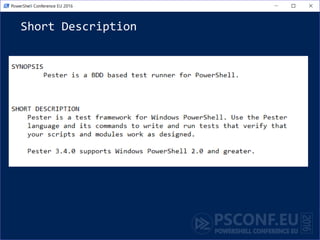
Short Description
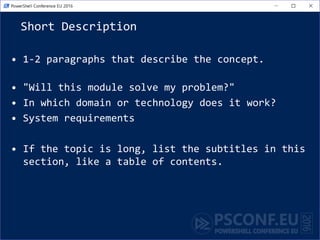
• 1-2 paragraphs that describe the concept.
• "Will this module solve my problem?"
• In which domain or technology does it work?
• System requirements
• If the topic is long, list the subtitles in this
section, like a table of contents.
Short Description
Long Description
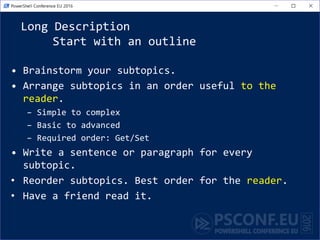
Start with an outline
• Brainstorm your subtopics.
• Arrange subtopics in an order useful to the
reader.
– Simple to complex
– Basic to advanced
– Required order: Get/Set
• Write a sentence or paragraph for every
subtopic.
• Reorder subtopics. Best order for the reader.
• Have a friend read it.
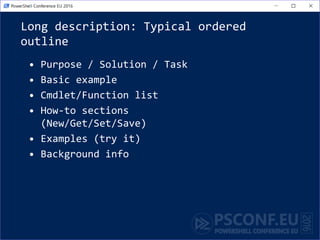
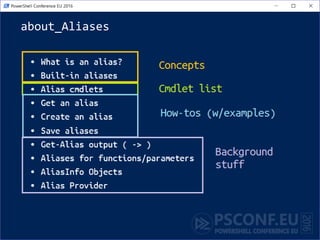
Long description: Typical ordered
outline
• Purpose / Solution / Task
• Basic example
• Cmdlet/Function list
• How-to sections
(New/Get/Set/Save)
• Examples (try it)
• Background info
about_Aliases
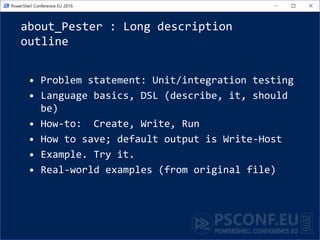
about_Pester : Long description
outline
• Problem statement: Unit/integration testing
• Language basics, DSL (describe, it, should
be)
• How-to: Create, Write, Run
• How to save; default output is Write-Host
• Example. Try it.
• Real-world examples (from original file)
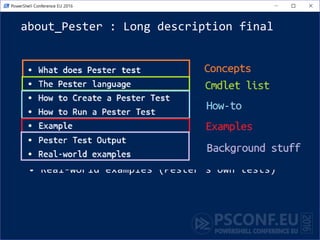
about_Pester : Long description final
• What does Pester test (concepts)
• The Pester language (basics + example)
• How to Create a Pester Test
• How to Run a Pester Test
• Example
• Pester Test Output (Write-Host v. custom
object)
• Real-world examples (Pester's own tests)
Can I use my GitHub wiki?
YES!!
It's online help!
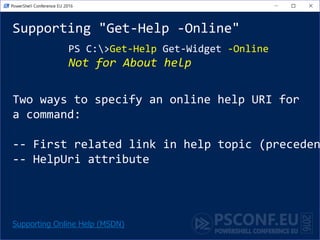
Supporting "Get-Help -Online"
PS C:>Get-Help Get-Widget -Online
Not for About help
Supporting Online Help (MSDN)
Two ways to specify an online help URI for
a command:
-- First related link in help topic (preceden
-- HelpUri attribute
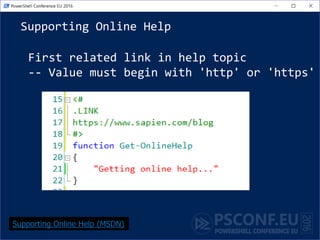
Supporting Online Help
First related link in help topic
-- Value must begin with 'http' or 'https'
Supporting Online Help (MSDN)
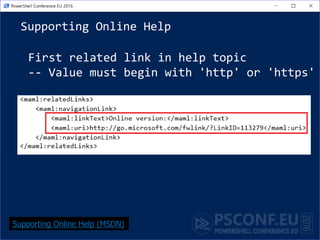
Supporting Online Help
First related link in help topic
-- Value must begin with 'http' or 'https'
Supporting Online Help (MSDN)
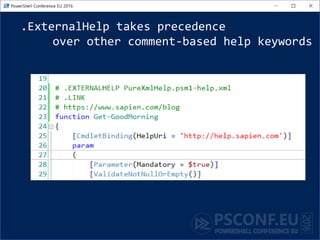
.ExternalHelp takes precedence
over other comment-based help keywords
Supporting Online Help
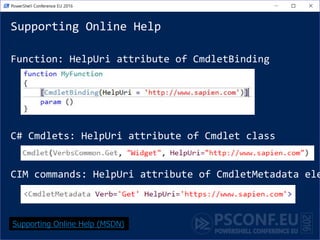
Function: HelpUri attribute of CmdletBinding
C# Cmdlets: HelpUri attribute of Cmdlet class
CIM commands: HelpUri attribute of CmdletMetadata ele
Supporting Online Help (MSDN)
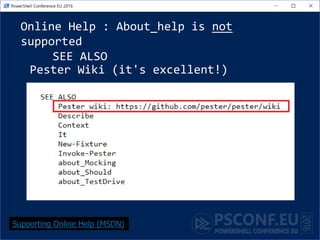
Online Help : About_help is not
supported
SEE ALSO
Pester Wiki (it's excellent!)
Supporting Online Help (MSDN)
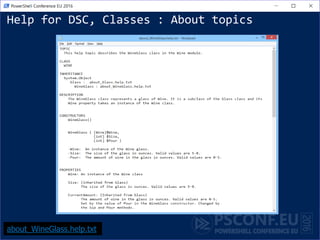
Help for DSC, Classes : About topics
about_WineGlass.help.txt
References
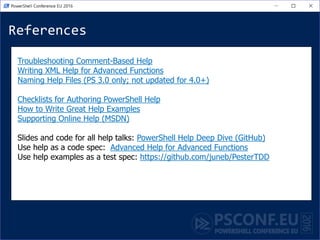
Troubleshooting Comment-Based Help
Writing XML Help for Advanced Functions
Naming Help Files (PS 3.0 only; not updated for 4.0+)
Checklists for Authoring PowerShell Help
How to Write Great Help Examples
Supporting Online Help (MSDN)
Slides and code for all help talks: PowerShell Help Deep Dive (GitHub)
Use help as a code spec: Advanced Help for Advanced Functions
Use help examples as a test spec: https://github.com/juneb/PesterTDD
Professional Help for
PowerShell Modules
June Blender
Technology Evangelist
SAPIEN Technologies, Inc.
Windows PowerShell MVP
juneb@sapien.com
@juneb_get_help

Professional Help for PowerShell Modules

  • 1.
    Professional Help for PowerShellModules June Blender Technology Evangelist SAPIEN Technologies, Inc. Windows PowerShell MVP juneb@sapien.com @juneb_get_help
  • 2.
    Tested Versions The informationand code used in this presentation were tested with the following system attributes. • Windows 7 Pro RTM, Windows Server 2012 R2 Ultimate, Microsoft Windows 10 Pro 10.0.10586 (x64), Windows Server 2012 R2 (x64), Microsoft Window 10 Home Insider Preview 10.0.14279 • Windows PowerShell 3.0, 4.0, 5.0.10586.122, 5.0.14279.1000 Contact: June Blender, @juneb_get_help, juneb@sapien.com
  • 3.
    Slides and codefor all help talks: PowerShell Help Deep Dive (GitHub) https://github.com/juneb/PowerShellHelpDeepDive
  • 4.
    • Why writehelp -- for modules? • Rules & Syntax • Comment-based help v. XML help • Improve the content • Write great cmdlet help - Use checklists • Writing great About Help • Re-purposing Github wiki Agenda
  • 5.
    I'm too busyto write help... ... shifting the burden Inefficient
  • 6.
    Undocumented tool -EQUnautomated process Inefficient
  • 7.
    Why write helpfor a module? • Likely to share it • Like to keep it (and need to maintain it) • More complex than a script • More valuable
  • 8.
    How is helpdifferent for a module • Examples are intertwined • About topic (at least one; typically more) • Benefit from "Get-Help -Online"
  • 9.
    Don't write helpfor your own module • Find a writer • Get a buddy • Immersed in the implementation • Need a beginner perspective focused on the user experience
  • 10.
    Benefits to theAuthor of Writing Help • It makes you a better blogger and instructor • Writing help as a code spec • Examples -EQ Tests
  • 11.
    "Help-Driven Development" Help asa code specification • Description: Describe the UI. • Examples: – Which parameters you need – Recognizable parameter names – Parameter attributes – Parameter combinations -> parameter sets • Expected outcomes for testing • Inputs: Coordinate types with other cmdlets • Outputs: Define return values Advanced Help for Advanced Functions #PSBlogWeek
  • 12.
    "Help-Driven Development" Help Examplesas a Pester test spec • Help examples are user contract • Supports behavior-driven development • Supports "white box" testing • Test input possibilities • Test piping between cmdlets https://github.com/juneb/PesterTDD
  • 13.
    Mechanics: A few hintsabout help syntax...
  • 14.
    Comment-based help v.XML help XML Help Comment-Based Help CIM Commands x Cmdlets x Functions x x Providers x Scripts x Workflows x x (4.0+)
  • 15.
    Comment-Based Help Costs/Benefits Benefits • Easy •Help always matches code Costs • Not supported for cmdlets, providers, CIM commands • No updatable help • No multi-language support • FRAGILE !
  • 16.
    What can gowrong with comment-based help? • One keyword typo, all ignored • One misplaced value, all ignored • More than one empty line between help and function Troubleshooting Comment-Based Help
  • 17.
    XML Help Costs /Benefits Benefits • All command types (cmdlets/functions/workflows/CIM commands) • Updatable Help • Multiple spoken languages • Robust; error-safe • Separates help from code (Github) Costs • PSMAML XML or Markdown file -> XML • Help might not match code
  • 18.
    What can gowrong with XML help? • Naming XML help files • Missing #.ExternalHelp keyword in functions (3.0 file names) • Comment-based help takes precedence over XML help • # .ExternalHelp keyword takes precedence over CBH • Command not found (Get-Help uses Get-Command) • Invalid schema (rare; pretty forgiving) Writing XML Help for Advanced Functions
  • 19.
    Naming XML HelpFiles Cmdlets, CIM commands, Workflows • PowerShell 3.0 <CmdletDefinitionFile>-help.xml MSFT_NetQosPolicy.cdxml-help.xml Microsoft.PowerShell.Archive.dll-help.xml • PowerShell 4.0 (5.0 script modules) <ModuleName>-help.xml Microsoft.PowerShell.ODataUtils-help.xml Writing XML Help for Advanced Functions
  • 20.
    Naming XML HelpFiles Functions • PowerShell 3.0 No filename requirements. Requires # .ExternalHelp comment keyword function Get-Widget { # .ExternalHelp MyModule.psm1-help.xml } • PowerShell 4.0 (Works for script modules beginning in 5.0) <ModuleName>-help.xml Does not require #.ExternalHelp comment Writing XML Help for Advanced Functions
  • 21.
    .ExternalHelp keyword – Associatesa function with an XML help file # .ExternalHelp <filename>-help.xml function MyFunction {} – 3.0: Required for functions – 4.0: Required for script modules Optional in manifest modules (value ignored) – 5.0: Required only for 3.0 XML help file names <ModuleName>.psm1-help.xml Writing XML Help for Advanced Functions
  • 22.
    Where do Iput help files? XML, About • In language-specific subdirectory of a module directory, e.g. en-US • In the root of the module directory • In the subdirectory of the module directory (should work...) Writing XML Help for Advanced Functions
  • 23.
    It's all aboutthe content! PowerShell Help Deep Dive (GitHub)
  • 24.
    Code comments v.help "I have code comments. Isn't that enough?" "I'll just put my code comments in comment-based help." What's different? They're opposites! • Audience • Perspective • Subject
  • 25.
    Easy (help) writingrules • Use clear, simple language – Get, not "retrieve" – Use, not "utilize" – Change, not "modify" – Be careful with "remove" -- is this permanent? Delete? • Use active voice: – Passive: The objects can be exported ... – Active: You can export the objects ... To export the objects, <do this>.
  • 26.
    Easy (help) writingrules • Give instructions in the order that the user needs them. – Click Run in the Things section of the Home tab. – Click the Home tab and, in the Things section, click Run.
  • 27.
    Easy (help) writingrules • Task first, then instructions: (Start with "To") – Use the Format parameter to format the date. – To format the date, use the Format parameter. – Using the Credential parameter will help you to avoid Access Denied errors. – To avoid Access Denied errors, use the Credential parameter.
  • 28.
  • 29.
    Reuse content • Youdon't have to be original. Reusing is efficient. • Reuse parameter descriptions! • Be sure to cite and credit the original author with a link.
  • 30.
    Write, use, andshare checklists • Checklists for Authoring PowerShell Help on GitHub http://github.com/juneb/PowerShellHelpDeepDiv e
  • 31.
    Synopsis Checklist "Elevator speech" Willthis cmdlet solve my problem? • Identify the technology (What kind of disk?) • Describe the action and outcome • Generic v. specific (Removes all events from the session.) Checklists for Authoring PowerShell Help
  • 32.
    Use Synopsis Checklist: Invoke-Pester(3.4.0) • Identify the technology (What kind of disk?) Testing PowerShell code • Be specific about the action and outcome. Runs *.Tests.ps1 files. Recursive. • If it's generic, say so. All by default; parameters filter the tests Result: Runs all or selected Pester tests (*.Tests.ps1) in a directory and its subdirectories.
  • 33.
    About Help Without it,your module is a confusing collection of unrelated commands.
  • 34.
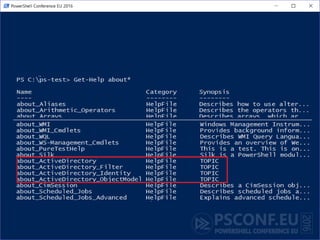
    Where do Istart?
  • 35.
    About Help file about_<Topic>.help.txt •Module directory • In a language-specific subdirectory
  • 36.
    about_Topic Template :1000-1500 words • TOPIC Line 1, column 1 about_<Name> Line 2, column 5 Line 3 (blank) • SHORT DESCRIPTION Line 4, column 1 <Description> Line 5, column 5 • LONG DESCRIPTION • <SUBTOPICS> • EXAMPLES • NOTE: • TROUBLESHOOTING NOTE: #Known bugs • SEE ALSO #Add URL of your Github wiki • KEYWORDS * UTF-8 encoding
  • 37.
    Maybe I'll foldlaundry instead.
  • 39.
    About Help Checklist "Ittells the story of your module." -- Chrissy LeMaire • What problem does the module solve? • How do I use the cmdlets together to solve it? • Meta-cmdlet help • In what order do I use the commands? • Is one a prerequisite? • Is one designed to pipe to another? • Examples+++
  • 40.
  • 41.
    Short Description • 1-2paragraphs that describe the concept. • "Will this module solve my problem?" • In which domain or technology does it work? • System requirements • If the topic is long, list the subtitles in this section, like a table of contents.
  • 42.
  • 43.
    Long Description Start withan outline • Brainstorm your subtopics. • Arrange subtopics in an order useful to the reader. – Simple to complex – Basic to advanced – Required order: Get/Set • Write a sentence or paragraph for every subtopic. • Reorder subtopics. Best order for the reader. • Have a friend read it.
  • 44.
    Long description: Typicalordered outline • Purpose / Solution / Task • Basic example • Cmdlet/Function list • How-to sections (New/Get/Set/Save) • Examples (try it) • Background info
  • 45.
  • 46.
    about_Pester : Longdescription outline • Problem statement: Unit/integration testing • Language basics, DSL (describe, it, should be) • How-to: Create, Write, Run • How to save; default output is Write-Host • Example. Try it. • Real-world examples (from original file)
  • 47.
    about_Pester : Longdescription final • What does Pester test (concepts) • The Pester language (basics + example) • How to Create a Pester Test • How to Run a Pester Test • Example • Pester Test Output (Write-Host v. custom object) • Real-world examples (Pester's own tests)
  • 48.
    Can I usemy GitHub wiki? YES!! It's online help!
  • 49.
    Supporting "Get-Help -Online" PSC:>Get-Help Get-Widget -Online Not for About help Supporting Online Help (MSDN) Two ways to specify an online help URI for a command: -- First related link in help topic (preceden -- HelpUri attribute
  • 50.
    Supporting Online Help Firstrelated link in help topic -- Value must begin with 'http' or 'https' Supporting Online Help (MSDN)
  • 51.
    Supporting Online Help Firstrelated link in help topic -- Value must begin with 'http' or 'https' Supporting Online Help (MSDN)
  • 52.
    .ExternalHelp takes precedence overother comment-based help keywords
  • 53.
    Supporting Online Help Function:HelpUri attribute of CmdletBinding C# Cmdlets: HelpUri attribute of Cmdlet class CIM commands: HelpUri attribute of CmdletMetadata ele Supporting Online Help (MSDN)
  • 54.
    Online Help :About_help is not supported SEE ALSO Pester Wiki (it's excellent!) Supporting Online Help (MSDN)
  • 55.
    Help for DSC,Classes : About topics about_WineGlass.help.txt
  • 56.
    References Troubleshooting Comment-Based Help WritingXML Help for Advanced Functions Naming Help Files (PS 3.0 only; not updated for 4.0+) Checklists for Authoring PowerShell Help How to Write Great Help Examples Supporting Online Help (MSDN) Slides and code for all help talks: PowerShell Help Deep Dive (GitHub) Use help as a code spec: Advanced Help for Advanced Functions Use help examples as a test spec: https://github.com/juneb/PesterTDD
  • 57.
    Professional Help for PowerShellModules June Blender Technology Evangelist SAPIEN Technologies, Inc. Windows PowerShell MVP juneb@sapien.com @juneb_get_help

Editor's Notes

  • #6 Direct positive correlation
  • #11 Practice in explaining concepts and writing instructions; People who write good help are good instructors; People who are good instructors write good help
  • #13 Force you to confront issues that you'd rather forget; but that users will encounter
  • #17 What if you hedge your bets and use both. In a script module with correctly-formatted .EXTERNALHELP, an error in comment-based help -> autogenerated help
  • #19 What if you hedge your bets and use both. In a script module with correctly-formatted .EXTERNALHELP, an error in comment-based help -> autogenerated help
  • #26 If the credential changes, an error occurs. If a user name is entered, a password prompt is displayed.
  • #45 PowerForensics: Invoke-ForensicDD, Get-ForensicBootSector (master boot record v. guid partition table)