CONFIDENTIAL
© Copyright 2012. Aruba Networks, Inc.
All rights reserved 1
CONFIDENTIAL
© Copyright 2012. Aruba Networks, Inc.
All rights reserved 2
DEPLOYING BYOD: ONBOARDING,
PROVISIONING, POLICY, REPORTING
Presented by
Aruba Networks
March 2012
3 3
CONFIDENTIAL
© Copyright 2012. Aruba Networks, Inc.
All rights reserved
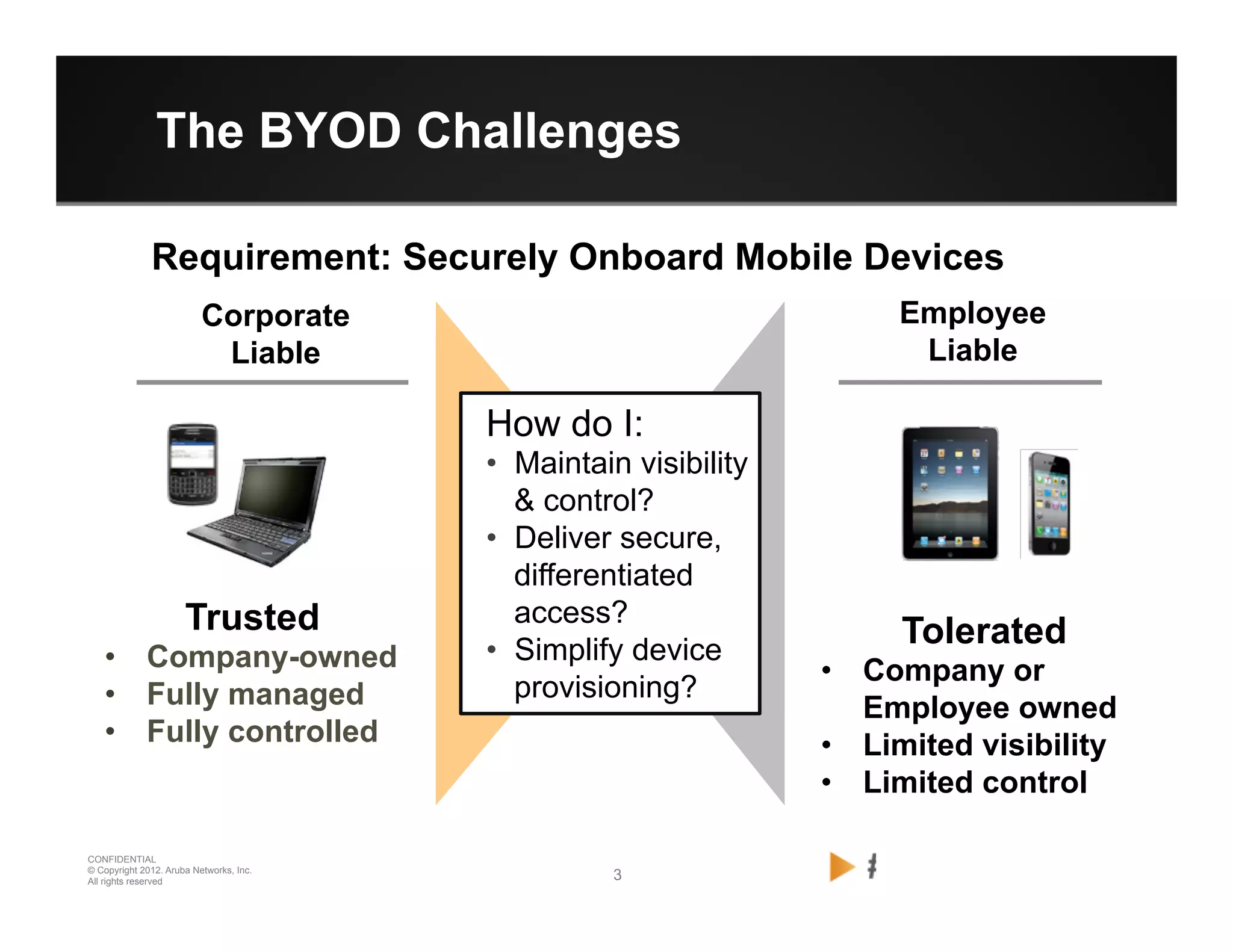
The BYOD Challenges
Trusted
•  Company-owned
•  Fully managed
•  Fully controlled
Corporate
Liable
Employee
Liable
Tolerated
•  Company or
Employee owned
•  Limited visibility
•  Limited control
How do I:
•  Maintain visibility
& control?
•  Deliver secure,
differentiated
access?
•  Simplify device
provisioning?
Requirement: Securely Onboard Mobile Devices
4 4
CONFIDENTIAL
© Copyright 2012. Aruba Networks, Inc.
All rights reserved
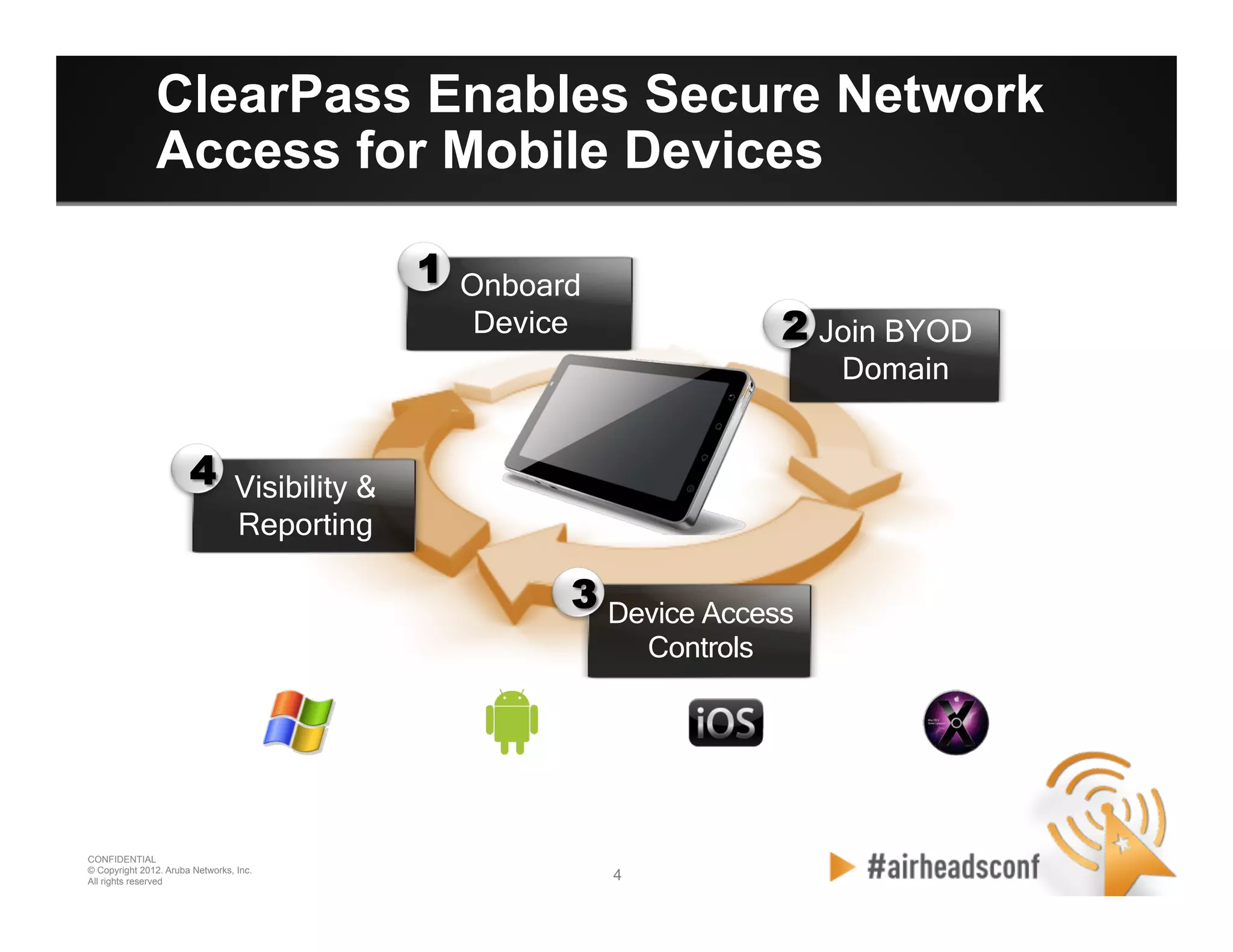
Device Access
Controls
Join BYOD
Domain
Visibility &
Reporting
Onboard
Device
1
2
3
4
ClearPass Enables Secure Network
Access for Mobile Devices
5 5
CONFIDENTIAL
© Copyright 2012. Aruba Networks, Inc.
All rights reserved
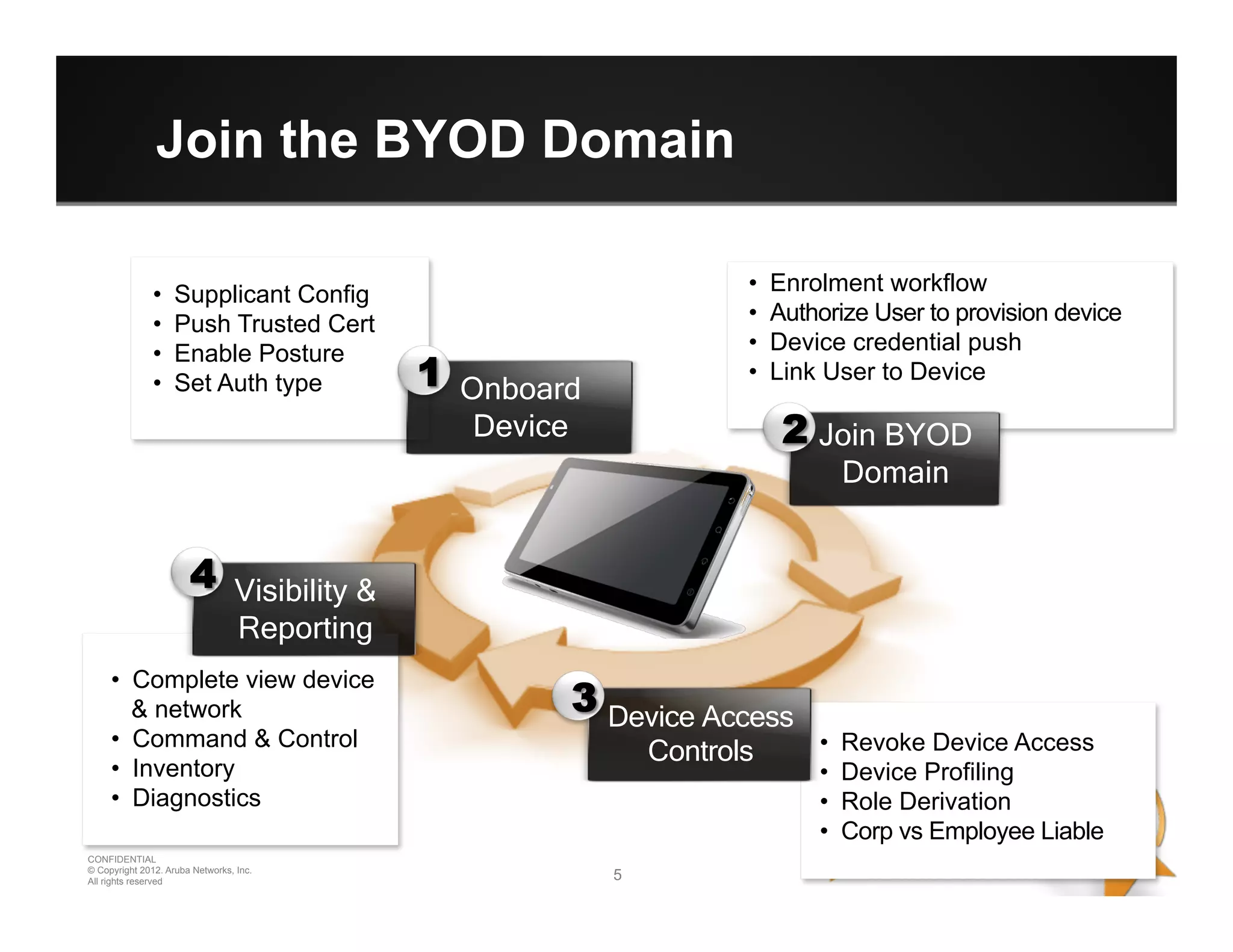
Join the BYOD Domain
•  Supplicant Config
•  Push Trusted Cert
•  Enable Posture
•  Set Auth type
•  Enrolment workflow
•  Authorize User to provision device
•  Device credential push
•  Link User to Device
•  Complete view device
& network
•  Command & Control
•  Inventory
•  Diagnostics
•  Revoke Device Access
•  Device Profiling
•  Role Derivation
•  Corp vs Employee Liable
Device Access
Controls
Join BYOD
Domain
Visibility &
Reporting
Onboard
Device
1
2
3
4
CONFIDENTIAL
© Copyright 2012. Aruba Networks, Inc.
All rights reserved 66
CONFIDENTIAL
© Copyright 2012. Aruba Networks, Inc.
All rights reserved
BYOD Building Blocks
7 7
CONFIDENTIAL
© Copyright 2012. Aruba Networks, Inc.
All rights reserved
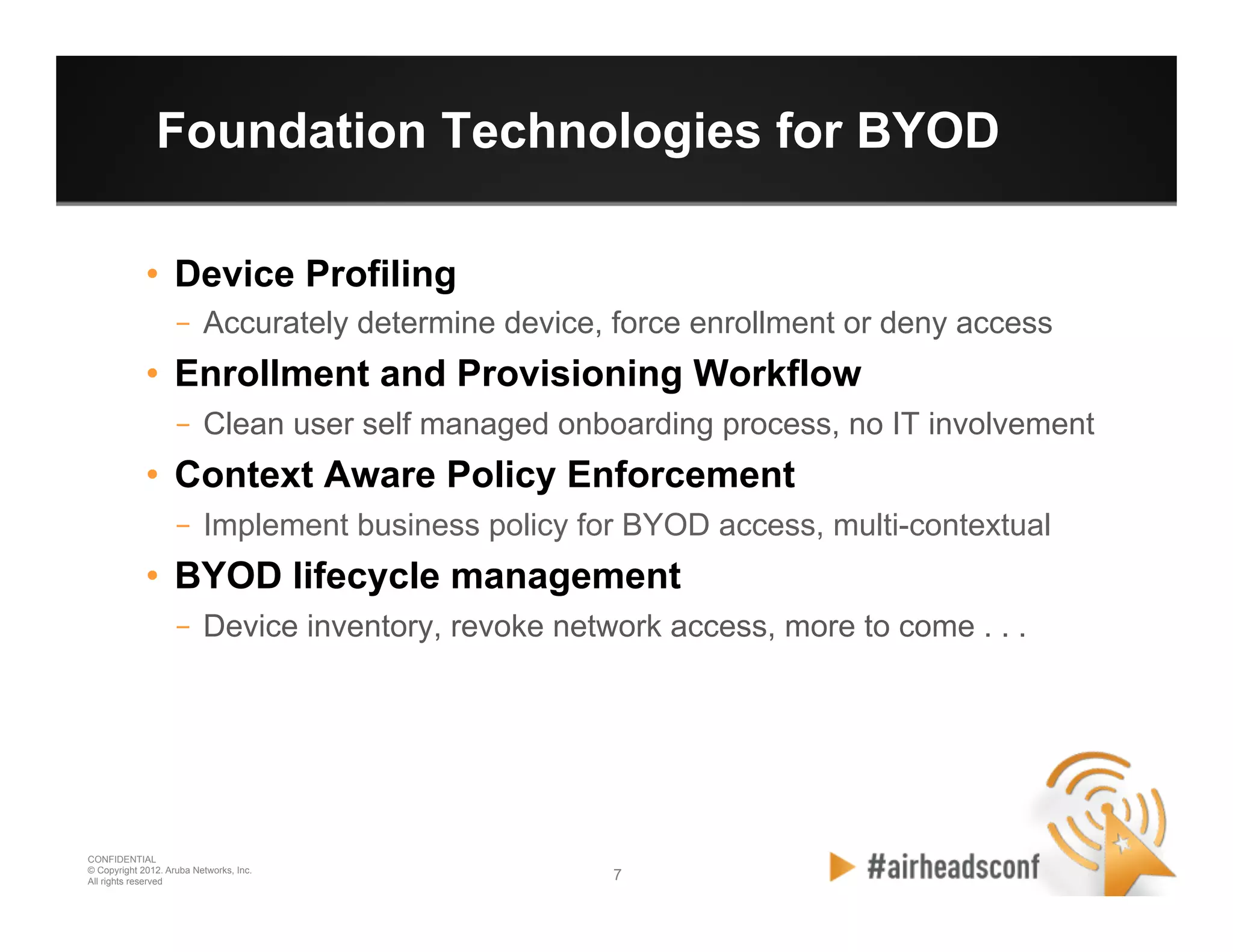
Foundation Technologies for BYOD
•  Device Profiling
–  Accurately determine device, force enrollment or deny access
•  Enrollment and Provisioning Workflow
–  Clean user self managed onboarding process, no IT involvement
•  Context Aware Policy Enforcement
–  Implement business policy for BYOD access, multi-contextual
•  BYOD lifecycle management
–  Device inventory, revoke network access, more to come . . .
8 8
CONFIDENTIAL
© Copyright 2012. Aruba Networks, Inc.
All rights reserved
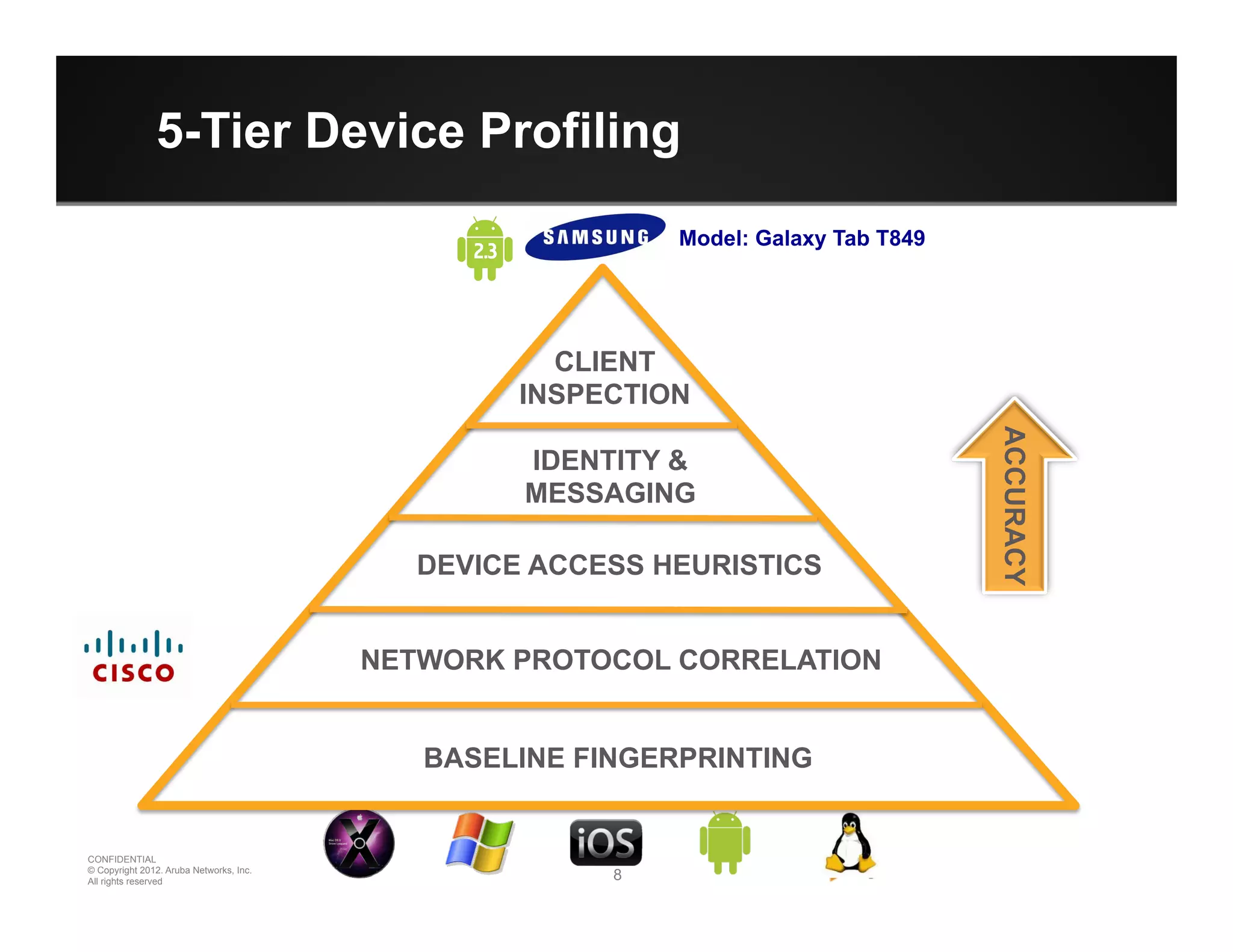
5-Tier Device Profiling
CPPM
BYOD
Guest
NETWORK PROTOCOL CORRELATION
DEVICE ACCESS HEURISTICS
IDENTITY &
MESSAGING
CLIENT
INSPECTION
ACCURACY
BASELINE FINGERPRINTING
Model: Galaxy Tab T849
9 9
CONFIDENTIAL
© Copyright 2012. Aruba Networks, Inc.
All rights reserved
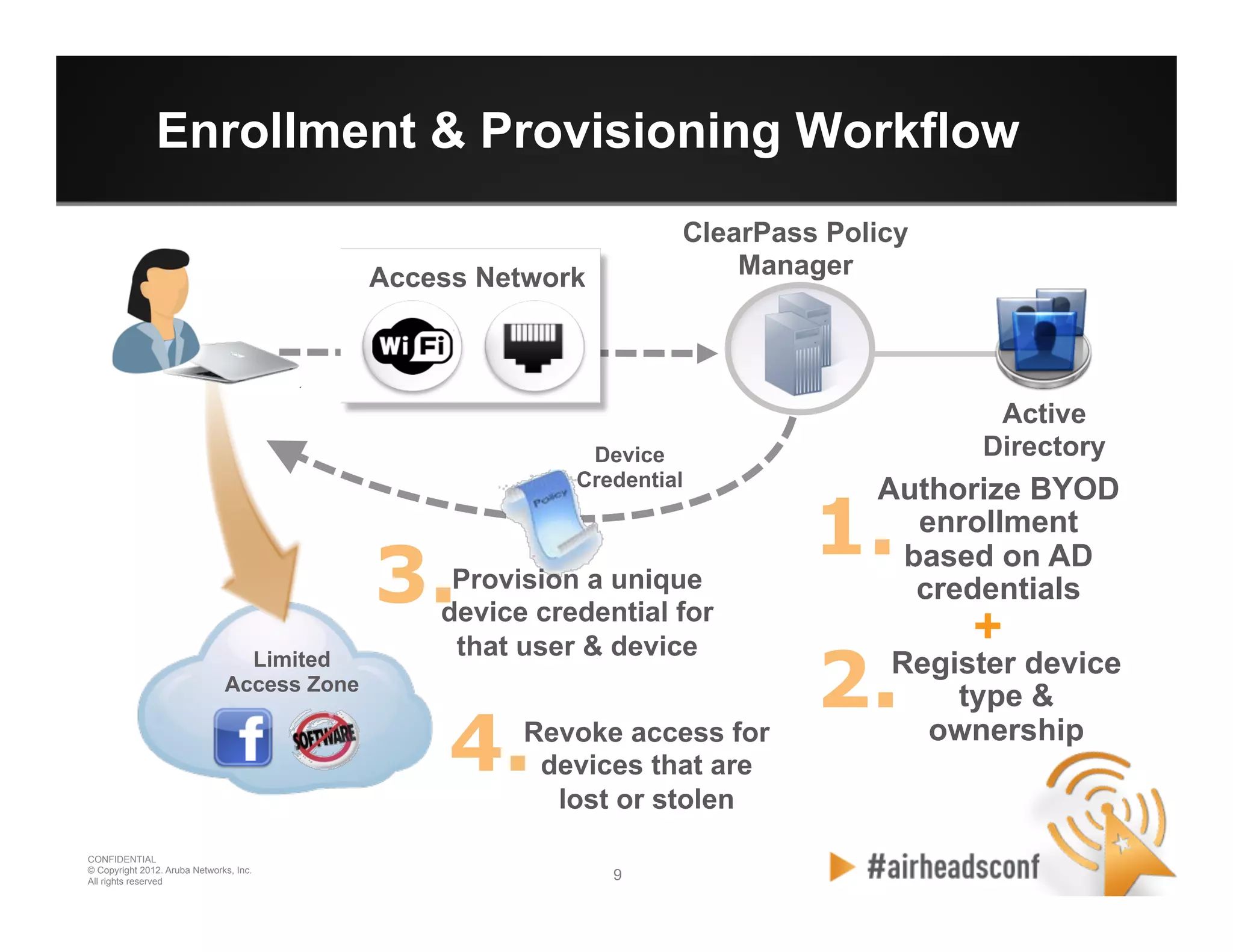
Enrollment & Provisioning Workflow
Limited
Access Zone
Active
DirectoryDevice
Credential
Access Network
ClearPass Policy
Manager
1.
Authorize BYOD
enrollment
based on AD
credentials
2.Register device
type &
ownership
Provision a unique
device credential for
that user & device
3.
+
Revoke access for
devices that are
lost or stolen
4.
10 10
CONFIDENTIAL
© Copyright 2012. Aruba Networks, Inc.
All rights reserved
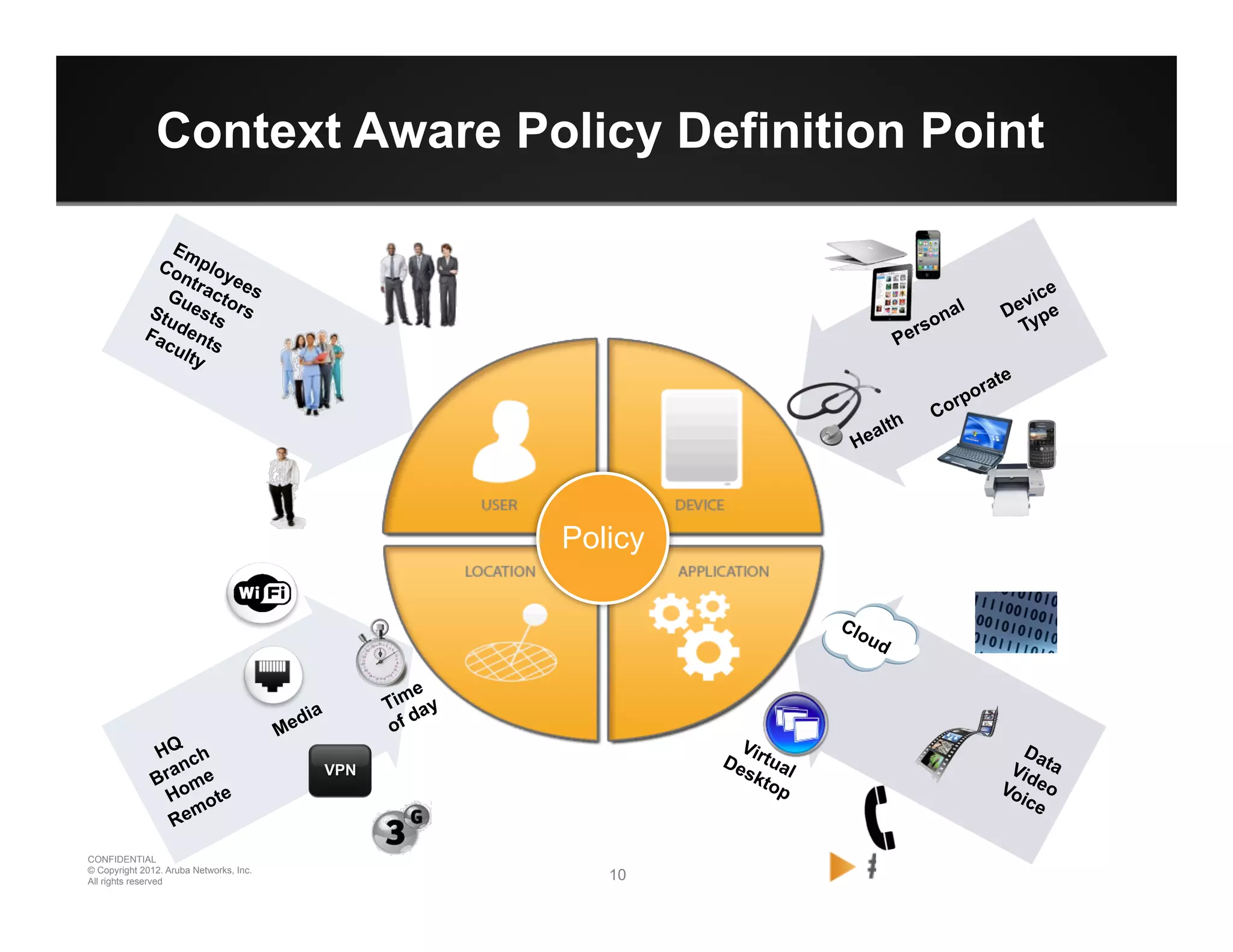
Context Aware Policy Definition Point
Policy
VPN
11 11
CONFIDENTIAL
© Copyright 2012. Aruba Networks, Inc.
All rights reserved
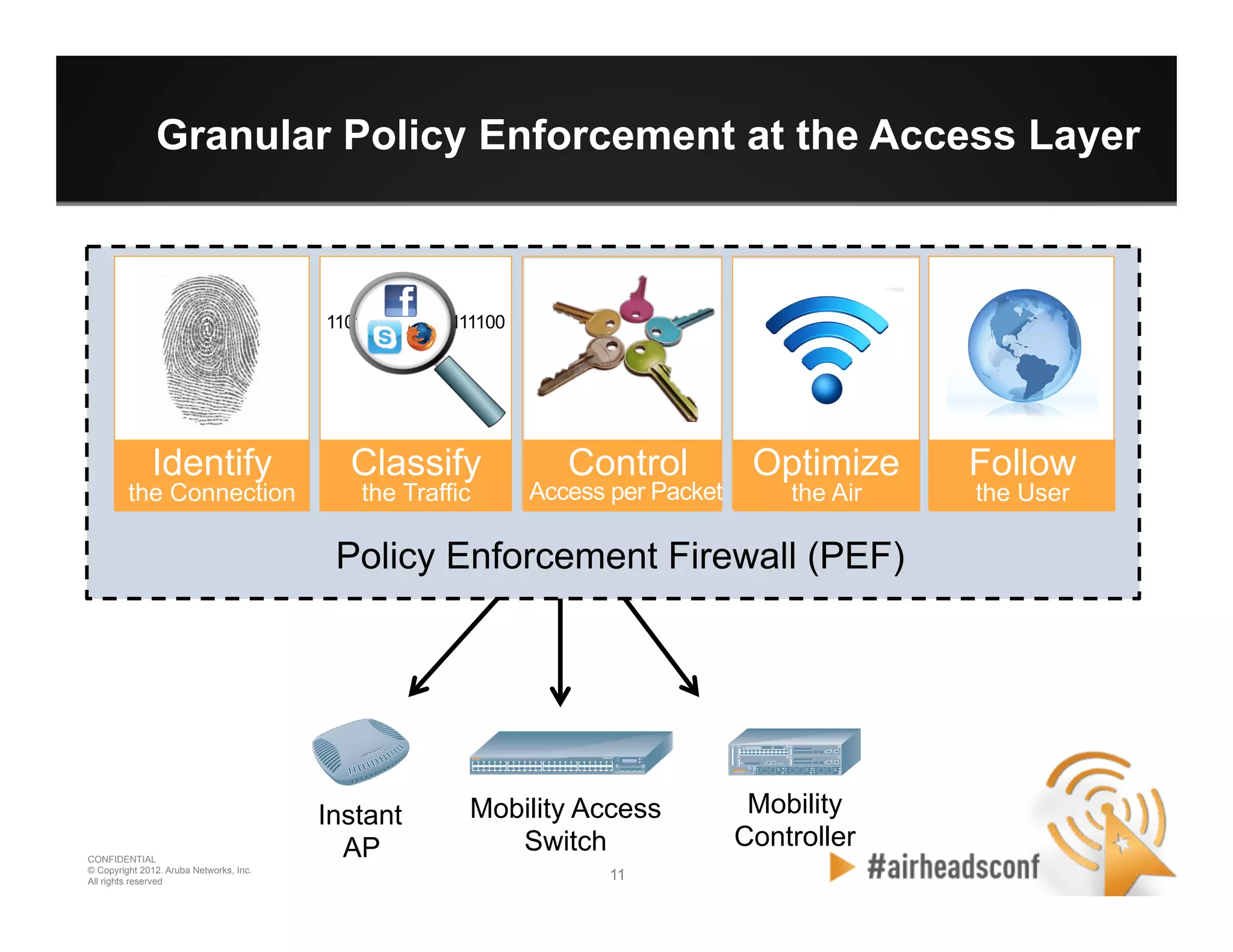
Granular Policy Enforcement at the Access Layer
Policy Enforcement Firewall (PEF)
Instant
AP
Mobility
Controller
Mobility Access
Switch
Identify
the Connection
Classify
the Traffic
Control Optimize
the Air
Follow
the UserAccess per Packet
1101010001001111100
12 12
CONFIDENTIAL
© Copyright 2012. Aruba Networks, Inc.
All rights reserved
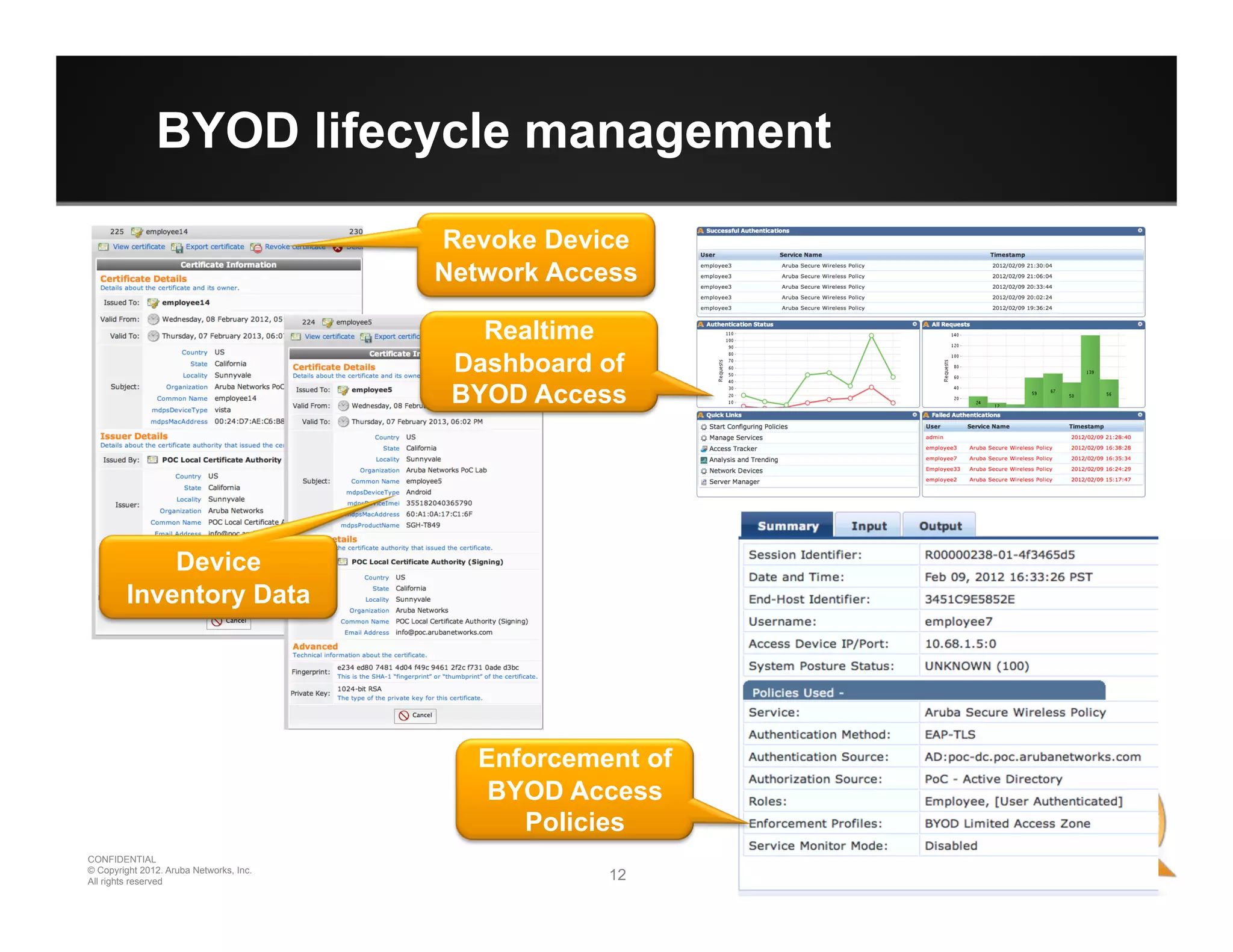
BYOD lifecycle management
Revoke Device
Network Access
Device
Inventory Data
Realtime
Dashboard of
BYOD Access
Enforcement of
BYOD Access
Policies
CONFIDENTIAL
© Copyright 2012. Aruba Networks, Inc.
All rights reserved 1313
CONFIDENTIAL
© Copyright 2012. Aruba Networks, Inc.
All rights reserved
BYOD Examples
14 14
CONFIDENTIAL
© Copyright 2012. Aruba Networks, Inc.
All rights reserved
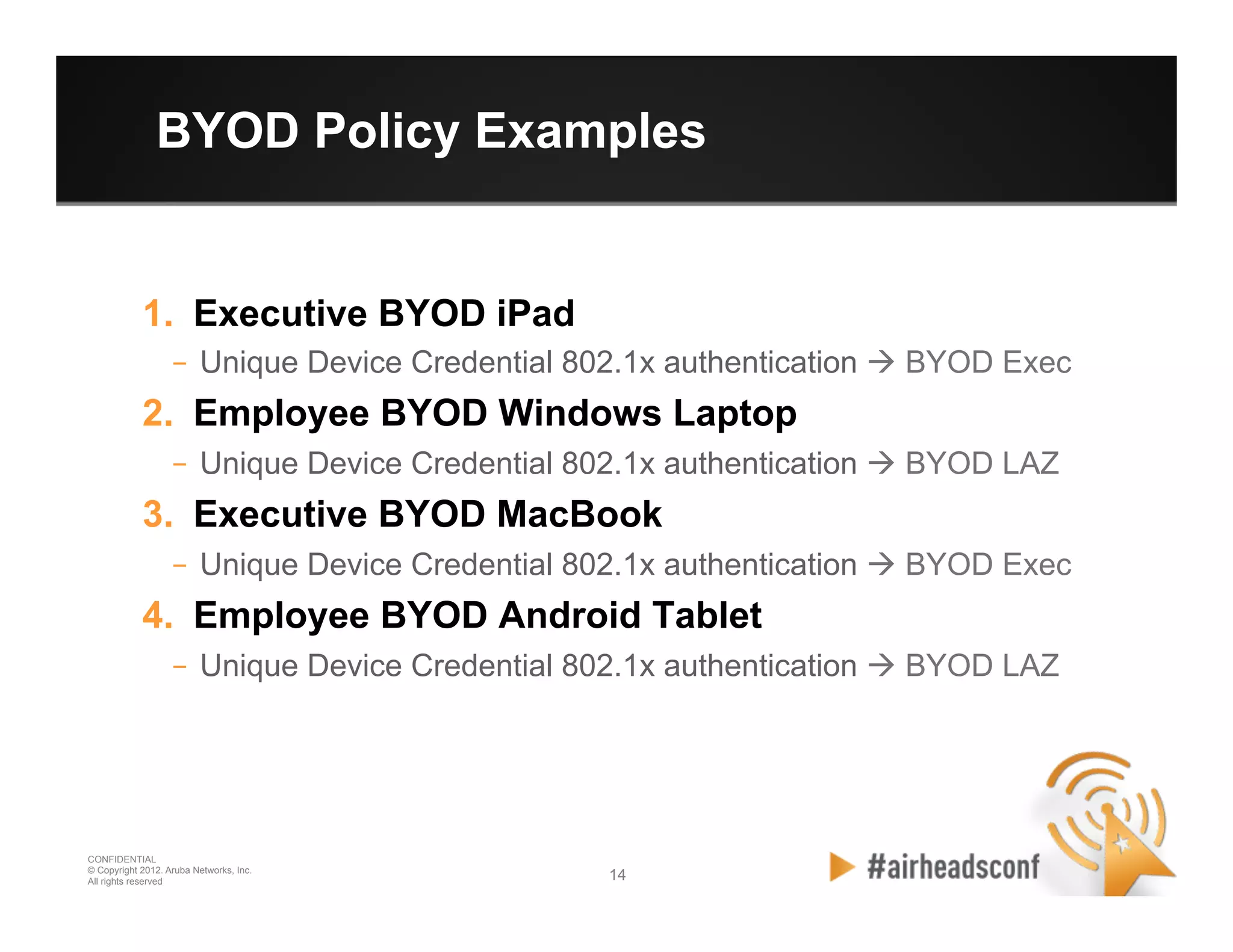
BYOD Policy Examples
1.  Executive BYOD iPad
–  Unique Device Credential 802.1x authentication à BYOD Exec
2.  Employee BYOD Windows Laptop
–  Unique Device Credential 802.1x authentication à BYOD LAZ
3.  Executive BYOD MacBook
–  Unique Device Credential 802.1x authentication à BYOD Exec
4.  Employee BYOD Android Tablet
–  Unique Device Credential 802.1x authentication à BYOD LAZ
15 15
CONFIDENTIAL
© Copyright 2012. Aruba Networks, Inc.
All rights reserved
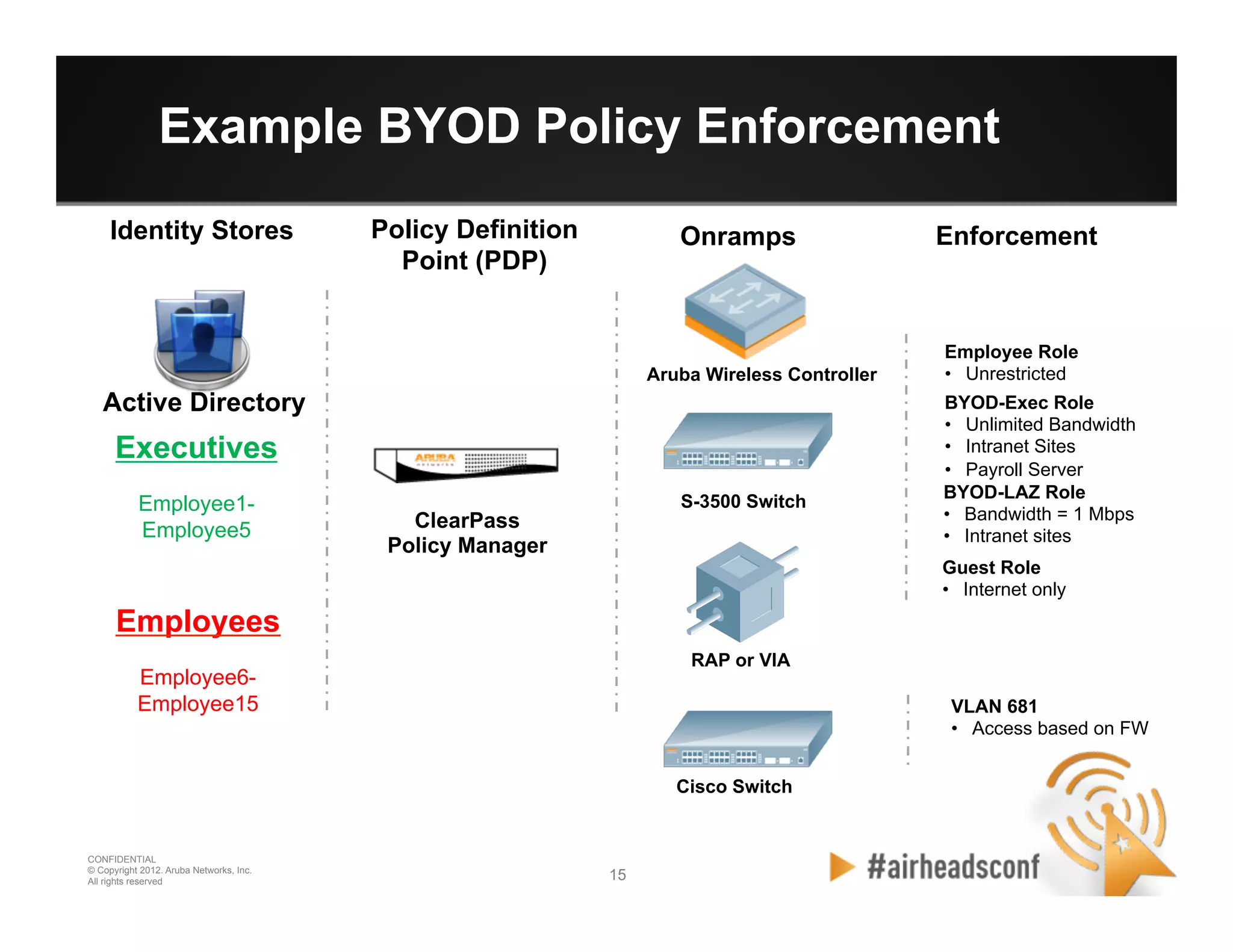
Example BYOD Policy Enforcement
OnrampsPolicy Definition
Point (PDP)
RAP or VIA
Aruba Wireless Controller
S-3500 Switch
Cisco Switch
ClearPass
Policy Manager
Active Directory
Enforcement
Executives
Employee1-
Employee5
Employees
Employee6-
Employee15
Employee Role
•  Unrestricted
BYOD-Exec Role
•  Unlimited Bandwidth
•  Intranet Sites
•  Payroll Server
BYOD-LAZ Role
•  Bandwidth = 1 Mbps
•  Intranet sites
VLAN 681
•  Access based on FW
Guest Role
•  Internet only
Identity Stores
16 16
CONFIDENTIAL
© Copyright 2012. Aruba Networks, Inc.
All rights reserved
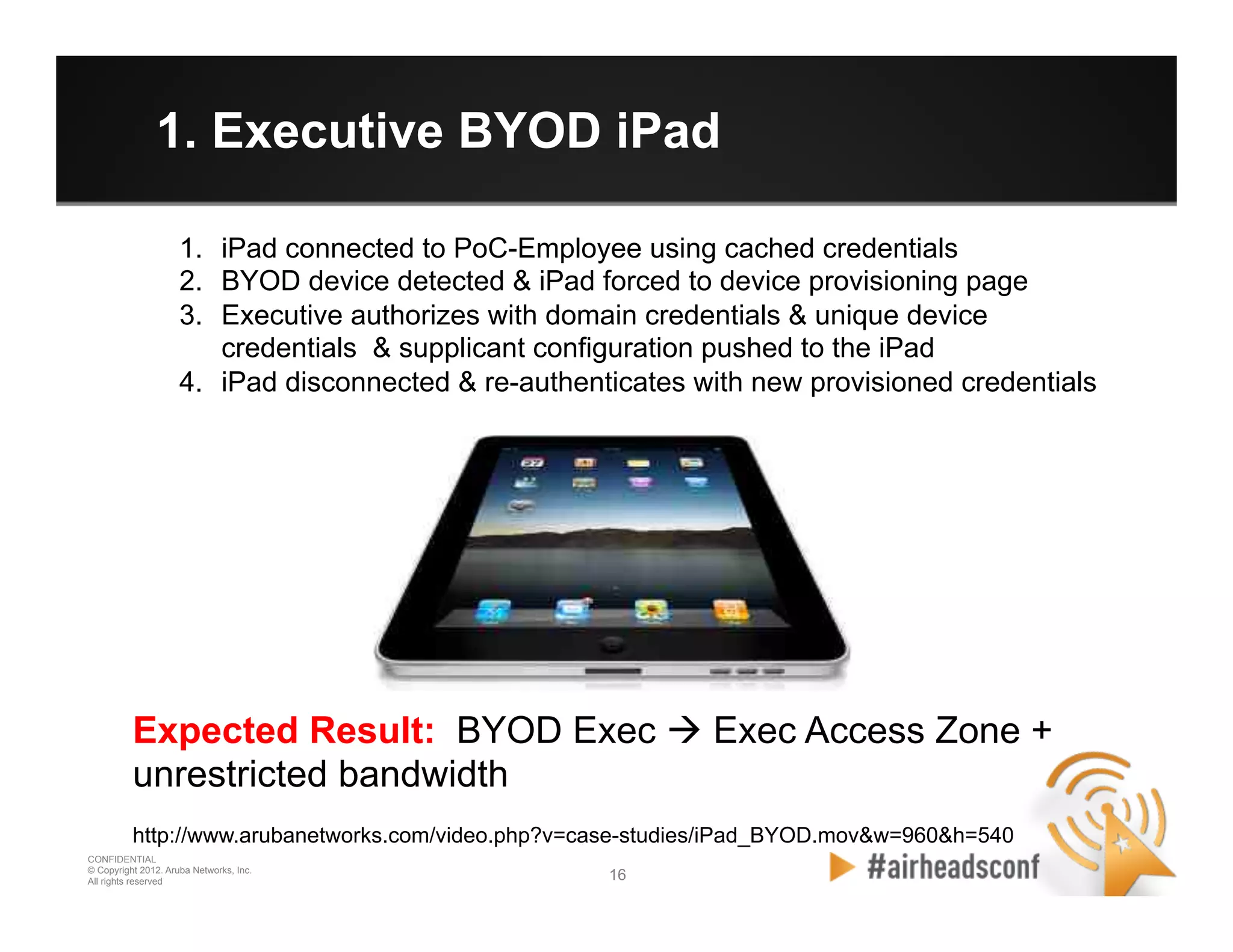
1. Executive BYOD iPad
Expected Result: BYOD Exec à Exec Access Zone +
unrestricted bandwidth
http://www.arubanetworks.com/video.php?v=case-studies/iPad_BYOD.mov&w=960&h=540
1.  iPad connected to PoC-Employee using cached credentials
2.  BYOD device detected & iPad forced to device provisioning page
3.  Executive authorizes with domain credentials & unique device
credentials & supplicant configuration pushed to the iPad
4.  iPad disconnected & re-authenticates with new provisioned credentials
17 17
CONFIDENTIAL
© Copyright 2012. Aruba Networks, Inc.
All rights reserved
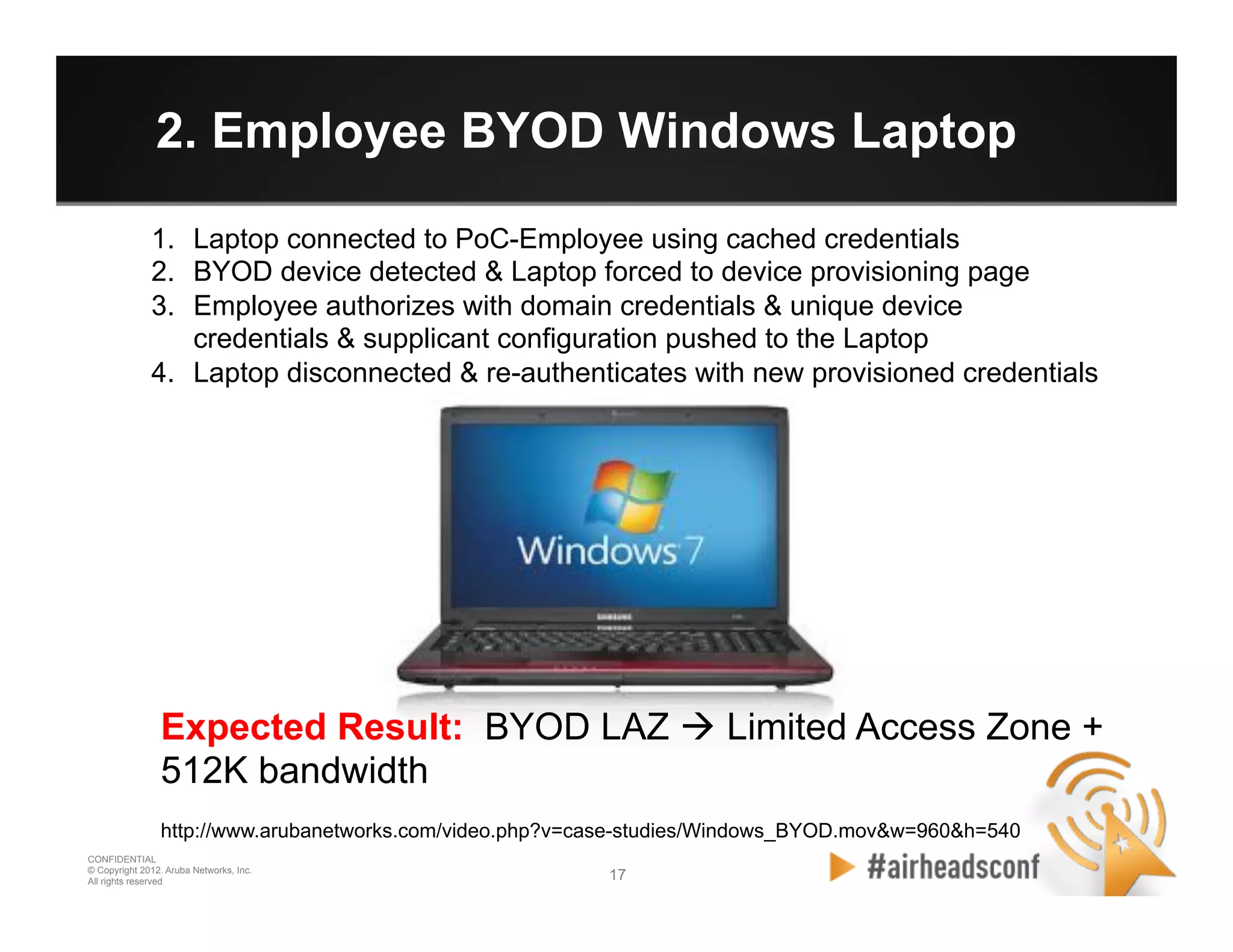
2. Employee BYOD Windows Laptop
1.  Laptop connected to PoC-Employee using cached credentials
2.  BYOD device detected & Laptop forced to device provisioning page
3.  Employee authorizes with domain credentials & unique device
credentials & supplicant configuration pushed to the Laptop
4.  Laptop disconnected & re-authenticates with new provisioned credentials
Expected Result: BYOD LAZ à Limited Access Zone +
512K bandwidth
http://www.arubanetworks.com/video.php?v=case-studies/Windows_BYOD.mov&w=960&h=540
18 18
CONFIDENTIAL
© Copyright 2012. Aruba Networks, Inc.
All rights reserved
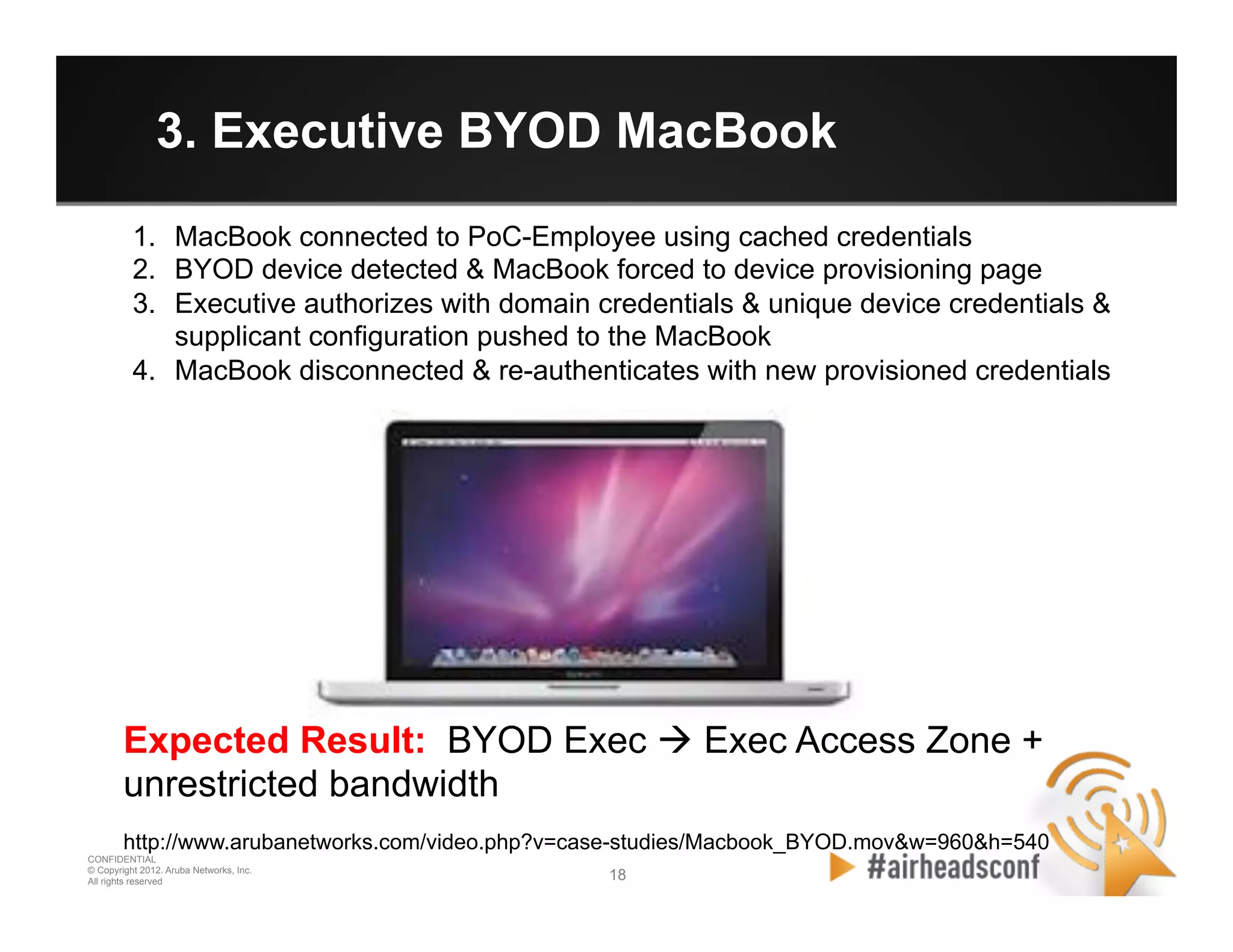
3. Executive BYOD MacBook
1.  MacBook connected to PoC-Employee using cached credentials
2.  BYOD device detected & MacBook forced to device provisioning page
3.  Executive authorizes with domain credentials & unique device credentials &
supplicant configuration pushed to the MacBook
4.  MacBook disconnected & re-authenticates with new provisioned credentials
Expected Result: BYOD Exec à Exec Access Zone +
unrestricted bandwidth
http://www.arubanetworks.com/video.php?v=case-studies/Macbook_BYOD.mov&w=960&h=540
19 19
CONFIDENTIAL
© Copyright 2012. Aruba Networks, Inc.
All rights reserved
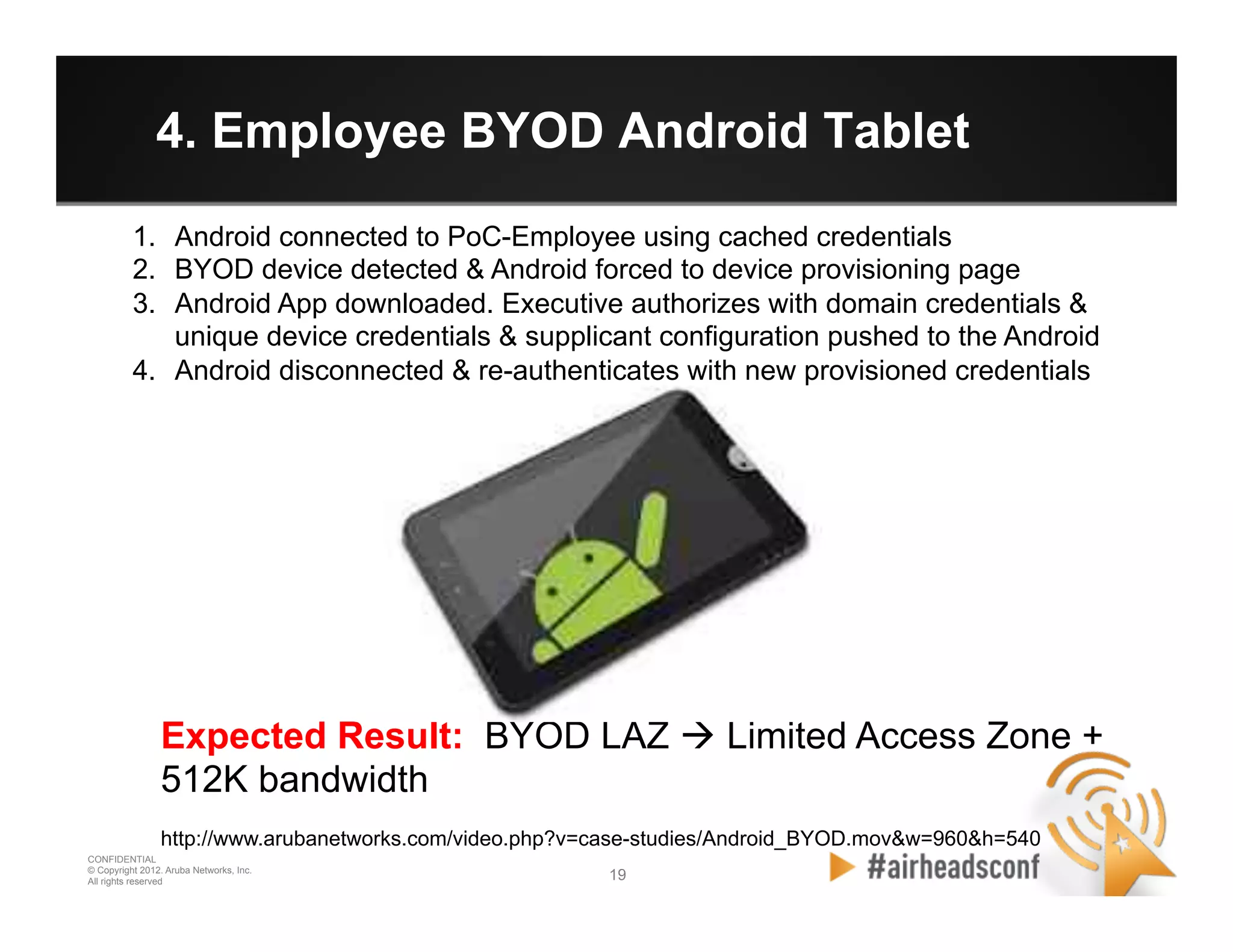
4. Employee BYOD Android Tablet
1.  Android connected to PoC-Employee using cached credentials
2.  BYOD device detected & Android forced to device provisioning page
3.  Android App downloaded. Executive authorizes with domain credentials &
unique device credentials & supplicant configuration pushed to the Android
4.  Android disconnected & re-authenticates with new provisioned credentials
Expected Result: BYOD LAZ à Limited Access Zone +
512K bandwidth
http://www.arubanetworks.com/video.php?v=case-studies/Android_BYOD.mov&w=960&h=540
20 20
CONFIDENTIAL
© Copyright 2012. Aruba Networks, Inc.
All rights reserved
Summary: 5 Tips for BYOD
•  Define your BYOD Access Policy
–  Limited Access Zone, Which devices, Bandwidth Contracts
•  Device Aware Access Network
–  Device Profiling, ability to force enrollment workflow
•  Granular Policy Definition & Enforcement
–  Centralized policy creation, role based enforcement
•  User Managed Onboarding Process
–  Avoid Help Desk load, install trusted certs, profile device details
•  Method to Revoke Device Access Critical
–  Unique device credential, lost device or employee leaves
CONFIDENTIAL
© Copyright 2012. Aruba Networks, Inc.
All rights reserved 2121
Have fun tonight!!

2012 ah vegas deploying byod

  • 1.
    CONFIDENTIAL © Copyright 2012.Aruba Networks, Inc. All rights reserved 1
  • 2.
    CONFIDENTIAL © Copyright 2012.Aruba Networks, Inc. All rights reserved 2 DEPLOYING BYOD: ONBOARDING, PROVISIONING, POLICY, REPORTING Presented by Aruba Networks March 2012
  • 3.
    3 3 CONFIDENTIAL © Copyright2012. Aruba Networks, Inc. All rights reserved The BYOD Challenges Trusted •  Company-owned •  Fully managed •  Fully controlled Corporate Liable Employee Liable Tolerated •  Company or Employee owned •  Limited visibility •  Limited control How do I: •  Maintain visibility & control? •  Deliver secure, differentiated access? •  Simplify device provisioning? Requirement: Securely Onboard Mobile Devices
  • 4.
    4 4 CONFIDENTIAL © Copyright2012. Aruba Networks, Inc. All rights reserved Device Access Controls Join BYOD Domain Visibility & Reporting Onboard Device 1 2 3 4 ClearPass Enables Secure Network Access for Mobile Devices
  • 5.
    5 5 CONFIDENTIAL © Copyright2012. Aruba Networks, Inc. All rights reserved Join the BYOD Domain •  Supplicant Config •  Push Trusted Cert •  Enable Posture •  Set Auth type •  Enrolment workflow •  Authorize User to provision device •  Device credential push •  Link User to Device •  Complete view device & network •  Command & Control •  Inventory •  Diagnostics •  Revoke Device Access •  Device Profiling •  Role Derivation •  Corp vs Employee Liable Device Access Controls Join BYOD Domain Visibility & Reporting Onboard Device 1 2 3 4
  • 6.
    CONFIDENTIAL © Copyright 2012.Aruba Networks, Inc. All rights reserved 66 CONFIDENTIAL © Copyright 2012. Aruba Networks, Inc. All rights reserved BYOD Building Blocks
  • 7.
    7 7 CONFIDENTIAL © Copyright2012. Aruba Networks, Inc. All rights reserved Foundation Technologies for BYOD •  Device Profiling –  Accurately determine device, force enrollment or deny access •  Enrollment and Provisioning Workflow –  Clean user self managed onboarding process, no IT involvement •  Context Aware Policy Enforcement –  Implement business policy for BYOD access, multi-contextual •  BYOD lifecycle management –  Device inventory, revoke network access, more to come . . .
  • 8.
    8 8 CONFIDENTIAL © Copyright2012. Aruba Networks, Inc. All rights reserved 5-Tier Device Profiling CPPM BYOD Guest NETWORK PROTOCOL CORRELATION DEVICE ACCESS HEURISTICS IDENTITY & MESSAGING CLIENT INSPECTION ACCURACY BASELINE FINGERPRINTING Model: Galaxy Tab T849
  • 9.
    9 9 CONFIDENTIAL © Copyright2012. Aruba Networks, Inc. All rights reserved Enrollment & Provisioning Workflow Limited Access Zone Active DirectoryDevice Credential Access Network ClearPass Policy Manager 1. Authorize BYOD enrollment based on AD credentials 2.Register device type & ownership Provision a unique device credential for that user & device 3. + Revoke access for devices that are lost or stolen 4.
  • 10.
    10 10 CONFIDENTIAL © Copyright2012. Aruba Networks, Inc. All rights reserved Context Aware Policy Definition Point Policy VPN
  • 11.
    11 11 CONFIDENTIAL © Copyright2012. Aruba Networks, Inc. All rights reserved Granular Policy Enforcement at the Access Layer Policy Enforcement Firewall (PEF) Instant AP Mobility Controller Mobility Access Switch Identify the Connection Classify the Traffic Control Optimize the Air Follow the UserAccess per Packet 1101010001001111100
  • 12.
    12 12 CONFIDENTIAL © Copyright2012. Aruba Networks, Inc. All rights reserved BYOD lifecycle management Revoke Device Network Access Device Inventory Data Realtime Dashboard of BYOD Access Enforcement of BYOD Access Policies
  • 13.
    CONFIDENTIAL © Copyright 2012.Aruba Networks, Inc. All rights reserved 1313 CONFIDENTIAL © Copyright 2012. Aruba Networks, Inc. All rights reserved BYOD Examples
  • 14.
    14 14 CONFIDENTIAL © Copyright2012. Aruba Networks, Inc. All rights reserved BYOD Policy Examples 1.  Executive BYOD iPad –  Unique Device Credential 802.1x authentication à BYOD Exec 2.  Employee BYOD Windows Laptop –  Unique Device Credential 802.1x authentication à BYOD LAZ 3.  Executive BYOD MacBook –  Unique Device Credential 802.1x authentication à BYOD Exec 4.  Employee BYOD Android Tablet –  Unique Device Credential 802.1x authentication à BYOD LAZ
  • 15.
    15 15 CONFIDENTIAL © Copyright2012. Aruba Networks, Inc. All rights reserved Example BYOD Policy Enforcement OnrampsPolicy Definition Point (PDP) RAP or VIA Aruba Wireless Controller S-3500 Switch Cisco Switch ClearPass Policy Manager Active Directory Enforcement Executives Employee1- Employee5 Employees Employee6- Employee15 Employee Role •  Unrestricted BYOD-Exec Role •  Unlimited Bandwidth •  Intranet Sites •  Payroll Server BYOD-LAZ Role •  Bandwidth = 1 Mbps •  Intranet sites VLAN 681 •  Access based on FW Guest Role •  Internet only Identity Stores
  • 16.
    16 16 CONFIDENTIAL © Copyright2012. Aruba Networks, Inc. All rights reserved 1. Executive BYOD iPad Expected Result: BYOD Exec à Exec Access Zone + unrestricted bandwidth http://www.arubanetworks.com/video.php?v=case-studies/iPad_BYOD.mov&w=960&h=540 1.  iPad connected to PoC-Employee using cached credentials 2.  BYOD device detected & iPad forced to device provisioning page 3.  Executive authorizes with domain credentials & unique device credentials & supplicant configuration pushed to the iPad 4.  iPad disconnected & re-authenticates with new provisioned credentials
  • 17.
    17 17 CONFIDENTIAL © Copyright2012. Aruba Networks, Inc. All rights reserved 2. Employee BYOD Windows Laptop 1.  Laptop connected to PoC-Employee using cached credentials 2.  BYOD device detected & Laptop forced to device provisioning page 3.  Employee authorizes with domain credentials & unique device credentials & supplicant configuration pushed to the Laptop 4.  Laptop disconnected & re-authenticates with new provisioned credentials Expected Result: BYOD LAZ à Limited Access Zone + 512K bandwidth http://www.arubanetworks.com/video.php?v=case-studies/Windows_BYOD.mov&w=960&h=540
  • 18.
    18 18 CONFIDENTIAL © Copyright2012. Aruba Networks, Inc. All rights reserved 3. Executive BYOD MacBook 1.  MacBook connected to PoC-Employee using cached credentials 2.  BYOD device detected & MacBook forced to device provisioning page 3.  Executive authorizes with domain credentials & unique device credentials & supplicant configuration pushed to the MacBook 4.  MacBook disconnected & re-authenticates with new provisioned credentials Expected Result: BYOD Exec à Exec Access Zone + unrestricted bandwidth http://www.arubanetworks.com/video.php?v=case-studies/Macbook_BYOD.mov&w=960&h=540
  • 19.
    19 19 CONFIDENTIAL © Copyright2012. Aruba Networks, Inc. All rights reserved 4. Employee BYOD Android Tablet 1.  Android connected to PoC-Employee using cached credentials 2.  BYOD device detected & Android forced to device provisioning page 3.  Android App downloaded. Executive authorizes with domain credentials & unique device credentials & supplicant configuration pushed to the Android 4.  Android disconnected & re-authenticates with new provisioned credentials Expected Result: BYOD LAZ à Limited Access Zone + 512K bandwidth http://www.arubanetworks.com/video.php?v=case-studies/Android_BYOD.mov&w=960&h=540
  • 20.
    20 20 CONFIDENTIAL © Copyright2012. Aruba Networks, Inc. All rights reserved Summary: 5 Tips for BYOD •  Define your BYOD Access Policy –  Limited Access Zone, Which devices, Bandwidth Contracts •  Device Aware Access Network –  Device Profiling, ability to force enrollment workflow •  Granular Policy Definition & Enforcement –  Centralized policy creation, role based enforcement •  User Managed Onboarding Process –  Avoid Help Desk load, install trusted certs, profile device details •  Method to Revoke Device Access Critical –  Unique device credential, lost device or employee leaves
  • 21.
    CONFIDENTIAL © Copyright 2012.Aruba Networks, Inc. All rights reserved 2121 Have fun tonight!!