10 Web 2.0 Ideas to Keep Your Intranet Fresh Daniel X. O’Neil Internet Consultant (773) 960-6045 [email_address]
Hello. Daniel X. O’Neil 10 years as an internet strategist, consultant, and project manager Worked on intranets for Sears, Allstate, Kimberly-Clark, and Bank One 5 years of working with Web 2.0 tools, starting with Salon Blogs and moving forward from there as a beta hound Currently the People Person at EveryBlock
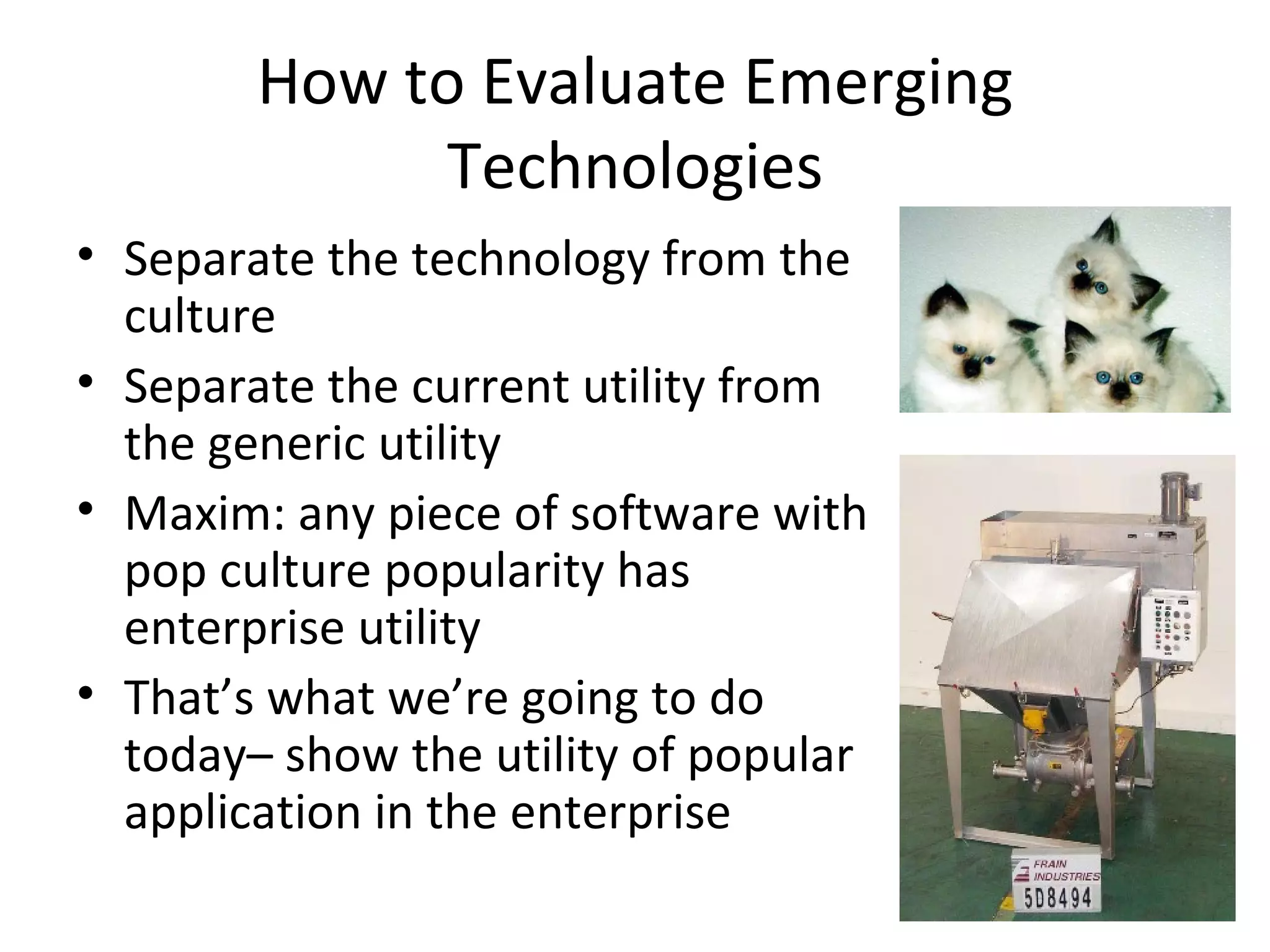
How to Evaluate Emerging Technologies Separate the technology from the culture Separate the current utility from the generic utility Maxim: any piece of software with pop culture popularity has enterprise utility That’s what we’re going to do today– show the utility of popular application in the enterprise
Web 2.0 Principles: Technology Fast, iterative development on web-focused toolsets (Ruby on Rails, Django, AJAX, etc.)– means that users can affect features more closely Open standards, open source software-- leads to reduced cost and more reuse APIs– less cost to build
Web 2.0 Principles: Culture Collaboration: comments, trackbacks, frequent updates/ edits Openness: transparency in approach Crowdsourcing: Wikipedia is the great example, but there are many others (Yahoo! Teachers and Answers, for instance)
Security and Enterprise Use Based on the intranet audience, all ideas presented here are geared toward intranet usage Security: most of the tools here are stored on public servers behind simple passwords Enterprise architectures: most tools run on external servers I don’t recommend using public tools to store company secrets
Levels of Complexity Each of these ideas are prepared for communicators with little or no input from IT types However, as the skills of IT and cooperation with them increase, you can move into greater complexity RSS feeds run through Feedburner can be turned into direct APIs via Twitter, for instance
Essentials There are step-by-steps here, but you’ll have to figure some things out Use the “Help” button If you get stuck, Google the problem– chances are someone else has had the same issue The ability to copy/paste pieces of code directly into your intranet is key to most of these ideas Email tech support or the creator of the tool your using for help if you search and find no answers
10 Ideas: The Platform Use  Google Reader  to  keep up with employees, trends, and news  in your industry Use  Google and Yahoo! news & blog search  RSS feeds along with  Yahoo! Pipes  and  FeedBurner  to  create custom competitive intelligence Use  Flickr  for  finding, publishing, and sharing photos  relating to your company
10 Ideas: Outside In Use  Google Video  to  stream instructional videos  and other corporate video assets Use  Google Apps For Your Domain  for  complete out-of-the-box intranet  (small businesses or independent-minded divisions) Use  Google Gadgets  for  weather, world clocks, or just plain fun Use  Live.com  to  create custom point-to-point maps
10 Ideas: More Complex Deploy  WordPress  to for feature-rich, extensible  content management system Use social networking sites such as  Facebook  as an  extension of your corporate conversation Use  Zocalo  to create prediction markets and  tap hidden knowledge
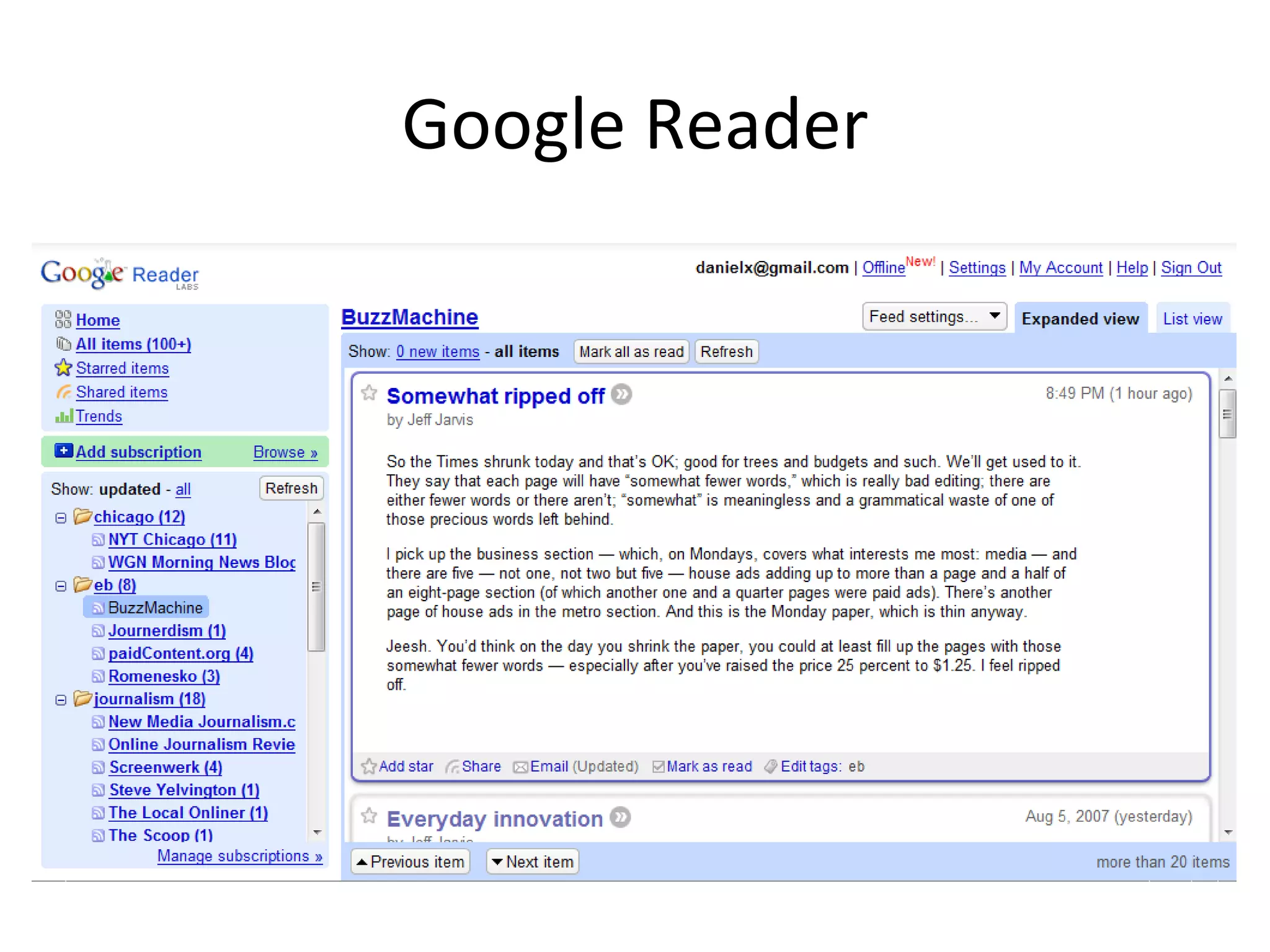
Google Reader This is one of the basics that every communicator should have– a full RSS reader Google Reader is the best– easy to subscribe, easy to share, great screen shortcuts Allows you to keep on top of all sorts of info and serves as a basis for more sophisticated things
Google Reader
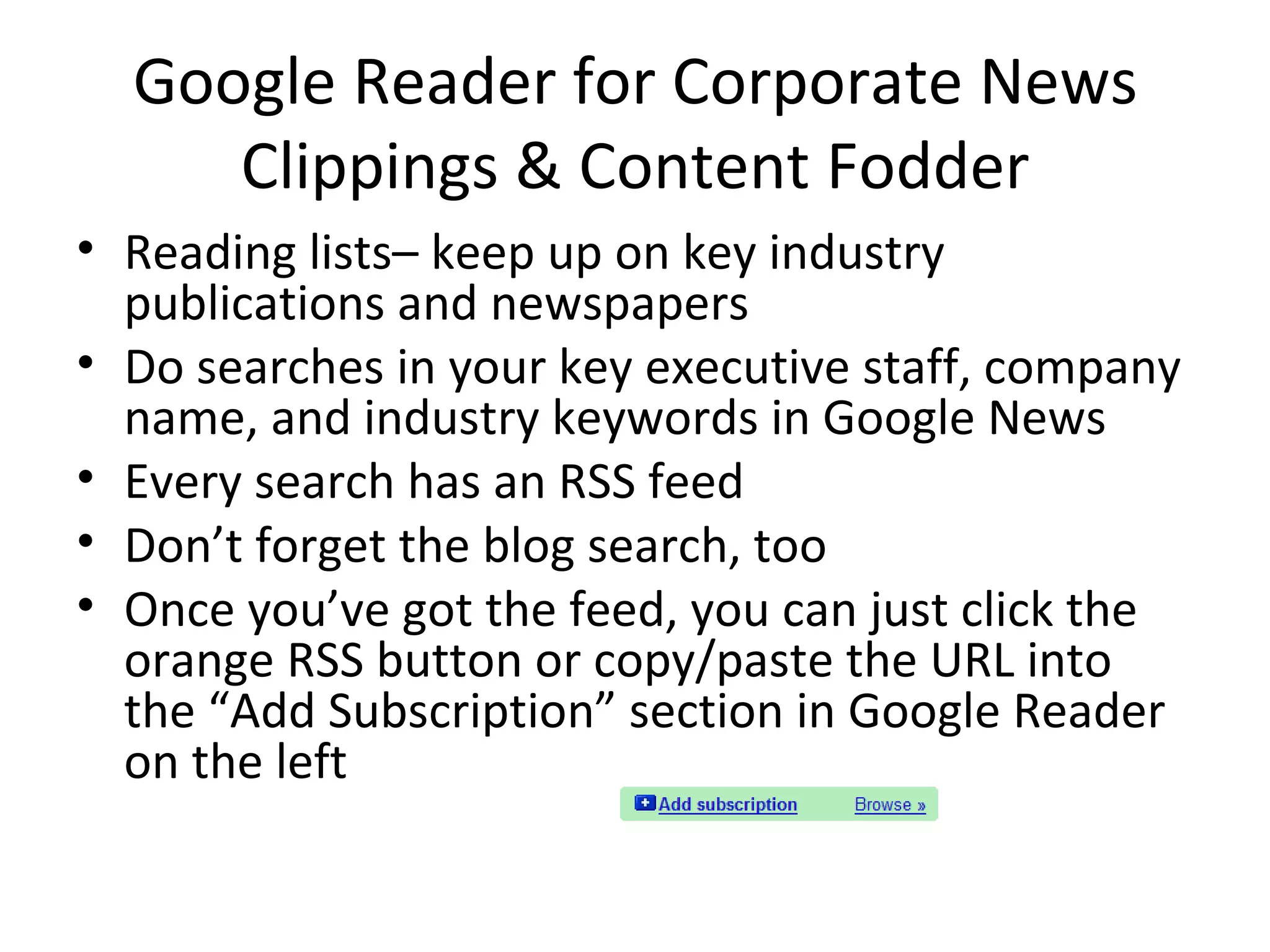
Google Reader for Subscribing to News Electronic clipping service Subscribe to any news source that has an RSS feed Use the Firefox or IE 7 browsers for auto-detection of RSS feeds Firefox is best– faster, renders pages better, spellcheck
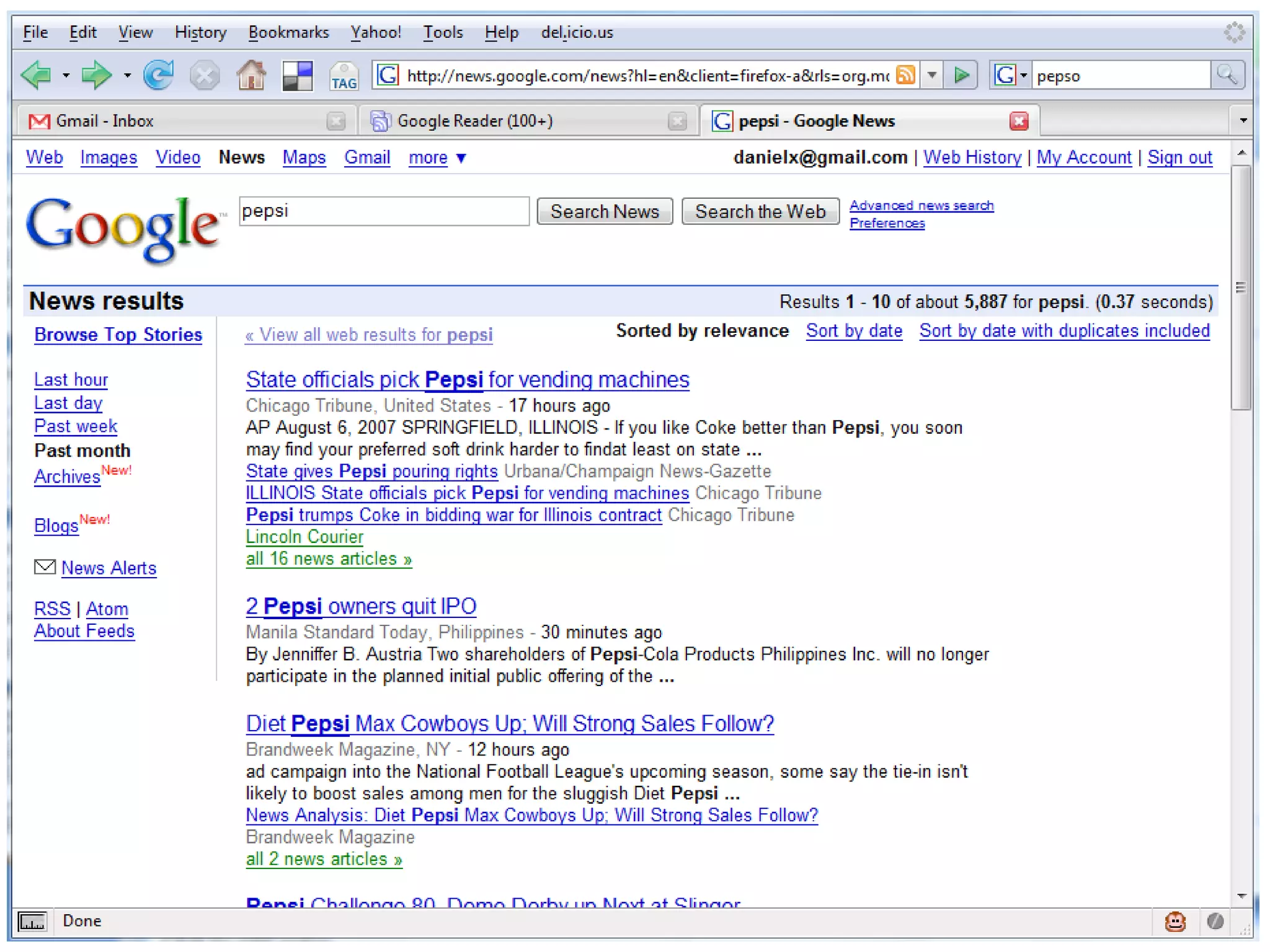
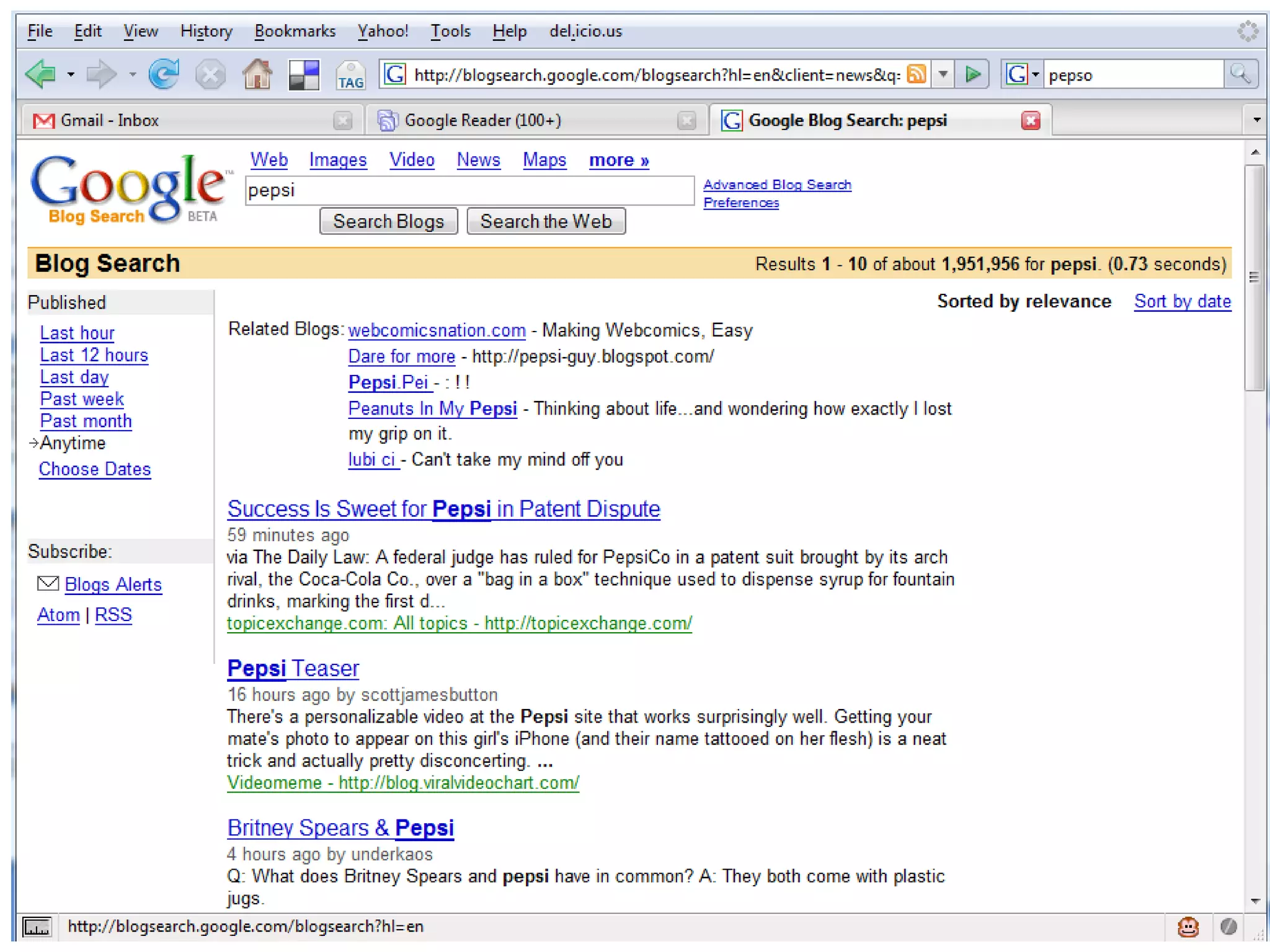
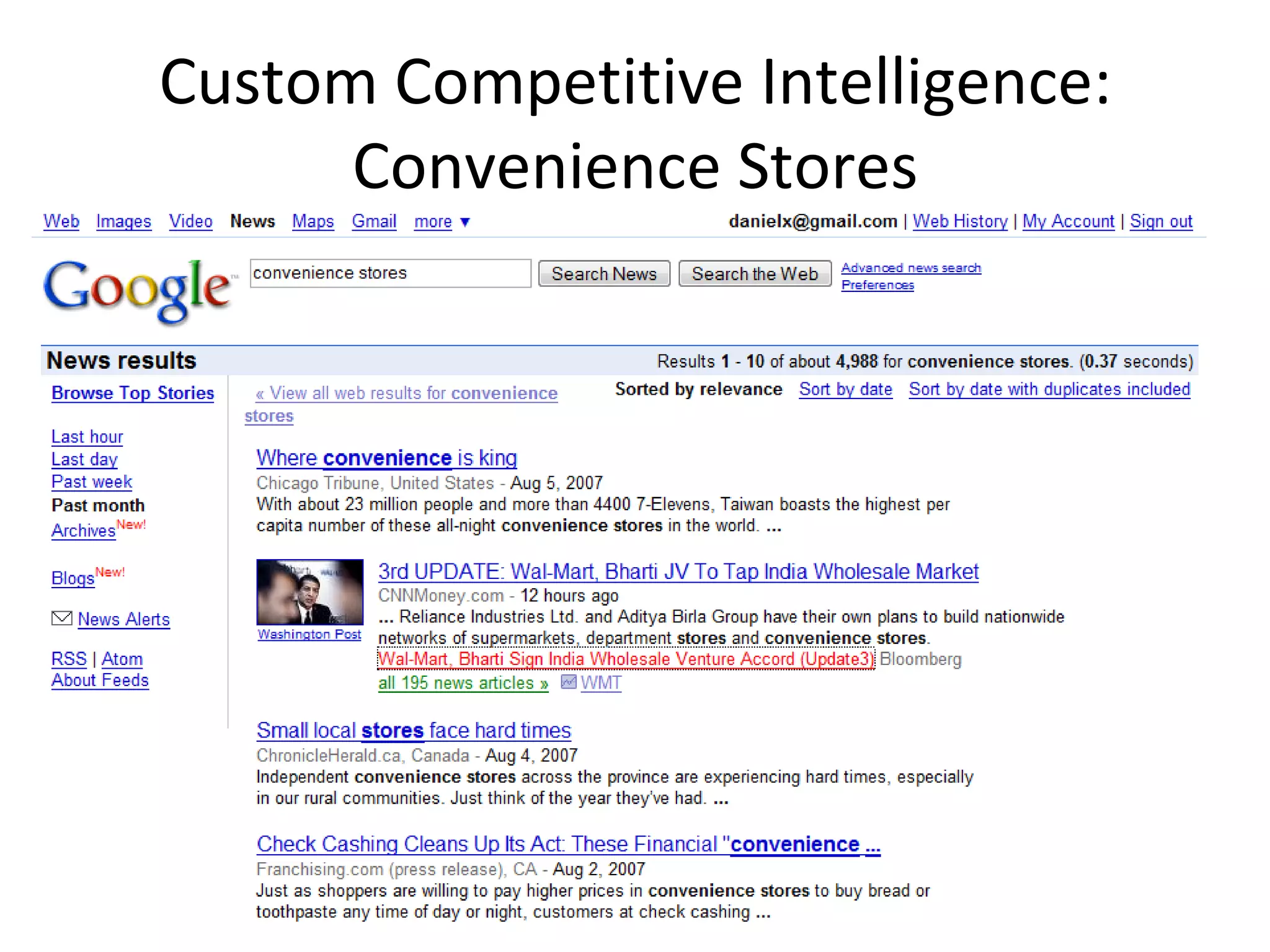
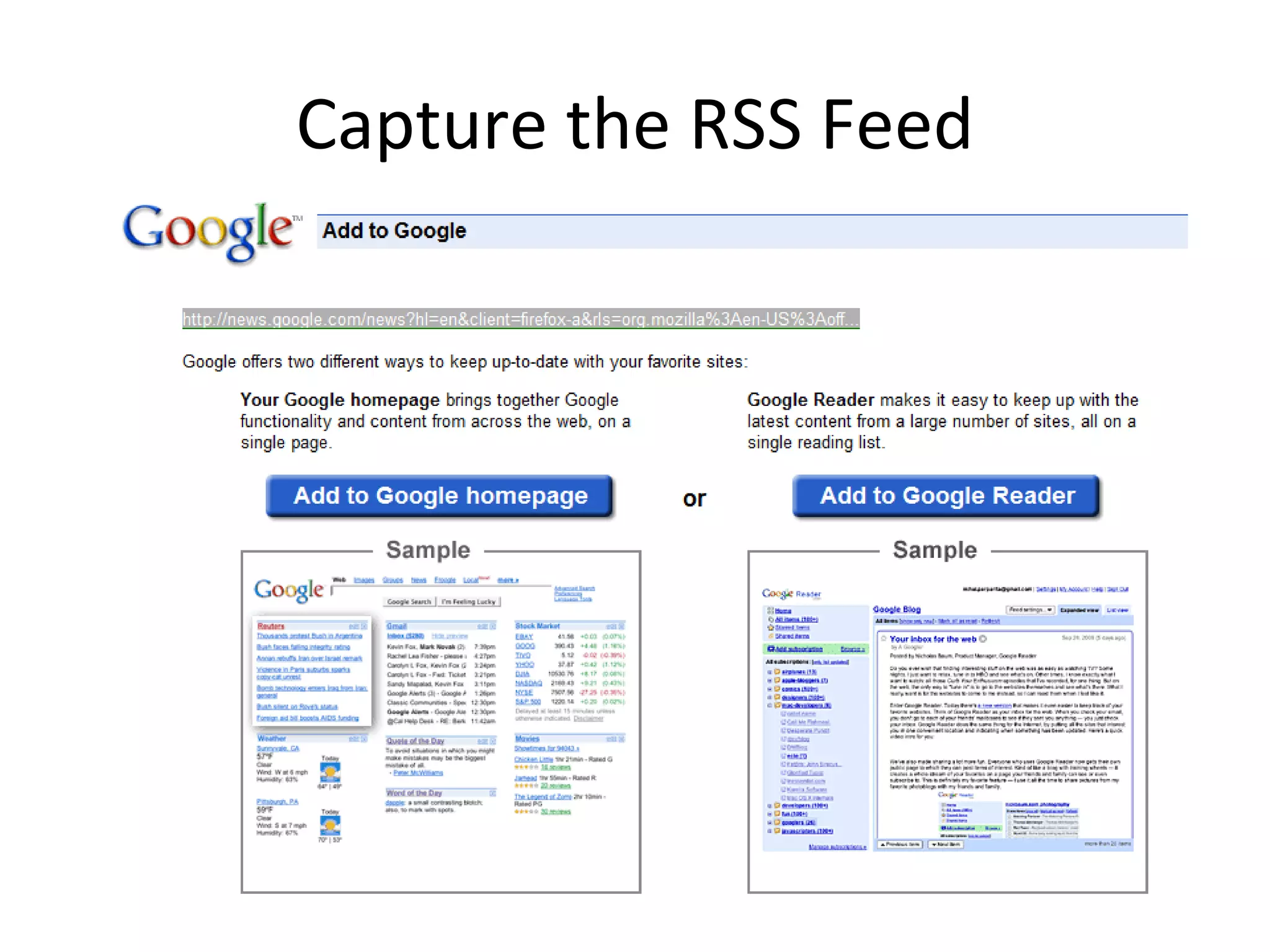
Google Reader for Corporate News Clippings & Content Fodder Reading lists– keep up on key industry publications and newspapers Do searches in your key executive staff, company name, and industry keywords in Google News Every search has an RSS feed Don’t forget the blog search, too Once you’ve got the feed, you can just click the orange RSS button or copy/paste the URL into the “Add Subscription” section in Google Reader on the left
 
 
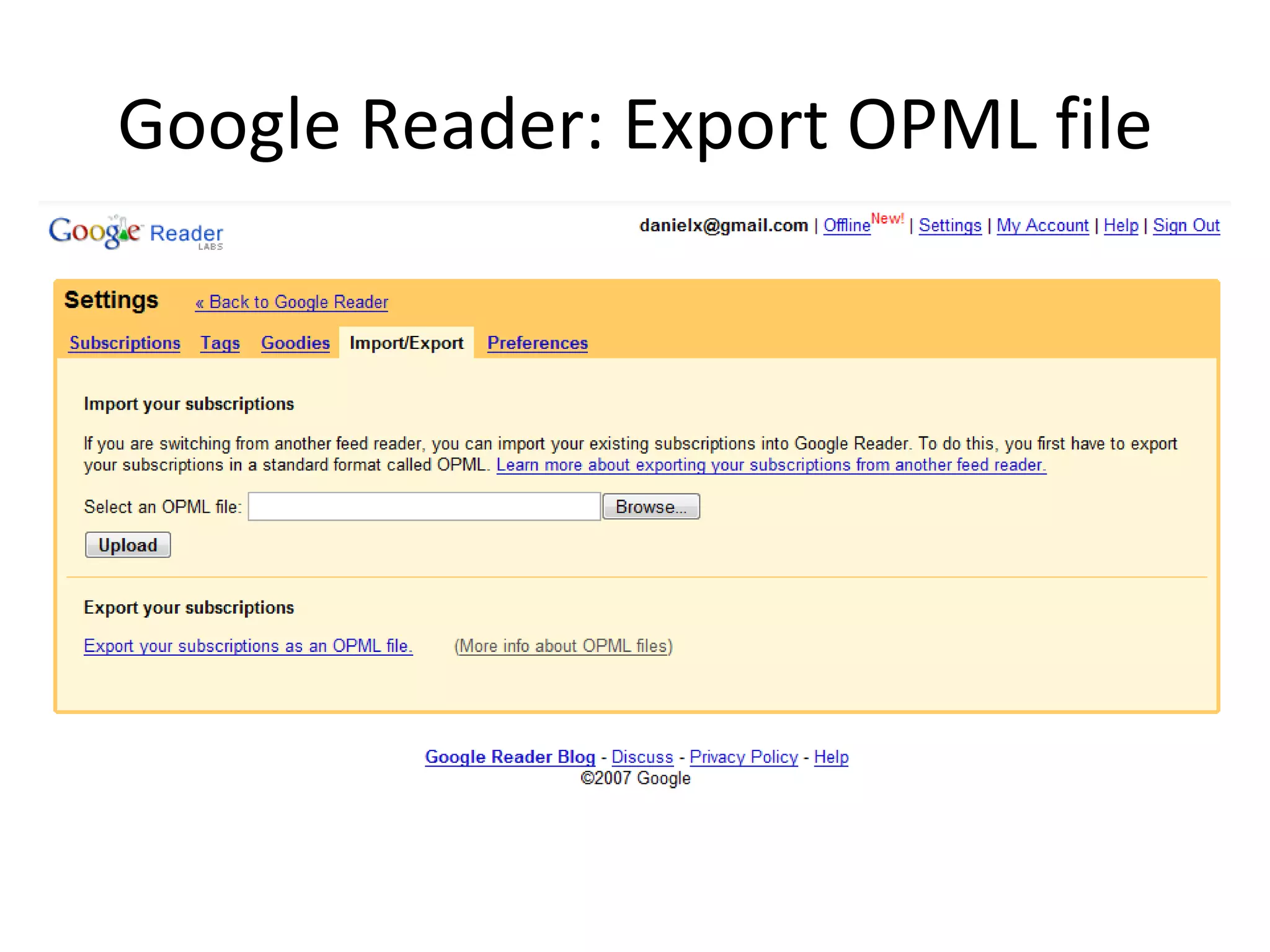
Google Reader: Export Reading List Once you build a good reading list, you can share it with everyone in your company Settings > Import/ Export > Export Your Subscriptions as an OPML File Then upload it to your intranet Anyone can download it and import it into their feed reader
Google Reader: Export OPML file
Custom Competitive Intelligence Use  Google and Yahoo! news & blog search  RSS feeds along with  Yahoo! Pipes  and  FeedBurner  to  create custom competitive intelligence Once you’ve got an RSS feed, you can trim it then publish it to your intranet
Custom Competitive Intelligence: Convenience Stores
Capture the RSS Feed
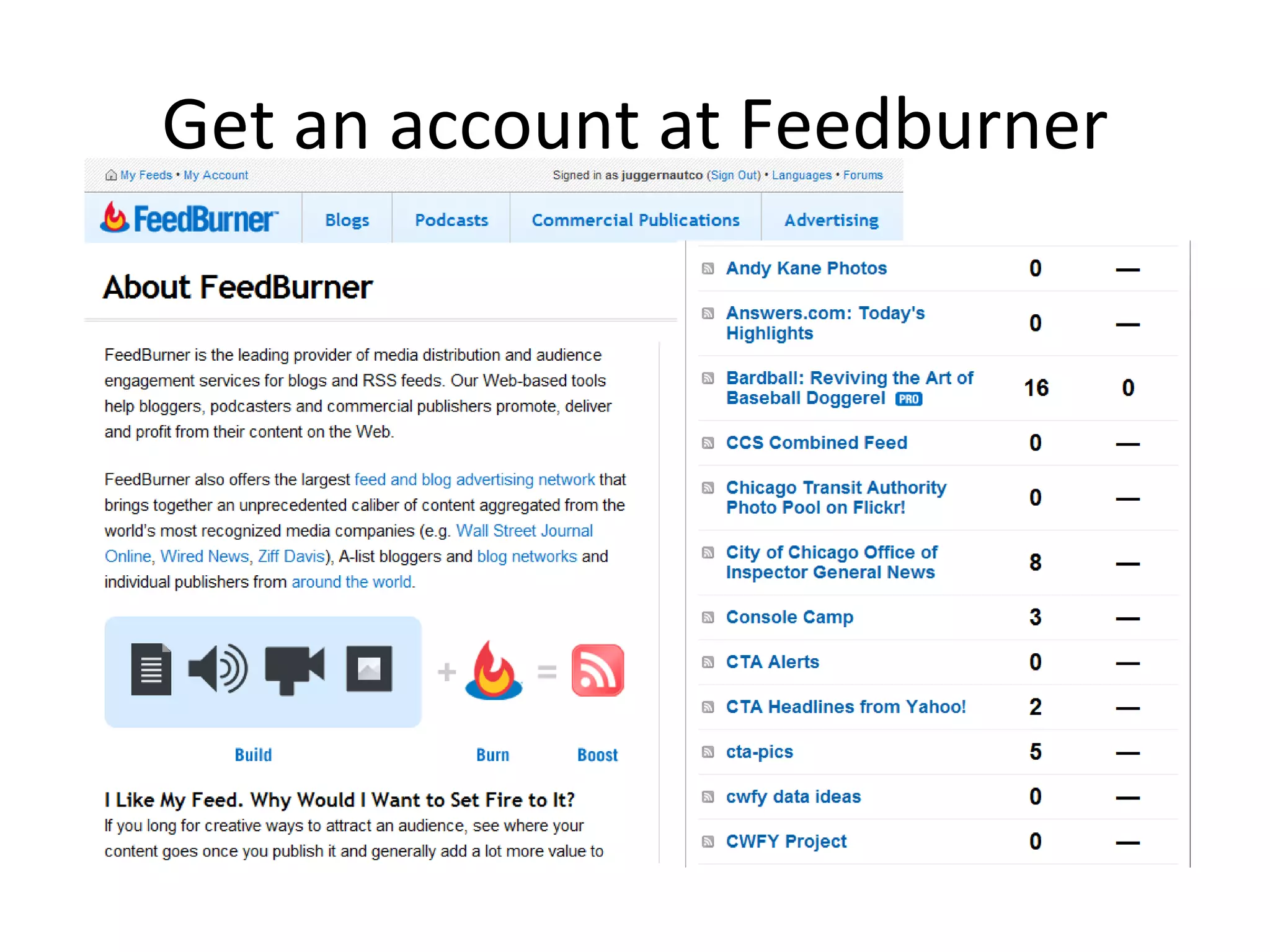
Get an account at Feedburner
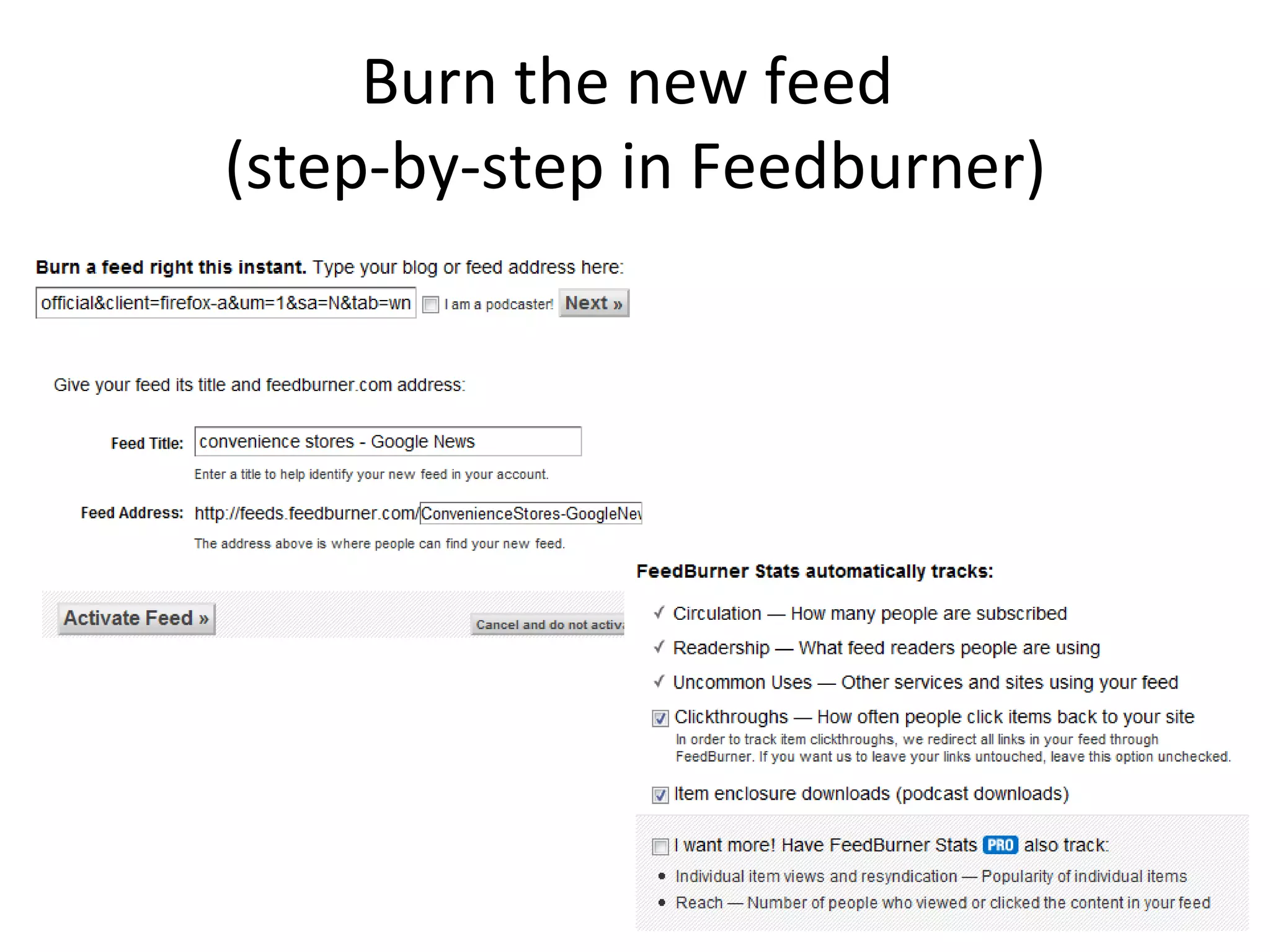
Burn the new feed  (step-by-step in Feedburner)
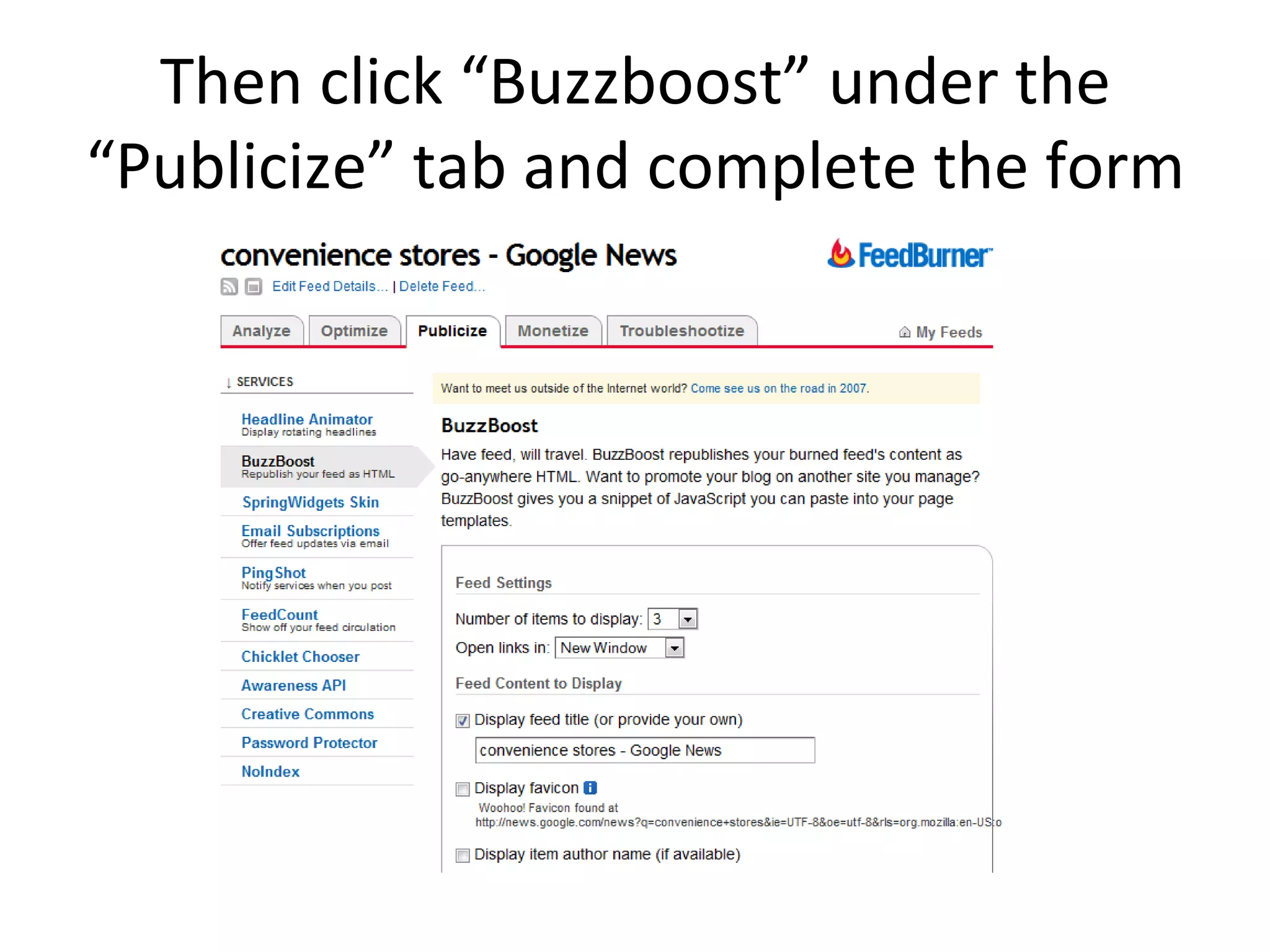
Then click “Buzzboost” under the “Publicize” tab and complete the form
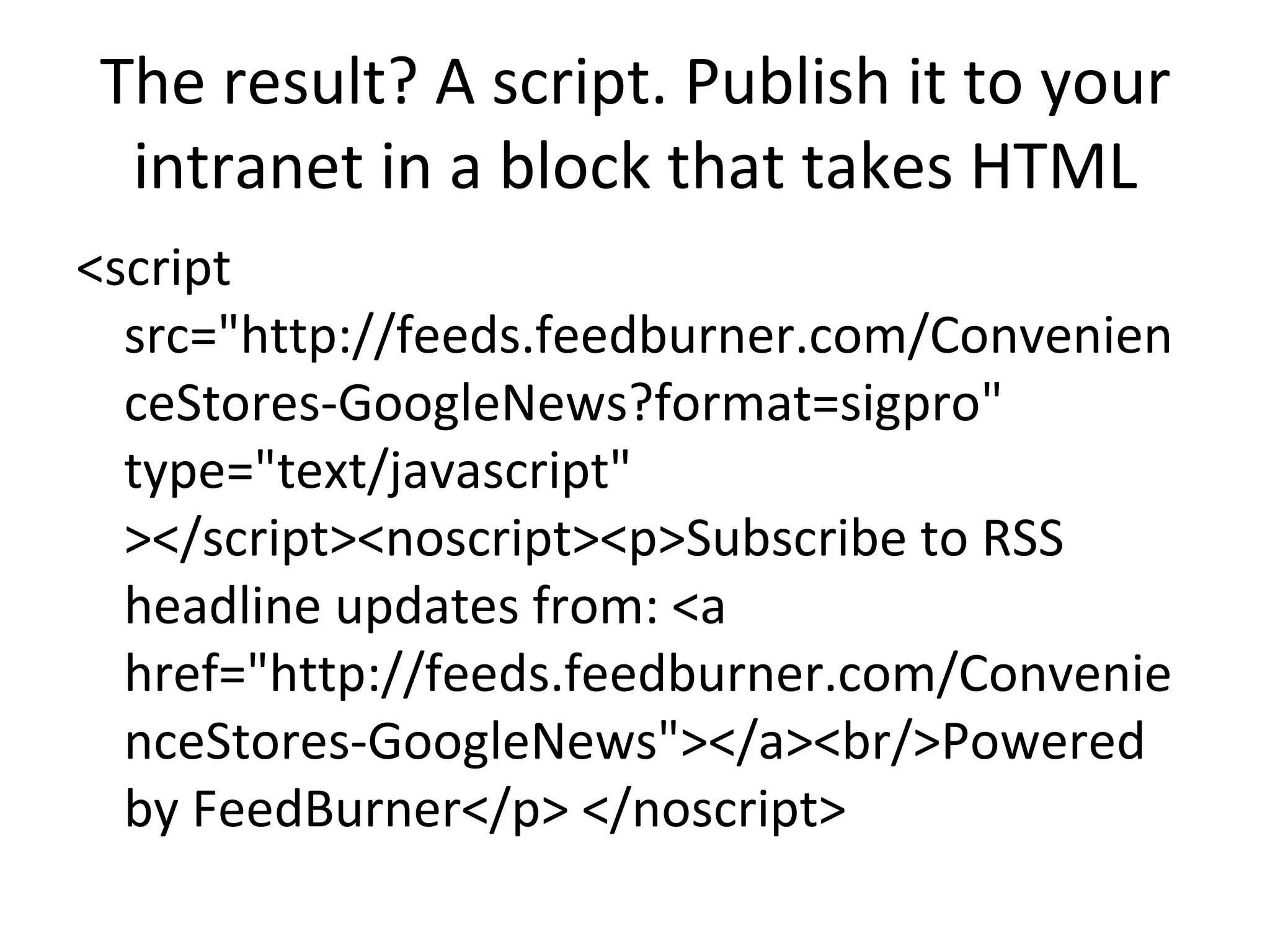
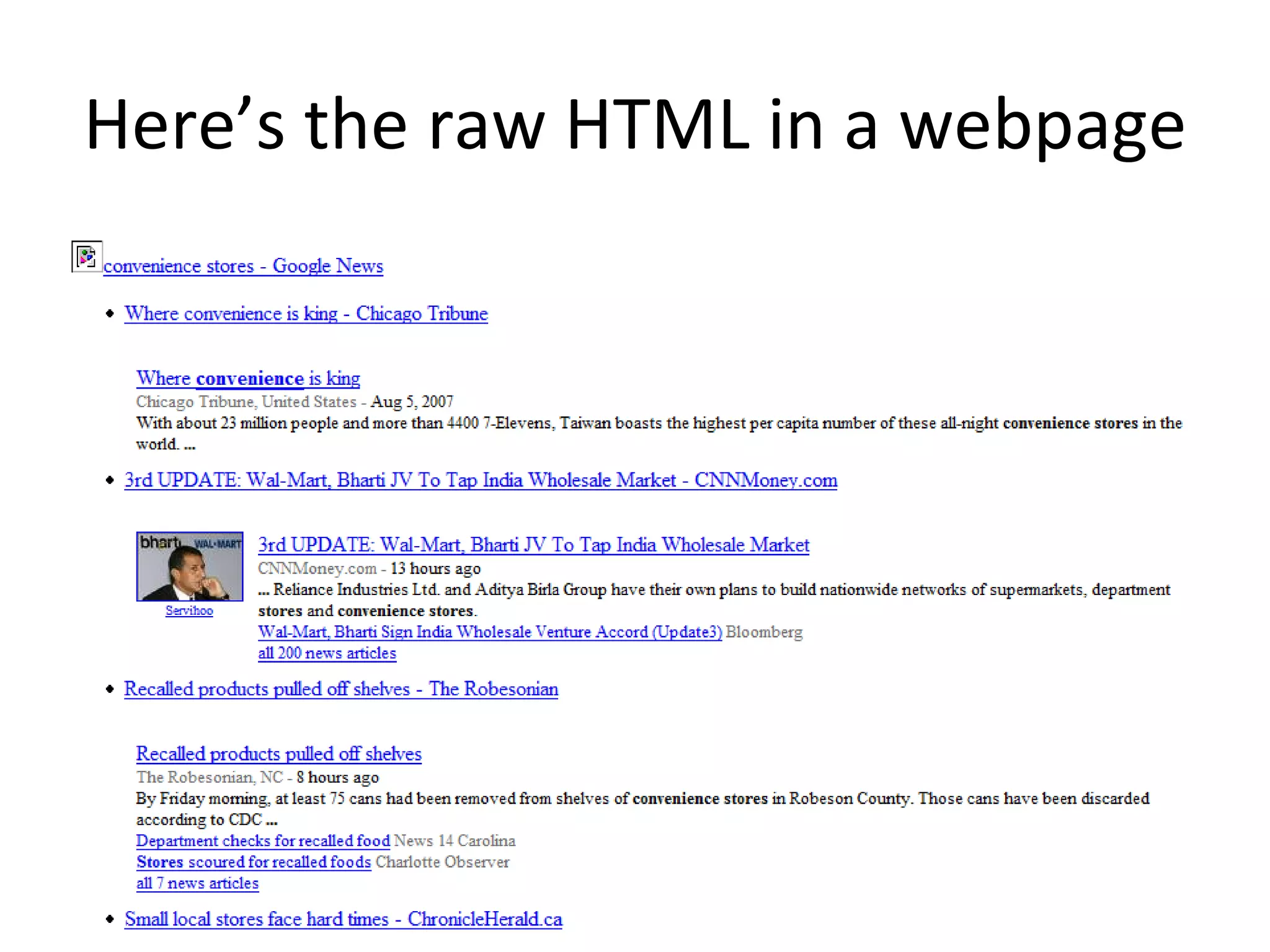
The result? A script. Publish it to your intranet in a block that takes HTML <script src=&quot;http://feeds.feedburner.com/ConvenienceStores-GoogleNews?format=sigpro&quot; type=&quot;text/javascript&quot; ></script><noscript><p>Subscribe to RSS headline updates from: <a href=&quot;http://feeds.feedburner.com/ConvenienceStores-GoogleNews&quot;></a><br/>Powered by FeedBurner</p> </noscript>
Here’s the raw HTML in a webpage
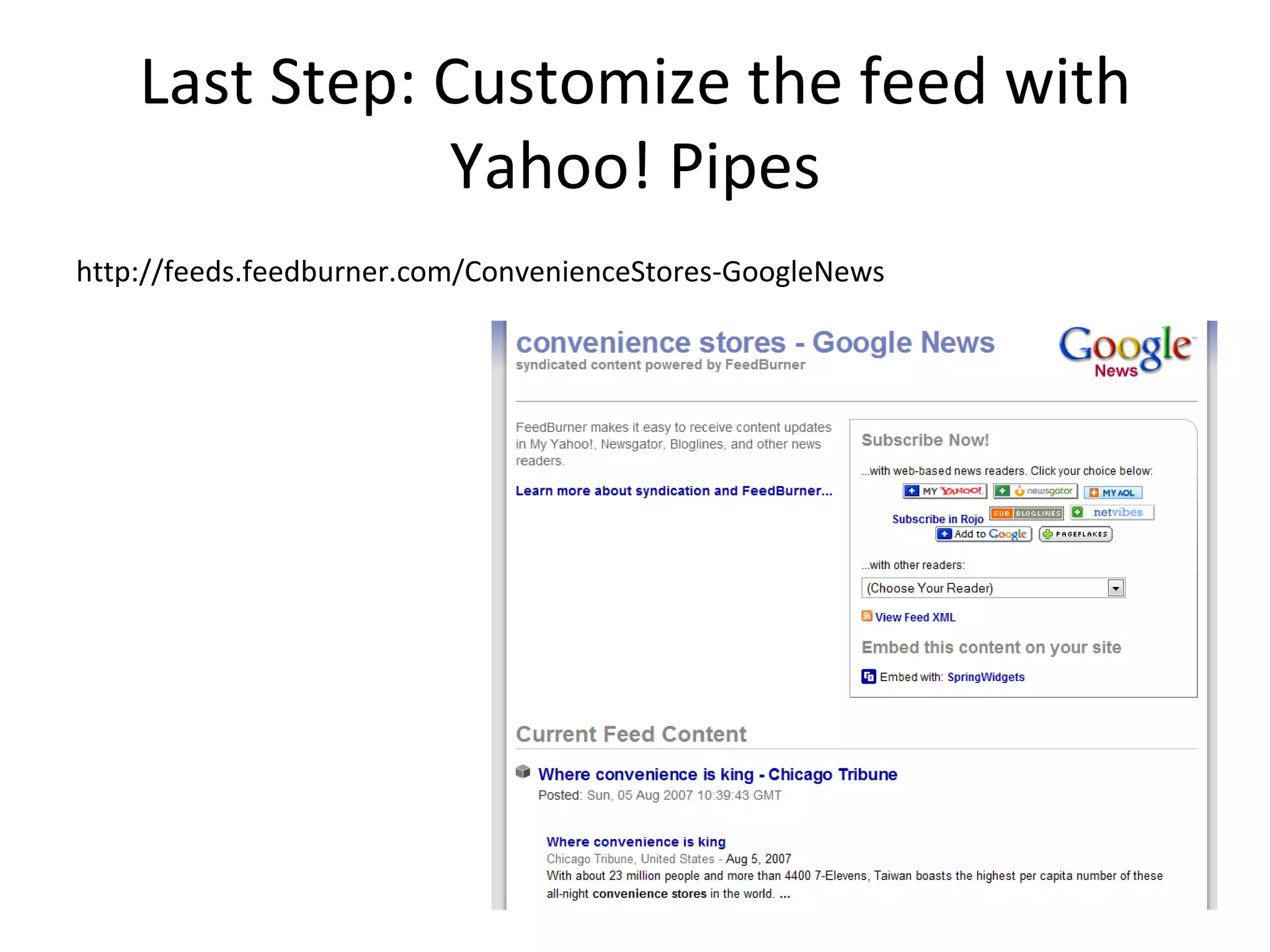
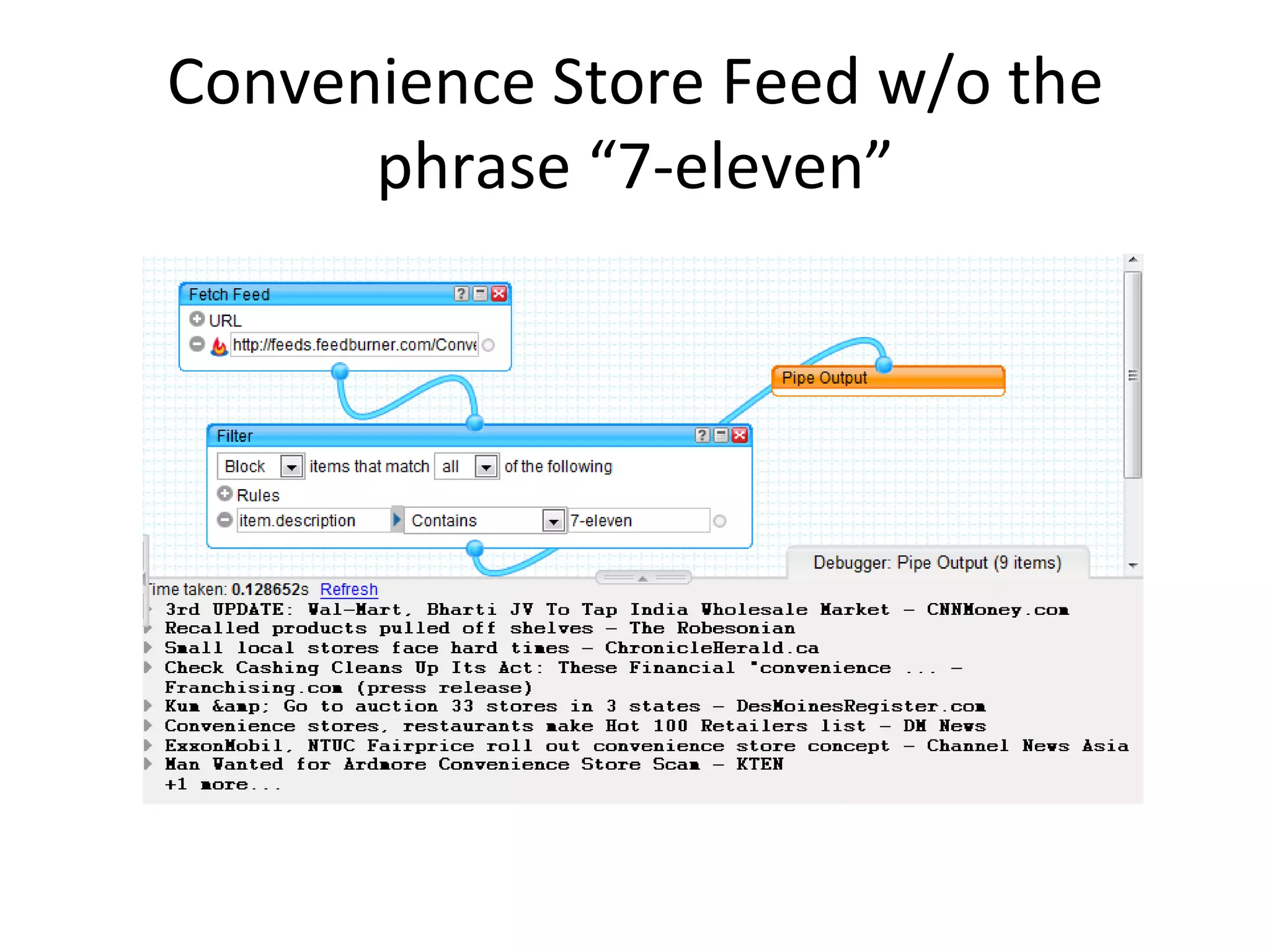
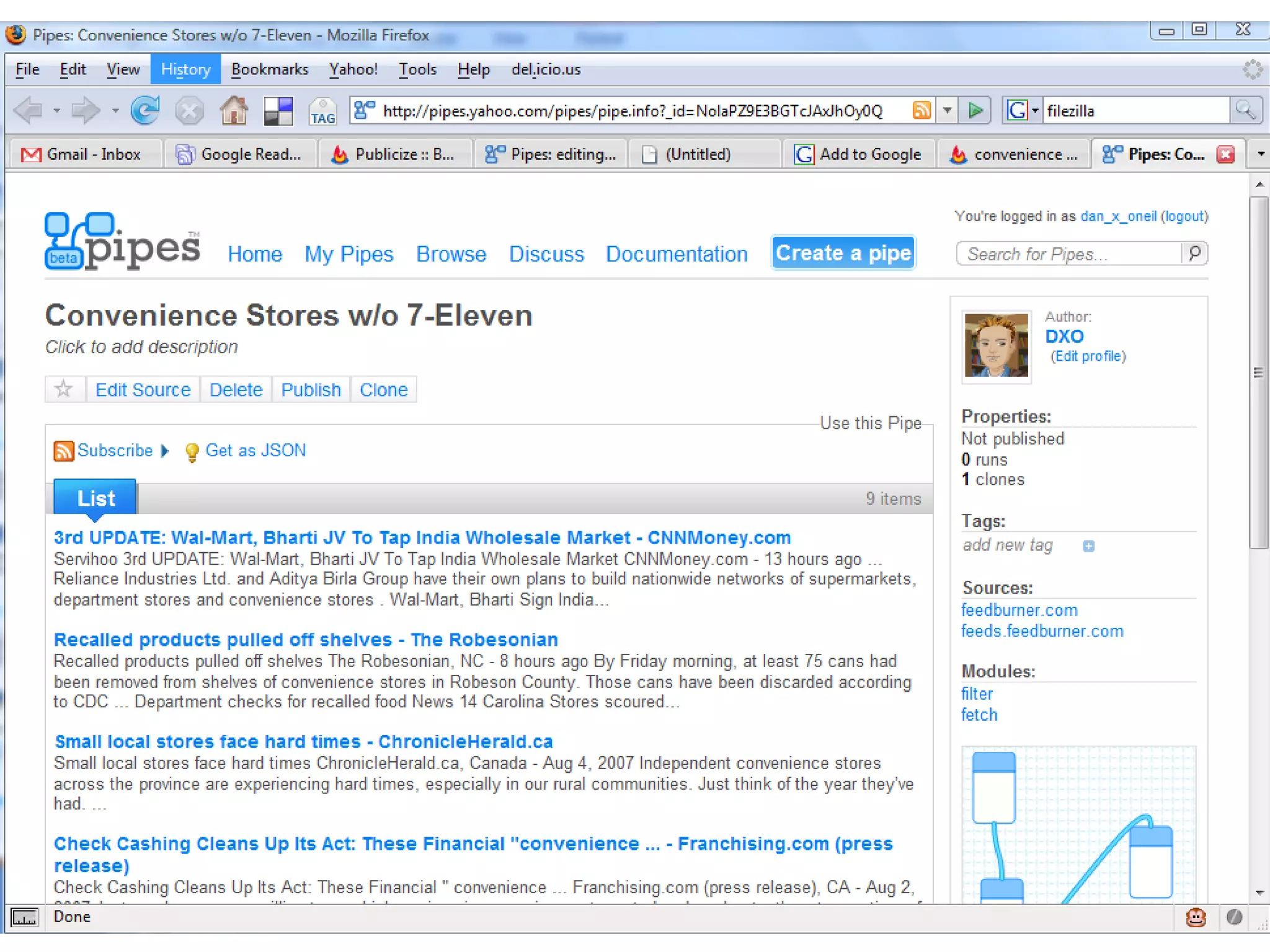
Last Step: Customize the feed with Yahoo! Pipes http://feeds.feedburner.com/ConvenienceStores-GoogleNews
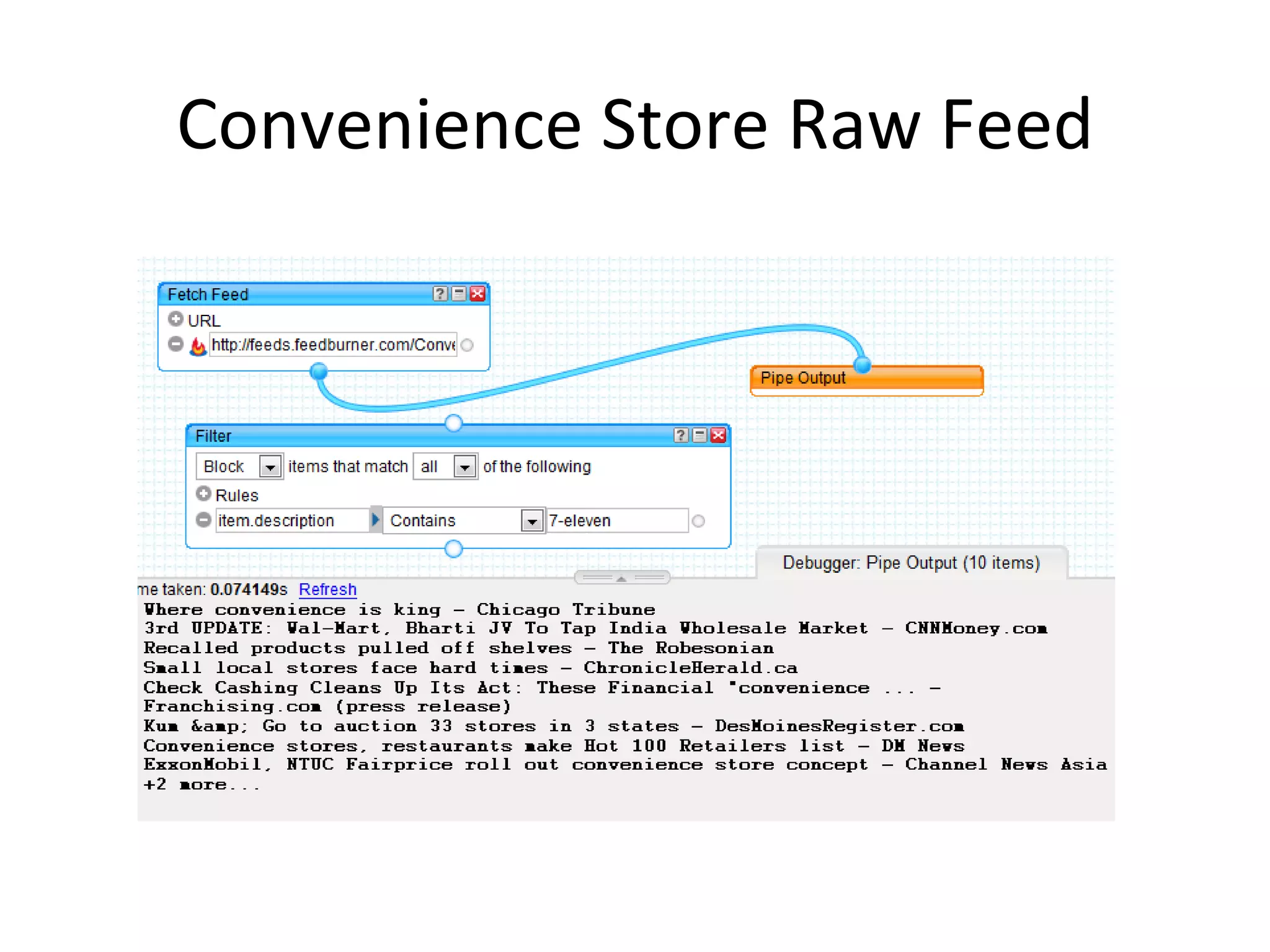
Convenience Store Raw Feed
Convenience Store Feed w/o the phrase “7-eleven”
Now it is
Custom Competitive Intelligence: Upshots Somewhat complicated, but powerful once you get it Be sure not to “publish” your feed– then only you know its URL Be sure to only use this tactic on feeds that you are OK to make public The feeds may be indexed by search engines If you’re afraid of the competitive intelligence searches becoming public, pick your content by hand using RSS feeds as in our first example
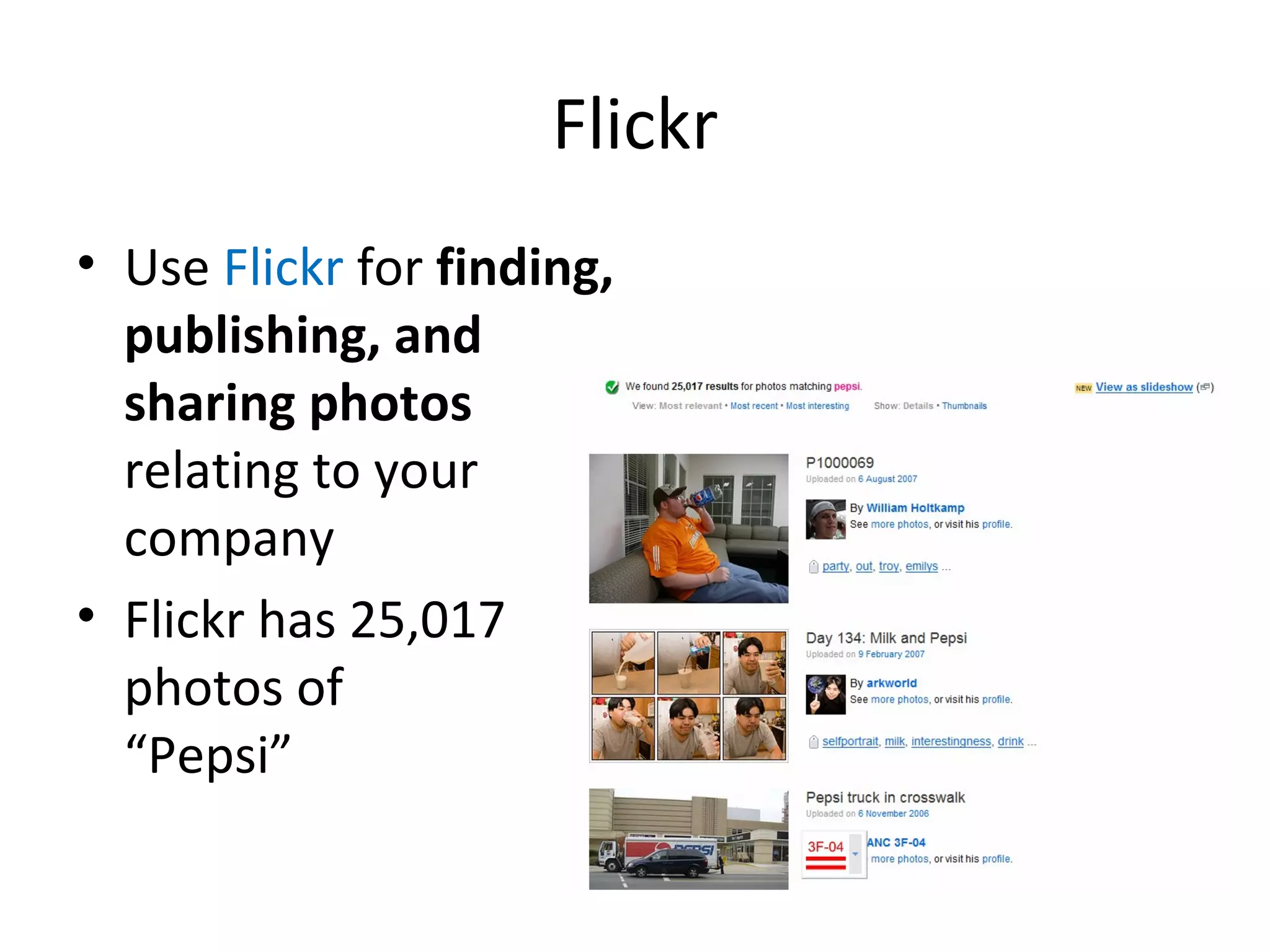
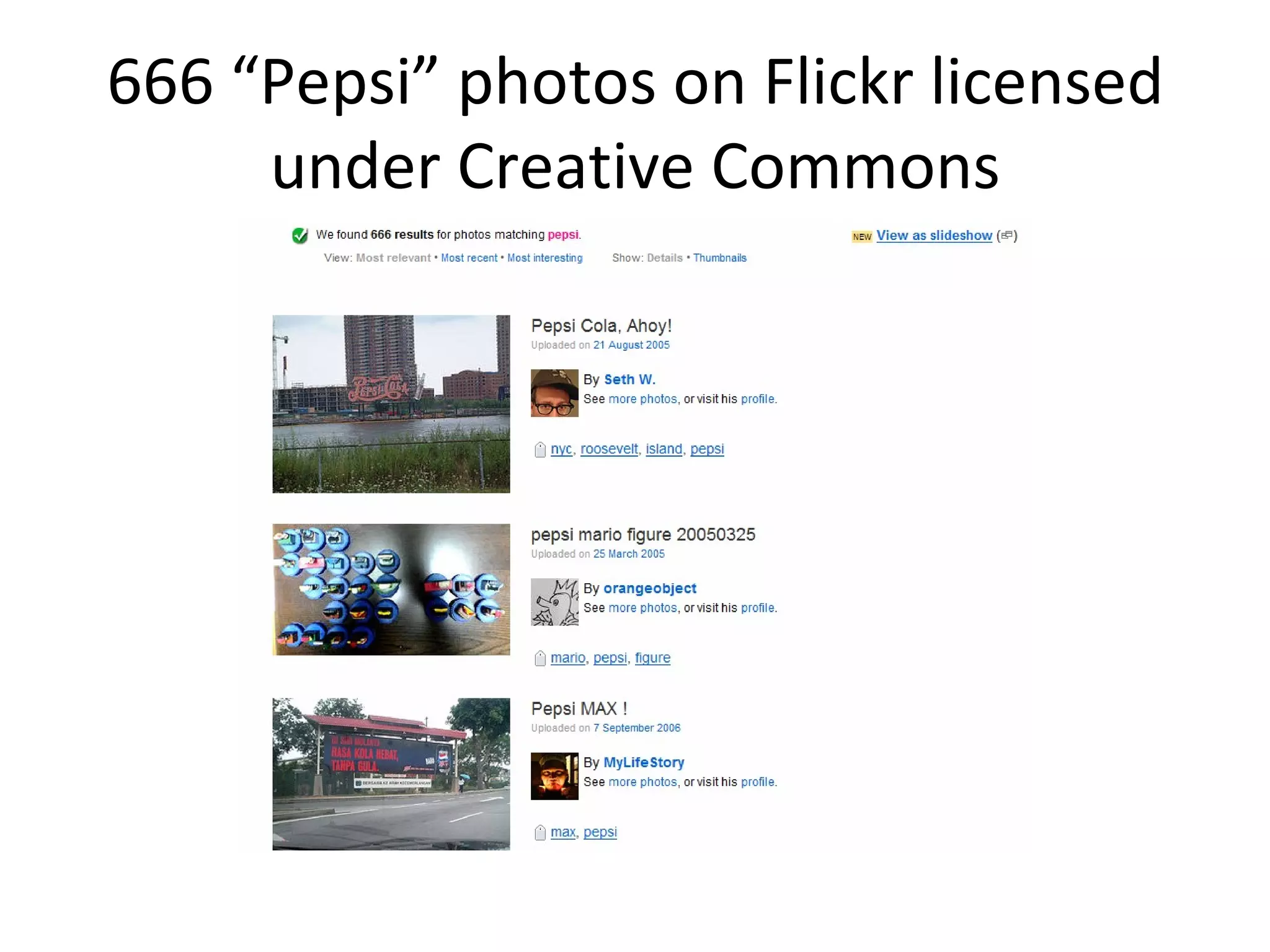
Flickr Use  Flickr  for  finding, publishing, and sharing photos  relating to your company Flickr has 25,017 photos of  “Pepsi”
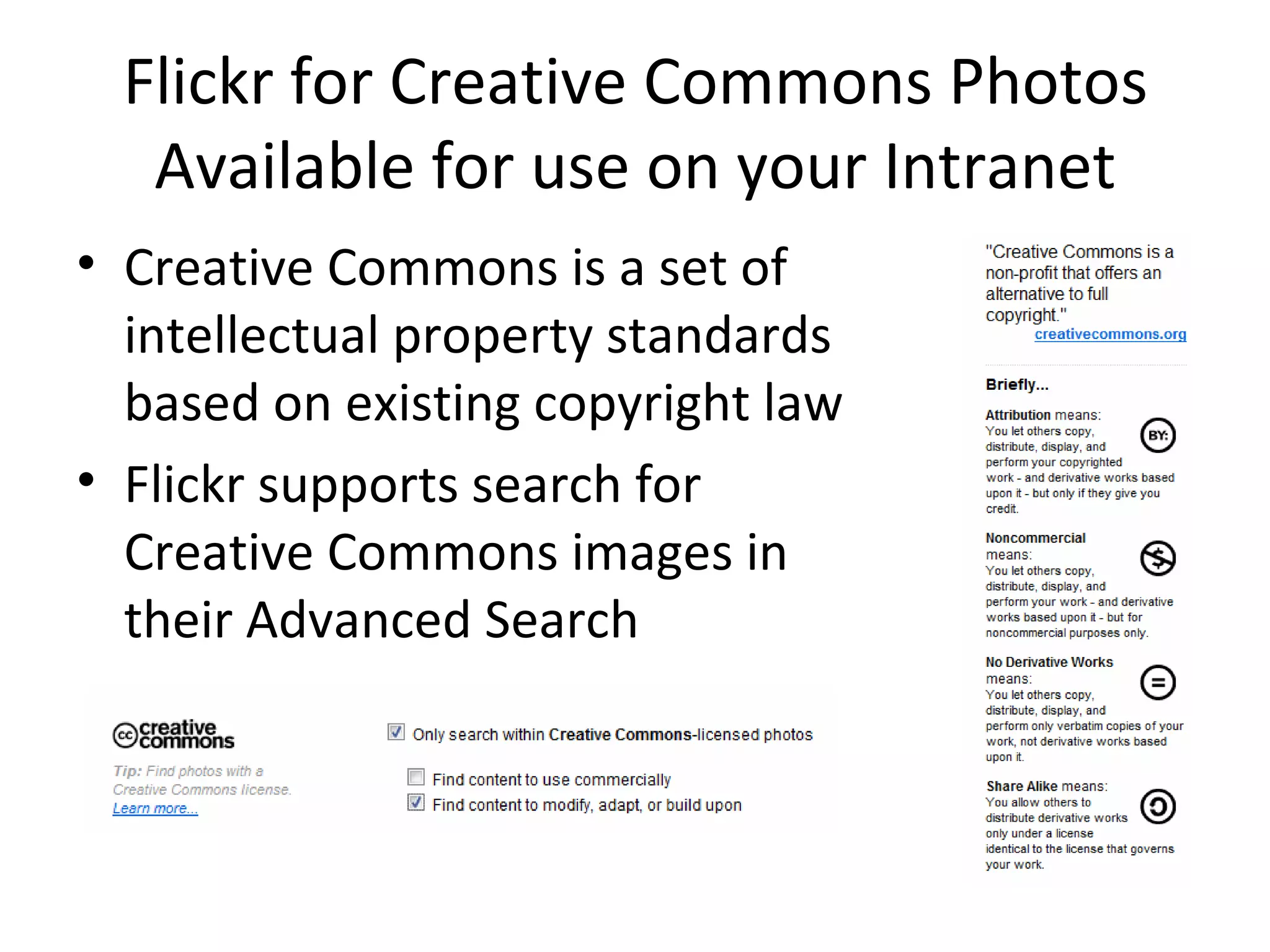
Flickr for Creative Commons Photos Available for use on your Intranet Creative Commons is a set of  intellectual property standards based on existing copyright law Flickr supports search for Creative Commons images in their Advanced Search
666 “Pepsi” photos on Flickr licensed under Creative Commons
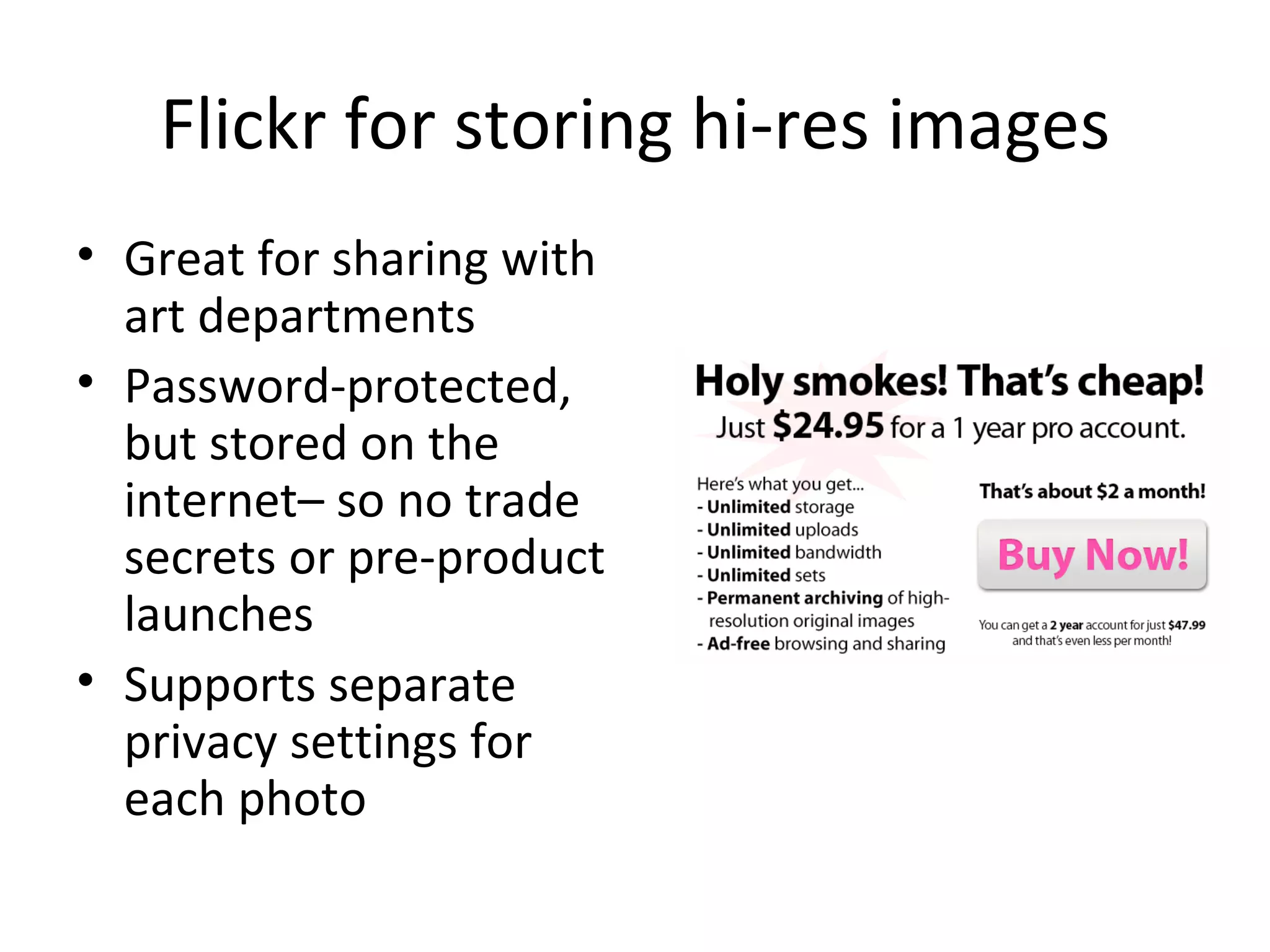
Flickr for storing hi-res images Great for sharing with art departments Password-protected, but stored on the internet– so no trade secrets or pre-product launches Supports separate privacy settings for each photo
Extending Flickr Supports printing Third-party applications Integration with blogging software Publish to Flickr by email Publish to blog by email Publish by cellphone camera
Google Video Use  Google Video  to  stream instructional videos  and other corporate video assets Google allows for the streaming of private, non-indexed videos inside your intranet But again, only store non-critical items there– you never know Great for historical company videos or non-secret trade or instructional videos
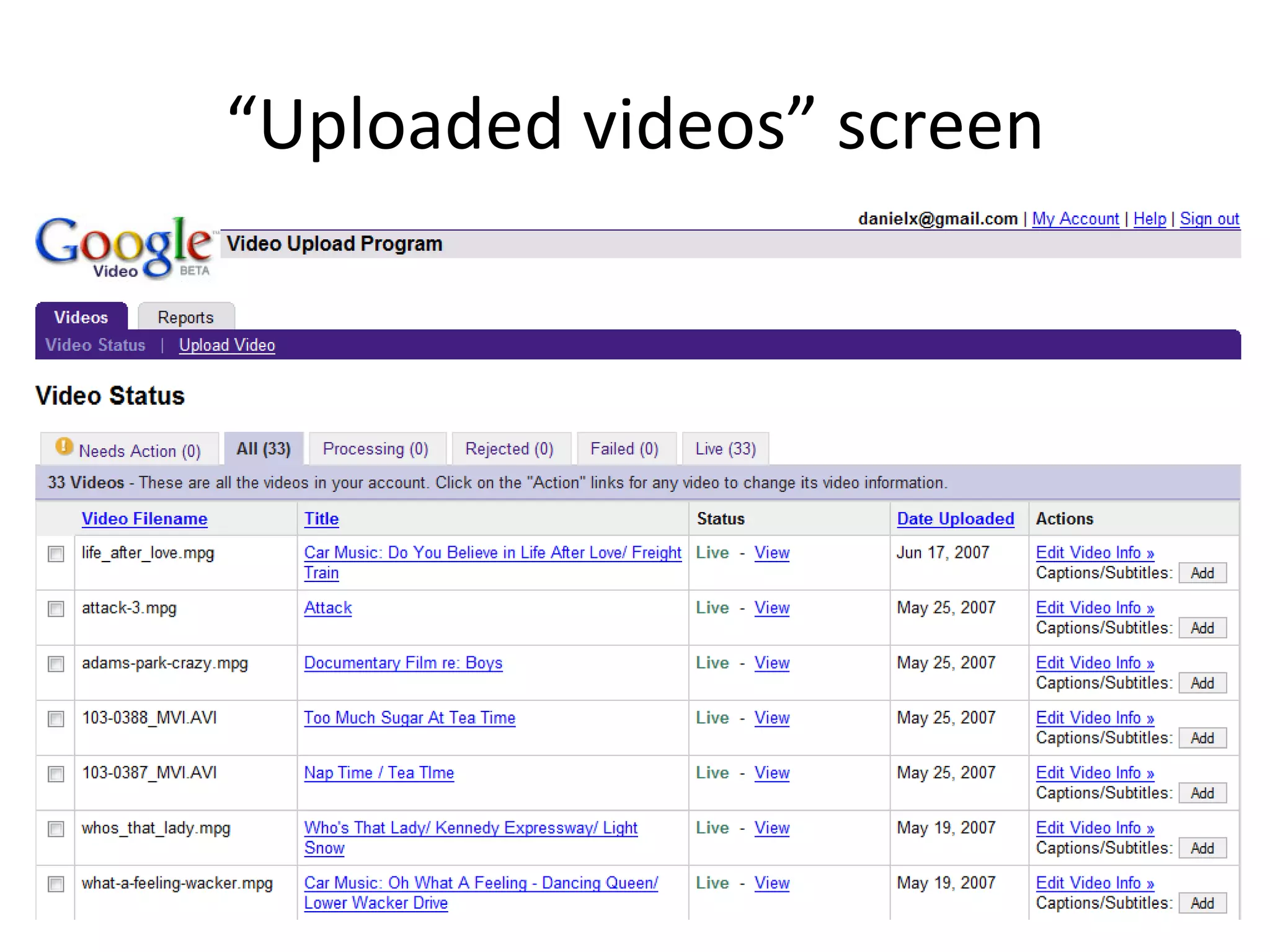
“ Uploaded videos” screen
Advantages of Google Video Private No size limits– blows past all of the “server space” issues of the past Personal index of your videos– great for historical asset management Streaming onto your intranet is easy
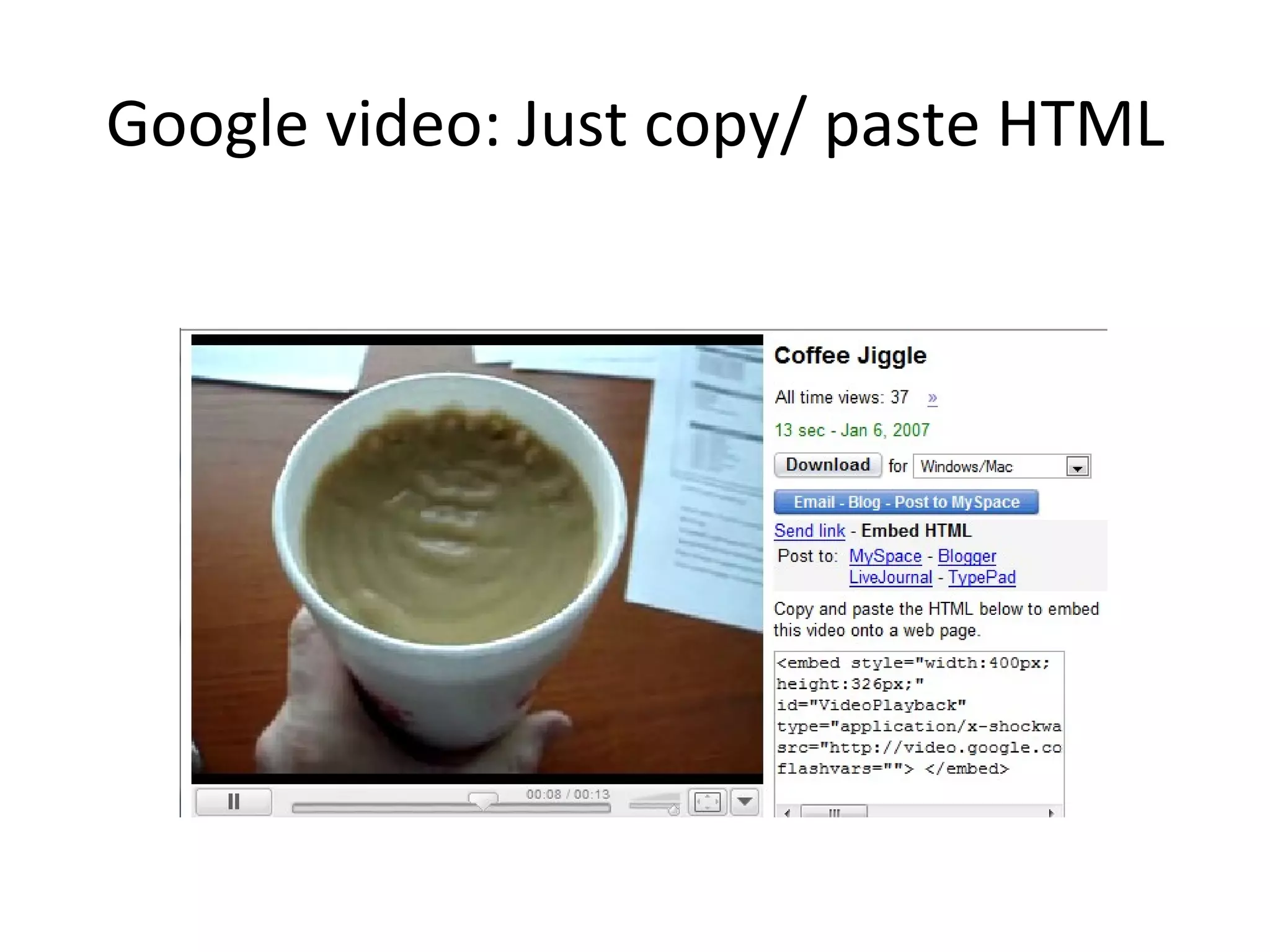
Google video: Just copy/ paste HTML
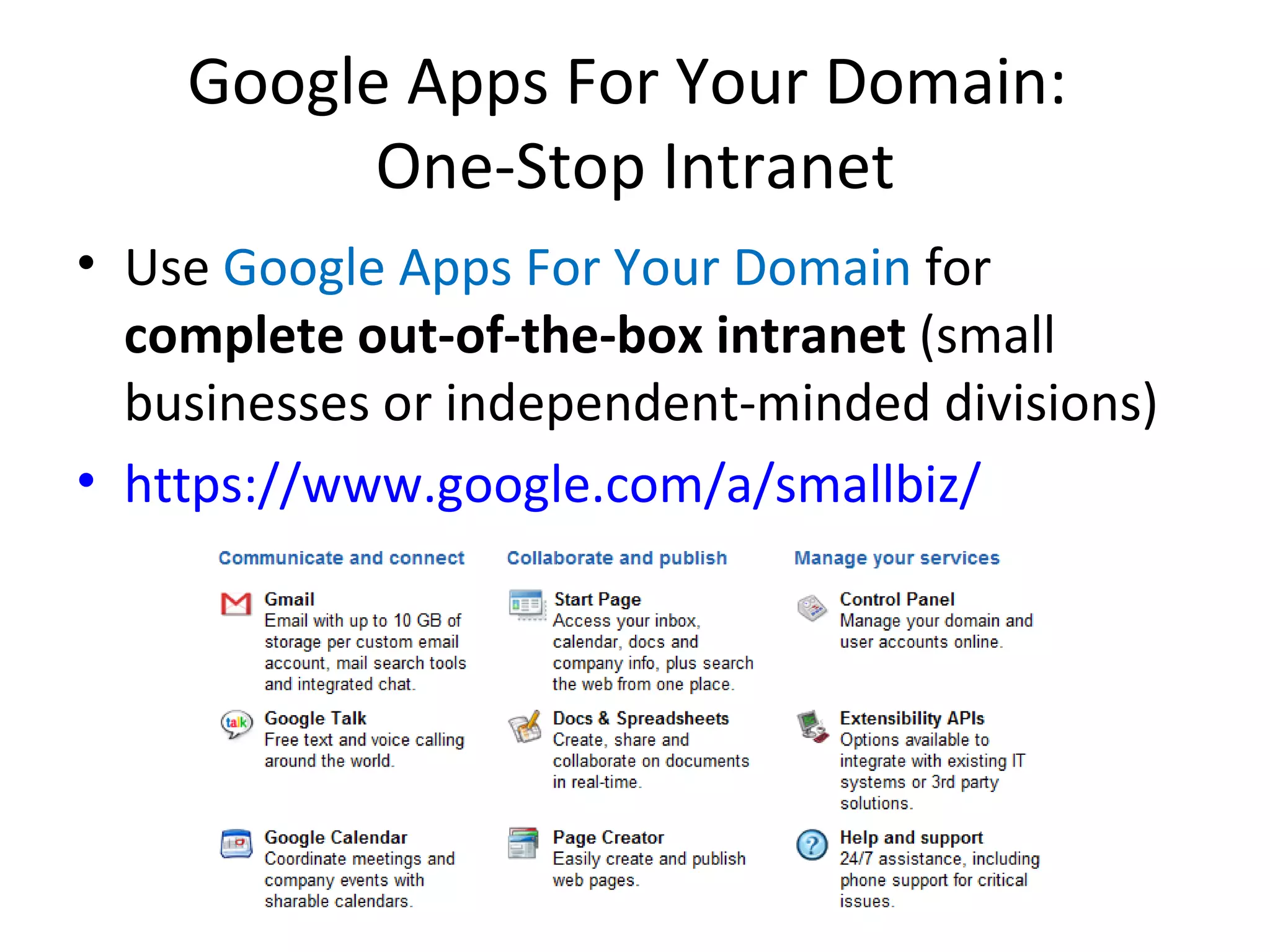
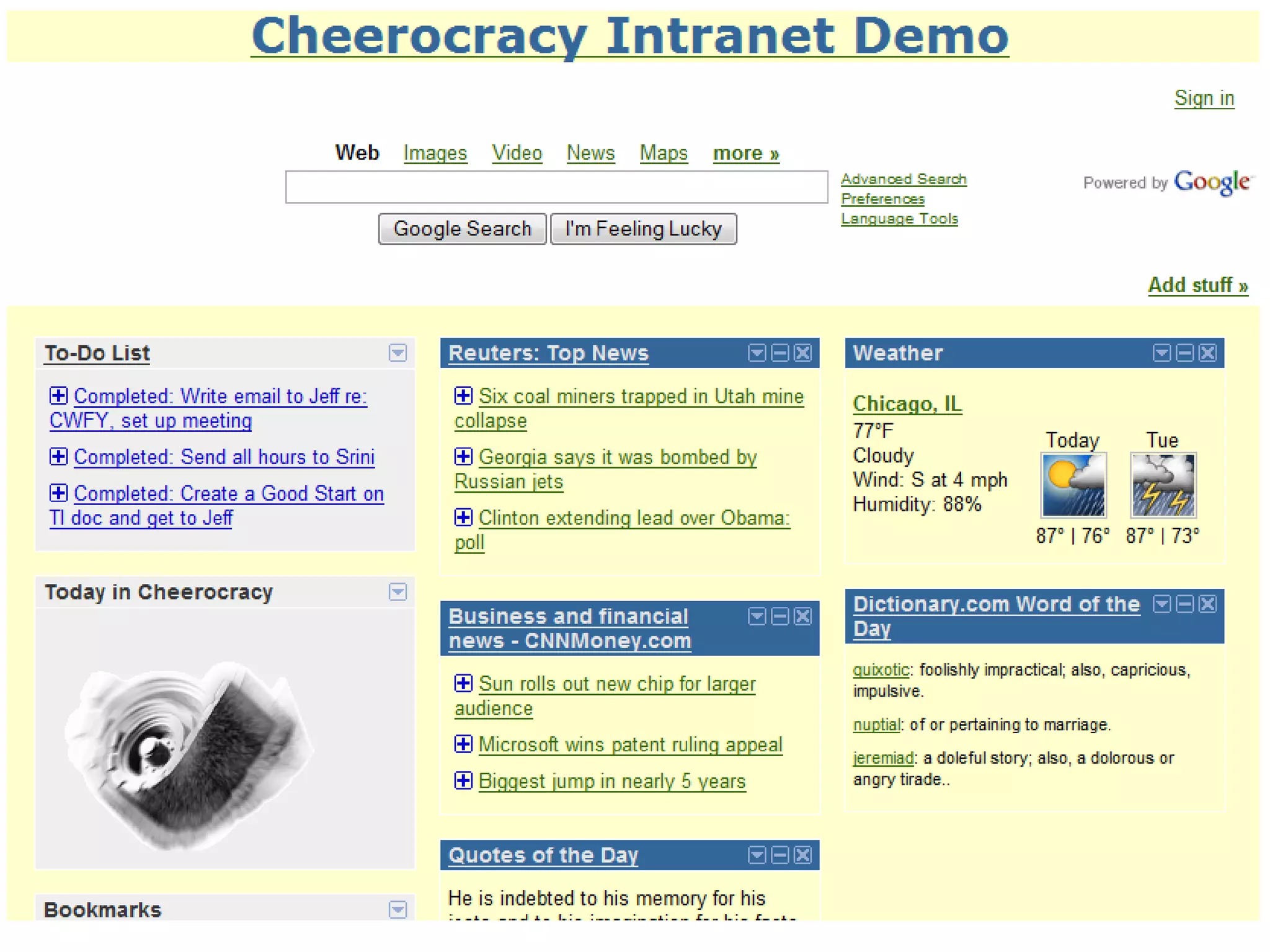
Google Apps For Your Domain:  One-Stop Intranet Use  Google Apps For Your Domain  for  complete out-of-the-box intranet  (small businesses or independent-minded divisions) https://www.google.com/a/smallbiz/
Google Apps For Your Domain: Start Page Click & drag modules News, weather, custom integration with other applications A great option for a small business or an enterprise with no intranet yet Or, the corporate division with lots of latitude The usage would be more of a shared homepage than the storage of any internal communications
 
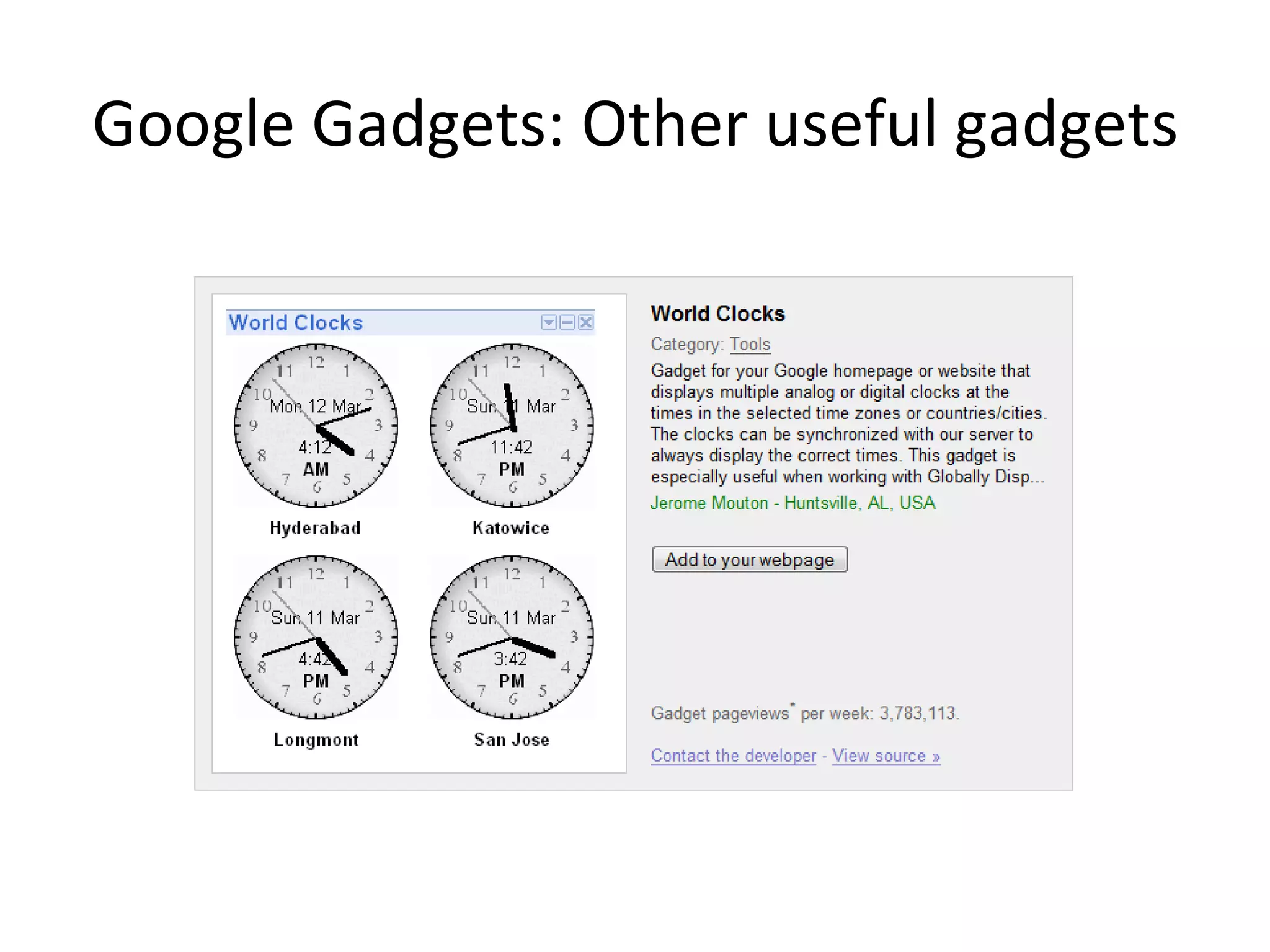
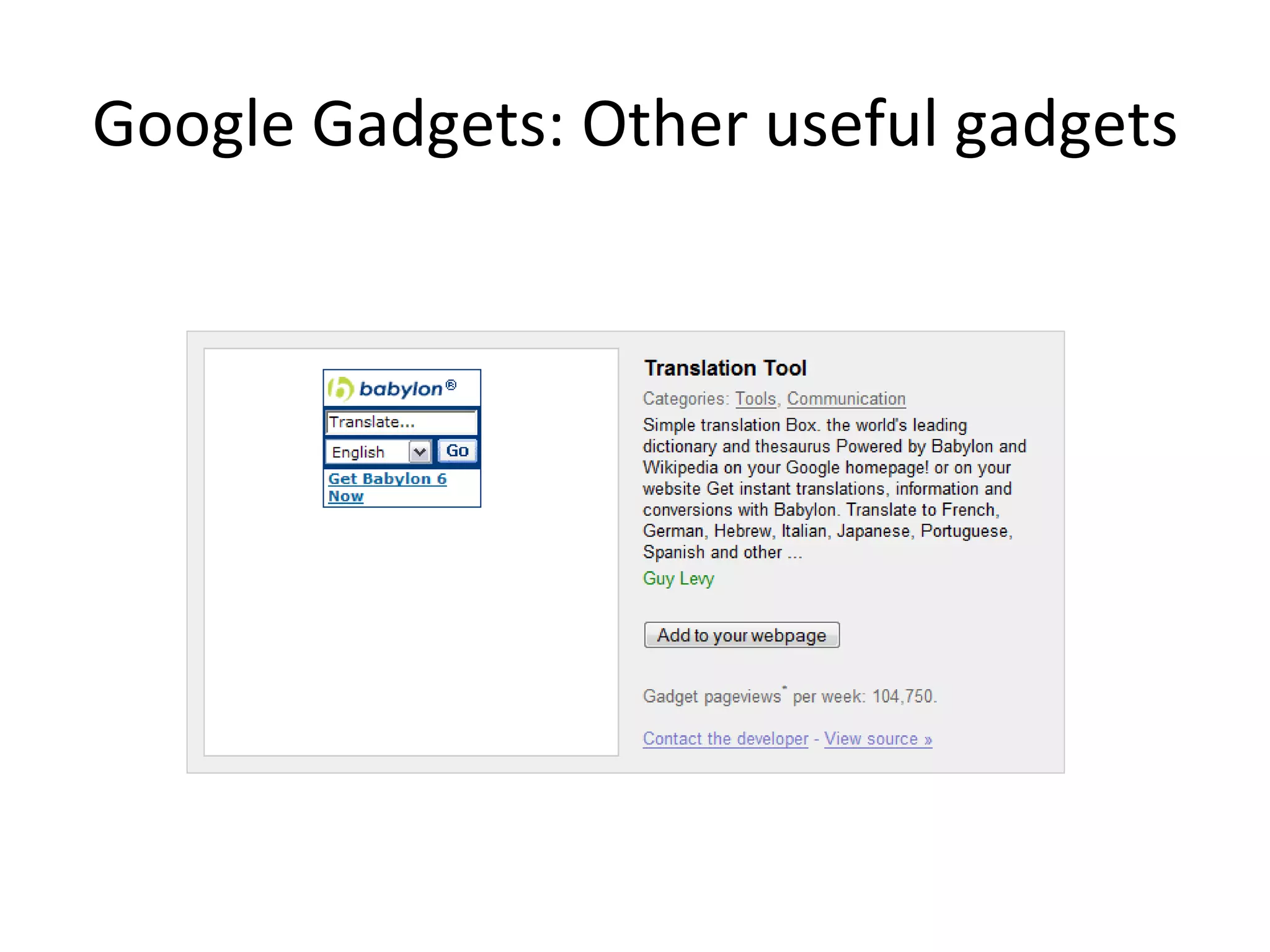
Google Gadgets: Inside your intranet Use  Google Gadgets  for  weather, world clocks, or just plain fun The same components that are available in Google Apps For Your Domain are also available as “gadgets”, or portable pieces of software, on your intranet There are currently more than 12,000 available:  http://www.google.com/ig/directory?synd=open
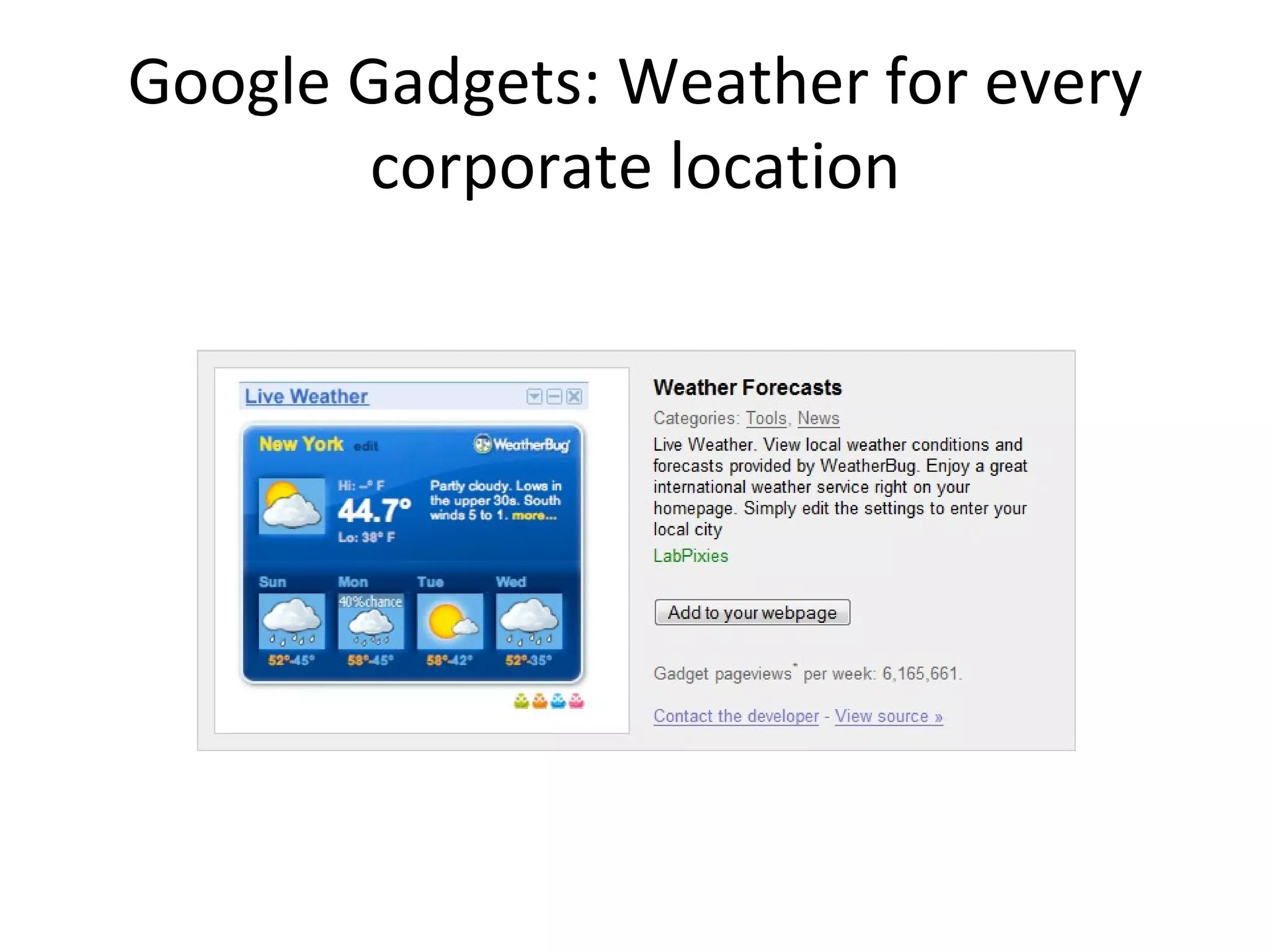
Google Gadgets: Weather for every corporate location
Google Gadgets: Configure the Gadget to your liking
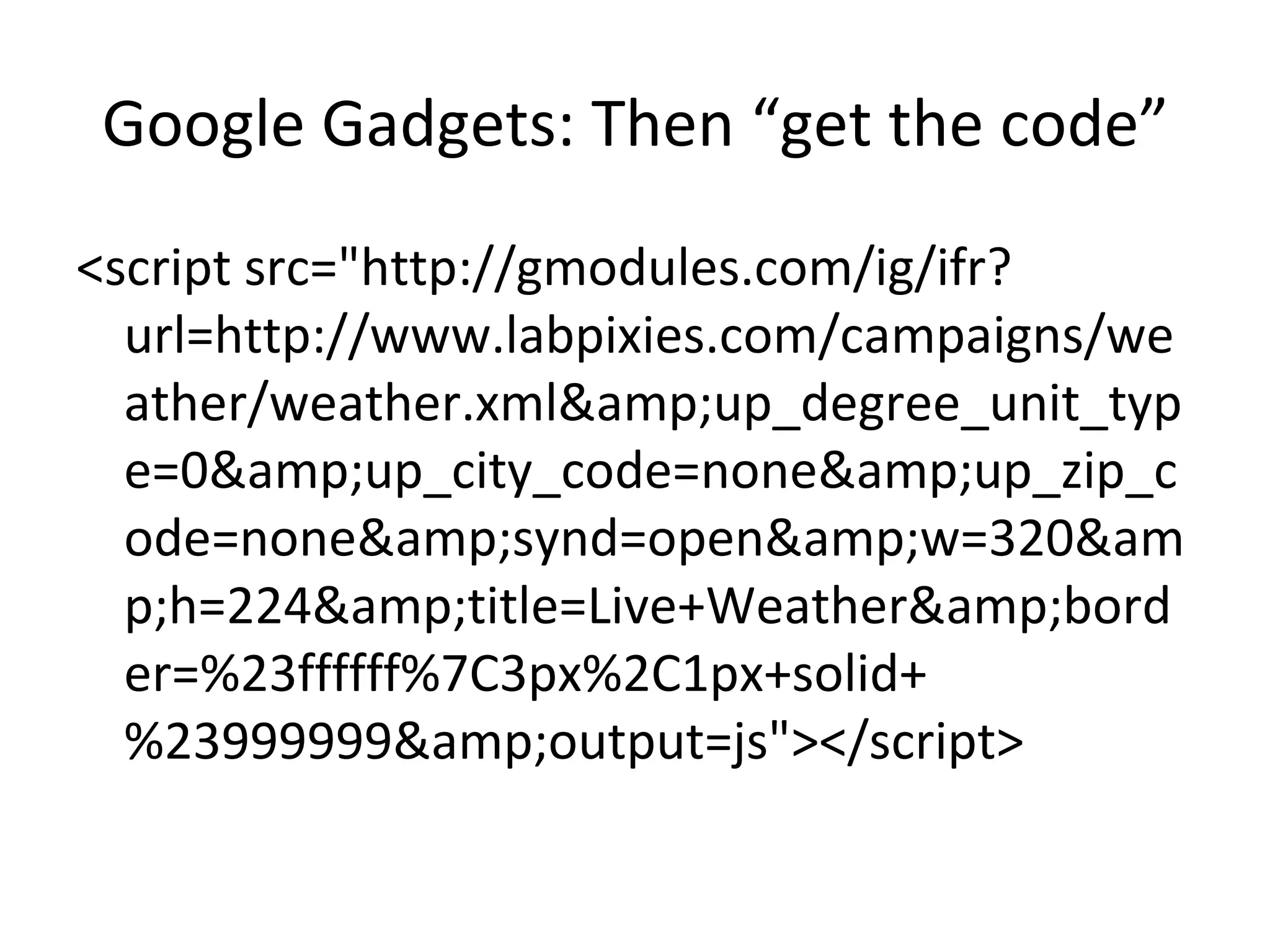
Google Gadgets: Then “get the code” <script src=&quot;http://gmodules.com/ig/ifr?url=http://www.labpixies.com/campaigns/weather/weather.xml&amp;up_degree_unit_type=0&amp;up_city_code=none&amp;up_zip_code=none&amp;synd=open&amp;w=320&amp;h=224&amp;title=Live+Weather&amp;border=%23ffffff%7C3px%2C1px+solid+%23999999&amp;output=js&quot;></script>
Google Gadgets: Other useful gadgets
Google Gadgets Upshots Since the gadgets run on a server outside your intranet, it can function as a “back door” into functionality that could take months to develop internally Some IT types may have issues with possible script exploits with some gadgets– check with them if you must
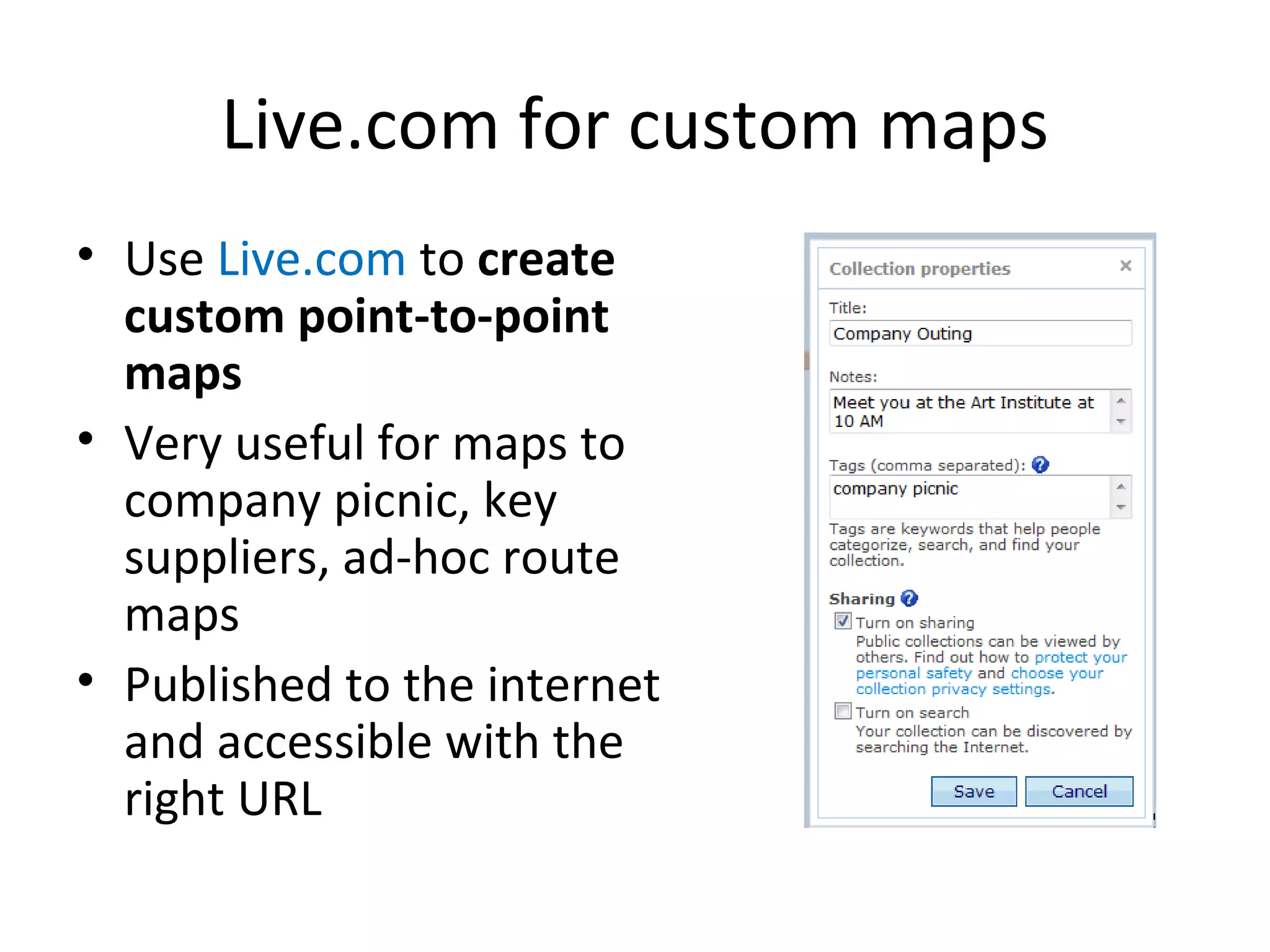
Live.com for custom maps Use  Live.com  to  create custom point-to-point maps Very useful for maps to company picnic, key suppliers, ad-hoc route maps Published to the internet and accessible with the right URL
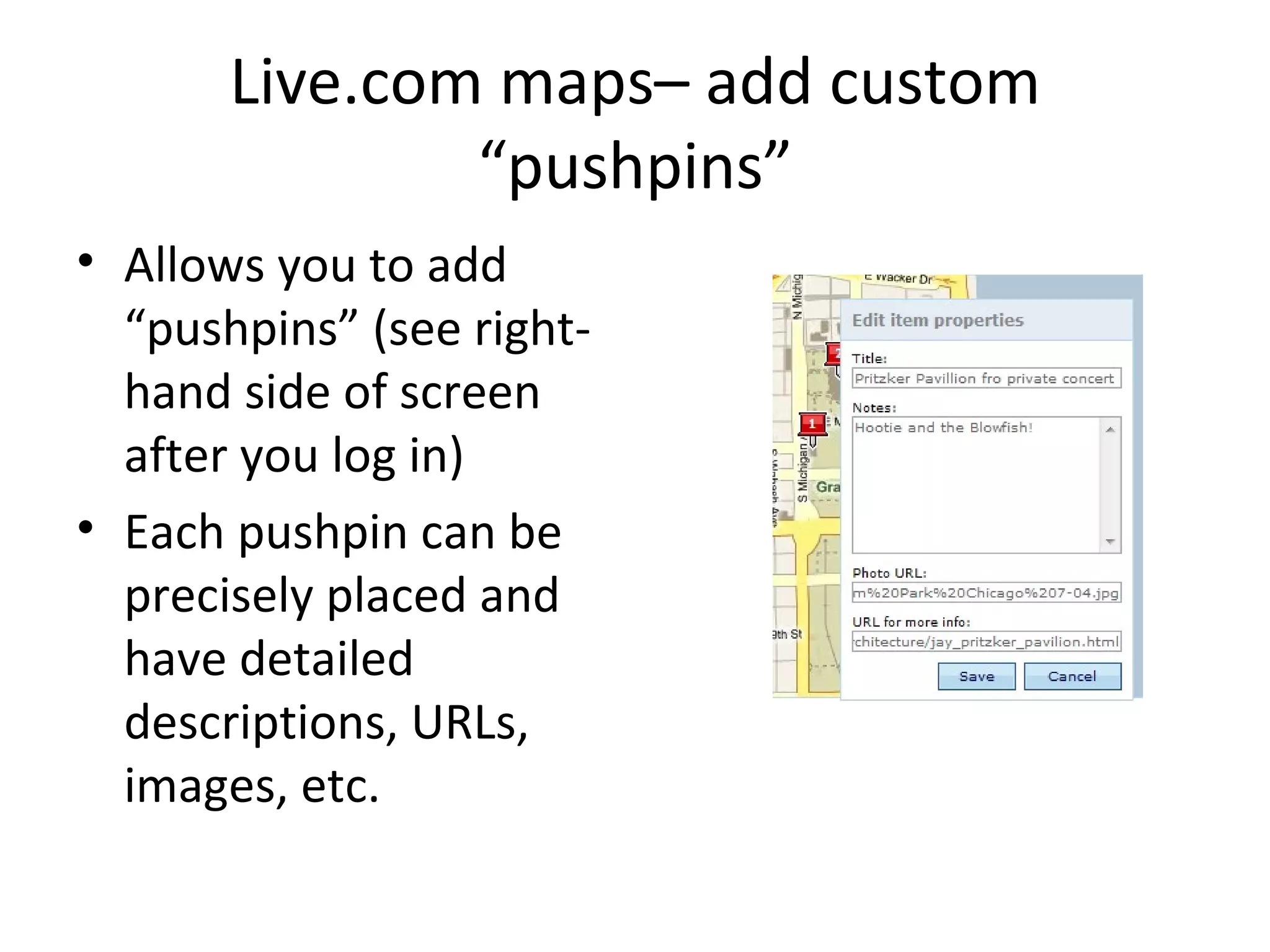
Live.com maps– add custom “pushpins” Allows you to add “pushpins” (see right-hand side of screen after you log in) Each pushpin can be precisely placed and have detailed descriptions, URLs, images, etc.
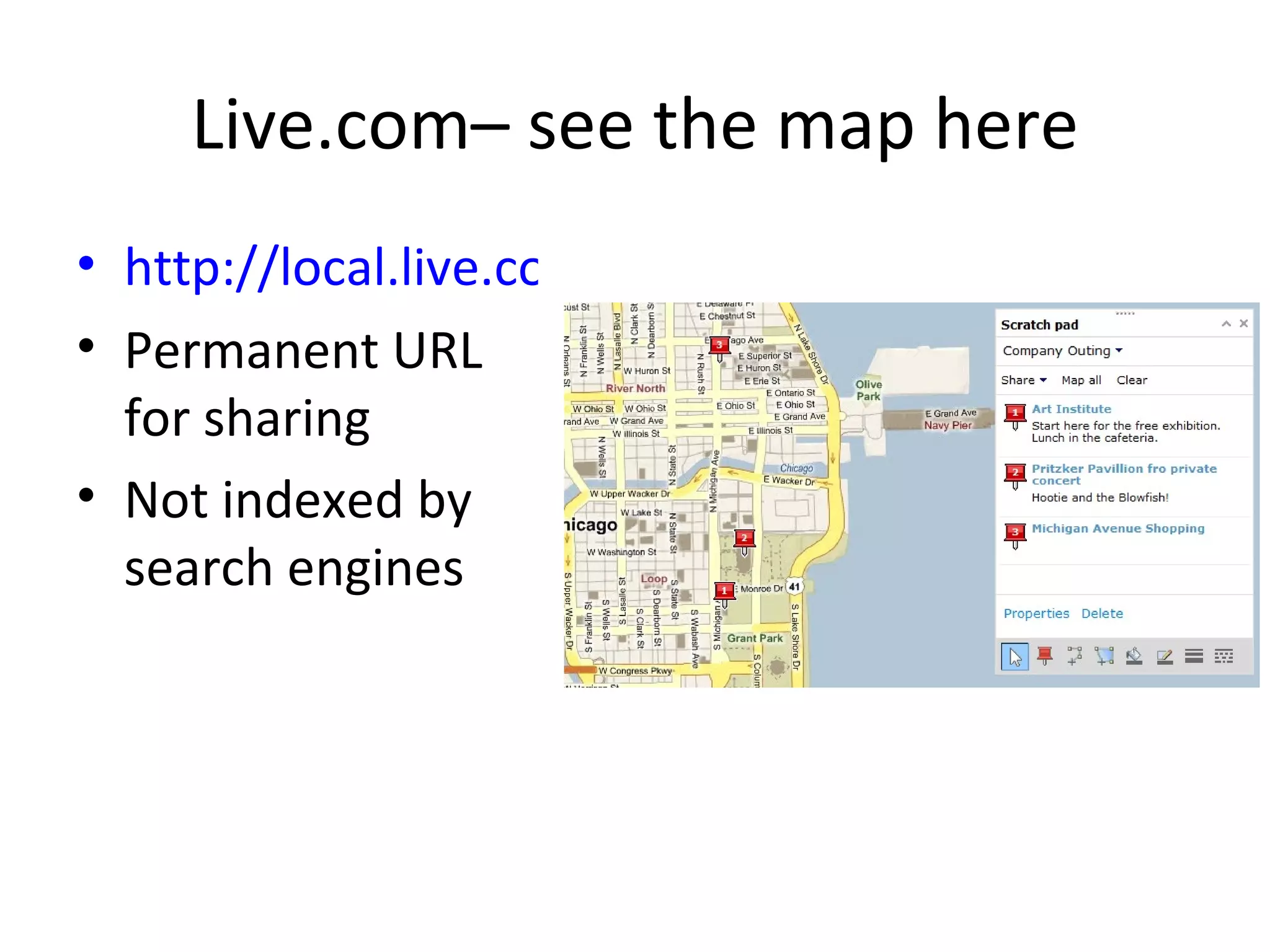
Live.com– see the map here http://local.live.com/?v=2&cid=5973FA202DA62927!138&encType=1 Permanent URL for sharing Not indexed by search engines
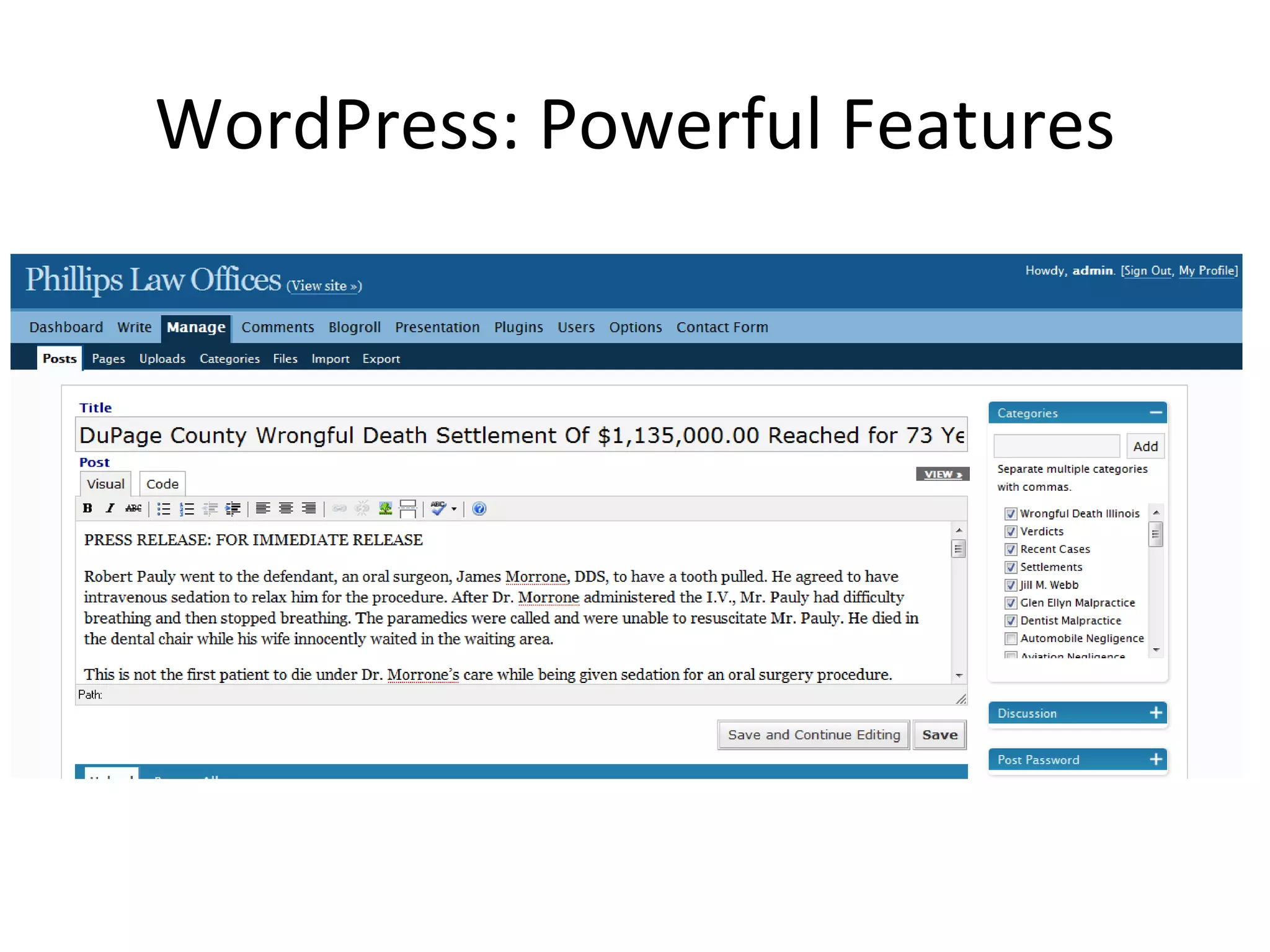
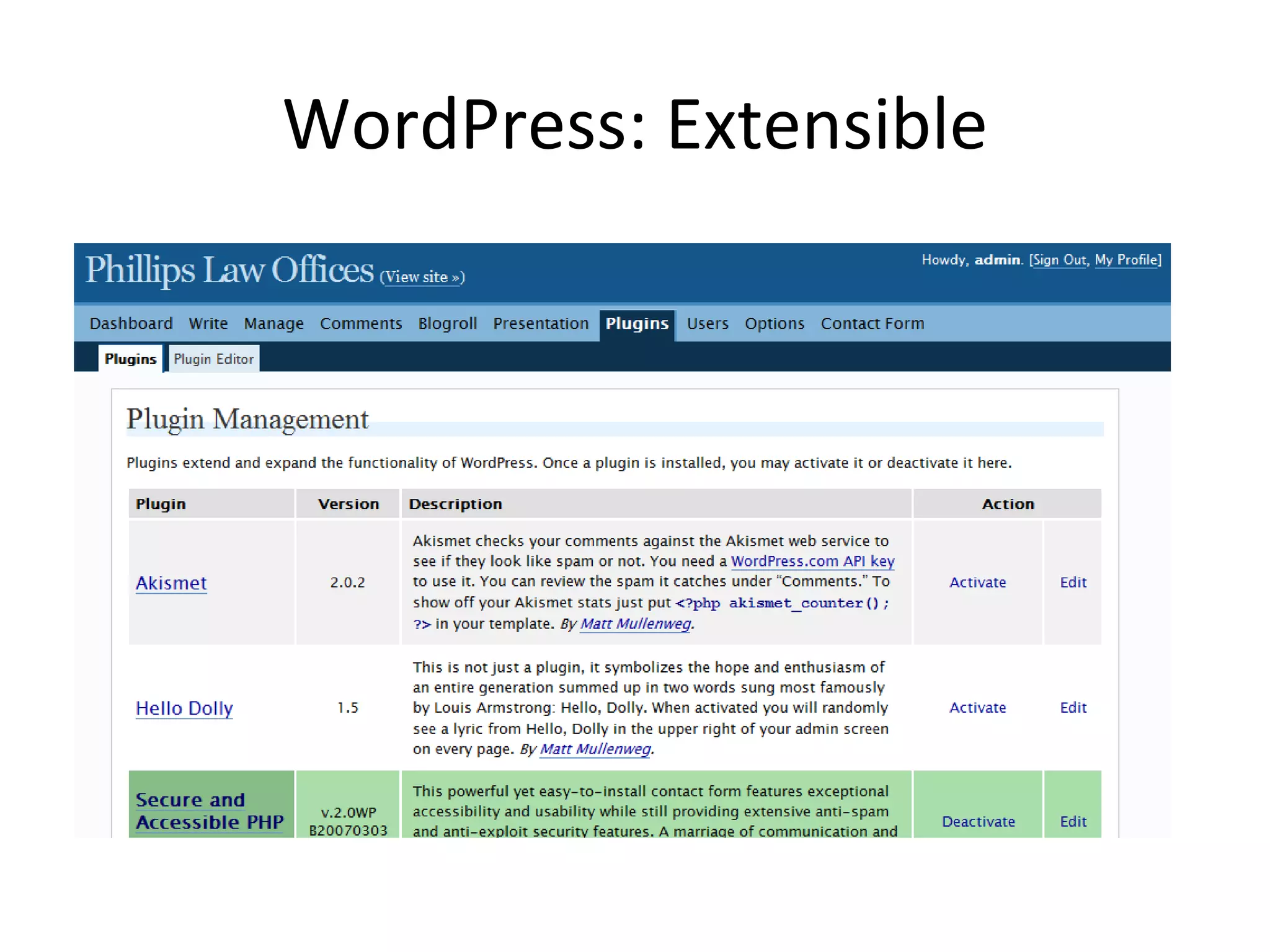
WordPress: content management Deploy  WordPress  to for feature-rich, extensible  content management system “ Blog” software that runs on your intranet, not  on an outside server Highly extensible (can add outside functionality) Can be used as content management (more sophisticated databased relationships among content types) Has the simplicity and features of a blog
WordPress: Powerful Features
WordPress: Extensible
Social Networking Sites Use social networking sites such as  Facebook  as an  extension of your corporate conversation Not recommended for every corporation (especially the larger ones) But can be highly effective to have informal, deeper relationships with employees Be where they are, gather more knowledge
Zocalo Prediction Markets Use  Zocalo  to create prediction markets and  tap hidden knowledge Perhaps the most “out-there” suggestion on the list, and most difficult to execute But very rewarding for large organizations that seeks to get the low-down and dive deep into the collective mind of the workforce Great take on prediction market’s utility in the enterprise: http://wiki.commerce.net/wiki/ZMarket
Zocalo Prediction Markets Need an experienced IT person to implement this Advantage: completely internal Web-based source:  www.inklingmarkets.com
Thank You Call me anytime (773) 960-6045 Contact me on MyRagan [email_address]   Look for the launch of EveryBlock Questions?

10 Web 2.0 Ideas to Keep Your Intranet Fresh

  • 1.
    10 Web 2.0Ideas to Keep Your Intranet Fresh Daniel X. O’Neil Internet Consultant (773) 960-6045 [email_address]
  • 2.
    Hello. Daniel X.O’Neil 10 years as an internet strategist, consultant, and project manager Worked on intranets for Sears, Allstate, Kimberly-Clark, and Bank One 5 years of working with Web 2.0 tools, starting with Salon Blogs and moving forward from there as a beta hound Currently the People Person at EveryBlock
  • 3.
    How to EvaluateEmerging Technologies Separate the technology from the culture Separate the current utility from the generic utility Maxim: any piece of software with pop culture popularity has enterprise utility That’s what we’re going to do today– show the utility of popular application in the enterprise
  • 4.
    Web 2.0 Principles:Technology Fast, iterative development on web-focused toolsets (Ruby on Rails, Django, AJAX, etc.)– means that users can affect features more closely Open standards, open source software-- leads to reduced cost and more reuse APIs– less cost to build
  • 5.
    Web 2.0 Principles:Culture Collaboration: comments, trackbacks, frequent updates/ edits Openness: transparency in approach Crowdsourcing: Wikipedia is the great example, but there are many others (Yahoo! Teachers and Answers, for instance)
  • 6.
    Security and EnterpriseUse Based on the intranet audience, all ideas presented here are geared toward intranet usage Security: most of the tools here are stored on public servers behind simple passwords Enterprise architectures: most tools run on external servers I don’t recommend using public tools to store company secrets
  • 7.
    Levels of ComplexityEach of these ideas are prepared for communicators with little or no input from IT types However, as the skills of IT and cooperation with them increase, you can move into greater complexity RSS feeds run through Feedburner can be turned into direct APIs via Twitter, for instance
  • 8.
    Essentials There arestep-by-steps here, but you’ll have to figure some things out Use the “Help” button If you get stuck, Google the problem– chances are someone else has had the same issue The ability to copy/paste pieces of code directly into your intranet is key to most of these ideas Email tech support or the creator of the tool your using for help if you search and find no answers
  • 9.
    10 Ideas: ThePlatform Use Google Reader to keep up with employees, trends, and news in your industry Use Google and Yahoo! news & blog search RSS feeds along with Yahoo! Pipes and FeedBurner to create custom competitive intelligence Use Flickr for finding, publishing, and sharing photos relating to your company
  • 10.
    10 Ideas: OutsideIn Use Google Video to stream instructional videos and other corporate video assets Use Google Apps For Your Domain for complete out-of-the-box intranet (small businesses or independent-minded divisions) Use Google Gadgets for weather, world clocks, or just plain fun Use Live.com to create custom point-to-point maps
  • 11.
    10 Ideas: MoreComplex Deploy WordPress to for feature-rich, extensible content management system Use social networking sites such as Facebook as an extension of your corporate conversation Use Zocalo to create prediction markets and tap hidden knowledge
  • 12.
    Google Reader Thisis one of the basics that every communicator should have– a full RSS reader Google Reader is the best– easy to subscribe, easy to share, great screen shortcuts Allows you to keep on top of all sorts of info and serves as a basis for more sophisticated things
  • 13.
  • 14.
    Google Reader forSubscribing to News Electronic clipping service Subscribe to any news source that has an RSS feed Use the Firefox or IE 7 browsers for auto-detection of RSS feeds Firefox is best– faster, renders pages better, spellcheck
  • 15.
    Google Reader forCorporate News Clippings & Content Fodder Reading lists– keep up on key industry publications and newspapers Do searches in your key executive staff, company name, and industry keywords in Google News Every search has an RSS feed Don’t forget the blog search, too Once you’ve got the feed, you can just click the orange RSS button or copy/paste the URL into the “Add Subscription” section in Google Reader on the left
  • 16.
  • 17.
  • 18.
    Google Reader: ExportReading List Once you build a good reading list, you can share it with everyone in your company Settings > Import/ Export > Export Your Subscriptions as an OPML File Then upload it to your intranet Anyone can download it and import it into their feed reader
  • 19.
  • 20.
    Custom Competitive IntelligenceUse Google and Yahoo! news & blog search RSS feeds along with Yahoo! Pipes and FeedBurner to create custom competitive intelligence Once you’ve got an RSS feed, you can trim it then publish it to your intranet
  • 21.
  • 22.
  • 23.
    Get an accountat Feedburner
  • 24.
    Burn the newfeed (step-by-step in Feedburner)
  • 25.
    Then click “Buzzboost”under the “Publicize” tab and complete the form
  • 26.
    The result? Ascript. Publish it to your intranet in a block that takes HTML <script src=&quot;http://feeds.feedburner.com/ConvenienceStores-GoogleNews?format=sigpro&quot; type=&quot;text/javascript&quot; ></script><noscript><p>Subscribe to RSS headline updates from: <a href=&quot;http://feeds.feedburner.com/ConvenienceStores-GoogleNews&quot;></a><br/>Powered by FeedBurner</p> </noscript>
  • 27.
    Here’s the rawHTML in a webpage
  • 28.
    Last Step: Customizethe feed with Yahoo! Pipes http://feeds.feedburner.com/ConvenienceStores-GoogleNews
  • 29.
  • 30.
    Convenience Store Feedw/o the phrase “7-eleven”
  • 31.
  • 32.
    Custom Competitive Intelligence:Upshots Somewhat complicated, but powerful once you get it Be sure not to “publish” your feed– then only you know its URL Be sure to only use this tactic on feeds that you are OK to make public The feeds may be indexed by search engines If you’re afraid of the competitive intelligence searches becoming public, pick your content by hand using RSS feeds as in our first example
  • 33.
    Flickr Use Flickr for finding, publishing, and sharing photos relating to your company Flickr has 25,017 photos of “Pepsi”
  • 34.
    Flickr for CreativeCommons Photos Available for use on your Intranet Creative Commons is a set of intellectual property standards based on existing copyright law Flickr supports search for Creative Commons images in their Advanced Search
  • 35.
    666 “Pepsi” photoson Flickr licensed under Creative Commons
  • 36.
    Flickr for storinghi-res images Great for sharing with art departments Password-protected, but stored on the internet– so no trade secrets or pre-product launches Supports separate privacy settings for each photo
  • 37.
    Extending Flickr Supportsprinting Third-party applications Integration with blogging software Publish to Flickr by email Publish to blog by email Publish by cellphone camera
  • 38.
    Google Video Use Google Video to stream instructional videos and other corporate video assets Google allows for the streaming of private, non-indexed videos inside your intranet But again, only store non-critical items there– you never know Great for historical company videos or non-secret trade or instructional videos
  • 39.
  • 40.
    Advantages of GoogleVideo Private No size limits– blows past all of the “server space” issues of the past Personal index of your videos– great for historical asset management Streaming onto your intranet is easy
  • 41.
    Google video: Justcopy/ paste HTML
  • 42.
    Google Apps ForYour Domain: One-Stop Intranet Use Google Apps For Your Domain for complete out-of-the-box intranet (small businesses or independent-minded divisions) https://www.google.com/a/smallbiz/
  • 43.
    Google Apps ForYour Domain: Start Page Click & drag modules News, weather, custom integration with other applications A great option for a small business or an enterprise with no intranet yet Or, the corporate division with lots of latitude The usage would be more of a shared homepage than the storage of any internal communications
  • 44.
  • 45.
    Google Gadgets: Insideyour intranet Use Google Gadgets for weather, world clocks, or just plain fun The same components that are available in Google Apps For Your Domain are also available as “gadgets”, or portable pieces of software, on your intranet There are currently more than 12,000 available: http://www.google.com/ig/directory?synd=open
  • 46.
    Google Gadgets: Weatherfor every corporate location
  • 47.
    Google Gadgets: Configurethe Gadget to your liking
  • 48.
    Google Gadgets: Then“get the code” <script src=&quot;http://gmodules.com/ig/ifr?url=http://www.labpixies.com/campaigns/weather/weather.xml&amp;up_degree_unit_type=0&amp;up_city_code=none&amp;up_zip_code=none&amp;synd=open&amp;w=320&amp;h=224&amp;title=Live+Weather&amp;border=%23ffffff%7C3px%2C1px+solid+%23999999&amp;output=js&quot;></script>
  • 49.
    Google Gadgets: Otheruseful gadgets
  • 50.
    Google Gadgets: Otheruseful gadgets
  • 51.
    Google Gadgets UpshotsSince the gadgets run on a server outside your intranet, it can function as a “back door” into functionality that could take months to develop internally Some IT types may have issues with possible script exploits with some gadgets– check with them if you must
  • 52.
    Live.com for custommaps Use Live.com to create custom point-to-point maps Very useful for maps to company picnic, key suppliers, ad-hoc route maps Published to the internet and accessible with the right URL
  • 53.
    Live.com maps– addcustom “pushpins” Allows you to add “pushpins” (see right-hand side of screen after you log in) Each pushpin can be precisely placed and have detailed descriptions, URLs, images, etc.
  • 54.
    Live.com– see themap here http://local.live.com/?v=2&cid=5973FA202DA62927!138&encType=1 Permanent URL for sharing Not indexed by search engines
  • 55.
    WordPress: content managementDeploy WordPress to for feature-rich, extensible content management system “ Blog” software that runs on your intranet, not on an outside server Highly extensible (can add outside functionality) Can be used as content management (more sophisticated databased relationships among content types) Has the simplicity and features of a blog
  • 56.
  • 57.
  • 58.
    Social Networking SitesUse social networking sites such as Facebook as an extension of your corporate conversation Not recommended for every corporation (especially the larger ones) But can be highly effective to have informal, deeper relationships with employees Be where they are, gather more knowledge
  • 59.
    Zocalo Prediction MarketsUse Zocalo to create prediction markets and tap hidden knowledge Perhaps the most “out-there” suggestion on the list, and most difficult to execute But very rewarding for large organizations that seeks to get the low-down and dive deep into the collective mind of the workforce Great take on prediction market’s utility in the enterprise: http://wiki.commerce.net/wiki/ZMarket
  • 60.
    Zocalo Prediction MarketsNeed an experienced IT person to implement this Advantage: completely internal Web-based source: www.inklingmarkets.com
  • 61.
    Thank You Callme anytime (773) 960-6045 Contact me on MyRagan [email_address] Look for the launch of EveryBlock Questions?