10 reasons to migrate from AEM 5 to AEM 6.1
30-09-2015
02R E A S O N S T O M I G R A T E T 0 A E M 6.1 |
Reason 1: Improved user experience
- Less clicks needed to navigate around.
- Within the Sites section (as well as other places inside AEM), you can now use your
keyboard arrow buttons to navigate through the various site structures, using the
Columns view.
- You can now save a search within AEM for later use, as a quick way to find a specific
piece of content.
- Users are able to open the Page Properties of multiple pages in order for an author to
add the same tag (as one particular example).
03R E A S O N S T O M I G R A T E T 0 A E M 6.1 |
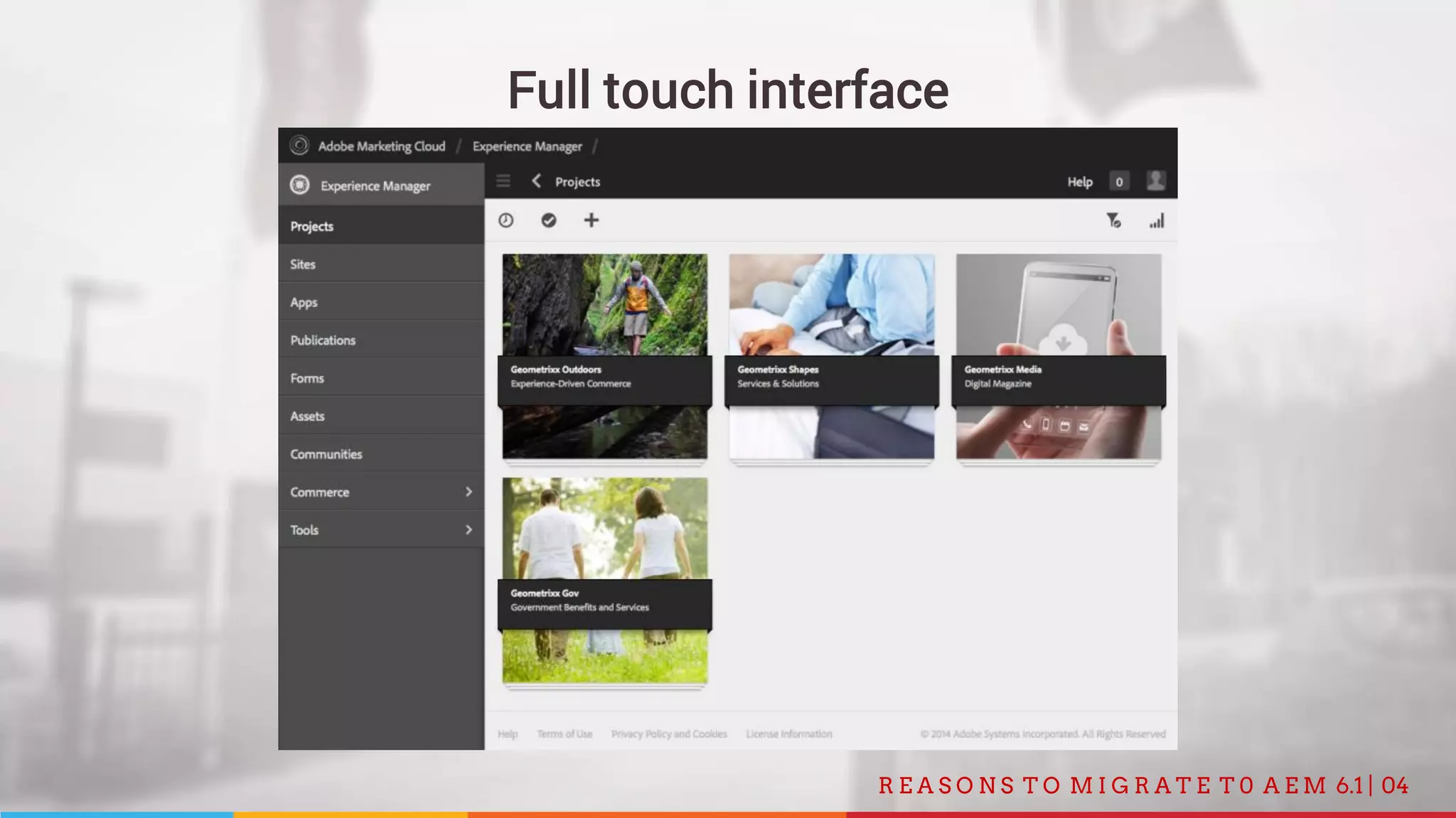
Reason 2: Full touch interface
All features of the Classic UI are now integrated in the Touch UI:
- Tags are now completely integrated within the Touch UI instead of only being in the
Classic UI.
- Now you can use Design Mode right within the Touch UI page that you are on in stead
of switching to the Classic UI first.
- The Workflows system is now more fully integrated within the Touch UI instead of only
being in the Classic UI.
04R E A S O N S T O M I G R A T E T 0 A E M 6.1 |
Full touch interface
05R E A S O N S T O M I G R A T E T 0 A E M 6.1 |
Reason 3: Integration with translate modules
AEM is now more tightly integrated with translation services. It allows you to project
manage your translation work (managing your queue, prioritization, etc.).
06R E A S O N S T O M I G R A T E T 0 A E M 6.1 |
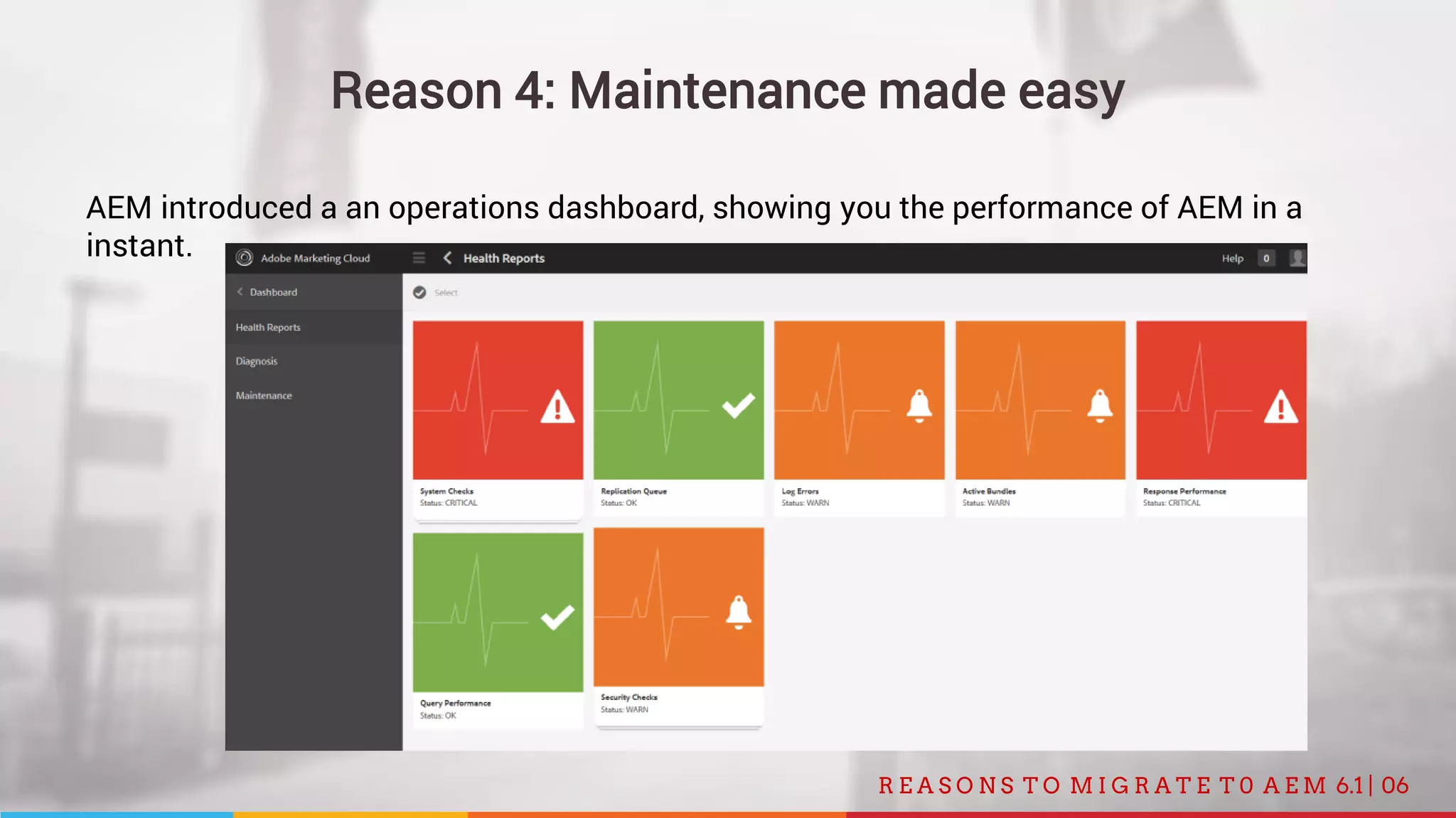
Reason 4: Maintenance made easy
AEM introduced a an operations dashboard, showing you the performance of AEM in a
instant.
07R E A S O N S T O M I G R A T E T 0 A E M 6.1 |
Reason 5: Performance
- AEM 6.1 is able to handle roughly 2x more visitors per second.
- AEM 6.1 stays stable under high load.
08R E A S O N S T O M I G R A T E T 0 A E M 6.1 |
Reason 6: Marketing suite integration
AEM is now more tightly integrated with other Adobe products:
- AEM is now integrated with Adobe Campaign, such that you can take a piece of content
inside AEM (like an email) and use it in Campaign.
- The integration of Adobe Analytics data with the pages of the site gives content
authors a quick view of how well things are tracking.
- Integration of Adobe Test&Target will allow you to create an activity with variations
inside AEM on a per-page basis, just like you would do with Adobe Test&Target.
09R E A S O N S T O M I G R A T E T 0 A E M 6.1 |
Reason 7: Templating language Sightly
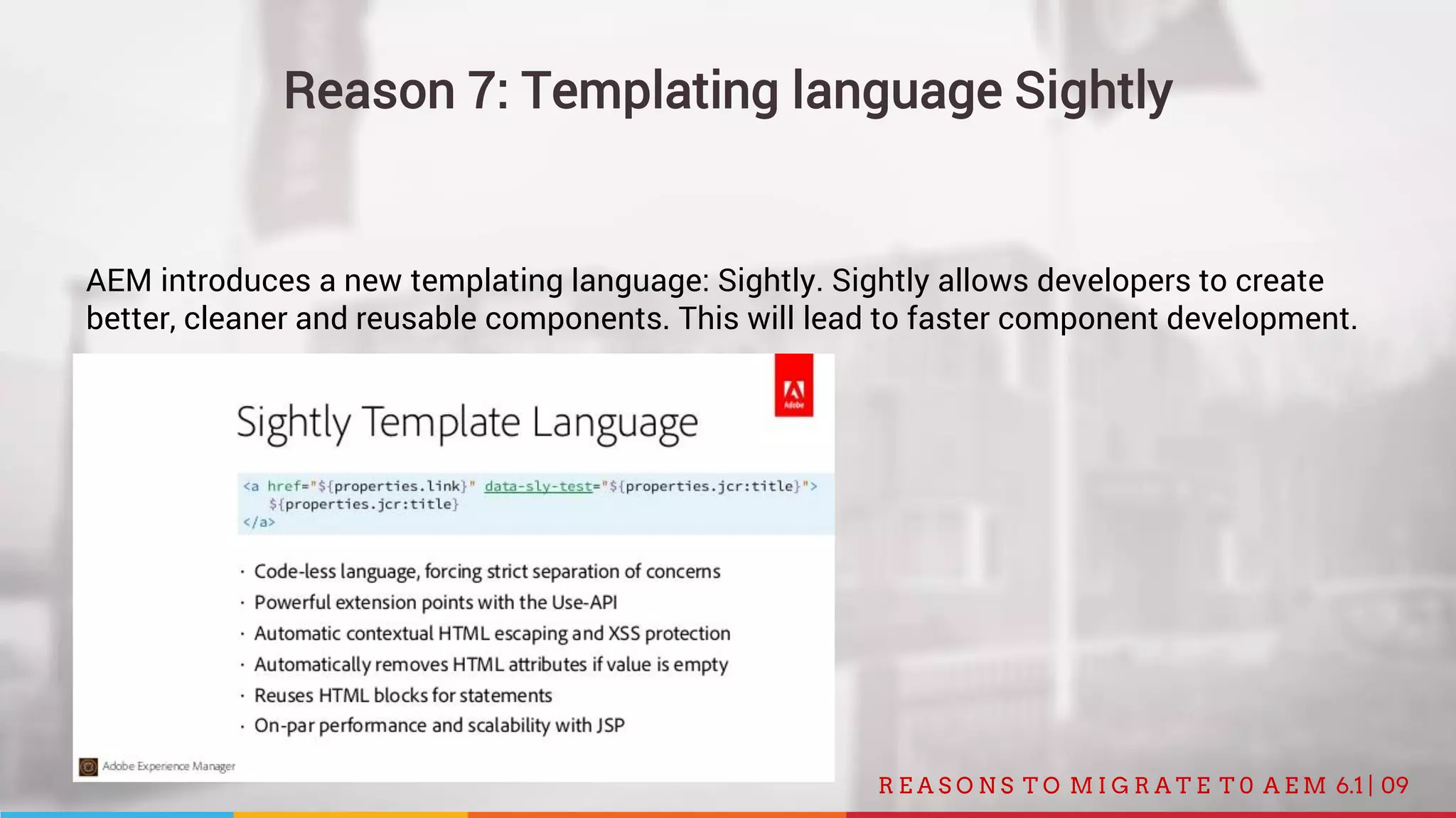
AEM introduces a new templating language: Sightly. Sightly allows developers to create
better, cleaner and reusable components. This will lead to faster component development.
010R E A S O N S T O M I G R A T E T 0 A E M 6.1 |
Reason 8: Responsive made easy
- Marketers now have the tools to create responsive sites without a single line of code.
- If you make, for example, a change for desktop, it won’t affect what appears on tablet
or other device types.
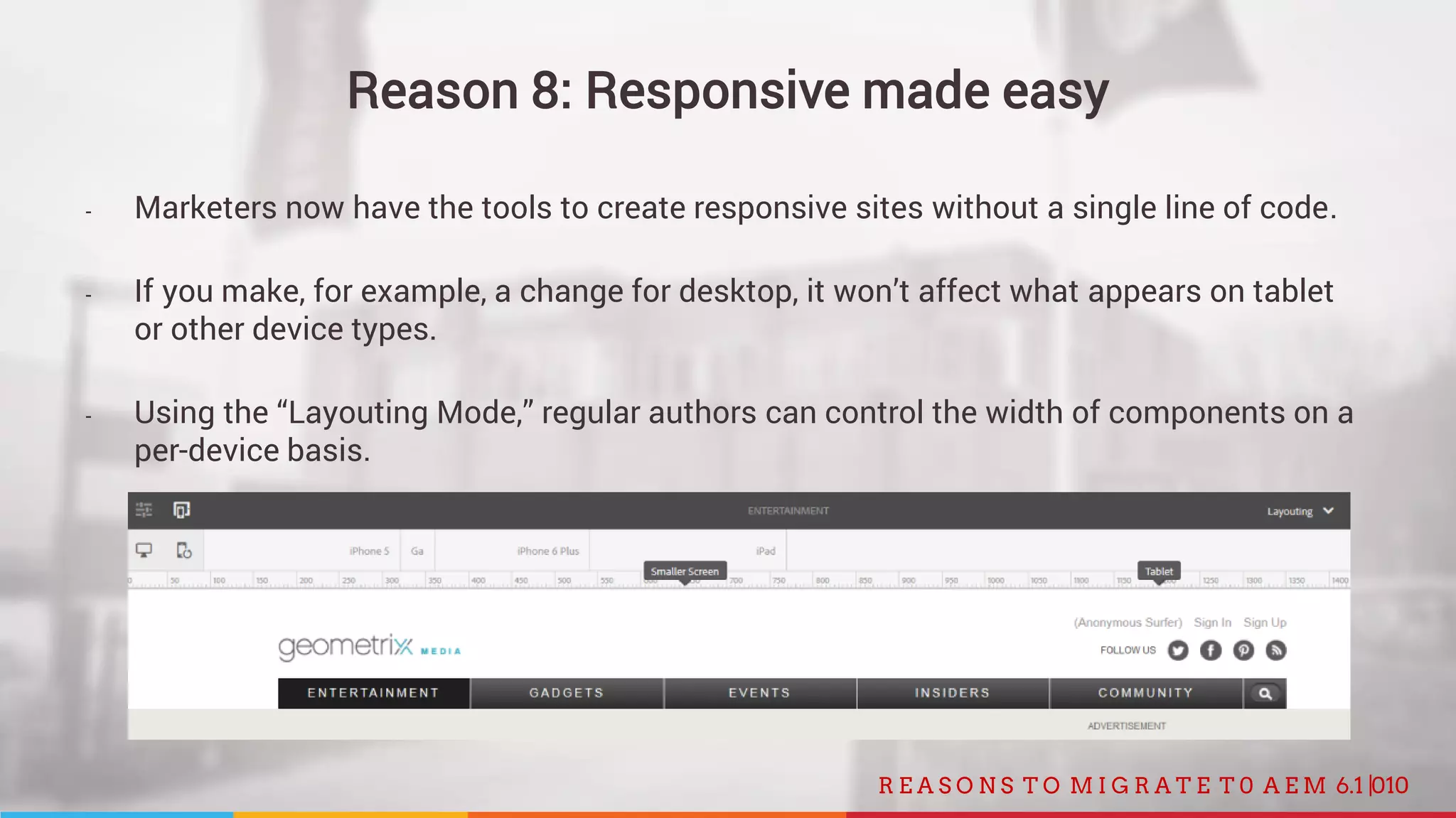
- Using the “Layouting Mode,” regular authors can control the width of components on a
per-device basis.
011R E A S O N S T O M I G R A T E T 0 A E M 6.1 |
Reason 9: Better browser support
AEM 6.1 support all recent browsers used in Windows, Mac and Android devices.
012R E A S O N S T O M I G R A T E T 0 A E M 6.1 |
Reason 10: More personalization possibilities
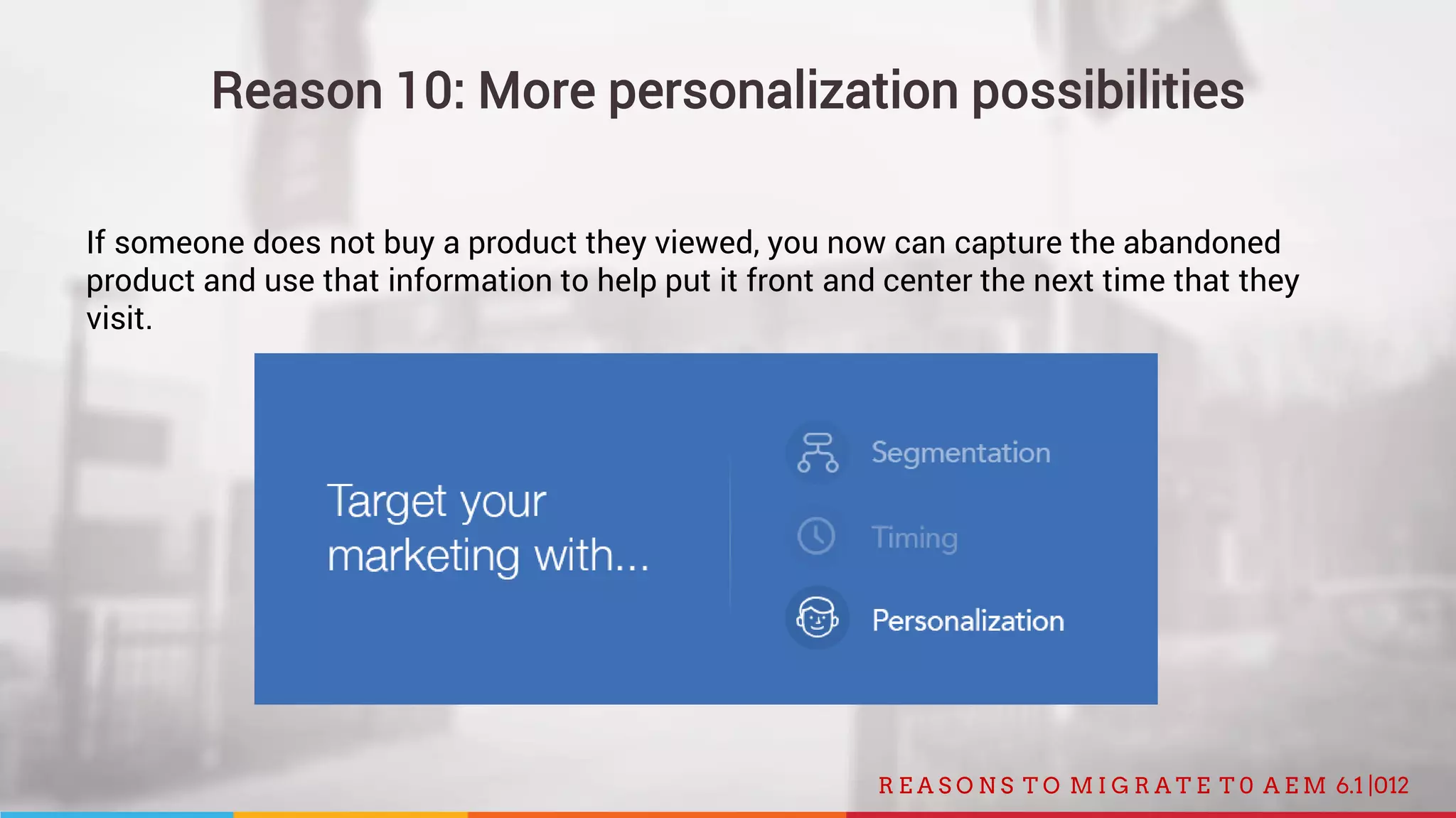
If someone does not buy a product they viewed, you now can capture the abandoned
product and use that information to help put it front and center the next time that they
visit.
FOLLOW US
facebook.com/tricode
linkedin.com/company/tricode
slideshare.net/tricode
twitter.com/tricode
www.tricode.nl
INSPIRED TO MIGRATE? CONTACT US!

10 reasons to migrate from AEM 5 to 6.1

  • 1.
    10 reasons tomigrate from AEM 5 to AEM 6.1 30-09-2015
  • 2.
    02R E AS O N S T O M I G R A T E T 0 A E M 6.1 | Reason 1: Improved user experience - Less clicks needed to navigate around. - Within the Sites section (as well as other places inside AEM), you can now use your keyboard arrow buttons to navigate through the various site structures, using the Columns view. - You can now save a search within AEM for later use, as a quick way to find a specific piece of content. - Users are able to open the Page Properties of multiple pages in order for an author to add the same tag (as one particular example).
  • 3.
    03R E AS O N S T O M I G R A T E T 0 A E M 6.1 | Reason 2: Full touch interface All features of the Classic UI are now integrated in the Touch UI: - Tags are now completely integrated within the Touch UI instead of only being in the Classic UI. - Now you can use Design Mode right within the Touch UI page that you are on in stead of switching to the Classic UI first. - The Workflows system is now more fully integrated within the Touch UI instead of only being in the Classic UI.
  • 4.
    04R E AS O N S T O M I G R A T E T 0 A E M 6.1 | Full touch interface
  • 5.
    05R E AS O N S T O M I G R A T E T 0 A E M 6.1 | Reason 3: Integration with translate modules AEM is now more tightly integrated with translation services. It allows you to project manage your translation work (managing your queue, prioritization, etc.).
  • 6.
    06R E AS O N S T O M I G R A T E T 0 A E M 6.1 | Reason 4: Maintenance made easy AEM introduced a an operations dashboard, showing you the performance of AEM in a instant.
  • 7.
    07R E AS O N S T O M I G R A T E T 0 A E M 6.1 | Reason 5: Performance - AEM 6.1 is able to handle roughly 2x more visitors per second. - AEM 6.1 stays stable under high load.
  • 8.
    08R E AS O N S T O M I G R A T E T 0 A E M 6.1 | Reason 6: Marketing suite integration AEM is now more tightly integrated with other Adobe products: - AEM is now integrated with Adobe Campaign, such that you can take a piece of content inside AEM (like an email) and use it in Campaign. - The integration of Adobe Analytics data with the pages of the site gives content authors a quick view of how well things are tracking. - Integration of Adobe Test&Target will allow you to create an activity with variations inside AEM on a per-page basis, just like you would do with Adobe Test&Target.
  • 9.
    09R E AS O N S T O M I G R A T E T 0 A E M 6.1 | Reason 7: Templating language Sightly AEM introduces a new templating language: Sightly. Sightly allows developers to create better, cleaner and reusable components. This will lead to faster component development.
  • 10.
    010R E AS O N S T O M I G R A T E T 0 A E M 6.1 | Reason 8: Responsive made easy - Marketers now have the tools to create responsive sites without a single line of code. - If you make, for example, a change for desktop, it won’t affect what appears on tablet or other device types. - Using the “Layouting Mode,” regular authors can control the width of components on a per-device basis.
  • 11.
    011R E AS O N S T O M I G R A T E T 0 A E M 6.1 | Reason 9: Better browser support AEM 6.1 support all recent browsers used in Windows, Mac and Android devices.
  • 12.
    012R E AS O N S T O M I G R A T E T 0 A E M 6.1 | Reason 10: More personalization possibilities If someone does not buy a product they viewed, you now can capture the abandoned product and use that information to help put it front and center the next time that they visit.
  • 13.