DIGITAL IMAGE PROCESSING
......“ Thought is impossible without an image.”
(Aristotle, 325 BC)
Course Objectives:
The student should be made to
1. Learn digital image fundamentals and to be exposed to basic image
processing techniques.
2. Be familiar with image segmentation and compression techniques.
3. Learn to represent color images in the form of features.
Course Outcomes:
Upon successful completion of this course, students will be able to:
1. Explain digital image fundamentals and basic image processing techniques.
2. Evaluate the techniques for image enhancement and restoration.
3. Define the need for image compression and to analyse various image
compression methods.
4. Partition a digital image into multiple objects using various techniques.
5. Use different color models to represent an image.
Syllabus:
1. Digital Image fundamentals
2. Image enhancement
3. Image restoration
4. Image compression
5. Colour image processing
6. Image segmentation
Text Books:
1. Rafael C. Gonzales, Richard E. Woods, “Digital Image Processing”, Third
Edition, Pearson Education, 2010
2. Digital Image Processing by S Jayaraman , S Esakkirajan , T Veerakumar ,
Tata McGraw-Hill Education
Why do we need Image Processing..?
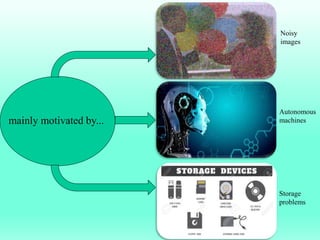
mainly motivated by...
Noisy
images
Autonomous
machines
Storage
problems
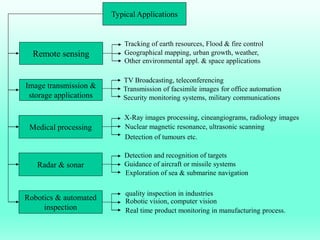
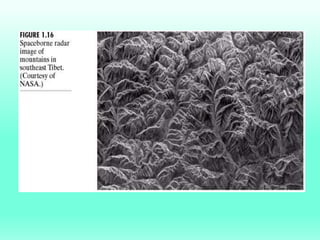
Remote sensing
Image transmission &
storage applications
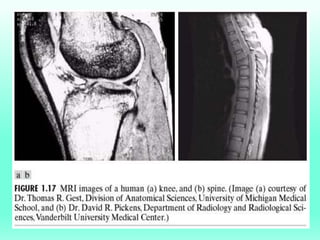
Medical processing
Radar & sonar
Robotics & automated
inspection
Typical Applications
Tracking of earth resources, Flood & fire control
Geographical mapping, urban growth, weather,
Other environmental appl. & space applications
TV Broadcasting, teleconferencing
Transmission of facsimile images for office automation
Security monitoring systems, military communications
X-Ray images processing, cineangiograms, radiology images
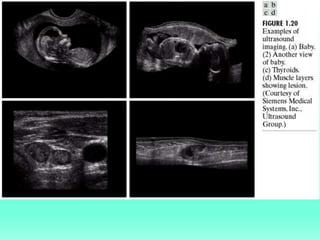
Nuclear magnetic resonance, ultrasonic scanning
Detection of tumours etc.
Detection and recognition of targets
Guidance of aircraft or missile systems
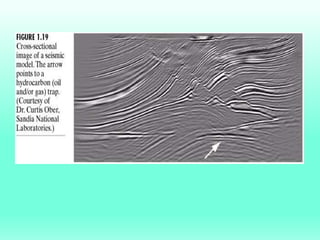
Exploration of sea & submarine navigation
quality inspection in industries
Robotic vision, computer vision
Real time product monitoring in manufacturing process.
What is image and digital image processing ?
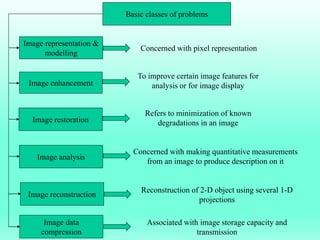
Image representation &
modelling
Image enhancement
Image restoration
Image analysis
Image reconstruction
Basic classes of problems
Image data
compression
Concerned with pixel representation
To improve certain image features for
analysis or for image display
Refers to minimization of known
degradations in an image
Concerned with making quantitative measurements
from an image to produce description on it
Reconstruction of 2-D object using several 1-D
projections
Associated with image storage capacity and
transmission
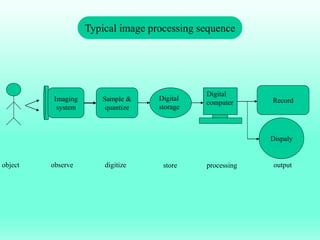
Imaging
system
Sample &
quantize
Digital
storage
Digital
computer Record
Dispaly
object observe digitize store processing output
Typical image processing sequence
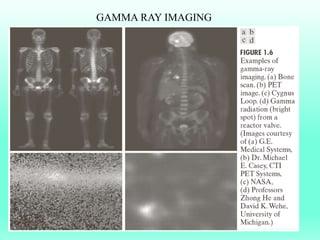
GAMMA RAY IMAGING
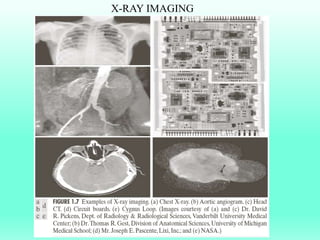
X-RAY IMAGING
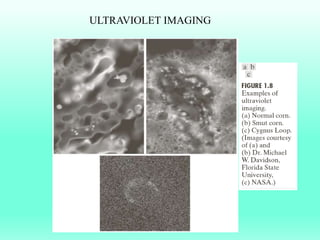
ULTRAVIOLET IMAGING
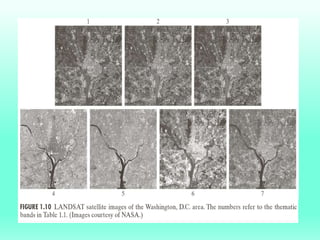
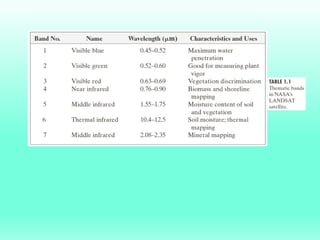
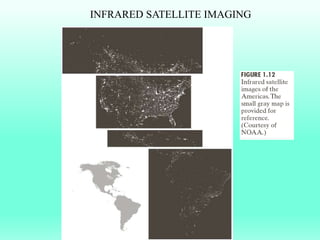
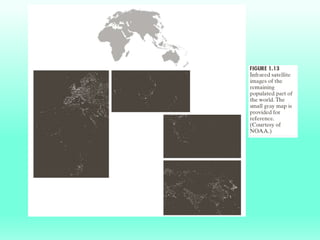
INFRARED SATELLITE IMAGING
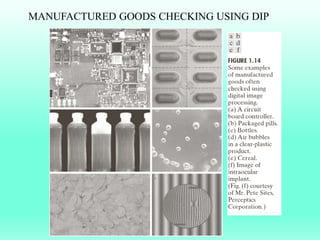
MANUFACTURED GOODS CHECKING USING DIP
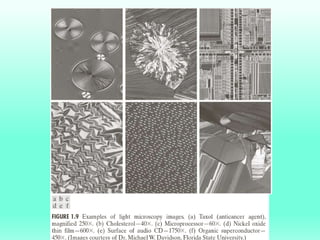
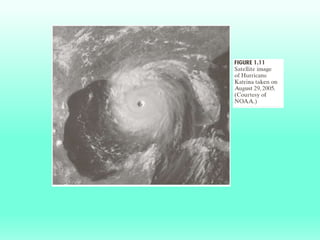
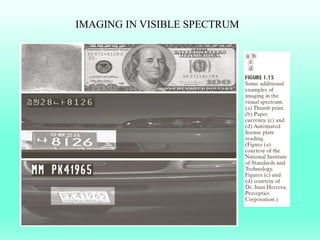
IMAGING IN VISIBLE SPECTRUM
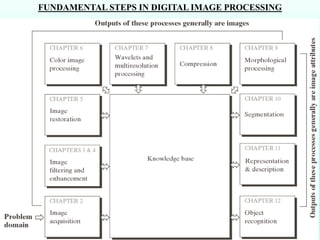
FUNDAMENTAL STEPS IN DIGITAL IMAGE PROCESSING
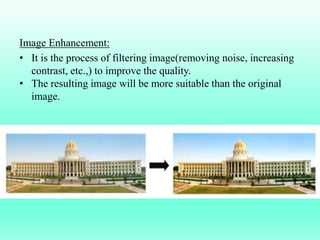
Image Enhancement:
• It is the process of filtering image(removing noise, increasing
contrast, etc.,) to improve the quality.
• The resulting image will be more suitable than the original
image.
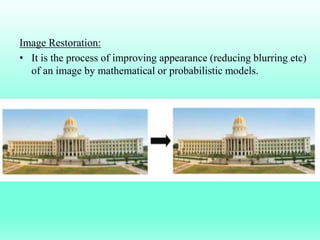
Image Restoration:
• It is the process of improving appearance (reducing blurring etc)
of an image by mathematical or probabilistic models.
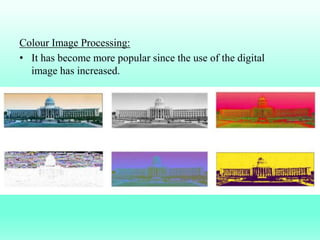
Colour Image Processing:
• It has become more popular since the use of the digital
image has increased.
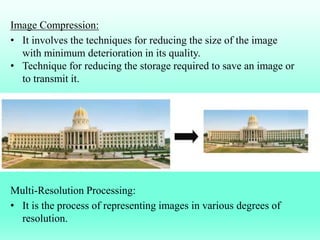
Image Compression:
• It involves the techniques for reducing the size of the image
with minimum deterioration in its quality.
• Technique for reducing the storage required to save an image or
to transmit it.
Multi-Resolution Processing:
• It is the process of representing images in various degrees of
resolution.
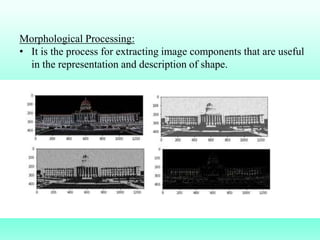
Morphological Processing:
• It is the process for extracting image components that are useful
in the representation and description of shape.
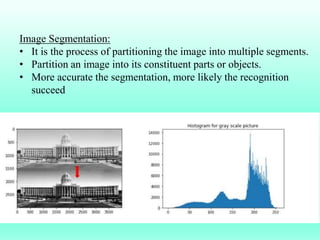
Image Segmentation:
• It is the process of partitioning the image into multiple segments.
• Partition an image into its constituent parts or objects.
• More accurate the segmentation, more likely the recognition
succeed
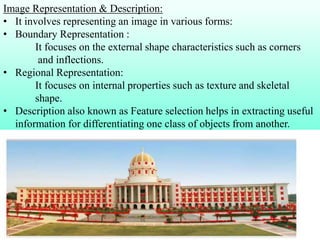
Image Representation & Description:
• It involves representing an image in various forms:
• Boundary Representation :
It focuses on the external shape characteristics such as corners
and inflections.
• Regional Representation:
It focuses on internal properties such as texture and skeletal
shape.
• Description also known as Feature selection helps in extracting useful
information for differentiating one class of objects from another.
1 dip introduction

1 dip introduction

  • 1.
    DIGITAL IMAGE PROCESSING ......“Thought is impossible without an image.” (Aristotle, 325 BC)
  • 2.
    Course Objectives: The studentshould be made to 1. Learn digital image fundamentals and to be exposed to basic image processing techniques. 2. Be familiar with image segmentation and compression techniques. 3. Learn to represent color images in the form of features. Course Outcomes: Upon successful completion of this course, students will be able to: 1. Explain digital image fundamentals and basic image processing techniques. 2. Evaluate the techniques for image enhancement and restoration. 3. Define the need for image compression and to analyse various image compression methods. 4. Partition a digital image into multiple objects using various techniques. 5. Use different color models to represent an image.
  • 3.
    Syllabus: 1. Digital Imagefundamentals 2. Image enhancement 3. Image restoration 4. Image compression 5. Colour image processing 6. Image segmentation Text Books: 1. Rafael C. Gonzales, Richard E. Woods, “Digital Image Processing”, Third Edition, Pearson Education, 2010 2. Digital Image Processing by S Jayaraman , S Esakkirajan , T Veerakumar , Tata McGraw-Hill Education
  • 4.
    Why do weneed Image Processing..?
  • 5.
  • 6.
    Remote sensing Image transmission& storage applications Medical processing Radar & sonar Robotics & automated inspection Typical Applications Tracking of earth resources, Flood & fire control Geographical mapping, urban growth, weather, Other environmental appl. & space applications TV Broadcasting, teleconferencing Transmission of facsimile images for office automation Security monitoring systems, military communications X-Ray images processing, cineangiograms, radiology images Nuclear magnetic resonance, ultrasonic scanning Detection of tumours etc. Detection and recognition of targets Guidance of aircraft or missile systems Exploration of sea & submarine navigation quality inspection in industries Robotic vision, computer vision Real time product monitoring in manufacturing process.
  • 7.
    What is imageand digital image processing ?
  • 8.
    Image representation & modelling Imageenhancement Image restoration Image analysis Image reconstruction Basic classes of problems Image data compression Concerned with pixel representation To improve certain image features for analysis or for image display Refers to minimization of known degradations in an image Concerned with making quantitative measurements from an image to produce description on it Reconstruction of 2-D object using several 1-D projections Associated with image storage capacity and transmission
  • 9.
    Imaging system Sample & quantize Digital storage Digital computer Record Dispaly objectobserve digitize store processing output Typical image processing sequence
  • 10.
  • 11.
  • 12.
  • 17.
  • 19.
  • 20.
  • 26.
    FUNDAMENTAL STEPS INDIGITAL IMAGE PROCESSING
  • 27.
    Image Enhancement: • Itis the process of filtering image(removing noise, increasing contrast, etc.,) to improve the quality. • The resulting image will be more suitable than the original image.
  • 28.
    Image Restoration: • Itis the process of improving appearance (reducing blurring etc) of an image by mathematical or probabilistic models.
  • 29.
    Colour Image Processing: •It has become more popular since the use of the digital image has increased.
  • 30.
    Image Compression: • Itinvolves the techniques for reducing the size of the image with minimum deterioration in its quality. • Technique for reducing the storage required to save an image or to transmit it. Multi-Resolution Processing: • It is the process of representing images in various degrees of resolution.
  • 31.
    Morphological Processing: • Itis the process for extracting image components that are useful in the representation and description of shape.
  • 32.
    Image Segmentation: • Itis the process of partitioning the image into multiple segments. • Partition an image into its constituent parts or objects. • More accurate the segmentation, more likely the recognition succeed
  • 33.
    Image Representation &Description: • It involves representing an image in various forms: • Boundary Representation : It focuses on the external shape characteristics such as corners and inflections. • Regional Representation: It focuses on internal properties such as texture and skeletal shape. • Description also known as Feature selection helps in extracting useful information for differentiating one class of objects from another.