DIGITAL IMAGE
PROCESSING
DIGITAL IMAGE PROCESSING
• Digital Image processing is the process of transforming an image into a
digital form and performing certain operations to get some useful
information from it. The image processing system usually treats all images as
2D signals when applying certain predetermined signal processing methods.
Various Stages in Image Processing
• Image Acquisition
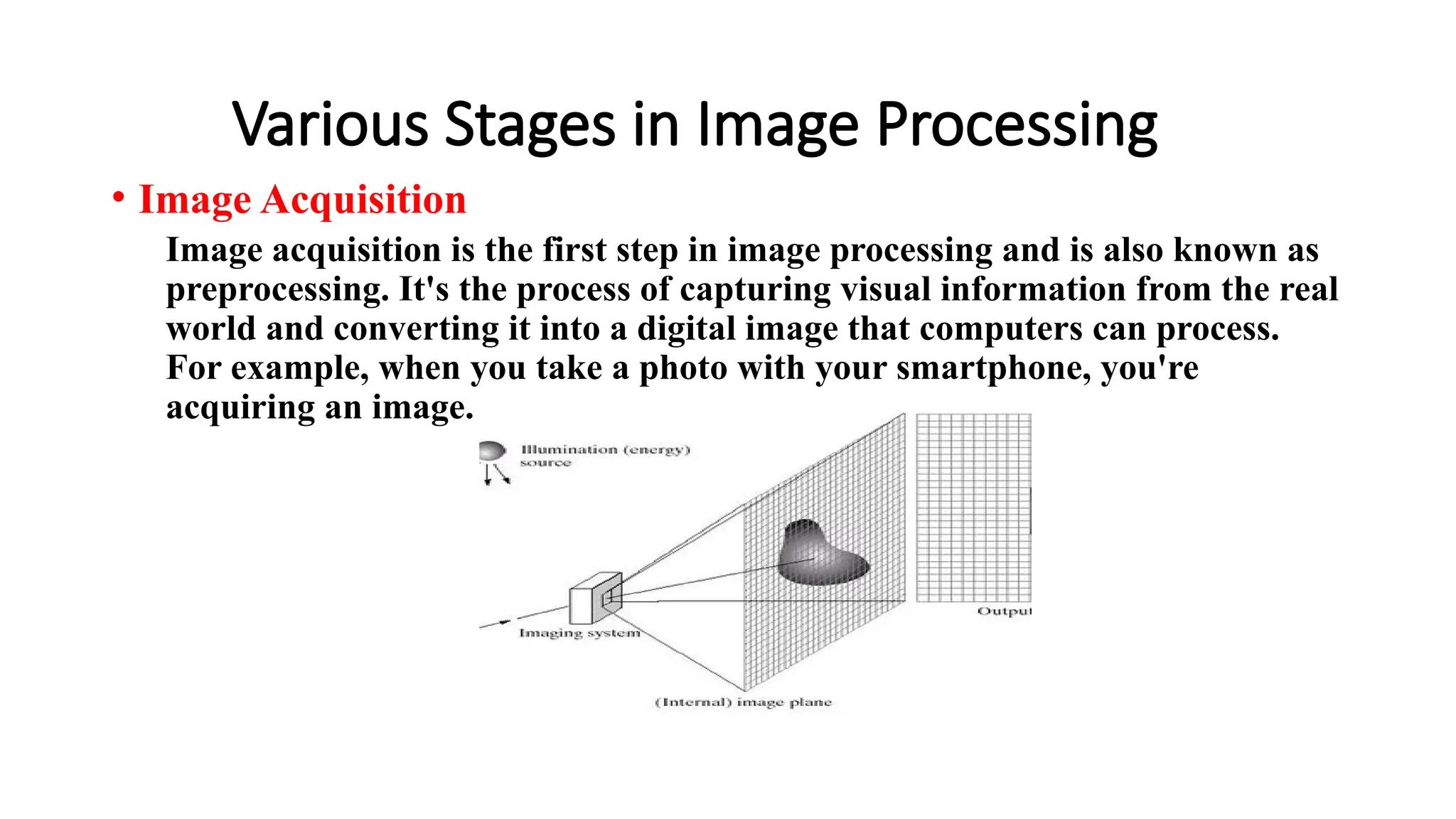
Image acquisition is the first step in image processing and is also known as
preprocessing. It's the process of capturing visual information from the real
world and converting it into a digital image that computers can process.
For example, when you take a photo with your smartphone, you're
acquiring an image.
Image Enhancement
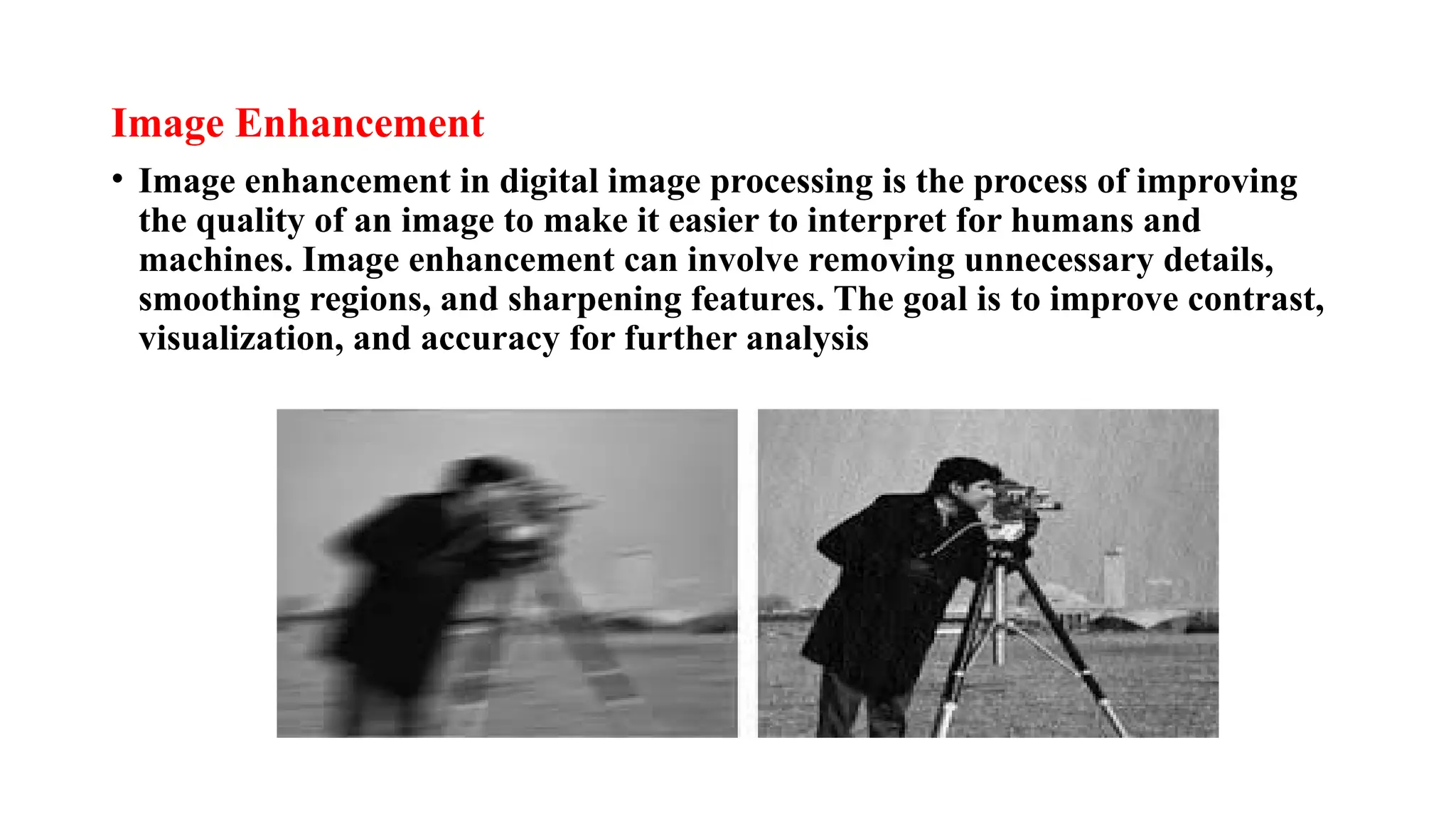
• Image enhancement in digital image processing is the process of improving
the quality of an image to make it easier to interpret for humans and
machines. Image enhancement can involve removing unnecessary details,
smoothing regions, and sharpening features. The goal is to improve contrast,
visualization, and accuracy for further analysis
Image Restoration
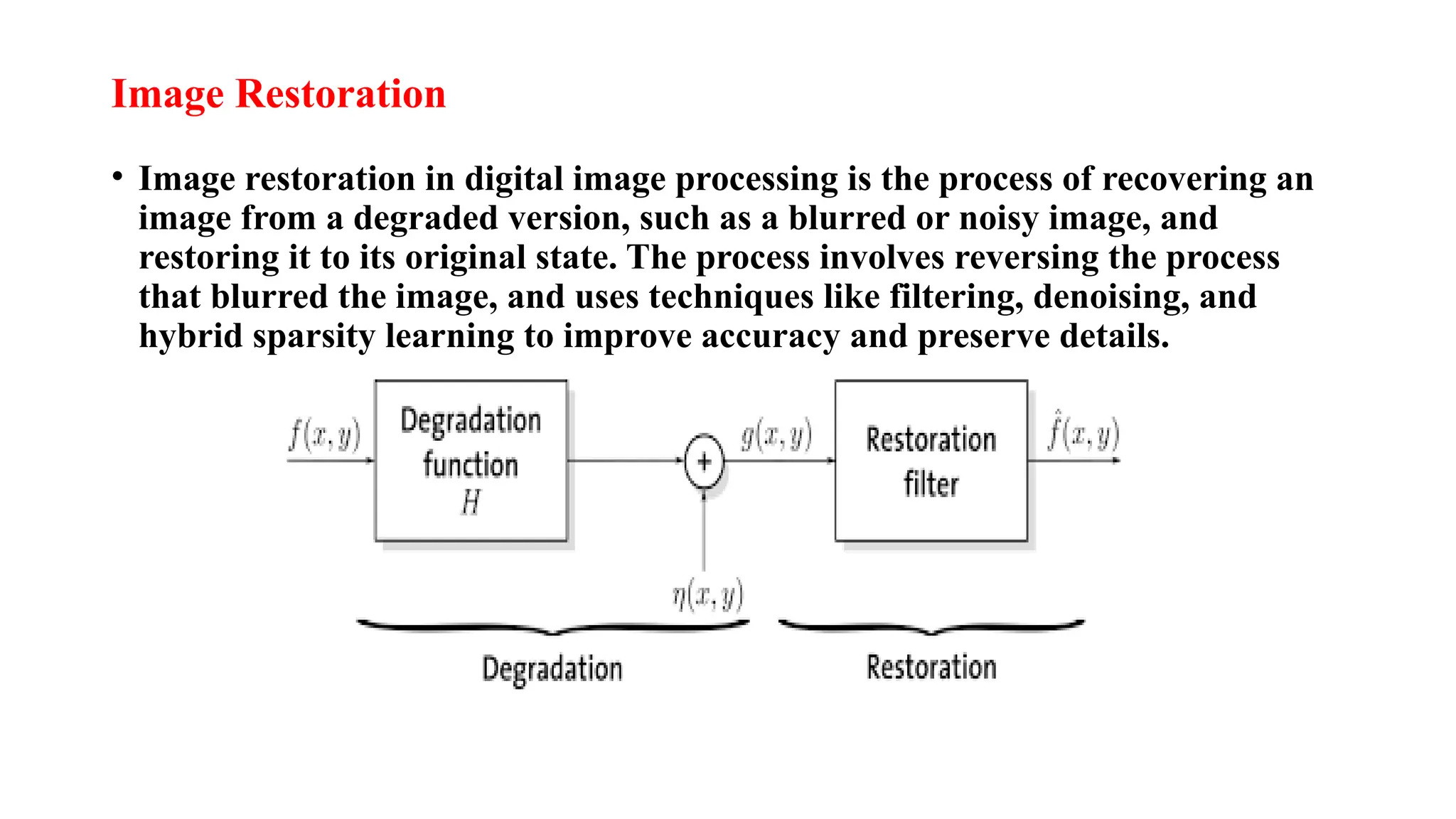
• Image restoration in digital image processing is the process of recovering an
image from a degraded version, such as a blurred or noisy image, and
restoring it to its original state. The process involves reversing the process
that blurred the image, and uses techniques like filtering, denoising, and
hybrid sparsity learning to improve accuracy and preserve details.
Morphological process
• Morphological image processing (MIP) is a method of analyzing and
manipulating images based on their shape and structure. It uses a set of
operations, such as dilation, erosion, opening, and closing, to extract
information, refine shapes, and enhance structural characteristics in digital
images.
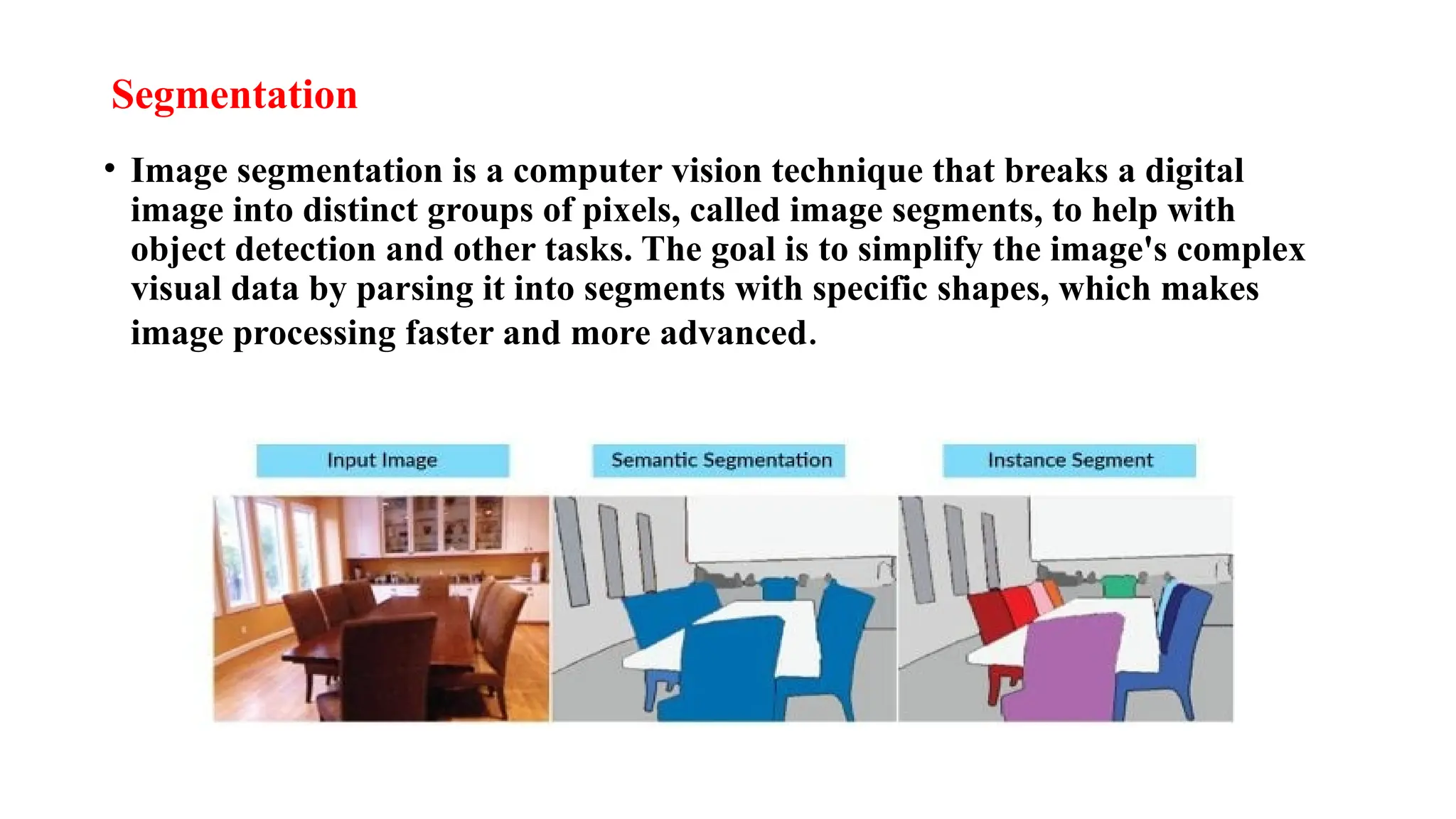
Segmentation
• Image segmentation is a computer vision technique that breaks a digital
image into distinct groups of pixels, called image segments, to help with
object detection and other tasks. The goal is to simplify the image's complex
visual data by parsing it into segments with specific shapes, which makes
image processing faster and more advanced.
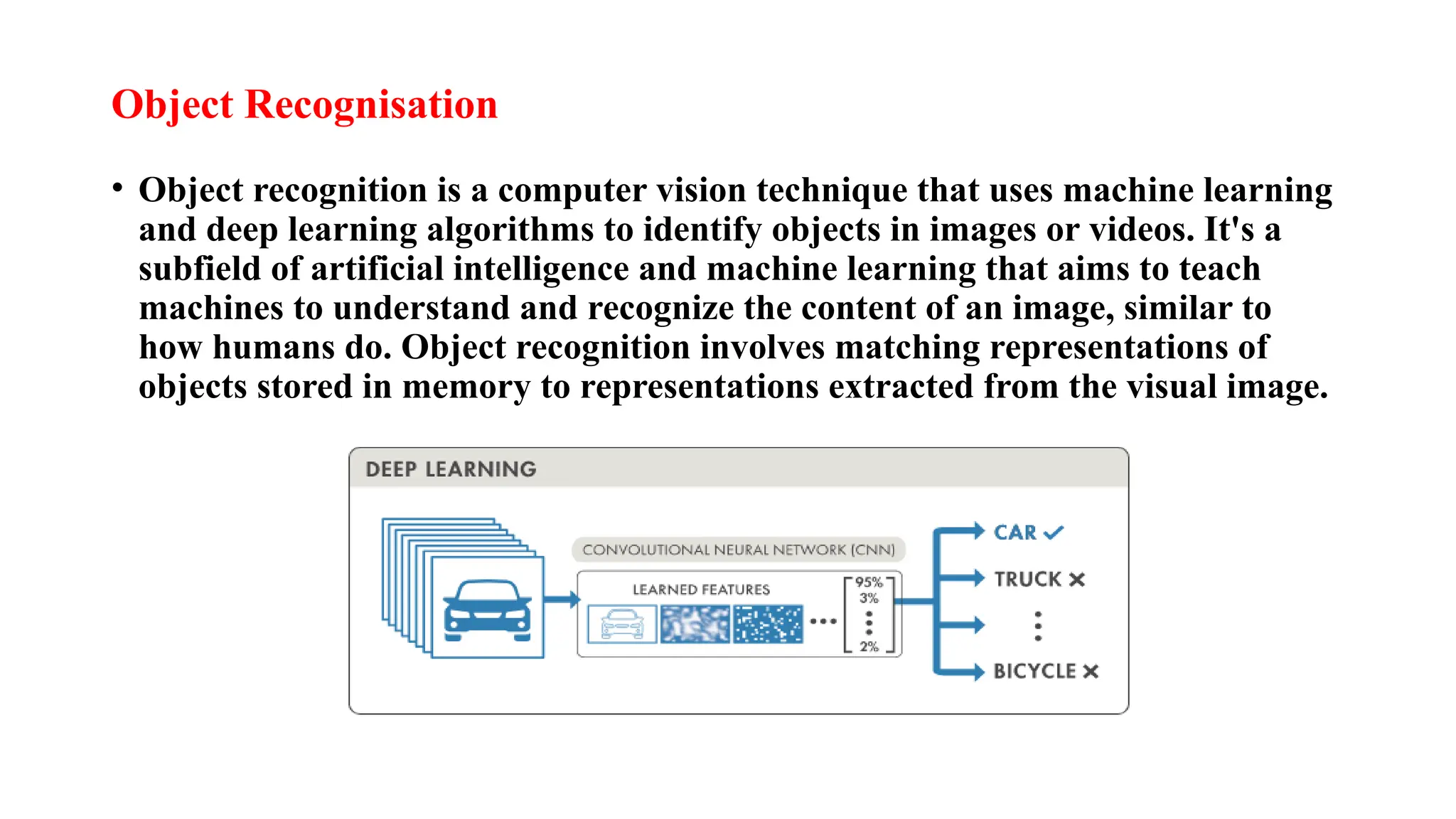
Object Recognisation
• Object recognition is a computer vision technique that uses machine learning
and deep learning algorithms to identify objects in images or videos. It's a
subfield of artificial intelligence and machine learning that aims to teach
machines to understand and recognize the content of an image, similar to
how humans do. Object recognition involves matching representations of
objects stored in memory to representations extracted from the visual image.
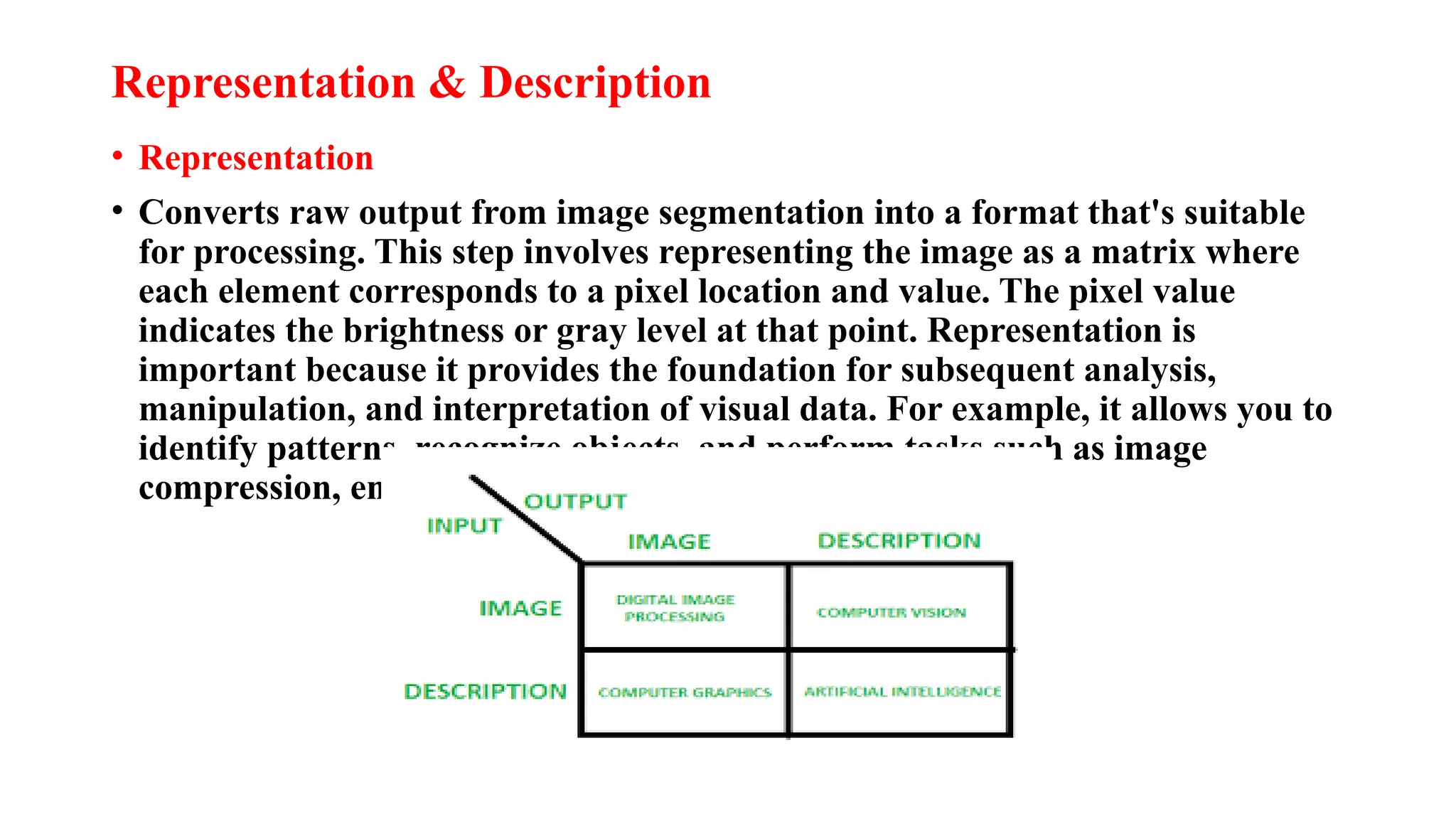
Representation & Description
• Representation
• Converts raw output from image segmentation into a format that's suitable
for processing. This step involves representing the image as a matrix where
each element corresponds to a pixel location and value. The pixel value
indicates the brightness or gray level at that point. Representation is
important because it provides the foundation for subsequent analysis,
manipulation, and interpretation of visual data. For example, it allows you to
identify patterns, recognize objects, and perform tasks such as image
compression, enhancement, and segmentation.
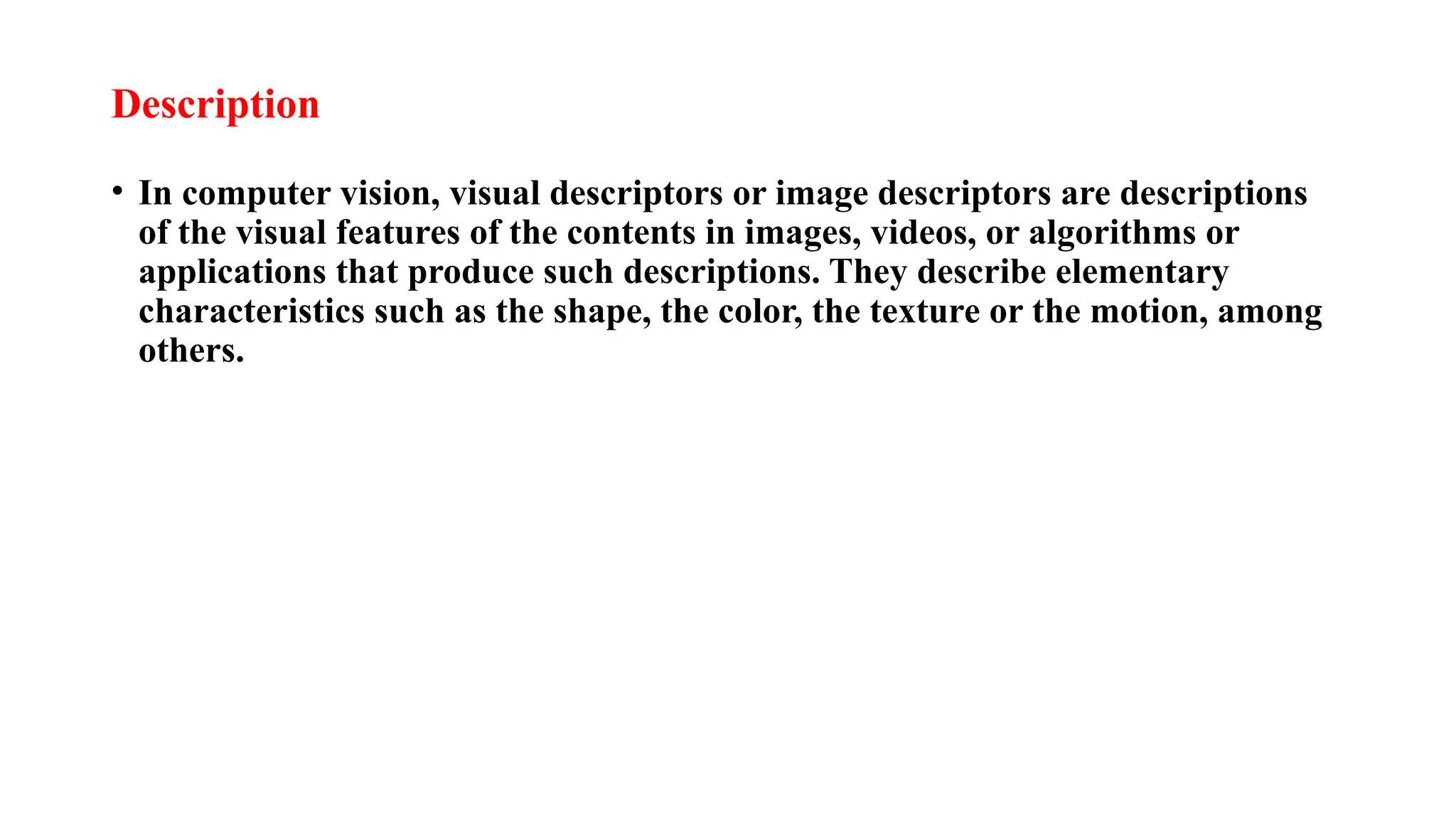
Description
• In computer vision, visual descriptors or image descriptors are descriptions
of the visual features of the contents in images, videos, or algorithms or
applications that produce such descriptions. They describe elementary
characteristics such as the shape, the color, the texture or the motion, among
others.
Applications of Digital image Processing
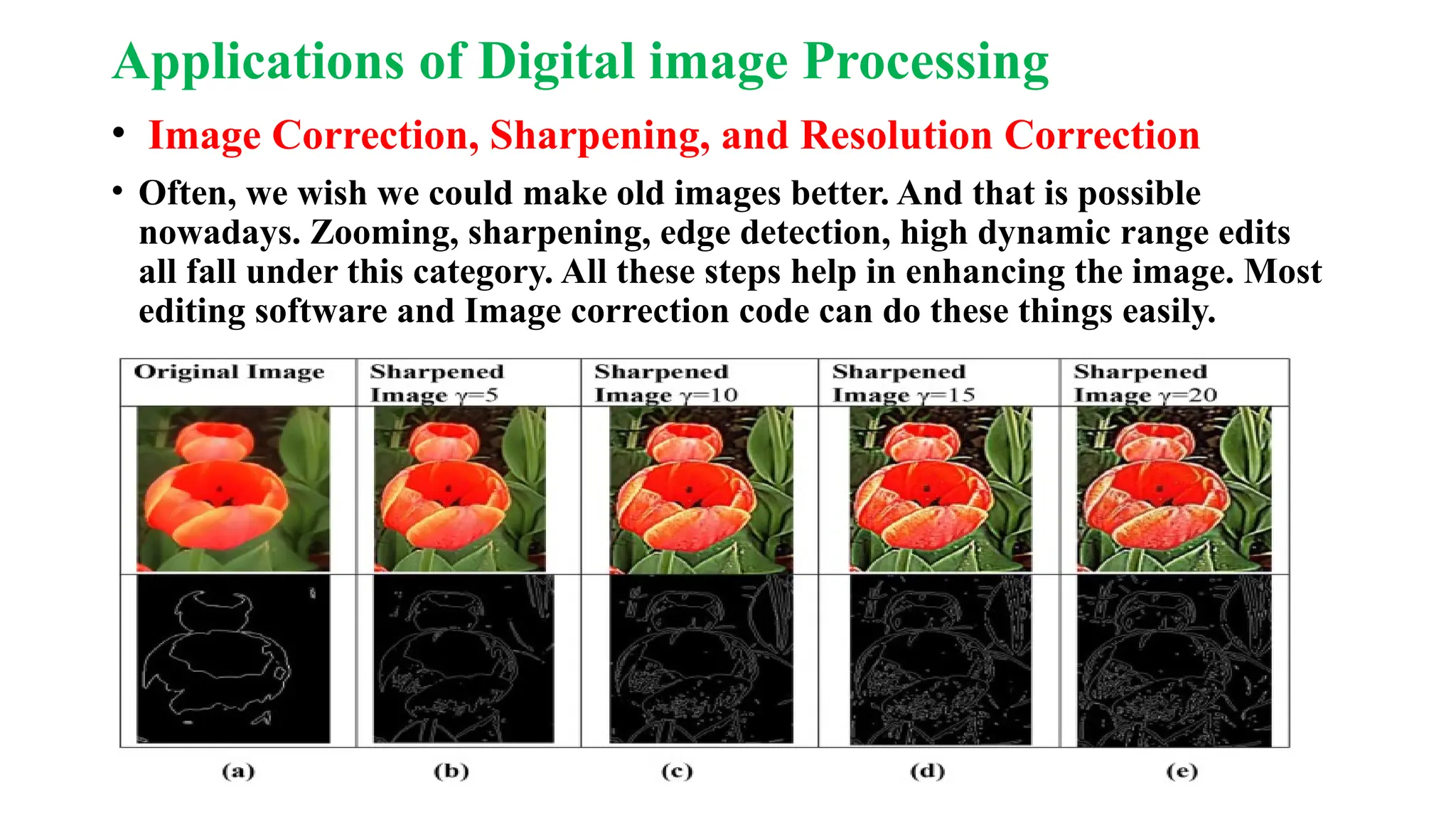
• Image Correction, Sharpening, and Resolution Correction
• Often, we wish we could make old images better. And that is possible
nowadays. Zooming, sharpening, edge detection, high dynamic range edits
all fall under this category. All these steps help in enhancing the image. Most
editing software and Image correction code can do these things easily.
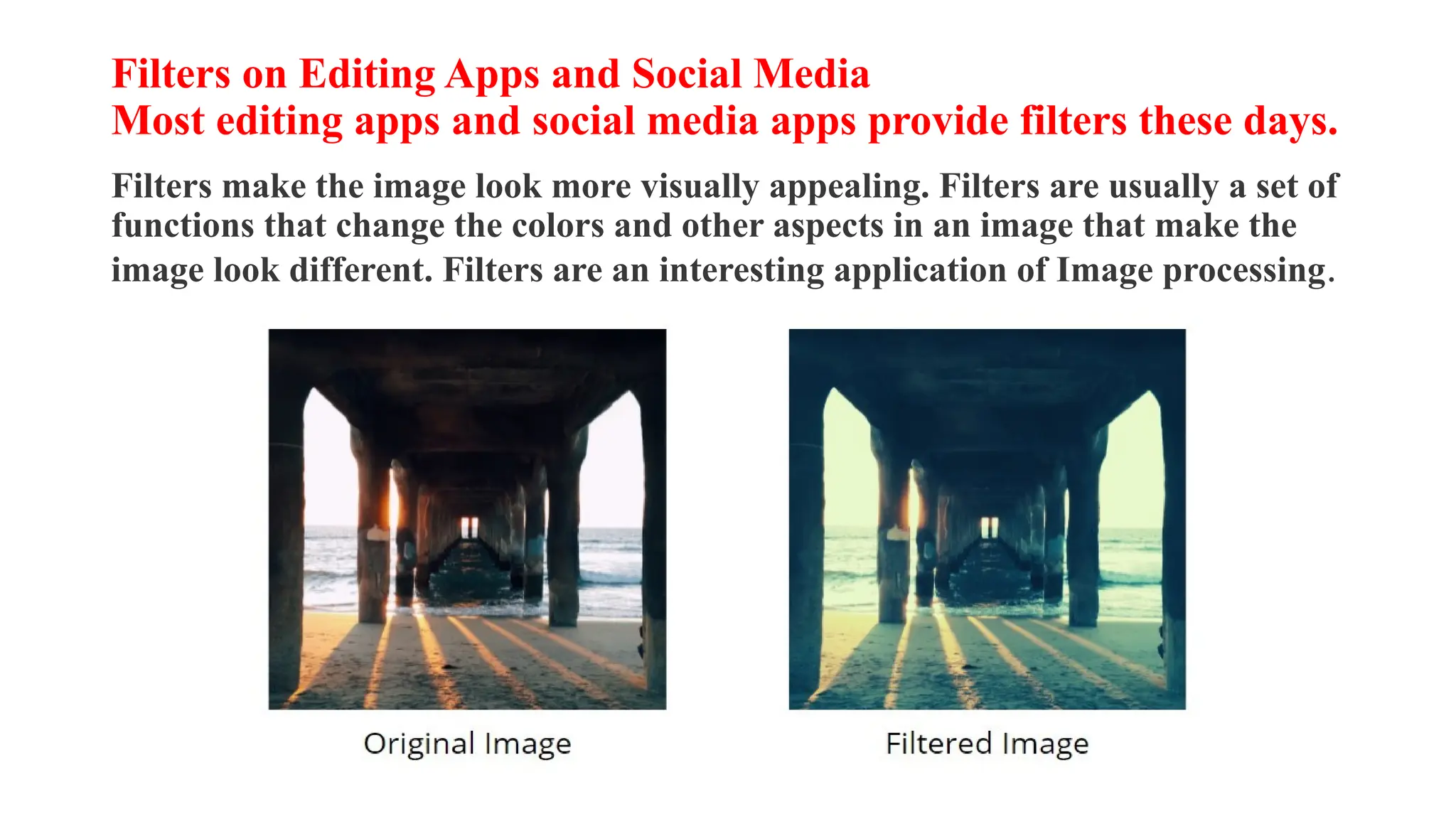
Filters on Editing Apps and Social Media
Most editing apps and social media apps provide filters these days.
Filters make the image look more visually appealing. Filters are usually a set of
functions that change the colors and other aspects in an image that make the
image look different. Filters are an interesting application of Image processing.
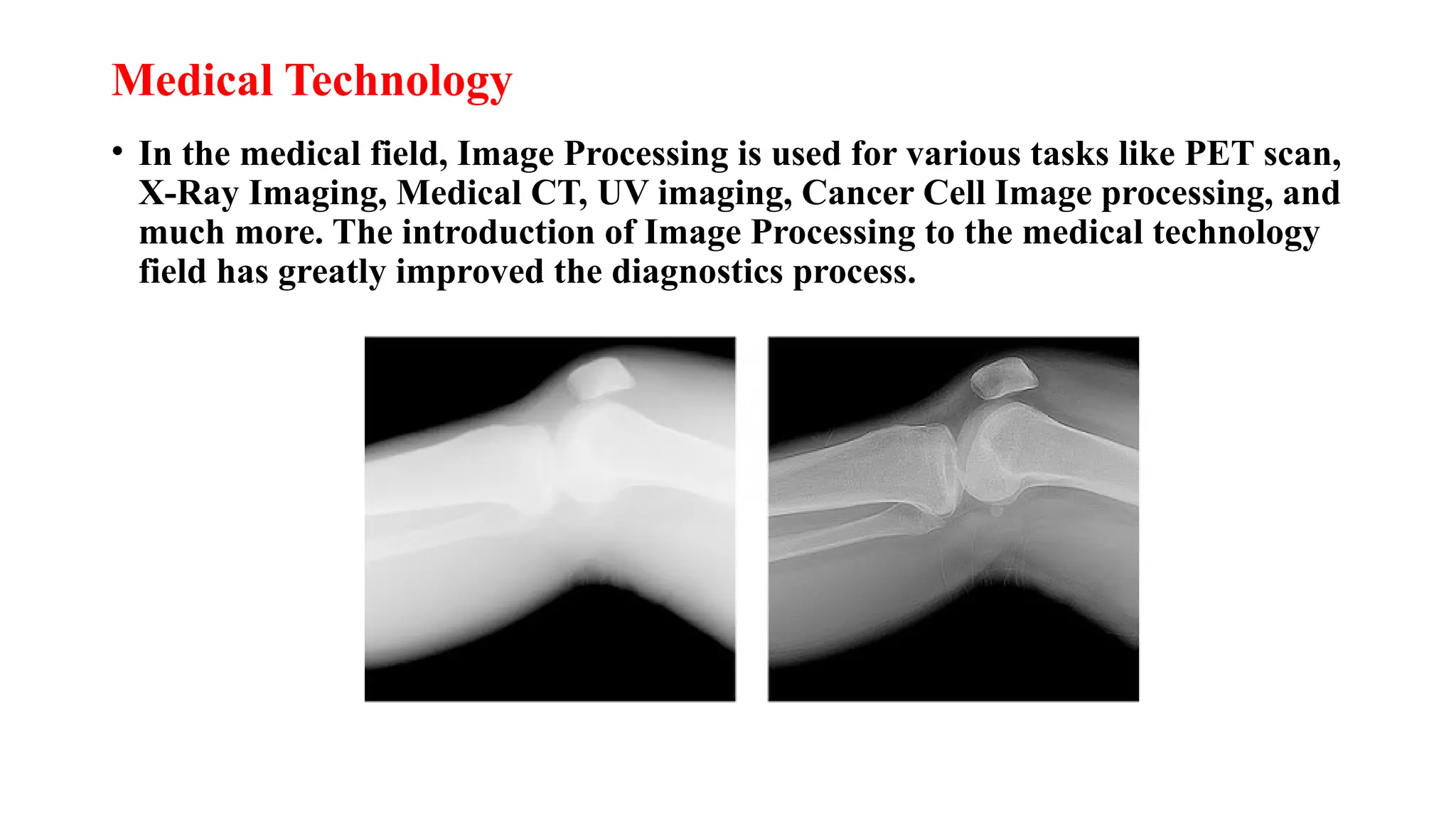
Medical Technology
• In the medical field, Image Processing is used for various tasks like PET scan,
X-Ray Imaging, Medical CT, UV imaging, Cancer Cell Image processing, and
much more. The introduction of Image Processing to the medical technology
field has greatly improved the diagnostics process.
Computer / Machine Vision
• One of the most interesting and useful applications of Image Processing is in
Computer Vision. Computer Vision is used to make the computer see, identify
things, and process the whole environment as a whole. An important use of
Computer Vision is Self Driving cars, Drones etc. CV helps in obstacle
detection, path recognition, and understanding the environment.
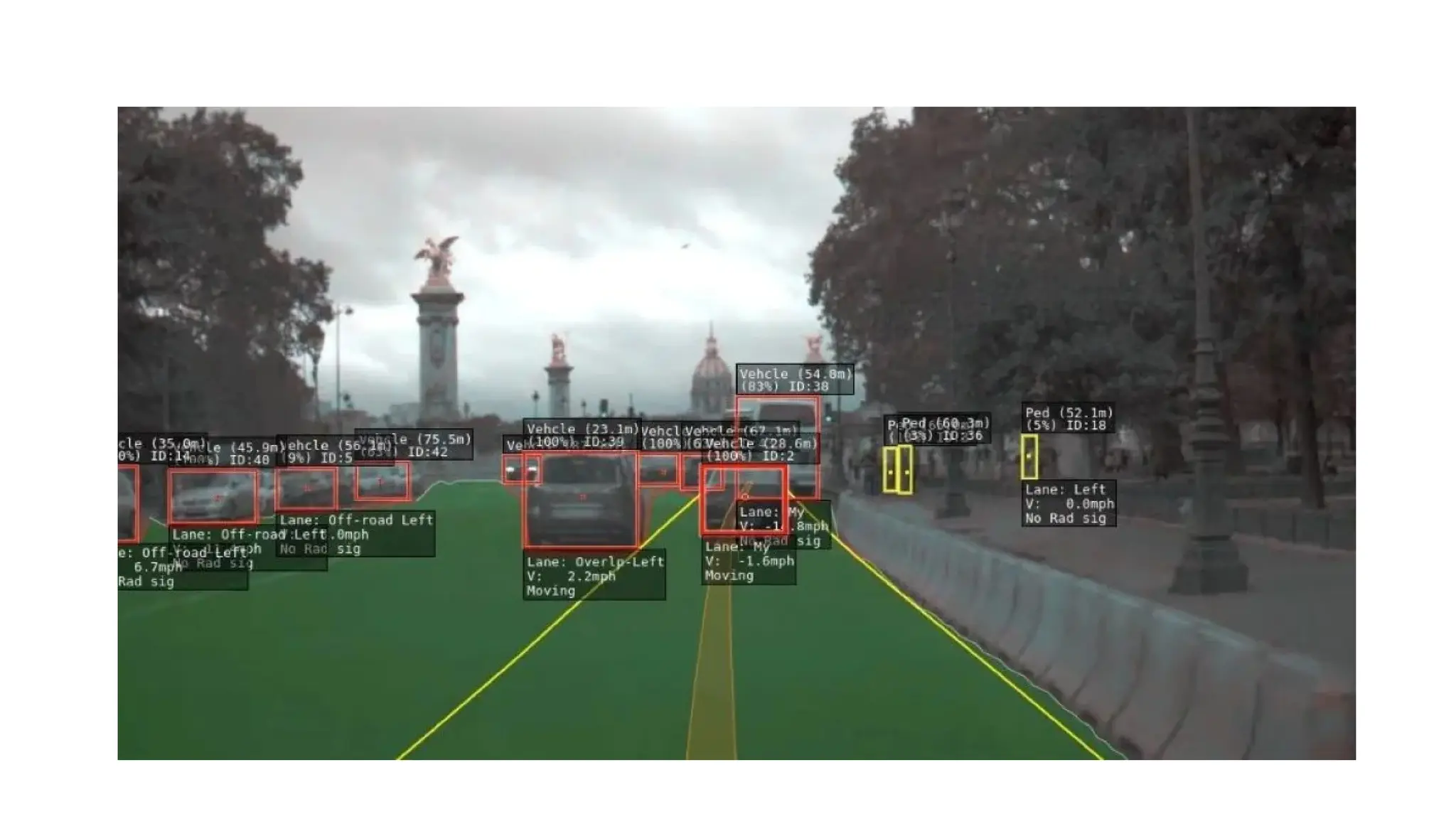
• This is how typical Computer Vision works for Car Autopilots. The computer
takes in live footage and analyses other cars, the road, and other obstacles.
Pattern recognition:
• Pattern recognition is a part of Image Processing that involves AI and Machine
Learning. Image processing is used to find out various patterns and aspects in
images. Pattern Recognition is used for Handwriting analysis, Image recognition,
Computer-aided medical diagnosis, and much more.
Video Processing:
• Video is basically a fast movement of images. Various image processing techniques
are used in Video Processing. Some methods of Video Processing are noise removal,
image stabilization, frame rate conversion, detail enhancement, and much more.
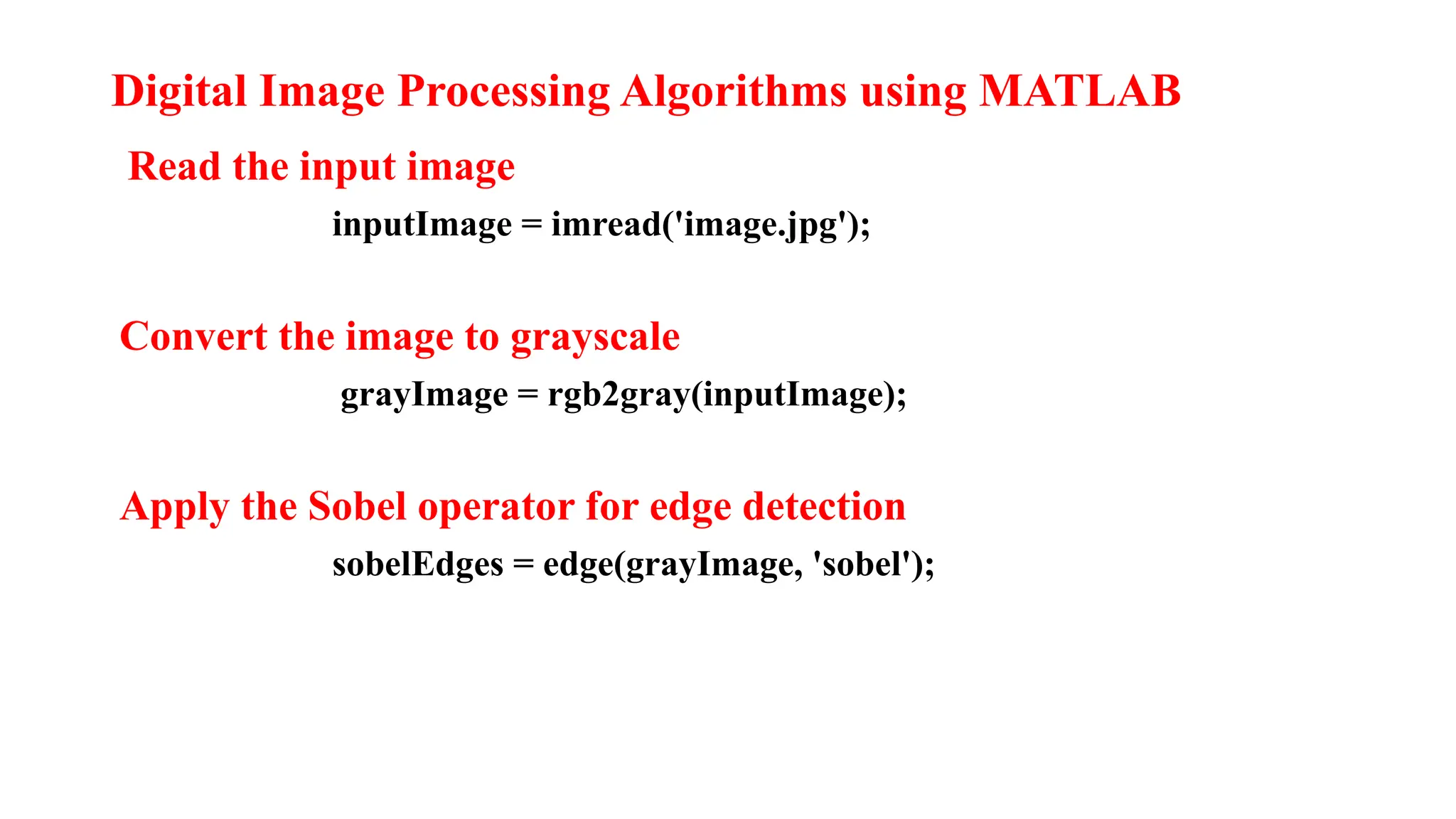
Digital Image Processing Algorithms using MATLAB
Read the input image
inputImage = imread('image.jpg');
Convert the image to grayscale
grayImage = rgb2gray(inputImage);
Apply the Sobel operator for edge detection
sobelEdges = edge(grayImage, 'sobel');
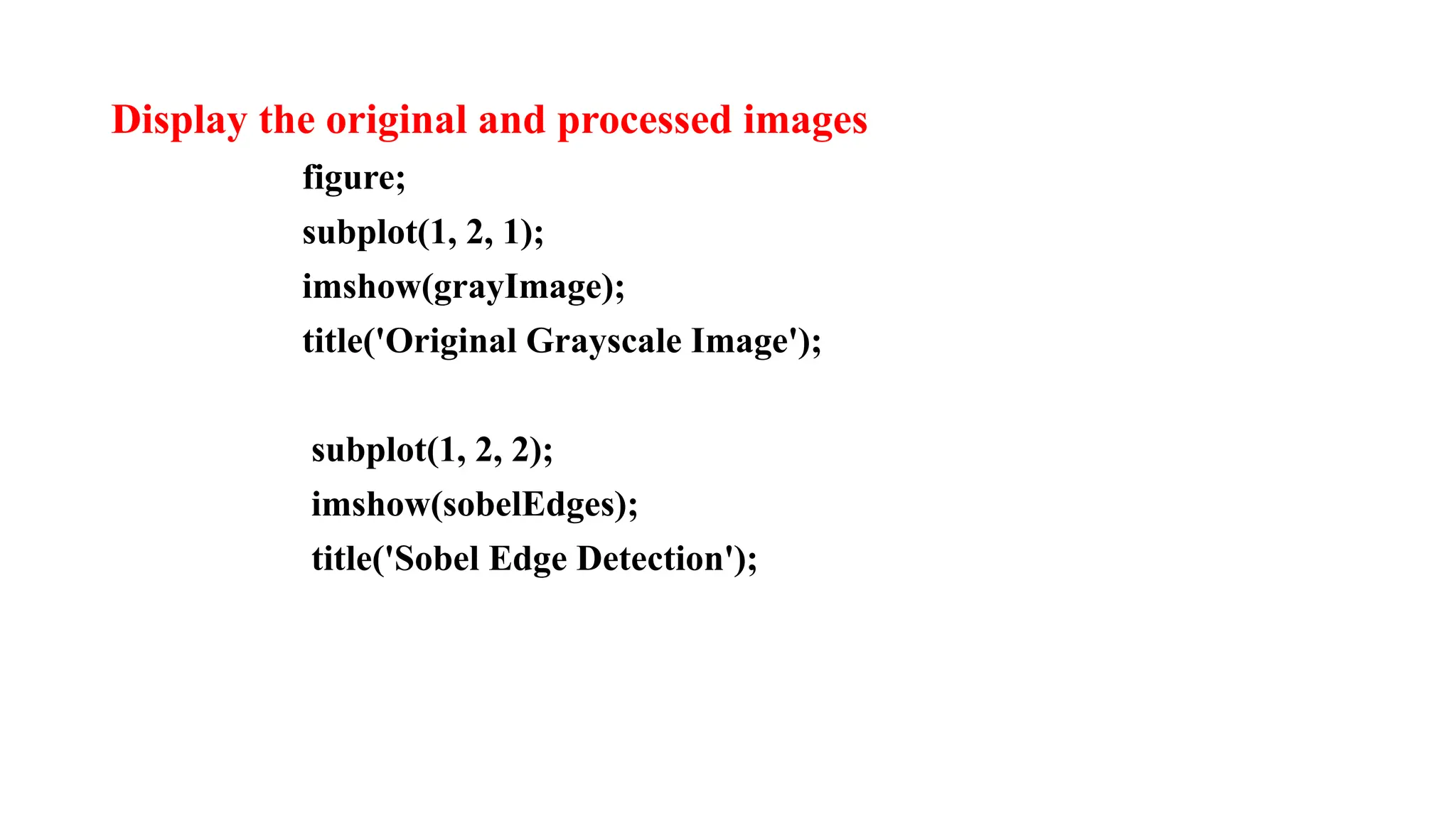
Display the original and processed images
figure;
subplot(1, 2, 1);
imshow(grayImage);
title('Original Grayscale Image');
subplot(1, 2, 2);
imshow(sobelEdges);
title('Sobel Edge Detection');
THANK YOU

DIGITAL IMAGE PROCESSING slides in pptx.

  • 1.
  • 2.
    DIGITAL IMAGE PROCESSING •Digital Image processing is the process of transforming an image into a digital form and performing certain operations to get some useful information from it. The image processing system usually treats all images as 2D signals when applying certain predetermined signal processing methods.
  • 3.
    Various Stages inImage Processing • Image Acquisition Image acquisition is the first step in image processing and is also known as preprocessing. It's the process of capturing visual information from the real world and converting it into a digital image that computers can process. For example, when you take a photo with your smartphone, you're acquiring an image.
  • 4.
    Image Enhancement • Imageenhancement in digital image processing is the process of improving the quality of an image to make it easier to interpret for humans and machines. Image enhancement can involve removing unnecessary details, smoothing regions, and sharpening features. The goal is to improve contrast, visualization, and accuracy for further analysis
  • 5.
    Image Restoration • Imagerestoration in digital image processing is the process of recovering an image from a degraded version, such as a blurred or noisy image, and restoring it to its original state. The process involves reversing the process that blurred the image, and uses techniques like filtering, denoising, and hybrid sparsity learning to improve accuracy and preserve details.
  • 6.
    Morphological process • Morphologicalimage processing (MIP) is a method of analyzing and manipulating images based on their shape and structure. It uses a set of operations, such as dilation, erosion, opening, and closing, to extract information, refine shapes, and enhance structural characteristics in digital images.
  • 7.
    Segmentation • Image segmentationis a computer vision technique that breaks a digital image into distinct groups of pixels, called image segments, to help with object detection and other tasks. The goal is to simplify the image's complex visual data by parsing it into segments with specific shapes, which makes image processing faster and more advanced.
  • 8.
    Object Recognisation • Objectrecognition is a computer vision technique that uses machine learning and deep learning algorithms to identify objects in images or videos. It's a subfield of artificial intelligence and machine learning that aims to teach machines to understand and recognize the content of an image, similar to how humans do. Object recognition involves matching representations of objects stored in memory to representations extracted from the visual image.
  • 9.
    Representation & Description •Representation • Converts raw output from image segmentation into a format that's suitable for processing. This step involves representing the image as a matrix where each element corresponds to a pixel location and value. The pixel value indicates the brightness or gray level at that point. Representation is important because it provides the foundation for subsequent analysis, manipulation, and interpretation of visual data. For example, it allows you to identify patterns, recognize objects, and perform tasks such as image compression, enhancement, and segmentation.
  • 10.
    Description • In computervision, visual descriptors or image descriptors are descriptions of the visual features of the contents in images, videos, or algorithms or applications that produce such descriptions. They describe elementary characteristics such as the shape, the color, the texture or the motion, among others.
  • 11.
    Applications of Digitalimage Processing • Image Correction, Sharpening, and Resolution Correction • Often, we wish we could make old images better. And that is possible nowadays. Zooming, sharpening, edge detection, high dynamic range edits all fall under this category. All these steps help in enhancing the image. Most editing software and Image correction code can do these things easily.
  • 12.
    Filters on EditingApps and Social Media Most editing apps and social media apps provide filters these days. Filters make the image look more visually appealing. Filters are usually a set of functions that change the colors and other aspects in an image that make the image look different. Filters are an interesting application of Image processing.
  • 13.
    Medical Technology • Inthe medical field, Image Processing is used for various tasks like PET scan, X-Ray Imaging, Medical CT, UV imaging, Cancer Cell Image processing, and much more. The introduction of Image Processing to the medical technology field has greatly improved the diagnostics process.
  • 14.
    Computer / MachineVision • One of the most interesting and useful applications of Image Processing is in Computer Vision. Computer Vision is used to make the computer see, identify things, and process the whole environment as a whole. An important use of Computer Vision is Self Driving cars, Drones etc. CV helps in obstacle detection, path recognition, and understanding the environment. • This is how typical Computer Vision works for Car Autopilots. The computer takes in live footage and analyses other cars, the road, and other obstacles.
  • 16.
    Pattern recognition: • Patternrecognition is a part of Image Processing that involves AI and Machine Learning. Image processing is used to find out various patterns and aspects in images. Pattern Recognition is used for Handwriting analysis, Image recognition, Computer-aided medical diagnosis, and much more. Video Processing: • Video is basically a fast movement of images. Various image processing techniques are used in Video Processing. Some methods of Video Processing are noise removal, image stabilization, frame rate conversion, detail enhancement, and much more.
  • 17.
    Digital Image ProcessingAlgorithms using MATLAB Read the input image inputImage = imread('image.jpg'); Convert the image to grayscale grayImage = rgb2gray(inputImage); Apply the Sobel operator for edge detection sobelEdges = edge(grayImage, 'sobel');
  • 18.
    Display the originaland processed images figure; subplot(1, 2, 1); imshow(grayImage); title('Original Grayscale Image'); subplot(1, 2, 2); imshow(sobelEdges); title('Sobel Edge Detection');
  • 19.