

SAS tutorial
     2012/09/27
Institute of Cognitive Science
             許景淳
  E-mail : honli1027@gmail.com
Outline
Input Data
     1. Column mode
     2. List Mode
     3. Formatted mode
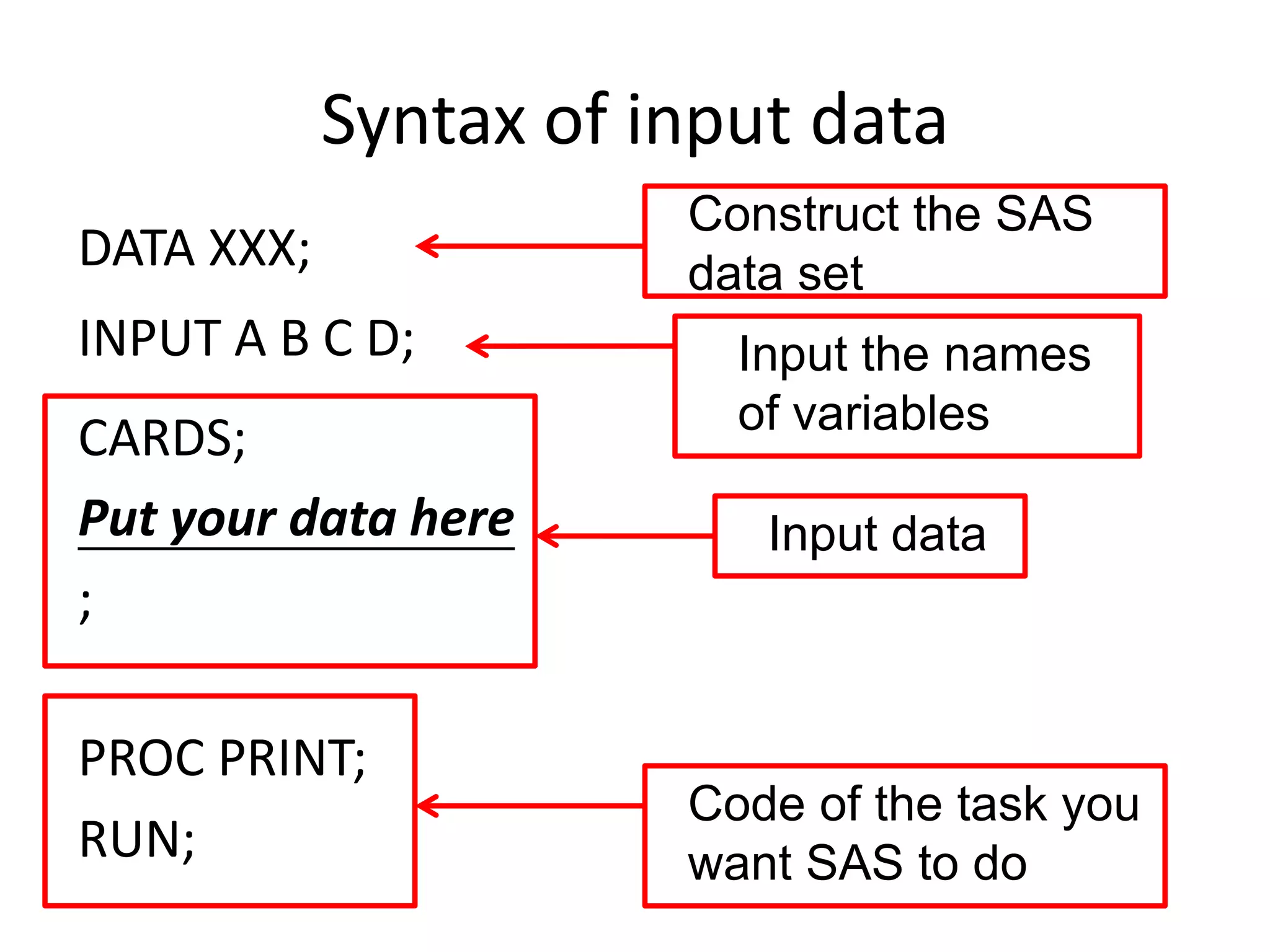
Syntax of input data
                       Construct the SAS
DATA XXX;              data set
INPUT A B C D;           Input the names
                         of variables
CARDS;
Put your data here        Input data
;

PROC PRINT;
                       Code of the task you
RUN;                   want SAS to do
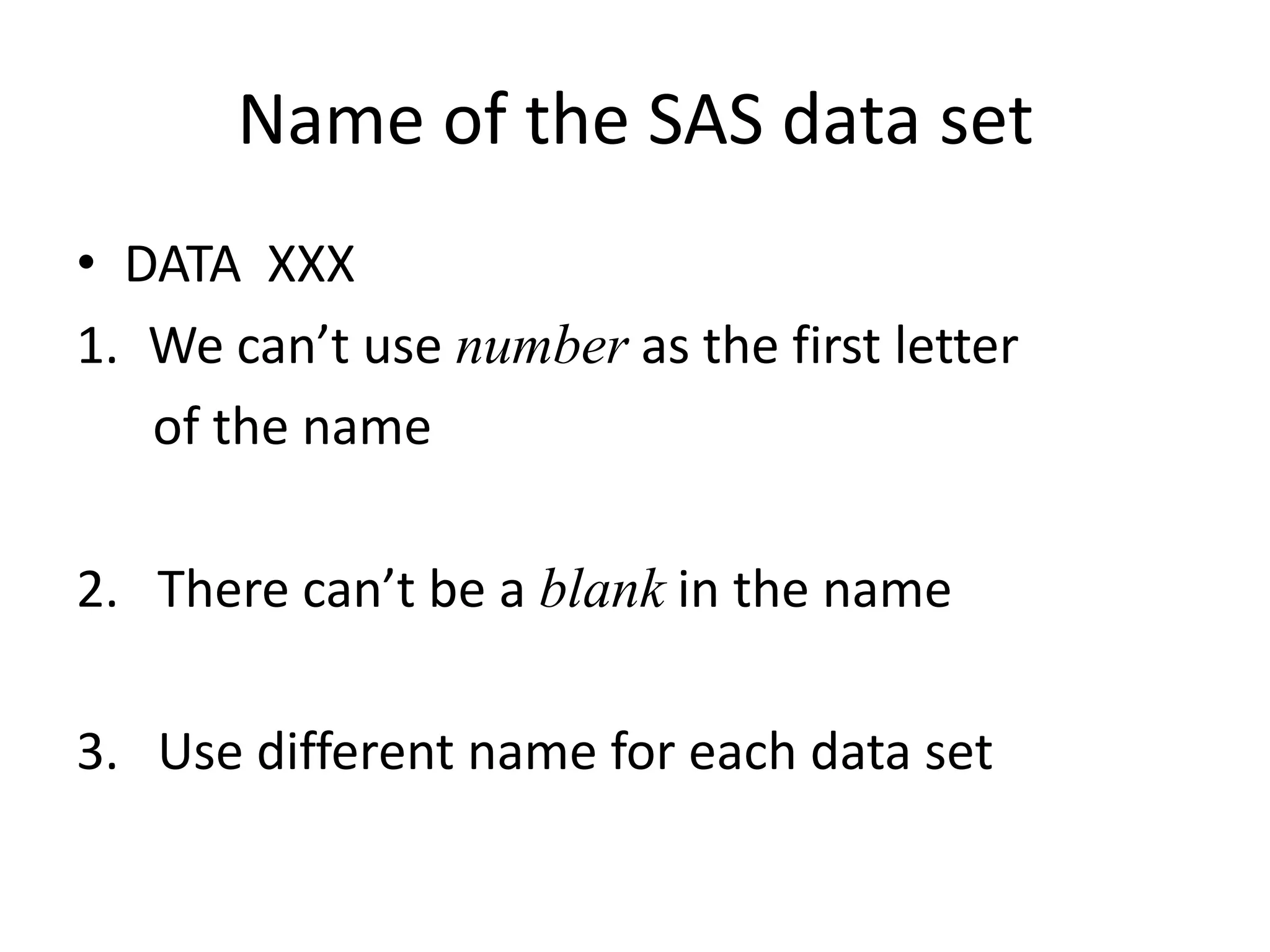
Name of the SAS data set
• DATA XXX
1. We can’t use number as the first letter
   of the name

2. There can’t be a blank in the name

3. Use different name for each data set
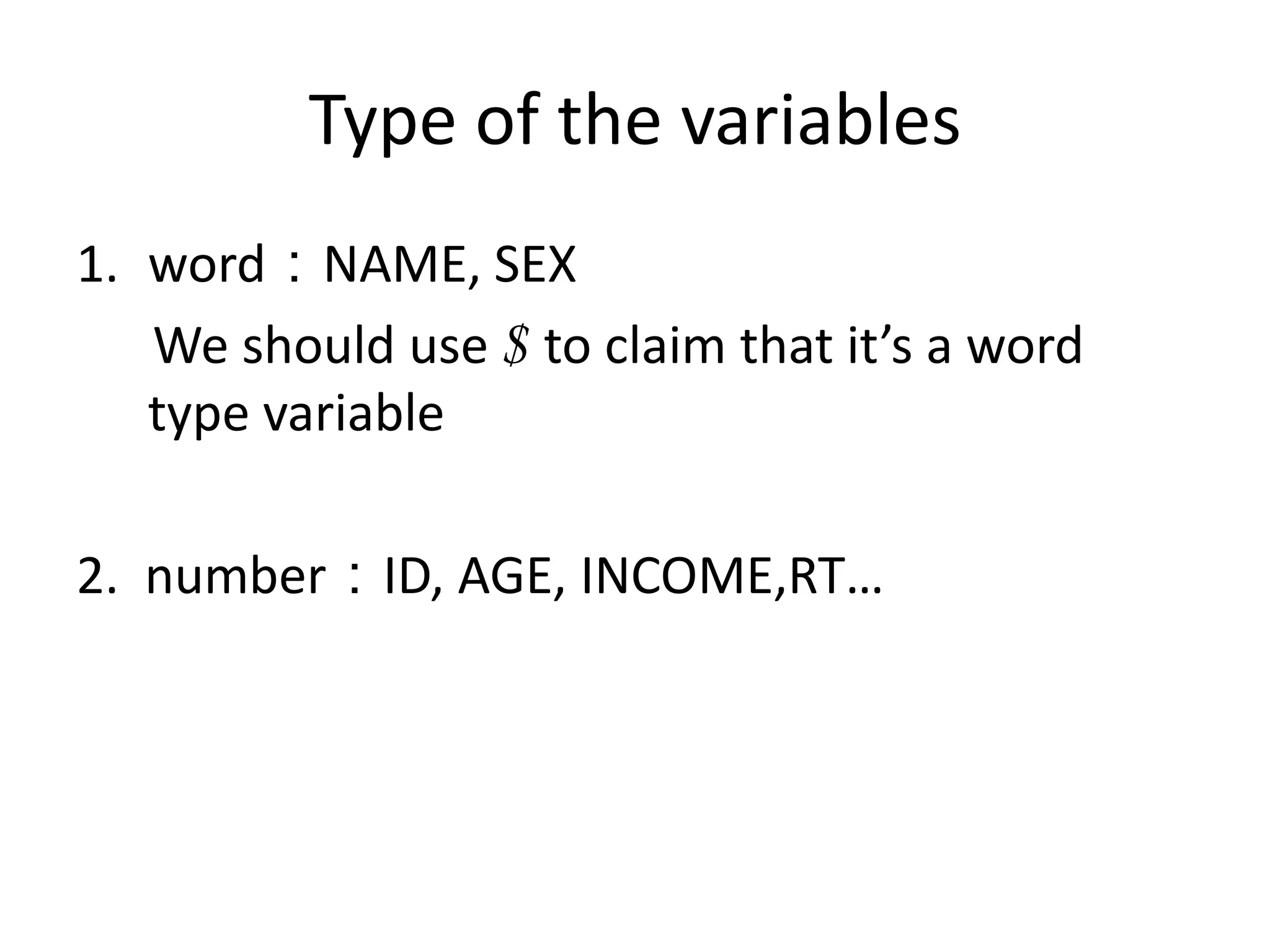
Type of the variables
1. word:NAME, SEX
   We should use $ to claim that it’s a word
   type variable

2. number:ID, AGE, INCOME,RT…
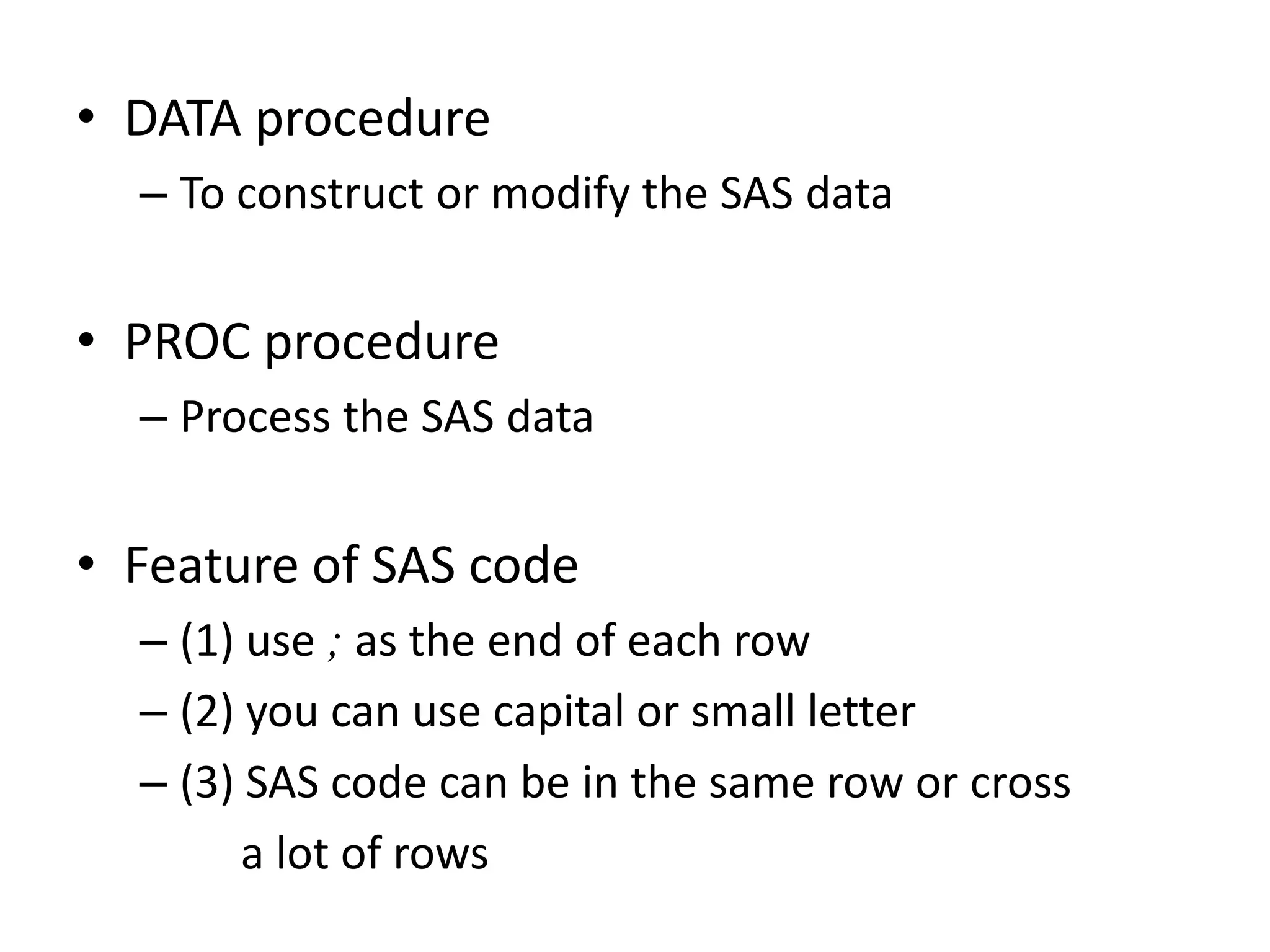
• DATA procedure
  – To construct or modify the SAS data


• PROC procedure
  – Process the SAS data


• Feature of SAS code
  – (1) use ; as the end of each row
  – (2) you can use capital or small letter
  – (3) SAS code can be in the same row or cross
        a lot of rows
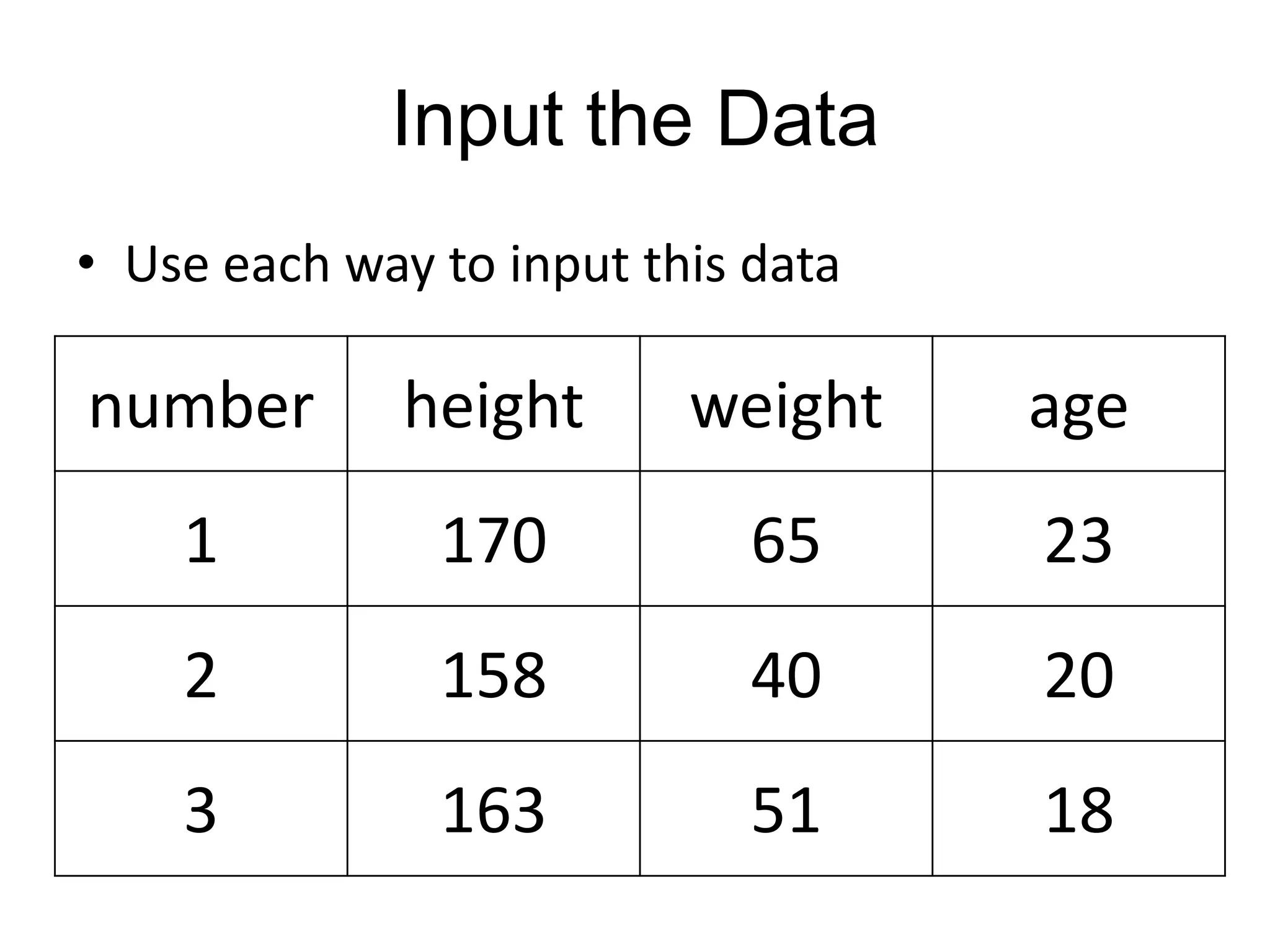
Input the Data
• Use each way to input this data

number        height      weight    age
    1          170           65     23
    2          158           40     20
    3          163           51     18
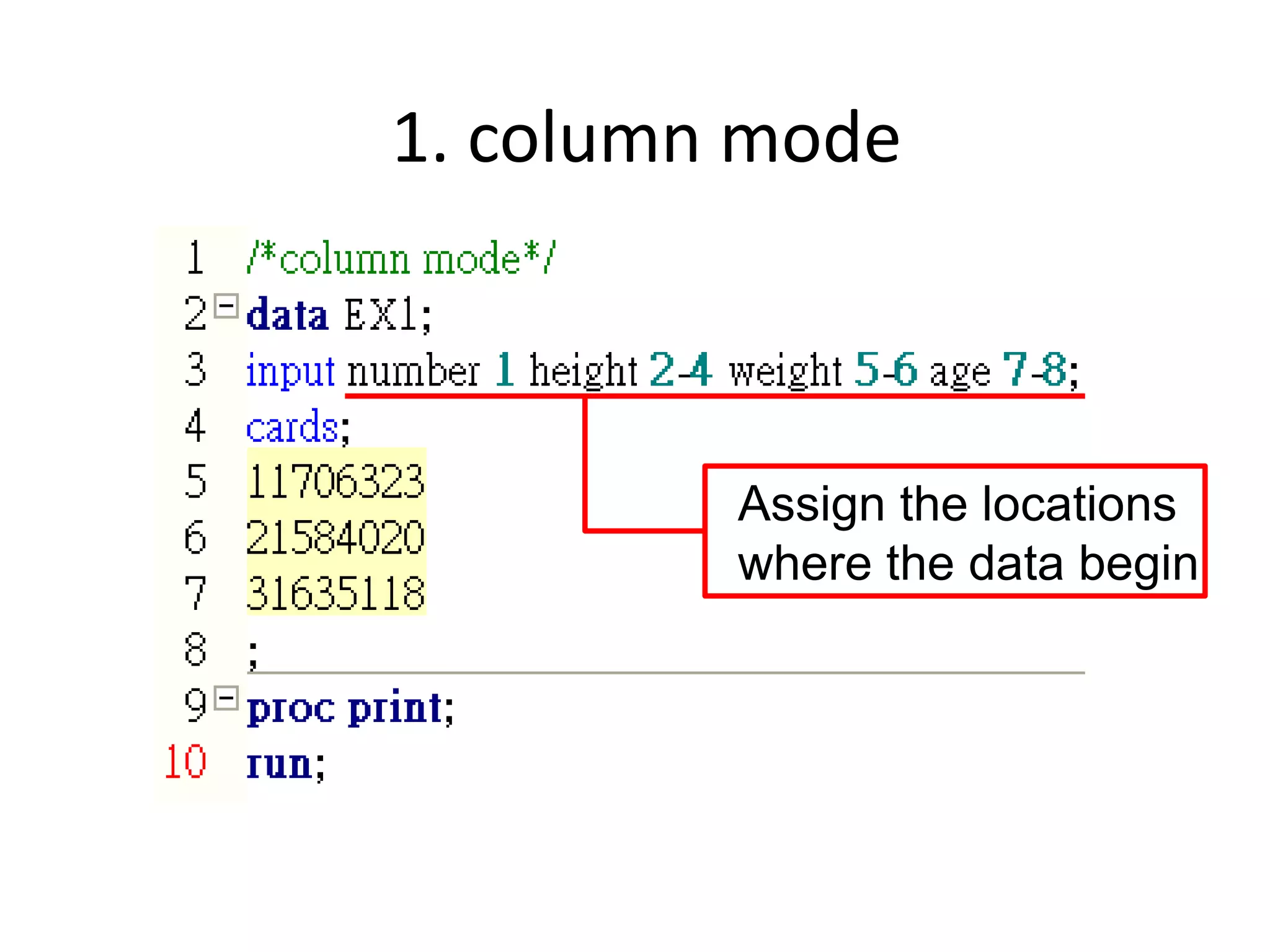
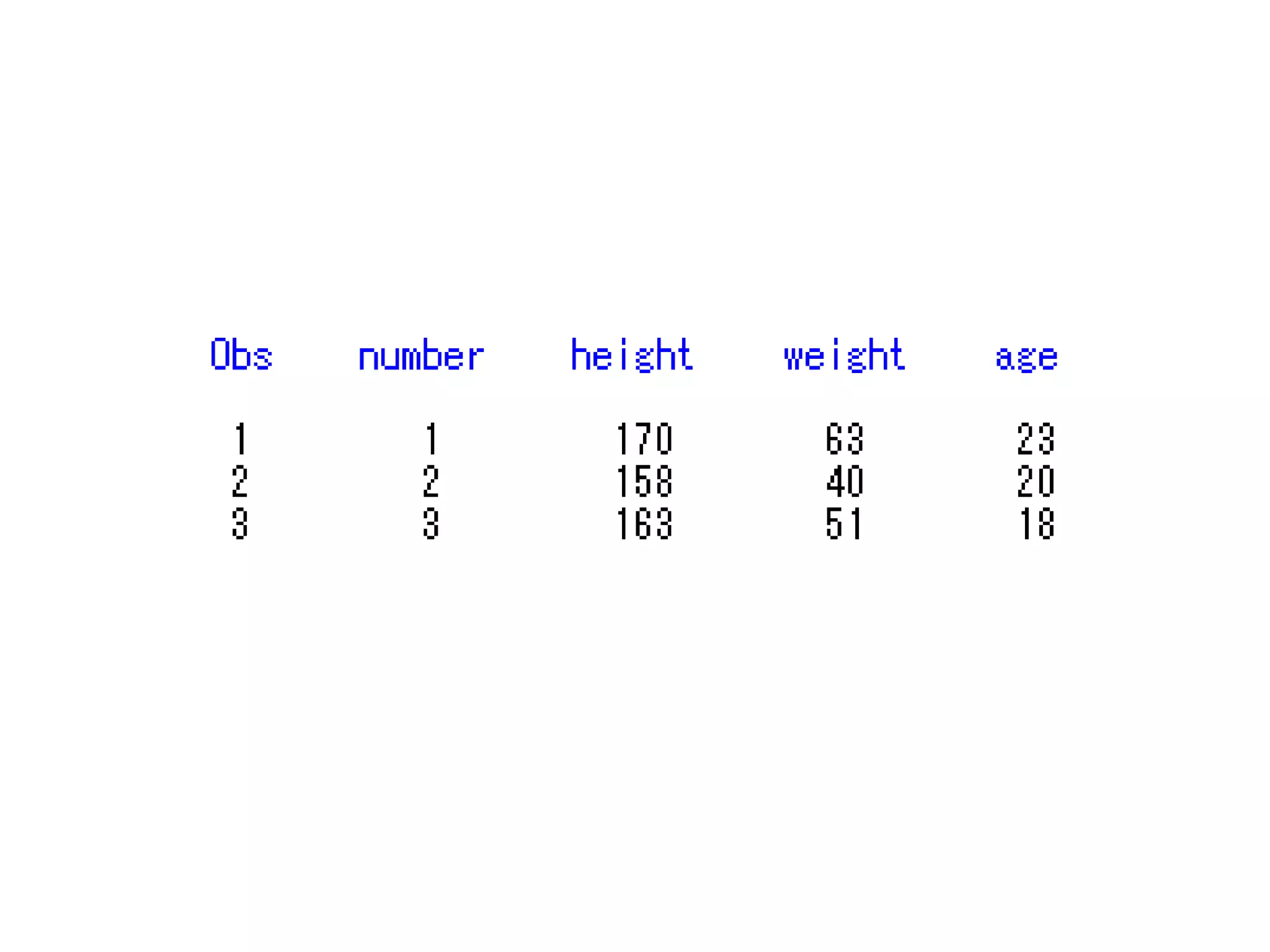
1. column mode


         Assign the locations
         where the data begin
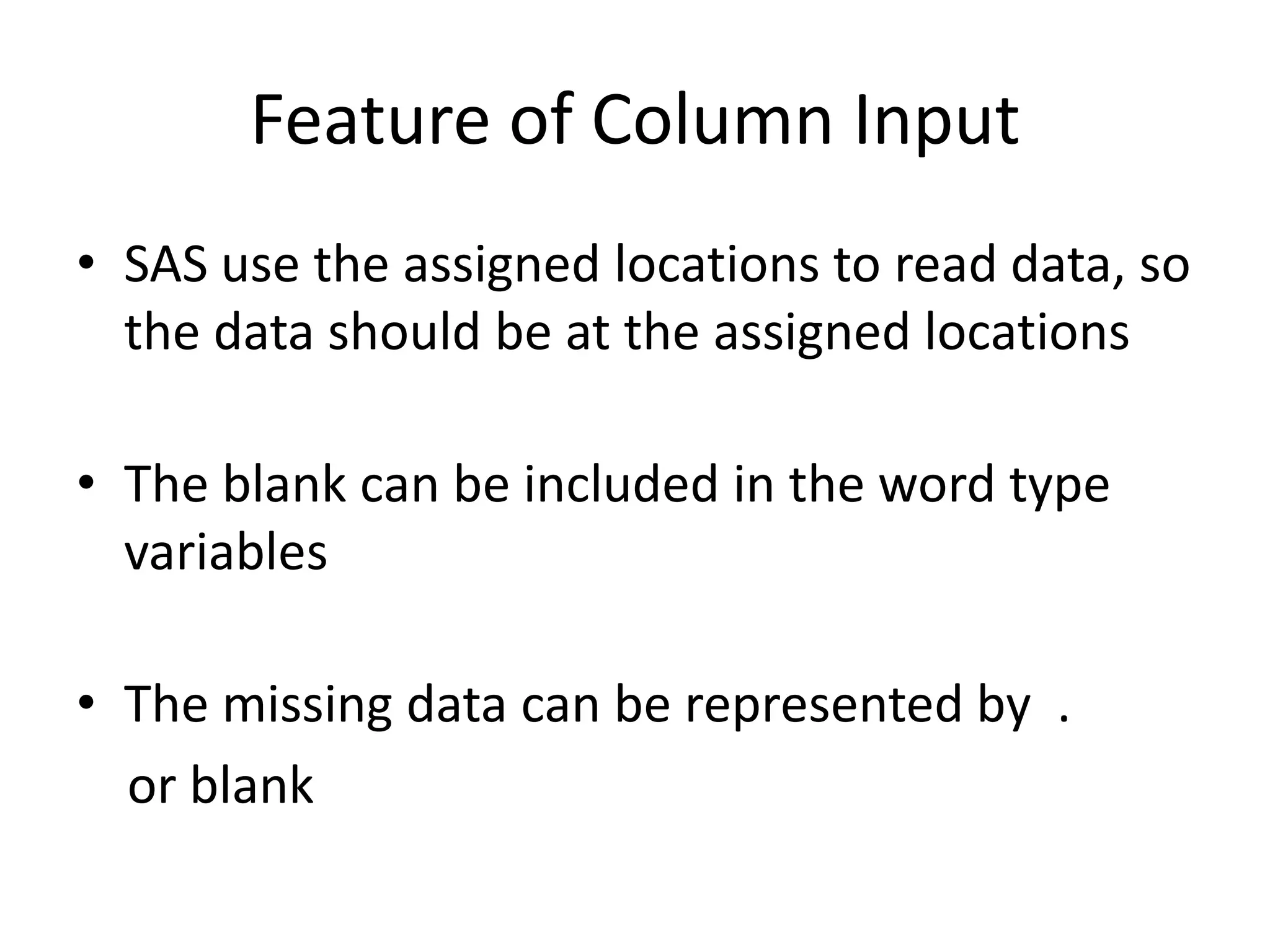
Feature of Column Input
• SAS use the assigned locations to read data, so
  the data should be at the assigned locations

• The blank can be included in the word type
  variables

• The missing data can be represented by .
  or blank
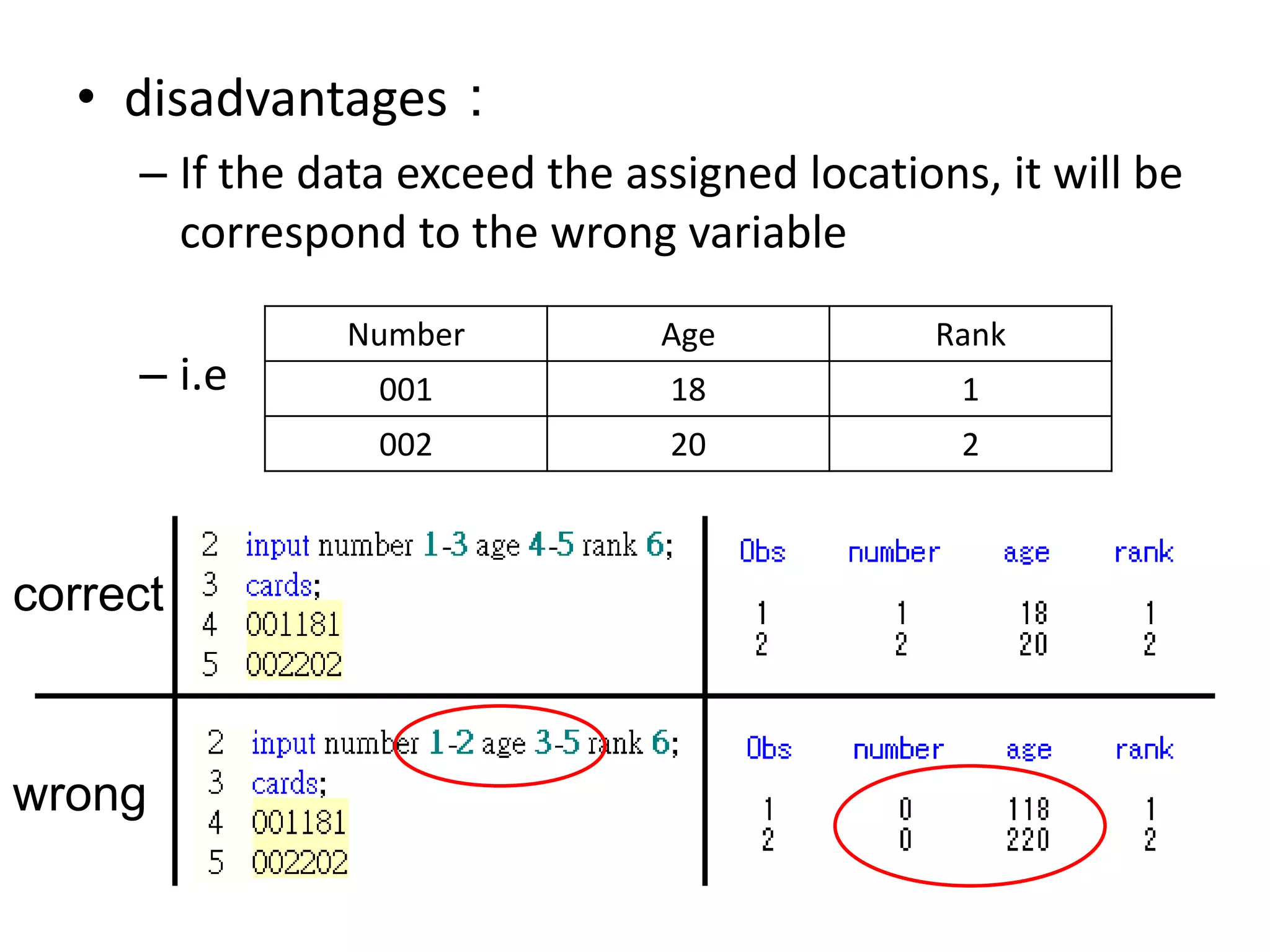
• disadvantages:
     – If the data exceed the assigned locations, it will be
       correspond to the wrong variable
               Number           Age           Rank
     – i.e       001            18              1
                 002            20              2


correct


wrong
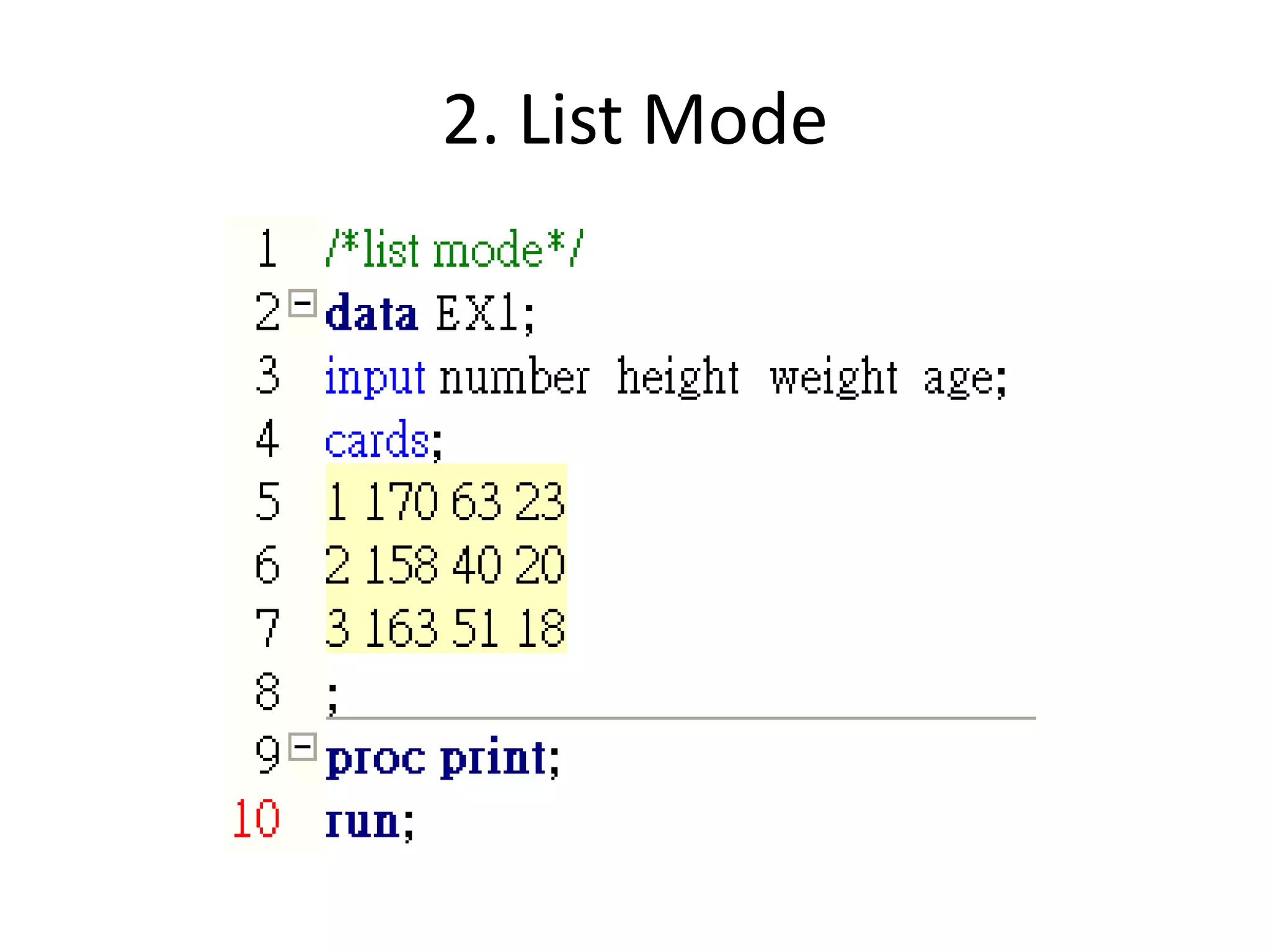
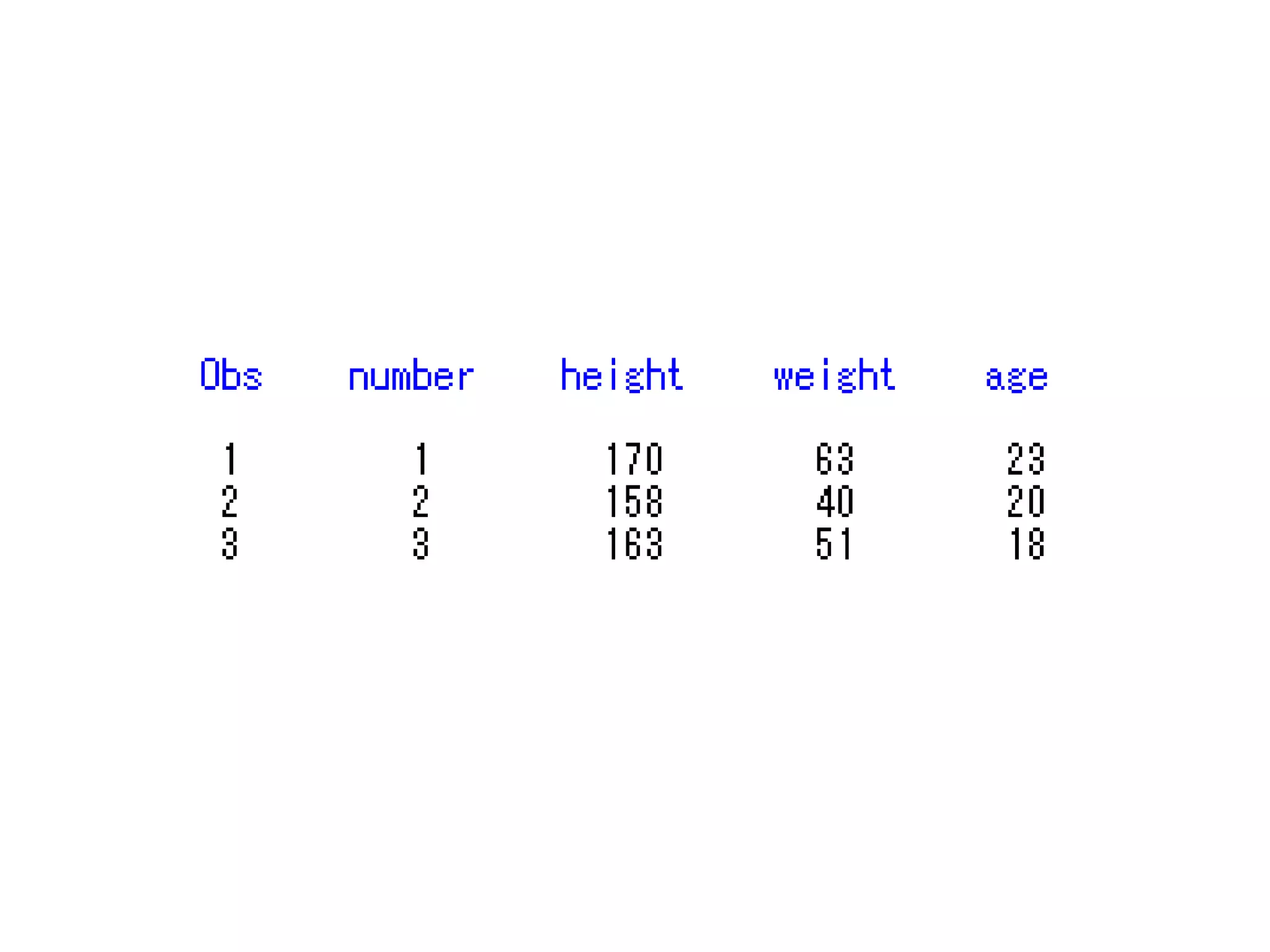
2. List Mode
Feature of List Input
• There should be blank between each data

• The blank can’t be included in the word type
  variables

• The only way to represent the missing data
  is .
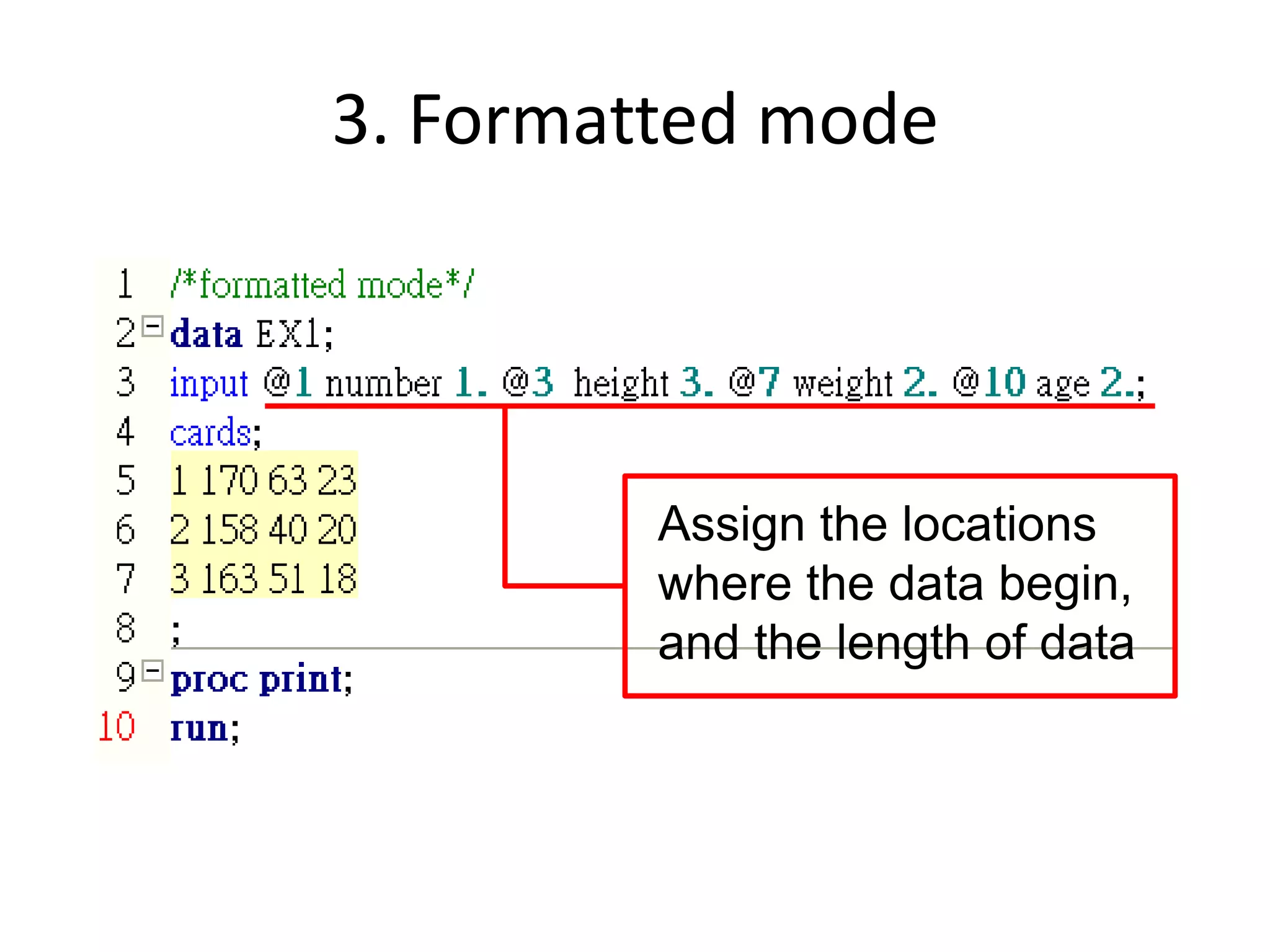
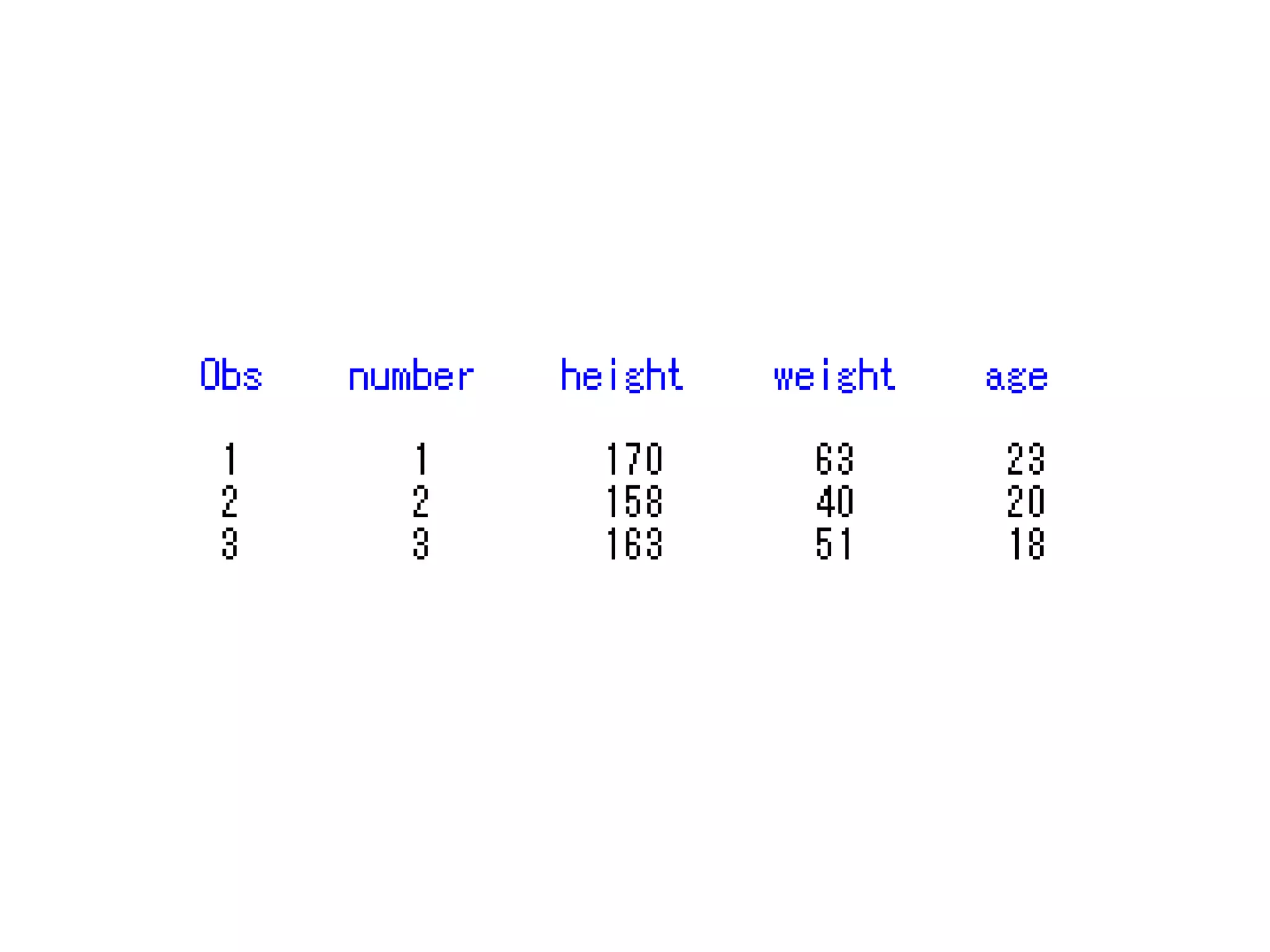
3. Formatted mode


         Assign the locations
         where the data begin,
         and the length of data
Feature of Formatted Input
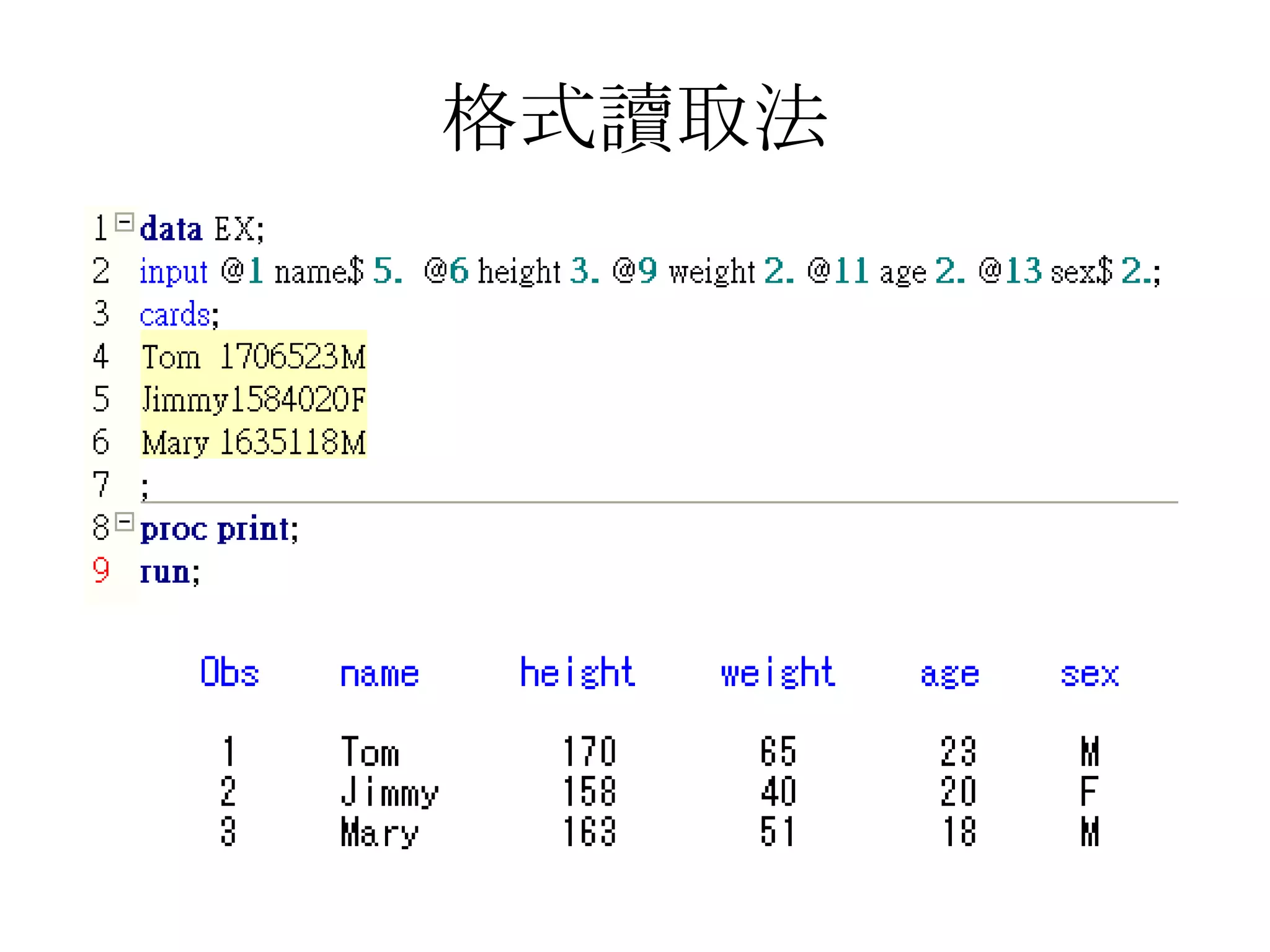
• SAS use the assigned locations and the length
  to read data, so the data should be at the
  assigned locations and correct length

• The blank can be included in the word type
  variables

• The missing data can be represented by .
  or blank
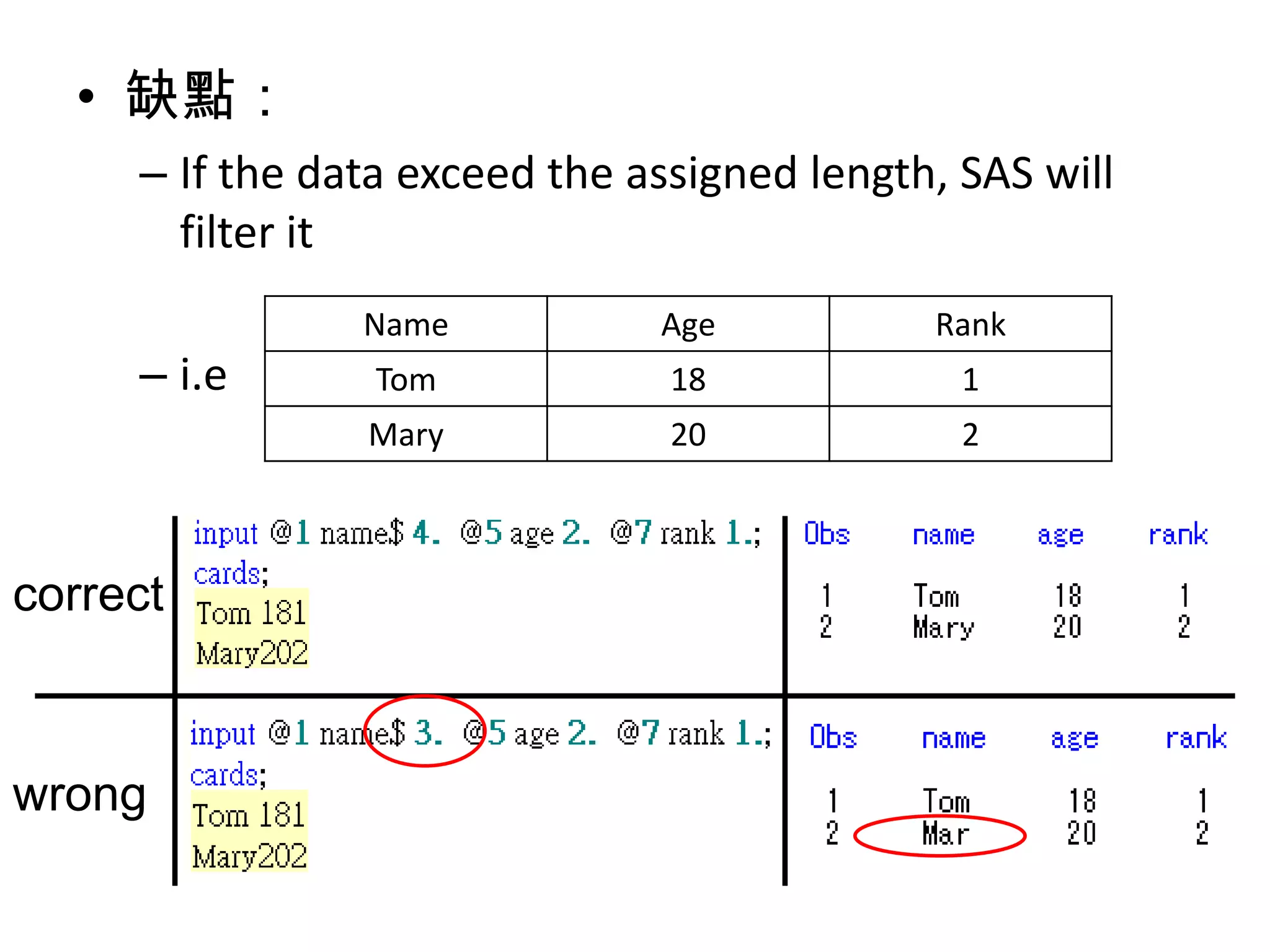
• 缺點:
     – If the data exceed the assigned length, SAS will
       filter it
                Name           Age           Rank
     – i.e       Tom            18             1
                Mary            20             2


correct


wrong
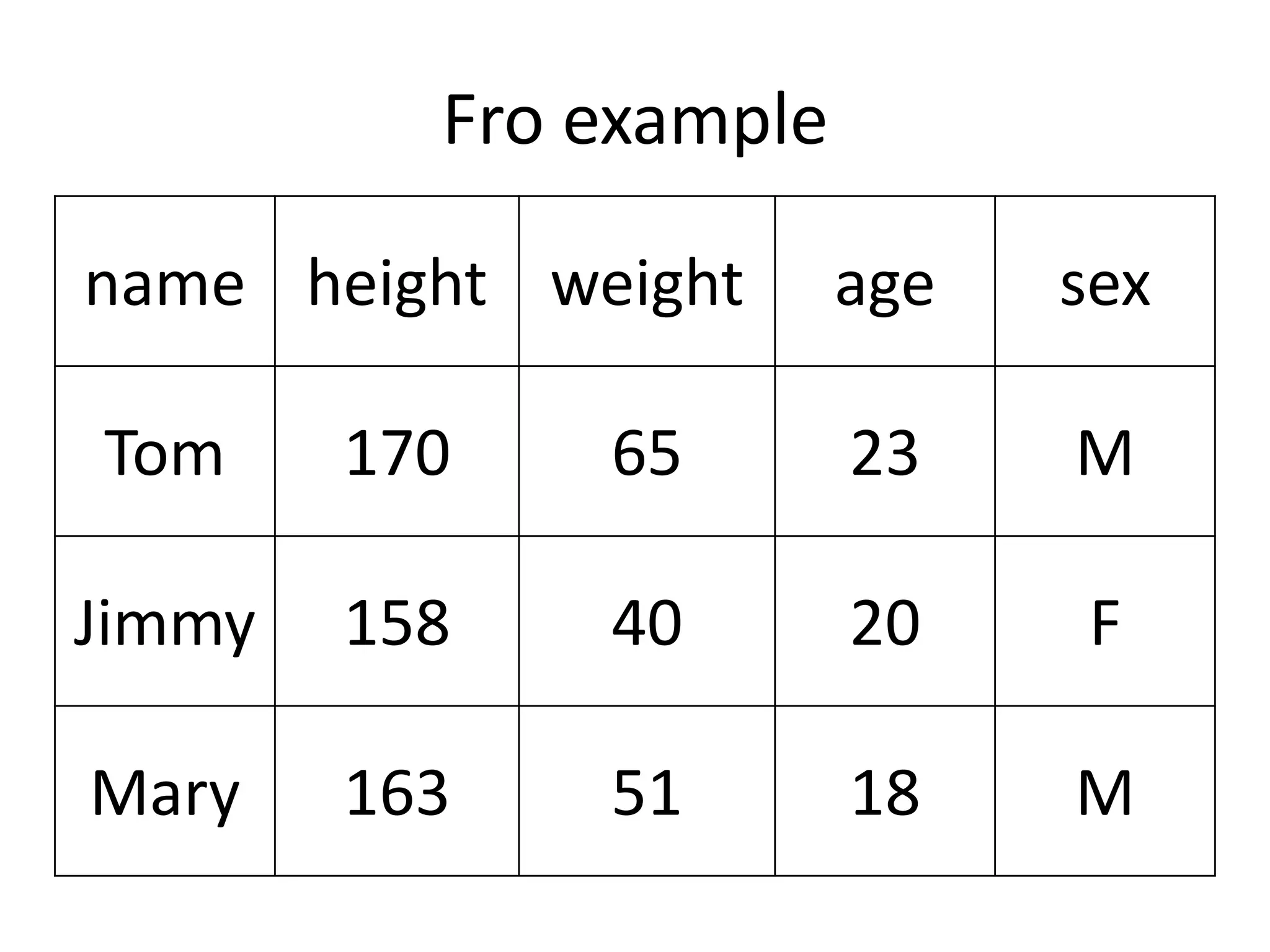
Fro example

name height weight      age   sex

Tom     170   65        23    M

Jimmy   158   40        20    F

Mary    163   51        18    M
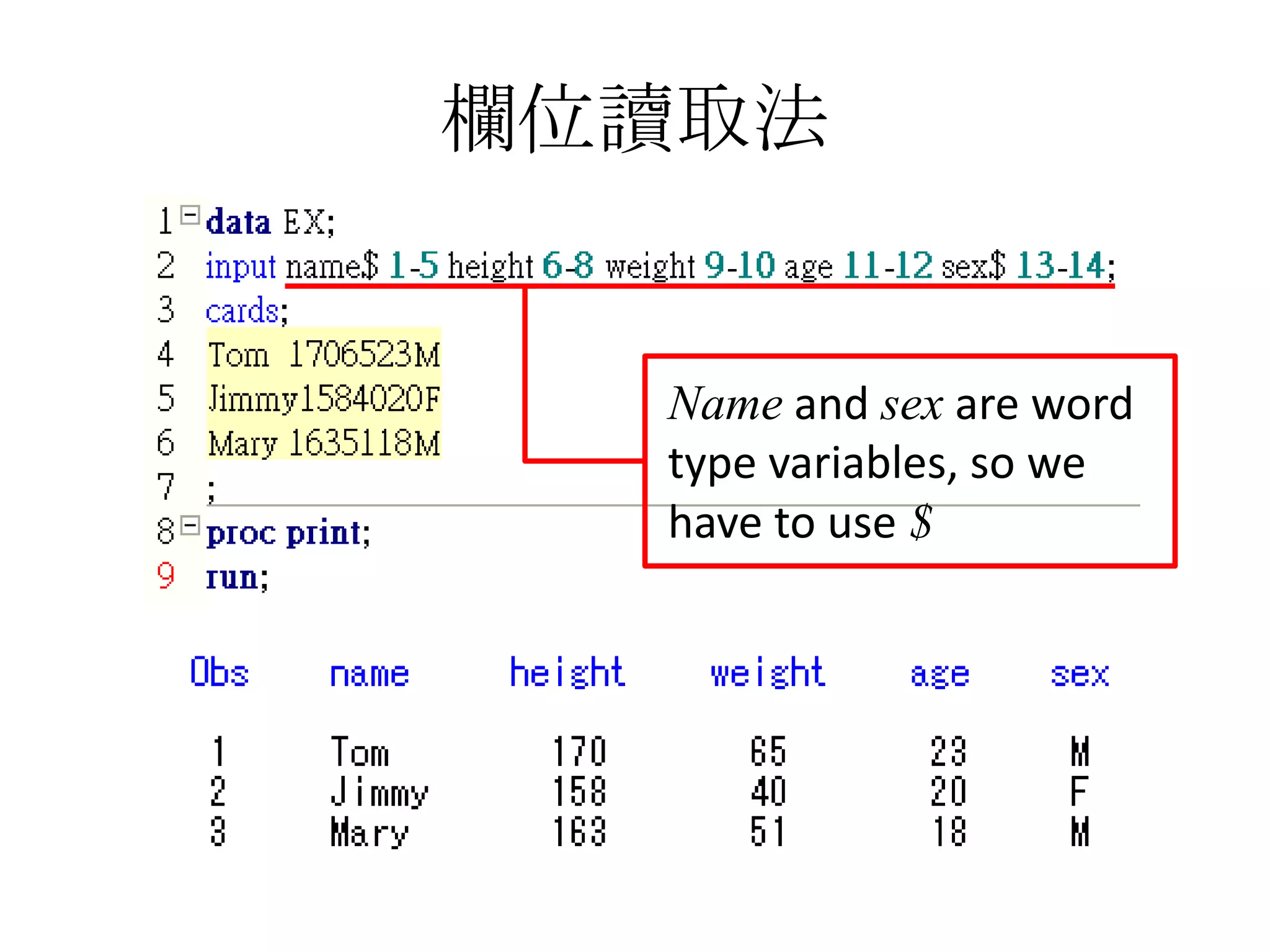
欄位讀取法


  Name and sex are word
  type variables, so we
  have to use $
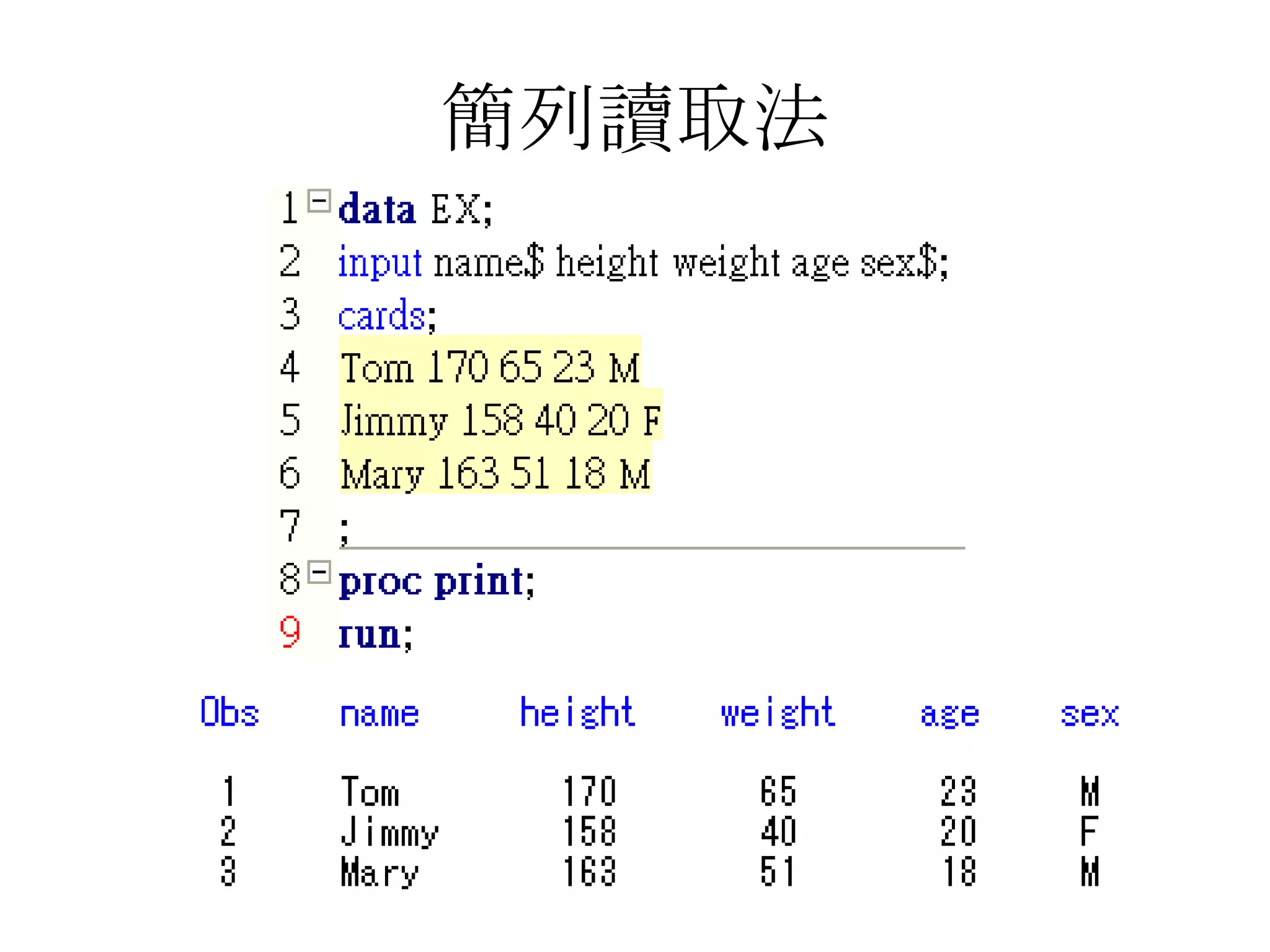
簡列讀取法
格式讀取法
• We can see that

  – When the length of data is unequal, column mode
    and formatted mode are inconvenient

  – Instead, when we use list mode, we can simply
    use blank to separate data, so we usually use this
    mode to input data
summary
• Column mode
  – Have to calculate the locations and the missing
    data can be represented by . or blank

• List mode
  – Easy to use and the missing data only can be
    represented by .

• Formatted mode
  – Have to calculate the length and the missing data
    can be represented by . or blank
END

0927 sas english version

  • 1.
    SAS tutorial 2012/09/27 Institute of Cognitive Science 許景淳 E-mail : honli1027@gmail.com
  • 2.
    Outline Input Data 1. Column mode 2. List Mode 3. Formatted mode
  • 3.
    Syntax of inputdata Construct the SAS DATA XXX; data set INPUT A B C D; Input the names of variables CARDS; Put your data here Input data ; PROC PRINT; Code of the task you RUN; want SAS to do
  • 4.
    Name of theSAS data set • DATA XXX 1. We can’t use number as the first letter of the name 2. There can’t be a blank in the name 3. Use different name for each data set
  • 5.
    Type of thevariables 1. word:NAME, SEX We should use $ to claim that it’s a word type variable 2. number:ID, AGE, INCOME,RT…
  • 6.
    • DATA procedure – To construct or modify the SAS data • PROC procedure – Process the SAS data • Feature of SAS code – (1) use ; as the end of each row – (2) you can use capital or small letter – (3) SAS code can be in the same row or cross a lot of rows
  • 7.
    Input the Data •Use each way to input this data number height weight age 1 170 65 23 2 158 40 20 3 163 51 18
  • 8.
    1. column mode Assign the locations where the data begin
  • 10.
    Feature of ColumnInput • SAS use the assigned locations to read data, so the data should be at the assigned locations • The blank can be included in the word type variables • The missing data can be represented by . or blank
  • 11.
    • disadvantages: – If the data exceed the assigned locations, it will be correspond to the wrong variable Number Age Rank – i.e 001 18 1 002 20 2 correct wrong
  • 12.
  • 14.
    Feature of ListInput • There should be blank between each data • The blank can’t be included in the word type variables • The only way to represent the missing data is .
  • 15.
    3. Formatted mode Assign the locations where the data begin, and the length of data
  • 17.
    Feature of FormattedInput • SAS use the assigned locations and the length to read data, so the data should be at the assigned locations and correct length • The blank can be included in the word type variables • The missing data can be represented by . or blank
  • 18.
    • 缺點: – If the data exceed the assigned length, SAS will filter it Name Age Rank – i.e Tom 18 1 Mary 20 2 correct wrong
  • 19.
    Fro example name heightweight age sex Tom 170 65 23 M Jimmy 158 40 20 F Mary 163 51 18 M
  • 20.
    欄位讀取法 Nameand sex are word type variables, so we have to use $
  • 21.
  • 22.
  • 23.
    • We cansee that – When the length of data is unequal, column mode and formatted mode are inconvenient – Instead, when we use list mode, we can simply use blank to separate data, so we usually use this mode to input data
  • 24.
    summary • Column mode – Have to calculate the locations and the missing data can be represented by . or blank • List mode – Easy to use and the missing data only can be represented by . • Formatted mode – Have to calculate the length and the missing data can be represented by . or blank
  • 25.