Structured Query
Language (SQL)
SQL Intro (MS SQL Server and MySQL)
Svetlin Nakov
Telerik Software Academy
http://academy.telerik.com
TechnicalTrainer
http://nakov.com
Table of Contents
1. SQL andT-SQL Languages
2. The "Telerik Academy"
Database Schema
3. Introducing the SELECT SQL
Statement
 Allowed Operators
 The WHERE Clause
 Sorting with ORDER BY
 Selecting Data From MultipleTables
2
Table of Contents (2)
4. Selecting Data From MultipleTables
 Natural Joins
 Join with USING Clause
 Inner Joins with ON Clause
 Left, Right and Full Outer Joins
 Cross Joins
5. Inserting Data
6. Updating Data
7. Deleting Data
3
Relational
Databases
and SQL
The SQL Execution Model
Relational Databases and SQL
 A relational database can be accessed and
modified by executing SQL statements
 SQL allows
 Defining / modifying the database schema
 Searching / modifying table data
 A set of SQL commands are available for
extracting subset of the table data
 Most SQL commands return a single value
or record set
5
Communicating with the DB
6
SELECT Name
FROM Departments
Name
Engineering
Sales
Marketing
…
SQL Execution
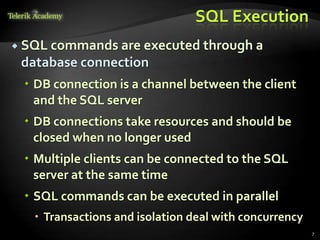
 SQL commands are executed through a
database connection
 DB connection is a channel between the client
and the SQL server
 DB connections take resources and should be
closed when no longer used
 Multiple clients can be connected to the SQL
server at the same time
 SQL commands can be executed in parallel
 Transactions and isolation deal with concurrency
7
SQL andT-SQL
Introduction
What is SQL?
 Structured Query Language (SQL)
 Declarative language for query and
manipulation of relational data
 en.wikipedia.org/wiki/SQL
 SQL consists of:
 Data Manipulation Language (DML)
 SELECT, INSERT, UPDATE, DELETE
 Data Definition Language (DDL)
 CREATE, DROP, ALTER
 GRANT, REVOKE
9
SQL – Few Examples
10
SELECT FirstName, LastName, JobTitle FROM Employees
INSERT INTO Projects(Name, StartDate)
VALUES('Introduction to SQL Course', '1/1/2006')
SELECT * FROM Projects WHERE StartDate = '1/1/2006'
UPDATE Projects
SET EndDate = '8/31/2006'
WHERE StartDate = '1/1/2006'
DELETE FROM Projects
WHERE StartDate = '1/1/2006'
What isT-SQL?
 T-SQL (Transact SQL) is an extension to the
standard SQL language
 T-SQL is the standard language used in MS SQL
Server
 Supports if statements, loops, exceptions
 Constructions used in the high-level procedural
programming languages
 T-SQL is used for writing stored procedures,
functions, triggers, etc.
11
T-SQL – Example
12
CREATE PROCEDURE EmpDump AS
DECLARE @EmpId INT, @EmpFName NVARCHAR(100),
@EmpLName NVARCHAR(100)
DECLARE emps CURSOR FOR
SELECT EmployeeID, FirstName, LastName FROM Employees
OPEN emps
FETCH NEXT FROM emps INTO @EmpId, @EmpFName, @EmpLName
WHILE (@@FETCH_STATUS = 0) BEGIN
PRINT CAST(@EmpId AS VARCHAR(10)) + ' '
+ @EmpFName + ' ' + @EmpLName
FETCH NEXT FROM emps INTO @EmpId, @EmpFName,
@EmpLName
END
CLOSE emps
DEALLOCATE emps
GO
SQL Language
Introducing SELECT Statement
Capabilities of SQL SELECT
14
Table 1 Table 2
Table 1 Table 1
Selection
Take some of the rows
Projection
Take some of the columns
Join
Combine
tables by
some
column
TheTelerik Academy Database
Schema in SQL Server
15
Basic SELECT Statement
 SELECT identifies what columns
 FROM identifies which table
16
SELECT *|{[DISTINCT] column|expression [alias],...}
FROM table
SELECT Example
 Selecting all columns from departments
 Selecting specific columns
17
SELECT * FROM Departments
SELECT
DepartmentID,
Name
FROM Departments
DepartmentID Name ManagerID
1 Engineering 12
2 Tool design 4
3 Sales 273
… … …
DepartmentID Name
1 Engineering
2 Tool design
3 Sales
Arithmetic Operations
 Arithmetic operators are available:
 +, -, *, /
 Examples:
18
SELECT LastName, Salary, Salary + 300
FROM Employees
LastName Salary (No column name)
Gilbert 12500,00 12800,00
Brown 13500,00 13800,00
Tamburello 43300,00 43600,00
SELECT (2 + 3) * 4 --> returns 20
The NULLValue
 A NULL is a value that is unavailable, unassigned,
unknown, or inapplicable
 Not the same as zero or a blank space
 Arithmetic expressions containing a NULL value
are evaluated to NULL
19
SELECT LastName, ManagerID FROM Employees
LastName ManagerID
Sánchez NULL
Duffy 300
Wang 1
NULL is displayed as
empty space or as NULL
Column Aliases
 Aliases rename a column heading
 Useful with calculations
 Immediately follows the column name
 There is an optional AS keyword
 Double quotation marks if contains spaces
20
SELECT FirstName, LastName, Salary,
Salary*0.2 AS Bonus FROM Employees
FirstName LastName Salary Bonus
Guy Gilbert 12500,00 2500.00000
Kevin Brown 13500,00 2700.00000
Concatenation Operator
 Concatenates columns or character strings to
other columns
 Is represented by plus sign “+”
 Creates a resultant column that is a character
expression
21
SELECT FirstName + ' ' + LastName AS [Full Name],
EmployeeID as [No.] FROM Employees
Full Name No.
Guy Gilbert 1
Kevin Brown 2
RobertoTamburello 3
Literal Character Strings
 A literal is a character, a number, or a date
included in the SELECT list
 Date and character literal values must be
enclosed within single quotation marks
 Each character string is output once for each row
returned
22
SELECT FirstName + '''s last name is ' +
LastName AS [Our Employees] FROM Employees
Our Employees
Guy's last name is Gilbert
Kevin's last name is Brown
Roberto's last name isTamburello
Removing Duplicate Rows
 The default display of queries is all rows,
including duplicate rows
 Eliminate duplicate rows by using the
DISTINCT keyword in the SELECT clause
23
SELECT DepartmentID
FROM Employees
DepartmentID
7
7
2
...
SELECT
DISTINCT DepartmentID
FROM Employees
DepartmentID
7
2
...
Set Operations: UNION,
INTERSECT and MINUS
 UNION combines the results from several SELECT
statements
 The columns count and types should match
 INTERSECT / EXCEPT perform logical intersection /
difference between given two sets of records
24
SELECT FirstName AS Name
FROM Employees
UNION
SELECT LastName AS Name
FROM Employees
Name
A. Scott
Abbas
Abercrombie
...
Limiting the Rows Selected
 Restrict the rows returned by using the WHERE
clause:
 More examples:
25
SELECT LastName,
DepartmentID FROM
Employees WHERE
DepartmentID = 1
SELECT FirstName, LastName, DepartmentID FROM
Employees WHERE LastName = 'Sullivan'
LastName DepartmentID
Tamburello 1
Erickson 1
Goldberg 1
... ...
SELECT LastName, Salary FROM Employees
WHERE Salary <= 20000
Other Comparison Conditions
 Using BETWEEN operator to specify a range:
 Using IN / NOT IN to specify a set of values:
 Using LIKE operator to specify a pattern:
 % means 0 or more chars; _ means one char
26
SELECT LastName, Salary FROM Employees
WHERE Salary BETWEEN 20000 AND 22000
SELECT FirstName, LastName, ManagerID FROM
Employees WHERE ManagerID IN (109, 3, 16)
SELECT FirstName FROM Employees
WHERE FirstName LIKE 'S%'
Comparing with NULL
 Checking for NULL value:
 Attention: COLUMN=NULL is always false!
27
SELECT LastName, ManagerId FROM Employees
WHERE ManagerId IS NULL
SELECT LastName, ManagerId FROM Employees
WHERE ManagerId IS NOT NULL
SELECT LAST_NAME, MANAGER_ID FROM EMPLOYEES
WHERE MANAGER_ID = NULL
SELECT LAST_NAME, MANAGER_ID FROM EMPLOYEES
WHERE NULL = NULL
This is always false!
Logical Operators and Brackets
 Using NOT, OR and AND operators and brackets:
28
SELECT FirstName, LastName FROM Employees
WHERE Salary >= 20000 AND LastName LIKE 'C%'
SELECT LastName FROM Employees
WHERE ManagerID IS NOT NULL OR LastName LIKE '%so_'
SELECT LastName FROM Employees
WHERE NOT (ManagerID = 3 OR ManagerID = 4)
SELECT FirstName, LastName FROM Employees
WHERE
(ManagerID = 3 OR ManagerID = 4) AND
(Salary >= 20000 OR ManagerID IS NULL)
Sorting with ORDER BY
 Sort rows with the ORDER BY clause
 ASC: ascending order, default
 DESC: descending order
29
SELECT LastName, HireDate
FROM Employees ORDER BY
HireDate
LastName HireDate
Gilbert 1998-07-31
Brown 1999-02-26
Tamburello 1999-12-12
SELECT LastName, HireDate
FROM Employees ORDER BY
HireDate DESC
LastName HireDate
Valdez 2005-07-01
Tsoflias 2005-07-01
Abbas 2005-04-15
SQL Language
Joins: Selecting Data From MultipleTables
Data from MultipleTables
 Sometimes you need data from more than one
table:
31
LastName DepartmentID
Duffy 1
Abbas 3
Galvin 2
DepartmentID Name
1 Engineering
2 Tool design
3 Sales
LastName DepartmentName
Duffy Engineering
Galvin Tool design
Abbas Sales
Cartesian Product
 This will produce Cartesian product:
 The result:
32
SELECT LastName, Name AS DepartmentName
FROM Employees, Departments
LastName DepartmentName
Duffy Document Control
Wang Document Control
Sullivan Document Control
Duffy Engineering
Wang Engineering
.. ..
Cartesian Product (2)
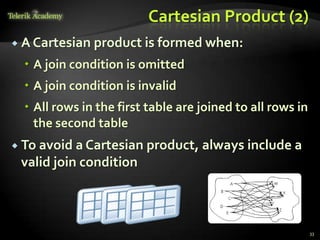
 A Cartesian product is formed when:
 A join condition is omitted
 A join condition is invalid
 All rows in the first table are joined to all rows in
the second table
 To avoid a Cartesian product, always include a
valid join condition
33
Types of Joins
 Inner joins
 Left, right and full outer joins
 Cross joins
34
Inner Join with ON Clause
 To specify arbitrary conditions or specify
columns to join, the ON clause is used
 Such JOIN is called also INNER JOIN
35
SELECT e.EmployeeID, e.LastName, e.DepartmentID,
d.DepartmentID, d.Name AS DepartmentName
FROM Employees e
INNER JOIN Departments d
ON e.DepartmentID = d.DepartmentID
EmployeeID LastName
Depart
mentID
Depart
mentID
DepartmentName
1 Gilbert 7 7 Production
2 Brown 4 4 Marketing
3 Tamburello 1 1 Engineering
Equijoins
 Inner joins with join conditions pushed down
to the WHERE clause
36
SELECT e.EmployeeID, e.LastName, e.DepartmentID,
d.DepartmentID, d.Name AS DepartmentName
FROM Employees e, Departments d
WHERE e.DepartmentID = d.DepartmentID
EmployeeID LastName
Depart-
mentID
Depart-
mentID
Department-
Name
1 Gilbert 7 7 Production
2 Brown 4 4 Marketing
3 Tamburello 1 1 Engineering
INNER vs. OUTER Joins
 Inner join
 A join of two tables returning only rows
matching the join condition
 Left (or right) outer join
 Returns the results of the inner join as well as
unmatched rows from the left (or right) table
 Full outer join
 Returns the results of an inner join as well as the
results of a left and right join
37
INNER JOIN
38
SELECT e.LastName EmpLastName,
m.EmployeeID MgrID, m.LastName MgrLastName
FROM Employees e INNER JOIN Employees m
ON e.ManagerID = m.EmployeeID
EmpLastName MgrID MgrLastName
Erickson 3 Tamburello
Goldberg 3 Tamburello
Duffy 109 Sánchez
Johnson 185 Hill
Higa 185 Hill
Ford 185 Hill
Maxwell 21 Krebs
... ... ...
LEFT OUTER JOIN
39
SELECT e.LastName EmpLastName,
m.EmployeeID MgrID, m.LastName MgrLastName
FROM Employees e LEFT OUTER JOIN Employees m
ON e.ManagerID = m.EmployeeID
EmpLastName MgrID MgrLastName
Sánchez NULL NULL
Benshoof 6 Bradley
Miller 14 Maxwell
Okelberry 16 Brown
Hill 25 Mu
Frum 184 Richins
Culbertson 30 Barreto de Mattos
... ... ...
RIGHT OUTER JOIN
40
SELECT e.LastName EmpLastName,
m.EmployeeID MgrID, m.LastName MgrLastName
FROM Employees e RIGHT OUTER JOIN Employees m
ON e.ManagerID = m.EmployeeID
EmpLastName MgrID MgrLastName
Lertpiriyasuwat 38 Liu
NULL 39 Hines
NULL 40 McKay
Berglund 41 Wu
Koenigsbauer 123 Hay
NULL 124 Zabokritski
NULL 125 Decker
... ... ...
FULL OUTER JOIN
41
SELECT e.LastName EmpLastName,
m.EmployeeID MgrID, m.LastName MgrLastName
FROM employee e FULL OUTER JOIN employee m
ON e.ManagerID = m.EmployeeID
EmpLastName MgrID MgrLastName
Sanchez NULL NULL
… … …
Cracium 3 Tamburello
Gilbert 16 Brown
… … …
NULL 17 Hartwig
NULL 1 Gilbert
… … …
Three-Way Joins
 A three-way join is a join of three tables
42
SELECT e.FirstName, e.LastName,
t.Name as Towns, a.AddressText
FROM Employees e
JOIN Addresses a
ON e.AddressID = a.AddressID
JOIN Towns t
ON a.TownID = t.TownID
FirstName LastName Towns AddressText
Guy Gilbert Monroe 7726 Driftwood Drive
Kevin Brown Everett 2294West 39th St.
Roberto Tamburello Redmond 8000 Crane Court
... ... ... ...
Self-Join
 Self-join means to join a table to itself
 Always used with table aliases
43
SELECT e.FirstName + ' ' + e.LastName +
' is managed by ' + m.LastName as Message
FROM Employees e JOIN Employees m
ON (e.ManagerId = m.EmployeeId)
Message
Ovidiu Cracium is managed byTamburello
Michael Sullivan is managed byTamburello
Sharon Salavaria is managed byTamburello
Dylan Miller is managed byTamburello
…
Cross Join
 The CROSS JOIN clause produces the cross-
product of two tables
 Same as a Cartesian product
 Not often used
44
SELECT LastName [Last Name], Name [Dept Name]
FROM Employees CROSS JOIN Departments
Last Name Dept Name
Duffy Document Control
Wang Document Control
Duffy Engineering
Wang Engineering
… …
Additional Conditions
 You can apply additional conditions in the
WHERE clause:
45
SELECT e.EmployeeID, e.LastName, e.DepartmentID,
d.DepartmentID, d.Name AS DepartmentName
FROM Employees e
INNER JOIN Departments d
ON e.DepartmentID = d.DepartmentID
WHERE d.Name = 'Sales'
EmployeeID LastName
Depart-
mentID
Depart-
mentID
Department-
Name
268 Jiang 3 3 Sales
273 Welcker 3 3 Sales
275 Blythe 3 3 Sales
Complex Join Conditions
 Joins can use any Boolean expression in the ON
clause:
46
SELECT e.FirstName, e.LastName, d.Name as DeptName
FROM Employees e
INNER JOIN Departments d
ON (e.DepartmentId = d.DepartmentId
AND e.HireDate > '1/1/1999'
AND d.Name IN ('Sales', 'Finance'))
FirstName LastName DeptName
Deborah Poe Finance
Wendy Kahn Finance
… … …
SQL Language
Inserting Data inTables
Inserting Data
 INSERT command
 INSERT INTO <table> VALUES (<values>)
 INSERT INTO <table>(<columns>) VALUES
(<values>)
 INSERT INTO <table> SELECT <values>
48
INSERT INTO EmployeesProjects
VALUES (229, 25)
INSERT INTO Projects(Name, StartDate)
VALUES ('New project', GETDATE())
INSERT INTO Projects(Name, StartDate)
SELECT Name + ' Restructuring', GETDATE()
FROM Departments
Bulk Insert
 Bulk INSERT can insert multiple values
through a single SQL command
49
INSERT INTO EmployeesProjects VALUES
(229, 1),
(229, 2),
(229, 3),
(229, 4),
(229, 5),
(229, 6),
(229, 8),
(229, 9),
(229, 10),
(229, 11),
(229, 12),
(229, 26)
SQL Language
Updating Data inTables
Updating JoinedTables
 We can update tables based on condition from
joined tables
51
UPDATE Employees
SET JobTitle = 'Senior ' + JobTitle
FROM Employees e
JOIN Departments d
ON e.DepartmentID = d.DepartmentID
WHERE d.Name = 'Sales'
Updating Data
 UPDATE command
 UPDATE <table> SET <column=expression>
WHERE <condition>
 Note: Don't forget the WHERE clause!
52
UPDATE Employees
SET LastName = 'Brown'
WHERE EmployeeID = 1
UPDATE Employees
SET Salary = Salary * 1.10,
JobTitle = 'Senior ' + JobTitle
WHERE DepartmentID = 3
SQL Language
Deleting Data FromTables
Deleting Data
 Deleting rows from a table
 DELETE FROM <table> WHERE <condition>
 Note: Don’t forget the WHERE clause!
 Delete all rows from a table at once
 TRUNCATE TABLE <table>
54
DELETE FROM Employees WHERE EmployeeID = 1
DELETE FROM Employees WHERE LastName LIKE 'S%'
TRUNCATE TABLE Users
Deleting from JoinedTables
 We can delete records from tables based on
condition from joined tables
55
DELETE FROM Employees
FROM Employees e
JOIN Departments d
ON e.DepartmentID = d.DepartmentID
WHERE d.Name = 'Sales'
SQL Syntax in MySQL
MySQL Extensions to Standard SQL
http://dev.mysql.com/doc/refman/5.7/en/extensions-to-ansi.html
SQL Syntax in MySQL
 Specific SQL syntax for paging:
 Commands for retrieving database metadata:
 Database table maintenance commands:
57
SELECT * FROM city LIMIT 100, 10
SHOW DATABASES
USE <database>
SHOW TABLES
CHECK TABLE <table> / REPAIR TABLE <table>
OPTIMIZE TABLE <table>
SQL Syntax in MySQL (2)
 Show table schema
 Replace data (delete + insert)
 Regular expression matching
 Enumerations as column types
58
DESCRIBE <table_name>
REPLACE INTO City(ID, Name, CountryCode, District, Population)
VALUES(100000, 'Kaspichan', 'BG', 'Shoumen', 3300);
SELECT '0888123456' REGEXP '[0-9]+'
CREATE TABLE Shirts (Name VARCHAR(20),
Size ENUM('XS', 'S', 'M', 'L', 'XL'))
форумпрограмиране,форум уеб дизайн
курсовеи уроци по програмиране,уеб дизайн – безплатно
програмиранеза деца – безплатни курсове и уроци
безплатенSEO курс -оптимизация за търсачки
уроципо уеб дизайн, HTML,CSS, JavaScript,Photoshop
уроципо програмиранеи уеб дизайн за ученици
ASP.NETMVCкурс – HTML,SQL,C#,.NET,ASP.NETMVC
безплатенкурс"Разработка на софтуер в cloud среда"
BGCoder -онлайн състезателна система -online judge
курсовеи уроци по програмиране,книги – безплатно отНаков
безплатенкурс"Качествен програменкод"
алгоакадемия – състезателно програмиране,състезания
ASP.NETкурс -уеб програмиране,бази данни, C#,.NET,ASP.NET
курсовеи уроци по програмиране– Телерик академия
курсмобилни приложения с iPhone, Android,WP7,PhoneGap
freeC#book, безплатна книга C#,книга Java,книга C#
Дончо Минков -сайт за програмиране
Николай Костов -блог за програмиране
C#курс,програмиране,безплатно
Structured Query
Language (SQL)
http://academy.telerik.com
Homework
1. What is SQL? What is DML?What is DDL? Recite the
most important SQL commands.
2. What isTransact-SQL (T-SQL)?
3. Start SQL Management Studio and connect to the
databaseTelerikAcademy. Examine the major tables
in the "TelerikAcademy" database.
4. Write a SQL query to find all information about all
departments (use "TelerikAcademy" database).
5. Write a SQL query to find all department names.
6. Write a SQL query to find the salary of each
employee.
60
Homework (2)
7. Write a SQL to find the full name of each employee.
8. Write a SQL query to find the email addresses of
each employee (by his first and last name). Consider
that the mail domain is telerik.com. Emails should
look like “John.Doe@telerik.com". The produced
column should be named "Full Email Addresses".
9. Write a SQL query to find all different employee
salaries.
10. Write a SQL query to find all information about the
employees whose job title is “Sales Representative“.
11. Write a SQL query to find the names of all
employees whose first name starts with "SA".
61
Homework (3)
12. Write a SQL query to find the names of all
employees whose last name contains "ei".
13. Write a SQL query to find the salary of all employees
whose salary is in the range [20000…30000].
14. Write a SQL query to find the names of all
employees whose salary is 25000, 14000, 12500 or
23600.
15. Write a SQL query to find all employees that do not
have manager.
16. Write a SQL query to find all employees that have
salary more than 50000. Order them in decreasing
order by salary.
62
Homework (4)
17. Write a SQL query to find the top 5 best paid
employees.
18. Write a SQL query to find all employees along with
their address. Use inner join with ON clause.
19. Write a SQL query to find all employees and their
address. Use equijoins (conditions in the WHERE
clause).
20. Write a SQL query to find all employees along with
their manager.
21. Write a SQL query to find all employees, along with
their manager and their address. Join the 3 tables:
Employees e, Employees m and Addresses a.
63
Homework (5)
22. Write a SQL query to find all departments and all
town names as a single list. Use UNION.
23. Write a SQL query to find all the employees and the
manager for each of them along with the employees
that do not have manager. Use right outer join.
Rewrite the query to use left outer join.
24. Write a SQL query to find the names of all
employees from the departments "Sales" and
"Finance" whose hire year is between 1995 and 2005.
64
WTF?
65
FreeTrainings @Telerik Academy
 "Web Design with HTML 5, CSS 3 and
JavaScript" course @Telerik Academy
 html5course.telerik.com
 Telerik Software Academy
 academy.telerik.com
 Telerik Academy @ Facebook
 facebook.com/TelerikAcademy
 Telerik Software Academy Forums
 forums.academy.telerik.com

Sql intro

  • 1.
    Structured Query Language (SQL) SQLIntro (MS SQL Server and MySQL) Svetlin Nakov Telerik Software Academy http://academy.telerik.com TechnicalTrainer http://nakov.com
  • 2.
    Table of Contents 1.SQL andT-SQL Languages 2. The "Telerik Academy" Database Schema 3. Introducing the SELECT SQL Statement  Allowed Operators  The WHERE Clause  Sorting with ORDER BY  Selecting Data From MultipleTables 2
  • 3.
    Table of Contents(2) 4. Selecting Data From MultipleTables  Natural Joins  Join with USING Clause  Inner Joins with ON Clause  Left, Right and Full Outer Joins  Cross Joins 5. Inserting Data 6. Updating Data 7. Deleting Data 3
  • 4.
  • 5.
    Relational Databases andSQL  A relational database can be accessed and modified by executing SQL statements  SQL allows  Defining / modifying the database schema  Searching / modifying table data  A set of SQL commands are available for extracting subset of the table data  Most SQL commands return a single value or record set 5
  • 6.
    Communicating with theDB 6 SELECT Name FROM Departments Name Engineering Sales Marketing …
  • 7.
    SQL Execution  SQLcommands are executed through a database connection  DB connection is a channel between the client and the SQL server  DB connections take resources and should be closed when no longer used  Multiple clients can be connected to the SQL server at the same time  SQL commands can be executed in parallel  Transactions and isolation deal with concurrency 7
  • 8.
  • 9.
    What is SQL? Structured Query Language (SQL)  Declarative language for query and manipulation of relational data  en.wikipedia.org/wiki/SQL  SQL consists of:  Data Manipulation Language (DML)  SELECT, INSERT, UPDATE, DELETE  Data Definition Language (DDL)  CREATE, DROP, ALTER  GRANT, REVOKE 9
  • 10.
    SQL – FewExamples 10 SELECT FirstName, LastName, JobTitle FROM Employees INSERT INTO Projects(Name, StartDate) VALUES('Introduction to SQL Course', '1/1/2006') SELECT * FROM Projects WHERE StartDate = '1/1/2006' UPDATE Projects SET EndDate = '8/31/2006' WHERE StartDate = '1/1/2006' DELETE FROM Projects WHERE StartDate = '1/1/2006'
  • 11.
    What isT-SQL?  T-SQL(Transact SQL) is an extension to the standard SQL language  T-SQL is the standard language used in MS SQL Server  Supports if statements, loops, exceptions  Constructions used in the high-level procedural programming languages  T-SQL is used for writing stored procedures, functions, triggers, etc. 11
  • 12.
    T-SQL – Example 12 CREATEPROCEDURE EmpDump AS DECLARE @EmpId INT, @EmpFName NVARCHAR(100), @EmpLName NVARCHAR(100) DECLARE emps CURSOR FOR SELECT EmployeeID, FirstName, LastName FROM Employees OPEN emps FETCH NEXT FROM emps INTO @EmpId, @EmpFName, @EmpLName WHILE (@@FETCH_STATUS = 0) BEGIN PRINT CAST(@EmpId AS VARCHAR(10)) + ' ' + @EmpFName + ' ' + @EmpLName FETCH NEXT FROM emps INTO @EmpId, @EmpFName, @EmpLName END CLOSE emps DEALLOCATE emps GO
  • 13.
  • 14.
    Capabilities of SQLSELECT 14 Table 1 Table 2 Table 1 Table 1 Selection Take some of the rows Projection Take some of the columns Join Combine tables by some column
  • 15.
  • 16.
    Basic SELECT Statement SELECT identifies what columns  FROM identifies which table 16 SELECT *|{[DISTINCT] column|expression [alias],...} FROM table
  • 17.
    SELECT Example  Selectingall columns from departments  Selecting specific columns 17 SELECT * FROM Departments SELECT DepartmentID, Name FROM Departments DepartmentID Name ManagerID 1 Engineering 12 2 Tool design 4 3 Sales 273 … … … DepartmentID Name 1 Engineering 2 Tool design 3 Sales
  • 18.
    Arithmetic Operations  Arithmeticoperators are available:  +, -, *, /  Examples: 18 SELECT LastName, Salary, Salary + 300 FROM Employees LastName Salary (No column name) Gilbert 12500,00 12800,00 Brown 13500,00 13800,00 Tamburello 43300,00 43600,00 SELECT (2 + 3) * 4 --> returns 20
  • 19.
    The NULLValue  ANULL is a value that is unavailable, unassigned, unknown, or inapplicable  Not the same as zero or a blank space  Arithmetic expressions containing a NULL value are evaluated to NULL 19 SELECT LastName, ManagerID FROM Employees LastName ManagerID Sánchez NULL Duffy 300 Wang 1 NULL is displayed as empty space or as NULL
  • 20.
    Column Aliases  Aliasesrename a column heading  Useful with calculations  Immediately follows the column name  There is an optional AS keyword  Double quotation marks if contains spaces 20 SELECT FirstName, LastName, Salary, Salary*0.2 AS Bonus FROM Employees FirstName LastName Salary Bonus Guy Gilbert 12500,00 2500.00000 Kevin Brown 13500,00 2700.00000
  • 21.
    Concatenation Operator  Concatenatescolumns or character strings to other columns  Is represented by plus sign “+”  Creates a resultant column that is a character expression 21 SELECT FirstName + ' ' + LastName AS [Full Name], EmployeeID as [No.] FROM Employees Full Name No. Guy Gilbert 1 Kevin Brown 2 RobertoTamburello 3
  • 22.
    Literal Character Strings A literal is a character, a number, or a date included in the SELECT list  Date and character literal values must be enclosed within single quotation marks  Each character string is output once for each row returned 22 SELECT FirstName + '''s last name is ' + LastName AS [Our Employees] FROM Employees Our Employees Guy's last name is Gilbert Kevin's last name is Brown Roberto's last name isTamburello
  • 23.
    Removing Duplicate Rows The default display of queries is all rows, including duplicate rows  Eliminate duplicate rows by using the DISTINCT keyword in the SELECT clause 23 SELECT DepartmentID FROM Employees DepartmentID 7 7 2 ... SELECT DISTINCT DepartmentID FROM Employees DepartmentID 7 2 ...
  • 24.
    Set Operations: UNION, INTERSECTand MINUS  UNION combines the results from several SELECT statements  The columns count and types should match  INTERSECT / EXCEPT perform logical intersection / difference between given two sets of records 24 SELECT FirstName AS Name FROM Employees UNION SELECT LastName AS Name FROM Employees Name A. Scott Abbas Abercrombie ...
  • 25.
    Limiting the RowsSelected  Restrict the rows returned by using the WHERE clause:  More examples: 25 SELECT LastName, DepartmentID FROM Employees WHERE DepartmentID = 1 SELECT FirstName, LastName, DepartmentID FROM Employees WHERE LastName = 'Sullivan' LastName DepartmentID Tamburello 1 Erickson 1 Goldberg 1 ... ... SELECT LastName, Salary FROM Employees WHERE Salary <= 20000
  • 26.
    Other Comparison Conditions Using BETWEEN operator to specify a range:  Using IN / NOT IN to specify a set of values:  Using LIKE operator to specify a pattern:  % means 0 or more chars; _ means one char 26 SELECT LastName, Salary FROM Employees WHERE Salary BETWEEN 20000 AND 22000 SELECT FirstName, LastName, ManagerID FROM Employees WHERE ManagerID IN (109, 3, 16) SELECT FirstName FROM Employees WHERE FirstName LIKE 'S%'
  • 27.
    Comparing with NULL Checking for NULL value:  Attention: COLUMN=NULL is always false! 27 SELECT LastName, ManagerId FROM Employees WHERE ManagerId IS NULL SELECT LastName, ManagerId FROM Employees WHERE ManagerId IS NOT NULL SELECT LAST_NAME, MANAGER_ID FROM EMPLOYEES WHERE MANAGER_ID = NULL SELECT LAST_NAME, MANAGER_ID FROM EMPLOYEES WHERE NULL = NULL This is always false! This is always false!
  • 28.
    Logical Operators andBrackets  Using NOT, OR and AND operators and brackets: 28 SELECT FirstName, LastName FROM Employees WHERE Salary >= 20000 AND LastName LIKE 'C%' SELECT LastName FROM Employees WHERE ManagerID IS NOT NULL OR LastName LIKE '%so_' SELECT LastName FROM Employees WHERE NOT (ManagerID = 3 OR ManagerID = 4) SELECT FirstName, LastName FROM Employees WHERE (ManagerID = 3 OR ManagerID = 4) AND (Salary >= 20000 OR ManagerID IS NULL)
  • 29.
    Sorting with ORDERBY  Sort rows with the ORDER BY clause  ASC: ascending order, default  DESC: descending order 29 SELECT LastName, HireDate FROM Employees ORDER BY HireDate LastName HireDate Gilbert 1998-07-31 Brown 1999-02-26 Tamburello 1999-12-12 SELECT LastName, HireDate FROM Employees ORDER BY HireDate DESC LastName HireDate Valdez 2005-07-01 Tsoflias 2005-07-01 Abbas 2005-04-15
  • 30.
    SQL Language Joins: SelectingData From MultipleTables
  • 31.
    Data from MultipleTables Sometimes you need data from more than one table: 31 LastName DepartmentID Duffy 1 Abbas 3 Galvin 2 DepartmentID Name 1 Engineering 2 Tool design 3 Sales LastName DepartmentName Duffy Engineering Galvin Tool design Abbas Sales
  • 32.
    Cartesian Product  Thiswill produce Cartesian product:  The result: 32 SELECT LastName, Name AS DepartmentName FROM Employees, Departments LastName DepartmentName Duffy Document Control Wang Document Control Sullivan Document Control Duffy Engineering Wang Engineering .. ..
  • 33.
    Cartesian Product (2) A Cartesian product is formed when:  A join condition is omitted  A join condition is invalid  All rows in the first table are joined to all rows in the second table  To avoid a Cartesian product, always include a valid join condition 33
  • 34.
    Types of Joins Inner joins  Left, right and full outer joins  Cross joins 34
  • 35.
    Inner Join withON Clause  To specify arbitrary conditions or specify columns to join, the ON clause is used  Such JOIN is called also INNER JOIN 35 SELECT e.EmployeeID, e.LastName, e.DepartmentID, d.DepartmentID, d.Name AS DepartmentName FROM Employees e INNER JOIN Departments d ON e.DepartmentID = d.DepartmentID EmployeeID LastName Depart mentID Depart mentID DepartmentName 1 Gilbert 7 7 Production 2 Brown 4 4 Marketing 3 Tamburello 1 1 Engineering
  • 36.
    Equijoins  Inner joinswith join conditions pushed down to the WHERE clause 36 SELECT e.EmployeeID, e.LastName, e.DepartmentID, d.DepartmentID, d.Name AS DepartmentName FROM Employees e, Departments d WHERE e.DepartmentID = d.DepartmentID EmployeeID LastName Depart- mentID Depart- mentID Department- Name 1 Gilbert 7 7 Production 2 Brown 4 4 Marketing 3 Tamburello 1 1 Engineering
  • 37.
    INNER vs. OUTERJoins  Inner join  A join of two tables returning only rows matching the join condition  Left (or right) outer join  Returns the results of the inner join as well as unmatched rows from the left (or right) table  Full outer join  Returns the results of an inner join as well as the results of a left and right join 37
  • 38.
    INNER JOIN 38 SELECT e.LastNameEmpLastName, m.EmployeeID MgrID, m.LastName MgrLastName FROM Employees e INNER JOIN Employees m ON e.ManagerID = m.EmployeeID EmpLastName MgrID MgrLastName Erickson 3 Tamburello Goldberg 3 Tamburello Duffy 109 Sánchez Johnson 185 Hill Higa 185 Hill Ford 185 Hill Maxwell 21 Krebs ... ... ...
  • 39.
    LEFT OUTER JOIN 39 SELECTe.LastName EmpLastName, m.EmployeeID MgrID, m.LastName MgrLastName FROM Employees e LEFT OUTER JOIN Employees m ON e.ManagerID = m.EmployeeID EmpLastName MgrID MgrLastName Sánchez NULL NULL Benshoof 6 Bradley Miller 14 Maxwell Okelberry 16 Brown Hill 25 Mu Frum 184 Richins Culbertson 30 Barreto de Mattos ... ... ...
  • 40.
    RIGHT OUTER JOIN 40 SELECTe.LastName EmpLastName, m.EmployeeID MgrID, m.LastName MgrLastName FROM Employees e RIGHT OUTER JOIN Employees m ON e.ManagerID = m.EmployeeID EmpLastName MgrID MgrLastName Lertpiriyasuwat 38 Liu NULL 39 Hines NULL 40 McKay Berglund 41 Wu Koenigsbauer 123 Hay NULL 124 Zabokritski NULL 125 Decker ... ... ...
  • 41.
    FULL OUTER JOIN 41 SELECTe.LastName EmpLastName, m.EmployeeID MgrID, m.LastName MgrLastName FROM employee e FULL OUTER JOIN employee m ON e.ManagerID = m.EmployeeID EmpLastName MgrID MgrLastName Sanchez NULL NULL … … … Cracium 3 Tamburello Gilbert 16 Brown … … … NULL 17 Hartwig NULL 1 Gilbert … … …
  • 42.
    Three-Way Joins  Athree-way join is a join of three tables 42 SELECT e.FirstName, e.LastName, t.Name as Towns, a.AddressText FROM Employees e JOIN Addresses a ON e.AddressID = a.AddressID JOIN Towns t ON a.TownID = t.TownID FirstName LastName Towns AddressText Guy Gilbert Monroe 7726 Driftwood Drive Kevin Brown Everett 2294West 39th St. Roberto Tamburello Redmond 8000 Crane Court ... ... ... ...
  • 43.
    Self-Join  Self-join meansto join a table to itself  Always used with table aliases 43 SELECT e.FirstName + ' ' + e.LastName + ' is managed by ' + m.LastName as Message FROM Employees e JOIN Employees m ON (e.ManagerId = m.EmployeeId) Message Ovidiu Cracium is managed byTamburello Michael Sullivan is managed byTamburello Sharon Salavaria is managed byTamburello Dylan Miller is managed byTamburello …
  • 44.
    Cross Join  TheCROSS JOIN clause produces the cross- product of two tables  Same as a Cartesian product  Not often used 44 SELECT LastName [Last Name], Name [Dept Name] FROM Employees CROSS JOIN Departments Last Name Dept Name Duffy Document Control Wang Document Control Duffy Engineering Wang Engineering … …
  • 45.
    Additional Conditions  Youcan apply additional conditions in the WHERE clause: 45 SELECT e.EmployeeID, e.LastName, e.DepartmentID, d.DepartmentID, d.Name AS DepartmentName FROM Employees e INNER JOIN Departments d ON e.DepartmentID = d.DepartmentID WHERE d.Name = 'Sales' EmployeeID LastName Depart- mentID Depart- mentID Department- Name 268 Jiang 3 3 Sales 273 Welcker 3 3 Sales 275 Blythe 3 3 Sales
  • 46.
    Complex Join Conditions Joins can use any Boolean expression in the ON clause: 46 SELECT e.FirstName, e.LastName, d.Name as DeptName FROM Employees e INNER JOIN Departments d ON (e.DepartmentId = d.DepartmentId AND e.HireDate > '1/1/1999' AND d.Name IN ('Sales', 'Finance')) FirstName LastName DeptName Deborah Poe Finance Wendy Kahn Finance … … …
  • 47.
  • 48.
    Inserting Data  INSERTcommand  INSERT INTO <table> VALUES (<values>)  INSERT INTO <table>(<columns>) VALUES (<values>)  INSERT INTO <table> SELECT <values> 48 INSERT INTO EmployeesProjects VALUES (229, 25) INSERT INTO Projects(Name, StartDate) VALUES ('New project', GETDATE()) INSERT INTO Projects(Name, StartDate) SELECT Name + ' Restructuring', GETDATE() FROM Departments
  • 49.
    Bulk Insert  BulkINSERT can insert multiple values through a single SQL command 49 INSERT INTO EmployeesProjects VALUES (229, 1), (229, 2), (229, 3), (229, 4), (229, 5), (229, 6), (229, 8), (229, 9), (229, 10), (229, 11), (229, 12), (229, 26)
  • 50.
  • 51.
    Updating JoinedTables  Wecan update tables based on condition from joined tables 51 UPDATE Employees SET JobTitle = 'Senior ' + JobTitle FROM Employees e JOIN Departments d ON e.DepartmentID = d.DepartmentID WHERE d.Name = 'Sales'
  • 52.
    Updating Data  UPDATEcommand  UPDATE <table> SET <column=expression> WHERE <condition>  Note: Don't forget the WHERE clause! 52 UPDATE Employees SET LastName = 'Brown' WHERE EmployeeID = 1 UPDATE Employees SET Salary = Salary * 1.10, JobTitle = 'Senior ' + JobTitle WHERE DepartmentID = 3
  • 53.
  • 54.
    Deleting Data  Deletingrows from a table  DELETE FROM <table> WHERE <condition>  Note: Don’t forget the WHERE clause!  Delete all rows from a table at once  TRUNCATE TABLE <table> 54 DELETE FROM Employees WHERE EmployeeID = 1 DELETE FROM Employees WHERE LastName LIKE 'S%' TRUNCATE TABLE Users
  • 55.
    Deleting from JoinedTables We can delete records from tables based on condition from joined tables 55 DELETE FROM Employees FROM Employees e JOIN Departments d ON e.DepartmentID = d.DepartmentID WHERE d.Name = 'Sales'
  • 56.
    SQL Syntax inMySQL MySQL Extensions to Standard SQL http://dev.mysql.com/doc/refman/5.7/en/extensions-to-ansi.html
  • 57.
    SQL Syntax inMySQL  Specific SQL syntax for paging:  Commands for retrieving database metadata:  Database table maintenance commands: 57 SELECT * FROM city LIMIT 100, 10 SHOW DATABASES USE <database> SHOW TABLES CHECK TABLE <table> / REPAIR TABLE <table> OPTIMIZE TABLE <table>
  • 58.
    SQL Syntax inMySQL (2)  Show table schema  Replace data (delete + insert)  Regular expression matching  Enumerations as column types 58 DESCRIBE <table_name> REPLACE INTO City(ID, Name, CountryCode, District, Population) VALUES(100000, 'Kaspichan', 'BG', 'Shoumen', 3300); SELECT '0888123456' REGEXP '[0-9]+' CREATE TABLE Shirts (Name VARCHAR(20), Size ENUM('XS', 'S', 'M', 'L', 'XL'))
  • 59.
    форумпрограмиране,форум уеб дизайн курсовеиуроци по програмиране,уеб дизайн – безплатно програмиранеза деца – безплатни курсове и уроци безплатенSEO курс -оптимизация за търсачки уроципо уеб дизайн, HTML,CSS, JavaScript,Photoshop уроципо програмиранеи уеб дизайн за ученици ASP.NETMVCкурс – HTML,SQL,C#,.NET,ASP.NETMVC безплатенкурс"Разработка на софтуер в cloud среда" BGCoder -онлайн състезателна система -online judge курсовеи уроци по програмиране,книги – безплатно отНаков безплатенкурс"Качествен програменкод" алгоакадемия – състезателно програмиране,състезания ASP.NETкурс -уеб програмиране,бази данни, C#,.NET,ASP.NET курсовеи уроци по програмиране– Телерик академия курсмобилни приложения с iPhone, Android,WP7,PhoneGap freeC#book, безплатна книга C#,книга Java,книга C# Дончо Минков -сайт за програмиране Николай Костов -блог за програмиране C#курс,програмиране,безплатно Structured Query Language (SQL) http://academy.telerik.com
  • 60.
    Homework 1. What isSQL? What is DML?What is DDL? Recite the most important SQL commands. 2. What isTransact-SQL (T-SQL)? 3. Start SQL Management Studio and connect to the databaseTelerikAcademy. Examine the major tables in the "TelerikAcademy" database. 4. Write a SQL query to find all information about all departments (use "TelerikAcademy" database). 5. Write a SQL query to find all department names. 6. Write a SQL query to find the salary of each employee. 60
  • 61.
    Homework (2) 7. Writea SQL to find the full name of each employee. 8. Write a SQL query to find the email addresses of each employee (by his first and last name). Consider that the mail domain is telerik.com. Emails should look like “John.Doe@telerik.com". The produced column should be named "Full Email Addresses". 9. Write a SQL query to find all different employee salaries. 10. Write a SQL query to find all information about the employees whose job title is “Sales Representative“. 11. Write a SQL query to find the names of all employees whose first name starts with "SA". 61
  • 62.
    Homework (3) 12. Writea SQL query to find the names of all employees whose last name contains "ei". 13. Write a SQL query to find the salary of all employees whose salary is in the range [20000…30000]. 14. Write a SQL query to find the names of all employees whose salary is 25000, 14000, 12500 or 23600. 15. Write a SQL query to find all employees that do not have manager. 16. Write a SQL query to find all employees that have salary more than 50000. Order them in decreasing order by salary. 62
  • 63.
    Homework (4) 17. Writea SQL query to find the top 5 best paid employees. 18. Write a SQL query to find all employees along with their address. Use inner join with ON clause. 19. Write a SQL query to find all employees and their address. Use equijoins (conditions in the WHERE clause). 20. Write a SQL query to find all employees along with their manager. 21. Write a SQL query to find all employees, along with their manager and their address. Join the 3 tables: Employees e, Employees m and Addresses a. 63
  • 64.
    Homework (5) 22. Writea SQL query to find all departments and all town names as a single list. Use UNION. 23. Write a SQL query to find all the employees and the manager for each of them along with the employees that do not have manager. Use right outer join. Rewrite the query to use left outer join. 24. Write a SQL query to find the names of all employees from the departments "Sales" and "Finance" whose hire year is between 1995 and 2005. 64
  • 65.
  • 66.
    FreeTrainings @Telerik Academy "Web Design with HTML 5, CSS 3 and JavaScript" course @Telerik Academy  html5course.telerik.com  Telerik Software Academy  academy.telerik.com  Telerik Academy @ Facebook  facebook.com/TelerikAcademy  Telerik Software Academy Forums  forums.academy.telerik.com