Meme IDE

Agenda
  ●   Meme IDE screen designer
  ●   Building cross-platform
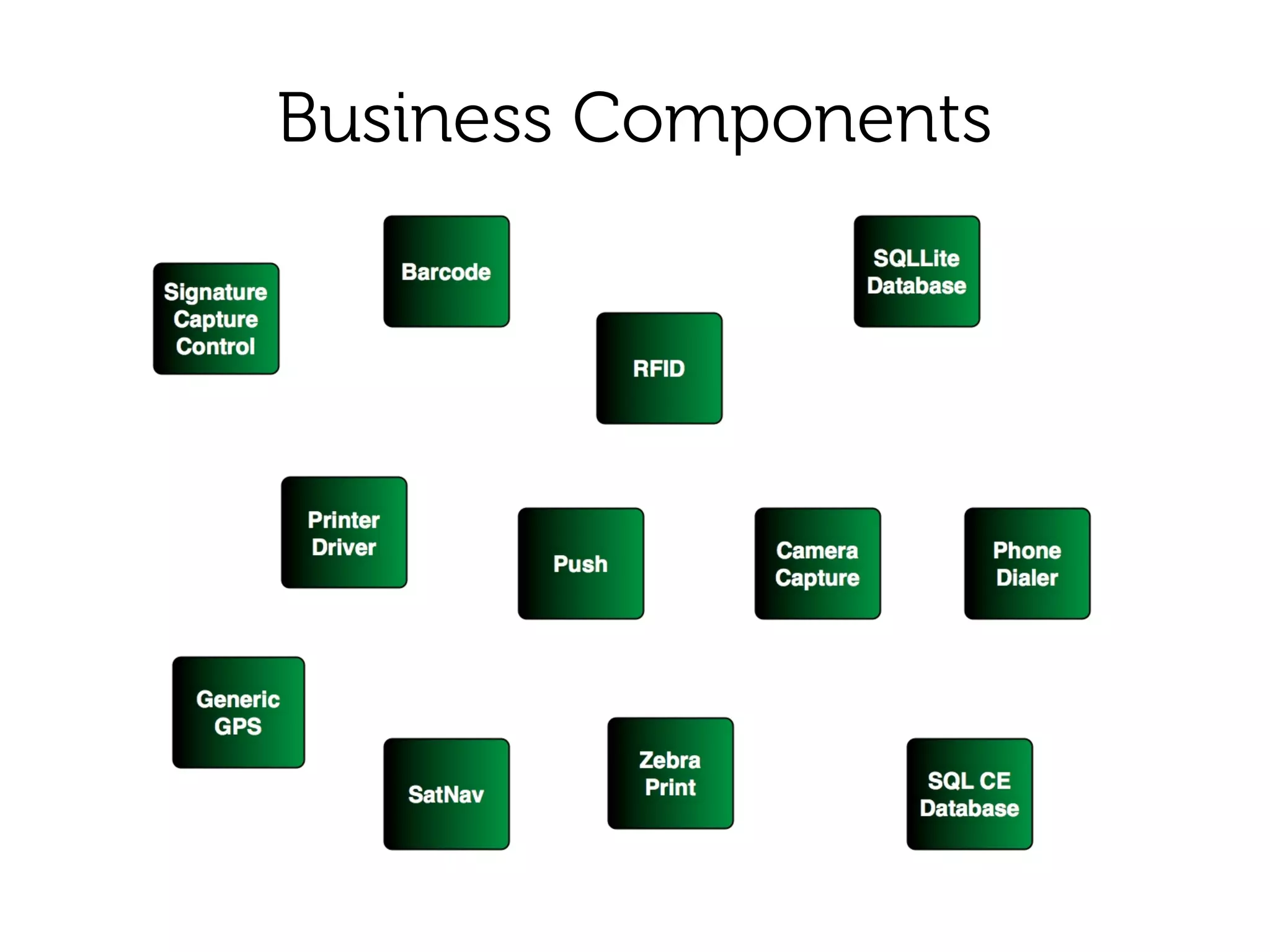
  ●   Business Components
  ●   Address Book example
  ●   Building
  ●   Deploying
What is Meme IDE?
●   Like HTML5
    ●   Cross-platform
●   Unlike HTML5
    ●   Not Browser-based
    ●   Supports Android AND WM6.5. iPhone, Blackberry coming soon
    ●   Meme Script programming language
    ●   Generates native code
         –   C# Compact Framework WM 6.5
         –   Java (Android 2.1 or later)
    ●   Integrated Graphical Form Designer
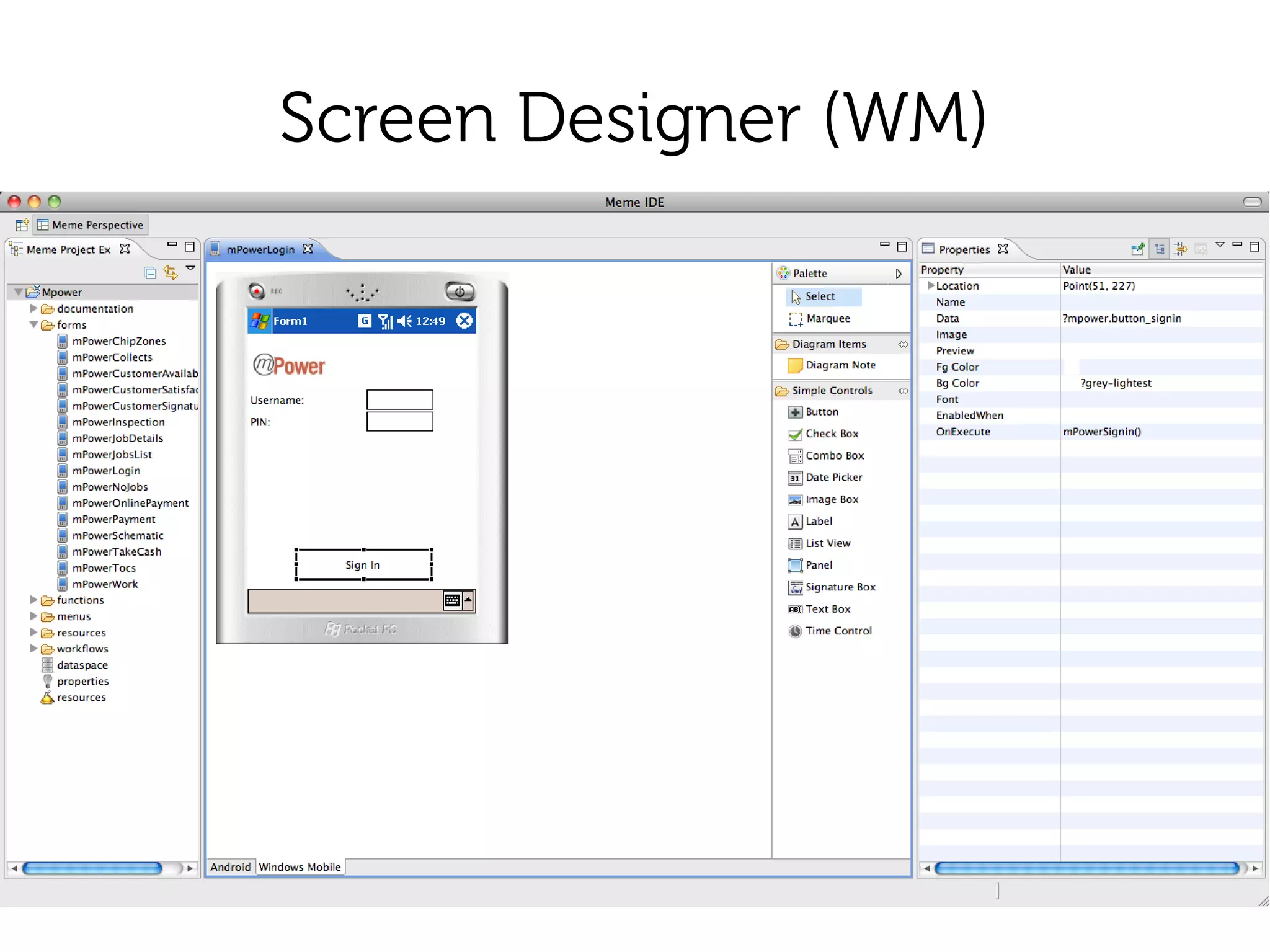
Screen Designer (WM)
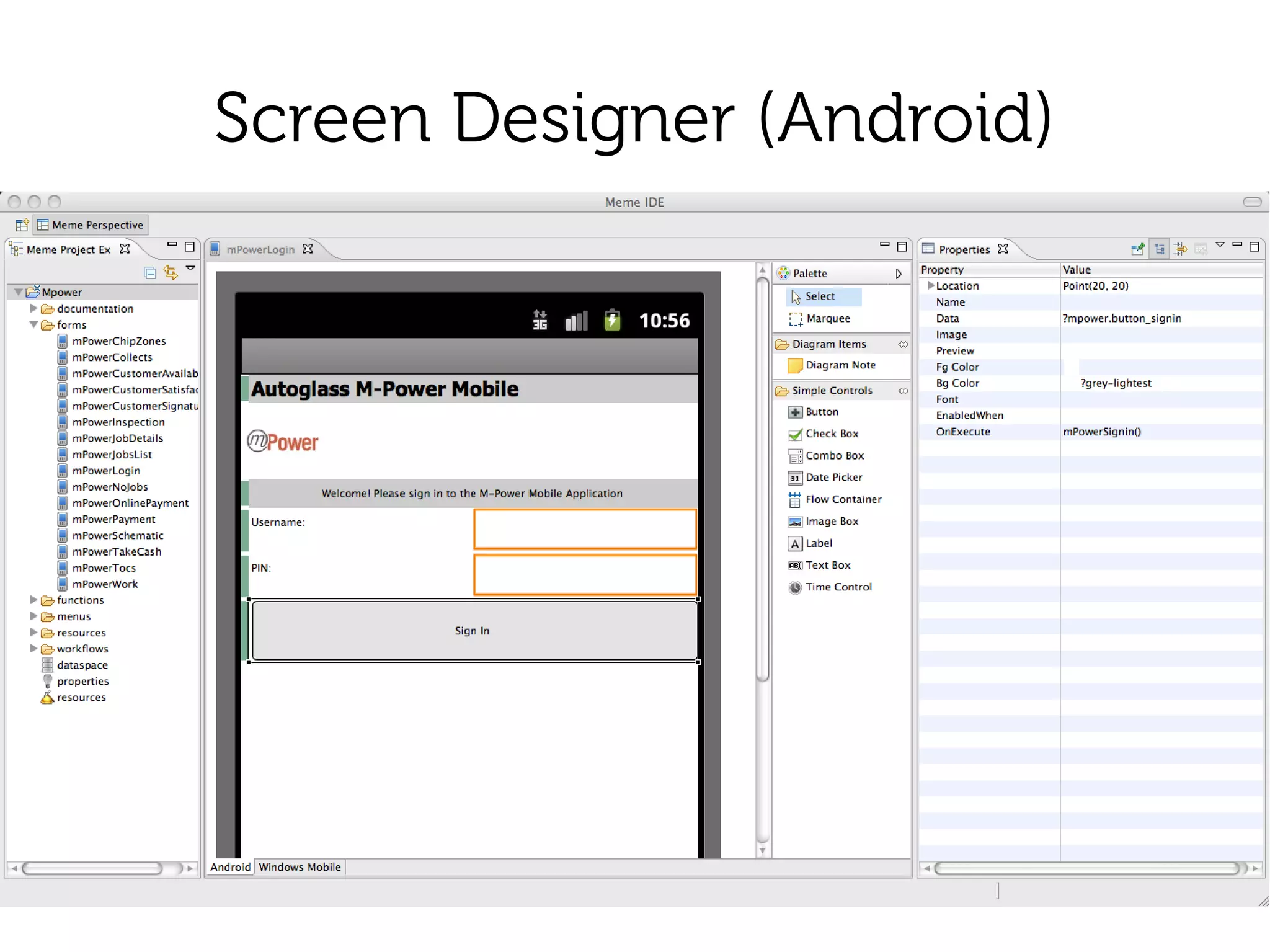
Screen Designer (Android)
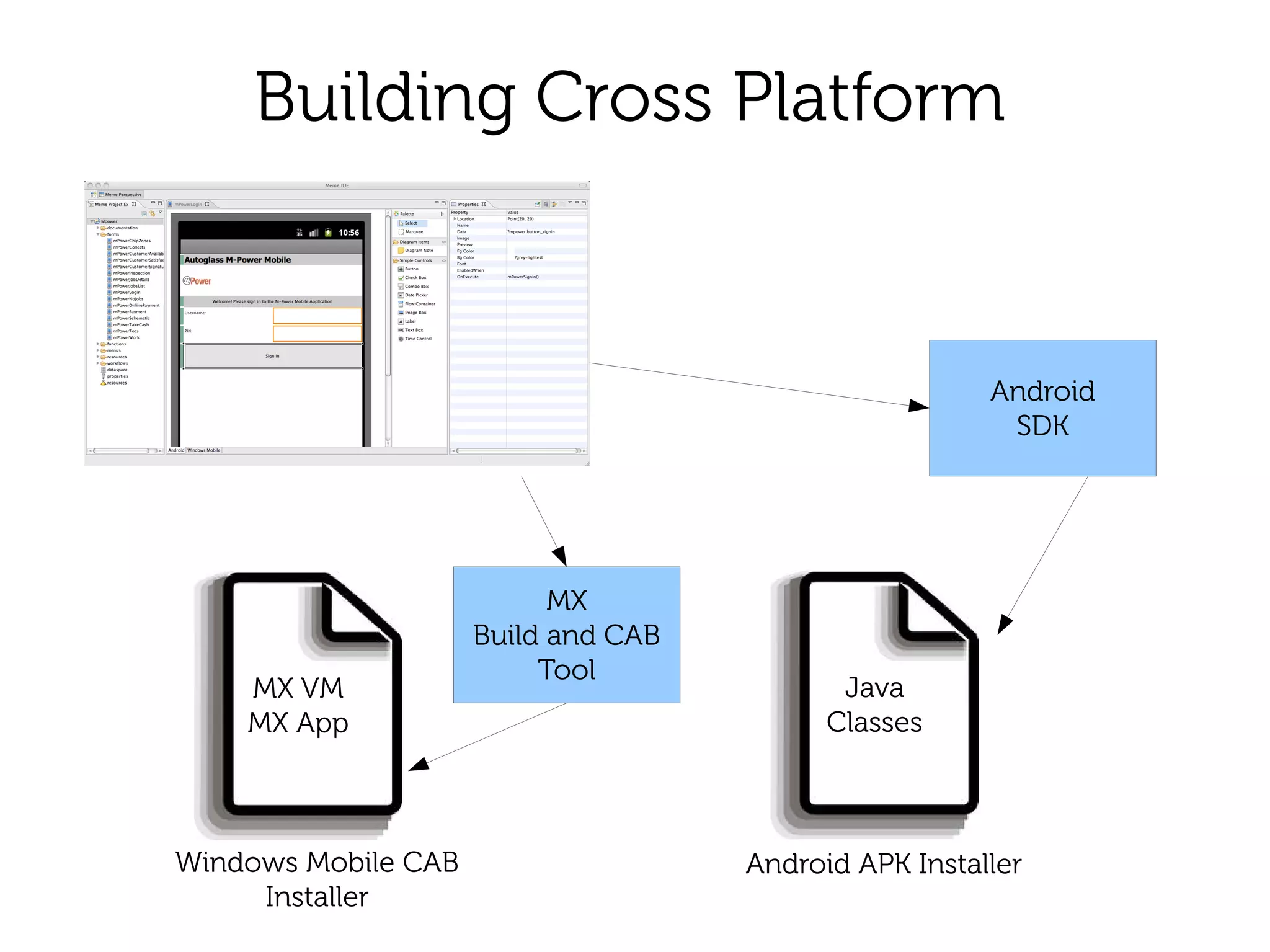
Building Cross Platform


                                                       Android
                                                        SDK


                           MX
                     Build and CAB
                          Tool
    MX VM                                   Java
    MX App                                 Classes


Windows Mobile CAB                   Android APK Installer
     Installer
Business Components
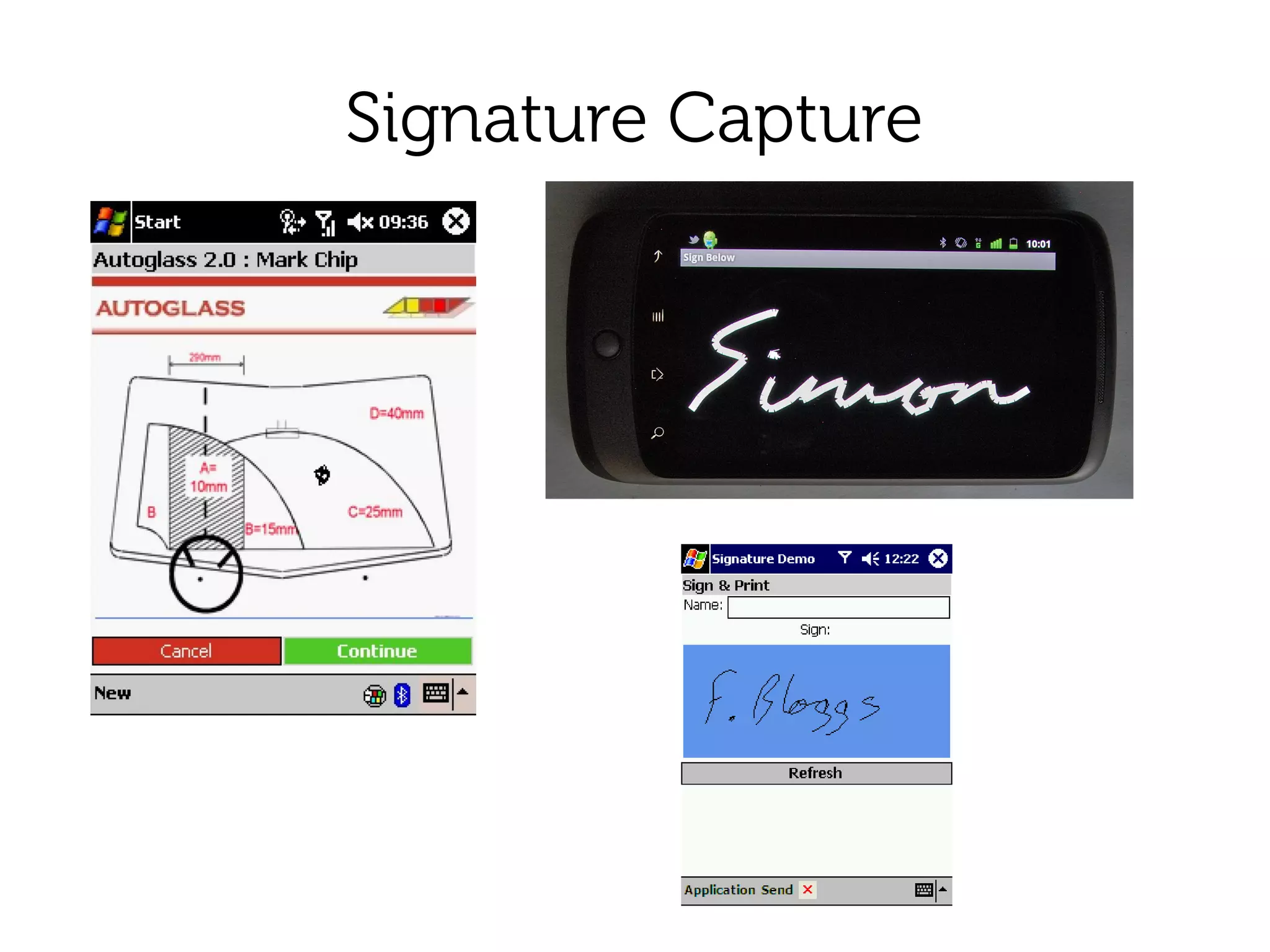
Signature Capture
Satellite Navigation
●   Integration with other mobile client software
●   Navigate button next to postcode
    ●   Co-pilot
    ●   Google Maps
Enough Talk!
●   Installation
●   Download Zip file for your platform
●   Extract
●   Run
Hello World Video


         part 2 signature capture
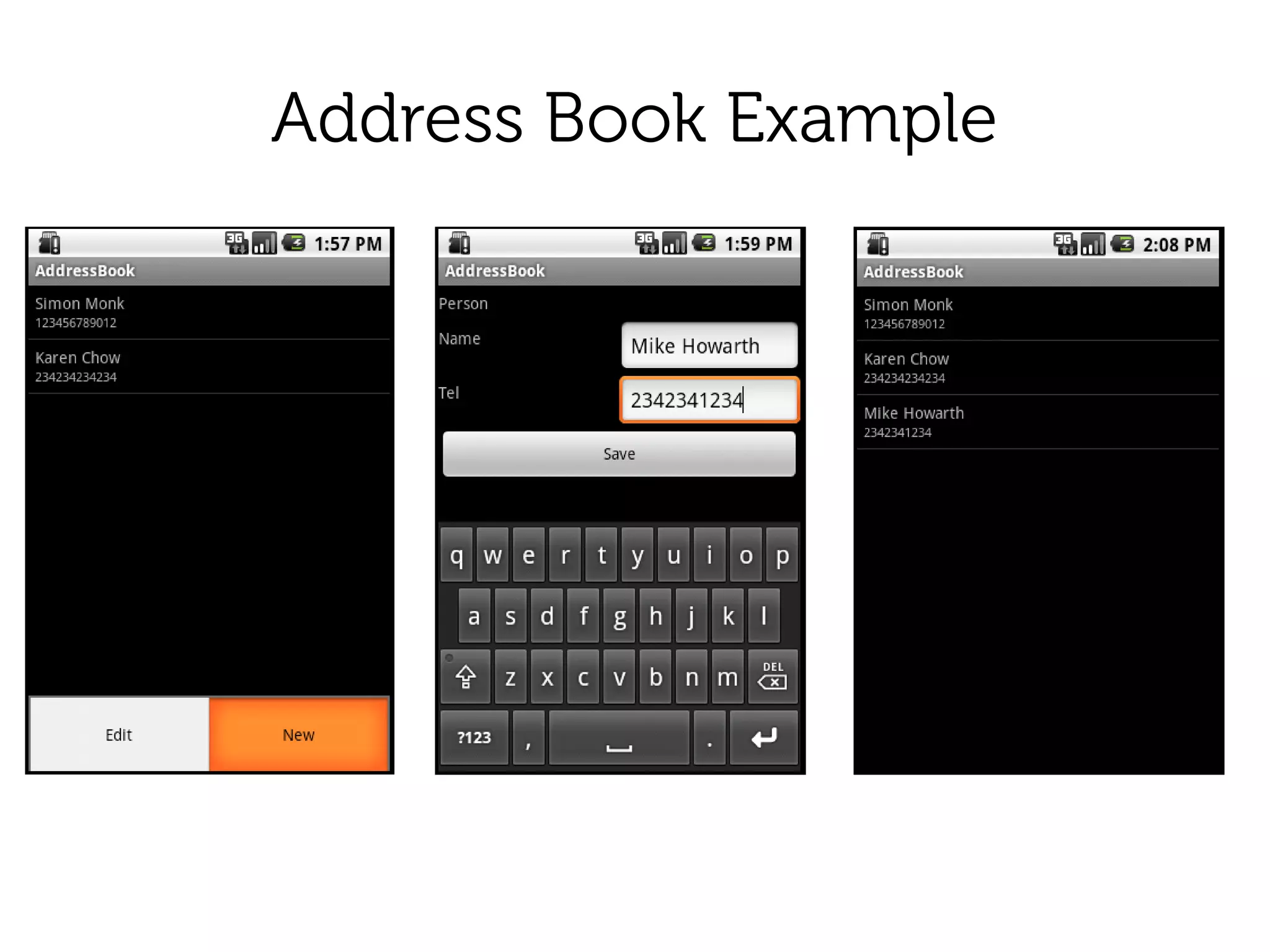
Address Book Example
Import 'Address Book Example'
●   Right-click in the project explorer
●   Import ..
●   General → Existing Projects into Workspace
●   Next
●   Select Archive File
●   Browse to examples/addressbook_basic.zip
●   Finish
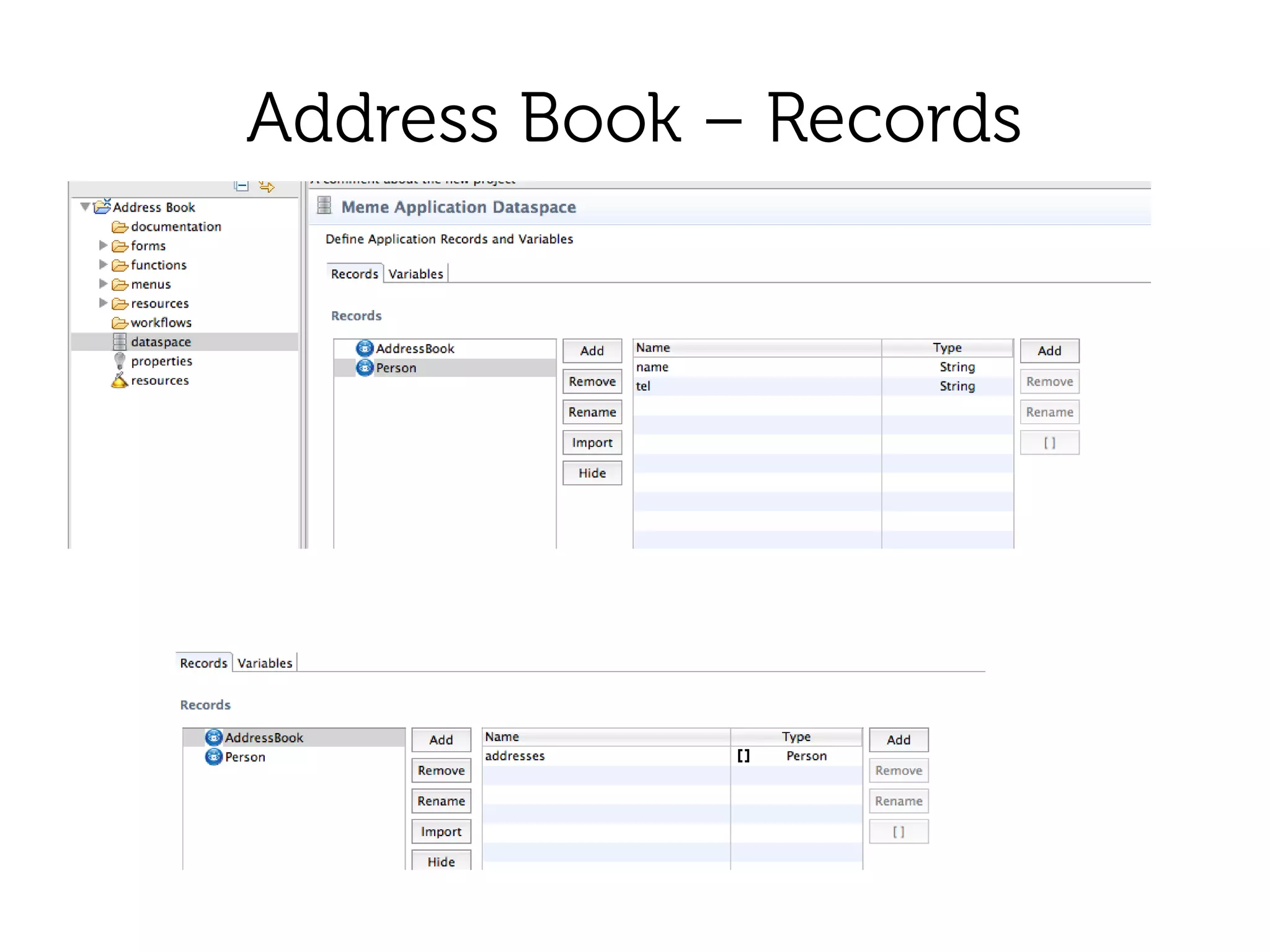
Address Book – Records
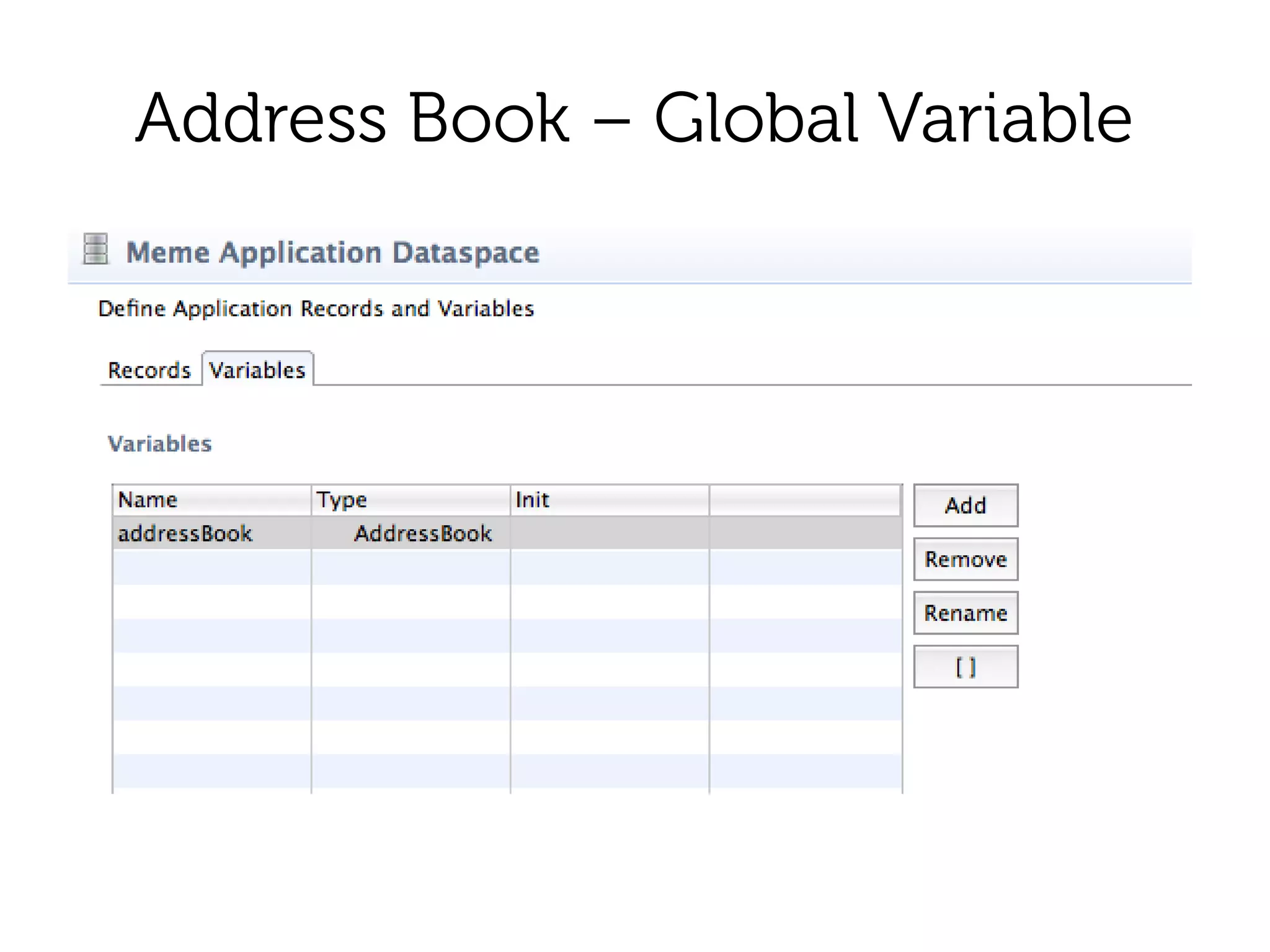
Address Book – Global Variable
Address Book – Main Form (WM)
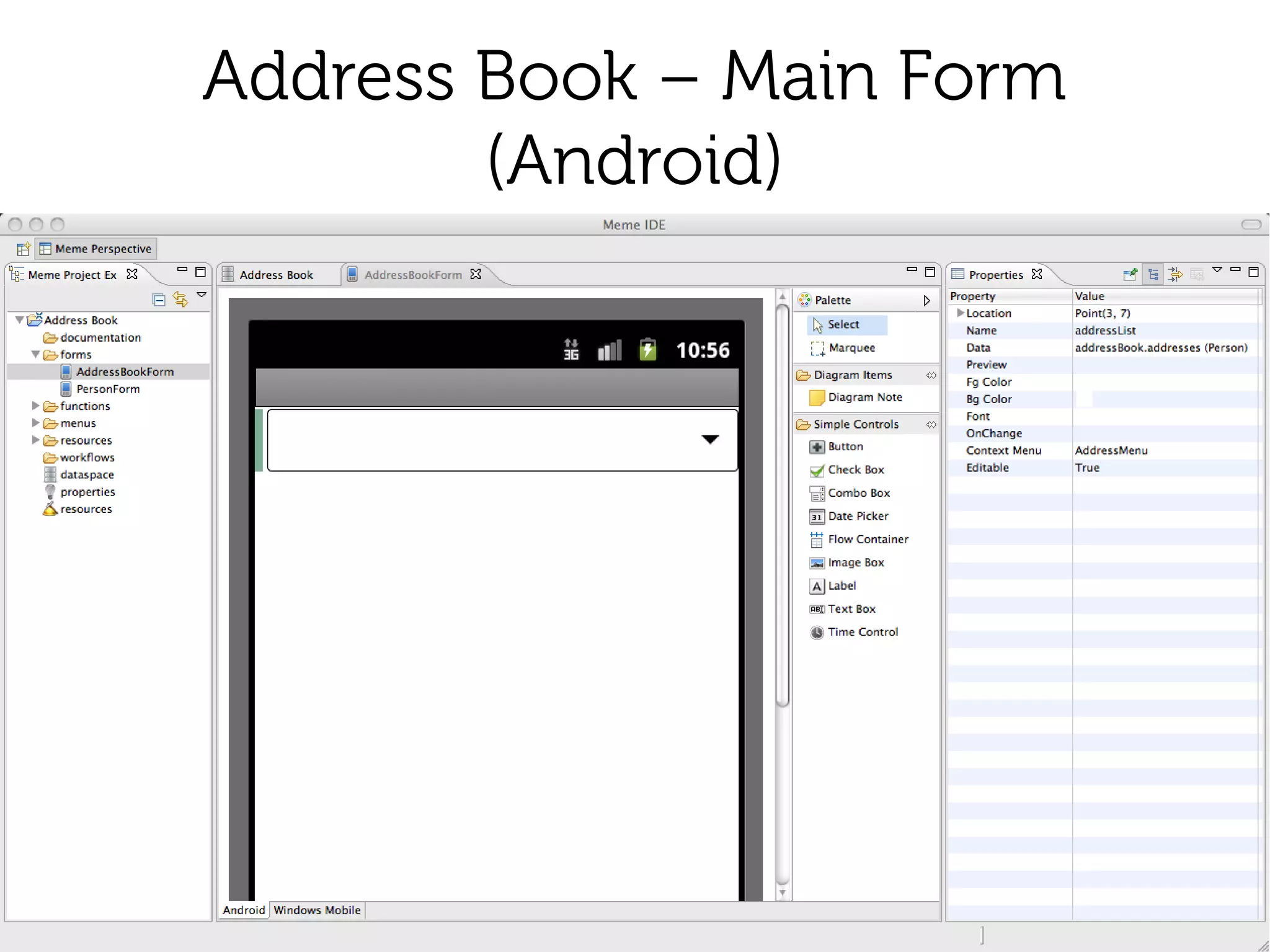
Address Book – Main Form
        (Android)
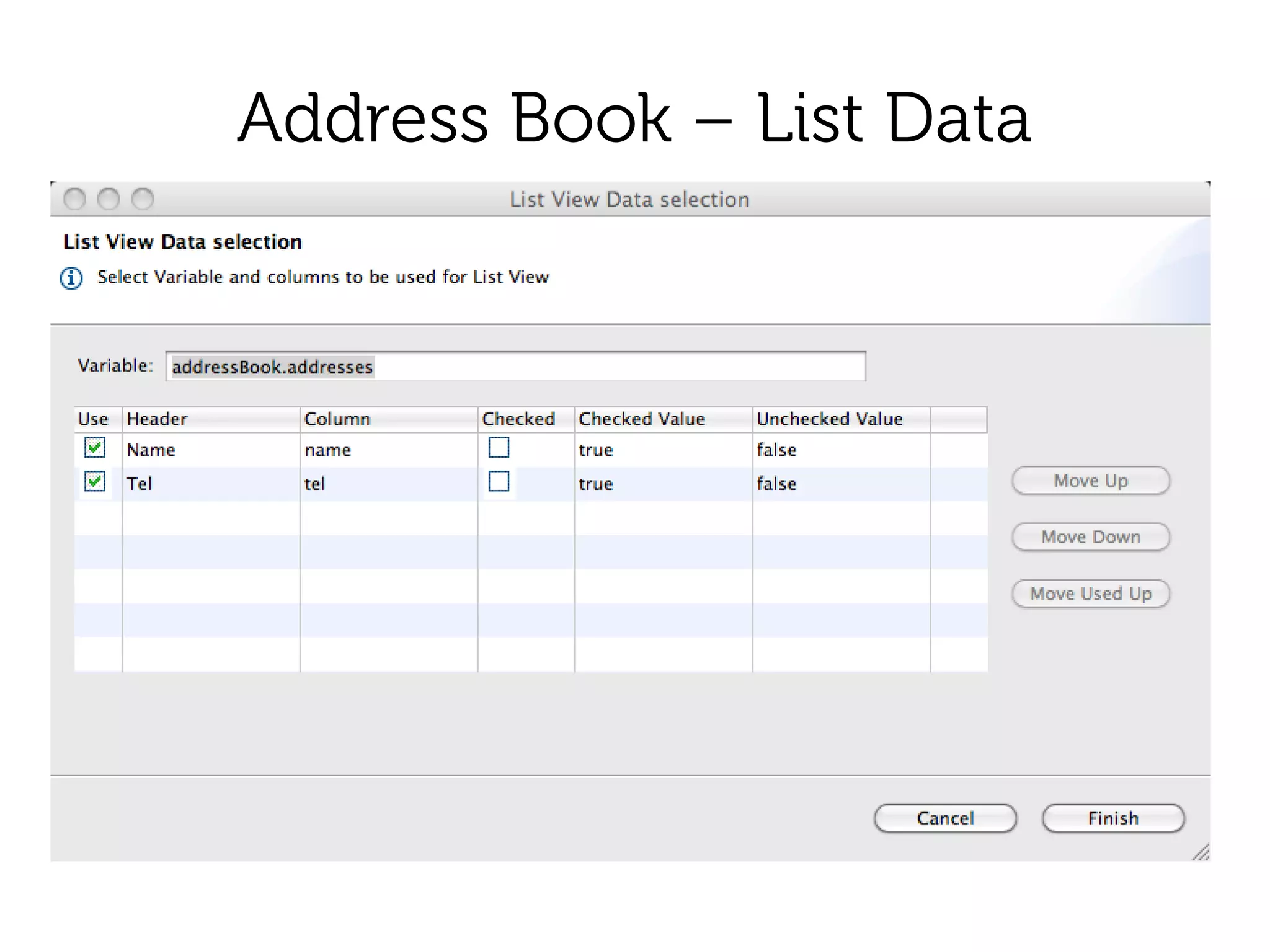
Address Book – List Data
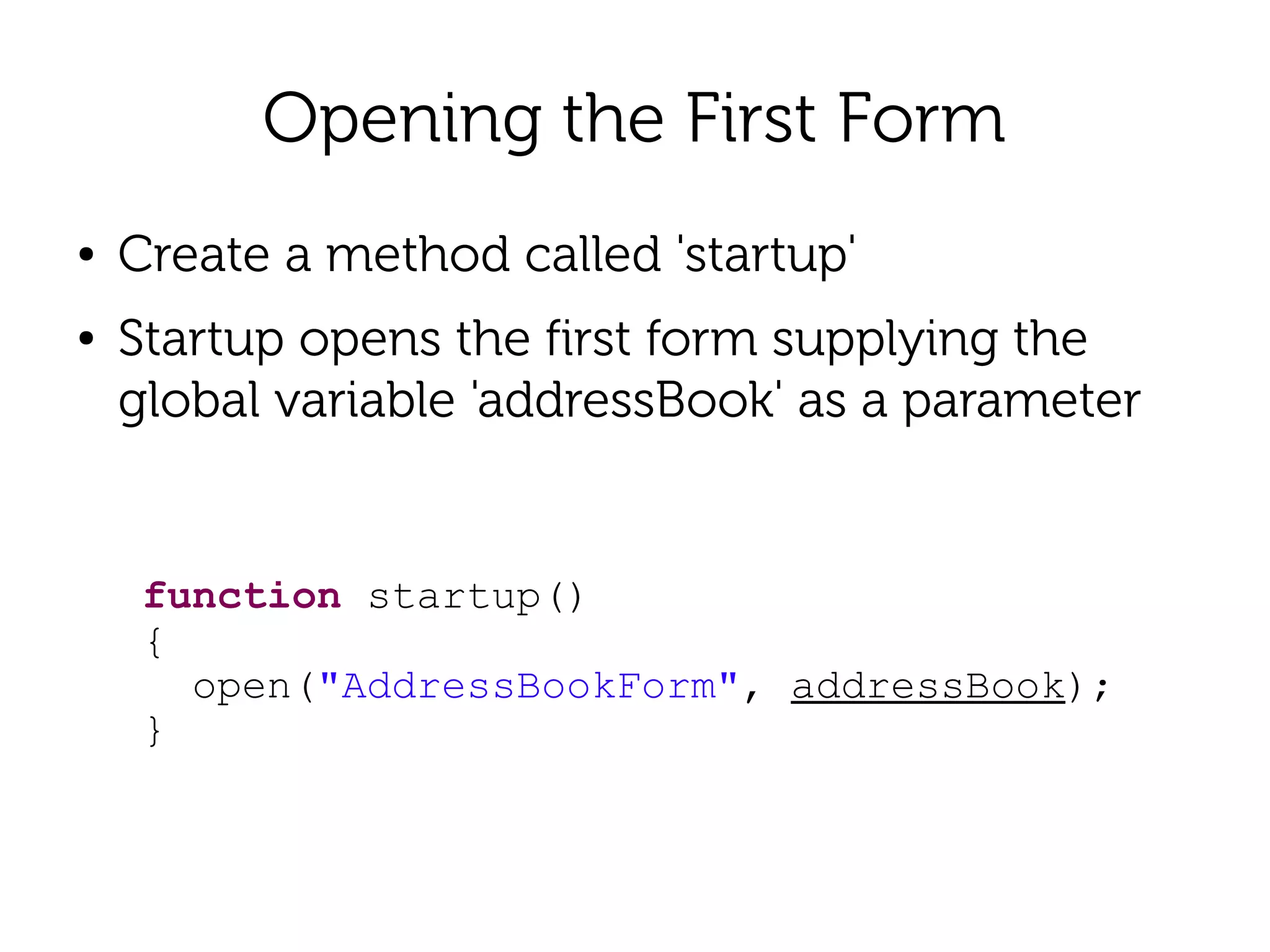
Opening the First Form
●   Create a method called 'startup'
●   Startup opens the first form supplying the
    global variable 'addressBook' as a parameter


     function startup()
     {
       open("AddressBookForm", addressBook);
     }
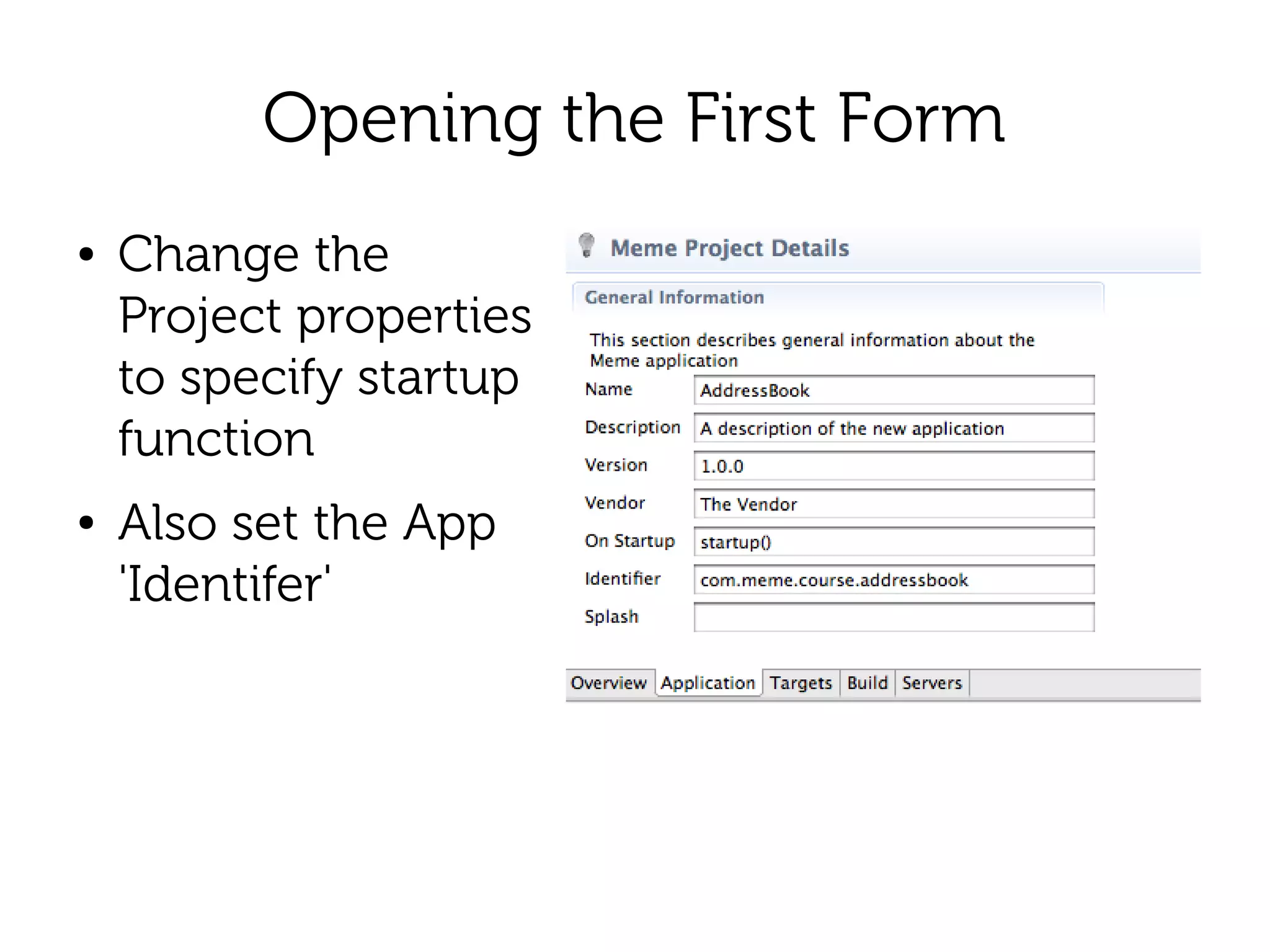
Opening the First Form
●   Change the
    Project properties
    to specify startup
    function
●   Also set the App
    'Identifer'
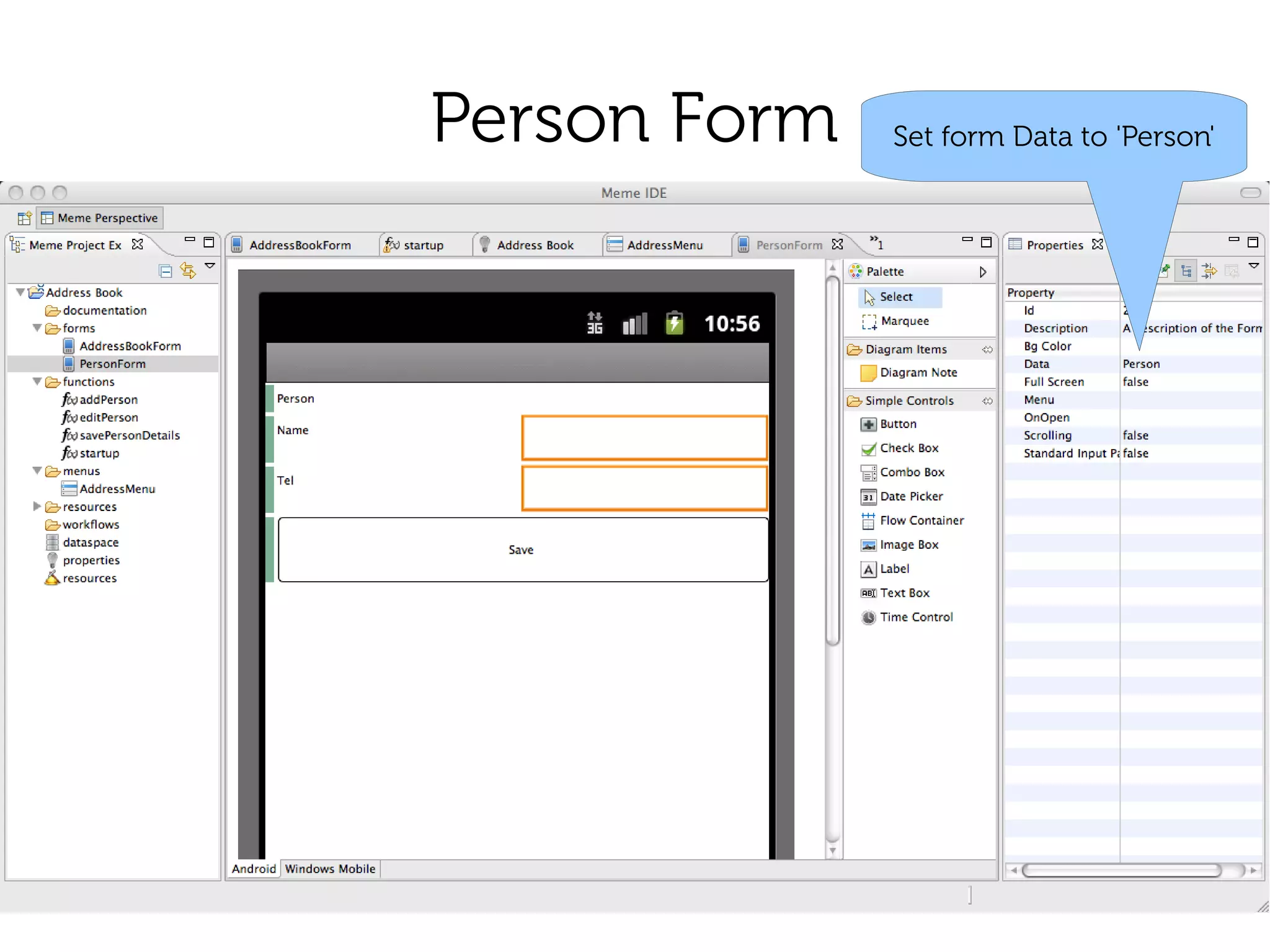
Person Form   Set form Data to 'Person'
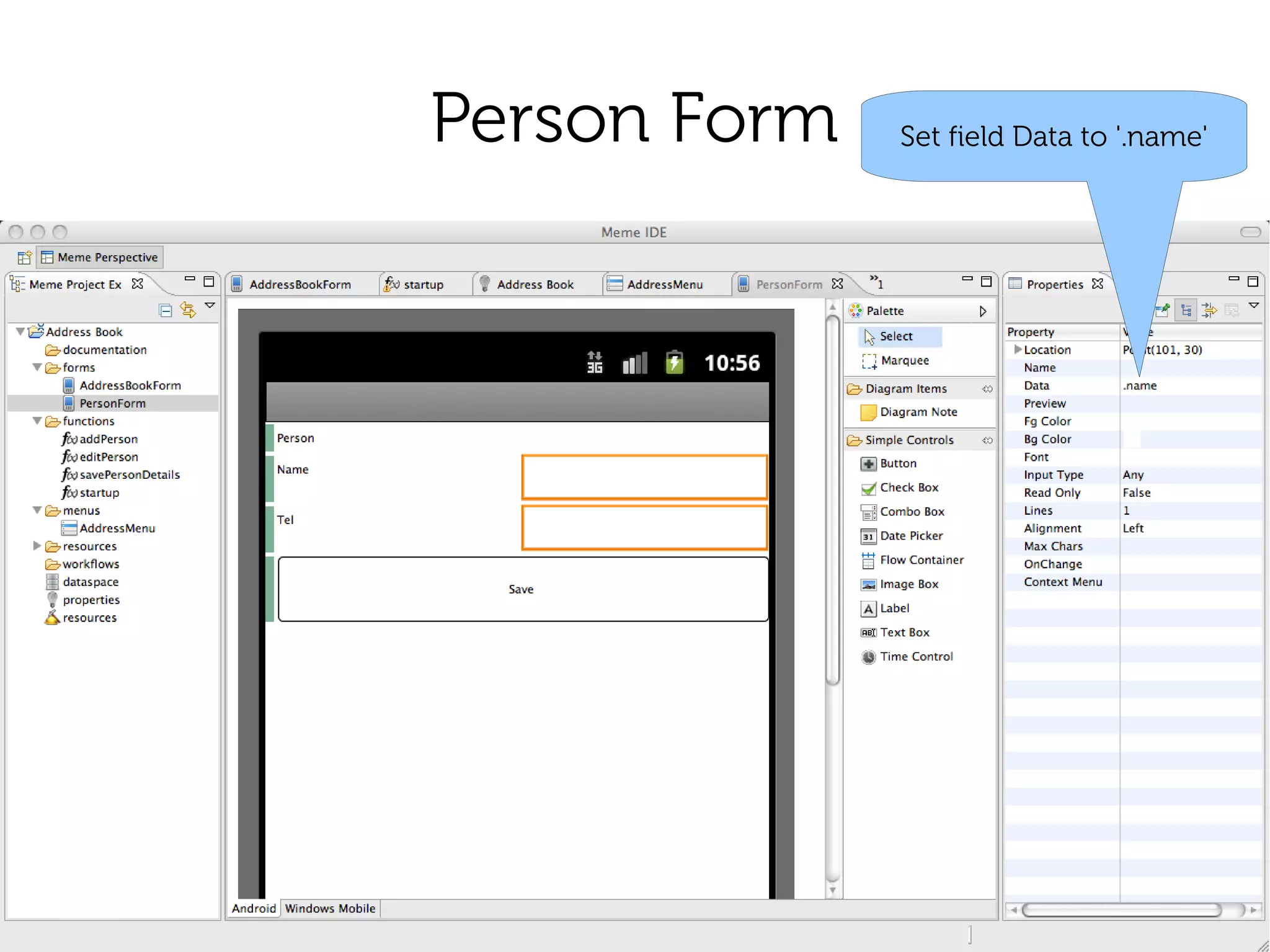
Person Form   Set field Data to '.name'
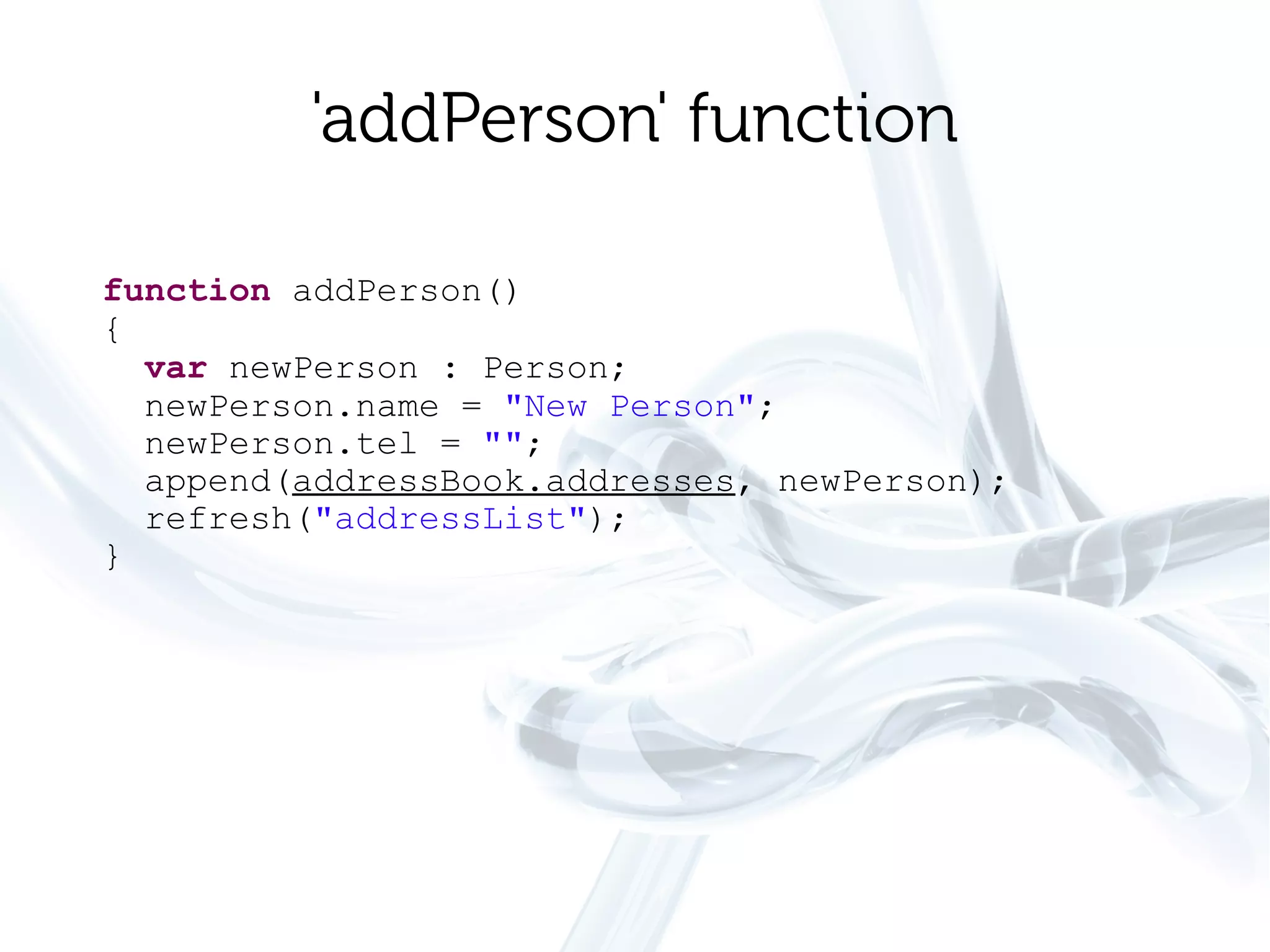
'addPerson' function

function addPerson()
{
  var newPerson : Person;
  newPerson.name = "New Person";
  newPerson.tel = "";
  append(addressBook.addresses, newPerson);
  refresh("addressList");
}
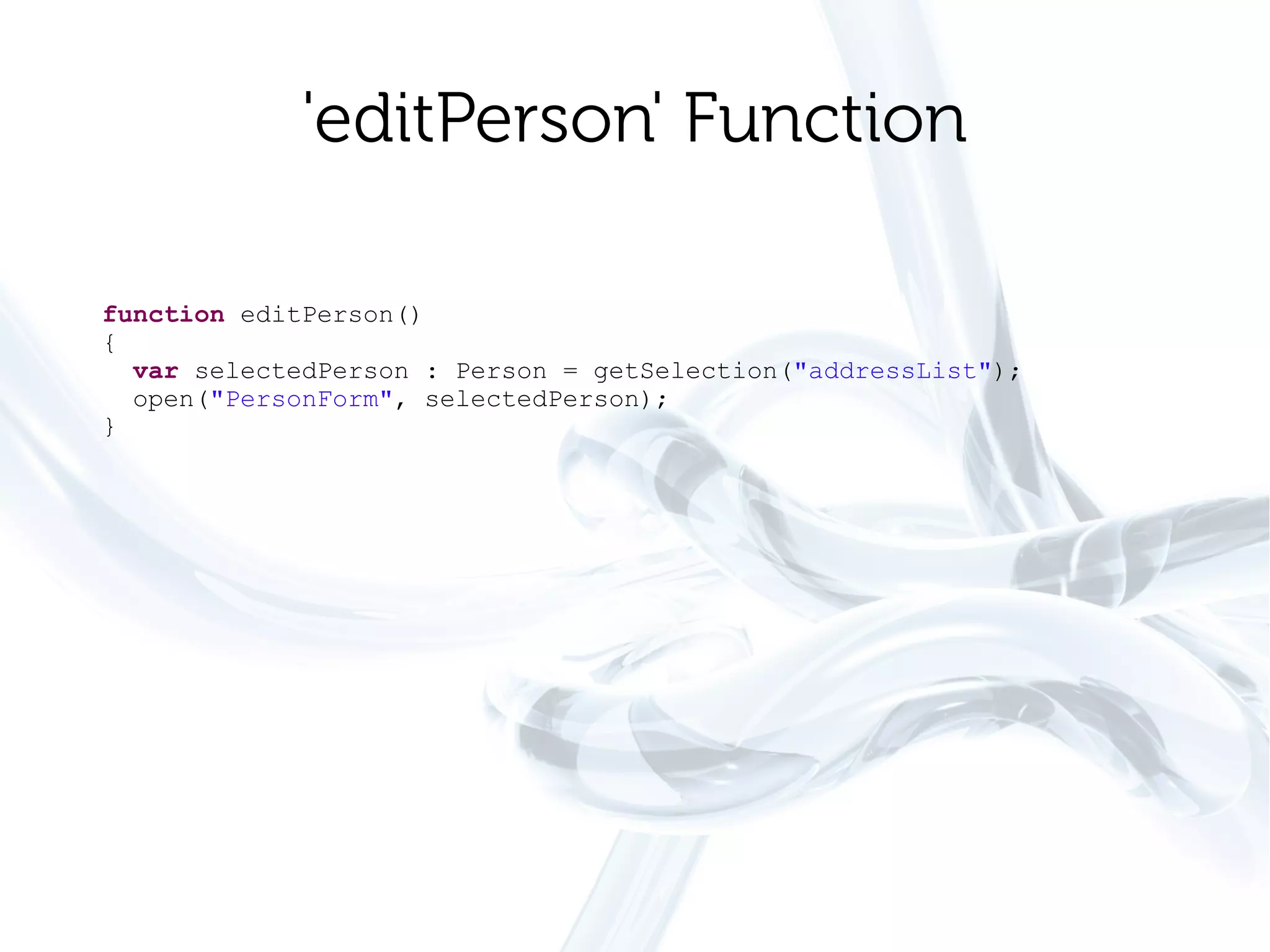
'editPerson' Function

function editPerson()
{
  var selectedPerson : Person = getSelection("addressList");
  open("PersonForm", selectedPerson);
}
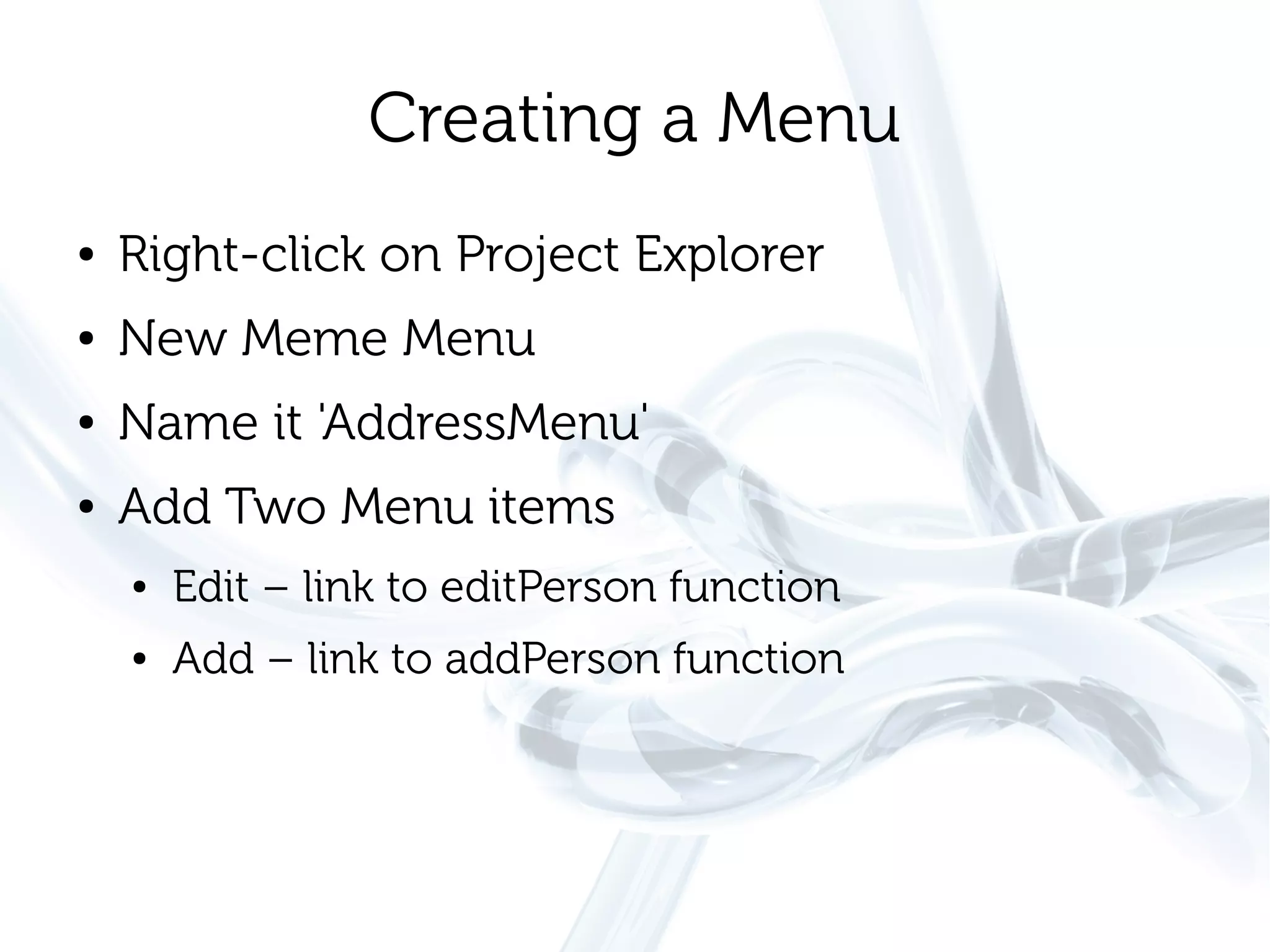
Creating a Menu
●   Right-click on Project Explorer
●   New Meme Menu
●   Name it 'AddressMenu'
●   Add Two Menu items
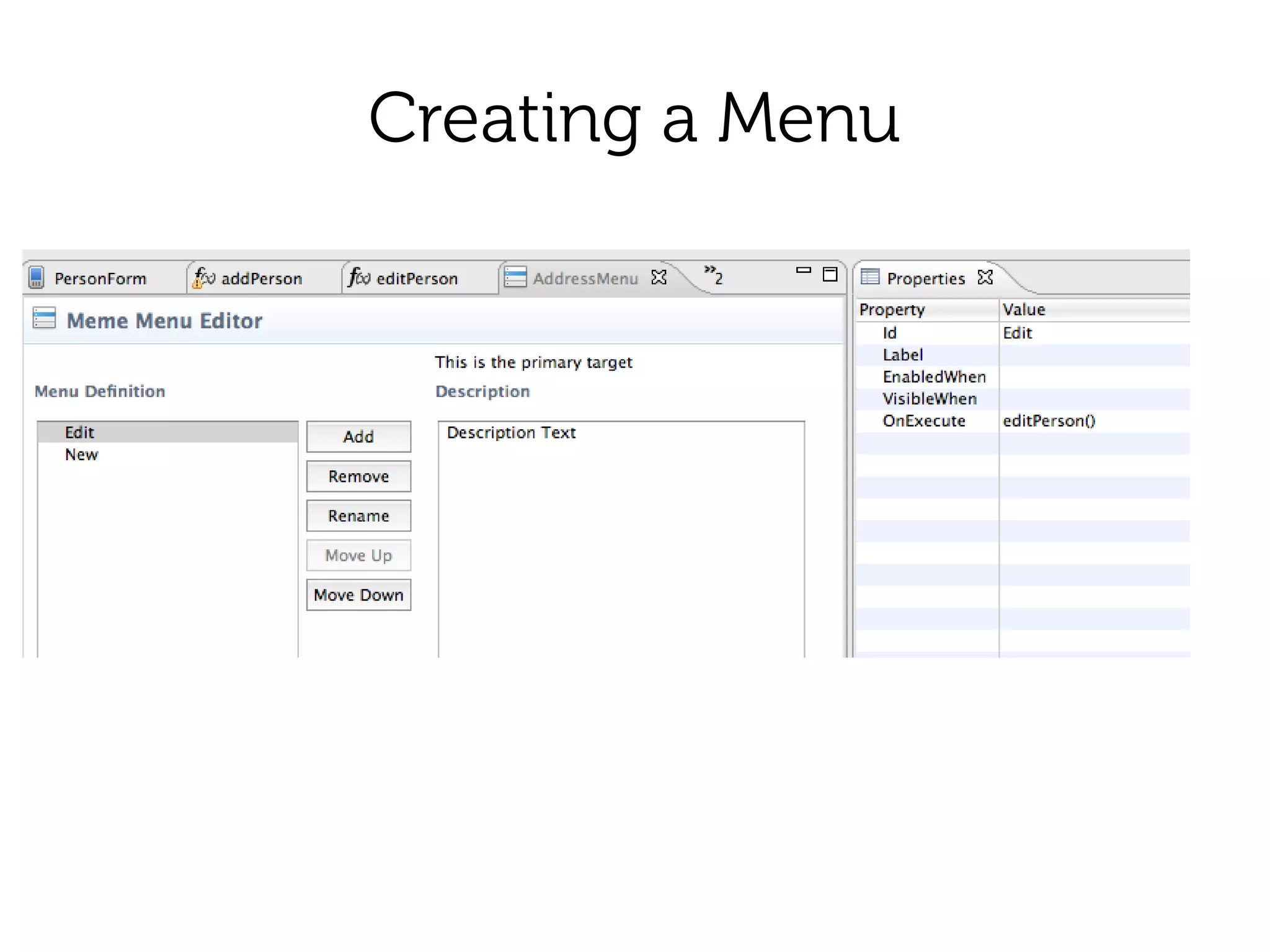
    ●   Edit – link to editPerson function
    ●   Add – link to addPerson function
Creating a Menu
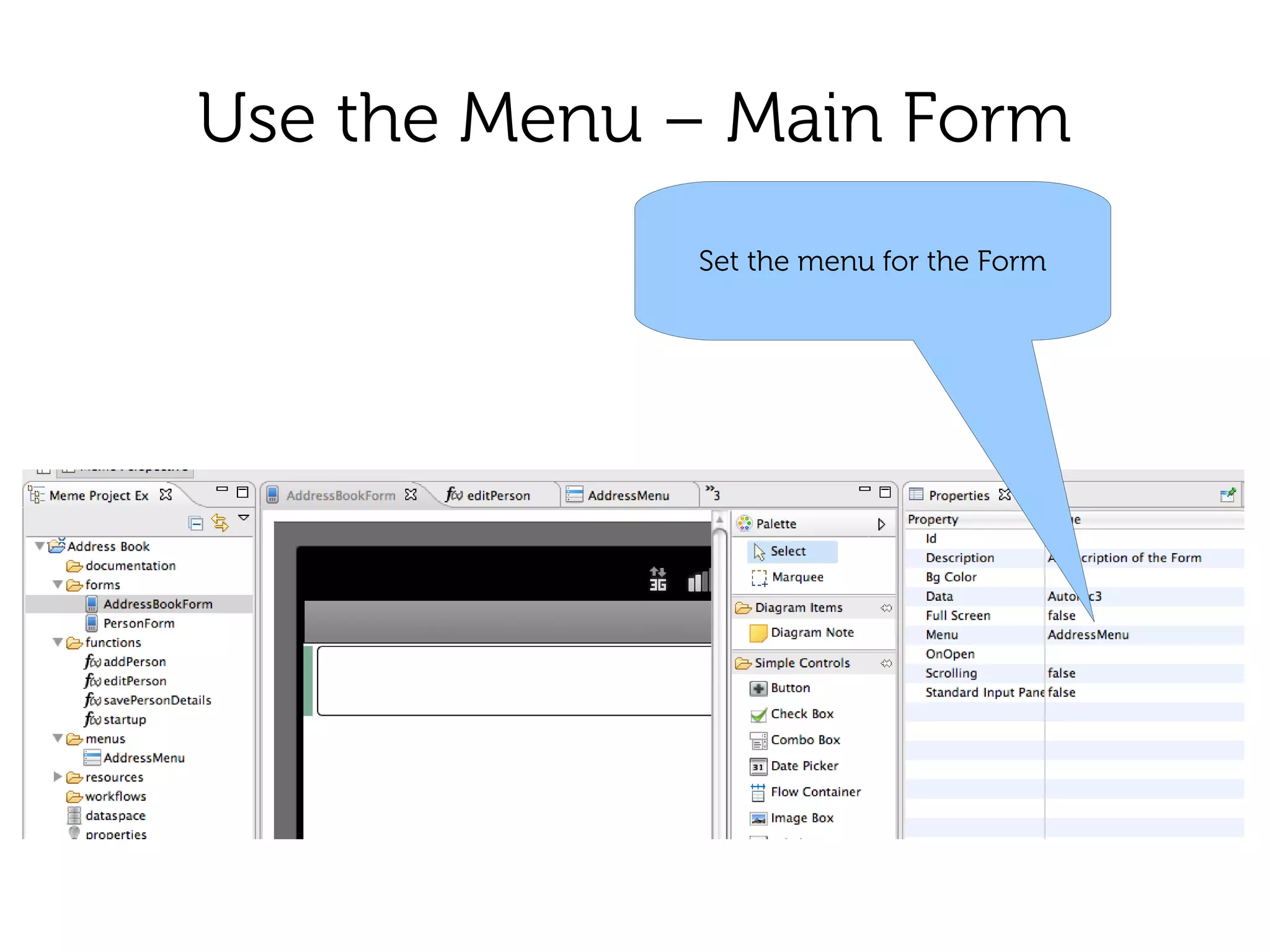
Use the Menu – Main Form
             Set the menu for the Form
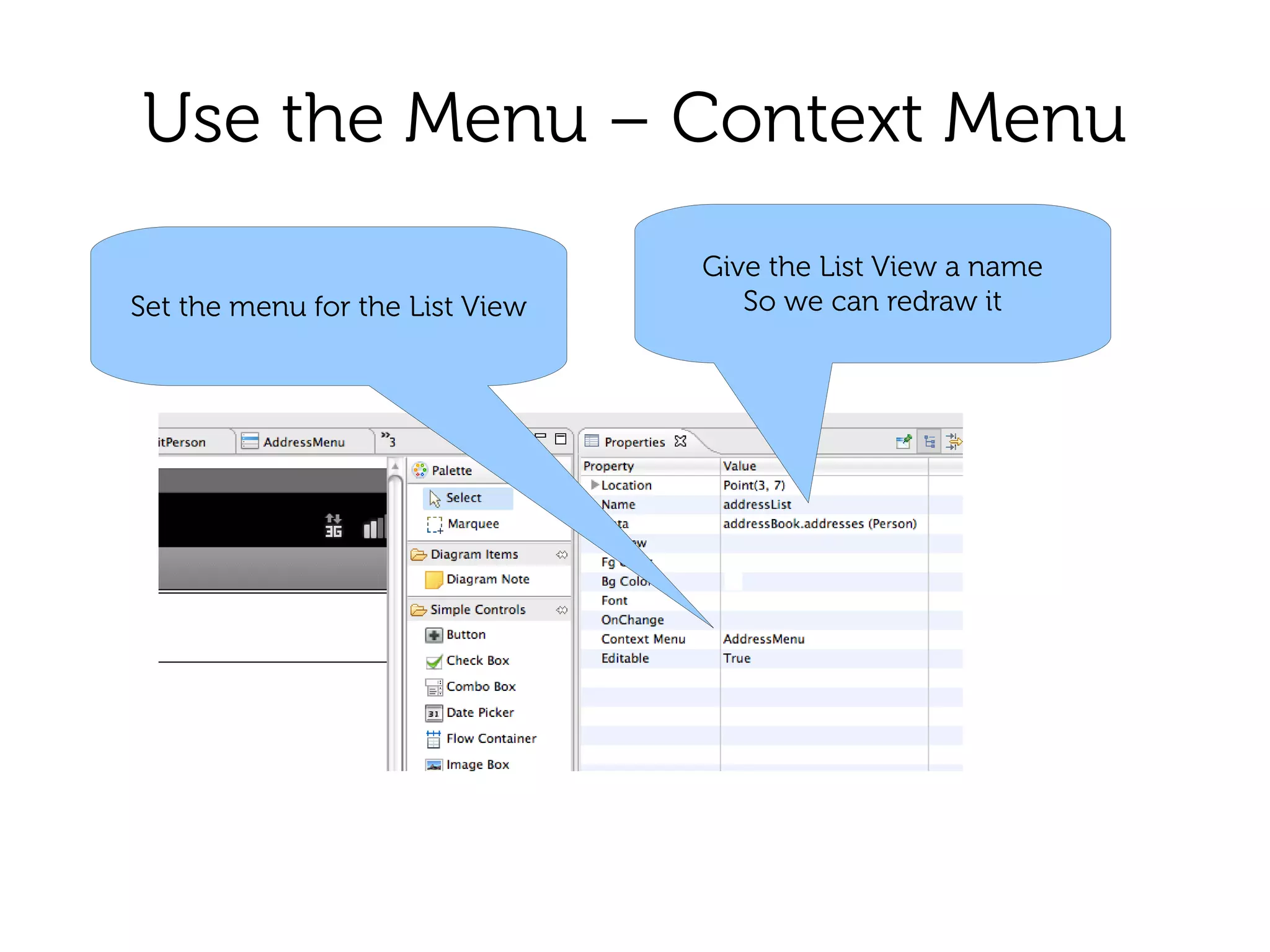
Use the Menu – Context Menu
                                 Give the List View a name
Set the menu for the List View      So we can redraw it
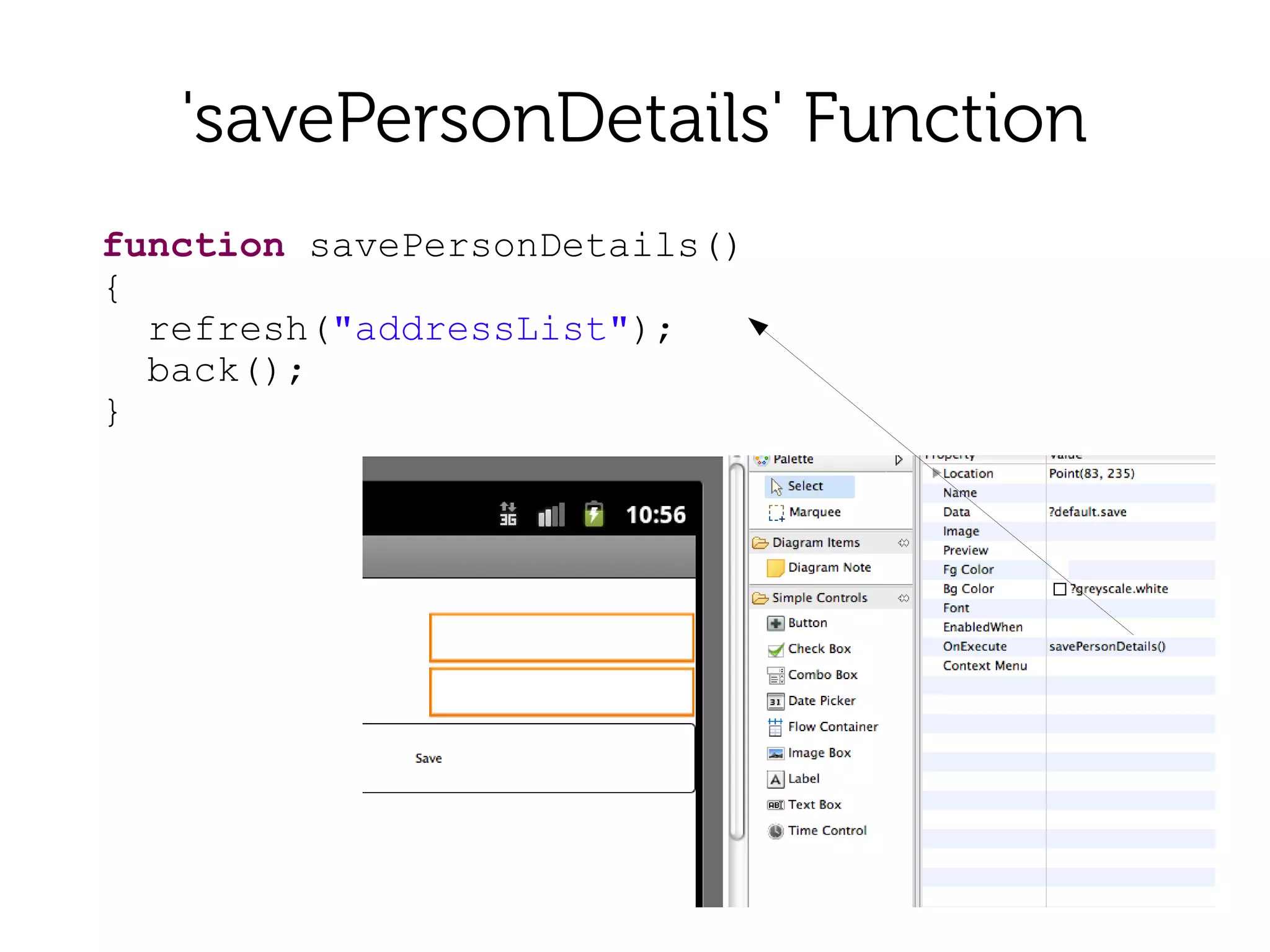
'savePersonDetails' Function
function savePersonDetails()
{
  refresh("addressList");
  back();
}
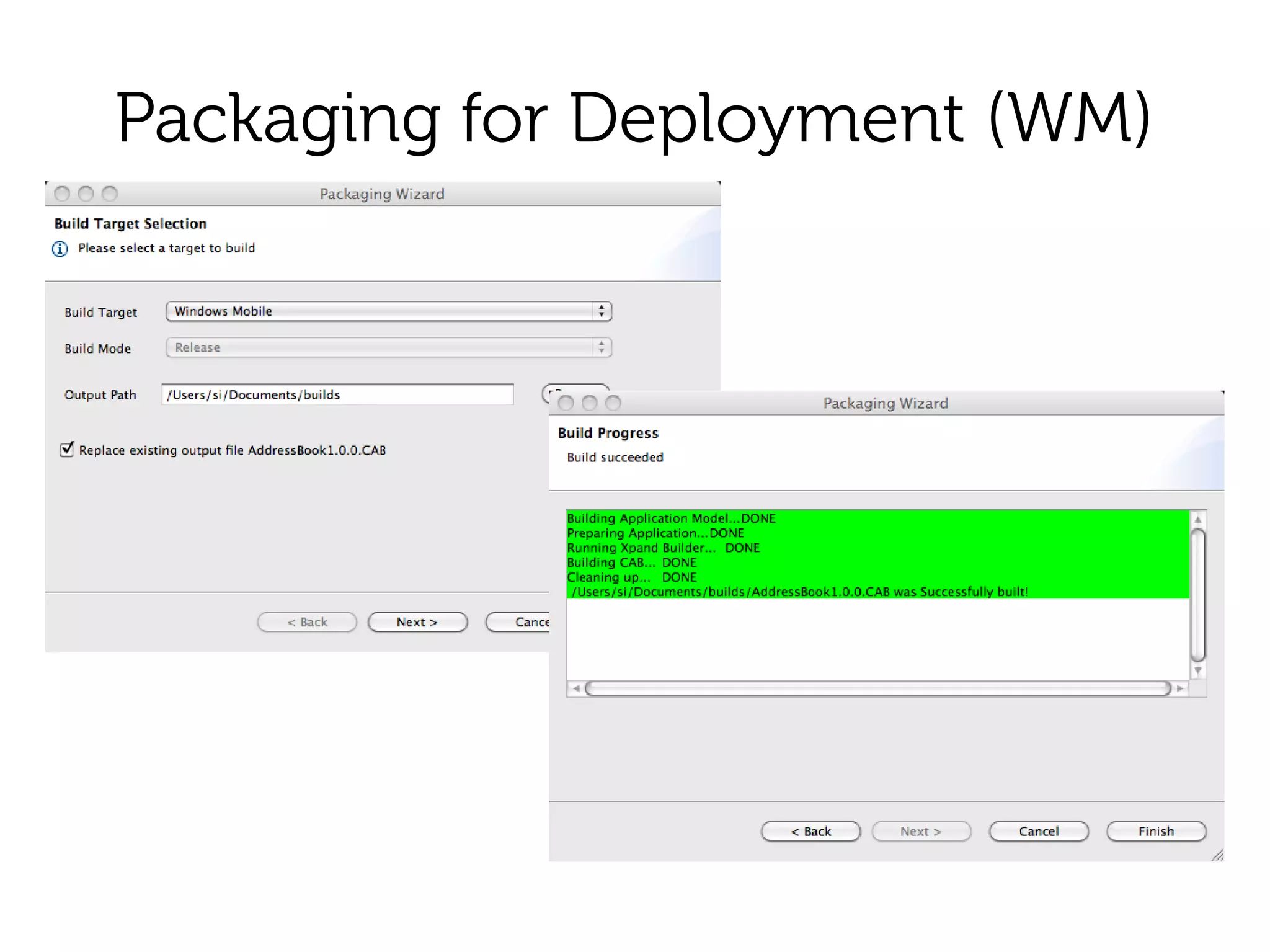
Packaging for Deployment (WM)
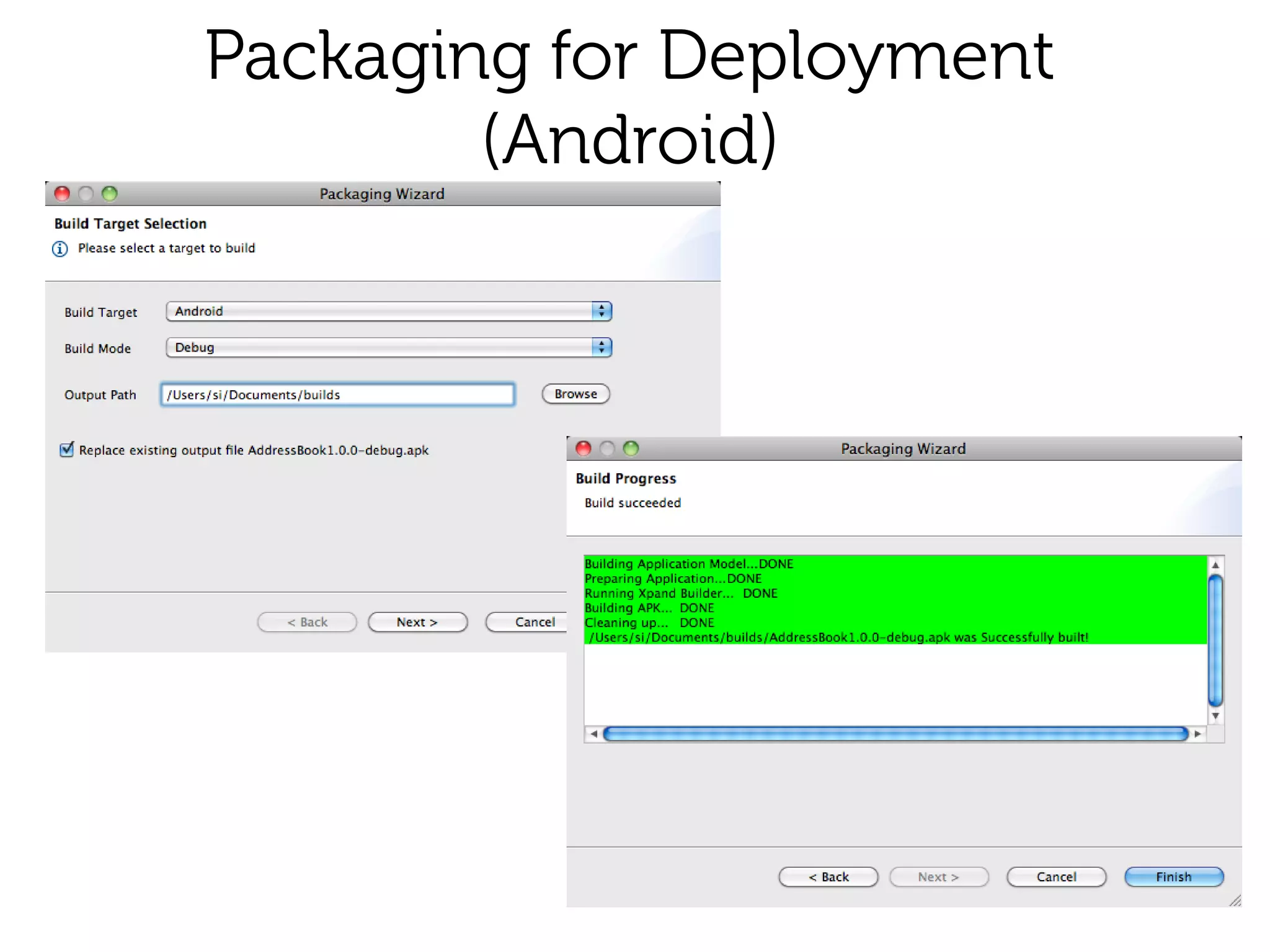
Packaging for Deployment
        (Android)
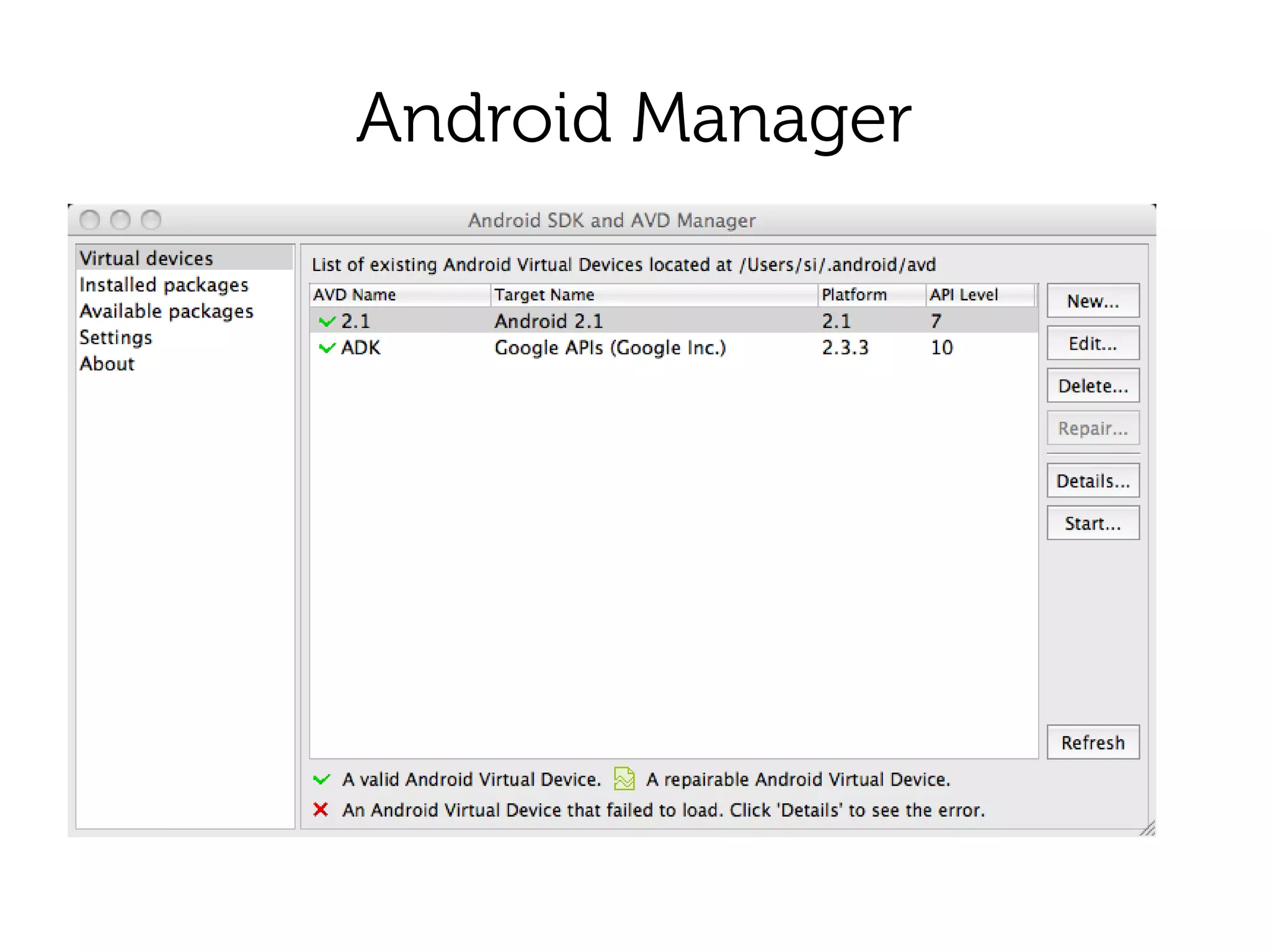
Android Manager
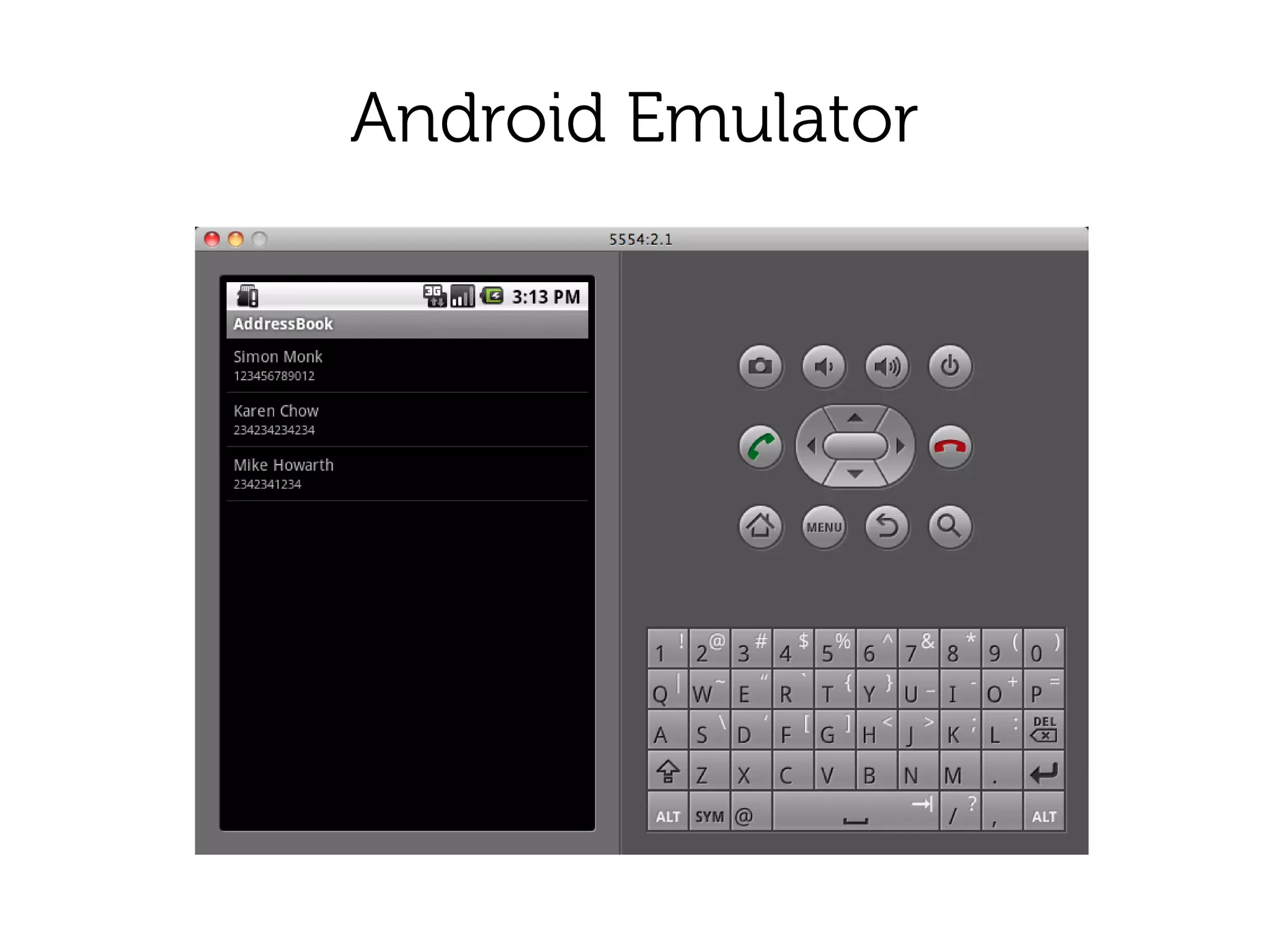
Android Emulator
Installation
●   Launch emulator OR
●   Plugin real device with USB debugging
    enabled
●   From command line:
    ●   adb uninstall com.meme.course.addressbook
    ●   adb install AddressBook1.0.0-debug.apk
Windows Mobile
●   Active Sync
●   Copy CAB file onto device
●   Run the CAB File
●   Find the App in 'Programs'
Summary
●   Understand a simple app in Meme IDE
●   Know how to build an app
●   Know how to deploy an app

02 meme ide