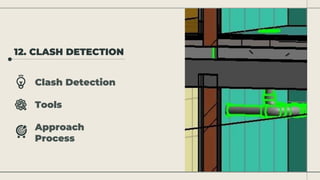
12. CLASH DETECTION
Clash Detection
Tools
Approach
Process
CLASH
DETECTION
• Ability to detect contradictions between different models as early
as the design phase.
• Every clash eliminated during the design phase means one
potential problem that might have resulted in a multi-level
design change, project delays, and budget expansions.
• Smaller risks, lower overall costs, and decreased material waste.
TOOLS
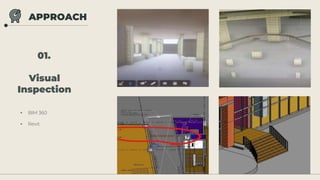
• BIM 360
• Revit
APPROACH
01.
Visual
Inspection
• Trial Accounts
• Search Sets can’t be Identified
APPROACH
02.
BIM 360
Model
Coordination
1. All Models 2. Clashes
3. Model Coordination 4. Navisworks
(Didn’t WorkOut)
APPROACH
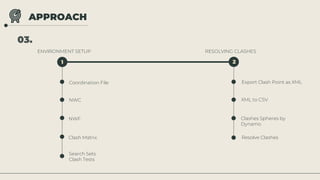
03.
ENVIRONMENT SETUP RESOLVING CLASHES
1 2
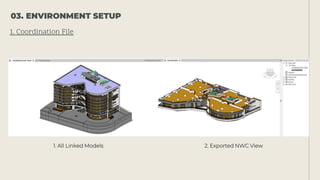
Coordination File
NWC
NWF
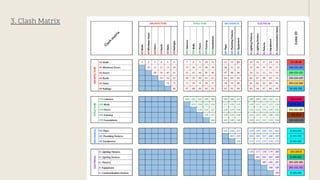
Clash Matrix
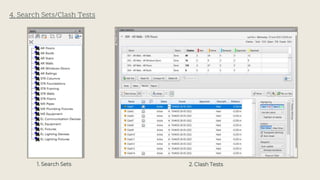
Search Sets
Clash Tests
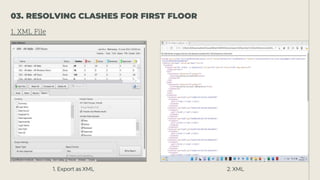
Export Clash Point as XML
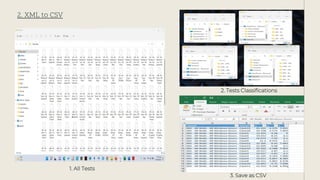
XML to CSV
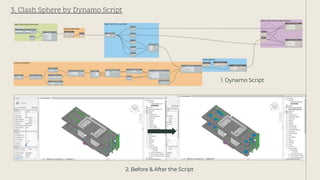
Clashes Spheres by
Dynamo
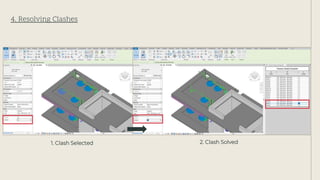
Resolve Clashes
1. All Linked Models 2. Exported NWC View
1. Coordination File
03. ENVIRONMENT SETUP
Using Desktop Connector
2. NWC/NWF
3. Clash Matrix
4. Search Sets/Clash Tests
1. Search Sets 2. Clash Tests
1. Export as XML 2. XML
1. XML File
03. RESOLVING CLASHES FOR FIRST FLOOR
1. All Tests
2. XML to CSV
3. Save as CSV
2. Tests Classifications
1. Dynamo Script
3. Clash Sphere by Dynamo Script
2. Before & After the Script
4. Resolving Clashes
1. Clash Selected 2. Clash Solved
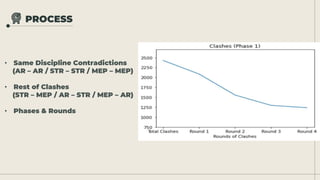
PROCESS
• Same Discipline Contradictions
(AR – AR / STR – STR / MEP – MEP)
• Rest of Clashes
(STR – MEP / AR – STR / MEP – AR)
• Phases & Rounds

02- Coordination (Clash Detection).pptx